.avif)
TL;DR
Dripify is an affordable LinkedIn automation tool starting at $39/month that automates connection requests, messaging, and campaigns.
While it offers basic automation and team management, users report mixed experiences with customer support, billing issues, and potential account safety concerns.
SalesRobot offers a safer alternative with multichannel outreach (LinkedIn + Email), AI-powered features including AI Appointment Setter, AI Voice Notes, and Video Messages, and AI Variables starting at $59/month with a 14-day free trial.
This blog is for you…
If you're running a lead generation agency or a B2B sales team and want to find the right LinkedIn automation tool.
OR
Maybe you're a business owner struggling with a tight budget that's keeping you from getting a fancy LinkedIn automation tool.
I get it – every dollar counts, right?

I've been hunting for something that won't break the bank for so long and stumbled upon Dripify.
It's an affordable LinkedIn automation tool, and I thought, why not give you a lowdown on it?
In this blog, I'm going to help you make an informed decision about whether Dripify is the right fit for you and your team.
Here's what I'll cover:
🌟A quick overview of Dripify.
🌟The good, the bad, and the ugly (okay, mostly the pros and cons).
🌟The big elephant in the room: a breakdown of Dripify's pricing. but here's a quick look for you:
🌟#1 Alternative to Dripify, because some users have reported concerns about account safety and customer service experiences.
🌟Finally, whether it's worth your hard-earned money.
Because generating leads on LinkedIn can feel like climbing Mount Everest in flip-flops.
Dripify promises to streamline LinkedIn prospecting, but are those claims for real?
Let's dig in and find out!
So, what is Dripify?
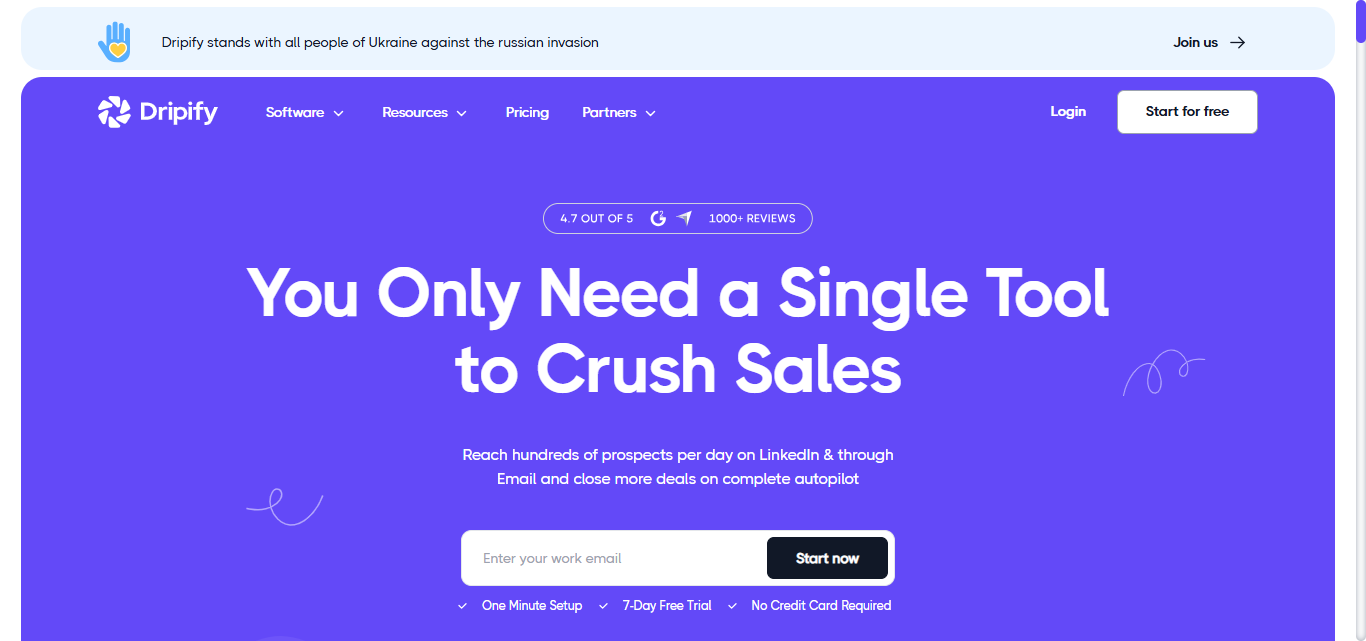
Dripify is a tool designed to cut out the annoying parts of LinkedIn networking.
Instead of you manually clicking "Connect," "Add a note", and then clicking "Message" to follow up.
Dripify does it all on autopilot.
It connects to your LinkedIn account and handles these tasks on your behalf.
Dripify's main goal?
To boost your sales team's productivity and secure more sales by automating the tedious LinkedIn tasks.
It's adaptable and can be customized to reach out to your specific audience on LinkedIn
Dripify also works seamlessly with advanced LinkedIn products like LinkedIn Premium and Sales Navigator.
Who should use Dripify?
The tool is primarily used by 3 types of people:
Business owners
Busy individuals who own and operate businesses.
Since they typically don't get the time to do new business development, they use Dripify for various purposes, such as marketing their products or services, managing customer relationships, automating communication and so on.
Marketers
They use Dripify as a tool to execute marketing campaigns on LinkedIn and have one-to-one conversations with potential customers on it.
Recruiters
They use Dripify to manage candidate communication, automate follow-ups, and streamline the recruitment process.
Is it that good of a tool? Time to find out...
Is Dripify Safe for Your LinkedIn Account?
Dripify claims to be safe, but several users have reported LinkedIn account restrictions and flagged accounts despite its safety features.
The tool runs in the cloud and mimics human behavior with local IPs and human-like actions, but LinkedIn's getting smarter about detecting automation.
While Dripify has built-in safety limits and extra protection algorithms, no LinkedIn automation tool is 100% risk-free.
Your account safety ultimately depends on how aggressively you use it and whether you stay within LinkedIn's daily limits.
What users have to say about Dripify reviews
If you're short on time, here's an infographic that'll help you quickly understand the pros and cons of Dripify.

Pros: What users love about Dripify?
1. LinkedIn campaign creation
Dripify, like other LinkedIn automation tools, lets you manage a large number of lead-gen campaigns in one spot. Their team labels these campaigns "Drip Campaigns".
3 most popular ways to run a campaign are:
- Using LinkedIn Search
- Via CSV file
- Via LinkedIn profile URL

2. Sales team management
This feature comes with an advanced plan. If your sales squad is three or more strong, it's a must-use.
With this feature, you can assign tasks and roles and keep tabs on everyone's performance against their goals.
.jpeg)
Dripify makes it easy to keep all your team's tasks and stats in one handy spot.
3. Export data
You may view lead information using this feature on your own "Leads" page, where you can sort by "campaign," add notes, and more.
Dripify allows you to export your LinkedIn contacts into a CSV file.
.jpeg)
In that CSV file, you get all the data, such as full name, business, position, connection count, email address, phone number, and LinkedIn profile URL.
4. Analytics
With Dripify, you can access crucial information such as LinkedIn engagement rate, profile usage statistics, and campaign activities.
You can use it to keep tabs on your daily LinkedIn activity. It also sends you timely notifications for new connection requests, unread lead messages, and profile views.
.jpeg)
This allows you to understand the effectiveness of your campaign.
5. Proactive customer support for non-technical users
Some users report that Dripify's customer service teams are very proactive and provide timely responses, which is particularly valuable for users who aren't highly technical and need extra guidance.
Cons: What users hate about Dripify?
Dripify, despite having some of the best features, does have some notable disadvantages that may impact its overall effectiveness for certain users.
1. Mixed customer service experiences
While some users praise Dripify's proactive support, others have described the support as slow and unresponsive, leading to inconsistent customer service experiences.
.jpeg)
If you get stuck while creating one of their complex LinkedIn campaigns, your experience with support may vary significantly.
2. Buggy billing system and confusing auto-renewal practices
Some users report that Dripify has bugs in their billing module and confusing auto-renewal billing practices. There are complaints about continued billing even after attempted cancellations.
.jpeg)
3. Can get your LinkedIn account banned
A number of users have complained that it got their LinkedIn account banned and that's obviously no bueno.
.jpeg)
4. Limited multi-channel capabilities
While Dripify does support email automation with both Gmail and Outlook, the email features are basic compared to dedicated email outreach tools. And there is no support for other channels like SMS or Twitter/X.
5. No discount if you want to add more team members
Users have also complained that Dripify doesn't offer any discounts for adding new members.
.jpeg)
There's no incentive to move your team to a platform that seems only focused on profit and doesn't offer anything in return.
6. Generic-feeling outreach messages
Users report that outreach messages can feel generic, which may reduce response rates and overall campaign effectiveness.
Dripify pricing: How much does Dripify cost?
Dripify is affordable tool with 3 different plans:

1. Basic Plan
Starts at $39/month/user
Features:
- LinkedIn Automation
- Advanced Dashboard
2. Pro Plan
Starts at $59/month/user
Features:
Everything in the Basic Plan
- A/B Testing
- Personal Inbox
- Webhook and Zapier Integration
- CSV export
3. Advanced Plan
Starts at $79/month/user
Features:
Everything in the Pro Plan
- Team Management
- Activity control
4. Enterprise
Custom pricing.
All these plans are billed monthly.
Dripify also offers a 7-day free trial.
Discounts are good but the real question is…
Which Dripify plan should you buy?
- If you are an individual or small business owner, I recommend going with the "Basic" plan.
At $39/month, it's budget-friendly and helps you manage your LinkedIn prospecting efficiently without overspending. - If you are a small business owner with a sales team, I recommend the "Pro" plan.
At $59/month, it allows unlimited automation, solving the problem of limited capacity and boosting your team's productivity significantly. - And if you have an enterprise sales team, I recommend going with the "Advanced" plan.
For $79/month, it ensures top-notch coordination and efficiency, addressing the challenges of managing a large, dynamic team effectively.
#1 Dripify Alternative: SalesRobot if you want a cold LinkedIn+ email tool in one platform (+ easy to use + great customer support)
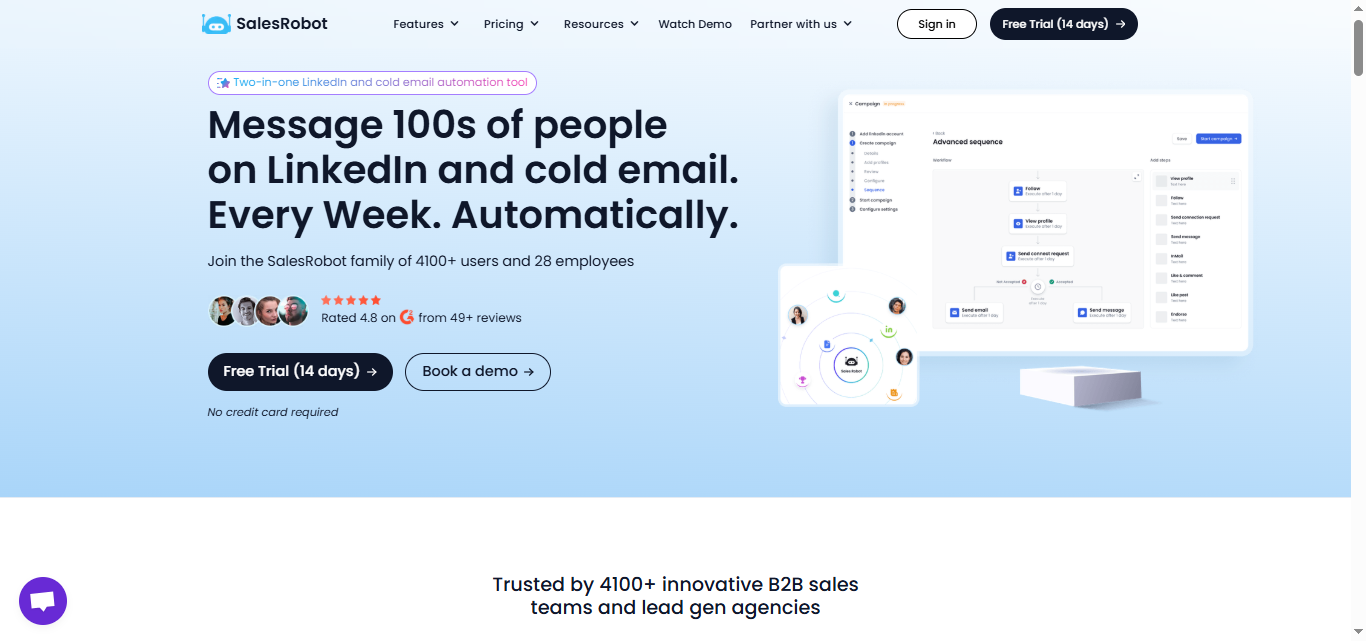
SalesRobot is a LinkedIn and email automation tool that simplifies cold prospecting for everyone, from small business owners to enterprise sales reps.
With just a few clicks, you can automate your entire lead-generation process.
Take a 2 week break to enjoy some "Me" time.
The tool will reach out on your behalf daily without stopping. You need to join the action when there's a reply from an interested potential client.
Sounds cool right?
But you haven't seen its best features yet. Let's find out…
What are the key features that SalesRobot offers?
Although I could discuss 50+ SalesRobot features in this blog.
But today, I'll only discuss the features that matter the most to you.
1. Great customer support: SalesRobot offers customer support for 16 hours a day, so you can get help whenever you need it.
.jpeg)
2. Enhanced account safety with dedicated IPs: No need to download anything! SalesRobot runs in the cloud with dedicated IPs and mobile APIs, which helps keep your LinkedIn account safer from getting banned compared to other tools.
.jpeg)
3. Tier-based pricing: Unlike some tools, SalesRobot lets you add extra accounts to your plan. Plus, the more accounts you add, the less you pay per account (we'll cover the details in next section).
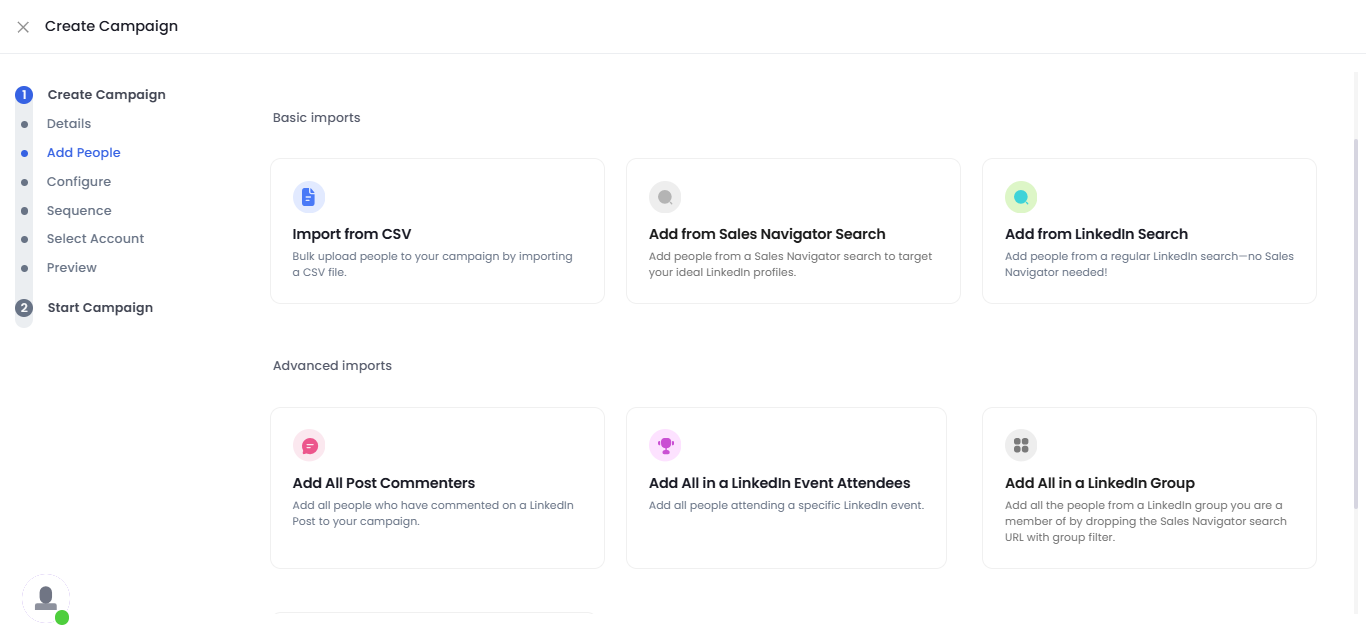
4. Pull prospects from anywhere:
SalesRobot lets you pull prospects from LinkedIn/Sales Navigator search URLs, LinkedIn posts, groups, events, and even custom CSV imports.
5. AI Appointment Setter:
What if I told you, SalesRobot can auto-respond to your prospects, book meetings on your calendar with your dream clients, and create multichannel campaigns.
All on auto-pilot.
You might call that witchcraft, but it's just a normal Tuesday for SalesRobot.
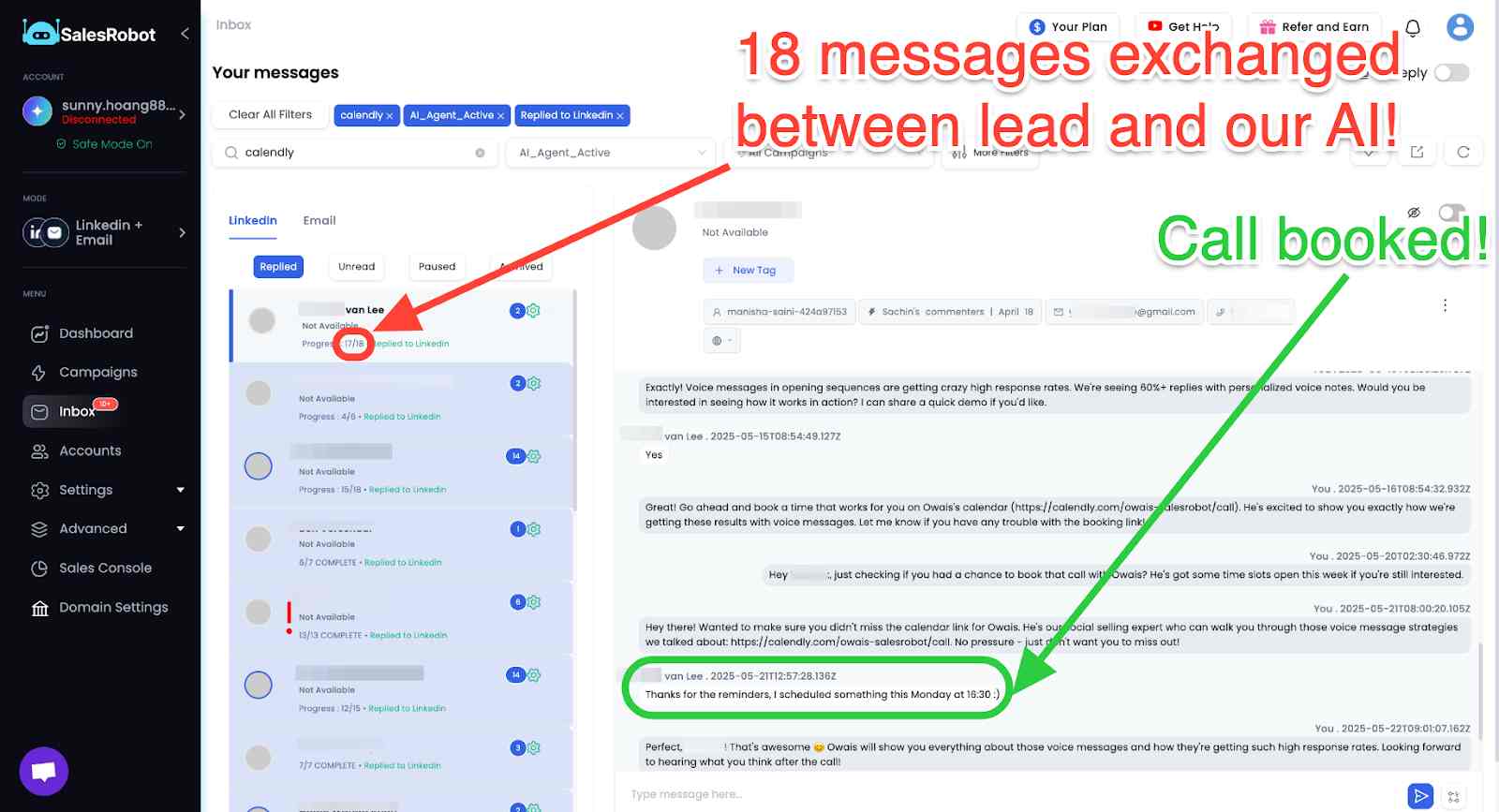
If you are interested but not ready to commit yet- take a 14 day free trial. No credit card required.
What is the pricing of SalesRobot?
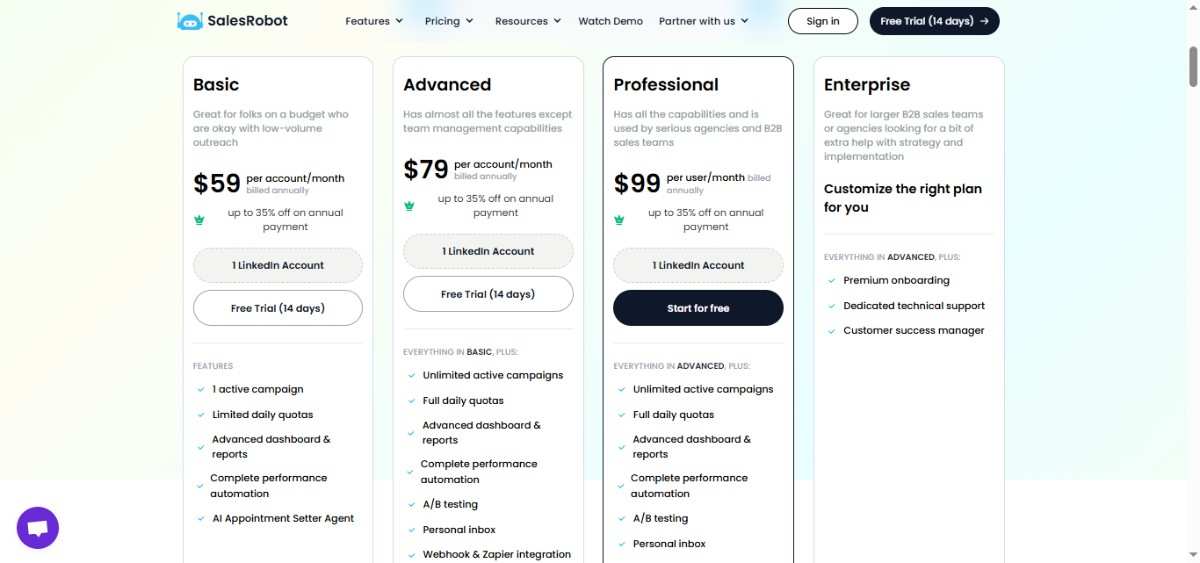
SalesRobot offers 3 pricing plans (very similar to Dripify), however, each one here aims to grow your network on LinkedIn and get you more leads
- Basic Plan - $59/month (35% annual payment discount)
- Advanced Plan - $79/month (35% annual payment discount)
- Professional Plan - $99/month (35% annual payment discount)
Here are some other features that SalesRobot has to offer:
1. Smart Inbox
.jpeg)
Manage all your conversations in one spot.
Easily edit or filter your leads based on your preferences while keeping everything organized in a single location.
It's like your central hub for staying on top of all your interactions.
2. Sales GPT
.jpeg)
With Sales GPT, even if you're not sure about your Ideal Customer Profile (ICP) or message sequence, no worries!
Our AI can help you create ICP, collect pain points , and message sequences from scratch. Just start a conversation, and Sales GPT will guide you through setting up your campaign effortlessly.
3. AI Variables
SalesRobot's AI Variables go way beyond basic "Hi {FirstName}" personalization.
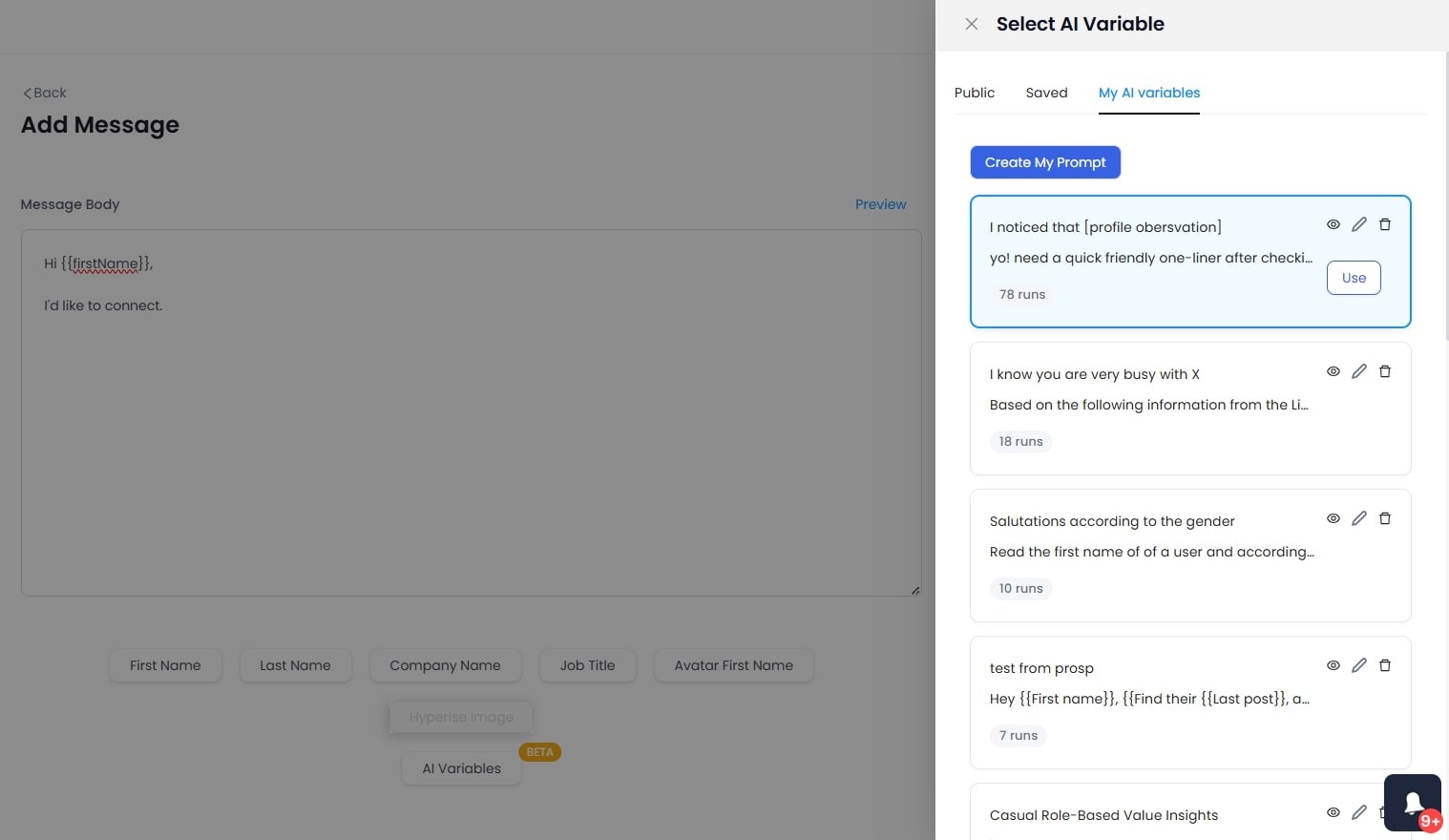
They automatically reference recent company news, mutual connections, or professional achievements, making every message feel like you personally researched each prospect.
And you also get AI Smart Comment Variables that will actually go through your prospect's profile and come up with a personalized comment that sounds completely human.

- Voice Notes and Video Messages
You can now skip boring text-only LinkedIn DMs that get ignored!

SalesRobot lets you send personalized automated voice and video notes, customers using voice notes see 40%+ reply rates, significantly above the typical cold prospecting average, because prospects actually hear your personality and are more likely to trust you.
Get all this and more for just $59/month!
And if you've fallen in love with our tool, you can make it yours with our Whitelabel option
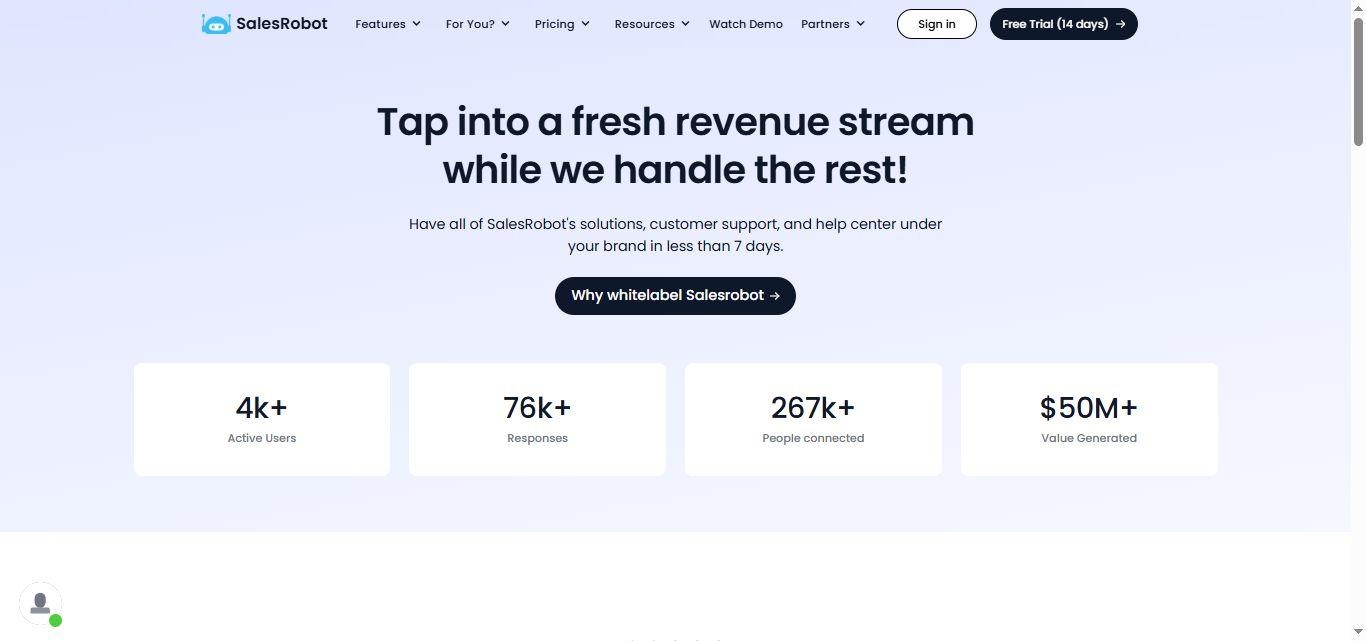
SalesRobot vs. Dripify: Which tool should you choose when?

SalesRobot allows you to reach over 200 people each week through connection requests, surpassing LinkedIn's weekly limit of 100.
Additionally, it can easily send emails and messages to people through LinkedIn groups and events.
Time is running out, so let's wrap this up quickly and get to our big finale...
Is Dripify still worth the investment in 2026?
If you're considering buying a lead generation tool in 2026, Dripify might catch your eye, but it shouldn't be your top choice.
Here are 4 reasons why I'd avoid choosing Dripify:
- If I have a problem with the tool, customer support experiences are inconsistent and you might be on your own.
- If I'm running a campaign and it sends generic messages that feel impersonal, who's to blame?
- If I get banned from LinkedIn and lose my account, who's to blame?
There are many reasons why Dripify isn't the right choice for you, but if you're still interested in buying a LinkedIn automation tool.
I suggest going with SalesRobot.
It has customer support available 16 hours a day, 5 days a week.
And it won't get your LinkedIn account banned.
You can reach out to people via LinkedIn and email in the same campaign.
Interested? But not ready to commit.
No worries we get you. You don't have to believe anything we say instead you can hear from one of customers directly:

You can try it free for 14 days. No credit card required.
Frequently Asked Questions
1. What is Dripify?
Dripify is a cloud-based LinkedIn automation tool that lets you build drip campaigns, send connection requests, follow-up messages, and run email outreach sequences. It runs 24/7 in the background without needing your browser open.
2. How much does Dripify cost?
On monthly billing, Dripify is priced between $59 and $99 per user per month across three plans: Basic, Pro, and Advanced. Annual billing brings that down by 35%.
3. Is Dripify safe to use?
Yes, because Dripify uses action randomization to mimic human behavior and caps connection requests at 100 and messages at 150 per day.
4. What are the best alternatives to Dripify?
SalesRobot, HeyReach, Expandi, and Lemlist are the most commonly compared alternatives. SalesRobot stands out for teams that want stronger AI-powered personalization alongside their outreach.
5. Which is better: Dripify Vs SalesRobot?
Both tools support LinkedIn and email outreach. Where they differ is in AI capabilities. SalesRobot includes AI variables, AI voice and video messages, and an AI appointment setter for reply management and meeting booking, which gives sales teams more ways to personalize and automate the full outreach cycle.
Disclaimer: The content of this blog post reflects our own opinions and judgements based on our research and experience as of published date. Comparisons made to other software or tools are for informational purposes only and are based on publicly available information and our own analysis. We don't claim absolute accuracy and encourage readers to conduct their own research to form their own opinions. While we may discuss competitor offerings, our primary focus is to showcase the features and benefits of SalesRobot. SalesRobot isn't affiliated with any other software or tool mentioned in this blog post.

Wow your leads by cloning yourself and sending personalized videos and voice notes to each lead on LinkedIn.
If you don't reply to leads within 5 mins, your chances of converting them fall by 50%. Our AI replies on your behalf instantly! (and yes, you can train it)

Don't shoot in the dark. Get detailed analytics on what's working

SalesRobot allows you to invite other team members, so that they can add their LinkedIn Account, run outreach campaigns and get amazing results just like you.
.avif)


Trusted by 4100+ innovative B2B sales teams and lead gen agencies

.avif)

.avif)




.avif)


Heading 1
Heading 2
Heading 3
Heading 4
Heading 5
Heading 6
Lorem ipsum dolor sit amet, consectetur adipiscing elit, sed do eiusmod tempor incididunt ut labore et dolore magna aliqua. Ut enim ad minim veniam, quis nostrud exercitation ullamco laboris nisi ut aliquip ex ea commodo consequat. Duis aute irure dolor in reprehenderit in voluptate velit esse cillum dolore eu fugiat nulla pariatur.
Block quote
Ordered list
- Item 1
- Item 2
- Item 3
Unordered list
- Item A
- Item B
- Item C
Bold text
Emphasis

Superscript
Subscript