.avif)
SalesRobot vs Cleverly
In-depth Cleverly review - a SaaS automation tool for LinkedIn automation. Reviews, pricing and comparison with competitors. Everything you need to know about this software and how SalesRobot is better alternative.

LinkedIn automation tools are a daily necessity for lead gen.
Let’s face it. Less than 2% of people reply to cold emails or cold calls.
So that’s no good.
And reaching out manually to people on LinkedIn can easily take more than a couple of hours daily.
Fortunately, there’s a better way.
Two of the best tools are SalesRobot and Cleverly
Both these offer a lot of features that help businesses get qualified leads from LinkedIn on autopilot.
Cleverly is not just software but also has people on staff who can help you out with targeting the right people using Sales Navigator, copywriting, and setting up campaigns.
So it’s much more expensive with a minimum price of $297/month where you can reach only 250 prospects a month.
SalesRobot has a similar hands-on approach for onboarding clients but we don’t charge you extra for it or call ourselves an agency and our most expensive plan is $1500/month where you can reach 4000 prospects a month.
Read below to find which automation tool suits the best for your business…
Do you want an overpriced and opaque service for lead gen or a simple, easy-to-use software that gets you to interested prospects quickly?
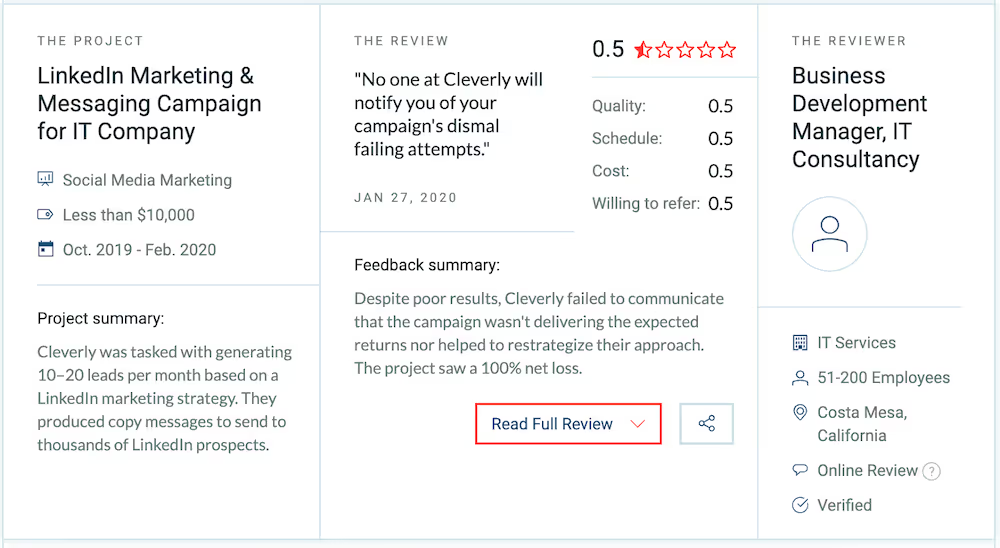
While SalesRobot is super transparent, our team also helps you tweak messaging and targeting so you get qualified leads that convert to revenue for your business.
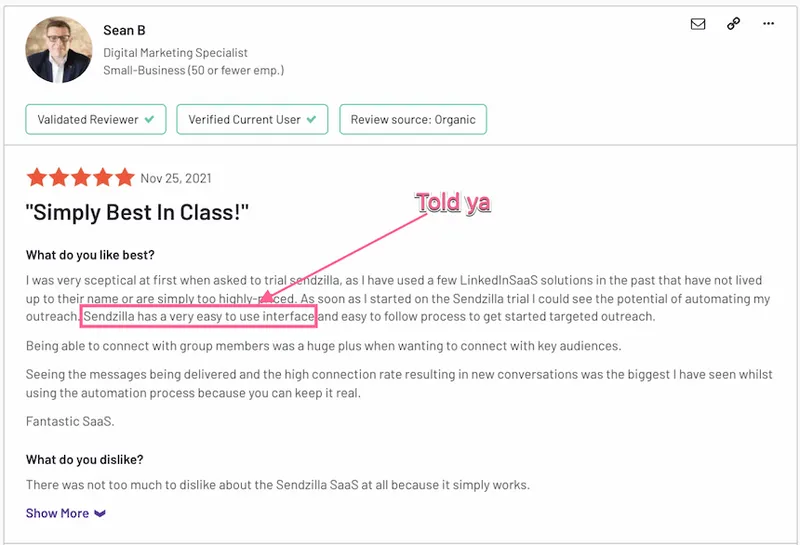
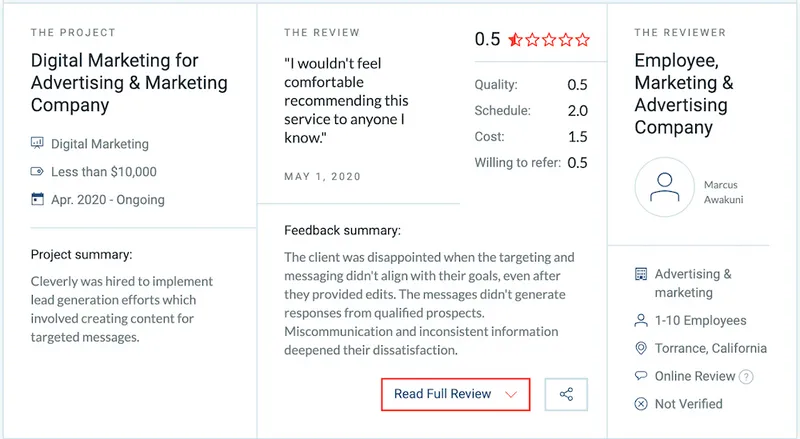
Do you want onboarding and support that will make sure you reach your goals? Or just miscommunication and inconsistent information?

Still undecided?
Let’s dive deeper into the features and benefits.
There are 4 key things that matter when using a LinkedIn automation platform.
- Daily volume:
How many connection requests/InMails can you send every day?
Ever since LinkedIn announced the restriction of 100 connection requests/week, generating leads has become significantly harder.
SalesRobot allows you to send over 200 connection requests a day using our proprietary database of personal emails of 700 million people on LinkedIn, while Cleverly doesn’t.
So they are limited to a maximum of 1000 connection requests a month.
- Conversion rates:
If you send 100 connection requests/InMails a week, how many of them do you end up having a positive conversation with?
SalesRobot is able to send personalized images and GIFs in messages which result in warm conversations and skyrocket your number of meetings booked from LinkedIn.
SalesRobot has a slight edge as it can send autogenerated personalized connection invites using AI, but it depends.
A lot of people can also get great acceptance rates with blank connection requests and a good-looking, well-optimized profile.
- Ease of use:
How much time/effort it takes you to reply to people and organise the responses?
Let’s face it, a lot of people you reach out to will say they’re not interested or just flat out tell you to f*** off.
It’s happened to me and I’m sure it’s happened to you as well.
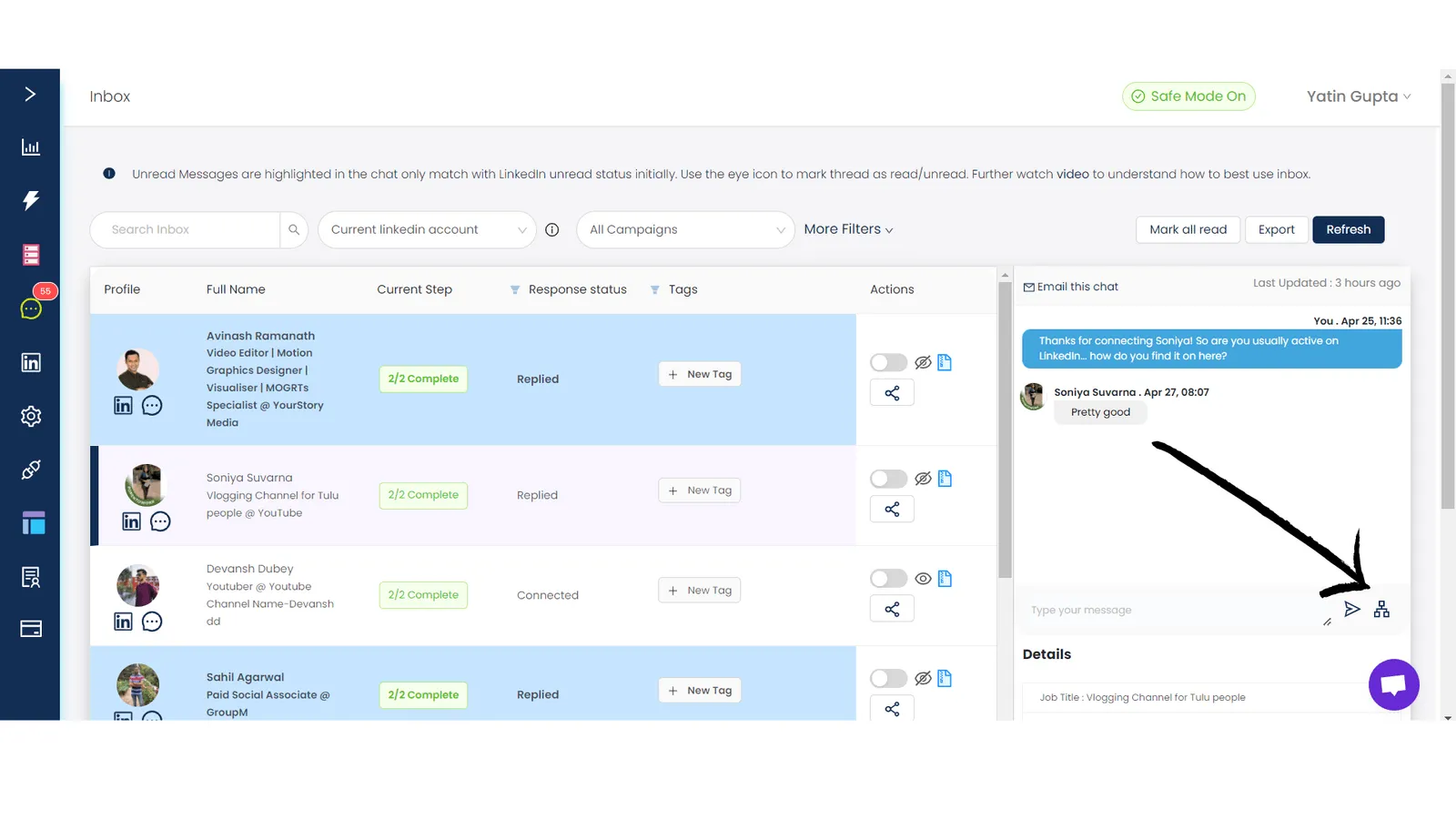
SalesRobot has a feature called reply sequences where you’re able to schedule a sequence of messages to someone who shows interest.
Let’s say a prospect says, “Can you reach out to me in a couple of months?”
You can schedule a sequence of messages to go out 60 days, 63 days and 65 days later so that you end up getting a meeting with them.
Cleverly doesn’t have the ability to schedule and send messages from inbox, it only sends a single message instantly.
- Insights:
What kind of insights can you get out of the platform to improve your campaigns ?
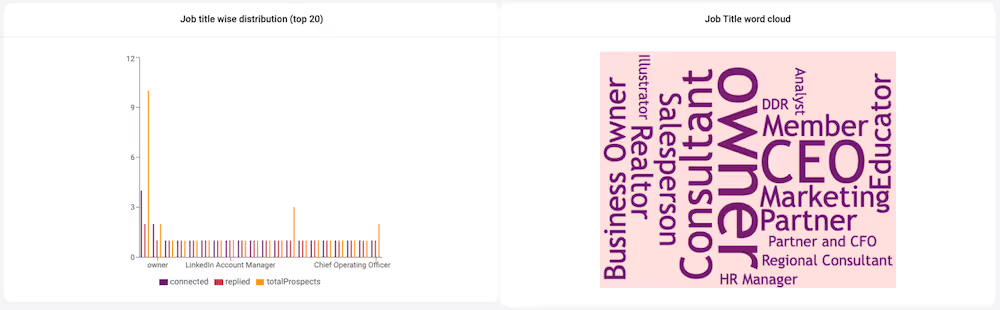
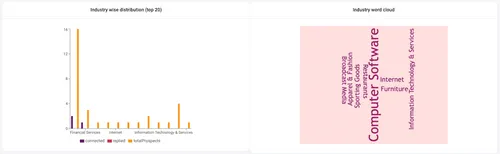
Simple questions like what job titles/geographies/companies are giving you the best connection and response rates.
Cleverly has some basic insights about the volume of connection requests/InMails sent, but not in-depth insights about the location/persona of the prospects.
And that's why people choose us!
LinkedIn automation tools are a daily necessity for lead gen.
Let’s face it. Less than 2% of people reply to cold emails or cold calls.
So that’s no good.
And reaching out manually to people on LinkedIn can easily take more than a couple of hours daily.
Fortunately, there’s a better way.
Two of the best tools are SalesRobot and Cleverly
Both these offer a lot of features that help businesses get qualified leads from LinkedIn on autopilot.
Cleverly is not just software but also has people on staff who can help you out with targeting the right people using Sales Navigator, copywriting, and setting up campaigns.
So it’s much more expensive with a minimum price of $297/month where you can reach only 250 prospects a month.
SalesRobot has a similar hands-on approach for onboarding clients but we don’t charge you extra for it or call ourselves an agency and our most expensive plan is $1500/month where you can reach 4000 prospects a month.
Read below to find which automation tool suits the best for your business…
Do you want an overpriced and opaque service for lead gen or a simple, easy-to-use software that gets you to interested prospects quickly?

While SalesRobot is super transparent, our team also helps you tweak messaging and targeting so you get qualified leads that convert to revenue for your business.

Do you want onboarding and support that will make sure you reach your goals? Or just miscommunication and inconsistent information?


Still undecided?
Let’s dive deeper into the features and benefits.
There are 4 key things that matter when using a LinkedIn automation platform.
- Daily volume:
How many connection requests/InMails can you send every day?
Ever since LinkedIn announced the restriction of 100 connection requests/week, generating leads has become significantly harder.
SalesRobot allows you to send over 200 connection requests a day using our proprietary database of personal emails of 700 million people on LinkedIn, while Cleverly doesn’t.
So they are limited to a maximum of 1000 connection requests a month.
- Conversion rates:
If you send 100 connection requests/InMails a week, how many of them do you end up having a positive conversation with?
SalesRobot is able to send personalized images and GIFs in messages which result in warm conversations and skyrocket your number of meetings booked from LinkedIn.
SalesRobot has a slight edge as it can send autogenerated personalized connection invites using AI, but it depends.
A lot of people can also get great acceptance rates with blank connection requests and a good-looking, well-optimized profile.
- Ease of use:
How much time/effort it takes you to reply to people and organise the responses?
Let’s face it, a lot of people you reach out to will say they’re not interested or just flat out tell you to f*** off.
It’s happened to me and I’m sure it’s happened to you as well.
SalesRobot has a feature called reply sequences where you’re able to schedule a sequence of messages to someone who shows interest.
Let’s say a prospect says, “Can you reach out to me in a couple of months?”
You can schedule a sequence of messages to go out 60 days, 63 days and 65 days later so that you end up getting a meeting with them.
Cleverly doesn’t have the ability to schedule and send messages from inbox, it only sends a single message instantly.
- Insights:
What kind of insights can you get out of the platform to improve your campaigns ?
Simple questions like what job titles/geographies/companies are giving you the best connection and response rates.
Cleverly has some basic insights about the volume of connection requests/InMails sent, but not in-depth insights about the location/persona of the prospects.


And that's why people choose us!









