





SalesRobot talks seamlessly with other tools you use, like CRMs

SalesRobot talks seamlessly with

other tools you use, like CRMs

Connect SalesRobot to hundreds of CRMs and other marketing/sales software without breaking a sweat

Start your 14 days trial
Integrations with popular CRMs and sales tools

Send leads to your CRM when they reply on LinkedIn and much more

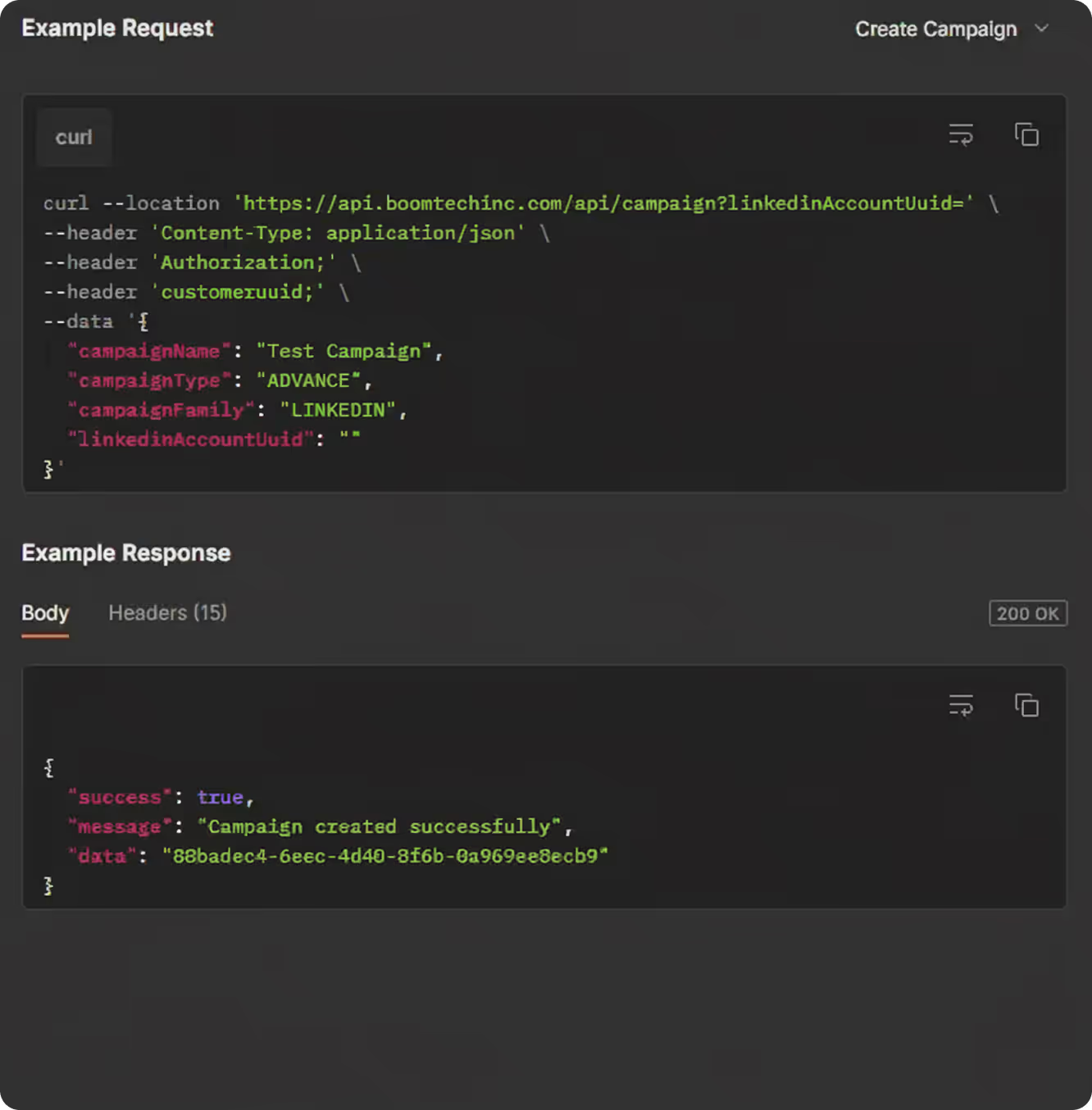
SalesRobot integrates natively with popular CRMs like GoHighLevel, Hubspot, Zoho CRM, Salesforce, Pipedrive, Copper and Google Sheets and via webhooks to platforms like make.com, n8n, Zapier and more
Start your 14 days trial
Top Choice
Pipedrive

Forward outbound activities (new leads, email opens, replies, etc.) to Pipedrive. Easily transfer leads between Pipedrive and SalesRobot.

Hubspot

Sync your outbound activities, like new leads, email interactions, etc, to HubSpot. Easily transfer leads between HubSpot and SalesRobot.

Salesforce

Forward outbound activities (new leads, email opens, replies, etc.) to Salesforce. Easily transfer leads between Salesforce and SalesRobot.

CRM
Copper

Sync your outbound activities, such as new leads and LinkedIn replies, to Copper. Easily transfer leads between Copper and SalesRobot.

Google Sheets

Sync your outbound activities, such as new leads and LinkedIn replies, to Google Sheets. Easily transfer leads between Google Sheets and SalesRobot.

GHL

Sync your outbound activities, such as new leads and LinkedIn replies, to GHL. Easily transfer leads between GHL and SalesRobot.

Zoho

Sync your outbound activities, such as new leads and LinkedIn replies, to Zoho. Easily transfer leads between Zoho and SalesRobot.

Pipedrive

Forward outbound activities (new leads, email opens, replies, etc.) to Pipedrive. Easily transfer leads between Pipedrive and SalesRobot.

Hubspot

Sync your outbound activities, like new leads, email interactions, etc, to HubSpot. Easily transfer leads between HubSpot and SalesRobot.

Salesforce

Forward outbound activities (new leads, email opens, replies, etc.) to Salesforce. Easily transfer leads between Salesforce and SalesRobot.

Data Enrichment
LeadMagic

Enrich email addresses of your LinkedIn leads natively using our embedded Leadmagic integration

Workflow
N8N

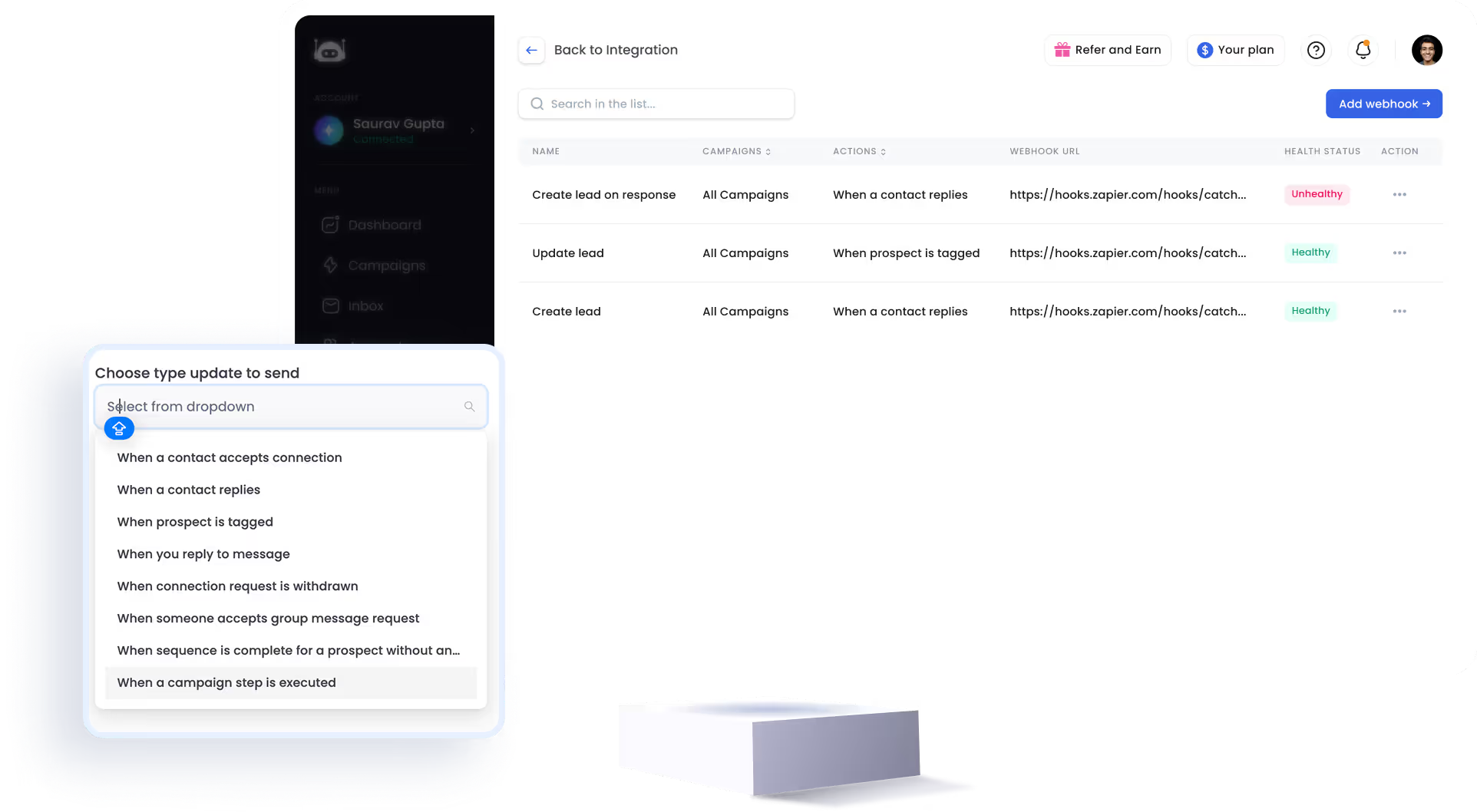
Get webhook updates on new connections, new replies, message sent, etc and listen on n8n webhooks

Make

Get webhook updates on new connections, new replies, message sent, etc and listen on Make webhooks

Zapier

Get webhook updates on new connections, new replies, message sent, etc and listen on Zapier webhooks

Top Choice
Salesforce
Salesforce

Forward outbound activities (newleads, email opens, replies, etc.) toSalesforce. Easily transfer leadsbetween Salesforce and lemlist.

Salesforce
Salesforce

Forward outbound activities (newleads, email opens, replies, etc.) toSalesforce. Easily transfer leadsbetween Salesforce and lemlist.

Salesforce
Salesforce

Forward outbound activities (newleads, email opens, replies, etc.) toSalesforce. Easily transfer leadsbetween Salesforce and lemlist.

Salesforce
Salesforce

Forward outbound activities (newleads, email opens, replies, etc.) toSalesforce. Easily transfer leadsbetween Salesforce and lemlist.

Salesforce
Salesforce

Forward outbound activities (newleads, email opens, replies, etc.) toSalesforce. Easily transfer leadsbetween Salesforce and lemlist.

CRM
Salesforce
Salesforce

Forward outbound activities (newleads, email opens, replies, etc.) toSalesforce. Easily transfer leadsbetween Salesforce and lemlist.

Salesforce
Salesforce

Forward outbound activities (newleads, email opens, replies, etc.) toSalesforce. Easily transfer leadsbetween Salesforce and lemlist.

Salesforce
Salesforce

Forward outbound activities (newleads, email opens, replies, etc.) toSalesforce. Easily transfer leadsbetween Salesforce and lemlist.

Salesforce
Salesforce

Forward outbound activities (newleads, email opens, replies, etc.) toSalesforce. Easily transfer leadsbetween Salesforce and lemlist.

Salesforce
Salesforce

Forward outbound activities (newleads, email opens, replies, etc.) toSalesforce. Easily transfer leadsbetween Salesforce and lemlist.

Data Enrichment
Salesforce
Salesforce

Forward outbound activities (newleads, email opens, replies, etc.) toSalesforce. Easily transfer leadsbetween Salesforce and lemlist.

Salesforce
Salesforce

Forward outbound activities (newleads, email opens, replies, etc.) toSalesforce. Easily transfer leadsbetween Salesforce and lemlist.

Salesforce
Salesforce

Forward outbound activities (newleads, email opens, replies, etc.) toSalesforce. Easily transfer leadsbetween Salesforce and lemlist.

Salesforce
Salesforce

Forward outbound activities (newleads, email opens, replies, etc.) toSalesforce. Easily transfer leadsbetween Salesforce and lemlist.

Salesforce
Salesforce

Forward outbound activities (newleads, email opens, replies, etc.) toSalesforce. Easily transfer leadsbetween Salesforce and lemlist.

Workflow
Salesforce
Salesforce

Forward outbound activities (newleads, email opens, replies, etc.) toSalesforce. Easily transfer leadsbetween Salesforce and lemlist.

Salesforce
Salesforce

Forward outbound activities (newleads, email opens, replies, etc.) toSalesforce. Easily transfer leadsbetween Salesforce and lemlist.

Salesforce
Salesforce

Forward outbound activities (newleads, email opens, replies, etc.) toSalesforce. Easily transfer leadsbetween Salesforce and lemlist.

Salesforce
Salesforce

Forward outbound activities (newleads, email opens, replies, etc.) toSalesforce. Easily transfer leadsbetween Salesforce and lemlist.

Salesforce
Salesforce

Forward outbound activities (newleads, email opens, replies, etc.) toSalesforce. Easily transfer leadsbetween Salesforce and lemlist.

What are you worried about?

Worried about LinkedIn’s limits?
With SalesRobot, you can send up to 1000 connection requests per month, and scale even further with free InMail and email campaigns.
Worried about the time it'll take to get started with SalesRobot?
SalesRobot users get started in 5 mins on average and save up to 6-8 hours every week of boring work of LinkedIn prospecting
Worried about getting banned by LinkedIn?
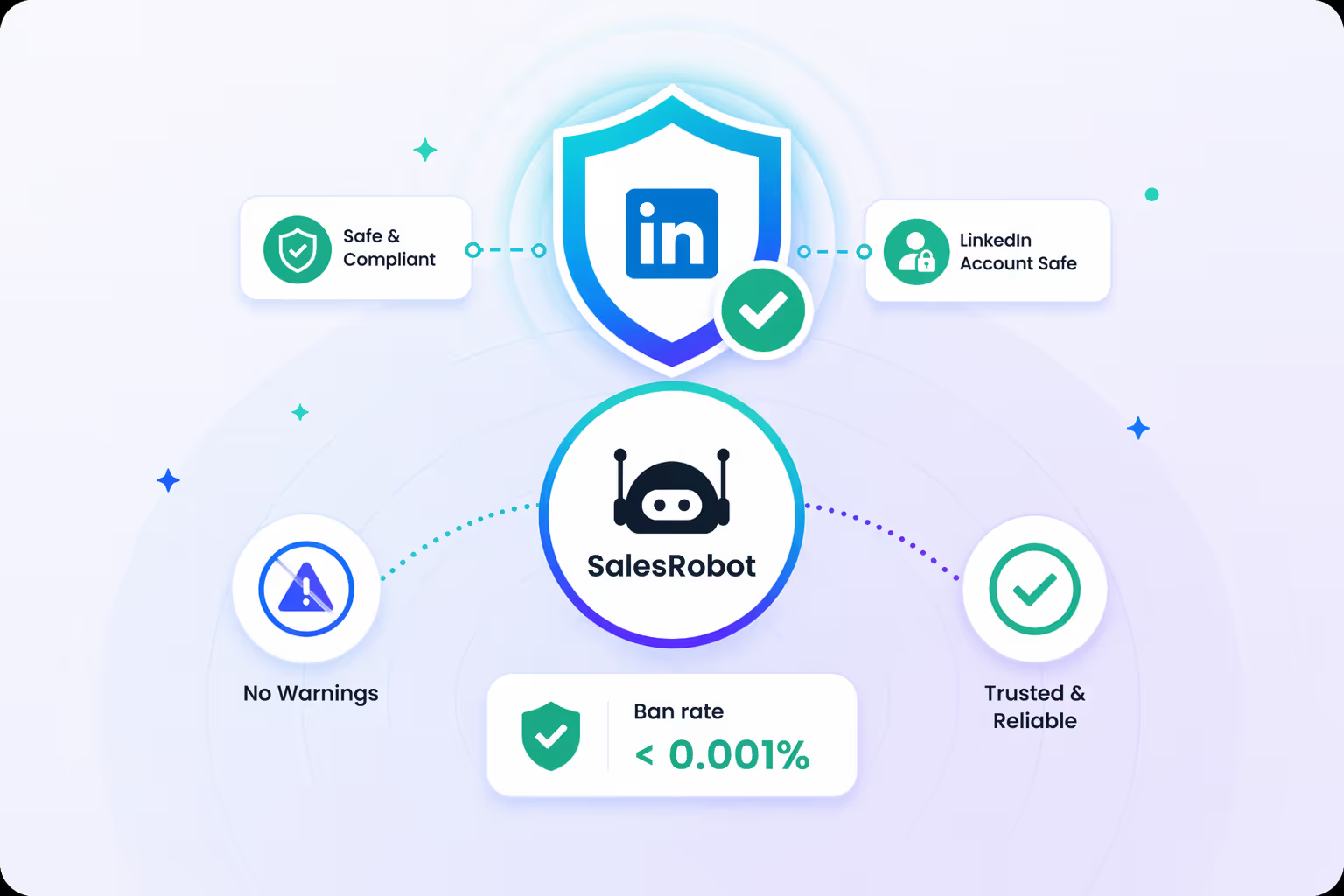
Not a chance. Our ban rate is less than 0.001% across 3700+ users.

Don't just take our word for it

"I am getting leads from LinkedIn with very little involvement from my side. It's like having few assistants/robots doing the admin work."
Connor Hevingham profile pic
Connor Hevingham
"Their customer support is the best I've ever experienced. They also extended my trial so that I can fully test their platform, which I really appreciate."
Patricia C. profile pic
Patricia C.
Love the software! Easy to use and helps my led gen for my marketing agency a ton. Pratiksha did a great job in helping me navigate the product.
Yoel Orue
I've worked with multiple LinkedIn automation tools but by far, SalesRobot has been the most convenient. It is truly the smartest tool out there in the market. The UI is so beautiful and the software is so powerful that you will fall in love with it
Rishabh Bhandari
A very robust automation layer has been set up on top of LI. Excellent service & support team. They have been proactive in figuring solutions to LI's problems & for us.
Shrey Arora
"I am getting leads from LinkedIn with very little involvement from my side. It's like having few assistants/robots doing the admin work."
Connor Hevingham profile pic
Connor Hevingham
"Their customer support is the best I've ever experienced. They also extended my trial so that I can fully test their platform, which I really appreciate."
Patricia C. profile pic
Patricia C.
Love the software! Easy to use and helps my led gen for my marketing agency a ton. Pratiksha did a great job in helping me navigate the product.
Yoel Orue
I've worked with multiple LinkedIn automation tools but by far, SalesRobot has been the most convenient. It is truly the smartest tool out there in the market. The UI is so beautiful and the software is so powerful that you will fall in love with it
Rishabh Bhandari
A very robust automation layer has been set up on top of LI. Excellent service & support team. They have been proactive in figuring solutions to LI's problems & for us.
Shrey Arora

Frequently asked questions

How do I get started ?

Just add your LinkedIn account to SalesRobot!
You'll be up and running in 2 mins.

Is it safe to use SalesRobot?

Yes. SalesRobot uses residential IPs and mobile APIs, so your actions look completely natural. This makes it safer than tools like Expandi or Waalaxy, and our users have reported zero bans for months.

Do I need LinkedIn Premium?

No. SalesRobot works smoothly with a free LinkedIn account. Premium can give extra limits, but it is not required.

What makes SalesRobot better than Expandi, Waalaxy, or Dripify?

SalesRobot is safer, has stronger AI, and supports more channels. You get LinkedIn, email, voice notes, and a unified inbox, all in one place.

Will my LinkedIn account get banned?

Very unlikely. SalesRobot uses mobile API behavior and real-time throttling to keep your activity natural and within safe limits.

What can I expect from my trial?

Trials are meant to see the proof of functionality, which in our case means running a campaign. To get the best results, we recommend you spend 5 minutes to set up a campaign after you sign up. You'd be surprised how many people don't do this.

What actions can I do using SalesRobot?

You can like their most recent post, comment on it automatically, follow them, send them a connection request, automatically follow up with them and yeah, endorse their skills!

How do I import prospects to SalesRobot?

You can import people from LinkedIn Sales Nav search, a normal LinkedIn Search, or upload with a CSV, or you can DM LinkedIn group members or event attendees if you want!

Did I mention  that you can fetch all the people who commented on a particular LinkedIn post and request to connect with them?

How does it work with LinkedIn limits?

We fully comply with LinkedIn limits and you can send up to 75 connection requests a day. Additionally you can send up to 40 InMails a day to open profiles without using any InMail credits.

How many LinkedIn accounts can I use ?

If you've got multiple LinkedIn accounts you want to manage (client accounts  for example), you can do that by just adding them like you added the first one.

Can I use it with my CRM?

Yes! SalesRobot will populate your CRM automatically with leads interested in buying,  directly from LinkedIn!

Can I send GIFs, documents in messages ?

Yes, you can send any type of attachment like PDFs etc.

What are you waiting for?
Start reaching out to your dream customers today

Free Trial (14 days)
infographics of team photo