.avif)
TL;DR:
- Linked Helper is cheap ($15-45/month) but it's a desktop app, so your computer has to stay on 24/7, it slows your machine down, and its limit-bypass methods carry a real ban risk that Linked Helper's own manual warns about.
- If safety is why you're leaving, the fix is cloud-based automation that runs on LinkedIn's mobile APIs instead of leaving desktop traces.
- SalesRobot is the safest pick here: fully cloud-based, mobile-API backend, dedicated residential IPs, plus AI voice and video messages (40%+ reply rates reported) and an AI Appointment Setter, at $59-99/month.
- Expandi is the choice if you want cloud-based LinkedIn + email with strong GIF/image personalization, but it's pricier at $99/month ($79 annually), the trial is a stingy 7 days, and support is slow.
- PhantomBuster covers automation across many platforms, not just LinkedIn, but it needs a Chrome extension and your cookies to run LinkedIn, and results only show up on the expensive $159-439/month plans.
- Cleverly isn't a tool at all, it's a full-service agency with a team running your campaigns, which is why it starts at $397/month and climbs past $997, with no free trial.
- Bottom line: Linked Helper is cheap but risky; SalesRobot for the safest automation, Expandi for visuals, PhantomBuster for multi-platform, Cleverly if you'd rather hand the whole thing to an agency.
In short: Linked Helper is cheap but risky (desktop-based).
SalesRobot offers safest cloud automation. Expandi for visuals. Phantombuster for multi-platform. Cleverly for full service.
This is for you…
If you're looking for a Linked Helper alternative that's safer and more suitable for your business needs.
Here, you'll find the ultimate list of Linked Helper alternatives for every use case imaginable.
LinkedHelper is one of the more well-known LinkedIn outreach automation tools in the market.
Even though its makers claim it has a bunch of awesome features, most potential users are worried about its safety, and rightfully so.
Linked Helper is an automation tool that puts you at a higher risk of being banned by LinkedIn, which is no small deal. (Explanation available below)
That's why we've tested several other LinkedIn automation tools to find the best—and safest—Linked Helper alternative for you.
In addition to safety, here are other metrics we've considered when conducting our research:
Since some of you may not have the time to read through every tidbit of our in-depth Linked Helper alternatives analysis, you can check out all the vital info here.
In the table below, each of the tools has been evaluated fairly.

So, let's start at the very beginning – Linked Helper and its features.
Linked Helper 2 - Overview
Linked Helper 2 is one of the LinkedIn automation tools that's been around for quite some time now.

Unlike Linked Helper, which was a Chrome extension, Linked Helper 2 is a desktop app that you must download and install on your device.
LinkedHelper 2 is promoted as a tool for LinkedIn automation that sales reps and marketers, as well as recruiters, can use since it works with all LinkedIn platforms.
But before determining whether it is an option for all of those profiles, we need to examine its strengths and weaknesses.
Is Linked Helper Safe?
The desktop-based nature of Linked Helper 2 presents both advantages and challenges. On the positive side, this approach enhances security since it doesn't require direct API access to your LinkedIn account.
However, your computer must stay on 24/7 for campaigns to run, and the tool has been reported to slow down system performance significantly.
What Are The Strengths of Linked Helper?
Linked Helper offers pretty much all the essential features any serious automation tool must have, but its most significant strengths are the following:
- Pricing – It's very affordable, especially regarding the standard plan. In addition, it comes with a 14-day free trial.
(However, cheap is not always the best )
- Plenty of automation options – ranging from scraping profiles and bypassing LinkedIn's weekly invitation limit, to building message sequences, warming up leads, email finder tool, profile and post engagement tools, and third-party CRM integration.

- Linked Helper works with all LinkedIn platforms, including LinkedIn Premium, Sales Navigator and Recruiter.
- Has a free knowledge base that includes both articles and video tutorials.
- Robust customer support.
So many features and yet here you are reading a blog on LinkedHelper alternatives. I get it why you are here.
Why Choose An Alternative to Linked Helper 2 ?
Several things raise suspicion when it comes to Linked Helper and its proclaimed success, and these struck us as the most problematic:
- Safety – LinkedHelper is not cloud-based, which raises a much higher risk of being detected and permanently banned by LinkedIn.

And then there's another huge red flag concerning the message limit.
That feature comes with a disclaimer in one of the Linked Helper user manual articles that warns the user that opting for this method could get them banned in the blink of an eye.
So much for taking care of their users' safety.

- Linked Helper 2 is an app you have to download and install on your device; consequently, the users often complain about Linked Helper slowing down their computer. Your computer must stay on 24/7 for campaigns to run properly - no computer, no automation.
In addition, your device has to be turned on at all times for it to run properly

- Poor UX/UI –The tool has a very unintuitive interface. A pretty steep learning curve and it looks a bit dated.
Users desire an uninterrupted prospecting experience without the need to keep their computers on.

- It requires integration with Snov.io – which amounts to bringing more additional costs to the table.
- No hyper-personalization of messages is possible in-app—to personalize messages, you have to integrate with Uclic, which means that you have to pay extra to use this software.
Not only that, but the integration with Uclic is anything but seamless, as it's pretty complicated and requires the use of HTML or CSS.
Customizing campaigns within Linked Helper 2 can be complex, requiring extra computer resources.

Linked Helper 2 Banned - Common Issues
Many users search for "Linked Helper 2 banned" because of safety concerns.
The desktop-based approach and methods for bypassing LinkedIn limits put accounts at higher risk of suspension. Unlike cloud-based alternatives, Linked Helper 2 leaves more detectable traces that LinkedIn's algorithms can identify.
How much does Linked Helper cost?
Linked Helper offers 2 pricing plans:
- Standard at $15 per month.
- Pro at $45 per month.
There are additional discounts if you pay 3, 6, or 12 months in advance.

Linked Helper also offers a 14-day free trial, so prospective users can try it out before deciding to buy.
Although the Standard plan is quite a steal, it would be wiser to go for Pro.
This plan provides users many more options, especially regarding data export, CRM integration, lead generation,bulk engagement, etc.
Linked Helper Promo Code
While users often search for "Linked Helper promo code" to reduce costs, it's important to consider whether the cheapest option is worth the potential risks.
The tool's low pricing reflects its desktop-based limitations and higher ban risk compared to cloud-based alternatives.
Quick Recap
Even though Linked Helper has some pros, its price is probably the most considerable.
Potential users must be mindful of their safety, as this tool significantly lacks this aspect.
If you like to put your safety first and need a more intuitive UI, then giving a chance to some of the Linked Helper alternatives we have in store is a better idea.
Because at the end of the day, you don't want to get banned and lose all the progress you've made with hard work, right?
1. SalesRobot – Safest Linked Helper Alternative (Best LinkedIn Automation Software)
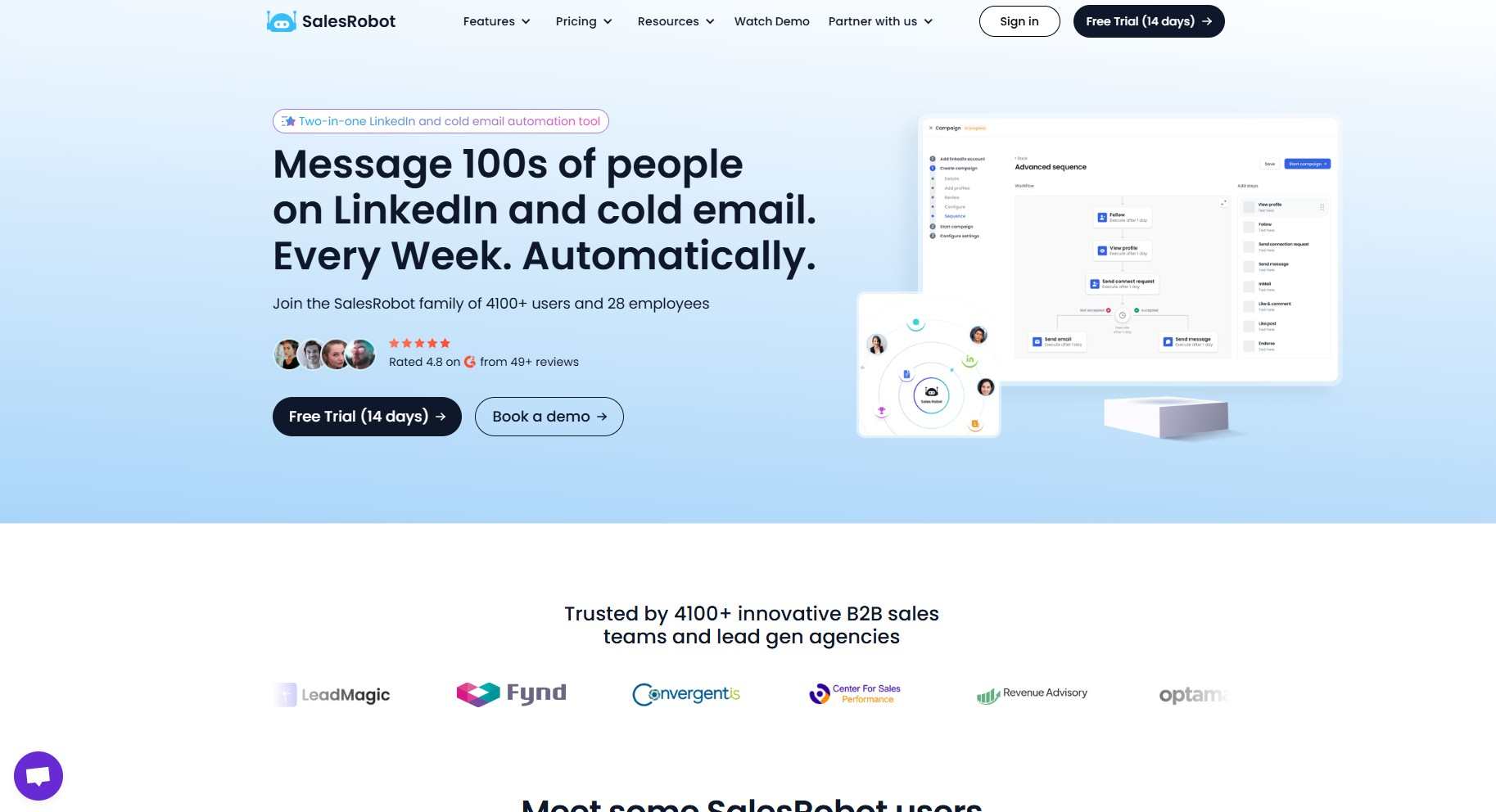
SalesRobot maintains that it is "the smartest LinkedIn automation platform on the market," and the perks it offers seem to strongly support that claim.
As it has plenty of options for automating many activities, it's a perfect sales automation tool for a wide range of users, from lead generation agencies to start-ups and sales teams.
Even though SalesRobot's relatively new in the market, it has still managed to position itself firmly among its competitors by collaborating with over 4,200+ customers in a short period and earning a fabulous rating of 4.8 on G2.
What are the Benefits of using SalesRobot?
Even though SalesRobot has a ton of features to offer, these are some of the key points that stand out the most:
- Safety first -
SalesRobot takes personal care of its users' safety, as its automation mimics human activity almost to perfection.
Some ways it achieves this are by randomizing activity, skipping holidays and weekends, making delays between actions, and minding LinkedIn's daily limits.
So as not to raise any LinkedIn algorithm flags. In addition, it is entirely cloud-based and runs on LinkedIn's mobile app APIs on the backend—no Chrome extension required—which drops ban risk to roughly 0.00001% and keeps campaigns running 24/7 even when your laptop is closed. Each account also gets dedicated, local residential IP rotation.

- Outstanding message hyper-personalization - SalesRobot has countless options for personalizing every possible activity on LinkedIn, especially messages and requests.
What makes SalesRobot different from any other automation tool is its AI, which takes automation one step further, by creating warm, human-like interaction that softens even the toughest of prospects.
By using SalesRobot, you'll give off the impression you've thoroughly looked through each of your prospects' profiles and paid attention to every single detail: something that's bound to charm anyone you contact.
Here's an example of how SalesRobot can automatically personalize all of your LinkedIn connection requests:

This connection request sequence has an acceptance rate of 65% on average.
And suppose for any reason SalesRobot can't personalize your connection request for a particular prospect this way.
In that case, you can always set up different LinkedIn connection messages, and SalesRobot will automatically choose the one that makes the most sense.
- Perfect choice for LinkedIn and Email automation and recruiting – whatever your primary goals and needs may be, SalesRobot is sure to nail them.
- Creating smart campaigns and message sequences –
SalesRobot lets you create multichannel (LinkedIn + email) message sequences from scratch, or use one of our winning templates.

The sequences are based on your lead's behavior, so there's no chance for embarrassing missteps, such as sending a follow-up even when the lead's already answered your first message.

- Clean, simple, and intuitive interface providing excellent user experience - even if you're a complete beginner in LinkedIn automation, you'll manage to find your way with this tool in no time.
- All-around customer support – outstanding customer support services that are available to users 24/7, and are sure to answer any question in a matter of minutes.
- Foolproof methods of bypassing LinkedIn message limits - allowing you to send up to 200 messages and connection requests per week, as well as bulk message group members and event attendees.

- It works well for teams and allows management of multiple LinkedIn accounts - this feature comes particularly handy for lead gen agencies, which is one of the main reasons most of them opt for SalesRobot as their go-to solution.
- Perfect for teams and allows management of multiple LinkedIn accounts - this feature comes particularly handy for lead gen agencies, which is one of the main reasons most of them opt for SalesRobot as their go-to solution.
- Seamless integration with any CRM.

- Warm-up feature - to increase your chance of successfully creating lucrative business connections.
- AI powered LinkedIn message writing functionality helps anyone write a high-converting sequence and start conversations with potential clients.
- AI Appointment setter- Now you can book meetings with your ideal prospects without typing a single message. Our AI analyzes message sentiment and replies automatically, even handling objections.
Here's how it turns rejections into opportunities

- Send personalised voice and video messages- So you've made a ton of effort to make your pitch relatable on your prospect's dm, but were ignored?

I know that stings, but what are the odds that they assumed your message was written by AI? With our AI-personalized voice message feature, you can send voice notes to your prospects at scale (up to 50/day) so they'll actually feel seen—users report 40%+ reply rates on voice note campaigns, and no other major tool like Expandi, Dripify, or Waalaxy offers this natively.
Now, if voice messages aren't convincing enough, send them a video message. They work way better in convincing your prospects😉
You don't even have to go through the pain of recording a different voice message every time, too, because our AI can clone your voice and send custom messages when needed.
What are the Shortcomings of using SalesRobot?
Despite having so many awesome features, it wouldn't be fair to claim that SalesRobot is flawless, as it does have certain shortcomings:
- GIF and image personalization isn't as advanced as in some other tools – although SalesRobot has an option for creating unique content through integration with Hyperise, the visuals are not as customizable and original as they could be.
What are SalesRobot's Pricing Plans?
SalesRobot has three plans for you, and they are as follows:
- Basic plan at $59/mo.
- Advanced plan at $79/mo.
- Professional plan at $99/mo.

The Professional plan at $99 per month includes everything you may need from a LinkedIn automation tool and more.
Better yet, it's perfect for teams of all sizes, as it allows easy integration and collaboration.
The other two plans are for businesses without an in-house team to kickstart their cold automation. We handle the work, assigning our lead generation experts to quickly fill up their calendars.
We also offer a 14-day free trial. SalesRobot provides plenty of time to try everything out and decide for yourself whether SalesRobot's the way to go.
Get more sales on LinkedIn. Start a free 14-day trial today.
Is SalesRobot the best Linked Helper alternative for you?
Although both SalesRobot and Linked Helper have some cool features and options for LinkedIn automation, SalesRobot outperforms Linked Helper by far in several areas.
First and foremost, SalesRobot is absolutely safe to use, since it is entirely cloud-based, so it leaves no trace on LinkedIn whatsoever.
In addition, the methods SalesRobot uses to bypass LinkedIn limits are altogether legitimate and do not put you at risk of being penalized, contrary to Linked Helper.
You can send up to 75 connection requests per day (and up to 50 InMails per day to open profiles, with no InMail credits consumed) through safe automation methods. This stays within LinkedIn's limits while using legitimate techniques to maximize your automation.
Secondly, SalesRobot's latest generation AI isa force to be reckoned with. The AI does everything an actual person would do, only faster, so there's no chance in hell that your leads will figure out you're using an automation tool.
SalesRobot is more than capable of noticing the tiniest detail in your prospect's LinkedIn profile and making the most of it.
It initiates warm conversations and engages your leads in further interaction with you.
At the same time, SalesRobot carefully observes the daily limits and delays between activities you've set up.
SalesRobot is more user–friendly than Linked Helper.
It has a clean and straightforward interface, so you don't have to be a god in automation heaven to understand it.
Moreover, its insight dashboard is a breeze to interpret.
Even if you have zero experience with the arcane art of analytics. 🧙

Creating, customizing, and adjusting smart sequences and full-on campaigns has also never been easier.
Thanks to SalesRobot's outstandingly simple UI, everything is smoother for you to tune into your business goals.
The around-the-clock customer support is also a huge deal because you never know when a problem or a question might arise.
So it's best to be on the safe side. SalesRobot's team makes sure to be there for you whenever and whatever you may need.
Last but not least, SalesRobot's team is also committed to constantly improving and updating its software, ensuring its users always get the best service possible.
So, if you want a LinkedIn lead generation and sales automation tool that is entirely safe, offers the very best AI, and has flawless UI and dedicated customer support, look no further.
Then, SalesRobot is the ultimate Linked Helper alternative for your business.
Pssst... Liked what you read so far? You could always start a 14-day free trial with SalesRobot and try out all it offers first-hand.
And don't worry, there are no strings attached – you won't even need to provide your CC info. ;)
2. Expandi – Safe Linked Helper Alternative
Claiming to be a 'meeting multiplier,' Expandi offers solutions for LinkedIn and cold email automation and personalization of GIFs and images.

What are the Advantages of using Expandi?
Expandi has lots of cool features, including:
- Safety - Like SalesRobot, Expandi is entirely cloud-based, which makes it difficult for LinkedIn to detect automation.
It has a wide range of options for randomizing taking breaks between activities while simultaneously providing each user with a dedicated IP and an account warm-up mode.
All of which significantly lowers the risk of LinkedIn suspecting bot activity and banning your account.
Expandi can connect to any email provider and integrate LinkedIn and email automation.
There are options for creating email drip campaigns as well as a smart inbox that makes the process a whole lot easier for the user.
- Personalized messages with the possibility of customizable GIFs and images through integration with Hyperise.

What are the Disadvantages of using Expandi?
On the downside, however, Expandi does have several pretty significant issues that struck us as worth noting, that show up in other users' reviews over and time again.
- There's only one main pricing plan with a mere 7-day free trial, which is hardly enough for the user to evaluate its benefits and potential for ROI.
- Its interface is not exactly user-friendly - it's pretty cluttered and difficult to make heads or tails of.

- LinkedIn message limitation - although Expandi has a feature that enables overcoming LinkedIn limitations, it cannot send more than 100 messages/invite requests per day.

- The analytics dashboard is hard to interpret and, as such, is pretty useless.
How much does Expandi cost?

Expandi offers $99 per month or $79 per month billed annually for their Business plan, which can be an issue for individuals and small businesses that are probably not too keen on spending as much money on an automation tool.
If you are an agency that wants to buy multiple seats or probably white-label the tool, then you need to connect with their sales team for a custom pricing quote.
Furthermore, the 7-day free trial is far too short for discerning Expandi's actual capacity for achieving your desired goals.
Is Expandi the right Linked Helper alternative for you?
When it comes to Expandi as a Linked Helper competitor, Expandi has a definite edge over Linked Helper. Here's how:
Expandi's users can count on safety, as the platform is cloud-based and doesn't exploit dubious methods of overcoming LinkedIn limits.
Moreover, being cloud-based means it doesn't slow your device down and it doesn't require your computer to be on all the time in order for your campaigns to carry on.
GIF and image customization is also something that Expandi does a much better job at, as it offers plenty of easy options for creating personalized messages using interesting and original visuals.
Lastly, Expandi's solution for email automation and its combination with LinkedIn automation and lead generation are excellent features if your business relies heavily on cold email prospecting.
BUT Expandi is much more expensive than Linked Helper, and it offers just one main pricing plan. However, you get 20% discount if you choose annual subscription.
Not to mention that seven days is not enough to try out the platform, so you'll need to subscribe for at least a month to test the product fully.
Moreover, Expandi's customer support is not exactly A-game, while Linked Helper and SalesRobot have well-greased customer support services, and that's something worth considering when deciding which LinkedIn automation tool to buy.
Finally, although Expandi has a feature that allows users to work around LinkedIn limitations, you can still send no more than 100 messages or requests per week.
So to cap it all, if you want to steer clear of LinkedIn bans and integrate your LinkedIn automation efforts with email campaigns,
Then Expandi is the right Linked Helper alternative for you (but be prepared to wait a lot for customer support if you have questions or problems).
3. Phantombuster – Multi-Platform Automation Tool
Phantombuster is not an automation tool created exclusively for LinkedIn as it covers many social media platforms, likeincluding Instagram, Facebook, Twitter, Reddit, Craigslist, Medium, and many more.
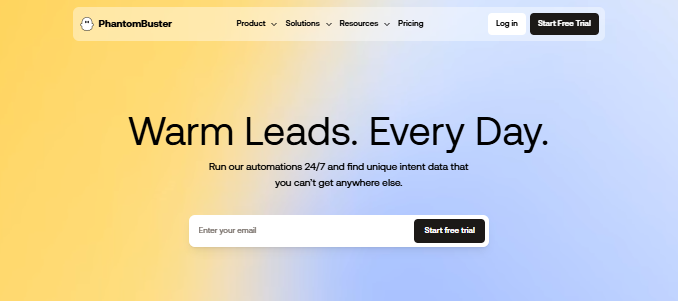
Phantombuster enables you to automate practically any web action you perform manually, from following profiles, liking and commenting on posts, and accepting requests to sending customized messages.
What are the Strengths of Phantombuster?
Phantombuster offers automation of nearly all web activity that marketers and business owners need the most, but some of its most noteworthy features are the following:
- It can help automate entire campaigns – by connecting individual Phantoms into a chain or a Flow, you effectively create a campaign that carries on working on autopilot.
- It automates a whole range of actions in lots of different social media and platforms.
- It scrapes data – it can extract almost any information that's available online and store it for your further use.

- It's cloud-based – thanks to that, you can schedule your workflows, set triggers, and leave the rest to the tool, which works 24/7, without the need to keep your device running all the time.
What are the Drawbacks of using Phantombuster?
Phantombuster, as nifty a tool as it is, is not without faults. Some of the most common challenges users face are:
- It was not devised for LinkedIn alone, so it is not as fine-tuned to LinkedIn requirements and restrictions as other tools.
- Bugs and issues with some of the Phantoms – users have reported problems with some of the automated activities, as they can often lag, miss data, or fail to extract it thoroughly without an apparent reason.

- A limited number of Phantom slots – the number of slots you get in a plan determines the number of automated activities you can simultaneously have installed on your account.
That restricts your effective lead generation and automation options, especially if you need more complicated, multi-step campaign workflows.
- Time restriction – you also get a limited number of hours per day during which Phantombuster performs.
Of course, more expensive plans provide you with more working hours than the cheaper ones.

- Safety might be an issue -
Phantombuster demands access to your cookies to log into LinkedIn as you.
To be able to do that, you have to download a Chrome extension. 🚩
That raises the question of safety and increases the risk of being detected by LinkedIn bots, which do not appreciate such tricks.
What are Phantombuster's Pricing Plans?
Phantombuster offers three pricing plans and they are:
- Starter- $69 per month, with 5 slots, which means you can automate only five activities total, with a time limit of 20 hours per month.
- Pro - $159 per month, with 15 slots and 80h per month.
- Team - $439 month with 50 slots and 300 hours per month.

The pricier plans also include priority support and a dedicated expert.
Phantombuster also offers a 14-day free trial that comes with five slots and only two hours of activity per month, which is nowhere near enough time to test the product thoroughly.
Is Phantombuster the right Linked Helper competitor for you?
While Phantombuster has a lot to offer regarding web automation in itself, it is greatly lacking on LinkedIn in particular.
It doesn't have an option for going around the LinkedIn limitations, which is a massive issue for many users who are looking for a way to bypass LinkedIn restrictions to grow their business.
In addition, it is on the more expensive end of the spectrum, especially if you consider all the limits and restricted number of dedicated activity slots and working hours.
Basically, if you want to see actual results in lead generation and leveling-up, you will have to cash out some of the more expensive plans, as the affordable ones don't make much sense.
As an alternative to Linked Helper, Phantombuster is somewhat safer, as it is cloud-based.
That also means your device doesn't have to be turned on at all times to keep running.
On the other hand, Phantombuster demands access to your cookies to log into LinkedIn as you.
To be able to do that you have to download a Chrome extension, which significantly raises the risk of being detected - and banned - by LinkedIn.
To wrap it all up, Phantombuster is a cool software when you're aiming to automate web activity on the web in general.
Suppose you need to tackle several channels and platforms simultaneously while putting as little time and effort into it as possible. In that case, Phantombuster is the Linked Helper alternative that will not fail you.
4. Cleverly – Linked Helper Alternative With Multiple Tools

Cleverly differs from other software featured in our list mainly because it's not a single tool but a lead generation agency with an all-around approach to B2B online campaigns and automation.
As such, it offers solutions for LinkedIn lead generation, as well as LinkedIn advertising and candidate recruiting.
Cleverly's services include landing page creation and copywriting, a LinkedIn lead gen course, as well as the possibility of white-labeling their product.
What are the Advantages of using Cleverly?
Since Cleverly is an agency, it has several features that could appeal to potential users, such as:
- Covering a wide range of services when it comes to LinkedIn prospecting and automation – in addition to lead generation, it can help with advertising, as well as recruiting.
If finding the best job candidates is what you need from LinkedIn automation,

- You can white-label their product.
- It's cloud-based and as such, safe.
- You have an entire team working on your automation campaigns and lead generation rather than just an automation tool.
This feature, however, greatly depends on the budget you've prepared to set aside for your LinkedIn lead generation.
What are the Shortcomings of using Cleverly?
However, Cleverly comes with quite a few weak points as well:
- It costs an arm and a leg – all of its plans are very expensive, especially when you take into consideration that they charge for each of their services separately
- There are no smart message sequences.
- Cleverly doesn't offer a free trial period – all you get is a 15-minute free consultation with their team.

- There are no free learning resources. When it comes to actual LinkedIn lead generation automation and how it works.
What are Cleverly's Pricing Plans?
Pricing is another issue with Cleverly.
Again, as it is an agency rather than a single tool, its fees are on the higher end of the range.
Cleverly has separate pricing plans for each of the services it offers. When it comes to services that are LinkedIn-based, the fees are the following:
- LinkedIn lead generation services have three plans:
- Silver plan at $397 per month,
- Gold plan at $697 per month,
- Platinum plan at $997 per month.

- LinkedIn Paid Advertising comes at a Starter plan at $999/mo, Scale plan at $1999/mo, and Enterprise plan at $2999/mo.
- LinkedIn Content & Posting costs $697 per month.
They charge for other services, such as cold email lead generation, content creation, white label, and more.
Not to mention that Cleverly doesn't offer a free trial period, so you don't even have a chance to test it out beforehand.
Is Cleverly the right Linked Helper competitor for you?
Cleverly beats Linked Helper as an alternative when it comes to the range of services it delivers.
The fact that you have an entire team of people to devise, conduct, and follow through with your campaigns is also a plus. Of course, that only goes if you've opted for some of the more expensive plans.
However, the fact that they are not entirely dedicated to LinkedIn lead generation alone but try to cover as many areas of outbound marketing as possible gives off the impression that they're a bit all over the place.
It's often better to focus on a few pivotal points rather than trying to do everything at once.
Since it's not specialized for LinkedIn automation, Cleverly doesn't offer as many features for prospecting and lead generation, such as advanced AI or bright message sequences.
That is a deal-breaker for users who need a tool that can perform those actions first and foremost.
In the end, you do not need a single tool but more of a team of people who can help you take care of not only LinkedIn automation but also copywriting and landing page creation.
Additionally, Cleverly is the go-to Linked Helper competitor if you have a hefty budget.
Dripify vs Linked Helper - Quick Comparison
For users considering "Dripify vs Linked Helper," both tools offer LinkedIn automation but with key differences.
Dripify is cloud-based and generally safer than Linked Helper's desktop approach, though it still faces some limitations compared to more advanced alternatives like SalesRobot.
Dripify offers better user experience and doesn't require keeping your computer running 24/7, making it a step up from Linked Helper in terms of convenience and safety.
Conclusion: What is the best Linked Helper alternative for your use case?
Before you go, here's a short & sweet list of key takeaways to have in mind when deciding which tool is best suited for your business:
- If you want a safe tool that combines LinkedIn and email automation for optimal results, then Expandi is the right Linked Helper alternative for you.
Just a heads-up: there's usually a long line at customer service if you need issues resolved.
- If you need a tool that provides you with overall web automation rather than being solely focused on LinkedIn, then look no further than Phantombuster as the best Linked Helper Alternative.
The cheap plans don't really help much. You gotta buy the most expensive plan to get results.
- If you'd rather have an entire agency back you up and take care of your automation campaigns from top to bottom than rely on a single automation tool, then Cleverly is the Linked Helper alternative you'd want to try out.
Only go with them if you have the budget to spend.
- Finally, if what you're looking for is a Linked Helper alternative that'll help you get more sales on LinkedIn while being perfectly safe,
Then SalesRobot is the best choice for you, since it helps you engage your prospects with its powerful personalization capabilities and sequences.
You can now sign up for a free 14-day trial and see whether SalesRobot is a match. You don't even have to provide your credit card information—just buckle up and enjoy the ride.
Frequently Asked Questions
How much does Linked Helper cost per month?
Linked Helper has two plans: Standard at $15/month and Pro at $45/month on monthly billing. Annual billing drops these to about $8.25 and $24.75/month respectively. There's a 14-day free trial with no credit card required.
Is Linked Helper cloud-based or desktop?
Linked Helper 2 is primarily a desktop application you download and install, which means your computer must stay on for campaigns to run. A cloud/VPS setup is possible but adds cost. Fully cloud-based alternatives like SalesRobot run 24/7 without your device being on and carry lower ban risk.
Is Linked Helper safe to use?
Linked Helper 2 carries higher ban risk than cloud-based alternatives because it's a desktop application that leaves detectable traces. While it doesn't require direct API access, users report getting banned when using its "undocumented LinkedIn features" to bypass limits.
Can Linked Helper get you banned?
Yes, Linked Helper can get you banned from LinkedIn. The tool uses questionable methods to bypass LinkedIn's limits and warns users in its documentation that these methods could result in immediate account suspension.
Does Linked Helper work with Sales Navigator?
Yes, Linked Helper 2 works with all LinkedIn platforms including LinkedIn Premium, Sales Navigator, and LinkedIn Recruiter, making it versatile for different user types.
Disclaimer: The content of this blog post reflects our own opinions and judgements based on our research and experience as of published date. Comparisons made to other software or tools are for informational purposes only and are based on publicly available information and our own analysis. We do not claim absolute accuracy and encourage readers to conduct their own research to form their own opinions. While we may discuss competitor offerings, our primary focus is to showcase the features and benefits of Salesrobot. Salesrobot is not affiliated with any other software or tool mentioned in this blog post.

Wow your leads by cloning yourself and sending personalized videos and voice notes to each lead on LinkedIn.
If you don't reply to leads within 5 mins, your chances of converting them fall by 50%. Our AI replies on your behalf instantly! (and yes, you can train it)

Don't shoot in the dark. Get detailed analytics on what's working

SalesRobot allows you to invite other team members, so that they can add their LinkedIn Account, run outreach campaigns and get amazing results just like you.
.avif)


Trusted by 4100+ innovative B2B sales teams and lead gen agencies

.avif)

.avif)




.avif)