.avif)
TL;DR
- HubSpot Sales Hub offers solid CRM features but pricing and limitations drive users to seek alternatives.
- Pipedrive offers easy-to-use sales tracking and automation with a simpler interface than bigger CRMs, starting at $14/month
- Salesforce Sales Cloud provides enterprise-grade functionality with extensive customization options for larger teams.
- Apollo.io combines prospecting and CRM features with strong data accuracy for outbound sales teams.
- Zoho CRM and SalesRobot offer budget-friendly alternatives with automation and lead generation capabilities.
In this blog, we're going to cover:
- What HubSpot is and What it does
- Hubspot's Pricing
- Top 5 Alternatives to Hubspot
- And What You Should Choose Based on Your Needs
Top 5 HubSpot Sales Hub Alternatives
Let's be honest: you clicked on this post because HubSpot is driving you slightly insane, right?
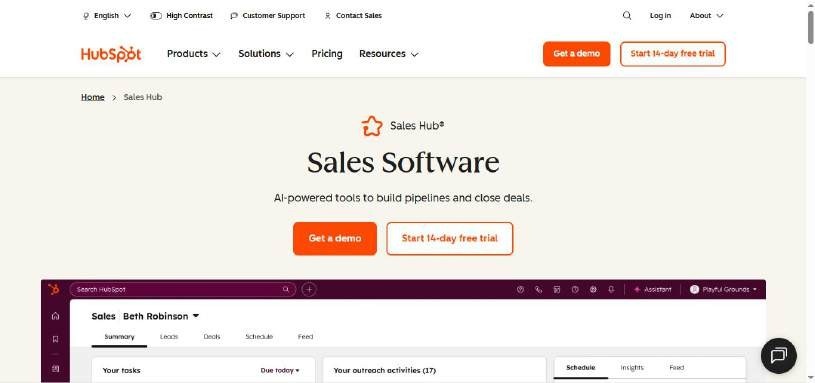
Maybe it's the price tag for the combined hubs that makes your CFO's eye twitch, or perhaps you're drowning in features you'll never use while missing the one thing you actually need.
.webp)
Here's the thing about HubSpot Sales Hub.
It's like that Swiss Army knife your dad swears by, packed with every tool imaginable. But sometimes you just need a really good screwdriver, not 47 different gadgets fighting for space in your pocket.
Don't get me wrong.
HubSpot has earned its reputation for good reasons, and plenty of sales teams absolutely love it. But love isn't universal, and neither is software.
This post takes an honest look at what HubSpot Sales Hub does well (and where it falls short), then dives into five solid alternatives that might be a better fit for your team: Pipedrive for tracking leads, deals, and info in one place, Salesforce Sales Cloud for enterprise power, Apollo for prospecting, Zoho CRM for budget-conscious teams, and SalesRobot for LinkedIn automation.
These alternatives range from direct CRM replacements to specialized tools that might eliminate your need for HubSpot entirely, depending on what you actually use it for.
Let's find you something that actually works the way you do.
.webp)
HubSpot: What You Need to Know
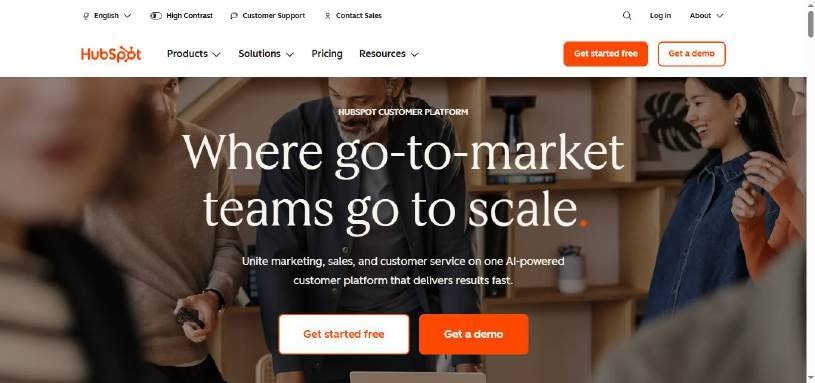
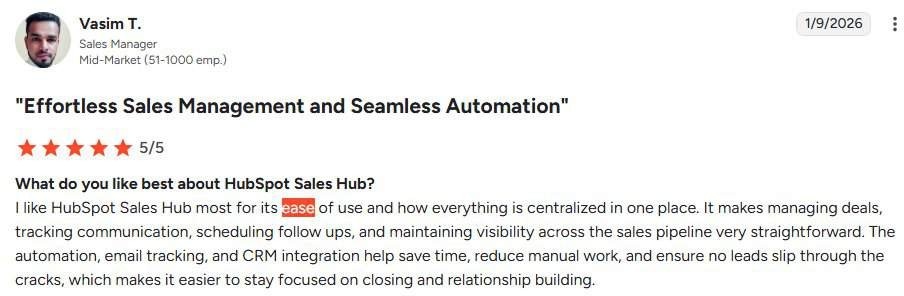
✅ All-in-one powerhouse: HubSpot combines CRM, marketing automation, sales tools, and customer service in one platform. This means you're not juggling five different tools and trying to make them talk to each other.
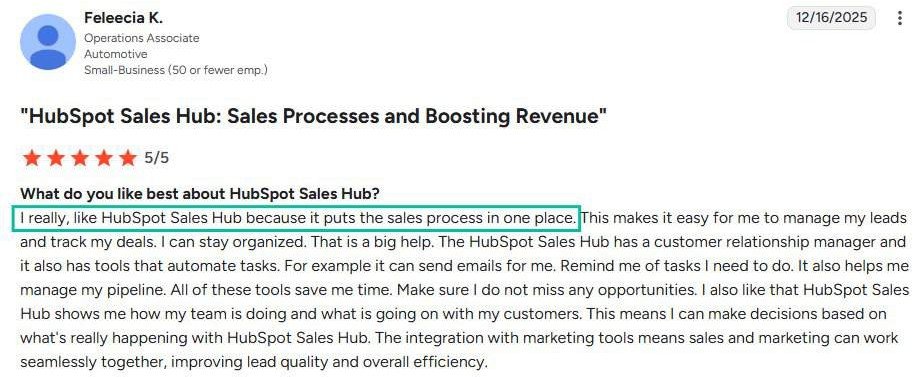
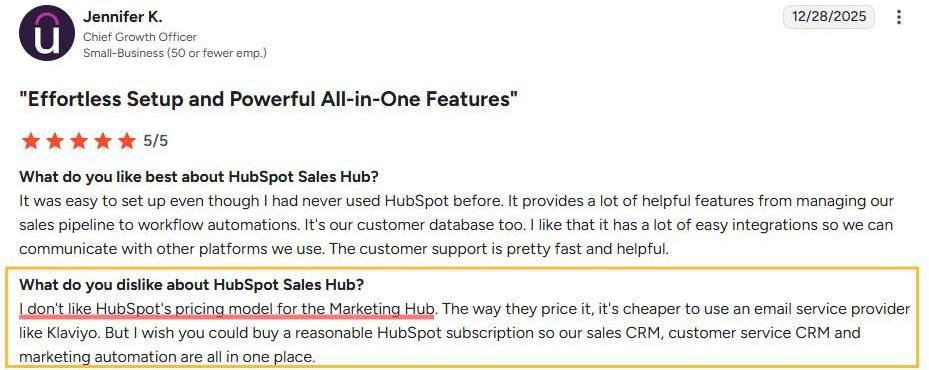
⚠️ Pricing gets steep fast: While the basic CRM is free, you'll hit paywalls quickly when you need advanced features. Most growing businesses end up paying $800+ monthly (if they're using marketing and other hubs) once they factor in multiple hubs and user seats.
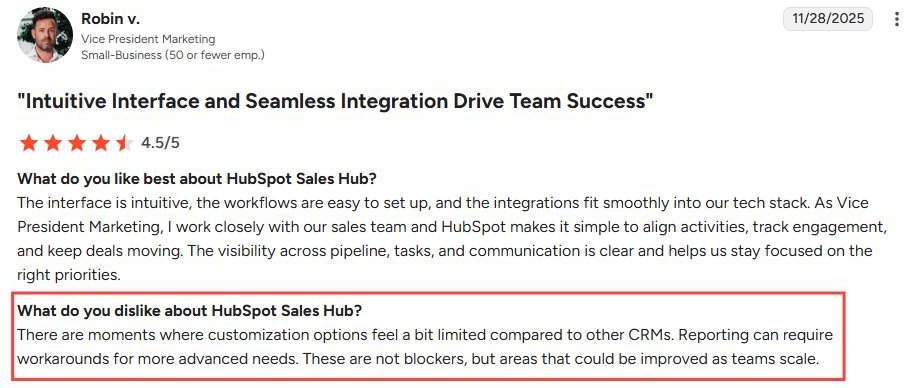
✅ Incredible free CRM: You get contact management, deal tracking, and basic reporting without paying a dime. It's perfect for startups or small teams just getting their sales process organized.
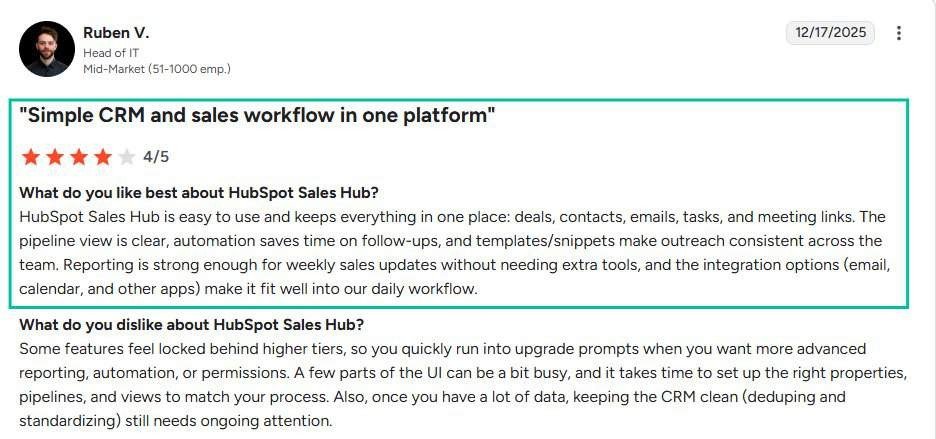
✅ User-friendly interface: Even non-technical team members can jump in and start using HubSpot effectively. The learning curve is gentle compared to more complex platforms like Salesforce.
⚠️ Customization limitations: Unlike enterprise platforms, HubSpot can feel restrictive when you need specific workflows or custom fields. You're often stuck working within their predefined structure.
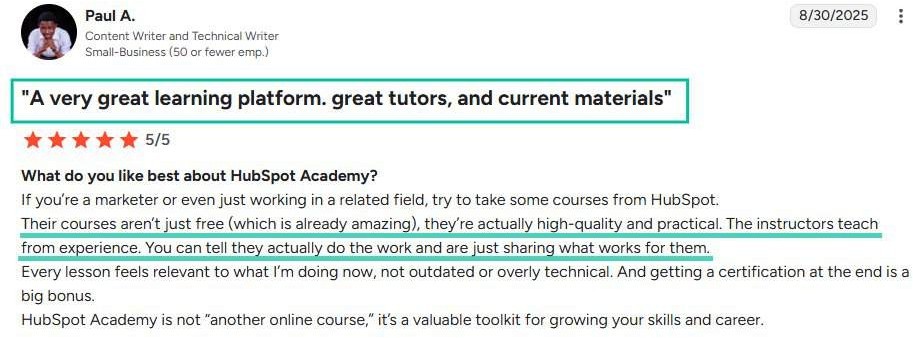
✅ Outstanding educational resources: HubSpot Academy offers free certifications and training that actually teach valuable marketing and sales skills. Many users become better marketers just from using the platform.
⚠️ Integration headaches: While HubSpot connects to many tools, the integrations often feel clunky or limited. You might lose data fidelity when syncing with your existing tech stack.

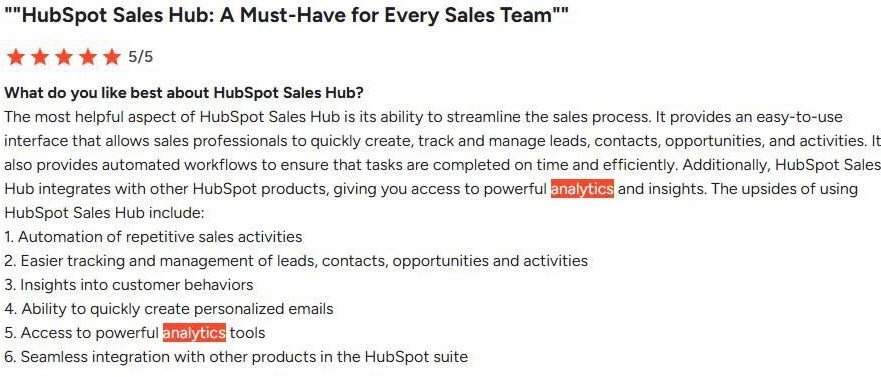
✅ Robust reporting and analytics: The dashboard gives you clear visibility into your entire funnel, from first website visit to closed deal. You can finally answer "where are our best leads coming from?" with confidence.
HubSpot's Key Features, Broken Down
Contact and Lead Management
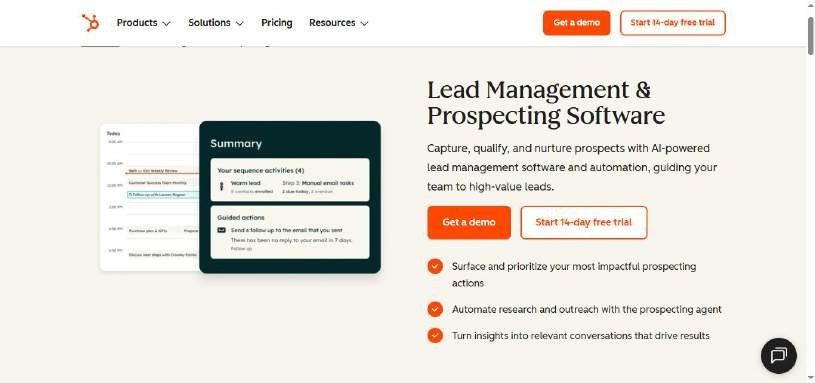
HubSpot automatically captures and organizes every interaction with your prospects and customers in one central database. When someone fills out a form on your website or engages with your content, their information flows directly into your CRM.
You can track email opens, website visits, and social media engagement for each contact. This gives your sales team the complete story before they make their next call.
Email Marketing and Automation
Create professional email campaigns using drag-and-drop templates, then set up automated sequences that trigger based on customer behavior.
For example, when someone downloads your ebook, they automatically receive a follow-up email series over the next two weeks.
The system tracks open rates, click-throughs, and conversions so you can see exactly which emails drive the most revenue.
You can also A/B test subject lines and send times to optimize performance.
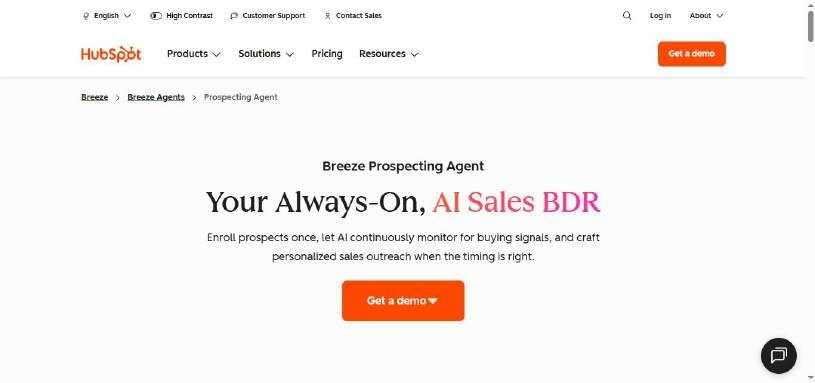
Sales Pipeline Management
HubSpot's visual sales pipeline lets you drag deals through different stages, from initial contact to closed-won. Each deal shows the contact history, email exchanges, and next steps so nothing falls through the cracks.
Sales managers can forecast revenue based on deal probability and stage. The system also alerts reps when deals have been sitting too long or when follow-ups are overdue.
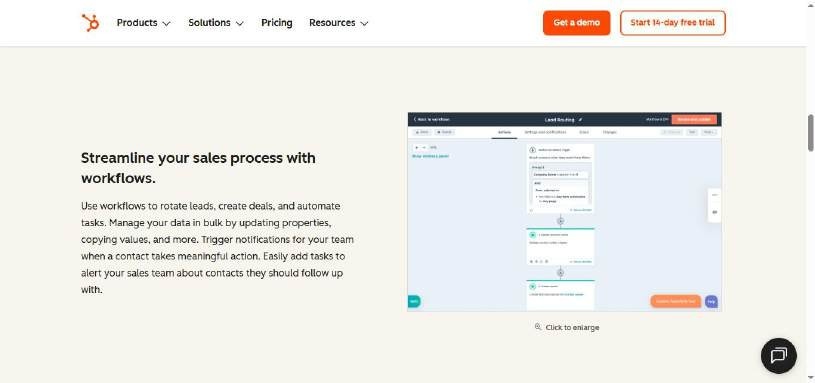
Website and Landing Page Builder
Build responsive websites and landing pages without coding using HubSpot's drag-and-drop editor. Every page automatically includes forms, chatbots, and tracking that connects to your CRM.
You can create targeted landing pages for specific campaigns and see which ones convert visitors into leads. The built-in analytics show traffic sources, bounce rates, and conversion paths.
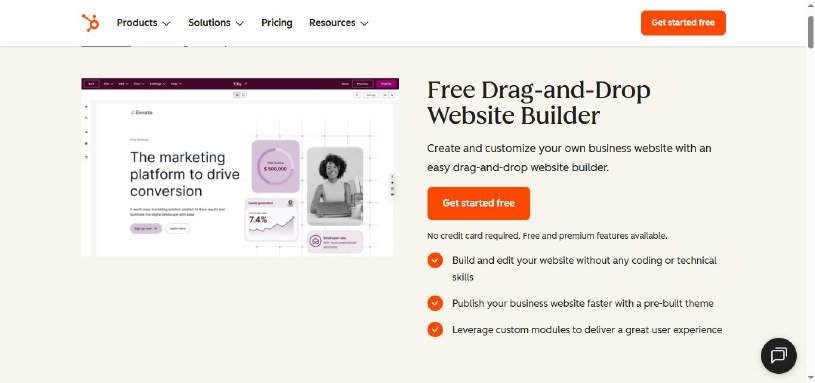
Marketing Analytics and Reporting
Get detailed reports on your entire marketing funnel, from first website visit to final purchase. HubSpot tracks which blog posts, social media updates, and email campaigns actually generate customers.
The attribution reporting shows you exactly which marketing efforts deserve credit for each sale. This helps you double down on what works and cut spending on underperforming channels.
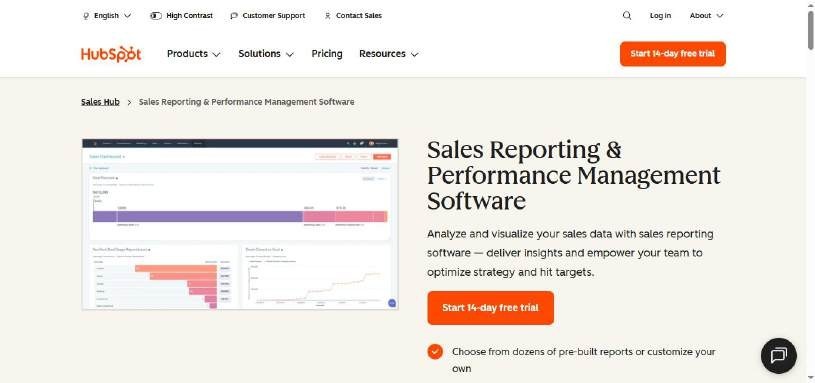
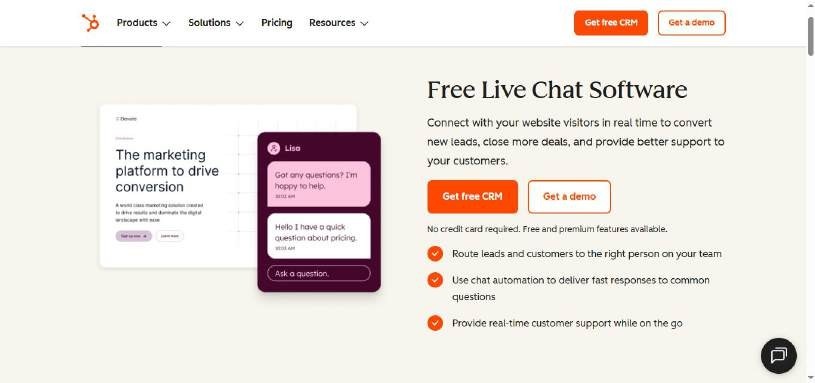
Live Chat and Chatbots
Add live chat to your website so visitors can get instant answers while browsing your products or services. When your team isn't available, chatbots can qualify leads and book meetings automatically.
All chat conversations sync with contact records, so your sales team can see what prospects discussed before jumping on a call.
You can also route chats to specific team members based on the visitor's location or the page they're viewing.
HubSpot Pricing: How Much Will It Cost?
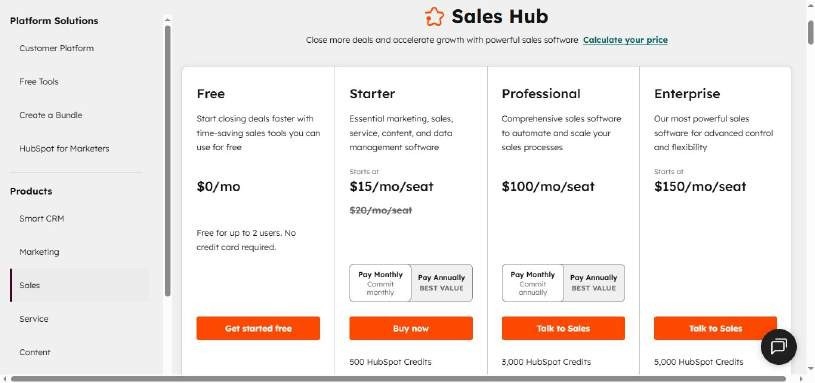
HubSpot offers several pricing tiers across its different hubs (Marketing, Sales, Service, CMS, and Operations). Here's a breakdown of what you'll pay for each level.
Free Tools: $0/month
Get started free
Includes:
- Free Marketing tools
- Free Sales tools
- Free Service tools
- Free Content tools
- Free Data tools
Perfect for small businesses just getting started with CRM and basic sales. The free tier is surprisingly robust and can handle many core business needs.
Starter: $15/month
- Breeze Assistant
- Calling
- HubSpot-provided phone numbers
- Repeating tasks and task queues
- Object Tags
- Goals
Ideal for growing small businesses that need more sales tools. Great value for teams ready to scale beyond basic CRM.
Professional: $100/month
- 3,000 HubSpot Credits
Sales Hub Starter, plus:
- AI Meeting Assistant
- Breeze Prospecting Agent
- Call transcription and coaching
- Sales analytics
- Sales workspace
- Forecasting
- Sequences
Best for established businesses with dedicated marketing and sales teams. The automation features justify the jump in price for companies handling significant lead volume.
Note: A mandatory one-time $1,500 onboarding fee applies.
Enterprise: $150/month
- 5,000 HubSpot Credits
Sales Hub Professional, plus:
- AI call transcript enrichment (Beta)
- Conversation intelligence
- Deal splits
- Deal journey analytics
- Lead Form Routing
- Pipeline approvals for Deals
- Interactive Voice Response
Designed for large organizations with complex sales processes and multiple teams. The advanced features and dedicated support make sense for companies with substantial revenue.
Note: A mandatory one-time $3,500 onboarding fee applies.
Free Trial Information
HubSpot offers a 14-day free trial for all paid plans. You can test the full feature set before committing to a subscription.
The free trial gives you complete access to explore whether the advanced features justify the cost for your specific needs.
Value Assessment
HubSpot's pricing reflects its position as a premium, all-in-one platform. The free tier offers genuine value for small businesses.
The jump from Starter ($15) to Professional ($100) is steep, but the automation features can save significant time for active marketing teams.
Enterprise pricing is high but competitive for large organizations when compared to buying separate tools for CRM, marketing automation, and customer service.
5 Alternatives to HubSpot: Which One Actually Fits?
You've seen what HubSpot brings to the table, but it's not the only game in town. Here are five solid alternatives that might be a better match for your specific needs and budget.
Pipedrive
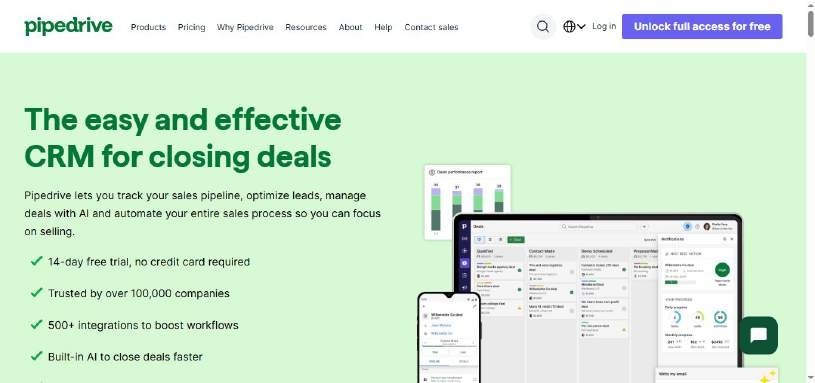
Pipedrive is a CRM (Customer Relationship Management) tool built mainly for sales teams and small to medium-sized businesses.
It helps you track leads, deals, and customers in one place so nothing slips through the cracks. You can see where each potential sale is in your pipeline, manage follow-ups, schedule activities, and automate repetitive work with a clean, intuitive interface.
- Stands out for: Simpler, more intuitive user interface compared to complex platforms like HubSpot. Offers all the features of a robust CRM without the overwhelming complexity that can be difficult to navigate for startups.
Pricing:
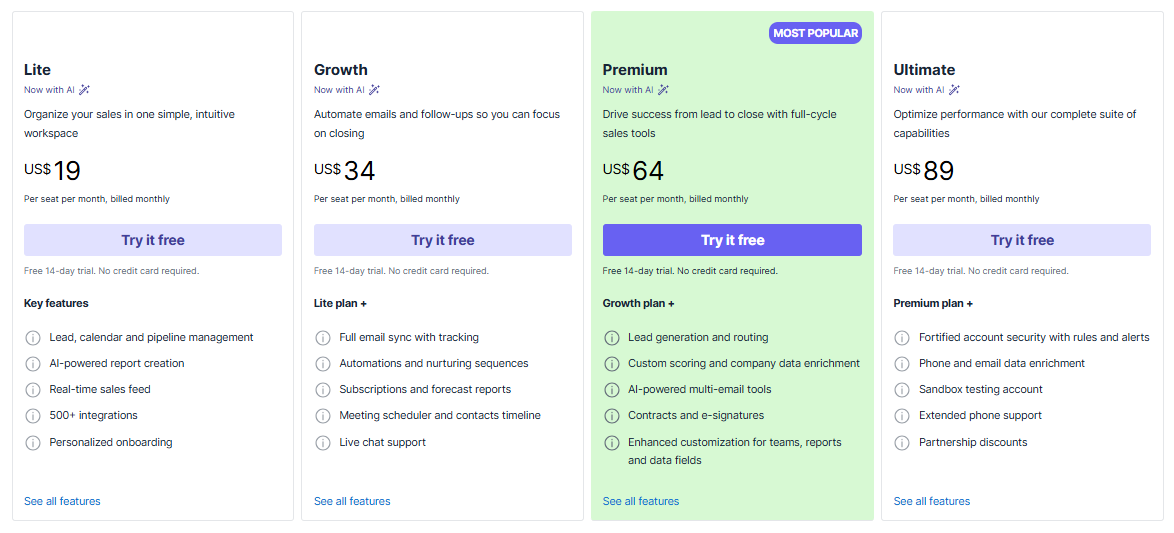
Starting at $19/month for Lite plan, Growth for $34/month, Premium plan at $64/month, and Ultimate for $89/month,
Best if: You need a tool for visually managing and tracking sales deals through a simple, drag-and-drop pipeline so nothing falls through the cracks, especially if you want excellent reporting capabilities without HubSpot's complexity.
Salesforce
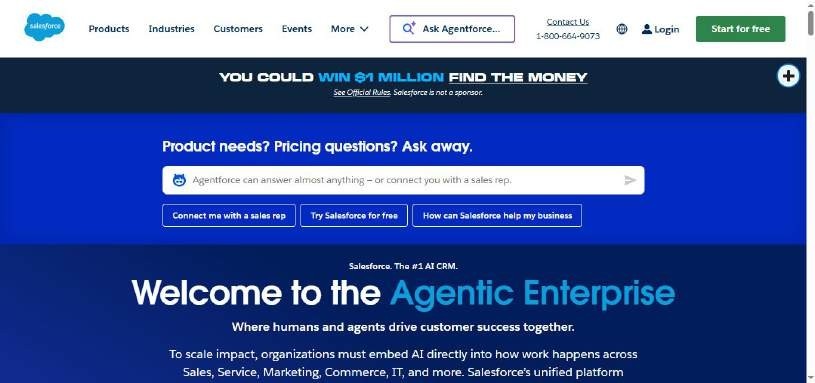
What it does: Salesforce is the heavyweight champion of CRM platforms, offering everything from basic contact management to advanced AI and automation. Built for teams that need serious customization and don't mind the learning curve.
- Stands out for: Massive ecosystem of integrations, enterprise-grade security, highly customizable workflows
Pricing: Starting at $25/month for the Starter Suite. Pro Suite at $100/month,
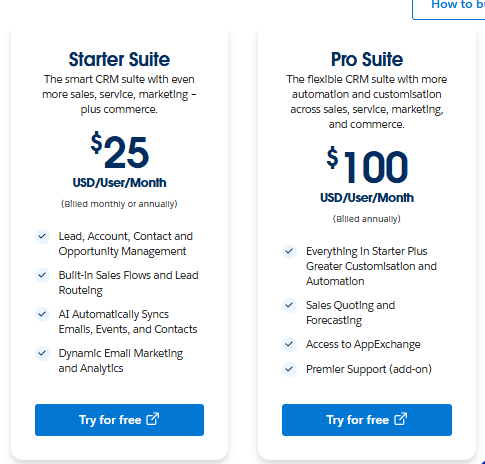
Best if: You're a large organization with complex sales processes and dedicated admin resources.
Apollo.io
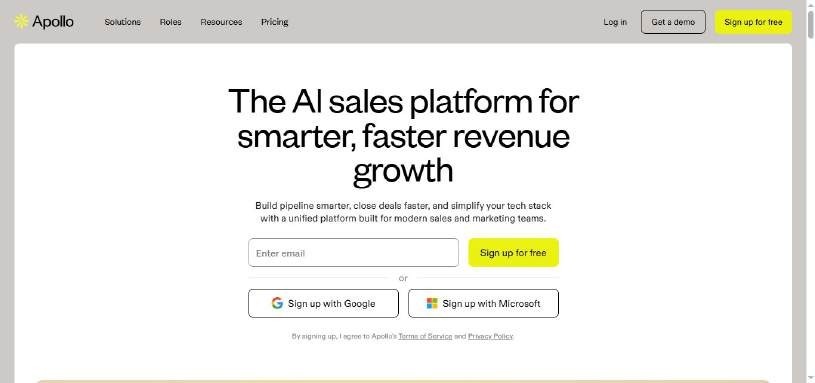
Apollo combines a massive contact database with email sequencing and sales engagement tools. Think of it as a prospecting powerhouse that helps you find leads and reach out to them in one platform.
- Stands out for: Huge database of verified contacts, built-in email deliverability tools, conversation intelligence features
Pricing: Free plan available with basic features. Basic Plan starts at $59/month, Professional at $99/month, and Organization at $149/month
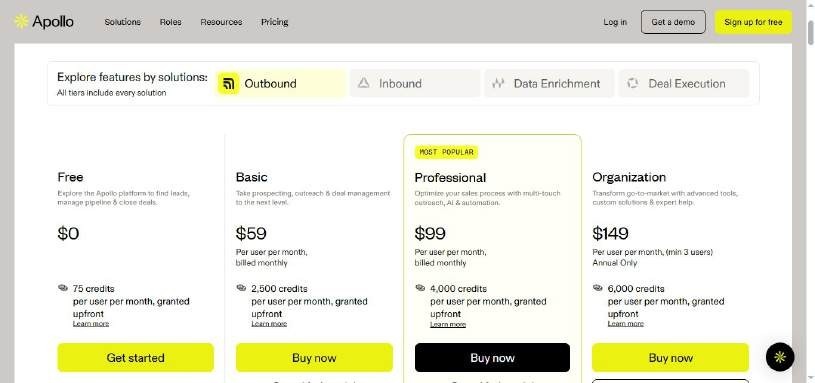
Best if: Your main focus is prospecting and you need access to a large, clean database of potential customers.
Zoho CRM
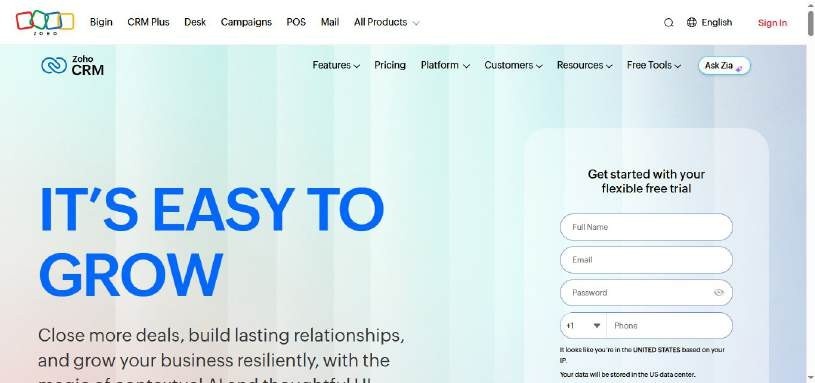
Zoho CRM is part of the massive Zoho ecosystem, offering solid CRM basics with the ability to connect to dozens of other Zoho apps. Great for businesses that want an all-in-one suite without the Salesforce complexity.
- Stands out for: Excellent value for money, integrates with entire Zoho suite, good mobile app experience
Pricing: Starting at $20/month for the Standard plan. Professional at $35/month, Enterprise at $50/month, Ultimate at $65/month.
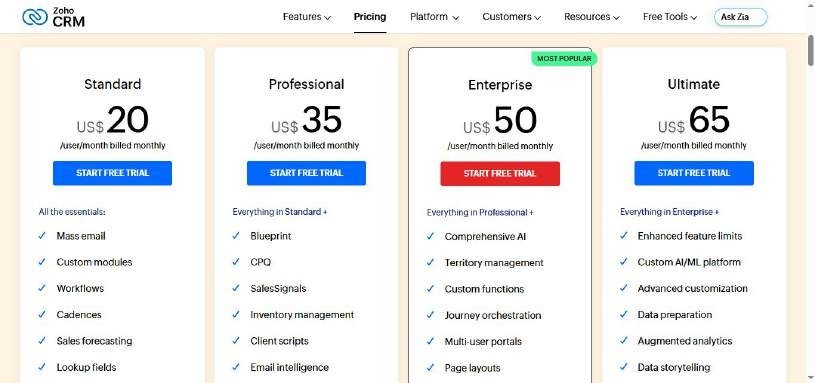
Best if: You're a growing business that wants room to expand into other business tools within the same ecosystem.
SalesRobot
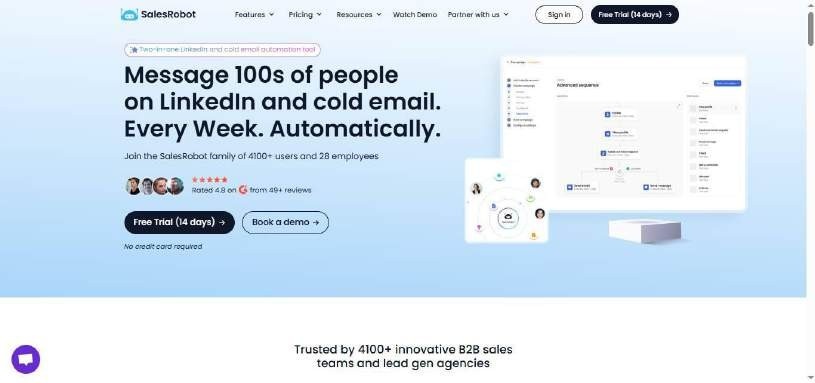
While SalesRobot is not strictly a HubSpot alternative in the traditional sense, it is built specifically for LinkedIn outreach and social selling automation.
While the others try to be everything to everyone, SalesRobot focuses on the platform where B2B relationships actually happen.
It automates connection requests, follow-ups, and message sequences while keeping your account safe from LinkedIn's restrictions.
- Stands out for: LinkedIn-native automation that actually works, advanced safety features to protect your account, personalized messaging at scale, integrated CRM for managing LinkedIn prospects
- Also Includes: AI Appointment Setter, AI Variables, and other versatile AI features to support smart outreach.
Pricing: Starter at $59/month, Advanced at $79/month, Pro at $99/month.
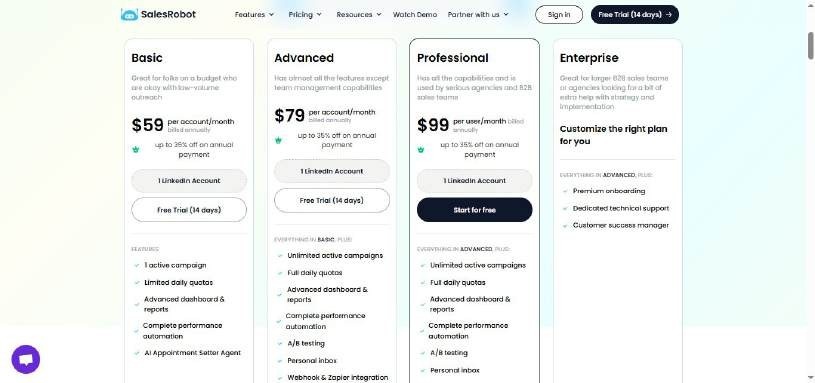
Best if: Your sales process revolves around LinkedIn and you want a tool that understands social selling rather than trying to retrofit traditional email tactics.
The truth is, most businesses don't need a Swiss Army knife when they need a scalpel.
If LinkedIn is where your prospects hang out, SalesRobot's focused approach often delivers better results than trying to make a general CRM work for social selling.
Start with their free trial to see if LinkedIn automation clicks for your team.
Chad (from live.co) considers SalesRobot "by far the best" software he has tried compared to other tools. He specifically praises the built-in proxies that protect accounts from being flagged and the platform's ability to handle complex message rate limits.
The Verdict
Here's the truth: there's no one-size-fits-all CRM winner. Each tool serves different teams at different stages.
HubSpot remains the gold standard for growing businesses that want everything in one place. Yes, it gets expensive fast, but the integration and ease of use are unmatched.
The alternatives each have their sweet spots.
Salesforce for enterprise complexity, Apollo for sales prospecting, Zoho for budget-conscious teams, and SalesRobot for LinkedIn automation.
Bottom Line
✅Choose HubSpot if you're scaling fast and need marketing + sales alignment.
✅Choose Pipedrive if you want a simple, visual way to track and close deals without HubSpot's complexity.
✅Go with Salesforce if you're enterprise-level with complex processes.
✅Pick Apollo if prospecting is your main bottleneck.
✅Choose Zoho if budget is tight but you still need full CRM features.
✅Try SalesRobot if LinkedIn outreach drives your pipeline.
If you're unsure where LinkedIn fits into your sales strategy, SalesRobot's free trial is the easiest way to test the waters.
No commitment, just results 😎
.webp)

Wow your leads by cloning yourself and sending personalized videos and voice notes to each lead on LinkedIn.
If you don't reply to leads within 5 mins, your chances of converting them fall by 50%. Our AI replies on your behalf instantly! (and yes, you can train it)

Don't shoot in the dark. Get detailed analytics on what's working

SalesRobot allows you to invite other team members, so that they can add their LinkedIn Account, run outreach campaigns and get amazing results just like you.
.avif)


Trusted by 4100+ innovative B2B sales teams and lead gen agencies

.avif)

.avif)




.avif)


Heading 1
Heading 2
Heading 3
Heading 4
Heading 5
Heading 6
Lorem ipsum dolor sit amet, consectetur adipiscing elit, sed do eiusmod tempor incididunt ut labore et dolore magna aliqua. Ut enim ad minim veniam, quis nostrud exercitation ullamco laboris nisi ut aliquip ex ea commodo consequat. Duis aute irure dolor in reprehenderit in voluptate velit esse cillum dolore eu fugiat nulla pariatur.
Block quote
Ordered list
- Item 1
- Item 2
- Item 3
Unordered list
- Item A
- Item B
- Item C
Bold text
Emphasis

Superscript
Subscript