.avif)
TL;DR
This guide reviews the top 4 Buzz.ai alternatives after analyzing features, pricing, and user complaints.
Quick takeaway:
- Buzz.ai problems: Charges after cancellation, 31+ day support delays, outdated data, steep learning curve, can get you banned from LinkedIn, expensive ($225-450/month)
- 4 alternatives compared:
- — SalesRobot ($59-99/month): Best overall with 16-hour support, AI Appointment Setter, voice/video notes, easy setup, multichannel automation
- — Waalaxy ($43-131/month): Good email finder, but buggy, Chrome-dependent, unfair refunds, extra cost for inbox
- — Dripify ($59-99/month): Cheap LinkedIn-only tool, but no email sequences, poor support, ban risk
- — HeyReach ($79-1,999/month): Good for agencies managing 50+ accounts, but slow support, difficult setup, no email outreach
- Winner: SalesRobot offers the best balance of affordability, features, support, and safety (4,100+ customers, 14-day free trial)
- Bottom line: Buzz.ai has too many issues (billing, support, ban risk). SalesRobot wins for multichannel outreach with better support and lower prices.
If you're tired of Buzz.ai's outdated data or poor customer service, and you're desperately looking for alternatives, then you're in the right place.
My team did the heavy lifting for you, digging deep into Buzz.ai alternatives.
We've researched features, pricing, and drawbacks to help you make an informed decision.
And we've finally come up with the top alternatives that won't break your bank or leave you frustrated for hours.
Read on to find out some more about it!
And if you're too busy, or too impatient (we don't judge 😉) here's a quick comparison table you can look at.

But if you have time, then we have tons of information for you to process.
So, grab a coffee, settle in, and let's find the perfect Buzz.ai replacement!
But before that, let's chat a little about Buzz.ai, what it actually does, and why it falls short of expectations.
So, What is Buzz.ai?
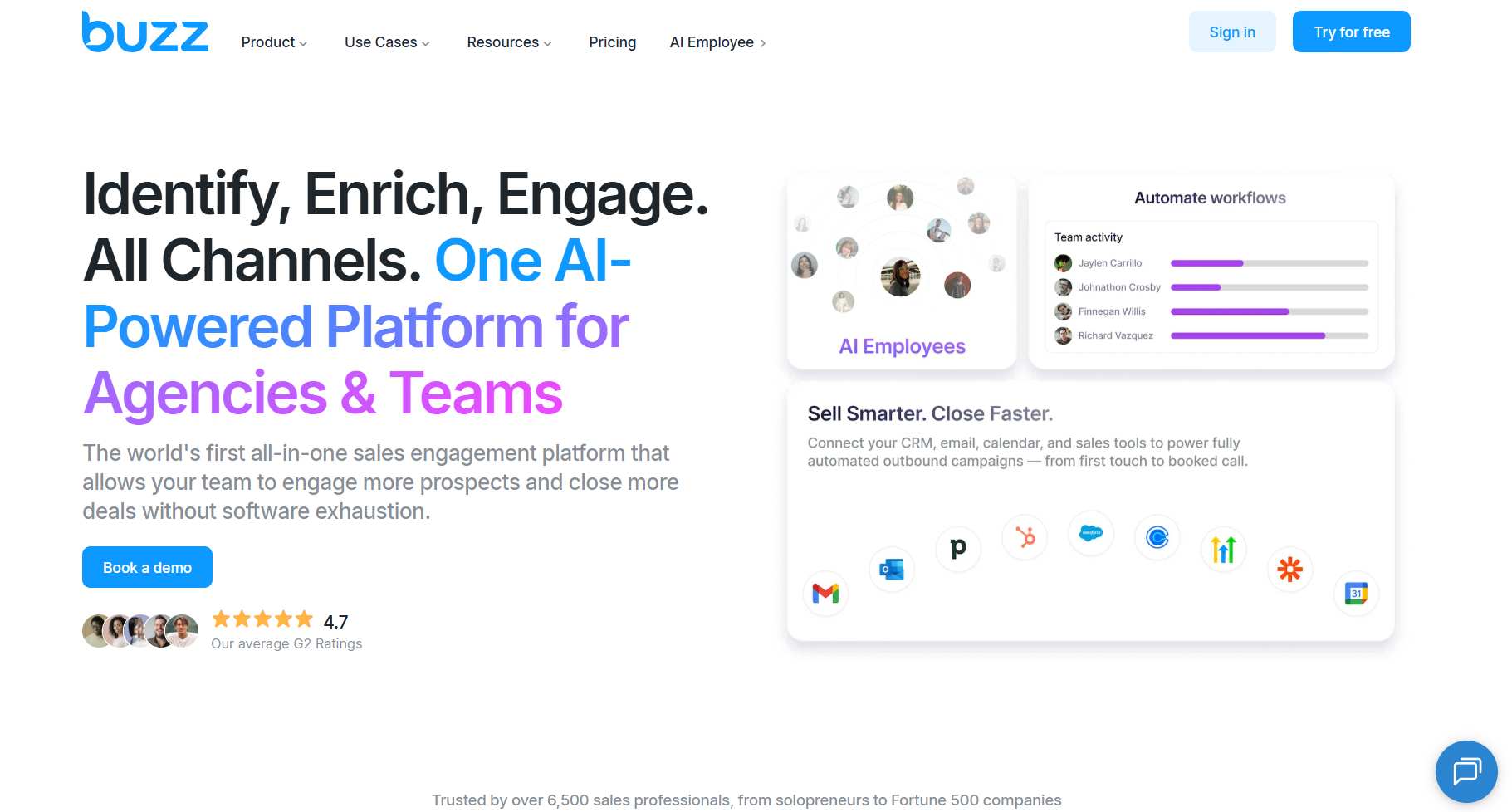
Buzz.ai positions itself as an AI lead generation and sales engagement platform.
Think LinkedIn outreach meets cold email automation, with AI-powered features for prospecting and enrichment. It's designed for sales teams who want to reach more prospects and close more deals with multi-channel campaigns.
Who uses it? Mainly sales teams, marketing professionals, small business owners, and larger enterprises looking to scale their outreach with AI assistance.
⚠️The problem? As we'll see, the execution doesn't always match the promise.
Who should use Buzz.ai?
Buzz.ai is designed for a wide range of users, especially in sales and marketing.
Its main users include sales teams, marketing pros, small business owners, and enterprises.
Why Should You Look For Buzz.ai Alternative?
Buzz.ai has long been the go-to solution for many, but many problems have made customers look for alternatives.
Some of the most frequently occurring problems are:
1️⃣ Disappointing Customer Service

Most businesses usually take about 48 hours to solve a problem, right?
But with Buzz.ai, multiple users didn't get their problem fixed even after a month!
2️⃣ Charge You Even After Cancellation

One of the users cancelled their subscription 31 days before the payment, but they were still charged!
It seems like they have sketchy billing practices and difficult cancellation processes are common complaints
P.S. There have even been cases where they refused to refund users.
3️⃣ Outdated Data Source

4️⃣ Steep Learning Curve

From all the reviews, the most common complaints were about the setup's complexity. Users said the software is full of bugs and inadequate help resources.
If I were you, I'd choose a tool with a simple interface and plenty of helpful resources to learn from.
5️⃣ Can Get You Banned From LinkedIn

Imagine spending years building your LinkedIn network. Then, one day, you try using Buzz.ai, hoping for better results.
But instead, LinkedIn flags your account, and you notice something's wrong.
A few days later, your LinkedIn account gets permanently banned.
That's exactly what happened to one of Buzz.ai's users!
How much does Buzz.ai cost?
Buzz.ai offers 3 main subscription plans, each with different features and capabilities.
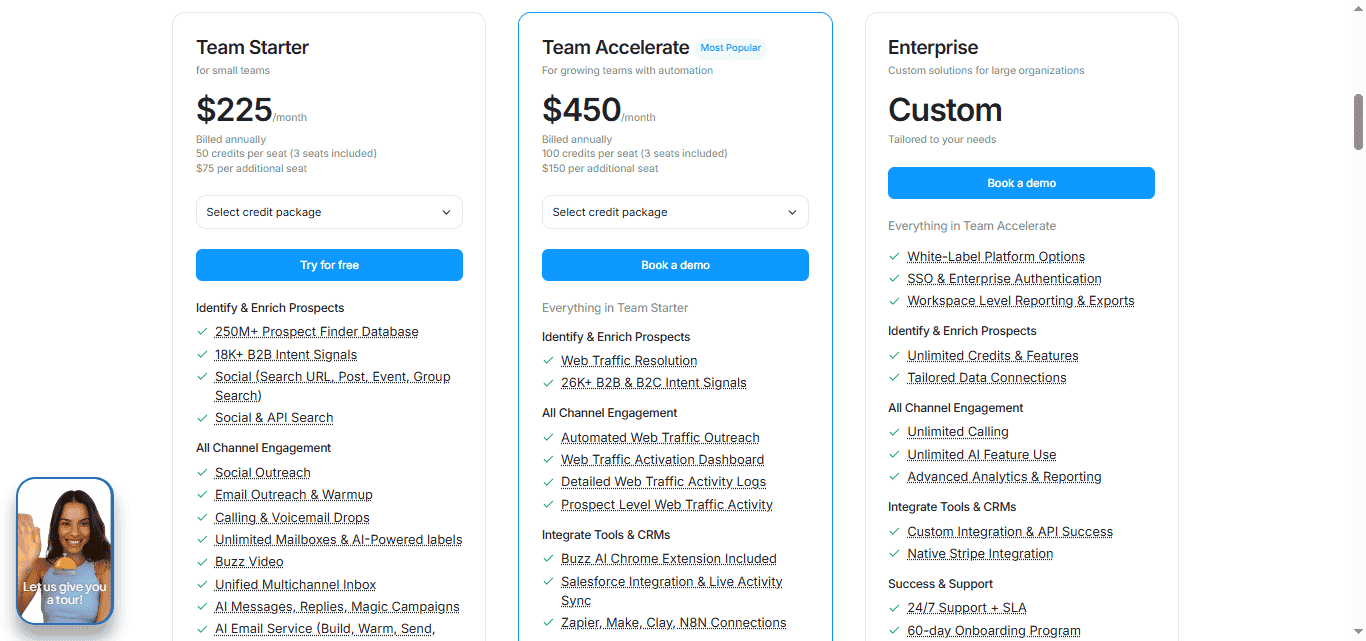
1. Team Starter: $225/month
For small teams | 50 credits per seat (3 seats included)
- 250M+ Prospect Database & 18K+ B2B Intent Signals
- Social & Email Outreach with warmup
- Calling & Voicemail Drops
- Unified Multichannel Inbox
- AI Messages & Magic Campaigns
2. Team Accelerate: $450/month (Most Popular)
For growing teams | 100 credits per seat (3 seats included)
- Everything in Team Starter, plus:
- Web Traffic Resolution & 26K+ Intent Signals
- Automated Web Traffic Outreach
- Salesforce Integration & Bi-directional Sync
- Zapier, Make, Clay, N8N Connections
3. Enterprise: Custom
For large organizations | Custom pricing
- Everything in Team Accelerate, plus:
- White-Label Platform Options
- SSO & Enterprise Authentication
- Unlimited Credits & Calling
- Workspace Reporting & Exports
The tool tried to add every feature to the platforms but failed badly. Let's take a look at the alternatives.
Top 4 Buzz.ai alternatives to try in 2026
#1 SalesRobot—This budget-friendly Buzz.ai alternative (+ easy to use + great customer support)
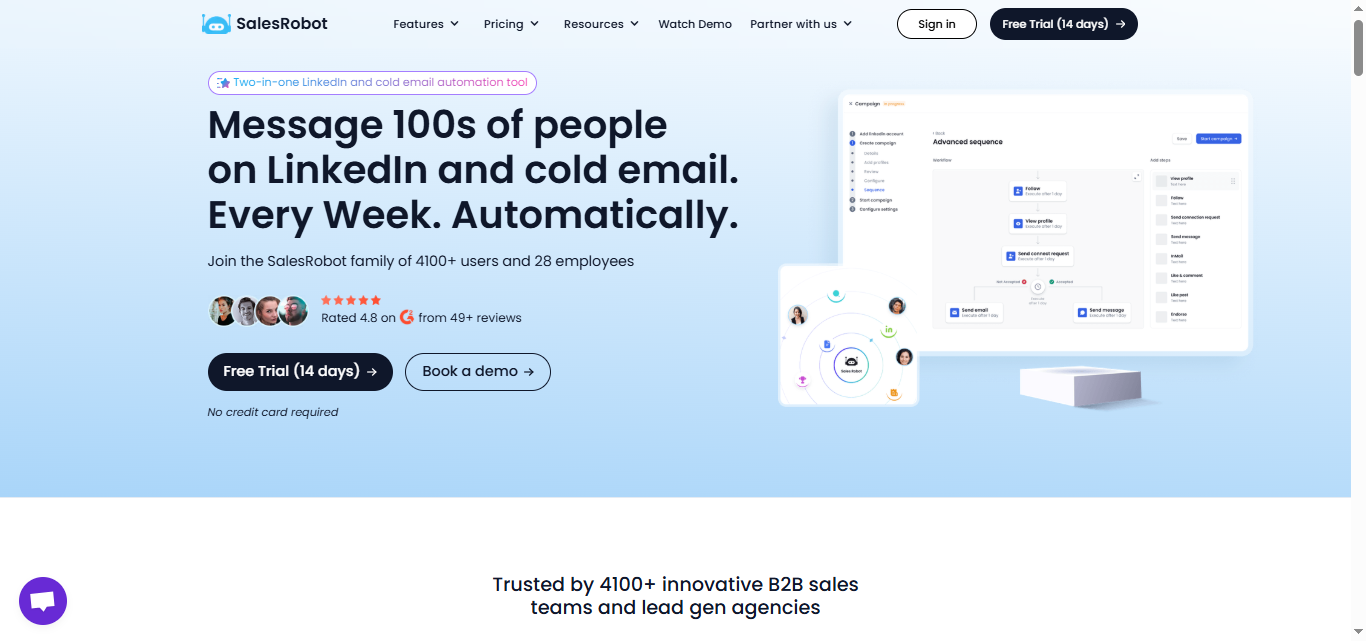
What are the Key features of SalesRobot?
Here are the top 5 features of SalesRobot:
- Great Customer Support:
Unlike Buzz.ai, where support issues can take over 31 days to resolve, SalesRobot offers customer support 16 hours a day and even on weekends!

- Easy to Add LinkedIn Account:
It takes less than 60 seconds to add your LinkedIn account. Just log in with your LinkedIn info, and you're ready to start a campaign!

Buzz.ai, on the other hand, can be tricky to figure out.
- Run Multichannel Sequences:
With SalesRobot, you can message people on LinkedIn and send emails in the same campaign.
Plus, you only send emails to verified addresses, so you'll have fewer bounces.

- Targeted Prospecting
SalesRobot has a unique lookalike feature that helps you create highly targeted campaigns in your niche.

- AI Appointment Setter so you don't have to respond to all the messages crowding your inbox by yourself.
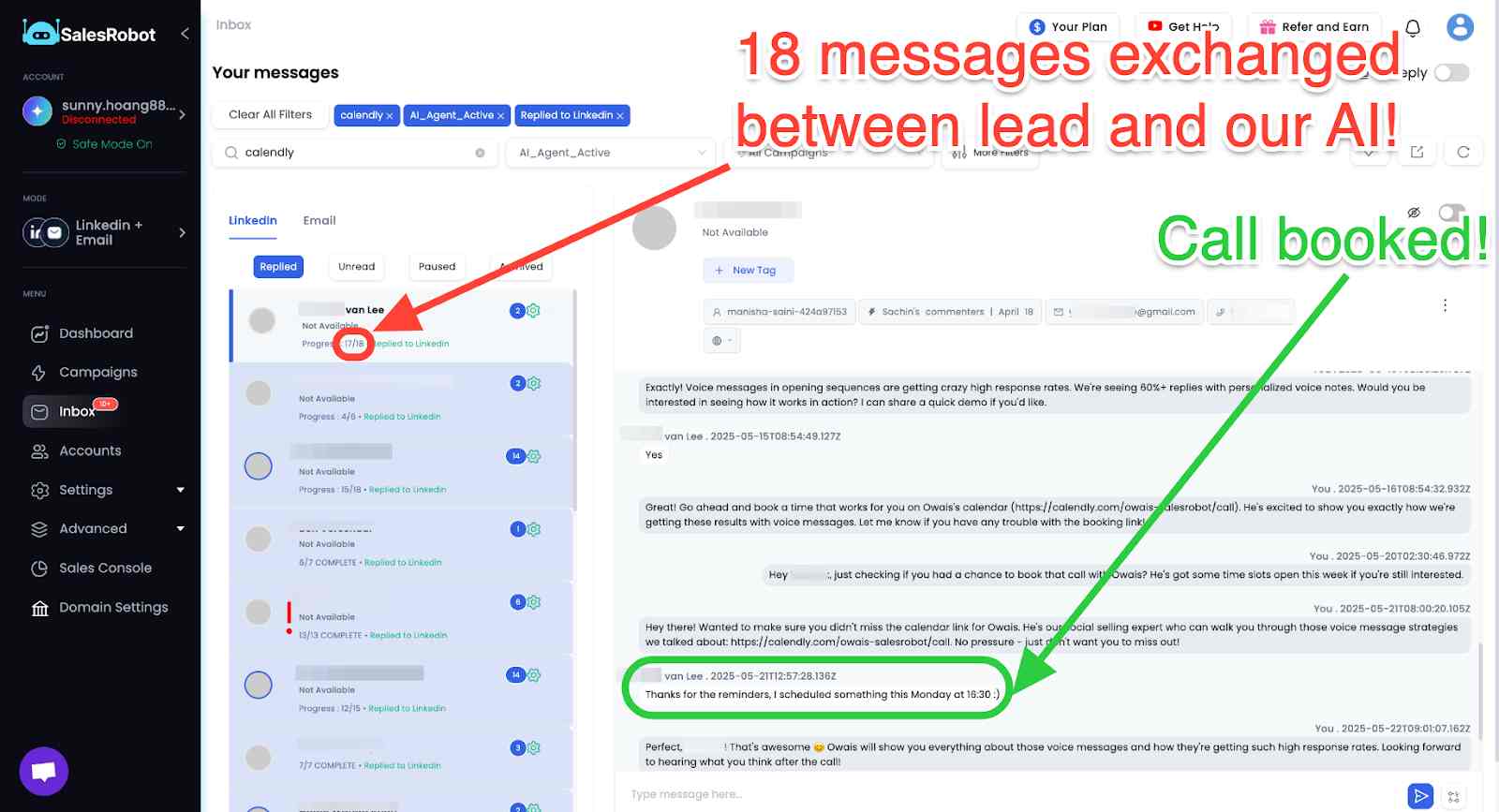
6. Voice and Video Note features so you don't have to send your prospects a boring wall of text they probably won't even read.

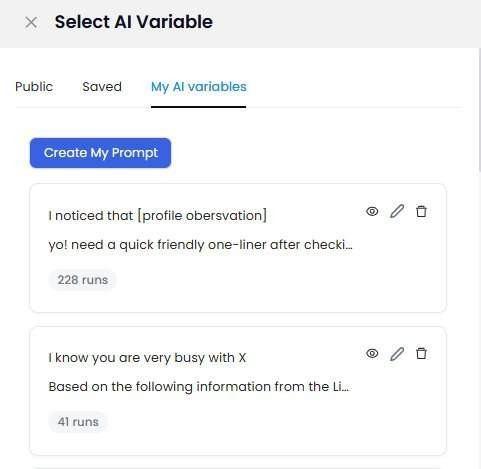
7. AI Variables: Advanced personalization that goes beyond basic merge tags, creating smarter campaigns that don't look automated.
Still unsure? Maybe the pricing will convince you!
What is the pricing of SalesRobot?
SalesRobot offers 3 pricing plans.

- Basic: $59/month
- Advanced: $79/month
- Professional: $99/month
It's much cheaper than Buzz.ai, and you get a mature LinkedIn automation tool that gets the job done for businesses like yours.
SalesRobot vs Buzz.ai: Which tool should you choose?
I've checked out both SalesRobot and Buzz.ai, and I won't just tell you to pick one without explaining why.
Let's see what each tool has to offer.
Buzz.ai is a well-known LinkedIn + cold email automation tool, but it has some problems that you should think about:
❌ Some users get charged even after they cancel their subscriptions, which isn't fair.
❌ There's also a chance you could get banned from LinkedIn while using it.
❌The setup can be hard to understand and has a lot of bugs.
❌ Customer service can take a long time to help you out.
❌ It gives outdated data.
SalesRobot, on the other hand, is a solid LinkedIn automation tool, but it's not as strong with cold emailing. Here are some of the good things about it:
✅ It's great for running outreach on multiple channels (I.e. both email and LinkedIn)
✅ You can get round-the-clock customer support, even on weekends.
✅ Adding your LinkedIn account is easy and takes less than a minute!
✅ The AI Appointment Setter will literally book meetings on your behalf.
If I were you, I'd choose a tool that gives better support, is easy to use, and doesn't have the risk of getting banned from LinkedIn.
You might already have a feeling about which tool is better, but if you want to explore more options, I'm here to help!
#2 Waalaxy - A LinkedIn and email automation and prospecting tool that automates sending connection requests, emails, and follow-ups.
What are the Key features of Waalaxy?
Here are the top 4 features of Waalaxy:
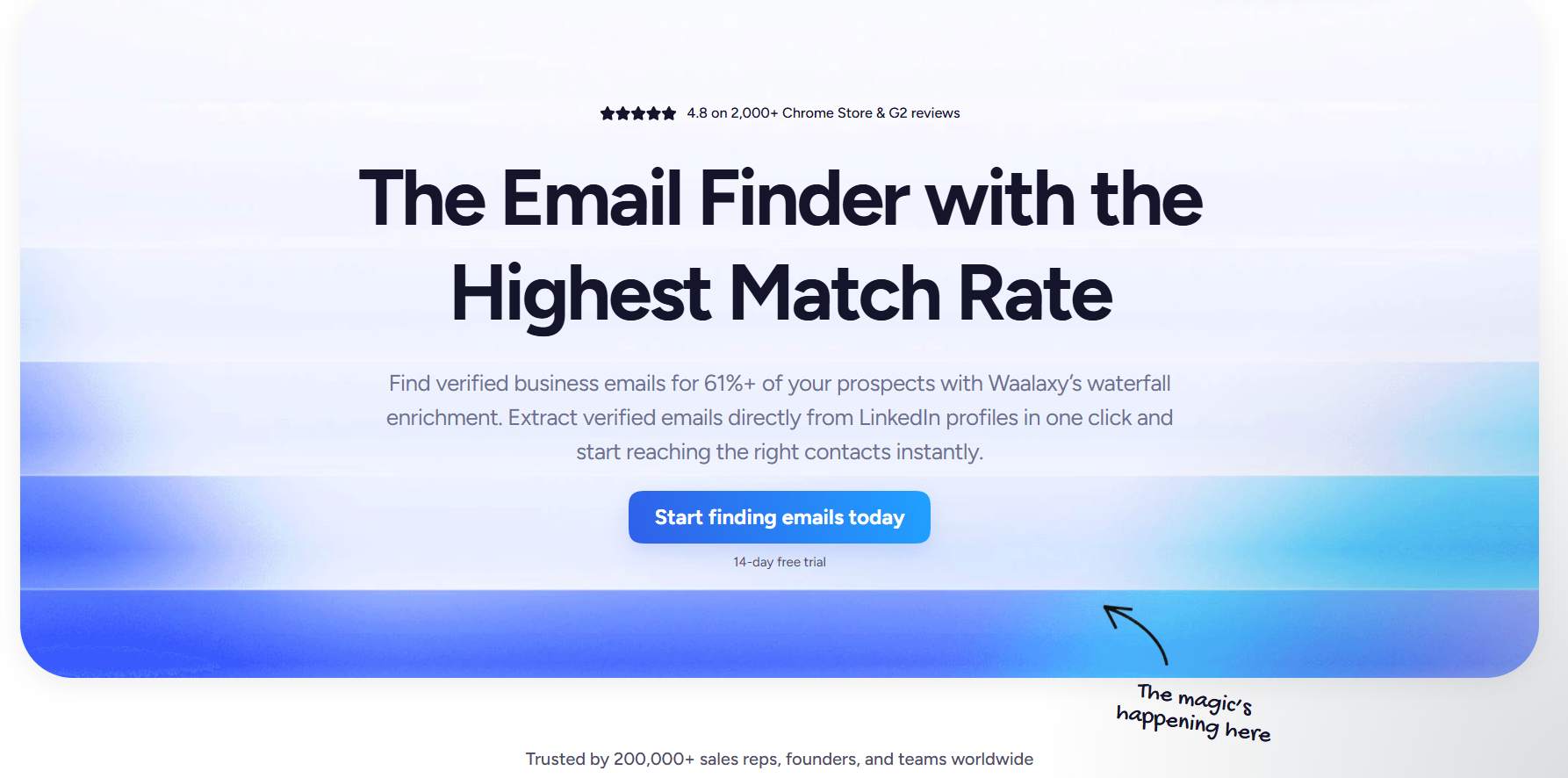
- Email Finder:
When LinkedIn limits hit you hard. Waalaxy's email finder is your saviour.
It uses DropContact to find emails for your prospects, making it easier to reach out to them.
- LinkedIn Connection Requests and InMails:
Waalaxy automates sending connection requests and follows up with messages.
You can invite up to 200 people each week and run multiple campaigns without hassle.
- Cold Emails:
With Waalaxy, you can also send cold emails. It lets you create advanced sequences, like sending an email if someone doesn't accept your LinkedIn invite.
.jpeg)
- LinkedIn Messaging:
Waalaxy takes LinkedIn messaging to the next level. You can save replies, follow up automatically, and organize your chats with tags.
What is the pricing of Waalaxy?
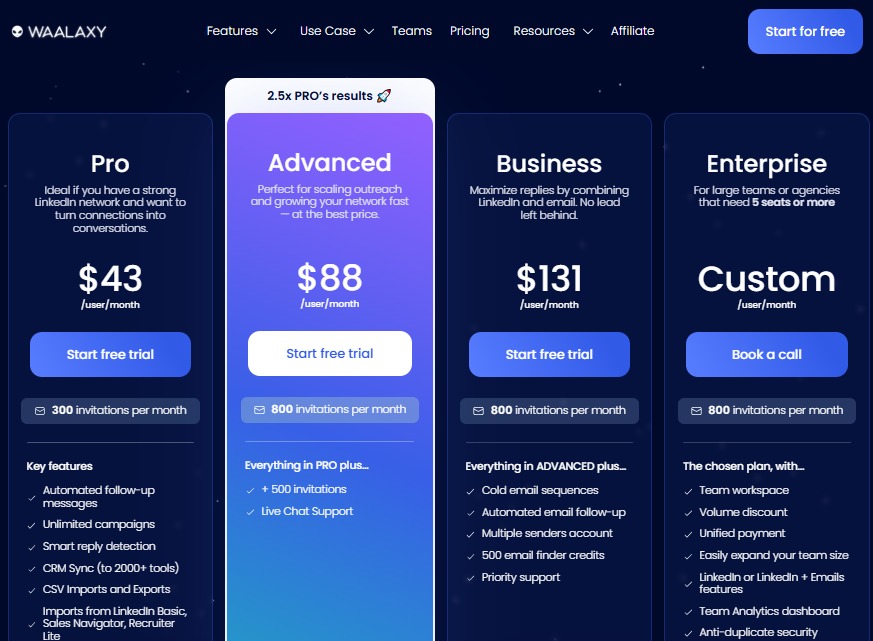
Waalaxy offers 3 pricing plans:
1. Pro Plan - $16/month (without inbox)
This plan provides 300 LinkedIn invitations, 25 email finder credits, and features ideal for beginners in multi-channel outreach.
2. Advanced Plan - $32/month (without inbox)
It offers 800 LinkedIn invitations, 25 email finder credits, LinkedIn prospecting automation, CRM sync, and team features.
3. Business Plan - $55/month (without inbox)
It includes 800 LinkedIn invitations, 500 email finder credits, multi-channel prospecting, automation, CRM sync, and cold emailing features.
And a custom Enterprise plan if you need more than what is already provided.
This includes everything in business, plus a free Sales Navigator membership, onboarding session, sales coaching, and premium support.
Waalaxy vs Buzz.ai: Which tool should you choose?
Waalaxy is a popular tool for outreach, and here are some positives:
✅ It has effective multichannel outreach, combining LinkedIn and email for better engagement.
✅ The robust automation features let you set up complex follow-up sequences easily.
However, it also has some issues to consider:
❌ Some users struggle with bugs and glitches in the platform.

❌ The refund policy can be unfair; users have reported not getting refunds when they cancel.

❌ You could risk getting banned from LinkedIn if you aren't careful.
❌ It relies heavily on Chrome, which can affect your campaigns.
❌ Managing LinkedIn messages costs extra, which some users dislike.
On the other hand, Buzz.ai has its own set of challenges:
❌ The pricing can be expensive at $225/month for Team Starter, and $450/month for Team Accelerate
❌ The setup process is complicated and can be confusing.
❌ Customer service can take a long time to respond.
❌ Users face LinkedIn limitations and interface issues that can hurt outreach effectiveness.
❌ Many users consider alternatives like SalesRobot, Apollo.io, and Seamless.AI as more cost-effective options.
Don't pick a tool yet. We have 2 more tools to go.
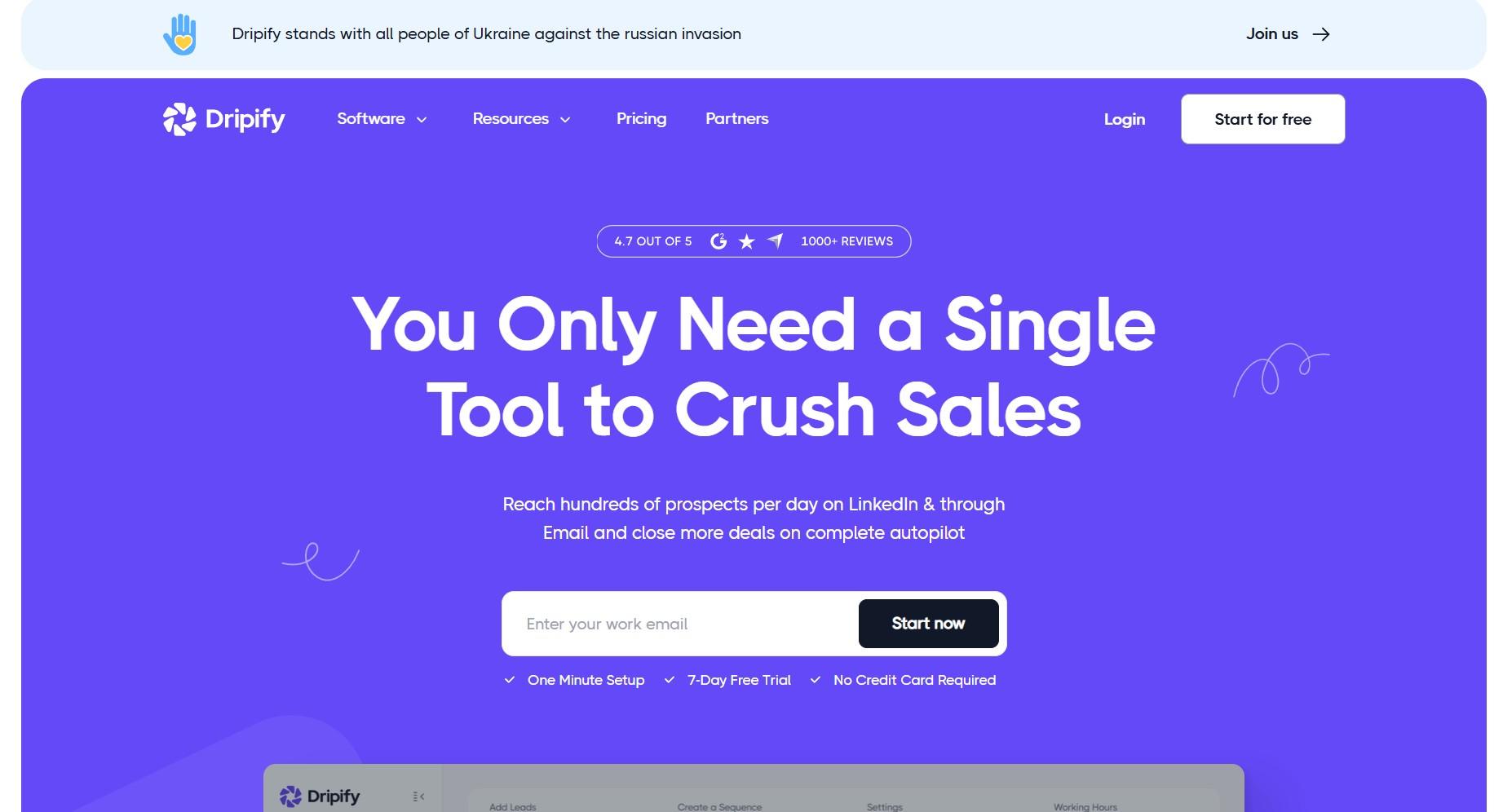
#3 Dripify - A software designed specifically for automating LinkedIn networking.
What are the Key features of Dripify?
Here are top features of Dripify:
- Create LinkedIn Campaigns
Dripify helps you run lots of lead-gen campaigns in one place, just like other LinkedIn tools. Here's how you can start a campaign:
- Use LinkedIn Search
- Upload a CSV file
- Use a LinkedIn profile URL

- Manage Your Sales Team
If your sales team has three or more members, you can assign them tasks and monitor their performance. Dripify makes it easy to see everyone's tasks and stats in one place.
.jpeg)
- Export Your Data
Dripify lets you download your LinkedIn contacts as a CSV file. In this file, you'll find all kinds of useful info like:
- Full names
- Businesses
- Job titles
- Connection counts
- Email addresses
- Phone numbers
- LinkedIn profile URLs
.jpeg)
- Check Your Analytics
With Dripify, you can see important details like the success of your LinkedIn posts and how often you use your profile.
It also gives you notifications for things like new connection requests, unread messages, and profile views.
.jpeg)
What's the pricing of Dripify?
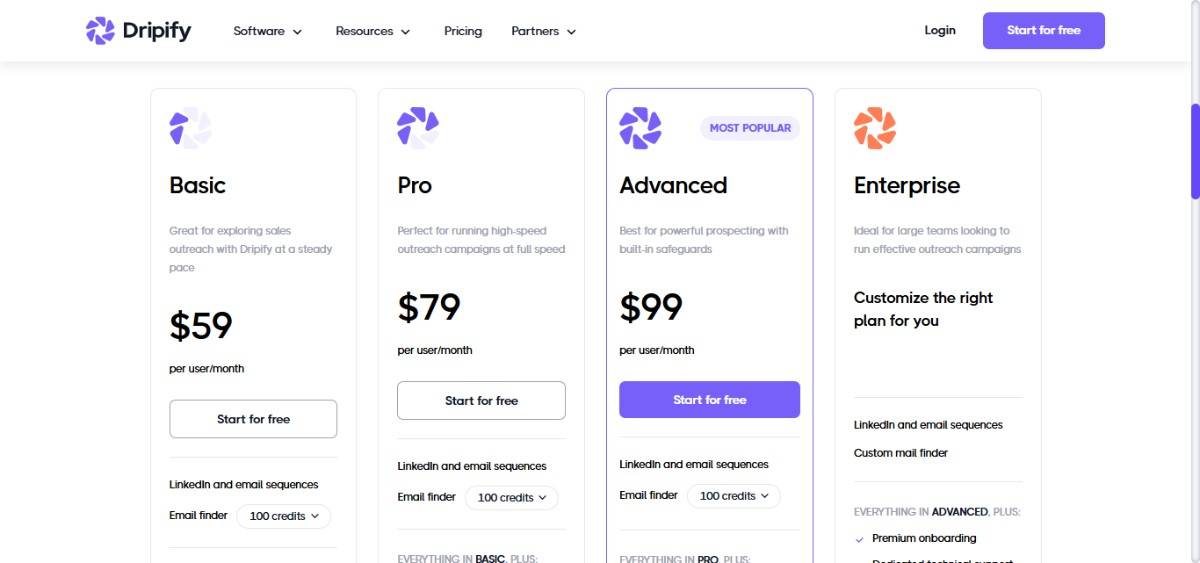
Dripify offers 3 pricing plans:
- Basic Plan: $59/month per user (billed annually)
Includes 1 drip campaign and limited daily quotas.
- Pro Plan: $79/month per user (billed annually)
Get unlimited drip campaigns with full daily quotas. Team management and activity control aren't included.
- Advanced Plan: $99/month per user (billed annually)
Enjoy unlimited drip campaigns, full daily quotas, and all premium features.
Dripify vs Buzz.ai: Which tool should you choose?
When deciding between Dripify and Buzz.ai, consider your needs.
Dripify is great for:
✅ Managing multiple lead-gen campaigns.
✅ Managing sales team tasks and their performance.
❌ Can get your LinkedIn account banned.
.jpeg)
❌ Dripify doesn't allow you to run LinkedIn and email sequences in one campaign.
❌ Poor customer support and billing process, same as Buzz.ai.
.jpeg)
Buzz.ai has three pricing tiers:
• Team Starter: $225/month
• Team Accelerate: $450/month
• Enterprise: Custom Pricing
Buzz.ai has issues like:
❌ Slow customer support, steep learning curve, and billing problems.
❌ User interface and LinkedIn limitations compared to dedicated tools.
If you want a cheap tool, Dripify's likely the better choice. But if Buzz.ai suits you, it might be worth sticking with it.
#4 HeyReach: A LinkedIn automation tool that helps agencies and larger sales teams easily manage multiple LinkedIn accounts.
What are the key features of HeyReach?
Here are the top 4 features of HeyReach:
- Use Multiple Accounts in One Campaign:
With Heyreach, you can connect as many accounts as you want to a single campaign, making it easy to scale your outreach.

- Find, Extract, and Clean Data:
You can scrape data from LinkedIn and make sure you only get clean and relevant info, including emails and phone numbers.

- Unified Inbox:
You get one inbox to manage all your conversations from different LinkedIn accounts.

- Native CRM Integrations:
You can sync all your prospect data with your CRM with just one click. No need to mess with CSV files.

There are other features that I recommend you explore before you check the pricing.
What's the pricing of HeyReach?
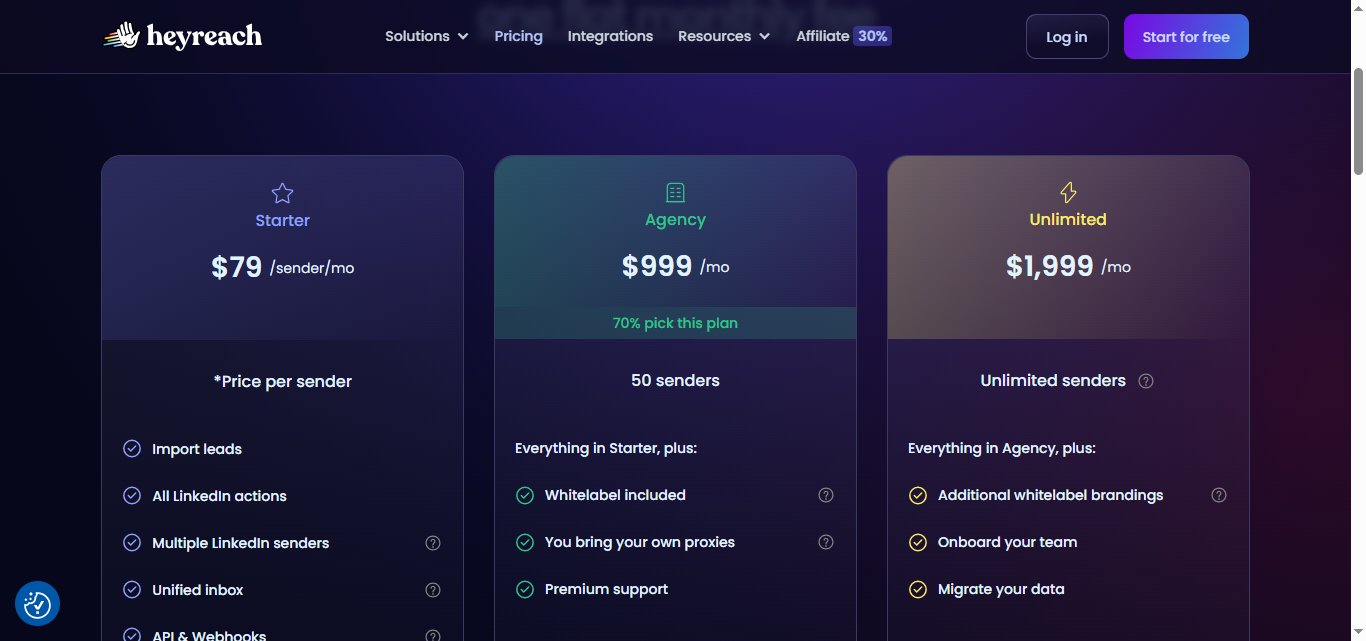
HeyReach offers 3 pricing options:
- Starter Plan: $79/month per LinkedIn account
- Agency Plan: $999/month for up to 50 accounts. Includes API, webhooks, and whitelabel. You provide your own proxies.
- Unlimited Plan: $1999/month for unlimited accounts. Includes premium support. You provide your own proxies. Unlimited senders and additional Whitelabel brandings.
HeyReach vs Buzz.ai: Which tool should you choose?
Since we already know most things about Buzz.ai, let's focus more on HeyReach.
HeyReach has some strong features.
✅ You can connect several LinkedIn accounts to a single campaign, making it easy to scale your outreach.
✅ All your conversations from different LinkedIn accounts are managed in one inbox, simplifying communication.
But has more drawbacks:
❌ Slow Customer Support. You might wait a long time for help, which could cost you potential customers.

❌ Adding your LinkedIn account can be a frustrating experience, leaving you stuck when you want to get started.

❌ The tool isn't easy to get started with.

❌ No Multichannel Outreach: If you want to do cold emailing, you'll need to switch to another tool. This can slow down your campaigns.
Buzz.ai also has challenges to consider:
❌ Unfair Billing
❌ Complicated Setup
❌ Slow Customer Support
❌ LinkedIn Limitations
I know this is too much information to process. You don't need to read through everything again.
The next section helps you make a better decision.
Should you buy Buzz.ai or one of its alternatives?
It comes down to your specific needs. What do you want in an automation tool?
Here's a breakdown of the critical points:
Buzz.ai:
- Designed for sales teams looking to scale outreach.
- Provides LinkedIn automation and lead generation features.
- Pricing: Team Starter at $225/month, Team Accelerate at $450/month, and a custom Enterprise Plan
- However, users report outdated data, slow customer support, billing problems, and a steep learning curve.
- There's also a risk of getting banned from LinkedIn. This could be a dealbreaker.
SalesRobot:
- A multi-channel outreach tool that integrates both LinkedIn and email.
- Stands out for easy LinkedIn account setup and solid customer support available 16 hours a day.
- Pricing is more affordable than Buzz.ai. Plans focus on growing your LinkedIn network and boosting lead generation.
- SalesRobot has an AI Inbox Manager you can train personally. It sounds like you and handles responses. It books meetings on your behalf.
- SalesRobot ensures user safety by mimicking human activity perfectly. This reduces the risk of detection.
Waalaxy:
- Specializes in LinkedIn and email automation.
- Automates tasks like connection requests, follow-ups, and cold emails.
- Known for robust features but can be buggy. Users complain about the refund policy and extra costs for message management.
Dripify:
- Focuses on LinkedIn networking only.
- It lets you manage multiple campaigns and sales teams.
- Allows for detailed performance tracking with exportable data.
- However, it's not ideal if you need combined LinkedIn and email outreach.
HeyReach:
- Perfect for teams managing multiple LinkedIn accounts.
- Offers features like unified inbox and CRM integrations.
- Drawbacks include slow customer support, LinkedIn account setup issues, and no multi-channel outreach options.
A few more things to consider:
➡Your budget,
➡Customer support,
➡Ease of use and Free learning resources.
It's important to do your homework. Research, try free trials, and look at user reviews. Find what works best for your business.
That said, if you want strong multi-channel outreach, great customer support, and an easy interface, SalesRobot stands out.
It has been used by 4100+ customers. The reviews left by those customers speak for themselves.

If you're curious, take 14 days free trial. No credit card required.
Disclaimer: The content of this blog post reflects our own opinions and judgements based on our research and experience as of date. Comparisons made to other software or tools are for informational purposes only and are based on publicly available information and our own analysis. We don't claim absolute accuracy and encourage readers to conduct their own research to form their own opinions. While we may discuss competitor offerings, our primary focus is to showcase the features and benefits of SalesRobot. SalesRobot isn't affiliated with any other software or tool mentioned in this blog post.

Wow your leads by cloning yourself and sending personalized videos and voice notes to each lead on LinkedIn.
If you don't reply to leads within 5 mins, your chances of converting them fall by 50%. Our AI replies on your behalf instantly! (and yes, you can train it)

Don't shoot in the dark. Get detailed analytics on what's working

SalesRobot allows you to invite other team members, so that they can add their LinkedIn Account, run outreach campaigns and get amazing results just like you.
.avif)


Trusted by 4100+ innovative B2B sales teams and lead gen agencies

.avif)

.avif)




.avif)


Heading 1
Heading 2
Heading 3
Heading 4
Heading 5
Heading 6
Lorem ipsum dolor sit amet, consectetur adipiscing elit, sed do eiusmod tempor incididunt ut labore et dolore magna aliqua. Ut enim ad minim veniam, quis nostrud exercitation ullamco laboris nisi ut aliquip ex ea commodo consequat. Duis aute irure dolor in reprehenderit in voluptate velit esse cillum dolore eu fugiat nulla pariatur.
Block quote
Ordered list
- Item 1
- Item 2
- Item 3
Unordered list
- Item A
- Item B
- Item C
Bold text
Emphasis

Superscript
Subscript