.avif)
TL;DR
● Loom is a solid screen recording tool with handy AI features, but pricing and limitations push plenty of users to look elsewhere.
● Vidyard is built for sales teams that need deep analytics and CRM integrations.
● Tella is for content creators who want professional-looking videos without spending hours in post-production.
● Cap is for privacy-focused teams who want full control over where their recordings live.
● Screencastify keeps things simple — great for educators or anyone who wants a no-fuss recorder.
● SalesRobot is the odd one out in a good way — it's less about recording and more about getting videos in front of the right people on LinkedIn.
So... Loom Just Crashed. Again. Try These Top 5 Loom Alternatives Instead.
Picture this: you're three minutes into recording the perfect demo video.
Everything's going great. Your screen looks clean, your explanation is crisp, you haven't said "um" once.
Then Loom crashes.

And suddenly you're sitting there wondering why you ever trusted one tool with your entire video workflow.
Look, Loom is genuinely good. Millions of people use it and most of them are pretty happy.
But maybe the pricing feels steep for what you're getting. Maybe you need features Loom just doesn't have. Or maybe you just want to know what else is out there before you fully commit.
All valid reasons to be here.
This post covers what Loom does well, where it falls short, what it costs — and then walks through five solid Loom alternatives that might suit you better.
Let's get into it. ☕
Loom: What You Need to Know
Before we talk alternatives, let's be fair to Loom and give it a proper look.
Worth knowing: since Atlassian acquired Loom, free 'Creator Lite' seats are being converted to paid Creator seats, so teams that relied on free viewer-recorders are now seeing higher bills — one of the bigger reasons people are shopping for alternatives in 2026.

✅ Incredibly fast to get started — recording in a few clicks from the Chrome extension, desktop app, or mobile app. No confusing setup, no weird menus.
⚠️ Editing is pretty basic — trimming and stitching clips is about as far as it goes. Anything more advanced and you'll hit a wall.
✅ Integrates with basically everything — Google Workspace, Slack, Notion, you name it. Videos live right where your team already works.
✅ Collaboration built in — viewers can leave timestamped comments, emoji reactions, and create tasks directly on the video. Async communication that actually works.
⚠️ Pricing creeps up for teams — the free tier is quite limited, and once you start adding team members, those monthly costs add up faster than you'd like.
✅ Solid security — SSO, SCIM, custom data retention, granular privacy settings. Checks the boxes for enterprise requirements.
⚠️ Storage caps on lower plans — free and basic plans fill up quicker than expected. Heavy users are constantly managing their library or upgrading.
✅ AI that actually saves time — Loom's AI turns your videos into written documentation automatically. SOPs, tickets, summaries — without you having to type a single word. Just note these AI features now require the higher Business + AI tier ($20/creator/month).
Loom's Key Features, Broken Down
Lightning-fast screen recording
Capture your screen and camera in just a few clicks — Chrome extension, desktop, or mobile. Works across Mac, Windows, iOS, and Android without any fuss.
Great for quick tutorials, walkthroughs, or explaining something that would take ten paragraphs to write out.
AI-powered video editing
The editor lets you trim clips, stitch recordings together, and add custom backgrounds, text overlays, arrows, and box highlights.
Nothing crazy, but enough to make a raw recording look presentable — without needing a full editing suite.
Universal sharing and integrations
Loom videos plug into Google Workspace, Slack, Notion, and hundreds of other tools. Share via direct link, embed anywhere, or drop it into whatever platform your team already uses.
Sending a Loom instead of booking a meeting is a genuinely satisfying feeling. 🙌
Interactive video collaboration
Viewers can leave timestamped comments, emoji reactions, and create tasks directly on the video. One-way recordings become real conversations — just without everyone needing to be online at the same time.
Automatic transcriptions and captions
Every video gets transcribed automatically with searchable text and captions in 50+ languages. Great for international teams, and useful when you want to pull content from your videos for documentation.
Enterprise-grade security controls
SSO, SCIM provisioning, custom data retention policies, and granular permission controls. You decide who can view, download, or share each recording.
Loom Pricing: What It'll Actually Cost You

Starter — Free
● Up to 25 videos per person
● 5-minute maximum video length
● Basic screen and camera recording
● 720p video quality
● Loom watermark on videos
Fine for testing the waters, or if you only occasionally need to send a quick screen share. The 5-minute limit will feel restrictive fast.
Business — $18/month per creator
● Unlimited videos
● Up to 45-minute recordings
● 1080p HD quality
● Custom thumbnails
● Editing tools (trim, stitch)
● Password protection
● Viewer engagement metrics
● Custom branding (no watermark)
● Transcriptions and captions
Heads up: Loom now splits this into Business and a separate
Business + AI tier ($24/creator/month annually). The AI features — auto-summaries, filler-word removal, and the auto-generated documentation — now live on Business + AI, not standard Business. For most teams, Business + AI is the plan that makes sense.
Enterprise — Custom pricing
● Everything in Business
● Advanced admin controls
● SSO and SCIM provisioning
● Custom data retention
● Priority support
● Dedicated customer success manager
Built for larger organizations with specific compliance and security requirements. You'll need to talk to Loom's sales team for actual pricing.
5 Alternatives to Loom: Which One Actually Fits?
Alright, now for the main event. 🎬
Here's a quick overview before we dig in:
| Tool | Best For | Starting At |
|---|---|---|
| Vidyard | Sales teams with enterprise needs | Free plan available |
| Tella | Content creators who want polished videos | $13/month |
| Cap | Privacy-first teams who want local storage | Free (desktop $58 lifetime) |
| Screencastify | Educators and simple screen recording | Free plan available |
| SalesRobot | LinkedIn outreach with native video messaging | $99/month |
1. Vidyard — For Sales Teams That Need Real Analytics
Vidyard is built with sales teams in mind. While Loom is great for general async communication, Vidyard goes deeper — AI avatars, automated video workflows, CRM integrations, and analytics that help you understand exactly how prospects engage with your content.
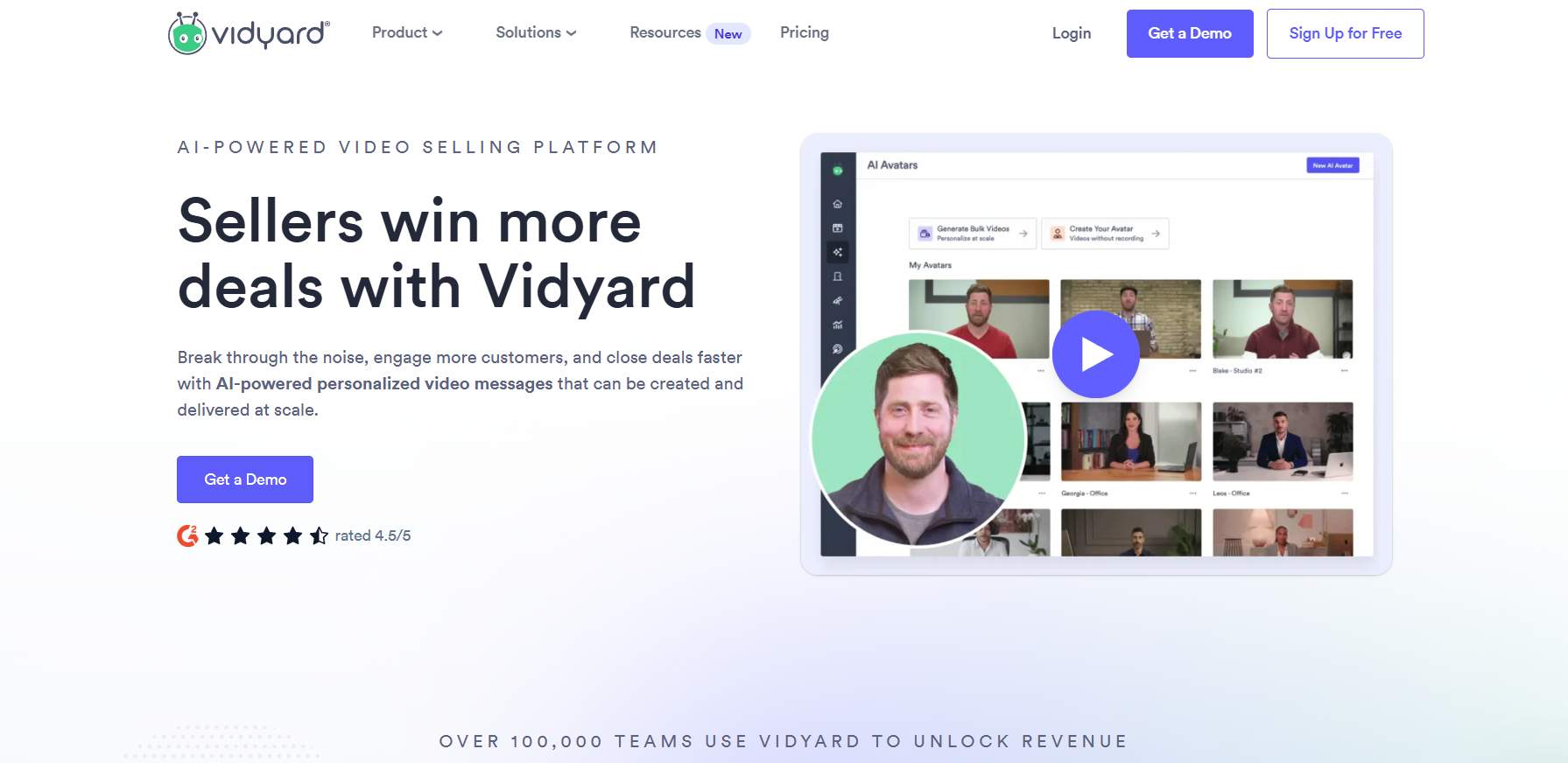
If you want to know who watched your video, how long they watched, and where they dropped off — Vidyard gives you that.
Vidyard — Perks
✅ Video Agent AI — automatically creates personalized videos at scale. Great for outreach campaigns where you want to feel personal without recording 200 individual videos.
✅ Deep CRM integrations — plugs into your existing sales tools with enterprise reliability.
✅ Detailed viewer analytics — actual data on who engaged with your content and how, not just a view count.
✅ Enterprise security — SSO, custom domains, the whole package.
Vidyard — Shortcomings
❌ Pricing isn't transparent — the free plan is limited, and Starter and above require custom quotes. You'll need to talk to their sales team to get real numbers.
❌ Overkill for simple use cases — if you just need quick team updates, Vidyard is more tool than you need.
❌ Steeper learning curve — all those features come with a more complex interface compared to Loom's simplicity.
Vidyard — Pricing

- Free plan: limited features, good for trying it out
- Starter: $59/user/month
- Teams: $99/user/month
- Enterprise: custom pricing
When to go for Vidyard?
If you're in sales or marketing and you need to understand how prospects interact with your videos — not just whether they watched — Vidyard is worth a serious look. It's built for volume and for teams that treat video as a real part of their pipeline.
2. Tella — For Content Creators Who Want Studio-Level Results
Tella positions itself as the screen recorder for entrepreneurs and content creators who want professional-looking videos without spending hours in post-production.

It focuses on making editing effortless. Automatic silence removal, AI-powered enhancements, clean templates. The results look noticeably more polished than a typical screen recording.
Tella — Perks
✅ Clips-based recording. Breaks your session into manageable chunks that are way easier to edit than one long take.
✅ AI editing features. Automatically removes filler words and awkward silences. Fewer "ums," without you having to cut them manually. 😅
✅ Professional templates and backgrounds. Your videos look polished from the start, not like a rushed screen share.
Tella — Shortcomings
❌ Not built for sales outreach. It creates great videos, but getting them to the right people is still your problem to solve.
❌ Free plan is limited. There's a free tier (10 videos, watermarked), but you'll jump to paid quickly — Pro starts at $13/month billed annually ($19 monthly).
❌ Limited team features. Collaboration tools are pretty basic compared to Loom.
Tella — Pricing

- Pro: $13/month billed annually ($19 monthly)
- Premium: $39/month billed annually ($49 monthly)
When to go for Tella?
If you produce content regularly and want recordings that look polished without a steep learning curve, Tella is a strong pick. Especially good for solo creators, course creators, or anyone building a personal brand through video.
3. Cap — For Teams Where Data Privacy Is Non-Negotiable
Cap is the open-source alternative that lets you own your recording data completely. Record locally, use your own S3 storage bucket, or use their cloud. Your call.
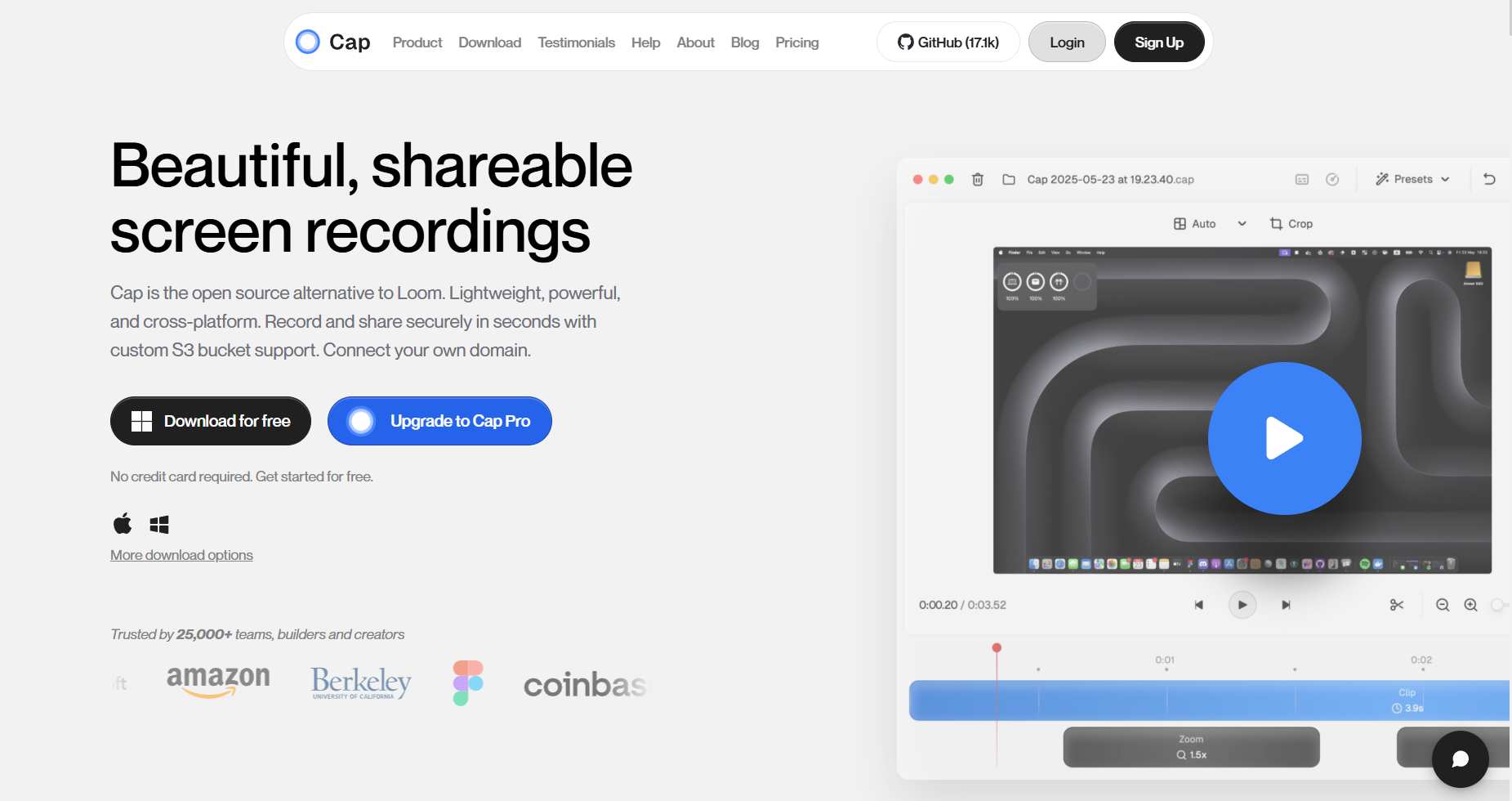
It's built for people who want full control and don't want to be locked into a vendor's infrastructure.
Cap — Perks
✅ Fully open-source. The code is transparent and auditable. You know exactly what you're using.
✅ Local or cloud storage, your choice. Record locally and never send a frame to someone else's server if you don't want to.
✅ S3 bucket integration. Bring your own storage for complete data control.
✅ Cost-effective. The lifetime desktop license is a one-time payment rather than a recurring subscription.
Cap — Shortcomings
❌ Fewer features. It's a focused tool, which means no AI features, limited editing, and fewer integrations.
❌ Smaller ecosystem. Open-source means a smaller support community and slower feature development.
❌ Not built for team collaboration. It solves privacy, not complex workflows.
Cap — Pricing

- Free version available
- Desktop License: $58 lifetime or $29/year
- Cap Pro: $8.16/month billed annually
When to go for Cap?
If your team operates in a sector where data privacy is critical — legal, healthcare, finance — or you just don't want your recordings sitting on someone else's servers, Cap handles that cleanly.
4. Screencastify — For Educators (and Anyone Who Just Wants Simple)
Screencastify was built for educators and it still shows. It's straightforward, FERPA and COPPA compliant, and clean enough that anyone can pick it up and start recording within minutes.
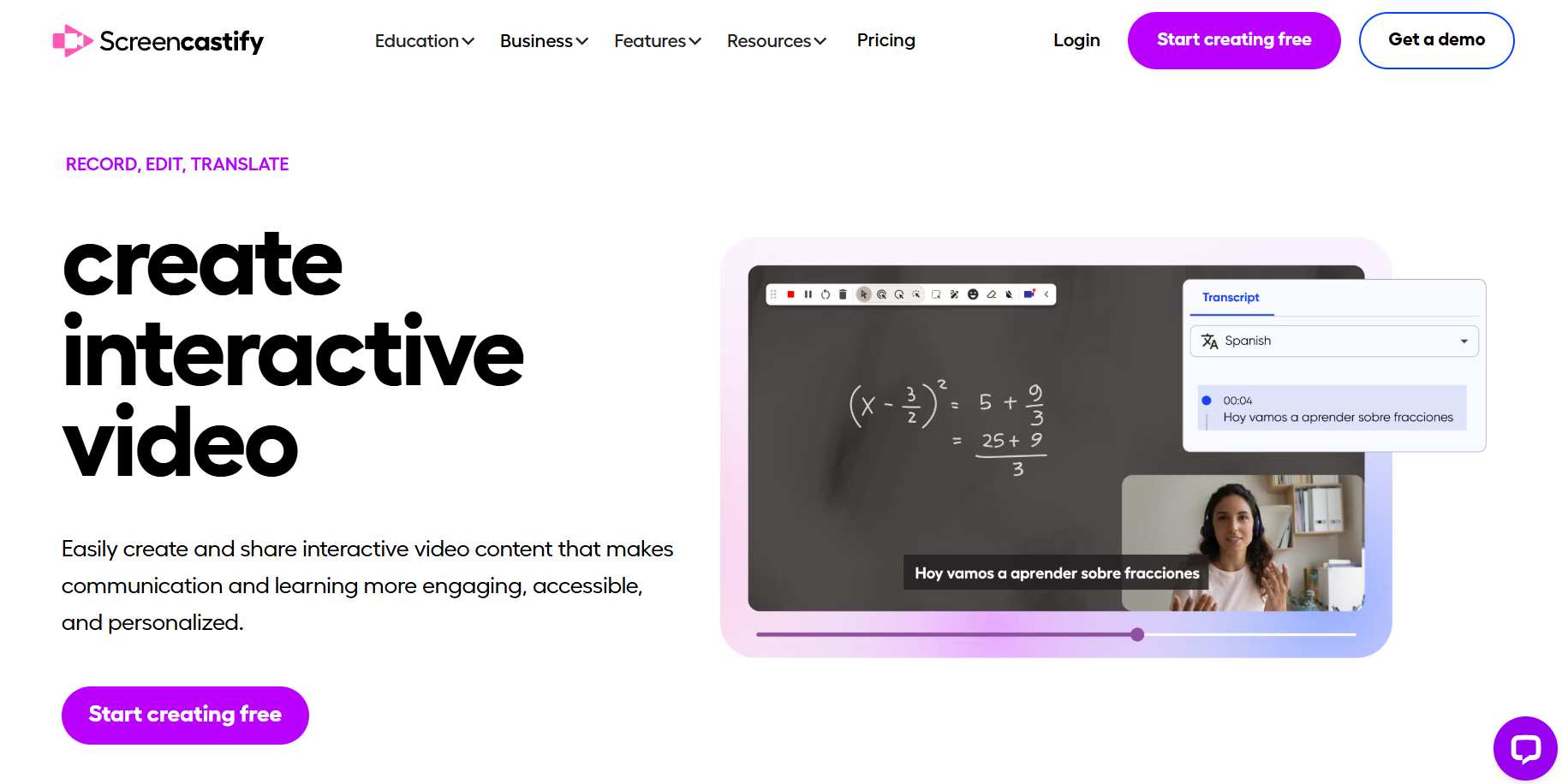
That simplicity is both its biggest strength and its clearest limitation.
Screencastify — Perks
✅ Dead simple to use. If your team has never touched a screen recorder before, Screencastify is the easiest starting point on this list.
✅ Education compliance built in. FERPA and COPPA compliance makes it a natural fit for schools and educational platforms.
✅ Interactive engagement features. You can add questions and polls to videos, which works really well for training or learning contexts.
Screencastify — Shortcomings
❌ Very limited editing. It doesn't try to be more than a basic recorder, and that shows when you need anything beyond a simple trim.
❌ Not designed for business use cases. No CRM integration, no viewer analytics, no sales features.
❌ Free plan is quite restricted. Just 10 videos before you need to upgrade.
Screencastify — Pricing

- Free: 10 videos
- Starter: $7/month
- Pro: $10/month (Both billed annually)
When to go for Screencastify?
If you need something simple, affordable, and compliance-friendly, Screencastify does the job without making things complicated. For anything more demanding, you'll outgrow it fairly quickly.
5. SalesRobot — For LinkedIn Outreach With Video Built Right In
Small disclaimer before we go further: SalesRobot is our tool. 😊
We've tried to be straight about it here. If it's not the right fit for you, the four options above are all genuinely solid. No hard feelings.
SalesRobot takes a completely different angle from everything else on this list. It's not really a screen recording tool. It's a LinkedIn outreach platform, and video messaging is one of the things it does as part of a broader outreach workflow.

Instead of recording a video and then figuring out how to get it to the right person, SalesRobot flips that around. You build your campaign, identify your prospects, and video messages become a natural part of how you reach them — directly on LinkedIn, where most B2B conversations actually happen.
SalesRobot — Perks
✅ Native LinkedIn video messaging. Send personalized video messages as part of a campaign. No separate tool, no separate link to track down.
SalesRobot's AI video messaging clones your appearance so you can record one video and have it personalized for hundreds of prospects automatically. Your face, your voice, your delivery, but scaled.
Unlike standalone video tools, SalesRobot builds video directly into your LinkedIn campaign sequence. No extra steps, no separate links. Your prospect gets a message that feels like you recorded it specifically for them.
✅ Native LinkedIn video messaging goes out as part of your campaign, not as a clunky attachment.
✅ Engagement tracking shows who watched and when, so your follow-up lands at the right moment.
✅ Sequence-native video fits into a full outreach flow with triggers and follow-up logic built around what your prospect actually does.
Want to see it in action?
✅ Automated outreach sequences. Video is part of a full sequence with follow-up logic, triggers, and next steps based on what your prospect actually does.
✅ Engagement tracking. See who watched your video and when, so you follow up at exactly the right moment.
✅ AI-powered personalization. SalesRobot's AI reads prospect profiles and helps craft messages that feel personal, not copy-pasted.
✅ AI-personalized voice notes too. Beyond video, you can send AI-personalized voice notes on LinkedIn at scale — users report 40%+ reply rates on voice campaigns.
✅ AI Appointment Setter. An AI agent replies to leads instantly in your LinkedIn inbox, nurtures them, and keeps them engaged until they're ready to book — fully trainable on your company, product, and tone. No other LinkedIn automation tool offers this natively.
✅ Safety-first, cloud-based architecture. SalesRobot runs on LinkedIn mobile-app APIs in the cloud (no Chrome extension, runs 24/7 even with your laptop closed), with dedicated residential IPs and human-like behavior — keeping ban risk near zero.
✅ Safety-first automation. Randomized activity, delays between actions, and gradual ramp-up keep your LinkedIn account in good standing.
✅ Ready-made campaign templates. Get started quickly and learn the ropes as you go.
SalesRobot — Shortcomings
❌ Not a general video tool. If you need training videos, async team updates, or content creation, SalesRobot isn't the right pick.
❌ LinkedIn-specific. All the strengths here are tied to LinkedIn outreach. If your prospecting happens elsewhere, look at the other options.
❌ Email automation is still developing. It's on the roadmap and getting better, but it's not as mature as the LinkedIn side yet.
SalesRobot: Pricing
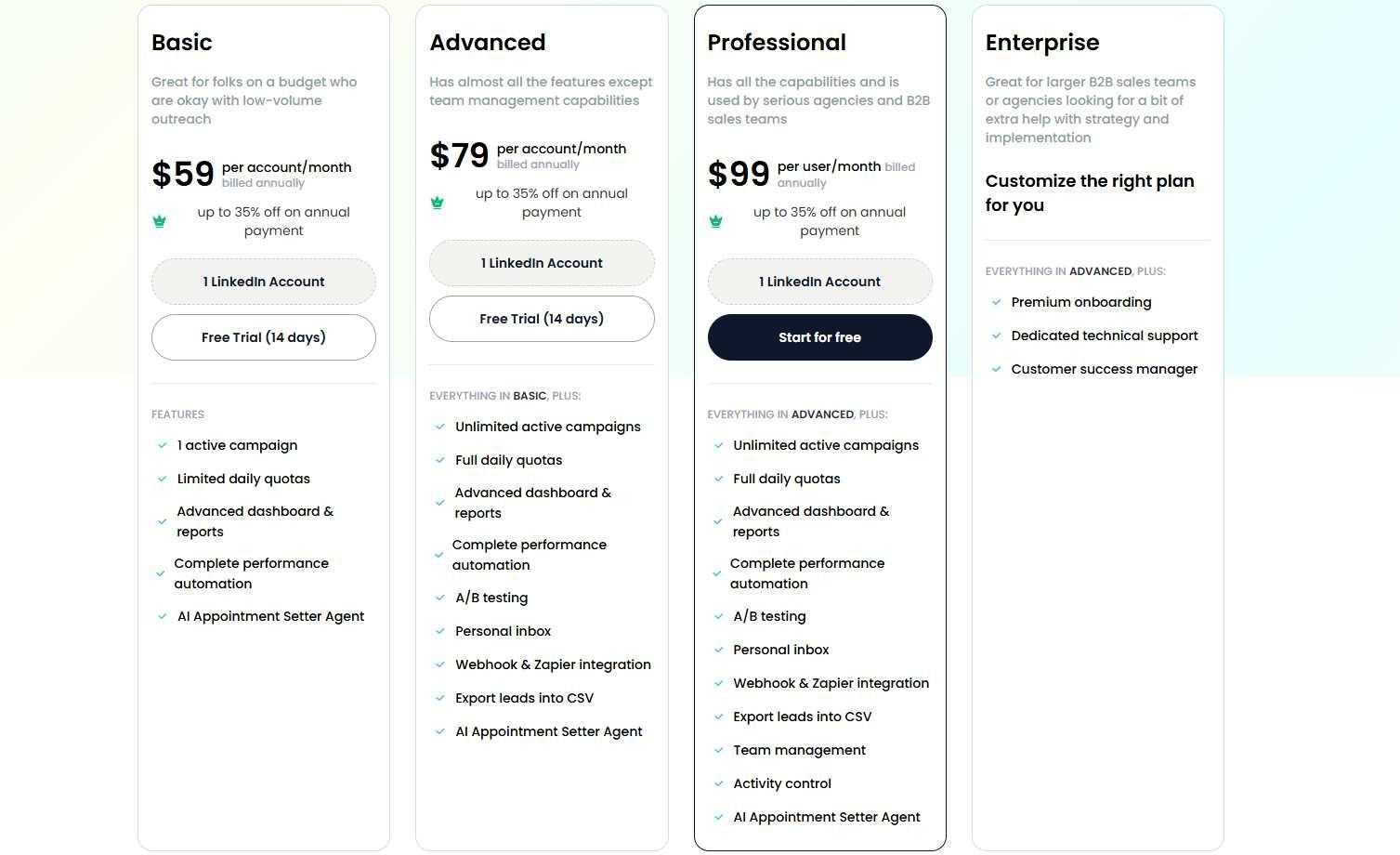
- Basic: $39/LinkedIn account/month (billed annually; $59 monthly)
- Advanced: $59/LinkedIn account/month (billed annually; $79 monthly)
- Professional: $79/LinkedIn account/month (billed annually; $99 monthly)
- All plans include the AI Appointment Setter and a 14-day free trial
All plans come with a 14-day free trial. No credit card needed.
When to go for SalesRobot?
If your outreach lives on LinkedIn and you want video to be a natural part of how you prospect — not an afterthought you bolt on later — SalesRobot is built for exactly that workflow.
It's especially useful when you already have a list of leads and want to reach them at scale without it feeling like a mass messaging blast.
So, Which One Should You Actually Pick? 🤔
There's no single right answer. It really comes down to what you're trying to do.
👉 Go with Loom if you want fast, simple screen recording for internal updates, client communication, or general async work. It's the default choice for a reason.
👉 Go with Vidyard if you're in sales or marketing and need deep viewer analytics, AI-generated personalized videos, and CRM integrations.
👉 Go with Tella if you create content regularly and want your recordings to look polished without heavy editing work.
👉 Go with Cap if data privacy is a hard requirement and you want full control over where your recordings live.
👉 Go with Screencastify if you want simplicity above all else, or you're operating in an educational setting.
👉 Go with SalesRobot if your goal is LinkedIn outreach and you want video to be part of a real prospecting workflow — not just a file you send and hope for the best.
Most teams end up using a mix of tools anyway. The key is knowing what problem you're actually trying to solve, and picking the tool that solves that specific problem — not just the most popular one.
Liked what you read? SalesRobot's free 14-day trial is waiting. No credit card needed, no strings attached — give it a proper run and see if it fits.
Disclaimer: The information in this post is accurate as of the publication date. SalesRobot has made every effort to ensure accuracy and reliability, but the information is provided "as is" without warranty of any kind.

Wow your leads by cloning yourself and sending personalized videos and voice notes to each lead on LinkedIn.
If you don't reply to leads within 5 mins, your chances of converting them fall by 50%. Our AI replies on your behalf instantly! (and yes, you can train it)

Don't shoot in the dark. Get detailed analytics on what's working

SalesRobot allows you to invite other team members, so that they can add their LinkedIn Account, run outreach campaigns and get amazing results just like you.
.avif)


Trusted by 4100+ innovative B2B sales teams and lead gen agencies

.avif)

.avif)




.avif)


Heading 1
Heading 2
Heading 3
Heading 4
Heading 5
Heading 6
Lorem ipsum dolor sit amet, consectetur adipiscing elit, sed do eiusmod tempor incididunt ut labore et dolore magna aliqua. Ut enim ad minim veniam, quis nostrud exercitation ullamco laboris nisi ut aliquip ex ea commodo consequat. Duis aute irure dolor in reprehenderit in voluptate velit esse cillum dolore eu fugiat nulla pariatur.
Block quote
Ordered list
- Item 1
- Item 2
- Item 3
Unordered list
- Item A
- Item B
- Item C
Bold text
Emphasis

Superscript
Subscript