.avif)
TL;DR:
Overloop is a sales automation tool for LinkedIn + email outreach, but it has major downsides like bugs, poor customer support, unclear pricing, and potential LinkedIn account risks.
So, better alternatives exist 👇
👉 SalesRobot – Best overall
👉 Dux-Soup – Best budget option
👉 Octopus CRM – Best for cheap LinkedIn-only automation
✨ Bottom line:
If you're someone who's been using Overloop and looking for an alternative, it can be quite overwhelming to go through all the options available out there.
That's why I took the liberty of testing several Overloop alternatives and picking out the top 3 tools I think are worth considering.
To help you find the perfect choice, I have ranked these tools based on the following criteria 😇:

Now, sit back, relax, and read our review of each tool to determine which of the Overloop alternatives is the best fit for you.
If you're in a hurry and just want to get the scoop on the top Overloop alternatives, we've got you covered.
We've compiled a handy comparison table of the best options for your LinkedIn outreach campaign.

Let's get started and find the perfect Overloop alternative for your LinkedIn outreach needs!
But before that, what even is Overloop?
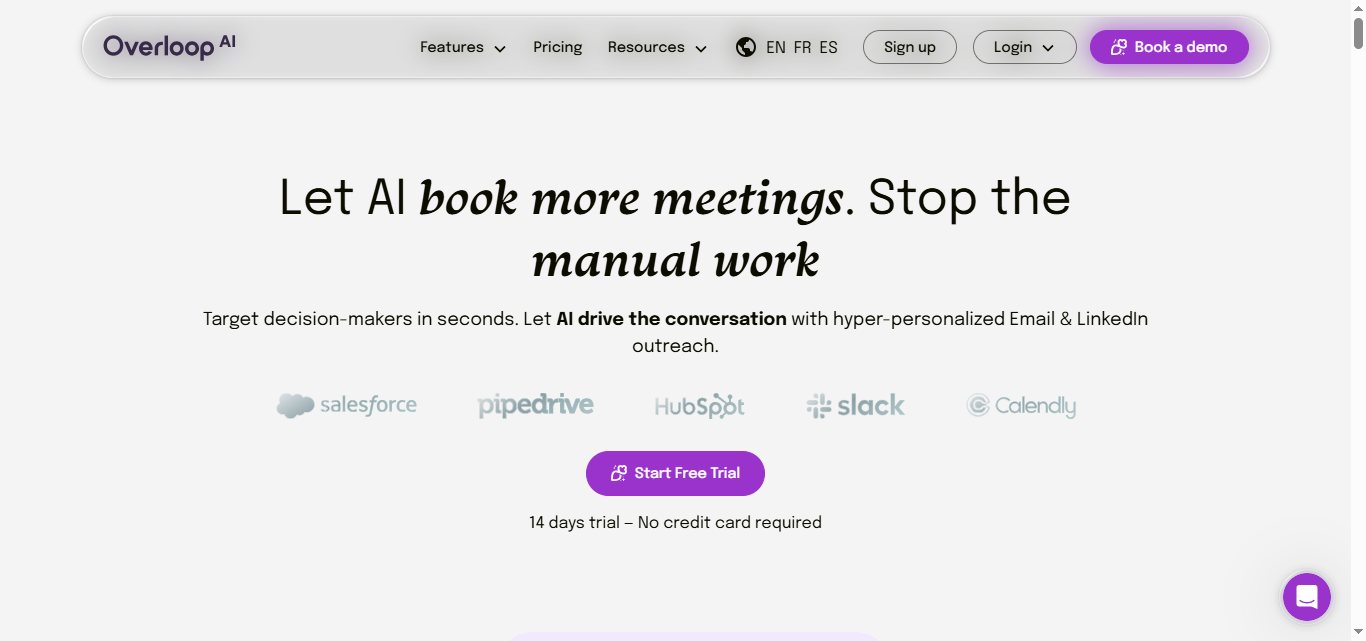
Overloop is an AI-powered sales automation tool that helps businesses find potential customers through multichannel campaigns, including email, LinkedIn messaging, and calls.
With Overloop, you can create campaigns that involve LinkedIn actions, email follow-ups, and manual tasks to help you reach more people and grow your network.
As this article focuses on Overloop alternatives, you must know what features Overloop offers and where exactly it's lacking.
What features does Overloop offer?
Overloop is a tool that can help you automate your outreach efforts, save time, and generate more leads based on your profile.
Here are some of the key features the Overloop offers for its clients:
AI-Powered Campaign Creation:
Overloop's AI engine analyzes prospects' websites or LinkedIn profiles to write hyper-personalized and relevant message sequences, helping you create more engaging outreach campaigns automatically.

Multichannel Campaigns:
You can create campaigns across different channels and combine LinkedIn actions, email follow-ups, calls, and manual tasks to expand your outreach and connect with more people.

LinkedIn and Email Automation:
With this tool's help, you can now create powerful automation workflows by modifying profile visits, contact requests, and direct messages to your LinkedIn account.

This saves you time and allows you to create custom workflows based on the rules you set.
Automated List Building:
Overloop can define your ideal customer profile (ICP) and automatically build your prospect lists, streamlining your lead generation process with minimal manual input.

You can also track campaign performance and optimize your outreach accordingly.
Email Validation and Safety:
Overloop validates every email address, offers automatic list cleaning, and cycles sending accounts or domains to spread outreach volume safely, helping maintain your sender reputation.
How much does Overloop cost?
Overloop has three pricing tiers: starter, growth, and enterprise.

Starter Plan - $69 per user/month
Growth Plan - $99 per user/month
Enterprise Plan - Custom Pricing
They offer a 14-day free trial with no credit card details required.
How can Overloop benefit your business?
Overloop is a sales automation tool that aims to help users save up to 5-10 hours every week of sending manual connection requests and cold emails.
All users have to do is to wait for a prospect to reply to their multichannel outreach campaigns.
Now that we know what Overloop is, what features it offers, and how it can benefit your business, here's why you really should look for Overloop alternatives.
Why look for Overloop alternatives?
Despite all the cool features that Overloop offers, there's still a bunch of cons to watch out for.
Take a look at them for yourself:
Firstly, there have been issues reported by users regarding software bugs and functionality problems, including disconnecting email addresses, crashing typing fields, and search functions that don't work properly.

This can be a major problem for those who rely on the tool for cold email marketing campaigns or other related activities.
These technical issues can lead to wrong decisions being made, resulting in wasted time and resources.
Other users mention the high risks associated with using Overloop, particularly when it comes to LinkedIn account safety, making it difficult to rely on the platform long-term.
While Overloop offers automation tools, they come with a lot of risks, especially if you care about keeping your LinkedIn account safe.
Furthermore, the user interface of Overloop has been criticized for being non-intuitive and difficult to navigate.

This can be frustrating for users who need to quickly and efficiently perform tasks.
If you find yourself spending too much time trying to figure out how to use the tool, it may be time to consider a more user-friendly alternative.
Finally, Overloop's limited customer service options can frustrate users who encounter problems or have questions that need immediate attention.
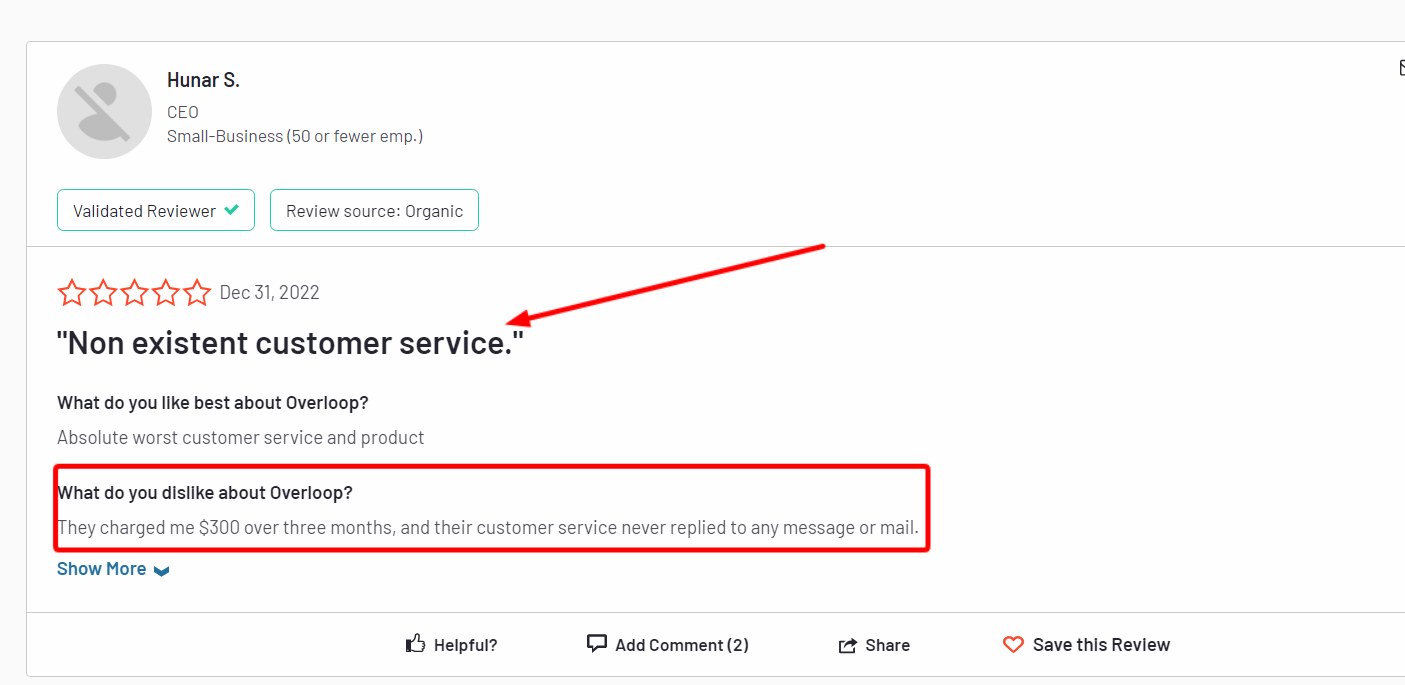
While chat and email support may work for some, others may prefer the convenience and reassurance of speaking directly to a customer service representative over the phone.
Overall, it's worth exploring other options if you're experiencing issues with Overloop or simply looking for a better alternative.
Believe it or not, but there are Overloop alternatives that offer more reliable functionality, a more user-friendly interface, and better customer support.
By making the switch, you can streamline your workflow and improve your productivity, ultimately leading to better results for your business.
Top 3 Overloop Alternatives of 2026
Overloop may be a fancy-schmancy tool, but after using the tool, we've come to the conclusion that - it doesn't live up to the hype.
Plenty of options exist, so it's essential to research and find the one that aligns with your specific requirements.
I suggest three Overloop alternatives you might find worth looking into.
These tools are known for their robust features, user-friendly interfaces, accurate metrics, and comprehensive customer support options.
Overloop Alternative #1: SalesRobot is the best alternative for hyper-personalized cold emails + LinkedIn messages (+ with great customer support)
If you want a sales automation tool that you can actually rely on, then SalesRobot is your best choice among the Overloop alternatives out there.
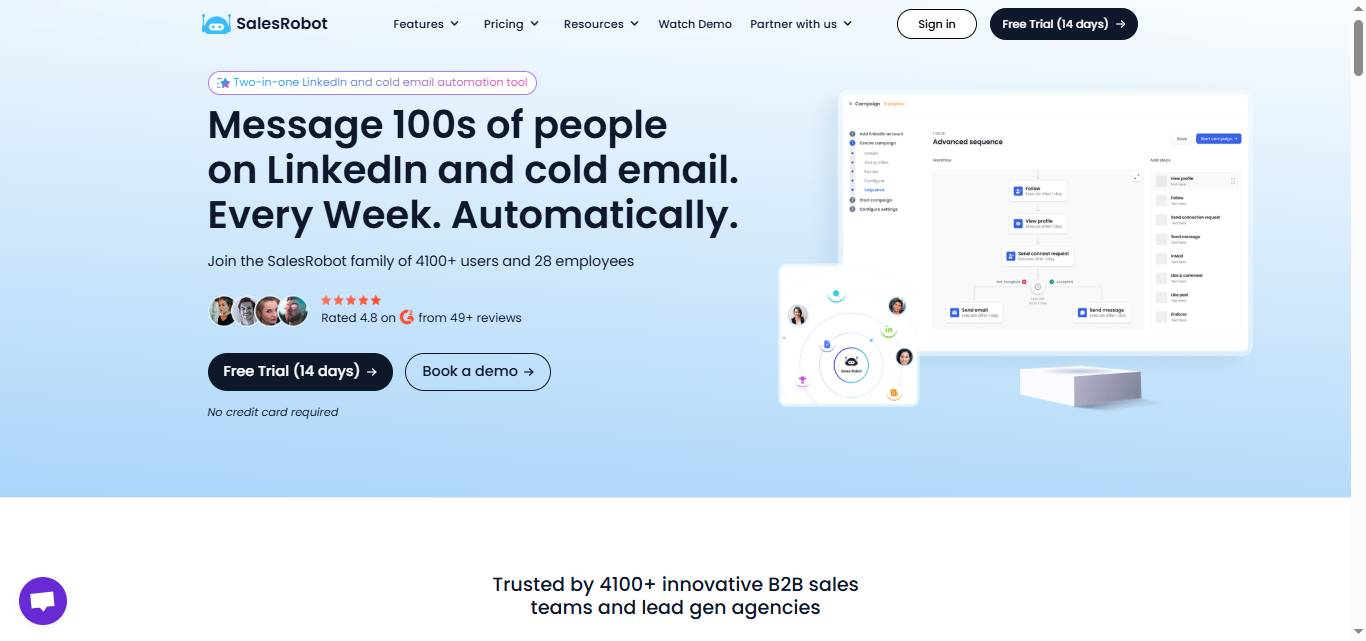
SalesRobot is a platform that's designed to make your life easier, giving you peace of mind and ease of use when it comes to sales outreach via cold email + LinkedIn
One of the standout features of SalesRobot is the ability to put your outreach on autopilot. You only get involved once a prospect replies to your outreach.
Once you set up your outreach campaigns, SalesRobot will take care of the rest.
Even while you're sleeping!
This can save you a lot of time and effort, allowing you to focus on other important aspects of your business (like closing more deals 😉).
Another great thing about SalesRobot is its user-friendliness.
The platform is incredibly convenient and easy to use, even if you're not tech-savvy.
Plus, if you have any questions or issues, our 24/7 customer service team is always available to help you.
You'll never have to lose sleep with SalesRobot.
Overall, SalesRobot is an exceptional sales automation tool that can benefit businesses of all sizes.
It's safe, easy to use, convenient, and offers exceptional customer service, making it a top choice for anyone looking to streamline their sales outreach efforts.
What features does SalesRobot offer?
Some of the best features SalesRobot offer:
Unified Inbox:


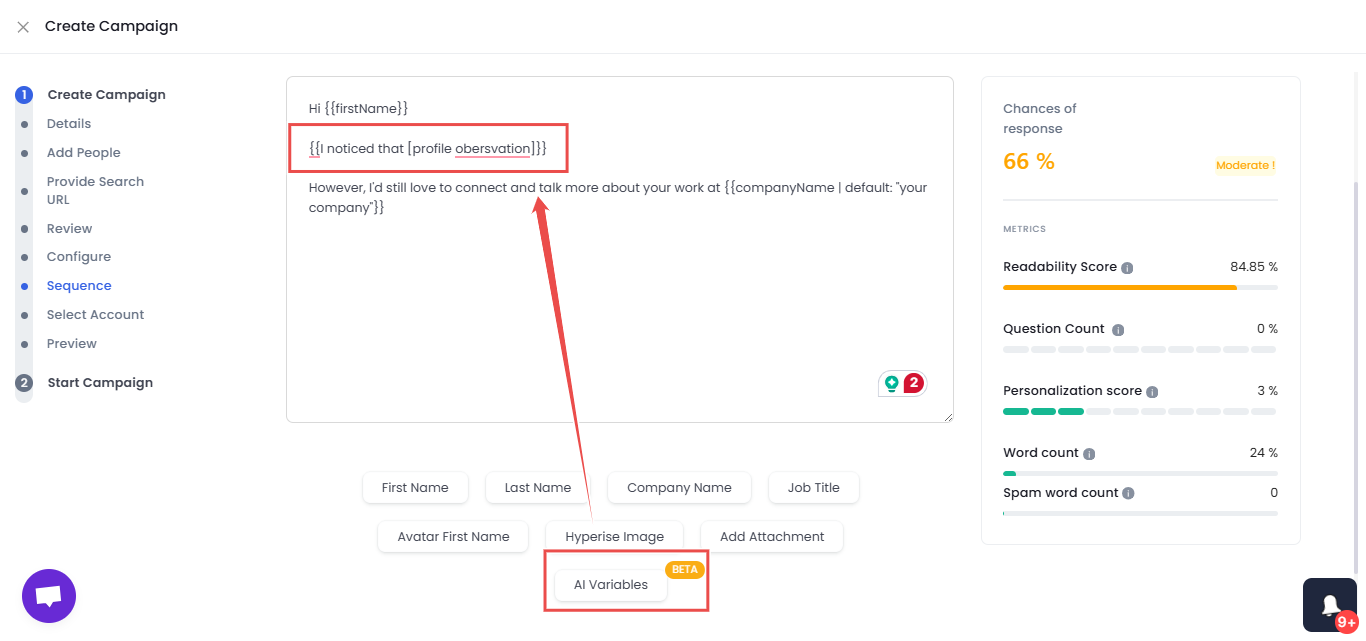
AI Appointment Setter: This is an AI-SDR add-on (available across all plans) that replies to leads instantly on your behalf in the LinkedIn inbox, nurturing them until they're ready to book a meeting — it's fully trainable on your company, product, and tone, and no other LinkedIn automation tool offers this natively.
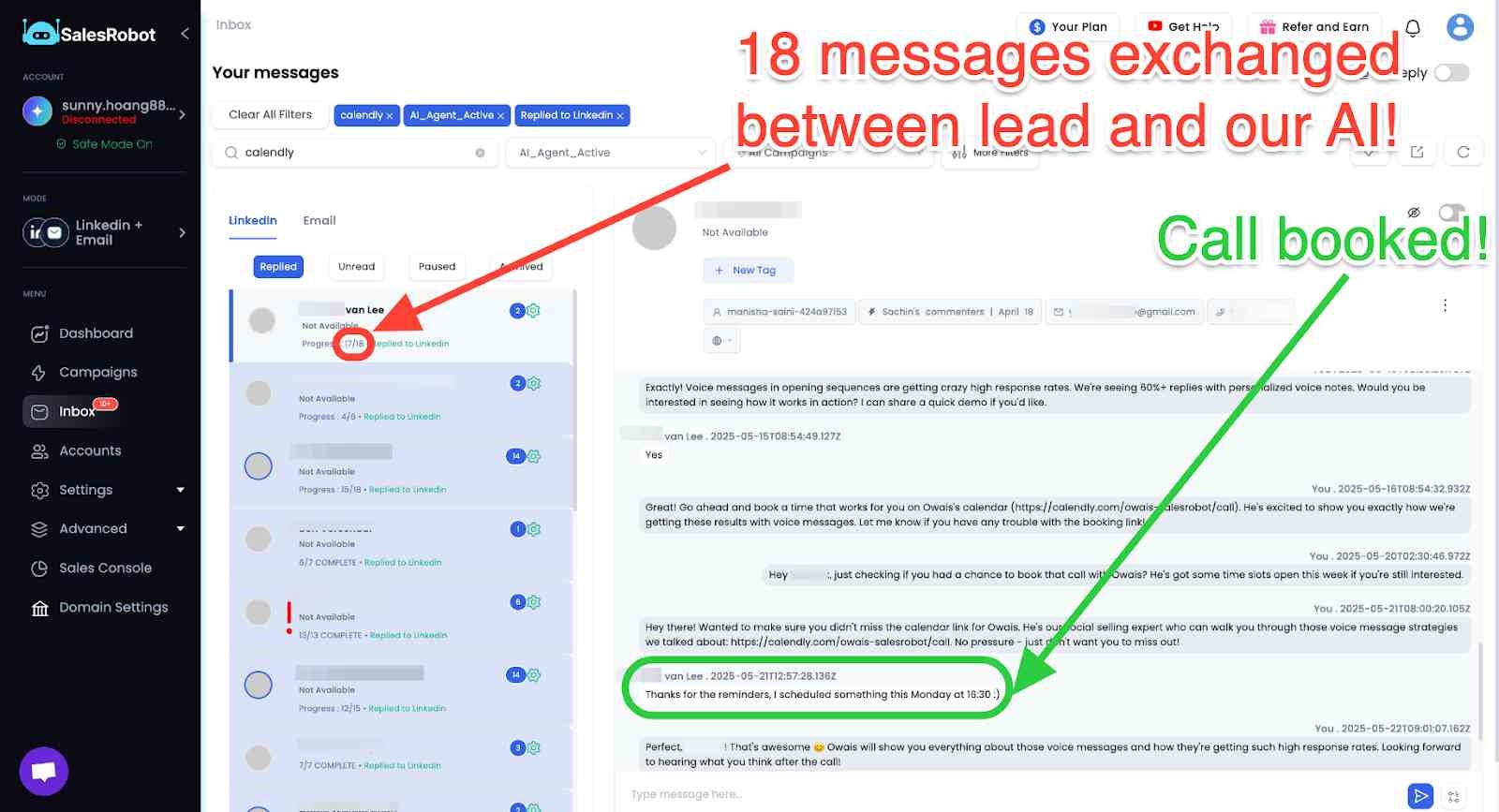
AI Variables: You can now add profile-specific personalized variables to your outreach messages.
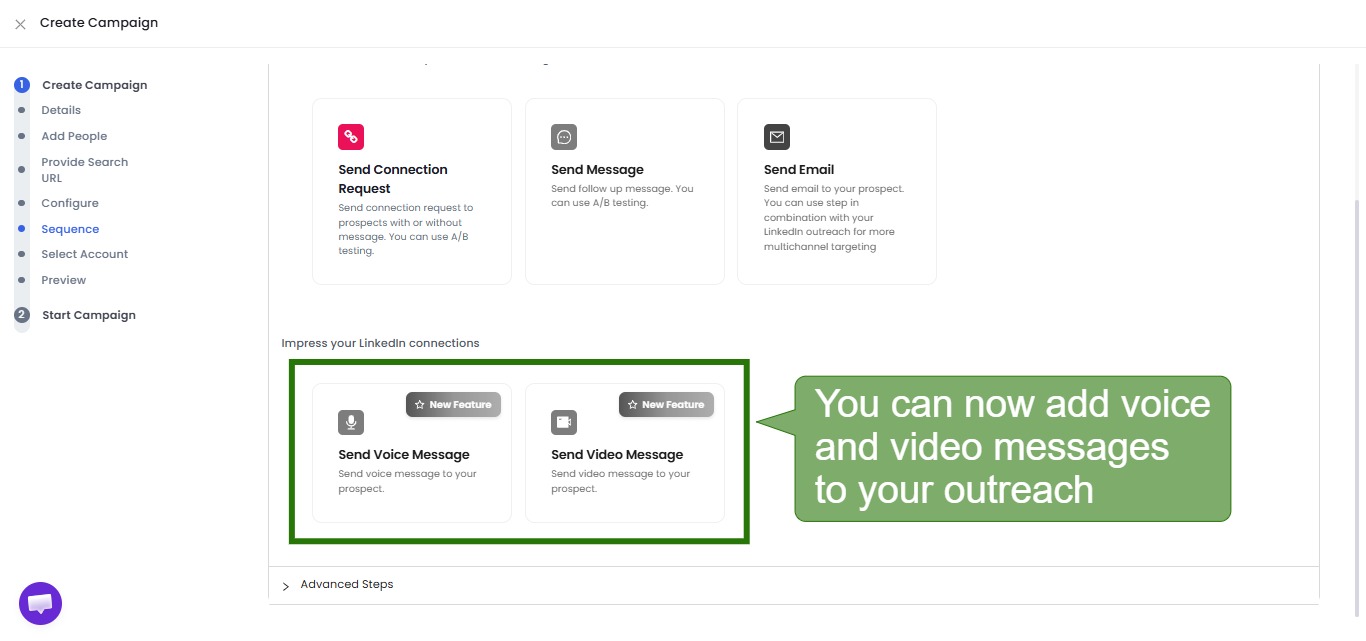
Voice and Video Notes: Send AI-personalized voice notes (users report 40%+ reply rates) and personalized video messages on LinkedIn at scale — clone yourself so each lead gets their own video. This is a unique SalesRobot differentiator that Overloop, Dux-Soup, and Octopus CRM don't offer (up to 50/day on paid plans).
Set Daily Limits:



How much does SalesRobot cost?
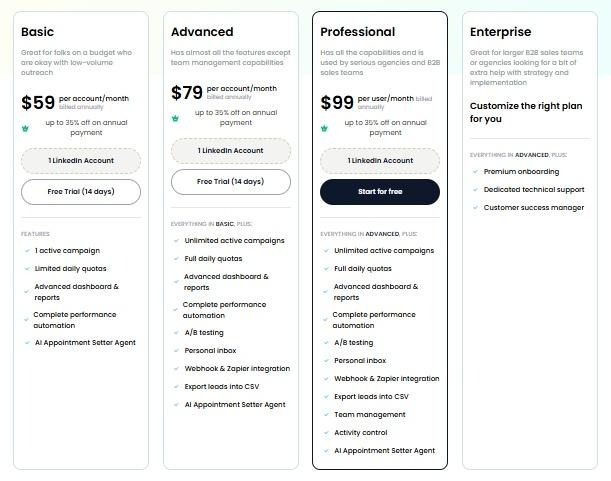
Basic:$59/month billed monthly
Advanced: $79/month billed monthly
Professional : $99/month billed monthly
You can also opt for our yearly subscription, which provides a 35% discount!
How is SalesRobot a better alternative to Overloop?
What makes SalesRobot the best among all the Overloop alternatives out there is its combination of strong outreach automation, ease of use, and hyper-personalization at scale.
SalesRobot also has several unique features that set it apart from Overloop, such as the Smart Inbox.
The Smart Inbox- helps manage messages more efficiently and has the ability to automate email sequences with personalized messaging.
Additionally, SalesRobot's secured function allows customers to send up to 200 connection requests every week without worrying about account security.
Overloop, in this case, falls extremely short here.
SalesRobot also offers better customer support, with 24/7 assistance available to help you with any issues or questions you may have.
Whereas Overloop's customer service is limited to chat and email.
And with diverse integration choices, SalesRobot seamlessly integrates with popular tools such as Zapier, HubSpot, Salesforce, and Zoho.
This allows you to export pertinent data to your preferred CRM or database.
Overall, while both tools are great for sales engagement and automation, SalesRobot's personalized approach, unique features, and better customer support make it a more attractive option for businesses looking to improve their sales outreach.
Overloop Alternative #2: Dux-Soup is the best Alternative to Overloop if you want LinkedIn automation on a budget (no cold emails)

Dux-Soup is a LinkedIn automation tool that helps you send personalized connection requests and messages to potential clients.
You can run multiple campaigns simultaneously and target different audiences.
However, a lot of people have got their LinkedIn account banned for using Dux-Soup.

So before you commit to Dux-Soup, make sure you account for the risks it poses.
What features does Dux-Soup Offer?
Dux-Soup is a LinkedIn automation tool that can help you automate certain aspects of your LinkedIn prospecting and lead generation efforts.
Some of the key features of Dux-Soup include automatic data collection, drip campaigns, detailed analytics, affordable pricing, workflow integrations, auto-tagging, and more.
How much does Dux-Soup cost?
Dux-Soup has a range of pricing options available for businesses of all sizes.

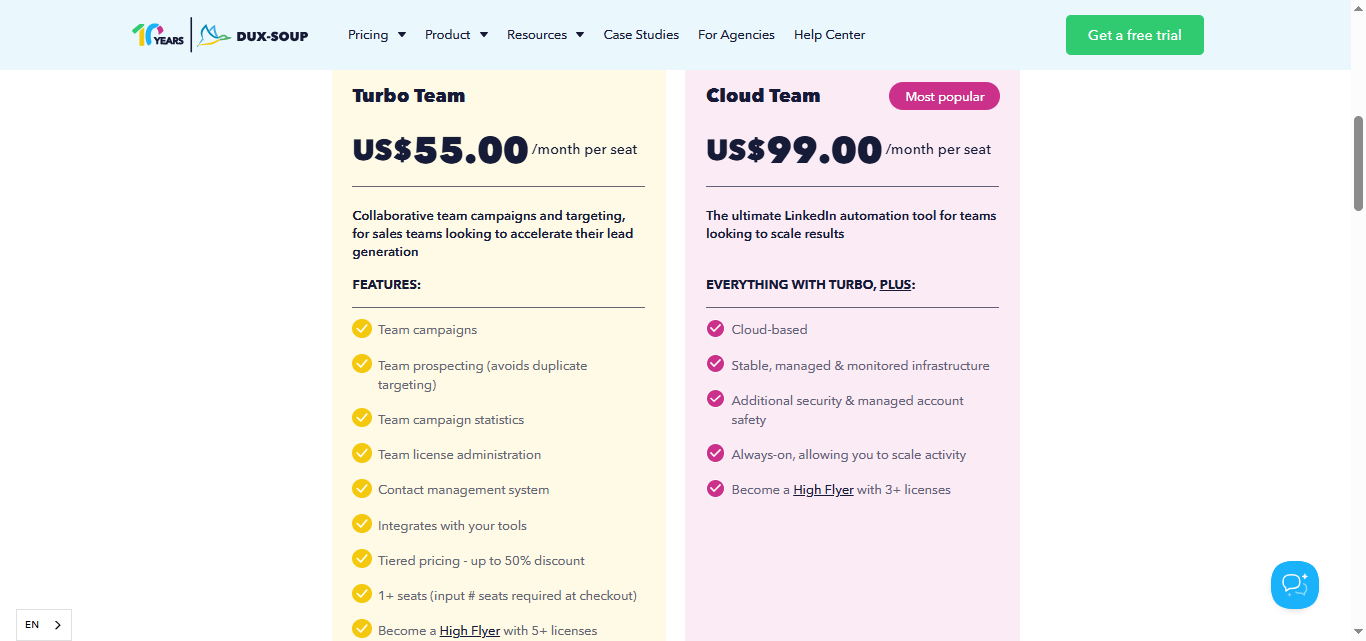
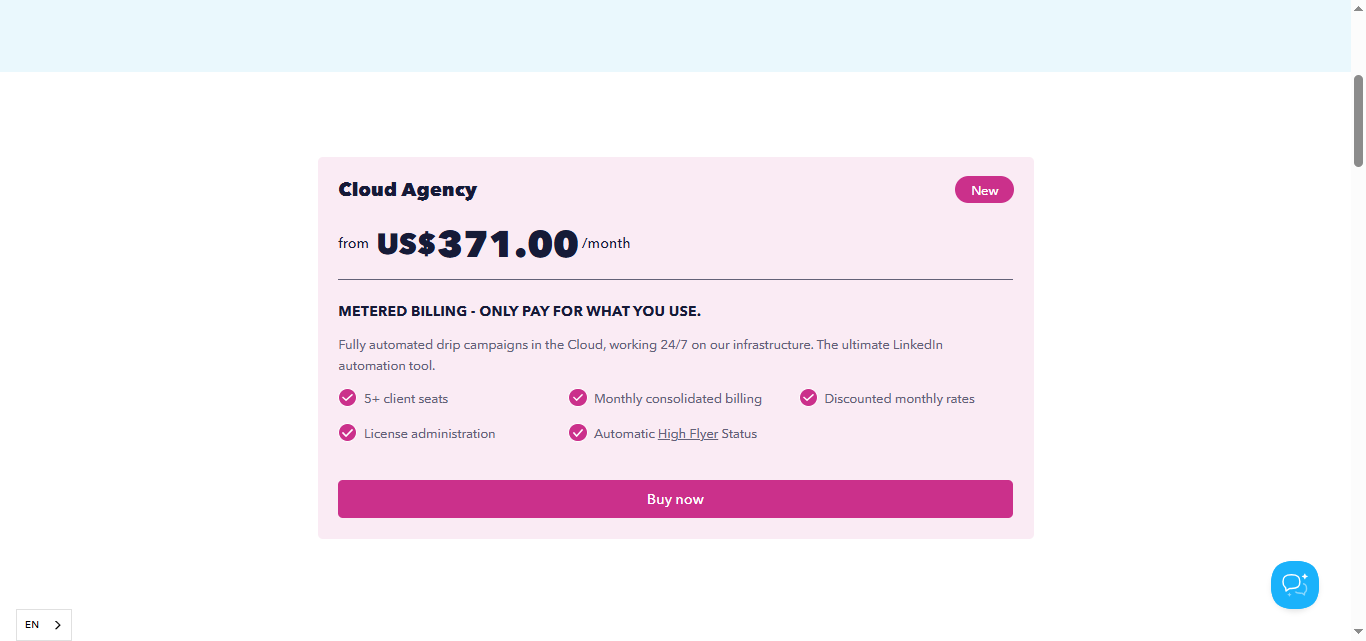
New users can take advantage of Dux-Soup's 14-day free trial without providing their credit card details.
This allows you to test out the platform and see if it's right for your business.

How is Dux-Soup a better Overloop alternative?
Dux-Soup and Overloop are both LinkedIn automation tools that offer different features.
However Overloop also has cold email automation capabilities, unlike Dux-Soup.
What makes Dux-Soup a good choice among Overloop alternatives is that it offers affordable pricing plans with features such as drip campaigns,automatic data collection, workflow integrations, auto-tagging, and more.
It has a simple pricing model with three plans starting from $14.99 per month.
Additionally, Dux-Soup's UI is horrendous at times. This forces you to constantly re-learn how to use the platform.

With several bugs while navigating the platform, Dux-Soup could create more delays than it solves.
In the end, Dux-Soup can be a good choice if you just want a budget-friendly LinkedIn automation tool.
However, you must take into account the risks of getting your LinkedIn account banned.
Alternatively, you can choose cloud-based tools like SalesRobot which are completely safe from LinkedIn detection.
In summary, Dux-Soup can be a good choice if you're looking for a budget-friendly LinkedIn automation tool with basic features.
But if you're willing to pay a higher price for a tool with advanced features and better analytics, Overloop could be the better option.
Overloop Alternative #3 Octopus CRM is the best alternative to Overloop to keep your CRM updated in real time
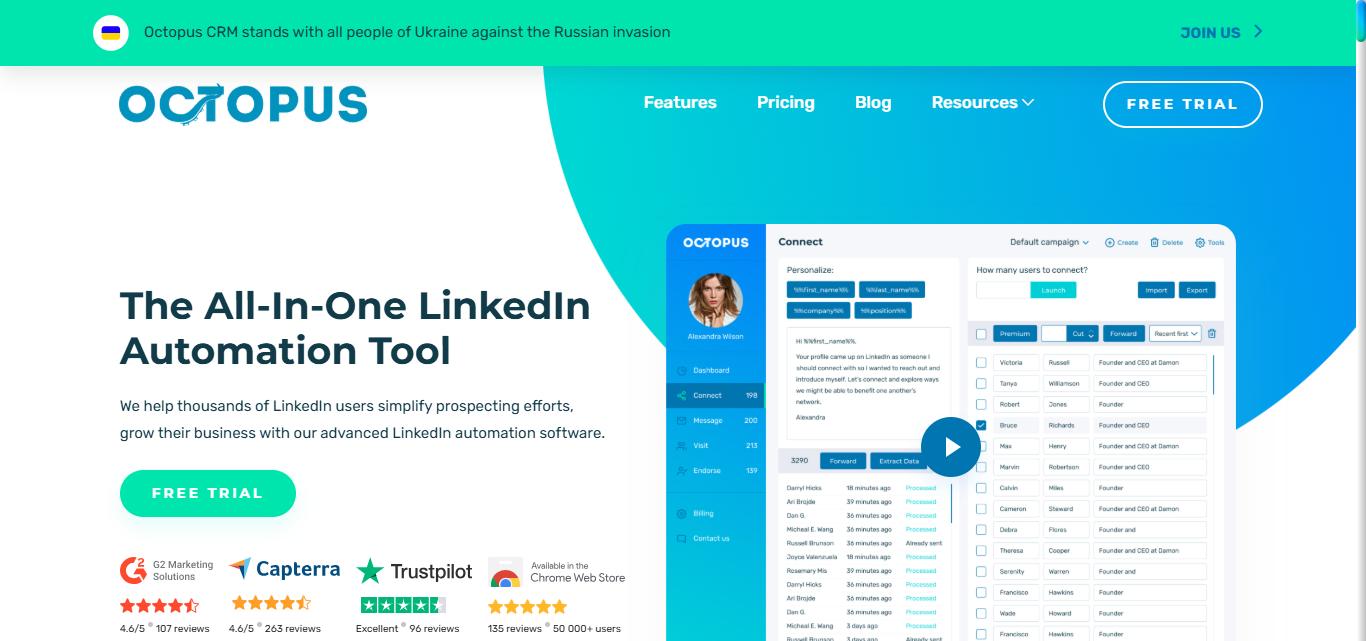
Octopus CRM is a tool that can help you automate and improve your outreach on LinkedIn.
It has a customizable sales funnel, but be aware that only the Unlimited plan is compatible with all types of LinkedIn accounts (Premium, Sales Navigator, and Recruiter) — the Starter, Pro, and Advanced plans only work with free LinkedIn and Sales Navigator accounts.
With Octopus CRM, you can send customized connection requests, sales messages, and follow-ups to potential customers automatically.

What features does Octopus CRM offer?
The following are the top features of Octopus CRM:
How much does Octopus CRM cost?

Octopus CRM offers four pricing plans to choose from, depending on your needs.
The Starter Plan costs $9.99 per month, the Pro Plan costs $14.99 per month, the Advanced Plan costs $21.99 per month, and the Unlimited Plan costs $39.99 per month.
All of these plans come with a 7-day free trial, and users receive a discount on the annual payment when they commit to an annual subscription.
So you can choose the best plan that suits your requirements and budget.
How is Octopus CRM a better Overloop alternative?
Overloop and Octopus CRM offer features to help with LinkedIn outreach and lead generation.
Overloop offers campaign creation on different channels, personalized cold emails, LinkedIn and email automation, activity tracking, and a mobile app.
Its pricing model is straightforward, with three plans starting at $69 per user per month, with a 14-day free trial.
On the other hand, Octopus CRM offers only LinkedIn automation , and integration with HubSpot and Zapier.
Additionally, it offers advanced analytics and an easy-to-use interface.
It offers four pricing plans ranging from $9.99 to $39.99 per month, with a 7-day free trial for all plans.
Overall, both tools have similar features, but Octopus CRM offers more pricing options at a lower price point, making it a more affordable option for small businesses or individuals.
However, Octopus CRM has extremely poor cancellation policies and people have struggled to get refunds even if they didn't use the product.

On top of that, Octopus CRM's customer service needs you to send multiple emails to get a response back.

If you run into some trouble with the software, it could take a lot of time for customer support to get you sorted.
Overloop's customer service is similar in this regard, so if customer support is a priority for you, it may be better to check out other alternatives.
Overloop vs. the competition: Which sales automation tool reigns supreme?
All four tools, Overloop, SalesRobot, Dux-Soup, and Octopus CRM, offer similar features for lead generation.
However, each tool has its own unique strengths and weaknesses that you should consider before making a decision.
However, with its many bugs and non-existent customer service, there's a reason why you would be better off with any of the Overloop alternatives.
SalesRobot also lets you bypass the LinkedIn limits safely and integrates with some of the most popular sales tools.
However, Dux-Soup users have gotten their LinkedIn account shut down. Additionally, the UI is extremely clunky and buggy.
Stay aware of the shady cancellation policies and limited customer service though.
Keep in mind that none of these are as safe as cloud-based tools like SalesRobot.
Speaking of SalesRobot, it is the most secure tool on this list, thanks to being cloud-based.
SalesRobot offers fantastic customer support as well, alongside a user-friendly and easy-to-navigate UI.
If your company needs to streamline your lead flow in the most hassle-free way, just give us a try.
We offer a 14 day free trial with no credit card or phone number required, so you can decide if SalesRobot is a good fit for you.
Who knows, you might just get a new client within a day of using it. 😉
Just like this SalesRobot user did:

Frequently Asked Questions (FAQs)
❓ Which of these tools offers the best safety features for LinkedIn?
Out of the options listed, cloud-based tools generally offer better security than browser extensions. Because browser extensions inject code directly into your browser, they are easier for LinkedIn’s automated systems to detect. Cloud-based platforms mimic human behavior more closely by running on dedicated backend servers and rotating IP addresses, lowering the risk of account restrictions.
❓ Can I run a combined cold email and LinkedIn campaign with any of these alternatives?
Not all of them. SalesRobot and Overloop are built for multichannel outreach (combining email and LinkedIn touchpoints). If you switch to Dux-Soup or Octopus CRM, you will be limited strictly to LinkedIn automation and will need a separate tool if you want to continue running cold email sequences.
❓ Do these platforms provide free trials to test their features?
Yes, all of the discussed platforms offer trial periods so you can explore their user interfaces and features before committing:
- Dux-Soup: 14-day free trial (no credit card required)
- SalesRobot: 14-day free trial (no credit card required)
- Octopus CRM: 7-day free trial on all plans
- Overloop: 14-day free trial (no credit card required)
Disclaimer: The content of this blog post reflects our own opinions and judgements based on our research and experience as of published date. Comparisons made to other software or tools are for informational purposes only and are based on publicly available information and our own analysis. We do not claim absolute accuracy and encourage readers to conduct their own research to form their own opinions. While we may discuss competitor offerings, our primary focus is to showcase the features and benefits of SalesRobot. SalesRobot is not affiliated with any other software or tool mentioned in this blog post.

Wow your leads by cloning yourself and sending personalized videos and voice notes to each lead on LinkedIn.
If you don't reply to leads within 5 mins, your chances of converting them fall by 50%. Our AI replies on your behalf instantly! (and yes, you can train it)

Don't shoot in the dark. Get detailed analytics on what's working

SalesRobot allows you to invite other team members, so that they can add their LinkedIn Account, run outreach campaigns and get amazing results just like you.
.avif)


Trusted by 4100+ innovative B2B sales teams and lead gen agencies

.avif)

.avif)




.avif)


Heading 1
Heading 2
Heading 3
Heading 4
Heading 5
Heading 6
Lorem ipsum dolor sit amet, consectetur adipiscing elit, sed do eiusmod tempor incididunt ut labore et dolore magna aliqua. Ut enim ad minim veniam, quis nostrud exercitation ullamco laboris nisi ut aliquip ex ea commodo consequat. Duis aute irure dolor in reprehenderit in voluptate velit esse cillum dolore eu fugiat nulla pariatur.
Block quote
Ordered list
- Item 1
- Item 2
- Item 3
Unordered list
- Item A
- Item B
- Item C
Bold text
Emphasis

Superscript
Subscript