.avif)
TL;DR
LinkedIn scraping tools help you extract profile data, emails, and company information from LinkedIn without manual copy-pasting.
This guide compares 13 top tools across three types: Chrome extensions (quick scraping for small lists), Python APIs (custom solutions for developers), and cloud-based platforms (automated, large-scale scraping).
SalesRobot stands out as an all-in-one solution that not only scrapes LinkedIn data but also automates personalized outreach with AI features like Voice Clone, AI Appointment Setter, and Smart Reply Detection.
However, we have also compared various other tools so you can objectively choose what is best for you 😄
So, read this blog…
If you're tired of sifting through endless lists of scraping tools with no clear winner.
We get it. Scraping LinkedIn isn't easy.
And finding the best LinkedIn scraping tool for your use case is a total head-scratcher.
In our early days, we felt the struggle too. But we found our match.
Now, we're here to ease your pain. We'll help you find the best LinkedIn scraping tool.
After testing 13 tools, we've got a pretty good idea of what's worth your time.
But before we reveal it, you should know:
🌟What's a LinkedIn scraper, anyway?
🌟The lowdown on 3 types of LinkedIn data scrapers.
🌟Our top picks: 13 best LinkedIn scraping tools.
🌟Got questions? We've got answers in the FAQ section.
And finally
🌟The ultimate scraping tool awaits.
If you're short on time, here's the list of the top 12 tools:
- SalesRobot
- PhantomBuster
- ProxyCurl
- Brightdata
- SalesQL
- Evaboot
- Findymail
- Wiza
- LeadIQ
- Dripify
- OctopusCRM
- Linked Helper 2
- CommunityTracker
So, grab your coffee, get a pen and paper, and let's dive in!

What is a LinkedIn Scraper?
A LinkedIn Scraper is a tool that helps you get specific information from LinkedIn without you having to manually copy and paste data from LinkedIn into a spreadsheet.
There are different 3 types of scrapers depending on what data you want to extract from LinkedIn.
1. LinkedIn Email Scraper
These tools help you scrape email addresses of people from LinkedIn.
They either scrape it from publicly available email addresses from the profile section or tap into third party databases.
Pretty helpful if you want to combine cold email + LinkedIn outreach (Like SalesRobot can do)
Examples from our list: SalesRobot, Wiza, Evaboot, Findymail, LeadIQ
2. LinkedIn Profile Scraper
These tools help you scrape profile information including their full names, company names, university, job title, LinkedIn headline, profile picture, location, follower count, work experience, and other detailed information present in their profile.
.avif)
Examples from our list: SalesRobot, Phantombuster, Proxycurl, Brightdata, Peopledatalabs
3. LinkedIn Sales Navigator Scraper
These tools help you scrape search results from LinkedIn Sales Navigator.
Sales Nav is a paid tool from LinkedIn that helps you search for your ideal customers on LinkedIn using advanced filters.
In this example, I've searched for CEOs of small companies (1-10 employees) in the Bay Area who posted on LinkedIn in the last 90 days.
.avif)
A LinkedIn Sales Navigator search scraper would scrape all the available information such as Full Name, Job Title, Company Name, Location, Time in the role, and Time at the current company.
Using all this additional info, you can narrow down your prospect lists to the ones closely resembling your ideal customer profile.
Examples from our list: SalesRobot, Phantombuster, Dripify, Linked Helper 2, Octopus CRM, Dux Soup, Anypicker
4. LinkedIn Job Scraper
A LinkedIn Job scraper would scrape job listings with a particular title or keyword.
Examples: Brightdata, Phantombuster, Anypicker
5. LinkedIn Post Scraper
Does pretty much what the name says, it scrapes LinkedIn posts en-masse or from particular LinkedIn members or posts containing a particular hashtag.
Examples: SalesRobot, Brightdata
6. LinkedIn Search Scraper
This is very similar to LinkedIn Sales Navigator scraper, but instead of scraping Sales Navigator search results, it scrapes LinkedIn search.
.avif)
Examples include: SalesRobot, Phantombuster, Dripify, Linked Helper 2, Octopus CRM, Dux Soup
It's important to note that email scrapers also give you some of this information along with their email addresses.
7. LinkedIn Group Scraper
Again, pretty self-explanatory. These tools scrape LinkedIn group members.
Helpful when you want to reach out to all members of a LinkedIn group, since you can send them a connection request and message them.
Examples: SalesRobot, Phantombuster
3 Types of LinkedIn Data Scrapers
1. Chrome Extension Based LinkedIn Scrapers:
- Simple Chrome browser add-ons that scrape data from your LinkedIn account on your computer.
- Use them when you need a quick data grab of only a few LinkedIn profiles (for example, if you're scraping a Sales Navigator search with up to 2500 results )
- Perfect for simple Sales Nav search, LinkedIn search, and email scraping based on searches
Examples include: Anypicker, Evaboot, Findymail, Wiza, LeadIQ, Octopus CRM, and Dux Soup
2. Python-Based LinkedIn Scrapers:
- You need a decent understanding of Python.
- They're great for complex scraping tasks such as extracting hiring managers from LinkedIn job postings.
- They're best used when you want to create custom solutions or do big data hauls.
3. Cloud-Based LinkedIn Scraper
They're to be used when Chrome Extension based scrapers just don't cut it.
Let's say you need to scrape 100 LinkedIn profiles every day. If you use a Chrome extension based scraper to do it, it'll stop scraping if you forget to leave your computer on!
And not to mention that it'll slow down your computer.
In that case, you should consider moving to a LinkedIn based scraper.
.avif)
- They're great for when you have an old computer that can't handle Chrome Extensions and are just more convenient in general.
Examples include: SalesRobot, Phantombuster, Dripify
13 Best LinkedIn Scraping Tools We Tried
1. SalesRobot
SalesRobot is a comprehensive LinkedIn automation and scraping platform that combines data extraction with outreach capabilities.
Additionally, SalesRobot now features AI-powered message optimization to ensure higher engagement and response rates. The platform also offers AI personalization for creating more relevant messages that resonate with your prospects.
Moreover, you can build multi-step email sequences and use AI to write or rewrite messages for better performance.
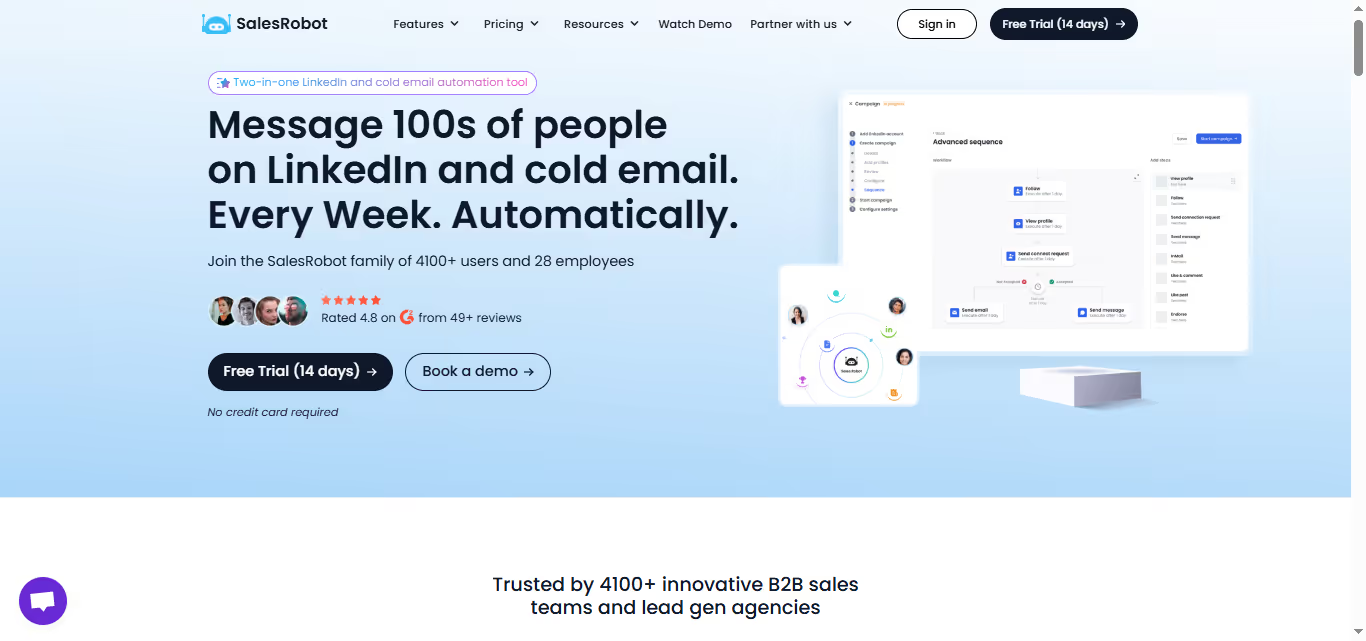
SalesRobot is a cloud-based LinkedIn and email outreach tool that helps you automate your connection requests, messages, and even follow-ups to your dream customers on LinkedIn.
That's not all. SalesRobot makes sure each message is hyper-personalized to the prospect using data scraped from their profile automatically.
Using SalesRobot, you can save up to 6-8 hours of manual work on LinkedIn and reach out to hundreds of your dream customers without lifting a finger.
{{mobile-cta}}
Primary use case: Cold LinkedIn outreach and cold email outreach
What does it scrape?: Sales Navigator searches, LinkedIn searches, LinkedIn profiles, LinkedIn emails, LinkedIn groups, LinkedIn posts
Features:
- Import your Sales Nav or LinkedIn searches (let's say you want to connect with CEOs of tech startups in San Francisco)
- Set up the messaging sequence to be sent from your LinkedIn account (your connection request message, what you want to say to them after you connect with them, what you want to say in the follow ups if they don't reply)
- SalesRobot's Voice note feature lets you add audio messages to your campaigns, taking personalization to the next level.
- AI Appointment setter will continue the conversation toward a specific goal, like booking a meeting.
- Additionally, SalesRobot offers AI-powered message optimization that ensures higher engagement and response rates. The platform can build multi-step email sequences, add personalization, and even use AI to write or rewrite messages automatically.
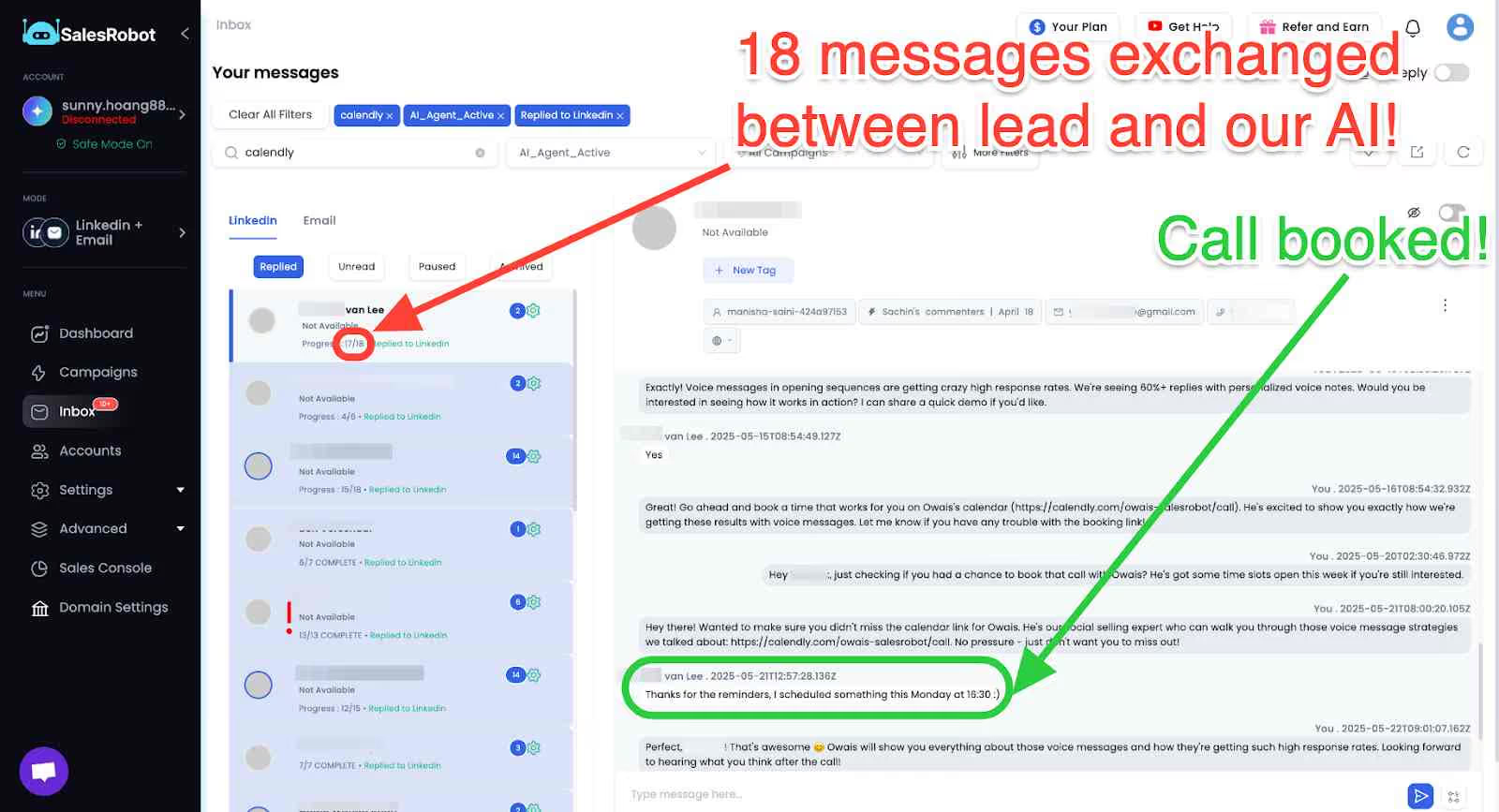
- SalesRobot's AI Appointment Setter mimics your conversation style and engages with your prospects naturally until it books a meeting.
- Built-in inbox to manage all of your responses and leads (with the ability to do automated follow-ups if the conversation goes dry)
- Automatically wish your connections a happy birthday or congratulate them on a new role.
- Scrape their profiles, emails, and phone numbers.
Moreover, the platform now includes personalized voice messages where you can record your voice once, and the AI creates personalized voice messages for each lead. You can also create video intros that feel personal, giving you a real edge in your outreach campaigns since video messages get significantly higher response rates than text alone.
You can get all the prospects data stored straight into SalesRobot and launch a mass-messaging campaign, reaching out to every single one.

And if you just want the data, we've also got a direct 'Export as CSV' button too!
Pricing:

Here's the breakdown:
Basic:$59/month billed monthly
- 1 active campaign
- Limited daily quotas
- Advanced dashboard and reports
- Complete performance automation
Advanced: $79/month billed monthly
- Unlimited active campaigns
- Full daily quotas
- Advanced dashboard and reports
- Complete performance automation
- A/B testing
- Personal inbox
- Webhook and Zapier integration
- Export leads into CSV
Professional : $99/month billed monthly
- Unlimited active campaigns
- Full daily quotas
- Advanced dashboard and reports
- Complete performance automation
- A/B testing
- Personal inbox
- Webhook and Zapier integration
- Export leads into CSV
- Team management
- Activity control
2. Phantombuster
Phantombuster is a cloud-based scraping tool that helps you scrape and automate your activity across multiple platforms.

Phantombuster can scrape data from a lot of different social media platforms such as LinkedIn, Google, Twitter (now called X), Instagram and more.
.avif)
Primary use case: Scraping and automating multiple social media platforms
What does it scrape? It can scrape profile pages, search results, posts, and emails.
In addition to that, it can automate connection requests, liking, commenting and messaging people.
Features:
.avif)
- Scrape LinkedIn profiles
- Scrape LinkedIn and Sales Navigator search
- Scrape LinkedIn connections
- Scrape LinkedIn Group members and Event attendees
- Scrape likers and commenters of particular LinkedIn post
- Scrape company details on LinkedIn
- Find emails via Dropcontact integration
Pricing:
.avif)
The prices are as follows:
- Starter: $69/mo
- Pro: $159/mo
- Team: $439/mo
If you're a beginner, we recommend using the Trial version for 14 days to get familiar with the platform and move to a paid plan after you get comfortable with the tool.
3. Proxycurl
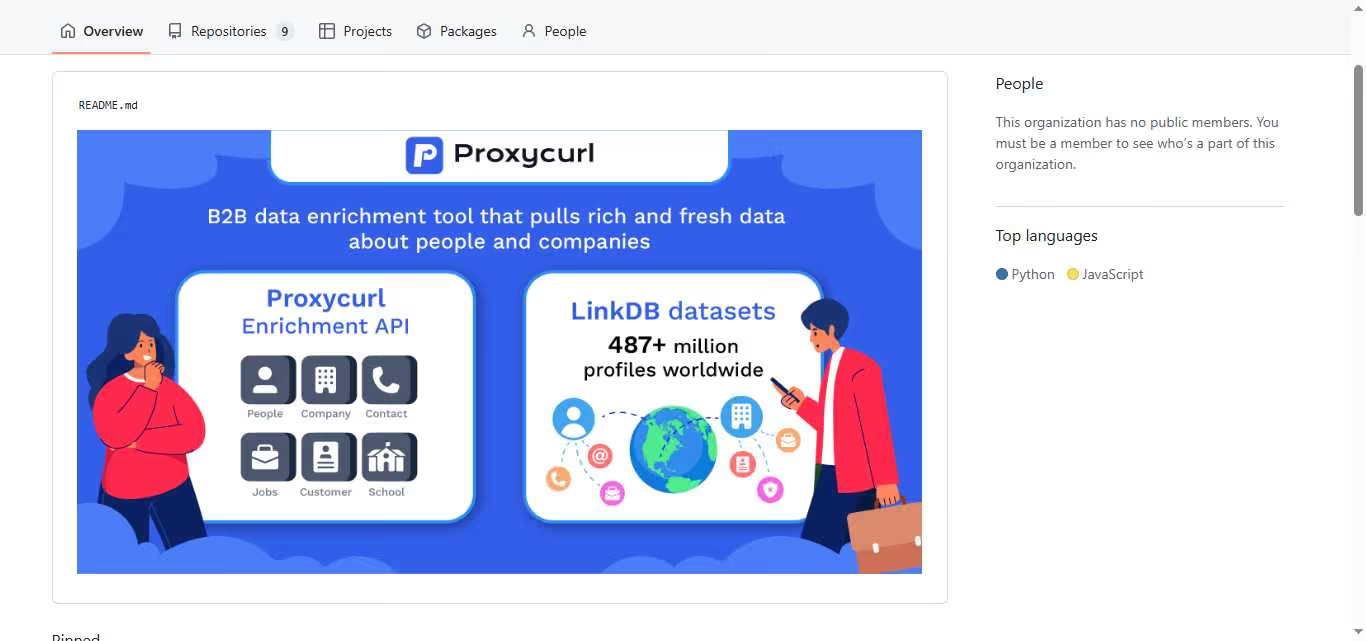
Proxycurl is a cloud-based LinkedIn scraping API service built for developers.
They do the hard work of converting unstructured LinkedIn data into a simple and performant API.
You can use their API to scrape almost anything on LinkedIn without even using your LinkedIn account.
The only downside to using Proxycurl is that you need to know a little bit of Python to use their APIs and get the data downloaded into an Excel spreadsheet.
You can also use no-code tools like n8n.io and pipedream.com to use this API.
If you're somebody who wants to use the Proxycurl API directly in Google Sheets, you can check out their Sapiengraph product.
.avif)
Primary use case: LinkedIn scraping without using your LinkedIn account
What does it scrape? LinkedIn profiles, LinkedIn company profiles, LinkedIn jobs, emails. It also lets you search the entire LinkedIn database without using LinkedIn search or Sales Nav search.
Features:
- Scrape detailed information about any LinkedIn profile (including work history, educational experience, LinkedIn posts, etc.)
- Find the key statistics of any LinkedIn company (including a list of employees, number of employees, headquarters location, about section, etc)
- Scrape data about the jobs posted by any company (including job title, URL, date posted, location, and more)
- Scrape LinkedIn search WITHOUT doing any search (they have a copy of LinkedIn's database, so they allow you to search directly)
Pricing:
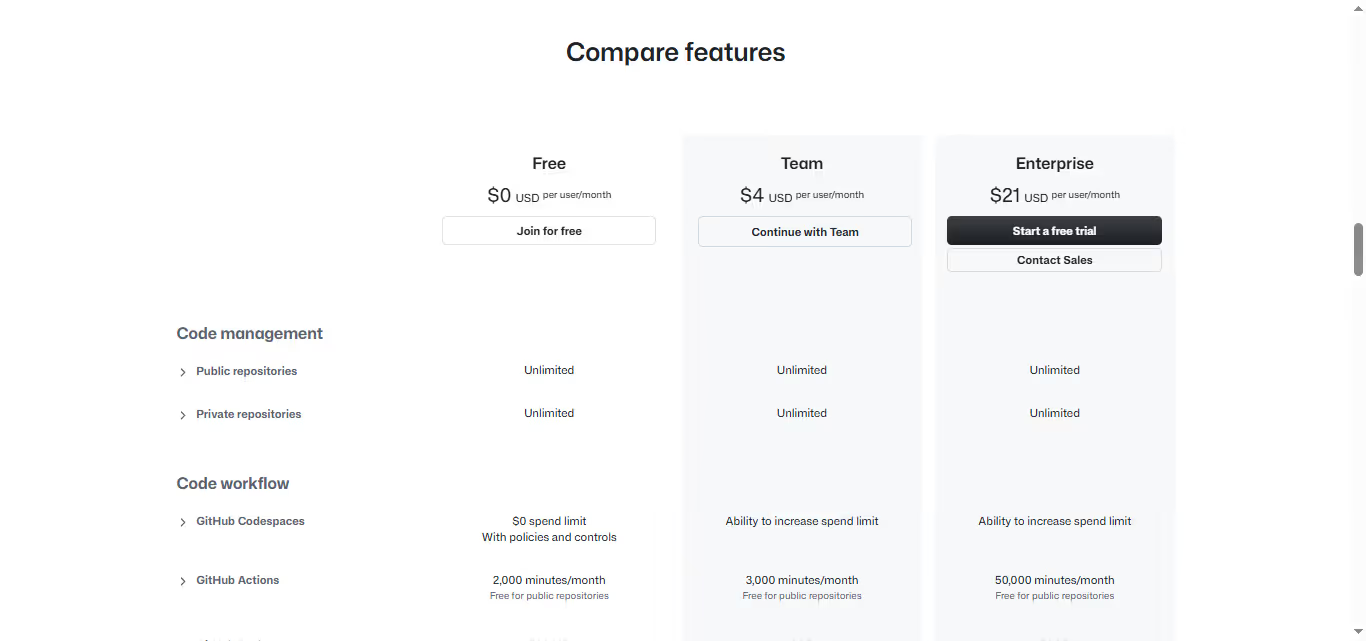
Proxycurl has 2 pricing options:
Pricing starts at $4/month and goes as high as $21/month.
4. Brightdata
Brightdata has a cloud-based LinkedIn profile scraping service that lets you scrape LinkedIn profiles, searches, jobs and more without you having to use your LinkedIn account.
You can also buy their entire scraped LinkedIn profiles' dataset!
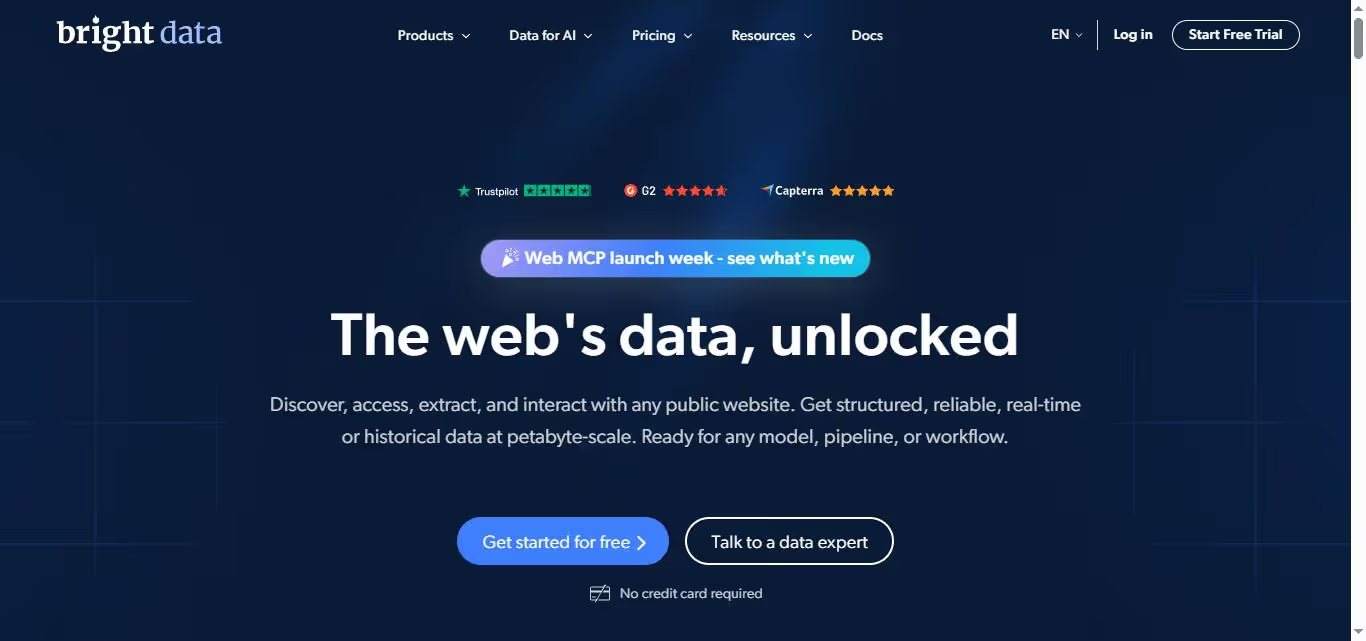
Primary use case: LinkedIn scraping without using your LinkedIn account
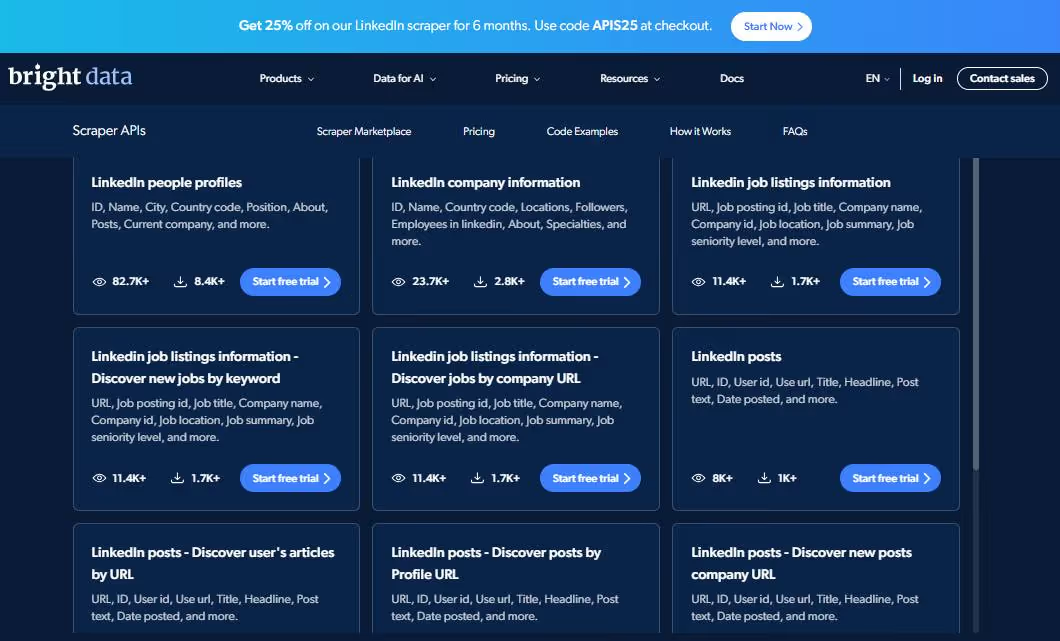
What does it scrape? LinkedIn posts, LinkedIn jobs search, LinkedIn profiles, LinkedIn searches, LinkedIn job listings.
Features (and use cases):
- Lead & CRM enrichment for business development
- Lead segmentation and marketing
- Human resources: for example, find companies that are growing with particular characteristics
- Collect public profiles and company data, including parameters like type of industry, size, job titles, roles, location, education & skills.
- Track movements within and between companies for emerging business opportunities & new leads
- Slash your prospecting time & sales discovery process
- Combine firmographic & profile data to track company growth and history to screen potential investment candidates
- Locate & keep track of top talent, including comprehensive insight on the skills, education, and experience of millions of qualified professionals with data that fuels machine-learning & AI recruitment tools
Pricing:
Brightdata's LinkedIn scraper is part of its Web Scraping IDE, with pricing plans as listed below.
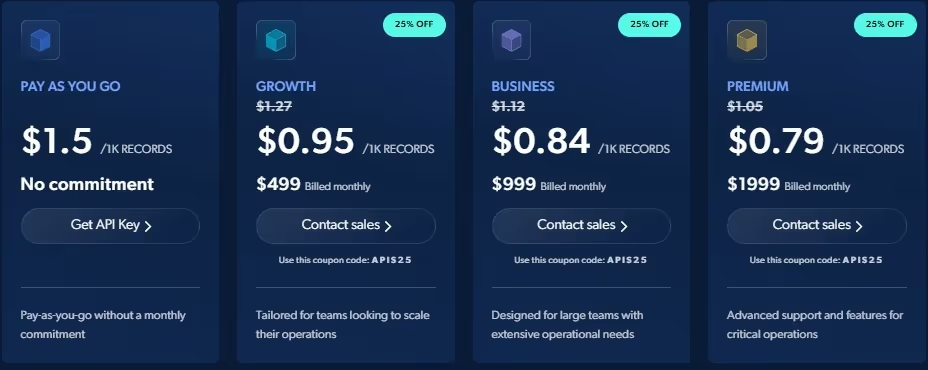
Note that the pricing isn't specific to LinkedIn, you can use this tool to scrape any website without being blocked.
Their code worker is a server side scraping solution, which is a simple request to load the target website and scrape simple HTML. For scraping LinkedIn, you'd probably need a browser worker since it's a complex job.
- Pay as you go: $1.5/1K records.
- 501k Records: $499/month and $0.95/1K records
- 1M Records: $999/month and $0.84/1K records
- 2.5M Records: $1999/month and $0.79/1K records
If you don't want to go through the hassle of scraping LinkedIn yourself, you can also buy a dataset of LinkedIn profiles directly from Brightdata starting at 2.5 per 1K records.
5. SalesQL
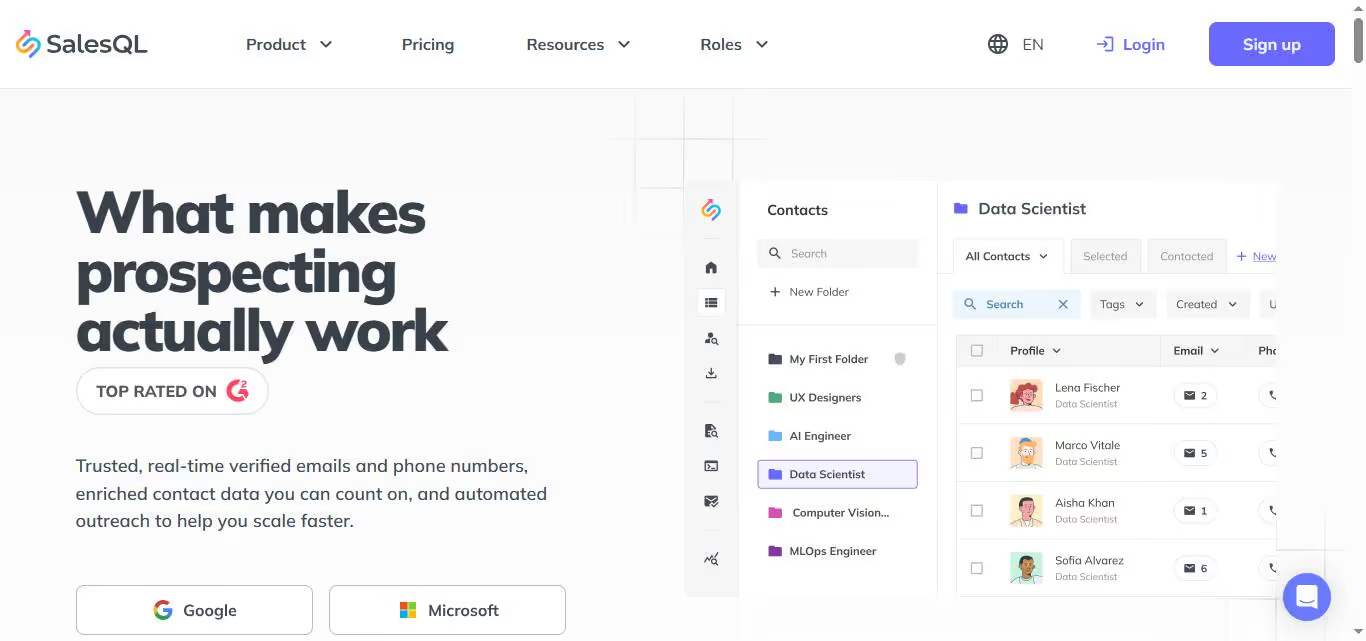
SalesQL allows you to export 40+ data points on leads from Sales Navigator, LinkedIn, and Recruiter. You can also find professional emails of those leads and export them to your favorite CRM directly from the tool.
It's a Chrome extension that allows you to use your own LinkedIn account to scrape LinkedIn. Additionally, SalesQL has integrated AI prospecting tools to enhance your outreach efforts and improve lead targeting accuracy.
Primary use case: Scraping emails and phone numbers from LinkedIn in bulk
What does it scrape? LinkedIn searches, LinkedIn Sales Nav search, LinkedIn Recruiter searches
Features:
- Sales Navigator search export
- LinkedIn search export
- Recruiter search export
- Find emails
- Verify emails
- Export leads to your CRM
- AI prospecting tool for enhanced targeting
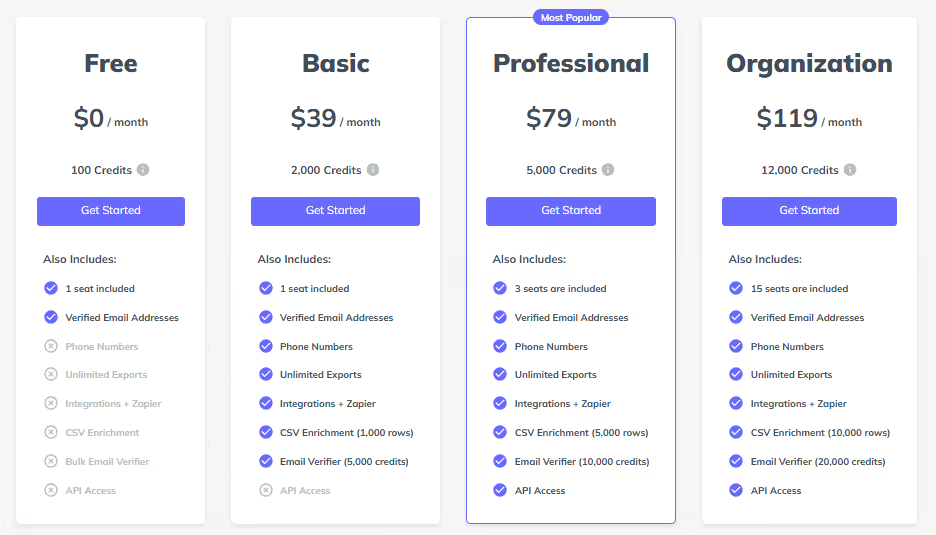
Pricing:
- Free: 100 free credits/month
- Basic: $39/month for 2000 credits
- Professional: $79/month for 5000 credits
- Organization: $119/month for 12000 credits
6. Evaboot
Evaboot is a LinkedIn Sales Navigator scraper that helps you find professional emails of each person and verify them.
It also cleans your lead lists, removing irrelevant individuals and refining the first names and company names.
.avif)
Primary use case: Scraping Sales Nav searches and finding emails
What does it scrape? Sales Nav searches
Features:
- Export Sales Navigator searches and lists
- Clean your data (emojis, capital letters)
- Detect false positives in your search results
- Find emails
- Verify emails
Pricing:
- $9 per month for 100 credits
- $29 per month for 500 credits
- $499 per month for 50,000 credits

7. Findymail
Findymail turns Sales Navigator searches into an email list in one click. It's a simple Sales Navigator search scraper used by thousands of customers.
In addition to scraping LinkedIn Sales Navigator, it scrapes Apollo.io searches as well.
It's a Chrome extension that allows you to use your own LinkedIn account to scrape LinkedIn.

Primary use case: Scraping Sales Navigator (or Apollo) searches and finding emails
What does it scrape? Sales Nav searches
Features:
- Apollo scraping
- LinkedIn Sales Navigator Scraping
- Email Finder
- Email Verifier
- Data Cleaning
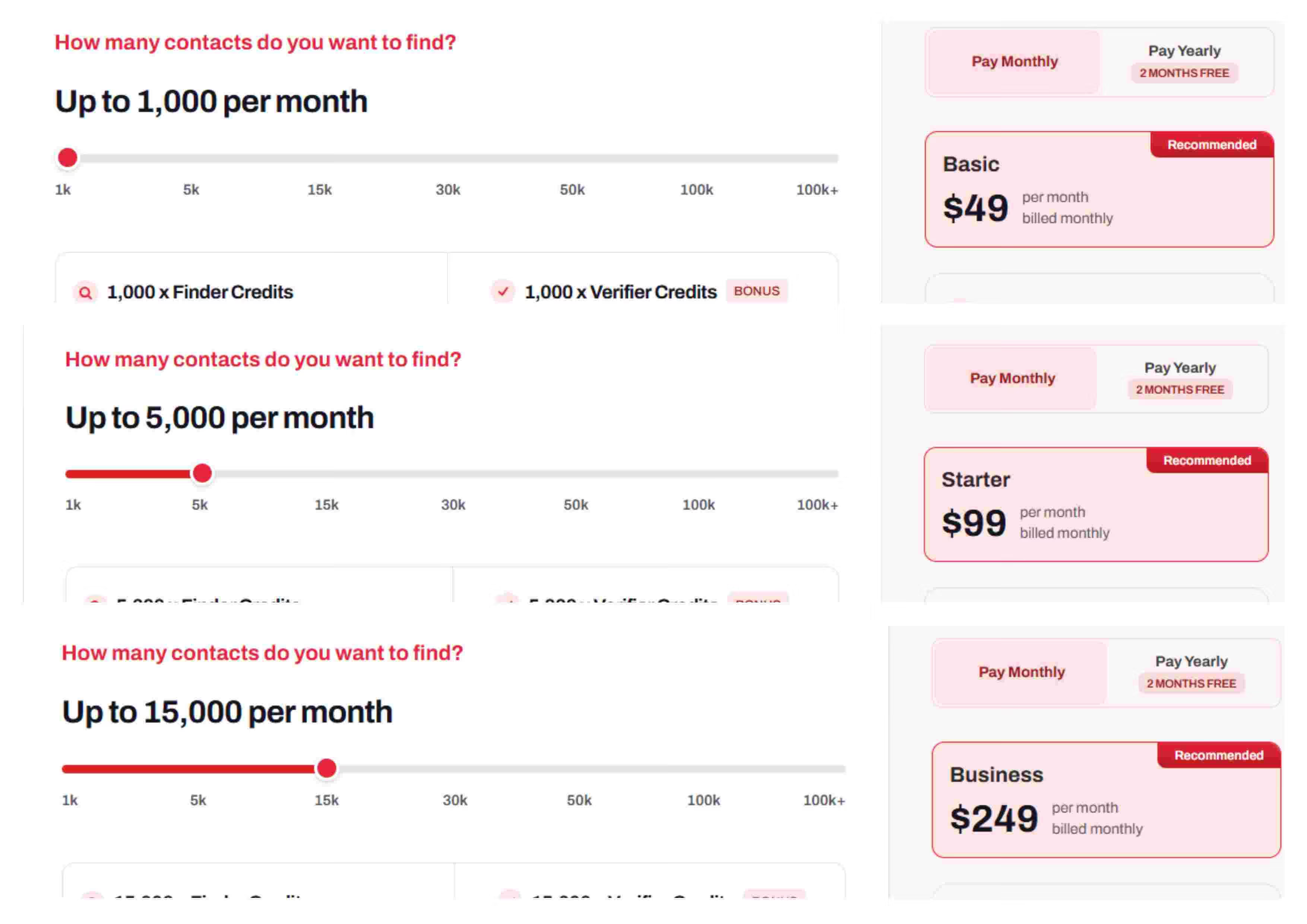
Pricing:
- 1000 finder credits /month: $49/mo
- 5000 finder credits /month: $99
- 15,000 finder credits /month: $249
8. Wiza
Wiza is used by over 30,000+ businesses to create prospect lists from LinkedIn.
Using Wiza, you can export leads from LinkedIn with accurate contact info (emails and phone numbers) and connect directly with your audience using cold emails and cold calling.
It's a Chrome extension that allows you to use your own LinkedIn account to scrape LinkedIn.
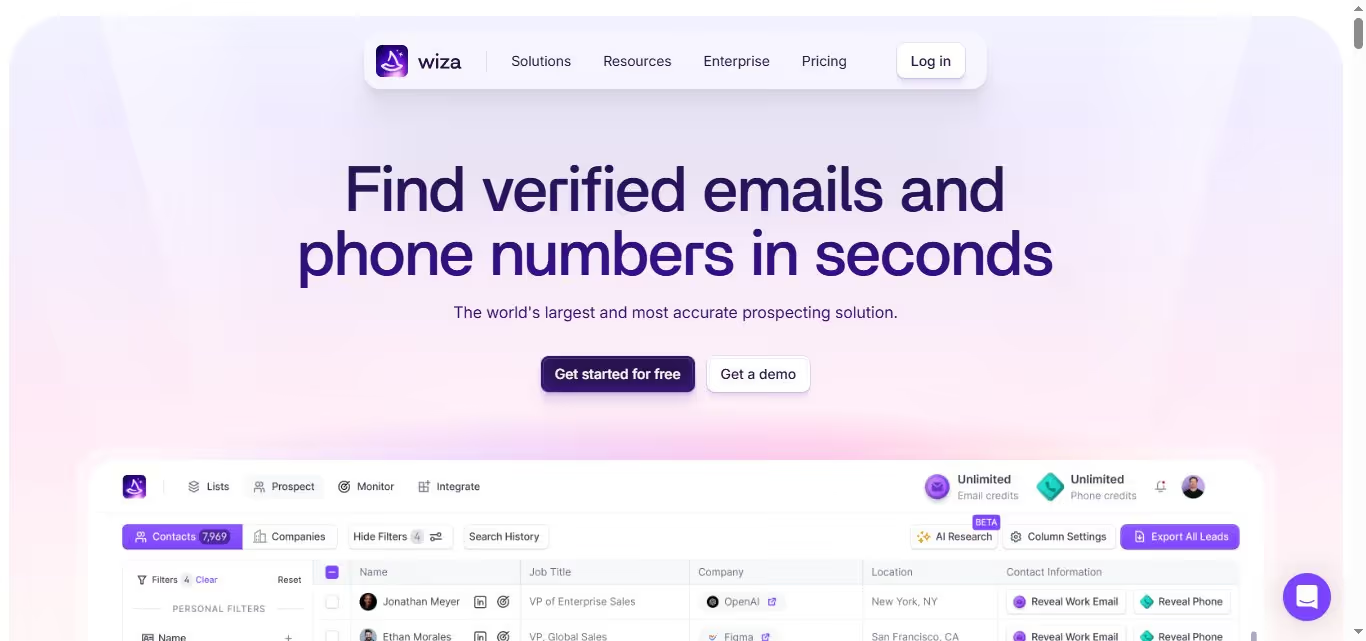
Primary use case: Scraping LinkedIn and Sales Nav searches and finding emails/phone numbers
What does it scrape? LinkedIn search results, emails and phone numbers
Features:
- Sales Navigator scraping
- LinkedIn scraping
- Recruiter scraping
- Find emails
- Verify emails
Pricing:
- Starter: $49 /user /month
- Email: $99 /user /month
- Email + Phone: $199 /user /month

9. LeadIQ
LeadIQ is a prospecting platform for SaaS sales teams to book more meetings through better prospecting.
Helps you find emails and phone numbers of prospects from LinkedIn Sales Navigator, track buying triggers (such as funding, job changes), and use AI to write personalized emails based on those buying triggers.
It's a Chrome extension that allows you to use your own LinkedIn account to scrape LinkedIn.
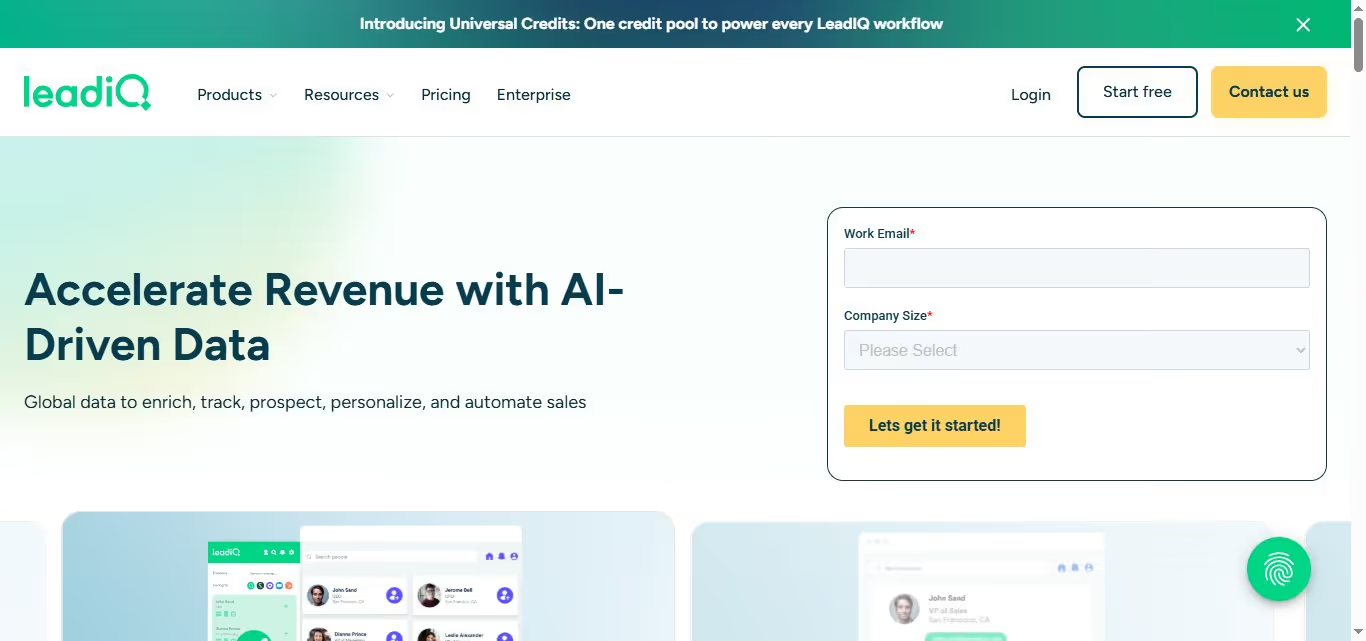
Primary use case: Scraping Sales Nav, finding emails/phone numbers and sending them to your CRM in one click
What does it scrape? LinkedIn and Sales Nav searches
Features:
- Sales Navigator scraping
- LinkedIn scraping
- Find emails and phone numbers
- Send to CRM in one click
- Identifying buying triggers (job changes, funding)
- Write personalized emails based on buying triggers
Pricing:
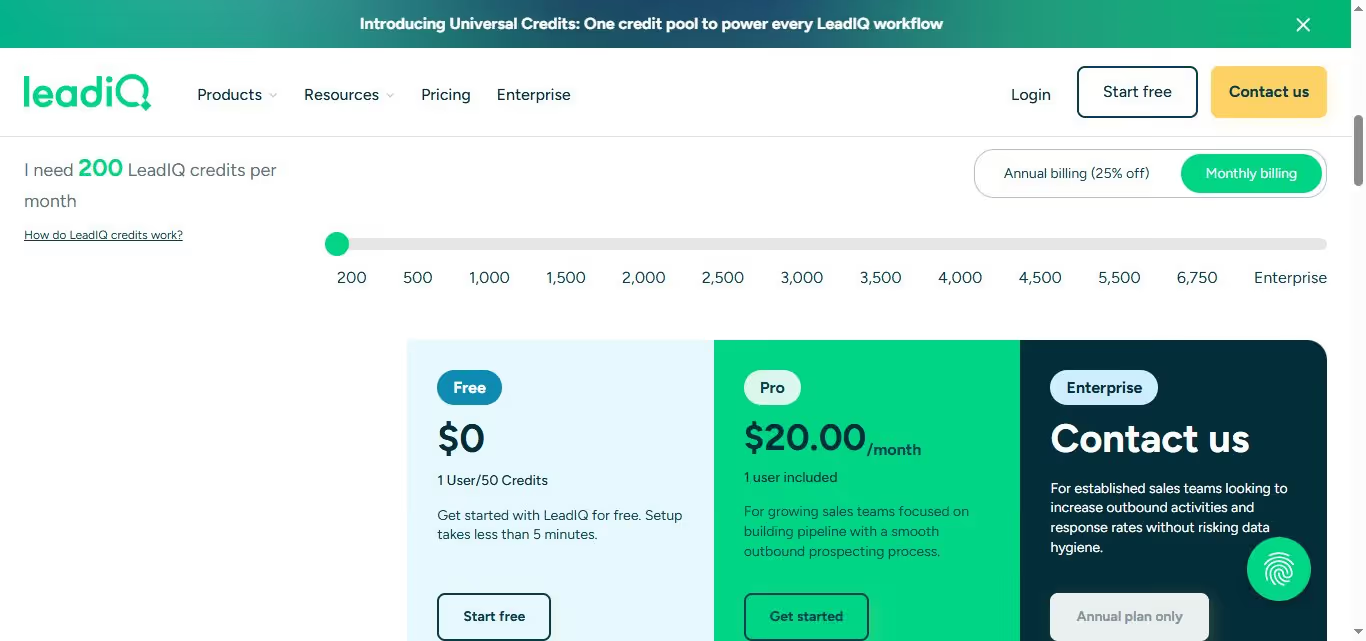
They follow a cedit-based system where finding one email requires one credit, a phone number requires 10 credits, and both together require 11 credits.
They have a free plan worth 50 credits so you can try it out.
- Pro: $20/month (but you have to pay more for more credits)
- Enterprise: Annual plan
10. Dripify
Dripify is a cloud-based LinkedIn automation and scraping tool designed to help your sales team automate LinkedIn prospecting and close more deals.
It's used by salespeople who want to grow their network on LinkedIn with their ideal customers and try to convince them to get on a sales call with them.
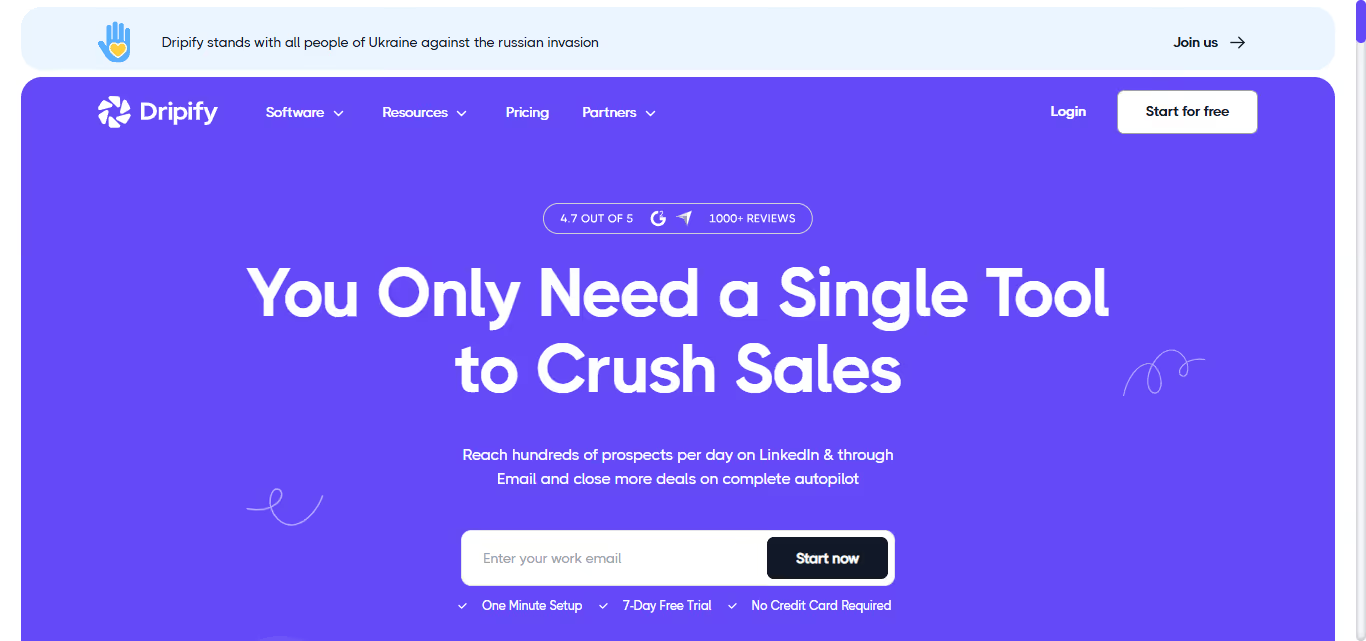
Primary use case: LinkedIn automation tool
What does it scrape? LinkedIn search results, Sales Nav searches, LinkedIn Recruiter lite searches
Features:
- Automate LinkedIn connection requests
- Automate LinkedIn direct messages
- Organize LinkedIn inbox
- Scrape LinkedIn search results
- Stop when the prospect replies to the automation
Pricing:
- Basic: $59/user/month
- Pro: $79/user/month
- Advanced: $99/user/month

11. Octopus CRM
Octopus CRM is another LinkedIn automation tool that helps salespeople automate their LinkedIn connection requests and follow ups so that they can get into conversations with their dream customers directly on LinkedIn.
It's a really cheap Chrome Extension tool and it's used by over 40,000 users worldwide.
.avif)
Primary use case: LinkedIn automation tool
What does it scrape? LinkedIn searches, LinkedIn Sales Navigator searches, LinkedIn Recruiter Lite searches
Features:
- LinkedIn connection request bulk automation
- LinkedIn messaging
- CRM integration
- Auto-visit, auto-endorse
- Integrations via Zapier
Pricing:
- Starter: $9.99 per month
- Pro: $14.99 per month
- Advanced: $21.99 per month
- Unlimited $39.99 per month
.avif)
12. Linked Helper 2
Linked Helper 2 is a desktop application that automates your connection requests and follow up messages on LinkedIn.
It's a 8 year old product that's used by over 300,000 users worldwide. It's really cheap too.
However, in our experience, it can be difficult to use. We wrote a detailed review here.
.avif)
Primary use case: LinkedIn automation tool
What does it scrape? LinkedIn searches, Sales Nav searches, LinkedIn Recruiter lite searches
Features:
- LinkedIn connection request bulk automation
- LinkedIn messaging
- Activity Dashboard
- Activity Tracking
- Auto-Responders
- In-built CRM
Pricing:
- Standard: $15 per month
- Pro: $45 per month
There's also a trial version for 14-days to test the tool before you commit.

13. CommunityTracker
CommunityTracker takes a different approach from the scrapers above — instead of pulling profiles in bulk, it helps you find people already talking about you or your keywords on LinkedIn, Reddit, and X, then turns those conversations into leads you can reach out to.
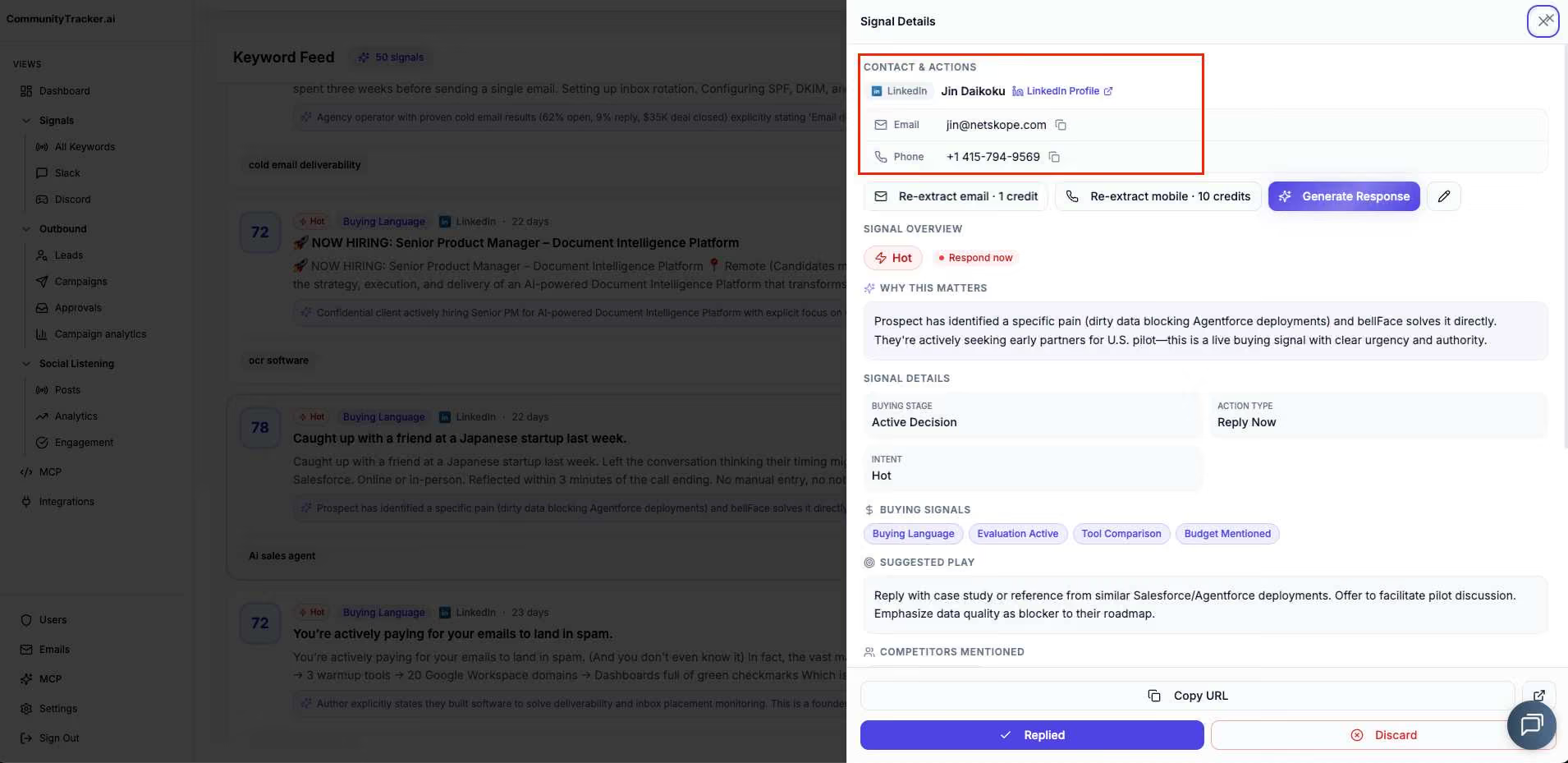
Primary use case: Finding buying signals on LinkedIn and X and turning them into outreach
What does it scrape? LinkedIn posts, profiles, emails, phone numbers, comments, and discussions tied to your tracked signals or keywords
Features:
- Track buyer signals across LinkedIn, Reddit, X, and other social platforms
- Save posts as leads with one click and push them to your CRM
- LinkedIn profile enrichment to find emails, phone numbers, and other contact info
- Intent scoring and sentiment analysis on every mention
- Share of voice tracking against competitors
- Slack alerts for new mentions
- Integrations with n8n, Make.com, and Zapier
Pricing:
- Starter: free trial available
- Pro: $99/month
- Advanced: $199/month
If you're new to social selling, start with the free trial to see what signals come through for your keywords before committing to a paid plan.
Frequently Asked Questions about LinkedIn Data Scraping
We're almost done here. But first, let's tackle some common questions about LinkedIn scraping tools. Ready?
Let's go!
Is LinkedIn Scraping Illegal?
Okay, so scraping data isn't automatically bad.
But on LinkedIn, it's against the rules if you do it without permission.
Even though scraping can give us good info, we've gotta be careful. LinkedIn can catch you if you're scraping too much, like checking too many profiles real quick.
How Many Profiles Can I Scrape From LinkedIn Every Day?
The answer is 2500 LinkedIn profiles.
How Do I Scrape LinkedIn Using Python?
To do that, you need to know Python, which might be tricky for some.
But don't worry! I've made a video to help you out.
Plus, I've included a JS script you can use for scraping LinkedIn and automating your activity.
The Ultimate LinkedIn Scraping Tool?
Drumroll, please! 🥁🥁🥁
The moment you've been waiting for: the ultimate LinkedIn Scraping tool is... SalesRobot!
Now, before you think, "They're just biased towards their own tool," let me explain.
1. One tool for all: No need for multiple scrapers; SalesRobot does it all.
2. Easy outreach: While some tools struggle with LinkedIn outreach, SalesRobot excels, complete with auto follow-ups and hyper-personalization.
3. Reduced LinkedIn risk: Its cloud-based nature means it uses stable IP addresses, mimicking human behavior and keeping your account safe.
Additionally, SalesRobot includes AI-powered message optimization that ensures higher engagement and response rates. The platform lets you build multi-step email sequences, add personalization, and even use AI to write or rewrite messages for maximum effectiveness.
These are just some of the many reasons to choose SalesRobot.
But why take my word for it?
Try our 14-day trial for yourself.
No phone number or credit card required. Just enter your email and start reaping the benefits!
Till next time.

Wow your leads by cloning yourself and sending personalized videos and voice notes to each lead on LinkedIn.
If you don't reply to leads within 5 mins, your chances of converting them fall by 50%. Our AI replies on your behalf instantly! (and yes, you can train it)

Don't shoot in the dark. Get detailed analytics on what's working

SalesRobot allows you to invite other team members, so that they can add their LinkedIn Account, run outreach campaigns and get amazing results just like you.
.avif)


Trusted by 4100+ innovative B2B sales teams and lead gen agencies

.avif)

.avif)




.avif)


Heading 1
Heading 2
Heading 3
Heading 4
Heading 5
Heading 6
Lorem ipsum dolor sit amet, consectetur adipiscing elit, sed do eiusmod tempor incididunt ut labore et dolore magna aliqua. Ut enim ad minim veniam, quis nostrud exercitation ullamco laboris nisi ut aliquip ex ea commodo consequat. Duis aute irure dolor in reprehenderit in voluptate velit esse cillum dolore eu fugiat nulla pariatur.
Block quote
Ordered list
- Item 1
- Item 2
- Item 3
Unordered list
- Item A
- Item B
- Item C
Bold text
Emphasis

Superscript
Subscript