.avif)
TL;DR
LinkedIn cut connection limits from 100/day to 100/week, making lead gen harder. While LinkedIn officially prohibits multiple accounts, agencies managing clients need solutions.
3 Safe Methods:
- Chrome Sessions - Free but hard to scale beyond a few accounts
- SessionBox - Chrome extension to manage 100+ sessions with proxies
- SalesRobot - Cloud automation tool with anti-detection features, duplicate skip, and compliance safeguards
Key risks: Account suspension, IP detection, security issues, reputation damage
This is for you…
If you're a lead generation agency owner who manages multiple clients, one of the tasks is to manage your client's LinkedIn account.
But do you know the 3 safe methods we use to manage our clients' accounts?
Don't worry if you don't. Because I'm letting you steal them today. 😉
Why do you need it?
Since LinkedIn cut the daily connection request limit from 100 per day to just 100 per week, generating leads via LinkedIn has been a nightmare.

Every lost connection is a lost client.
Ignoring this change risks client satisfaction and increases churn.
Managing multiple LinkedIn accounts safely has become a critical skill. It's not just about compliance - it's about trust.
In the blog, I'll explain:
- Why using multiple LinkedIn accounts is a must
- Whether having multiple LinkedIn accounts is even allowed
- The exact challenges agencies face when managing LinkedIn accounts remotely
- Then, I'll reveal 3 safe methods to manage multiple LinkedIn accounts effectively without risking your clients' results.
- What is the safest method?
- And some FAQs
So, don't miss out on this.
TL;DR:
Watch the short video ⬇️
Why Use Multiple LinkedIn Accounts?
Cold emails aren't what they used to be.
Sure, they still work, but they've become a real hassle.
Think about it:
You can't just start with one email anymore.
You've got to buy multiple domains, set up 2-3 inboxes per domain, warm them up for weeks, and then start your campaigns.
It's a ridiculously long process.
That's why LinkedIn is becoming the platform for lead generation.
It's just easier.
- No domains.
- No inbox setups.
- No long warm-up periods.
You can find your target audience and start reaching out from day 1.
But if you're serious about generating leads, you must scale your efforts.
Here's the math:
- 1 LinkedIn account = 100 connection requests per week
- 20% accept = 20 connections
- 25% reply = 5 conversations
- 20% convert = 1 lead per week (on a good week)
One lead per week? That won't cut it.
You'll need at least five leads per week to hit your goals.
So, how do you scale?
👉 Create new accounts to expand your LinkedIn campaigns
👉 Separate professional and personal profiles
👉 Duplicate your profile in other languages
However, managing multiple LinkedIn accounts isn't as simple as it sounds. Before I share the methods, here are…
2 BIG Reasons to Use Multiple LinkedIn Accounts
Here's why you should do it:
1. For Lead Generation
Using multiple LinkedIn accounts allows you to bypass connection request limits. This lets you reach a larger audience and connect with your prospects in a more personalized way.
Example: If one account lets you send 100 requests per week, managing 5 accounts increases your reach to 500 prospects.
2. For Agency Clients
Lead generation agencies usually rely on high volume campaigns to generate leads for various clients. This way, they can communicate clearly without mixing up identities.
Example: By assigning one LinkedIn account per client, agencies keep messaging consistent while ensuring no overlap in their efforts.
Can You Have Multiple LinkedIn Accounts?
No! Absolutely not!
LinkedIn's terms clearly state that users aren't permitted to maintain more than one LinkedIn account. According to LinkedIn's official help documentation, maintaining duplicate accounts violates the LinkedIn User Agreement.
But, you can create a second account in a different language if you have legitimate business reasons, such as separating personal and professional connections.
Ex: One in English and another in French.

But this isn't recommended as it can lead to confusion.
Challenges With Managing Multiple LinkedIn Accounts
Managing multiple LinkedIn accounts has serious downsides.
Here are the TOP 5 challenges:
1️⃣ Account Suspension
LinkedIn's policies are strict when it comes to managing multiple accounts.
If they discover you're operating multiple profiles, your accounts can be banned. LinkedIn reserves the right to restrict, suspend, or terminate your LinkedIn account if you breach their terms.
Worse, if LinkedIn detects your account being accessed from different IP addresses simultaneously, it could trigger an immediate suspension.
2️⃣ Time Consuming
Managing multiple accounts or going through multiple LinkedIn profiles can consume hours of your day.
3️⃣ Damage Reputation
If you're posting similar content across profiles or sharing conflicting info, it can hurt your credibility.
4️⃣ Security Risk
Logging in and out frequently increases the risk of account breaches. Weak password management makes it even more dangerous.
5️⃣ Missed Opportunity
It's easy to lose track of conversations across multiple profiles, which could mean missed leads or broken connections.
The good news?
There are safer, smarter ways to manage multiple LinkedIn accounts without falling into these traps. Focus on quality over quantity for better results while staying compliant with LinkedIn's evolving guidelines.
How to Manage Multiple LinkedIn Accounts?
Here are 3 safe methods you can try to manage multiple LinkedIn accounts:
Method 1 - Chrome Sessions
Chrome sessions are a lifesaver for managing multiple LinkedIn accounts.
This method allows you to create separate browser profiles. Thus, you can easily switch between accounts without logging in and out repeatedly.
Here's a 5 step process to set it up:

- Click on your profile picture in Chrome.
- Select "Add" to create a new profile.
- Choose "Continue without an account."
- Enter a name for your new profile (something easy to identify).
- Log in to LinkedIn and make sure to check the "Remember me" box.
Repeat these steps for each additional profile.
But this method quickly loses its edge as you scale.
What happens when you're juggling 100+ LinkedIn profiles? You'll scroll endlessly through browser sessions.
Scaling requires more than just manual tricks.
So, what's your plan for managing at scale without losing your mind? Here's mine:
Method 2 - SessionBox
SessionBox is a Chrome extension that acts like a container for managing multiple web sessions. Whether it's LinkedIn, Facebook, YouTube, or more.
It's an affordable tool that allows you to store hundreds or even thousands of sessions without the hassle.
No more endless scrolling or switching between tabs.
We personally store over 100 sessions in it. Here's how you can do the same:
1. Download the SessionBox Chrome Extension:

↳ Add the SessionBox extension from the Chrome Web Store.
2. Set Up a New Session:
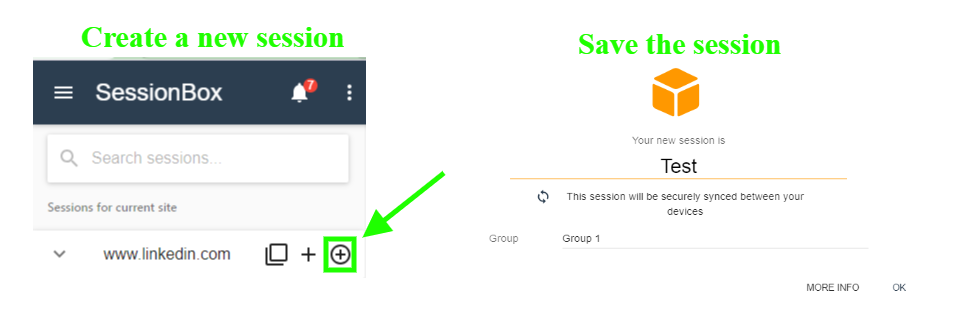
↳ Go to LinkedIn.com.
↳ Click on the SessionBox extension icon.
↳ Select the "+" icon to create a new stored session.
↳ Name your session and save it.
3. Add a Custom Proxy:

↳ Search for your session in the SessionBox extension.
↳ Click on the three dots next to the session, select "Settings," then "Others."
↳ Choose "Proxy" and add a new proxy.
(You can buy a proxy from sources like Bright Data, Privateproxy, etc.)
4. Log In to LinkedIn:
↳ Once the proxy is updated, log in to your LinkedIn account within the session.
With just the SessionBox extension and a proxy, you can manage each LinkedIn account efficiently from any desktop.
But again, as you scale, I bet you have some questions:
- How will you manage your campaigns as you scale?
- What happens if you target the same prospect from multiple accounts?
This is where the best method comes into play.
As of August 31, 2026, Google has permanently removed all Manifest V2 extensions from the Chrome Web Store, and they no longer run on stable Chrome (they actually stopped working back in Chrome 138 in July 2025). The old SessionBox extension is dead - you'll need to switch to the cloud app version of SessionBox to keep managing your sessions.
Alternatively, you could also use Multilogin. Just sign in and click on "New Profile."

Add in all the necessary details of that account and click on "Create Profile."

Anytime you want to login to another account just click on "Launch" and you can use that account immediately.
Method 3 - SalesRobot
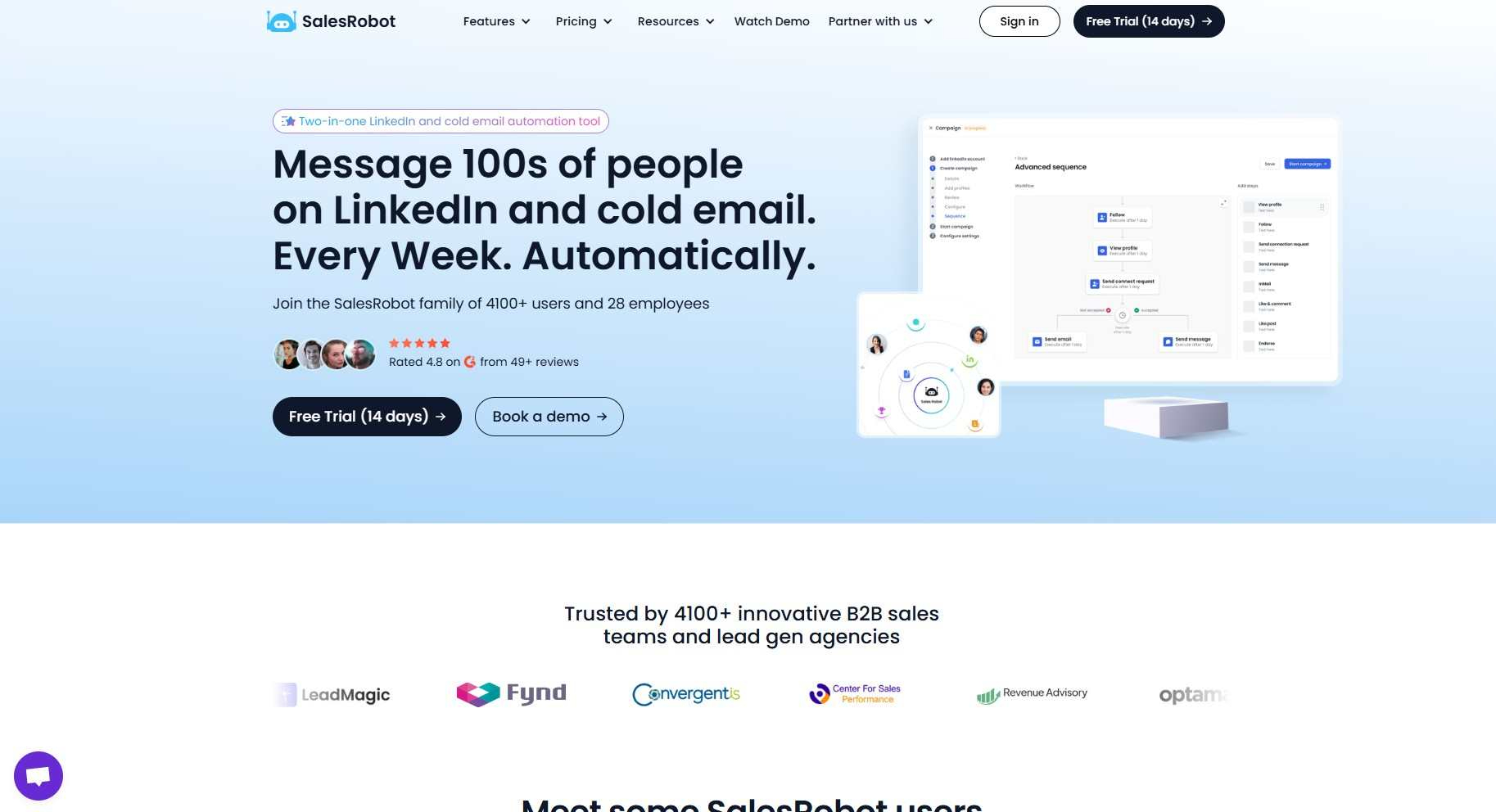
SalesRobot is a cloud-based LinkedIn and email automation tool. It allows you to manage multiple LinkedIn and email accounts and scale your efforts safely. The platform includes quality-over-quantity features that keep your LinkedIn account secure.
Here's how to get started:

↳ Sign up for SalesRobot.
↳ Add your LinkedIn account.
(And if you want, you can add an email account also)
↳ You can select a proxy based on location or add your custom proxy.
Once set up, start your campaign and choose the "Skip duplicates" option.
SalesRobot's Smart Inbox also helps here - it lets you monitor and reply across all your connected accounts in one place, with tags and filters (like showing only active prospects or paused sequences) so nothing slips through when you're juggling multiple accounts.
On top of that, SalesRobot runs on LinkedIn's mobile app APIs in the cloud (no Chrome extension needed, so nothing for LinkedIn to detect), gives each account a dedicated residential IP, and adds unique features competitors don't have: AI-personalized voice notes and video messages at scale, plus an AI Appointment Setter that replies to leads instantly and nurtures them until they book - all included across paid plans.
We've addressed each of your challenges with these solutions. Now, the question is:
Which Is The Best Method to Manage Multiple LinkedIn Accounts?
To find out which of these is the best method, let's do a comparison:

Each method has its pros and cons.
But if I had to choose, SalesRobot stands out. Not because I created it.
But because it's a robust, scalable solution with advanced features that truly help with LinkedIn management.
SalesRobot helps you scrape prospects from LinkedIn and Sales Nav search URLs and CSV imports. It sends hyper-personalized messages, follows up with prospects easily and even books you meetings. All on autopilot.
All on auto-pilot.
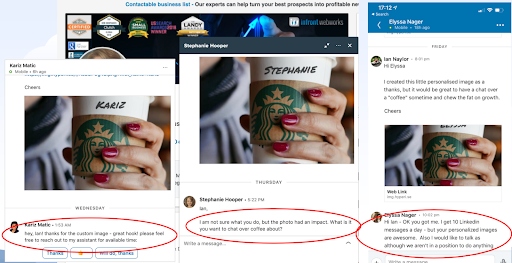
This is just the start of what SalesRobot can do. The platform stays compliant with LinkedIn's 2026 automation guidelines by focusing on quality over quantity and monitoring connection acceptance rates.
If you want to explore more - Take our 14-day risk-free trial and see all the features for yourself. 😉
Wishing you success!
Oh, and do check the FAQ below!
FAQ:
What happens to your Premium subscription when you hibernate your LinkedIn account?
If you have an active Premium subscription, it is automatically cancelled the moment you hibernate your account, and any promotional pricing you had may no longer be honored. If you subscribed through Apple, hibernating cancels that subscription with LinkedIn too.
How do you hibernate or temporarily deactivate a LinkedIn account?
Go to Settings & Privacy, then Account Preferences, scroll to Account Management, and select Hibernate account. Your profile becomes invisible while your data and connections stay saved. LinkedIn requires a 24-hour wait before you can log back in to reactivate.
How long can you hibernate a LinkedIn account?
LinkedIn does not set a time limit on hibernation - you can keep your account hibernated indefinitely, whether that's a few weeks, months, or even years. The only rule is that you must wait 24 hours after hibernating before you can log back in to reactivate it.
Can I Have Two LinkedIn Accounts With Different Emails?
No, each LinkedIn account requires a unique email address. LinkedIn's user agreement clearly states that users can't maintain more than one LinkedIn account.
Can I Have Two LinkedIn Accounts?
No, you can't have 2 LinkedIn accounts. LinkedIn's Terms of Service prohibit maintaining duplicate accounts.
Can I Have Personal And Business LinkedIn Accounts?
Yes! A company page will act as your business LinkedIn account. This is the proper way to separate personal and professional connections.
Can You Have Multiple LinkedIn Company Accounts?
No. You can't have multiple LinkedIn company accounts for one organization.
Can You Look at LinkedIn Without an Account?
Yes, you can view some LinkedIn profiles and public content without creating an account. However, your access is limited - you won't be able to see full profiles, connect with people, or access most LinkedIn features.
Can I View LinkedIn Without an Account?
Yes, you can browse LinkedIn without an account, but with restrictions. You can see some profile information and public posts, but full access to profiles, messaging, and networking features requires creating an account.
What Does LinkedIn Hibernate Account Mean?
LinkedIn hibernate account refers to temporarily deactivating your account while preserving your data. When you hibernate your LinkedIn account, your profile becomes invisible to others, but LinkedIn keeps your information so you can reactivate it later with all your connections and data intact.

Wow your leads by cloning yourself and sending personalized videos and voice notes to each lead on LinkedIn.
If you don't reply to leads within 5 mins, your chances of converting them fall by 50%. Our AI replies on your behalf instantly! (and yes, you can train it)

Don't shoot in the dark. Get detailed analytics on what's working

SalesRobot allows you to invite other team members, so that they can add their LinkedIn Account, run outreach campaigns and get amazing results just like you.
.avif)


Trusted by 4100+ innovative B2B sales teams and lead gen agencies

.avif)

.avif)




.avif)


Heading 1
Heading 2
Heading 3
Heading 4
Heading 5
Heading 6
Lorem ipsum dolor sit amet, consectetur adipiscing elit, sed do eiusmod tempor incididunt ut labore et dolore magna aliqua. Ut enim ad minim veniam, quis nostrud exercitation ullamco laboris nisi ut aliquip ex ea commodo consequat. Duis aute irure dolor in reprehenderit in voluptate velit esse cillum dolore eu fugiat nulla pariatur.
Block quote
Ordered list
- Item 1
- Item 2
- Item 3
Unordered list
- Item A
- Item B
- Item C
Bold text
Emphasis

Superscript
Subscript