.avif)
TL;DR
- Loom is still one of the easiest screen recording tools available in 2026, with a low setup barrier and strong integrations across 400+ platforms
- The Free Plan caps you at 25 videos and 5 minutes per recording, which becomes a real limitation fast for regular users
- The Business Plan costs $8/month per user and removes major restrictions, adding 1080p quality, unlimited videos, up to 45-minute recordings, and editing tools
- Enterprise pricing is custom and includes SSO, advanced admin controls, and a dedicated customer success manager
- New AI features in 2026 include automated bug reporting that auto-populates Jira tickets with console errors, device specs, and network activity
- Loom was not built for sales outreach and has no prospecting, sequencing, or lead management capabilities
- SalesRobot is a stronger option for sales teams, with LinkedIn automation plans starting at $59/month and a 14-day free trial with no credit card needed
Remember when explaining something over email took seventeen back-and-forth messages, three screenshots, and you still ended up on a Zoom call anyway?
Yeah, we've all been there. That's exactly why Loom exploded onto the scene as the savior of workplace communication.
But here we are in 2026, and the video messaging landscape looks completely different than it did a few years ago. Loom is still sitting pretty as the go-to screen recorder for millions of users, but competition has heated up big time.
The real question isn't whether Loom works (it absolutely does), but whether it's still your best bet when you factor in pricing changes, new features from competitors, and how your actual workflow has evolved.
This review digs into what Loom does well, where it falls short, and whether alternatives like SalesRobot might better serve your specific video messaging needs.

Loom: What You Need to Know
Loom fits best in the hands of people who communicate visually and asynchronously. Think customer support reps walking clients through a product, developers filing bug reports, or managers recording feedback instead of scheduling yet another meeting.
It's also popular for onboarding, training videos, and sales demos.
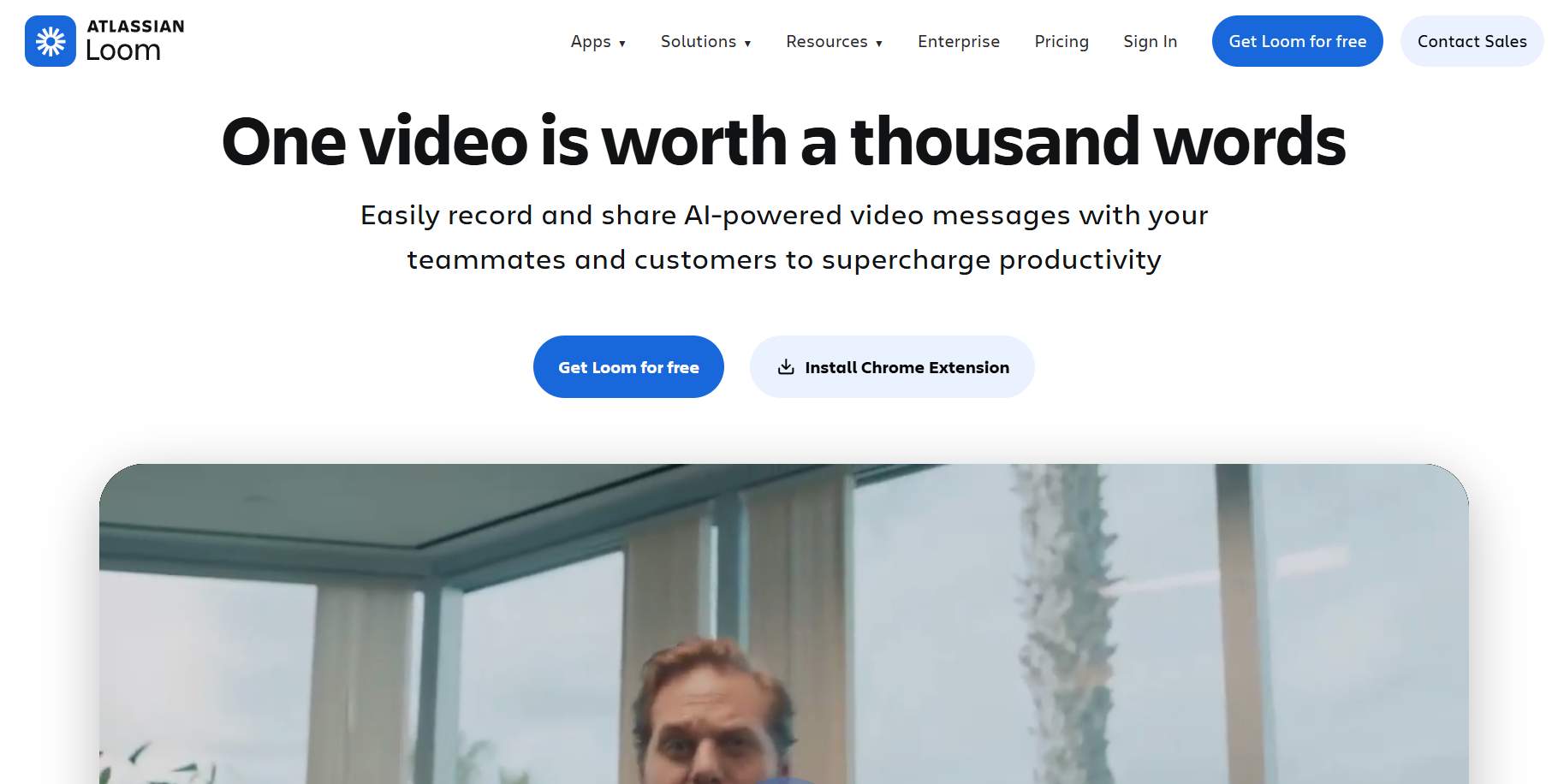
What it's not great for is sales prospecting. There's no sequencing, no CRM lead management, and no automation built in. If that's your primary use case, you'll be working around Loom rather than with it.
Loom's Key Features, Broken Down
Lightning Fast Screen Recording
Record your screen and camera in just a few clicks using Loom's Chrome extension, desktop app, or mobile app. No complex setup or technical knowledge required.
Perfect for creating quick bug reports, explaining software features to customers, or recording training videos for your team. Works seamlessly across Mac, Windows, iOS, and Android devices.
Intuitive Video Editor
Trim clips, stitch multiple recordings together, and add professional touches like custom backgrounds and text overlays. The editor is designed for speed, so you can create polished videos in minutes.
Add arrows and boxes to highlight important areas, making your tutorials and presentations crystal clear. No need for expensive editing software or hours of learning complex tools.
AI-Powered Bug Reports
Record a quick walkthrough of any software issue and Loom's AI automatically creates a fully populated Jira ticket. It captures technical details like device specs, console errors, and network activity without you lifting a finger.
This means developers get all the context they need to fix problems fast. No more back-and-forth emails asking "what browser were you using?" or "can you reproduce this?"
Universal Sharing and Integration
Share your Loom videos anywhere with a simple link or embed them directly into tools like Slack, Google Workspace, and hundreds of other platforms. Your videos work wherever your team already collaborates.
Send a Loom link in a Slack message, embed it in a Notion doc, or include it in an email. Recipients can watch immediately without downloading anything or creating accounts.
Interactive Collaboration Tools
Viewers can add emoji reactions, leave timestamped comments, and create tasks directly on your videos. This turns one-way recordings into dynamic conversations.
Team members can react with thumbs up at specific moments, ask questions about particular steps, or assign action items. Plus, automatic transcripts and captions in 50+ languages keep everyone in the loop across time zones.
Enterprise-Grade Security
Protect sensitive content with SSO integration, custom data retention policies, and granular privacy controls. You decide who can view, download, or share each video.
Set videos to expire after a certain date, require passwords for access, or restrict viewing to specific team members. Perfect for sharing confidential client information or internal strategy discussions.
Loom Pricing: How Much Will It Cost?
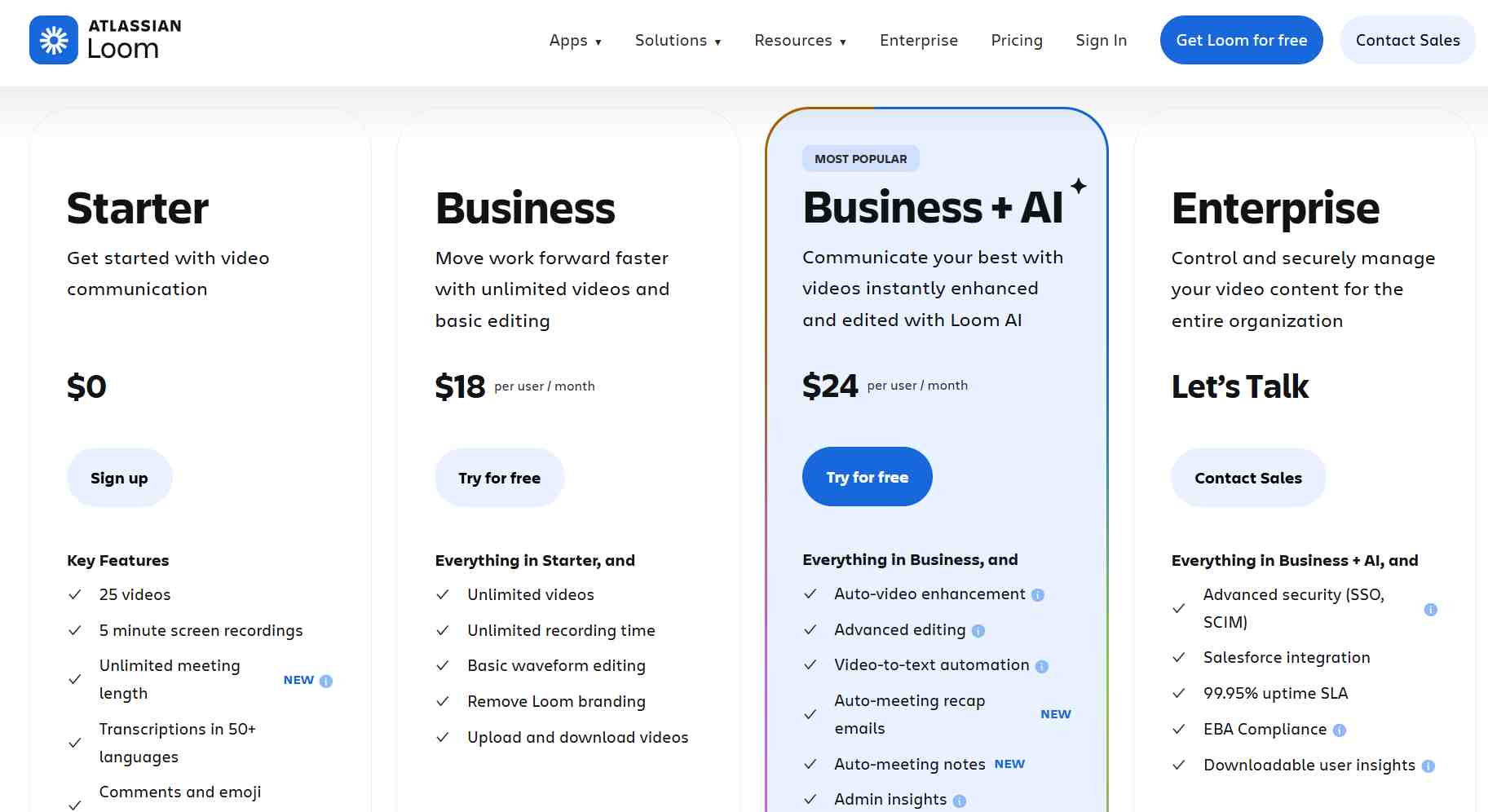
Starter (Free): $0/month
- Up to 25 videos per person
- Maximum 5 minutes per video
- Basic screen and camera recording
- Standard video quality (720p)
- Basic sharing capabilities
- Loom watermark on videos
Perfect for individuals who want to try video messaging or have very light recording needs.
Business: $18/month per user
- Unlimited videos
- HD video quality (1080p)
- Custom thumbnails and branding
- Video editing tools (trim, stitch, backgrounds)
- Viewer insights and analytics
- Password protection and expiration dates
- Integrations with 50+ tools
Best for small teams and businesses that need professional video communication without restrictions.
Business + AI: $24/month per user
- Auto video enhancement
- Advanced editing
- Video-to-text automation
- Auto-meeting recap emails
- Auto-meeting notes
- Admin insights
Enterprise: Custom pricing
- Everything in Business plan
- Advanced security features (SSO, SCIM)
- Custom data retention policies
- Advanced admin controls and user management
- Priority customer support
- Custom integrations and API access
- Dedicated customer success manager
Designed for large organizations that need enterprise-grade security and administrative controls.
Loom offers a generous free plan that lets you test core features with no time limit.
The Business plan provides excellent value for most teams, removing all major limitations while adding professional features.
Enterprise pricing varies based on company size and requirements, but expect to pay significantly more for advanced security and support features.
Loom vs SalesRobot: How Do They Compare?
Choose Loom when you need to create engaging video content for internal communication, customer support, or personalized sales demos. Pick SalesRobot when you want to automate multi-touch outreach campaigns across LinkedIn and email to generate consistent lead flow.
SalesRobot: The LinkedIn-First Alternative
If you've been eyeing Loom for sales outreach, it's worth stepping back and thinking about where your prospects actually spend their time. 🎯
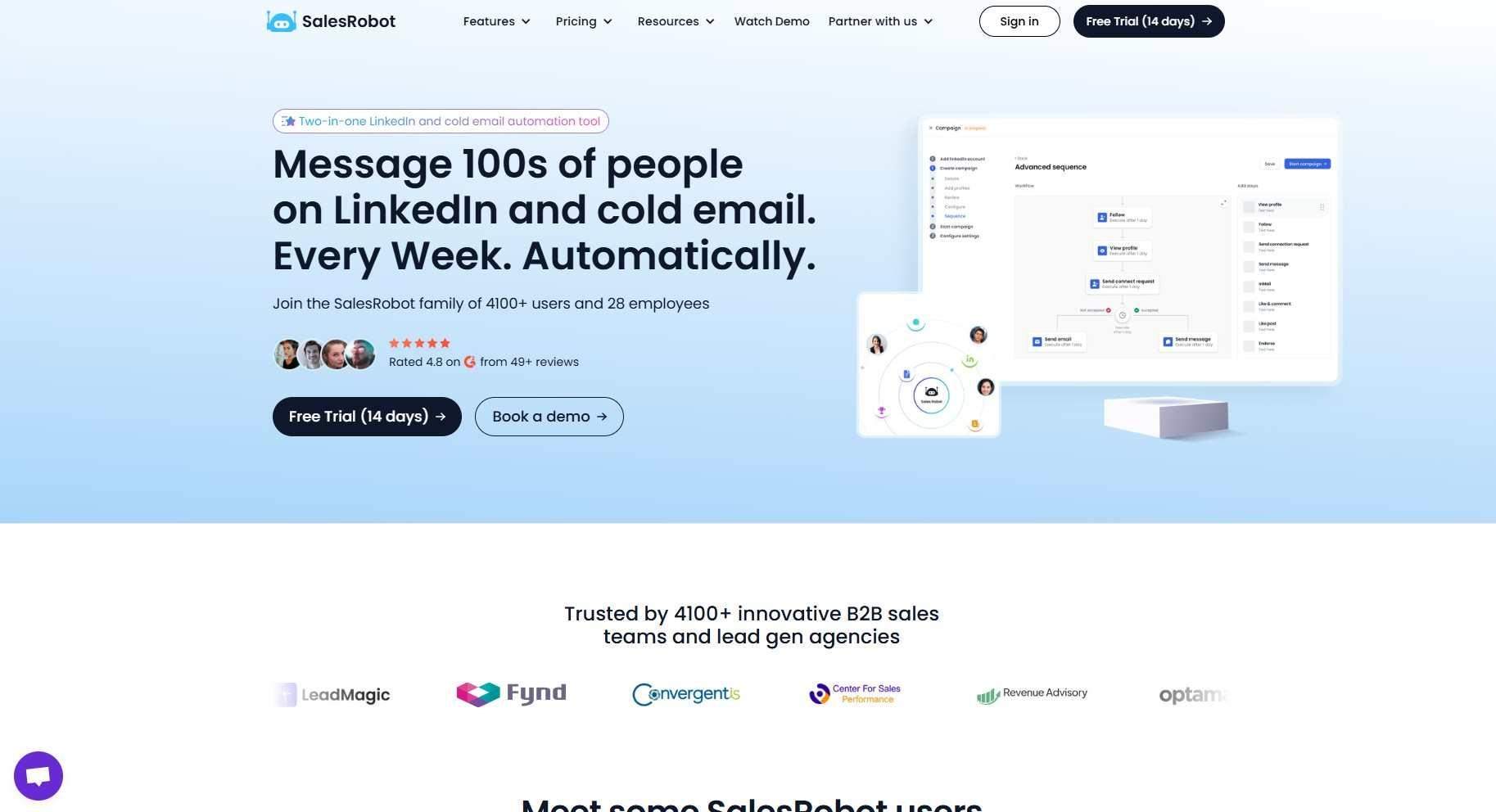
SalesRobot is built specifically for LinkedIn prospecting. It handles everything from connection requests to multi-step follow-up sequences, all running in the cloud without putting your LinkedIn account at risk.
Here's what it actually does.
LinkedIn Mobile API Integration
SalesRobot runs on LinkedIn's mobile APIs rather than browser automation. That distinction matters a lot because browser-based tools are far easier for LinkedIn to detect and flag.
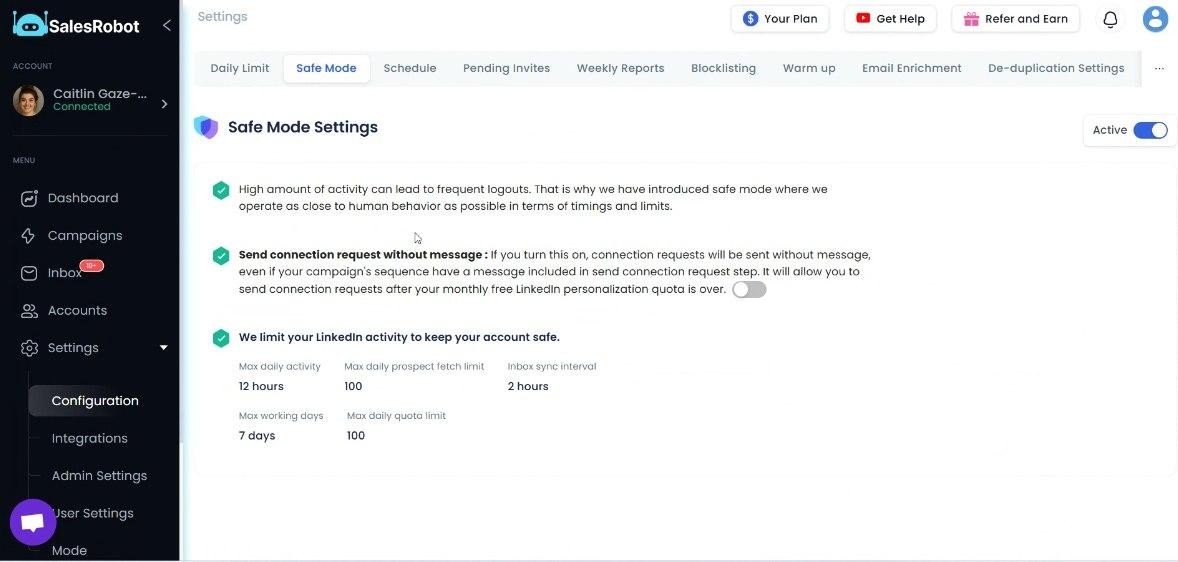
Users consistently report zero account bans when staying within the platform's recommended daily limits.
AI Voice and Video Messages
SalesRobot lets you send personalized voice notes and video messages directly through LinkedIn at scale.
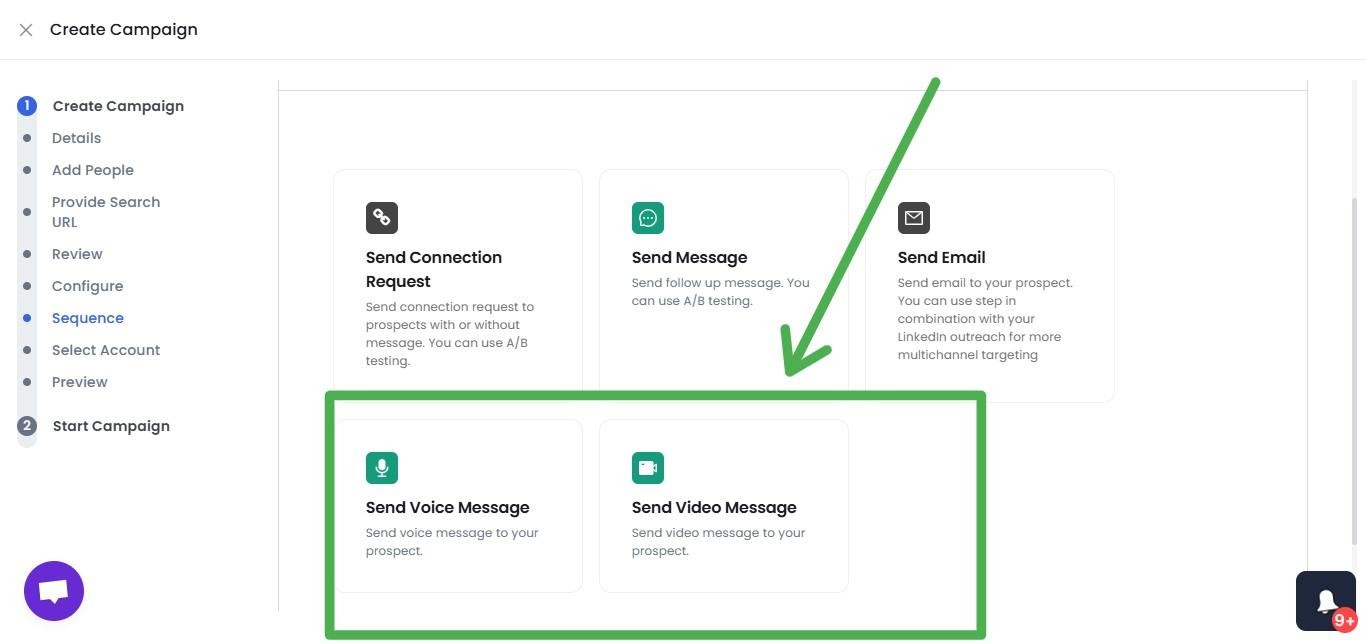
These formats cut through the noise of standard text outreach and tend to generate significantly higher reply rates than templated messages.
Smart Reply Detection
The moment a prospect responds, SalesRobot automatically pauses the sequence for that contact. No awkward follow-up messages landing after someone has already replied.
It's a small detail that makes a real difference in how your outreach comes across.
Multi-Step Sequences
Build campaigns that move between LinkedIn messages and cold emails, with conditional logic and time delays built in. Follow-ups adjust based on what the prospect actually does, not just a fixed timer.
Everything runs automatically once the campaign is live.
Daily Safety Limits
SalesRobot caps activity at 75 connection requests and 75 messages per day on paid plans, in line with LinkedIn's limits. Activity patterns are designed to look natural, not robotic.
AI Appointment Setter
This is an AI agent that handles your inbox, nurtures leads through conversation, and books meetings when prospects are ready.
For solo founders or small teams without a dedicated SDR, this feature does a lot of the work that would otherwise fall through the cracks.
SalesRobot Pricing
SalesRobot pricing is per LinkedIn account, with annual billing offering up to 35% savings.

Basic: $39/month (billed annually)
- 1 active campaign
- Limited daily quotas (20 connections, 20 messages per day)
- Advanced dashboard and reports
Best for individuals testing LinkedIn outreach on a budget.
Advanced: $59/month (billed annually)
- Unlimited active campaigns
- Full daily quotas (75 connections, 75 messages per day)
- A/B testing and webhook integrations
- Personal inbox management
Ideal for serious individual contributors who need full LinkedIn automation capabilities.
Professional: $79/month (billed annually)
- Everything in Advanced
- Team management and collaboration features
- Activity control across multiple accounts
- Advanced admin settings
Perfect for agencies and B2B sales teams managing multiple LinkedIn accounts.
Enterprise: Custom pricing
- Everything in Professional
- Premium onboarding and dedicated support
- Customer success manager
- Custom implementation help
Designed for larger organizations needing hands-on support and strategy guidance.
SalesRobot offers a 14-day free trial with no credit card required, giving you full access to test their LinkedIn automation and see results before committing to a paid plan.
The Verdict
Loom is absolutely worth it if you're doing internal team communication, customer support, or educational content. It's reliable, easy to use, and gets the job done without fuss.
But here's the thing: Loom wasn't built for sales outreach. You'll spend more time wrestling with workarounds than actually selling.
The platform shines for async communication and quick explanations. For cold outreach and LinkedIn prospecting? Not so much.
Bottom Line
Buy Loom if you need solid screen recording for team collaboration, customer onboarding, or training materials. Skip it if your main goal is sales outreach and lead generation.
If you're focused on LinkedIn sales and want a tool built specifically for prospecting, check out SalesRobot instead. It's designed from the ground up for LinkedIn outreach, not retrofitted from a general recording tool.

Wow your leads by cloning yourself and sending personalized videos and voice notes to each lead on LinkedIn.
If you don't reply to leads within 5 mins, your chances of converting them fall by 50%. Our AI replies on your behalf instantly! (and yes, you can train it)

Don't shoot in the dark. Get detailed analytics on what's working

SalesRobot allows you to invite other team members, so that they can add their LinkedIn Account, run outreach campaigns and get amazing results just like you.
.avif)


Trusted by 4100+ innovative B2B sales teams and lead gen agencies

.avif)

.avif)




.avif)