.avif)
📊 TLDR: Outplay Features at a Glance
This blog is for you…
If you are a sales representative or business developer looking to improve your cold outreach efforts?
If so, you've probably come across Outplay.
Outplay's sales engagement platform lets you prospect, engage, track, and close deals all from one place.
I used Outplay for a few months now, and I am going to share my experience with this tool.
I'm going to give you a thorough evaluation of Outplay in this blog. I'll cover the following topics:
- What Outplay is and how Outplay can help you
- The pros and cons of Outplay
- Outplay pricing
- Outplay alternatives
If you're serious about improving your cold outreach, then I highly recommend reading this blog post. By the end of it, you'll have a clear understanding of whether Outplay is the right tool for you.
If you don't read this blog, you'll miss out on the following:
- An in-depth analysis of Outplay's features
- Real customer feedback on Outplay's pros and cons
- Comparison with its best alternative sales engagement platform
Let's start exploring, but before we dive into the blog, here are some of the factors that I'll be evaluating in my review:
- Ease of use
- Features
- Integrations
- Support
- Pricing
I'll also be giving my honest opinion on whether Outplay is worth the investment.
Let's first go over what Outplay is and how it works in the first section of our review.
How can Outplay help your sales team? And what is it?
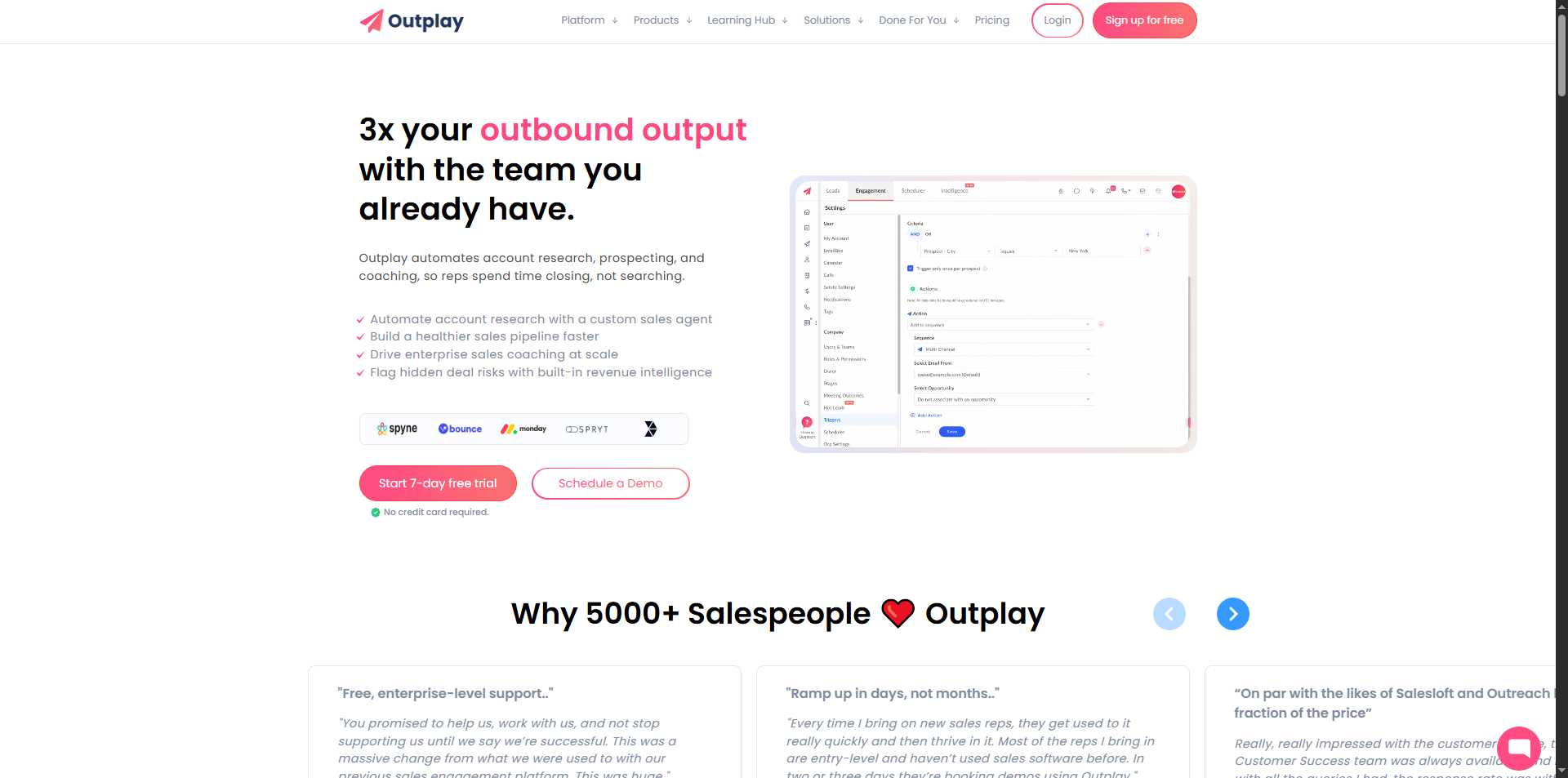
Outplay is a sales engagement platform that helps sales teams increase their productivity and efficiency by automating repetitive tasks such as email follow-ups and appointment scheduling.
For sales teams, it works as a one-stop shop. It combines outreach via email, phone, SMS, LinkedIn, WhatsApp, and chat into a single, cohesive platform.
Also, the platform makes it easy to:
- Manage outreach,
- Track engagement, and
- Automate workflows.
How to begin using Outplay?
Before you begin using Outplay, here's a quick update:
When you sign up, you will receive a 14-day free trial period that gives you access to the majority of features and integrations.
Now, let's start our Outplay review with a quick table of the pros and cons for those who are skimming the blog 😉.

Moving on to the detailed customer reviews for Outplay in the following sections.
Outplay Customer Reviews
Outplay has received positive customer reviews. Many praised the platform's intuitive interface and its comprehensive multi-channel outreach features.
Users particularly appreciate the exceptional customer support and the ability to engage prospects across multiple touchpoints including email, LinkedIn, SMS, phone, and chat all from one platform.
According to Capterra reviews, customers consistently highlight Outplay's responsive customer service, with Software Advice giving them 4.9/5 for support - the highest subrating across all categories. As one customer noted: "They have the best customer service. We've tried other sales engagement tools but with Outplay, most if not all our needs were met."
Let's first review why users are enjoying their experience with Outplay.
What are the benefits of using Outplay?
The platform has several pros that make it an attractive option for sales teams.
The pros of Outplay are:
Automated email sequences:
- Outplay allows you to create and automate email sequences with features like open tracking, link tracking, send later, reminders, and personalized videos, making it easy to follow up with customers regularly.
- This feature helps you stay in touch with prospects without missing a beat, ensuring you maintain communication and increase your chances of conversion.

Good workflow and task management:
- Outplay helps you stay organized by providing a side section where you can see your tasks and receive reminders.
- This feature ensures that you never forget to follow up or call your prospects, saving you time and helping you manage your day-to-day activities more efficiently.

Easy import and management of large databases:
- With Outplay, you can easily import larger databases of CSV files and set them up according to your requirements.
- It simplifies the process of managing and organizing your contact lists, allowing you to work with a huge database of leads without any hassle.

User-friendly interface:
- Outplay offers a very intuitive interface.
- If you have any experience with sales-enablement software, using Outplay is a breeze, enabling users to understand and utilize its features without extensive training.

Multichannel outreach and engagement tracking:
- Outplay provides the capability to manage and track multichannel outreach on a single software platform.
- So, you can engage with prospects across email, phone, SMS, LinkedIn, WhatsApp, video, and website chat and automatically move them across sequences with action-based triggers.
- Additionally, the platform offers engagement tracking, allowing you to monitor prospects real-time responses and use reports to discover your best sequences and identify what's working.
Excellent Customer Support:
- One of Outplay's standout features is their exceptional customer support, consistently rated as the highest among competitors.
- Users report that customer support actually responds quickly and effectively to help resolve issues and answer questions.
- The platform provides professional onboarding support to help teams get started successfully.
These features empower sales professionals to streamline their processes, save time, and effectively engage with prospects for improved sales outcomes.
But that's not all. It won't be right to evaluate a tool without mentioning its shortcomings.
So, in the next section of this Outplay review, we'll dish out the dirt on the platform and paint an honest picture of the tool.
What are the disadvantages of using Outplay?
Outplay has shortcomings that users should be aware of before using the platform.
The cons of using Outplay are:
Limited Native Prospecting Capabilities:
- One significant limitation users have noted is that it's difficult to prospect and add leads directly within Outplay.
- The platform excels at engaging existing lists but offers limited native prospecting, which means you'll need to rely on external tools for lead generation.

Reporting limitations:
- Some users have expressed that while Outplay offers campaign tracking and engagement metrics, the reporting capabilities could be more comprehensive.
- This limitation can hamper the ability to track advanced key performance indicators (KPIs) accurately, which can be crucial for evaluating team performance in detail.

User interface and performance issues:
- While Outplay has an intuitive interface, some users have encountered issues with occasional performance hiccups and outdated components.
- These issues can affect the overall user experience and efficiency.

Configuration complexity:
- Initially, configuring Outplay can be a bit challenging, requiring practice to understand the tool fully.
- Despite the intuitive interface, the learning curve may deter some users from quickly adopting and utilizing its advanced features.

Integration challenges:
- While Outplay integrates with popular CRM systems like Salesforce, HubSpot, Pipedrive, and Zoho CRM, some users report that integration performance can be inconsistent.
- This can hinder workflow efficiency and data synchronization in some cases.

Limited Advanced Customization:
- The tool offers email sequence personalization and templates, but has limited advanced customization for complex workflows and a less flexible user interface for specific business needs.
- It may not suit businesses with highly specific branding requirements or unique complex workflows.
- Some users have noted limitations in advanced LinkedIn prospecting capabilities compared to specialized LinkedIn automation tools.
- They also desire more sophisticated tracking and analytics features for detailed performance analysis.
Users have noted that Outplay can be relatively expensive for larger teams or agencies compared to other sales enablement tools in the market which can be a barrier for small businesses or those on a tight budget.

Overall, despite its strengths in multi-channel outreach and user-friendly design, Outplay faces some criticism for configuration complexity, reporting limitations, integration consistency, and occasional performance issues.
While the last point was about pricing, let's keep up the rhythm by discussing Outplay's different pricing plans.
{{mobile-cta}}
What are the pricing and plans for Outplay?
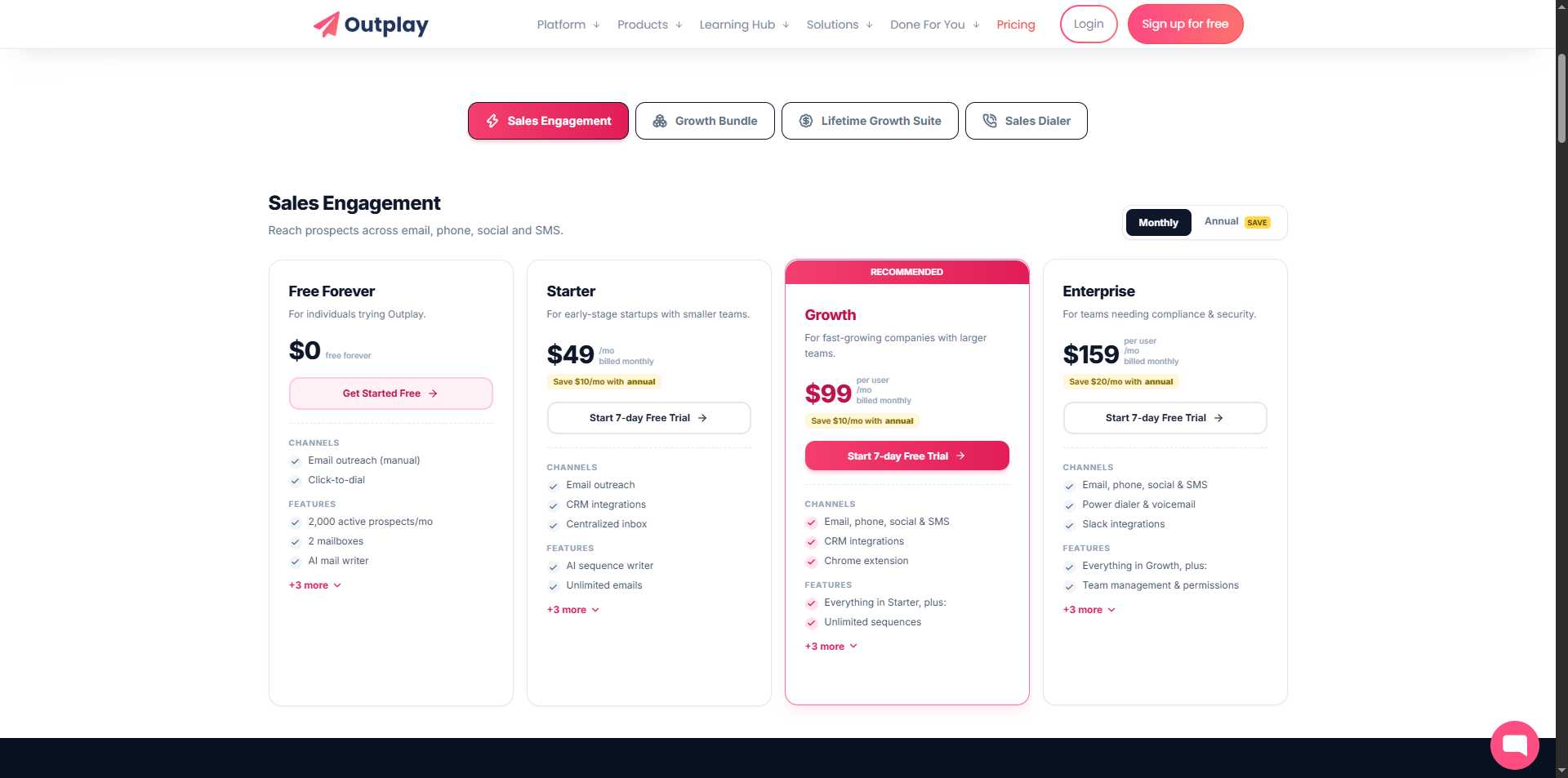
Outplay offers 3 main services with different pricing structures:
1. Sales Automation - It has 4 pricing plans
Features: 5 mailboxes, unlimited emails, AI sequence writer, CRM integration, multi-channel outreach, but limited to basic features.
Features: 5 mailboxes, unlimited emails, AI sequence writer, Salesforce integration, advanced reporting, and enhanced multi-channel capabilities.
Features: 15 mailboxes, unlimited emails, AI sequence writer, Slack integration, advanced analytics, and premium support.
There is also a discount offered on all their plans if you choose to pay annually.
2. Marketing Automation - It has 2 pricing plans
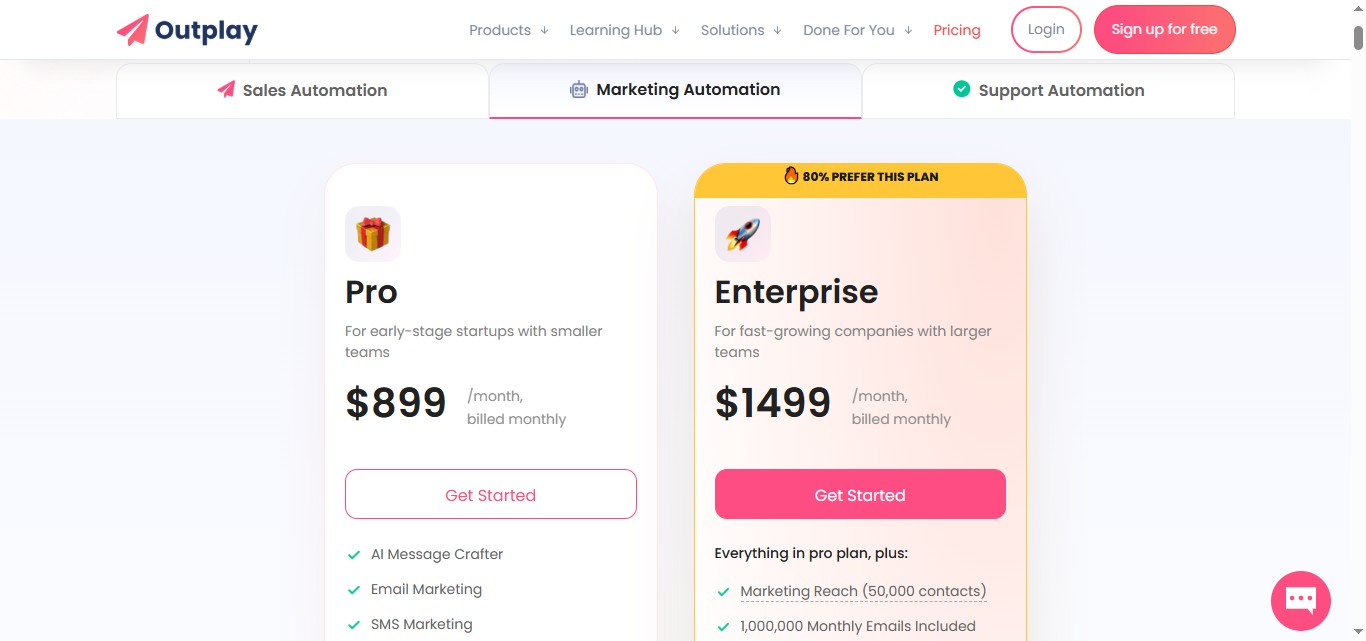
It includes AI Message Crafter, email Marketing, SMS Marketing, push notifications, popup marketing, WhatsApp marketing, marketing reach (10,000 contacts), AI Composer, Unlimited Broadcasts, and 500,000 monthly emails included.
Includes everything in pro plan, plus marketing Reach (50,000 contacts), 1,000,000 monthly emails, and custom trigger-based Journey
3. Support Automation- It has 2 pricing plans
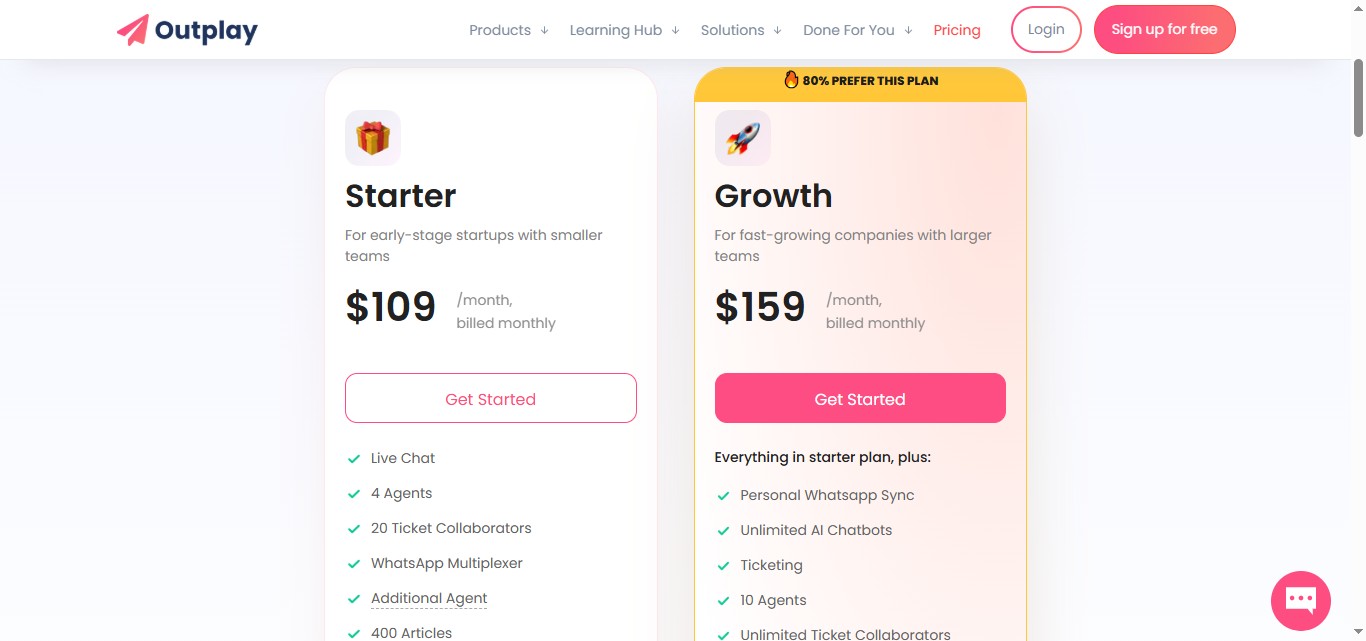
It includes:
- Live Chat
- 4 Agents
- 20 Ticket Collaborators
- WhatsApp Multiplexer
- Additional Agent
- 400 Articles
- Unlimited Surveys
- Post Chat Feedback
- Knowledge base
- Unified Inbox
- Growth Price: $159 per month, billed monthly
It includes:
- Everything in starter plan, plus:
- Personal Whatsapp Sync
- Unlimited AI Chatbots
- Ticketing
- 10 Agents
- Unlimited Ticket Collaborators
- Additional Agent
- 1000 Articles
4. Bundle plan - 2 Plans
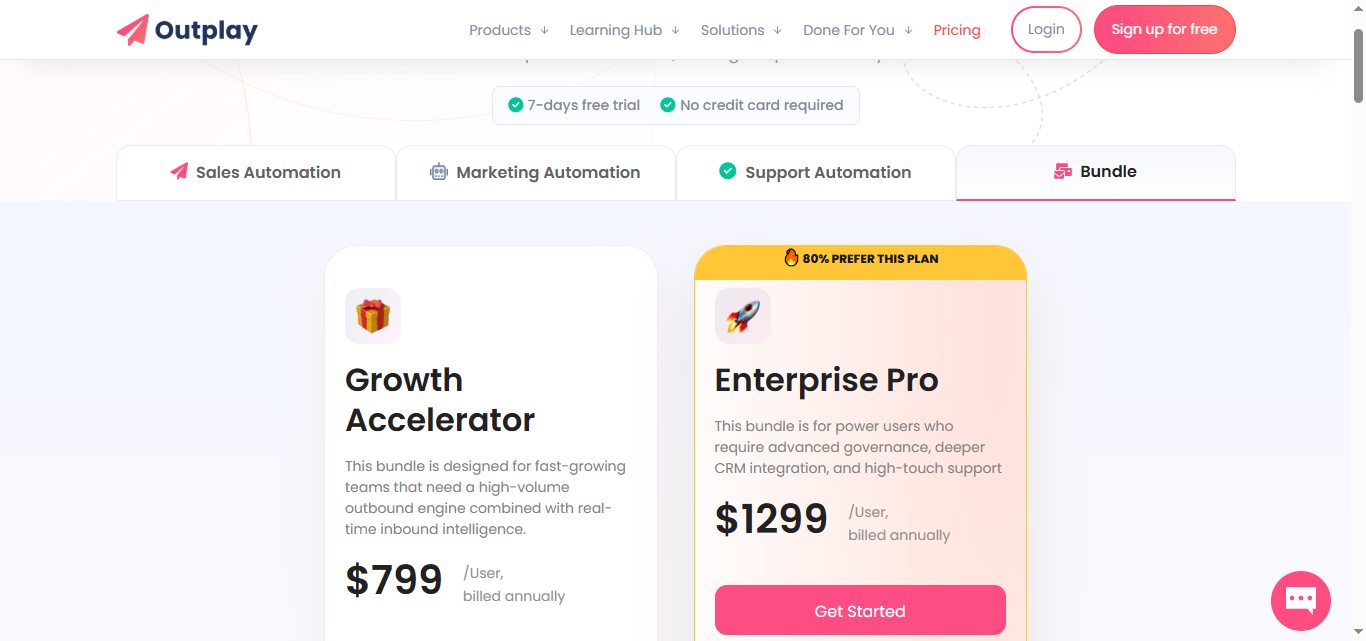
• Growth Accelerator: $799/user, billed annually.
It includes
- 200 leads free every month
- 1 Year Outplay Enterprise Plan
- Unlimited Prospects
- 5 emailboxes per user
- Unlimited Emails
- Price per additional Users
- Multichannel Outreach
- AI Sequence Writer
- Unlimited Sequences
- Salesforce Integration
- Dynamics 365 Integration
- Basic Dialer
- Website Tracking
- Outbound Chat
- Chrome Extension for Gmail, Office +7
- Standard Holiday Calendars
- Set Time Off
- Unlimited Triggers
- Identify Hot Leads
- Opportunities
- Accounts
- System Logs
- Schedule PauseAdd
- Custom Onboarding
- 240 min of Transcription
- Conversation Recording Length of 180 mins
- 2 years of recording storage
• Enterprise Pro: $1,299/user, billed annually.
Everything in Growth Accelerator plan, plus:
- 300 leads free every month
- 1 Year Outplay Enterprise Plan
- Unlimited Prospects
- 15 emailboxes per user
- Unlimited Emails
- Price per additional Users
- Multichannel Outreach
- AI Sequence Writer
- Unlimited Sequences
- Slack Integration - Deal Rooms
- Slack Integration - Slash Commands
- Power Dialer
- Auto Drop Voicemail
- Call Recording Storage
- Team Management
- Custom Holiday Calendars
- Goal Settings
- Single Sign-on - Okta & SAML
- Advanced Hot Leads with Mixpanel
- Custom Roles & Permissions
- Team Management
- Team Assets
- Live Chat
- Dedicated Success Manager
- 480 min of Transcription
- Conversation Recording Length of 180 mins
- 2 years of recording storage
- Custom Recording BOT Name
In conclusion, Outplay offers transparent pricing with different tiers suitable for teams of all sizes, though it might require careful consideration of which features you actually need to ensure cost-effectiveness.
It's essential to consider the pricing structure carefully and evaluate whether the features align with your specific outreach needs and budget constraints.
The plans vary in the number of features and integrations offered. The highest-tier plans provide access to all features and advanced integrations.
Let's play fair and put all the cards on the table since the platform has other noteworthy features. We'll learn about them in the next section of this Outplay review.
What are the other features worth mentioning in Outplay?
Outplay has extensive features designed for comprehensive sales engagement. Some of the key features include:
SDR Agent
Outplay recently launched their SDR Agent, an intelligent sales prospecting tool that automates lead discovery, enrichment, and outreach.
Think of it as a virtual sales development rep that works around the clock - finding leads, matching them to your ideal customer profile (ICP), and adding them to targeted sequences.
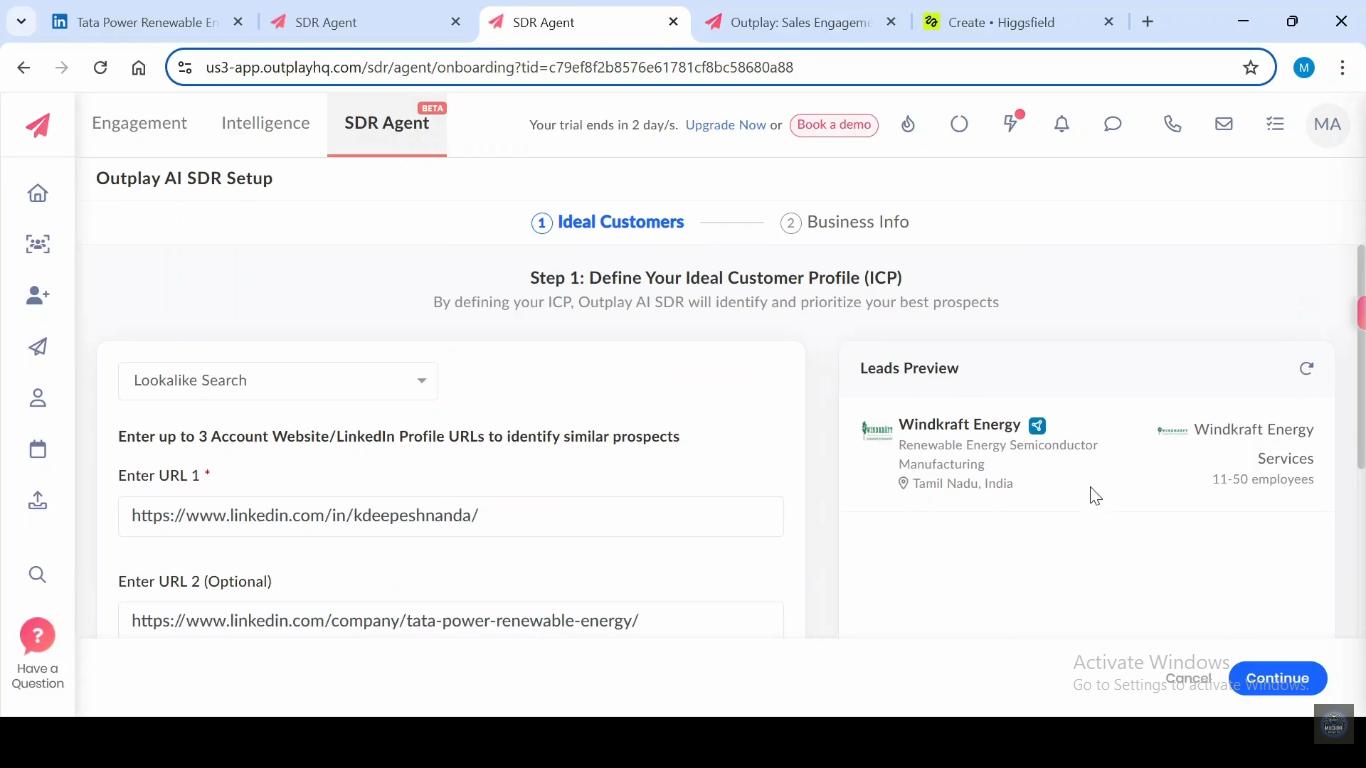
Key capabilities of the SDR Agent:
- AI-powered lead discovery: Filter prospects by title, company, and industry to find your perfect matches
- One-click export: Seamlessly move discovered leads into Outplay sequences without manual data entry
- Lookalike lead generation: Expand your reach by finding prospects similar to your best customers
- Enriched lead data: Get complete prospect information ready for immediate outreach
- No-code setup: Get started quickly with lightning-fast syncing and straightforward configuration
While this is a step in the right direction for Outplay's prospecting capabilities, it's worth noting that the SDR Agent focuses primarily on data discovery and enrichment, providing a solid foundation for sales teams to build their outreach campaigns.
The features that are all wrapped up in one easy-to-use package are:
- Multichannel Outreach- It helps in connecting with your prospects through multiple channels including email, phone, SMS, LinkedIn, WhatsApp, video, and website chat. You can automatically move prospects across sequences with action-based triggers based on their behavior and engagement.
The features that are all wrapped up in one easy-to-use package are:
- Email Sequencing with AI Writer
- Social Media Integration
- Sales Dialer
- SMS and WhatsApp Messaging
You can also see where your prospects are in the sales funnel and tailor your outreach activities accordingly with detailed engagement tracking and analytics.

- Task and Pipeline Management - It helps you stay on top of sales duties and due dates, manage and prioritize activities, and handle everything from lead sourcing to meeting scheduling on one platform with automated workflow triggers.
- Chrome Extension- The tool's Chrome Extension lets you access key features from your browser, helping you prospect leads, schedule meetings, and send follow-up emails directly from web pages you're browsing.
Now that we have covered the ins and outs of the Outplay tool, let's not forget that addressing its limitations and understanding alternative options is also part of the review process.
Outplay is a comprehensive sales engagement tool, but it has certain limitations and might not be suitable for every business. For example, some users find that it lacks some advanced LinkedIn prospecting features and highly specialized customization options that some firms require.
Which is worth considering, as LinkedIn automation has been shown to get roughly 2x better response rates than cold emailing alone.
If you're using Outplay, you might want to evaluate whether it fully meets your specific sales engagement needs.
While Outplay has many advantages, you might need a more specialized solution for certain aspects of your sales process.
Here is a quick recap of the specific limitations of Outplay:
- Advanced LinkedIn automation limitations: While Outplay includes LinkedIn in its multi-channel approach, it may not offer the advanced LinkedIn-specific features that specialized tools provide. This can be a consideration for businesses that rely heavily on LinkedIn for lead generation.
- Advanced customization constraints: While Outplay offers good templates and personalization, it may not provide the level of advanced customization that some businesses with very specific workflows require. For example, highly complex branching logic or advanced analytics may be limited.
- Learning curve for advanced features: While the interface is intuitive, some users find that mastering all of Outplay's advanced capabilities requires time and practice, which can impact quick adoption.

- Integration consistency: While Outplay integrates with major CRMs, some users report occasional inconsistencies in data synchronization, which can be important when managing complex sales processes.

So, if you consider Outplay, be sure to weigh its comprehensive multi-channel approach against your specific needs. It might not be the perfect fit if you're looking for highly specialized LinkedIn automation, extremely advanced customization, or need the most responsive customer support.
Consider alternatives like SalesRobot, which offers specialized LinkedIn prospecting, advanced automation features, and a focus on user experience and support.
#1 Outplay Alternative: SalesRobot if you want solid LinkedIn Automation capabilities
As a sales engagement platform, SalesRobot helps your sales teams close deals faster. It is a sales outreach automation solution for LinkedIn and email.
SalesRobot is primarily focused on automating LinkedIn and cold email outreach, while Outplay provides a broader set of features for managing your entire sales process.
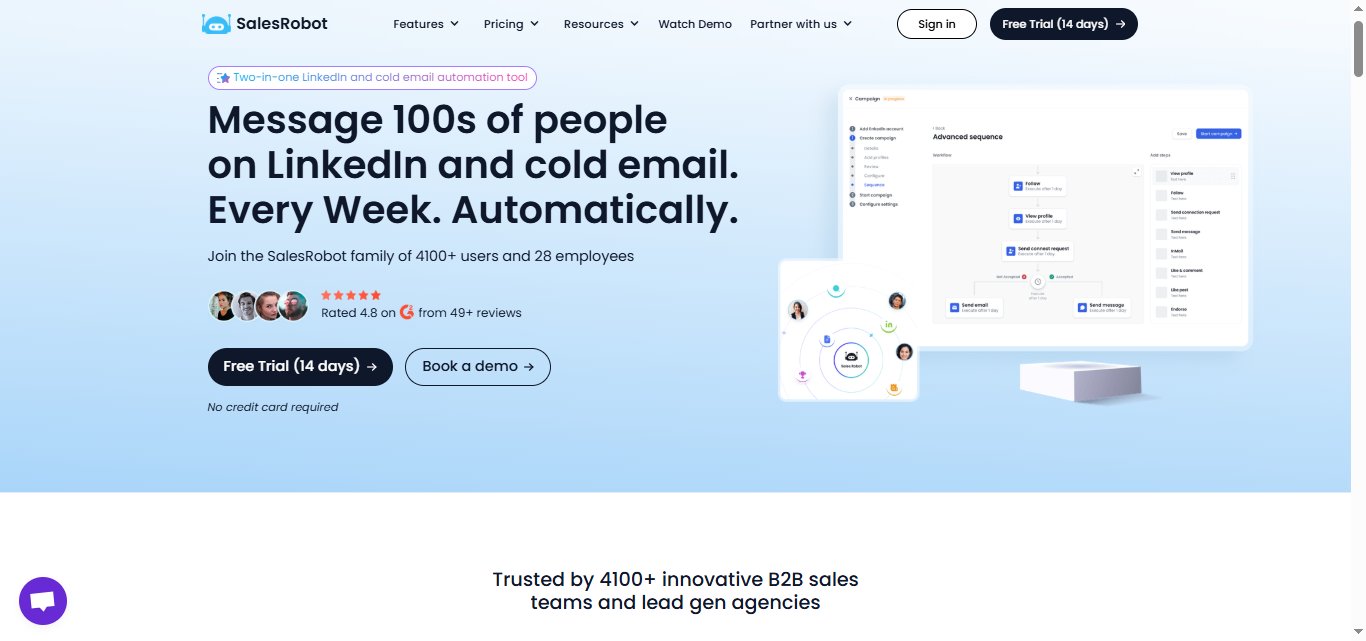
SalesRobot offers various tiered pricing plans according to your individual needs, with many of the key features available in the starter plan itself!
Outplay has a more complex pricing structure based on the number of users and the features you need.
Why should you use SalesRobot over Outplay?
1. Superb Customer Service:
SalesRobot has maintained its stellar reputation for customer support.
- The informed officials reach out when you need help even on weekends.
- Yes, you heard it right. SalesRobot offers customer support service 24X7.

{{mobile-cta}}
2. Ease of Use:
- The SalesRobot interface is simple to use. The UI is beginner-friendly, hence easy to navigate.
- While Outplay has an intuitive interface for experienced users, SalesRobot focuses on simplicity for all skill levels.

3. Fast Performance:
- This platform is easy to run with little to no performance issues.
- The team at SalesRobot is quick to fix any bugs or problems within the system.
- We value our customer feedback and constantly strive to maintain the ease of the platform.
4. Powerful LinkedIn Prospecting:
SalesRobot has revolutionized LinkedIn prospecting.
- The platform is designed to help you easily surpass the daily LinkedIn outreach limit.
- It ultimately builds up your sales pipeline.

5. Hyper-personalization and customization:
When you increase outreach volume, most tools cannot personalize and customize messages as you scale, but with SalesRobot, both are possible.

- You can hyper-personalize your outreach.
- You can also exploit the many sequential and customization features to tailor your outreach to your prospects.
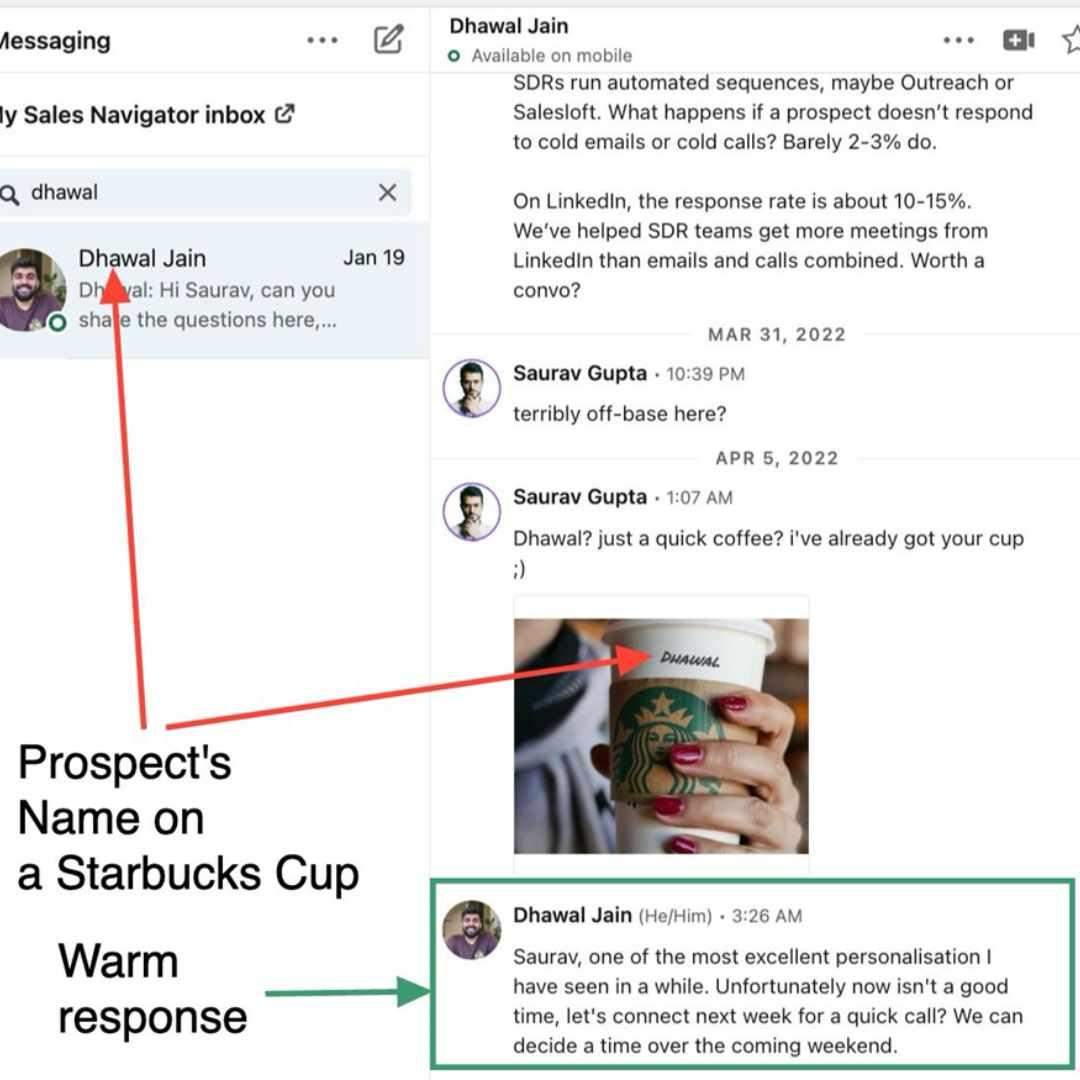
- You can personalize more than just texts and sequences- SalesRobot's hyperized image takes customization to the next level.
- Voice and Video Notes with AI Cloning: SalesRobot now lets you send voice notes and video messages using AI voice cloning technology. You can create personalized voice messages that sound like you, complete with custom variables for each prospect.

- AI Variables: You can hyper-personalize your outreach with our advanced AI Variables feature. Beyond just using first names, last names, company names, and job titles, you can now create deeply customized messages using AI-powered prompts.
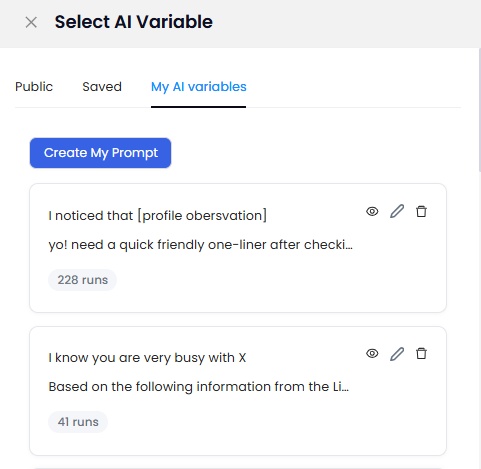
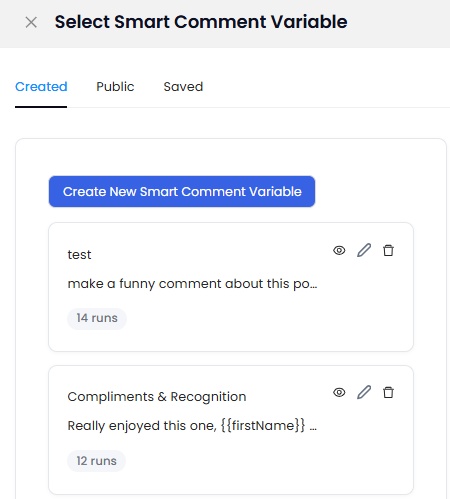
- Smart Commenting: When creating a campaign, when someone adds the "Like and comment" step, they get an option to add a comment with personalization tags, OR add a smart comment [which is AI variables but for comments].
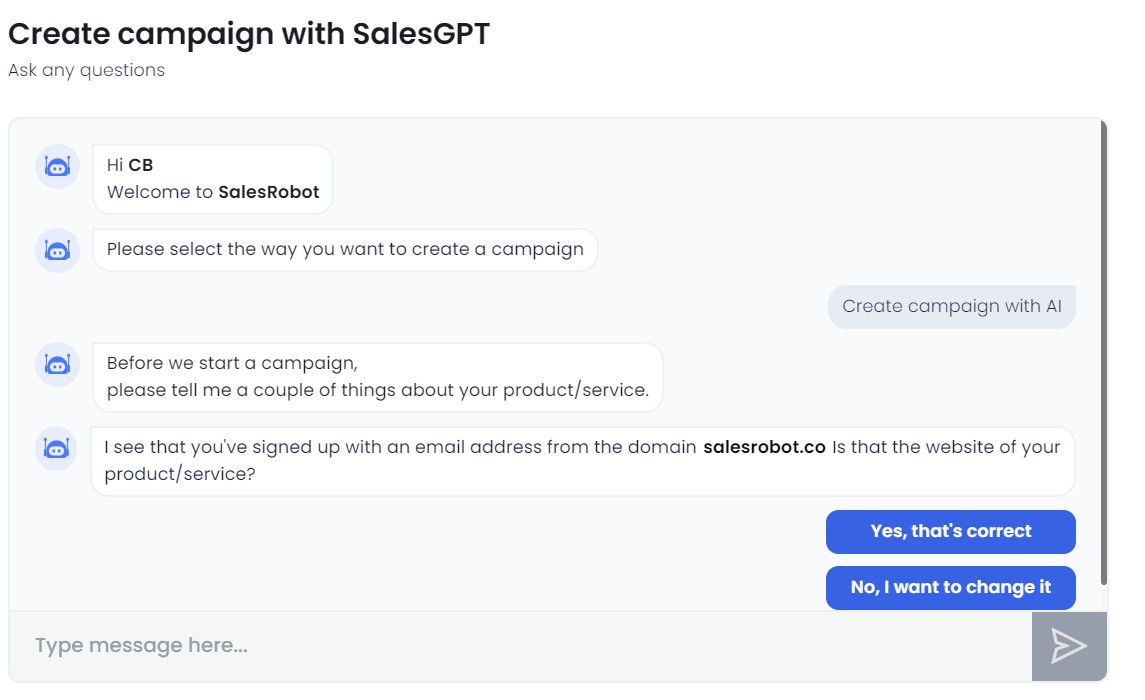
- AI Appointment Setter: Here's where things get interesting. Most tools stop when you get a reply, but SalesRobot's AI Appointment Setter keeps the conversation going intelligently.

You have two modes to choose from:
- CoPilot Mode: The AI generates a suggested reply based on your campaign goals, but you review and edit before sending. Perfect for high-value prospects where you want human oversight.
- Autopilot Mode: The AI generates and sends replies automatically based on the goals you've set. Great for handling high-volume responses efficiently.
You define the goals for each campaign, and the AI thinks and responds accordingly. This means your automation doesn't end at the first reply - it continues through the entire conversation until a meeting is booked or the prospect opts out.
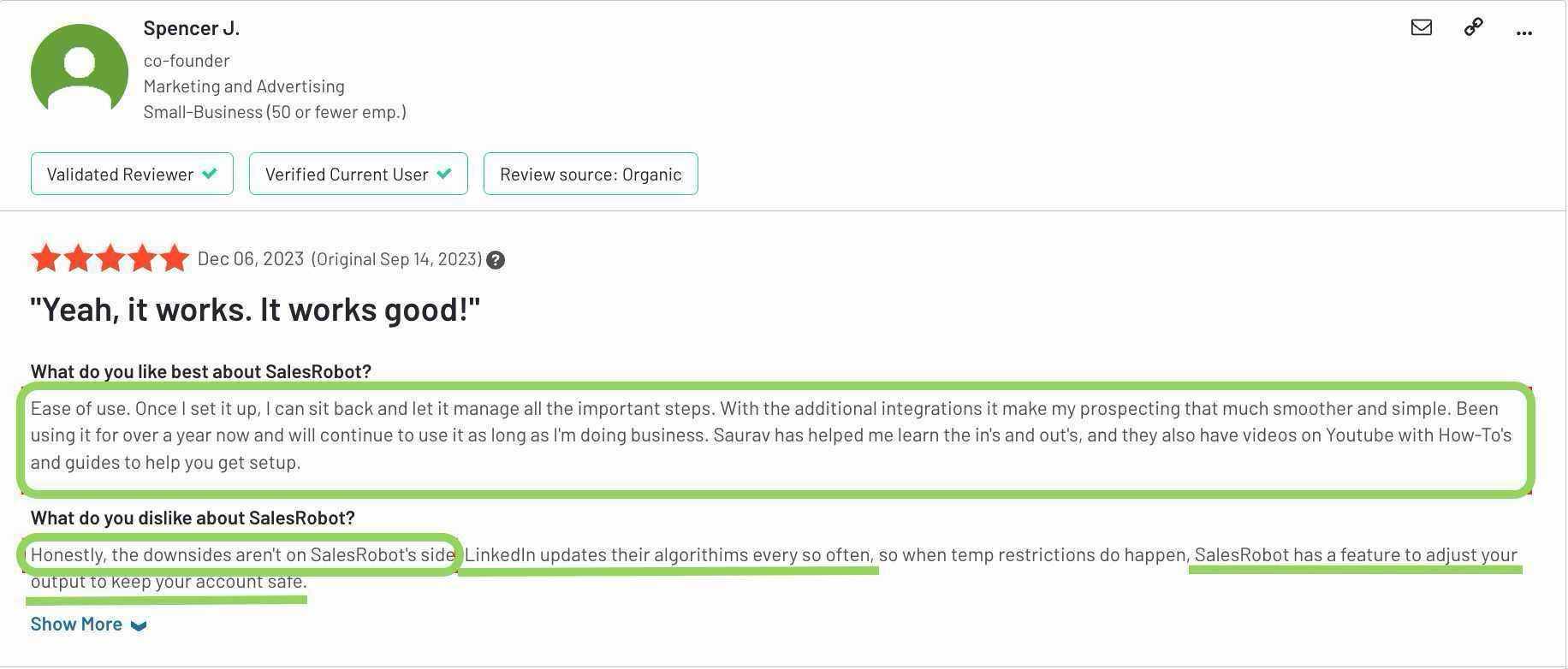
Jason from Nexa Mortgage, basically loved the AI Appointment Setter, saying it stopped him from missing out on leads and follow-ups, making sure that "engagement is happening in real time."
And now the latest update has even added a time awareness feature, meaning the AI can automatically schedule follow-ups based on what was said in the conversations.
6. Detailed Analytics:
- You can track and evaluate your campaign efforts in one location with SalesRobot.
- This includes email opens, clicks, replies, and more. Insights like prospect information, location insights, and performance reports are also available.
- While Outplay offers campaign tracking and engagement metrics, SalesRobot provides more detailed LinkedIn-specific analytics.

7. Smooth Integrations:
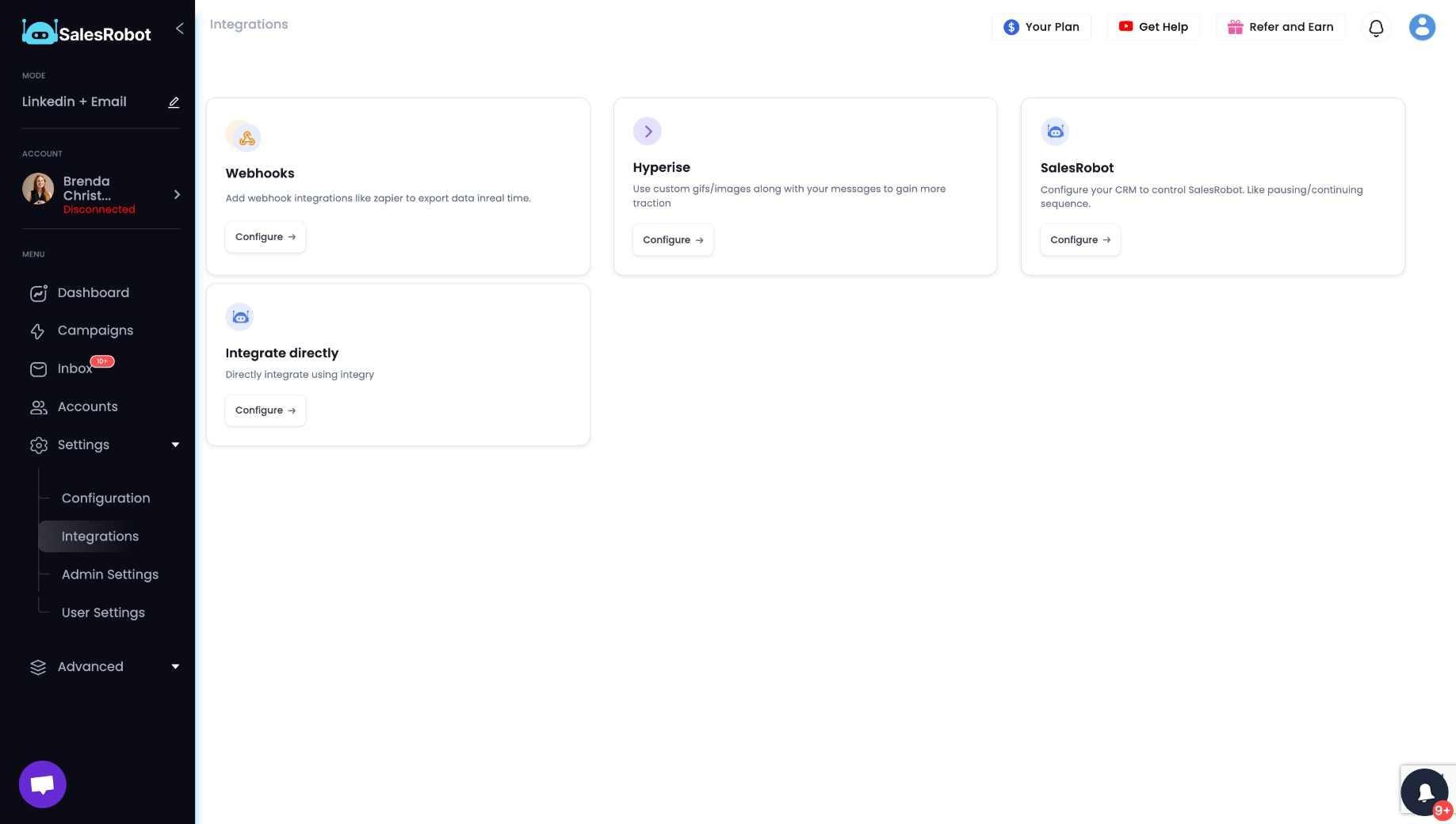
- SalesRobot integrates with all major CRMs, including Salesforce, HubSpot, and Pipedrive via Zapier.
- This allows you to keep your sales data up-to-date and accurate and avoid the need for manual data entry.
- While Outplay also has CRM integrations, SalesRobot focuses on ensuring consistent data synchronization.
The next part will discuss SalesRobot's pricing.
What is the price of SalesRobot?
SalesRobot has 3 terrific pricing plans.

Basic:$59/month billed monthly
- 1 active campaign
- Limited daily quotas
- Advanced dashboard & reports
- Complete performance automation
Advanced: $79/month billed monthly
- Unlimited active campaigns
- Full daily quotas
- Advanced dashboard & reports
- Complete performance automation
- A/B testing
- Personal inbox
- Webhook & Zapier integration
- Export leads into CSV
Professional : $99/month billed monthly
- Unlimited active campaigns
- Full daily quotas
- Advanced dashboard & reports
- Complete performance automation
- A/B testing
- Personal inbox
- Webhook & Zapier integration
- Export leads into CSV
- Team management
And so much more!
And if you're looking beyond video creation toward the actual sales workflow, Kuron, from the makers of SalesRobot, is another one worth watching.
It's being built as an AI-powered GTM platform that helps identify your best-fit customers, choose the right strategy, and run the outbound process.
So, why don't you try and put us to the test with our 14-day free trial? No credit card is required – because we trust you won't ghost us!
Let's showdown SalesRobot and Outplay in the next section of the review.
SalesRobot Vs. Outplay: Which one is better?

You made it! Let's conclude these Outplay reviews with a recap of what we have learned so far in this blog.
#2 Outplay Alternative: Outreach.io: How do they compare?
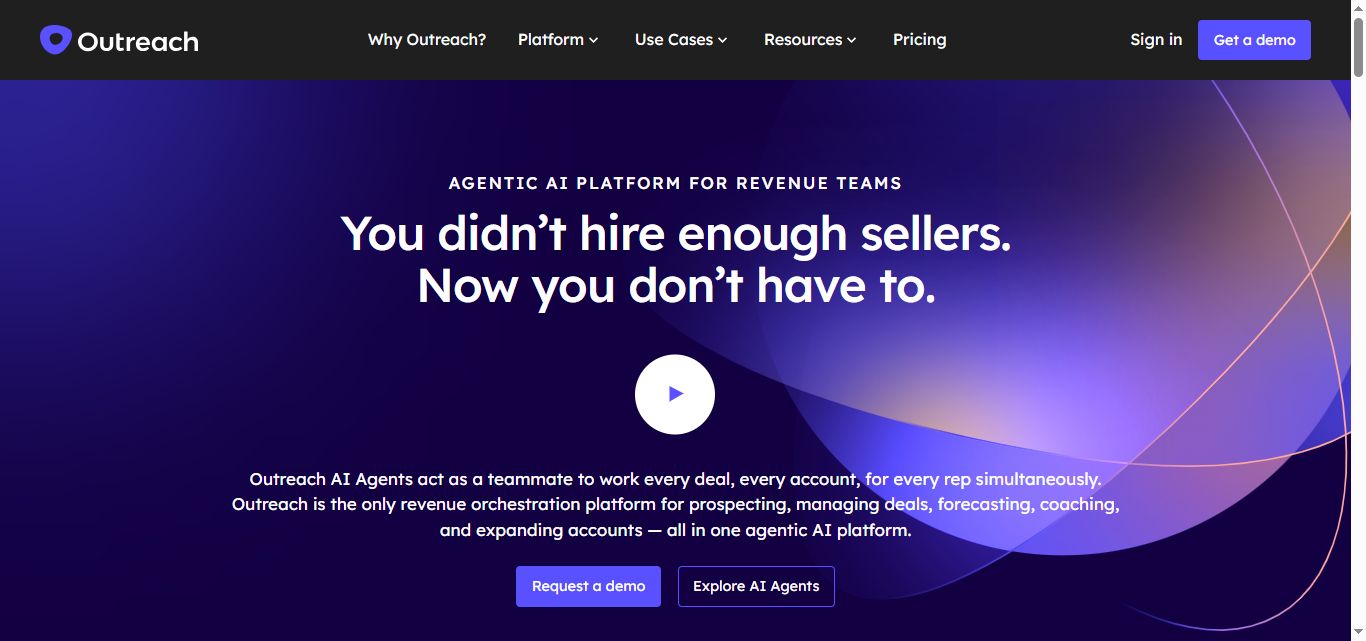
Outreach.io is one of the most established players in the sales engagement space, often considered the premium enterprise solution. Here's how it stacks up:
Pricing & Market Position:
- Outreach.io: Enterprise-focused with pricing starting around $100+ per user/month (exact pricing not publicly disclosed). Best suited for large sales teams with significant budgets.
- Outplay: Mid-market focused starting at $49/month per user. More accessible for smaller teams and growing businesses.
When to choose each:
Choose Outplay if:
- You're a small to mid-sized team with a moderate budget
- You need comprehensive multi-channel outreach functionality
- You prefer transparent pricing and self-service setup
- You want an intuitive interface for sales-experienced users
Choose Outreach.io if:
- You're an enterprise with a substantial sales team
- You need advanced analytics and reporting
- You require robust integrations with complex tech stacks
- You have the budget for premium enterprise software
You made it! Let's conclude these Outplay reviews with a recap of what we have learned so far in this blog.
Frequently Asked Questions
Does Outplay offer a free trial?
Yes, Outplay offers a 14-day free trial with no credit card required, giving access to most features and integrations. Outplay also publishes a free tier for individuals who want to try the platform with limited features before upgrading to a paid plan.
Who owns Outplay?
Outplay is owned by JungleWorks, a Florida-based SaaS company that acquired a controlling stake in the sales engagement platform in 2025 through a $14 million investment. Outplay's founders, Laxman and Ram Papineni, continue to lead the company's day-to-day operations while it operates independently.
Outplay Review Conclusion
Let's wrap up the Outplay reviews.
Outplay and SalesRobot are both solid competitors for sales automation tools.
Outplay has some amazing features, like comprehensive multichannel outreach and intuitive task administration.
But with occasional performance issues and integration inconsistencies in place, it might require more setup time and troubleshooting. Instead of focusing purely on closing deals, you might need to spend time managing the platform's complexities.
SalesRobot comes to your rescue! Specializing in LinkedIn automation and email outreach, it makes your sales process smooth and focused.
While SalesRobot automates specialized LinkedIn tasks, keeps your LinkedIn account safe, and frees up your time to focus on high-value activities, you can concentrate on what matters most!
And see how our advanced features from SalesRobot can help you get exceptional response rates!
Stop struggling with complex multi-platform setups and take your LinkedIn sales to the next level.
Head over to the SalesRobot website and grab their 14-day free trial. You won't regret it!
Thanks for reading our review of Outplay.
Happy Selling!
Disclaimer: The content of this blog post reflects our own opinions and judgements based on our research and experience as of published date. Comparisons made to other software or tools are for informational purposes only and are based on publicly available information and our own analysis. We do not claim absolute accuracy and encourage readers to conduct their own research to form their own opinions. While we may discuss competitor offerings, our primary focus is to showcase the features and benefits of SalesRobot. SalesRobot is not affiliated with any other software or tool mentioned in this blog post.

Wow your leads by cloning yourself and sending personalized videos and voice notes to each lead on LinkedIn.
If you don't reply to leads within 5 mins, your chances of converting them fall by 50%. Our AI replies on your behalf instantly! (and yes, you can train it)

Don't shoot in the dark. Get detailed analytics on what's working

SalesRobot allows you to invite other team members, so that they can add their LinkedIn Account, run outreach campaigns and get amazing results just like you.
.avif)


Trusted by 4100+ innovative B2B sales teams and lead gen agencies

.avif)

.avif)




.avif)