.avif)
TL;DR
- Census syncs data from your cloud data warehouse directly into the business tools your team uses, including Salesforce, HubSpot, Google Ads, Intercom, and 200+ other destinations.
- In May 2025, Fivetran acquired Census and rebranded it as Fivetran Activations.
- Pricing has shifted from a predictable flat fee to a consumption-based Monthly Active Rows (MAR) model. Getcensus.com now redirects to Fivetran's platform.
- The core reverse ETL capability remains best-in-class. But the Audience Hub feature is now Enterprise-only, real-time sync under 15 minutes requires Enterprise, and MAR-based pricing is harder to predict at scale than the previous flat-fee structure.
- Census requires an existing cloud data warehouse to function at all.
- It does not generate pipeline, run outreach, or automate LinkedIn activity. If outbound prospecting and LinkedIn outreach are part of your GTM motion, SalesRobot covers that layer naturally alongside Census.
If your data team has ever watched a carefully built warehouse model sit abandoned because getting its insights into Salesforce required a custom script that broke every time a schema changed, you understand exactly why Census was built.

The problem is old and expensive: data lives in one place, decisions happen in another, and the distance between them costs teams time, accuracy, and pipeline.

Census was built to close that gap.
It takes data that already lives in your warehouse, structured and modeled exactly how your team needs it, and syncs it in real time to the operational tools your sales, marketing, and customer success teams actually use.
No custom integrations. No CSV exports. No engineering tickets for every new field.
That core capability earned Census the number-one position in reverse ETL on G2 (although those reviews have now been integrated with Fivetran) for three consecutive quarters and a customer list that includes HubSpot, Canva, Notion, Rippling, and Activision.
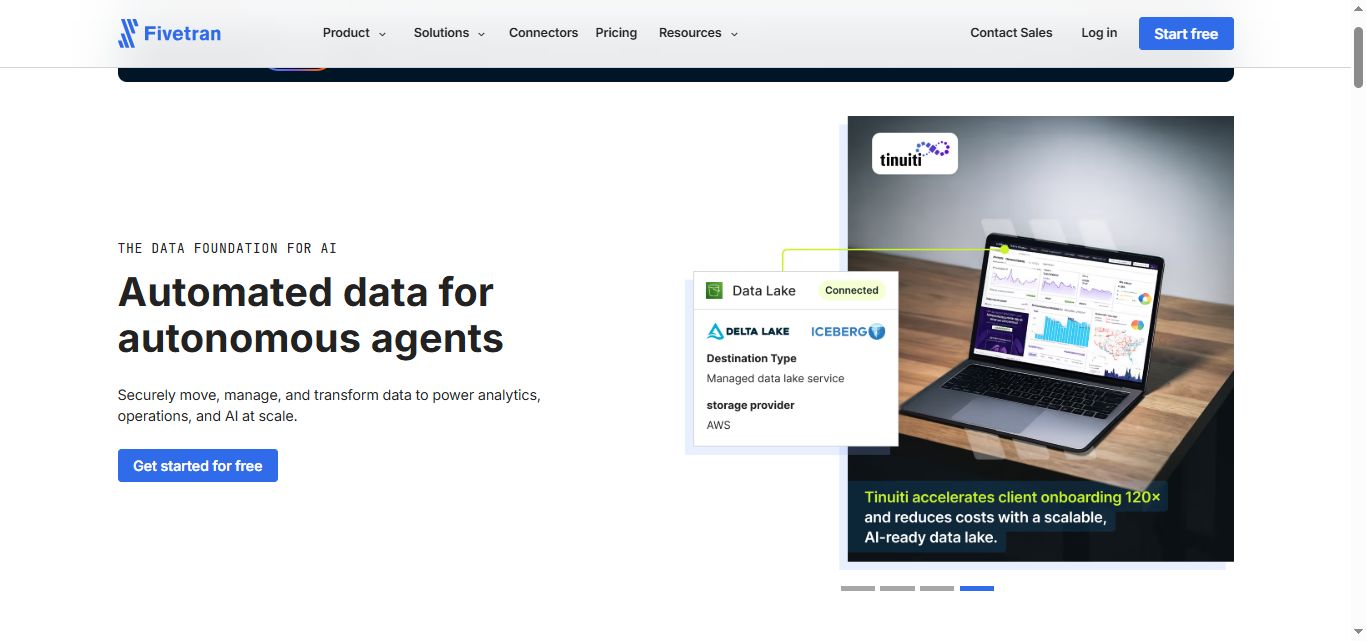
In May 2025, Fivetran acquired Census for an undisclosed sum and folded it into its platform as Fivetran Activations. The product still works the same way. The pricing, the ownership, and the long-term roadmap have all changed.
This review covers:
- What Census actually delivers,
- What the acquisition means for buyers evaluating it now,
- What pricing looks like under the new model,
- and where its limitations matter.
It does not run outreach sequences, generate new prospect lists, or automate LinkedIn activity. If outbound pipeline generation is part of your team's workflow, SalesRobot addresses that layer directly, and we cover how the two tools relate toward the end.
Census (Fivetran): What You Need to Know
✅ Reverse ETL at this depth is genuinely hard to replicate:
Census handles schema volatility, large-scale syncs, and complex destination mapping better than most alternatives in its category. Its reliability under load and its handling of schema changes without breaking syncs are the most consistently praised capabilities across G2 and independent reviews.

⚠️ The Fivetran acquisition changes what you are buying:
As of May 2025, Census no longer exists as a standalone product. Getcensus.com redirects to Fivetran's platform. Legacy Census customers are migrating to Fivetran's billing structure. Teams evaluating Census today are evaluating Fivetran Activations, a module within a larger platform, not an independent product with its own roadmap, pricing, and support structure.

✅ 200-plus destination connectors cover nearly every business tool your team uses:
Salesforce, HubSpot, Marketo, Intercom, Braze, Google Ads, Facebook Ads, Mixpanel, Zendesk, Slack, and hundreds more are supported as activation destinations. The breadth of coverage means most GTM teams can sync to every tool in their stack from a single Census activation workflow without maintaining separate integrations.

⚠️ MAR-based pricing is harder to predict than the old flat-fee model:
Under the previous standalone Census pricing, teams paid a flat rate of around $350/month on the Professional plan. As of March 2025, Fivetran also moved from account-level to per-connector MAR pricing, which has caused meaningful cost increases for teams with many smaller connectors. Independent reviews flag this change specifically: many recent G2 reviewers of Fivetran cite cost as their primary concern.

✅ Audience Hub enables no-code segment building for marketing and ops teams:
Audience Hub allows non-technical users to build audience segments on top of warehouse data without writing SQL, then sync those segments to advertising and marketing platforms. For teams where data engineers are the bottleneck on every segmentation request, this self-service capability removes significant operational friction.

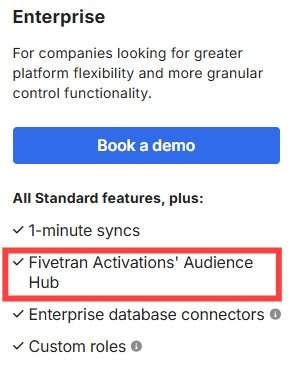
⚠️ Audience Hub and real-time sync require the Enterprise tier:
Two of Census's most valuable capabilities are locked behind the Enterprise plan. Audience Hub is not available on the Standard plan. Syncs faster than 15 minutes also require Enterprise. For teams that need self-service audience building or true real-time activation, the Standard plan does not cover those requirements.
Census (Fivetran): Key Features
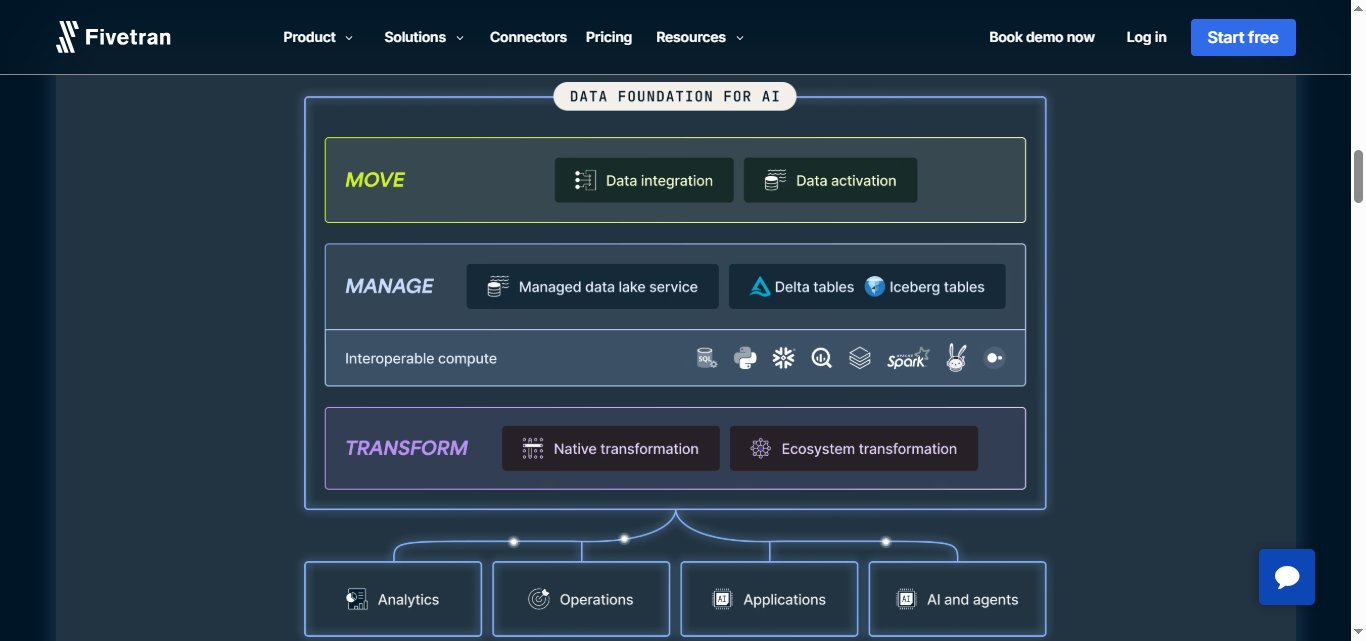
Reverse ETL Engine
The foundation of the platform.
Census connects to your cloud data warehouse (Snowflake, BigQuery, Redshift, or Databricks) and syncs any modeled dataset to any supported destination on a defined schedule or in real time.
The sync engine handles schema changes gracefully, updating destination fields automatically when warehouse models evolve rather than breaking and requiring manual intervention.
Sync configurations define which warehouse table or model maps to which destination object, how records are matched between the two systems, and which fields are written and which are read-only. Once configured, syncs run automatically with observability into what was synced, what changed, and what failed.
Audience Hub (Enterprise Only)
Audience Hub is Census's self-service audience segmentation product. It allows non-technical marketing and operations team members to build dynamic audience segments directly on top of warehouse data without writing SQL, then sync those audiences to advertising platforms, email tools, and engagement products.
The key use case is giving marketing teams control over their own audience definitions without routing every segmentation request through a data engineer. Teams using Audience Hub report being able to launch new audience segments in minutes rather than days.
The tradeoff is that Audience Hub is exclusively available on the Enterprise plan, making it unavailable to teams on Standard-tier access.
200-Plus Activation Destinations

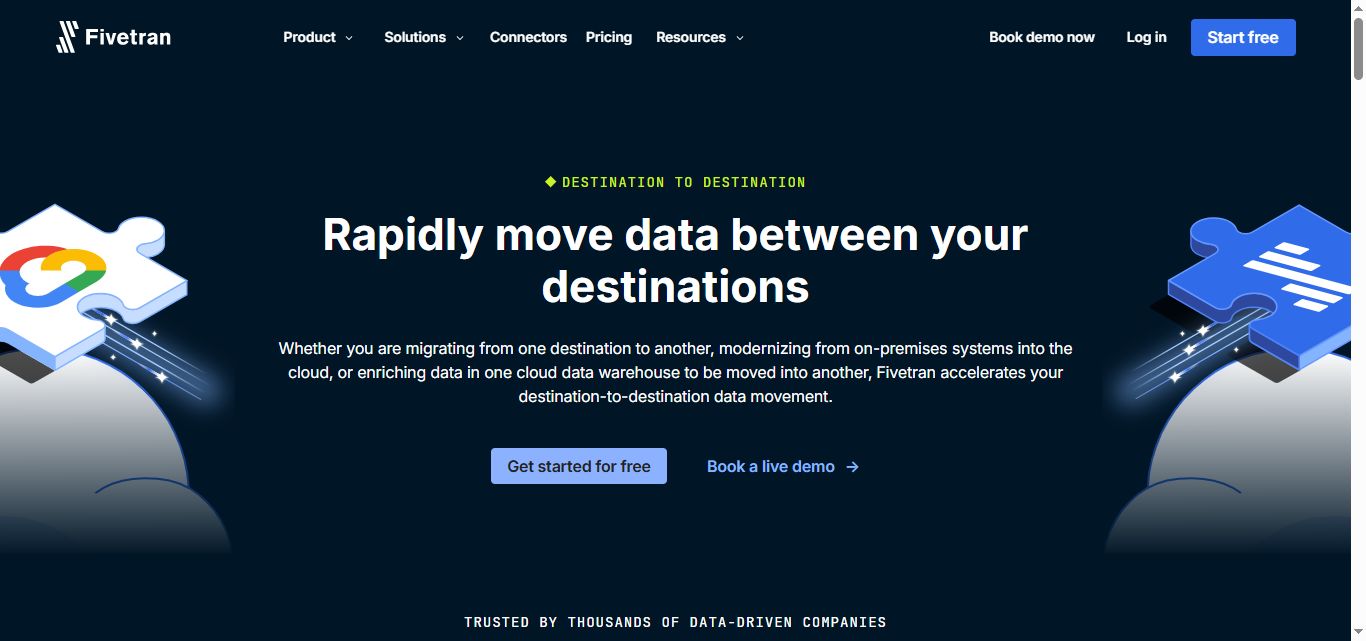
Census supports over 200 activation destinations including Salesforce, HubSpot, Marketo, Intercom, Braze, Customer.io, Klaviyo, Google Ads, Facebook Ads, LinkedIn Ads, Mixpanel, Amplitude, Zendesk, and Slack, among others.
The coverage is comprehensive enough that most GTM teams can route warehouse data to every tool in their stack through a single Census configuration.
Each destination has pre-built connectors maintained by Census that handle API versioning, authentication, and schema mapping without custom code. New destinations are added regularly, and the connectors are updated automatically when destination APIs change.
Live Syncs and Real-Time Activation

Census offers Live Syncs for real-time activation of warehouse data with zero-latency delivery to connected destinations. This capability is relevant for use cases where timing matters: triggering a customer success alert the moment a usage metric drops below a threshold, updating a CRM record the moment a trial converts, or syncing an ad audience the moment a user reaches a qualification milestone.
Live Syncs require the Enterprise plan. Standard plan users have access to syncs with a minimum frequency of 15 minutes.
Observability and Sync Monitoring
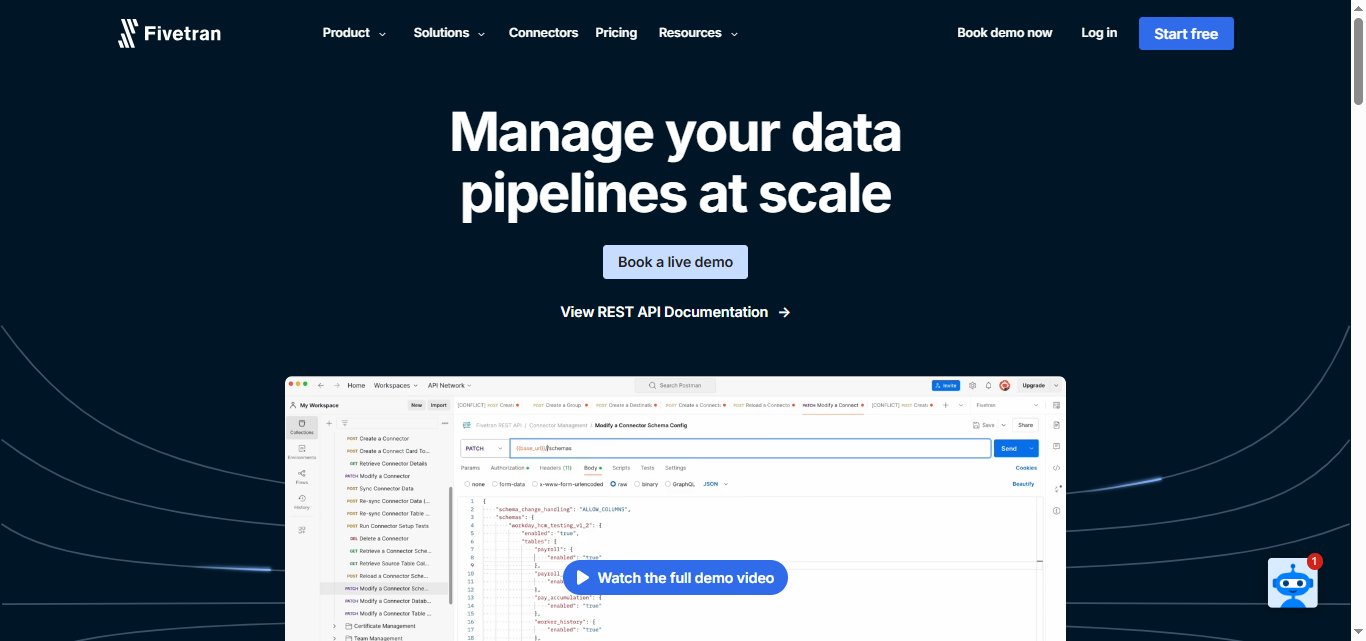
Every sync run in Census generates detailed logs covering sync duration, start and end time, status, extract time, process time, load time, and data volume processed. Teams can monitor sync health, set up delay notifications, and receive alerts when syncs fail or fall behind schedule.
The observability layer is important for data teams managing syncs at scale, where a silent failure can mean CRM data diverging from warehouse truth for hours before anyone notices.
Model Management and dbt Integration

Census integrates with dbt Core and dbt Cloud, allowing data teams to reference dbt models directly as activation sources without duplicating model definitions. This means the same transformations used for analytics and reporting can drive operational syncs, keeping the warehouse as the single source of truth across both use cases.
Governance and Compliance
Census processes data within the customer's warehouse environment by default rather than moving it through Census infrastructure unnecessarily, which supports data residency and compliance requirements.
The platform maintains SOC 2, HIPAA, and GDPR compliance, with role-based access control and audit logs on Enterprise plans.
Census Pricing
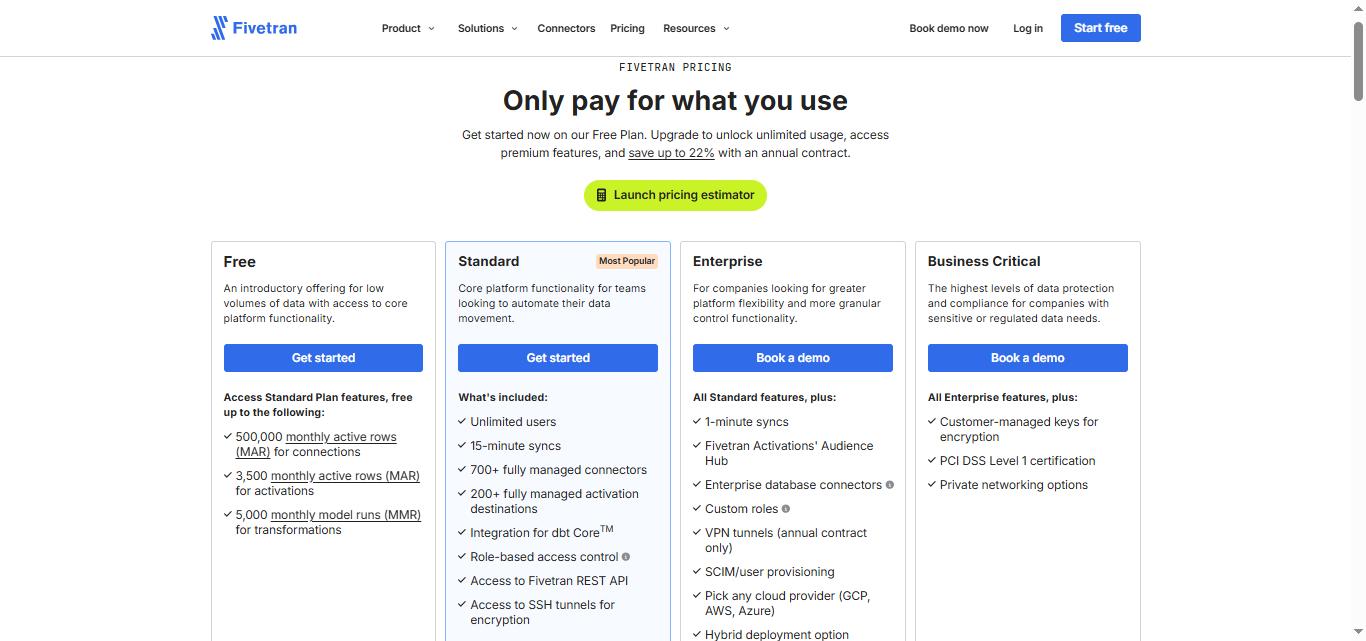
Census pricing has changed significantly following the Fivetran acquisition and should be evaluated as part of Fivetran's consumption-based pricing model. Legacy Census flat-fee pricing (Professional at $350/month) is no longer the current model for new customers.
Current pricing structure (Fivetran Activations as of 2026):
All pricing is consumption-based, measured in Monthly Active Rows (MAR).
A MAR is any unique row added or updated in a destination within a given month. As of March 2025, Fivetran applies pricing per connector rather than across the account, meaning teams with many connectors pay separately for each.
Free plan:
- 3,500 MAR for activations per month
- 500,000 MAR for connections per month
- 5,000 monthly model runs for transformations
- Access to Standard plan features within these limits
- No credit card required
- Best for testing the platform before committing
Standard plan: consumption-based, pay-as-you-go or annual
- Unlimited users
- 15-minute minimum sync frequency
- 700-plus fully managed connectors
- 200-plus activation destinations
- dbt Core integration
- Role-based access control
- REST API access
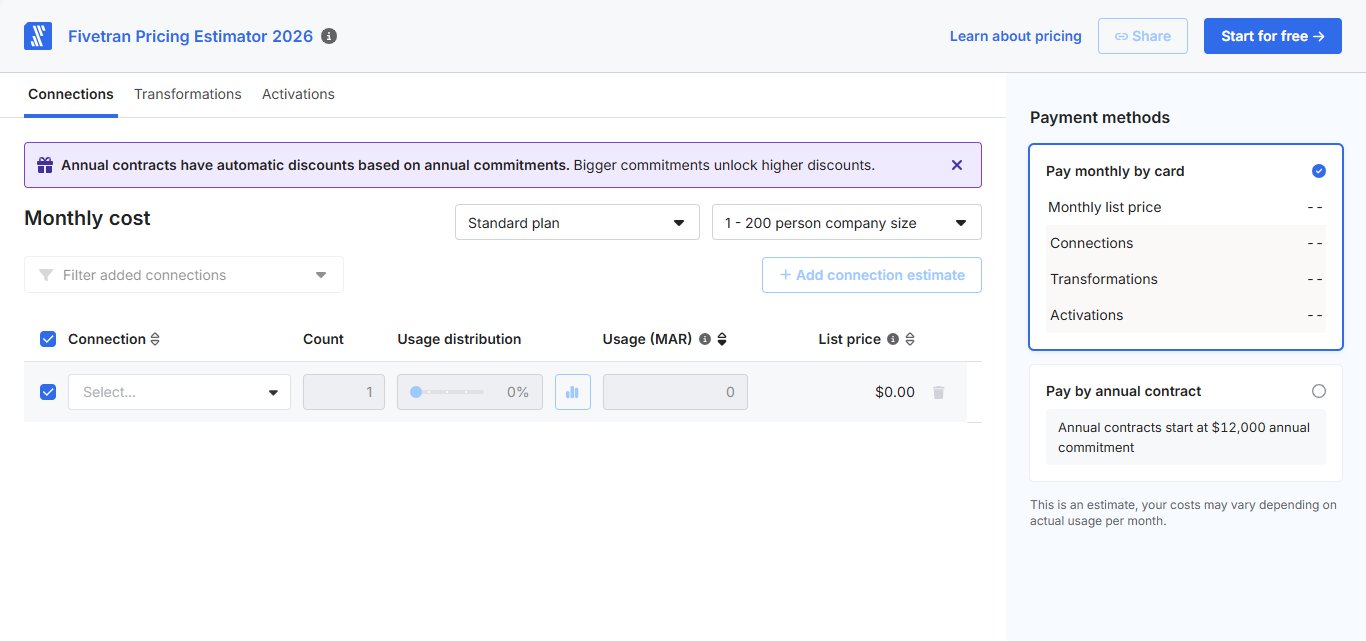
- Annual contracts start at a $12,000/year minimum
- Annual billing saves up to 22 percent compared to monthly rates
- Activations pricing example: Snowflake to Salesforce sync at 12,007 MAR runs approximately $202/month at list rate
- A pricing estimator is available at fivetran.com/pricing-estimator to model specific costs

Enterprise plan: custom pricing
- Everything in Standard plus:
- Audience Hub (self-service segment building)
- 1-minute sync frequency (real-time)
- Enterprise database connectors
- Custom roles
- VPN tunnels (annual contract only)
- SCIM and user provisioning
- Choice of cloud provider (GCP, AWS, Azure)
- Hybrid deployment option
- Required for teams needing Audience Hub or sub-15-minute sync frequency
Business Critical: custom pricing
- Everything in Enterprise plus:
- Customer-managed encryption keys
- PCI DSS Level 1 certification
- Private networking options
- For teams with the strictest data protection and compliance requirements
Pricing disclaimer: Because Fivetran's MAR-based model means costs vary significantly based on data volume, connector count, sync frequency, and the number of rows that change each month, it is not possible to give a single monthly figure that applies to all teams.
Fivetran's pricing estimator and a conversation with their sales team are the most reliable ways to model your specific cost before committing.
What Works Well
✅The reverse ETL reliability at scale is genuinely best-in-class.
The most consistent praise across G2, SelectHub, and Gartner Peer Insights is that Census syncs reliably at volume, handles schema changes without breaking, and delivers data to destinations accurately and on schedule. For data teams that have experienced the fragility of custom ETL scripts or point-to-point integrations, the managed reliability Census provides is the primary reason they stay.
✅The destination connector breadth covers nearly every GTM tool.
Over 200 activation destinations maintained by Census engineers means teams can stop maintaining bespoke integrations for each tool in their stack. New destinations are added regularly and existing connectors are updated when APIs change, removing ongoing maintenance burden from the data team.
✅The observability layer makes sync health visible and actionable.
Detailed sync logs, delay notifications, and failure alerts mean data teams are not discovering sync failures hours after CRM data has diverged from warehouse truth. For organizations where data accuracy in operational tools is a compliance or revenue concern, this visibility matters.
✅The dbt integration keeps the warehouse as the single source of truth.
Using dbt models directly as Census activation sources means the same transformations used for analytics drive operational syncs. There is no duplicate model maintenance and no risk of analytics and activation diverging on definition.
✅Audience Hub removes the data engineering bottleneck for marketing teams.
On Enterprise plans, Audience Hub genuinely delivers the self-service segmentation capability it promises. Marketing teams report launching new audience segments in minutes rather than submitting tickets and waiting days, which has a direct and measurable impact on campaign velocity.
Potential Drawbacks
⚠️The Fivetran acquisition creates real uncertainty for new buyers.
Census is no longer a standalone product. Getcensus.com redirects to Fivetran. Pricing, support, roadmap, and product decisions now sit within a larger organization with its own priorities. For teams committing to a multi-year data infrastructure dependency, evaluating Fivetran as a company and platform, not just Census's historical reputation, is the appropriate due diligence.
⚠️MAR-based pricing is hard to predict and can escalate quickly.
The shift from Census's flat $350/month Professional plan to Fivetran's per-connector, per-MAR consumption model means costs depend on how many rows change in your data each month and how many connectors you run. The March 2025 move to per-connector pricing (rather than account-level) caused measurable cost increases for teams with many smaller connectors.
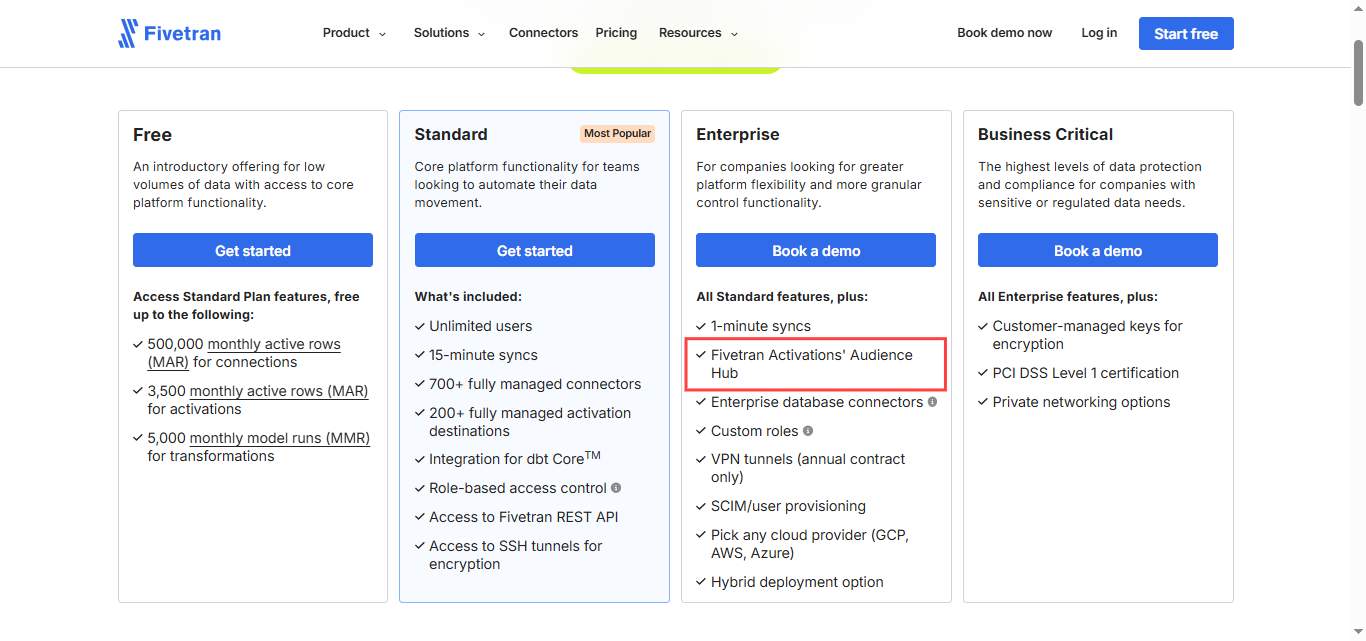
⚠️Audience Hub is locked behind the Enterprise plan.
The most compelling feature for marketing and operations teams, self-service audience building without SQL, is only available on the Enterprise tier. Standard plan users cannot access Audience Hub at all. For teams whose primary Census use case is marketing segmentation rather than data engineering workflows, the Standard plan may not cover what they actually need.
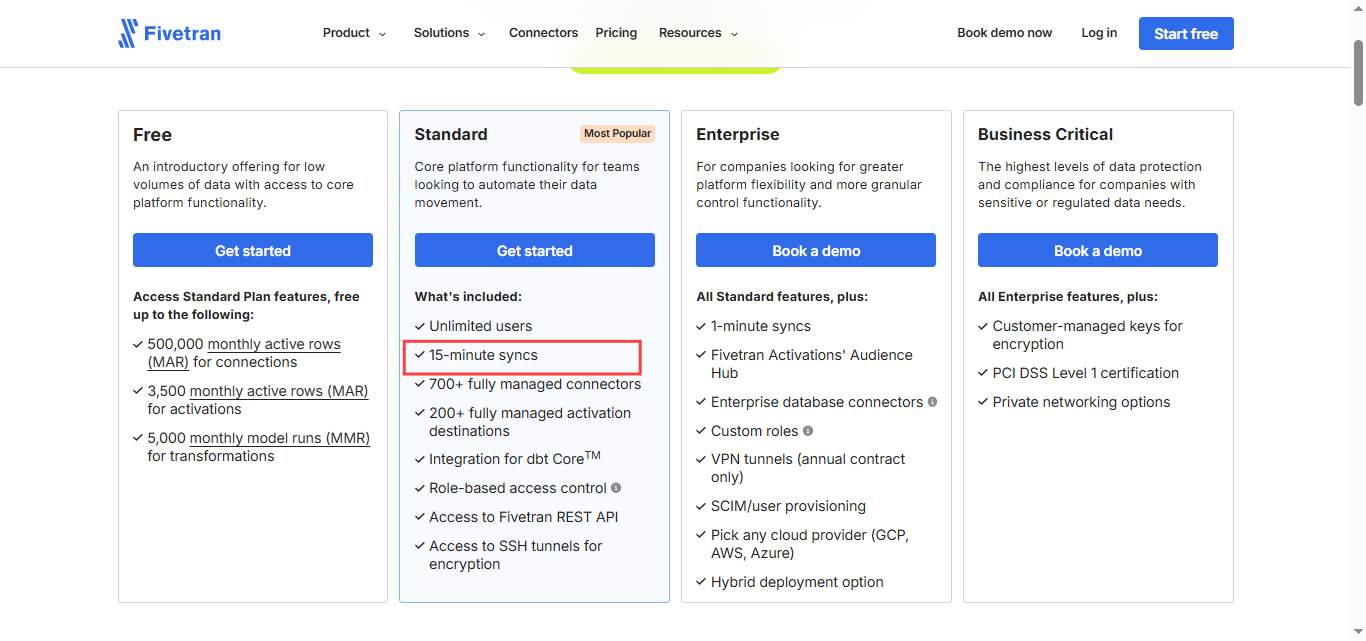
⚠️Real-time sync under 15 minutes requires Enterprise.
Standard plan syncs run at a minimum of every 15 minutes. For use cases where timing matters, triggered customer success alerts, real-time ad audience updates, or CRM updates tied to product events, the Standard plan's minimum sync frequency may be insufficient and Enterprise pricing is required.

⚠️Census requires an existing cloud data warehouse.
Snowflake, BigQuery, Redshift, or Databricks must already exist in your stack before Census has anything to work with. Teams without a warehouse cannot use Census at all. Teams with a warehouse that is not well-modeled or maintained will get poor results because Census moves data as-is, without transformation capabilities.
⚠️SQL knowledge is required to get meaningful value on Standard.
Outside of Audience Hub (Enterprise only), setting up Census syncs requires understanding how your warehouse is structured, how to write SQL queries or reference dbt models, and how to map fields between warehouse schemas and destination APIs. Non-technical teams cannot realistically configure Census without data engineering support.
⚠️Census does not generate pipeline or run outreach. T
his is the most important limitation to state plainly in the context of a GTM team evaluation. Census moves existing data from your warehouse to your operational tools. It does not identify new prospects, run LinkedIn outreach, automate connection requests, or book meetings. Every contact Census syncs to your CRM still requires outreach to generate a conversation.
Who Should Use Census
Census is the right investment for data-mature mid-market and enterprise teams that have an existing cloud data warehouse with well-modeled data, and whose primary challenge is operationalizing that data across their GTM stack without ongoing engineering effort.
If your data team spends significant time maintaining custom integrations to push warehouse data into Salesforce, HubSpot, or ad platforms, Census removes that overhead reliably and at scale.
It is a harder sell for teams without an existing data warehouse, organizations that need self-service audience building without upgrading to Enterprise, teams whose primary data challenge is ingestion rather than activation, or anyone evaluating Census as a standalone product rather than understanding they are evaluating Fivetran's platform.
Census vs SalesRobot: A Direct Comparison
SalesRobot: The Outreach Layer Census Does Not Cover
✅Census ensures your operational tools have the right data.
✅SalesRobot generates the pipeline that fills them.
The two tools sit at different layers of the GTM stack without competing for the same job.
Census takes trusted, modeled data from your warehouse and pushes it into Salesforce, HubSpot, and the other tools your team operates in. It keeps those tools accurate and current.
What it does not do is go out and find new prospects, initiate conversations, or book meetings.
Every contact in your CRM still needs an outreach motion to become a pipeline opportunity.
For teams whose outbound motion includes LinkedIn, SalesRobot handles that execution layer directly.
For most B2B buyers in 2026, LinkedIn is not just a data source.
It is an outreach channel.
Connection requests, personalized follow-up sequences, voice notes, and inbox conversations on LinkedIn drive a meaningful pipeline for teams that do it well.
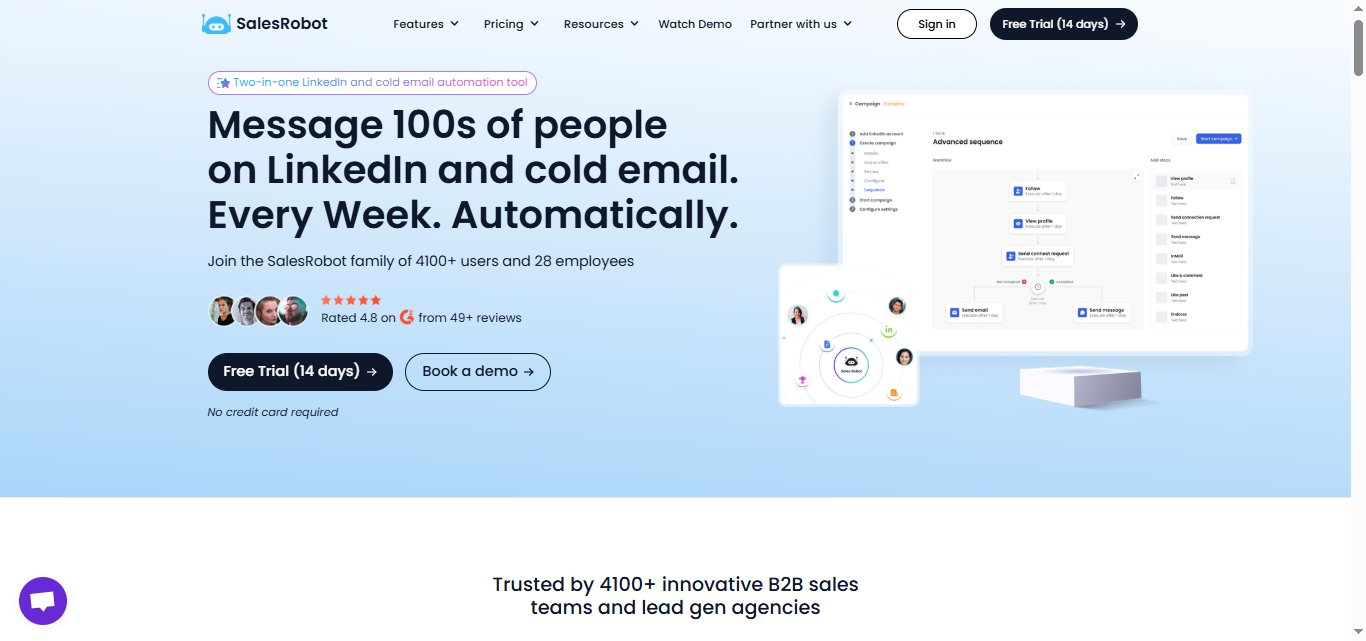
SalesRobot is a cloud-based LinkedIn and email automation platform built specifically for B2B outreach.
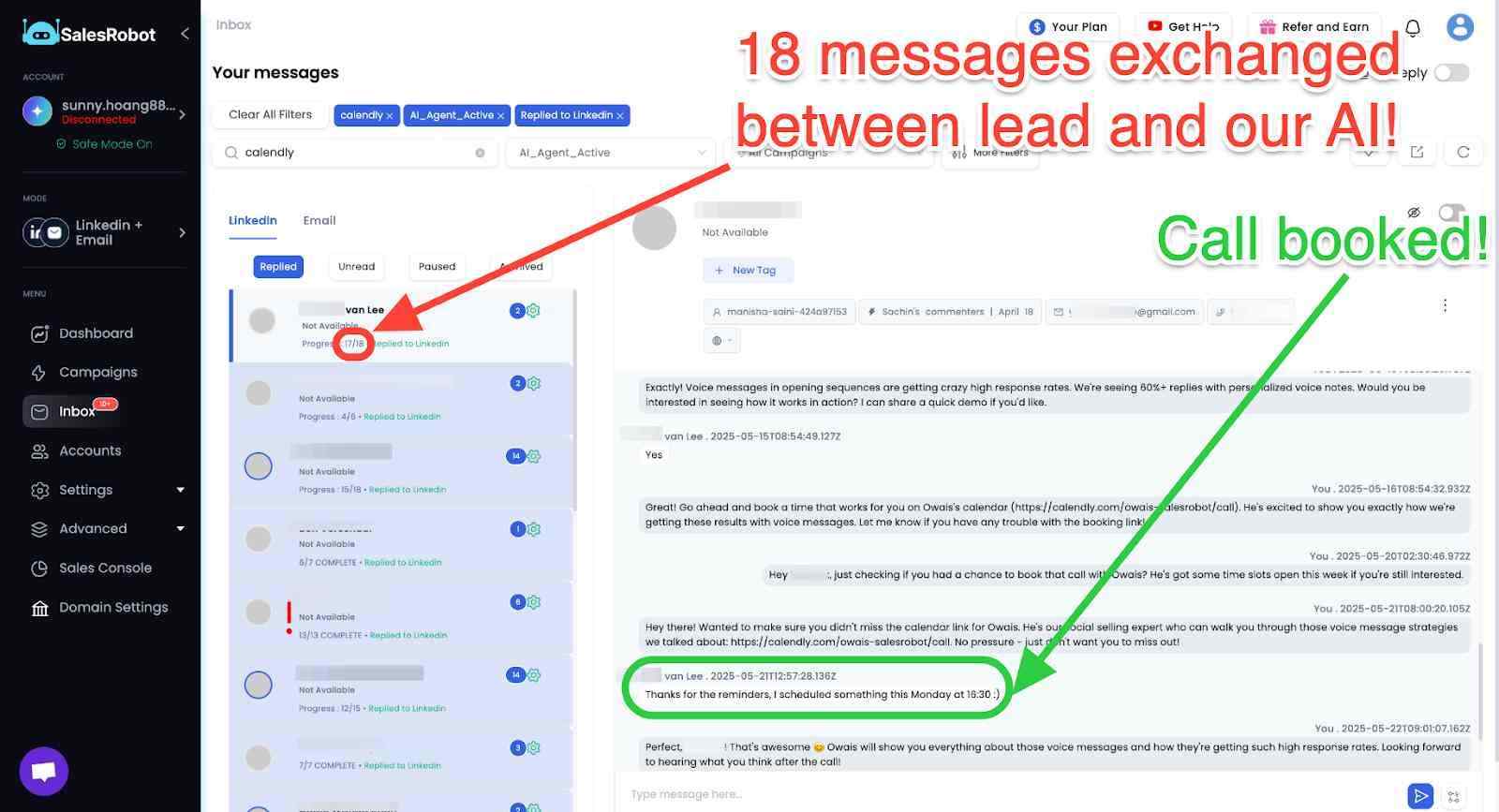
Mobile API Safety: Because SalesRobot connects through LinkedIn's mobile APIs, your outreach activity mimics natural human behavior.
Users consistently report running sustained, high-volume campaigns without account flags or restrictions, which is the single biggest operational concern with any LinkedIn automation tool.
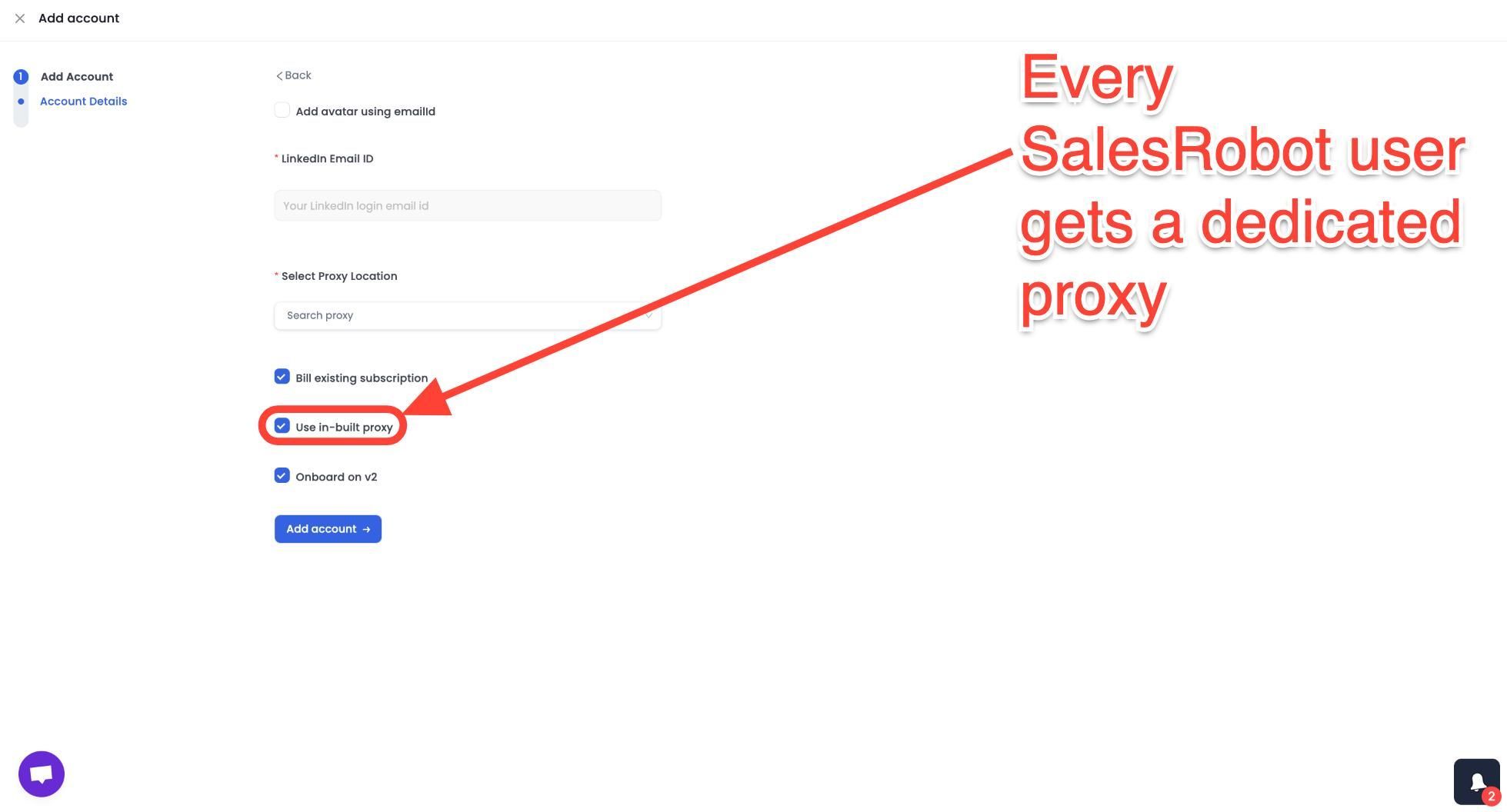
AI Appointment Setter: After a prospect replies, SalesRobot's AI takes over the conversation, handles qualification questions, and books meetings automatically.
You can train it on your specific criteria and ideal responses, which means the early-stage pipeline management largely runs without manual involvement. For smaller teams without a dedicated SDR, this is a meaningful capability.
AI Voice Clone and Video Messages: SalesRobot lets you send personalized voice notes and video messages through LinkedIn as part of automated sequences.
The AI Voice Clone feature lets you record a short voice sample once, then generates individualized voice notes for each prospect that sound like you, without recording each one manually.
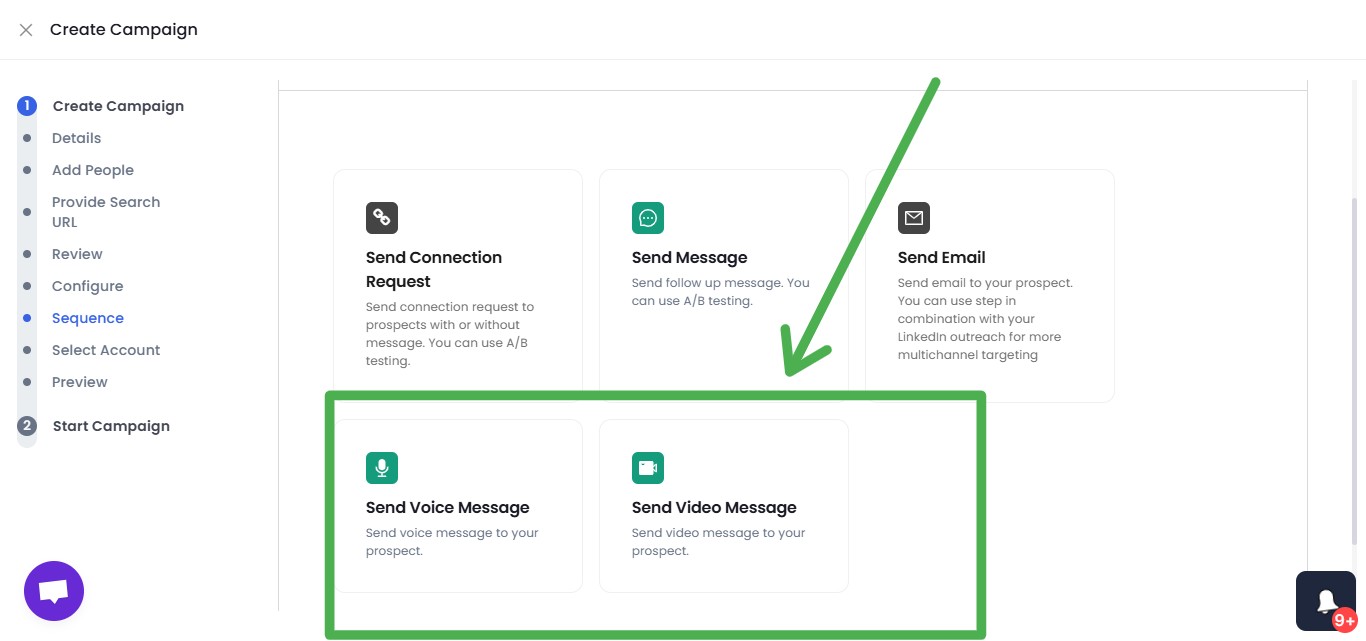
In sectors where relationships and trust matter, this kind of personal touch at scale tends to drive significantly higher reply rates than text-only outreach.
AI Variables and Hyper-Personalization: SalesRobot pulls data directly from a prospect's LinkedIn profile to write personalized message sequences automatically. You are not working from a static template that gets blasted to everyone.
Each message is adapted to the individual, which matters when you are reaching decision makers who see generic outreach constantly.

Multi-Step Sequences: You can build complex LinkedIn and email campaigns with smart delays and behavioral conditions. Leads can be imported from Sales Navigator, standard LinkedIn search, LinkedIn groups, event attendees, or CSV uploads, giving you flexibility in how you build and target your prospect lists.
Unified Inbox and Mini CRM: All LinkedIn and email conversations consolidate in one place with automatic reply detection. SalesRobot stops messaging automatically when a prospect responds, preventing the over-automation feel that kills conversations. You can tag leads, filter by interest level, and track where every prospect sits without switching between platforms.
Team Management and Analytics: For agencies or sales teams managing multiple LinkedIn accounts, SalesRobot tracks performance across accounts, prevents duplicate outreach between team members, and surfaces detailed analytics on what sequences and approaches are actually working.
SalesRobot pricing (per LinkedIn account, 14-day free trial, no credit card required):
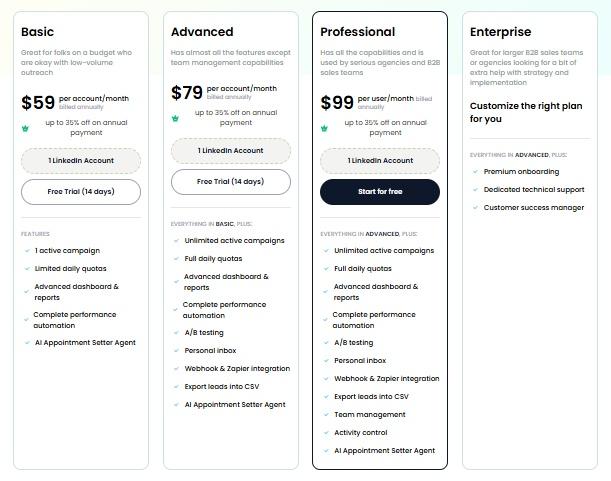
- Basic: $59/month ($39/month billed annually).
- Advanced: $79/month ($59/month billed annually).
- Professional: $99/month ($79/month billed annually).
- Enterprise: Custom.
It also has a 4.8 rating on G2, with 50+ independent user reviews.
The Bottom Line
Census built the best reverse ETL product in its category.
The 4.3 out of 5 G2 rating across 780+ reviews, the consistent leadership position in the category, and the customer list that includes Canva, HubSpot, and Rippling all reflect a platform that solves a real and expensive data infrastructure problem exceptionally well.
However, the landscape has changed materially.
❌The Fivetran acquisition means Census is now a module within a larger platform rather than a standalone product.
❌Predictable flat-fee pricing has been replaced by a consumption-based MAR model that requires careful cost modeling before committing.
❌Audience Hub and real-time sync require Enterprise.
❌Any new buyer evaluating Census is evaluating Fivetran as a long-term infrastructure partner, not just a point solution.
❌For teams without a warehouse, or those whose GTM challenge is generating new pipeline rather than operationalizing existing data, Census does not address that problem at any price point.
If LinkedIn outreach is part of how your team generates pipeline, SalesRobot covers the execution layer that Census was never designed to touch, with a 14-day free trial and no warehouse requirement before you see results.
Frequently Asked Questions
Does Fivetran Activations offer real-time reverse ETL syncs?
Yes, but only on Enterprise and higher plans. The Standard plan is capped at a 15-minute minimum sync frequency, while Enterprise unlocks 1-minute syncs for real-time activation. Teams needing sub-15-minute latency for triggered alerts or live ad-audience updates must upgrade to Enterprise.
Is Census still available as a standalone product after the Fivetran acquisition?
No. Following Fivetran's May 2025 acquisition, Census is now Fivetran Activations, a module inside the Fivetran platform. Getcensus.com redirects to Fivetran, legacy customers are migrating to Fivetran's MAR-based billing, and some Census-only features (like Workspaces) are being sunset as functionality consolidates into Fivetran.

Wow your leads by cloning yourself and sending personalized videos and voice notes to each lead on LinkedIn.
If you don't reply to leads within 5 mins, your chances of converting them fall by 50%. Our AI replies on your behalf instantly! (and yes, you can train it)

Don't shoot in the dark. Get detailed analytics on what's working

SalesRobot allows you to invite other team members, so that they can add their LinkedIn Account, run outreach campaigns and get amazing results just like you.
.avif)


Trusted by 4100+ innovative B2B sales teams and lead gen agencies

.avif)

.avif)




.avif)


Heading 1
Heading 2
Heading 3
Heading 4
Heading 5
Heading 6
Lorem ipsum dolor sit amet, consectetur adipiscing elit, sed do eiusmod tempor incididunt ut labore et dolore magna aliqua. Ut enim ad minim veniam, quis nostrud exercitation ullamco laboris nisi ut aliquip ex ea commodo consequat. Duis aute irure dolor in reprehenderit in voluptate velit esse cillum dolore eu fugiat nulla pariatur.
Block quote
Ordered list
- Item 1
- Item 2
- Item 3
Unordered list
- Item A
- Item B
- Item C
Bold text
Emphasis

Superscript
Subscript