.avif)
TL;DR
Looking for a Klenty alternative? Here's the short version:
Apollo.io - Best all-in-one pick. Combines a 270M+ contact database with outreach and sequencing in one platform. Paid plans start at $49/user/month.
Reply.io - Best for multichannel automation. Covers email, LinkedIn, calls, and SMS with an AI SDR agent that can handle conversations and book meetings. Starts at $59/user/month.
Outreach - Best for enterprise teams. Built for large orgs that need pipeline forecasting, deal intelligence, and serious CRM depth. Pricing is custom, typically $100–$160/user/month.
Saleshandy - Best on a budget. Focused purely on cold email with unlimited accounts and solid deliverability. Starts at just $25/month.
SalesRobot - Best for LinkedIn-first teams. Automates LinkedIn outreach safely while staying within platform limits. Starts at $59/month.
Still on Klenty? It's a solid tool for email-focused teams. But if LinkedIn is central to your strategy, you need richer data, or the per-seat pricing is getting out of hand, one of these five will serve you better.
Introduction
Ever feel like you're spending more time managing your outreach tool than actually doing outreach? 😅
You're not alone.
Most sales teams hit a wall with Klenty at some point. Maybe the pricing doesn't scale the way you need it to. Maybe LinkedIn automation is central to your strategy and Klenty just doesn't cut it there. Or maybe you've simply grown past what it can offer.
Whatever the reason, this post breaks down five real alternatives worth considering. We'll cover what each tool does best, where it falls short, and who it's actually built for.
No fluff. Just what you need to make a call. Let's get into it. 👇
Klenty: What You Need to Know
Klenty is a multi-channel sales engagement platform designed to help SDR teams run outreach across email, LinkedIn, phone, and SMS.

It's particularly strong on email deliverability and CRM integrations, and it works well for teams running structured, sequence-based outreach.
Here's a quick look at what it gets right, and where it has gaps.
✅ Strong email automation
Klenty lets you build sophisticated multi-step sequences with smart triggers and personalized variables. For email-heavy teams, it does the job well.
✅ Solid CRM integrations
It connects cleanly with Salesforce, HubSpot, and Pipedrive. Your data stays in sync, and you don't have to manually log every interaction.
✅ Deliverability tools built in
Klenty includes email warmup, domain authentication, and sending behavior that mimics real human activity. Your emails are far more likely to actually land in inboxes. 📬
⚠️ LinkedIn automation is limited
Compared to dedicated LinkedIn tools, Klenty's LinkedIn features are basic. If social selling is a core part of your strategy, you'll feel that gap quickly.
⚠️ Learning curve on advanced features
Getting basic campaigns up is easy enough. But mastering Klenty's more advanced automation and conditional logic takes real time investment.
⚠️ Pricing scales up fast for teams
The per-seat model gets expensive as your team grows. Larger orgs often find themselves looking for alternatives as headcount increases.
Klenty's Key Features, Broken Down
Multi-Channel Sales Sequences
Klenty lets you build automated sequences that span email, LinkedIn, phone, and SMS, all from one place. 📱
Instead of bouncing between tools, you can set up a workflow where day one sends an email, day three adds a LinkedIn connection, and day five queues a call.
This works especially well for B2B teams where your prospects are spread across multiple channels. You're meeting them where they actually are.
Email Deliverability Optimization
Klenty handles email warming, domain authentication, and send-rate throttling to keep your messages out of spam. It also rotates between multiple email accounts and monitors bounce rates automatically.
For teams sending hundreds of emails a day, this matters more than most people realize. 📊 Inbox placement rates directly affect your reply rates, and Klenty takes this seriously.
LinkedIn Sales Navigator Integration
You can pull prospects directly from LinkedIn Sales Navigator into Klenty and trigger connection requests or InMail messages as part of a sequence.
Profile data gets pulled in to help with personalization, without you having to switch tabs constantly. This is especially useful for account-based outreach where you're targeting multiple stakeholders at the same company.
CRM Sync and Pipeline Management
Every interaction gets logged automatically into your CRM when a prospect replies or clicks a link.
Sales managers get real-time visibility into team activity and can see which sequences are actually generating meetings. It's the kind of CRM hygiene that saves hours of manual data entry every week. 🙌
Advanced Personalization
Klenty goes beyond first-name and company-name personalization. You can pull in data like recent funding rounds or job changes, and use conditional logic to send different messages to different segments automatically.
A founder at a Series A startup sees a different message than a VP of Sales at a 500-person company, all without you writing two separate sequences.
A/B Testing and Analytics
You can test subject lines, message content, and send times across sequences.
The reporting dashboard shows open rates, reply rates, and conversion metrics clearly, so you can spot what's working and double down on it. 📈
Klenty Pricing: How Much Will It Cost?
Klenty has four plans, priced per user per quarter.
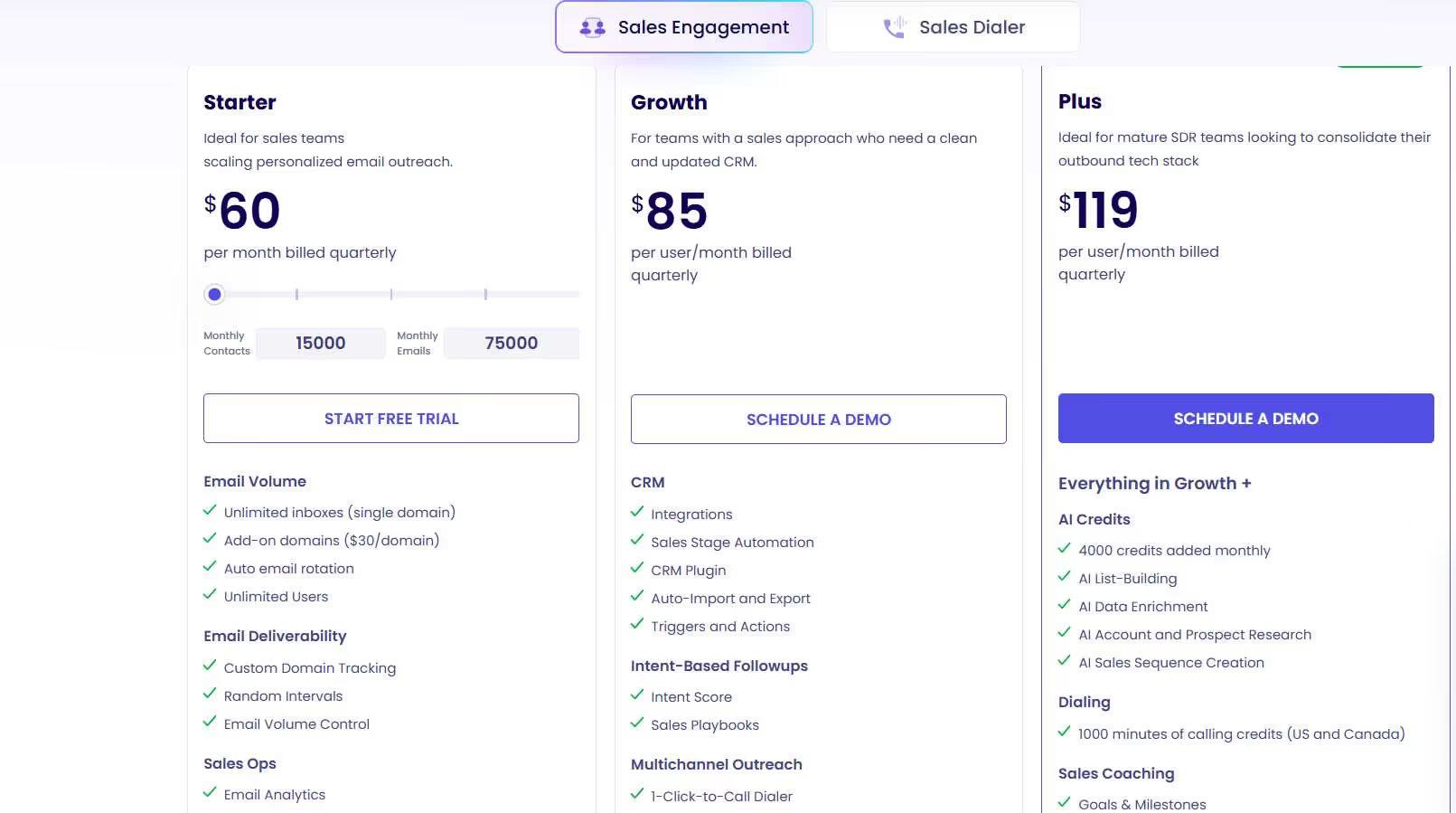
Startup: $60/user/quarter
Best for small teams focused on email-only outreach. You get email sequences, basic CRM integrations, email tracking, and analytics. It's a clean starting point for solopreneurs or small teams just getting organized. 📋
Growth: $85/user/month
This is where multi-channel kicks in. You get LinkedIn outreach, call capabilities, SMS, and more advanced CRM integrations. For most small-to-mid-sized sales teams, this is the sweet spot plan.
Pro: $119/user/month
Built for teams that need advanced automation workflows, team collaboration features, custom tracking domains, and in-depth analytics. The dedicated customer success manager at this tier is a genuine plus if your team is scaling fast.
Enterprise: Custom pricing
For larger organizations that need dedicated infrastructure, advanced security, and a fully customized setup. You'll need to reach out to their sales team for a quote.
Klenty offers a 14-day free trial across all plans, so you can test it before committing. 🎁
5 Alternatives to Klenty: Which One Actually Fits?
1. Apollo.io
Apollo.io is what you get when you combine a massive B2B contact database with a full-featured outreach platform, all under one roof.

Instead of paying for a data provider separately and a sequencing tool on top, Apollo handles both. With a database of 270M+ verified contacts, it's one of the largest in the market.
Teams that previously juggled three or four tools often cut down to just one after switching.
Where it stands out
Apollo's AI-powered sequences and built-in deliverability features make it more than just a data tool. You can prospect, enrich, sequence, and analyze all from the same dashboard.
The Chrome extension also lets you prospect directly on LinkedIn, which is handy for account-based teams. 🔍
Where it has gaps
Apollo runs on a credit system for things like phone number reveals and data enrichment. Those credits can disappear faster than you expect, especially for high-volume teams.
The engagement features are strong, but not as deep as dedicated sequencing tools in some areas.
Pricing
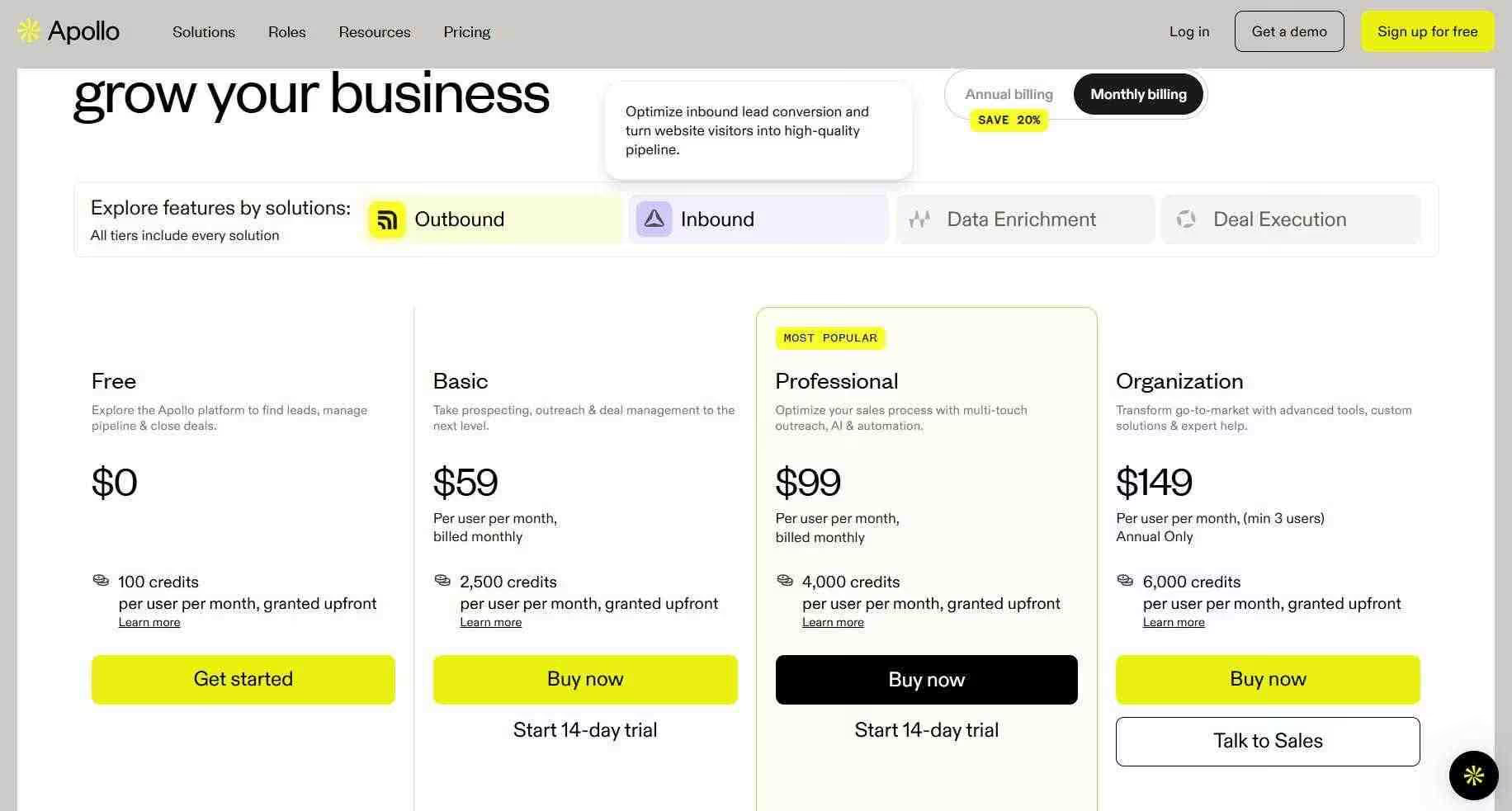
- Free plan available
- Basic: $49/user/month (billed annually)
- Professional: $79/user/month
- Organization: $119/user/month (minimum 3 users)
Best if: You need a complete sales stack in one place and want strong data quality without managing multiple tools.
2. Reply.io
Reply.io is a multichannel sales engagement platform that leans heavily into AI, automating not just the sending, but the actual conversation side of outreach. 🤖

Their AI SDR agent, Jason, can handle initial conversations and even book meetings automatically. For teams that want to go beyond basic sequencing and start automating the follow-up and qualification process, Reply is worth a close look.
Where it stands out
Reply's multichannel setup covers email, LinkedIn, calls, and SMS in one workflow. The drag-and-drop sequence builder is intuitive, and conditional branching lets you build smarter, more adaptive campaigns.
Deliverability tools are solid too, with built-in inbox placement monitoring. 📬
Where it has gaps
Reply can get complex quickly, especially for teams new to multi-channel outreach. The pricing structure is layered, with different bundles for different channels, which makes it easy to end up paying more than expected once you start adding features.
Smaller teams sometimes find the learning curve steep.
Pricing
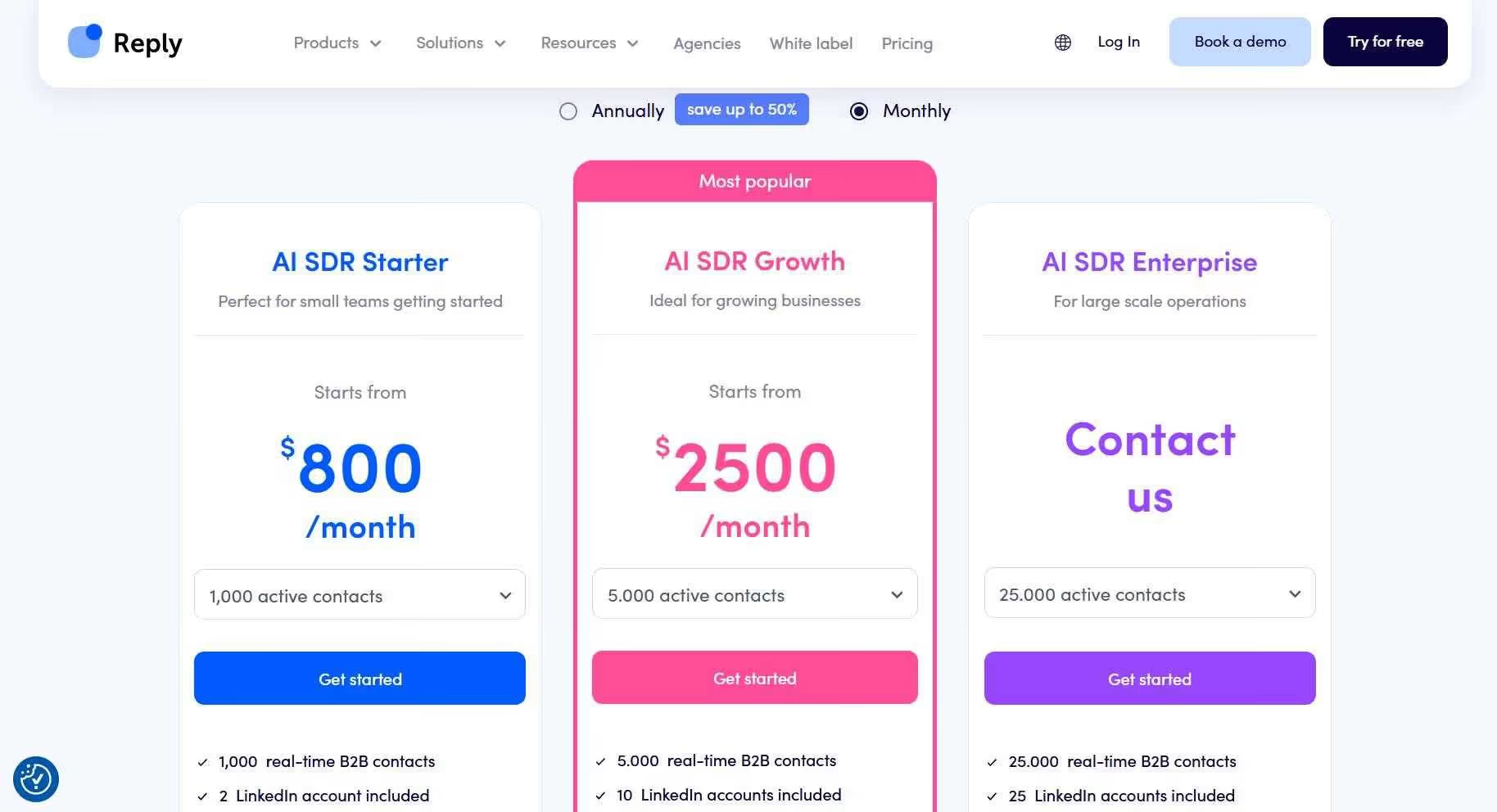
- Email Volume plan: $59/user/month (billed annually)
- Multichannel plan: $89/user/month
- 14-day free trial included on both plans
Best if: You want AI to handle initial conversations and need robust multichannel sequences across email, LinkedIn, and calls.
3. Outreach
Outreach is the enterprise-grade option on this list, and it doesn't pretend otherwise. 🏢
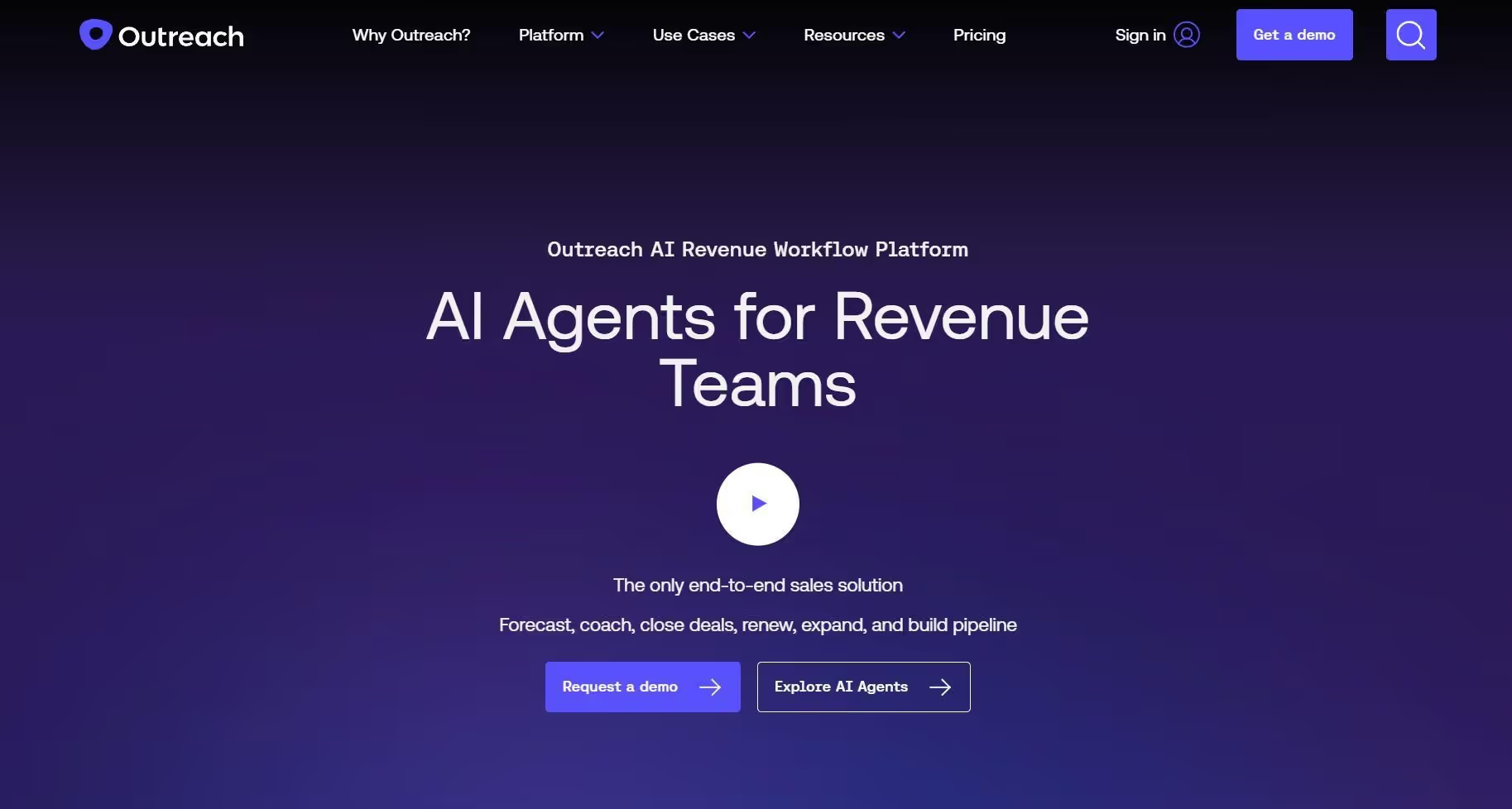
It's built for large sales organizations that need sophisticated workflow management, deep CRM integration, and serious analytics to run complex sales cycles at scale. If "enterprise-grade" is a genuine requirement at your company, Outreach is often the first platform that comes up.
Where it stands out
Outreach goes well beyond sequencing. It includes deal management, conversation intelligence via its AI assistant Kaia, pipeline health monitoring, and revenue forecasting.
Managers get a detailed, data-backed view of what's happening across the whole team, not just individual rep activity. 📊 For large orgs, that level of visibility is genuinely hard to find elsewhere.
Where it has gaps
Outreach doesn't publish pricing publicly, and everything is quoted on a custom basis. It requires an annual commitment upfront, which is a meaningful ask if you're not certain it's the right fit.
Setup time is also significant compared to lighter tools on this list. Smaller teams almost always find it more than they need.
Pricing
Custom pricing only. Based on publicly available benchmarks, most teams pay around $100 to $160 per user/month, with annual contracts required. Contact their sales team for a quote.
Best if: You're running a 50+ person sales org that needs enterprise-level features, pipeline intelligence, and dedicated support built in.
4. Saleshandy
Saleshandy is a cold email automation platform built for teams that want to send at scale without paying enterprise prices. 💰
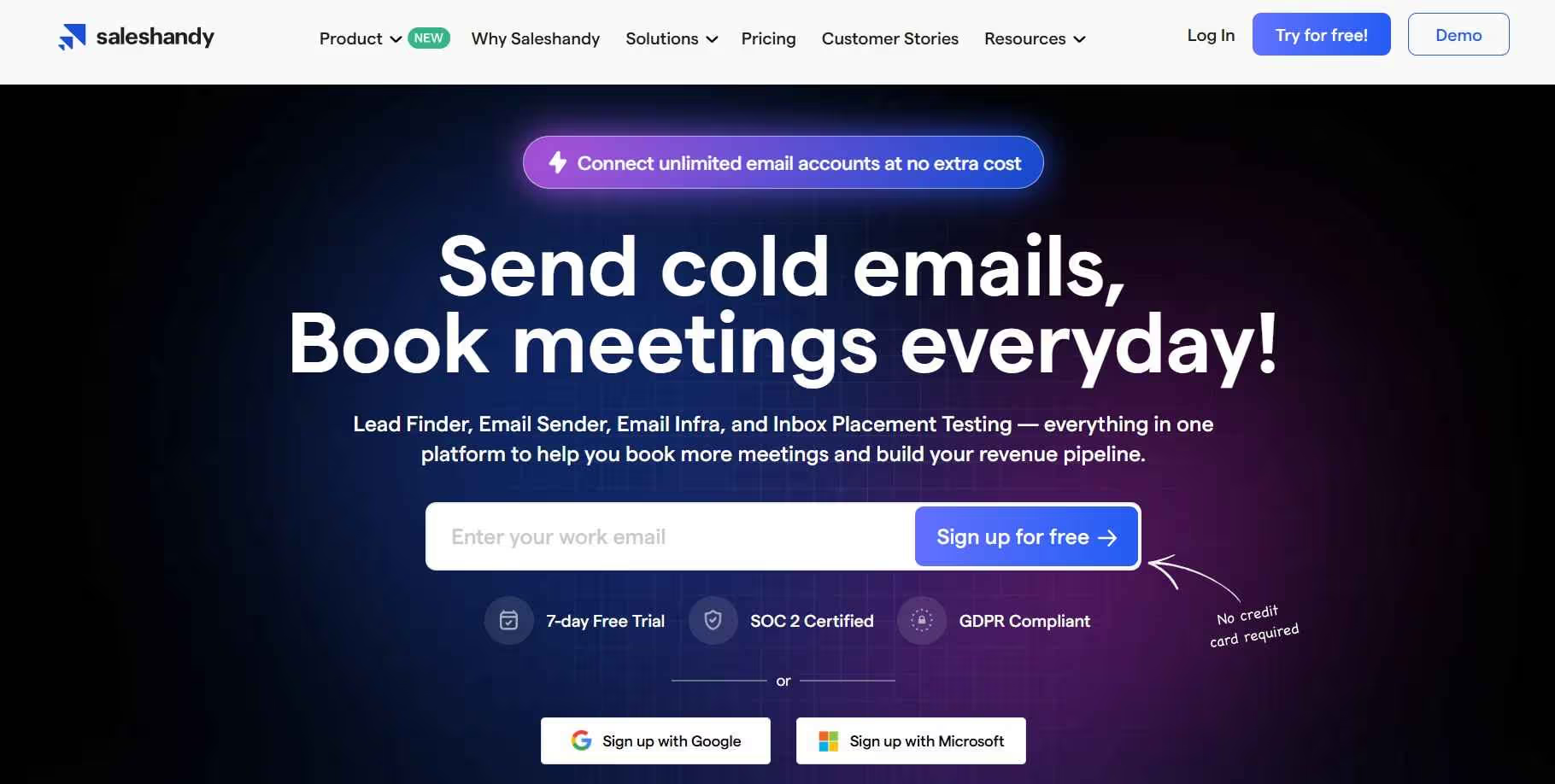
It's been a go-to for agencies and SDR teams that prioritize email deliverability and volume above everything else. The value proposition is simple: unlimited email accounts, solid deliverability infrastructure, and a starting price that's hard to argue with.
Where it stands out
You can connect unlimited email accounts at no extra cost, which is a big deal for agencies managing multiple clients or teams rotating across domains.
Saleshandy also includes built-in email warmup via their TrulyInbox partnership, AI-generated sequence creation, and a growing prospect database. 🛠️ The UI is clean and easy to get started with, even for those newer to cold email tooling.
Where it has gaps
Saleshandy is focused on email. If you need LinkedIn automation, built-in calling, or a rich B2B database baked in, you'll need to pair it with another tool.
It's a specialized platform, not a full-stack solution.
Pricing
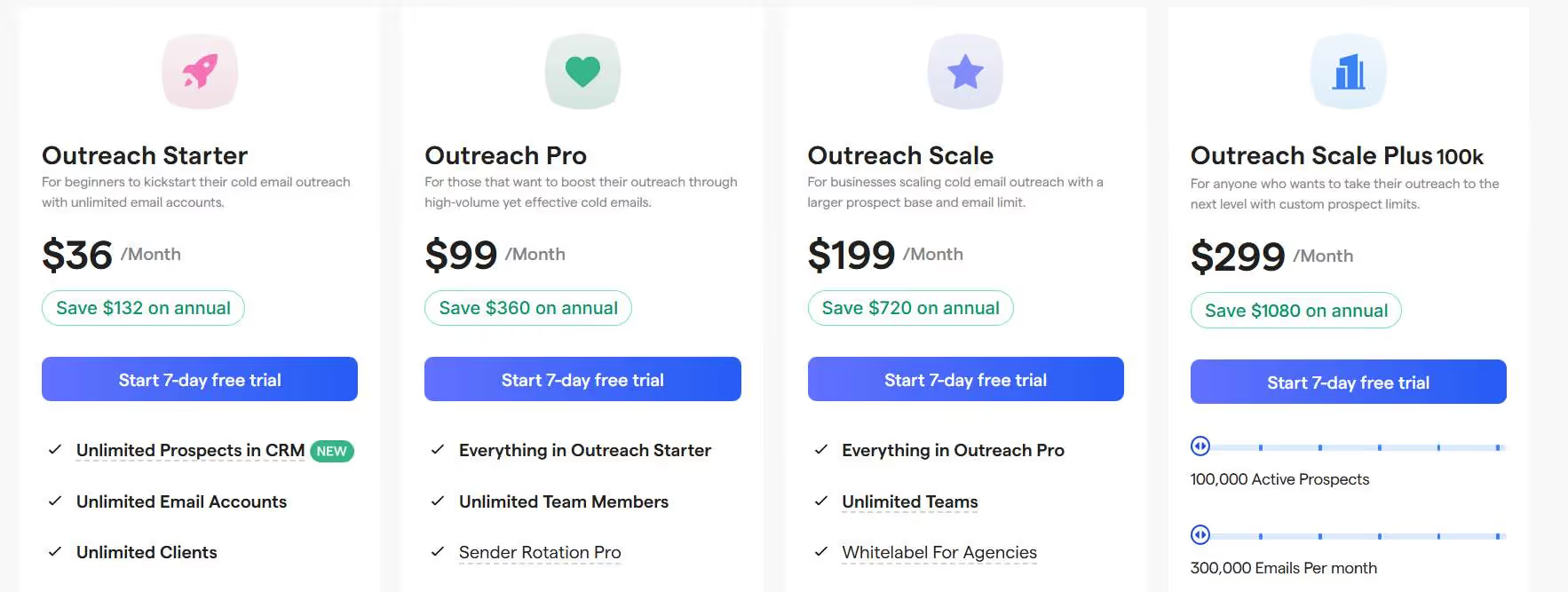
- Outreach Starter: $25/month (billed annually)
- Outreach Pro: $69/month
- Outreach Scale: $139/month
- Outreach Scale Plus: $299/month
- 7-day free trial, no credit card required 🎉
Best if: Cold email is your primary channel and you need to send high volumes reliably without breaking the budget.
5. SalesRobot
SalesRobot is built specifically for LinkedIn outreach, which separates it from every other tool on this list. 🔗

While most platforms treat LinkedIn as an add-on, SalesRobot puts it front and center. It automates connection requests, follow-up messages, and InMail outreach while staying within LinkedIn's activity limits.
For B2B teams where most conversations start on LinkedIn, this kind of specialization matters.
Where it stands out
SalesRobot's safety features are genuinely impressive. It uses mobile API behavior and real-time throttling to mimic human activity, which significantly reduces the risk of your account getting flagged.
You also get AI-powered inbox management, native video and voice note support in campaigns, and a built-in CRM for managing LinkedIn leads. 🧠
The multichannel angle is worth noting too: SalesRobot combines LinkedIn outreach with cold email in one place.
Where it has gaps
If email is your primary channel and LinkedIn is secondary, SalesRobot probably isn't the right fit. It's optimized for the LinkedIn-first workflow, which is exactly what some teams want and exactly what others don't need.
Pricing
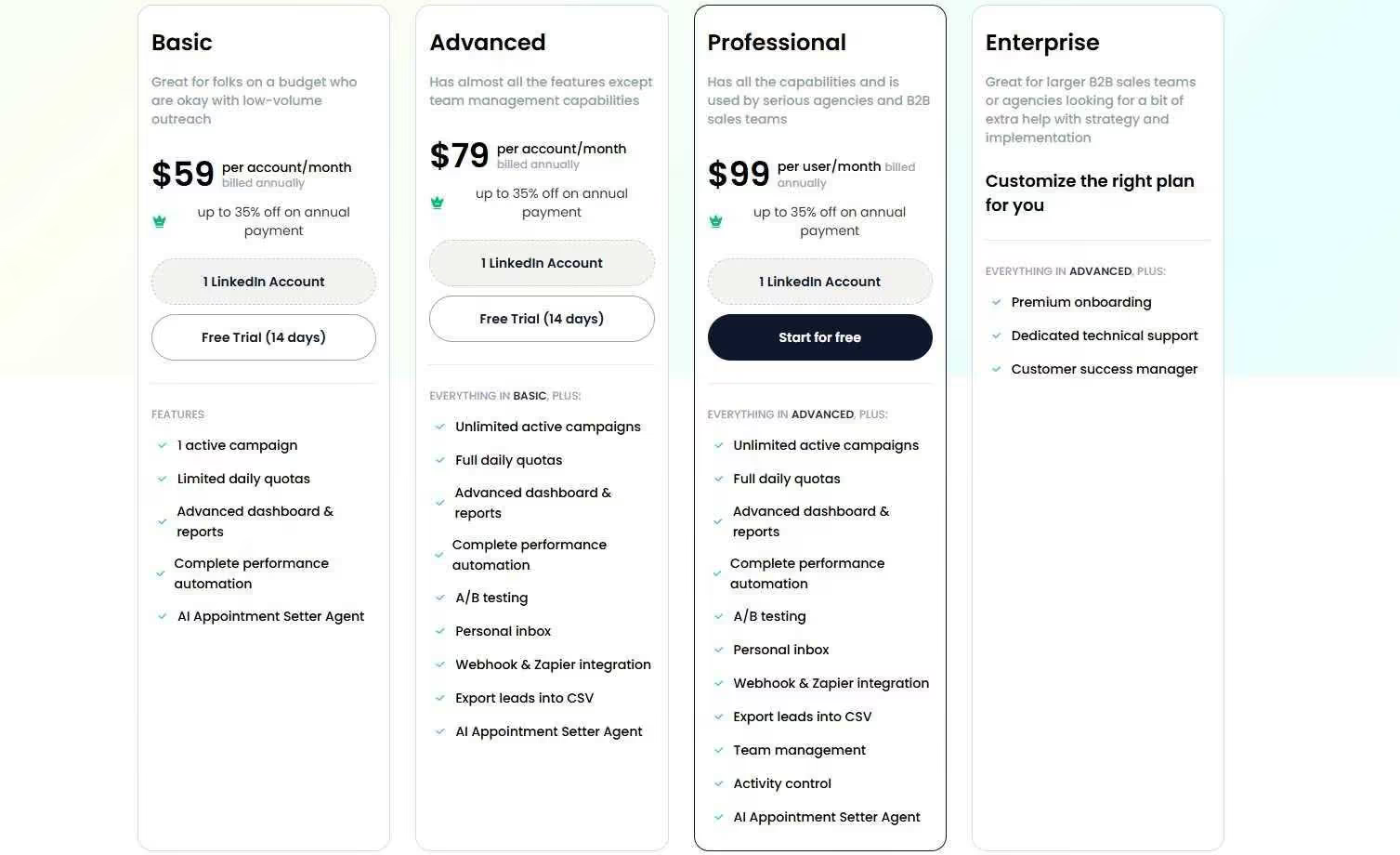
- Basic: $59/month
- Advanced: $79/month
- Professional: $99/month
- Annual billing saves you 35%
- 14-day free trial, no credit card required 🎁
Best if: Your prospects are active on LinkedIn and you want outreach that feels personal, stays safe, and reaches people where they're already spending their time.
The Verdict
Here's the honest breakdown: Klenty is a good platform. But "good" isn't always "right for your situation."
If you're a small team focused primarily on email, Klenty's Growth plan gives you what you need without overcomplicating things. But as soon as LinkedIn becomes a serious part of your strategy, or you start needing richer data, or your team scales past 20 people, the gaps start to show.
Go with Apollo.io if you want one platform that handles prospecting, data, and outreach together. It takes some setup, but it eliminates the need for multiple tools. 🗂️
Go with Reply.io if multichannel automation and AI-powered follow-ups are the priority. It's more complex but offers more flexibility than Klenty for growing teams.
Go with Outreach if you're running an enterprise sales organization and need the reporting, forecasting, and team management features to match. 🏢
Go with Saleshandy if cold email at scale is your main channel and you want to keep costs low while maintaining solid deliverability.
Go with SalesRobot if LinkedIn is where your prospects live. The safety features, personalization, and multichannel capabilities make it one of the best tools in this space for LinkedIn-first outreach. 🔗
The best pick depends on your team size, your primary channels, and what's actually holding your pipeline back right now. Start with the tool that solves your biggest bottleneck, not the one with the longest feature list.

Wow your leads by cloning yourself and sending personalized videos and voice notes to each lead on LinkedIn.
If you don't reply to leads within 5 mins, your chances of converting them fall by 50%. Our AI replies on your behalf instantly! (and yes, you can train it)

Don't shoot in the dark. Get detailed analytics on what's working

SalesRobot allows you to invite other team members, so that they can add their LinkedIn Account, run outreach campaigns and get amazing results just like you.
.avif)


Trusted by 4100+ innovative B2B sales teams and lead gen agencies

.avif)

.avif)




.avif)


Heading 1
Heading 2
Heading 3
Heading 4
Heading 5
Heading 6
Lorem ipsum dolor sit amet, consectetur adipiscing elit, sed do eiusmod tempor incididunt ut labore et dolore magna aliqua. Ut enim ad minim veniam, quis nostrud exercitation ullamco laboris nisi ut aliquip ex ea commodo consequat. Duis aute irure dolor in reprehenderit in voluptate velit esse cillum dolore eu fugiat nulla pariatur.
Block quote
Ordered list
- Item 1
- Item 2
- Item 3
Unordered list
- Item A
- Item B
- Item C
Bold text
Emphasis

Superscript
Subscript