.avif)
TL;DR
Most AI sales tools come pre-built.
You sign up, connect your CRM, and start running outreach sequences. Relevance AI takes a different approach entirely.
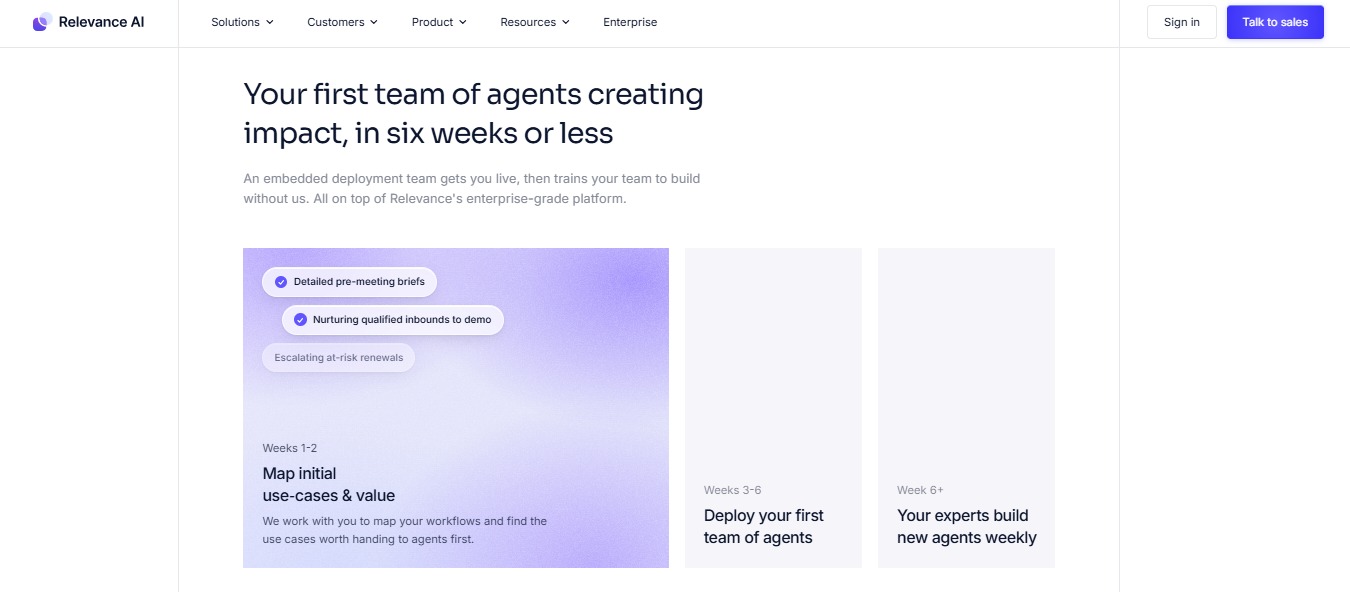
Rather than handing you a finished product, it gives you a platform to build your own AI agents, backed by an embedded deployment team that gets your first agents live and trains your team to keep building. This is no longer a purely self-serve product.
That distinction matters.

Relevance AI is not a dedicated sales engagement tool.
It is a low-code AI workforce platform that sales teams, marketing teams, operations teams, and support teams all use to automate the parts of their workflow that are repetitive, research-heavy, or time-consuming.
The result is a tool that is genuinely powerful but demands more from its users than a plug-and-play solution would.
This review covers what Relevance AI actually does, what it costs, where it earns its reputation, and where it falls short.
If your team's immediate need is outreach automation rather than custom agent development, specifically on LinkedIn, SalesRobot comes up naturally as a more direct alternative, and we cover it toward the end.
Relevance AI: What You Need to Know
✅ Genuinely flexible, not just marketed that way: Relevance AI can be used to automate almost any repeatable business workflow.
Sales research, lead enrichment, BDR outreach, content generation, customer support triage, internal knowledge management. The platform is built around customization rather than prescribed use cases, which makes it unusually versatile for teams with non-standard workflows.
⚠️ You are building, not buying: This is the most important thing to understand about Relevance AI before committing.
Unlike dedicated tools where you configure a few settings and start, Relevance AI requires you to design, build, and test your own agents. For teams without technical capacity or time to invest in setup, this can quickly become a project rather than a solution.
✅ LLM agnostic: The platform works with OpenAI, Anthropic, Google, Meta, and other major model providers. You can also bring your own API keys on paid plans to bypass Vendor Credit costs entirely, which gives technically sophisticated teams meaningful control over both model choice and spend.

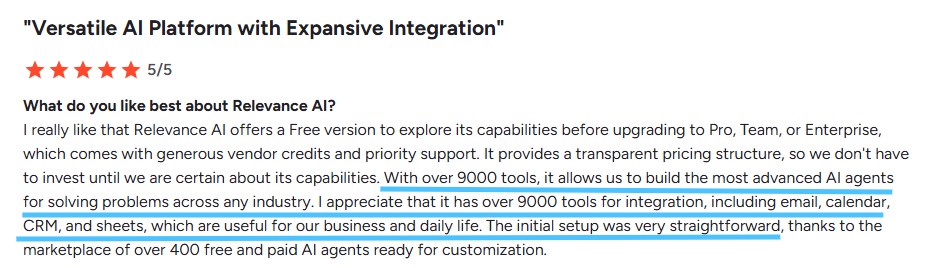
✅ Marketplace of over 400 agent templates: For teams that do not want to build from zero, Relevance AI offers a library of pre-built agent templates covering common use cases including BDR outreach, prospect research, content generation, and data analysis. These can be deployed and customized rather than built from scratch.
⚠️ Credit-based pricing requires active management: Relevance AI separates costs into Actions, which represent each time an agent runs a tool, and Vendor Credits, which cover AI model costs passed through at exact cost with no markup. Real costs depend heavily on how intensively your agents run. Teams with high-volume or always-on workflows can burn through allocations faster than expected.

⚠️ Learning curve is real and documented: Multiple independent reviews note that setting up anything beyond a basic workflow requires genuine technical understanding. Multi-agent systems and custom API integrations are not simple drag-and-drop tasks. For non-technical users, this often means pulling in developer time to build and maintain workflows.

Relevance AI: Key Features
Agent Builder
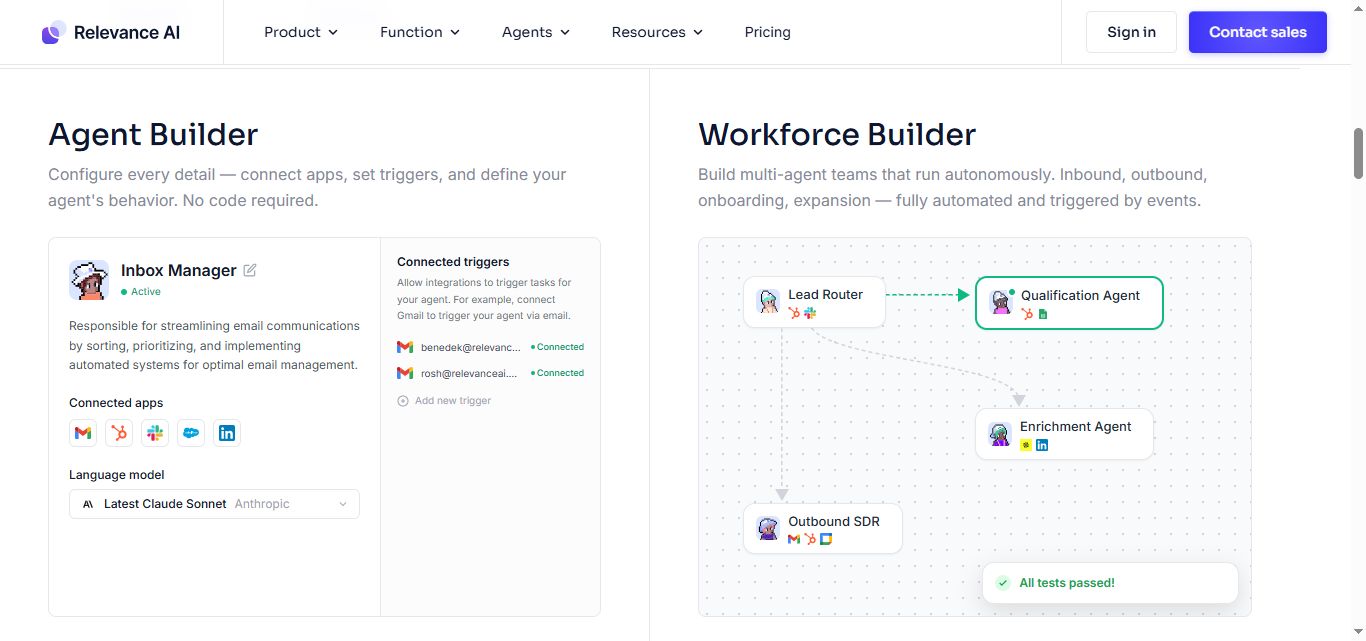
The core of the platform is a visual, drag-and-drop builder where you construct AI workflows by linking blocks together.
Each block represents an action: a language model call, a web search, a database query, an API request, a send action, or custom logic.
The builder is designed to be accessible to non-developers, and for straightforward workflows it largely delivers on that promise.
More complex, multi-step agents with conditional logic and external API integrations require meaningful technical understanding to build reliably.
Multi-Agent System (Workforce)

Relevance AI lets you connect multiple agents so they share outputs and work in sequence.
One agent might scrape and research a prospect, pass that enriched data to a second agent that writes a personalized outreach message, which is then passed to a third that handles scheduling and follow-up.
This collaborative agent architecture is what allows teams to replicate entire departmental workflows rather than just automating isolated tasks.
It is one of the platform's most powerful capabilities and one of its steeper learning investments.
Template Marketplace

With over 400 pre-built agent templates spanning sales, marketing, operations, and support, the marketplace gives teams a practical starting point rather than a blank canvas.
BDR research agents, content generation agents, prospect qualification agents, and data analysis agents can be cloned from the marketplace and modified for your specific needs. All plans include marketplace access, including the free tier.
LLM Flexibility and Bring Your Own Key
Relevance AI is model-agnostic.
Teams can choose from OpenAI, Anthropic, Google, Meta, and other providers depending on the task requirements.
On paid plans, you can connect your own API keys to bypass Vendor Credit costs entirely, passing model costs directly through your existing accounts. This is a significant advantage for teams already managing LLM spend at scale.
Agent Modes

Agents on Relevance AI can run in several modes depending on the use case.
Chat Mode allows conversational interaction with an agent.
Calling and Meeting Agents, available from the Team plan, enable voice-based and meeting-based automation.
Scheduled Tasks let agents run automatically at defined intervals without manual triggering. Smart Escalations route tasks to humans when the agent encounters something outside its defined scope.
Integrations
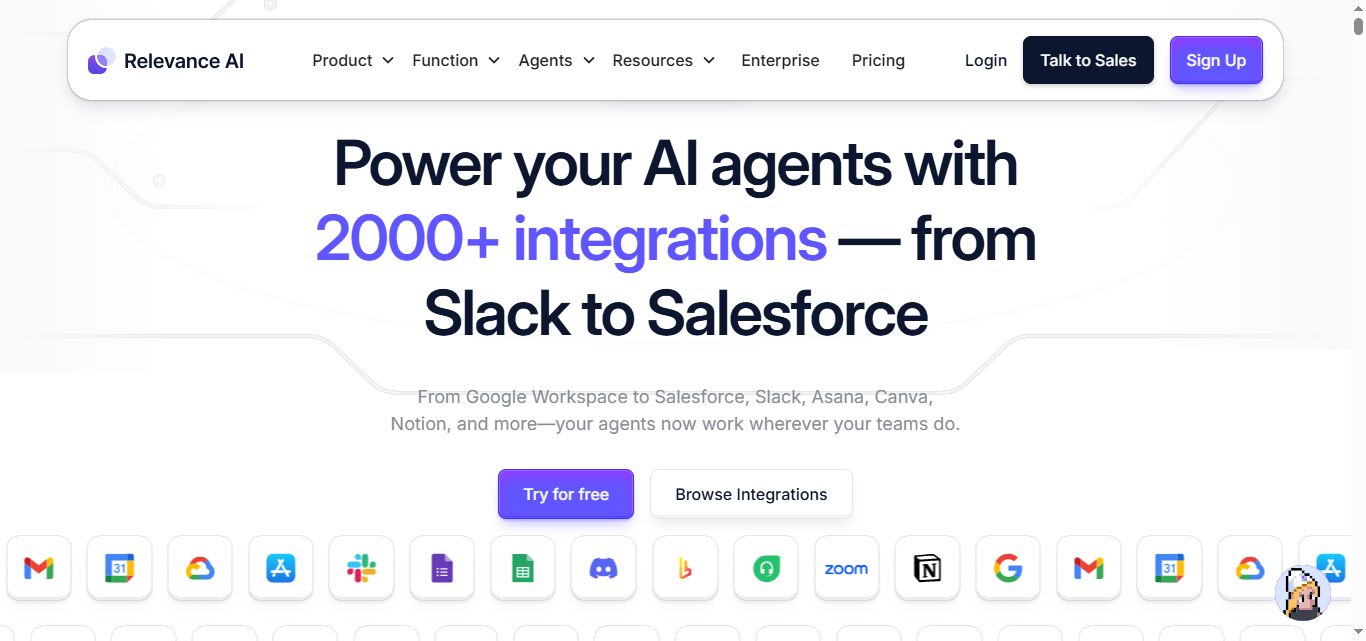
The platform connects to over 2,000 apps and supports custom API integrations. Standard integrations cover CRMs like Salesforce and HubSpot, productivity tools like Google Sheets and Notion, and communication platforms like Slack.
Premium App Triggers are available from the Pro plan, with Enterprise App Triggers and custom trigger building on Enterprise.
Security and Compliance
All plans include SOC 2 and GDPR compliance. Enterprise adds SSO via SAML, RBAC, audit logs, and multi-org management for organizations with stricter governance requirements.
Relevance AI Pricing
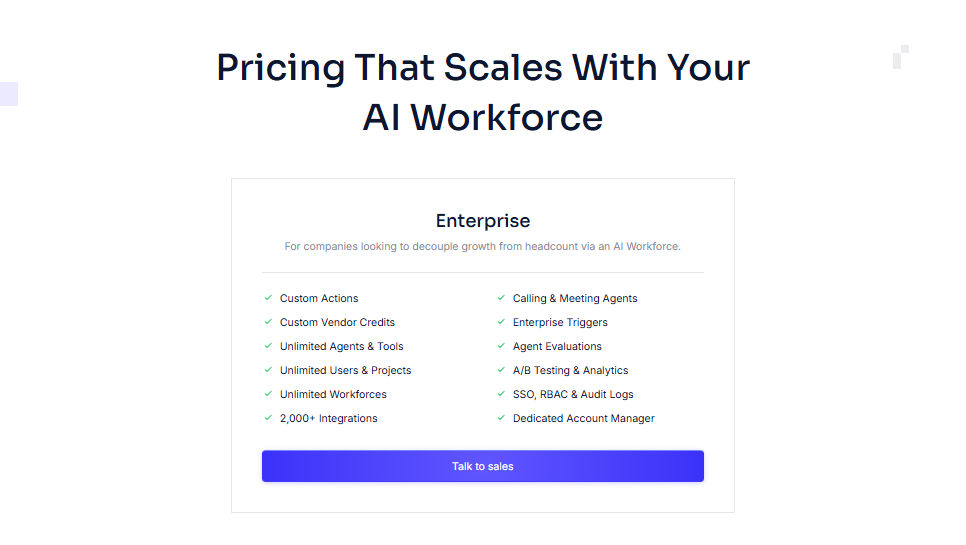
Relevance AI uses a dual-component pricing model. Actions represent each individual tool run by an agent. Vendor Credits cover AI model costs, passed through at exact cost with no markup. Paid plan users can bring their own API keys to eliminate Vendor Credit costs entirely. Unused credits roll over on the Team plan and above.
Free: $0/month
- 200 Actions/month
- $2 bonus Vendor Credits on signup (one-time), 1,000 total Vendor Credits
- 1 build user, 1 project, 1 Workforce
- Unlimited agents and tools
- 30-day task history
- Marketplace access and community forum
- SOC 2 and GDPR compliant
- No credit card required
Pro: $29/month
- 2,500 Actions/month
- $20 Vendor Credits/month, 10,000 total Vendor Credits
- 2 build users
- Unlimited Workforces and projects
- Scheduled tasks, Chat Mode, Smart Escalations
- Activity Center, Premium App Triggers
- Bring Your Own LLM
- 90-day task history
Team: $349/month
- 7,000 Actions/month
- $70 Vendor Credits/month, 35,000 total Vendor Credits
- 5 build users, 45 end users, 5 shared projects
- Unused credits roll over
- Calling and Meeting Agents
- A/B Testing and Analytics Dashboard
- Priority support
Enterprise: Custom pricing
- Custom Actions and Vendor Credits
- Unlimited users and projects
- Agent Evaluations, Work Hour Controls
- Multi-Org Management
- SSO, RBAC, Audit Logs
- Dedicated Account Manager and Custom Implementation
- Priority Early Access
Annual billing is available across all paid plans at a discount.
This is a shift from the platform's earlier positioning as a self-serve, build-your-own-agent tool with a usable free tier. If your team was counting on testing Relevance AI on a free plan before committing budget, that option isn't visible on the current pricing page.
Book a demo to get an actual quote.
What Works Well
✅The flexibility is real. Most AI tools force your workflow to fit their product. Relevance AI genuinely lets you build the process you actually have rather than the one the vendor imagined. For teams with unusual or complex workflows, this is a meaningful advantage that most alternatives cannot match.
✅The template marketplace reduces build time significantly. Starting from a proven BDR agent template and customizing it for your ICP is substantially faster than building from zero. The 400-plus templates mean most common use cases have a solid starting point.
✅LLM agnosticism and bring-your-own-key are serious benefits. For technical teams already running OpenAI or Anthropic at scale, the ability to route model costs through existing accounts and avoid markup is both practically useful and a signal that the platform is built for sophisticated users.
✅The multi-agent architecture scales in a way single agents cannot. A research agent feeding an outreach agent feeding a follow-up coordinator is genuinely more capable than one agent trying to do all three jobs. For teams that invest in building this properly, the compound output is significant.
Potential Drawbacks
⚠️This is a build-it-yourself platform. The most consistent feedback across independent reviews is that getting meaningful results from Relevance AI requires real investment in setup, testing, and iteration. Teams that want something running in a day will find this frustrating. Teams that treat it as a development project and allocate appropriate time tend to get strong results.
⚠️Credit consumption can be unpredictable at scale. Teams running high-volume or always-on agents can exhaust their Action allocation faster than anticipated. The Team plan's 7,000 Actions per month sounds substantial until agents are running complex multi-step workflows repeatedly. Budgeting requires actively monitoring usage patterns.
⚠️LinkedIn outreach is not a native capability. The platform can incorporate LinkedIn data into research workflows, but it does not offer native LinkedIn automation, connection requests, message sequences, or inbox management. Teams that rely heavily on LinkedIn for direct outreach will need a separate tool for that channel.
⚠️Non-technical teams will struggle without developer support. The low-code description is accurate for simple workflows. Multi-agent systems, custom API integrations, and conditional logic require genuine technical understanding. Without someone on the team comfortable with these concepts, setup can stall or produce unreliable results.
Who Should Use Relevance AI
Relevance AI is well suited to revenue operations teams and enterprises with the budget and appetite for a sales-led deployment, working with Relevance AI's team to build custom automation rather than buying a fixed product.
If your workflows are non-standard, your use cases span multiple departments, or you want the ability to wire together your own AI processes using the LLMs you already work with, Relevance AI gives you genuine capability that dedicated point solutions cannot match.
It is a poor fit for teams that need outreach automation up and running quickly, organizations without technical capacity to build and maintain agents, or sales teams whose primary prospecting channel is LinkedIn.
The platform's power is proportional to the investment you put into building on top of it.
Relevance AI vs SalesRobot: A Direct Comparison
SalesRobot: Worth Considering If You Need Outreach Running Now
Relevance AI's strength is customization and flexibility.
Its limitation, for teams with an immediate outreach need, is that everything requires building.
If the reason you are evaluating AI tools is to run LinkedIn prospecting at scale without adding headcount, Relevance AI will get you there eventually, but not quickly.
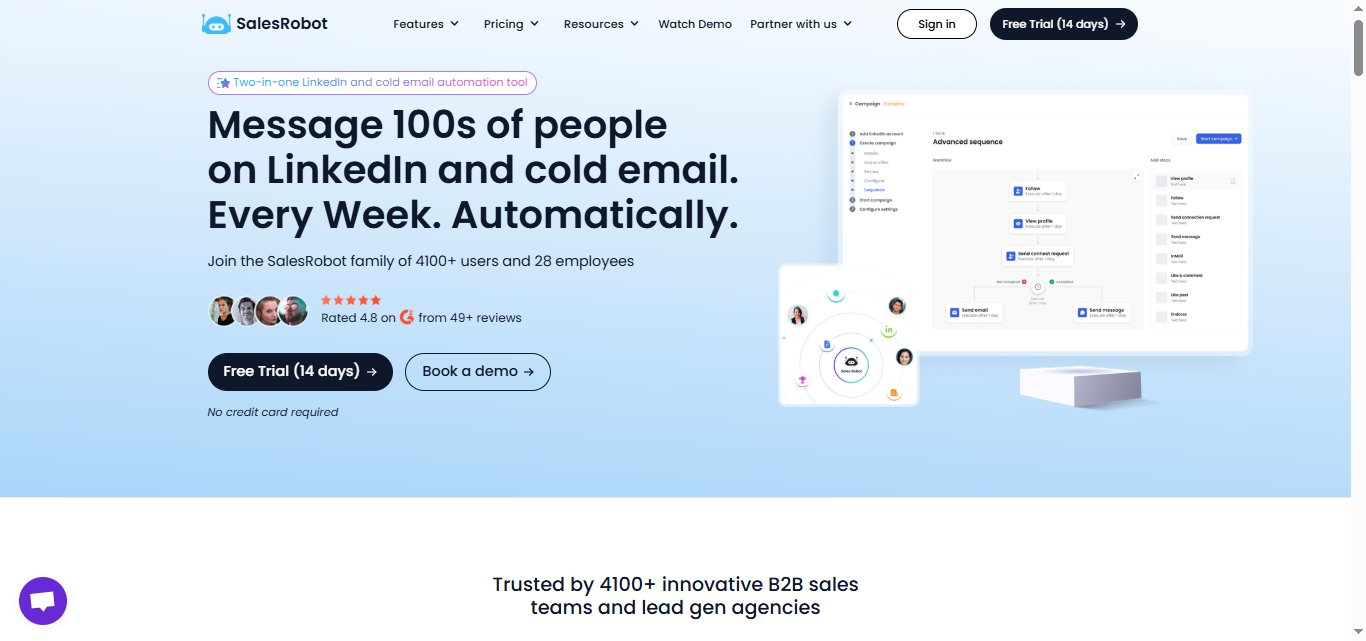
SalesRobot is a cloud-based LinkedIn and email automation platform built specifically for B2B outreach.
There is no agent to configure, no workflow to build, and no API to connect.
You add your LinkedIn account, set up a sequence, and campaigns run. It uses LinkedIn's mobile app APIs rather than browser automation, which keeps activity looking natural and makes account restrictions far less likely than Chrome-based tools.
Mobile API Safety: Because SalesRobot connects through LinkedIn's mobile APIs, your outreach activity mimics natural human behavior.
Users consistently report running sustained, high-volume campaigns without account flags or restrictions, which is the single biggest operational concern with any LinkedIn automation tool.
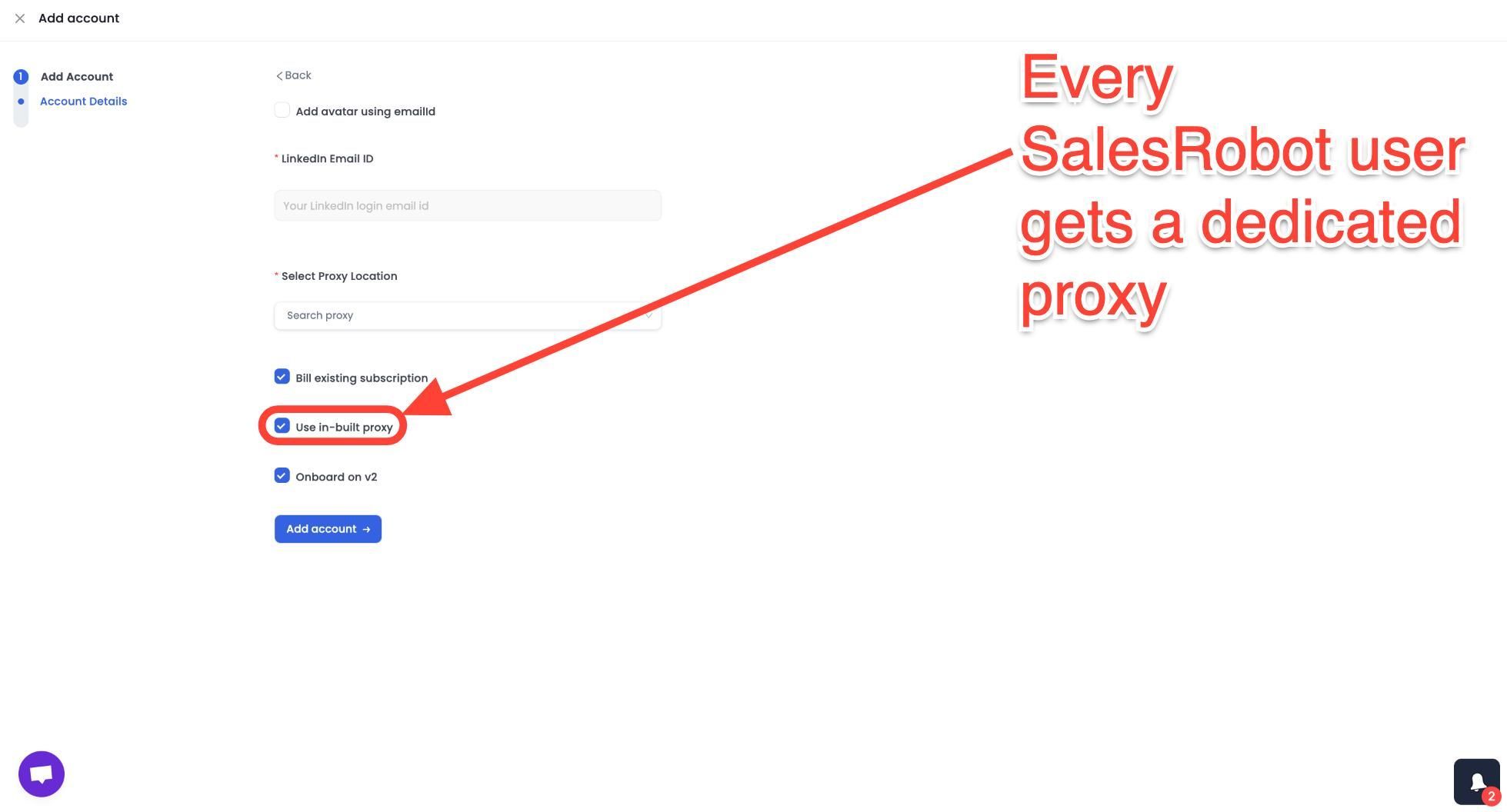
AI Appointment Setter: After a prospect replies, SalesRobot's AI takes over the conversation, handles qualification questions, and books meetings automatically.
You can train it on your specific criteria and ideal responses, which means the early-stage pipeline management largely runs without manual involvement. For smaller teams without a dedicated SDR, this is a meaningful capability.
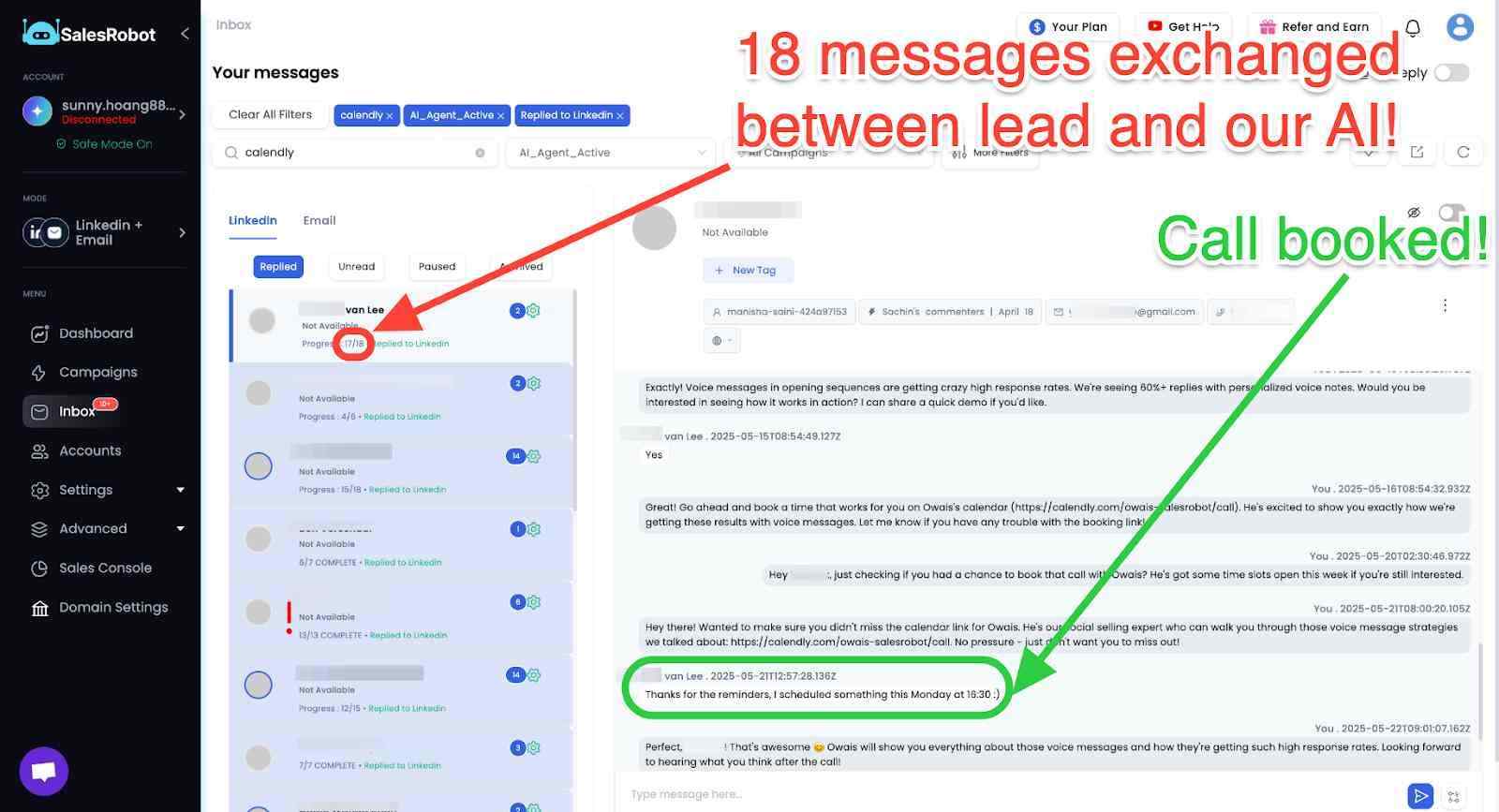
AI Voice Clone and Video Messages: SalesRobot lets you send personalized voice notes and video messages through LinkedIn as part of automated sequences.
The AI Voice Clone feature lets you record a short voice sample once, then generates individualized voice notes for each prospect that sound like you, without recording each one manually.
In sectors where relationships and trust matter, this kind of personal touch at scale tends to drive significantly higher reply rates than text-only outreach.
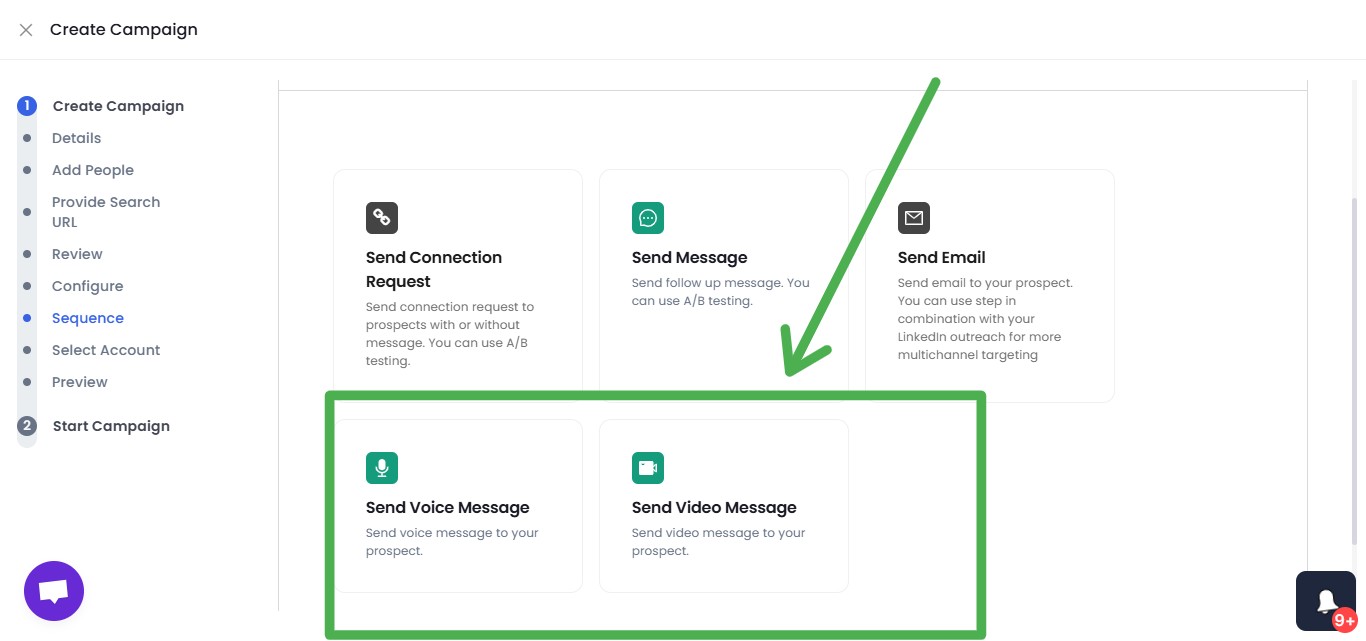
AI Variables and Hyper-Personalization: SalesRobot pulls data directly from a prospect's LinkedIn profile to write personalized message sequences automatically. You are not working from a static template that gets blasted to everyone.
Each message is adapted to the individual, which matters when you are reaching decision makers who see generic outreach constantly.
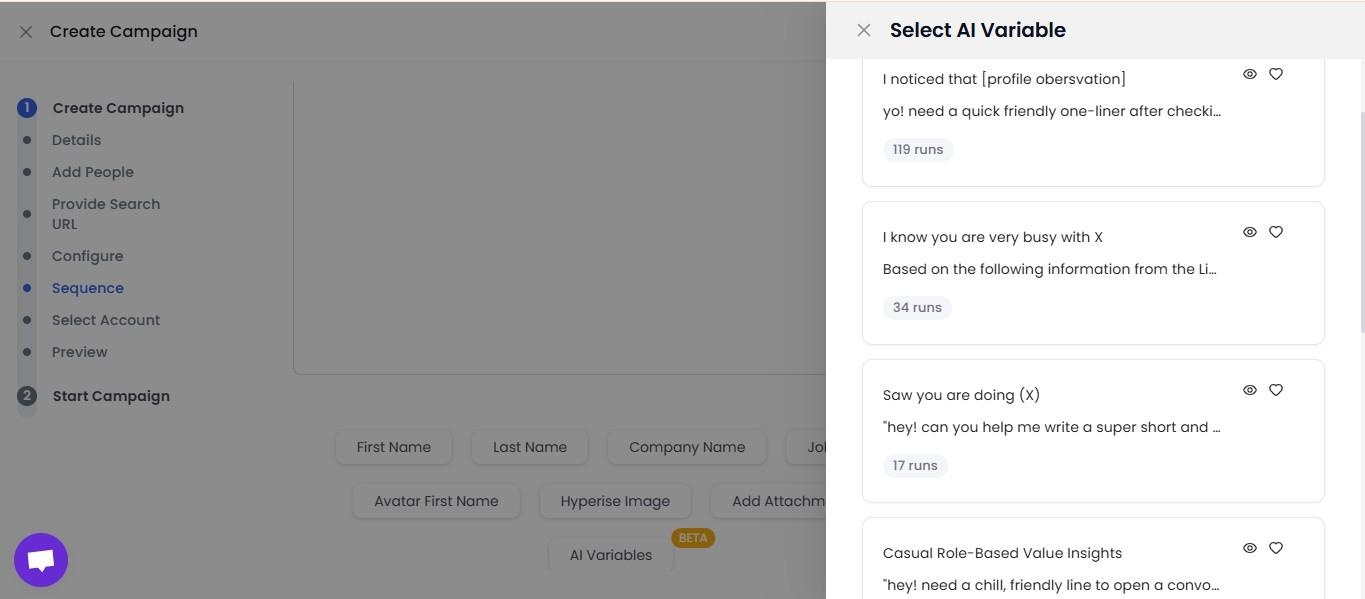
Multi-Step Sequences: You can build complex LinkedIn and email campaigns with smart delays and behavioral conditions. Leads can be imported from Sales Navigator, standard LinkedIn search, LinkedIn groups, event attendees, or CSV uploads, giving you flexibility in how you build and target your prospect lists.
Unified Inbox and Mini CRM: All LinkedIn and email conversations consolidate in one place with automatic reply detection. SalesRobot stops messaging automatically when a prospect responds, preventing the over-automation feel that kills conversations. You can tag leads, filter by interest level, and track where every prospect sits without switching between platforms.
Team Management and Analytics: For agencies or sales teams managing multiple LinkedIn accounts, SalesRobot tracks performance across accounts, prevents duplicate outreach between team members, and surfaces detailed analytics on what sequences and approaches are actually working.
SalesRobot pricing (per LinkedIn account, 14-day free trial, no credit card required):
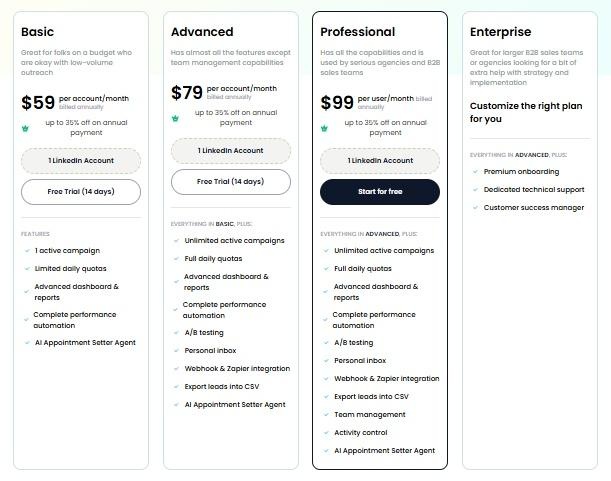
SalesRobot starts at $59/month with a 14-day free trial, making it accessible to test before committing to anything.
It also has a 4.8 rating on G2, with 50+ independent user reviews.
The Bottom Line
Relevance AI is a genuinely capable platform for teams that want to build custom AI workflows rather than buy a fixed product.
✔️The agent builder, multi-agent architecture, template marketplace, and LLM flexibility give technically capable teams tools that most dedicated sales software simply cannot replicate.
🛑The trade-off is that realizing that capability requires real investment in setup, iteration, and ongoing maintenance.
If you have the technical capacity and the time to build properly, Relevance AI can automate workflows across your entire GTM motion in ways that point solutions never could.
If you need outreach running this week, especially on LinkedIn, a purpose-built tool like SalesRobot gets you there without the build time, and with a 14-day free trial that lets you try all its features before committing.
Frequently Asked Questions
Does Relevance AI have a free plan?
Relevance AI's pricing page currently shows Enterprise only, with no free tier listed. A free plan may still exist for some users or by request, but it is not part of the public sign-up flow as of mid-2026. Confirm current availability directly with Relevance AI before assuming a no-cost option is open to new signups.
When did Relevance AI change its pricing?
Relevance AI restructured its pricing in September 2025, splitting the old single-credit system into two meters: Actions (each tool run an agent performs) and Vendor Credits (AI model costs passed through at exact cost). The previous $599/month Business tier was also retired at that time.

Wow your leads by cloning yourself and sending personalized videos and voice notes to each lead on LinkedIn.
If you don't reply to leads within 5 mins, your chances of converting them fall by 50%. Our AI replies on your behalf instantly! (and yes, you can train it)

Don't shoot in the dark. Get detailed analytics on what's working

SalesRobot allows you to invite other team members, so that they can add their LinkedIn Account, run outreach campaigns and get amazing results just like you.
.avif)


Trusted by 4100+ innovative B2B sales teams and lead gen agencies

.avif)

.avif)




.avif)


Heading 1
Heading 2
Heading 3
Heading 4
Heading 5
Heading 6
Lorem ipsum dolor sit amet, consectetur adipiscing elit, sed do eiusmod tempor incididunt ut labore et dolore magna aliqua. Ut enim ad minim veniam, quis nostrud exercitation ullamco laboris nisi ut aliquip ex ea commodo consequat. Duis aute irure dolor in reprehenderit in voluptate velit esse cillum dolore eu fugiat nulla pariatur.
Block quote
Ordered list
- Item 1
- Item 2
- Item 3
Unordered list
- Item A
- Item B
- Item C
Bold text
Emphasis

Superscript
Subscript