.avif)
TL;DR
- RocketReach has a database of 700M+ professional contacts and is best suited for teams that need email addresses and phone numbers across industries, not just LinkedIn.
- Individual pricing starts at $329/year (Essentials, email-only) and goes up to $1,699/year (Ultimate). Monthly billing runs from $49 to $209/month. Phone number access requires the Pro plan ($829/year) or higher.
- The credit system is strict. Lookups don't roll over, and export credits are capped separately from search lookups, which means you can find contacts but hit a wall when trying to export them.
- RocketReach lacks outreach automation. It finds contact data but doesn't send emails, run drip campaigns, or automate LinkedIn sequences. You'll need separate tools for that.
- SalesRobot takes a different approach by automating LinkedIn outreach with AI-powered voice notes, video messages, and multi-step sequences, starting at $39/month (annual) per LinkedIn account.
- If LinkedIn is your primary prospecting channel, SalesRobot gives you more ROI per dollar than a standalone contact database like RocketReach.

RocketReach: What You Need to Know
Ever spent three hours hunting down one person's email address, only to find out it bounced anyway? 😩
You're scrolling through LinkedIn profiles, checking company websites, and genuinely wondering whether reaching out to their college roommate on Facebook crosses a professional line.
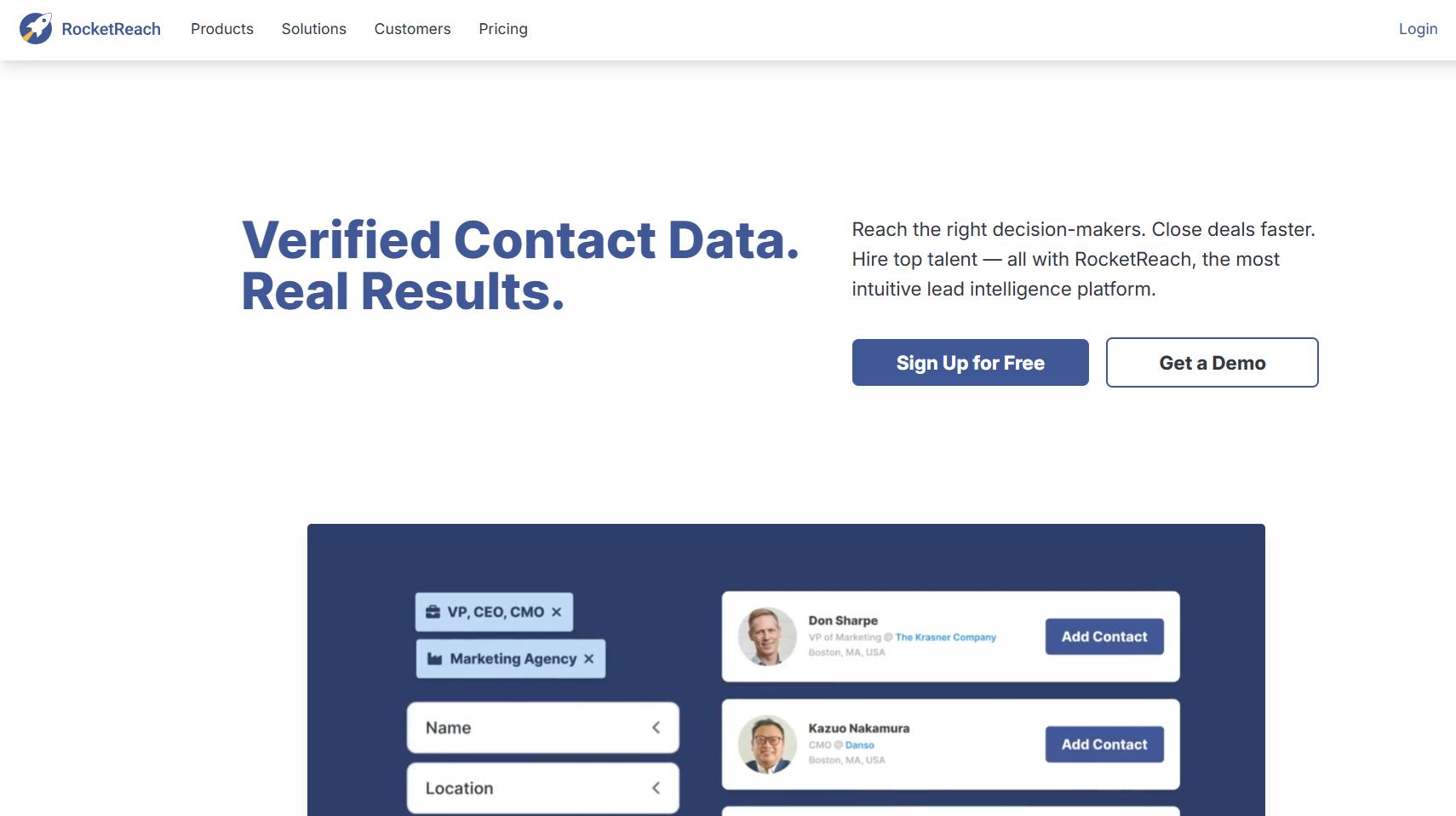
We have more ways to connect than ever before, yet finding accurate contact information still feels like an uphill battle. RocketReach promises to fix that by giving you instant access to anyone's email and phone number.
Sounds too good to be true, right? That's exactly what I thought before putting it through the wringer. This review digs into whether RocketReach actually delivers, what it costs, and how it stacks up against SalesRobot for real-world lead generation.
Here's a quick snapshot of what stands out 👇
✅ Massive contact database: Over 700 million professional contacts with email addresses and phone numbers. Finding decision makers at target companies is surprisingly smooth, and "Contact Information" is the most praised feature on G2 with 273 mentions.
✅ Easy to use: G2 reviewers consistently highlight ease of use (266 mentions). The interface is intuitive, search filters work well, and you don't need a training session to start pulling contacts.
✅ Chrome extension is handy: You can pull contact info directly from LinkedIn profiles or company websites without switching tabs. It's like having a research assistant built right into your browser.
⚠️ Data accuracy is a mixed bag: More G2 reviewers vouch for Rocketreach’s inaccuracy than the accuracy of its data.

⚠️ Missing information is a real issue: 75 G2 reviewers flagged "Missing Information" as a problem. You'll sometimes search for a contact and come up empty, or get an email but no phone number even on the Pro plan.

✅ Bulk export capabilities: When you find a goldmine of contacts, you can export hundreds at once instead of copying them one by one. This saves hours when building targeted prospect lists.
RocketReach's Key Features, Broken Down
Contact Discovery and Verification
RocketReach helps you find email addresses and phone numbers for prospects across millions of professionals worldwide. Instead of guessing email formats or searching endlessly, you can locate verified contact info in seconds.

Say you're trying to reach a marketing director at a specific company. RocketReach will surface their direct email and phone number with solid accuracy rates. That saves hours of manual research and cuts down on those frustrating bounced emails. 📧
Advanced Search and Filtering
The search capabilities here are pretty robust. You can filter prospects by job title, company size, industry, location, and dozens of other criteria. Building highly targeted prospect lists without scrolling through irrelevant results is a big time saver.
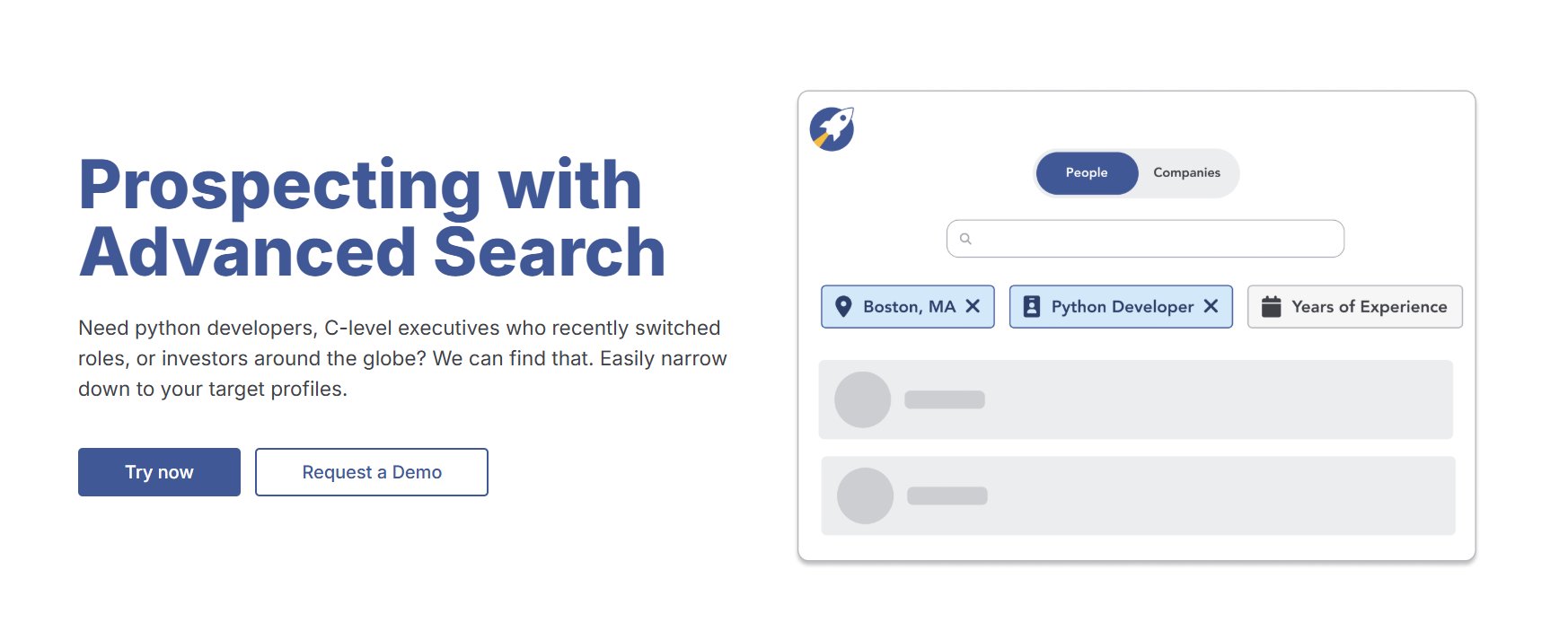
For example, a sales rep targeting SaaS companies with 50 to 200 employees in California can create that exact filter and get a refined list instantly. That kind of precision targeting makes a real difference in outreach response rates.
Chrome Extension for LinkedIn Integration
RocketReach's Chrome extension plugs directly into LinkedIn, so you can find contact info while browsing profiles. No tab-switching, no losing your flow.
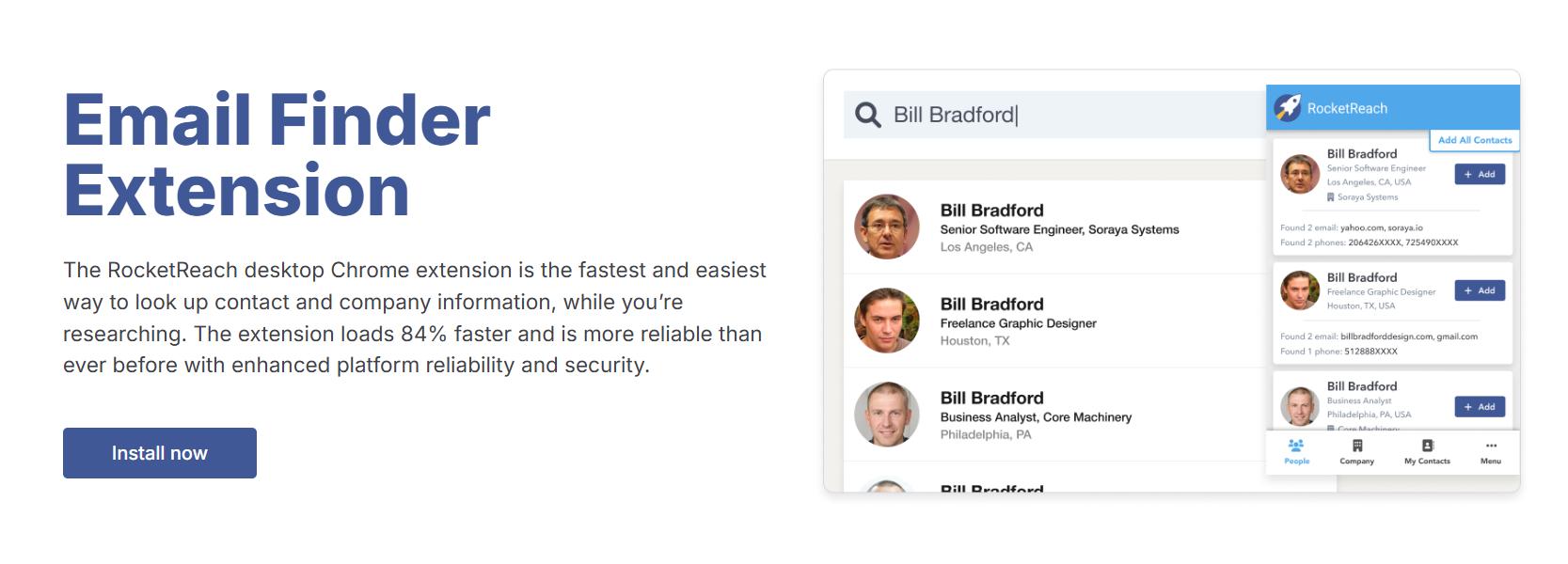
When you're researching potential clients on LinkedIn, just click the extension to see email addresses and phone numbers right on the profile page. It makes prospecting feel natural and keeps everything in one place. 🔌
Bulk Email Finder and Export
Upload a list of names and companies to find contact information in bulk, then export everything to CSV for your CRM or email tools. What would take hours of individual lookups turns into minutes of batch processing.

Marketing teams can upload their target account lists from trade shows or webinar registrations and get complete contact details for hundreds of prospects at once. The exported data plays nicely with Salesforce, HubSpot, and other popular platforms.
Company Intelligence and Insights
Beyond contact info, RocketReach provides company data including employee counts, revenue estimates, technology stack, and recent news. This helps you understand your prospects before reaching out.
Knowing that a target company just raised Series B funding or recently hired a new CMO gives you relevant conversation starters. Your outreach will feel informed instead of generic. 🎯
API and CRM Integration
RocketReach offers API access and native integrations with CRMs like Salesforce and HubSpot. Contact data can sync with your existing sales workflows without manual data entry.

Sales teams can set up automated workflows where new prospects discovered in RocketReach show up in their CRM with complete contact details and company info. No data silos, everything stays centralized.
RocketReach Pricing: How Much Will It Cost?
Here's what RocketReach charges in 2026, based on their official pricing page. They offer both monthly and annual billing, with annual saving up to ~52% on Essentials (less on higher tiers). Both monthly and annual per-seat rates are shown below. 💰

Essentials: $69/month (billed monthly) or $32/month (billed annually)
- Email only (personal and professional emails)
- 100 lookups per month / 1,200 per year
- 100 exports per month / 1,200 per year
- Send 500 emails per day
- No phone number access
This plan works for individuals focused on email-only outreach. But keep in mind: no phone numbers at all on this tier. If you need direct dials for cold calling, you're forced to upgrade to Pro.
Pro: $119/month (billed monthly) or $75/month (billed annually)
- Email AND mobile/direct phone numbers
- 250 lookups per month / 3,000 per year
- 250 exports per month / 3,600 per year
- Technographics, news, and org charts
- 10 active automation jobs
- Salesforce, Outreach, HubSpot, Salesloft, and Bullhorn integrations
This is where most sales professionals will land. The phone number access justifies the jump from Essentials for anyone doing cold calling alongside email outreach. RocketReach labels this one "Best Value."
Ultimate: $209/month (billed monthly) or $142/month (billed annually)
- Email AND mobile/direct phone numbers
- 1,000 lookups per month / 12,000 per year
- 1,000 exports per month / 20,000 per year
- 25 active automation jobs
- All Pro integrations plus Salesforce Custom Mapping
- Intent Data and Healthcare Data
Built for growing sales teams and agencies handling multiple clients. The jump in lookup volume from Pro (250/month) to Ultimate (1,000/month) is significant for high-volume prospecting operations.
Enterprise: Custom pricing
- Custom lookup volumes
- Dedicated account manager
- Custom integrations
- Advanced security and onboarding
For large organizations with high-volume prospecting needs.
A Few Things to Watch Out For
RocketReach offers a free tier with 5 lookups per month, which is really only useful for a quick test drive.
Annual billing saves up to 50%, but you're locked into a 12-month commitment upfront. And lookups don't roll over. If you don't use your monthly allotment, those credits are gone.
Adding seats saves you 5% per seat, which helps a bit for teams but doesn't change the fundamental cost structure much.
RocketReach vs SalesRobot: How Do They Compare?
These two tools solve related but different problems. Here's how they stack up side by side:
Choose RocketReach if you need a massive contact database and your workflow centers on finding emails and phone numbers across the web. Choose SalesRobot if LinkedIn is your primary channel and you want automated outreach that actually books meetings.
SalesRobot: The LinkedIn-First Alternative
RocketReach is solid at finding contact information. But here's the thing: the best lead generation happens where decision-makers are already active and engaged. And that place is LinkedIn.
Instead of hunting for emails and hoping they're still valid, SalesRobot meets prospects where they're already spending their professional time.

We built it specifically for B2B sales teams and agencies who want to scale outreach without sounding like robots. 🤖
Our platform combines LinkedIn messaging, connection requests, and follow-up sequences with cold email automation, all managed from a single dashboard.
And because everything runs in the cloud using mobile APIs, you get safer automation with fewer account restrictions than browser-based tools.
Multi-Step LinkedIn Sequences
We automate connection requests, follow-ups, and InMails (up to 50/day to open profiles, with no InMail credits consumed) with smart time delays that mimic natural human behavior on the platform. The system stops messaging automatically when a prospect replies, so there's no risk of awkward double-sends or over-outreach.
You set the sequence once and it runs 24/7, even with your computer off. Each step can include conditions and branching logic, so the right message goes out at the right time based on how the prospect responds.
AI-Powered Voice and Video Messages
This is one of our biggest differentiators. You can send personalized voice notes and video messages at scale using AI cloning technology. We've seen 40%+ higher reply rates compared to text-only outreach across our user base.
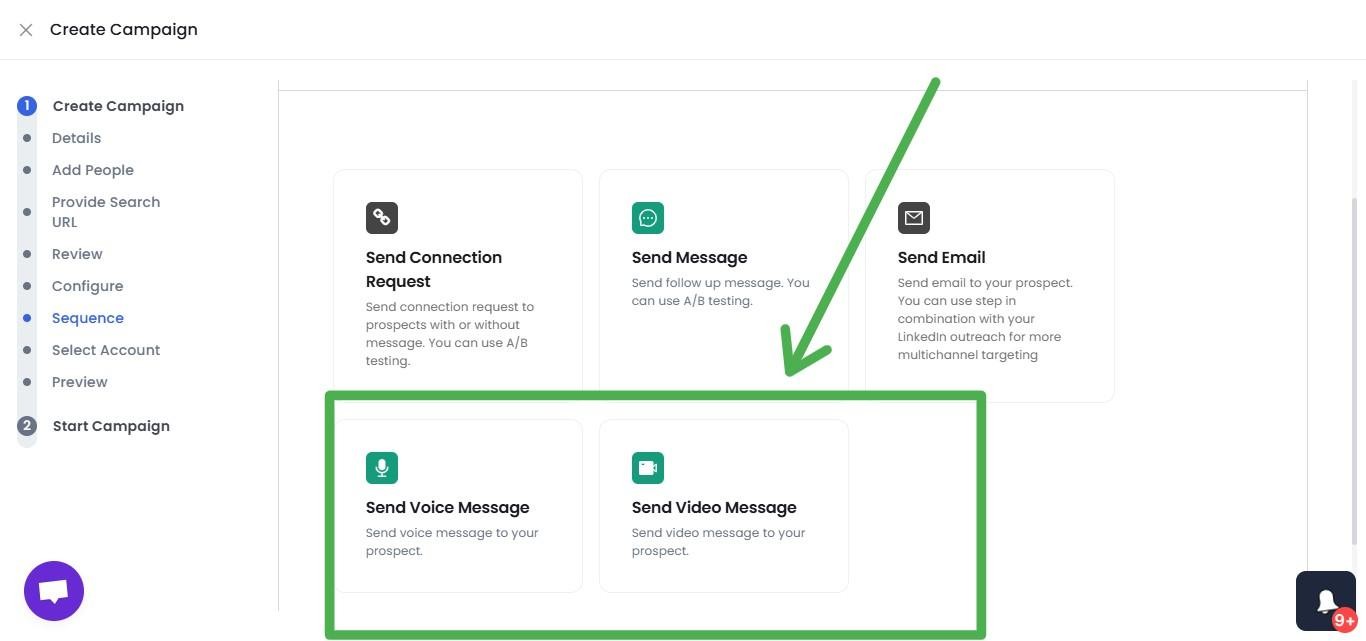
Think about it: a personalized video message stands out in a LinkedIn inbox full of generic text templates. It makes your outreach feel human and creates a real connection before you've even had a live conversation.
Safety-First Automation
Account safety is something we take seriously. Our infrastructure uses LinkedIn mobile app APIs and dedicated residential IP rotation to keep your account looking natural to LinkedIn's systems.
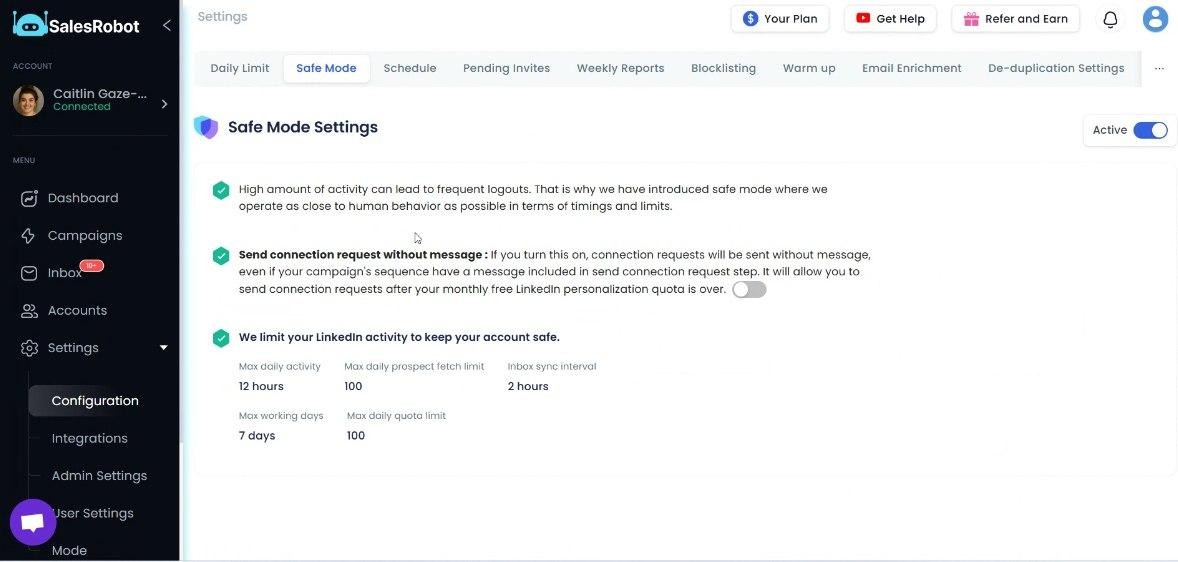
Daily quotas automatically comply with LinkedIn's limits (up to 75 connection requests and 75 messages per day on Advanced and Professional plans).
We've had users run campaigns for months with zero bans, and that's because our cloud-based architecture avoids the risky browser-based approach that competitors rely on.
AI Appointment Setter
This is an AI agent that manages your inbox, nurtures leads through conversations, and books meetings for you. You train it to match your communication style and sales process, then let it handle the back-and-forth.
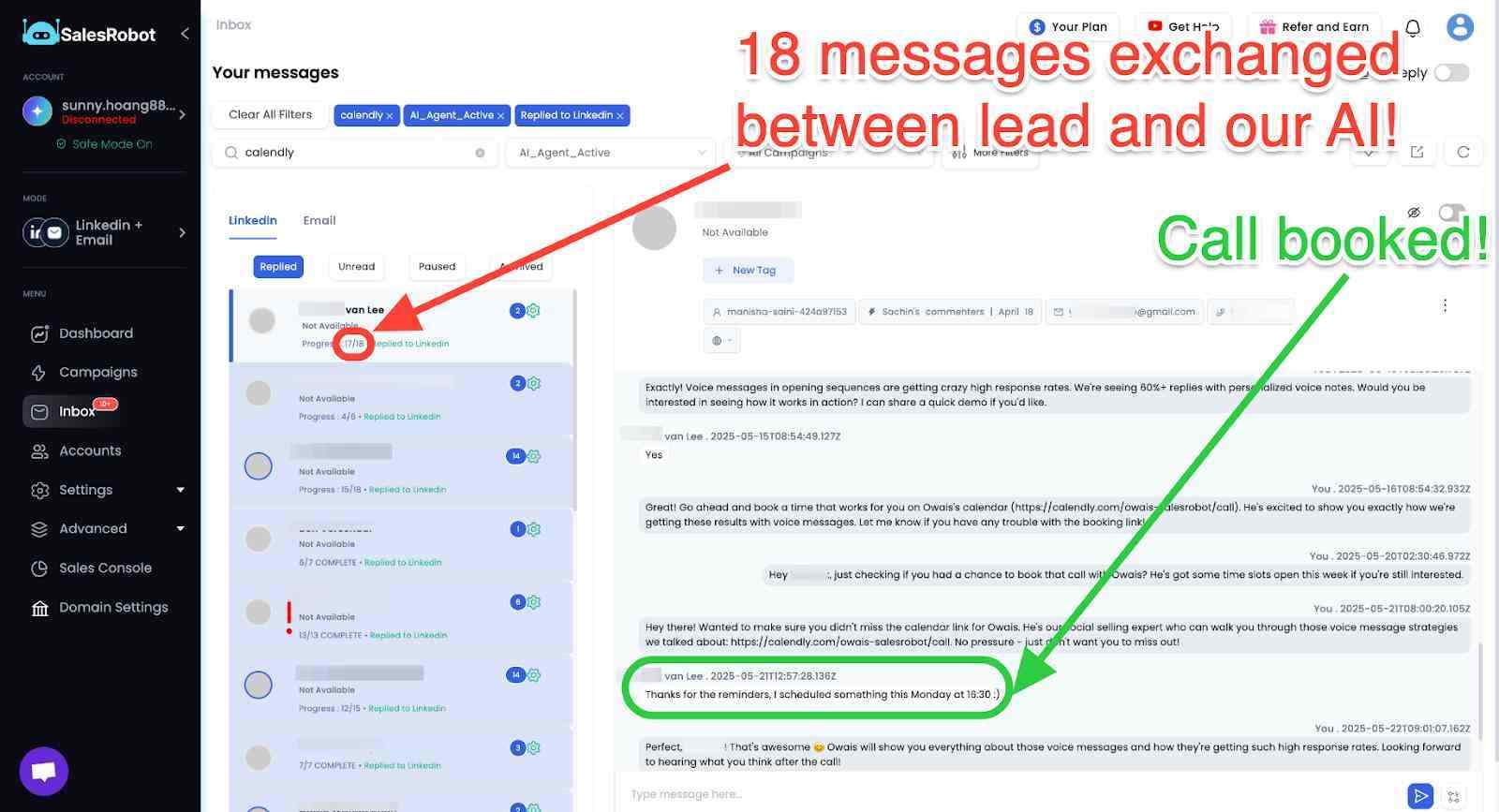
It responds intelligently when prospects ask questions, handles objections, and pushes interested leads toward a booked call. For teams running high-volume campaigns, this means you can focus on closing instead of qualifying.
Advanced Targeting Options
Import prospects from LinkedIn Search, Sales Navigator, CSV uploads, or even pull attendees from LinkedIn events and group members.
You can also target people who commented on a specific LinkedIn post, which is a powerful way to find engaged prospects who are already interested in your topic.
This flexibility means you're never stuck with one sourcing method. Whatever works for your audience, we support it.
Unified Inbox Management
Manage both LinkedIn and email conversations in one place (available on Advanced and Professional plans). You get lead scoring, tagging, and CRM integration to keep your pipeline organized.
No more jumping between LinkedIn messages, email threads, and your CRM. Everything lives in one dashboard, which makes follow-up faster and ensures nobody slips through the cracks.
SalesRobot Pricing
We price per LinkedIn account, with annual billing saving you up to 35%. Here's the full breakdown from our official pricing page:
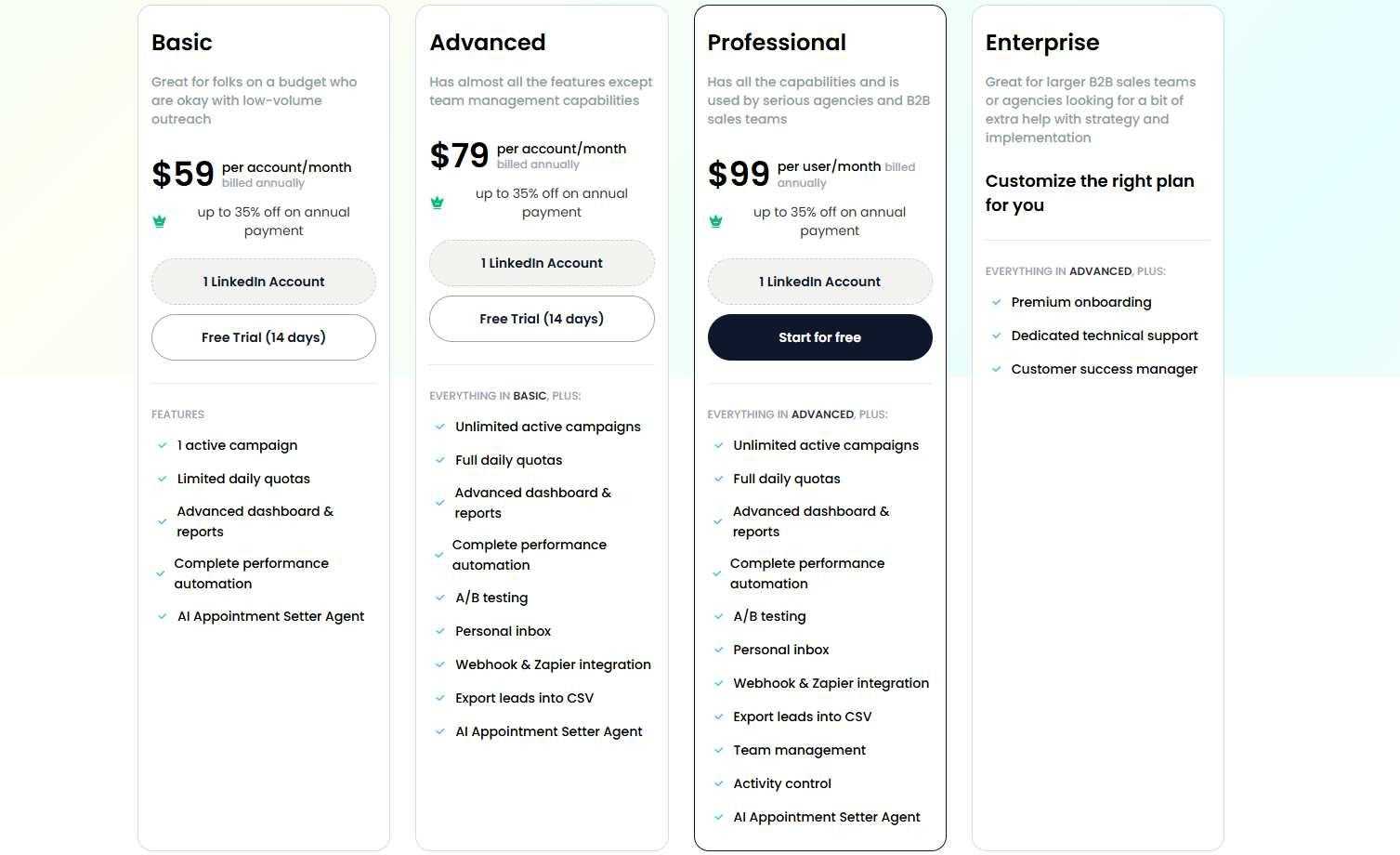
Basic: $39/month (annual) or $59/month (monthly)
- 1 active campaign
- Limited daily quotas (20 connections/messages per day)
- AI Appointment Setter included
- Advanced dashboard and reports
Great for solopreneurs testing LinkedIn automation on a budget. You won't get full daily quotas or unlimited campaigns here, but it's enough to see whether automated LinkedIn outreach works for your business.
Advanced: $59/month (annual) or $79/month (monthly)
- Unlimited active campaigns
- Full daily quotas (75 connections/messages per day)
- A/B testing
- Personal unified inbox
- Webhook and Zapier integration
- CSV export and CRM lead transfer
- AI Appointment Setter included
This is where most individual sales reps and small teams land. Unlimited campaigns plus full quotas means you can run multiple outreach sequences simultaneously without holding back.
Professional: $79/month (annual) or $99/month (monthly)
- Everything in Advanced
- Team management dashboard
- Activity control and approval flows
- Shared templates and sequences
- Anti-duplication controls
- Dedicated account manager
- Priority support SLA
Built for agencies and larger sales teams managing multiple LinkedIn accounts. The team management features and anti-duplication controls are critical when multiple reps are prospecting the same market.
Enterprise: Custom pricing
- Everything in Professional
- Premium onboarding
- Dedicated technical support
- Customer success manager
For larger organizations that want hands-on implementation support and custom solutions.
Add-Ons Worth Knowing About
Email automation is available as a separate add-on at $15/month per email account. Lead enrichment credits (for verifying work emails from LinkedIn profiles) start at $43/month for 3,000 credits.
Volume discounts kick in for agencies: 33% off for 10+ accounts, 45% off for 20+ accounts. And if you want to test everything out, we offer a 14-day free trial with no credit card required, so you can run a full campaign and see real results before committing a single dollar.
The Verdict
RocketReach is a solid choice for sales teams that need comprehensive contact data across multiple channels. It delivers on its core promise of finding email addresses and phone numbers, though accuracy can vary depending on your target audience and region.
The real question isn't whether RocketReach works. It's whether you need what it offers.
If you're running multi-channel outreach campaigns that span email, phone, and social, the investment makes sense. But if LinkedIn is your primary prospecting ground, you're paying for a contact database when what you actually need is an outreach engine. 💡
RocketReach finds the data. SalesRobot does the outreach. They solve fundamentally different problems.
Bottom Line
Go with RocketReach if you're a sales team doing serious multi-channel prospecting with budget for premium contact data tools. It's especially strong when you need phone numbers and emails for cold outreach across industries where LinkedIn presence is thin.
Skip it if you're a solo operator, a bootstrapped startup, or primarily focused on LinkedIn-based selling. The credit system, annual billing commitments, and lack of outreach automation make it overkill for teams whose pipeline lives on LinkedIn.
For LinkedIn-focused prospecting and automated outreach, SalesRobot gives you a more targeted approach without the overhead of unused features. If social selling is your main play, it's worth exploring.

Frequently Asked Questions
Does RocketReach have a free trial?
RocketReach offers a permanent free tier of 5 lookups per month with no credit card, rather than a time-limited trial of a paid plan. It's really only enough for a quick test drive, so treat articles promising a 7- or 14-day RocketReach trial as unverified.
How accurate is RocketReach's data outside the US?
Accuracy is strongest for US and Canada contacts and noticeably weaker in Europe and for smaller or niche-industry companies. Users report higher email bounce rates (often 20–30%) and outdated direct-dial numbers on non-US records, so budget extra verification time for international lists.
Does RocketReach offer refunds if it auto-renews?
Refunds are difficult to get. RocketReach subscriptions auto-renew by default without advance reminders, and refunds are generally disclaimed once a billing period starts. Reviewers across G2, Trustpilot, and Capterra report denied refunds even when no credits were used. Set a calendar reminder 30 days before renewal.

Wow your leads by cloning yourself and sending personalized videos and voice notes to each lead on LinkedIn.
If you don't reply to leads within 5 mins, your chances of converting them fall by 50%. Our AI replies on your behalf instantly! (and yes, you can train it)

Don't shoot in the dark. Get detailed analytics on what's working

SalesRobot allows you to invite other team members, so that they can add their LinkedIn Account, run outreach campaigns and get amazing results just like you.
.avif)


Trusted by 4100+ innovative B2B sales teams and lead gen agencies

.avif)

.avif)




.avif)


Heading 1
Heading 2
Heading 3
Heading 4
Heading 5
Heading 6
Lorem ipsum dolor sit amet, consectetur adipiscing elit, sed do eiusmod tempor incididunt ut labore et dolore magna aliqua. Ut enim ad minim veniam, quis nostrud exercitation ullamco laboris nisi ut aliquip ex ea commodo consequat. Duis aute irure dolor in reprehenderit in voluptate velit esse cillum dolore eu fugiat nulla pariatur.
Block quote
Ordered list
- Item 1
- Item 2
- Item 3
Unordered list
- Item A
- Item B
- Item C
Bold text
Emphasis

Superscript
Subscript