.avif)
TL;DR
- Salesforce Sales Cloud offers powerful features but can be complex and expensive for SMBs.
- HubSpot provides user-friendly CRM with strong free tier and marketing integration capabilities.
- Pipedrive, Zoho CRM, and Microsoft Dynamics 365 offer mid-range alternatives with different strengths.
- SalesRobot specializes in LinkedIn automation for lead generation and prospecting activities.
In this blog, we're going to cover:
- What Salesforce is and What it does
- Salesforce’s Pricing
- Top 5 Alternatives to Salesforce
- And What You Should Choose Based on Your Needs
Your CRM is Supposed to Make Sales Easier, Not Give You a Migraine.
Here's a fun fact: 43% of sales reps spend more time fighting with their CRM than actually selling.

If you're nodding your head right now, you're probably one of the countless SMB owners who thought Salesforce would be your salvation, only to discover it feels like operating a spaceship when all you need is a bicycle.

Don't get us wrong. Salesforce is incredibly powerful, which is exactly the problem for most small and medium businesses.
You wanted something to track leads and close deals faster.
Instead, you got a maze of customizations, a monthly bill that makes your accountant wince, and a setup process that requires a computer science degree.
This post takes an honest look at Salesforce Sales Cloud to see if it's really worth the headache for SMBs.
Then we'll explore five alternatives that might actually fit your business: HubSpot Sales, Pipedrive, Zoho CRM, Microsoft Dynamics 365 Sales, and SalesRobot. Because sometimes the best solution isn't the most famous one.
Salesforce Sales Cloud: What You Need to Know
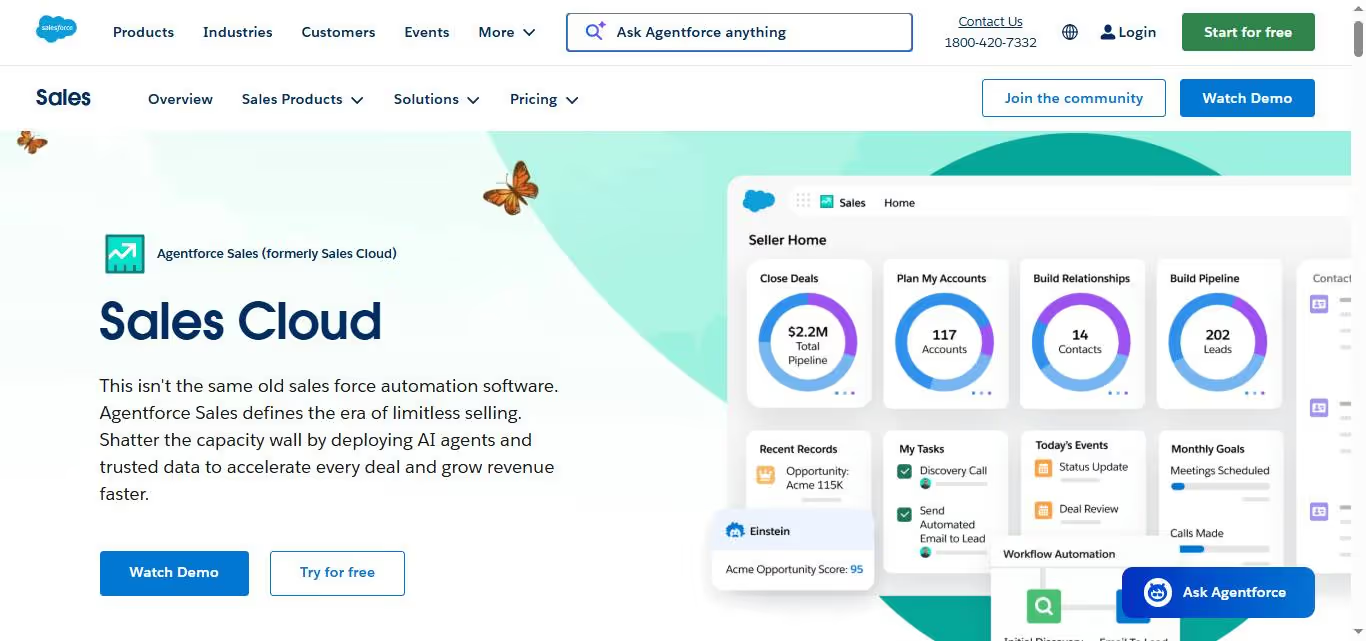
✅ Incredibly customizable platform: You can tailor almost every aspect of Sales Cloud to match your specific business processes. From custom fields and workflows to specialized dashboards, it adapts to how your team actually works rather than forcing you into a rigid system.
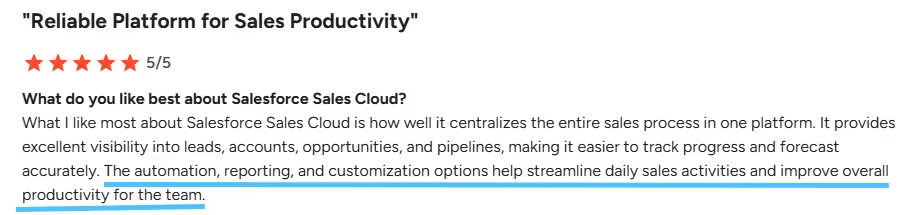
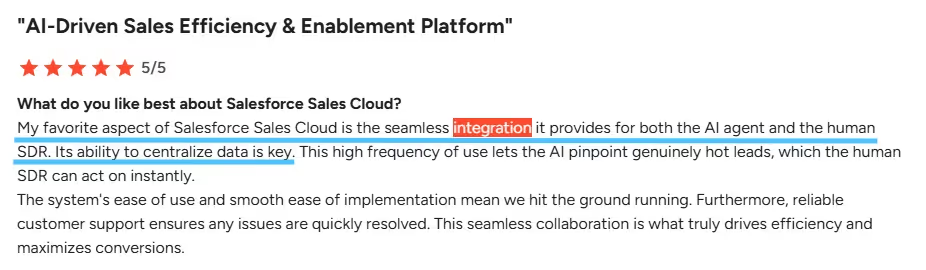
⚠️ Learning curve is steep: New users often feel overwhelmed by the sheer number of features and customization options. It can take weeks or even months for your team to feel comfortable navigating the platform effectively.
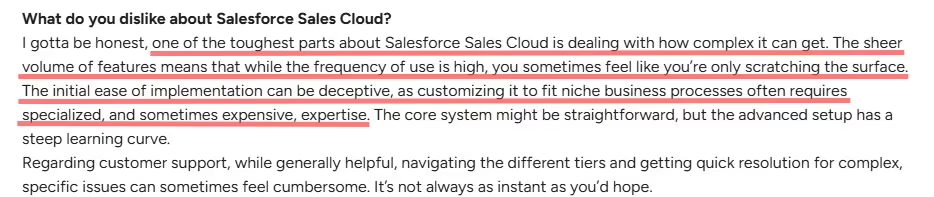
✅ Robust reporting and analytics: The platform offers deep insights into your sales pipeline with customizable reports and real-time dashboards. You can track everything from individual rep performance to complex sales forecasting across multiple territories.
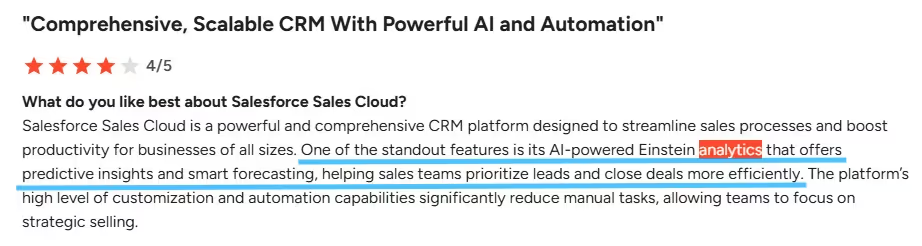
✅ Seamless integration capabilities: Sales Cloud connects with virtually any business tool you're already using, from marketing automation platforms to accounting software. This means your data flows smoothly between systems without manual data entry.
⚠️ Price can get out of hand quickly: While the base pricing seems reasonable, costs escalate rapidly when you add users, advanced features, or third-party integrations. Many businesses find themselves paying significantly more than initially budgeted.

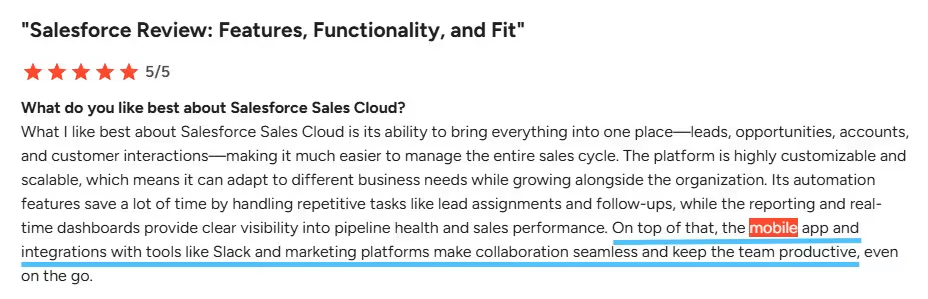
✅ Mobile experience is solid: The mobile app provides full functionality for managing leads, updating opportunities, and accessing customer information on the go. Sales reps can stay productive whether they're in the office or traveling to client meetings.
⚠️ Can feel bloated for smaller teams: If you're a small business with straightforward sales processes, you might find yourself paying for enterprise-level features you'll never use. The platform sometimes feels like using a sledgehammer to crack a nut.

✅ Excellent customer support and resources: Salesforce provides extensive documentation, training materials, and a large community of users and developers. When you run into issues, help is readily available through multiple channels.

Salesforce Sales Cloud's Key Features, Broken Down
Lead Management & Conversion

Sales Cloud automatically captures leads from your website, social media, and marketing campaigns into one centralized system. You can score leads based on engagement and demographics, then route hot prospects to the right sales reps instantly.
For example, when someone downloads your pricing guide, Sales Cloud can automatically assign a lead score and notify your top performer to follow up within the hour.
Opportunity Pipeline Management

Track every deal from first contact to closed-won with customizable sales stages that match your process.
The visual pipeline shows you exactly where each opportunity stands and what actions need to happen next.
For example, your team can see that the Johnson Corp deal is stuck in contract review while the Martinez opportunity just moved to final approval. No more guessing games about deal status.
Contact & Account Management

Store complete customer profiles with interaction history, preferences, and relationship mapping all in one place. Sales Cloud connects contacts to their companies and shows you the full organizational chart.
For example, before calling Microsoft, you can see that Sarah handles procurement while Mike makes final decisions. You'll also see notes from the last three meetings and their preferred communication style.
Sales Forecasting & Analytics

Get real-time visibility into your sales performance with customizable dashboards and automatic forecast calculations. Sales Cloud analyzes your historical data to predict which deals will close this quarter.
For example, your manager can see that the team is 85% to quota with $2.3M in the pipeline. The system flags deals that might slip and suggests which opportunities need immediate attention.
Email Integration & Templates
[Image: Salesforce Commerce Cloud interface showcasing B2C features like site design and merchandising tools. — upload failed]
Connect your Gmail or Outlook directly to Sales Cloud so every email automatically syncs to the right contact record. Use proven email templates and track opens, clicks, and responses without switching platforms.
For example, when you email a proposal to ABC Company, it automatically logs under their account. You can see they opened it twice but haven't responded, so you know to follow up.
Mobile Sales App
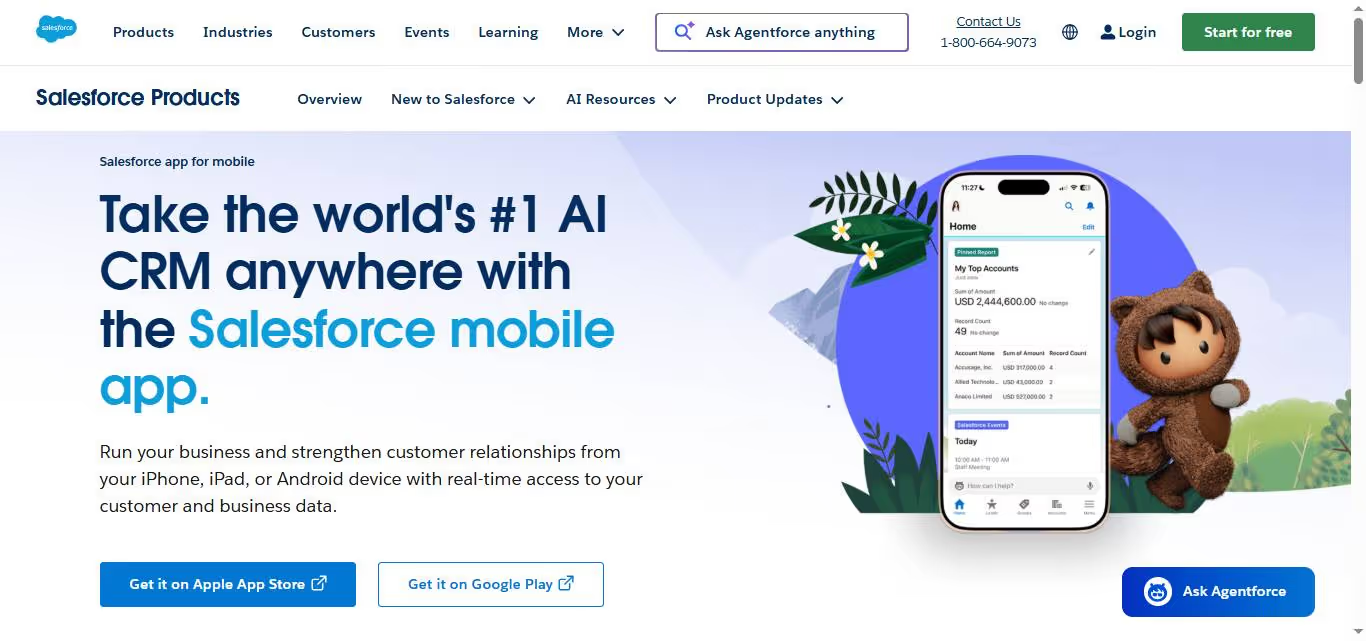
Access your entire sales database, update records, and manage deals from your phone or tablet. The mobile app works offline, so you can log meeting notes during flights and sync everything when you reconnect.
For example, while waiting for your client meeting to start, you can quickly review their purchase history and update your opportunity notes. Everything syncs back to your team instantly.
Salesforce Sales Cloud Pricing: How Much Will It Cost?
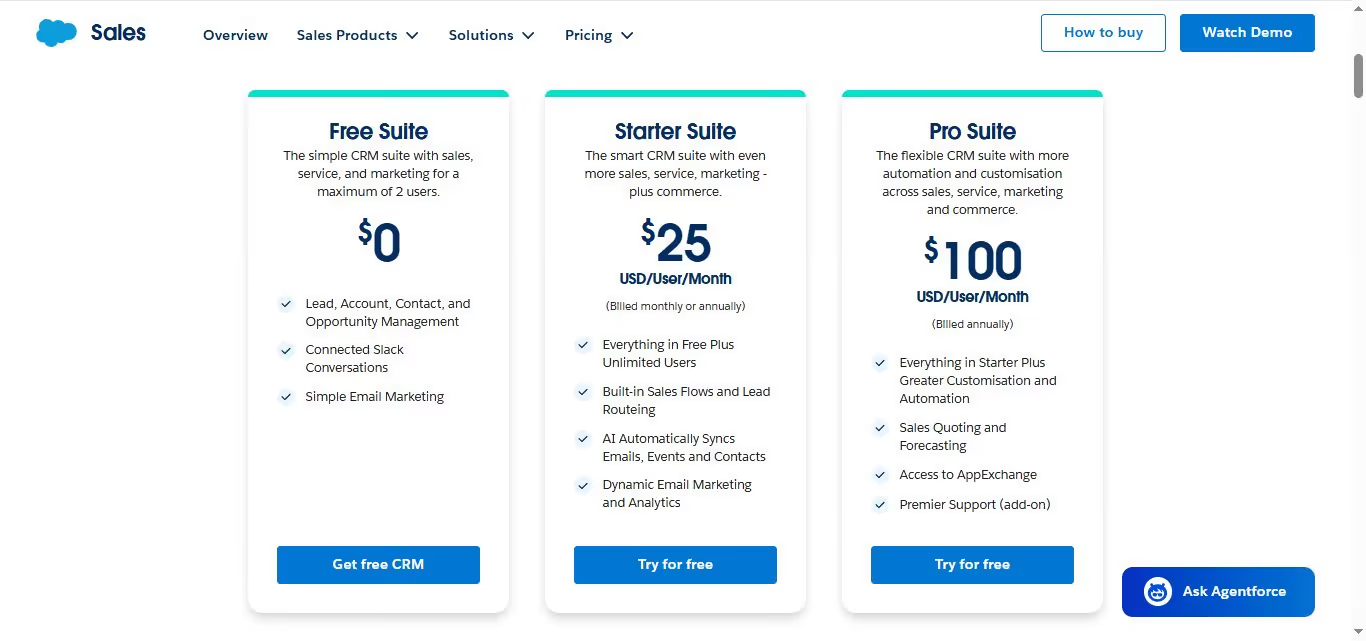
Free Suite: $0 (up to 2 users)
- Lead, Account, Contact, and Opportunity Management
- Connected Slack Conversations
- Simple Email Marketing
A workable starting point for solo founders or pairs who just need basic CRM without any financial commitment.
Starter Suite: $25/user/month (billed monthly or annually)
- Everything in Free, plus Unlimited Users
- Built-in Sales Flows and Lead Routing
- AI Automatically Syncs Emails, Events and Contacts
- Dynamic Email Marketing and Analytics
Good for small teams ready to move beyond spreadsheets. The AI email sync alone saves meaningful admin time.
Pro Suite: $100/user/month (billed annually)
- Everything in Starter, plus Greater Customisation and Automation
- Sales Quoting and Forecasting
- Access to AppExchange
- Premier Support (add-on)
Where most growing SMBs will land. The jump from $25 to $100 is steep, but AppExchange access and forecasting justify it for teams scaling their pipeline.

Enterprise: $175/user/month (billed annually)
- Everything in Pro Suite, plus Advanced Pipeline Management & Deal Insights
- Conversation Intelligence
- Agentforce
Built for larger sales orgs that need deeper deal visibility and AI-assisted selling. At $175/user, costs compound fast with headcount.
Unlimited: $350/user/month (billed annually)
- Everything in Enterprise, plus Predictive AI
- Conversation Intelligence and Sales Engagement
- Premier Success Plan and Full Sandbox
The full-power tier for enterprise teams that need maximum automation, developer support, and a dedicated success plan.
Agentforce 1 Sales: $550/user/month (billed annually)
- Everything in Unlimited, plus the full AI suite
- Unmetered Agentforce usage
- Salesforce Spiff, Sales Planning, Sales Programmes, Salesforce Maps, Tableau Next, and Slack Enterprise+
- 1M Flex Credits & 2.5M Data Cloud Credits per org/year
Salesforce's all-in-one AI-native tier. Only makes sense for large enterprises that will actually use the full breadth of tools included — at $550/user, anything less is a waste.
The honest take on pricing: The Free tier is genuinely useful for tiny teams.
But the jump from Starter ($25) to Pro ($100) is where most SMBs feel the pinch, and it only gets steeper from there.
Factor in multiple users and the annual billing requirement on Pro and above, and Salesforce can get expensive quickly, which is exactly why the alternatives below are worth a serious look.
5 Alternatives to Salesforce Sales Cloud: Which One Actually Fits?
If Salesforce feels like overkill or doesn't quite click with your team, you're not alone. Here are five solid alternatives that might be a better match for how your sales team actually works.
1. SalesRobot
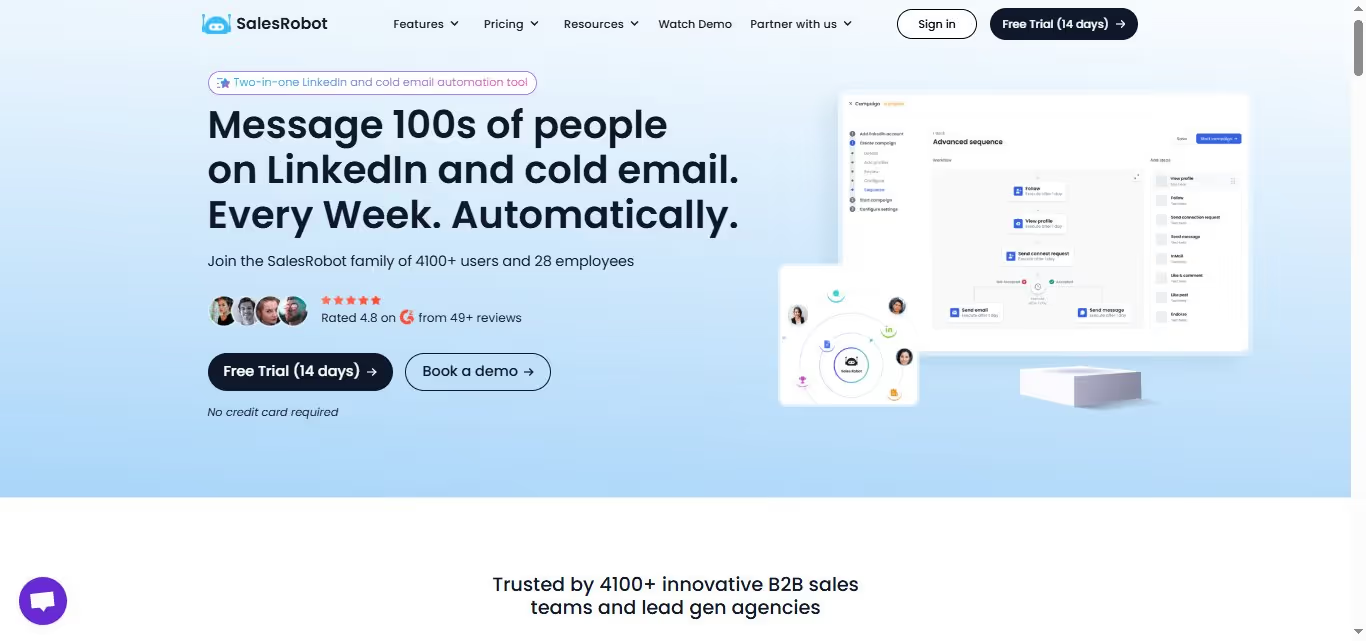
What it does: SalesRobot actually takes a different approach from the others on this list, focusing specifically on LinkedIn outreach automation.
While traditional CRMs track deals after the conversation starts, SalesRobot is built for what happens before that, which is turning LinkedIn into a reliable top-of-funnel channel. It handles connection requests, follow-up sequences, and message personalization while staying within LinkedIn's limits.
Stands out for: LinkedIn-native automation that doesn't get you flagged, advanced message personalization using prospect data, built-in email finding and verification, and campaign analytics that show what actually converts.
Pricing: Starter at $59/month, Advanced at $79/month, and Professional at $99/month. 14-day free trial available.

Best if: Your best prospects are on LinkedIn and you want a tool built specifically for that reality, not just a CRM with LinkedIn integration bolted on. Works well alongside whichever CRM your team already uses for pipeline management.
2. HubSpot Sales Hub

What it does: HubSpot built their sales tool around inbound marketing, so it shines when you're nurturing leads from content and campaigns. It's particularly strong for teams that want their marketing and sales data in one place, with solid automation and a genuinely useful free tier.
Stands out for: Free CRM that's actually functional, seamless marketing integration, AI-powered prospecting tools.
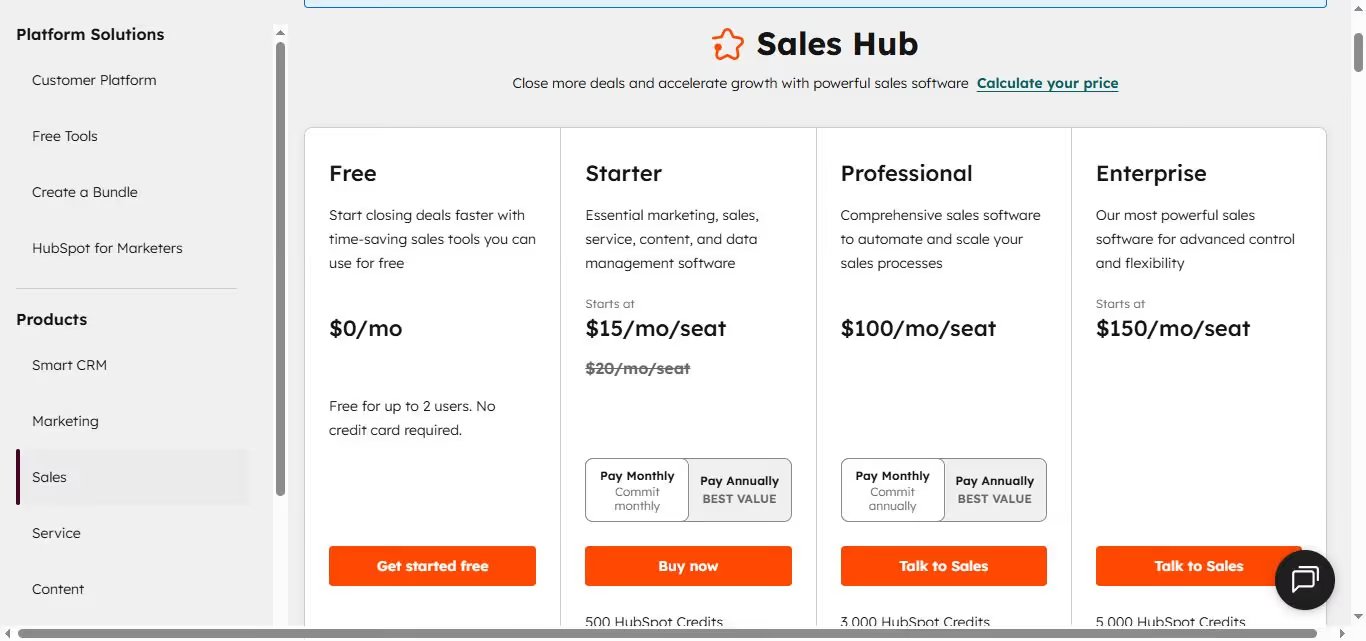
Pricing: Free; paid plans start at $20/month per seat. Professional at $100/month adds forecasting and custom reporting. Enterprise at $150/month adds call enrichment and interactive voice response.
Best if: You want marketing and sales to work from the same playbook without fighting over data.
💡 HubSpot currently has an offer that has reduced the Starter plan to only $15/month, however it is a temporary sale and might be discontinued anytime.
3. Pipedrive

What it does: Pipedrive focuses on visual pipeline management with a kanban-style interface that makes deal tracking intuitive. It's built for teams who think in stages and want their CRM to match how they actually sell, with strong automation features for follow-ups.
Stands out for: Visual pipeline that actually makes sense, workflow automation, mobile app that works offline.
Pricing: Starts at $24/month, with tiered plans to suit your needs. Offers a 14-day free trial with no credit card required.
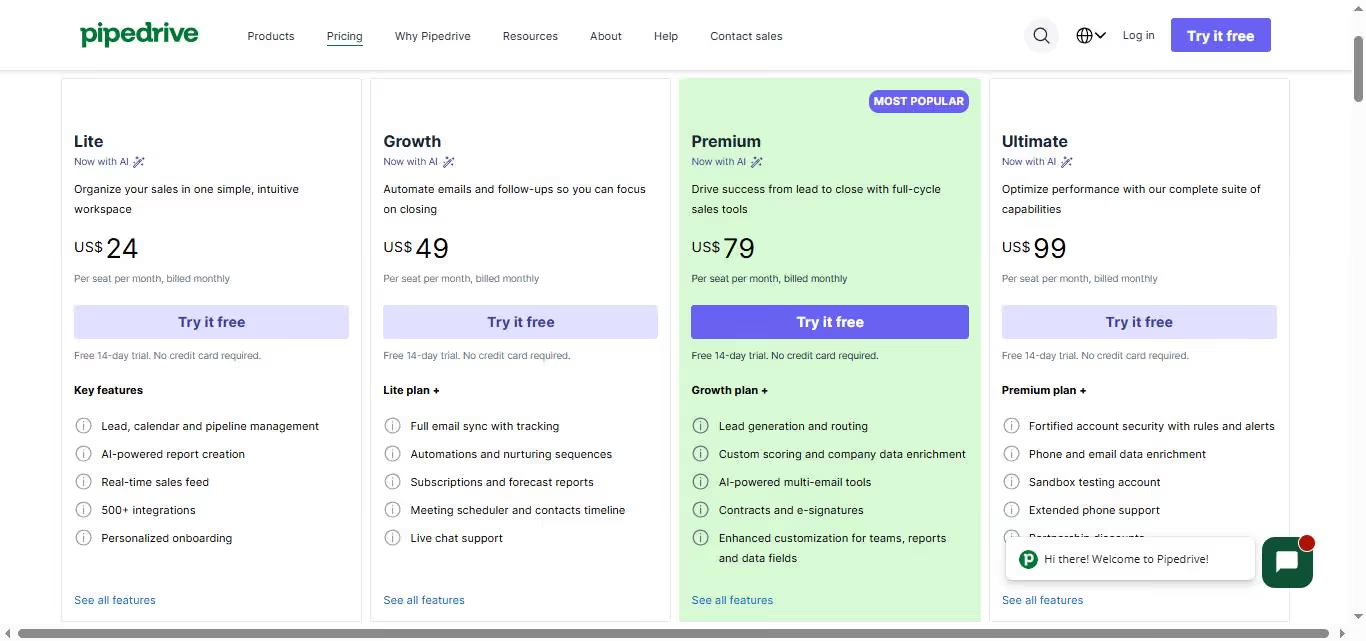
Best if: Your team thinks visually and wants a CRM that feels more like a sales board than a database.
4. Zoho CRM

What it does: Zoho CRM is the budget-friendly option that doesn't skimp on features. It's particularly appealing for small businesses that need core CRM functionality without the enterprise price tag, with solid customization options and AI assistance built in.
Stands out for: Affordable starting price, extensive customization options, and integrates with 1,000+ apps.
Pricing: Plans start at only $14/month, and the highest tiered plan is still cheaper than most tools for $52/month.
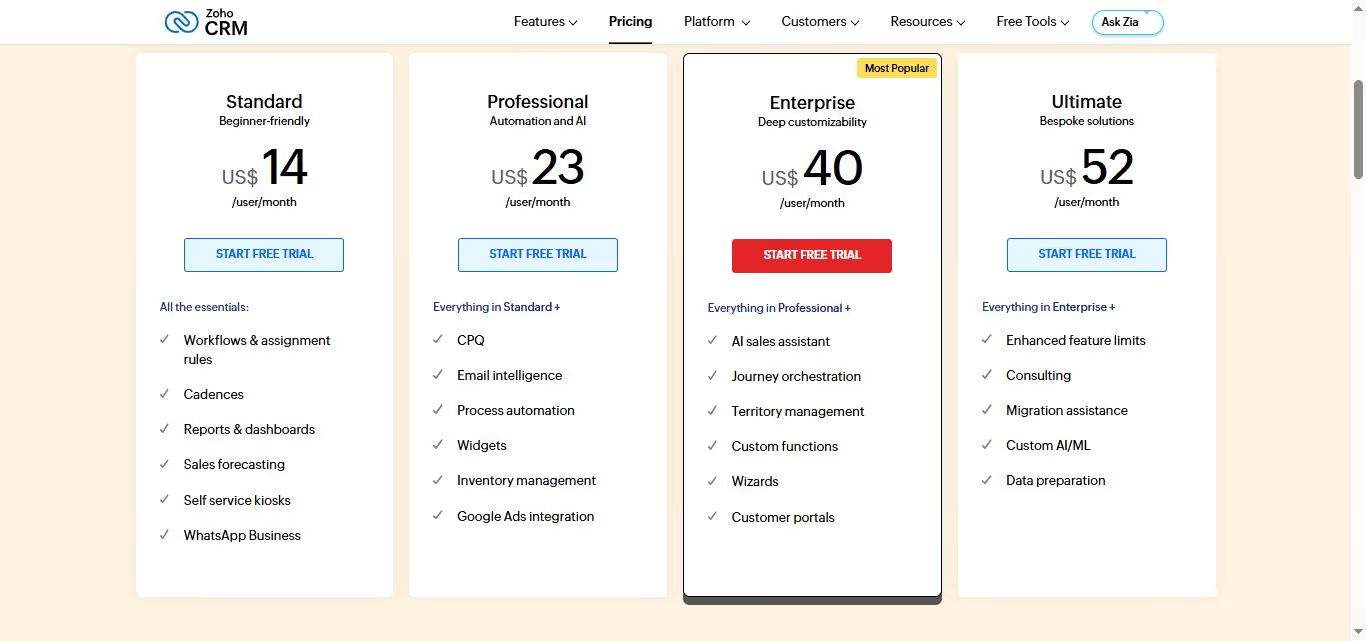
Best if: You're a small team that needs CRM basics without the premium price tag.
5. Microsoft Dynamics 365 Sales

What it does: Microsoft's enterprise CRM integrates deeply with Office 365 and other Microsoft tools. It's designed for larger organizations that need advanced customization, AI-powered insights, and enterprise-grade security — particularly those already invested in the Microsoft ecosystem.
Stands out for: Native Office 365 integration, advanced AI and forecasting, enterprise security and compliance.
Pricing: Starting at $65/month for Professional, $105/month for Enterprise, $150/month for Premium. Enterprise features require a yearly commitment.
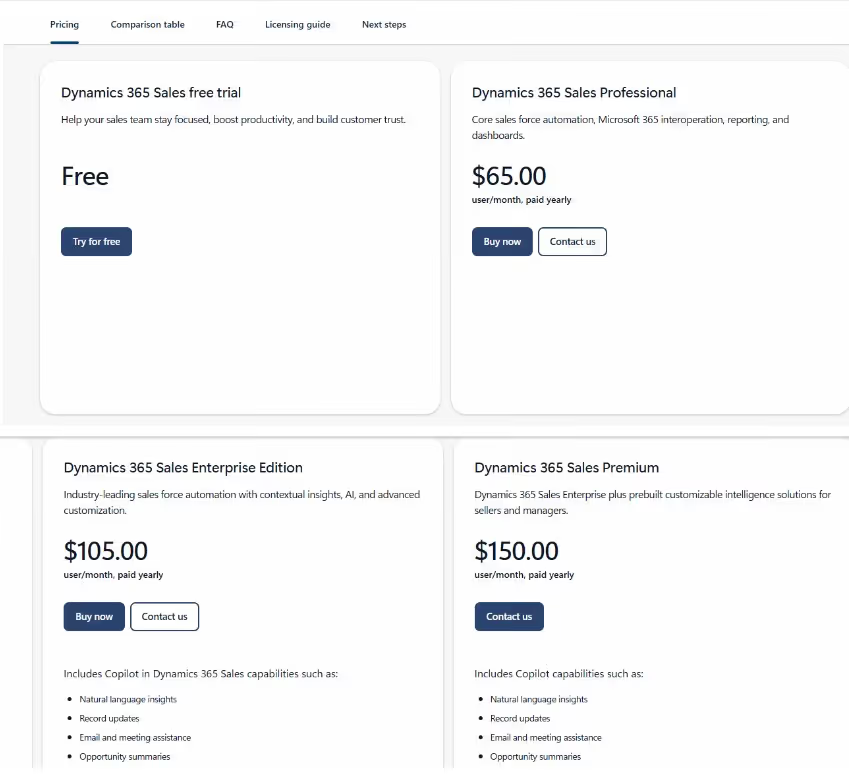
Best if: You're an enterprise team already using Microsoft tools and need enterprise-level customization and security.
The Verdict
There's no universal "best" CRM. Your perfect fit depends entirely on your team size, budget, and how you actually sell.
Salesforce is still the heavyweight for enterprise teams that need every bell and whistle. But most small to mid-size teams will find it overkill and overpriced.
Choose Salesforce if you're enterprise-level with complex sales processes and dedicated admins.
Try SalesRobot if LinkedIn prospecting is part of your motion and you want a dedicated tool for it rather than a CRM add-on.
Go with HubSpot if you want marketing and sales combined with solid free options.
Pick Pipedrive for straightforward deal tracking without the bloat.
Zoho works if you're a small team watching the budget.
Microsoft Dynamics makes sense if you mainly use Office 365.
Most of these offer free trials, and the best way to find your fit is to test two or three against your actual workflow and let the results decide.
Speaking of trying: SalesRobot offers a free trial that takes literally two minutes to set up.
If LinkedIn is part of your sales process, it's worth testing alongside your main CRM to see how automated outreach can fill your pipeline.

Wow your leads by cloning yourself and sending personalized videos and voice notes to each lead on LinkedIn.
If you don't reply to leads within 5 mins, your chances of converting them fall by 50%. Our AI replies on your behalf instantly! (and yes, you can train it)

Don't shoot in the dark. Get detailed analytics on what's working

SalesRobot allows you to invite other team members, so that they can add their LinkedIn Account, run outreach campaigns and get amazing results just like you.
.avif)


Trusted by 4100+ innovative B2B sales teams and lead gen agencies

.avif)

.avif)




.avif)