.avif)
TL;DR
- BHuman's core promise holds up: you record one base video, upload a CSV, and it generates thousands of personalized versions using your cloned face and voice. The quality is genuinely impressive when your source material is good.
- BHuman has three distinct products: Speakeasy (AI-generated video from a text prompt), Personalized Video / AI Studio (mass video personalization), and Persona (an AI video concierge you can embed on your website). They serve different use cases.
- Speakeasy pricing is publicly available starting at $9/month for 1.5 minutes of video per month, up to $99/month for 30 minutes. AI Studio, Persona, and Leadr are contact-sales pricing only.
- Output quality is only as good as your source material. Poor lighting or audio in your base recording carries through to every generated version.
- The learning curve is real. Between personalization variables, integrations, and delivery options, new users often feel overwhelmed in the first few days.
- SalesRobot is a solid LinkedIn-first alternative if you want automated outreach without the video complexity. Plans start at $39/month (billed annually) per LinkedIn account, with a 14-day free trial and no credit card required.
- BHuman is best for established businesses with proven outreach processes and decent video production skills. SalesRobot is better for getting started fast on LinkedIn.
So, What's the Problem BHuman Is Trying to Solve?
You've got 500 leads sitting in your CRM. You know a personalized video would get way more replies than a cold email.
But recording 500 individual videos? That's a full-time job on its own. 😅
BHuman's pitch is simple: record one video, upload a spreadsheet, and it generates hundreds of "personalized" versions where each recipient hears their own name and sees their company details on screen.
In this review, we're putting that claim under the microscope. We'll cover what BHuman actually does, what it costs, where it falls short, and whether SalesRobot might be a smarter fit depending on your goals.
BHuman: What You Need to Know
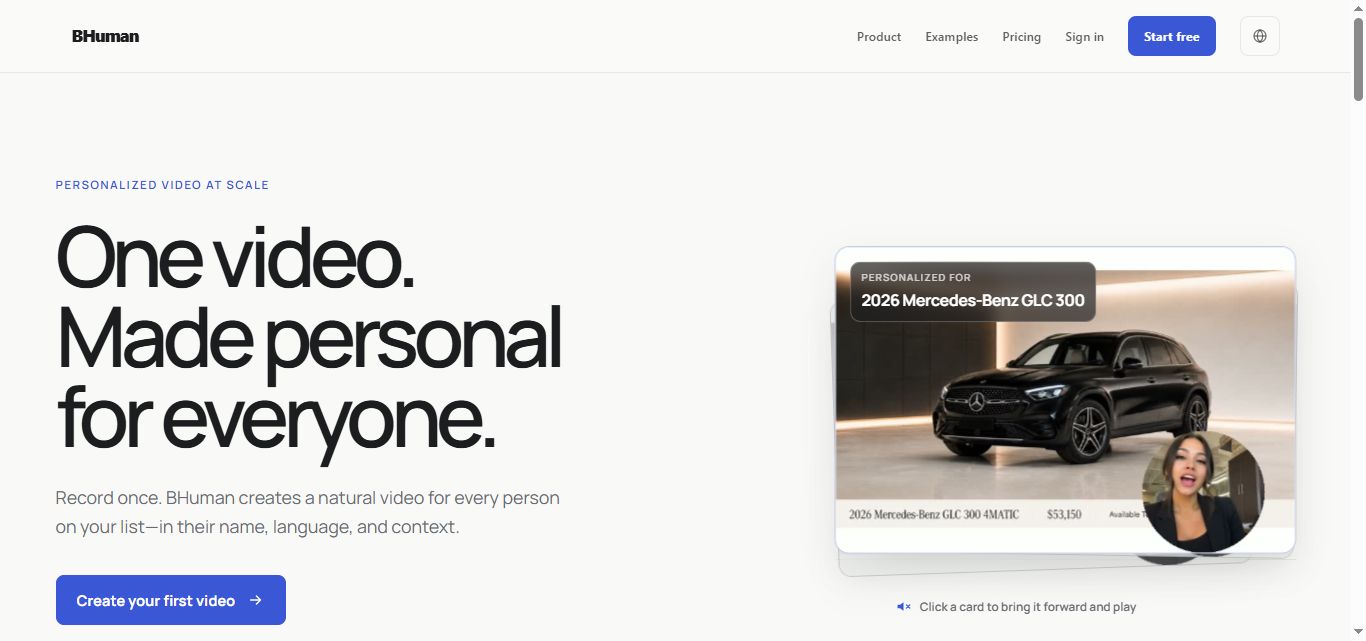
BHuman isn't just one tool. It's a few different products under one roof, which is worth understanding before you sign up.
✅ Personalization at scale that actually works. The core AI Studio product lets you generate thousands of personalized videos from a single recording. Dynamic overlays pull names, companies, and custom data from your CSV, and the result genuinely feels like you filmed each video individually.
⚠️ The learning curve can be steep. There are a lot of moving parts: variables, delivery integrations, rendering queues, and campaign settings. First-time users often spend a few days just getting comfortable before they can run a campaign efficiently.
✅ Multiple products for different needs. Speakeasy handles full AI video generation from a text prompt with no filming required. AI Studio handles personalized video at scale. Persona is an embeddable AI video concierge for websites. Each product is fairly different, so you're not locked into one format.
✅ Integrations are solid. BHuman connects with Zapier, Pabbly, major CRMs, and email platforms. You can trigger personalized videos automatically based on CRM events, which is where the real efficiency gains kick in.
⚠️ Pricing transparency is limited for most products. Speakeasy has clear public pricing. AI Studio, Persona, and Leadr are all "contact sales" territory. That makes it harder to budget without jumping on a call first.
✅ The engagement numbers are backed by real campaign data. BHuman reports 2x higher open rates, 7x better click-through rates, and 4x improved conversions from actual customer campaigns.
⚠️ Quality depends heavily on your source video. If your base recording has bad lighting, echo, or shaky framing, every generated version inherits those problems. You still need to show up with decent production fundamentals.
✅ 50+ languages, with smart auto-detection. The AI picks up on gender, tone, and pacing automatically. Genuinely useful for global teams running multi-region campaigns.
BHuman's Key Features, Broken Down
AI-Generated Video Creation (Speakeasy)
Speakeasy is BHuman's most accessible product. You paste in a script, pick a presenter from their library, and it generates a polished video complete with voice in under five minutes. 🎬
No filming, no editing, no camera setup required. It's ideal for product updates, onboarding explainers, social clips, or anything where you need consistent video output without being on camera yourself.
The voice cloning feature also lets you upload your own voice so the AI presenter sounds like you rather than a generic avatar.
Personalized Video at Scale (AI Studio)
This is the flagship feature. You record one base video, upload a CSV with names, companies, and any custom data, and AI Studio generates a unique version for each row.
The dynamic overlay system handles text, images, and clickable links that change per viewer. So you could send the same product walkthrough to 500 prospects, but each person sees their name on screen and a link to their specific pricing page. 📊
It's the kind of personalization that usually requires a team of people. BHuman compresses it into a single workflow.
Voice and Face Cloning
Upload your voice and appearance once, and BHuman builds a digital clone. From that point, you can produce unlimited videos featuring your clone with synchronized lip movement, without ever sitting in front of a camera again.
This is especially useful for sales teams. One rep can "reach out" to hundreds of leads daily through their clone, while the actual rep focuses on conversations with people who have already responded.
Multi-Platform Delivery
Personalized videos can be sent through email campaigns, CRM systems, LinkedIn messages, or SMS. There's built-in tracking so you can see who opened, clicked, and converted. 📈
Customer success teams can set this up to trigger automatically. Someone signs up, and a personalized onboarding video lands in their inbox within minutes. No manual work required once the workflow is built.
50+ Language Support
BHuman's AI auto-detects gender, tone, and natural pacing for each language. So if you're running the same campaign across Europe and Southeast Asia, each region gets content that sounds natural in their language.
This isn't just a translation feature. It actually adapts delivery style, which matters a lot when you're trying to build rapport across cultures.
BHuman Pricing: What Does It Actually Cost?
Here's where things get a little frustrating. BHuman only publishes pricing for one product: Speakeasy. Everything else requires you to contact their sales team or join their twice-weekly office hours.
Speakeasy pricing (publicly listed):
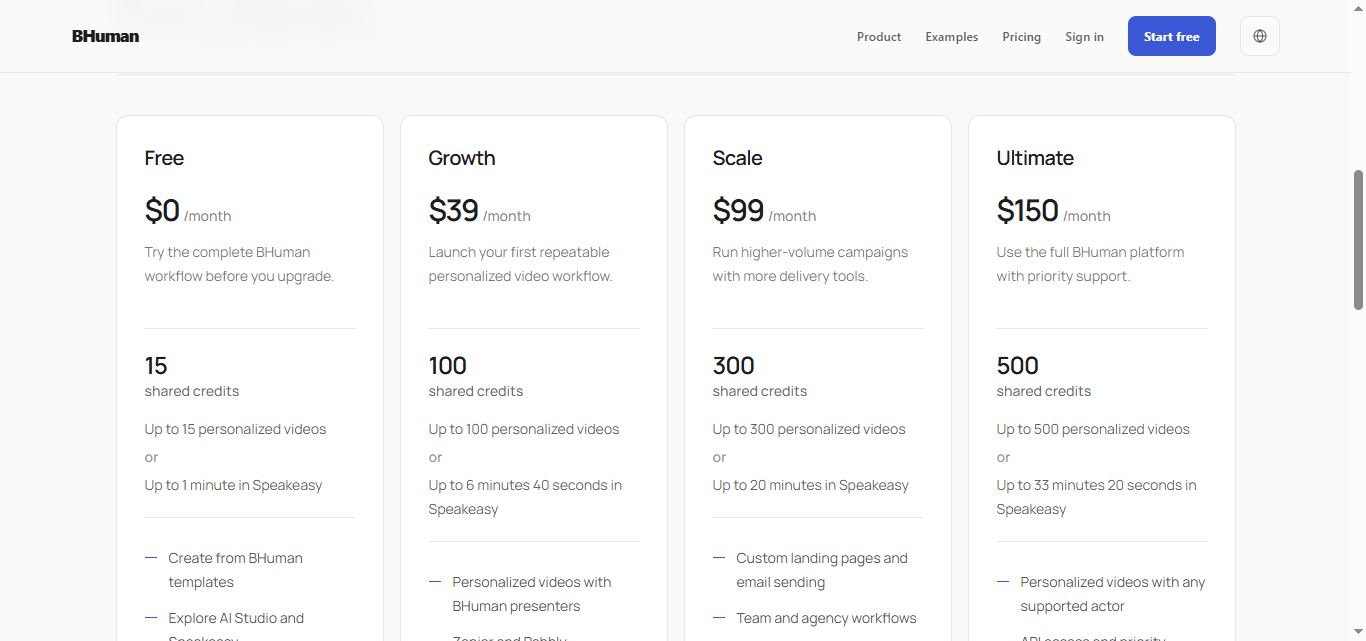
- Starter: $9/month for 1.5 minutes of video per month. Includes access to the presenter library and HD generation.
- Pro: $25/month for 5 minutes per month. Adds voice generation and cloning, plus priority queueing.
- Business: $99/month for 30 minutes per month. Adds faster processing and priority support.
For AI Studio, Persona, and Leadr, pricing is custom and quote-based depending on your video volume, team size, and feature requirements.
BHuman does offer a free trial with no credit card required, so you can test the platform before committing. That's a reasonable starting point, especially if you want to see how your base video translates to generated output before spending anything.
The value case is straightforward: if personalized video meaningfully lifts your conversion rates, a mid-tier plan can pay for itself pretty quickly. But without transparent pricing on the core products, doing a proper cost comparison upfront is tricky.
BHuman vs SalesRobot: How Do They Compare?
SalesRobot: The LinkedIn-First Alternative
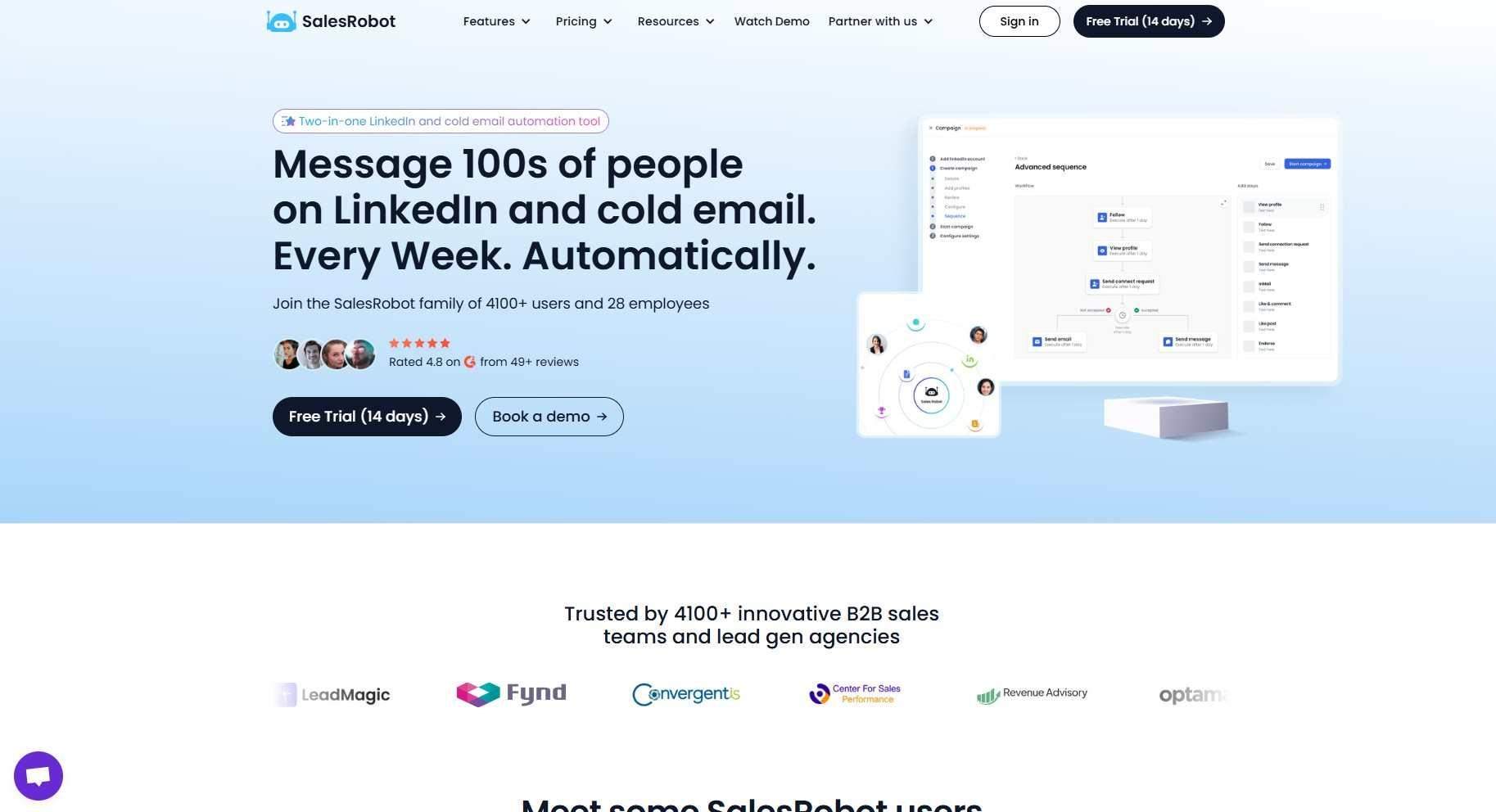
While BHuman focuses on video personalization, SalesRobot takes a completely different approach. It's a LinkedIn and email automation platform built for B2B outreach, and the goal is simple: keep your pipeline active while you focus on closing. 🤝
LinkedIn and Email Automation
SalesRobot automates connection requests, messages, InMails, and multi-step follow-up sequences on LinkedIn. You pull prospects from LinkedIn Search or Sales Navigator, set your daily limits, and let the tool run.
It stays within LinkedIn's safe usage thresholds and automatically pauses when a prospect replies. So you're never sending a follow-up into an already-active conversation, which is a surprisingly common problem with cheaper tools.
Beyond LinkedIn, you can connect your email account and run cold email sequences from the same platform. Running both channels together from one place is where the real pipeline coverage comes in.
Voice and Video Notes on LinkedIn
SalesRobot supports sending personalized voice notes and video messages directly inside LinkedIn. These show up natively in the LinkedIn inbox, not as an external link that prospects have to click through.

This approach can get 40%+ reply rates by standing out in a feed full of plain text messages🎙️
This tool can send up to 50 voice or video messages per day, and Voice & Video Message Personalization is available on every paid plan — a feature Expandi, Waalaxy, Dripify, and HeyReach don't offer natively.
AI Appointment Setter
This is one of SalesRobot's more interesting features. The AI Appointment Setter monitors your inbox, engages leads who respond, and books meetings on your calendar when a prospect shows interest.
It's designed to take over the conversation management side of outreach entirely. You only show up when there's a real sales conversation to be had.

It's included on every plan, from Basic up to Enterprise, as an add-on you can switch on whenever you're ready.
Safety Features
SalesRobot runs entirely in the cloud, with no Chrome extension required, and uses LinkedIn mobile app APIs plus dedicated residential IP rotation per account to make activity look natural. SalesRobot puts the resulting ban risk at roughly 0.00001% — among the lowest in the market.

Unlike browser-based tools that can trigger flags, SalesRobot is built to keep your account safe even at scale. 🔒 Users across G2 and Capterra reviews have consistently reported no account bans during extended use, which is a meaningful differentiator versus competitors like Expandi or Waalaxy.
Analytics and Reporting
Every plan includes daily usage stats, campaign-level performance reporting, and real-time metrics. Advanced and Professional plans add team-level dashboards, a unified inbox view, and the ability to export leads to CSV.
Native integrations with HubSpot, Pipedrive, and Salesforce are available on paid plans. Google Sheets and Slack notifications are also included from the Advanced plan upward.
SalesRobot Pricing
SalesRobot's pricing is per LinkedIn account, and annual billing saves you up to 35%. All plans come with a 14-day free trial and no credit card required. 👌
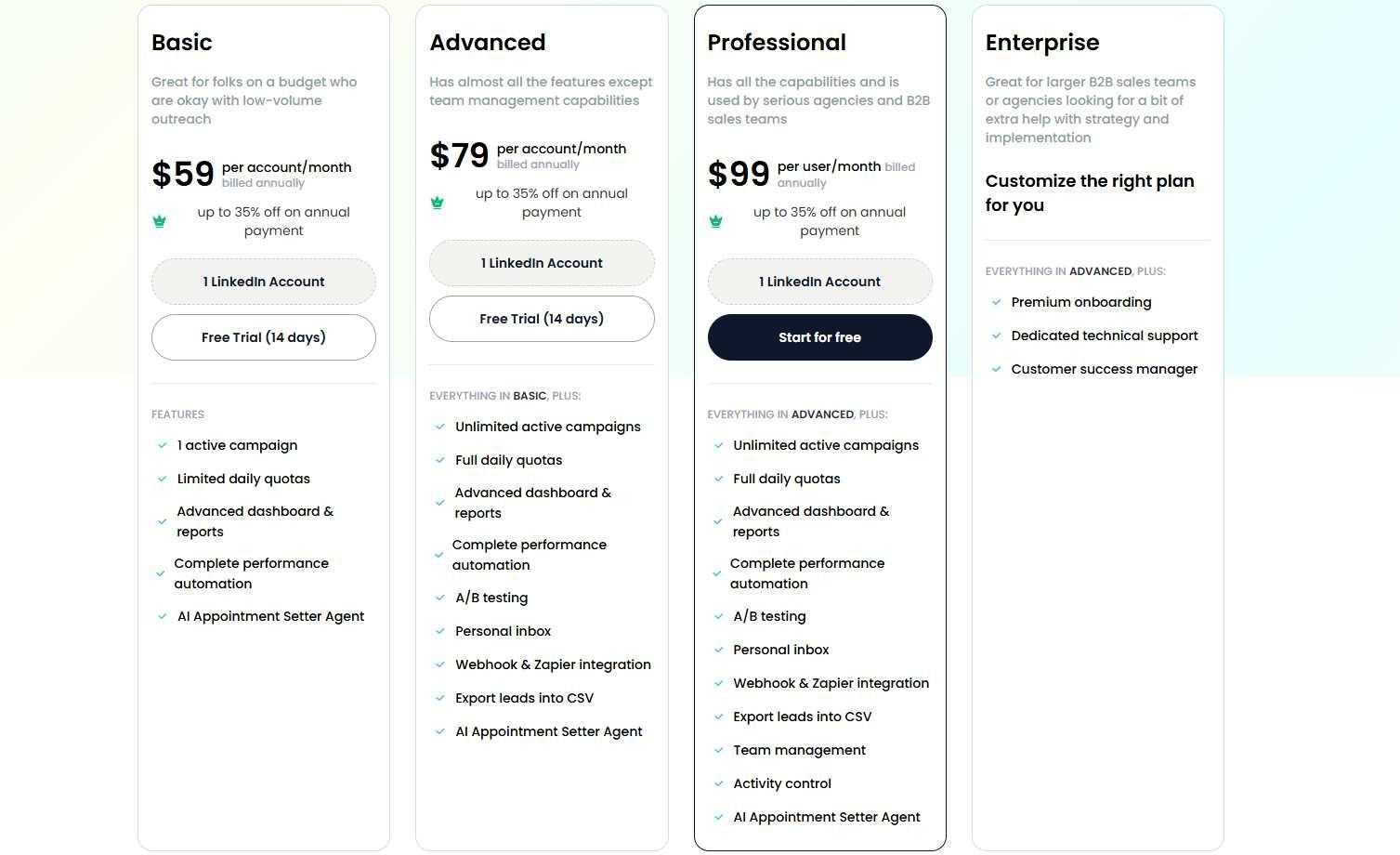
Basic: $59/month per account (or $39/month billed annually) One active campaign at a time, limited daily quotas of 20 connections and messages per day. Good for testing LinkedIn automation on a budget.
Advanced: $79/month per account (or $59/month billed annually) Unlimited active campaigns, full daily quotas of 75 connections and messages per day, up to 50 InMails per day (no InMail credits used), A/B testing, unified inbox, Webhook and Zapier integration, CRM sync, and the AI Appointment Setter. This is the sweet spot for most solo sales reps and small agencies.
Professional: $99/month per account (or $79/month billed annually) Everything in Advanced, plus team management, role-based permissions, activity controls, duplicate prevention, and priority support SLA. Built for agencies managing multiple LinkedIn accounts across a team.
Enterprise: Custom pricing. Everything in Professional, plus premium onboarding, dedicated technical support, and a customer success manager. For larger organizations that want hands-on help from the start.
One thing to keep in mind: email automation is a separate add-on at $15/month per email account. Factor that in if you're planning to run LinkedIn and email campaigns together.
The Verdict
BHuman does what it claims to do. The personalization quality is genuinely impressive, and for businesses that are already running outreach and want to layer in video, it can deliver real engagement lifts.
That said, it's not a beginner tool. The learning curve is real, most product pricing is opaque until you talk to sales, and the output quality lives and dies by your source recording.
If your base video is mediocre, no amount of AI personalization rescues it.
SalesRobot is the better starting point if you're still building your outreach process. It's faster to set up, cheaper at entry level, and LinkedIn is where most B2B decision-makers actually spend their time anyway.
Buy BHuman if you're an established business, you have solid video production basics, you've already proven your outreach messaging works, and you're ready to scale it with video.
Skip it and try SalesRobot if you're newer to outreach, primarily focused on LinkedIn, or want to run campaigns without dealing with video production entirely.
SalesRobot offers a 14-day free trial with no credit card required, so it's easy to test before you spend a dollar.
Frequently Asked Questions
Can SalesRobot run LinkedIn and email outreach together?
Yes. SalesRobot supports multi-step sequences that combine LinkedIn and email in a single campaign. Cold email is a $15/month add-on per email account, and includes unlimited sequences and email warmup, so you can run true multichannel outreach from one platform.
Will SalesRobot get my LinkedIn account banned?
It's very unlikely. SalesRobot runs in the cloud using LinkedIn mobile app APIs, dedicated residential IPs, and human-like throttling within LinkedIn's daily limits. The company calculates ban risk at about 0.00001%, and users across G2 and Capterra consistently report no account bans.
Is BHuman's personalized video pricing public?
No. Only Speakeasy, BHuman's prompt-to-video product, has public pricing — from $9/month for 1.5 minutes up to $99/month for 30 minutes. The flagship AI Studio personalized-video product, along with Persona and Leadr, are quote-based and require contacting sales.

Wow your leads by cloning yourself and sending personalized videos and voice notes to each lead on LinkedIn.
If you don't reply to leads within 5 mins, your chances of converting them fall by 50%. Our AI replies on your behalf instantly! (and yes, you can train it)

Don't shoot in the dark. Get detailed analytics on what's working

SalesRobot allows you to invite other team members, so that they can add their LinkedIn Account, run outreach campaigns and get amazing results just like you.
.avif)


Trusted by 4100+ innovative B2B sales teams and lead gen agencies

.avif)

.avif)




.avif)


Heading 1
Heading 2
Heading 3
Heading 4
Heading 5
Heading 6
Lorem ipsum dolor sit amet, consectetur adipiscing elit, sed do eiusmod tempor incididunt ut labore et dolore magna aliqua. Ut enim ad minim veniam, quis nostrud exercitation ullamco laboris nisi ut aliquip ex ea commodo consequat. Duis aute irure dolor in reprehenderit in voluptate velit esse cillum dolore eu fugiat nulla pariatur.
Block quote
Ordered list
- Item 1
- Item 2
- Item 3
Unordered list
- Item A
- Item B
- Item C
Bold text
Emphasis

Superscript
Subscript