.avif)
TL;DR
- Clay builds the list. It doesn't send the outreach. You need a LinkedIn automation tool to close that gap.
- SalesRobot (#1) connects to Clay via Zapier and webhooks. Its AI Variables read each prospect's LinkedIn profile and write a unique icebreaker per person, not a {first_name} template. Our users regularly see 32%+ positive reply rates.
- HeyReach (#2) is the only tool on this list with a native Clay integration (direct API, no Zapier needed). Best for multi-account outreach at scale.
- Expandi ($99/mo) offers dedicated IPs and solid A/B testing via Zapier. Skylead ($100/mo flat) adds if/else Smart Sequences and unlimited email. Lemlist ($109/mo for LinkedIn) is the pick if email is your primary channel.
- Dripify ($59/mo) is the easiest to set up. PhantomBuster ($69/mo) is best used as a data-scraping layer to feed back into Clay, not as an outreach sequencer.
- Budget options: La Growth Machine (from €60/mo), Waalaxy (free tier), Octopus CRM ($9.99/mo).
- Cloud-based tools (SalesRobot, HeyReach, Expandi, Skylead) are significantly safer than Chrome extensions. LinkedIn's enforcement has tightened considerably in 2025-2026.
- SalesRobot offers a 14-day free trial, no credit card required. 76% of trial users get their first lead within 2 days.
There's a particular kind of frustration that Clay users know well.
You've spent hours building the perfect prospect list. Every lead is enriched with funding signals, job change alerts, tech stack data, and company headcount.
Your table is a thing of beauty. And then you realize: none of this actually reaches anyone until you figure out how to send it somewhere.
Clay is exceptional at telling you who to reach and why to reach them right now. It's not an outreach tool. 😅
That gap between a beautifully enriched Clay table and an actual LinkedIn conversation is exactly what this blog covers.
Here's what's inside:
💣 What the Clay + LinkedIn automation workflow actually looks like
💣 10 tools that work well in that workflow, with honest pros, cons, and pricing
💣 How to figure out which tool fits your specific setup
💣 How to get real results from Clay-powered outreach, not just activity
By the end, you'll know exactly which tool to pair with Clay and why. (And yes, I'll tell you which one I think wins. You're on its blog, so the spoiler isn't that hard to guess 😄).
What Does "Clay + LinkedIn Automation" Actually Mean?
Let me break this down simply in case you're newer to the concept.
Clay is a data enrichment and workflow platform. You feed it a list of companies or people, it waterfalls through 75+ data providers to find verified contact details, company signals, hiring activity, recent news, and anything else you'd want to know before reaching out.
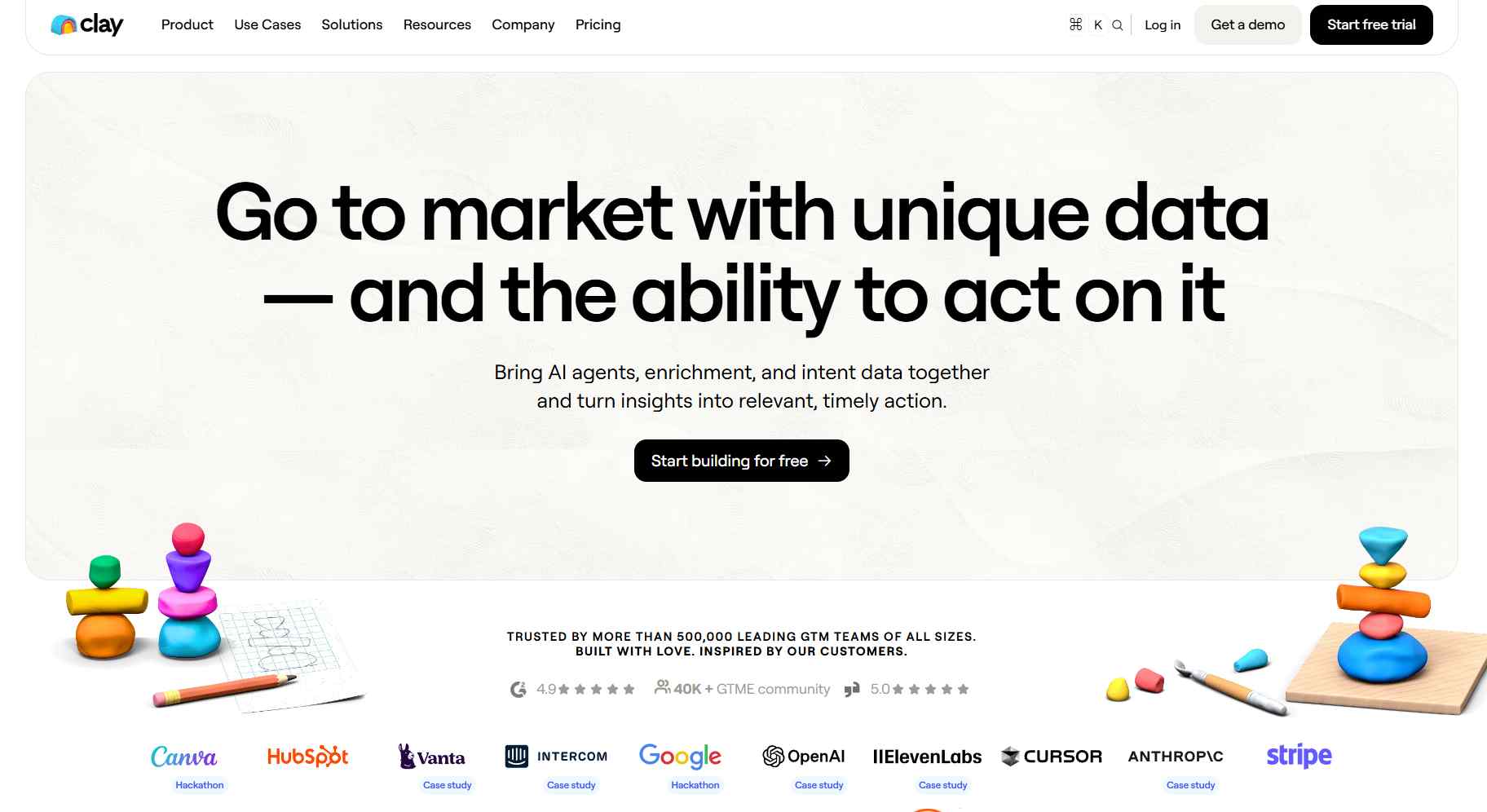
The result: an incredibly detailed prospect table, ready to be acted on.
The problem? Clay doesn't send LinkedIn messages. It doesn't fire connection requests. It doesn't follow up when someone goes quiet.
That's where a LinkedIn automation tool comes in. 🔗
The workflow looks like this: Clay finds and enriches your ideal prospects → you push the list via webhook or Zapier → your LinkedIn automation tool runs the actual outreach campaign.
When this combo works well, your messages aren't generic. They reference things that are actually true about each person, because Clay gave you the data to personalize with.
The prospect feels like you actually researched them. Because you did. Clay just did it for you at scale.
That's why Clay users are a different breed of LinkedIn outreach practitioner. They care about quality over volume. They want tools that can handle rich prospect data, not just a {first_name} merge tag.
With that context set, here are the 10 tools worth looking at.
10 Best LinkedIn Automation Tools for Clay Users
1. SalesRobot
Let me introduce you to SalesRobot. And yes, I know we're biased here, so let me give you the actual reasons rather than just waving our hands.
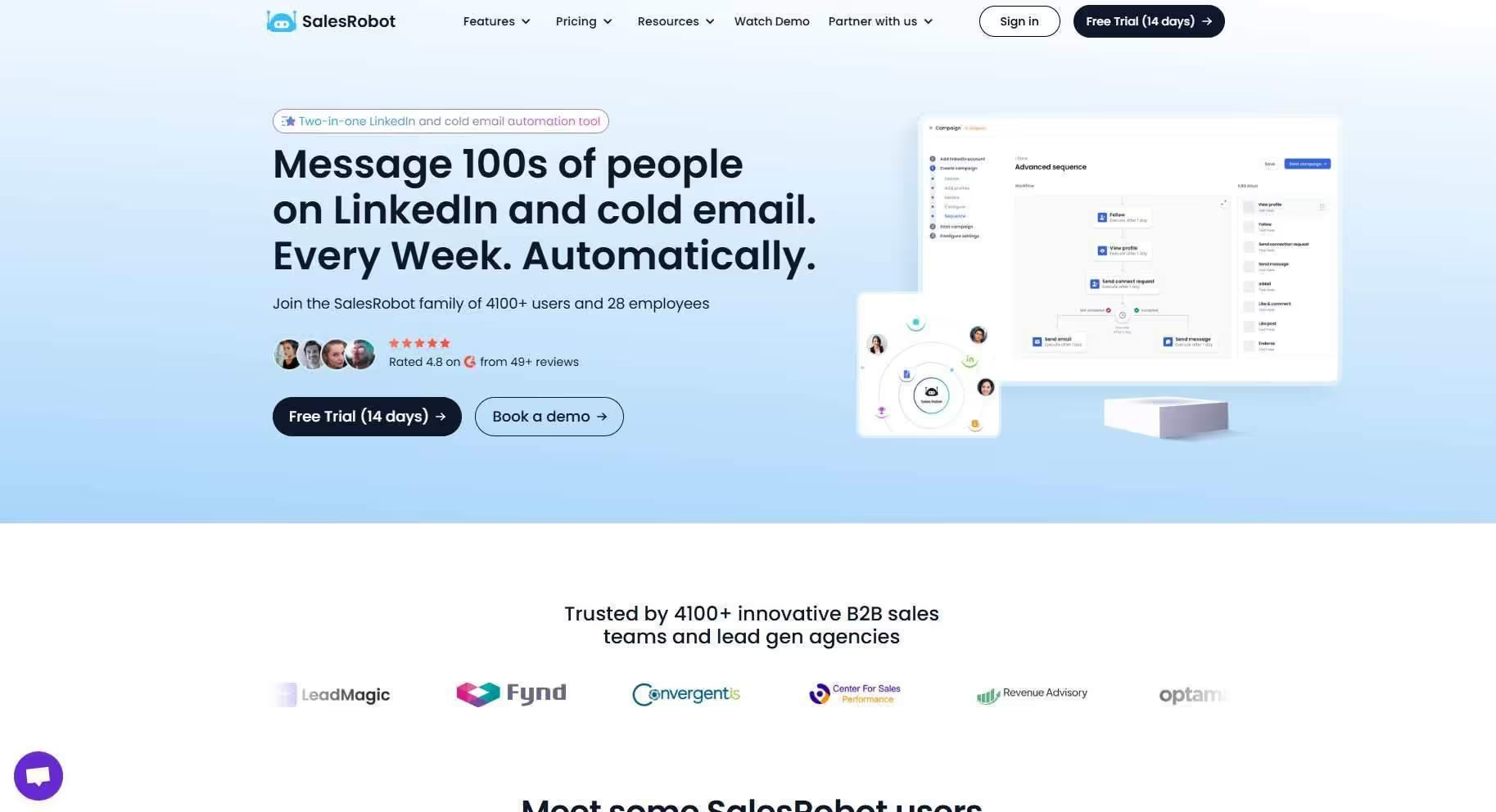
SalesRobot is a cloud-based LinkedIn and email automation tool built for B2B sales teams, agencies, and anyone who takes outreach seriously.
It connects to Clay via Zapier and webhooks, so once your Clay table is ready, you can push enriched leads straight into a SalesRobot campaign without touching a CSV.
Here's what actually makes us different for Clay users specifically: AI Variables.
Most LinkedIn automation tools let you plug in basic merge tags: {first_name}, {company}, {job_title}. SalesRobot's AI Variables go a completely different direction.
The AI reads each prospect's LinkedIn profile, their recent posts, company news, job changes, even mutual connections, and writes a unique icebreaker for each person.
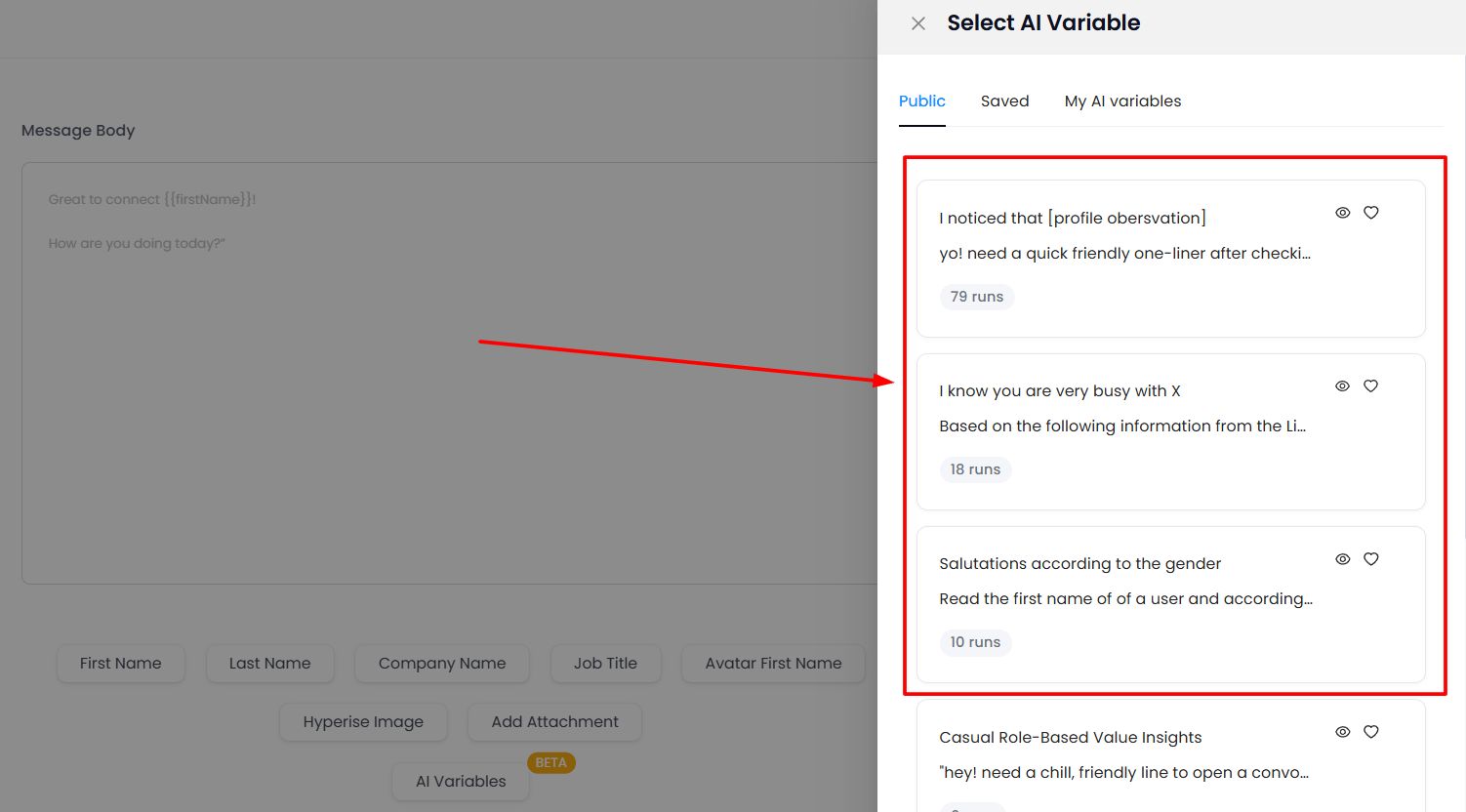
When you pair that with Clay's enrichment data (funding rounds, hiring signals, tech stack, intent data), your opening lines become something most people have never seen in a cold message. That's a real edge. 💪
And it doesn't stop at message writing.
AI Inbox Manager
The AI Inbox Manager replies to incoming LinkedIn messages instantly, trained on your own tone and voice.

If someone responds while you're in back-to-back meetings, the AI keeps the conversation warm. You know the stat: if you don't reply to a lead within 5 minutes, your chances of converting them drop by 50%.
Safe Mode
Running high-volume outreach from a Clay list means your LinkedIn account is sending a lot of activity. That's where Safe Mode comes in.
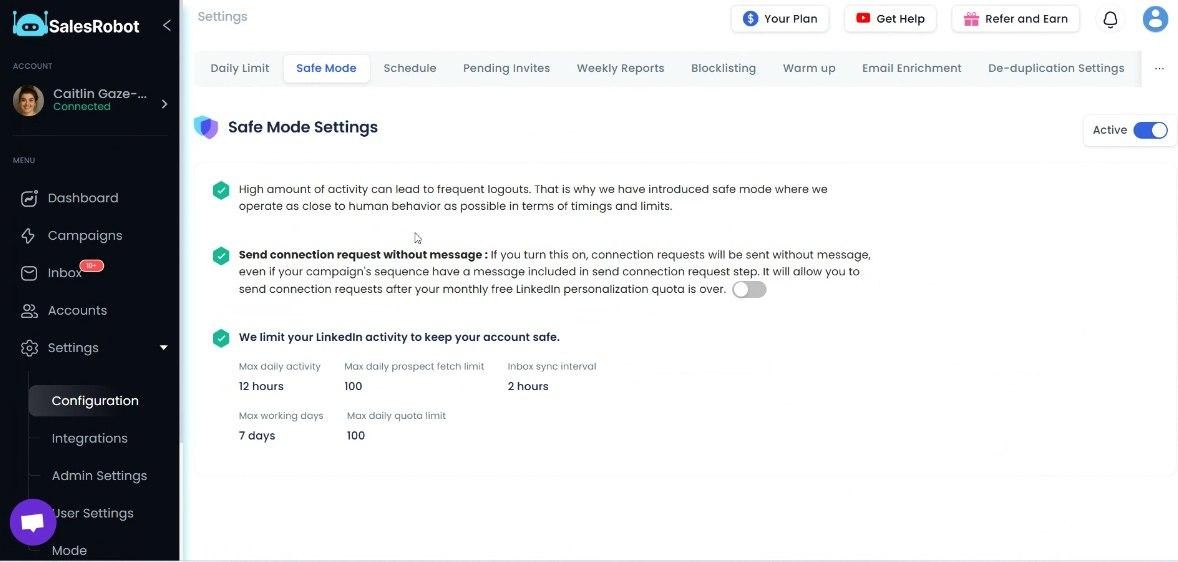
SalesRobot uses a mobile API-based architecture with built-in proxies and dedicated IPs per account. Safe Mode layers smart throttling on top of that. It monitors your daily activity, adjusts send velocity automatically, and keeps your outreach patterns looking human.
The result is a 0.004% ban rate across all our users. You don't need LinkedIn Premium to use it, and you don't need to babysit your activity limits manually.
Voice Notes and Video Messages
When plain text isn't cutting through, SalesRobot lets you send personalized voice notes and video messages inside LinkedIn campaigns.

Prospects stop scrolling when they hear a voice. It's genuinely one of the highest-engagement moves in cold outreach right now.
Pros:
✅ AI personalization that actually reads prospect data, not just merge tags
✅ AI Appointment Setter means your team focuses on calls, not inbox management
✅ 100% cloud-based with dedicated IPs and mobile API architecture. Near-zero account restriction risk
✅ Zapier and webhook integration for Clay lead pushing
✅ 14-day free trial, no credit card required
✅ Rated 4.8/5 on G2 from 49+ reviews
Cons:
❌ Clay integration requires Zapier/webhooks (not native like HeyReach)
❌ No built-in lead database. You bring your own lists (which, if you're using Clay, you already are)
Pricing:
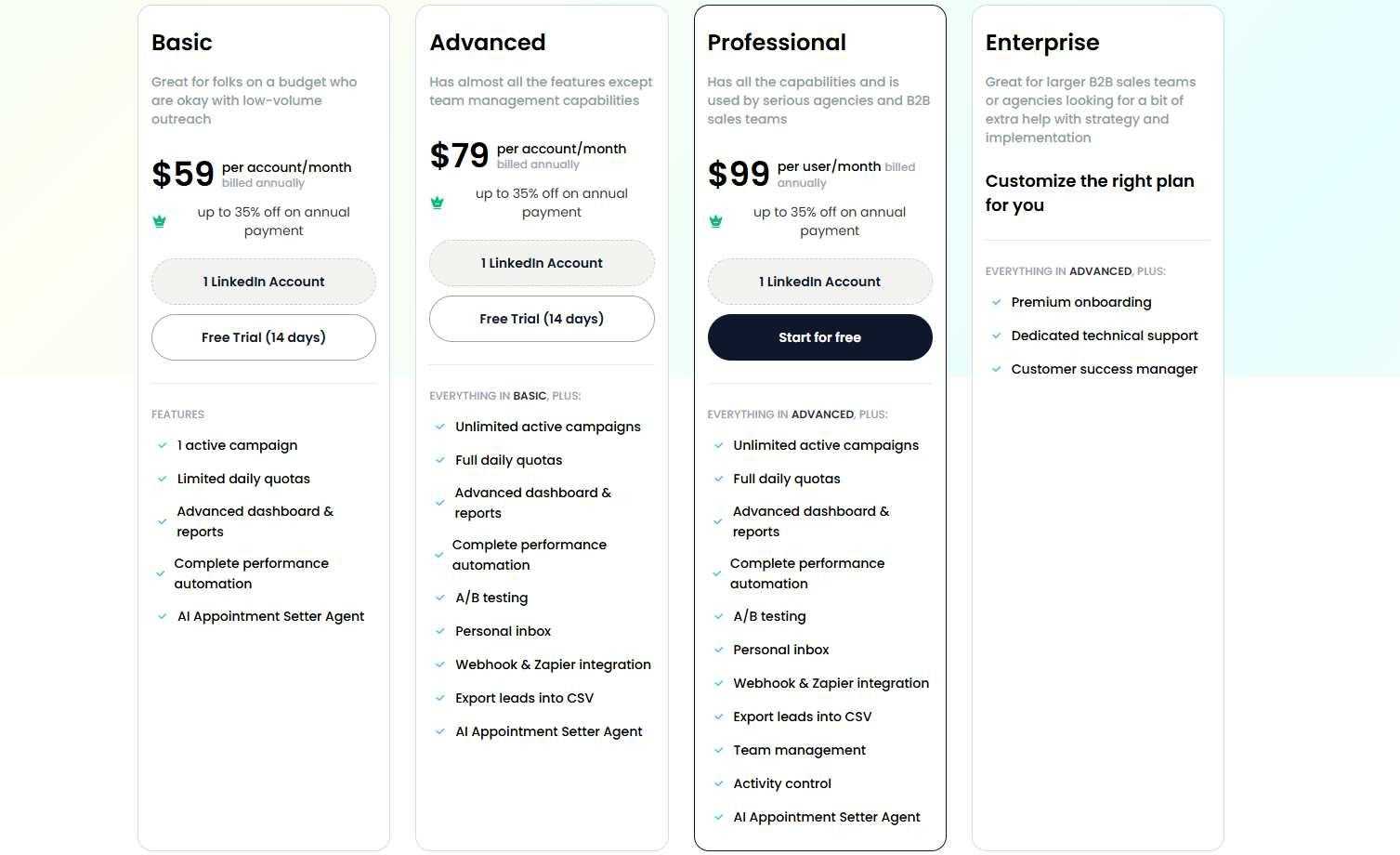
- Basic: $59/mo ($39/mo annual): 1 LinkedIn + 1 email, 600 connections/month
- Advanced: $79/mo ($59/mo annual): Unlimited campaigns, A/B testing, Zapier, personal inbox
- Professional: $99/mo ($79/mo annual): Everything in Advanced + team management + activity control
- Done-For-You: $397/mo. We run your lead gen, you close deals.
Pay annually and save 35%. And again: 14-day free trial, no credit card, no pressure.
2. HeyReach
HeyReach deserves the #2 spot here for one specific reason: it's the only tool on this list with a native Clay integration.
That means no Zapier in the middle, no webhook setup, no extra config. Clay pushes leads directly into HeyReach campaigns via a direct API connection.
For Clay-heavy GTM teams running signal-based outreach at volume, this is a genuinely meaningful advantage.

Beyond Clay, HeyReach's standout feature is multi-account management with sender rotation. Connect multiple LinkedIn accounts, and HeyReach distributes your outreach across all of them automatically.
No single account gets overloaded. Volume scales up without burning through accounts.
This makes HeyReach the natural pick for agencies managing outreach for multiple clients, or for sales teams with 5+ SDRs all running LinkedIn campaigns simultaneously.
The unified inbox pulls all conversations from all connected accounts into one dashboard, which saves a lot of context-switching when you're running coordinated campaigns.
The trade-off? HeyReach is LinkedIn-only. There's no built-in email automation. If you need multichannel sequences, you'll need to pair it with a separate email tool (like Instantly or Smartlead).
The pricing is also structured for scale. The individual plan at $79/mo is reasonable, but the Agency plan at $799/mo is only worth it once you're running serious volume.
Pros:
✅ Native Clay integration (the only tool on this list with it)
✅ Multi-account rotation is genuinely excellent for agencies and large teams
✅ Dedicated IP per account, cloud-based, solid account safety
✅ Unified inbox for all connected LinkedIn accounts
Cons:
❌ LinkedIn-only. No native email automation
❌ No AI features for message personalization
❌ Gets expensive fast at the agency tier ($799/mo)
Pricing: Individual at $79/mo. Agency (unlimited senders) from $799/mo. 14-day free trial available.
3. Expandi
Expandi has been around long enough to have earned its reputation. It's reliable, cloud-based, and does what it promises without a ton of drama.
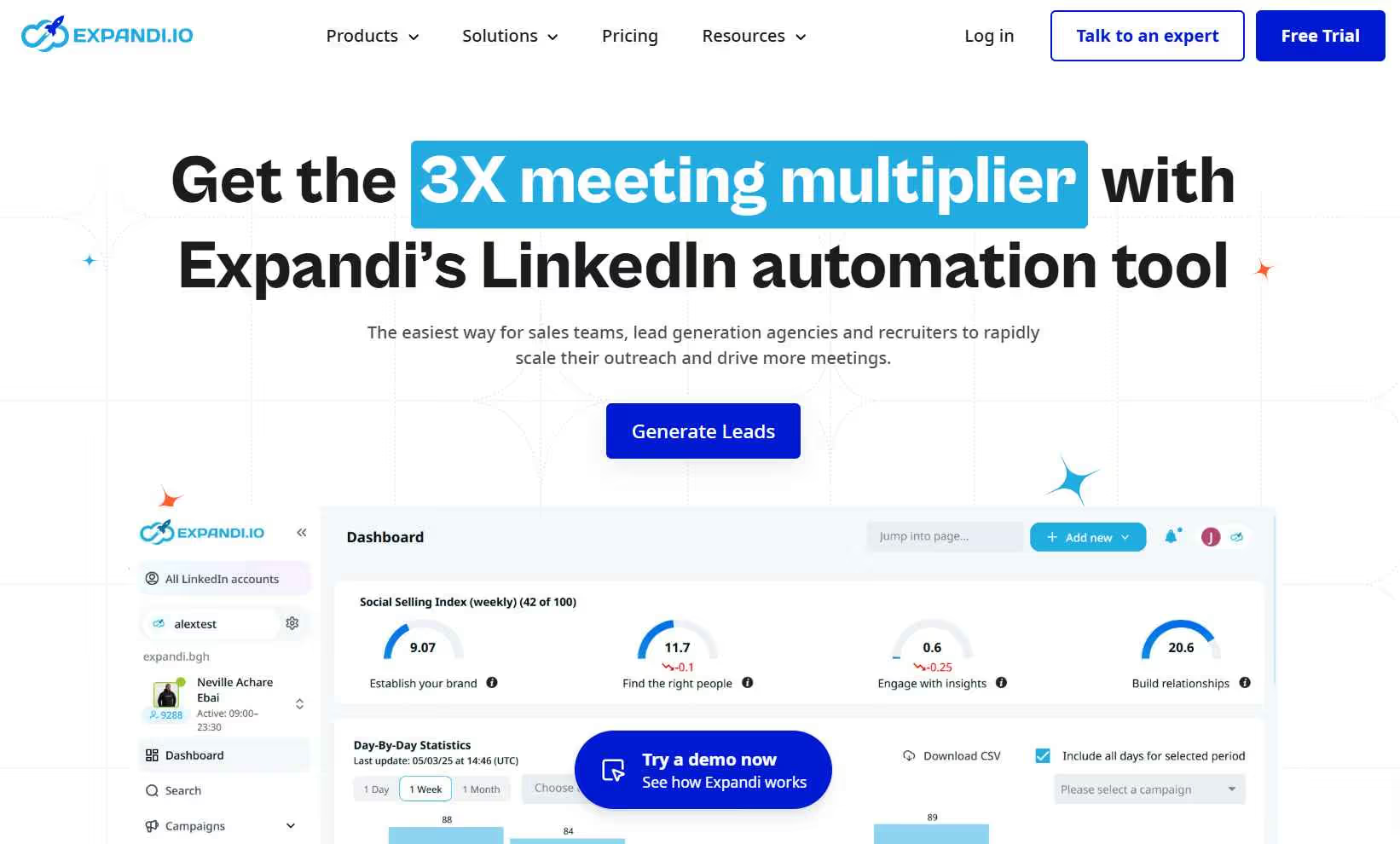
For Clay users, Expandi connects via Zapier and webhooks. You can push enriched leads from Clay into Expandi campaigns and sync reply data back to HubSpot, Salesforce, or wherever your pipeline lives.
What Expandi does well is account safety. Every account gets a dedicated country-based IP (not shared infrastructure), which means your LinkedIn reputation isn't at the mercy of what other users on the same server are doing.
There's also smart behavioral mimicry: randomized delays, gradual warm-up ramps, and variable activity patterns that keep things looking human.
The A/B testing is well-implemented and useful for Clay users who want to test different personalization approaches with the enriched data they're working with.
The honest caveat: Expandi's personalization is still template-based. You're working with merge tags, not AI-generated icebreakers.
If Clay is giving you rich, nuanced prospect data (recent funding, specific job changes, intent signals), Expandi won't automatically use that to write a smarter message. You'd need to manually map the variables yourself.
Also worth knowing: Expandi's advertised $99/mo price doesn't include image/GIF/video personalization. Those features require separate paid add-ons (Hyperise, Sendspark) which can push the real per-seat cost to $197+ per month. Factor that in before committing.
Pros:
✅ Dedicated IP per account. Genuinely strong safety architecture at this price point
✅ A/B testing is solid for optimizing Clay-personalized sequences
✅ Cloud-based, always running without keeping your laptop open
✅ 7-day free trial
Cons:
❌ Template-based personalization only. No AI. Clay data requires manual variable mapping
❌ Visual personalization (images, GIFs, video) requires paid add-ons on top of base price
❌ UI can feel clunky, especially for new users
Pricing: $99/mo per seat ($79/mo annual). Agency/white-label: custom pricing for 10+ accounts.
4. Skylead
Skylead earns its spot because of one feature that genuinely matters for Clay-powered outreach: Smart Sequences.

Unlike the usual "Step 1, then Step 2, then Step 3" campaign structure, Skylead's sequences use if/else conditional logic that adapts based on what each prospect actually does.
If someone accepts your connection request, the sequence routes them to a personalized message. If they don't accept but you have their email from Clay, it pivots automatically to an email follow-up.
If they reply at any step, the sequence pauses. No manual intervention needed.
For Clay users who have rich prospect data across multiple contact methods, this branching logic means your outreach adapts to how each person actually responds, not a rigid preset.
Skylead also includes unlimited email accounts, up to 100K emails per month, and built-in email warmup (InboxFlare), all bundled into a flat $100/mo. No credits, no usage limits on email. That's hard to beat.
The main friction points: a steeper learning curve than tools like Dripify, a short 7-day trial (not a lot of time to evaluate properly), and some reports of occasional bugs with complex sequences.
Pros:
✅ Smart Sequences with if/else logic adapt to prospect behavior, perfect for multi-signal Clay data
✅ Unlimited email + built-in warmup at $100/mo flat is exceptional value
✅ Cloud-based with dedicated IP. Safe and always running
✅ Connects to Clay via webhooks and Zapier
Cons:
❌ Steeper learning curve. Not beginner-friendly
❌ Only a 7-day trial, not much time to properly evaluate
❌ Some users report occasional bugs on complex sequences
Pricing: $100/mo per seat. Annual plan gives 2 months free. Everything included in one flat price.
5. Lemlist
Lemlist started as an email tool and later expanded into LinkedIn. That history matters for how you think about using it.

If Clay is feeding you enriched leads that you want to hit across email, LinkedIn, and even cold calling in a single coordinated workflow, Lemlist gives you all of that in one platform.
The multichannel sequences are well-built: you can combine email steps, LinkedIn actions (profile visits, connection requests, messages), and phone calls into one automated flow.
Where Lemlist really shines is email personalization. Dynamic images, personalized videos, custom landing pages embedded in emails. This is what made Lemlist famous, and it's still genuinely impressive.
When you pair Clay's enrichment data with Lemlist's personalization engine, your email outreach gets very specific, very fast.
There's also a built-in 450M+ contact database, which for many teams means you can skip a separate Apollo or ZoomInfo subscription. Though if you're already using Clay for lead building, you may not need this layer at all.
Two things to watch out for: LinkedIn automation is only available on the Multichannel Expert plan ($109/mo), and the per-seat pricing adds up quickly for larger teams.
Also, the credit system for lead finder expires monthly. Unused credits don't roll over.
Pros:
✅ Best-in-class email personalization: dynamic images, videos, custom landing pages
✅ True multichannel: email + LinkedIn + phone in one sequence
✅ Connects to Clay via Zapier and webhooks
✅ Built-in lead database (useful if Clay doesn't cover everything you need)
Cons:
❌ LinkedIn automation only on the $109/mo plan
❌ Per-seat pricing scales up fast for large teams
❌ Credit system for lead finder can be frustrating. Unused credits expire monthly
Pricing: Email Pro at $79/mo ($63/mo annual). Multichannel Expert (with LinkedIn) at $109/mo ($87/mo annual). Enterprise: custom.
6. Dripify
Dripify is the easiest tool to get up and running on this list.

If you've never used a LinkedIn automation tool before, or if you just want something clean and functional without a steep learning curve, Dripify is your starting point.
For Clay users, Dripify connects to HubSpot, Salesforce, and Zoho via native integrations, and to Clay via Zapier. You can pipe enriched leads directly into a Dripify campaign in a few minutes of setup.
The drag-and-drop campaign builder makes multi-step drip sequences straightforward. For longer nurture flows (5-7 touchpoints across a few weeks), Dripify keeps things organized without the cognitive overhead of more complex tools.
The smart inbox keeps all your LinkedIn conversations in one place, and the campaign analytics give you a clear read on what's working.
What you don't get: AI personalization, email automation on entry plans, or any Clay-native integration. Customization is also fairly limited compared to tools like SalesRobot or Skylead.
Teams doing serious volume or complex personalization will eventually outgrow it.
Pros:
✅ Cleanest UI on this list. Easiest to get started
✅ Native HubSpot, Salesforce, and Zoho integrations
✅ Solid drip campaign automation for standard LinkedIn sequences
✅ 7-day free trial
Cons:
❌ No AI personalization whatsoever
❌ LinkedIn-only on entry plan. Email requires upgrading
❌ Limited customization for more complex campaigns
Pricing: Basic from $39/mo (annual) or $59/mo (monthly). Advanced at $79/mo. Business at $99/mo.
7. La Growth Machine
La Growth Machine (LGM) is the multichannel tool for Clay users who want to go beyond just LinkedIn and email, and cover LinkedIn, email, Twitter/X, and even voice messages in a single coordinated workflow.

Where LGM stands out is the sophistication of its workflow builder. The conditional logic is more advanced than most tools on this list: you can build branching sequences that respond to how prospects engage across multiple channels, using Clay-enriched data to personalize each step.
LGM also has strong native enrichment of its own (waterfall enrichment built in), native CRM sync with HubSpot, Pipedrive, and Salesforce, and a Social Warming feature that simulates natural LinkedIn engagement before campaigns launch.
That last one is a nice account-safety detail for Clay users who run high-volume outreach.
It's on the pricier side compared to some tools here, and the European-first pricing (in euros) can add some currency conversion friction for US-based teams.
But for agencies or growth teams building complex, multi-channel outbound sequences with Clay-enriched data, LGM is a serious contender.
Pros:
✅ Most sophisticated multichannel builder on the list (LinkedIn + Email + Twitter/X + Voice)
✅ Advanced conditional logic and Social Warming for account safety
✅ Native CRM integrations with HubSpot, Pipedrive, Salesforce
✅ Connects to Clay via API and Zapier
Cons:
❌ Steeper learning curve and higher price than most options here
❌ Priced in euros, which adds friction for US-based teams
❌ Less name recognition in US market; smaller support community
Pricing: Basic from €60/mo per identity. Ultimate at €180/mo. 14-day free trial available.
8. PhantomBuster
PhantomBuster is a different kind of tool, and it belongs on this list for a different reason than everything else.
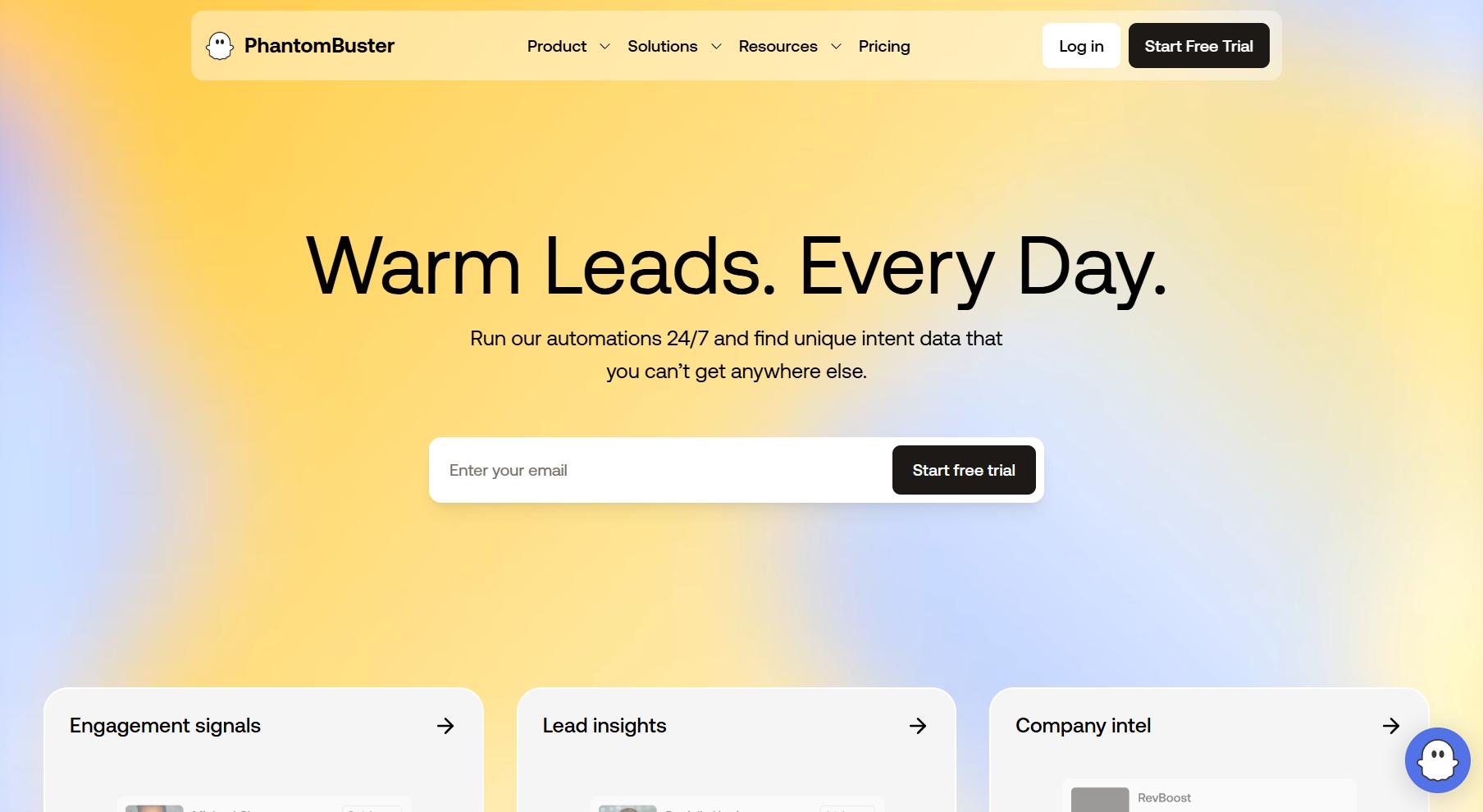
It's not really a LinkedIn outreach sequencer. It's a data extraction and automation platform with 180+ pre-built automations (called Phantoms) that scrape and extract data across LinkedIn, Twitter/X, Instagram, Google Maps, and more.
For Clay users, this is where PhantomBuster shines: it's the pre-Clay or alongside-Clay layer.
You can use Phantoms to scrape LinkedIn event attendees, pull Sales Navigator search results into a CSV, extract members from LinkedIn groups, or pull commenters from a specific post. Feed that data into Clay for enrichment, then push the enriched output to your outreach tool.
Clay and PhantomBuster together can cover data workflows that neither does perfectly alone.
What PhantomBuster is not good at: running outreach sequences. It can fire connection requests, but a structured follow-up campaign with replies, delays, and personalization requires a separate tool.
The pricing is also usage-based (execution hours + phantom slots), which can escalate quickly if you're running multiple automations in parallel.
Also worth knowing: PhantomBuster uses your LinkedIn session cookie for access, which carries higher detection risk than cloud-based tools with dedicated IPs. Use it conservatively and never on your primary account if safety is a concern.
Pros:
✅ Best tool on this list for data extraction and list-building to feed into Clay
✅ 180+ Phantoms across LinkedIn, Twitter, Google Maps, and more
✅ No-code setup. Pick a Phantom and run
✅ 14-day free trial available
Cons:
❌ Not an outreach sequencer. You need a separate tool for LinkedIn campaigns
❌ Cookie-based access = higher LinkedIn detection risk
❌ Execution time limits can run out faster than expected on active workflows
Pricing: Starter at $69/mo ($56/mo annual). Pro at $139/mo ($111/mo annual). Scale at $439/mo ($352/mo annual).
9. Waalaxy
Waalaxy is the budget-friendly entry point for Clay users who want to test LinkedIn outreach without committing to a big monthly cost upfront.

The free tier gives you basic LinkedIn automation at zero cost. The paid Pro plan adds more volume and multi-step sequences.
The drag-and-drop campaign builder is genuinely one of the most intuitive interfaces in this space. You can launch your first campaign in minutes, even if you've never touched automation before.
For Clay users, the connection is via Zapier (not native), which works fine for basic lead pushing. The built-in email finder is a nice touch for teams who want to supplement Clay's data with direct email discovery from LinkedIn profiles.
The main limitation for Clay-heavy teams: Waalaxy is browser-based. Your Chrome extension needs to be active for campaigns to run. If you close your laptop, your campaigns stop.
For teams running high-volume, always-on outreach (which is exactly what Clay is built to enable), this is a real bottleneck. Cloud-based tools are a better fit for that.
Pros:
✅ Free tier available. Paid plans start at €19/mo (Pro)
✅ Most beginner-friendly UI on this list
✅ Built-in email finder and contact enrichment
✅ GDPR-compliant
Cons:
❌ Browser-based. Campaigns stop when Chrome closes
❌ No AI personalization
❌ Zapier-only for Clay integration (no native connection)
Pricing: Free tier available. Pro at €19/mo. Scaling up to €119/mo for Business.
10. Octopus CRM
The budget pick. Octopus CRM is the cheapest LinkedIn automation tool on the market, and it genuinely does what it says on the tin.
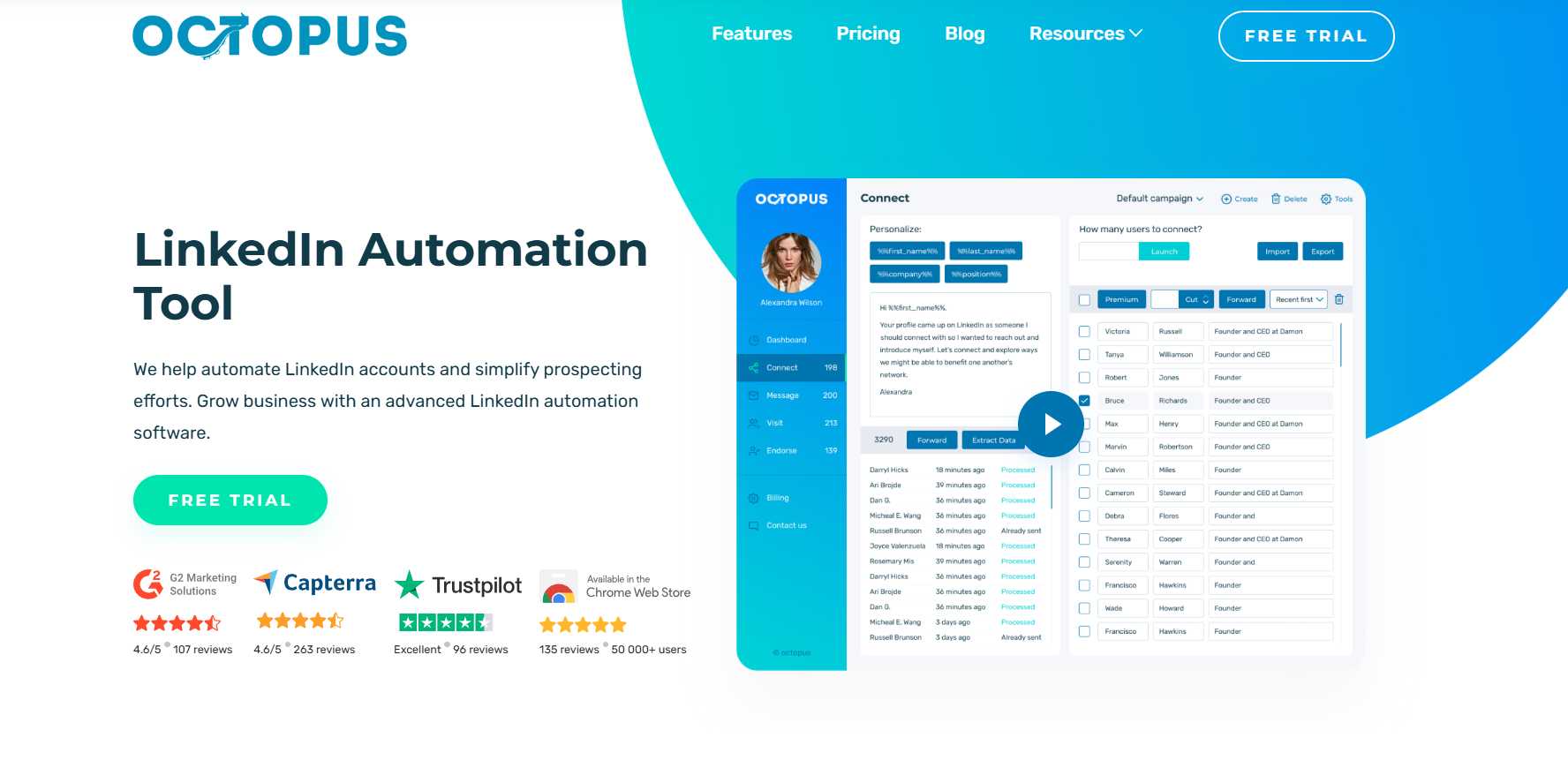
At $9.99/mo, you get connection requests, bulk messaging to 1st-degree connections, profile visits, skill endorsements, and a lightweight built-in CRM to track your leads.
It runs as a Chrome extension, setup is dead simple, and it connects to HubSpot, Salesforce, and Google Sheets via Zapier (which is how Clay leads would flow in).
For Clay users who are just getting started with LinkedIn outreach and want to validate the channel before investing in a proper tool, Octopus CRM is a fine starting point.
Just know what you're getting: no AI, no multichannel, no cloud safety, and LinkedIn's detection of Chrome extensions has gotten significantly better in 2025-2026.
Use it at conservative daily limits, treat it as a testing ground, and upgrade to a cloud-based tool once you've proven LinkedIn outreach works for your ICP.
Pros:
✅ Cheapest tool on the market. $9.99/mo
✅ Dead-simple setup. Install the extension and go
✅ Zapier integration for Clay lead pushing
Cons:
❌ Chrome extension = higher LinkedIn detection risk
❌ No AI, no email automation, no multichannel
❌ Campaigns stop when your browser closes
Pricing: Starter at $9.99/mo. Pro at $14.99/mo. Advanced at $21.99/mo. Unlimited at $39.99/mo.
Quick Comparison: All 10 Tools at a Glance
How to Pick the Right Tool for Your Clay Stack
Alright, you've seen all 10. Here's how I'd actually think about the decision:
If you're a solo operator or early-stage founder: Start with Waalaxy (free) or Octopus CRM ($9.99/mo) to test whether LinkedIn outreach converts for your ICP. Once you've validated it, move to a cloud-based tool.
If you want AI personalization that actually uses Clay's data: SalesRobot. The AI Variables pull from LinkedIn profile data and can be combined with Clay's enrichment to write icebreakers that reference genuinely specific things about each prospect. That's the combo that gets reply rates above 30%.
If Clay is central to your stack and you need a native integration: HeyReach. No Zapier in the middle, no webhook config, no friction. Leads push directly from Clay into your outreach sequences.
If you're an agency managing outreach for multiple clients: Either HeyReach (for multi-account rotation under one flat fee) or SalesRobot (if you want white-label capabilities and AI personalization for each client's campaigns).
If email is your primary channel and LinkedIn is secondary: Lemlist. It bundles both in one platform, plus a massive contact database that might reduce your Clay credit usage.
If you want Smart Sequences that adapt to prospect behavior: Skylead. The if/else logic is built for exactly this: outreach that changes course based on what each person does.
If budget is the primary constraint: Dripify ($39/mo annual), then Waalaxy (free/€19), then Octopus CRM ($9.99/mo).
Practical Tips for Clay-Powered LinkedIn Outreach
Having the right tool stack is half of it. Here's how to actually get results:
Map your Clay variables to your message sequences before you build anything. Clay gives you a lot of data. Not all of it belongs in a LinkedIn message.
Decide upfront which variables you'll use (job title, recent post, company news, funding signal, tech stack) and write your message templates around those specifically.
Use Clay's AI fields to generate first-line personalizations, then bring them into SalesRobot. You can run an AI column in Clay that writes a custom opening line for each prospect based on their profile data.
Then push that column into SalesRobot as a custom variable. Combining Clay's AI with SalesRobot's AI Variables gives you two layers of personalization without doubling your workload.
Segment campaigns by signal, not just job title. A VP of Sales who just joined a new company in the last 90 days is a completely different prospect from one who's been in the role for five years.
Clay lets you build these segments. Build separate outreach sequences for each one.
Don't send the same sequence to warm and cold prospects. If Clay shows someone engaged with your content or visited your site, that person should go into a shorter, more direct sequence. Save the longer nurture sequences for cold contacts.
Track everything back to Clay. Use Zapier to sync reply data and conversation tags from your outreach tool back into Clay or your CRM.
That way your Clay tables stay updated and you can see which signals actually correlated with replies and meetings.
Voice notes cut through. If you're getting low reply rates on text campaigns, add a voice note step in SalesRobot.
When prospects see a personalized audio message from a real person instead of another block of text, they stop. It's one of the highest-engagement moves in cold outreach right now.
Why SalesRobot for Clay Users?
Look, I know this is our blog. So let me be straightforward about this rather than pretending we don't have a dog in the fight.
Here's why we think SalesRobot is the right pick for most Clay users specifically:
🔥 AI personalization that's in a different league. Clay gives you the data. SalesRobot's AI Variables write messages that actually use it. Not {first_name}. Not {company}. Real icebreakers based on what the person actually posted last week, or what their company just announced. Our users regularly see 32%+ positive reply rates.
🔥 Zapier and webhook integration that's actually production-ready. Push leads from Clay, trigger campaign actions based on Clay data, sync replies back to your CRM. The integration works cleanly in both directions.
🔥 An AI Appointment Setter that does the follow-up work. You got the reply because Clay's data made the outreach smart and SalesRobot made the message feel human. Now the AI Appointment Setter keeps the conversation going, handles objections, and books the meeting. Your team shows up for confirmed calls.
🔥 Account safety that's engineered, not bolted on. Mobile API architecture, built-in proxies, dedicated IPs, smart throttling. We didn't add safety features as an afterthought. It's how the whole system is built. 0.004% ban rate across all our users.
🔥 A support team that actually answers. Round the clock, via chat and email. Real people, not a knowledge base article that doesn't solve your problem.
If you want to see how SalesRobot works with your Clay setup, the easiest way is to just try it. 14-day free trial, no credit card required. 76% of our trial users get their first lead within 2 days.
Conclusion
Clay is one of the most powerful prospecting tools available right now. But it's only the beginning of the workflow.
The teams getting real ROI from Clay aren't just building better lists. They're pairing those lists with outreach tools that can actually deliver personalized messages at scale, follow up reliably, and keep their LinkedIn accounts safe while doing it.
The 10 tools in this guide each cover a piece of that. HeyReach is the only one with a native Clay integration. Skylead's Smart Sequences handle complex branching logic. Lemlist is the play if email is your main channel. Dripify and Waalaxy are solid entry points when budget is tight.
But for Clay users who want AI personalization that actually reflects their prospect data, automated follow-up that doesn't require babysitting, and account safety that doesn't require crossing your fingers, SalesRobot is the tool we'd put first.
14 days. No credit card. No risk.
FAQs
1. Does SalesRobot integrate natively with Clay?
SalesRobot connects to Clay via Zapier and webhooks. You can push enriched leads from Clay directly into SalesRobot campaigns, trigger campaign actions based on Clay events, and sync reply data back to your CRM.
It's not a native API integration (HeyReach is the only tool on this list that has that), but the Zapier + webhook setup is production-ready and handles most Clay-to-outreach workflows cleanly.
2. Which LinkedIn automation tool has the best Clay integration?
HeyReach has the only native Clay integration via direct API. If Clay is central to your GTM stack and you want zero friction between data enrichment and LinkedIn outreach, HeyReach is the choice for that specific use case.
3. Is LinkedIn automation safe for Clay users doing high-volume outreach?
It depends on the tool. Cloud-based platforms with dedicated IPs and smart activity limits (SalesRobot, HeyReach, Expandi, Skylead) carry significantly lower risk than browser extension tools.
The higher the volume of outreach you're running from Clay data, the more important the safety architecture becomes. LinkedIn's enforcement has gotten stricter in 2025-2026.
4. Can I use Clay to personalize SalesRobot messages?
Yes, and this is one of the most powerful combos in outreach right now. You can run an AI column in Clay that writes a custom first line for each prospect, then push that column into SalesRobot as a custom variable.
Combine that with SalesRobot's own AI Variables and you get two layers of personalization working together.
5. What's the cheapest way to run Clay-powered LinkedIn outreach?
Waalaxy has a free tier. Octopus CRM starts at $9.99/mo. Both connect to Clay via Zapier. Both are browser-based (Chrome extension), which means campaigns stop when your browser closes and LinkedIn detection risk is higher.
They're fine for testing and validation. For production outreach at volume, you want a cloud-based tool.
6. How is SalesRobot different from HeyReach for Clay users?
HeyReach has a native Clay integration and is better suited for multi-account rotation and agencies managing large numbers of LinkedIn senders.
SalesRobot connects via Zapier/webhooks and is better suited for teams that want AI-powered personalization, an AI Appointment Setter, and more complete end-to-end outreach automation within one platform. Both are worth evaluating depending on your primary use case.

Wow your leads by cloning yourself and sending personalized videos and voice notes to each lead on LinkedIn.
If you don't reply to leads within 5 mins, your chances of converting them fall by 50%. Our AI replies on your behalf instantly! (and yes, you can train it)

Don't shoot in the dark. Get detailed analytics on what's working

SalesRobot allows you to invite other team members, so that they can add their LinkedIn Account, run outreach campaigns and get amazing results just like you.
.avif)


Trusted by 4100+ innovative B2B sales teams and lead gen agencies

.avif)

.avif)




.avif)