TL;DR
Calendly makes scheduling meetings easier.
Instead of sending five emails asking when someone is free, you share a booking link and let them choose a suitable time. Lovely. Revolutionary.
We really did invent a solution to the problem of people having calendars and stuff to do on those calendars

.
But Calendly isn't the only option, and depending on what you're trying to schedule, it might not even be the best one.
Here are seven alternatives worth considering:
- Cal.com is a strong overall alternative, particularly if you want a generous free plan, flexible scheduling, and more control over your booking setup.
- SavvyCal offers a polished booking experience that makes it easier for invitees to find a time that works for both parties.
- YouCanBookMe is a good option for individuals and small teams that want customisable booking pages without a complicated setup.
- Acuity Scheduling is ideal for service businesses that need appointment booking, payments, intake forms, and client management.
- Zoho Bookings is a budget-friendly option, particularly for businesses already using Zoho products.
- HubSpot Meetings makes sense for sales teams that want scheduling connected directly to their CRM.
- Chili Piper is built for revenue teams that need advanced lead routing and instant meeting booking.
💡Quick recommendation: Choose Cal.com for flexible scheduling, SavvyCal for a better booking experience, Acuity for client appointments, Zoho Bookings for affordable business scheduling, HubSpot Meetings for CRM-connected sales calls, and Chili Piper for advanced inbound lead routing.
And if your bigger problem isn't scheduling meetings but actually getting people interested enough to book one, that's a different conversation, and we'll DEF get to that.
First Things First: What Does Calendly Actually Do?
Imagine you're a consultant. Someone wants to book a call with you, so you send them a message:
"Hey! I'm free Tuesday afternoon or Thursday morning. Let me know what works."
They reply that Tuesday doesn't work. Thursday is busy. Friday might be possible.
You suggest a few more times. They disappear for three hours. You follow up. They finally respond, only to realise you've both been looking at different time zones.
Congratulations. You've spent more time scheduling a 30-minute meeting than actually preparing for it.

That's the problem Calendly is designed to solve.
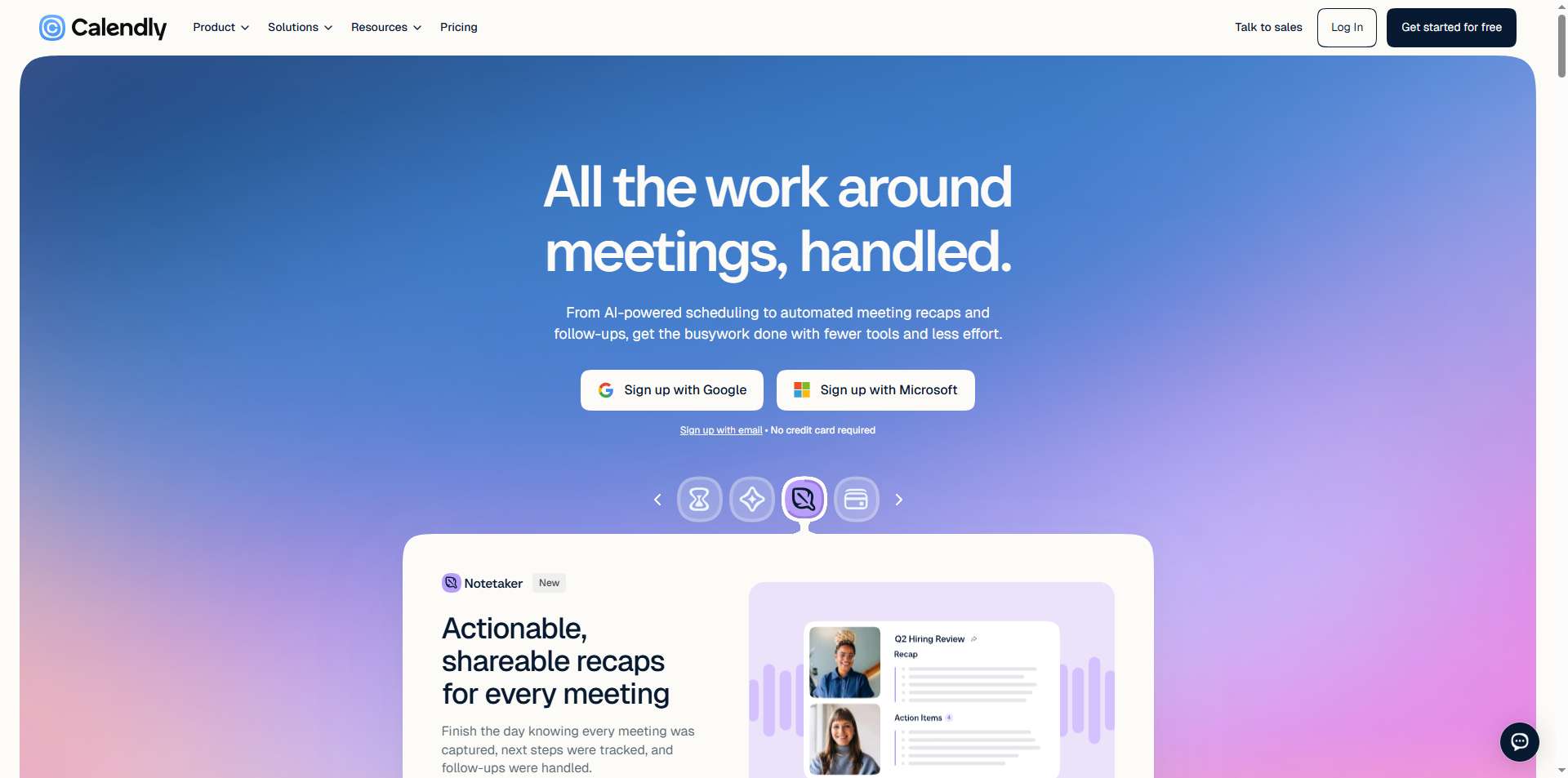
Calendly is an online scheduling platform that lets people book appointments using a shareable link.
You connect your calendar, let ‘em know when you're available, and let other people choose a suitable time.
Here's what it does in plain English:
✅Shows your availability: People can see the time slots you're willing to offer without having access to your entire calendar.
✅Prevents double bookings: Calendly checks your connected calendar and hides times when you're already busy.
✅Handles different meeting types: You can create separate booking links for discovery calls, interviews, consultations, demos and other appointments.
✅Sends reminders: Automated confirmations and reminders help reduce missed meetings.
✅Connects with other tools: Calendly integrates with calendars, video conferencing platforms, CRMs and automation tools.
✅Supports team scheduling: Paid plans offer features such as round-robin scheduling, where incoming meetings are distributed between team members.
It's essentially a digital receptionist that doesn't need lunch breaks.
Calendly is particularly useful for consultants, recruiters, sales teams, agencies, freelancers and businesses that regularly schedule appointments with people outside their organisation.
But not everyone needs the same thing.
Some want a cheaper booking link. Others need payment collection, advanced routing, client management, or a better way to coordinate multiple calendars.
That's where the alternatives come in. But first, let’s check out the pricing.
Calendly Pricing: How Much Does It Cost?
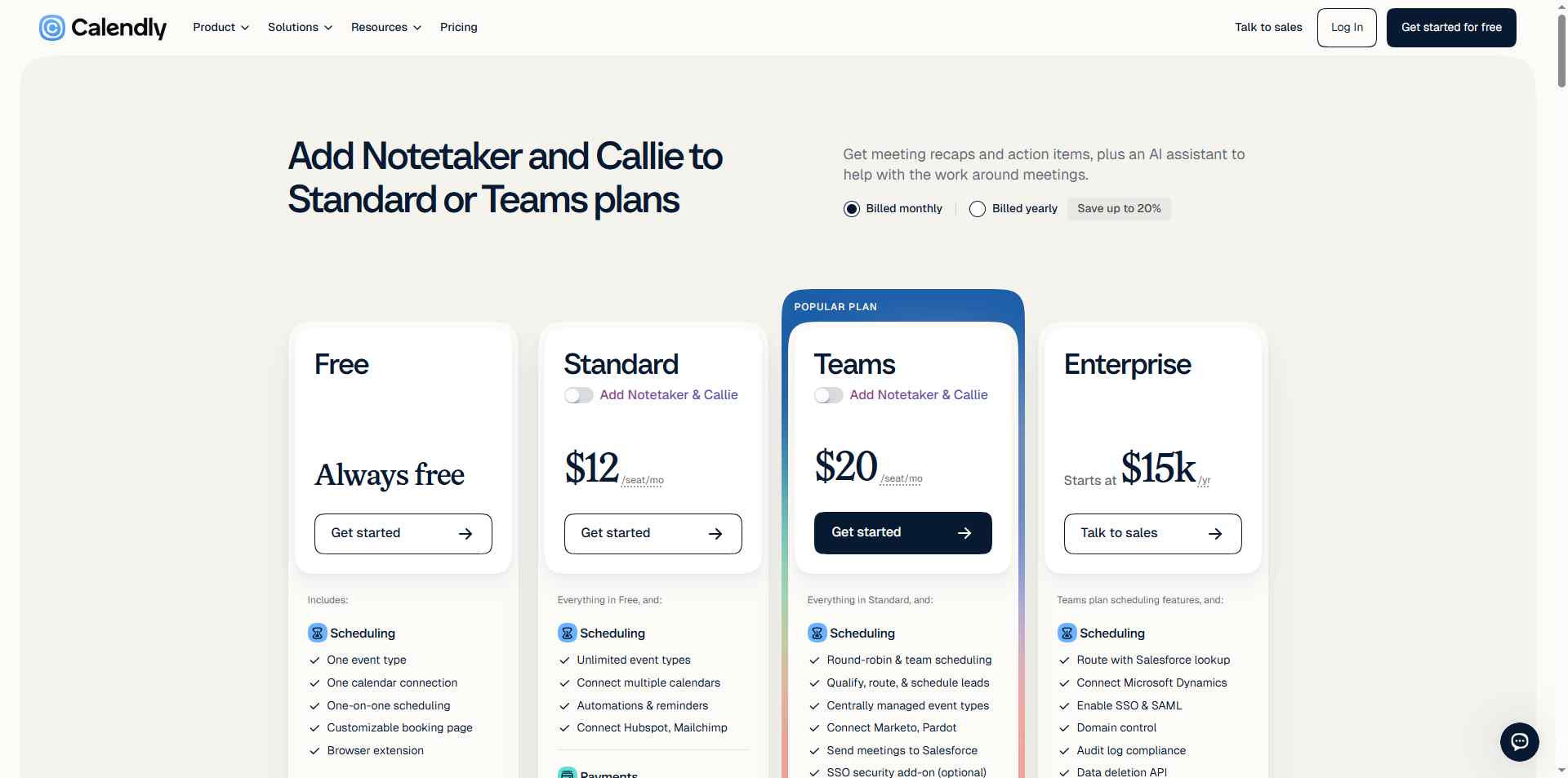
Calendly offers a free plan, along with several paid options.
Here's a quick overview of its publicly advertised pricing:
✅The free plan is perfectly reasonable if you only need a basic one-to-one booking link.
⚠️The limitations become more noticeable when you need multiple event types, additional calendar connections, or team scheduling.
For a solo consultant, that may not be a problem. For a growing sales team, the per-seat pricing can add up.
And if you're paying for a tool that only handles one part of your workflow, it's worth checking whether another platform gives you more for the same money.
7 Calendly Alternatives: Which One Actually Fits?

Not all scheduling tools are built for the same purpose. Some focus on making booking links easier to use, while others are designed for service businesses or sales teams handling hundreds of incoming leads.
Here's the quick comparison before we get into the details.
1. Cal.com: Best Overall Calendly Alternative
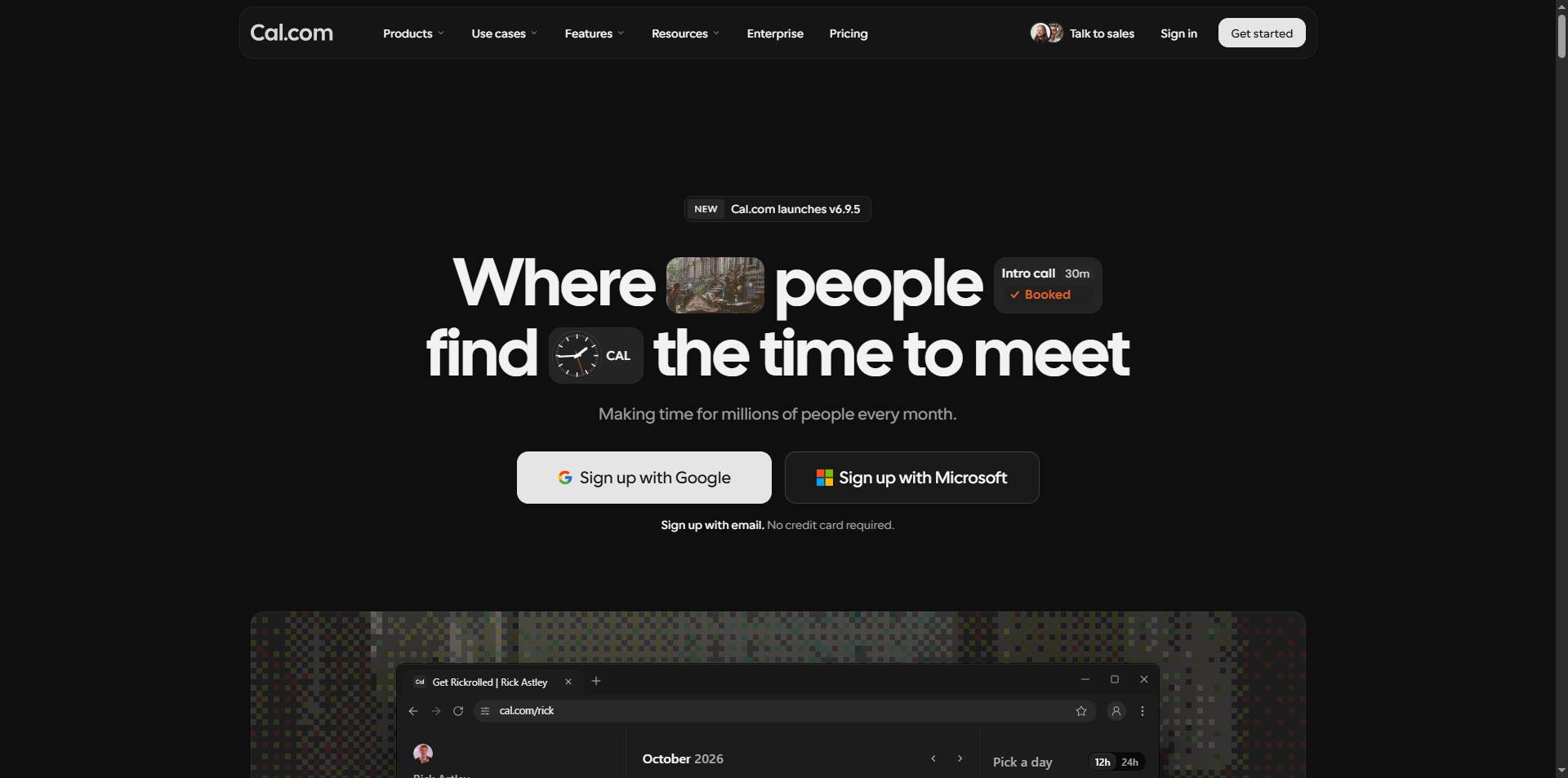
If you're looking for a flexible alternative that doesn't immediately ask you to pull out your credit card, Cal.com is a very good place to start.
Cal.com is an open scheduling platform that helps individuals and teams create booking links, coordinate availability and manage appointments.
It offers many of the features people use Calendly for, but its free individual plan is considerably more generous.
✅What it does: Cal.com lets you create scheduling links, connect calendars, define availability, collect payments and coordinate meetings.
You can create different event types for different purposes, allowing people to book the right kind of meeting without having to email you first.
💡What stands out: Its free plan includes unlimited scheduling links and calendars for one user. You also get integrations with more than 100 apps, email and SMS notifications, payment collection through Stripe and PayPal, and a mobile app.
For teams, Cal.com offers round-robin scheduling, collective events, shared availability and routing forms.
Another advantage is its developer-friendly approach. Businesses that want to build scheduling into their own products or workflows can use its APIs and integrations.
⚠️Worth noting: The free plan is generous, but team features such as round-robin scheduling and shared availability require a paid subscription. Larger organisations may also need the higher-tier plans for advanced security and administration.
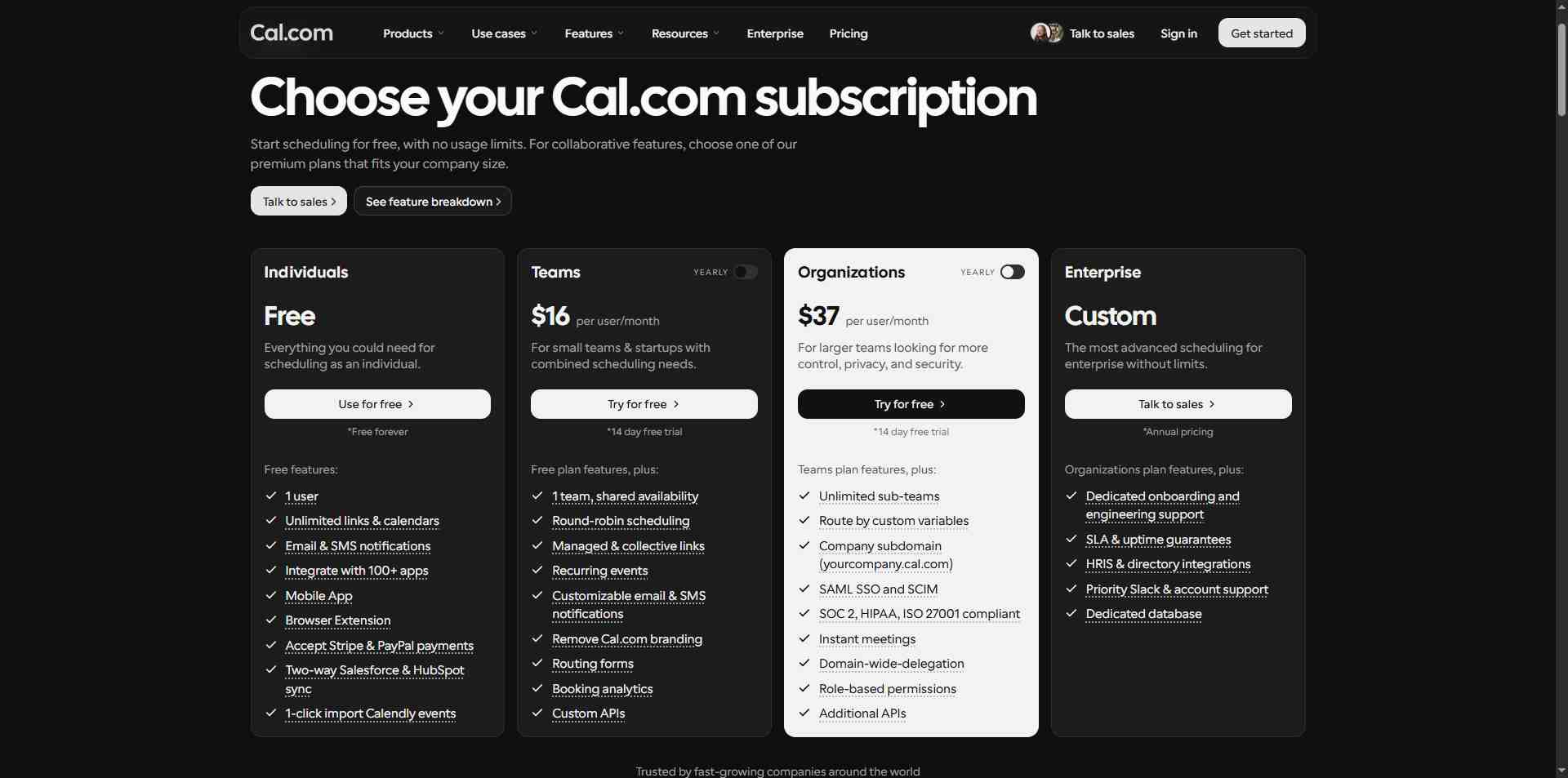
- Individual: Free.
- Teams: $16/user/month
- Organizations: $37/user/month
- Enterprise: Custom pricing.
Best if: You want a flexible scheduling platform with a generous free plan, or you're building a team booking workflow and want more control over how it works.
2. SavvyCal: Best for a Better Booking Experience
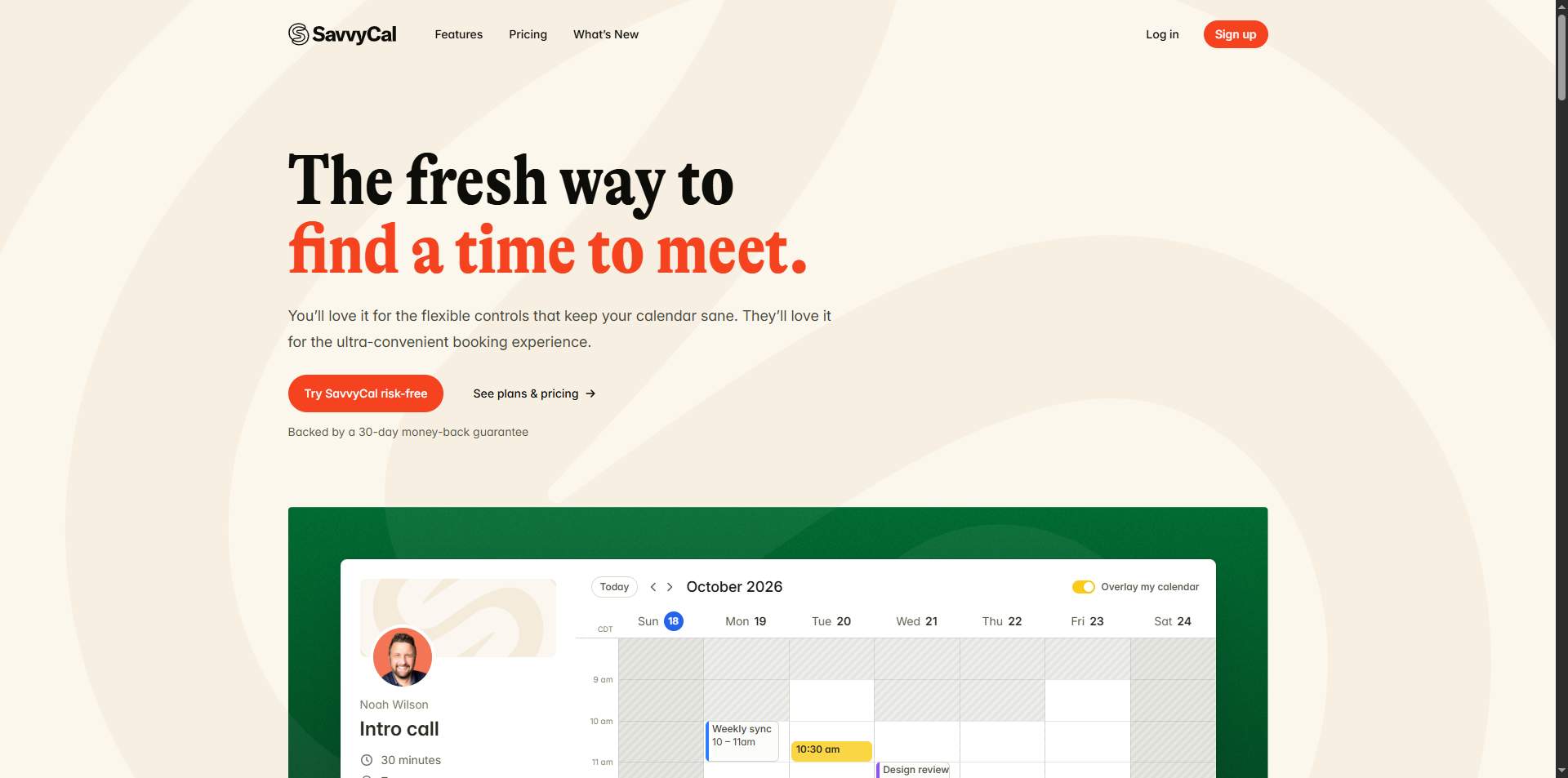
Sometimes the problem with scheduling software isn't what happens behind the scenes. It's the experience the other person has when they open your booking link.
SavvyCal focuses heavily on making that experience more convenient.
✅What it does: SavvyCal lets users create scheduling links, share availability and coordinate meetings with other people. SavvyCal also supports meeting polls, calendar integrations, scheduling workflows, reminders, and team scheduling.
This is particularly useful for consultants, executives, and salespeople who schedule lots of one-to-one meetings.
💡What stands out: Instead of simply showing someone a list of your available times, SavvyCal lets invitees overlay their own calendar availability to find a slot that works for both parties.
It offers API and webhook support, too, which can be useful for businesses connecting scheduling with other applications.
⚠️Worth noting: SavvyCal's basic plan lets you set up your account and scheduling links, but those links cannot accept bookings until you upgrade. Team scheduling and advanced features also require a premium plan.
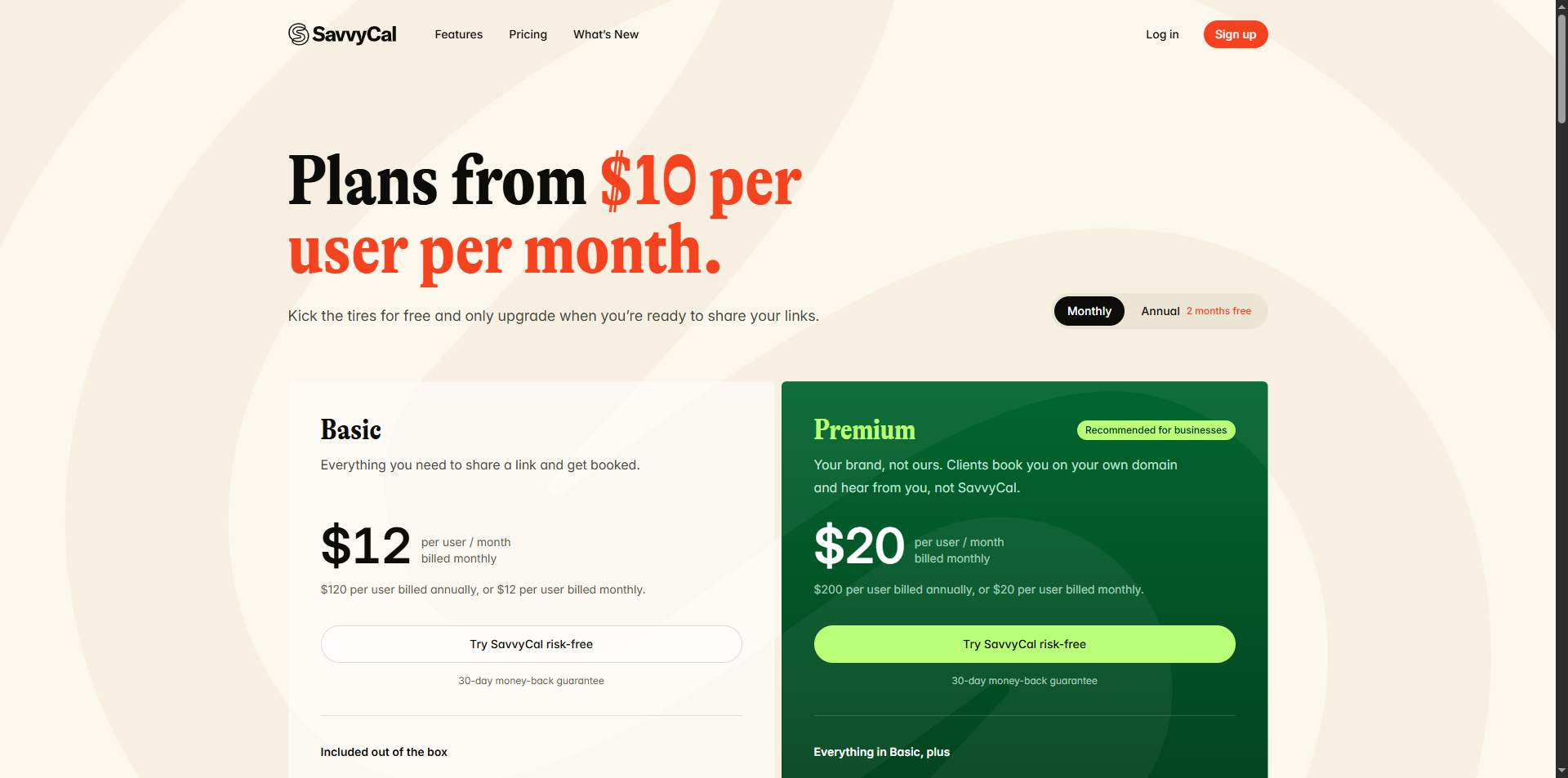
- Basic: $12/user/month
- Premium: $20/user/month
Best if: You regularly schedule one-to-one meetings and want to make the booking experience more convenient for clients, prospects, and collaborators.
3. YouCanBookMe: Best for Customisable Booking Pages
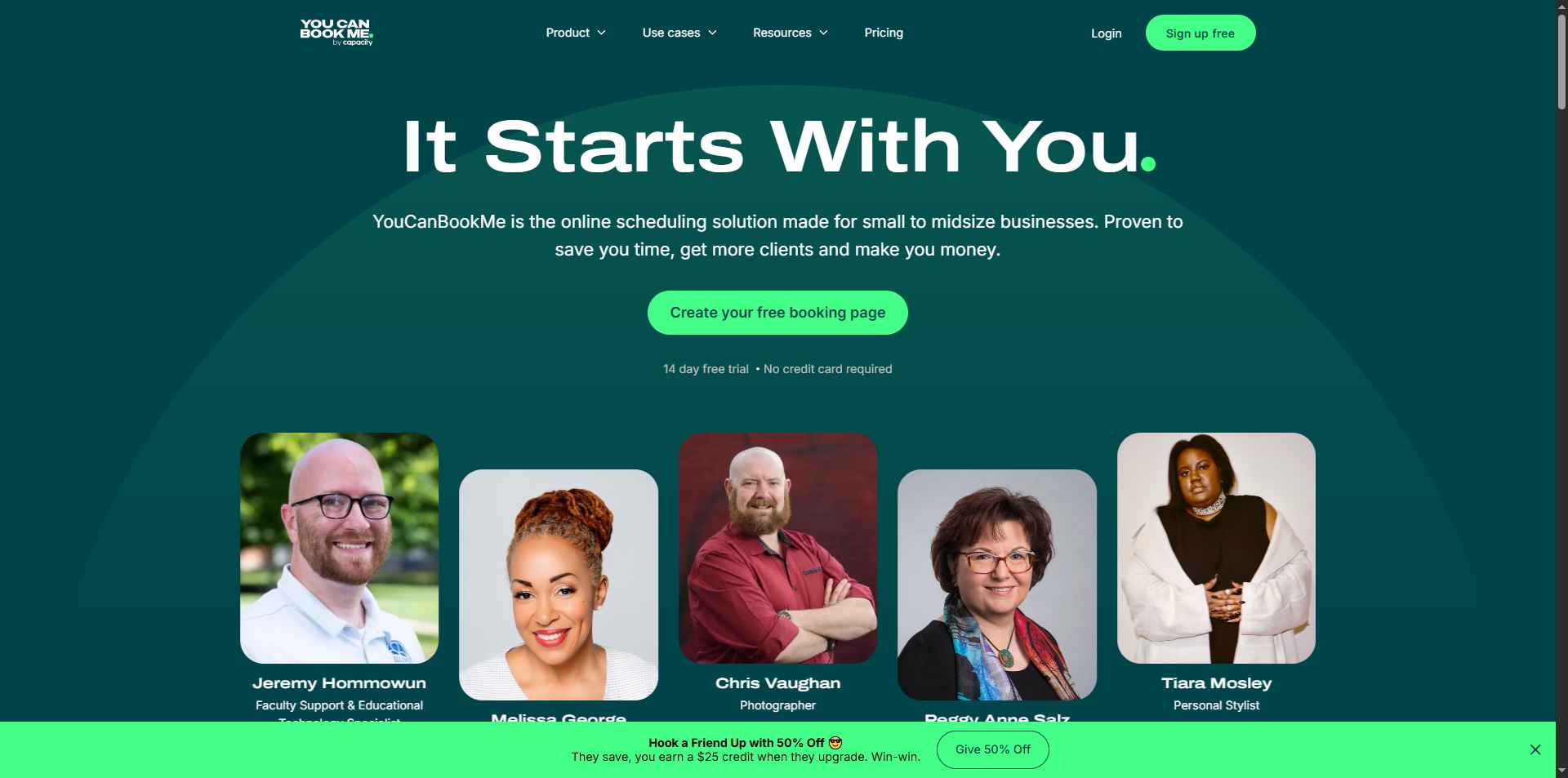
YouCanBookMe is a straightforward scheduling platform for people who want more control over their booking pages without getting buried in complicated settings.
It's particularly useful for freelancers, consultants, educators and small businesses.
✅What it does: YouCanBookMe allows users to create booking pages, connect calendars, define availability, and let clients schedule appointments.
You can customise booking forms, collect information from invitees, and automate confirmations, reminders, and follow-up notifications.
The platform also supports integrations with other business tools, including Zapier.
💡What stands out: Customisation is a major part of the experience. You can tailor booking pages and forms to suit different meeting types, ask questions before confirming appointments, and configure notifications around the booking process.
This makes it useful for businesses that need more than a generic scheduling link.
⚠️Worth noting: YouCanBookMe's plans are structured around the number of calendar connections and booking pages. Teams needing multiple calendars and shared scheduling should check the higher-tier limits before signing up.
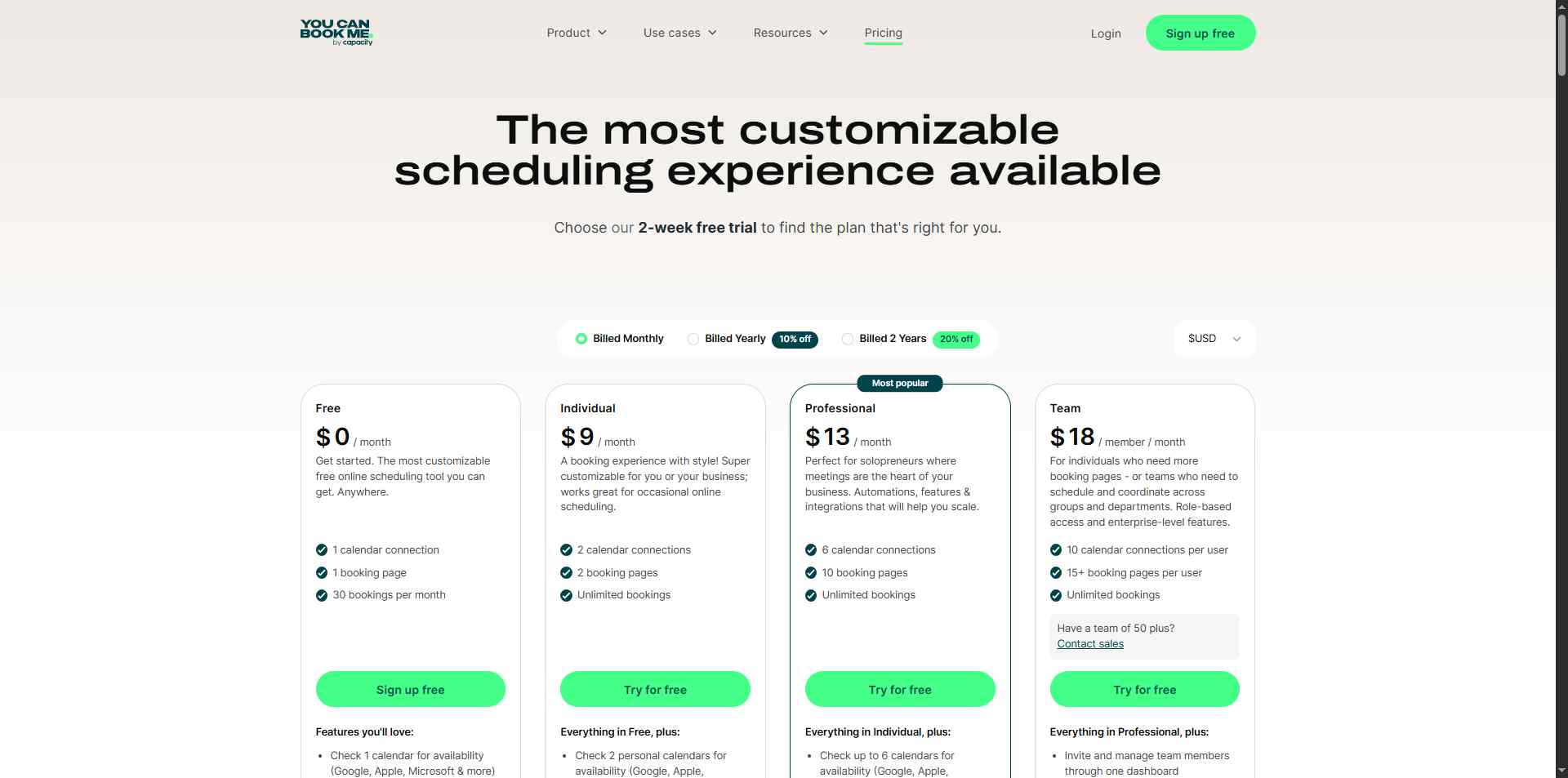
- Free: $0/month, with one calendar connection and one booking page.
- Individual: $9/month
- Professional: $13/month
- Teams: $18/member/month
A two-week free trial is also available.
Best if: You're a freelancer, consultant, tutor, or small business that wants customisable booking pages and automated appointment notifications.
4. Acuity Scheduling: Best for Service Businesses
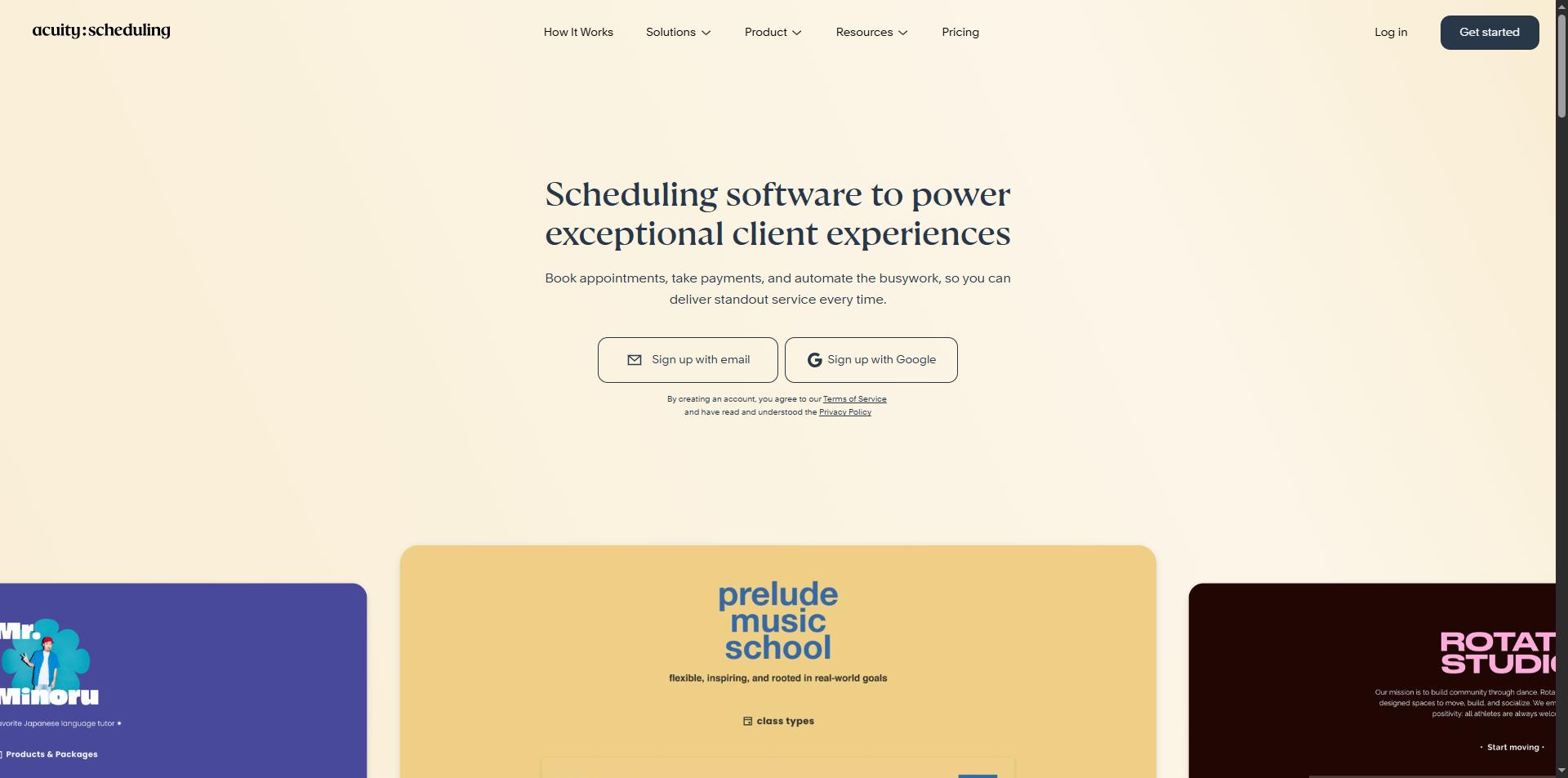
Acuity Scheduling is a little different from the typical meeting scheduler.
While tools like Calendly are primarily designed to coordinate meetings, Acuity is built for businesses that sell appointments and services.
Think therapists, fitness instructors, beauty professionals, consultants, coaches and wellness businesses.
✅What it does: Acuity lets customers book services, select appointment types, complete intake forms, and make payments online. Businesses can manage multiple calendars, define appointment availability, send automated reminders and collect customer information before a session.
It also supports payment integrations with Stripe, Square, PayPal and Venmo.
💡What stands out: Acuity combines appointment scheduling with several practical business-management features. You can sell appointment packages, memberships and gift certificates. You can also collect deposits and payments when customers book.
The Standard plan adds features such as SMS reminders, appointment waitlists and the ability to sell packages and gift certificates.
For businesses that depend on appointments as their actual product, these features can be considerably more useful than a basic meeting link.
⚠️Worth noting: Acuity's pricing is based on the number of calendars rather than a simple per-user model. This can work well for certain businesses, but you'll need to consider how many staff members, locations or service calendars you require.
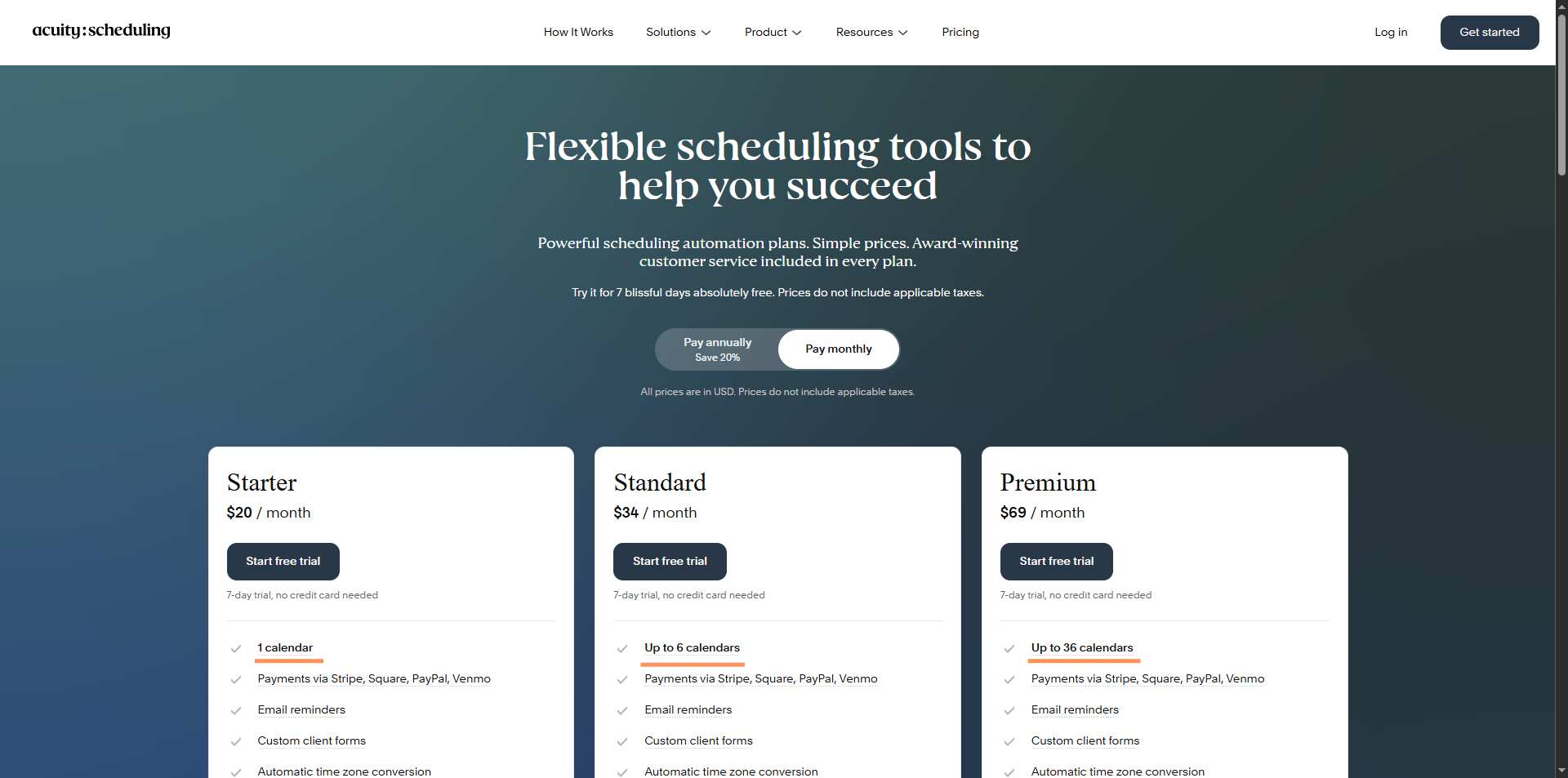
- Starter: $16/month.
- Standard: $34/month.
- Premium: $69/month.
A seven-day free trial is available.
Best if: You run a service-based business where customers book and pay for appointments, rather than simply scheduling occasional business meetings.
5. Zoho Bookings: Best Budget-Friendly Alternative
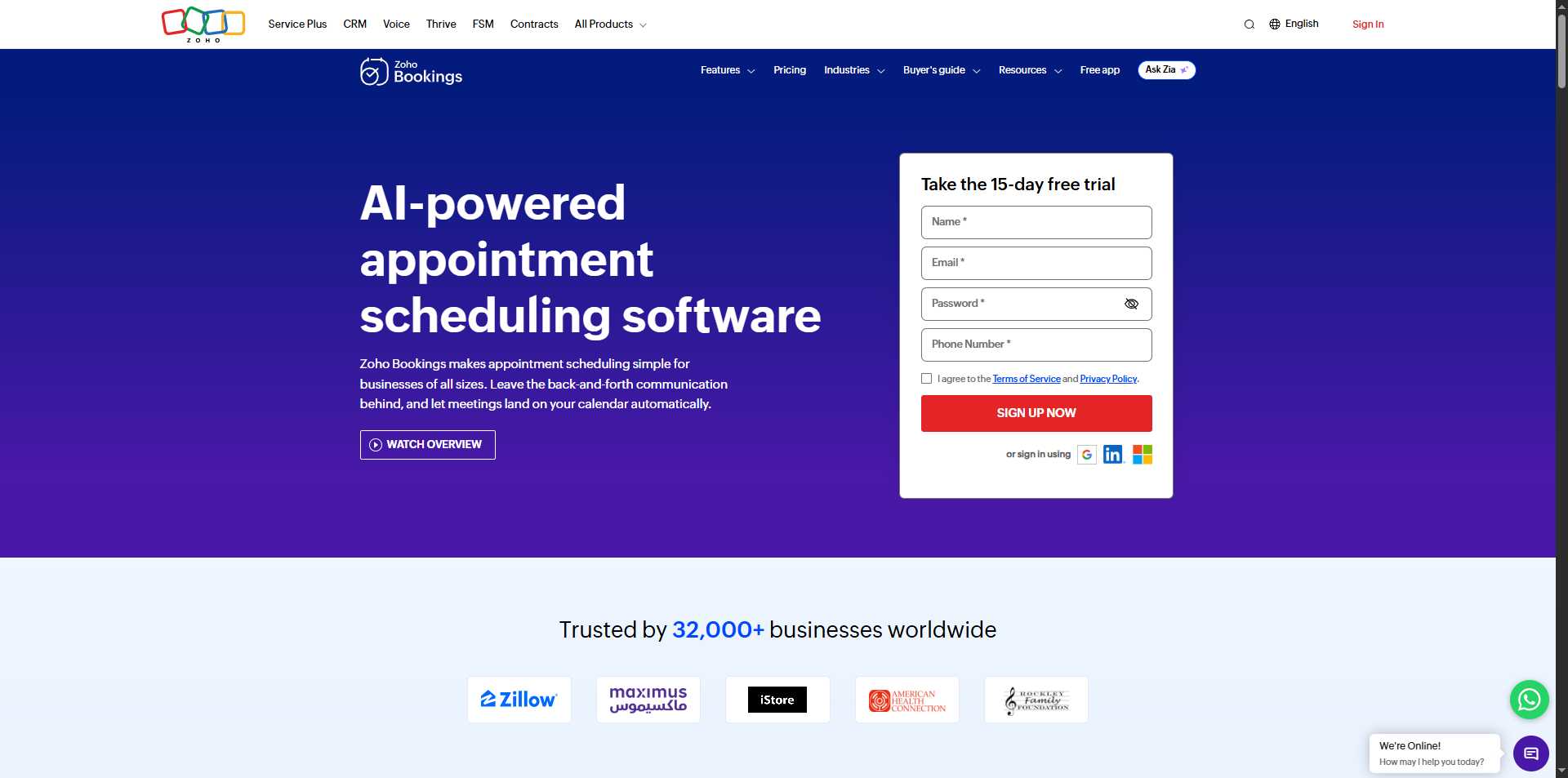
If you're already using Zoho products, Zoho Bookings is worth considering.
It's an online appointment scheduling platform that helps businesses manage customer bookings, staff availability and service appointments.
It's also one of the more affordable options on this list.
✅What it does: Zoho Bookings allows businesses to create booking pages, manage staff schedules, accept appointments and send automated notifications.
Customers can select services, choose available time slots and book appointments without having to contact your team manually.
The platform supports one-to-one meetings, collective bookings, recurring appointments and group bookings, depending on the plan.
💡What stands out: Zoho Bookings offers more than basic scheduling. It supports multiple workspaces, which let businesses organise services by department, location or business function.
It also integrates with other Zoho products and supports calendar synchronisation, online meeting tools and payment integrations.
⚠️Worth noting: Zoho Bookings makes the most sense if you want a broader business scheduling system or already use the Zoho ecosystem. Some advanced booking types, resource scheduling and integrations require higher-tier plans.
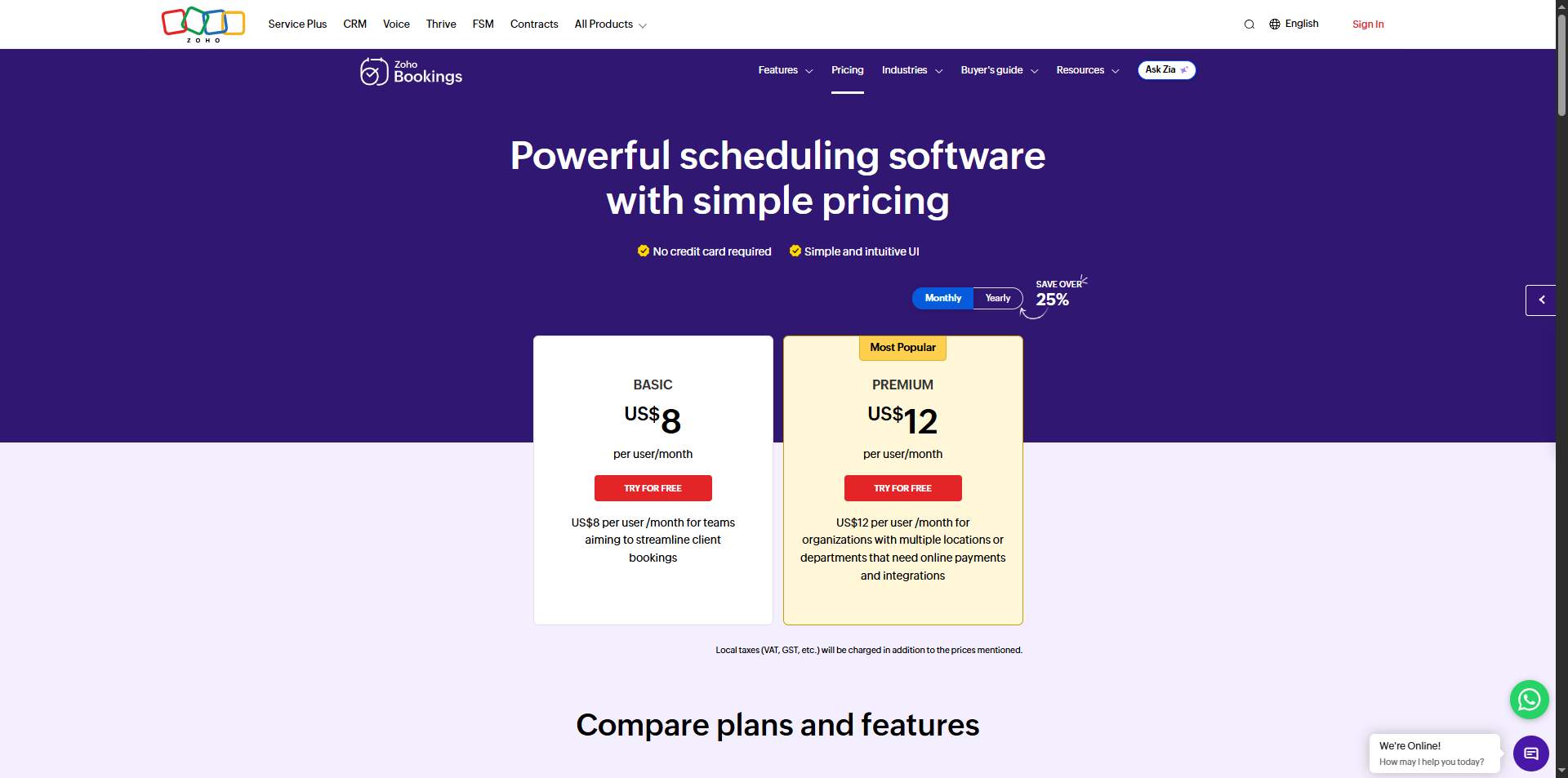
- Basic: $8/user/month, billed annually.
- Premium: $12/user/month, billed annually.
Best if: You want an affordable appointment scheduling platform, especially if your business already uses Zoho CRM or other Zoho applications.
6. HubSpot Meetings: Best for Sales Teams Using HubSpot CRM
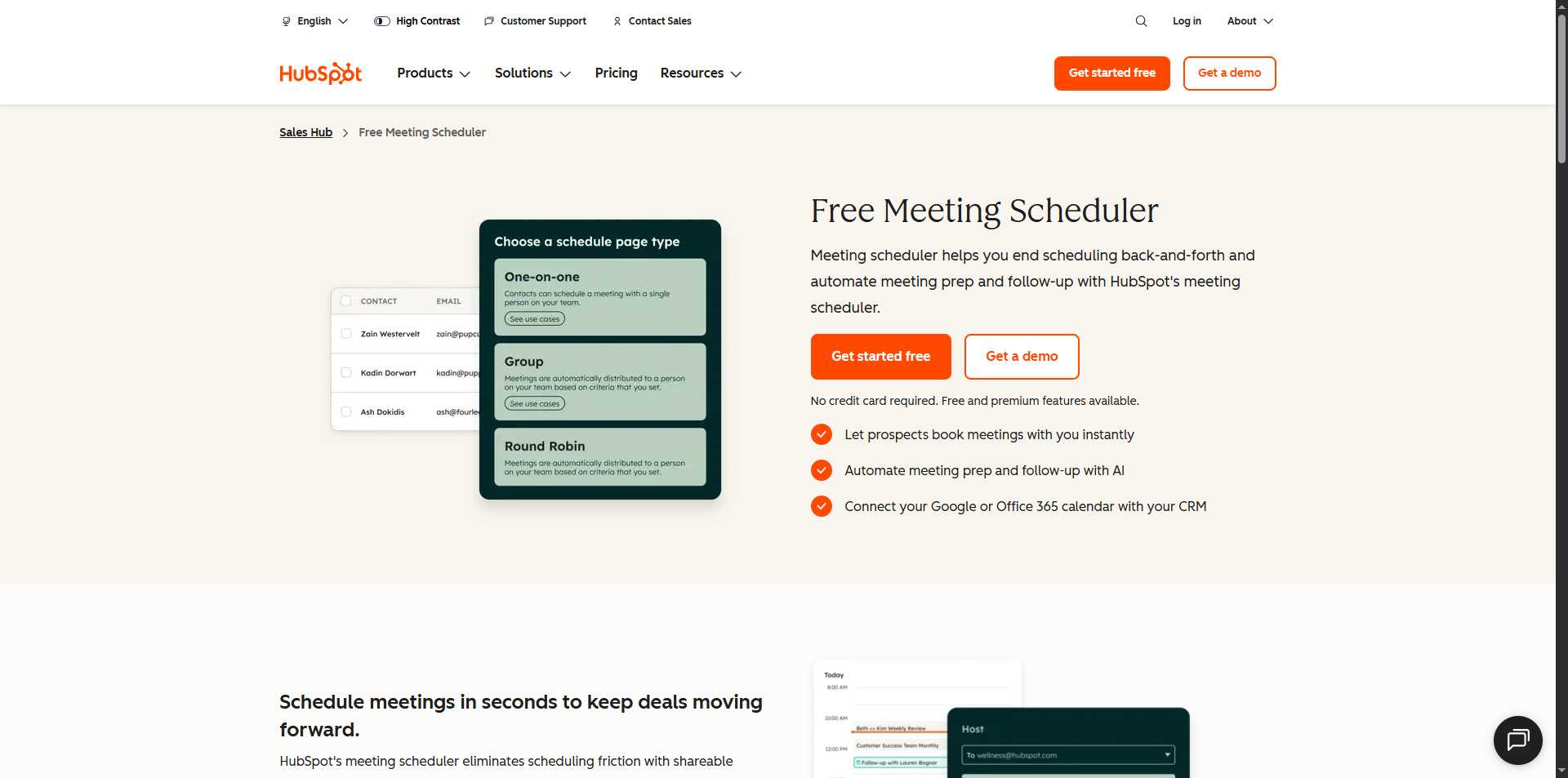
If your sales team already uses HubSpot, you might not need another scheduling platform at all.
HubSpot Meetings is built directly into the HubSpot ecosystem, allowing prospects to book appointments while keeping the associated contact information and sales activity connected to the CRM.
✅What it does: HubSpot lets users create shareable meeting links, connect their Google or Microsoft calendars and define when prospects can book time.
You can share these links through emails, websites and other channels.
When someone schedules a meeting, the information can be recorded in HubSpot, making it easier for sales representatives to keep track of their interactions with prospects.
💡What stands out: The CRM integration is the main attraction. Instead of treating scheduling as a separate activity, HubSpot connects it with contact records and the wider sales process.
The platform also supports meeting reminders, booking forms, calendar synchronisation, and team scheduling.
For teams using HubSpot, this means fewer disconnected tools and less manual data entry.
The free meeting scheduler is also a useful starting point for individuals and small businesses.
⚠️Worth noting: HubSpot Meetings is most valuable when you're already using HubSpot CRM. If you only need a booking link and don't use the wider platform, it may offer more than you actually need.
Some team scheduling features, including round-robin booking, require eligible paid Sales Hub or Service Hub subscriptions and seats.
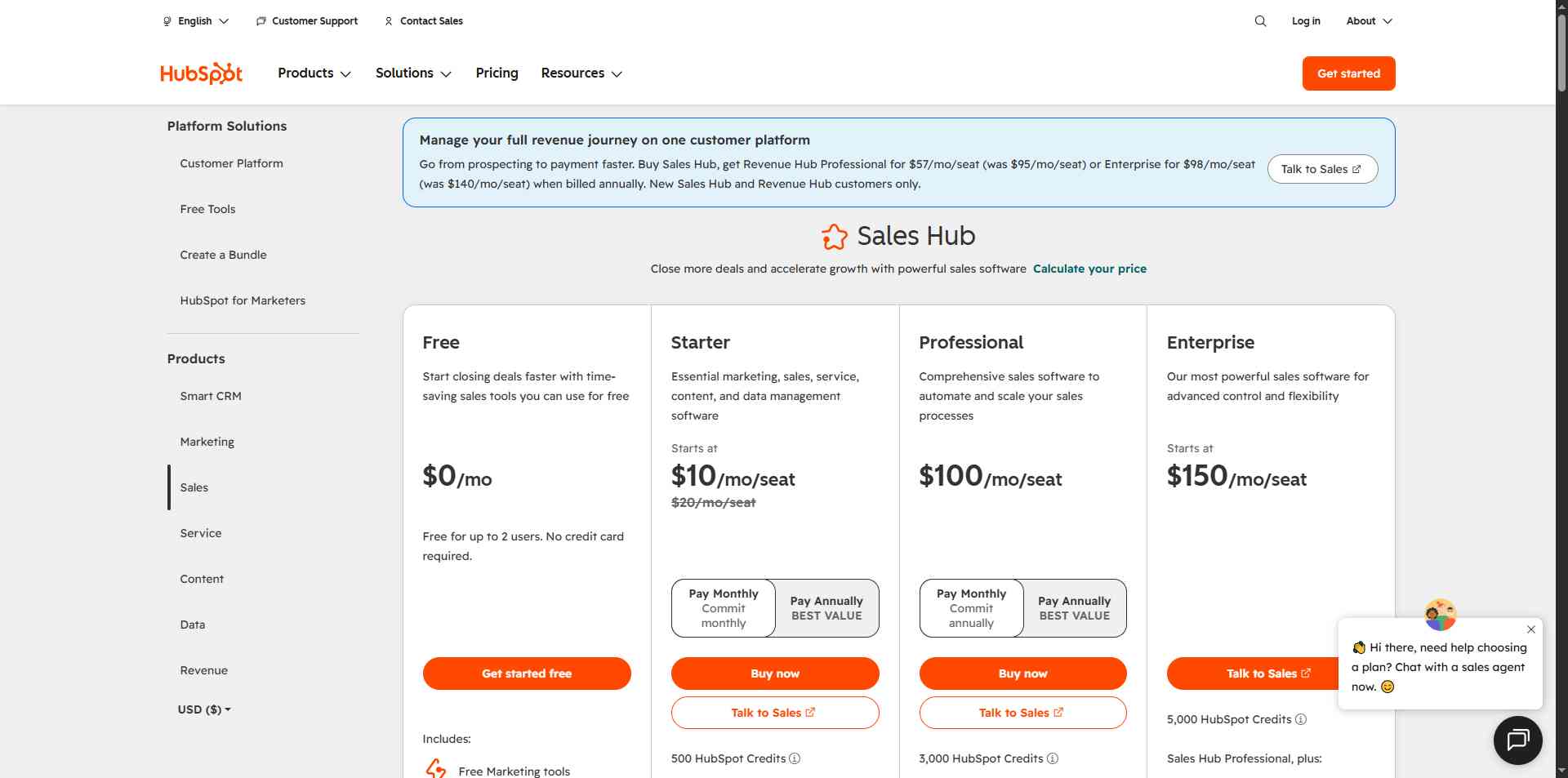
- Free meeting scheduler: $0.
- Additional sales and team features: Available through eligible paid HubSpot subscriptions, depending on which one you have.
Best if: You're a sales or marketing team already using HubSpot and want meeting scheduling connected to your CRM.
7. Chili Piper: Best for Inbound Sales Routing
Chili Piper is not simply another booking-link generator.
It's a revenue scheduling and lead-routing platform built for sales teams that receive a lot of inbound enquiries and need to connect those prospects with the right representative quickly.
✅What it does: Chili Piper helps businesses qualify incoming leads, route them to the right salesperson and allow them to book meetings immediately.
For example, imagine someone fills out a demo request form on your website.
Instead of receiving an automated email asking them to wait for a sales representative to get in touch, Chili Piper can qualify the lead, determine which salesperson should handle it and show the prospect an available meeting slot.
This reduces the time between someone expressing interest and actually speaking with your team.
💡What stands out: Lead routing is the real differentiator. Businesses can define rules based on territory, account ownership, lead characteristics, and other criteria.
Chili Piper also supports round-robin distribution, CRM integrations, scheduling links, meeting analytics, and automated follow-ups.
Its newer platform includes AI-powered features for qualifying leads, engaging website visitors and helping businesses convert more inbound traffic into meetings.
The standalone ChiliCal product also provides smart scheduling links for teams that mainly need calendar functionality.
⚠️Worth noting: Chili Piper is designed for sales organisations with more advanced scheduling and routing requirements. It's probably excessive if you're a freelancer who simply wants people to book a 30-minute call.
Its pricing is also considerably higher than most of the other tools on this list.
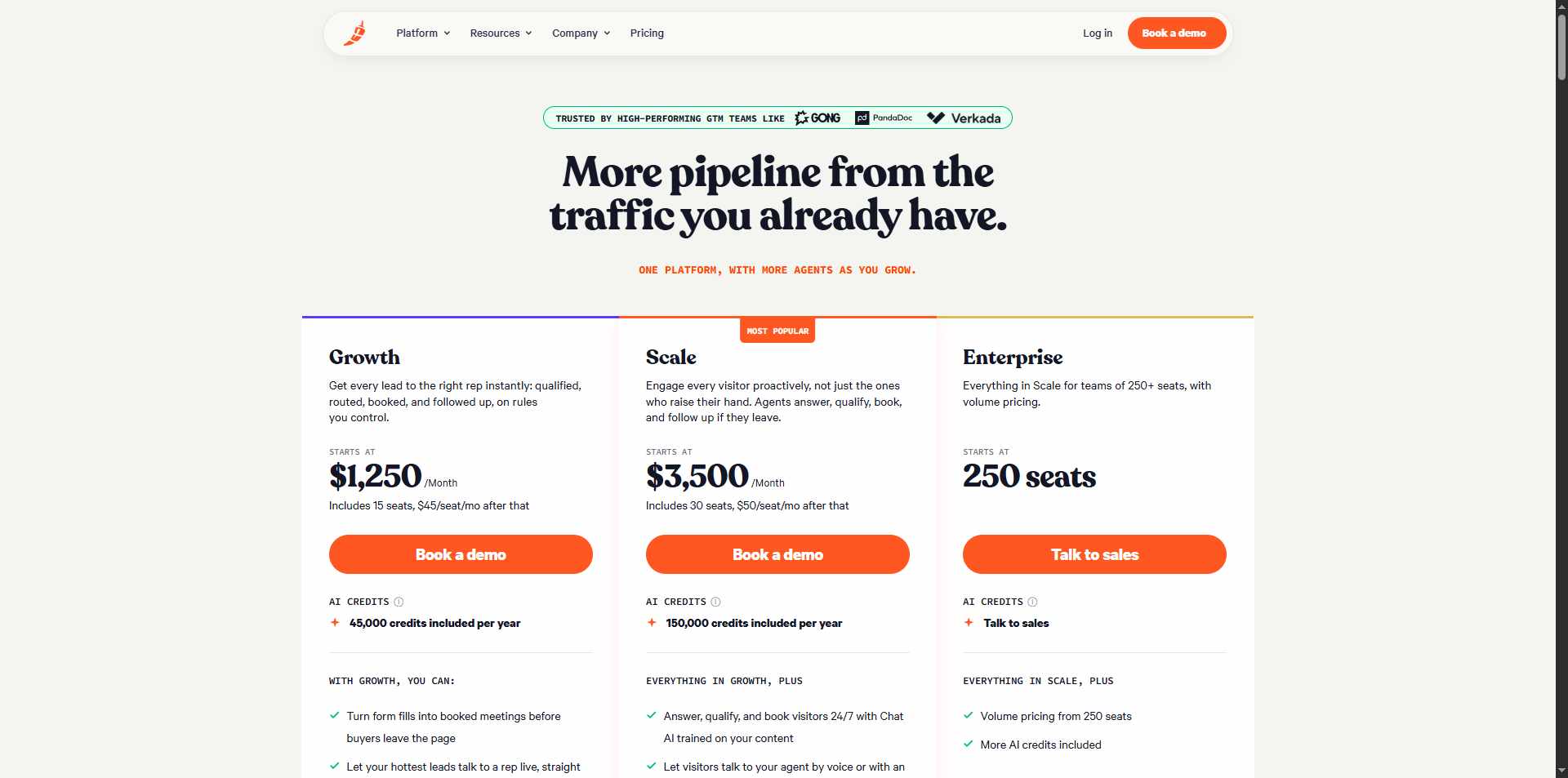
- Growth: Starts at $1,250/month, including 15 seats.
- Scale: Starts at $3,500/month, including 30 seats.
- Enterprise: Custom pricing.
Chili Piper's plans are billed annually, and additional seats are charged separately.
Best if: You run a larger sales organisation that needs to qualify, route, and schedule inbound leads automatically.
SalesRobot: When You Need Help With Booking The Meeting, Not Scheduling
Now, here's something worth considering.
A scheduling tool solves one particular problem: finding a time when two or more people can meet.
But what if your problem isn't scheduling?
What if you're struggling to get enough prospects interested in speaking with your business in the first place?

You can have the prettiest booking page in the world. You can colour-code every available slot and send reminders with the precision of a Swiss watch. None of that helps if nobody clicks the link.
That's where a different category of tool comes in.
I’m gonna be fully honest with you here.
SalesRobot is NOT a Calendly alternative. It's a LinkedIn and email outreach platform that helps businesses find prospects, start conversations, and turn those conversations into potential sales meetings.
Instead of managing the booking process itself, SalesRobot focuses on generating the interest that can lead to a booking.
So why did we include it here? Well, read on, and you’ll find out!
What SalesRobot Does

LinkedIn and Email Outreach
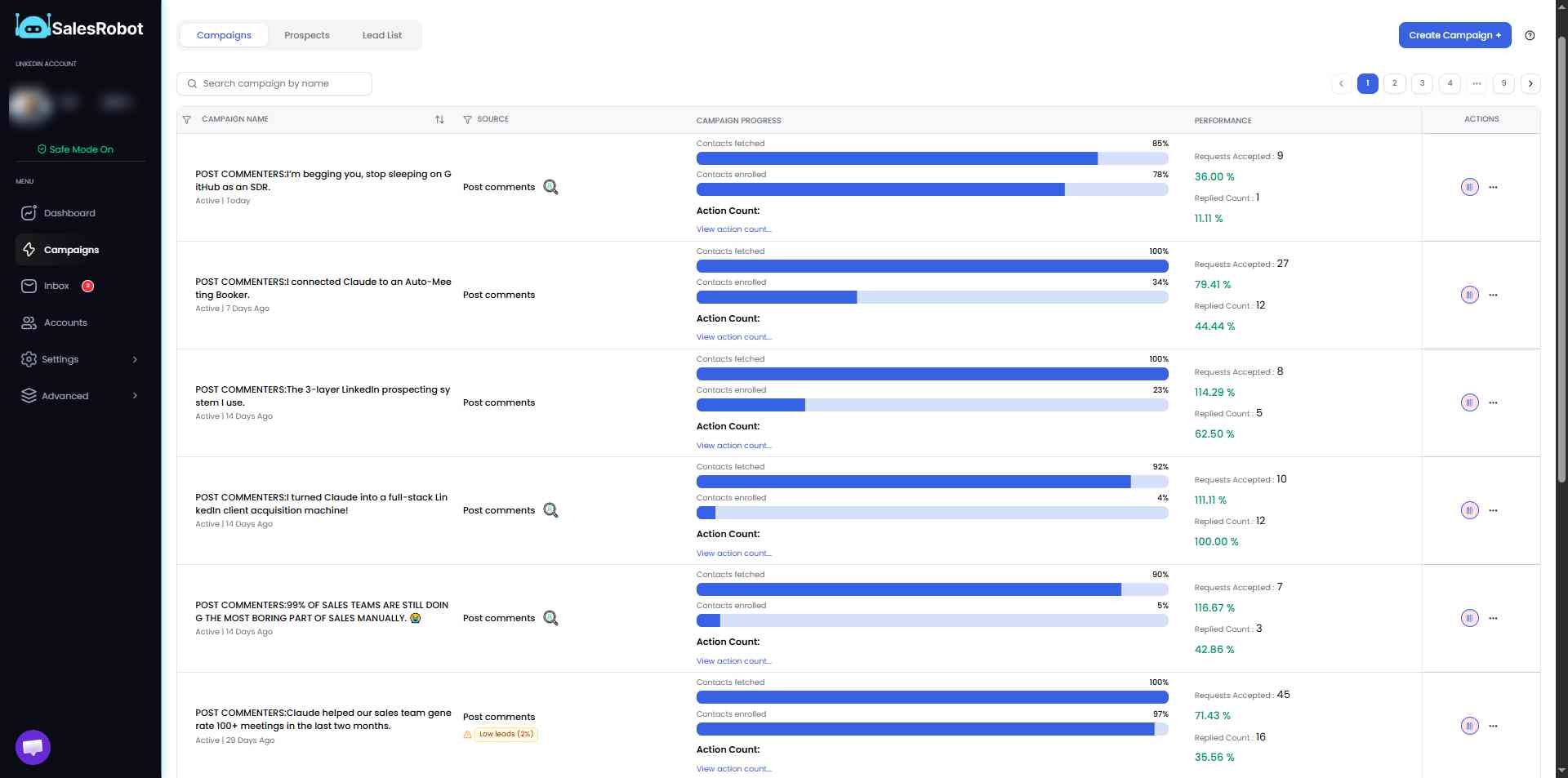
SalesRobot allows businesses to run LinkedIn and cold email campaigns from one platform.
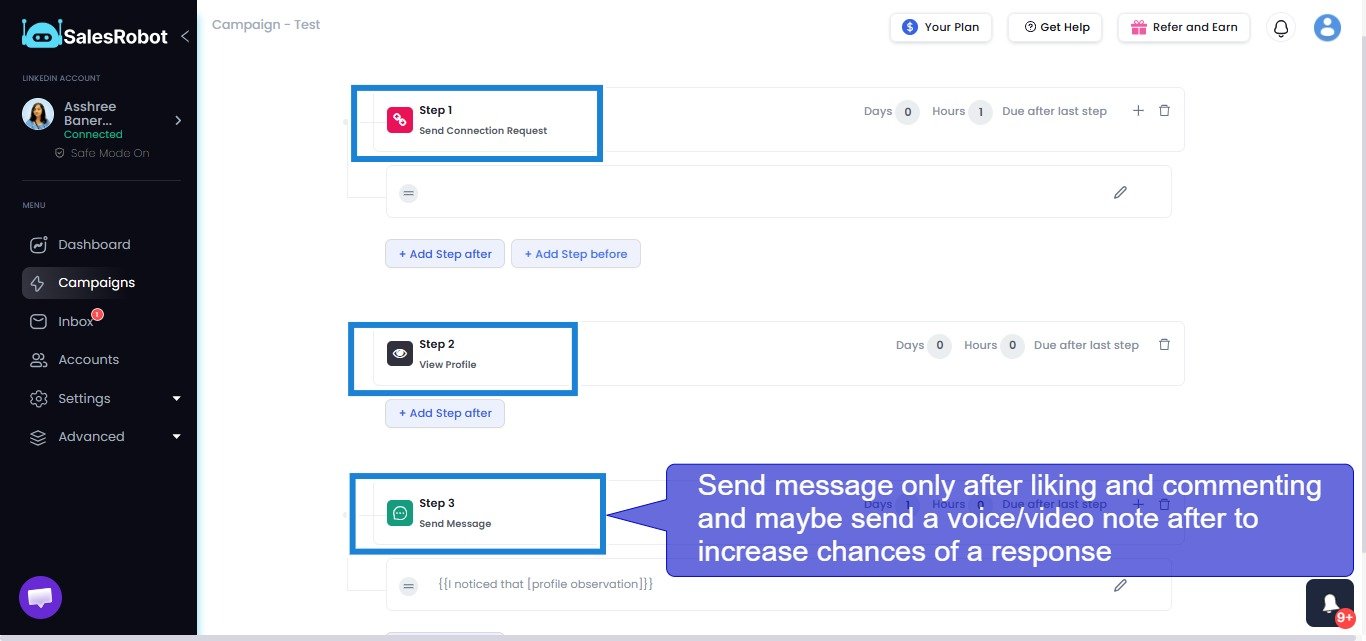
You can create multi-step sequences that combine connection requests, LinkedIn messages, email follow-ups, profile interactions, and other outreach activities.
You can also run email-only campaigns or coordinate LinkedIn and email outreach within the same workflow.
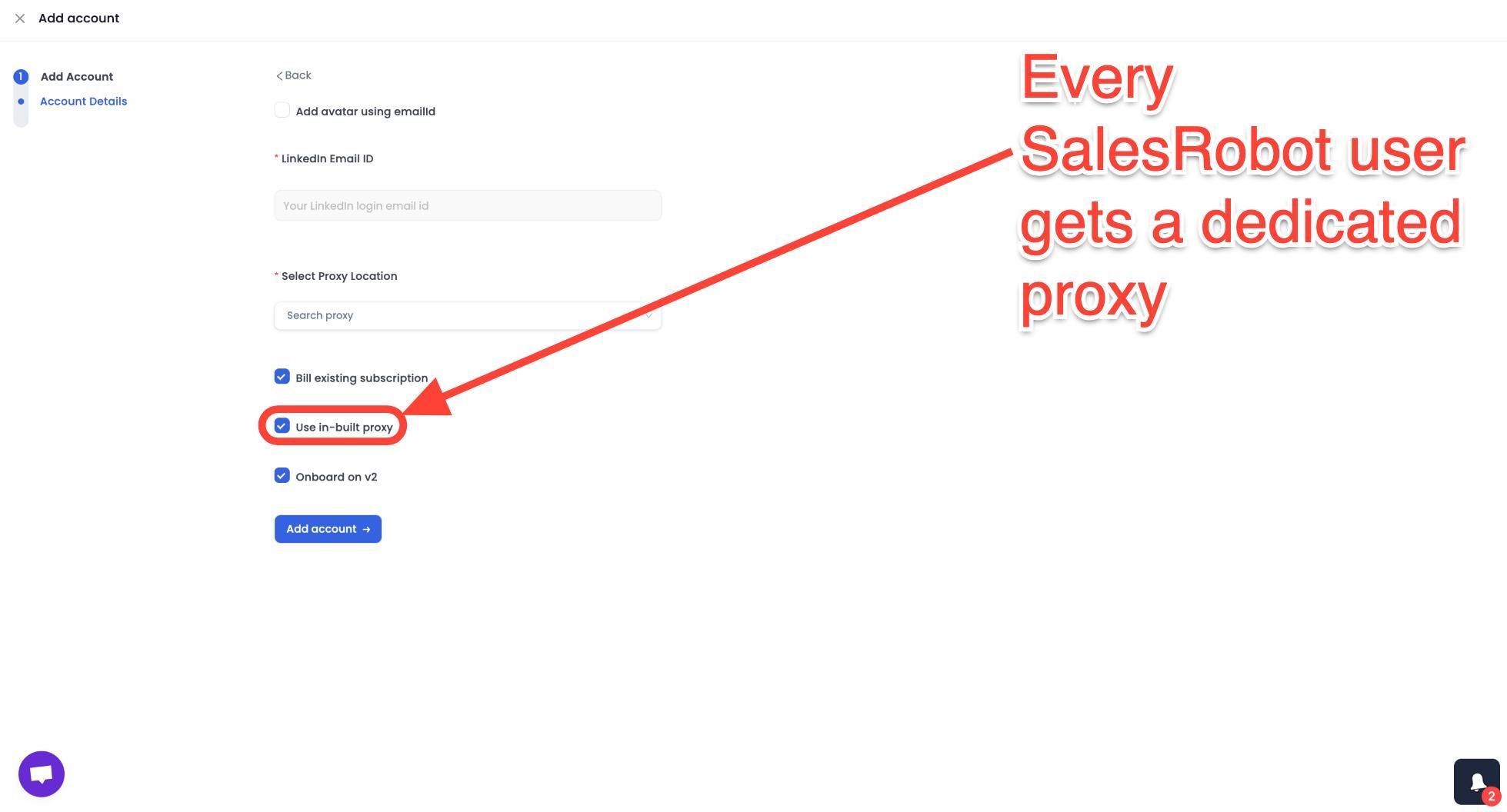
Mobile API Safety
SalesRobot connects through LinkedIn's mobile APIs, your outreach activity mimics natural human behavior.
Users consistently report running sustained, high-volume campaigns without account flags or restrictions, which is the single biggest operational concern with any LinkedIn automation tool.
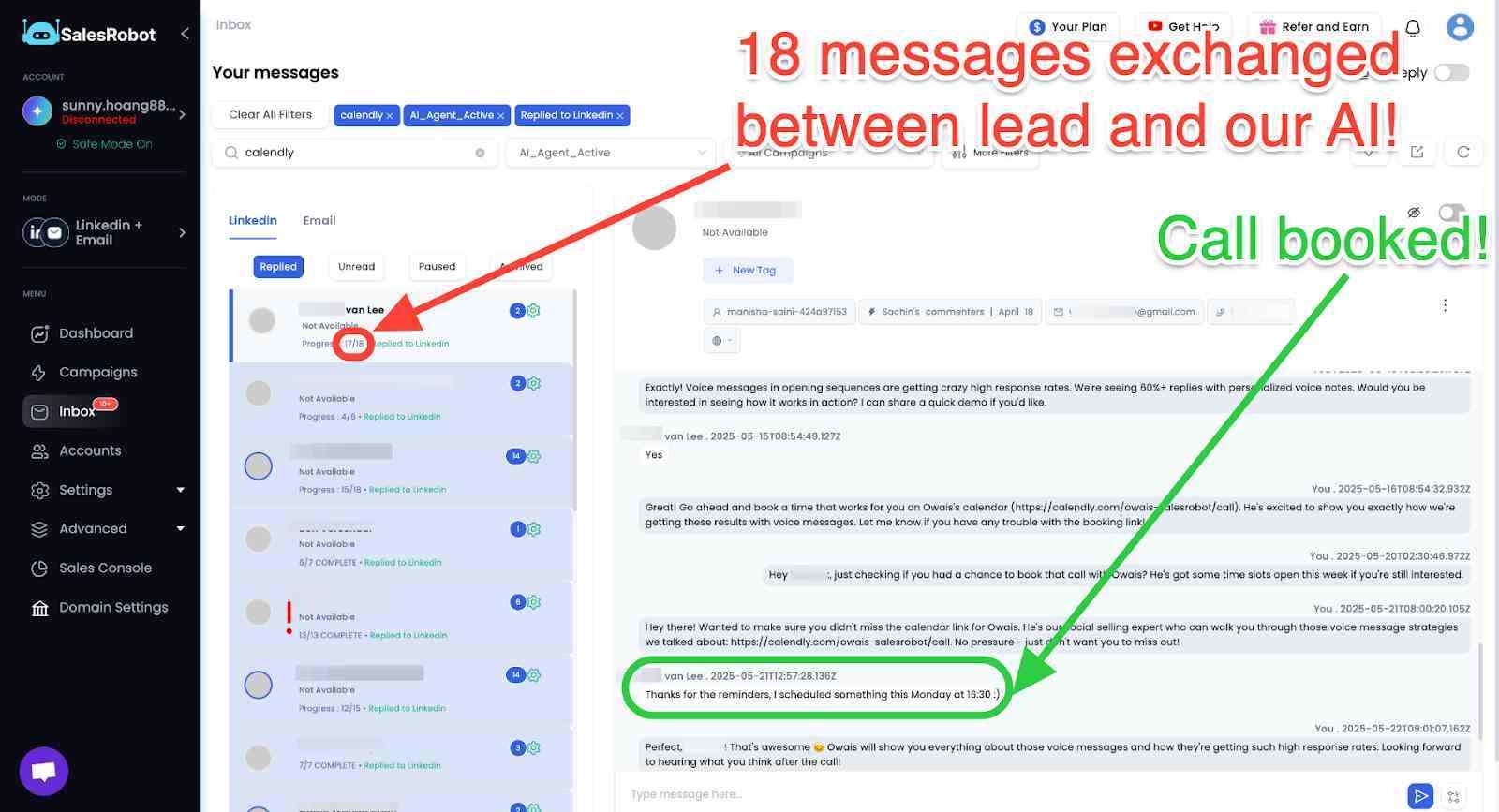
After a prospect replies, SalesRobot's AI takes over the conversation, handles qualification questions, and books meetings automatically.
You can train it on your specific criteria and ideal responses, which means the early-stage pipeline management largely runs without manual involvement. For smaller teams without a dedicated SDR, this is a meaningful capability.
AI Voice Clone and Video Messages
SalesRobot lets you send personalized voice notes and video messages through LinkedIn as part of automated sequences.
The AI Voice Clone feature lets you record a short voice sample once, then generates individualized voice notes for each prospect that sound like you, without recording each one manually.
In sectors where relationships and trust matter, this kind of personal touch at scale tends to drive significantly higher reply rates than text-only outreach.

AI Variables and Hyper-Personalization
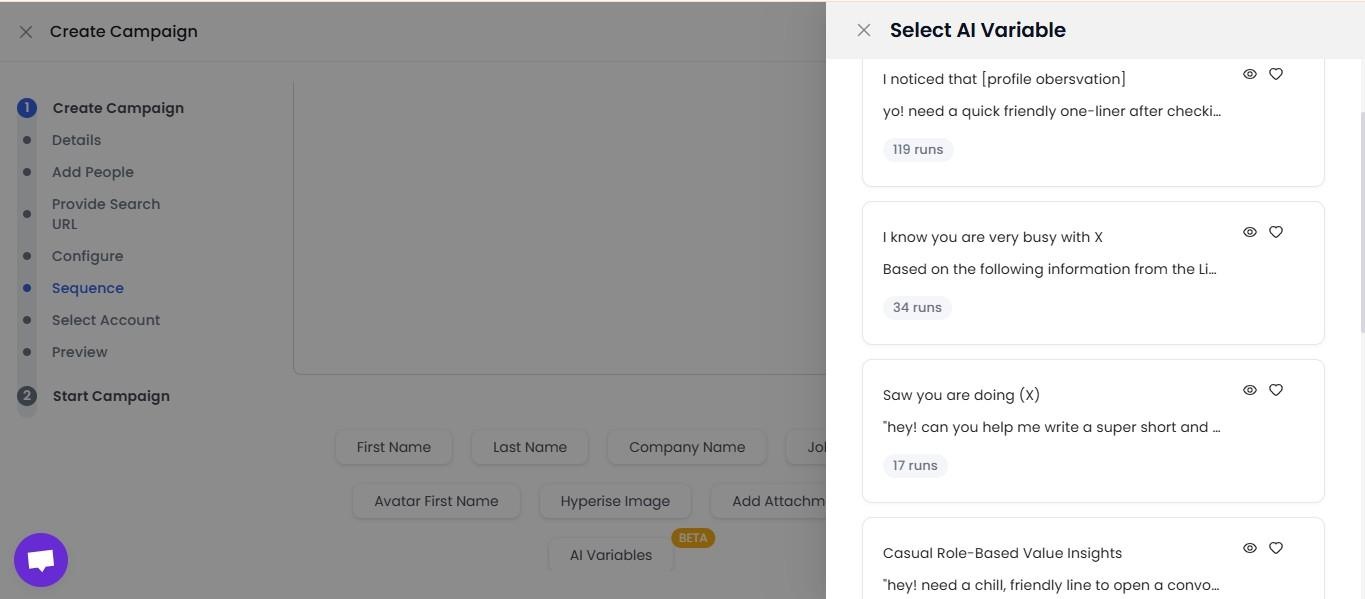
SalesRobot pulls data directly from a prospect's LinkedIn profile to write personalized message sequences automatically. You are not working from a static template that gets blasted to everyone.
Each message is adapted to the individual, which matters when you are reaching decision makers who see generic outreach constantly.
Multi-Step Sequences
You can build complex LinkedIn and email campaigns with smart delays and behavioral conditions. Leads can be imported from Sales Navigator, standard LinkedIn search, LinkedIn groups, event attendees, or CSV uploads, giving you flexibility in how you build and target your prospect lists.
Unified Inbox and Mini CRM
All LinkedIn and email conversations consolidate in one place with automatic reply detection. SalesRobot stops messaging automatically when a prospect responds, preventing the over-automation feel that kills conversations.
You can tag leads, filter by interest level, and track where every prospect sits without switching between platforms.
MCP support
SalesRobot can also connect with AI assistants like ChatGPT and Claude through MCP, allowing you to manage campaigns, import prospects, check accounts, and work with LinkedIn conversations using natural-language commands instead of constantly switching between tools.
Team Management and Analytics: For agencies or sales teams managing multiple LinkedIn accounts, SalesRobot tracks performance across accounts, prevents duplicate outreach between team members, and surfaces detailed analytics on what sequences and approaches are actually working.
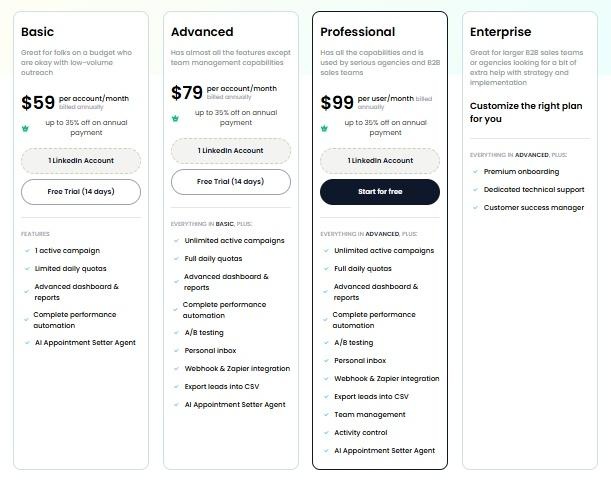
SalesRobot pricing (per LinkedIn account, 14-day free trial, no credit card required):
- Basic: $59/month ($39/month billed annually).
- Advanced: $79/month ($59/month billed annually).
- Professional: $99/month ($79/month billed annually).
- Enterprise: Custom.
It also has a 4.8 rating on G2, with 50+ independent user reviews.
Best if: You're a B2B business that wants to generate more conversations and meetings through LinkedIn and email outreach, rather than simply make existing meetings easier to schedule.
Kuron: Your AI-powered GTM Team
SalesRobot helps businesses execute LinkedIn and email outreach. But there's an even bigger question that comes before sending the first message:
Who should you contact, and what should you say to them?
That's the problem Kuron is designed to address.
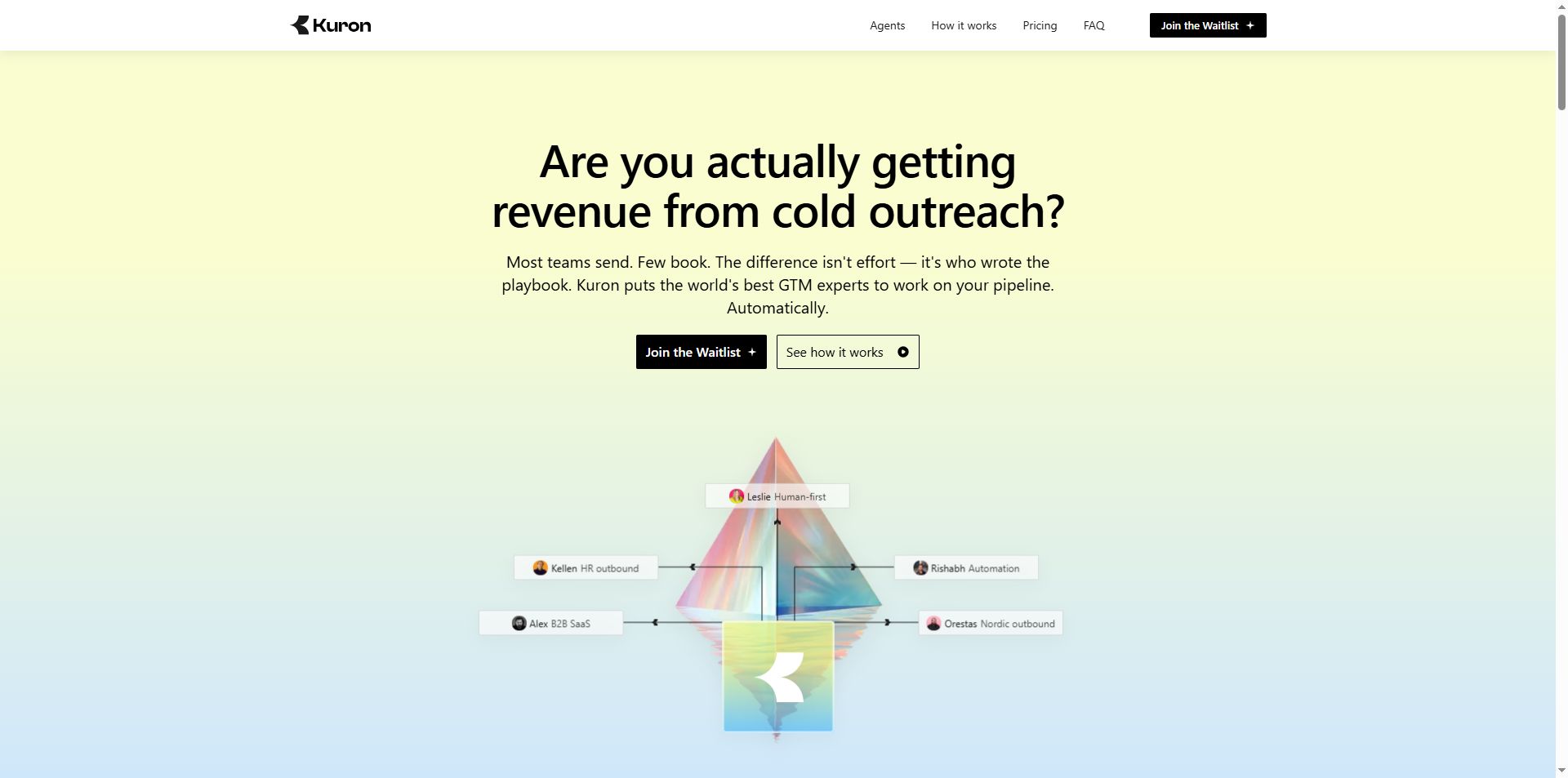
Kuron is an AI-powered go-to-market platform from the team behind SalesRobot. It's built around AI agents modelled on real GTM experts and their proven outbound playbooks.
Rather than simply giving you another scheduling link or outreach dashboard, Kuron aims to take on more of the work involved in planning and executing outbound campaigns.
Here's how it works.
You describe your business, and Kuron helps identify your ideal customer profile, find relevant prospects, enrich their information and develop an outreach strategy.
You can choose from specialist agents with different approaches, including B2B SaaS outbound, HR and recruitment outreach, human-first messaging and LinkedIn-led prospecting.
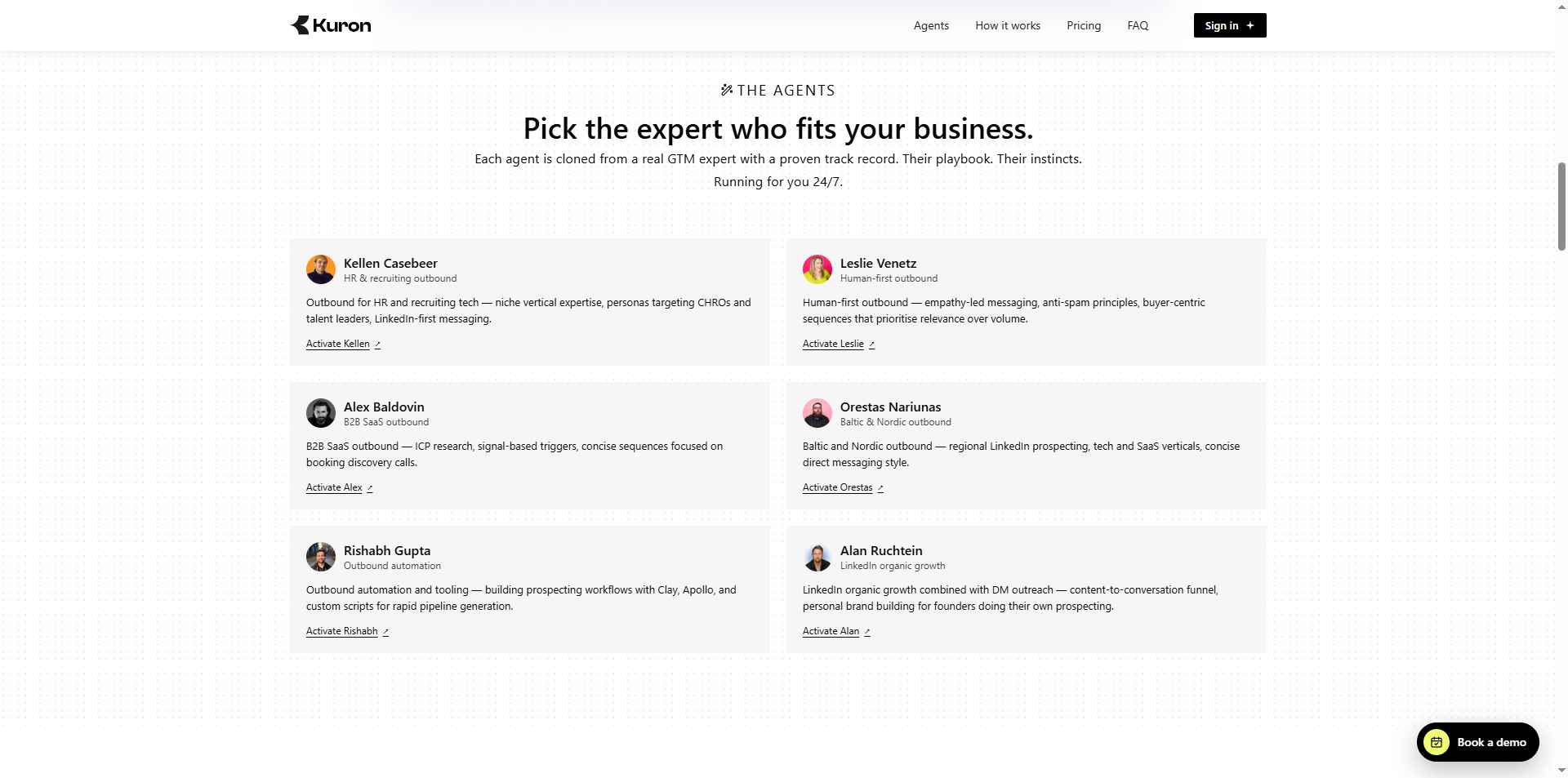
The platform then helps execute the campaign, manage replies and move interested prospects towards meetings.
In other words, it focuses on the work that needs to happen before a prospect reaches your booking page.
What Makes Kuron Different?

Kuron is particularly interesting because it uses the playbooks of experienced go-to-market operators rather than relying on a generic AI assistant to write a few messages.
Its agents are designed around specific outbound approaches and areas of expertise.
The platform brings together several parts of the prospecting process:
- ICP research: Identifying the kinds of businesses and decision-makers most likely to become customers.
- Lead sourcing: Finding prospects that fit the target audience.
- Data enrichment: Adding contact details, company information and relevant signals.
- Campaign strategy: Developing an outreach approach based on the selected expert's playbook.
- LinkedIn outreach: Creating and executing personalised LinkedIn campaigns.
- Reply handling: Managing responses and helping move conversations forward.
- Meeting booking: Turning interested prospects into sales conversations.
Kuron currently advertises a $395/month plan with its AI GTM capabilities included.
❗One important distinction: Kuron focuses on LinkedIn outreach and campaign execution, while email outreach stays with your existing tools. It isn't an appointment scheduling platform, and it doesn't replace the calendar-management features offered by Calendly or its alternatives.
So, How Do Calendly, SalesRobot and Kuron Fit Together?
Think of the process as three different stages.
✅Kuron helps decide who to approach and how to approach them.
✅SalesRobot helps execute outreach and manage conversations with prospects.
✅Calendly or another scheduling tool helps those prospects choose a time to meet.
They address different parts of the customer acquisition process.
A business could use Kuron to identify suitable prospects and build its outbound strategy, SalesRobot to run outreach and manage conversations, and a scheduling platform to let interested prospects book a meeting.
You don't necessarily need all three. A small business that receives plenty of inbound enquiries might only need Calendly. A sales team struggling to generate conversations may need to look further upstream.
The important thing is to identify where your process is actually getting stuck.
Frequently Asked Questions
What is the best free alternative to Calendly?
Cal.com is one of the strongest free alternatives. Its free individual plan includes unlimited scheduling links and calendars for one user. HubSpot also offers a free meeting scheduler, while Zoho Bookings and YouCanBookMe provide free entry-level plans with more limited features.
Which Calendly alternative is best for small businesses?
Cal.com, YouCanBookMe and Zoho Bookings are all worth considering. Cal.com offers a generous free plan, YouCanBookMe provides customisable booking pages, and Zoho Bookings is an affordable option for businesses that need staff and service scheduling.
Which Calendly alternative is best for service businesses?
Acuity Scheduling is a strong option for service businesses. It supports online appointment booking, payments, deposits, client intake forms, appointment packages and automated reminders.
Is Calendly better than Cal.com?
It depends on what you need. Calendly offers a polished scheduling experience and a well-established integration ecosystem. Cal.com offers a more generous free plan, unlimited links and calendars for individual users, and flexible scheduling options.
Is Calendly suitable for sales teams?
Yes. Calendly supports team scheduling, round-robin meeting distribution and lead routing on eligible paid plans. However, businesses that need more advanced inbound lead qualification and routing may want to compare it with Chili Piper.
Can I use a scheduling tool to automatically book sales meetings?
Yes, scheduling platforms let prospects choose available meeting times through booking links. Some sales platforms also help move conversations towards a meeting automatically. For example, SalesRobot's AI Appointment Setter helps handle prospect conversations and move interested leads towards booking.
Is SalesRobot a Calendly alternative?
No. SalesRobot is an outbound sales automation platform that helps businesses generate prospects and manage LinkedIn and email conversations. Calendly handles appointment scheduling. They solve different problems, although they can complement each other in a sales workflow.
What is the difference between SalesRobot and Kuron?
SalesRobot focuses on executing LinkedIn and email outreach campaigns, personalising messages, managing replies and helping book meetings. Kuron takes a broader AI-led go-to-market approach, helping businesses identify their ideal customers, source prospects, build an outreach strategy and execute LinkedIn campaigns using expert-based AI agents.
Do I need a paid Calendly plan?
Not necessarily. Calendly's free plan is enough for basic one-to-one scheduling with one event type and one calendar connection. You'll need a paid plan for features such as multiple event types, additional calendar connections, advanced workflows and team scheduling.
The Bottom Line

Calendly is a good scheduling platform, but the best alternative depends on what you're actually trying to accomplish.
If you want a generous free scheduling tool, start with Cal.com.
If you care about the invitee experience, SavvyCal is worth a look.
YouCanBookMe is a practical choice for custom booking pages, while Acuity is better suited to businesses selling appointments and services.
Zoho Bookings offers an affordable option for businesses managing staff and customer appointments.
HubSpot Meetings makes sense if your sales team already works inside HubSpot, and Chili Piper is worth considering when inbound lead routing becomes a serious operational challenge.
But there's one distinction worth remembering.
Scheduling a meeting and generating a meeting are two different jobs.
Calendly and its alternatives help people find a time to talk. They don't necessarily help you find the people worth talking to.
If your business already has plenty of interested prospects, a scheduling platform may be all you need.
If you need to generate more conversations, SalesRobot can help automate LinkedIn and email outreach, while Kuron takes a broader approach to identifying prospects and developing the strategy behind outbound campaigns.
The simple rule: Choose a scheduling tool to organise meetings. Choose an outreach platform to generate conversations. And if you need help figuring out who to target and how to reach them, look at an AI-powered GTM platform.
👉 Want to generate more sales conversations before worrying about your calendar? Explore SalesRobot's 14-day free trial and see how LinkedIn and email outreach automation fits into your sales process.

Wow your leads by cloning yourself and sending personalized videos and voice notes to each lead on LinkedIn.
If you don't reply to leads within 5 mins, your chances of converting them fall by 50%. Our AI replies on your behalf instantly! (and yes, you can train it)

Don't shoot in the dark. Get detailed analytics on what's working
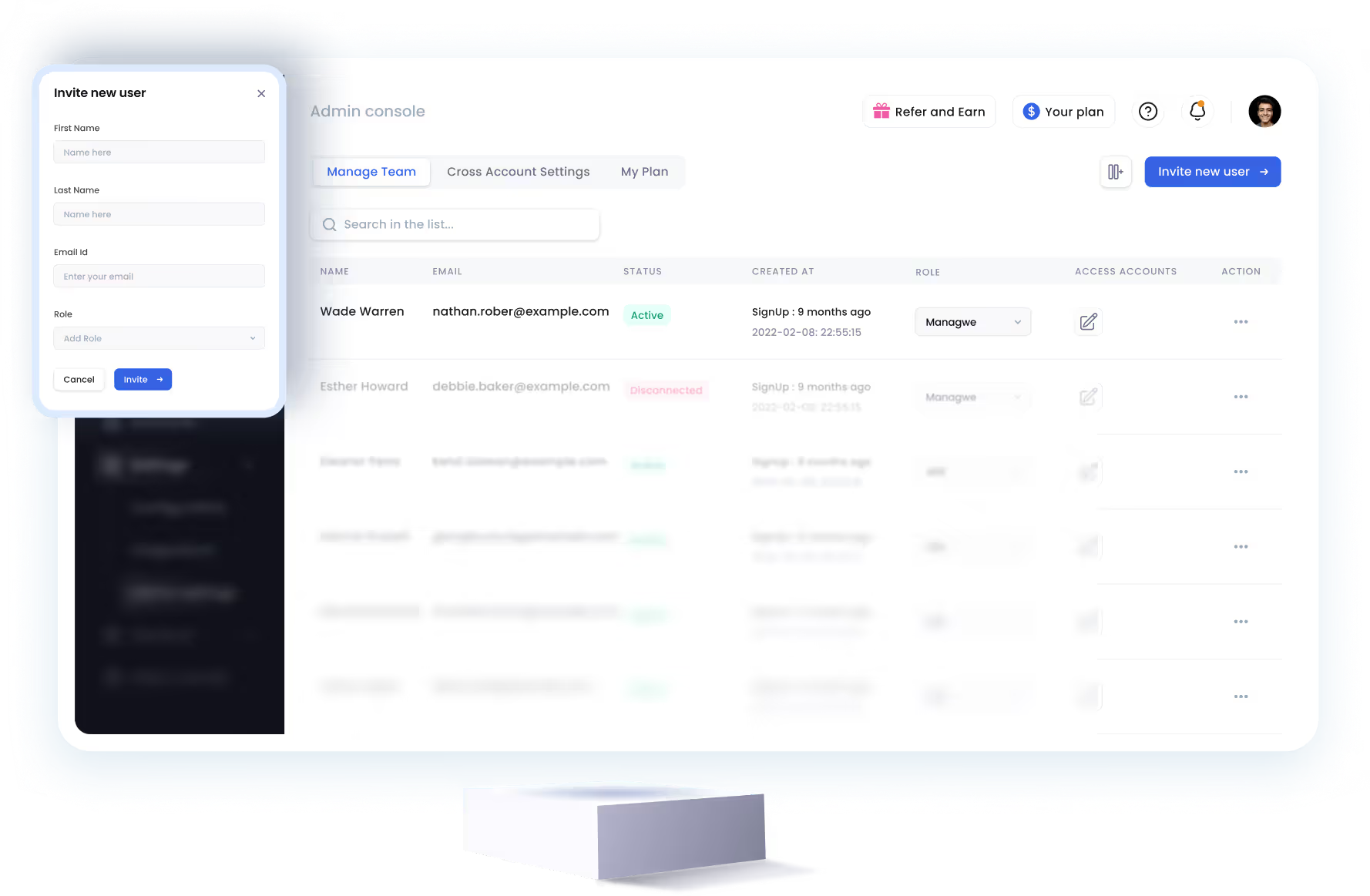
SalesRobot allows you to invite other team members, so that they can add their LinkedIn Account, run outreach campaigns and get amazing results just like you.



Trusted by 4100+ innovative B2B sales teams and lead gen agencies











Heading 1
Heading 2
Heading 3
Heading 4
Heading 5
Heading 6
Lorem ipsum dolor sit amet, consectetur adipiscing elit, sed do eiusmod tempor incididunt ut labore et dolore magna aliqua. Ut enim ad minim veniam, quis nostrud exercitation ullamco laboris nisi ut aliquip ex ea commodo consequat. Duis aute irure dolor in reprehenderit in voluptate velit esse cillum dolore eu fugiat nulla pariatur.
Block quote
Ordered list
- Item 1
- Item 2
- Item 3
Unordered list
- Item A
- Item B
- Item C
Bold text
Emphasis

Superscript
Subscript