.avif)
TL;DR
- Chili Piper excels at booking meetings and routing leads but comes with a premium price tag.
- Best suited for mid-market and enterprise companies with complex sales processes and team routing needs.
- Strong integrations and AI features justify the cost for high-volume sales teams seeking conversion optimization.
- SalesRobot fills the outbound gap Chili Piper doesn't cover; worth considering if your team needs both inbound conversion and LinkedIn Outreach.
Picture this:
A hot lead fills out your demo form at 2 PM on a Tuesday, ready to buy.
By the time your sales team reaches out three days later, they've already signed with a competitor.
Sound familiar?
You're not alone.
Research consistently shows that only 27% of inbound leads ever get contacted at all, meaning nearly three out of four prospects never hear back from a sales team.
The window of opportunity closes fast, and companies that can't respond quickly hand pipeline to competitors by default.
That's where Chili Piper comes in.
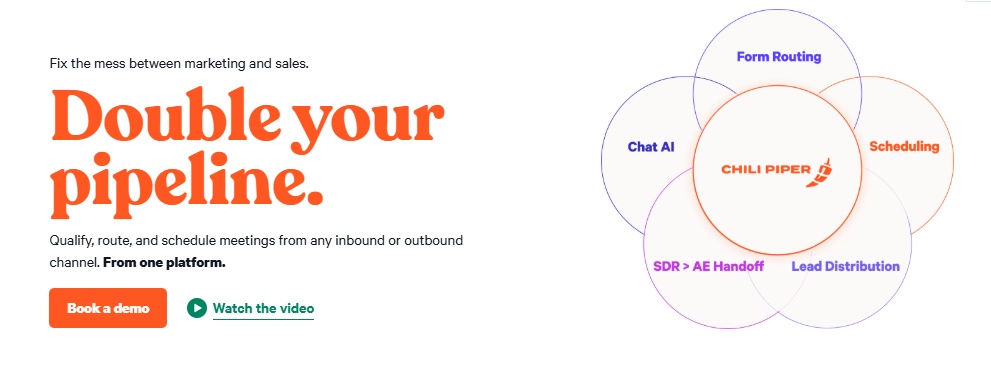
This scheduling and lead routing platform promises to fix the chaos between your marketing forms and sales calendars.
But here's the thing:
Chili Piper isn't cheap, and it's not the only player in town.
We'll break down exactly what you get for your money, where it shines, and where it falls short.
We've included SalesRobot in this review because Chili Piper, for all its strengths, only covers one half of the pipeline equation.
It's built to handle leads that have already shown up, meaning someone filled out a form, started a chat, or booked a demo.
That part it does very well.
But a large chunk of B2B sales doesn't start with inbound interest.
It starts with a rep going out, finding the right person on LinkedIn, and starting a conversation from scratch.
Chili Piper plays no role in that process whatsoever.
So if your team runs both an inbound and an outbound motion (which most mid-size and growing sales teams do), you will need a second tool to cover outreach regardless of whether you use Chili Piper.
SalesRobot is one of the most commonly paired solutions for that outbound gap, and since you're likely evaluating both needs at the same time, it made sense to cover them in the same place.

Chili Piper: What You Need to Know
✅ Major strength:
The platform genuinely improves how leads flow from marketing to sales. Gong, one of Chili Piper's customers, reported a 70% lift in demo request form conversions (plus a 5x increase in demo requests) after implementation.
Frontify saw a 35% lift on its inbound conversion after implementing Chili Piper. It eliminates the frustrating back-and-forth of scheduling by letting prospects book meetings instantly while they're engaged.
⚠️ Important limitation:
The pricing can be steep for smaller teams, especially when you factor in per-user costs across multiple products like Form Concierge, Distro, and ChiliCal, plus separate platform fees for each.
You'll need to carefully evaluate which products you actually need versus the total cost.
✅ Another key benefit:
The AI-powered routing and qualification happens in real-time, so hot leads get connected to the right sales rep immediately.
This speed advantage prevents prospects from cooling off or going to competitors while waiting for callbacks.
✅ Third strong point:
Integration capabilities are genuinely robust, working with Salesforce, HubSpot, and most major CRM systems.
The setup process is designed to work with your existing tech stack rather than forcing you to rebuild workflows.
Worth noting: the Salesforce integration is deeper and more mature than the HubSpot one, so teams on HubSpot may find some feature gaps.
⚠️ Something to watch out for:
The learning curve can be significant, especially for complex routing rules and multi-team setups. Some users find the initial configuration overwhelming without dedicated support or technical expertise.
✅ Great feature:
The enrichment capabilities automatically gather prospect data to help reps prepare for calls.
This means sales teams walk into meetings with context about company size, industry, and potential needs already mapped out.
⚠️ A real concern:
Heavy dependence on the platform means if Chili Piper goes down, your entire lead routing and scheduling process stops. This single point of failure can be risky for companies that rely heavily on inbound leads.
Chili Piper's Key Features, Broken Down
Form Concierge
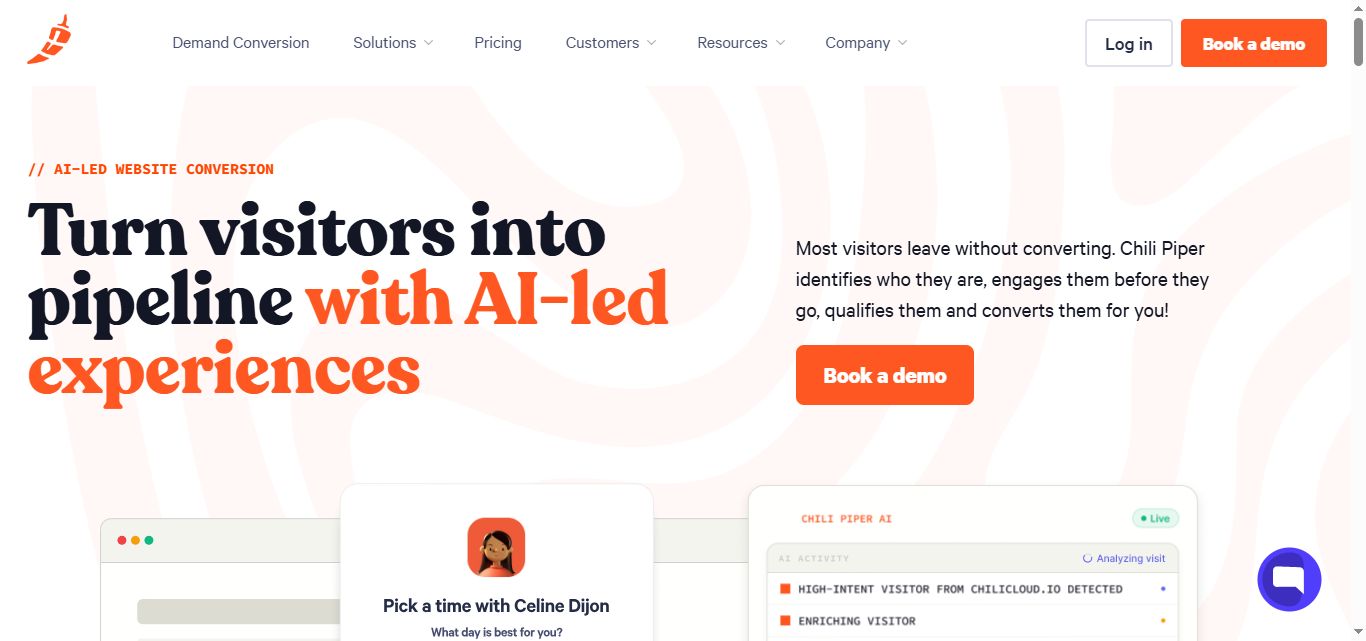
Automatically qualifies, routes, and schedules prospects directly from your website forms without any manual intervention.
Instead of leads sitting in a queue for hours, Form Concierge instantly connects qualified prospects with the right sales rep and books meetings on the spot.
For example, when a prospect fills out your "Request Demo" form, they're immediately presented with available time slots from your best-matched sales rep. This eliminates the back-and-forth email dance that usually kills momentum.
Chat AI
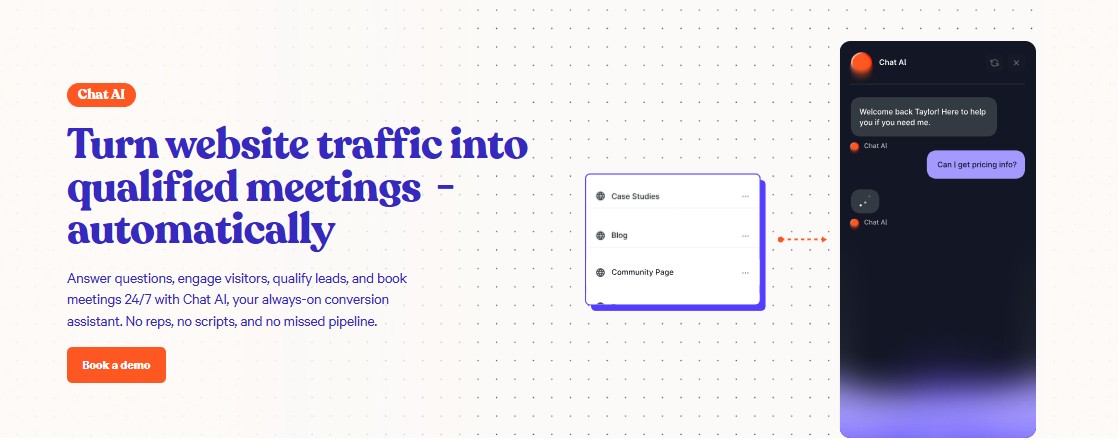
Converts website visitors into pipeline 24/7 through intelligent chatbot conversations that qualify leads automatically.
Your Chat AI can handle multiple conversations simultaneously, asking the right qualifying questions and booking meetings even when your team is asleep.
For example: A prospect visits your pricing page at 11 PM, starts a chat, gets qualified by your AI, and books a demo for next Tuesday. All without a human touching the process.
ChiliCal
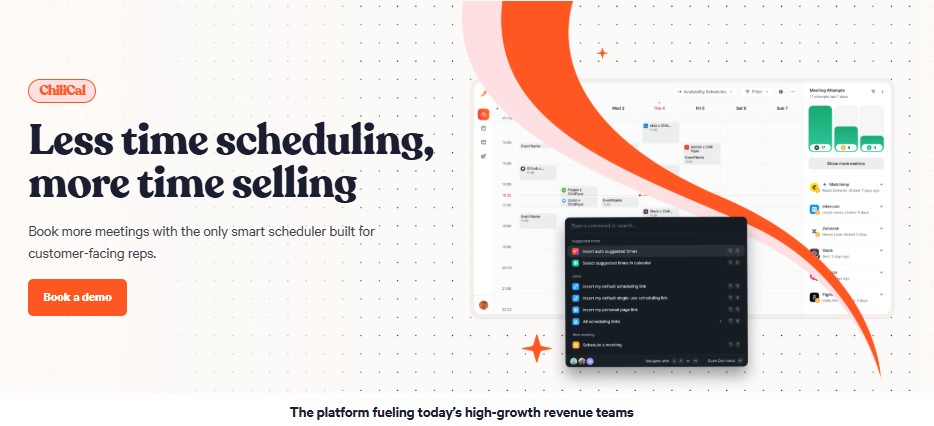
Provides advanced scheduling capabilities that go way beyond basic calendar booking tools.
ChiliCal handles complex routing rules, team availability, and can even combine multiple team members' calendars for group meetings.
Say you need to book a demo that requires both a sales rep and a technical specialist. ChiliCal automatically finds times when both are available and books the meeting in one click.
Distro
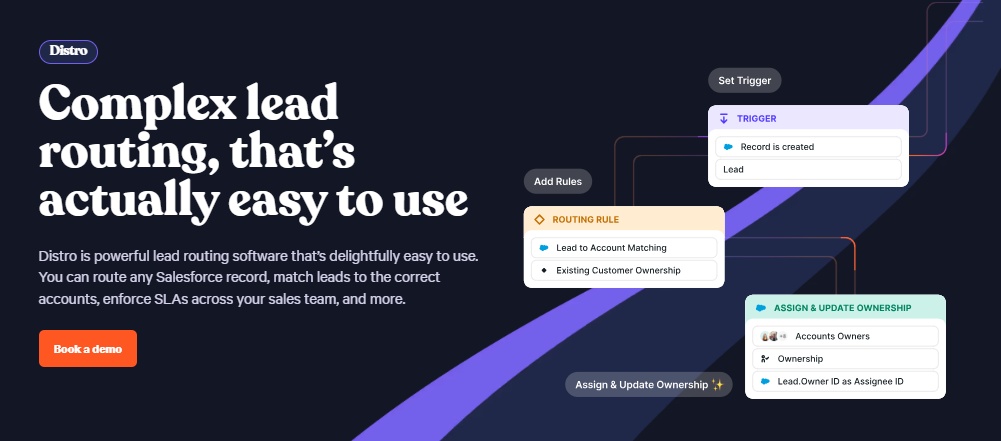
Automatically routes records in Salesforce based on custom triggers and business rules you define.
When a lead hits certain criteria or a deal reaches a specific stage, Distro ensures it gets assigned to the right person instantly.
For instance, when an MQL gets scored in Salesforce, Distro can automatically assign it to the rep who covers that territory and send them a Slack notification..
Handoff
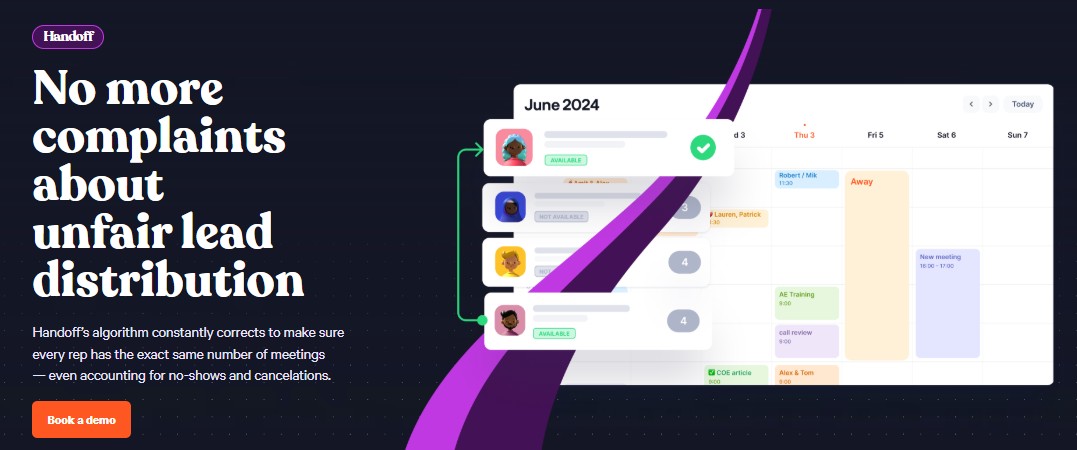
Seamlessly transfers prospects between different team members throughout your sales process.
Whether it's moving from SDR to AE, or from sales to implementation, Handoff maintains context and momentum.
When your SDR qualifies a lead, Handoff automatically schedules the discovery call with the appropriate AE.
The AE gets all the qualification notes, and the prospect never feels like they're starting over.
Enrichment
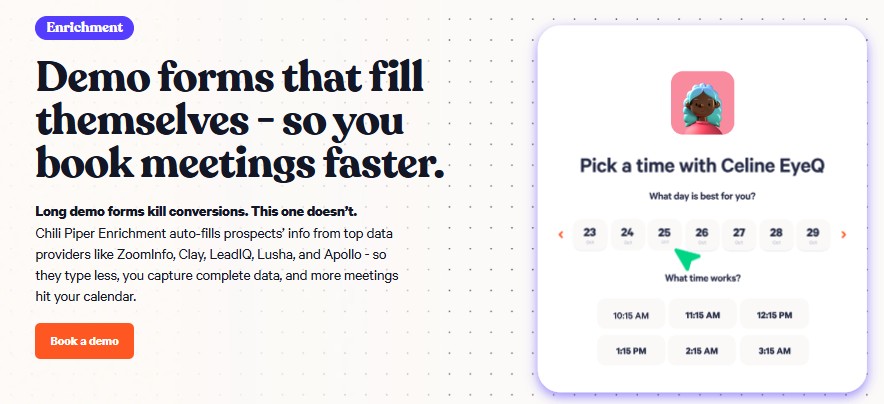
Automatically fills in missing prospect data so you can keep your forms short while still getting complete lead information.
This feature pulls company details, contact information, and firmographic data from multiple sources.
Your prospect only fills in their email and company name, but you get their full profile, company size, industry, and tech stack.
Shorter forms mean higher conversion rates, while you still get the data you need for proper routing.
Chili Piper Pricing: How Much Will It Cost?
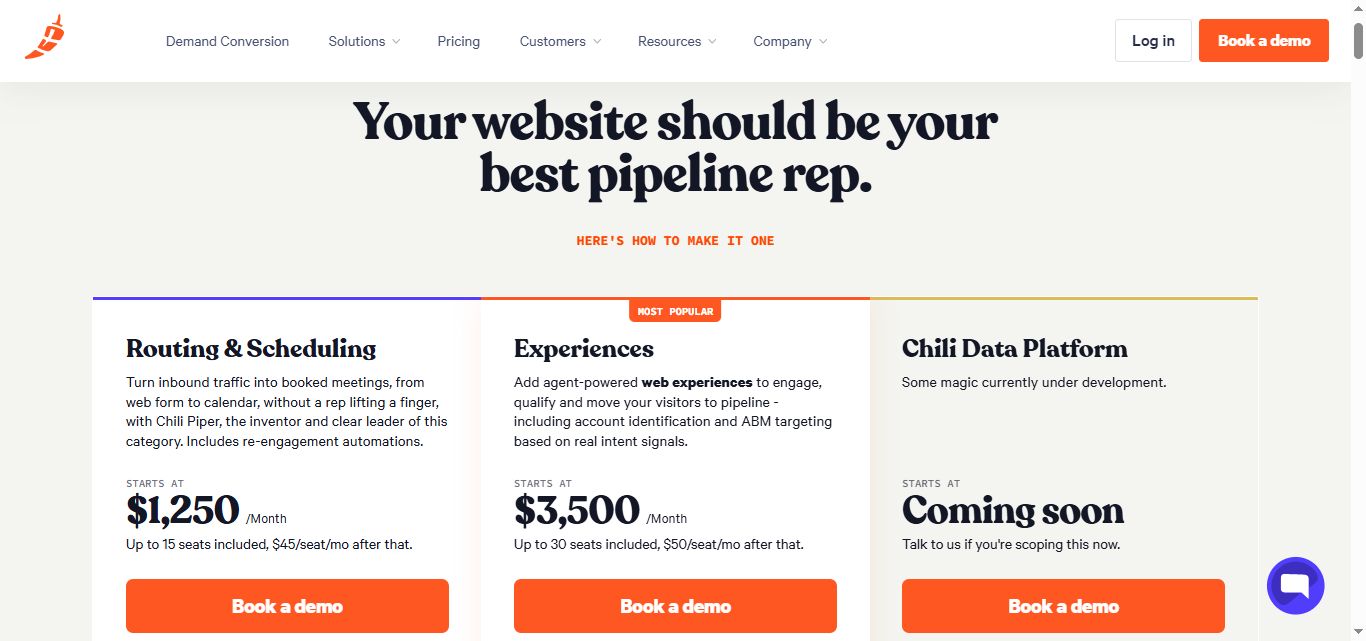
Unlike many competitors, Chili Piper publishes its pricing openly on its website. The company has moved away from modular, per-product pricing and now offers two bundled tiers.
Routing & Scheduling
Turn inbound traffic into booked meetings, from web form to calendar, without a rep lifting a finger, with Chili Piper, the inventor and clear leader of this category. Includes re-engagement automations.
- Price: Starts at $1,250/month (Billed annually)
- Seats: Up to 15 seats included ($45/seat/mo after that)
- AI Credits: 45,000 credits included per year
What's included:
- Instantly qualify, route and schedule leads from any web form.
- Automated chat journeys that qualify and route visitors.
- Inbound lead distribution and round-robin assignment.
- Route and assign any Salesforce object.
- SDR-to-AE handoff, without the dropped balls.
- Funnel analytics.
- Smart scheduling links for every rep.
- SSO/SAML.
- Access to Spam Checker and Meeting Prep Agents.
- Re-engagement flows for visitors who didn't convert.
Experiences
Add agent-powered web experiences to engage, qualify and move your visitors to pipeline - including account identification and ABM targeting based on real intent signals.
- Price: Starts at $3,500/month (Billed annually)
- Seats: Up to 30 seats included ($50/seat/mo after that)
- AI Credits: 150,000 credits included per year
Everything in Routing & Scheduling, plus:
- AI that qualifies, routes, and converts visitors 24/7.
- Live calling from forms and handoffs, no waiting.
- Account identification and ABM targeting based on account signals in Chat.
- User provisioning and admin controls.
- Access to new agents as they ship.
Chili Piper vs SalesRobot: How Do They Compare?
Choose Chili Piper if you need to optimize inbound lead conversion with sophisticated scheduling and routing capabilities.
Pick SalesRobot when your focus is on scaling outbound prospecting through LinkedIn and email automation.
SalesRobot: The LinkedIn-First Alternative
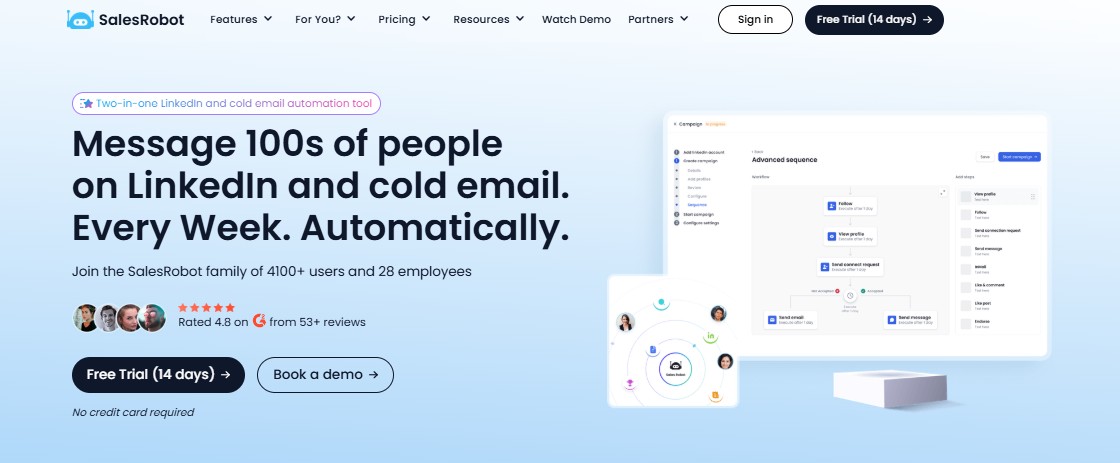
While Chili Piper focuses on converting inbound leads, many B2B companies need to actively hunt for prospects.
SalesRobot specializes in LinkedIn outreach automation, targeting the platform where decision-makers actually spend their professional time.
We're including it here because most teams running Chili Piper for inbound still need a dedicated outbound motion, and SalesRobot is one of the most commonly paired solutions for that gap.
It covers what Chili Piper deliberately doesn't: proactive, top-of-funnel prospecting.
What SalesRobot Actually Does
SalesRobot is a LinkedIn automation platform that handles connection requests, messaging sequences, and follow-ups at scale.
It's built specifically for LinkedIn's ecosystem and designed for sales teams, agencies, and individual reps who want to automate their outbound prospecting without getting their accounts flagged.
Key Features
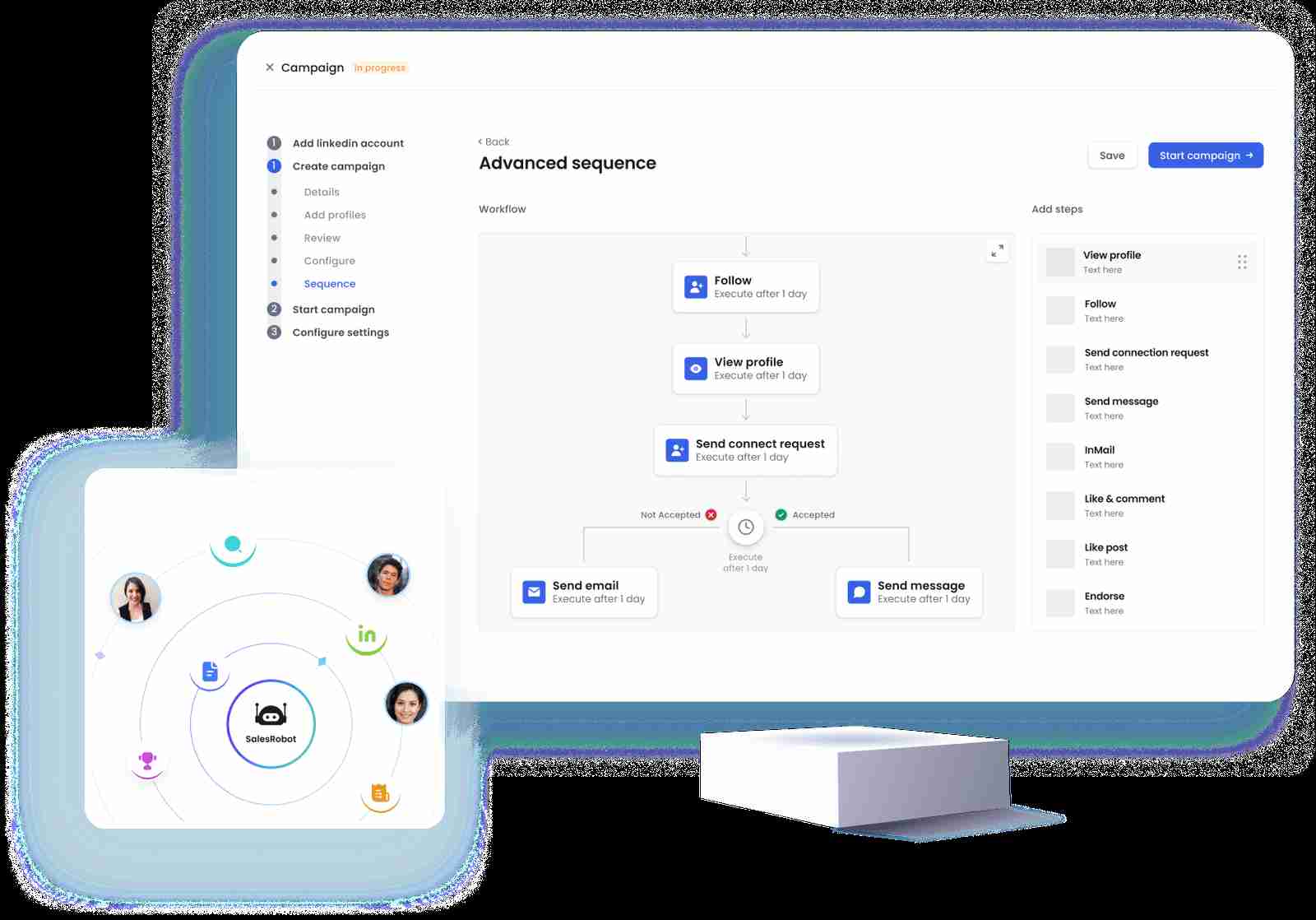
Multi-step LinkedIn sequences:
Create automated connection requests and message workflows that feel natural. The platform handles timing delays and conditions to avoid looking robotic.
AI-powered voice and video messages:
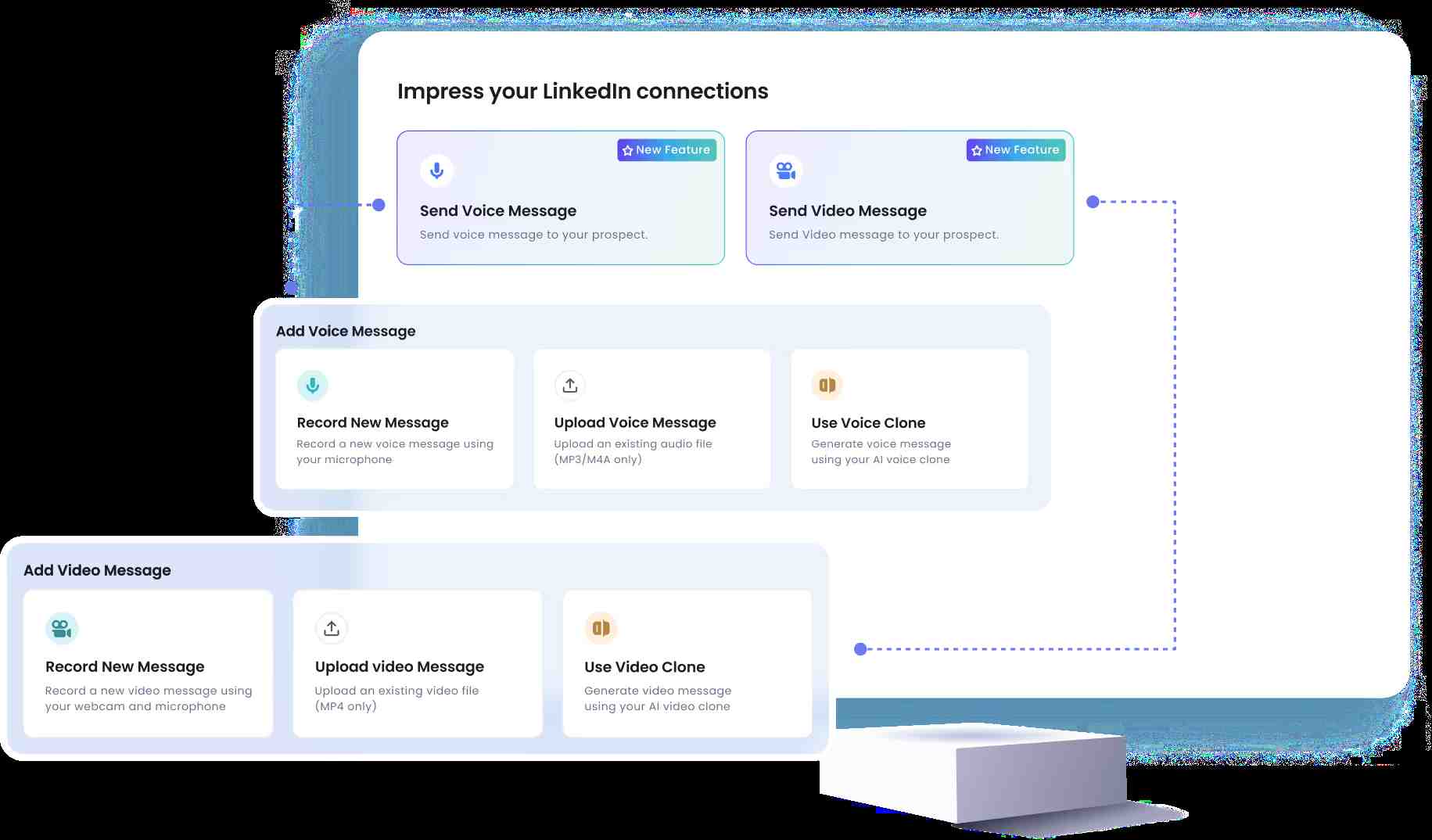
Send AI-personalized voice notes and video messages directly through LinkedIn at scale — clone yourself so each lead gets a personalized video, with users reporting 40%+ reply rates on voice-note campaigns (up to 50/day on all paid plans). This is a unique SalesRobot capability that competitors like Expandi, Waalaxy, and Dripify don't offer.
Smart daily quotas and safety limits: Built-in throttling keeps your activity within LinkedIn's comfort zone. SalesRobot runs on LinkedIn's mobile-app APIs with dedicated local residential IPs and human-like behavior simulation, reducing ban risk to roughly 0.00001%. It's fully cloud-based — running 24/7 even when your laptop is closed, with no Chrome extension required — making it safer than browser-extension tools like Expandi, Waalaxy, and Dux-Soup.
Unified inbox management:

Centralized dashboard for managing LinkedIn and email conversations. Smart reply detection automatically pauses sequences when prospects respond.
Advanced targeting and import options: Pull prospects from LinkedIn searches, Sales Navigator, or CSV uploads. No need for Premium or Sales Navigator subscriptions to get started.
AI Appointment Setter add-on: Trained AI appointment setter agent that nurtures leads and books meetings automatically. Responds to prospects within minutes to maximize conversion rates.
SalesRobot Pricing
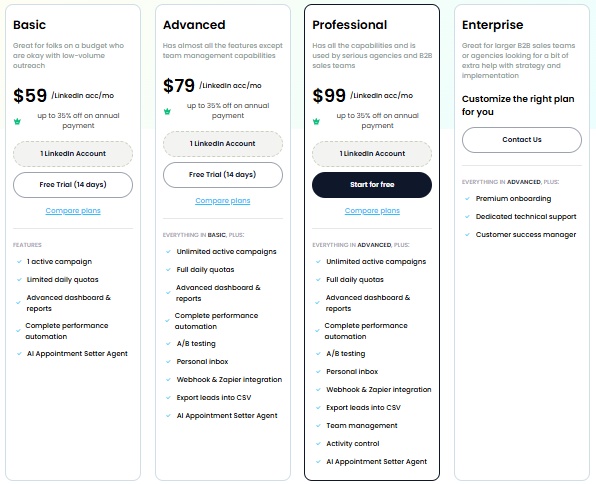
SalesRobot offers three main tiers.
Opting for annual billing offers a discount of 35% across all plans.
Basic: $59 per month 1 LinkedIn account 1 active campaign Limited daily quotas (20 connection requests, 20 messages) Basic reporting and dashboard Good for individual users testing LinkedIn automation on a small scale.
Advanced: $79 per month 1 LinkedIn account Unlimited campaigns Full daily quotas (75 connection requests, 75 messages) A/B testing, webhooks, CSV export Personal inbox and advanced reporting Best for serious individual users or small teams doing consistent outreach.
Professional: $99 per month Everything in Advanced Team management and role permissions Activity control and duplicate prevention Team analytics dashboard Designed for agencies and sales teams managing multiple users and campaigns.
SalesRobot offers a 14-day free trial with no credit card required, plus they'll often extend trials if you need more time to see results.
If LinkedIn outreach is part of your lead generation strategy, it's worth testing alongside your inbound conversion tools.
The Verdict
Chili Piper is solid if you're dealing with meeting chaos and have the budget to match. It's built for teams that take inbound leads seriously and need bulletproof scheduling automation.
But let's be honest: it's overkill for most small businesses. The price tag stings, and setup isn't exactly plug-and-play.
The real question isn't whether Chili Piper works (it does).
It's whether you actually need all that horsepower for your current sales process.
Bottom Line
Buy Chili Piper if you're a mid-to-large company with complex routing needs and serious inbound volume.
Skip it if you're a small team focused on outbound prospecting or just need basic scheduling.
Looking for something more LinkedIn-focused?
SalesRobot might be worth a look if you're prioritizing outbound outreach over inbound meeting management.
Different tools, different strengths.


Wow your leads by cloning yourself and sending personalized videos and voice notes to each lead on LinkedIn.
If you don't reply to leads within 5 mins, your chances of converting them fall by 50%. Our AI replies on your behalf instantly! (and yes, you can train it)

Don't shoot in the dark. Get detailed analytics on what's working

SalesRobot allows you to invite other team members, so that they can add their LinkedIn Account, run outreach campaigns and get amazing results just like you.
.avif)


Trusted by 4100+ innovative B2B sales teams and lead gen agencies

.avif)

.avif)




.avif)