.avif)
TL;DR
Crunchbase is a company intelligence platform covering 4M+ private companies with funding data, investor activity, leadership changes, and AI-powered growth signals.
The funding data is genuinely best-in-class at its price point.
If your ICP skews toward VC-backed or growth-stage companies, you will get a lot of use out of it.
Where it falls short: contact data quality is inconsistent, the Pro plan caps exports at 2,000 rows per month, and CRM integrations only appear at the Business tier ($199/month).
For teams that need verified emails ready for outreach, Crunchbase alone is not enough.
What Is Crunchbase and What Does It Actually Do?
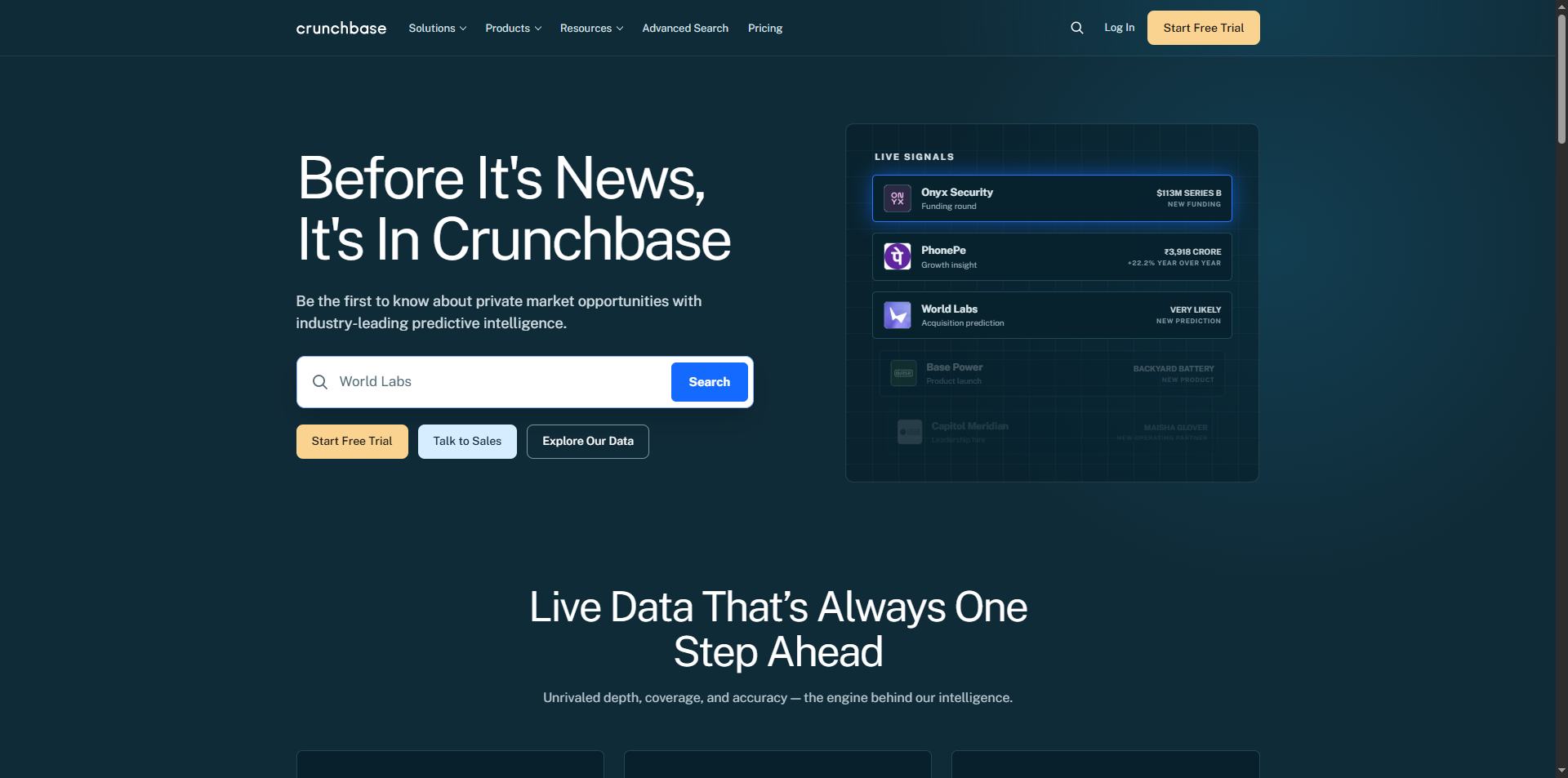
Crunchbase started as a database for tracking startup funding and has since grown into a full company intelligence platform.
It covers 4M+ companies with funding history, investor relationships, acquisition records, leadership data, and AI-powered signals that flag companies showing signs of growth or change.
Sales teams use it to build targeted prospect lists and monitor accounts for trigger events like new funding rounds or leadership hires.
Investors use it to track deal flow. Recruiters use it to identify fast-growing companies that are actively hiring.
The key distinction to understand upfront: Crunchbase is a company database, not a contact database.
It tells you which companies fit your ICP and what is happening at those companies. Getting verified emails and phone numbers for the people there still requires a separate tool.
Since most of the decision-makers Crunchbase surfaces are active on LinkedIn, this review also covers how teams act on those lists, and that is where SalesRobot comes in.
What Do You Need to Know Before Buying Crunchbase?
✅Funding data that is hard to beat at this price

The core product is still funding intelligence, and it earns its reputation here.
Round details, lead investors, board changes, acquisition history, and funding stage filters all work reliably.
For teams selling into VC-backed or growth-stage companies, this data has direct prospecting value. A company that just closed a Series B has budget, and that timing matters.
✅Ease of use that holds up at scale
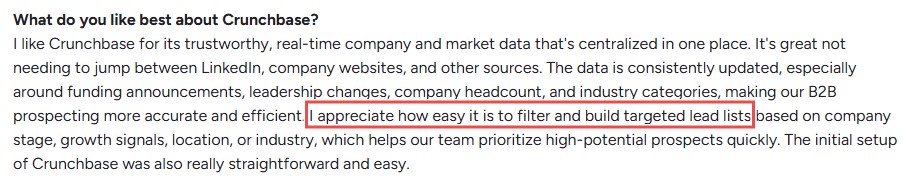
Search filters are fast, list building is straightforward, and saved search alerts run passively without needing manual monitoring.
The platform does not take long to learn, and most teams pick it up without any formal onboarding.
✅AI-powered buy signals
The AI layer surfaces intent signals based on funding events, hiring patterns, partner announcements, and keyword matching.
These help prioritize outreach by separating companies that are actively expanding from those that are quiet.
✅The "Similar Companies" feature for accounts you did not know existed
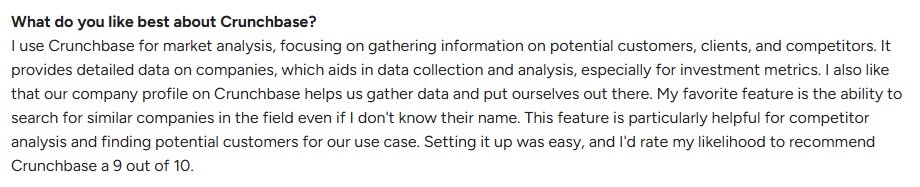
The Similar Companies feature surfaces competitors and adjacent businesses based on the profiles you are already looking at.
It is useful for finding prospects that match your ICP but were not on your original target list.
⚠️Contact data is not reliable for outreach

Crunchbase was built as a company database, not a contact database. Email and phone data exist on the platform, but accuracy is inconsistent.
A significant percentage of emails pulled from Crunchbase bounce, which is a real problem for any team running cold outreach.
⚠️CRM integrations are a Business-tier feature

Salesforce and HubSpot sync are not available on Pro.
They live behind the Business plan at $199/month annually, so teams expecting CRM integration from day one should budget for Business upfront rather than hitting that wall on Pro mid-contract.
⚠️Firmographic data can lag behind
Funding data stays current. Employee counts, revenue estimates, and leadership changes can be weeks or months behind.

If outreach decisions depend on accurate company size or growth stage, cross-referencing with a secondary source is worth the extra step.
⚠️Coverage thins outside US and tech verticals
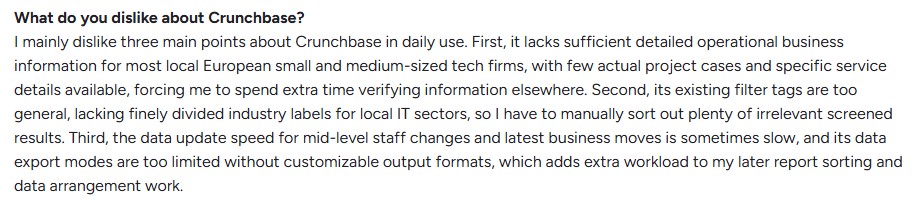
The database is strongest for North American tech companies.
For EMEA, APAC, or non-tech industries, coverage becomes inconsistent, and teams with ICPs outside English-speaking markets will find gaps.
What Features Does Crunchbase Actually Offer?
Advanced Search and Filters
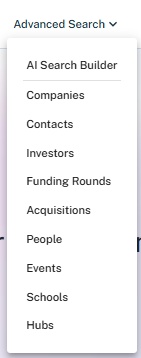
Filter by industry, location, funding stage, funding amount, employee count, revenue range, founding date, and dozens of other criteria.
Description keyword search lets you filter by what a company actually does, not just what category it was assigned.
Funding Intelligence
Every funding round includes round size, lead investors, participating investors, announcement date, and post-money valuation where available.
If a company just raised money, Crunchbase will typically have it before most other platforms.
Saved Searches and Alerts
Set up a saved search and Crunchbase emails you when new companies match it.
New funding rounds, leadership hires, M&A activity, IPOs, and web traffic changes can all trigger alerts, so you do not have to log in and rerun searches manually.
Predictions and Insights (Business)
AI predictions flag companies likely to raise funding or get acquired based on pattern matching across historical data.
More than 17,700 company-level predictions have already been confirmed by real-world events, and in Q1 2026 Crunchbase's average contract value grew 900% year-over-year on the back of enterprise demand for its predictive intelligence.
AI Agent for Industry Trends (Business)
Added in 2026, the AI agent lets you ask natural language questions about market segments.
Useful for understanding where a space is heading without manually compiling research.
Market Insights

The newest addition shows where private markets are forming, competing, and heading next.
It is aimed at teams that need macro-level intelligence, not just company-level data.
Chrome Extension
The extension works on LinkedIn, Sales Navigator, Salesforce, and company websites.
It surfaces buy signals and contact data without tab-switching and lets you push qualified contacts directly to Salesforce or Outreach in one click.
Contact Data
Decision-maker profiles include job titles, LinkedIn links, and in some cases email addresses.
The contact layer is more useful for identifying who to reach than for pulling verified emails ready for a sequence.
CSV Export
Pro plan users can export up to 2,000 rows per month. Business plan users get 5,000 rows.
Exports include company profiles, funding data, and contact information in a format ready for CRM import or outreach tools.
CRM Integrations (Business only)
Native Salesforce and HubSpot integration, including bulk push to CRM.
Pro plan users are limited to manual CSV export and import.
API

Available at custom pricing for teams building Crunchbase data into internal tools.
Allows 200 API calls per minute and includes access to the same firmographics, funding, and financial data that powers the platform.
How Much Does Crunchbase Cost?
Crunchbase offers three paid tiers plus a free option.

CRM integration, Predictions and Insights, and the AI agent are all Business-tier features. Teams that need any of those from day one should go straight to Business rather than upgrading later.
What Happens After You Build the List
Crunchbase tells you which companies match your ICP, which ones just raised money, and who is in the leadership seat.
It does not send the outreach.
Exporting a list of target companies and then manually finding each decision-maker on LinkedIn, sending connection requests, writing personalized follow-ups, and tracking who replied is hours of work that does not scale.
LinkedIn is where B2B decision-makers are actually active, and a direct connection request or DM thread moves faster toward a conversation than cold email alone.
That is where SalesRobot fits.
It takes the lists Crunchbase produces and runs the LinkedIn outreach side of the workflow automatically, connection requests, personalized message sequences, and meeting booking, all on cloud infrastructure that keeps your account safe at volume.
What Is SalesRobot?

SalesRobot is a cloud-based LinkedIn and email outreach automation platform built for B2B sales teams and agencies.
It runs entirely in the cloud. No browser extension, no desktop app that stops when your laptop closes.
Once you’ve created your campaign, it handles connection requests, follow-ups, reply management, and meeting booking while your team focuses on closing.
It is rated 4.8/5 on G2 from 55+ reviews and is used by over 4,100+ customers worldwide.
What Can SalesRobot Actually Do?
AI-Personalized LinkedIn Outreach
SalesRobot's AI Variables pull live data from each prospect's LinkedIn profile, including recent posts, job title changes, company news, and shared connections, and write a unique opening line for each message.
Every connection request reads as if it was written individually, because the personalization pulls fresh profile data right before sending.
AI Appointment Setter

When a prospect replies, SalesRobot's AI Appointment Setter takes over the conversation.
It asks qualifying questions and books meetings directly into your calendar once a prospect signals interest. It runs on CoPilot mode, where you approve before sending, or Autopilot mode for fully autonomous booking.
Voice Clone and Video Clone Messaging
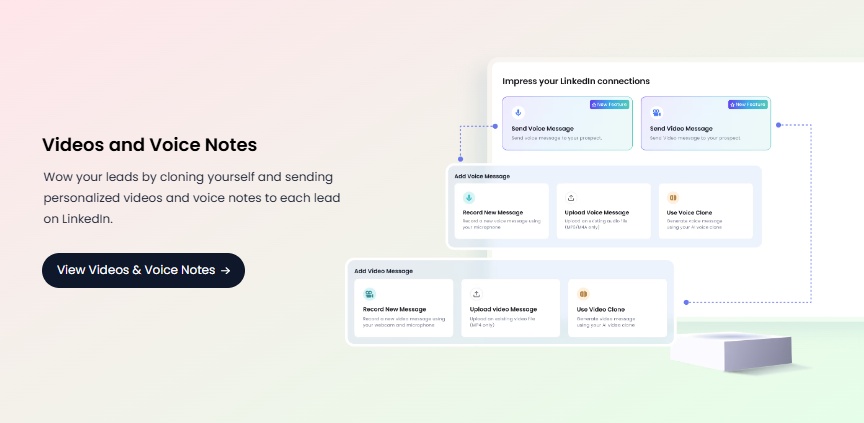
Record once and SalesRobot personalizes each clip with the prospect's name and company.
Reply rates above 40% have been reported with voice and video outreach, because a voice message in a LinkedIn inbox stands out where text gets ignored.
AI Commenting
SalesRobot can comment on a prospect's LinkedIn posts before sending a connection request.
For prospects who post actively, this warms up the relationship before outreach lands and improves connection acceptance rates.
SalesGPT Campaign Builder
Enter your ICP, product, and goal and SalesGPT builds the full campaign: connection request, follow-up sequence, and reply logic.
Teams can edit the output or run it as built. No starting from a blank page.
Multi-Channel Outreach
LinkedIn connection requests, DMs, and InMails run natively. Email outreach sequences layer in for contacts where LinkedIn is not the primary channel.
Both channels run from the same campaign view with unified tracking.
Cloud-Based Safety Infrastructure
SalesRobot runs on a dedicated cloud IP per LinkedIn account and communicates through LinkedIn's mobile endpoints, not a browser extension or DOM manipulation.
The result is a ban rate of just 0.00001%, so accounts run safely even at full daily volume.
White-Label for Agencies
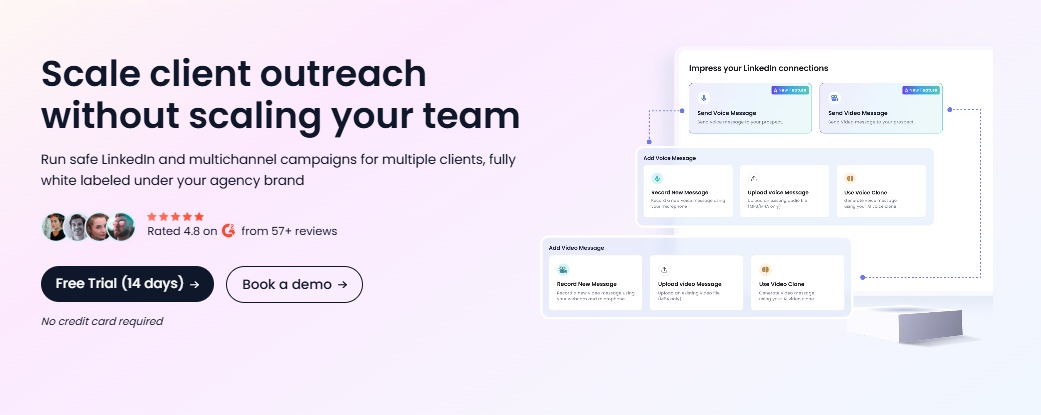
Agencies can run the full platform under their own brand. Clients never see SalesRobot.
Over 110 agencies currently run on the white-label tier, managing anywhere from 10 to 50+ client accounts at a time.
CRM Integrations
Native sync with Salesforce, HubSpot, Pipedrive, Zoho, and Copper.
Also connects to Zapier, Make.com, and n8n for custom workflows.
API Access
For teams that need SalesRobot connected to internal tools or custom workflows, a full API is available. It covers campaigns, prospects, inbox, LinkedIn accounts, dashboard data, and account settings, all controllable programmatically. The rate limit is 300 requests per minute. Full documentation is available on Postman.
How Much Does SalesRobot Cost?
SalesRobot offers three self-service tiers, all priced per LinkedIn account per month.
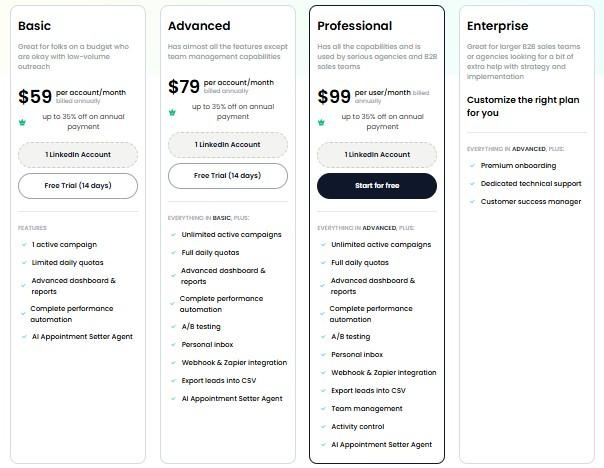
Email outreach is available as an add-on at $15/month per email account.
The Managed Service starts at $397/month and covers strategy, copywriting, list building, and campaign management run by the SalesRobot team.
There is a 14-day free trial on all self-service plans. No credit card required.
Book a free demo
How Do Crunchbase and SalesRobot Fit Together?
The workflow is sequential. Crunchbase identifies companies that fit the ICP and flags the ones with fresh signals, a new funding round, a leadership hire, a recent expansion.
SalesRobot takes that list and runs the LinkedIn outreach without manual work at either step.
Neither tool overlaps with the other's core function. Together they cover the full path from "company that fits my ICP and just raised money" to "booked meeting."
So, Is Crunchbase Worth It?
Crunchbase is one of the stronger company intelligence tools at its price point.
For teams selling into funded startups or growth-stage companies, the funding data alone justifies the Pro subscription.
The weaknesses are worth planning around. Contact data needs a secondary tool for accuracy, the 2,000-row export cap limits high-volume teams, and CRM integrations do not appear until Business at $199/month.
Used as a company intelligence and target identification layer rather than a complete prospecting stack, Crunchbase earns its place.
It tells you who to target and when, based on signals most other tools do not surface as cleanly at this price.
The missing piece is outreach. Once the list is built, getting from "identified company" to "live conversation" still requires a tool, and for LinkedIn-first outbound, SalesRobot handles that second half without adding complexity to the first.
And if you're looking toward the actual sales workflow, Kuron, from the makers of SalesRobot, is another one worth watching.
It's being built as an AI-powered GTM platform that helps identify your best-fit customers, choose the right strategy, and run the outbound process.
Try SalesRobot free for 14 days
Frequently Asked Questions
Does Crunchbase provide verified email addresses?
Not reliably. Crunchbase covers roughly 18M contacts at 400K organizations, but it was built as a company database, not a contact database, so email accuracy is inconsistent and reveals are metered separately. For outreach-ready verified emails you'll need a dedicated enrichment tool alongside it.
How much does Crunchbase Pro cost in 2026?
Crunchbase Pro is $49/month when billed annually ($588/year) or $99/month billed monthly. It includes search across 4M+ companies, funding data, saved searches, alerts, and 2,000 export rows per month, but not CRM integrations or Predictions, which require the Business plan at $199/month.

Wow your leads by cloning yourself and sending personalized videos and voice notes to each lead on LinkedIn.
If you don't reply to leads within 5 mins, your chances of converting them fall by 50%. Our AI replies on your behalf instantly! (and yes, you can train it)

Don't shoot in the dark. Get detailed analytics on what's working

SalesRobot allows you to invite other team members, so that they can add their LinkedIn Account, run outreach campaigns and get amazing results just like you.
.avif)


Trusted by 4100+ innovative B2B sales teams and lead gen agencies

.avif)

.avif)




.avif)


Heading 1
Heading 2
Heading 3
Heading 4
Heading 5
Heading 6
Lorem ipsum dolor sit amet, consectetur adipiscing elit, sed do eiusmod tempor incididunt ut labore et dolore magna aliqua. Ut enim ad minim veniam, quis nostrud exercitation ullamco laboris nisi ut aliquip ex ea commodo consequat. Duis aute irure dolor in reprehenderit in voluptate velit esse cillum dolore eu fugiat nulla pariatur.
Block quote
Ordered list
- Item 1
- Item 2
- Item 3
Unordered list
- Item A
- Item B
- Item C
Bold text
Emphasis

Superscript
Subscript