.avif)
TL;DR
This post reviews Customer.io's core features and pricing, including the parts that quietly catch teams off guard as they scale.
We cover 7 top alternatives: SalesRobot, Braze, Iterable, Klaviyo, HubSpot, ActiveCampaign, and Ortto.
Each alternative solves a different part of the customer messaging problem, from lifecycle automation to ecommerce flows, enterprise engagement, and LinkedIn outreach.
Compare pricing, features, and use cases to find the best fit for your team.
In this blog, we're going to cover...
Top Customer.io Alternatives for Customer Messaging
Ever built a beautiful onboarding email sequence, only to realize your tool can't actually trigger it based on what users do inside your product?

That's where most basic email tools fall short.
Customer.io has carved out a strong reputation for behavior-based messaging. It lets you trigger emails, push notifications, SMS, and in-app messages based on real user events, not just static lists. For product-led teams, that's a big deal.
But it's not the right fit for everyone.
Some teams need something simpler and more affordable.
Others need deeper ecommerce integrations, enterprise-grade mobile engagement, or a platform that connects marketing directly to sales pipeline.
And some teams need to go beyond email entirely and reach prospects where they actually spend their time.
This post takes an honest look at what Customer.io delivers, then breaks down seven alternatives that might fit your workflow better.
Customer.io: What You Need to Know
✅ Event-triggered messaging:
Customer.io lets you fire messages based on what users actually do, not just when they signed up. Triggers like "completed 50% of profile setup but didn't upload an avatar within 2 hours" are genuinely possible and set it apart from list-based tools.

✅ Omnichannel from one platform:
Email, SMS, push notifications, and in-app messages all live in the same workflow builder. You don't need separate tools patched together to reach users across channels.
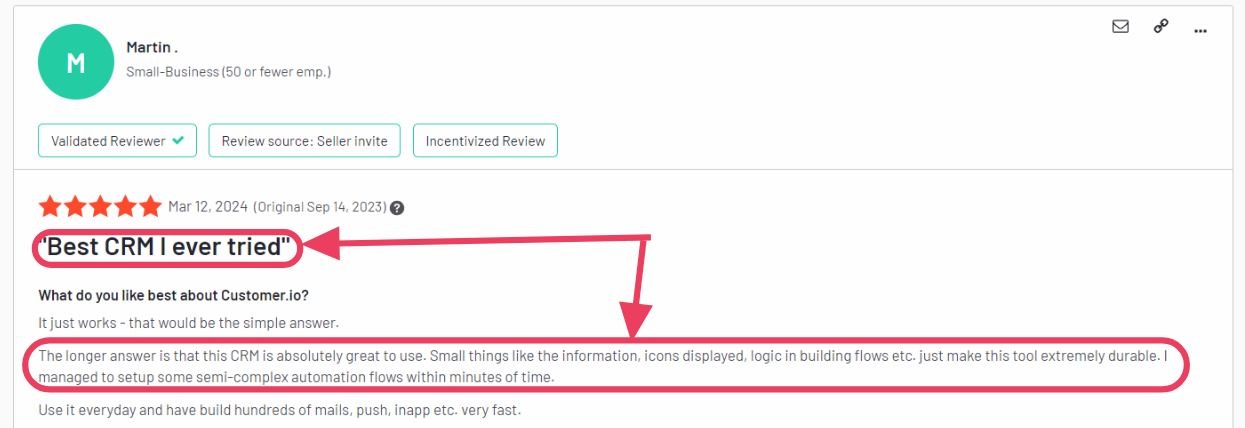
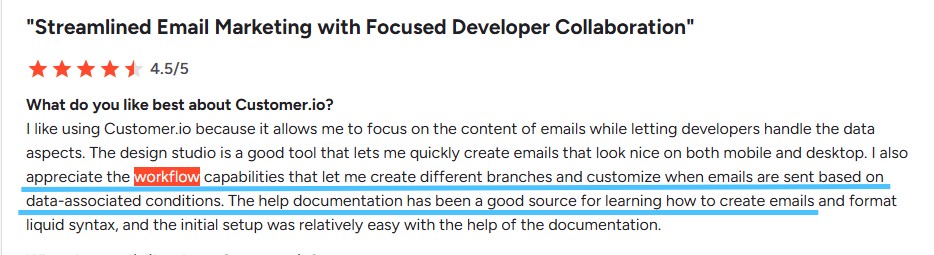
✅ Visual workflow builder: The drag-and-drop journey builder lets non-technical marketers create sophisticated automations without code. Liquid syntax is available for advanced personalization when teams need it.
⚠️ Pricing scales fast with profiles: The Essentials plan starts at $100/month for 5,000 profiles, which sounds reasonable. But the billing model uses high-watermark counting, meaning you're charged based on the peak number of profiles in a given month, not your average. Growth can get expensive quickly.

✅ Strong data integrations: Customer.io connects to data warehouses, reverse ETL tools, and CDP platforms. For product-led teams with complex data pipelines, it handles volume that simpler tools can't.
⚠️ Technical learning curve: Getting the most out of Customer.io requires comfort with event tracking, data structures, and sometimes Liquid templating. Teams without a technical marketer or developer may struggle to unlock the platform's full potential.

⚠️ Premium features locked to higher tiers: HIPAA compliance, HIPAA BAA, advanced data integrations, and premium support are all gated behind Premium at $1,000/month billed yearly. The gap between Essentials and Premium is significant in both cost and features.
⚠️ No outbound prospecting: Customer.io is built for messaging existing users, not finding or reaching new ones. For outbound sales or LinkedIn outreach, you'll need a completely separate tool.
Customer.io Key Features, Broken Down
Behavior-Based Automation
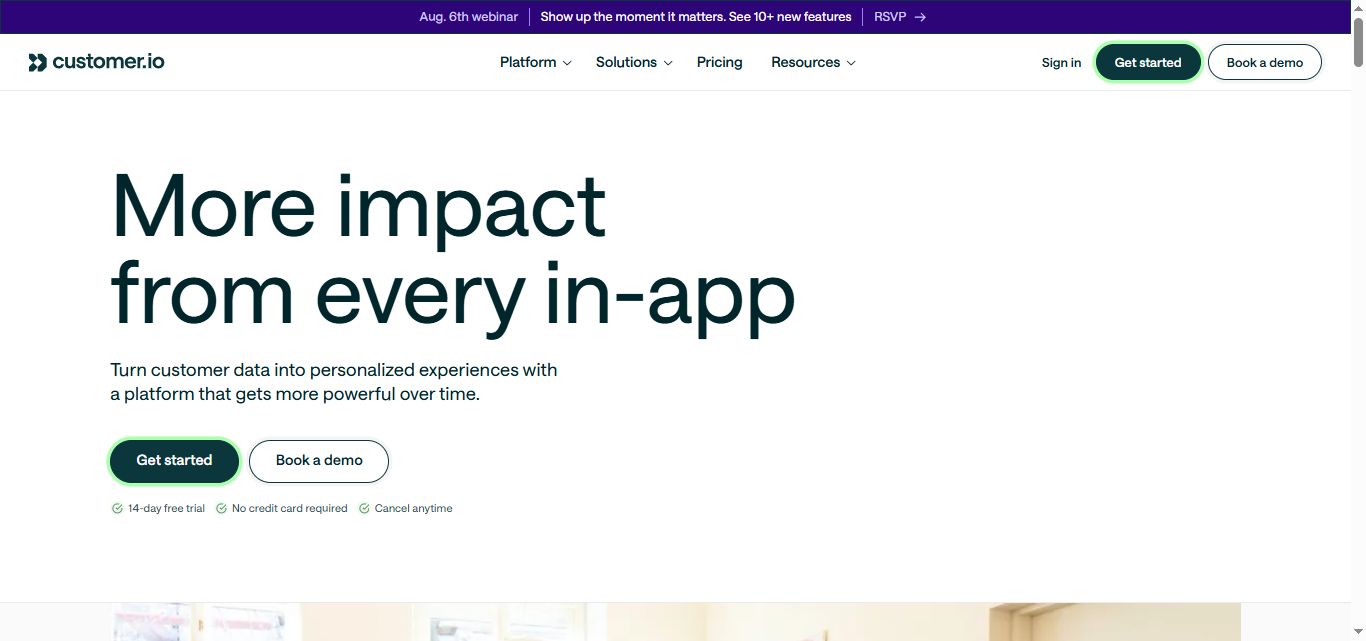
Customer.io triggers messages based on real-time user events, like completing an action, reaching a milestone, or going quiet for a set number of days.
This makes it a strong choice for product-led companies that want to turn in-app behavior into lifecycle campaigns without manual list management.
Visual Workflow Builder

The drag-and-drop builder lets marketing teams create multi-step journeys across email, push, and SMS without writing code.
Liquid syntax is available for teams that want more dynamic content, like personalizing messages based on user attributes or behavioral data.
Omnichannel Messaging
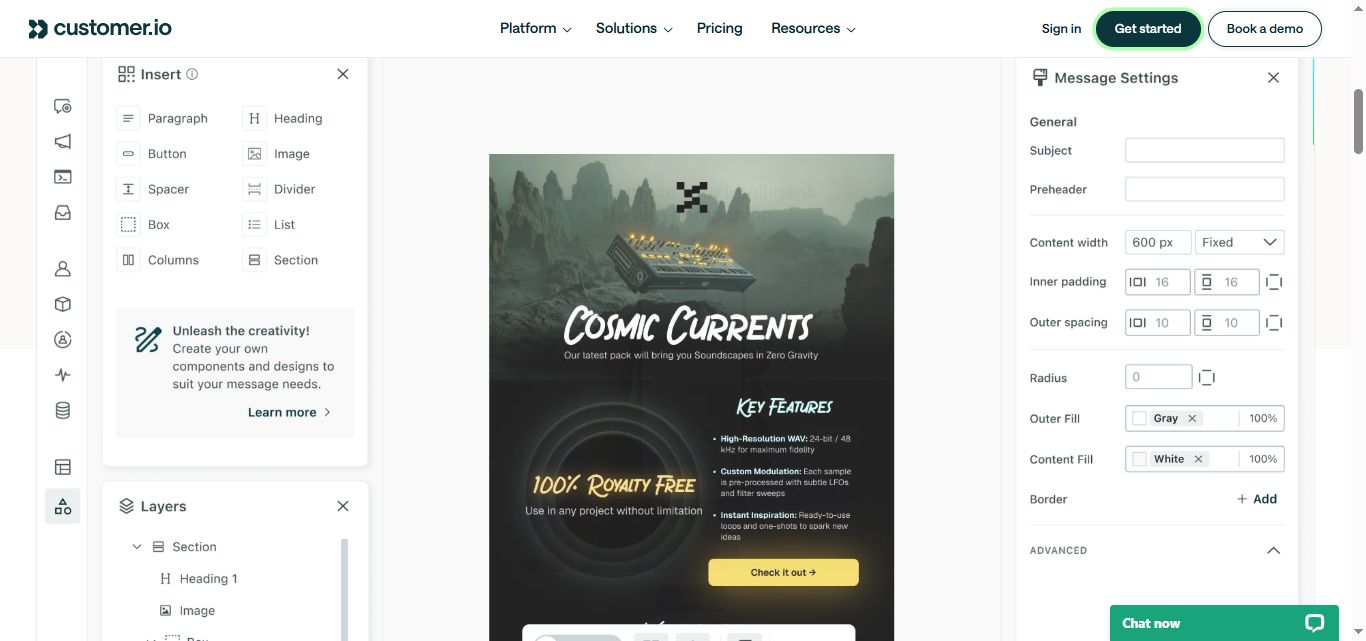
Email, SMS, push notifications, in-app messages, Slack, and webhooks all run through the same platform.
For teams sending across multiple channels, this reduces tool sprawl and makes it easier to build consistent customer journeys without switching between systems.
Segmentation and Filtering
Customer.io segments users based on events, attributes, and behavioral patterns in real time.
Teams can build audiences like "users who started a trial but haven't created a project in 3 days" and trigger campaigns the moment someone qualifies.
A/B Testing
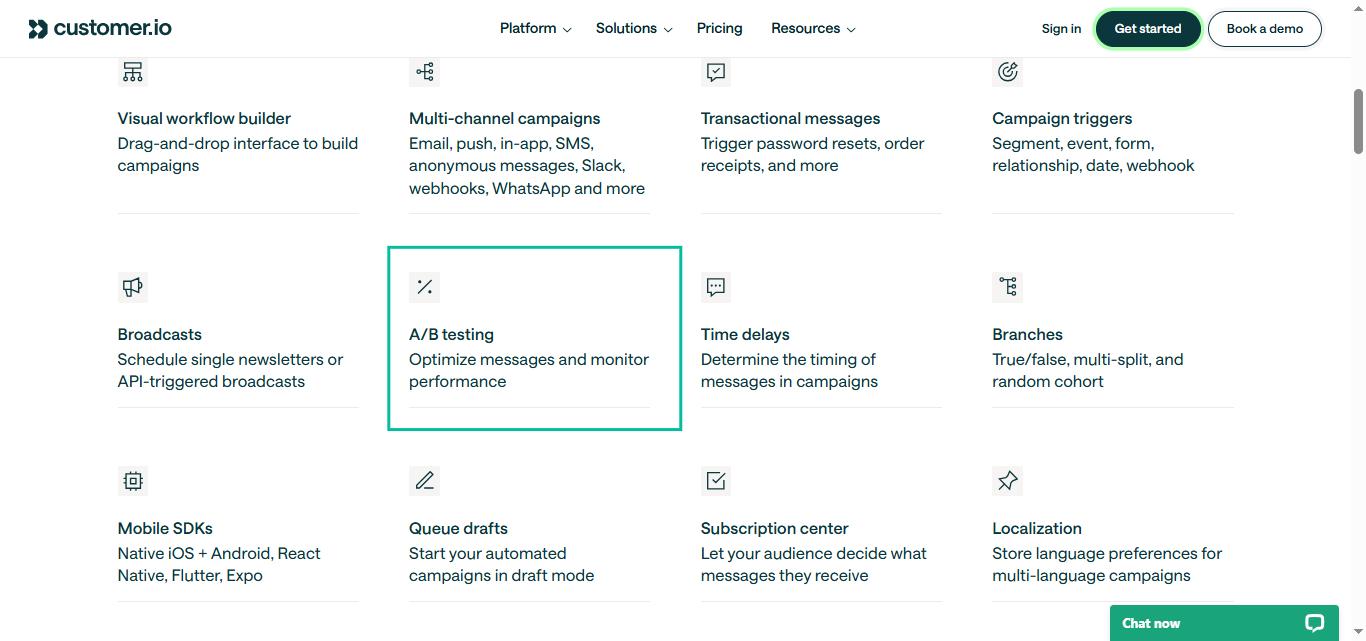
Split testing is available for messages and workflows, letting teams experiment with subject lines, content, timing, and branching logic.
Data Pipelines
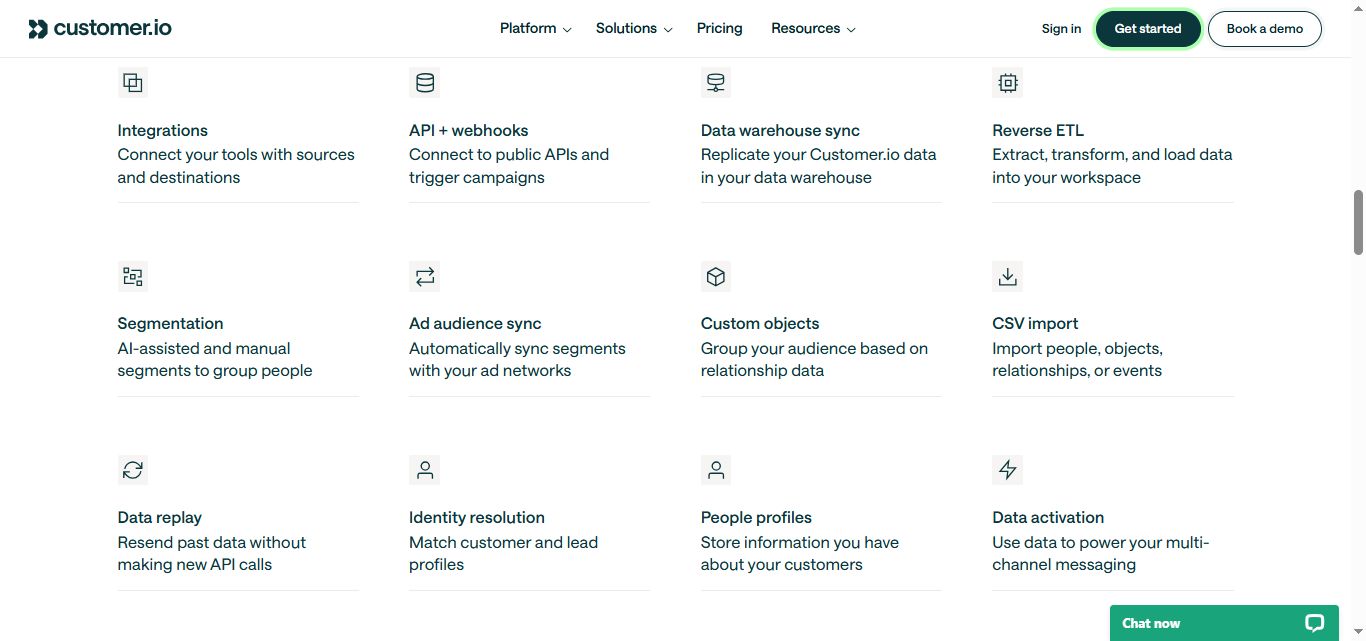
The platform includes basic data integration on Essentials and advanced data warehouse connections (Snowflake, BigQuery, Redshift) on Premium and Enterprise plans.
This positions it as a lightweight CDP for teams that want to unify customer data without a full data stack.
Customer.io Pricing: How Much Will It Cost?
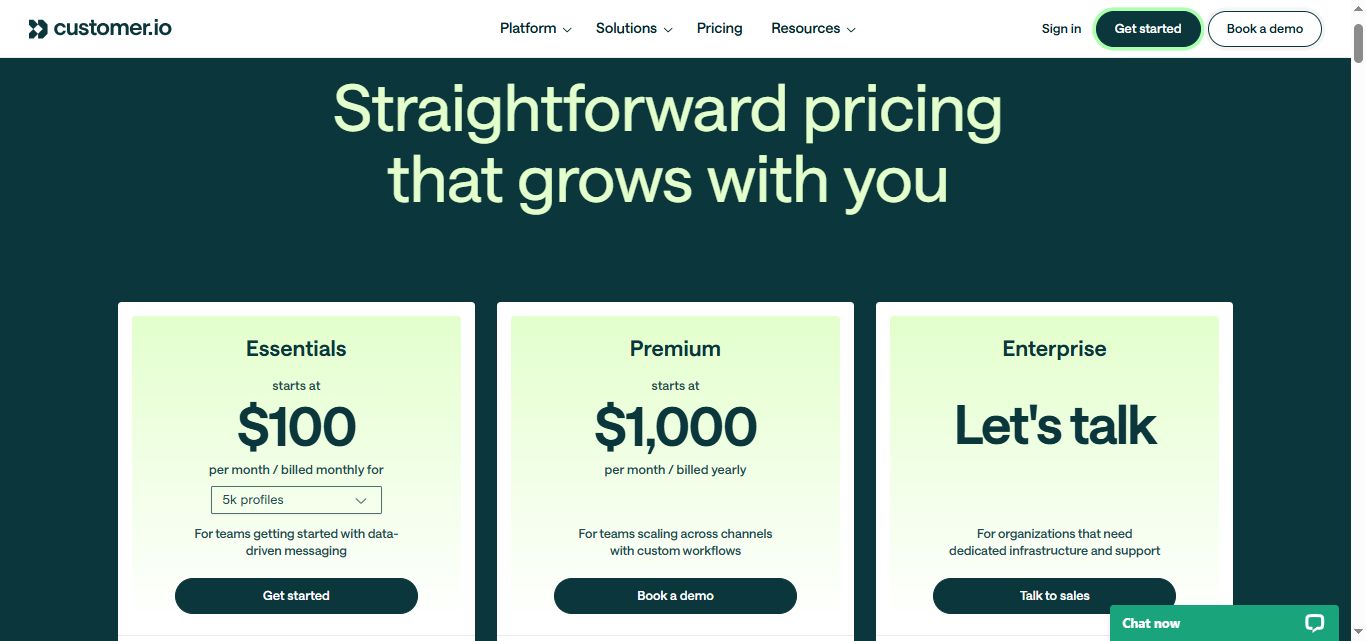
Free Trial: A 14-day free trial is available. You can send up to 5,000 messages across all channels during the trial. No credit card required.
Essentials Plan: $100/month (billed monthly): 5,000 profiles included. 1 million emails per month. Visual workflow builder, basic segmentation, A/B testing, and standard data integrations. Email and community support. Limited to 2 workspaces.
Keep in mind that profile overages are charged at $0.009 per extra profile, and billing is based on the highest profile count reached in the month, not your end-of-month number.
Premium Plan: Starting at $1,000/month (billed annually): Custom profile volume and pricing. 10 object types, elevated AI agent limits, daily routine scheduling, HIPAA compliance, 90-day onboarding support, managed deliverability, dedicated IPs, and premium data integrations including data warehouse connections.
Enterprise Plan: Custom pricing Everything in Premium plus priority support, a dedicated customer success manager, audit logging, data governance, and migration support. Pricing is negotiated based on volume and requirements.
7 Alternatives to Customer.io: Which One Actually Fits?
Now that you know what Customer.io can and can't do, here are seven tools that cover different parts of the problem: from affordable automation for smaller teams to enterprise-grade mobile engagement, ecommerce-specific messaging, and LinkedIn outreach.
SalesRobot

What it does: SalesRobot is a LinkedIn-native automation platform built for teams that need to find and reach prospects, not just message existing customers.
Where Customer.io handles lifecycle messaging for users already in your product, SalesRobot handles outbound prospecting on LinkedIn and email.
It automates connection requests, follow-up sequences, AI-personalized voice notes, and video messages.
Its AI Appointment Setter replies to leads instantly in your LinkedIn inbox and nurtures them until they're ready to book — no other LinkedIn automation tool offers this natively. It's a trainable add-on available across all plans.
For teams that need a consistent pipeline of new leads, SalesRobot fills a gap that Customer.io and most marketing automation platforms never touch.
Stands out for: AI-personalized voice notes and video messages on LinkedIn (up to 50/day, a feature no other tool offers), cloud-based safety using LinkedIn's mobile app APIs that reduces ban risk to near zero (runs 24/7 with no Chrome extension), AI Appointment Setter for nurturing leads to booking, and a unified inbox managing both LinkedIn and email.
Pricing: Basic at $39/account/month, Advanced at $59/account/month, and Professional at $79/account/month when billed annually (monthly rates are $59, $79, and $99). All plans include the AI Appointment Setter and a 14-day free trial with no credit card required. An email automation add-on is $15/email account/month.
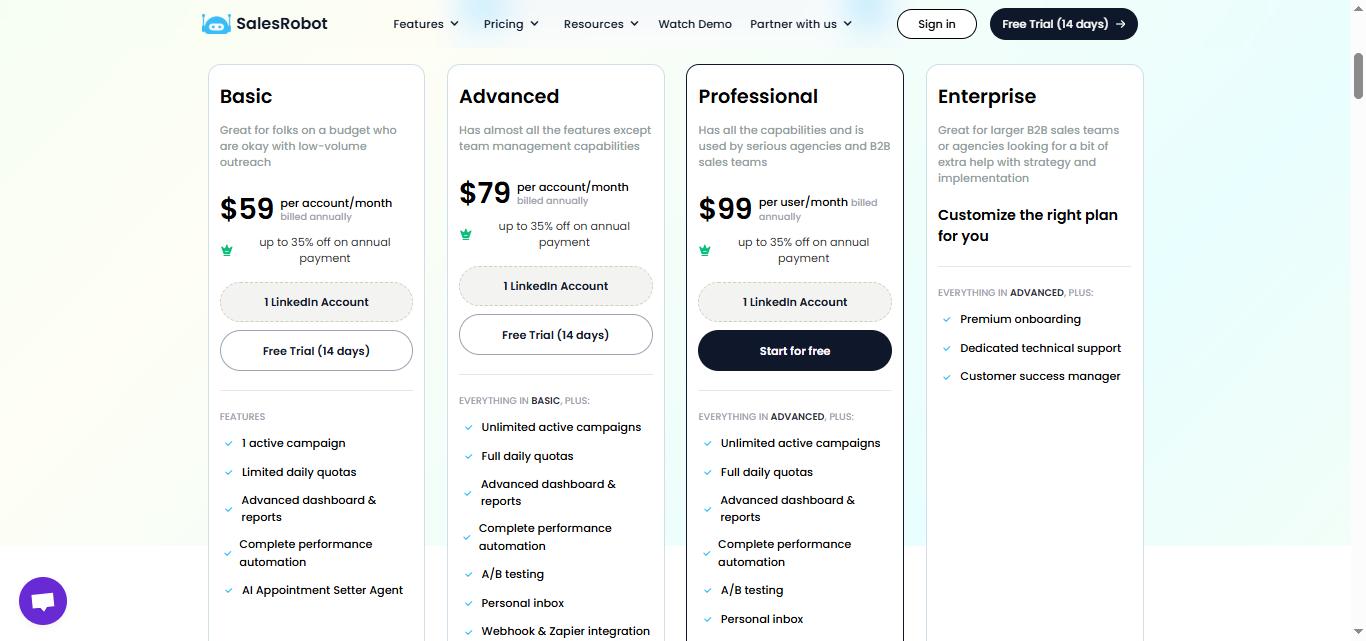
Best if: You need to generate new leads through LinkedIn outreach, not just nurture existing users. Also a strong complement to Customer.io if you run lifecycle messaging for existing customers but need a separate tool for top-of-funnel prospecting.
Braze

What it does: Braze is an enterprise customer engagement platform built for large B2C brands that need real-time, personalized messaging at massive scale across email, push, SMS, in-app, and web.
It's used by brands like Airbnb, HBO, and Headspace. Canvas Flow, its visual journey builder, is one of the most sophisticated in the market. It handles billions of messages during peak periods with 99.99% uptime.
The trade-off is cost and complexity. Braze requires dedicated implementation resources, often takes months to fully deploy, and typically starts around $60,000 per year.
Stands out for: Industry-leading mobile push notifications and in-app messaging, real-time data processing at massive scale, Canvas Flow visual journey builder, Braze Currents for data streaming to warehouses.
Pricing: Custom pricing only, no public rates. Typical entry-level contracts start around $60,000 per year. Mid-market deployments commonly run $100,000 to $200,000 per year. Enterprise contracts can exceed $1 million annually for large-scale deployments. Contact sales for a quote.

Best if: You're an enterprise brand with millions of active mobile users and the budget and engineering resources to support a full Braze implementation. Not the right fit for startups, mid-market teams without dedicated technical resources, or anyone on a tight budget.
Iterable
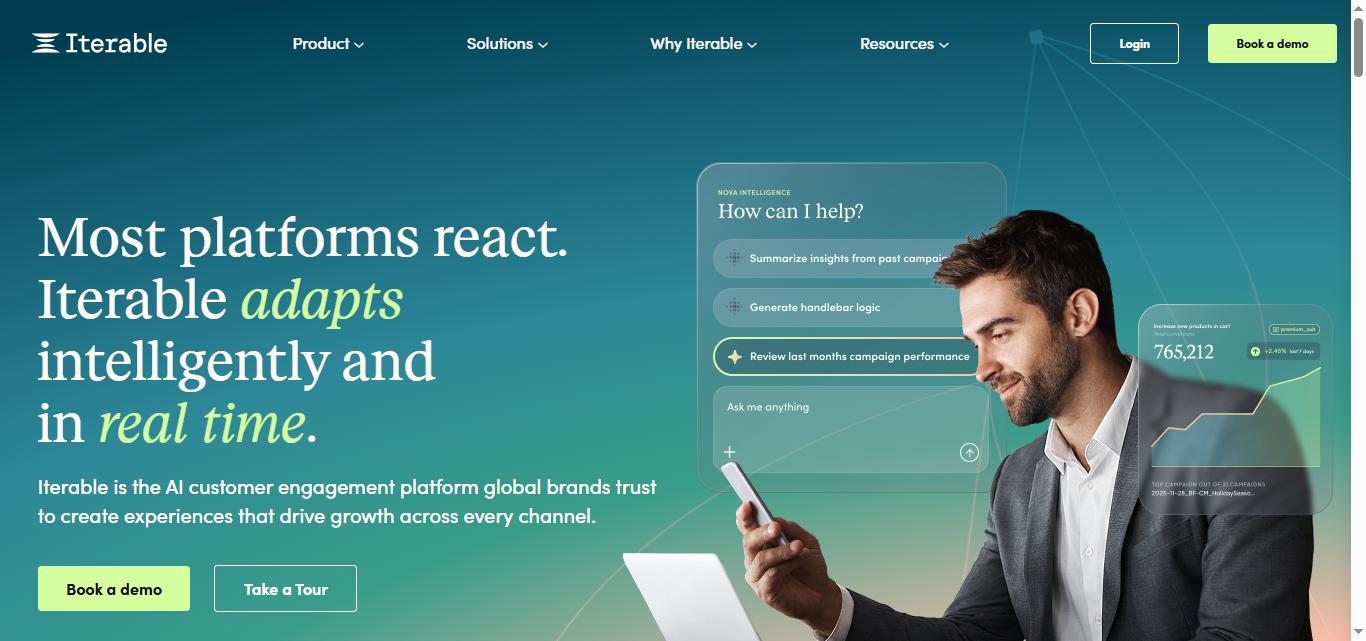
What it does: Iterable is a cross-channel marketing platform built for B2C companies that run complex, multi-step lifecycle campaigns across email, SMS, push, in-app, and web push.
Its Workflow Studio is one of the most flexible journey builders available, supporting conditional logic, time delays, channel preference checks, A/B splits, and webhook triggers. The platform stores unlimited custom user attributes and supports catalog-based dynamic content for personalized recommendations at scale.
Like Braze, Iterable is enterprise-priced and requires a sales conversation before you see any numbers.
Stands out for: Flexible multi-channel workflow builder with sophisticated conditional logic, unlimited custom user profile attributes, Catalog for dynamic personalization at scale, Iterable AI Suite for predictive goals and message optimization.
Pricing: Custom pricing only, no published rates. They don’t even have a pricing page. Based on industry data, plans typically start around $500/month for smaller volumes and $20,000+ per year for deployments covering 50,000 monthly active users. Mid-market deployments commonly range from $3,000 to $6,000 per month. Contact sales for a quote.

Best if: You're a growth-stage or enterprise B2C company running high-volume cross-channel campaigns and need a journey builder that can handle complex, conditional logic without hitting walls. Not suited for teams that need quick self-serve setup or predictable transparent pricing.
Klaviyo
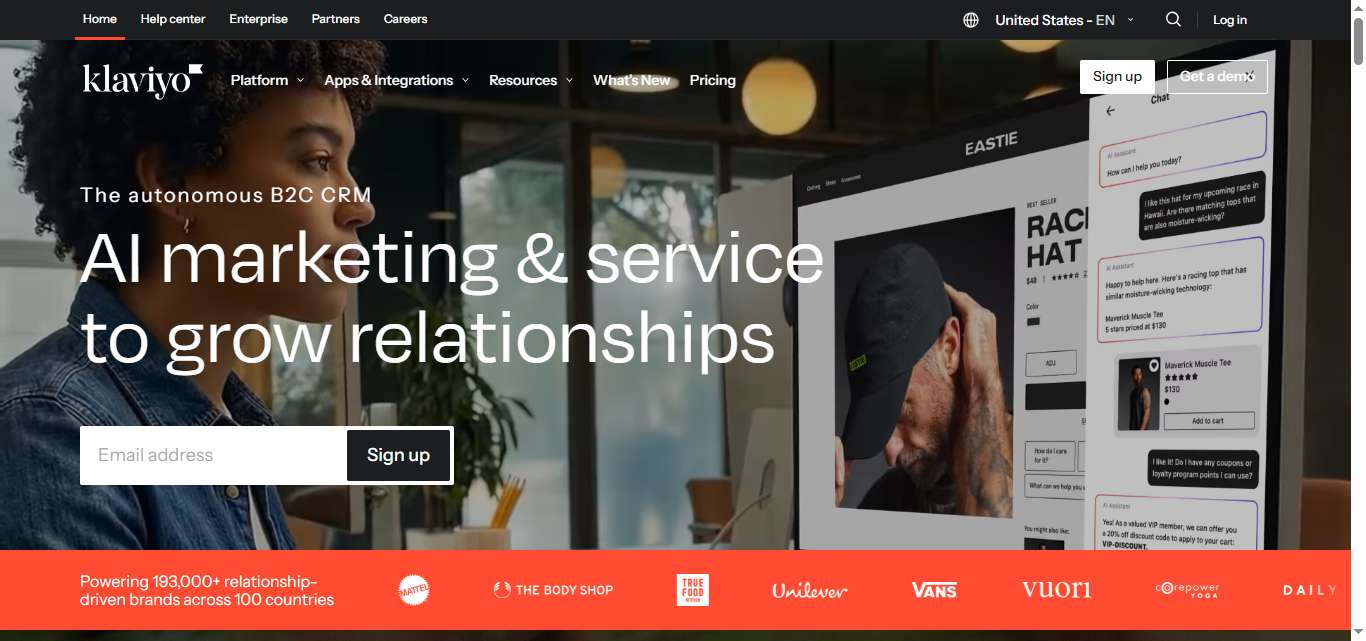
What it does: Klaviyo is the dominant email and SMS marketing platform for e-commerce. It integrates deeply with Shopify, WooCommerce, and BigCommerce, and uses purchase behavior data to power automated flows like abandoned cart, post-purchase sequences, and win-back campaigns.
It includes built-in revenue attribution, showing how much direct revenue each campaign or flow generates. For ecommerce brands, that kind of reporting is hard to find elsewhere.
Where Customer.io is built for SaaS and product-led companies, Klaviyo is built for online stores.
Stands out for: Deep Shopify and ecommerce platform integrations, built-in revenue attribution per campaign and flow, pre-built ecommerce automation flows, predictive analytics for customer lifetime value.
Pricing: Free plan up to 250 contacts with 500 email sends per month (support access ends after the first 60 days). Email plan starts at $20/month for 500 contacts, scaling to $30/month for 1,000 contacts and roughly $150-$175/month for 10,000 contacts. Email and SMS combined plans start at $35/month. Pricing scales steeply with contact count.

Best if: You run an ecommerce business and want the deepest possible integration with your store, built-in revenue reporting, and pre-built flows for cart recovery and post-purchase sequences. Less suited for SaaS, B2B, or companies without a direct commerce component.
HubSpot
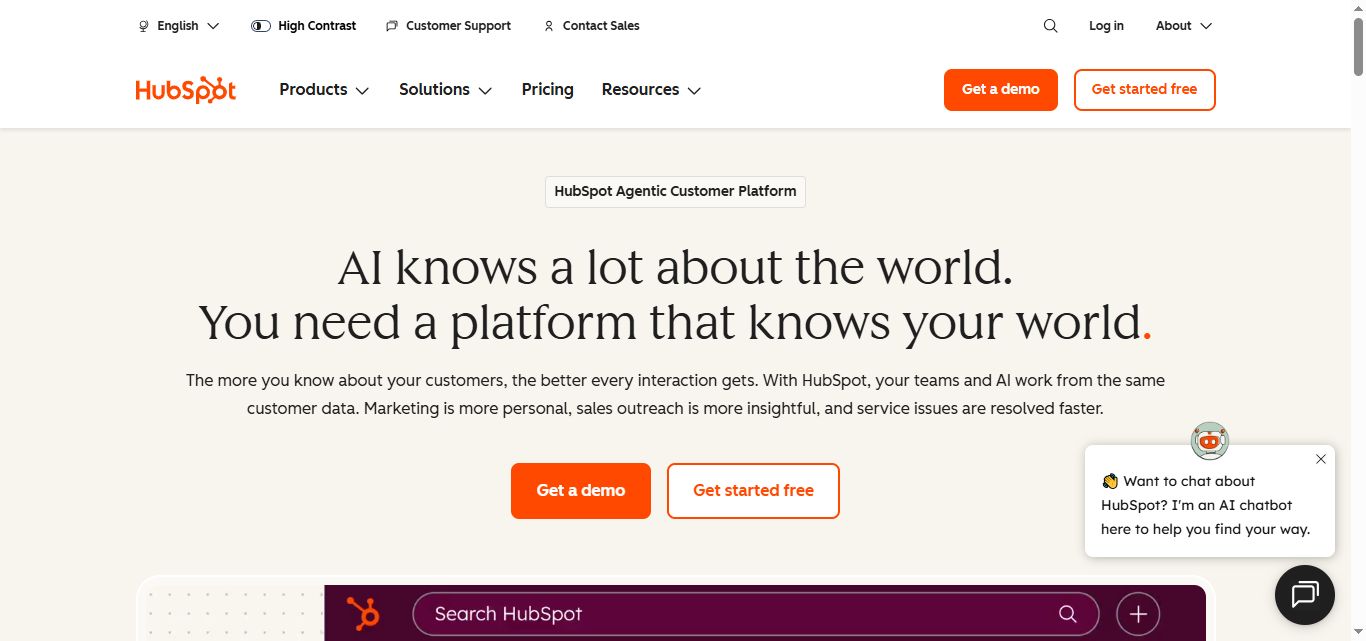
What it does: HubSpot is an all-in-one platform combining Marketing Hub, CRM, Sales Hub, and Service Hub. Its core strength is keeping marketing and sales data in the same system, so leads moving through nurture sequences and sales stages stay in sync without custom integrations.
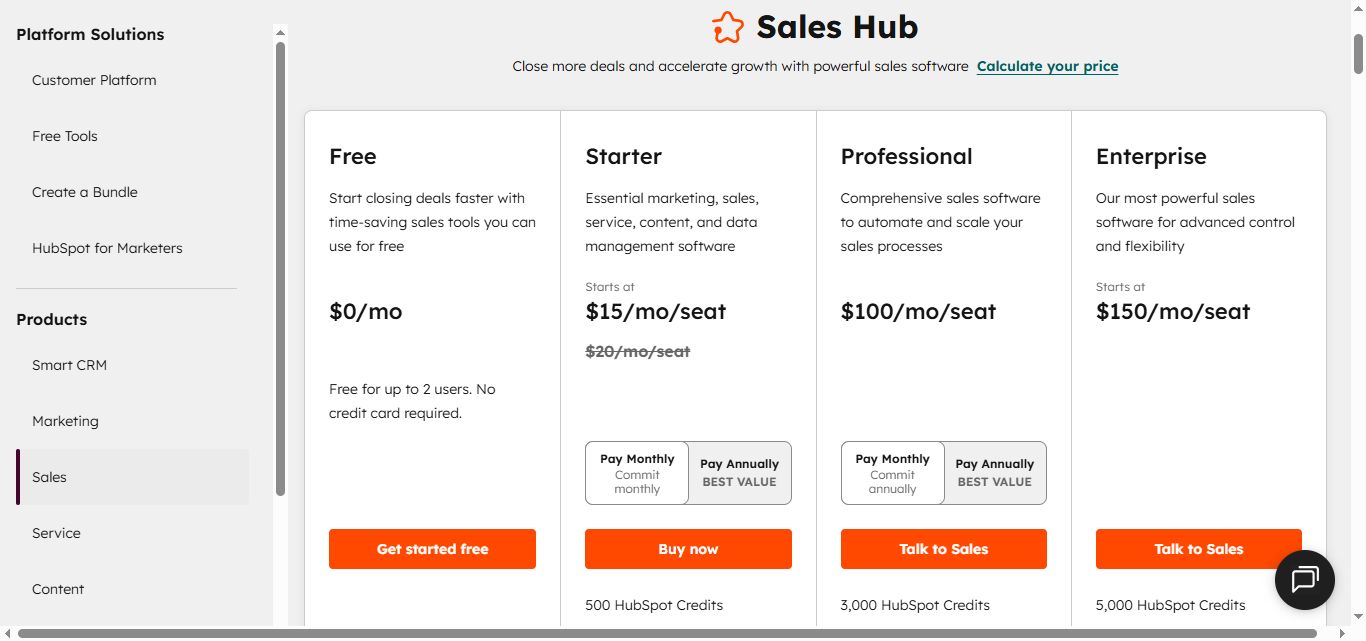
The free CRM is genuinely useful as a starting point. But the automation features most teams actually need sit behind Professional at $890/month (or $800/month billed annually), which also requires a mandatory $3,000 onboarding fee and annual commitment.
For teams that want marketing, CRM, and sales in one place and can justify the Professional tier pricing, HubSpot creates strong cross-functional visibility.
Stands out for: Marketing and sales CRM fully unified in one platform, strong content tools including landing pages and forms, extensive integration ecosystem, pipeline visibility connecting marketing activity to revenue.
Pricing: Free plan available with basic CRM and contact management. Starter at $15/seat/month billed annually ($20 month-to-month), 1,000 marketing contacts, no advanced workflow automation. Professional at $890/month ($800/month billed annually), 3 core seats and 2,000 marketing contacts included, full automation, A/B testing, smart content, plus a mandatory one-time $3,000 onboarding fee.
Best if: You want marketing, sales, and CRM unified in a single platform and are comfortable with the Professional tier pricing. Less ideal if you only need email automation and don't need the CRM depth, or if the pricing jump from Starter to Professional is too steep.
ActiveCampaign

What it does: ActiveCampaign is a marketing automation platform built for small to mid-size businesses that want sophisticated automation without enterprise pricing. It includes a built-in CRM, lead scoring, 900+ pre-built automation templates, and conditional logic that runs deep.
It supports email, SMS (as an add-on), and site messaging. The visual automation builder is one of the strongest in its price range, and the platform integrates with 900+ tools.
For teams that have outgrown basic email tools but can't justify Customer.io's pricing or HubSpot's Professional tier, ActiveCampaign is often the answer.
Stands out for: 900+ pre-built automation templates and recipes, built-in CRM with lead scoring and pipeline management, strong conditional automation logic, excellent deliverability and high inbox placement rates.
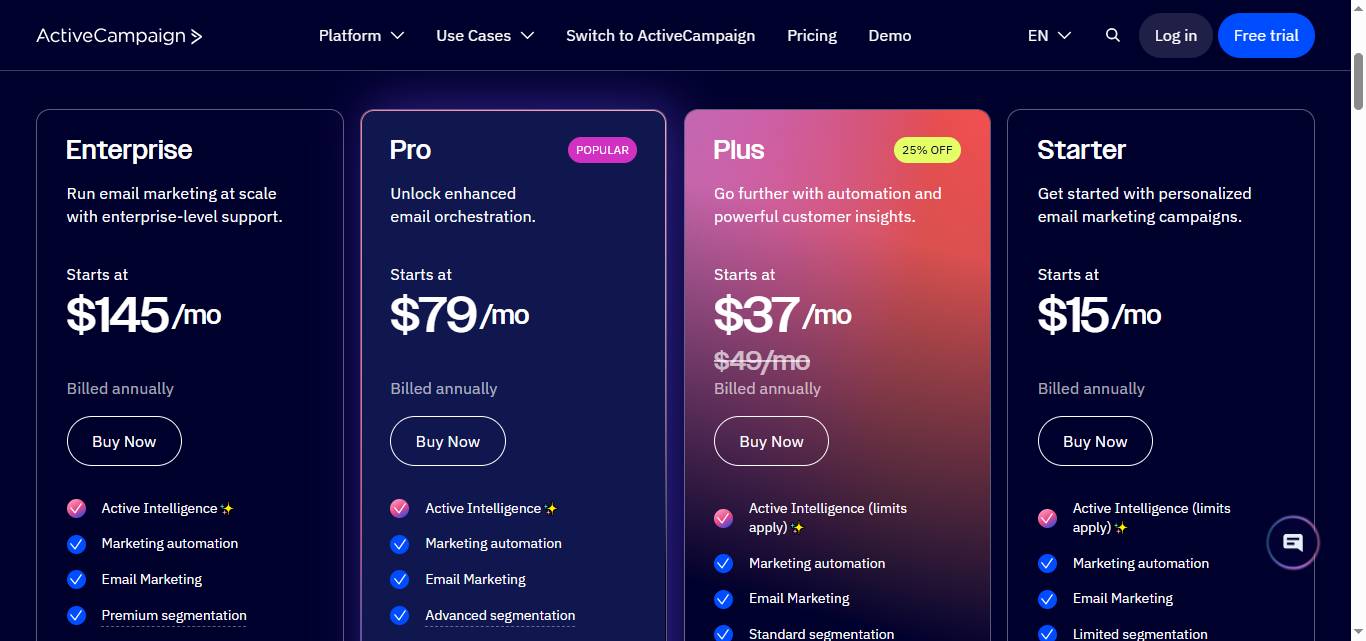
Pricing: Starter plan at $15/month. Plus at $49/month. Professional (Pro) at $79/month, adding predictive sending, attribution reporting, and AI features. Enterprise at $145/month. All prices are for 1,000 contacts, billed annually, and scale with contact count.
Best if: You're a small to mid-size business that needs real marketing automation with a built-in CRM at an affordable starting price. Also a strong choice for teams migrating away from basic tools like Mailchimp who need more sophisticated automation without paying HubSpot Professional prices.
Ortto

What it does: Ortto is a marketing automation and analytics platform that combines customer data, journey automation, and built-in analytics in a single tool.
It's particularly strong for growth-stage SaaS and D2C brands.
Unlike most automation platforms, Ortto includes native analytics and reporting that eliminate the need for a separate BI tool. Teams can track campaign performance, user behavior, and revenue attribution inside the platform.
It supports email, SMS, in-app messaging, push notifications, and live chat, all built into a visual journey builder.
Stands out for: Built-in analytics and BI-style reporting without needing external tools, native multi-channel support across email, SMS, push, and in-app, strong customer data platform for segmentation, well-suited to SaaS lifecycle and product-led growth workflows.
Pricing: Starter plan at $199/month for 5,000 contacts (about $169/month billed annually). Professional starts around $509-$599/month for 10,000 contacts. Business at $849-$999/month. Enterprise pricing is custom.
Note: the Starter minimum covers 5,000 contacts, so teams with smaller lists still pay the $199/month minimum with no smaller entry tier.

Best if: You're a SaaS or D2C brand that wants lifecycle automation with native analytics built in, and you don't want to pay separately for a BI tool to understand your campaign data. The higher entry price compared to ActiveCampaign is justified if you'd otherwise need a separate analytics platform.
The Verdict
There's no single best Customer.io alternative. The right tool depends on who you're trying to reach and where your current setup is falling short.
✅ If you need behavior-based lifecycle messaging for existing users at a lower price point, ActiveCampaign or Ortto both deliver strong automation without the technical overhead Customer.io requires.
✅ If e-commerce is your world and you want revenue attribution built in, Klaviyo is the clear choice.
✅ If you need enterprise-grade mobile engagement at massive scale, Braze and Iterable are built for that, and priced accordingly.
✅ If you need to bring marketing, CRM, and sales under one roof, HubSpot makes that case better than anyone.
✅ If you need to generate new leads through LinkedIn outreach rather than just message existing customers, SalesRobot is the only tool on this list purpose-built for that.
The biggest mistake teams make is evaluating tools on features alone.
The real question is: where does your current workflow actually break down?
Bottom Line
Customer.io is a powerful platform for product-led teams that need event-triggered, behavior-based messaging across multiple channels. It handles complexity that simpler tools can't.
But the profile-based pricing model, the technical learning curve, and the significant jump between Essentials and Premium mean it's not the right fit for everyone.
Here's where each alternative lands:
✅Customer.io — Behavior-based messaging with a learning curve. Best for product-led SaaS teams with technical resources. The event-triggered architecture is genuinely powerful. But the pricing model can surprise teams that grow fast, and getting full value requires engineering involvement.
✅SalesRobot — Generates new leads, while others nurture existing ones. Every other tool on this list is built to message people already in your system. SalesRobot is built to find and reach new prospects on LinkedIn. If top-of-funnel is your problem, it's the only tool here that actually solves it.
✅Braze — Enterprise mobile engagement for brands with the budget. The strongest mobile platform available, with the pricing and implementation complexity to match. Realistic for enterprise brands. Not realistic for most.
✅Iterable — Cross-channel lifecycle for B2C at scale. Flexible multi-channel workflows with strong AI personalization. Like Braze, it's custom-priced and enterprise-focused. The Workflow Studio is genuinely best-in-class if you need complex journey logic.
✅Klaviyo — E-commerce email and SMS with real revenue reporting. The go-to platform for online stores. If you're on Shopify, it's the shortest path from "email" to "revenue attributed to email." Outside of ecommerce, it's probably the wrong tool.
✅HubSpot — Marketing, sales, and CRM for teams that want everything in one place. The unified platform advantage is real if you use multiple Hubs together. The Professional tier is where automation actually lives, and that price jump is significant. Best for teams that need marketing and sales aligned on a single system.
✅ActiveCampaign — The mid-market automation workhorse. The best combination of automation depth and affordable pricing for growing teams. If you've outgrown Mailchimp but can't justify Customer.io or HubSpot Professional, this is where most teams land.
✅Ortto — Lifecycle automation with analytics built in. The strongest choice for SaaS and D2C teams that want automation and reporting in one tool. The $199/month minimum entry price is higher than ActiveCampaign, but it replaces a separate BI tool for many teams.
Not sure where to start? SalesRobot's 14-day free trial lets you run a real LinkedIn outreach campaign and see how prospects respond to personalized messages, with no commitment and no credit card required.
Frequently Asked Questions
Which Customer.io alternative is best for outbound lead generation?
SalesRobot is the only tool on this list built for outbound prospecting. While Customer.io, Braze, Klaviyo, and the others message people already in your system, SalesRobot finds and reaches new prospects on LinkedIn and email with automated sequences, AI voice notes, and an AI Appointment Setter that books meetings.
Does Klaviyo charge for contacts you don't email?
Klaviyo bills by active profiles — any contact you can email, text, or push to. Suppressed and unsubscribed profiles generally aren't counted, so list hygiene directly controls cost. Prices scale steeply above 10,000 contacts, and Klaviyo self-serve plans are billed monthly with no annual discount as of 2026.
Is Customer.io's high-watermark billing based on peak or average profiles?
Customer.io bills on the highest profile count reached during a given month, not your average or end-of-month number. This means a temporary spike in profiles can raise your bill for that whole cycle, so teams that grow or clean lists in bursts should watch their peak profile count closely.
Can I use SalesRobot alongside Customer.io or another lifecycle marketing tool?
Yes, and many teams do. SalesRobot is built for outbound prospecting (finding and booking new leads on LinkedIn and email), whereas Customer.io, Klaviyo, and ActiveCampaign focus on inbound lifecycle marketing (messaging users already in your database). Using SalesRobot at the top of the funnel feeds qualified leads directly into your product, where lifecycle tools take over.

Wow your leads by cloning yourself and sending personalized videos and voice notes to each lead on LinkedIn.
If you don't reply to leads within 5 mins, your chances of converting them fall by 50%. Our AI replies on your behalf instantly! (and yes, you can train it)

Don't shoot in the dark. Get detailed analytics on what's working

SalesRobot allows you to invite other team members, so that they can add their LinkedIn Account, run outreach campaigns and get amazing results just like you.
.avif)


Trusted by 4100+ innovative B2B sales teams and lead gen agencies

.avif)

.avif)




.avif)


Heading 1
Heading 2
Heading 3
Heading 4
Heading 5
Heading 6
Lorem ipsum dolor sit amet, consectetur adipiscing elit, sed do eiusmod tempor incididunt ut labore et dolore magna aliqua. Ut enim ad minim veniam, quis nostrud exercitation ullamco laboris nisi ut aliquip ex ea commodo consequat. Duis aute irure dolor in reprehenderit in voluptate velit esse cillum dolore eu fugiat nulla pariatur.
Block quote
Ordered list
- Item 1
- Item 2
- Item 3
Unordered list
- Item A
- Item B
- Item C
Bold text
Emphasis

Superscript
Subscript