.avif)
TL;DR: GMass Review & Better Alternative
GMass: Email automation tool inside Gmail.
Features: mail merge with Google Sheets, automated follow-ups, A/B testing, scheduling, SMTP integration. Pricing: $20.75-49/mo (individuals), $145-1833/mo (teams).
Pros: Works seamlessly with Gmail, Google Sheets sync, easy setup.
Cons: Billing/support issues, deliverability problems, expensive at scale, Gmail-only.
Problem: Email inboxes are flooded in 2026. LinkedIn gets higher response rates with genuine connections.
SalesRobot Alternative: LinkedIn + email automation with AI personalization, voice/video messages, account warm-up, safe limit bypassing, AI appointment setter. Pricing: $59-99/mo (14-day free trial).
Bottom Line: GMass works for Gmail-focused email campaigns. SalesRobot delivers better results via LinkedIn automation.
If you're considering GMass for your email marketing campaigns,
Here's what we know - GMass is a potential and popular option.
But is it worth it?
Email marketing is still an important part of lead generation in 2026, and is decently effective too.
So, if you're trying to get B2B leads via email, having a good automation tool comes in handy. You can easily scale it up without any headaches.
I tried GMass for an entire month to see if it lives up to the hype.
I put it to test on different parameters, and here's what we're gonna discuss in this GMass review:
✅ What are GMass's best features?
✅ Why you should use it.. and why you can skip it..
✅ An alternative that works wayyy better in 2026
It's going to be a long ride, so get your coffee, and let's begin!
GMass Review: What is GMass?
So, what exactly is GMass?

It's basically a bulk email tool built for Gmail users who want to send personalized emails at scale.
You can run email marketing campaigns, do lead generation, and follow up with prospects using GMass right from your Gmail account.
It also integrates with Google Sheets to personalize emails in bulk.
And yes, it even lets you schedule follow-ups, track opens, and clicks. Everything that makes your email marketing a lot easier.
How does GMass work?
GMass is an email automation tool that works inside Gmail.
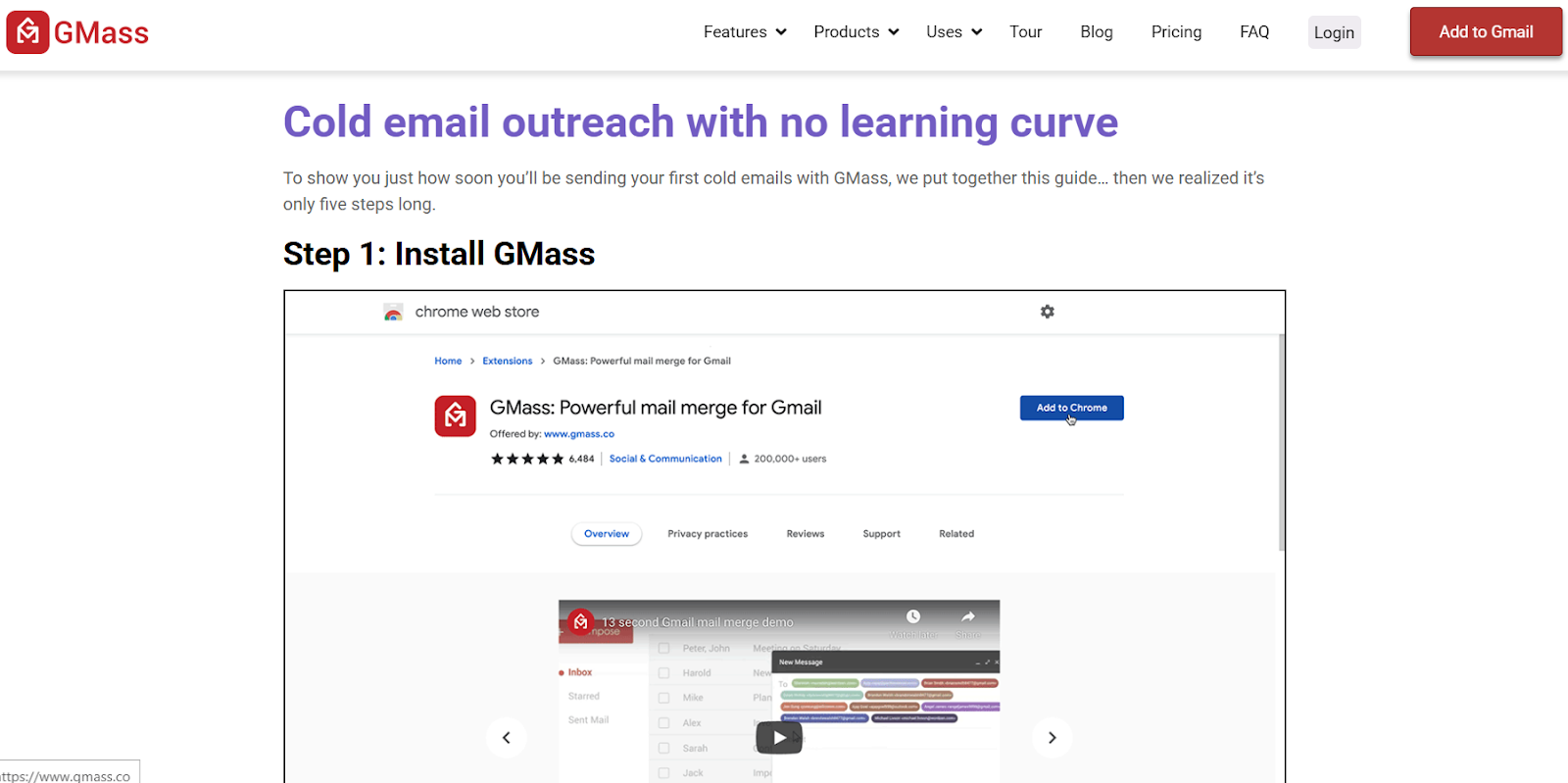
It helps you send bulk emails, track responses, and automate follow-ups without leaving your inbox.
Simple enough.
Key difference?
Its direct integration with Gmail makes it feel like an extension of your normal email workflow.
- First, you need to install the GMass Chrome extension, which adds GMass controls directly inside your Gmail. It sits inside your inbox, so there's no separate app to log into.
- If you have a contact list, you can store it in a Google Sheet and link it to GMass. This way, you can send personalized emails in bulk. You can pull in names, company details, or any other info from the sheet.
- Instead of using some complicated dashboard, you write your email inside Gmail just like you would with any normal email.
- Instead of clicking the usual "Send" button, you click the GMass button.
This tells GMass to send the email to everyone on your list, but in a way that makes each email look like it was sent individually.
- If you're doing cold email campaigns or need to remind people to respond, you can set up automatic follow-ups.
GMass will keep sending gentle nudges until they reply (or until you decide to stop).
- GMass also gives you real-time email tracking inside Gmail. You'll see who opened your emails, clicked links, replied, and bounced.
You might be thinking, all this is fine, but what good is it for? Is it basic email automation?
Not exactly.
GMass Review: GMass features
GMass also offers free email address verification on every paid plan (including Standard), so you don't need a separate list-cleaning tool. GMass has some great features that make it different from the other tools in the market right now. Let's see what these are:
GMass has some great features that make it different from the other tools in the market right now. Let's see what these are:
1. Send mass emails within Gmail's limits
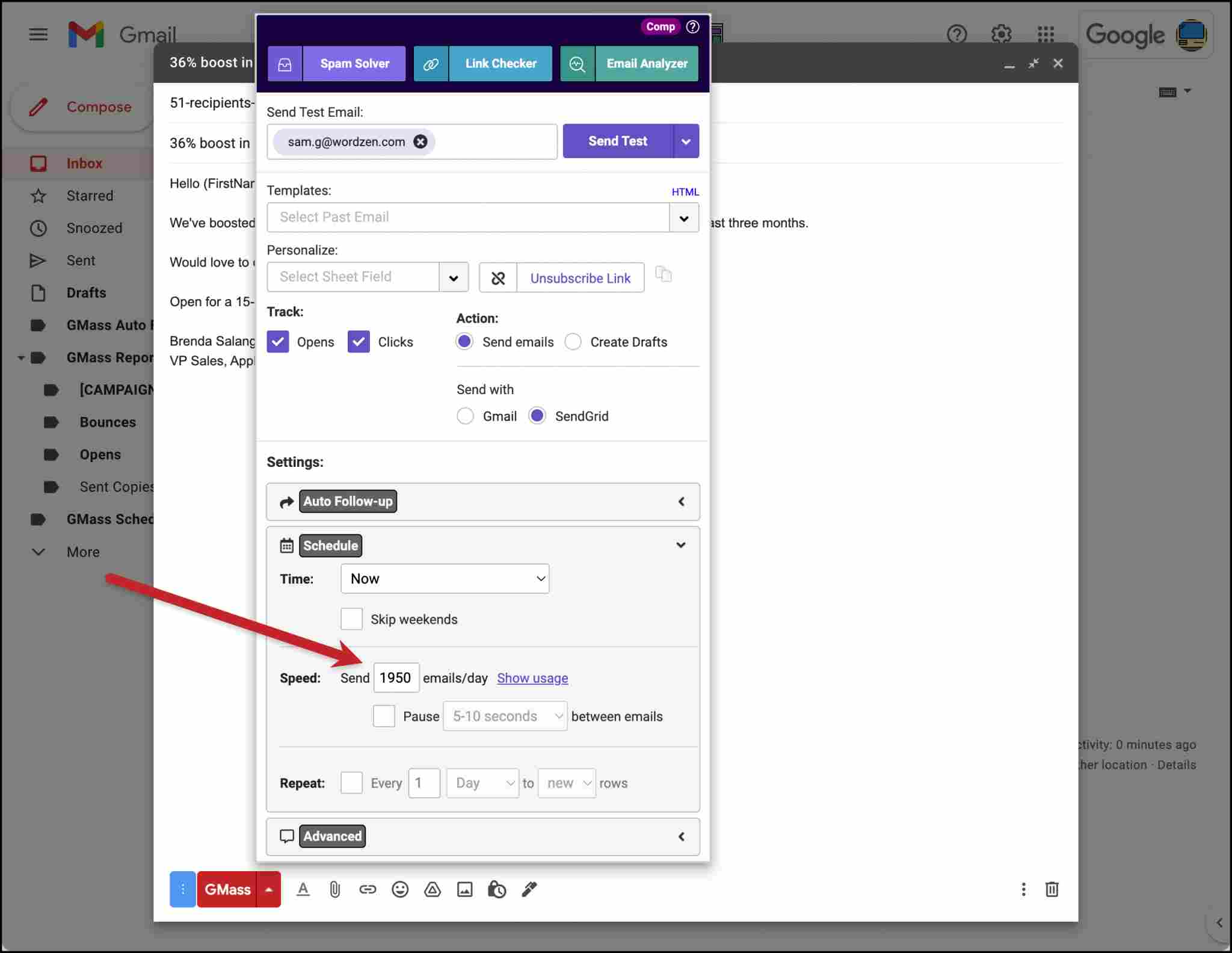
GMass operates within these boundaries but offers a workaround for larger campaigns.
By integrating with third-party SMTP services, GMass's automatic distributed scheduling allows you to exceed Gmail's native limits and send virtually unlimited emails.
2. Mail merge with Google Sheets
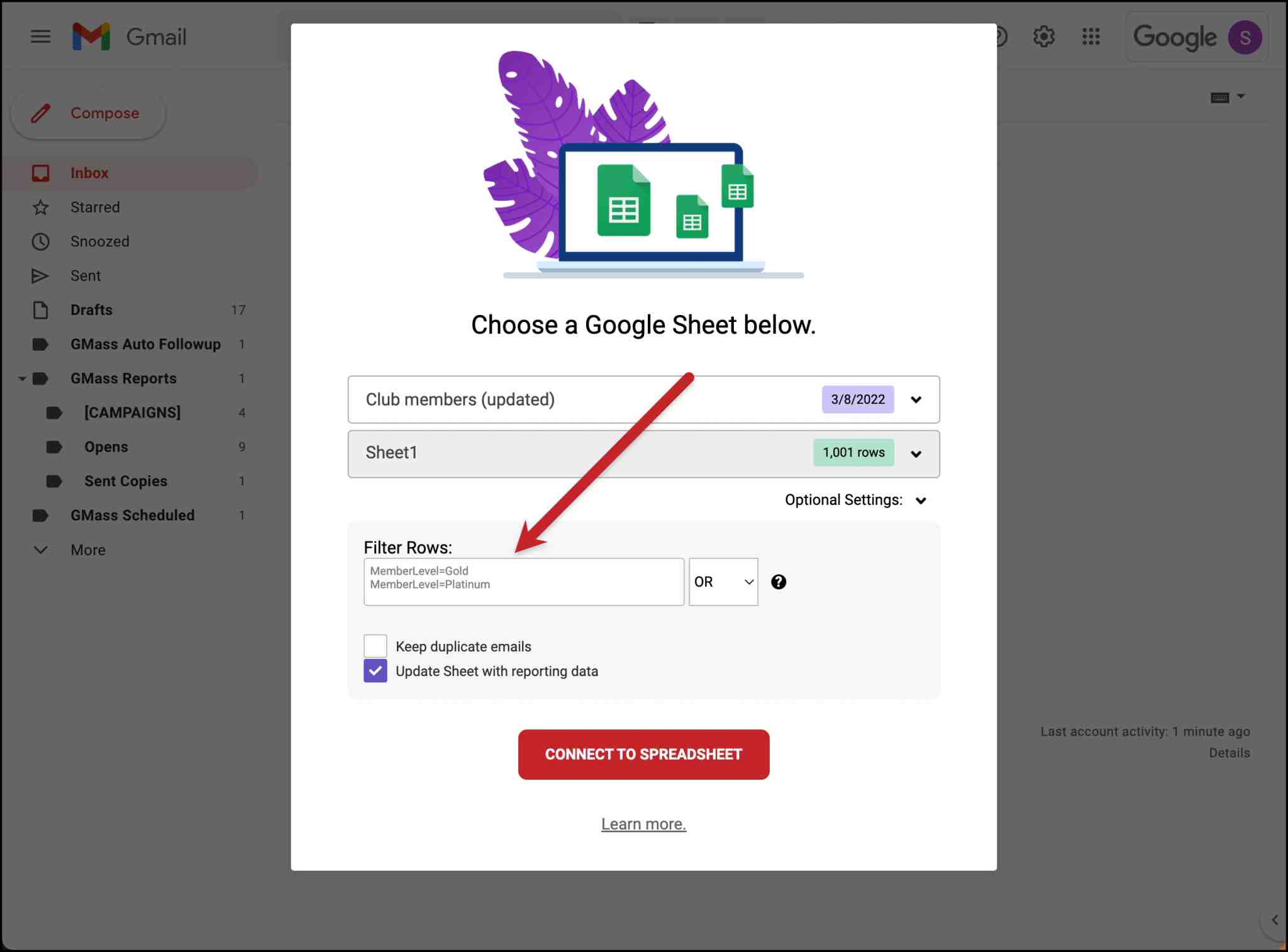
GMass connects with Google Sheets and simplifies the mail merge process.
By linking a Google Sheet to your campaign, you can personalize emails using any column data. This includes first names, company names, or custom details.
It also monitors your sheet for any new entries. It automatically sends emails to new rows, which is especially useful for ongoing lead generation or event registrations.
Not only that, but you can also track your entire campaign in Google Sheets.
3. Email reporting analytics

Curious about how your emails are performing?
Everyone is!
GMass provides detailed campaign-level reports. These show metrics like open rates, clicks, replies, and bounces.
These are accessible directly within Gmail on both desktop and mobile. This helps you gauge the effectiveness of your campaigns in real-time.
4. Personalization
Banking your cold email hopes on "Hi [FirstName]" messages isn't good enough anymore.
GMass allows you to personalize your messages extensively.
Connect to a Google Sheet and personalize emails using any column data. You can also utilize basic first and last name personalization without a spreadsheet.
If you don't have a recipient's first name, GMass can auto-detect it or use a fallback value to maintain a personal touch.
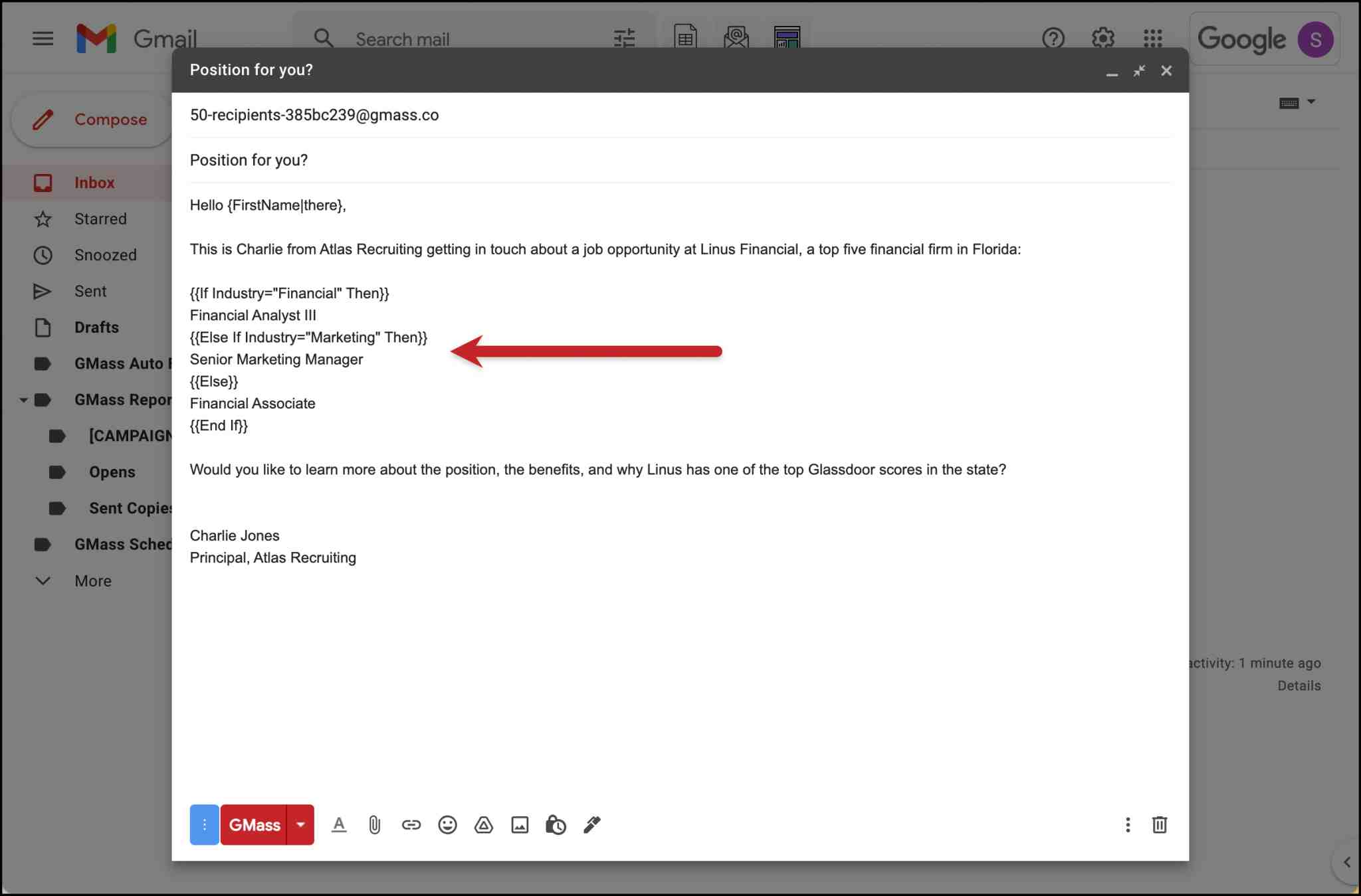
You can also use basic if/then conditions to hyper-personalize your emails. It's easy to set up.
5. Automated follow-up emails
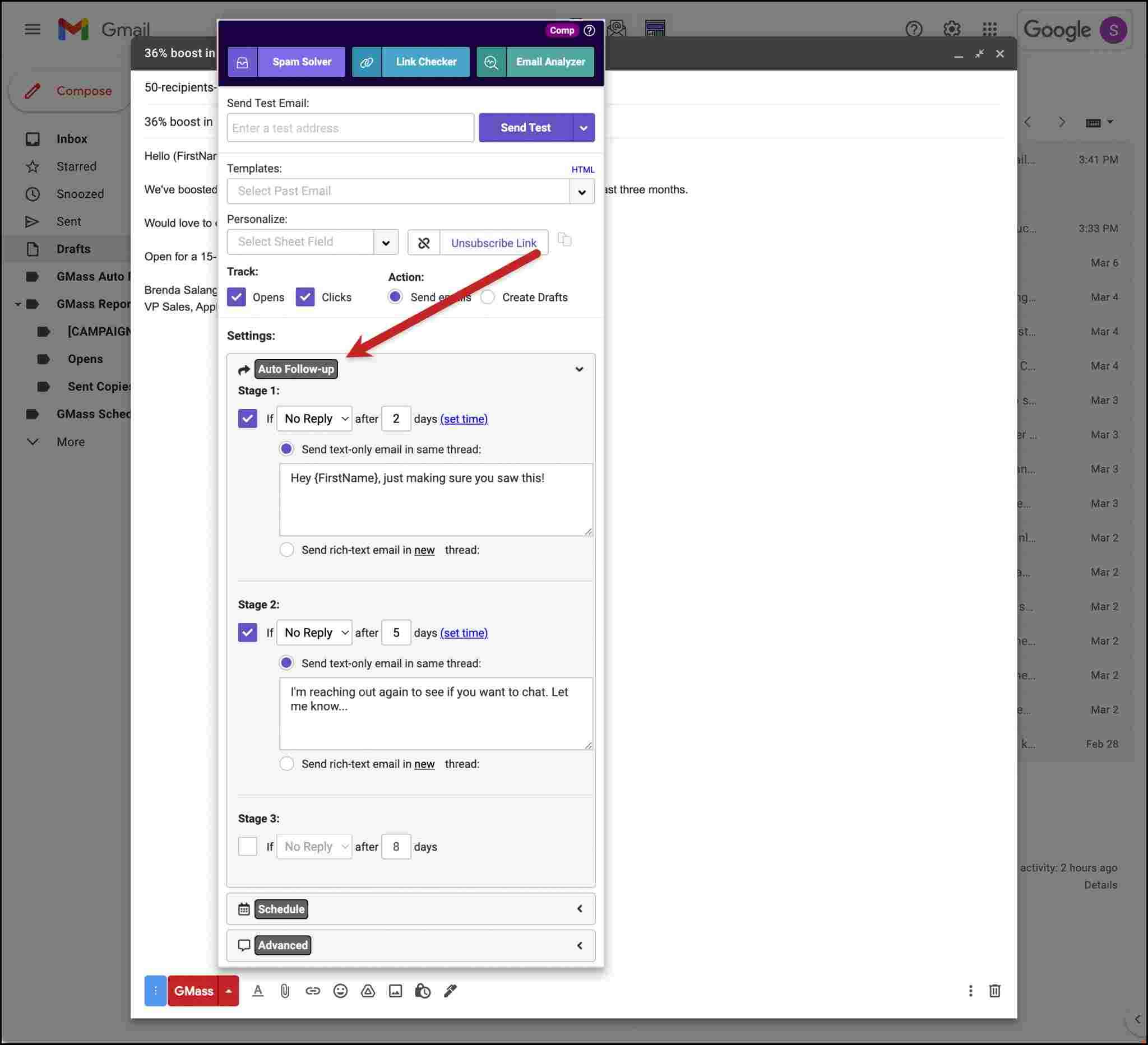
Following up can be time-consuming, but it's important for engagement.
Let's be honest. You aren't booking meetings just by sending a single message and calling it a day.
You need to follow up with your prospect consistently if you want the reply rates to skyrocket.
GMass automates this process by allowing you to set up a sequence of follow-up emails that continues until a recipient responds or the set number of attempts is reached.
You can customize the content, timing, and frequency of these follow-ups and make sure the communication is consistent without any manual intervention.
6. Scheduled and recurring emails
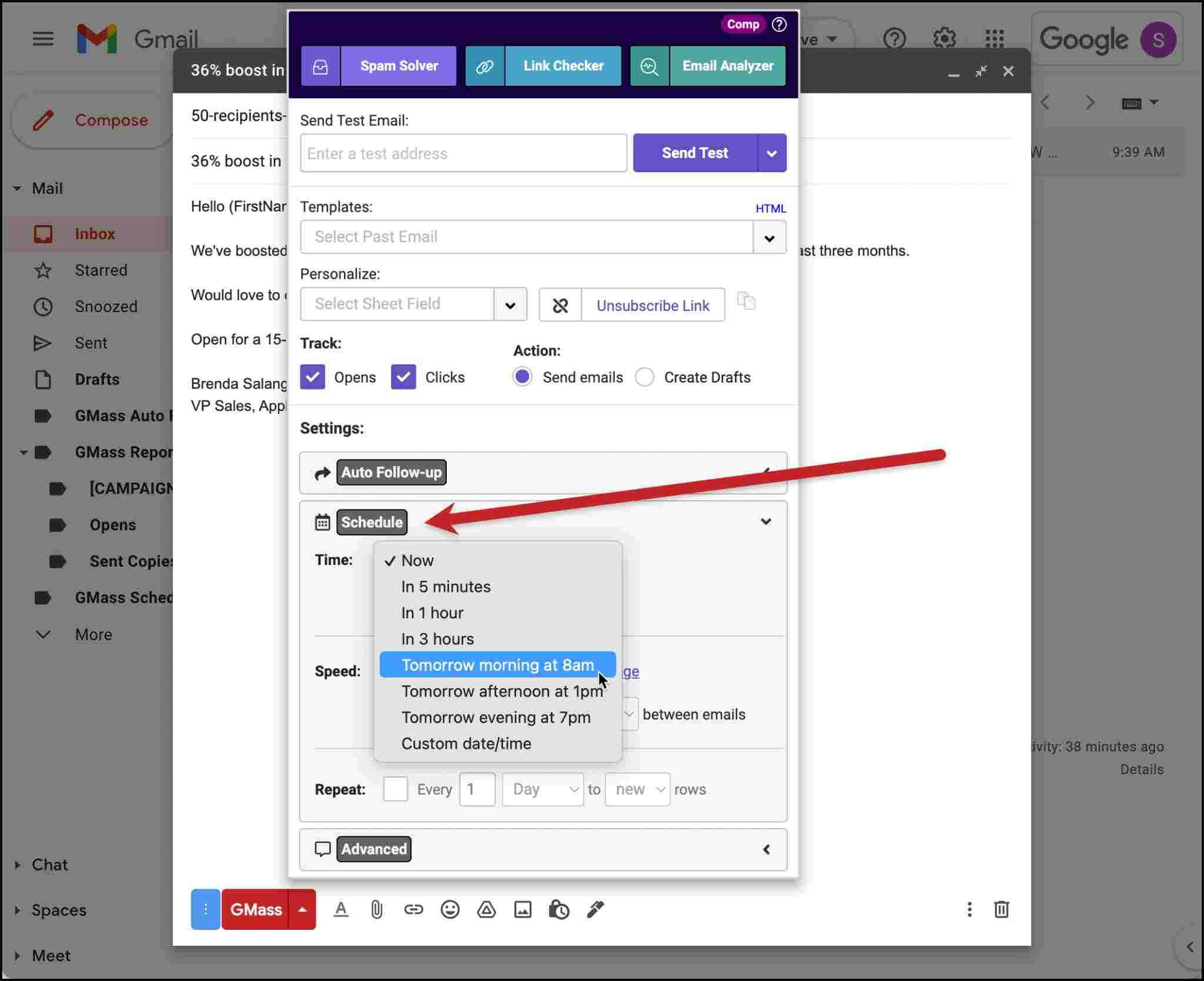
Timing can significantly impact email visibility and responses.
GMass enables you to schedule mass emails to be sent later so they reach recipients at optimal times.
You can also set up recurring emails for regular communications, such as weekly newsletters or monthly reports to automate your routine email campaigns. The tool even lets you schedule mail merges to repeat daily or hourly for ongoing outreach.
7. Segmented campaigns
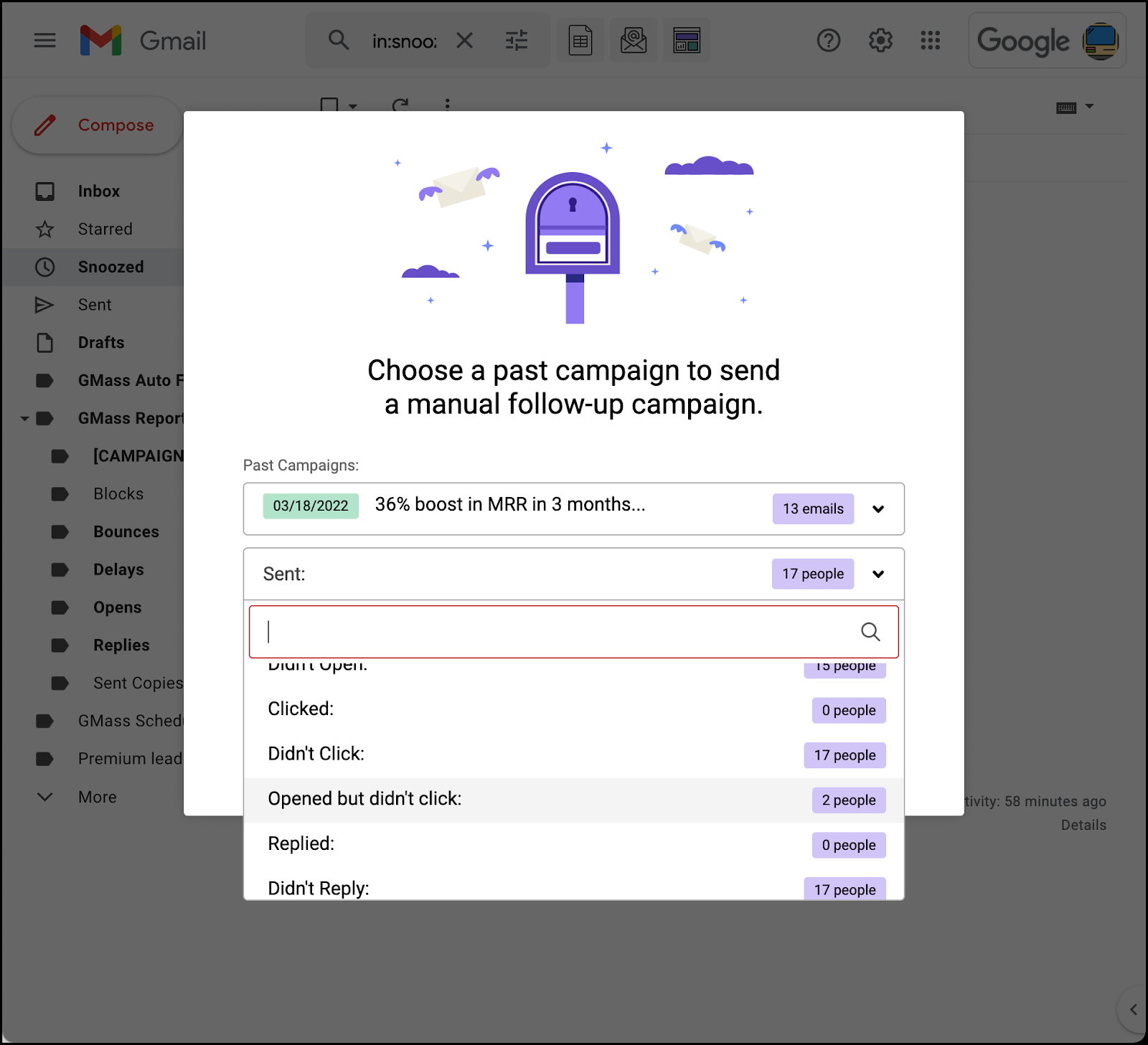
Want to target specific segments of your audience based on their previous behavior and stats?
GMass lets you send campaigns to subsets of previous recipients, such as those who opened your last email or those who didn't click on a link.
This way, you can improve your engagement rates even more.
8. Reply management
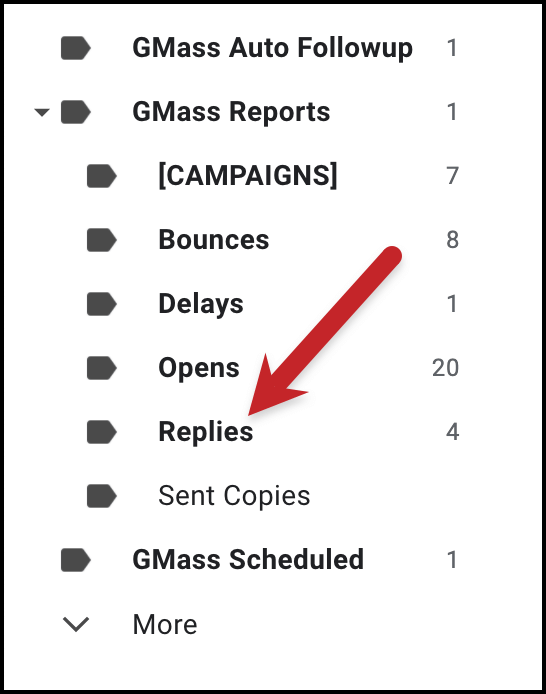
Managing responses from mass email campaigns can clutter your inbox.
GMass automatically categorizes incoming emails, including replies, opens, delays, bounces, etc., helping you maintain an organized inbox and focus on meaningful interactions.
9. Email list builder

Building a comprehensive email list is important for effective campaigns.
GMass helps you by searching through your Gmail account to find email addresses via searches and labels, simplifying the process of compiling and expanding your email list.
10. A/B testing
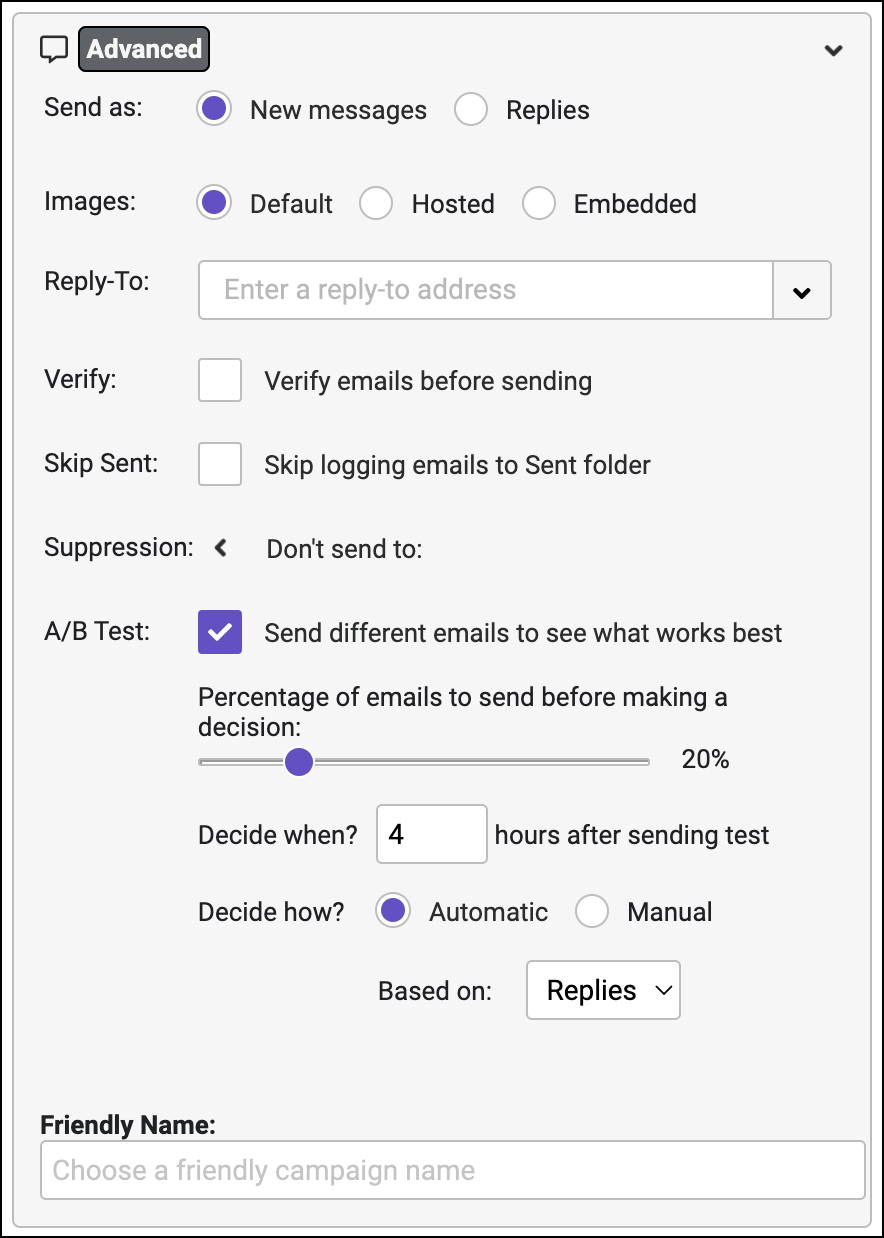
Unsure which subject line or email content will perform better?
GMass has A/B testing so you can experiment with different versions of your emails and see what resonates most with your audience. This way, you can optimize your campaigns for even better results and know what works best for your ICP.
11. SMTP integration
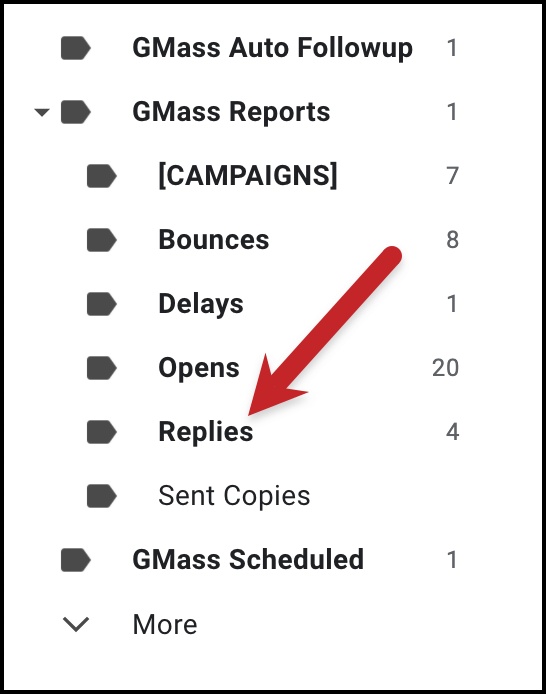
If Gmail's sending limits are restrictive for your needs, GMass provides SMTP integration.
By connecting to an external SMTP service, you can send a higher volume of emails while still leveraging GMass's features within Gmail.
Detailed tracking and analytics remain fully functional since GMass retains control over campaign reporting even when sending via SMTP.
Scheduled sends and automated follow-ups work seamlessly without limitations tied to Gmail's native quota.
12. Transactional emails
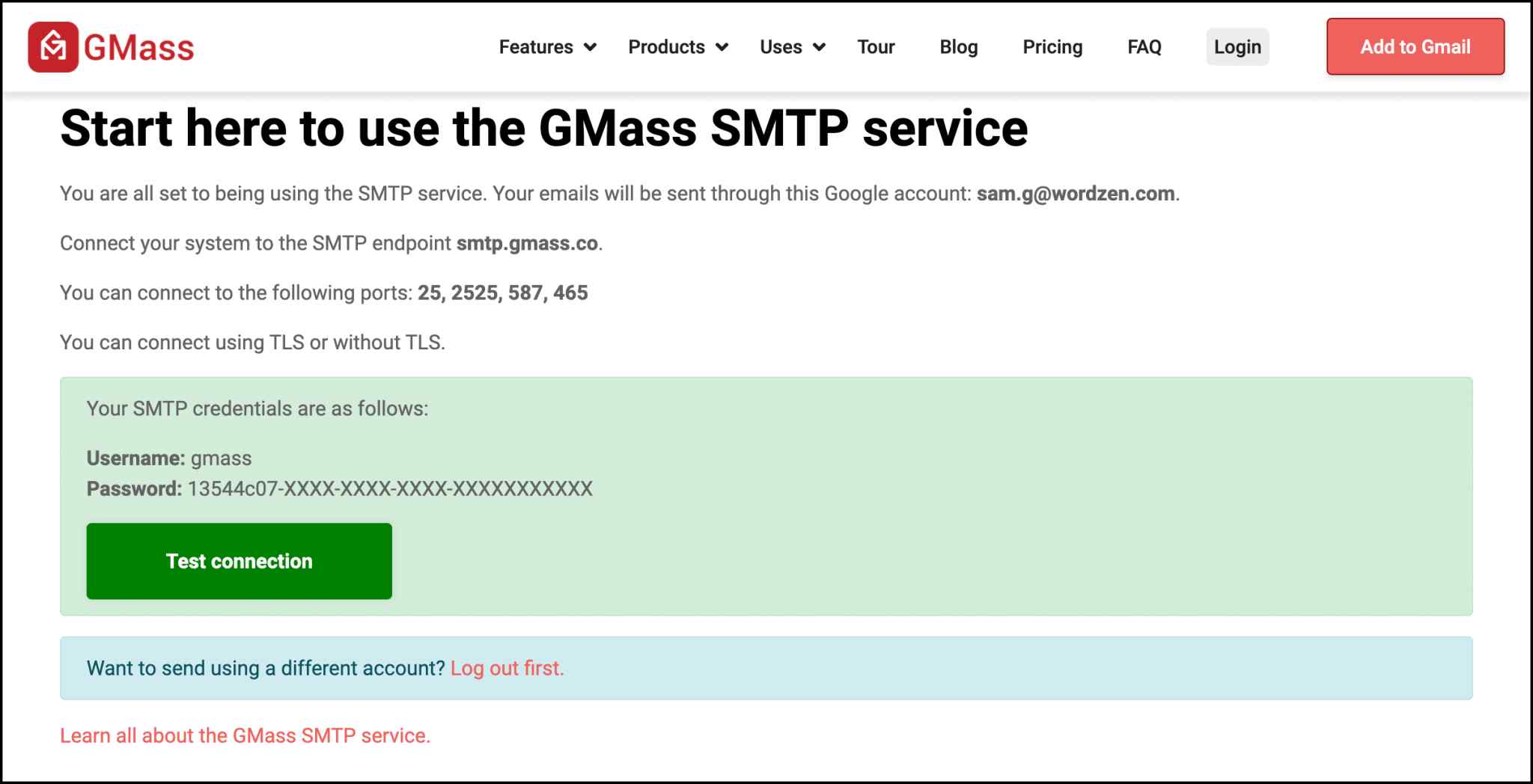
Beyond marketing campaigns, GMass supports the sending of transactional emails, such as account registration confirmations, password resets, etc.
GMass has built its own SMTP relay service that sends transactional emails through your Gmail or Google Workspace account.
All these features are good, you might think, but what's it worth?
How much would you need to pay for it?
Let's see.
GMass Pricing: How much does GMass cost?
GMass has different pricing plans for:
→ Individual, and
→ Teams
The Individual plan is divided into 3 categories:
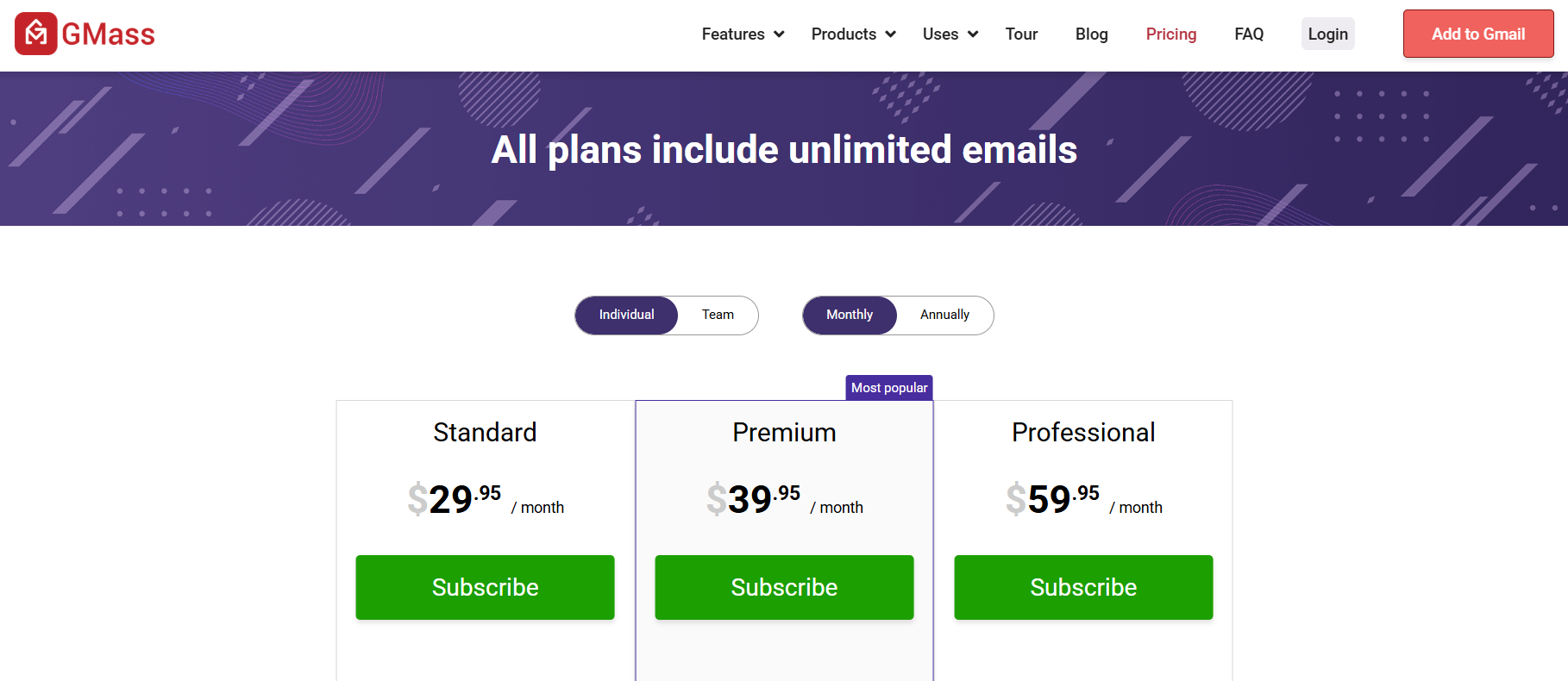
- Standard - $29.95/mo paid monthly or $20.75/mo (paid annually) - The Standard plan lacks key features like API access, scheduling, follow-ups, and A/B testing. These are basic tools for effective campaigns.
- Premium - $39.95/mo paid monthly or $29/mo (paid annually) - The Premium plan fills some gaps but still doesn't include Inbox Rotation and priority support.
- Professional - $59.95/mo paid monthly or $49/mo (paid annually) - The Professional plan includes all features. You can fully experience GMass and use it properly.
The Teams plan divides into 5 categories by user count:
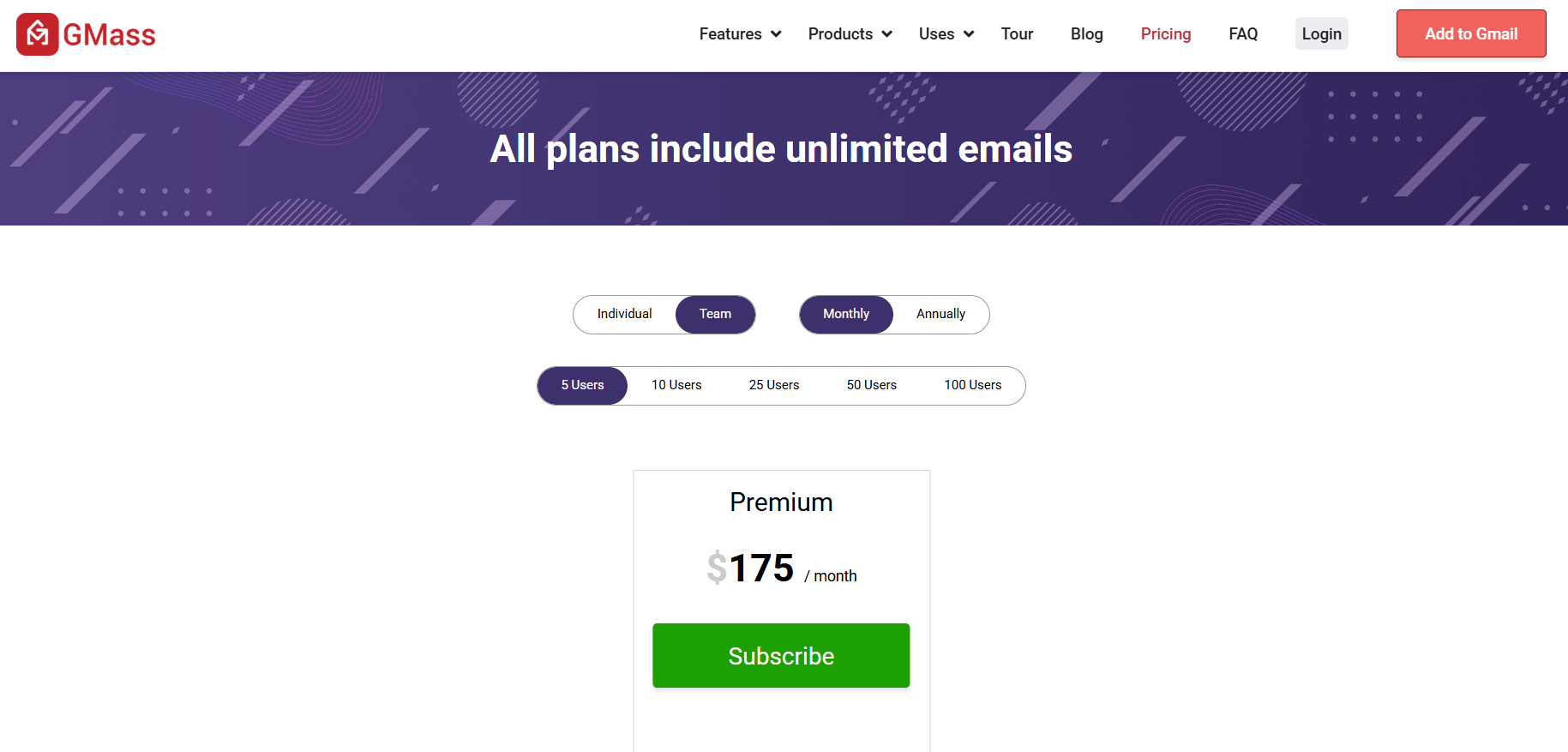
- $175/mo paid monthly or $145/mo paid annually for 5 users
- $295/mo paid monthly or $245/mo paid annually for 10 users
- $725/mo paid monthly or $604/mo paid annually for 25 users
- $1350/mo paid monthly or $1125/mo paid annually for 50 users
- $2200/mo paid monthly or $1833/mo paid annually for 100 users
Why use GMass?
When so many email marketing tools exist, some at lower prices, why would you choose GMass?
GMass has unique features you won't find in every tool at this price.
1. Works perfectly with Gmail
If you already use Gmail, you know how to use GMass.
You don't need to learn a new platform. Just install GMass and it works inside your Gmail account.
It can send mass emails like normal emails, with automation, scheduling, and tracking.
You also don't need to worry about deliverability because emails come from Gmail's servers. They're less likely to land in spam.
Everything stays in your 'Sent' folder so you can track and manage emails normally.
2. Google Sheets integration
Instead of manually adding contacts one by one, GMass can import your email list via Google Sheets. The two sync in real time.
As new rows get added to your sheet, GMass picks them up and sends emails automatically.
With Sheets, you can pull in names, job titles, company names, or any details and customize each email.
Your Google Sheet acts as a dashboard, showing who opened, clicked, or bounced.
3. GMass's SMTP
You can set up a third-party SMTP server with GMass to bypass Gmail's limits and send higher email volumes. The best part is, it's compliant with Google's terms!
GMass also has a free SMTP relay service for transactional emails. Send order confirmations, password resets, automated alerts, and more directly from your Gmail account.
Why you shouldn't use GMass?
It's not all perfect. Every tool has pros and cons, including GMass.
1. LinkedIn automation is more effective than cold emails in 2026
People's inboxes are flooded with irrelevant emails today. Your email can easily get buried.
If you go overboard, your emails could land in spam. This reduces response rates even more.
LinkedIn remains a genuine place to build real connections and credibility. That's why it gets higher response rates.
2. Billing issues
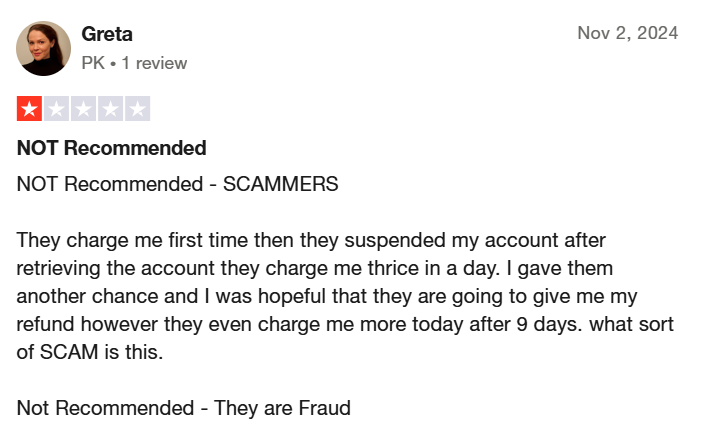
Many users say GMass continued charging them after canceling subscriptions.
Some got charged multiple times in one day. People struggle to get refunds.
3. Support issues
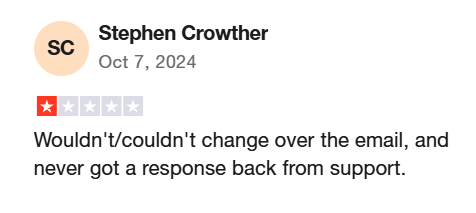
They provide priority support only for their most expensive plan.
There's a 48-hour response time (if you're lucky), with no live chat or phone support. You're stuck waiting for email replies.
Some users never hear back. Multiple GMass reviews mention support tickets going unanswered.
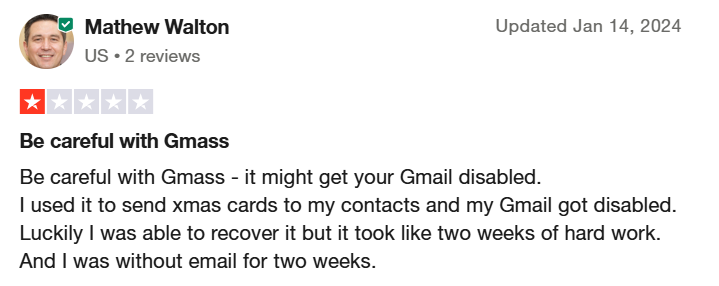
If your Gmail account gets flagged or disabled (which can happen when using GMass), support isn't always able to help reinstate it.
4. Expensive for high volume
It looks affordable at first glance.
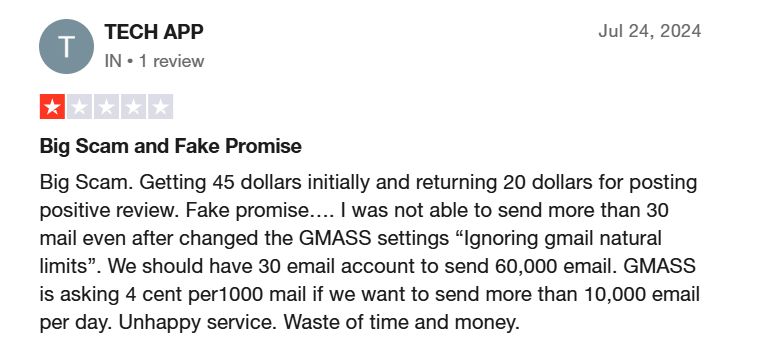
But if you want to send more than 10,000 emails via SMTP, you pay $5 per 10,000 emails after that, which adds up fast at scale.
You might also need multiple accounts to protect one from being suspended.
5. Deliverability issues
Like every automation tool, GMass struggles with deliverability too.
Users report GMass's email verifier fails to detect invalid emails. This leads to higher bounce rates.
If too many emails bounce, Gmail may flag all your emails. That's not good for your reputation.
6. Restricted to Gmail
This should be obvious by now.
If you need a more comprehensive platform, you're better off with others.
If these concerns worry you, here's what you can do:
Try LinkedIn automation for better deliverability and higher response rates.
OR
Try a different email automation tool altogether.
BUT, just so you know, LinkedIn, too, can be safely automated, and you can get better leads and meetings booked there tbh.
The better alternative to GMass: SalesRobot
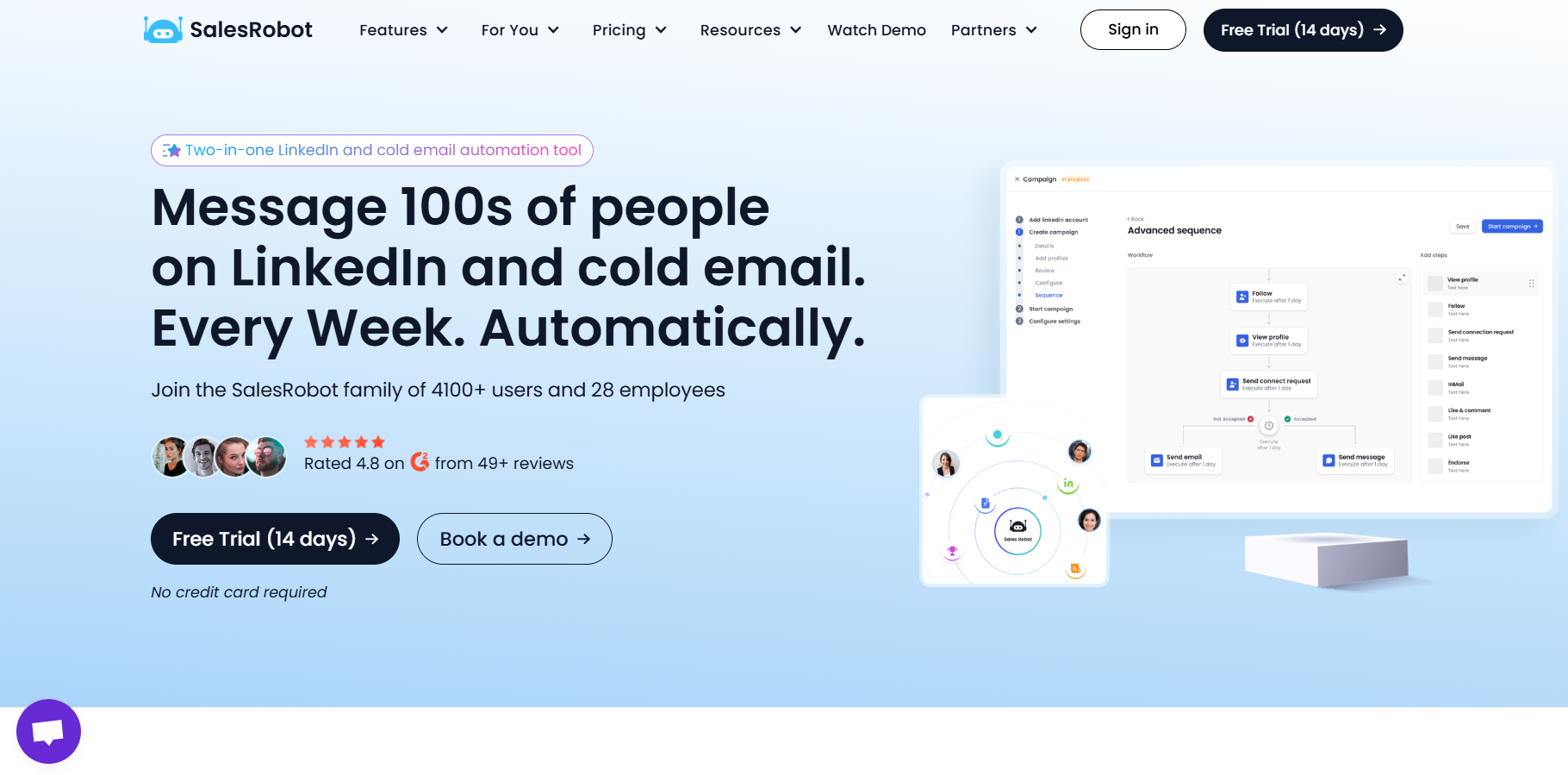
SalesRobot is a sales automation tool for hyper-personalized LinkedIn + email campaigns, WITHOUT compromising your account. Unlike browser-extension tools, SalesRobot is fully cloud-based (no Chrome extension needed) and runs 24/7 even when your laptop is closed. It works through LinkedIn's mobile app APIs with dedicated residential IP rotation and human-like behavior, keeping ban risk down to around 0.00001%.
So, if you need a tool for Gmail, you can surely go with GMass, as it has some great features.
But if your only goal is to get better results and leads, try SalesRobot + LinkedIn, as it might surprise you.
Here's how it helps:
⏩ Sends personalized connection requests, messages, and follow-ups on autopilot.
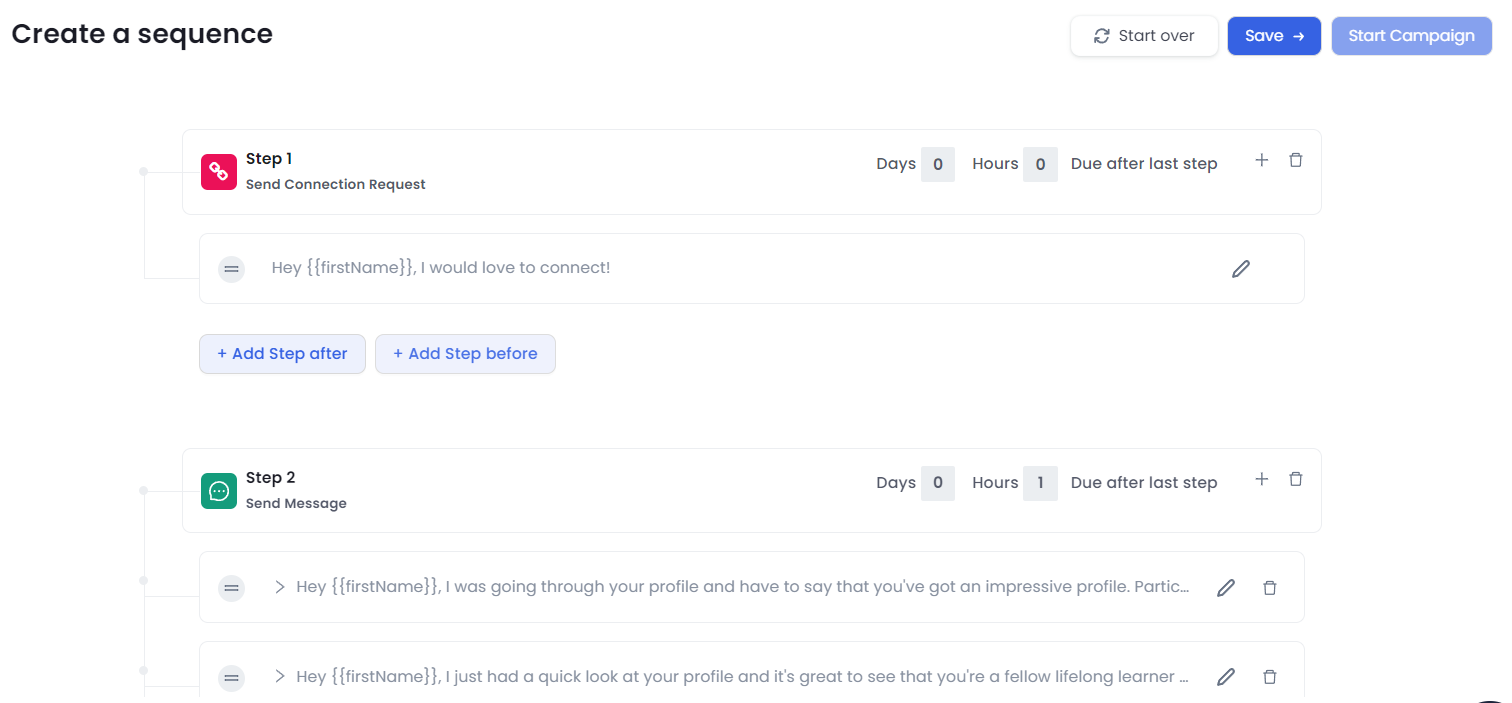
You don't need to maintain another sheet noting down the dates of messages sent and follow-ups. SalesRobot does all of that on autopilot on LinkedIn.
You just need to add your steps in a sequence with the delay (hours and days) and it'll take care of the rest.
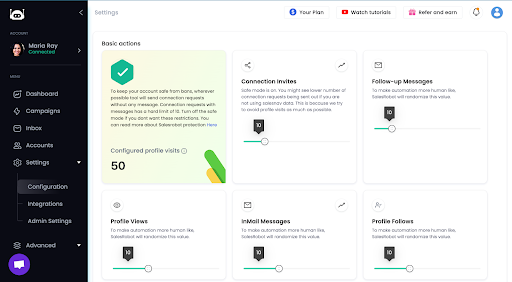
⏩ Keeps your LinkedIn account safe with safe-mode and daily automation limits that ensure your automation doesn't go rogue and stays within LinkedIn's recommended limits.
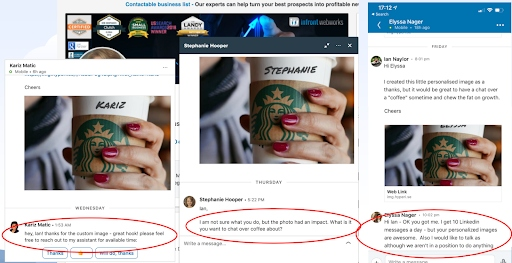
⏩ Can hyper-personalize your messages using Hyperise integration and custom tags. You can add super relevant images to make your messages more relatable.
You can also enrich your data and add custom values that'll help SalesRobot hyper-personalize your messages for your prospects.
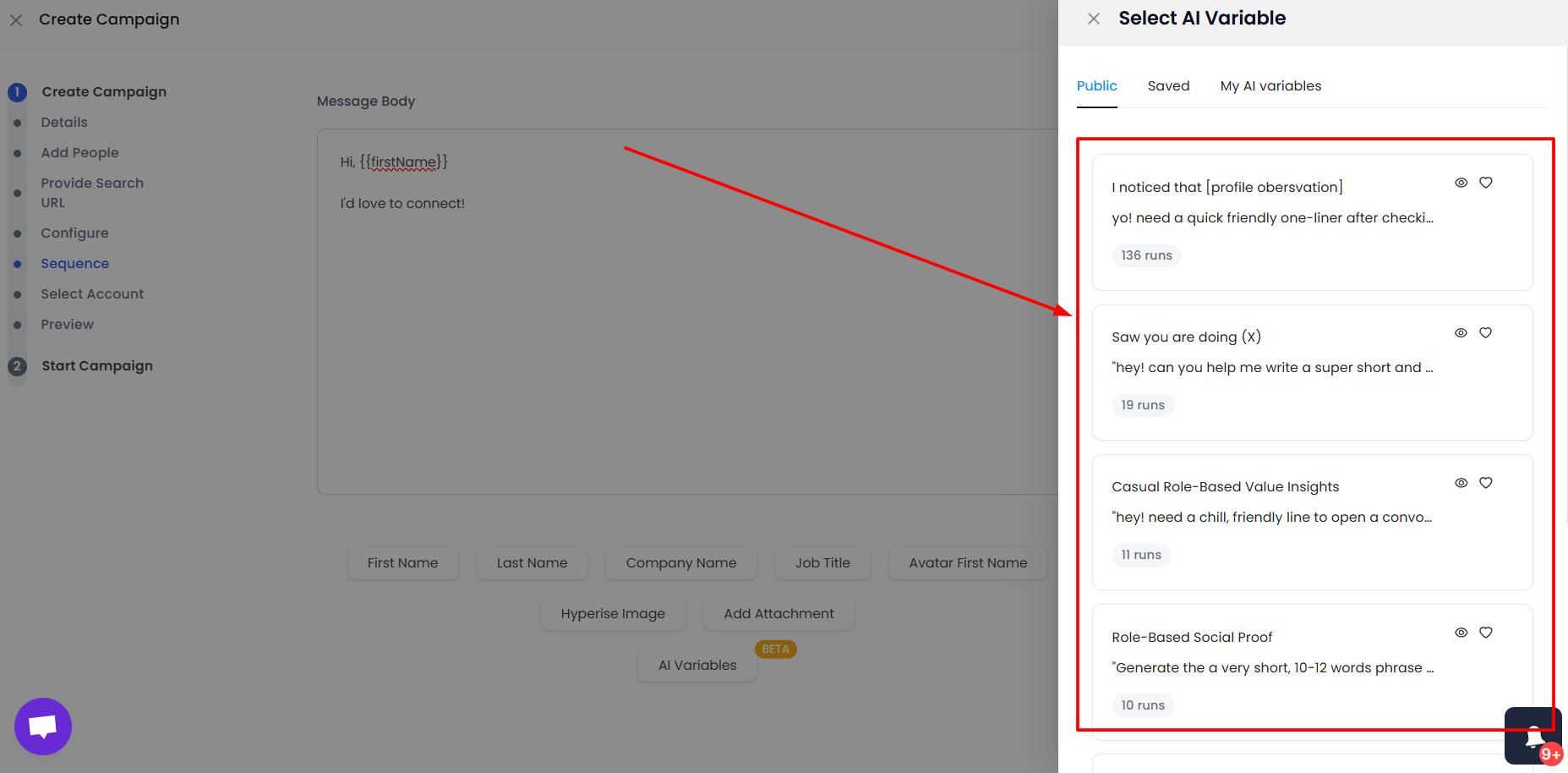
The AI Variables feature gives you access to profile-based personalization.
Simply use one of the publicly available AI prompts (or create your own), and SalesRobot will scan your prospects' LinkedIn profile for relevant information.
For that extra sense of authenticity, without spending 6 hours on prospect research. 😉
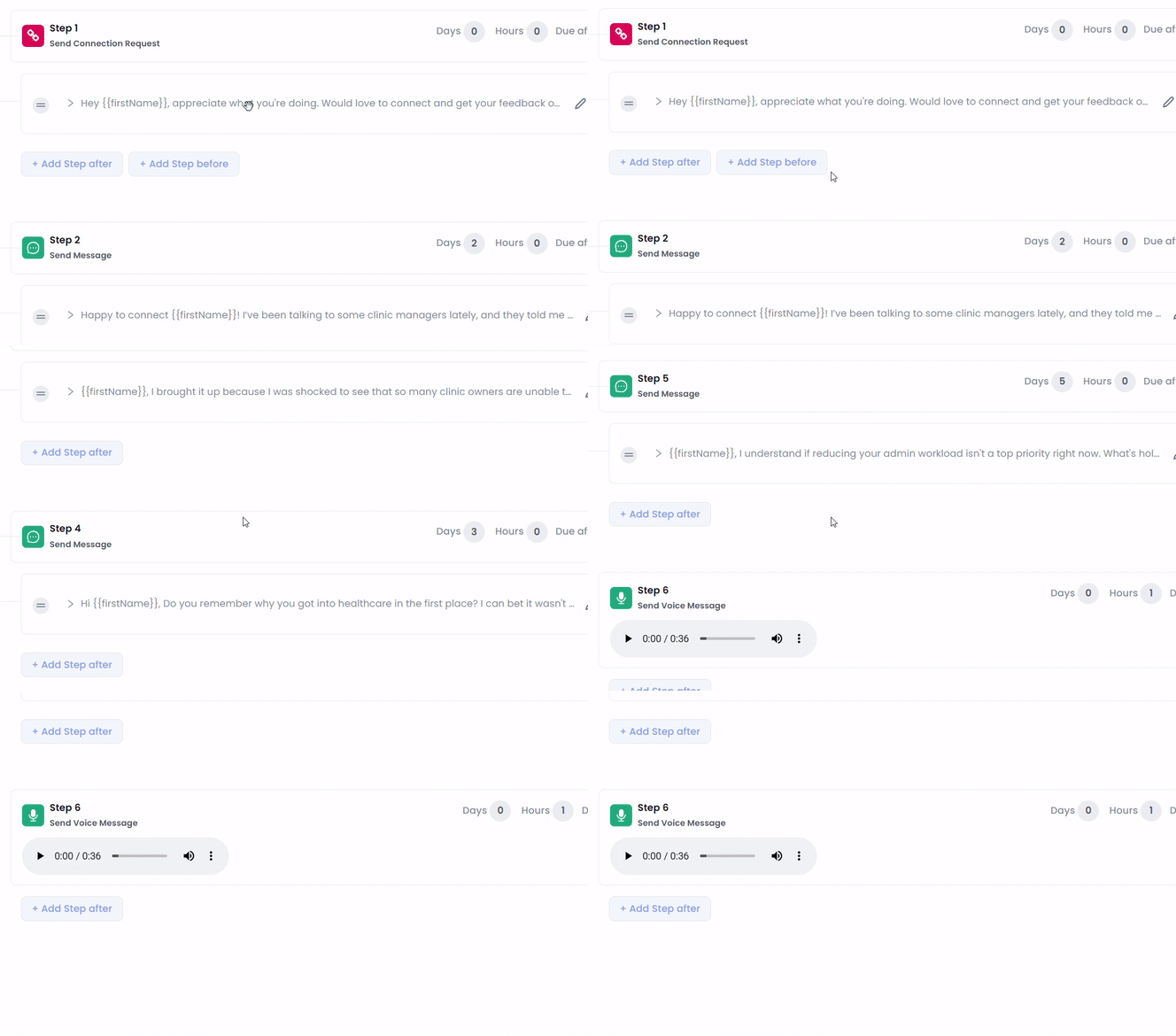
You can also add personalized voice notes and videos to your message sequences to change up from using the boring old LinkedIn DMs and boost response rates.
⏩ Can safely bypass LinkedIn's limits to scale your automation.
Yes, LinkedIn has limits, and yes, you can bypass them WHILE keeping your account safe. Here's how:
⏩ Can run AI-powered automated campaigns. SalesRobot has its own AI bot called SalesGPT, which is perfect if you're new to automation tools.
By simply answering a couple of questions, you can generate a campaign that'll target your ICP with super-relevant messages, without you lifting a finger.
Isn't that cool?
⏩ Can warm-up accounts before reaching out to them. If you're reaching out to strangers, chances are high they don't know a single thing about you.
But what if they've seen a comment from you somewhere on LinkedIn? Or you liked a post from them earlier, and they got notified about it?
Your name could remind them of it when they see a connection request or a message from you, which is more likely to result in a positive response.

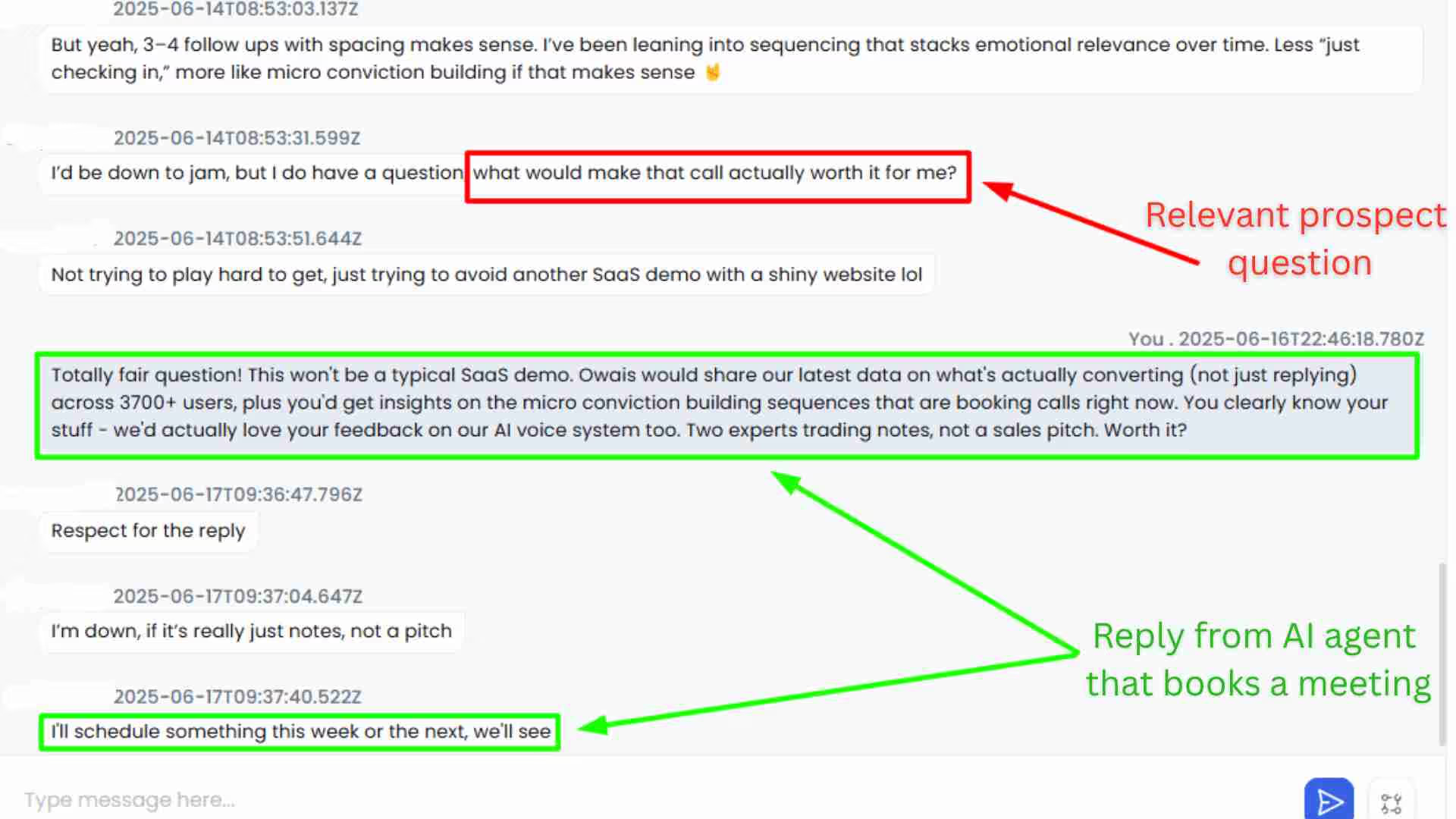
⏩ SalesRobot's AI Appointment Setter can auto-respond to your prospects.
The best part? Our AI bot will engage with your prospects from the first message, all the way till they book a meeting with you.
On auto-pilot.
You just have to sit on a sales call with them, and close the deal!
How much does SalesRobot cost?
Good question.

SalesRobot currently has three plans -
→ Basic - $59/ mo paid monthly or $39/ mo paid annually
→ Advanced - $79/ mo paid monthly or $59/ mo paid annually
→ Professional+ - $99/ mo paid monthly or $79/ mo paid annually
Note:
And all plans — including Basic — come with the AI Appointment Setter and a 14-day free trial with no credit card required. Note that the Basic plan runs 1 active campaign with lighter daily quotas, while Advanced unlocks unlimited campaigns and full quotas (up to 75 connection requests and 50 InMails/day).
Conclusion: Is GMass worth it in 2026?
As I said, if you are specifically looking for email automation, you can surely give GMass a try, it's worth it.
It has some great features and works excellently with Gmail. It's not a bad tool.
But if you only want good leads, and the platform doesn't matter as much, LinkedIn is a great platform and gives much better results as compared to email.
In that case, SalesRobot can work better for you.
Once you sign up for the free trial and onboard your LinkedIn account, you can create your first campaign.
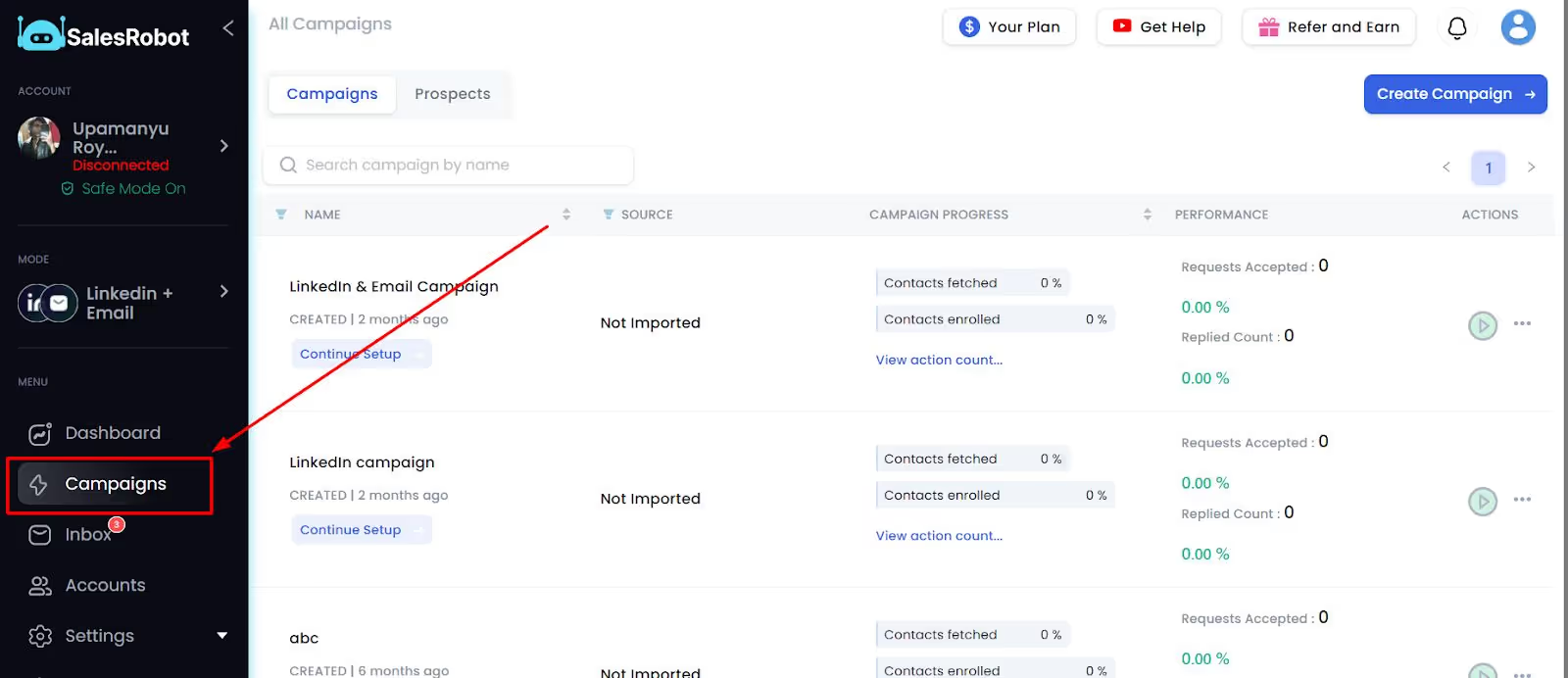
When you're done, click on "I'm an advanced user" and set up the name and details of your campaign.
Now, you need to add your list to SalesRobot, for which you get 9 different options.
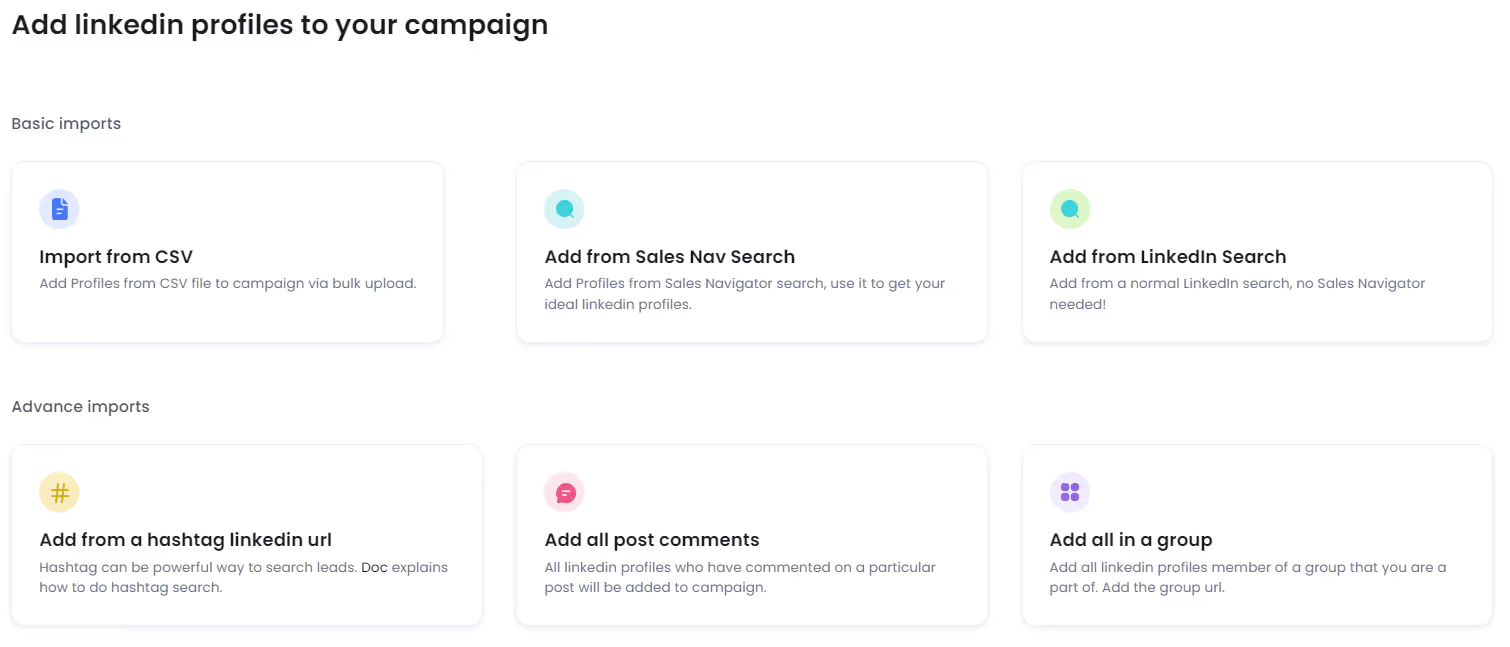
Once you add your list, you're all set to configure your settings and add your message sequence steps.
And that's it; it's super easy to use!
You can try it out for free for 14-days, without any credit card, and if you have any questions, you can talk to me, and I'll be happy to answer! :)
Who knows, you might end up liking it like one of our users did -
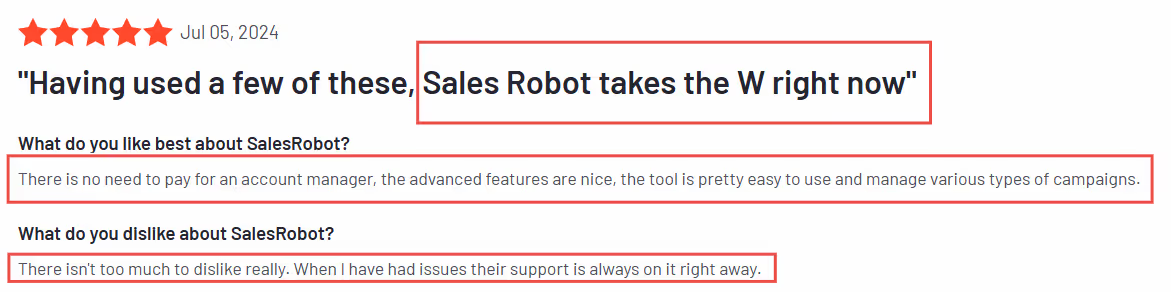
Until then,
Take care!
Frequently Asked Questions
Does GMass have a free plan?
No. GMass discontinued its free plan in December 2023. New users now get a 7-day free trial that's capped at 50 emails per day, with all other features unlocked. Once the trial ends, you must move to a paid plan (Standard, Premium, or Professional) to keep using GMass.
What is GMass?
GMass is an email automation tool that works directly inside Gmail. It allows you to send personalized bulk emails, track responses, and automate follow-ups without leaving your Gmail interface.
How does GMass work?
GMass operates as a Chrome extension that integrates with Gmail. You install the extension, connect your Google Sheets for contact lists, compose emails in Gmail, and click the GMass button instead of the regular Send button to launch automated campaigns.
Can GMass send unlimited emails?
GMass operates within Gmail's daily sending limits (500 for personal accounts, 2,000 for Google Workspace). However, by integrating with third-party SMTP services, you can send virtually unlimited emails while still using GMass features.
Does GMass work with Google Sheets?
Yes, GMass has excellent Google Sheets integration. You can link spreadsheets to personalize emails using any column data, and GMass automatically monitors for new entries to send emails to new rows in real-time.

Wow your leads by cloning yourself and sending personalized videos and voice notes to each lead on LinkedIn.
If you don't reply to leads within 5 mins, your chances of converting them fall by 50%. Our AI replies on your behalf instantly! (and yes, you can train it)

Don't shoot in the dark. Get detailed analytics on what's working

SalesRobot allows you to invite other team members, so that they can add their LinkedIn Account, run outreach campaigns and get amazing results just like you.
.avif)


Trusted by 4100+ innovative B2B sales teams and lead gen agencies

.avif)

.avif)




.avif)