.avif)
TL;DR
- HippoVideo is an AI-powered video personalization and engagement platform for B2B sales, marketing, and customer success teams. Video Messaging plans start at $30/user/month billed monthly. Text-to-Video plans start at $29/user/month billed monthly. Used by 5,000+ businesses.
- Loom is the fastest record-to-share async video tool in the category, with AI editing, repositionable webcam bubble, and tight Atlassian integration. Business plan starts at $18/user/month.
- Vidyard is a B2B sales video platform built around CRM-connected viewer analytics, AI avatars for scale, and native Salesforce and HubSpot integrations. Starter at $59/user/month.
- Sendspark keeps you on camera and adds AI voice name personalization and dynamic prospect backgrounds on top, making it the strongest pick for cold outbound reply rates. Solo plan at $49/month.
- Dubb is the closest match to HippoVideo's interactive CTA features in a cleaner interface, with video landing pages that support calendar embeds, lead forms, and file downloads. Pro plan at $59/month billed monthly.
- BombBomb delivers video directly inside Gmail and Outlook without a separate platform, built for relationship-driven sales in real estate, mortgage, and insurance. Core plan at $42/user/month billed monthly.
- SalesRobot is a LinkedIn outreach platform with a built-in AI voice clone and video clone, so personalized video goes out as part of your LinkedIn sequence without a separate tool or Zapier integration. Users report 40%+ reply rates. Starts at $59/month.
Your HippoVideo subscription is running. The AI avatars look decent. Videos are generating.
And the reply rates are exactly where they were before you added the tool.
That is the situation more sales teams describe after their first few months with HippoVideo.
The product is real. The technology works. Personalized video at scale is a genuine use case and HippoVideo has been building in this space since 2016.
But the Chrome extension crashes mid-recording. Bulk personalization still requires more manual work per contact than most reps expected. The AI avatars pass casual scrutiny but experienced buyers notice when something is off. And Salesforce integration sits behind the Enterprise plan, which starts at a minimum of 10 seats.
This blog covers what HippoVideo actually offers, five tools that compete directly in the same category, and one bonus pick for teams whose primary channel is LinkedIn and who need personalized video delivered inside a sequence rather than generated separately and routed through a second tool.
HippoVideo: What You Need to Know

HippoVideo positions itself as the video platform for B2B sales, marketing, customer success, and learning and development teams.
The core product is AI-powered video personalization at scale combined with an interactive video player that supports embedded CTAs, polls, quizzes, and forms.
You record one video, use a variable where the personalized element will go, and HippoVideo generates individual versions for each recipient. Their Humanize AI feature handles the name personalization layer.

The newer Agentic AI suite, launched in April 2025, adds a Creation Agent that builds prospect-specific videos from scratch, a Campaign Agent that runs large-scale outreach with interactive elements, and a Video Co-Pilot that creates a digital twin of a team member for real-time demos and support.
The technology works. The use case is real. And for the right buyer, it delivers. Before getting into the limitations, here is what users consistently point to as reasons they chose HippoVideo and stayed.
The interactive video player is genuinely rare. Embedding CTAs, quizzes, polls, forms, and calendar booking directly inside the video player is not something most competitors offer.
Users who came from Loom or Vidyard frequently describe the interactive elements as a feature they did not know they needed until they had it. A prospect can book a meeting, answer a qualification question, or submit contact details without leaving the video page. At this price tier, that capability is unusual.
Customer support is a real differentiator. Across a wide range of industries and use cases, responsiveness from the HippoVideo support team is the most consistently praised aspect of the product.
Users describe quick live chat resolutions, proactive follow-ups, and support staff who stay engaged until an issue is fully closed. For a mid-market product, this level of support is not the norm.
The pricing is significantly lower than the most obvious competitor. Multiple buyers switched specifically from Vidyard and called out pricing as the deciding factor. The Pro plan at $20/user/month on annual billing covers much of the same ground as Vidyard's Starter at $59/user/month. For smaller teams building a video practice, that gap is meaningful.
The platform keeps growing. Users who have been on HippoVideo for one to two years consistently note that the product they are using today is significantly more capable than what they started with.
The April 2025 Agentic AI launch, the addition of full-body avatars, and the 170+ language support are all examples of the platform shipping meaningful functionality rather than cosmetic updates.
The landing page and sales page functionality adds value without an extra tool. Sales teams and customer success managers note the ability to build custom video landing pages with embedded documents, links, and additional videos as something they expected to need a separate tool for.
Having it inside HippoVideo reduces the stack.
There are specific limitations that show up once you are past the demo and running live campaigns.
⚠️ The Chrome extension is the most consistent pain point in the product today. Settings do not save between sessions. The extension closes browser tabs when you pause a recording. After a UI update, many long-term users found the extension stopped navigating them back to their video page automatically after recording, requiring a manual trip back to the platform every single time.

For a product where the Chrome extension is the primary recording method, this is a significant daily friction point.
⚠️ Bulk personalization still requires too much manual work. HippoVideo does not currently offer speech synthesis that addresses each recipient by name within a single automated run.
If you want "John" to hear his name, each personalized video has to be created individually. At 50 contacts per month, that is manageable. At 300, it becomes a full-time job.
⚠️ AI avatars are inconsistent at scale. The avatar output quality varies enough that senior buyers who receive personalized outreach regularly can identify the AI-generated elements. The feature has improved significantly and continues to, but it is not yet reliable enough for high-stakes enterprise outreach without a review step.
⚠️ Salesforce integration is Enterprise-only. If your team runs on Salesforce and you are not on a minimum 10-seat Enterprise plan, you are routing video data through workarounds. HubSpot, Outreach, and Salesloft are available at the Teams tier, but Salesforce specifically requires upgrading.
HippoVideo's Key Features, Broken Down
Humanize AI and Video Personalization
HippoVideo's core personalization capability. You record one base video, upload a CSV with recipient names and variables, and HippoVideo generates individual clips with voice personalization for each contact.

The AI clones your voice to insert the personalized variable at the right point in the clip. The output quality is strong enough for mid-funnel outreach.
For cold top-of-funnel outreach to senior buyers, the AI voice insertion is detectable under close scrutiny.
Text-to-Video and AI Avatars

Available on the separate Text-to-Video pricing track. You input a script or prompt, choose an avatar, and HippoVideo generates a presenter-led video with your custom avatar.
Full-body avatars with gestures and walking movements are available for longer presentation-style content.
170+ language support is included, which gives global sales and marketing teams a genuine production capability without recording individually in each language.
Agentic AI
The Creation Agent builds individual prospect videos using AI, pulling from context like job title, company, and recent activity.
The Campaign Agent runs outreach sequences with interactive CTAs and engagement tracking built in. The Video Co-Pilot creates a digital twin that handles real-time questions in demos or support interactions.
These features were launched in April 2025 and are the most significant product development HippoVideo has shipped in recent years.
Analytics and CRM Integration
View-through rates, engagement timelines, CTA click tracking, and heatmaps are available across paid plans.
HubSpot, Outreach, and Salesloft are included at the Teams tier. Salesforce is Enterprise-only. A developer SDK is available for teams embedding video into their own platforms.
Website and LinkedIn Background Personalization
Dynamic backgrounds that pull each prospect's live website or LinkedIn profile behind you automatically. The personalization is visible before you say a word, which is the same feature BHuman built much of its positioning around.
HippoVideo Pricing: How Much Does It Cost?
HippoVideo runs two separate pricing tracks.
Video Messaging

Text-to-Video
5 Alternatives to HippoVideo: Which One Actually Fits?
The five tools below operate in the same space as HippoVideo but serve different buyers.
Loom, Vidyard, and Sendspark are direct replacements for teams using HippoVideo for sales outreach, async communication, and personalized prospecting.
Dubb and BombBomb are better fits for teams using HippoVideo specifically for interactive video landing pages or email-native video delivery.
Loom

What it does: Loom is the default recommendation for a reason. Recordings start in seconds, sharing is instant via link, and the record-to-send workflow has no render wait.
The repositionable webcam bubble fixes one of HippoVideo's most-cited frustrations, you can move the camera overlay anywhere on the screen during a recording, which HippoVideo does not support natively.
Atlassian acquired Loom in 2023, which brought deeper integration across Jira, Confluence, and Slack. For teams already living in the Atlassian ecosystem, Loom fits as the video layer without any additional configuration.
Where HippoVideo layers AI personalization, interactive elements, and avatar generation on top of recording, Loom does one thing exceptionally well: capture and share video fast.
The Business + AI tier adds filler word removal, silence removal, auto titles, summaries, chapters, and transcript-based editing, which saves real time for reps recording frequently.
Key features:
- Repositionable webcam bubble during recording
- Instant link sharing with no upload progress or render wait
- High-def up to 4K on paid plans
- AI editing on Business + AI: filler word removal, silence removal, transcript-based cuts, auto summaries, chapters, and tasks
- Native Atlassian integrations across Jira, Confluence, and Slack
- Chrome extension, desktop app, iOS, and Android support
Best if: Recording reliability and speed matter more than AI personalization at scale. Your team records async updates, sales demos, and customer walkthroughs and wants the fastest possible record-to-link workflow.
Vidyard
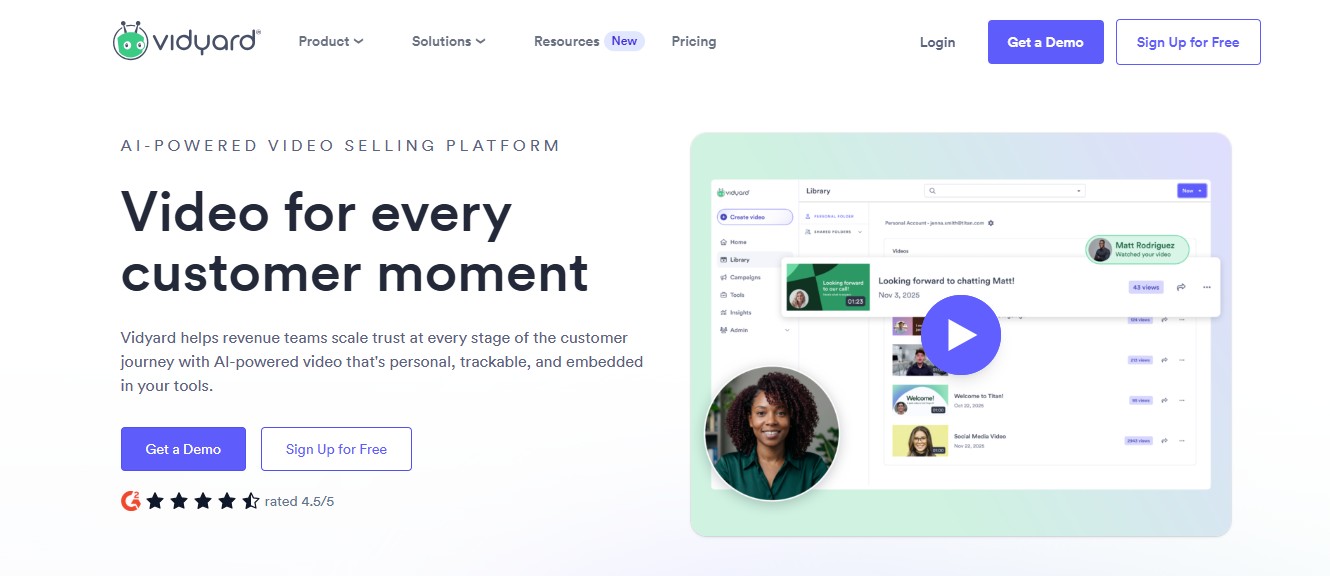
What it does: Vidyard is built for one job: B2B sales video with analytics that tell you exactly what happened after you pressed send.
You record via Chrome extension, share a link, and Vidyard tells you who watched, when, how far they got, and where they dropped off.
That engagement data feeds natively into HubSpot, Salesforce, Salesloft, and Apollo without a Zapier workflow.
Where HippoVideo's analytics are solid, Vidyard's are the strongest in the category. Multiple buyers specifically switch to Vidyard from other tools for this reason alone.
A rep who can see that a VP of Sales watched their video twice before a follow-up call is working from better information than one who can only see that the email was opened.
Their AI Avatars feature lets reps generate avatar-based video intros from scripts and prospect data at scale without individual recording sessions.
The Video Sales Agent auto-generates personalized videos triggered by buyer actions such as demo bookings, pricing page visits, and whitepaper downloads.
Key features:
- Chrome extension for screen, webcam, or combined recording without leaving the browser
- Viewer analytics: who watched, when, how long, where they dropped off
- Native CRM integrations with HubSpot, Salesforce, Salesloft, and Apollo; engagement data writes back to the contact record automatically
- AI Avatars for personalized video intros at scale
- Video Sales Agent triggered by buyer actions
One thing worth knowing before you evaluate: The Starter plan at $59/user/month (annual) does not include CRM integration. That is only available on Teams, which no longer carries a public per-seat rate — Vidyard's live page shows custom pricing, though third-party sources estimate around $99/user/month.
Best if: You have a team of 10+ reps, your CRM is the center of your sales process, and knowing exactly when and how long a prospect watched a video would change how your reps follow up.
Sendspark
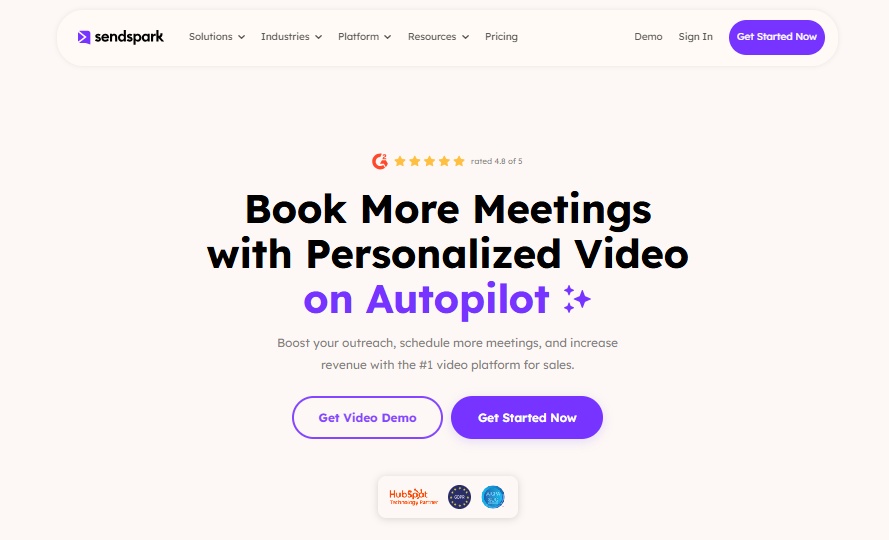
What it does: Sendspark takes a fundamentally different approach from HippoVideo and most tools on this list. Where HippoVideo generates AI avatar video, Sendspark keeps you on camera and layers AI personalization on top.
You record one video using a placeholder word where the recipient's name will go. Sendspark's AI clones your voice and replaces the placeholder with each prospect's actual first name, generating thousands of clips where your real face and voice deliver a personalized message.
Behind you, their live website or LinkedIn profile fills the frame automatically as a dynamic background.
The reason this matters for outbound reply rates is straightforward. B2B buyers who receive cold outreach regularly can identify AI-generated faces and cloned avatars.
Sendspark's output is your real face recorded once, with AI personalization layered on top. That combination consistently outperforms full AI avatar approaches for cold outreach reply rates.
Key features:
- Real human video plus AI voice name personalization, no AI avatar
- Dynamic background that pulls each prospect's website or LinkedIn profile automatically
- CRM integrations including HubSpot, Salesforce, Outreach, and Smartlead; 50+ platforms total
- Agentic workflow support for automated video triggers based on CRM events
- Multiple AI variables beyond just name: company, role, and custom fields
- API and webhook access on Growth and above
Pricing: Solo at $49/month (100 Dynamic Video Minutes). Growth at $99/month (250 minutes, 3 seats). Team at $299/month (1,000 minutes, 10 seats). Business at $699/month (3,000 minutes, 25 seats).
Best if: Your primary use case is B2B outbound prospecting and you want the approach that consistently produces the highest reply rates for cold outreach: real face on camera, AI voice personalization, and dynamic prospect-specific backgrounds.
Dubb
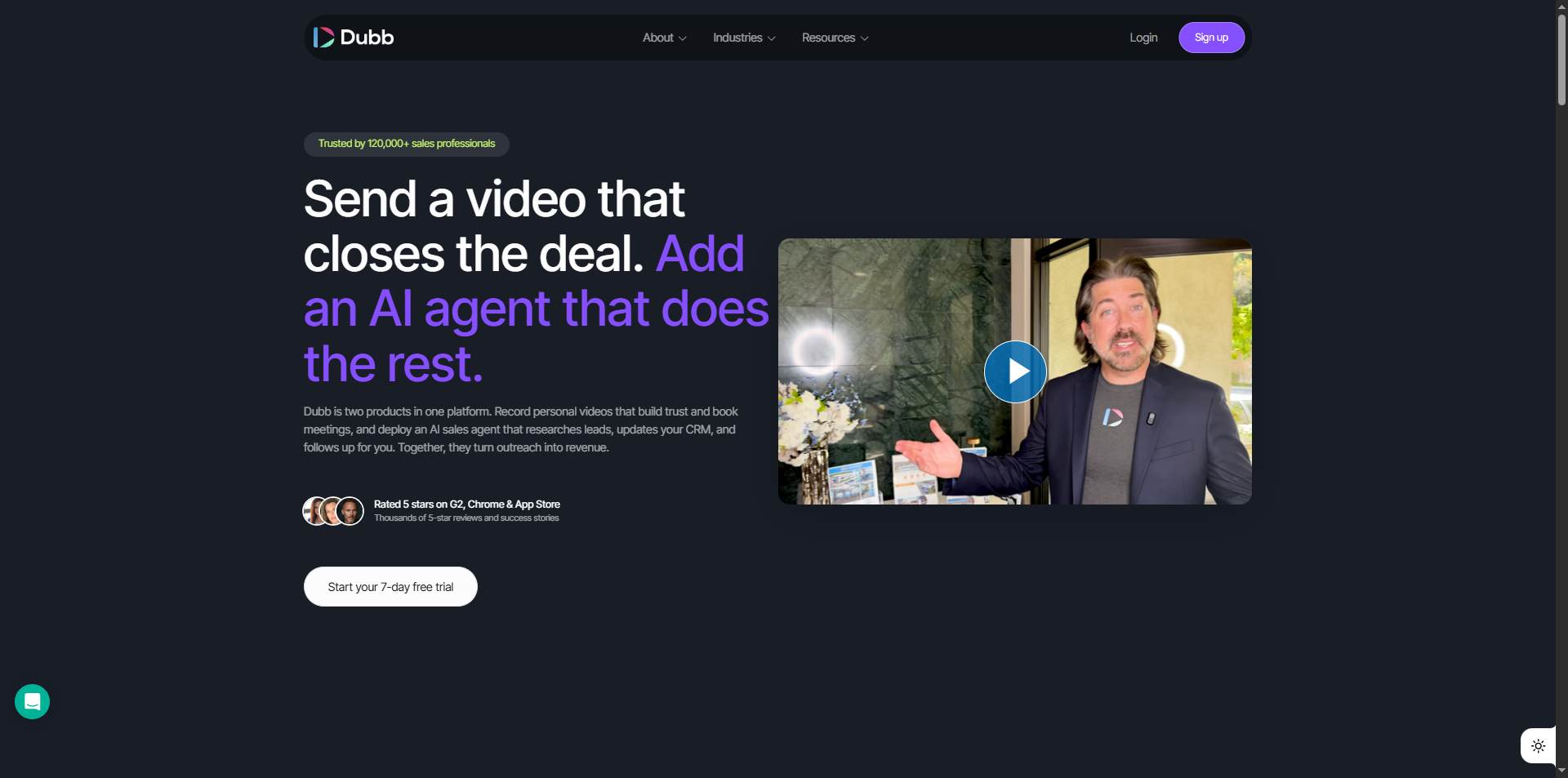
What it does: Dubb is the closest match to HippoVideo's interactive CTA functionality, packaged in a cleaner interface with stronger landing page customization.
Where HippoVideo limits CTAs to link-based buttons, Dubb supports forms, file downloads, video replies, and calendar booking embedded directly on the video landing page.
A rep can record a follow-up video after a discovery call, send it as a branded landing page, and have the prospect click to book the next meeting without navigating away from the page.
That workflow is more friction-free than most alternatives at this price point.
Dubb also supports screen recording, webcam recording, and a mobile app, making it a full recording and distribution platform rather than a single-purpose avatar tool.
Key features:
- Video landing pages with calendar embeds, lead forms, video replies, and file downloads
- Screen, webcam, or combined recording via Chrome extension and desktop app
- AI Productivity Suite on Pro: script writing, AI assistant, and engagement analysis
- Automation workflows with if/then logic on Pro Plus
- CRM integrations with Salesforce, HubSpot, and 3,000+ via Zapier (Enterprise)
- Analytics: email opens, page views, video watch rates, and CTA clicks in real time
Best if: You are specifically looking for HippoVideo's interactive CTA capability in a cleaner interface with stronger landing page customization, and personalized AI-generated video at scale is not your primary requirement.
BombBomb
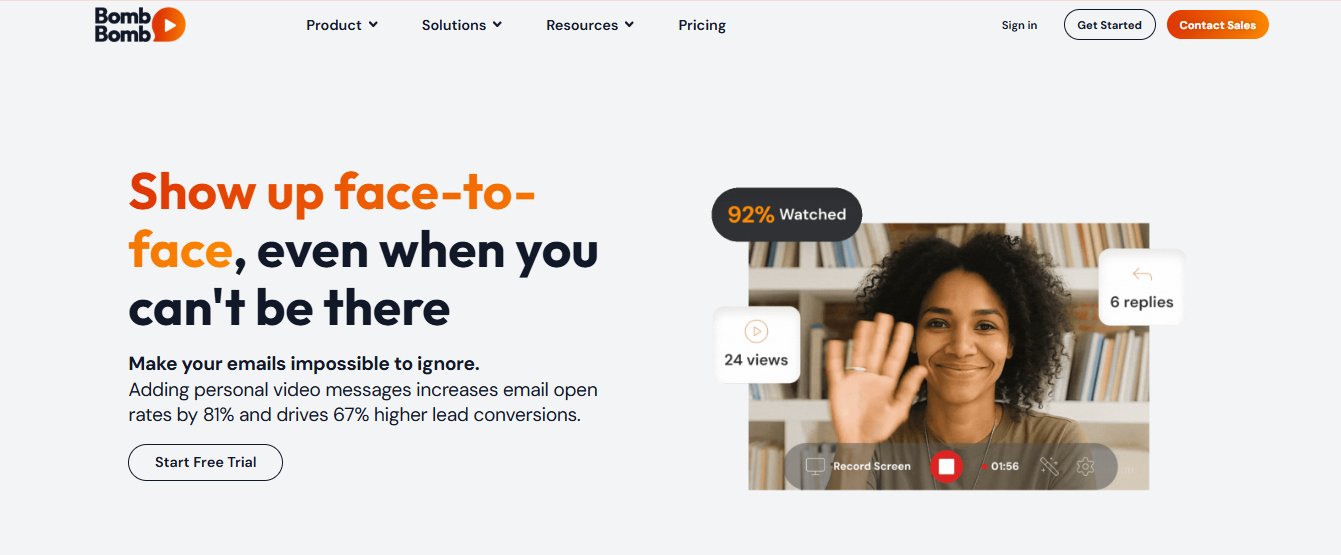
What it does: BombBomb lives in a specific niche: video delivered directly inside Gmail and Outlook without requiring a separate platform.
Their native email client plugins let a rep record a video and have it appear inside an outbound email in one step, with no external link, no landing page to navigate to, and no friction between recording and sending.
This is the feature that makes BombBomb relevant in industries like real estate, mortgage, and insurance, where reps live inside their email client and relationship continuity matters more than outbound volume.
A mortgage broker sending 30 personalized video emails per day from their Gmail inbox finds BombBomb's integration meaningfully more practical than any other tool on this list.
BombBomb's current plan names are Core and Core + Copilot. A significant number of comparison sites still reference old Essentials and Plus tier names that no longer exist.
Key features:
- Native Gmail and Outlook plugins for email-embedded video without a separate platform
- Unlimited video messages on all paid plans
- Viewer engagement analytics: opens, plays, and re-watches tracked per recipient
- Mobile app for recording on the go
- CRM integrations including Microsoft Dynamics and Outreach on Core + Copilot
- Patented fallback video logic that delivers a static thumbnail if the video preview does not render
Best if: You are in real estate, mortgage, insurance, or any other vertical where long-term relationship building drives sales, your reps live inside Gmail or Outlook, and you want video embedded natively in email without an extra platform to manage.
Bonus Pick: SalesRobot
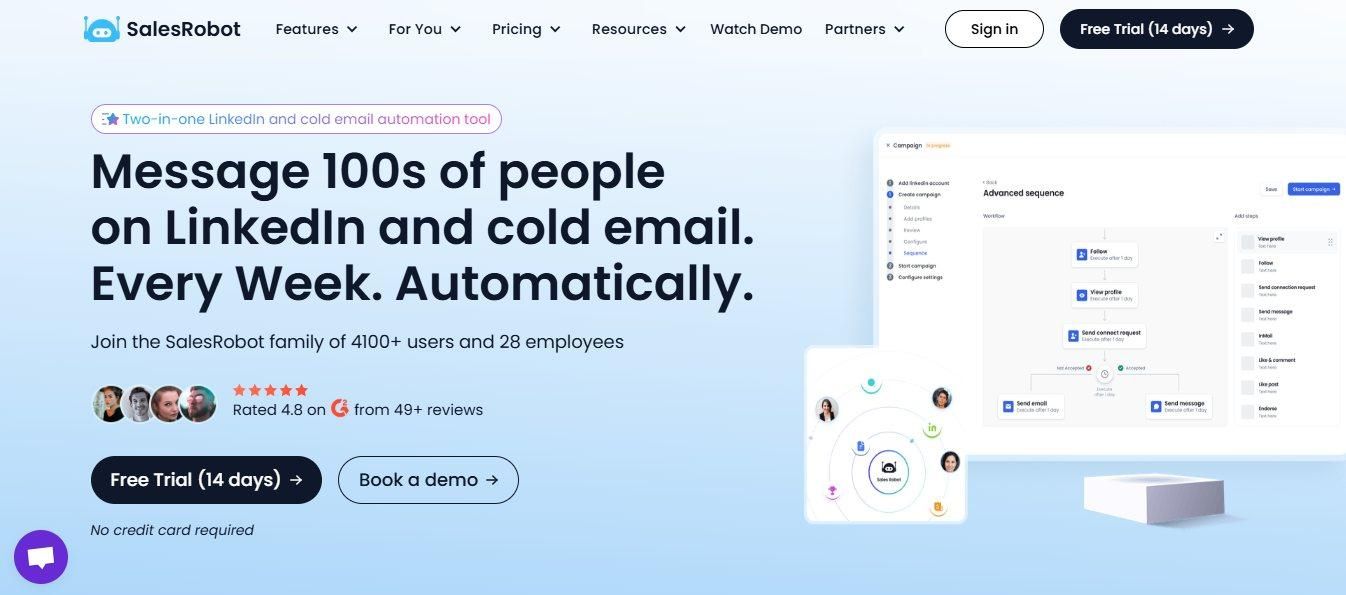
Being transparent here: SalesRobot is not a direct HippoVideo replacement for every buyer on this list.
If you are using HippoVideo for content creation, L&D videos, customer onboarding sequences, or email marketing, the five tools above are the right comparison and SalesRobot is not relevant to your decision.
But if the reason you are evaluating HippoVideo is specifically personalized video and voice delivered on LinkedIn at scale, inside a sequence, without a separate tool or integration to maintain, SalesRobot is worth putting in front of that budget first.
What SalesRobot does: SalesRobot automates LinkedIn outreach using LinkedIn's mobile app APIs with dedicated, local residential IP rotation per account, which mirrors how the LinkedIn phone app operates. It's cloud-based and runs 24/7 with no Chrome extension required, which is why ban risk sits at effectively zero (0.00001%) across 4,100+ users.
The video and voice piece: You record a 10-second voice sample once. SalesRobot clones your voice and generates a personalized voice note for every prospect on your list, each one addressed by their first name and sounding like you recorded it individually. The same logic applies to video.
Record once, SalesRobot personalizes and delivers a video message to each prospect as part of your LinkedIn outreach sequence. Users running voice and video in sequences report 40%+ reply rates versus text-only outreach.
This is the gap HippoVideo does not close. HippoVideo generates the personalized video. You still need another tool to deliver it on LinkedIn.
SalesRobot generates and delivers the personalized voice note or video within the same sequence already running your connection requests, follow-ups, and reply handling.
Key features:
- AI voice clone: record once, personalized voice notes go to every prospect on your list
- AI video clone: record once, personalized video messages delivered on LinkedIn as part of your sequence
- 40%+ reply rates reported by users running voice and video outreach versus text-only
- AI Appointment Setter handles replies, qualifies prospects, and books meetings in your brand voice
- AI Variables personalize each message using each prospect's recent posts, company news, and LinkedIn activity
- Email automation available as an add-on at $15/month per email account
- 14-day free trial, no credit card required
Pricing: Basic at $59/month ($39/month annual). Advanced at $79/month ($59/month annual). Professional at $99/month ($79/month annual). Email automation add-on at $15/month per email account.
Best if: LinkedIn is your primary outbound channel, you want personalized voice and video delivered within your outreach sequence rather than as a separate tool requiring integrations, and account safety is something you cannot compromise on.
The Verdict
There is no single right replacement for HippoVideo. The right pick depends entirely on what specifically about HippoVideo is not working for you and what you were using it for.
If the core issue is recording reliability and you need fast async video your team can actually send without fighting the Chrome extension, Loom is the straightforward answer.
If you want CRM-connected viewer analytics and your team is large enough to justify the per-seat cost, Vidyard is the pick for sales teams that need to know exactly what happened after they pressed send.
If your primary motion is B2B cold outbound and you want the approach that consistently produces the highest reply rates without AI face clones, Sendspark keeps you on camera and layers the personalization on top.
If HippoVideo's interactive CTAs were the feature you actually used and you want them in a cleaner interface with stronger landing page options, Dubb does that job better at a comparable price.
If your team lives inside Gmail or Outlook and sends relationship-driven video email daily in a vertical like real estate or mortgage, BombBomb's email-native delivery removes more friction than any other tool on this list.
If LinkedIn is your primary outbound channel and you want personalized video delivered inside your sequence rather than generated separately and routed through a second tool, add SalesRobot.
Bottom Line
Pick Loom if recording reliability and speed are your priority and you need the fastest record-to-link workflow in the category.
Pick Vidyard if your sales team needs CRM-integrated viewer analytics and AI avatars for scale, and the per-seat cost is justified by the pipeline visibility it gives your reps.
Pick Sendspark if your primary motion is B2B cold outbound and you want real-face video with AI voice personalization and dynamic prospect backgrounds producing the highest reply rates in the category.
Pick Dubb if you specifically want HippoVideo's interactive landing page and CTA capability in a cleaner interface, and AI personalization at scale is not your core requirement.
Pick BombBomb if you are in a relationship-driven vertical, your reps live inside Gmail or Outlook, and you want video embedded directly in email without an additional platform to manage.
Add SalesRobot if LinkedIn is your primary outbound channel and you want AI voice and video personalization built directly into your outreach sequence, so personalized video gets delivered on LinkedIn as part of the same workflow running your connection requests, follow-ups, and reply handling, at $59/month all in.
Frequently Asked Questions
Which HippoVideo alternative is best for LinkedIn outreach?
If LinkedIn is your primary channel, SalesRobot is the strongest fit. It clones your voice and face so personalized voice notes and video messages go out inside your LinkedIn sequence — no separate tool or Zapier bridge — with users reporting 40%+ reply rates. Pricing starts at $59/month monthly ($39/month annual).
Is there a free HippoVideo alternative?
Yes. Loom, Vidyard, Dubb, and HippoVideo itself all offer free tiers. Loom's free Starter allows 25 videos with a 5-minute cap, and Vidyard's free plan covers a handful of videos per month. For LinkedIn-native voice and video outreach, SalesRobot offers a 14-day free trial with no credit card required.
Which HippoVideo alternative is best for cold email outbound?
Sendspark is the strongest choice for cold email prospecting. It pairs your real face with AI voice name personalization and dynamic prospect backgrounds (like their live website or LinkedIn profile), avoiding the synthetic look of full AI avatars that spam filters and prospect scrutiny catch.
Can I embed videos directly inside Gmail or Outlook without extra links?
BombBomb is built specifically for native email playback, allowing reps to record and deliver videos directly within Gmail and Outlook without forcing prospects to open an external landing page.
How do Loom and Vidyard differ for B2B sales teams?
Loom prioritizes fast, frictionless async video capture, screen recording, and Atlassian workspace integration. Vidyard focuses on CRM-connected buyer analytics (HubSpot, Salesforce) that notify reps who watched a video, when, and for how long.

Wow your leads by cloning yourself and sending personalized videos and voice notes to each lead on LinkedIn.
If you don't reply to leads within 5 mins, your chances of converting them fall by 50%. Our AI replies on your behalf instantly! (and yes, you can train it)

Don't shoot in the dark. Get detailed analytics on what's working

SalesRobot allows you to invite other team members, so that they can add their LinkedIn Account, run outreach campaigns and get amazing results just like you.
.avif)


Trusted by 4100+ innovative B2B sales teams and lead gen agencies

.avif)

.avif)




.avif)


Heading 1
Heading 2
Heading 3
Heading 4
Heading 5
Heading 6
Lorem ipsum dolor sit amet, consectetur adipiscing elit, sed do eiusmod tempor incididunt ut labore et dolore magna aliqua. Ut enim ad minim veniam, quis nostrud exercitation ullamco laboris nisi ut aliquip ex ea commodo consequat. Duis aute irure dolor in reprehenderit in voluptate velit esse cillum dolore eu fugiat nulla pariatur.
Block quote
Ordered list
- Item 1
- Item 2
- Item 3
Unordered list
- Item A
- Item B
- Item C
Bold text
Emphasis

Superscript
Subscript