.avif)
TL;DR
- The LinkedIn Depth Score is an internal ranking signal that measures how meaningfully people engage with your content, dwell time, comment quality, saves, and private shares, not whether they tapped a reaction.
- It's powered by 360Brew, a 150-billion-parameter AI model LinkedIn built to replace thousands of separate recommendation models.
- The gap is brutal: posts with 0-3 seconds of dwell time hit 1.2% engagement, while posts with 61+ seconds hit 15.6%, a 13x difference.
- You can't see this number anywhere. It's not a dashboard metric, it's an internal signal that decides how far your post travels over 24-72 hours.
- Platform-wide reach is down around 47% year over year, so the highest-impact fix is content built for depth: document and carousel posts are hitting 6.60% engagement, the highest of any format.
- If organic reach is collapsing, Depth Score is where you win it back, or you shift to direct outreach you actually control.
- 👉 Skip the algorithm lottery: SalesRobot puts you directly in front of buyers with 55% average reply rates. Try free for 14 days.

Wait, Did LinkedIn Just Secretly Rewrite Its Entire Algorithm?
You posted something good. Actually good.
Twelve impressions. Two of them were probably you refreshing.
Meanwhile that guy who posts "Agree? 👇" underneath a stock photo is somehow at 40,000 views. Cool. Great. Love it here.
Here's what actually happened: LinkedIn didn't tweak the algorithm. It replaced it.
LinkedIn built 360Brew, a 150-billion-parameter AI model that swallowed thousands of separate ranking systems and now decides who sees what.
At the center of it sits a signal the industry calls the Depth Score. And it's the reason platform-wide reach is down roughly 47% year over year.
This is the part nobody explained to you before your reach fell off a cliff. Let's fix that.
What Is the LinkedIn Depth Score?
The LinkedIn Depth Score is an internal ranking signal that measures how meaningfully users engage with a piece of content, not whether they reacted to it, but how long and how deeply they stopped for it.
In plain terms: LinkedIn stopped counting taps and started counting attention.
A like takes half a second. A save, a thoughtful comment, someone reading your whole post for a full minute, someone forwarding it in a DM, those signals tell 360Brew the content actually mattered. That's depth.
Two things you need to accept right away.
One: it's not a metric you can check. There is no Depth Score number on your dashboard, your analytics tab, or anywhere else. It's an internal ranking signal LinkedIn uses to decide how far your content spreads, full stop.
Two: "Depth Score" is an industry-coined label. LinkedIn hasn't officially branded it. But the behavior it describes, ranking by engagement depth over engagement volume, is very real and very measurable in your reach numbers.
The score accumulates over the first 24 to 72 hours after you post.
Sustained meaningful engagement expands your distribution. Engagement that dies in the first hour gets your post quietly pulled back.
The Four Signals LinkedIn Actually Measures (And What Each Weighs)
Depth Score isn't one number, it's a blend of behavioral signals. Here are the four that matter most, and how they stack up against a plain like.
The headline number: saves are widely reported to carry roughly 5x the algorithmic weight of a like, and about 2x the weight of a comment. If you want one behavior to design your posts around, it's the save.
Dwell time is the multiplier that runs underneath all of it.
Posts that earn 61+ seconds of average dwell time hit 15.6% engagement rates. Posts skimmed in under 3 seconds? 1.2%.
That's a 13x difference driven purely by how long people stop.
And here's the distribution rule that ties it together: your post keeps earning depth for 24-48 hours.
A post that generates meaningful engagement past the first hour keeps getting pushed to new audiences. A post where engagement dies early gets contracted.
In practice, that means the first 60 minutes decide your next 48 hours.
What Is 360Brew and Why Does It Change Everything?
360Brew is the AI model LinkedIn built to replace thousands of separate recommendation models with a single foundation model.
It's a 150-billion-parameter decoder-only model built on Mixtral 8x22B, and it's the machine that actually calculates your Depth Score.
Worth noting: LinkedIn first detailed 360Brew in a January 2025 research paper and publicly confirmed its rollout into the feed in 2026, so exact deployment timing varies by source.
The mechanic that changes everything is how it personalizes.
360Brew uses many-shot in-context learning. It feeds 2 to 3 months of each member's activity directly into the model prompt before ranking their feed.
So it doesn't just score your post. It scores your post for that specific person, against their behavioral history.
For example, you could publish one post that lands at 8,000 views for an audience whose recent activity matches your topic, and 300 views for an audience it doesn't. Same post. Different Depth Score per viewer.
That's why "post a great thing and it'll do great everywhere" stopped being true. Under 360Brew, reach is personalized down to the individual reader.
LinkedIn Depth Score by the Numbers: What 2026 Data Actually Shows
As of 2026, here's the concrete data behind the Depth Score shift. Every number below is worth screenshotting before your next content meeting.
- The dwell-time gap: Posts with 0-3 seconds of dwell time achieve 1.2% engagement. Posts with 61+ seconds achieve 15.6%, a 13x difference (Closely, 2024).
- The reach collapse: Platform-wide reach is down around 47% year over year (AuthoredUp's analysis of 3M+ posts). Richard van der Blom's Algorithm Insights report similarly finds views and follower growth down sharply versus last year.
- Video got hit hardest: Video reach dropped around 72%. Even strong text posts are down roughly 34%.
- The external-link penalty: Posts with links to an external website are widely reported to see meaningfully less reach than an identical post without one. The old "put the link in the first comment" trick is also penalized as of 2026.
- The reply-fast payoff: Responding within the first 30 to 60 minutes of posting is consistently tied to more comments and materially more views, since early engagement is what triggers wider distribution.
- The format winner: Document posts (PDF carousels) are hitting 6.60% engagement rates, among the highest of any LinkedIn format (Socialinsider).
- The cadence sweet spot: A high-performing post now has a 48-72 hour lifespan under 360Brew, and the sweet spot for most creators is 3-4 posts per week.
Notice the pattern. Every winning number rewards attention and every losing number punishes shortcuts.
7 Ways to Actually Improve Your LinkedIn Depth Score
You can't see the score, but you can move it. Here are seven tactics, ordered by impact, each tied to a real number, not a vibe.
1. Write for the pause, not the reaction. Front-load a first line that stops the scroll cold, because dwell time starts accumulating from the first second someone lands.
A curiosity gap, a bold claim, a specific number, anything that earns the "…tell me more" pause. Remember the 13x swing between a 3-second skim and a 61-second read.
2. Use document and carousel posts. PDF carousels are pulling 6.60% engagement rates, among the highest of any format on the platform.
Why? People swipe through them, which racks up dwell time naturally. Think of it as buying attention with structure: one idea per slide, 8-10 slides, a payoff at the end.
3. Kill external links in the post body. External links cost you a big chunk of your reach. Don't put them in the first comment either, that workaround is penalized as of 2026.
For example, you could tell people to comment a keyword and you'll DM them the link, which turns the link ask into a comment signal instead of a penalty.
4. Reply within the first 30 minutes. Posts where the author responds early earn more comments and materially more views. Block 30 minutes after you hit publish and actually be there.
Every reply you write is another comment on your own post, and comments feed depth.
5. Write posts that earn saves. Saves carry roughly 5x the weight of a like, so build content people want to keep: templates, step-by-step frameworks, checklists, "steal this" lists.
If someone would screenshot it, they'll save it, and that's one of the most valuable signals you can trigger.
6. Post 3-4 times per week, not daily. With a 48-72 hour post lifespan, quality-per-post now beats raw volume.
Daily posting spreads your attention thin and cannibalizes your own reach. Three to four genuinely good posts a week give each one room to breathe and keep earning depth.
7. Never, ever use engagement pods. LinkedIn's AI detects reciprocal engagement patterns and applies shadowbans without warning.
Accounts in pods have watched reach drop from thousands to hundreds overnight. Pods are the single fastest way to tank your Depth Score, the exact opposite of the goal.
The Channel You Actually Control: Direct Outreach
Here's the uncomfortable truth underneath all seven tactics: even a perfect post lives or dies inside a system you don't own.
You can nail your hook, earn saves, reply in the first 30 minutes, and still get buried because 360Brew decided your audience wasn't in a swiping mood that Tuesday.
Depth Score decides who sees your posts. Direct outreach decides who you actually talk to.

That second channel is the one you fully control, and it's where a tool earns its place. Here's how SalesRobot maps to the gap the feed leaves open:
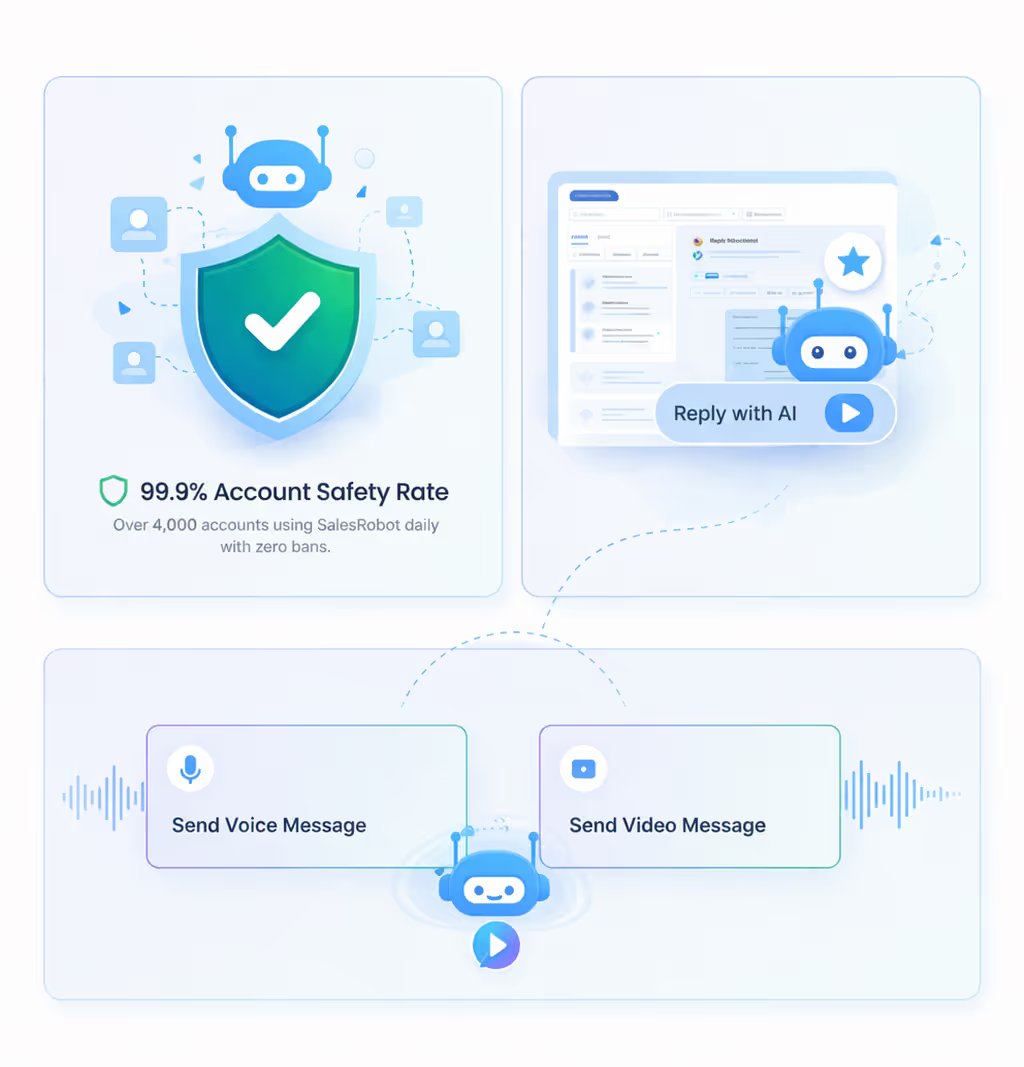

The architecture matters here too. Browser-extension tools like Dux-Soup or Waalaxy run through your own session on a fixed IP, the exact fingerprint LinkedIn's detection systems are built to catch.
SalesRobot runs on mobile-API technology in the cloud with randomized delays and residential IP rotation, so accounts stay safe and campaigns run 24/7 without your browser open.

The numbers back it up: 4,100+ B2B teams, a 51% connection acceptance rate, and a 55% average reply rate, with plans starting at $59/month.
Frequently Asked Questions
What is dwell time on LinkedIn and why does it matter?
Dwell time is the number of seconds someone spends stopped on your post before scrolling on.
It matters because it's the core Depth Score signal: posts with 61+ seconds of average dwell time hit 15.6% engagement, while posts skimmed in under 3 seconds manage only 1.2%, a 13x difference in reach.
What is 360Brew?
360Brew is the 150-billion-parameter AI model LinkedIn built to replace thousands of separate recommendation systems.
It ranks your feed using many-shot in-context learning, feeding 2 to 3 months of each member's activity into the model to personalize distribution per person. It's the engine that calculates the Depth Score.
Can I see my LinkedIn Depth Score anywhere?
No. The Depth Score is an internal ranking signal, not a public dashboard metric, there's no number to check.
The closest proxy is watching your analytics for average time-in-feed and whether posts keep gaining reach past the first 24 hours, which signals strong depth performance.
Why has my LinkedIn reach dropped so much in 2026?
360Brew's rollout shifted ranking away from reaction counts toward dwell time and engagement depth.
Platform-wide reach is down around 47% year over year, with video down around 72%. Posts that once earned reach through volume signals now score poorly on depth signals, so old tactics quietly stopped working.
Do engagement pods still work on LinkedIn?
No. As of 2026, LinkedIn's AI detects reciprocal engagement patterns and applies shadowbans without warning.
Accounts in pods have seen reach collapse from thousands to hundreds overnight. Pods now actively damage your Depth Score, making them one of the fastest ways to shrink your reach rather than grow it.
Should I stop posting and just do outreach instead?
No, they solve different problems and work best together. Posting builds authority and warms up an audience over time, which makes your outreach land better when you do reach out.
Direct outreach gives you reach you control right now, independent of the algorithm. The strongest play is to keep optimizing for Depth Score while running steady, personalized outreach underneath it, so you're never fully at the mercy of a feed you don't own.
Putting It Together, And the Channel You Actually Control
Depth Score is real, it's here, and it rewards exactly one thing: content people genuinely stop for.
Write for the pause, earn saves, reply fast, drop the external links, skip the pods, and you'll move a number you can't even see.
Here's the honest reality check, though. Even a perfectly optimized post lives inside an algorithm you don't control, on a platform where reach is down roughly 47% across the board.
You can do everything right and still be at the mercy of 360Brew's mood on a Tuesday.
Depth Score decides who sees your posts. Your outreach decides who you actually talk to, and that's the half you fully control.
That's where SalesRobot fits. Instead of waiting on the feed, it puts you directly in front of the exact buyers you want to reach, on mobile-API technology that keeps accounts safe with randomized delays and human-like limits.
Keep working your Depth Score. But own the channel you control, too. Try SalesRobot free for 14 days, no credit card required.

Wow your leads by cloning yourself and sending personalized videos and voice notes to each lead on LinkedIn.
If you don't reply to leads within 5 mins, your chances of converting them fall by 50%. Our AI replies on your behalf instantly! (and yes, you can train it)

Don't shoot in the dark. Get detailed analytics on what's working

SalesRobot allows you to invite other team members, so that they can add their LinkedIn Account, run outreach campaigns and get amazing results just like you.
.avif)


Trusted by 4100+ innovative B2B sales teams and lead gen agencies

.avif)

.avif)




.avif)


Heading 1
Heading 2
Heading 3
Heading 4
Heading 5
Heading 6
Lorem ipsum dolor sit amet, consectetur adipiscing elit, sed do eiusmod tempor incididunt ut labore et dolore magna aliqua. Ut enim ad minim veniam, quis nostrud exercitation ullamco laboris nisi ut aliquip ex ea commodo consequat. Duis aute irure dolor in reprehenderit in voluptate velit esse cillum dolore eu fugiat nulla pariatur.
Block quote
Ordered list
- Item 1
- Item 2
- Item 3
Unordered list
- Item A
- Item B
- Item C
Bold text
Emphasis

Superscript
Subscript