.avif)
TL;DR
- Your LinkedIn outreach follow-up sequence should run 3 to 4 messages if you'll hand off to email, or 5 to 7 touches if LinkedIn is your only channel. 7 is the hard ceiling before you start damaging your brand.
- The famous "80% of sales need 5+ follow-ups" stat may or may not be true for you. So stop when you run out of new value, there’s no magic number that you should stick to.
- Replies are front loaded: the first two touches carry the largest share, and each later touch adds a smaller but real slice on top.
Still Writing "Just Checking In"? That's the Problem.
You sent a sharp, personalized first message.
So you sent a "just following up." More silence.

Now you're staring at 47 unanswered LinkedIn threads, and you genuinely can't tell whether you're one message away from a meeting or one message away from getting blocked.
The opener is actually your single best performing touch on its own, but the follow-ups combined still account for the majority of total replies, so skipping them costs you more than you'd think.
But go the other direction, sending a fifth, sixth, seventh "checking in" with nothing new to say, and you start looking desperate (and also damage your repo along the way).
So the real question isn't "how many?" It's "how many of what, on which channel?"
Because the number that's right for a LinkedIn-only campaign is wrong for a multi-channel one. Let's settle it.
What Actually Counts as a "Touch" on LinkedIn?
A LinkedIn "touch" is any intentional, direct contact with a prospect: a connection request with a note, a DM, a voice note, a video message, or an InMail, where you're initiating or continuing a conversation.
Profile views and post likes don't count.
This matters more than it sounds.
A connection request with a note counts as touch #1. A blank connection request does not.
Most people get this wrong in one of two ways. They under-count (forgetting the connection note was already a touch) and then over-send. Or they over-count (treating a profile view or a post like as a "follow-up") and quit too early.
One useful note: leaving an AI-generated comment on a prospect's post before you reach out is a pre-sequence warm-up.
It raises your acceptance odds, but it's not a numbered touch. Keep your count clean. When you can't tell what counts, you can't calibrate the sequence.
The Number Everyone Cites, And Why It's Contested
You've read this stat a hundred times: "80% of successful sales require five or more follow-ups". Alongside it: "40%+ of salespeople give up after one follow-up attempt".
Here's what nobody tells you:
It's been copy-pasted across sales blogs for over a decade, and the definition of "follow-up" quietly shifts with every retelling. We're not going to pretend it's gospel.
The real data is more useful anyway.
But replies don't all land on the opener. Roughly 50%+ of all replies arrive by touch #2, with the remainder spread across touches 3 through 7 and shrinking with each one.
So the resolution is this: the give-up point isn't ONE number. It's the moment you run out of genuinely new value to add.
The Cadence That Actually Works: A Channel-by-Channel Breakdown
The number of touches you should send depends entirely on your channels. Here's the framework that resolves the whole debate.
The LinkedIn Follow-Up Cadence Matrix (2026)
Scenario 1, accepted but silent. One widely cited analysis of LinkedIn sequences (PhantomBuster) lands on 4 messages over 14 days, on days 1, 4, 9, and 14, each under 300 characters, each delivering something useful, each making it easy to bail out. Why cap at 4? The thread sits visible in their inbox. Crowding it reads as desperation.
Scenario 2, LinkedIn-only. When LinkedIn is your sole channel, you've earned more room: 5 to 7 touches over 3 to 4 weeks.
Replies are front loaded here too: most still arrive in the first couple of touches, but with LinkedIn as your only channel, the extra touches 5 - 7 exist to pick up a slower-to-respond remainder you'd otherwise leave on the table.
Beyond 7, you're past the point of diminishing returns and into territory that can damage your brand.
Scenario 3, multi-channel. Fire 3 to 4 LinkedIn touches, then route silent prospects to email. A large and growing share of outbound campaigns now combine LinkedIn and email, and sequences spanning three or more channels are widely cited as generating roughly 250 to 300% higher response than single-channel ones, a figure that originated in ecommerce research and is commonly extended to B2B outbound.
In practice, that means: pick your ceiling before you start sending, based on whether email is in play.
What to Put in Each Follow-Up (So It Doesn't Sound Like Spam)
Most follow-ups don't fail on timing. They fail because they're the same message re-sent.
"Just circling back" carries zero new information while quietly asking for the prospect's time. Every touch needs a fresh angle. Here's the value map.
Touch #1: Connection Request Note
300 characters max. One specific, relevant observation, their recent post, a shared connection, an industry event. No ask. You're opening a door, not pitching through it.
Touch #2: First DM After Acceptance (Day 3 to 5)
This is the value message. Share something genuinely useful: a relevant resource, a specific insight, a short case study. No ask, or a very soft one like "would this be relevant for your team?"
Touch #3: The Proof Point (Day 7 to 10)
Bring proof. A concrete customer result, a specific stat, or a genuinely curious question, not a repackaged pitch. Getting more direct is appropriate now; you've earned it with two value-led touches.
Touch #4: The Soft Close (Day 12 to 14)
A direct, respectful ask. "If the timing isn't right, I'll leave it there, happy to reconnect down the line." This preserves the relationship for the 60 to 90 day re-engagement window instead of burning it.
Touch #5 to 7: LinkedIn-Only Extension (Days 16 to 28)
Only for LinkedIn-only campaigns, and only if you have genuinely new angles: fresh product news, an article they'd actually care about, a direct referral connection. If you're recycling old touches with new dates, stop at 4. Volume without value is just noise.
LinkedIn's 2026 Sending Limits: The Numbers That Cap Your Sequence
A perfect cadence is useless if it gets your account flagged before touch #4. Here are the limits that bound everything above. L
LinkedIn limits as commonly reported in 2026:
- Connection requests: roughly 100 to 150 per week (about 15 to 20 per day). Without Sales Navigator, stay under 80 per week to be safe.
- New messages: roughly 100 per week on free accounts, 150 per week on paid.
- Follow-ups to existing conversations: LinkedIn is far more lenient here, with volume commonly reported around 200 to 300 per week.
- Profile views and post engagement: not rate-limited the same way.
Now do the math. Run a 5-touch sequence across 200 prospects and your follow-up volume alone slams into that 200 to 300 per week ceiling.
In practice, that means you cannot run this sequence by hand at any real scale, not without missing touches, mistiming sends, or tripping a restriction.
Frequently Asked Questions
How many follow-up LinkedIn messages should you send before you stop?
Send 3 to 4 if you're handing off to email after LinkedIn, or 5 to 7 if LinkedIn is your only channel. Seven LinkedIn-only touches is the practical ceiling, beyond that you hit diminishing returns and risk damaging your brand with that prospect. Stop when you've run out of genuinely new value, not at an arbitrary number.
How many follow-ups are too many?
For accepted-but-silent connections, more than four messages without a reply starts to make you look pushy and can damage your personal brand, according to PhantomBuster's analysis. For LinkedIn-only sequences, seven is the practical ceiling. The real test isn't the count. If a follow-up adds no new value, it's already one too many.
Do LinkedIn voice notes or video messages get more replies than text follow-ups?
Generally yes. Personalized voice notes and video messages stand out in an inbox full of templated text. SalesRobot customers running sequences that mix voice, video, and text report reply rates in the 40 to 65% range, well above what text-only outreach typically pulls, making them strong options for later follow-up touches.
What should you do when someone views your LinkedIn message but does not reply?
A view without a reply usually means timing, not rejection. Wait 3 to 4 days, then send your next planned touch with something genuinely new: a resource, a proof point, or a soft question. Don't send "saw you read this" messages; they read as pressure. Keep delivering value and let the cadence do its work.
How many LinkedIn messages should I send in a sequence?
Plan 3 to 4 messages for a multi-channel sequence that switches to email, or 5 to 7 for LinkedIn-only outreach. One frequently cited analysis (PhantomBuster) of LinkedIn sequences supports 4 messages over 14 days, on days 1, 4, 9, 14, for accepted connections. Each message should be under 300 characters and add something new.
Can you automate follow-up LinkedIn messages and still keep them personal?
Yes. Tools like SalesRobot fire each scheduled touch automatically while pulling personalization from each prospect's profile, so messages stay specific rather than templated. It can even send AI-personalized voice notes and video messages on LinkedIn at scale, and an AI Appointment Setter can reply to leads in the inbox and nurture them until they're ready to book. SalesRobot's mobile-API approach runs in the cloud and paces sending human-like to stay inside LinkedIn's limits, and SalesRobot reports a 55% average reply rate among its customers as evidence that automated and personal aren't opposites.
What's the difference between LinkedIn outreach and cold email?
LinkedIn outreach happens inside a visible, social context with tight weekly limits, so sequences cap around 4 to 7 touches. Cold email is more scalable and tolerates longer sequences but fights spam filters. The strongest approach combines both: sequences using three or more channels are widely cited as generating substantially higher response than single-channel outreach, though the underlying figures often trace back to studies outside B2B sales specifically.
Putting It Together
Most prospects won't reply to touch #1. That's not a failure of your message, it's just how a crowded inbox works.
The data backs this up: replies are front loaded, but the bulk of them still come from the touches after the opener, not the opener alone.
Where most people actually fall off isn't the strategy, it's the execution. Remembering to follow up on day 4, day 9, and day 14 for every single prospect, varying the value each time, and staying under LinkedIn's limits is a full-time job once you're past a handful of people.
SalesRobot exists for that exact gap.
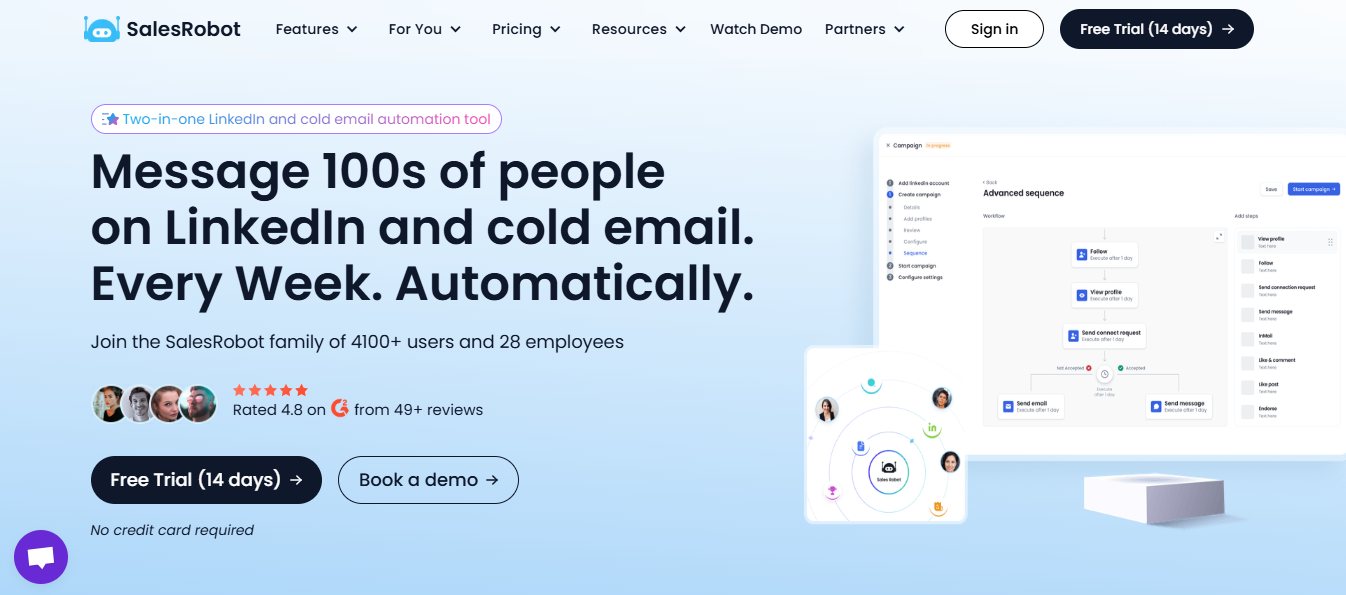
It runs the sequence on schedule, hands silent prospects off to email automatically, mixes in AI-personalized voice notes and video messages so every touch feels human, and paces each follow-up to stay inside LinkedIn's limits — all without you tracking a single thread by hand.
Plans start at $39/month (billed annually), work across LinkedIn and email both.
Watch a demo to see it run live, or start your 14-day free trial, no credit card required.
Running this for clients instead of yourself? White-label SalesRobot.

Wow your leads by cloning yourself and sending personalized videos and voice notes to each lead on LinkedIn.
If you don't reply to leads within 5 mins, your chances of converting them fall by 50%. Our AI replies on your behalf instantly! (and yes, you can train it)

Don't shoot in the dark. Get detailed analytics on what's working

SalesRobot allows you to invite other team members, so that they can add their LinkedIn Account, run outreach campaigns and get amazing results just like you.
.avif)


Trusted by 4100+ innovative B2B sales teams and lead gen agencies

.avif)

.avif)




.avif)


Heading 1
Heading 2
Heading 3
Heading 4
Heading 5
Heading 6
Lorem ipsum dolor sit amet, consectetur adipiscing elit, sed do eiusmod tempor incididunt ut labore et dolore magna aliqua. Ut enim ad minim veniam, quis nostrud exercitation ullamco laboris nisi ut aliquip ex ea commodo consequat. Duis aute irure dolor in reprehenderit in voluptate velit esse cillum dolore eu fugiat nulla pariatur.
Block quote
Ordered list
- Item 1
- Item 2
- Item 3
Unordered list
- Item A
- Item B
- Item C
Bold text
Emphasis

Superscript
Subscript