.avif)
TL;DR
- Lusha is a B2B sales intelligence platform trusted by over 2.6 million users, built around one core job: finding verified contact information for the people you want to reach.
- The Chrome extension pulls direct dials and emails directly from LinkedIn profiles and is genuinely best-in-class, setting up quickly with no training required.
- Pricing runs from a free plan with 70 credits/month up to $399/user/month on Premium, with a fully custom Scale tier for larger teams.
- The credit system burns through fast, especially for phone numbers, and many advanced features like API access, intent data, and Salesforce enrichment are locked behind the Scale plan.
- Lusha finds you contacts. It does not send outreach or automate LinkedIn activity.
- If LinkedIn prospecting is part of your workflow, SalesRobot covers that execution layer naturally alongside it.
- This post covers what Lusha does well, where it falls short, and an alternative that handles specific jobs better.
Finding the right person to contact is one thing.
Finding their verified phone number or email address is another matter entirely.
Most SDRs spend a disproportionate amount of time on that second problem: searching company websites, guessing email formats, calling main lines, and getting routed to voicemail.

Lusha was built to solve that specific problem, and by most accounts, it does it well.
Lusha is a B2B sales intelligence and contact data platform.

Its primary job is to surface verified direct dials, email addresses, and company information for the prospects your team wants to reach.
The Chrome extension does this directly on LinkedIn profiles, inside CRMs, and on company websites without switching tabs or running separate searches.
This review covers what Lusha actually does, what each plan costs, where it delivers, and where its limitations consistently frustrate users.
One important distinction to establish upfront: Lusha is a data tool. It tells you who to contact and gives you their details. It does not run outreach sequences, automate LinkedIn connection requests, or manage follow-ups.
If your workflow includes LinkedIn outreach automation alongside contact enrichment, SalesRobot covers that execution layer naturally, and we address how the two tools work together toward the end.
Lusha: What You Need to Know
✅ Excellent contact accuracy: Lusha delivers some of the most accurate email and phone data in the prospecting space. Their verification process means you'll spend less time dealing with bounced emails and more time actually connecting with prospects.

⚠️ Credit system can get expensive: Every contact you reveal burns through credits, and those credits add up fast if you're doing heavy prospecting. The pricing structure can catch teams off guard when they're scaling up their outreach efforts.

✅ Super intuitive Chrome extension: The browser extension makes prospecting feel effortless when you're browsing LinkedIn or company websites. You can grab contact details with just one click without switching between multiple tabs or platforms.

✅ Strong LinkedIn integration: Lusha works seamlessly with LinkedIn Sales Navigator and regular LinkedIn profiles. It's perfect for sales teams who live on LinkedIn and want to turn profile browsing into actual contact information instantly.
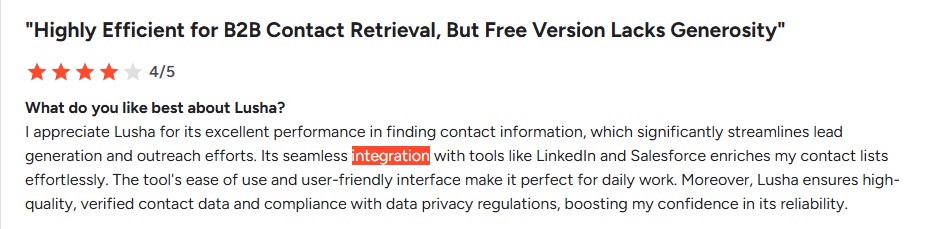
⚠️ Limited database coverage: While Lusha excels in certain markets, their coverage can be spotty for smaller companies or specific industries. You might find gaps when prospecting outside major business hubs or niche sectors.

✅ Clean, user-friendly interface: The dashboard is refreshingly simple compared to bloated sales tools that require training manuals. New team members can start pulling contacts effectively within minutes of signing up.

⚠️ Basic enrichment features: Unlike comprehensive platforms, Lusha focuses mainly on contact data without much company intelligence or advanced filtering. If you need detailed firmographics or technographics, you'll probably need additional tools.
⚠️ No outreach capabilities: Lusha stops at data. Once you've found a contact, you're on your own. You'll need separate tools to send messages, follow up, and actually book meetings. For teams running high-volume outreach, that gap adds up fast.
Key Features
Contact & Company Database

Lusha gives you access to millions of verified B2B contact profiles with direct phone numbers and email addresses. Think of it as your digital rolodex that's always up to date.
When you find a promising prospect on LinkedIn, just click the Lusha extension to instantly reveal their contact details. No more hunting through company websites or guessing email formats.
Email Finder & Verification
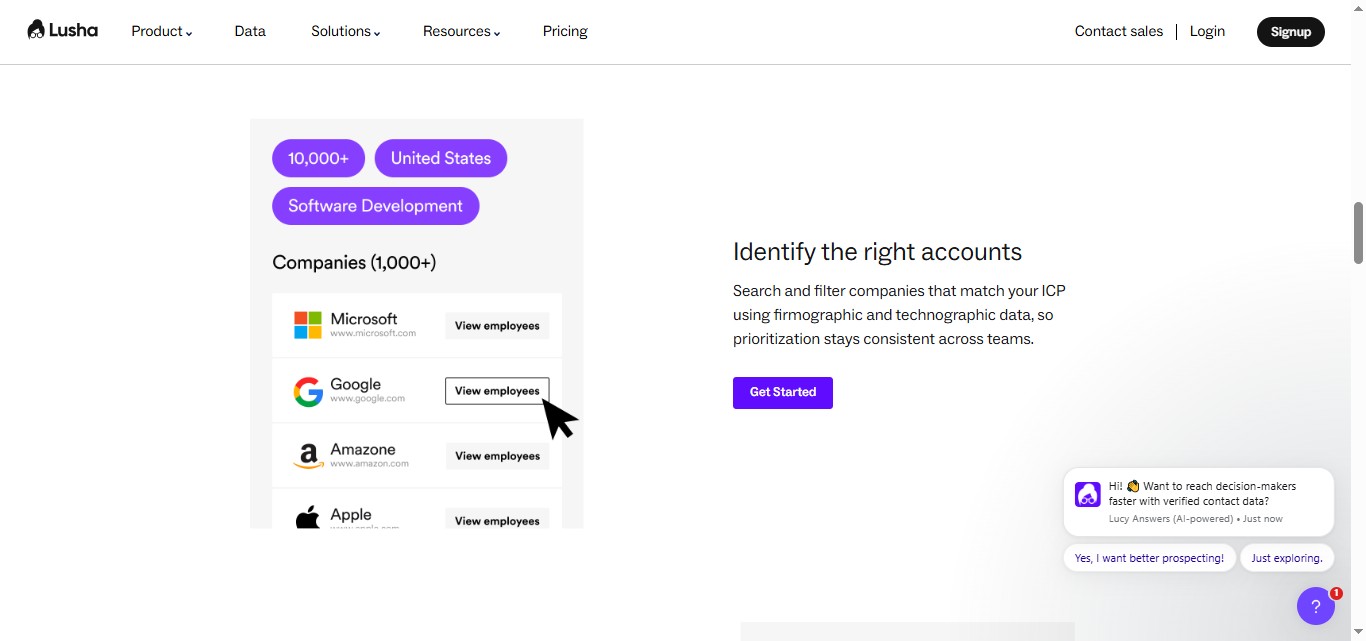
The platform automatically finds and verifies email addresses in real-time, so you're not sending messages into the void. It cross-checks multiple data sources to ensure accuracy.
If you have a prospect's name and company, Lusha can predict their email format and verify it exists. This saves hours of manual research and reduces bounce rates significantly.
Chrome Extension

Lusha's browser extension works seamlessly with LinkedIn, allowing you to gather contact information without leaving the platform. It's like having a research assistant that works instantly.
While browsing LinkedIn profiles or company pages, simply click the extension to reveal phone numbers, emails, and additional company data. Perfect for sales reps who live on social selling platforms.
CRM Integration
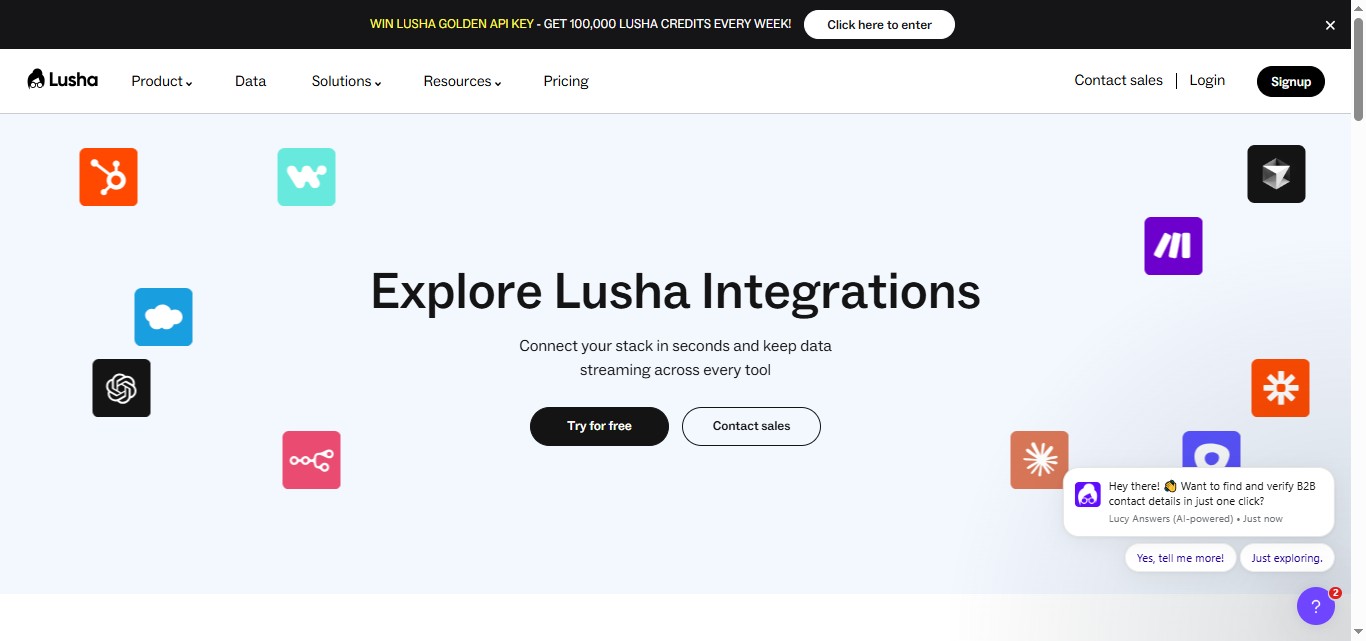
The tool syncs directly with popular CRMs like Salesforce, HubSpot, and Pipedrive to automatically update contact records. No more manual data entry or switching between multiple tools.
When you find new contact information through Lusha, it automatically populates in your CRM with a single click. This keeps your sales pipeline organized and ensures no lead falls through the cracks.
Bulk Data Export
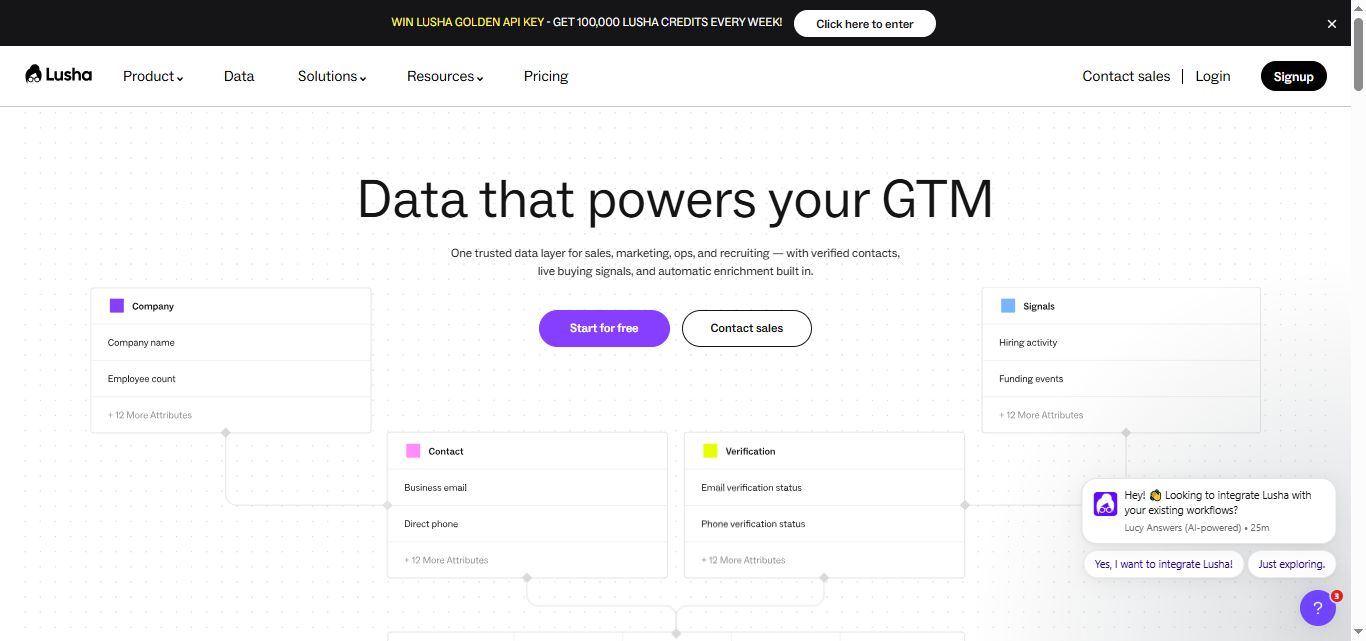
Lusha allows you to export large lists of contacts and company information for targeted campaigns. You can search by specific criteria like industry, company size, or job title.
For example, you could export all marketing directors at SaaS companies with 50-200 employees in California. This creates highly targeted prospect lists for your outbound campaigns.
Data Compliance & Privacy
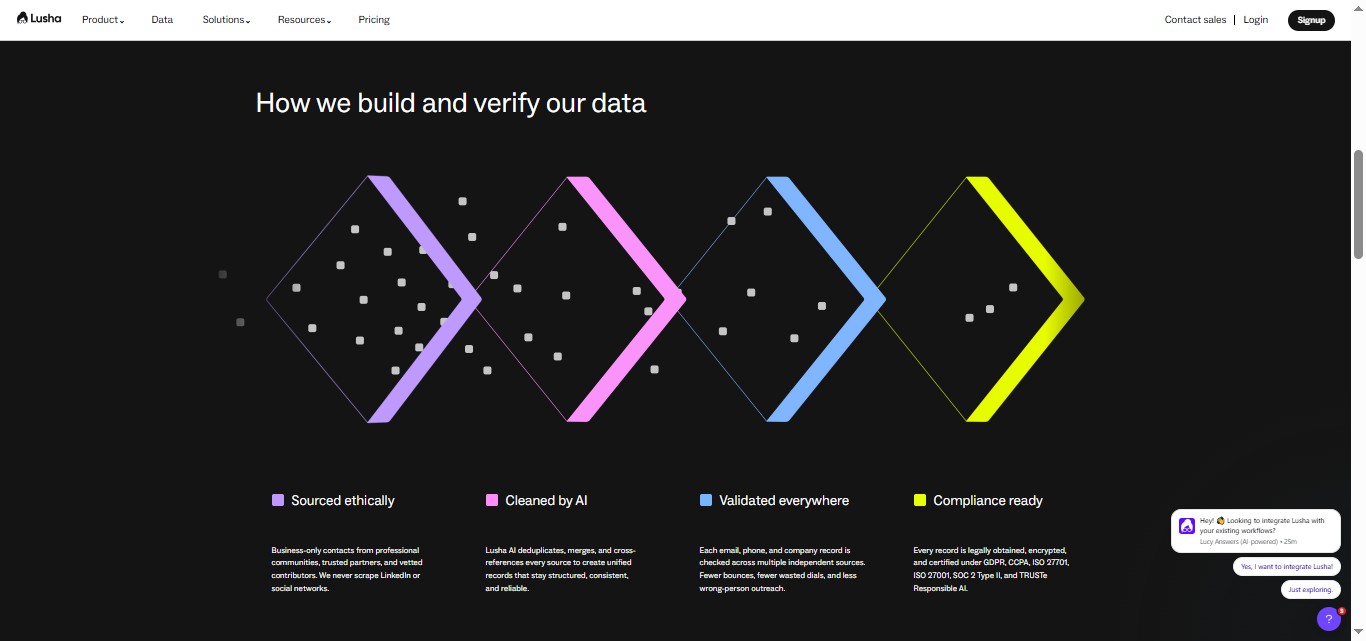
The platform maintains GDPR and CCPA compliance while providing accurate contact data. Lusha only displays information that's publicly available or consensually shared.
This means you can prospect confidently knowing the data meets legal standards. It's especially important for companies operating in Europe or working with privacy-conscious prospects.
AI Playlists and Engage
More recent additions to the platform include AI Playlists, which turn static prospect lists into live streams of fresh leads that continuously update to match your ICP as new contacts enter Lusha's database.
The Engage feature allows users to build basic email sequences directly inside Lusha, removing the need for a separate sending tool for simple outreach campaigns.
However, while acceptable for basic automated follow-ups, Engage lacks multi-channel capabilities, such as automated LinkedIn DMs and advanced deliverability tools, required for a truly comprehensive or high-volume outreach strategy.

Lusha Pricing
Lusha uses a credit-based system.
Revealing an email address costs 1 credit. Revealing a phone number costs 5 credits. Monthly plan credits roll over up to twice the plan limit as long as the subscription remains active.
Annual plan credits are granted upfront and reset at the end of the billing cycle if unused.
All prices below are monthly billing rates. Annual billing reduces costs by 25 percent.
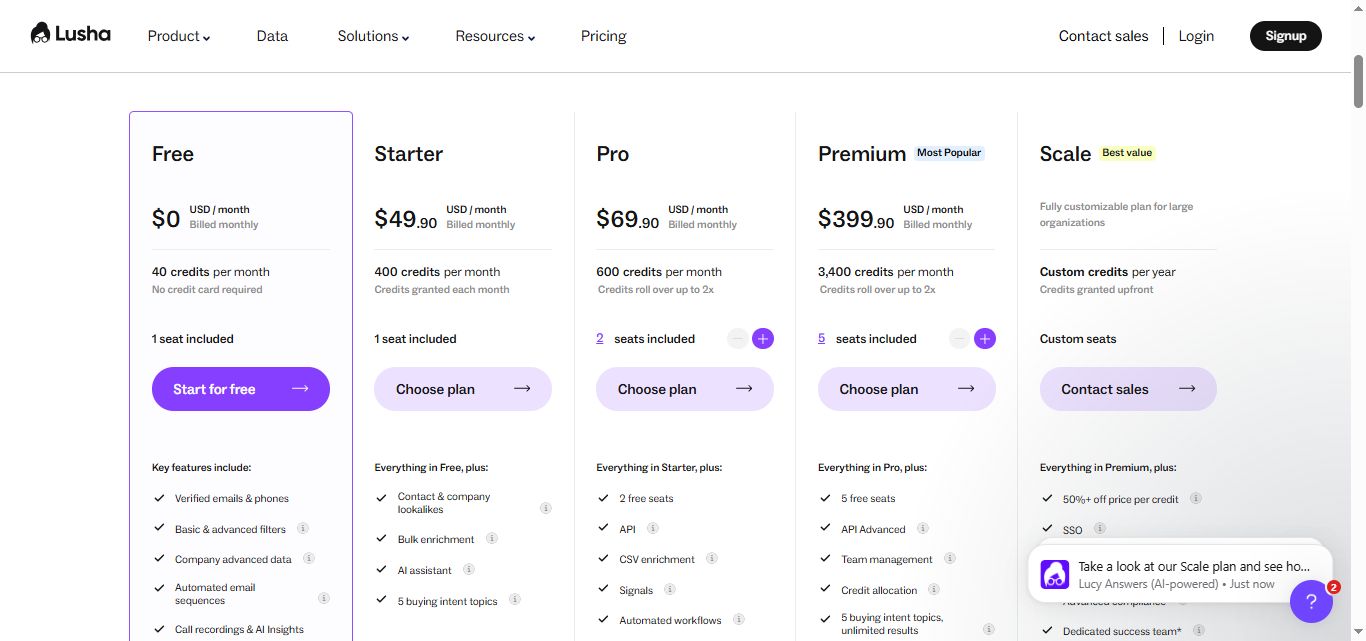
Free Plan: $0/month
40 credits per month
No credit card required
1 seat included
Key features include:
- Verified emails & phones
- Basic & advanced filters
- Company advanced data
- Automated email sequences
- Call recordings & AI insights
Perfect for individual freelancers or those just testing Lusha's data quality. The credit limits make this best for very light prospecting needs.
Starter Plan: $49.90/month
400 credits per month
Credits granted each month
1 seat included
Everything in Free, plus:
- Contact & company lookalikes
- Bulk enrichment
- AI assistant
- 5 buying intent topics
Ideal for individual sales reps or small business owners who need consistent prospecting data. The credit allocation covers moderate outreach volumes without breaking the budget.
Pro Plan: $69.90/month
600 credits per month
Credits roll over up to 2×
2 seats included
Everything in Starter, plus:
- 2 free seats
- API
- CSV enrichment
- Signals
- Automated workflows
Best suited for growing sales teams or power users who need deeper prospect intelligence. The intent data helps identify companies actively researching solutions.
Premium Plan: $399/month
3,400 credits per month
Credits roll over up to 2×
5 seats included
Everything in Pro, plus:
- 5 free seats
- API advanced
- Team management
- Credit allocation
- 5 buying intent topics, unlimited results
Designed for established sales teams that need high-volume prospecting and custom workflows. The API access allows for deeper integration with existing sales stacks.
Scale Plan: Custom Pricing
Fully customizable plan for large organizations
Custom credits per year
Credits granted upfront
Custom seats
Contact sales
- 50% off price per credit
- SSO
- 25 buying intent topics, unlimited results
- Advanced compliance
- Dedicated success team
- Priority support
Annual billing saves 25 percent across all paid plans.
What Works Well
✅The Chrome extension saves real time every day. The most consistent praise across G2, Capterra, and independent reviews is how much time the extension removes from prospecting research.
Finding a verified direct dial in one click instead of spending 15 to 20 minutes tracking it down manually adds up to hours per week for active SDRs.
✅Data quality is above the industry average. Lusha's reported 81 percent accuracy, with email accuracy typically landing between 85 and 90 percent in real-world testing, is meaningfully better than what many alternatives provide at a similar price point.
Fewer bounced emails and more working phone numbers translates directly into more productive outreach.
✅Setup is fast and genuinely simple. Multiple reviewers describe being fully operational within minutes of signing up. There is no lengthy onboarding process, no implementation call, and no complex configuration.
This is particularly valuable for small teams and individual SDRs who need a tool they can adopt quickly rather than one that requires weeks of setup.
✅The free plan lets you test real data quality. Unlike free plans that restrict access to the core product entirely, Lusha's free tier gives you 40 credits per month to test actual data quality on real contacts before committing any budget.
This makes it straightforward to evaluate whether the data works for your specific ICP and market.
✅Job change alerts create high-value outreach moments. Knowing when a decision maker switches companies and reaching out at that moment consistently outperforms cold outreach to static lists.
The alert feature turns a passive database into an active trigger for timely, relevant conversations.
Potential Drawbacks
⚠️Phone numbers eat credits fast. At 5 credits per phone number, a Pro plan user with 200 monthly credits can reveal 40 phone numbers at most, and only if they do not use any credits on email lookups.
For teams running heavy call-based outreach, the credit math becomes restrictive and expensive quickly.
⚠️The most useful features are behind the Scale plan. Teams that want API access, Salesforce enrichment, advanced intent signals, and high-volume CSV enrichment all hit a wall at Premium and face a jump to custom pricing.
The gap between what Premium offers and what serious outbound operations need is wider than the pricing tiers suggest.
⚠️Data coverage is inconsistent outside North America and Europe. Teams prospecting into Asia-Pacific, Latin America, or other international markets will encounter thinner coverage and lower accuracy rates.
Lusha is not the right primary data source for globally distributed outbound programs.
⚠️Lusha is a data tool, not an outreach platform. This is worth repeating clearly because it affects how teams need to think about their stack. Lusha tells you who to contact and provides their details. It does not send emails, automate LinkedIn sequences, manage follow-ups, or handle inbox replies.
Teams that want a single tool to cover both data and execution will need to either combine Lusha with another platform or look at competitors that bundle both capabilities.
⚠️Data accuracy is strong but not perfect. Even at 85-90% email accuracy, one in ten contacts may be outdated or incorrect. Users report spending credits on contacts where the information has changed, with no refund for inaccurate data.
For teams working through large lists, this introduces both wasted credits and wasted time.
Who Should Use Lusha
Lusha is the right tool for sales teams, SDRs, and recruiters who are prospecting primarily in North American or European markets and whose biggest daily bottleneck is finding verified contact information quickly.
If your team spends meaningful time each day hunting for direct dials and email addresses across multiple sources, Lusha's Chrome extension removes that friction immediately.
It is a harder sell for teams that need outreach automation alongside contact data, organizations prospecting heavily into international markets, or anyone who needs advanced features like API access or high-volume Salesforce enrichment without moving to custom pricing.
Lusha works best as a focused data layer inside a broader sales tech stack rather than as a standalone end-to-end solution.
Lusha vs SalesRobot: A Direct Comparison
SalesRobot: The Natural Complement for LinkedIn Outreach Execution
Lusha genuinely solves the data problem.
It finds the right people and surfaces their contact details.
What it does not solve is the execution problem: actually reaching out to those people on LinkedIn, managing the conversation, handling follow-ups, and booking meetings.
For teams whose outreach happens significantly on LinkedIn, this is a meaningful gap.
The Lusha extension reveals a prospect's LinkedIn profile data and contact details, but the outreach itself still requires either manual effort or a dedicated LinkedIn automation tool.
SalesRobot fills that gap directly.
SalesRobot is a cloud-based LinkedIn and email automation platform built specifically for B2B outreach.
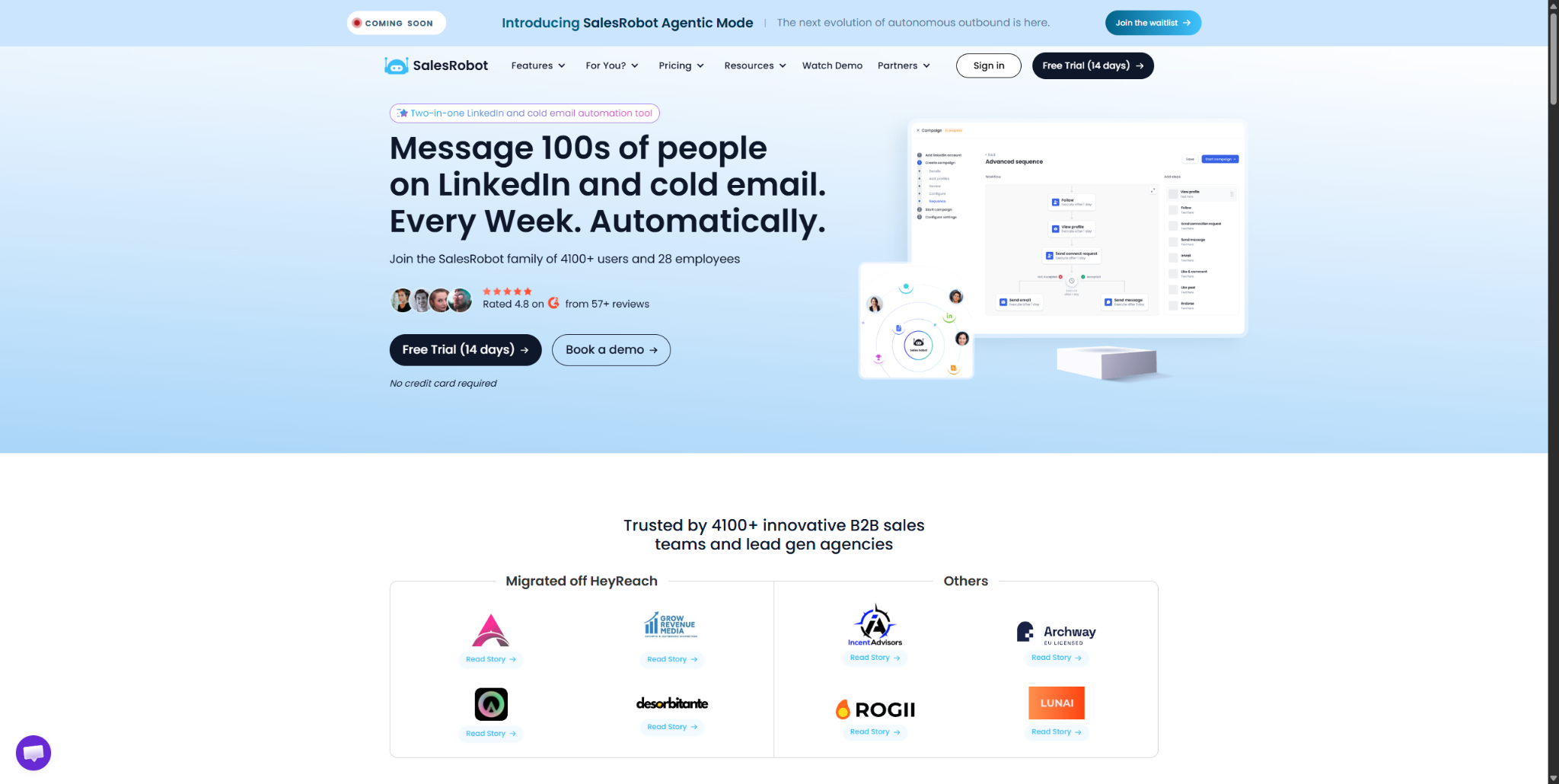
The two tools sit naturally alongside each other: Lusha identifies contacts and surfaces their data, and SalesRobot executes the LinkedIn outreach to those contacts at scale.
You use Lusha's Chrome extension to find and enrich a prospect's details while browsing LinkedIn, then SalesRobot handles the connection request, follow-up sequence, and responses automatically.
Mobile API Safety: Because SalesRobot connects through LinkedIn's mobile APIs, your outreach activity mimics natural human behavior.
Users consistently report running sustained, high-volume campaigns without account flags or restrictions, which is the single biggest operational concern with any LinkedIn automation tool.

AI Appointment Setter: After a prospect replies, SalesRobot's AI takes over the conversation, handles qualification questions, and books meetings automatically.
You can train it on your specific criteria and ideal responses, which means the early-stage pipeline management largely runs without manual involvement. For smaller teams without a dedicated SDR, this is a meaningful capability.

AI Voice Clone and Video Messages: SalesRobot lets you send personalized voice notes and video messages through LinkedIn as part of automated sequences.
The AI Voice Clone feature lets you record a short voice sample once, then generates individualized voice notes for each prospect that sound like you, without recording each one manually.
In sectors where relationships and trust matter, this kind of personal touch at scale tends to drive significantly higher reply rates than text-only outreach.

AI Variables and Hyper-Personalization: SalesRobot pulls data directly from a prospect's LinkedIn profile to write personalized message sequences automatically. You are not working from a static template that gets blasted to everyone.
Each message is adapted to the individual, which matters when you are reaching decision makers who see generic outreach constantly.

Multi-Step Sequences: You can build complex LinkedIn and email campaigns with smart delays and behavioral conditions. Leads can be imported from Sales Navigator, standard LinkedIn search, LinkedIn groups, event attendees, or CSV uploads, giving you flexibility in how you build and target your prospect lists.
Unified Inbox and Mini CRM: All LinkedIn and email conversations consolidate in one place with automatic reply detection. SalesRobot stops messaging automatically when a prospect responds, preventing the over-automation feel that kills conversations.
You can tag leads, filter by interest level, and track where every prospect sits without switching between platforms.
Team Management and Analytics: For agencies or sales teams managing multiple LinkedIn accounts, SalesRobot tracks performance across accounts, prevents duplicate outreach between team members, and surfaces detailed analytics on what sequences and approaches are actually working.
SalesRobot pricing (per LinkedIn account, 14-day free trial, no credit card required):
- Basic: $59/month ($39/month billed annually).
- Advanced: $79/month ($59/month billed annually).
- Professional: $99/month ($79/month billed annually).
- Enterprise: Custom.

SalesRobot starts at $59/month with a 14-day free trial, making it accessible to test before committing to anything.
It also has a 4.8 rating on G2, with 50+ independent user reviews.
The Bottom Line
Lusha does one thing better than almost any tool at its price point: it makes finding verified B2B contact information fast and simple.
The Chrome extension is genuinely best-in-class, the data quality is above the industry average for North American and European markets, and the free plan lets you test real data quality before spending a dollar.
For SDRs whose biggest daily problem is hunting down direct dials and emails, Lusha addresses that problem directly.
But the caveats are real. Phone number credits burn fast, the most powerful features require moving to custom pricing, and the platform does not replace the outreach tools your team still needs alongside it.
If your prospecting workflow includes LinkedIn outreach automation, Lusha and SalesRobot complement each other cleanly.
Lusha handles the data layer.
SalesRobot handles the LinkedIn execution.
Together, they cover the full journey from finding a prospect to booking the meeting. Check out their 14-day free trial here.
Frequently Asked Questions
Can Lusha send LinkedIn messages or automate outreach?
No. Lusha is a data and enrichment tool, not an outreach platform. It surfaces verified contacts but does not automate LinkedIn connection requests, follow-ups, or sequences. For LinkedIn automation alongside Lusha's data, teams pair it with a dedicated tool like SalesRobot.
Does Lusha's free plan require a credit card?
No. Lusha's free plan requires no credit card and includes 40 credits per month for one seat, along with the browser extension and CRM integrations. It's designed for testing data quality against your target market before committing to a paid tier.
How much does it cost to reveal a phone number in Lusha?
Lusha uses a credit system where revealing a verified email costs 1 credit and revealing a phone number costs 5 credits. So a phone-heavy team burns credits roughly five times faster than an email-only team on the same plan, which is worth factoring into your credit budget.
Can I export my Lusha contacts directly into SalesRobot?
Yes. Since Lusha allows you to export your enriched prospect lists as a CSV file, you can easily upload that list directly into SalesRobot. From there, you can launch automated LinkedIn connection requests, personalized message sequences, and email campaigns targeting those exact prospects without any manual data entry.
Is Lusha compliant with data privacy laws like GDPR and CCPA?
Yes. Lusha is fully compliant with GDPR, CCPA, and holds SOC 2 and ISO 27701 certifications. They only display information that is publicly available or consensually shared. However, keep in mind that while Lusha gives you compliant data, how you choose to conduct your cold outreach (especially email) still depends on your compliance with local outreach regulations.
Does SalesRobot protect my LinkedIn account from getting banned?
Yes. Unlike traditional browser extensions that run code directly on top of your LinkedIn profile and trigger automated detection algorithms, SalesRobot utilizes a cloud-based, mobile-API architecture. By mimicking a mobile device and natural human behavior—and providing a dedicated proxy for every user—it keeps your account activity safely within LinkedIn's limits, resulting in a ~0.00001% ban risk.

Wow your leads by cloning yourself and sending personalized videos and voice notes to each lead on LinkedIn.
If you don't reply to leads within 5 mins, your chances of converting them fall by 50%. Our AI replies on your behalf instantly! (and yes, you can train it)

Don't shoot in the dark. Get detailed analytics on what's working

SalesRobot allows you to invite other team members, so that they can add their LinkedIn Account, run outreach campaigns and get amazing results just like you.
.avif)


Trusted by 4100+ innovative B2B sales teams and lead gen agencies

.avif)

.avif)




.avif)


Heading 1
Heading 2
Heading 3
Heading 4
Heading 5
Heading 6
Lorem ipsum dolor sit amet, consectetur adipiscing elit, sed do eiusmod tempor incididunt ut labore et dolore magna aliqua. Ut enim ad minim veniam, quis nostrud exercitation ullamco laboris nisi ut aliquip ex ea commodo consequat. Duis aute irure dolor in reprehenderit in voluptate velit esse cillum dolore eu fugiat nulla pariatur.
Block quote
Ordered list
- Item 1
- Item 2
- Item 3
Unordered list
- Item A
- Item B
- Item C
Bold text
Emphasis

Superscript
Subscript