.avif)
TL;DR
Sellinger AI runs seven autonomous outreach agents (LinkedIn, Email, WhatsApp, AI Caller, Live Chat, SMS, Instagram) under one AI brain, plus Intent Signals and Lead Enrichment.
It's pitched as a replacement for a $2,400+/month duct-taped stack of Apollo, Outreach, Instantly, ZoomInfo, Calendly, Aircall, Intercom, and HubSpot Sequences, at a fraction of the cost.
Pricing is modular and transparent, starting at $249/month for the Outbound bundle, up to $1,199/month for All-In.
SalesRobot offers a more focused, more affordable alternative if LinkedIn is where your buyers actually are.
Picture this: you're paying for eight different tools, none of them talk to each other, and half your morning goes into copying data from one dashboard into the next.
That's the exact pain Sellinger AI says it solves. One AI brain, seven channels, zero manual handoffs.
Sounds like the dream stack. In this review, we're going to check whether it actually runs like one. We'll cover:
- What you need to know about Sellinger AI
- Sellinger AI's key features, broken down
- Sellinger AI's pricing plans
- How SalesRobot compares as an alternative
- What you need to know about SalesRobot
So let’s begin, shall we?
Sellinger AI: What You Need to Know
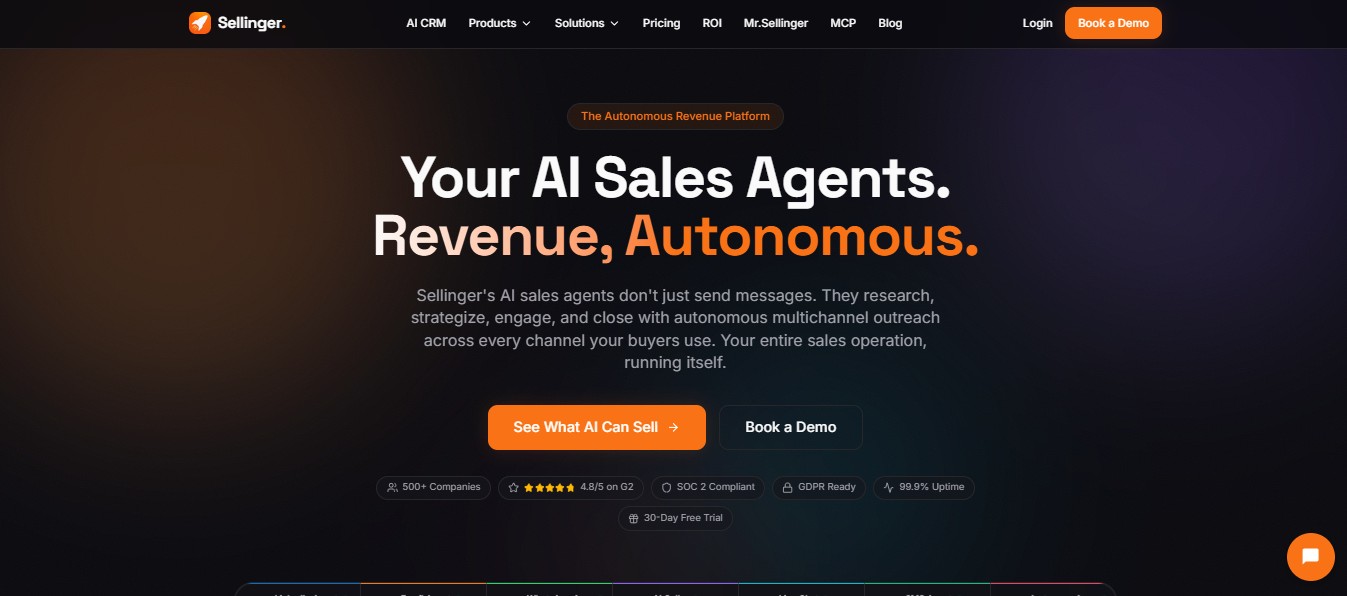
✅ Genuinely broad channel coverage. Seven outreach agents (LinkedIn, Email, WhatsApp, AI Caller, Live Chat, SMS, Instagram) run from one dashboard, alongside Intent Signals and Lead Enrichment. Most AI SDR tools cover two or three channels. Sellinger covers the full spread most GTM teams actually use.
✅ Real intent signal breadth. The platform monitors competitor engagement, hiring patterns, funding events, tech stack changes, event attendance, and pain point expression, and claims to track thousands of live signals at once. That's a wider net than most single-signal tools like a pure LinkedIn tracker.
✅ Modular, transparent pricing. Unlike platforms that gate every number behind a demo call, Sellinger publishes exact pricing for every module and bundle, plus a calculator to build a custom stack. You can see the real cost before talking to anyone.
⚠️ Thin independent review base. The site claims 500+ companies and a 4.8/5 rating on G2. Trustpilot shows only 4 reviews. That's a wide gap between the customer count being claimed and the public review volume actually backing it up.
⚠️ Repeated marketing copy across use cases. Several of Sellinger's own landing pages for different audiences (sales, fundraising, recruiting) reuse nearly identical example outreach messages, just swapping the target persona. It's worth asking how tailored the underlying messaging engine really is versus how templated it is dressed up to look.
✅ Specific claimed performance numbers. 35% LinkedIn acceptance, 52% email open rate, 68% WhatsApp reply rate, 42% SMS response, 28% Instagram DM reply, 3.2x live chat conversion lift. These are self-reported, platform-wide figures rather than independently verified benchmarks, but they're at least specific rather than vague.
Sellinger AI's Key Features, Broken Down
Seven Outreach Agents, One Brain
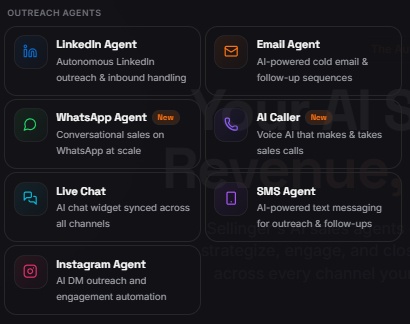
Each channel (LinkedIn, Email, WhatsApp, AI Caller, Live Chat, SMS, Instagram) runs as its own agent, but a central orchestrator decides which channel to use, what to say, and when to follow up, based on how each prospect actually behaves.
If a lead opens three emails but never replies, the system can shift them to LinkedIn automatically, citing a claimed 3x higher open rate there for that specific case.
This is the core pitch: not seven separate tools bolted together, but one system making real-time channel decisions per lead.
Intent Signal Engine
Sellinger tracks buying signals in real time: a prospect liking a competitor's post, a company switching CRM vendors, someone RSVPing to an industry conference, a target account posting a role you solve for, a company closing a funding round.
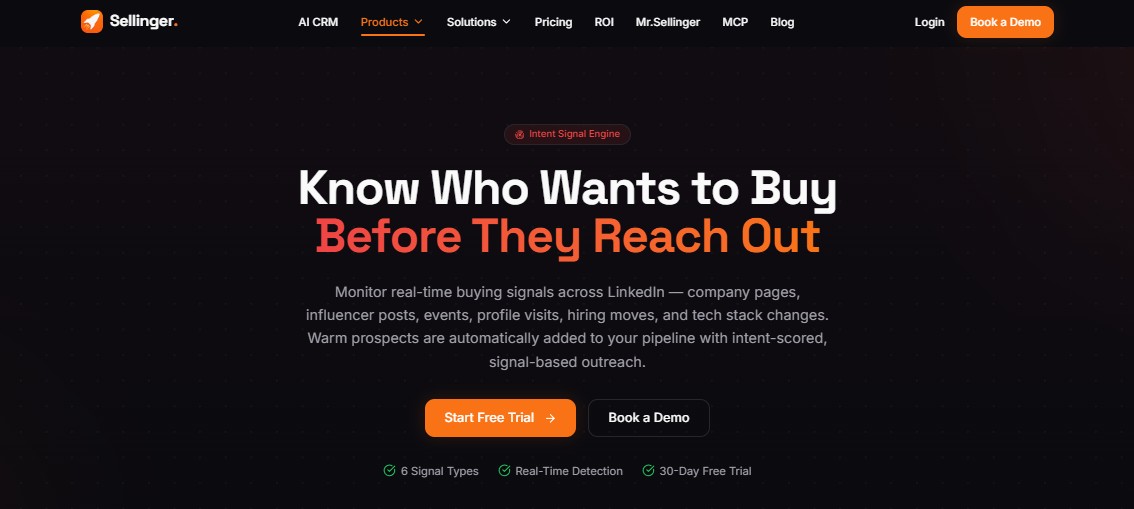
When a signal fires, that lead jumps to the top of the priority queue instead of waiting in a static list next to everyone else.
Waterfall Lead Enrichment
Enrichment pulls from 10+ data providers (including LinkedIn, Apollo, ZoomInfo, and Clearbit as referenced sources) to fill in verified emails, phone numbers, technographics, and firmographics.
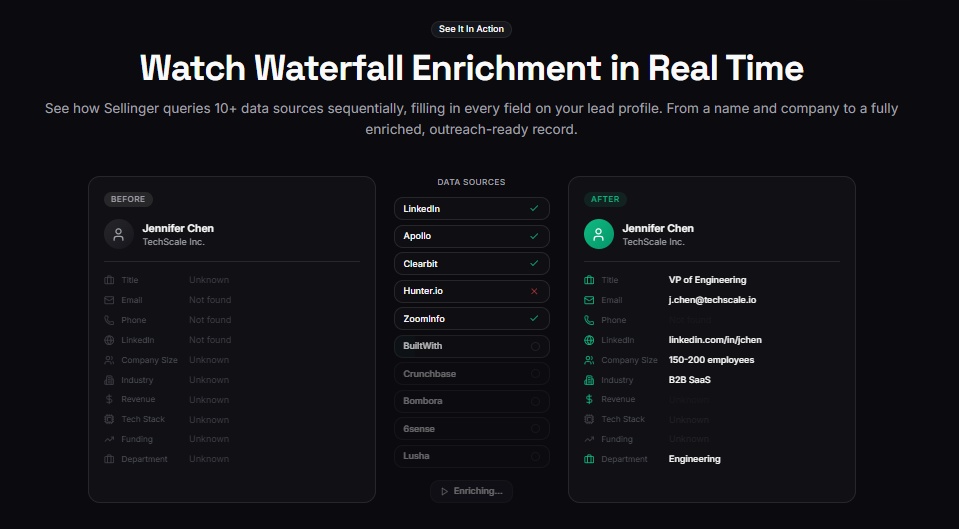
The waterfall approach means if one provider comes back empty, the next one gets queried automatically, which is how the platform claims a 95% fill rate rather than the gaps you'd get from a single-source tool.
Full-Funnel Coverage, TAM to Closed Won
Sellinger doesn't stop at booking meetings.
The platform maps your entire addressable market, narrows it through intent detection and enrichment, runs multi-channel campaigns, and continues into post-sale work: onboarding outreach, expansion plays, review requests, and churn prevention.
It's positioned as covering the full lifecycle, not just top-of-funnel prospecting.
Persistent Multi-Channel Follow-Up
Instead of stopping after three unanswered emails, the system keeps going across every connected channel until a lead converts or explicitly opts out.
Sellinger claims an average of 4.2 touches to convert, against what it cites as 11+ touches for manual outbound.
Sellinger AI Pricing: How Much Will It Cost?
Sellinger runs on modular pricing. You can buy pre-built bundles or assemble modules individually, and every plan includes a free trial with no credit card required.
Bundles

- Outbound is $249/month (saving $98/month versus buying separately). It includes 1 LinkedIn Agent and the Email Agent at the Growth tier (4,000 messages/month), with AI-personalized messages, CRM sync, intent signals included, and email support.
- Multichannel is $329/month (saving $88/month). It adds a WhatsApp Agent and Live Chat at their Starter tiers (300/month each) on top of the Outbound bundle, plus multi-channel orchestration, advanced analytics, and priority support.
- Full Stack, the most popular plan, is $649/month (saving $295/month). It includes LinkedIn Agent, Email Agent at Scale (12,000/month), WhatsApp Agent at Growth (2,500/month), Instagram Agent at Growth (2,500/month), and Live Chat at Growth (1,500/month), with full multichannel orchestration, advanced analytics, API access, and priority support.
- All-In is $1,199/month (saving $105/month). It bumps Email, WhatsApp, Instagram, and Live Chat to their Scale tiers, and adds an AI Caller plus SMS credit, with intent signals included and a dedicated CSM.
- Enterprise is custom priced, with volume discounts, SSO and SAML, a 99.9% SLA, a dedicated CSM, custom integrations, and onboarding and training.
Sellinger AI vs SalesRobot: How Do They Compare?
Choose Sellinger AI if you genuinely need seven channels running in coordination and you're ready to pay for that breadth.
Pick SalesRobot if your buyers live on LinkedIn and you'd rather pay for depth on the one channel that actually converts, instead of breadth across seven.
SalesRobot: The LinkedIn-First Alternative
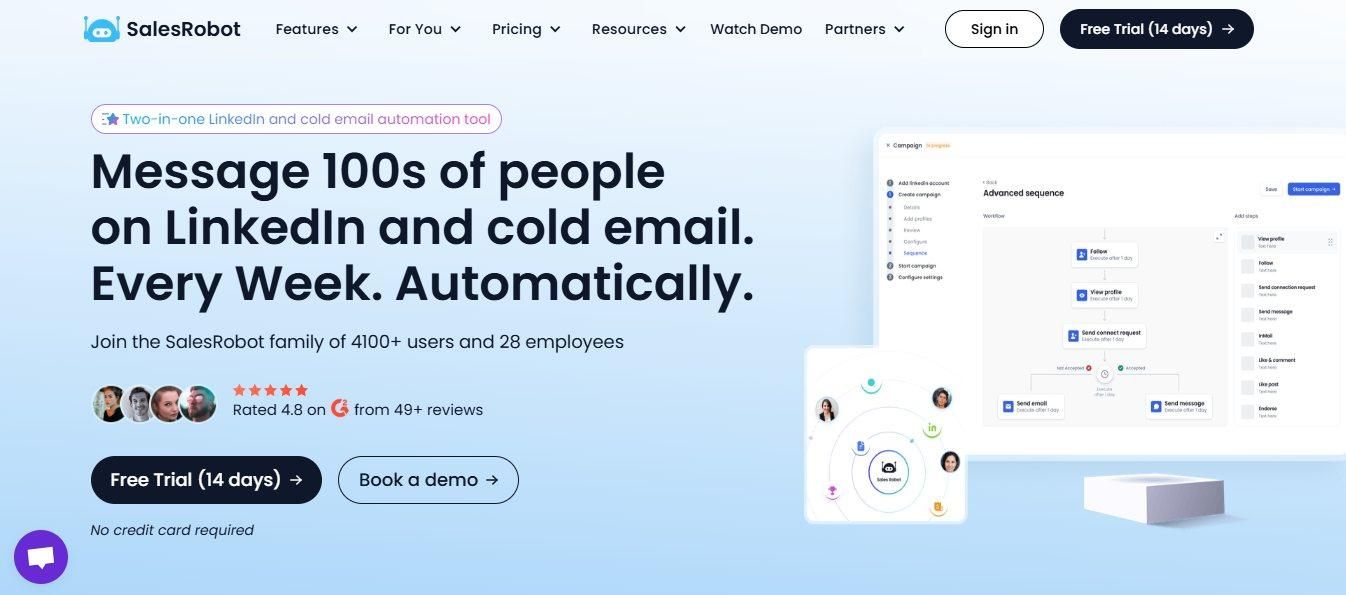
Where Sellinger spreads its AI across seven channels, SalesRobot puts everything into the one channel where B2B decision-makers actually spend their time scrolling: LinkedIn.
What SalesRobot Actually Does
SalesRobot is a LinkedIn and email automation platform built for B2B sales teams and agencies who want to scale outreach without the manual grind or the risk of getting an account flagged.
Key Features
Personalization runs through AI Variables, which reads a prospect's profile and recent activity and drafts a message that references something real about them, not a merge field.
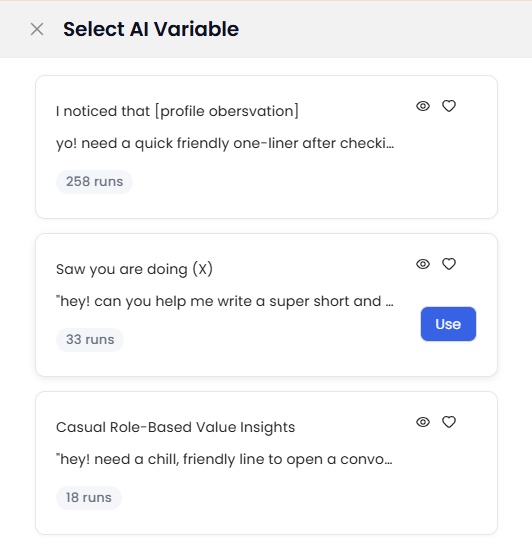
Before anything sends, AI Message Scoring rates the copy so weak messages get caught before they hurt your reply rate.
Once a message goes out, SalesRobot auto-responds to prospects, books meetings, and manages follow-ups without manual input through the AI Appointment Setter. You walk into calls where the prospect has already had a discovery conversation.
SalesGPT builds an entire campaign from a plain-English description of your target audience in under 5 minutes, no templates to fill in.
AI-powered voice and video messages, using voice cloning and video avatars, are reported to drive 40%+ reply rates by making a text-heavy inbox feel like a real person showed up.
AI Comment Automation posts contextual comments on a prospect's LinkedIn posts automatically, putting you on their radar before a connection request even lands.
SalesRobot MCP lets you control the whole platform through natural-language commands inside Claude or another LLM, tagging leads, updating statuses, archiving uninterested replies, and managing campaigns without ever opening the SalesRobot dashboard.
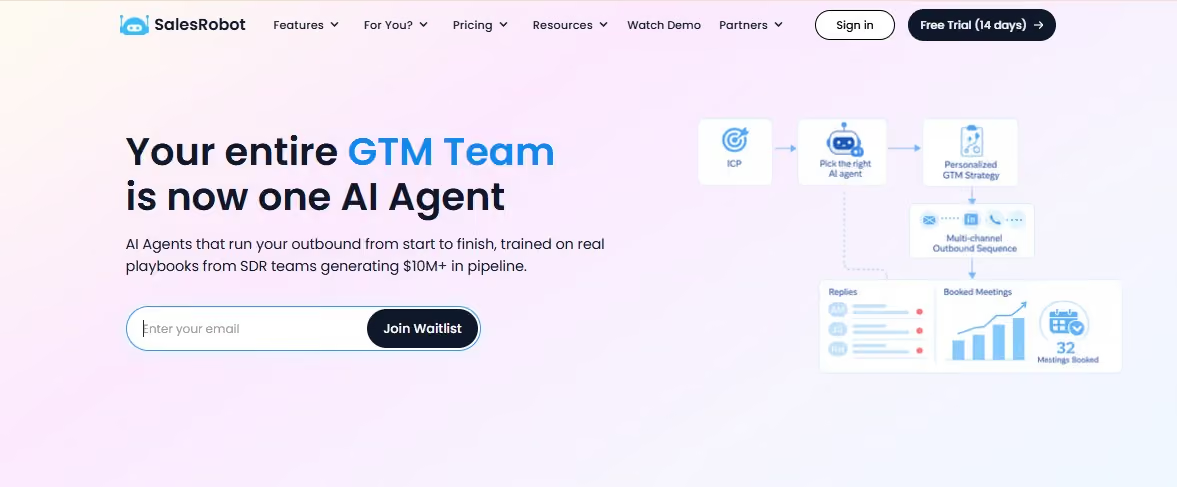
Agentic Mode, currently waitlist-only, takes that further. Describe your ICP in plain English, pick a niche-specific agent trained on playbooks for verticals like SaaS, agencies, or recruiting, and it builds the full GTM strategy, runs multichannel sequences, handles replies, books meetings, and optimizes itself, all without you stitching the steps together yourself.
Smart reply detection pauses your sequence the moment a prospect responds, so nobody gets an awkward follow-up after they've already replied.
The platform runs on LinkedIn's mobile app APIs with residential IPs rather than a browser extension, through Safe Mode, which adjusts automation limits based on your profile age, network size, and daily activity to keep your account inside LinkedIn's safety thresholds.
You can connect one Sales Navigator account across 5+ LinkedIn accounts, a feature Sellinger doesn't offer since it isn't built around LinkedIn specifically.
SalesRobot has real limits too:
⚠️ No built-in contact database. Unlike Sellinger's waterfall enrichment across 10+ providers, SalesRobot relies on LinkedIn and Sales Navigator for prospecting, so you'll need a separate Sales Navigator subscription for full targeting.
⚠️ Less suited for enterprise scale. SalesRobot is built for small to mid-size teams. High-volume enterprise campaigns across a large rep team may find the feature set narrower than a full-stack platform like Sellinger.
SalesRobot Pricing
SalesRobot runs three tiers based on features and daily limits.

Basic is $59/month, with 1 active campaign and limited daily quotas (20 connection requests, 20 messages), plus reporting and automation. Good for testing LinkedIn outreach on a budget.
Advanced is $79/month, with unlimited active campaigns, full daily quotas (75 connection requests, 75 messages), A/B testing, webhooks, Zapier integration, and personal inbox management. This is the tier most solo sales professionals land on.
Professional is $99/month, adding team management, multi-user workspace with roles and permissions, and a team analytics dashboard, built for agencies and larger teams managing multiple LinkedIn accounts.
There's a 14-day free trial with no credit card required, and annual billing saves up to 35% across every plan.
The Bottom Line
Buy Sellinger AI if your buyers are genuinely spread across multiple channels (LinkedIn, email, WhatsApp, and more) and you want one system orchestrating all of it instead of stitching tools together yourself.
Skip it if LinkedIn is where your actual pipeline comes from. Paying for six channels you won't use is not the same as paying less overall.
If LinkedIn is your main channel, SalesRobot gets you AI Variables, AI Appointment Setter, and SalesGPT campaign building for $59 to $99 a month, without paying for an AI Caller or Instagram Agent you'll never touch.
That's all folks.

Wow your leads by cloning yourself and sending personalized videos and voice notes to each lead on LinkedIn.
If you don't reply to leads within 5 mins, your chances of converting them fall by 50%. Our AI replies on your behalf instantly! (and yes, you can train it)

Don't shoot in the dark. Get detailed analytics on what's working

SalesRobot allows you to invite other team members, so that they can add their LinkedIn Account, run outreach campaigns and get amazing results just like you.
.avif)


Trusted by 4100+ innovative B2B sales teams and lead gen agencies

.avif)

.avif)




.avif)


Heading 1
Heading 2
Heading 3
Heading 4
Heading 5
Heading 6
Lorem ipsum dolor sit amet, consectetur adipiscing elit, sed do eiusmod tempor incididunt ut labore et dolore magna aliqua. Ut enim ad minim veniam, quis nostrud exercitation ullamco laboris nisi ut aliquip ex ea commodo consequat. Duis aute irure dolor in reprehenderit in voluptate velit esse cillum dolore eu fugiat nulla pariatur.
Block quote
Ordered list
- Item 1
- Item 2
- Item 3
Unordered list
- Item A
- Item B
- Item C
Bold text
Emphasis

Superscript
Subscript