.avif)
TL;DR
- Skrapp.io is a B2B email finder that pulls verified email addresses from LinkedIn profiles, Sales Navigator, and company websites using a Chrome extension.
- The platform claims 97% email verification accuracy, though independent reviews suggest real-world match rates land closer to 65–80% depending on the domain type.
- A free plan gives you 100 credits per month (no credit card needed), with paid plans starting at $39/month for 1,000 credits and scaling up to $349/month for 50,000 credits.
- Credits get consumed fast during heavy prospecting, and features like bulk operations and API access are locked behind paid tiers.
- Data enrichment is included, covering company firmographics like industry, size, and revenue alongside individual details like job titles.
- CRM integrations with Salesforce, HubSpot, and others are available, though some are restricted to higher-tier plans.
- Skrapp.io focuses purely on email extraction. It doesn't automate LinkedIn outreach, send follow-ups, or run multi-channel campaigns.
- SalesRobot takes a different approach by automating LinkedIn outreach and email sequences from a single platform, with AI-powered personalization, smart daily limits, and cloud-based safety starting at $59/month per LinkedIn account.

What Is Skrapp.io?
Skrapp.io is a Chrome extension and web platform that helps sales teams, recruiters, and marketers find verified B2B email addresses 📧

It launched back in 2016 and has built up a user base of over 2 million people since then. The core idea is simple: you browse LinkedIn, click on a profile, and Skrapp pulls up a verified business email for that person.
Beyond LinkedIn, it also lets you search for emails by company domain, upload CSV files for bulk lookups, and search through a database of 200M+ B2B contacts. Think of it as a dedicated email-hunting tool that lives inside your browser.
Skrapp.io's Key Features, Broken Down
LinkedIn Email Finder
This is the bread and butter of the platform. Install the Chrome extension, visit any LinkedIn profile or Sales Navigator result, and Skrapp pulls a verified business email right there on the page.

It uses pattern recognition combined with real-time verification to generate the email. No tab-switching, no copy-pasting names into a separate tool. The extension has a 4.8-star rating on the Chrome Web Store (across 550+ ratings) and works with both regular LinkedIn and Sales Navigator.
For sales reps who spend their day on LinkedIn, this is genuinely convenient. You can process profiles one at a time or run through search results in batches.
Email Verification Engine
Every email Skrapp finds goes through a real-time verification check. The platform claims 97% accuracy on verification, which means it's checking whether an email is actually deliverable before handing it to you.

It flags invalid addresses and catches risky emails before they hit your outreach list.
Fewer bounces = better sender reputation = more emails landing in inboxes 📬
You can verify individual emails or upload entire lists for bulk cleaning. Handy if you've got an old database sitting around collecting dust.
Company Search and Lead Discovery
Beyond LinkedIn lookups, Skrapp gives you access to a database of 200M+ B2B contacts and 40M+ company profiles. You can filter by industry, company size, location, and job title.
This is useful when you know the type of company you want to target but don't have specific people in mind yet. Search, filter, find the decision-makers, and export.

It's basically a lightweight lead database baked into an email finder. Not as deep as a dedicated tool like ZoomInfo, but solid for getting started.
Data Enrichment
Upload a basic list of names and companies, and Skrapp fills in the gaps. Job titles, company revenue, employee count, industry classification, and more.
This happens automatically and pulls from their daily-refreshed database. It's a nice add-on if you're working with incomplete spreadsheets and need to flesh things out before launching a campaign.
CRM Integration and API
Skrapp connects natively with Salesforce, HubSpot, and a few other CRMs. You can push verified contacts straight into your pipeline without exporting CSVs and manually importing them.
There's also a REST API for teams that want to build custom workflows. Worth noting, though, that CRM integrations and API access are gated behind paid plans. Free users don't get access here.
Bulk Operations and Team Management
If you're processing large volumes, Skrapp supports bulk searches and verifications. Upload a target account list, let it run, and get back a clean contact database.
Team plans include shared credit pools and user management, so multiple reps can work from the same account. Useful for agencies and larger sales orgs that need to scale beyond one-at-a-time lookups.
Skrapp.io Pricing: How Much Will It Cost?
Skrapp runs on a credit-based model. One credit = one email found or one email verified. Here's what the plans look like 💰

Free Plan: $0/month
100 credits per month, 1 user. You get access to the Chrome extension, email finder, email verifier, and basic lead searches. No credit card required.
This is enough to test the tool and see if the accuracy works for your use case. But if you're doing any real volume, you'll burn through 100 credits in a single prospecting session.
Professional 1K: $39/month ($30/month billed annually)
1,000 credits per month, 2 users. Includes LinkedIn multi-page enrichment, Sales Navigator list saver, unlimited lead and company searches, CSV exports, CRM sync, and AI enrichment.
This is the plan most solo reps and small teams will land on. The jump from 100 to 1,000 credits makes a real difference in day-to-day prospecting.
Professional 5K: $99/month ($74/month billed annually)
5,000 credits per month, 5 users. Same features as the 1K plan but with significantly more volume. Good fit for growing teams that are running regular outreach campaigns.
Professional 20K: $199/month ($149/month billed annually)
20,000 credits per month, 8 users. For larger sales teams and marketing departments that need serious volume.
Enterprise 50K: $349/month ($262/month billed annually)
50,000 credits per month, 15 users. Enterprise tiers go even higher with custom pricing for teams that need up to 500K credits per month.
One thing to keep in mind: credits don't get consumed on invalid or unknown results, and duplicates don't cost you either. But catch-all emails still use a credit, even though deliverability on those domains is less predictable.
What Skrapp.io Does Well ✅
LinkedIn integration is smooth. The Chrome extension sits right on the LinkedIn page and does its thing without any clunky workarounds. For people who prospect on LinkedIn daily, this saves a lot of manual effort.
The free tier is genuinely useful. 100 credits per month with no credit card required is enough to evaluate the tool properly. A lot of competitors offer free trials that expire after a week. Skrapp lets you use the free plan indefinitely.
Data enrichment adds value. Getting company firmographics and contact details alongside the email means you're not just getting an address. You're getting context for better personalization.
Fair credit policy is a nice touch. Not charging for invalid results or duplicates means you're only paying for emails that actually come back with something usable.
Where Skrapp.io Falls Short ⚠️
Accuracy can be inconsistent. While Skrapp advertises 97% verification accuracy, that number refers to the verification step, not the initial email search.

Independent tests put the actual match rate at 65–80%, depending on whether you're looking up standard corporate domains or smaller companies with catch-all setups.
Credits run out fast. 100 free credits sounds decent until you realize a single prospecting session can eat through 30–50 of them.

Even the 1,000-credit paid plan can feel tight for teams doing daily outreach.
No phone numbers. Skrapp is email-only. If you need phone numbers alongside emails, you'll need a separate tool for that.
No outreach automation. Skrapp finds emails. That's it. You still need separate tools for actually sending campaigns, following up, and tracking engagement. It's a data tool, not an outreach platform.
Skrapp.io vs SalesRobot: How Do They Compare?
These two tools solve fundamentally different problems. Skrapp gives you email addresses. SalesRobot automates the entire outreach process.
If all you need is a pile of verified emails to feed into your existing email tool, Skrapp is a reasonable pick. But if you're trying to run LinkedIn outreach at scale (which is where most B2B conversations happen anyway), you need more than just email addresses.
SalesRobot: The LinkedIn-First Alternative
Here's the thing about finding emails from LinkedIn profiles: you're essentially taking people off a platform where they're already active, just to reach them through a different channel. That's a detour.
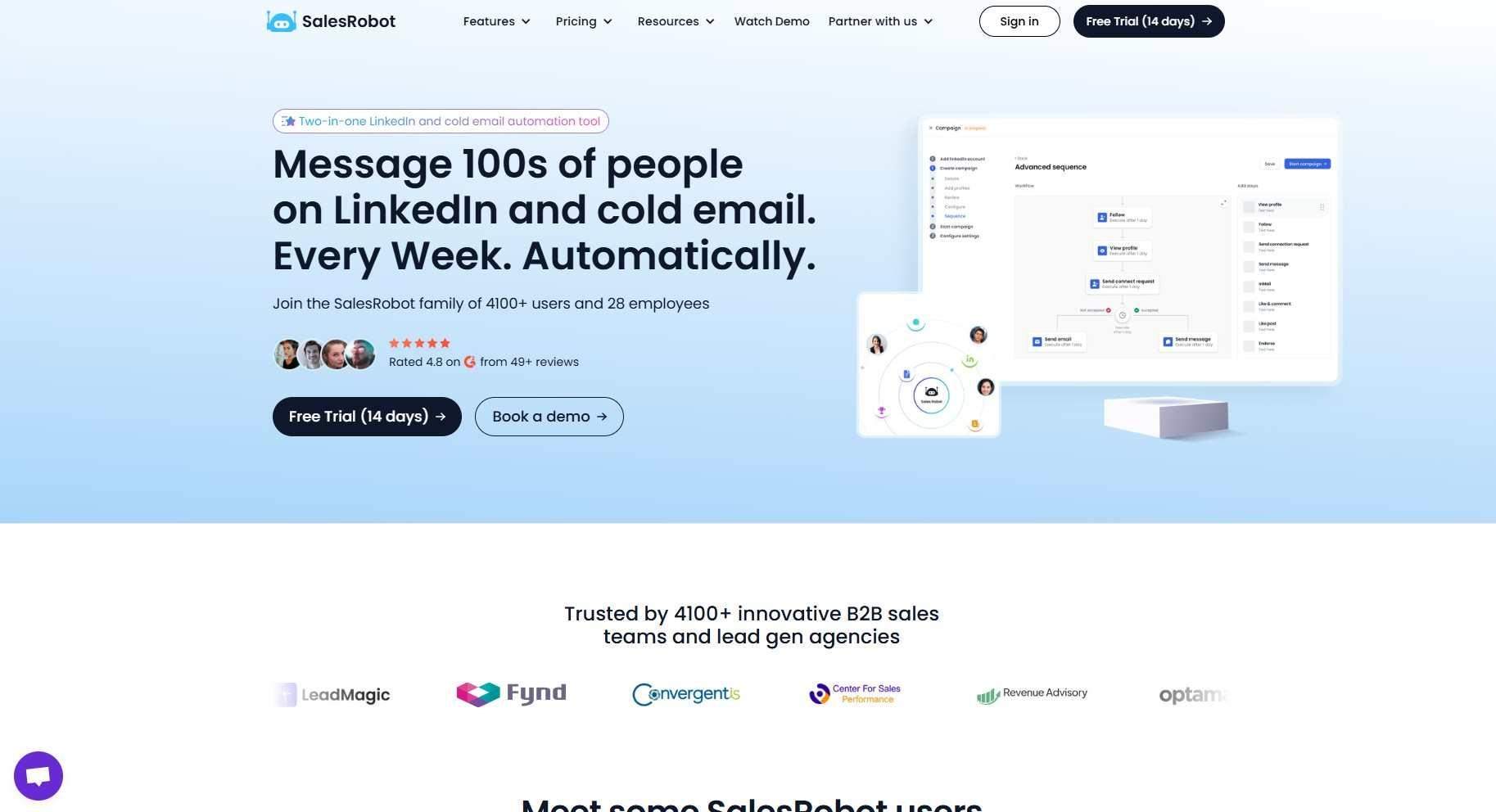
We built SalesRobot to skip that detour entirely. Instead of extracting emails and hoping your cold email doesn't get buried, you're connecting with prospects right where they're already spending time: on LinkedIn.
And when LinkedIn alone isn't enough, our multi-channel sequences automatically move prospects to email follow-ups. One platform, both channels, zero juggling.
LinkedIn + Email Sequences
Create campaigns that start with a LinkedIn connection request, follow up with messages, and automatically shift to email when someone doesn't respond on LinkedIn.
Everything runs from a single dashboard. You set up the sequence once, and it handles the timing, channel-switching, and follow-ups on its own. No need to coordinate between a LinkedIn tool and a separate email platform.
AI-Powered Personalization
Our AI reads each prospect's LinkedIn profile, recent posts, and activity before writing the message. So instead of sending "Hi {first_name}, I noticed you work at {company}," you get messages that reference something the person actually said or did recently.

We've seen this drive reply rates above 40% for many of our users. People can tell the difference between a template and a message that feels like someone actually looked at their profile. And personalization doesn't stop at text: SalesRobot can send AI-personalized voice notes and even AI-cloned video messages on LinkedIn at scale (up to 50/day on paid plans), so each lead gets a voice or video that feels one-to-one. It's a differentiator most LinkedIn tools simply don't offer.
Smart Daily Limits
LinkedIn has limits on how many connection requests and messages you can send per day. Push past them, and your account gets flagged or restricted.
SalesRobot handles this automatically. We cap activity at safe thresholds (up to 75 connection requests, 75 messages per day) and mimic human behavior patterns so your account stays clean. No manual throttling, no guesswork.
AI Appointment Setter
This one's a favorite among our users 🤖
Our AI agent monitors your LinkedIn inbox and continues conversations with interested prospects. It handles initial objections, answers common questions, and nudges people toward booking a meeting.
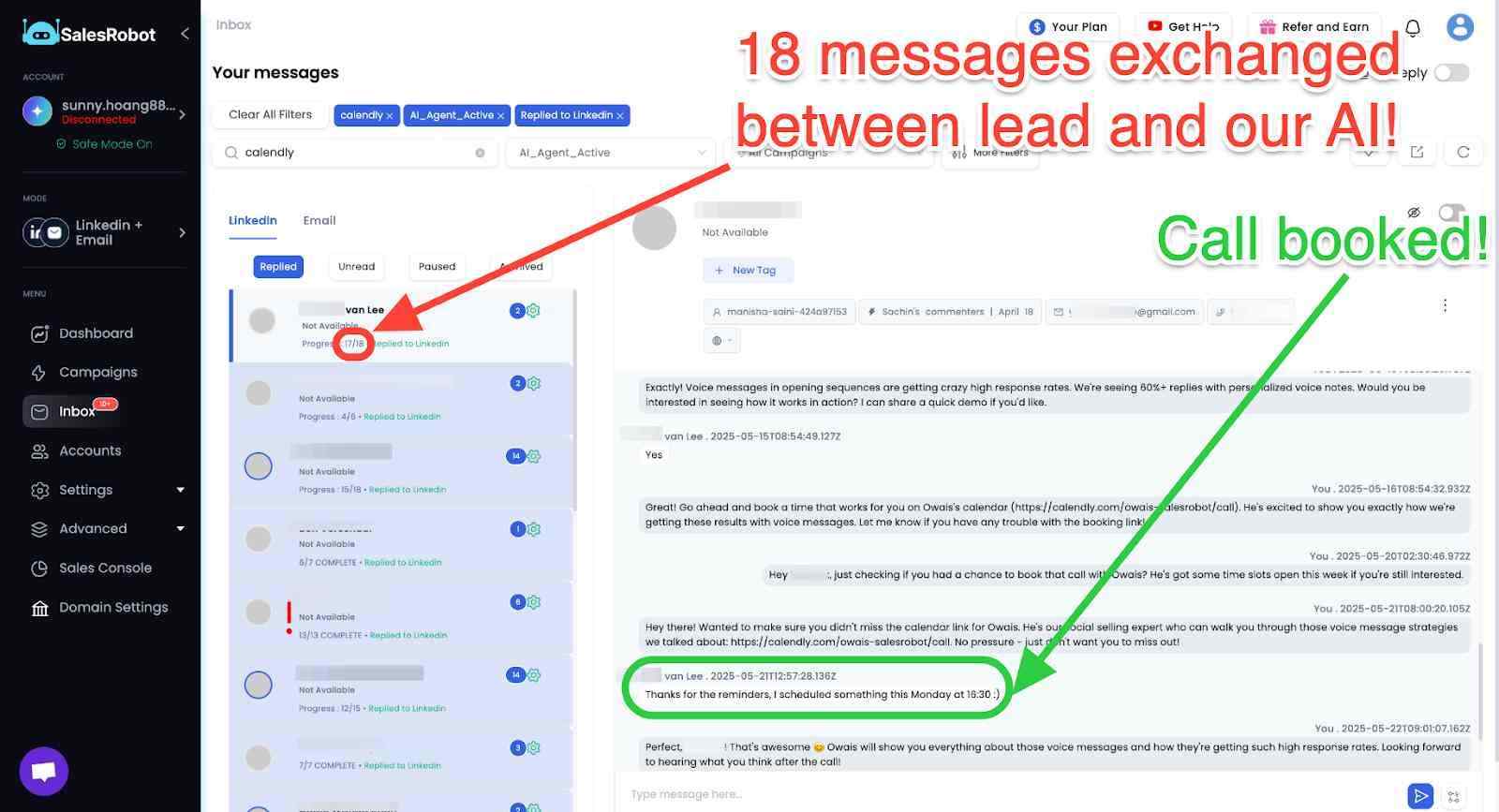
It learns your tone and style over time, so the handoff from AI to human feels seamless. You focus on the calls that matter while the AI keeps the pipeline warm.
Sales Navigator Integration
You can import leads directly from Sales Navigator searches, saved lists, and even post comments or event attendees. No need to export CSVs from Sales Nav and re-upload them somewhere else.
Just point SalesRobot at your search, and it pulls the prospects in automatically.
Cloud-Based Safety
Unlike browser extensions that run on your local machine (and can trigger LinkedIn's detection systems), SalesRobot operates entirely in the cloud.

Each account gets a dedicated residential IP, and our mobile API architecture mimics natural LinkedIn app behavior. This is a big deal for anyone who's ever had an account restricted from using a Chrome-based automation tool.
SalesRobot Pricing
All pricing is per LinkedIn account, and every plan includes a 14-day free trial with no credit card required.
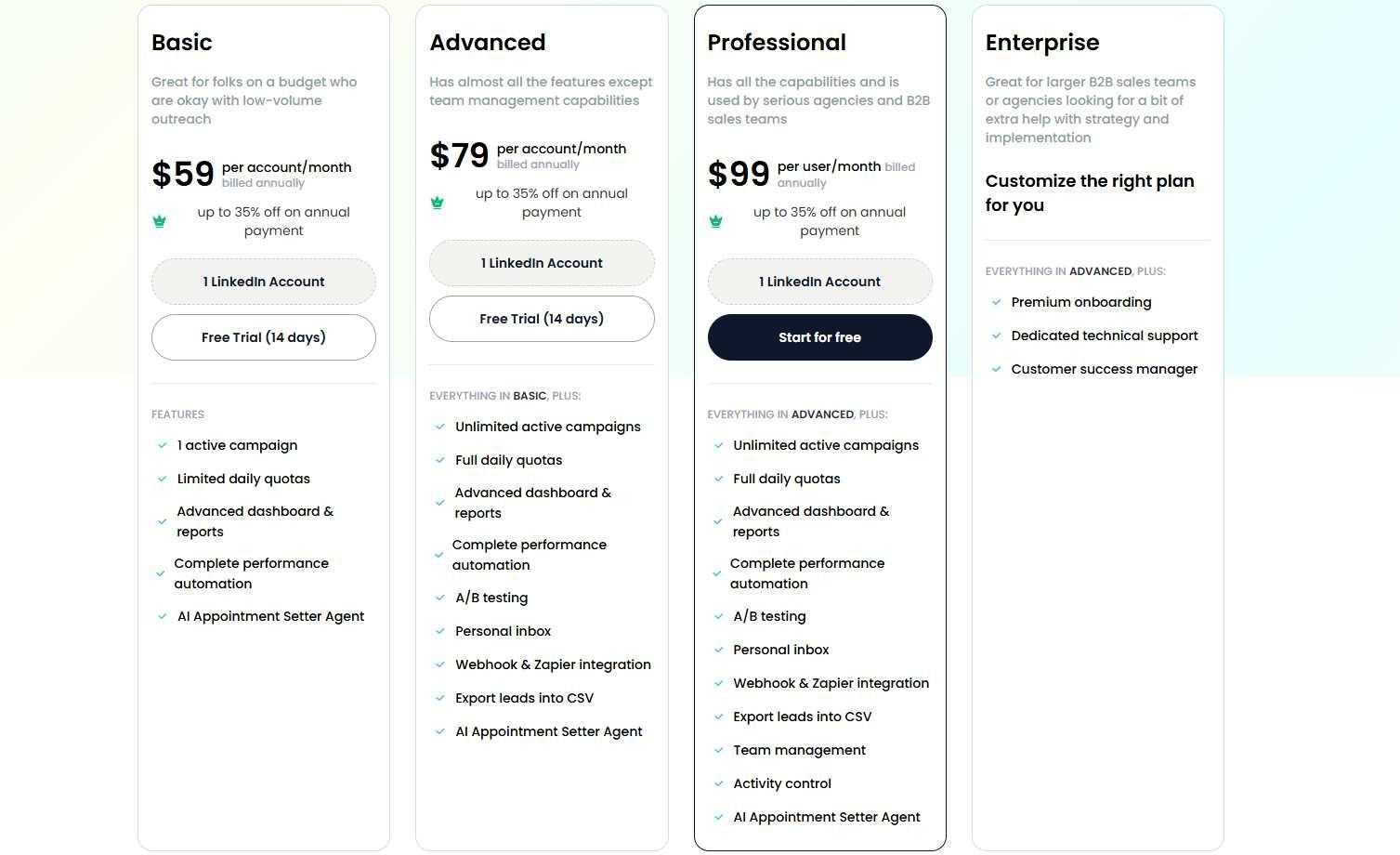
Basic: $59/month ($39/month billed annually)
1 active campaign, limited daily quotas, AI assistant, and analytics. Good for solo users who want to test LinkedIn automation without a big commitment.
Advanced: $79/month ($59/month billed annually)
Unlimited campaigns, full daily quotas, A/B testing, personal inbox, Webhook and Zapier integration, CSV lead export, and the AI Appointment Setter. This is our most popular plan for individual sales reps and small teams.
Professional: $99/month ($79/month billed annually)
Everything in Advanced, plus team management and activity control features. Built for agencies and B2B sales teams managing multiple accounts.
Enterprise: Custom pricing
Premium onboarding, dedicated technical support, and a customer success manager. For larger teams that need hands-on help with strategy and implementation.
Volume discounts kick in after 10 accounts (33% off) and again after 20 accounts (45% off). Annual billing saves up to 35% across the board.
The Verdict
Skrapp.io is a solid, no-frills email finder. If your workflow is purely email-based and you just need a reliable way to pull verified addresses from LinkedIn profiles, it does the job at a reasonable price point.
But here's what's worth thinking about 🤔
If your prospects are on LinkedIn (and in B2B, they almost certainly are), pulling their email to reach them through a separate channel adds friction. You're extracting data from LinkedIn just to avoid talking to people on LinkedIn.
SalesRobot flips that approach. You reach prospects on the platform where they're most active, with AI-personalized messages that actually get responses, and automatically fall back to email when needed.
If you want to see how that works in practice, our 14-day free trial lets you run real campaigns with no credit card required. Worth a test before committing to any tool in this space.
That's all folks 👋

Frequently Asked Questions
Do unused Skrapp.io credits roll over?
Yes. Any unused credits roll over to the next month, and credits are shared across a common team pool. Skrapp also doesn't charge credits for results marked 'Invalid' or 'Unknown' — you only pay for 'Valid' or 'Catch-all' emails.
Does Skrapp.io find phone numbers?
No. Skrapp is email-only — it doesn't provide phone numbers, direct dials, or intent data. If you need phone numbers alongside emails, you'll have to pair it with a separate contact-enrichment tool.
Is Skrapp.io's email accuracy reliable?
Skrapp advertises 97% verification accuracy and a 92% search success rate, but independent 2026 tests report real-world valid rates closer to 42–48% on a 65–75% match rate. Always run found emails through a verifier before launching outreach to protect your sender reputation.
Does Skrapp.io offer a free trial or free plan?
Yes. Skrapp offers a free forever plan that provides 100 credits per month with no credit card required. This allows you to test the Chrome extension, email verifier, and lead search features before committing to a paid tier.
Can I export leads from Skrapp.io to my CRM?
Yes, but CRM integrations (including native connections for Salesforce and HubSpot) as well as API access are locked behind paid plans starting at the Professional tier ($39/month). Free users must export data manually via CSV.
What happens when I run out of Skrapp.io credits?
Once your monthly credit limit is reached, you will need to upgrade to a higher plan or wait for your monthly cycle to renew. Unused credits from previous billing cycles roll over and remain available as long as your subscription stays active.
How does SalesRobot protect my LinkedIn account from getting restricted?
SalesRobot uses a cloud-based architecture with dedicated residential IP addresses and mobile-API integration to mimic human browsing behavior. It also enforces smart daily limits (capping activity at safe thresholds like 75 requests/day) to prevent triggering LinkedIn's automation detectors.
What is the main difference between Skrapp.io and SalesRobot?
Skrapp.io is strictly a data extraction tool for finding and verifying email addresses from LinkedIn and web domains. SalesRobot is an end-to-end outreach platform that automates multi-channel sequences across LinkedIn messages, connection requests, and cold emails with AI personalization.

Wow your leads by cloning yourself and sending personalized videos and voice notes to each lead on LinkedIn.
If you don't reply to leads within 5 mins, your chances of converting them fall by 50%. Our AI replies on your behalf instantly! (and yes, you can train it)

Don't shoot in the dark. Get detailed analytics on what's working

SalesRobot allows you to invite other team members, so that they can add their LinkedIn Account, run outreach campaigns and get amazing results just like you.
.avif)


Trusted by 4100+ innovative B2B sales teams and lead gen agencies

.avif)

.avif)




.avif)


Heading 1
Heading 2
Heading 3
Heading 4
Heading 5
Heading 6
Lorem ipsum dolor sit amet, consectetur adipiscing elit, sed do eiusmod tempor incididunt ut labore et dolore magna aliqua. Ut enim ad minim veniam, quis nostrud exercitation ullamco laboris nisi ut aliquip ex ea commodo consequat. Duis aute irure dolor in reprehenderit in voluptate velit esse cillum dolore eu fugiat nulla pariatur.
Block quote
Ordered list
- Item 1
- Item 2
- Item 3
Unordered list
- Item A
- Item B
- Item C
Bold text
Emphasis

Superscript
Subscript