.avif)
TL;DR
- We tested 9 sales engagement platforms for LinkedIn outreach in 2026 and ranked them by account safety, reply rates, and whether LinkedIn and email actually live in one sequence.
- Cloud-based tools carry a under 0.1% LinkedIn ban rate versus 3-5% for browser-extension tools. That's the single biggest safety difference in this category.
- Teams running coordinated LinkedIn + email sequences see 3.5x higher response rates than email-only outreach. Yet most "SEPs" treat LinkedIn as a manual task, not a real send.
- SalesRobot is a cloud-based tool that runs LinkedIn and email automation from one platform. It posts a 55% average reply rate, 51% acceptance rate, and zero account bans on Safe Mode, starting at $59/month.
- Pricing across the list ranges from $10/month (Octopus CRM) to $100/month (Skylead), so budget alone won't decide this.
- Choose SalesRobot for native LinkedIn + email automation at SMB price. Choose HeyReach if you need pure multi-account agency infrastructure without deep email sequencing.
👉 Skip the manual "LinkedIn task" reminders. SalesRobot sends on LinkedIn and email natively from the cloud. Try free for 14 days.

Is Your "Sales Engagement Platform" Actually Sending on LinkedIn, or Just Pretending To?
You build a clean 5-step sequence. Connection request, LinkedIn message, follow-up, then two emails.
You hit launch, feeling productive. Then step 3 fires and it's not a send. It's a task reminder telling you to go do it yourself.
That's the dirty little secret most "best SEP" lists skip. A lot of enterprise platforms call LinkedIn a step, but it's really an alt-tab and some copy-paste.
And reps are drowning already. About 45% of sales professionals say they're overwhelmed by how many tools are in their stack. Adding one that fakes the work doesn't help.
Here's the other problem with most roundups. The enterprise lists (Outreach, Salesloft, ZoomInfo) treat LinkedIn as a checkbox, while the LinkedIn-native lists ignore email depth entirely.
So this post ranks 9 platforms specifically by LinkedIn execution quality, account safety, and genuine multichannel. It's written for early-stage SaaS teams and agencies actually running outbound, not enterprise RevOps committees.
Quick Comparison: 9 Best Sales Engagement Platforms at a Glance
Before You Pick: The 3 Things That Actually Separate LinkedIn SEPs in 2026
Forget feature checklists for a second. Only three things decide whether a LinkedIn SEP is worth your money.
- Native send vs. manual task. Does it actually send the LinkedIn message, or just remind you to? If a "step" is really a to-do item, you don't have automation. You have a calendar with extra steps.
- Cloud vs. extension. This is a safety call, not a preference. Cloud platforms run on remote servers around the clock and post under 0.1% LinkedIn ban rates, versus 3-5% for extension-based tools that need your browser open and look more like a bot.
- Genuine multichannel vs. bolt-on. When LinkedIn and email live in one sequence, teams see 3.5x higher response rates than email-only. A platform where email is bolted on as an afterthought leaves that lift on the table.
Score every tool below against these three. That's how the ranking was built.
1. SalesRobot, Best for LinkedIn + Email Automation Without the Ban Risk
We'll be upfront. SalesRobot is our platform. We're ranking it first because it's the only tool on this list that hits all three criteria above natively, and you can verify every claim below independently on G2.
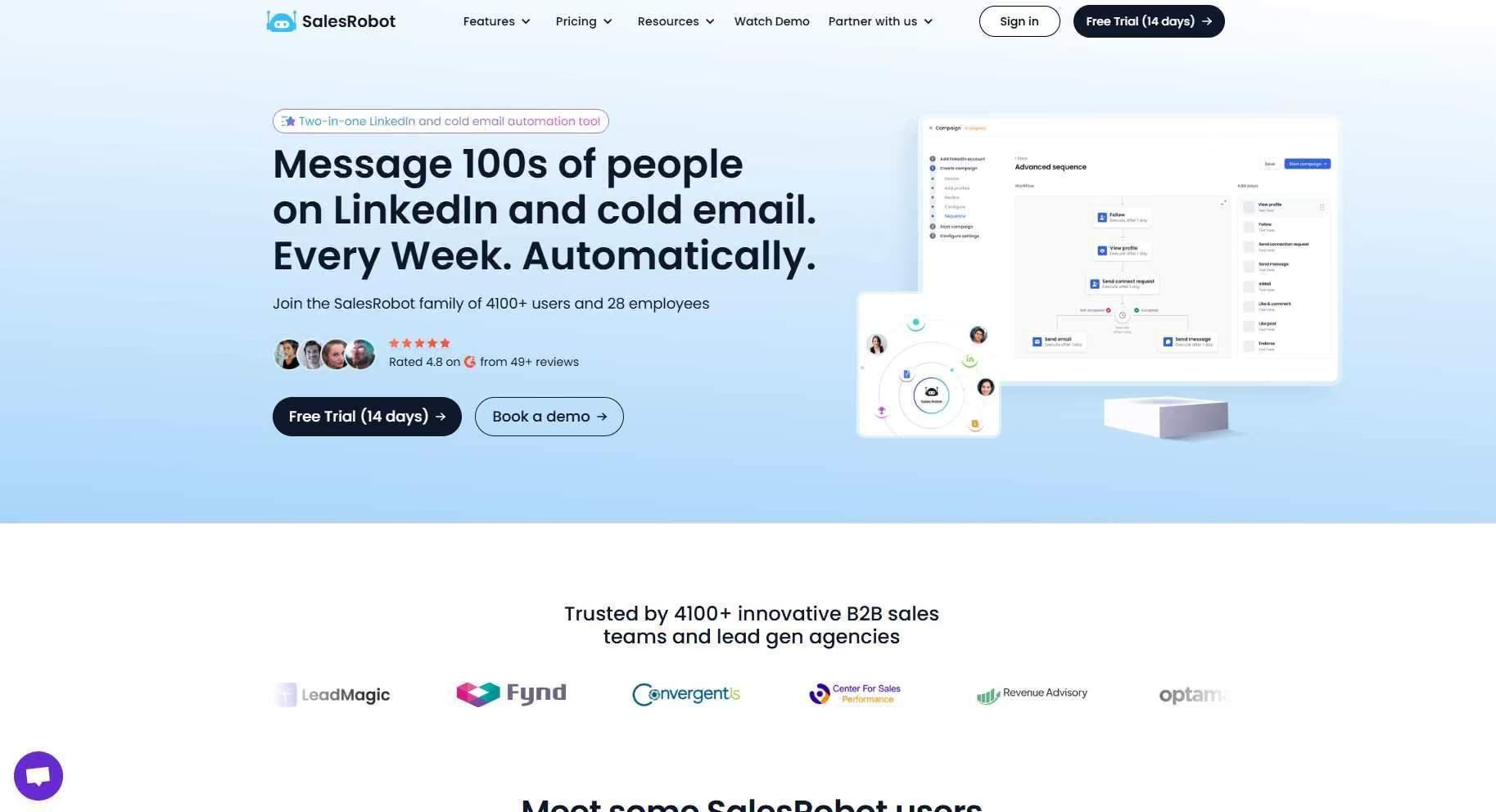
What it does: SalesRobot runs native LinkedIn automation and cold email sequences from one cloud platform.
A campaign can start on LinkedIn with a connection request, then a message, then a follow-up. It automatically switches to email if the prospect doesn't reply on LinkedIn. And it runs 24/7 without keeping your browser open.
Stands out for: Mobile API technology that mimics human behavior. Randomized delays, human-like daily limits, and residential IP rotation that keeps accounts off LinkedIn's radar.
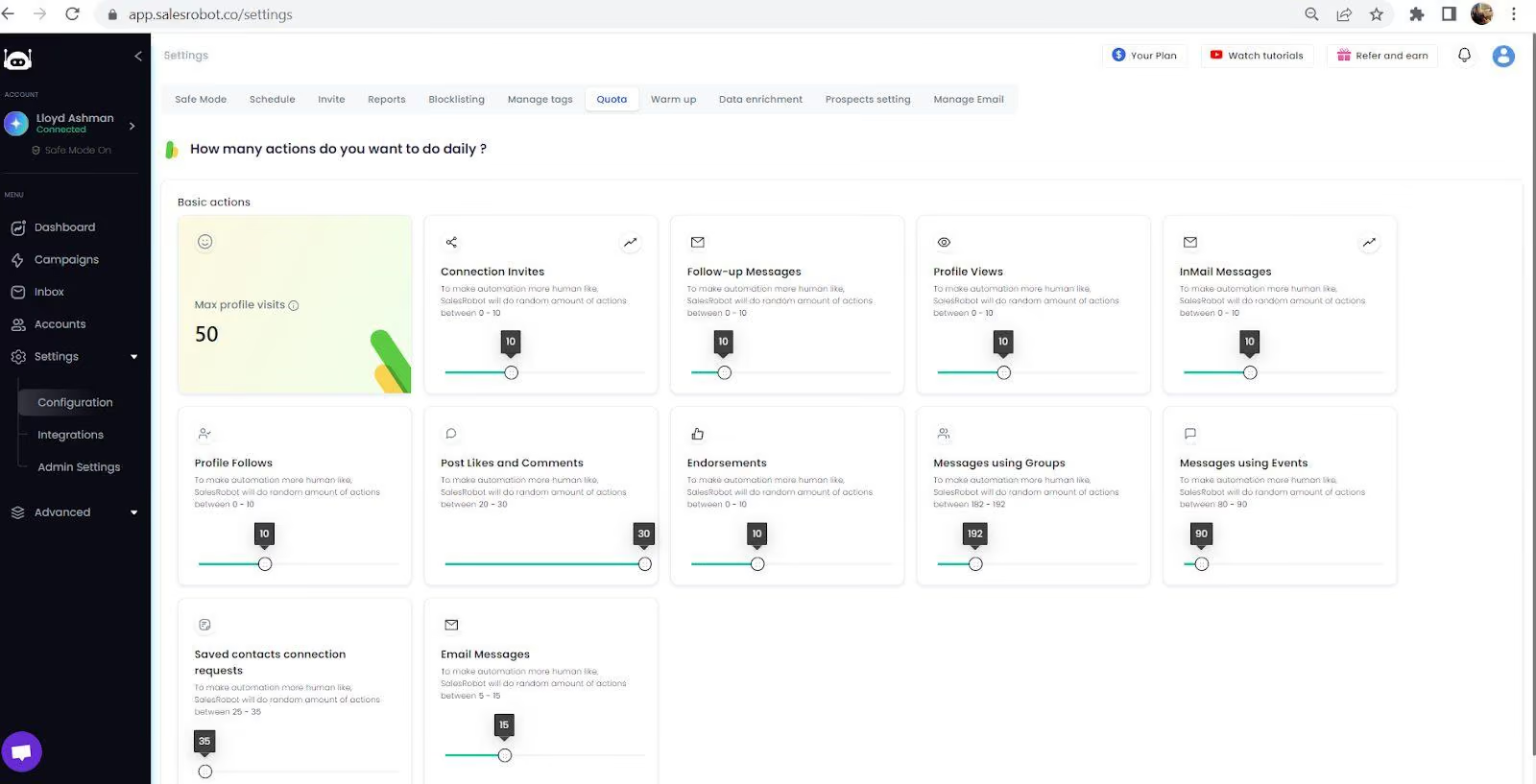
The AI Variables feature personalizes every connection request using each prospect's LinkedIn profile data, so outreach reads as if a human wrote it.

The AI Appointment Setter runs in Copilot mode (suggests replies you approve in one click) or Autopilot mode (handles full conversations and books meetings).

Smart Comments even leaves AI-generated comments on prospect posts to warm them up before you reach out, plus video and voice note automation at scale.
Worth noting: SalesRobot is a newer brand than Expandi or Lemlist. Its review base is still growing, at 4.8 on G2 from 57+ reviews, versus competitors with hundreds of reviews. If sheer review volume is your trust signal, factor that in.
Pricing:
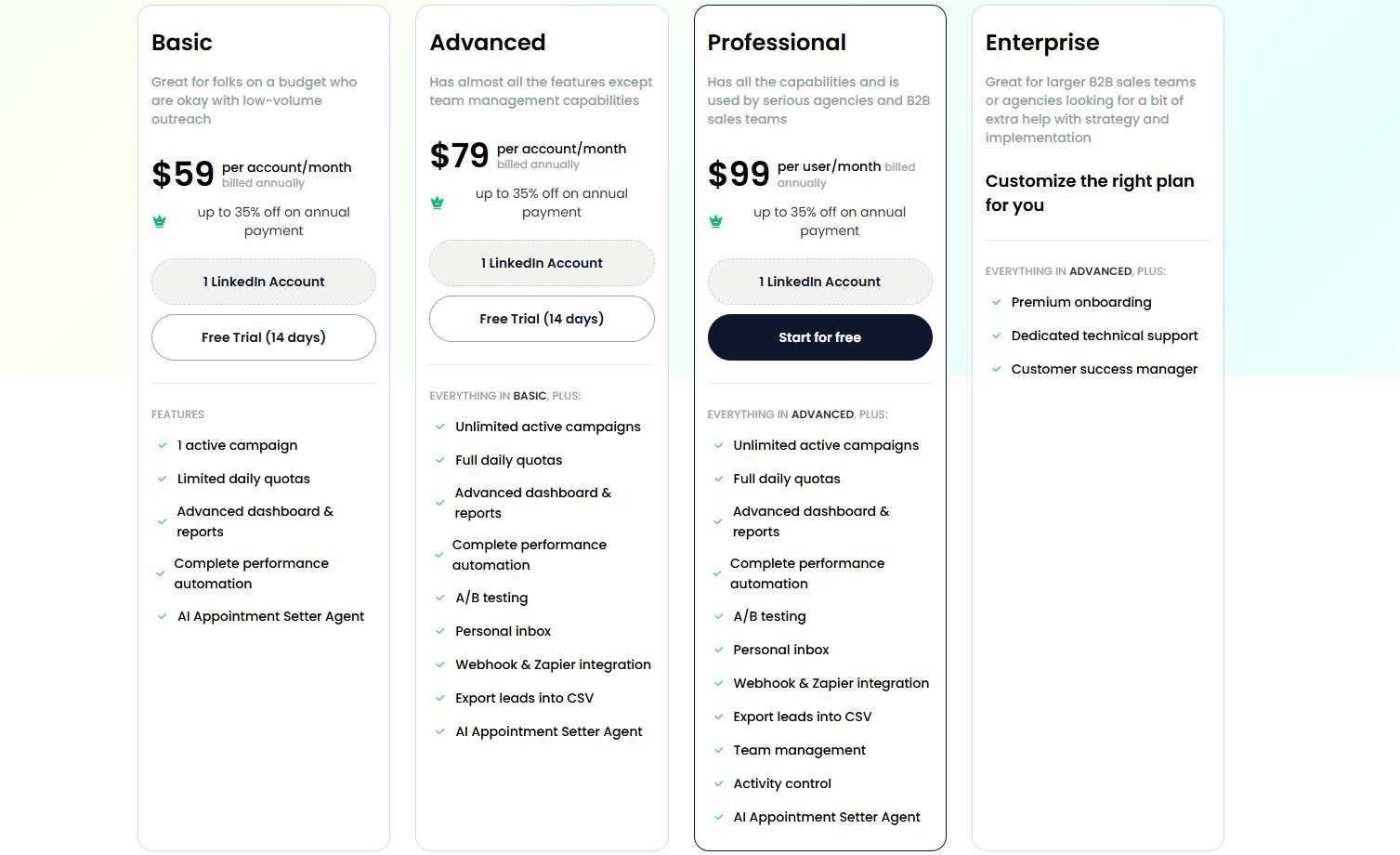
Starter $59/month, Advanced $79/month, Professional $99/month. Annual billing saves 35%. There's a 14-day free trial with no credit card required.
Best if: You're an early-stage SaaS team or agency that wants LinkedIn + email in one tool at SMB price, with AI personalization and zero-ban safety.
SalesRobot is trusted by 4,100+ B2B sales teams, customers see a 55% average reply rate and 51% connection acceptance rate, and The Growth Agency hit a 66% reply rate running it as core infrastructure.
2. HeyReach, Best for Agencies Running 10+ LinkedIn Accounts
What it does: HeyReach rotates outreach across multiple LinkedIn accounts inside one campaign and aggregates reply management, so an agency can run dozens of senders without juggling logins.
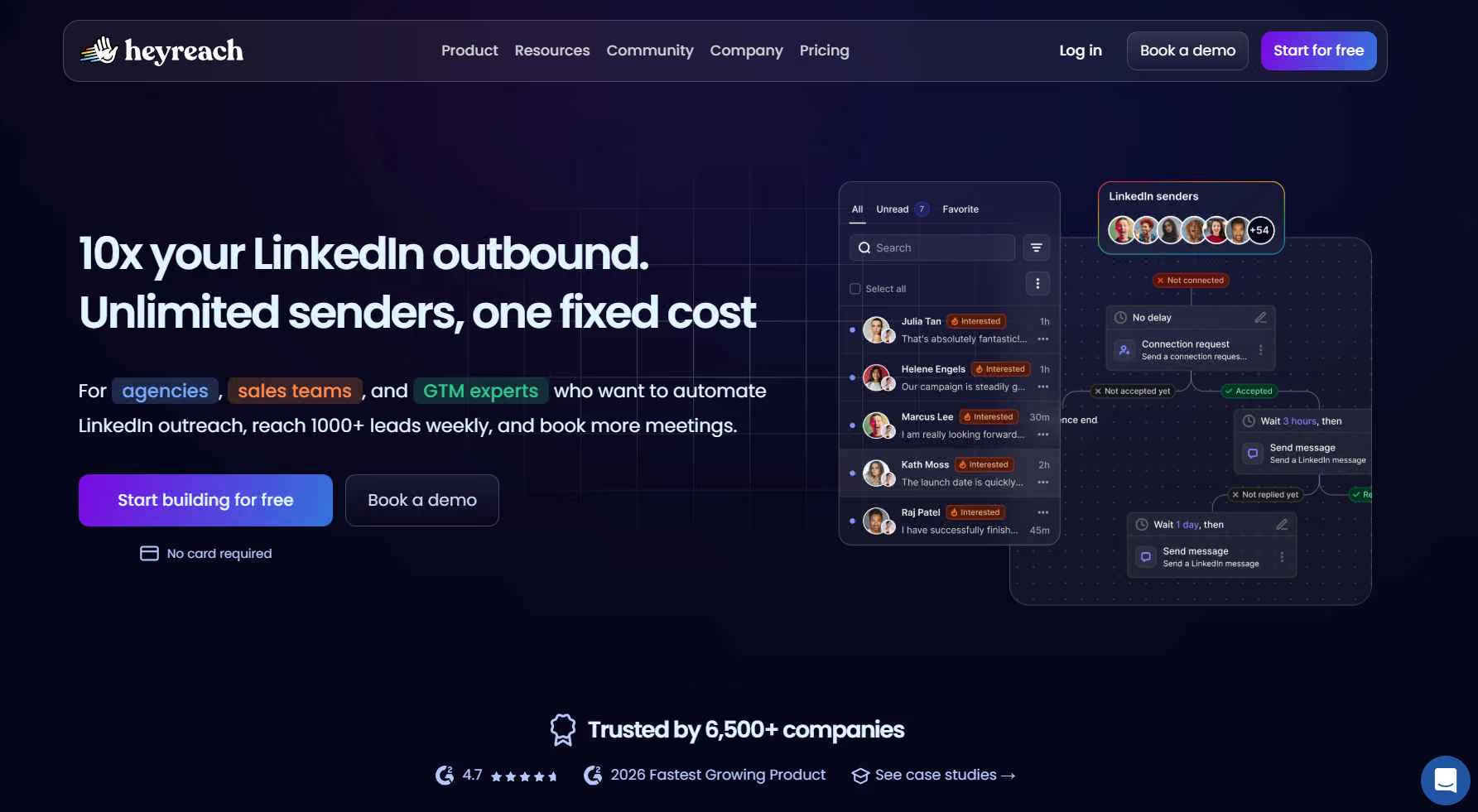
Stands out for: Clean multi-sender rotation built for scale. It's used by 5,500+ companies and was named a 2026 Fastest Growing Product on G2, momentum that's earned in the agency segment specifically.
Worth noting: Email sequences exist, but LinkedIn is clearly its core strength, and AI personalization is lighter than SalesRobot's AI Variables. If you need deep multichannel orchestration, it's not the deepest option here.
Pricing:

Pricing: Growth starts at $79/month for one LinkedIn sender. The Agency plan is $999/month for a bundle of senders, and Unlimited runs $2,999/month for uncapped senders. Annual billing saves 25%.
Best if: You're an agency managing 10+ client LinkedIn accounts and multi-sender rotation is your number-one requirement. (Worth comparing against SalesRobot's team dashboard, which runs 50-100+ accounts from one login plus a whitelabel resell program.)
3. Skylead, Best for Complex If/Then Sequence Logic
What it does: Skylead runs cloud-based LinkedIn + email sequences with true if/then conditional branching, paths that change based on what each prospect does.

Stands out for: The most sophisticated sequence builder on this list. If your outreach logic looks like a flowchart, Skylead can actually model it.
Worth noting: At $100/month per account it's the priciest entry, there's no built-in phone channel, and that branching power is overkill for straightforward connect-and-follow-up motions.
Pricing:
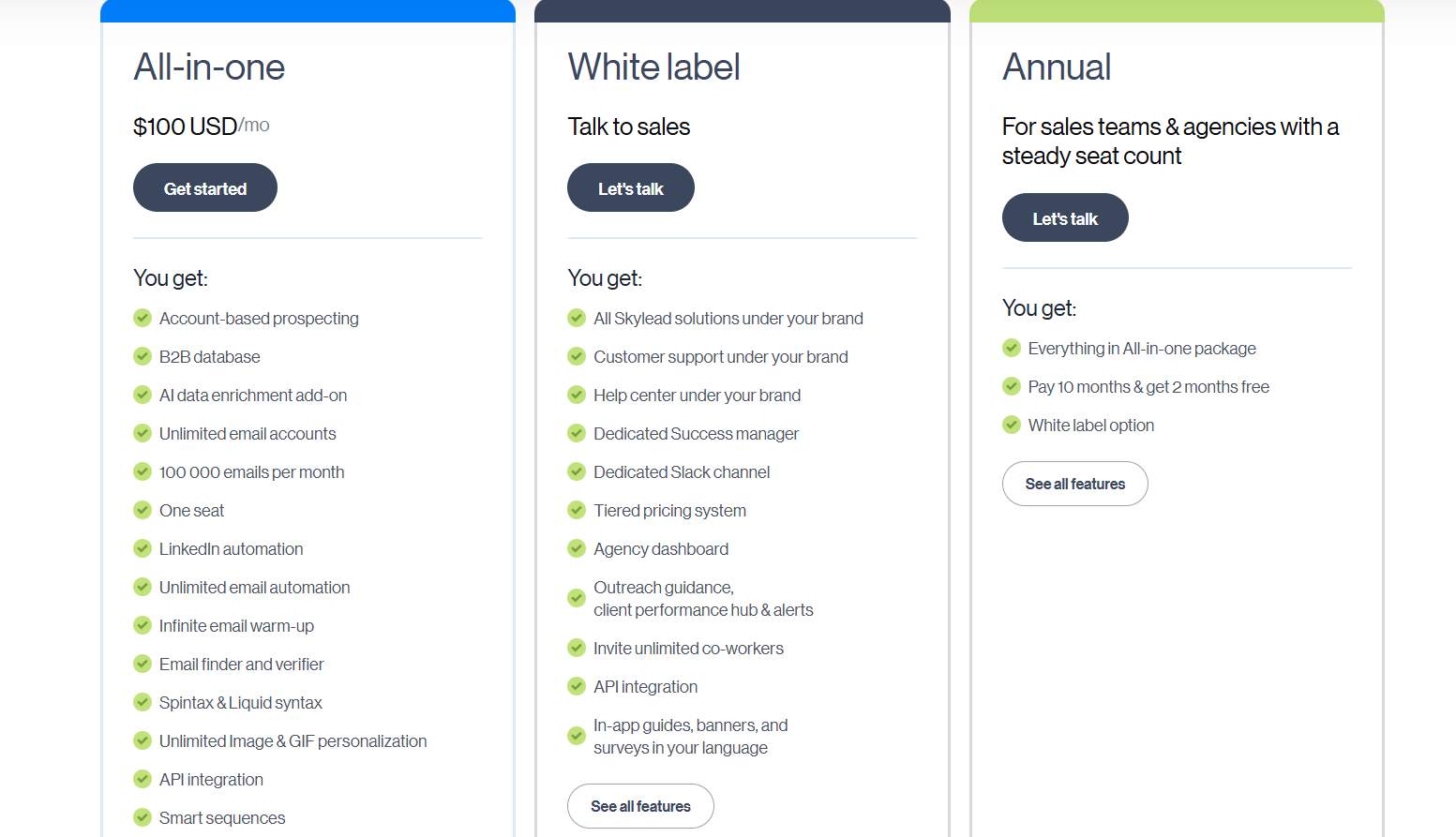
$100/month per account(All-in-one plan).
Best if: You're in RevOps or you're a sales engineer who needs custom conditional logic and can justify the per-account cost.
4. La Growth Machine, Best for Multichannel Purists (LinkedIn + Email + Twitter)
What it does: La Growth Machine coordinates LinkedIn, email, and Twitter/X in a single sequence, all on cloud infrastructure.

Stands out for: A strong safety record. Its cloud setup claims under 0.1% LinkedIn ban rates versus 3-5% for extension-based tools, plus solid email deliverability across channels.
Worth noting: The UI has a steeper learning curve, and the English-language community is smaller than some rivals here. Pricing starts at €50/month.
Pricing:
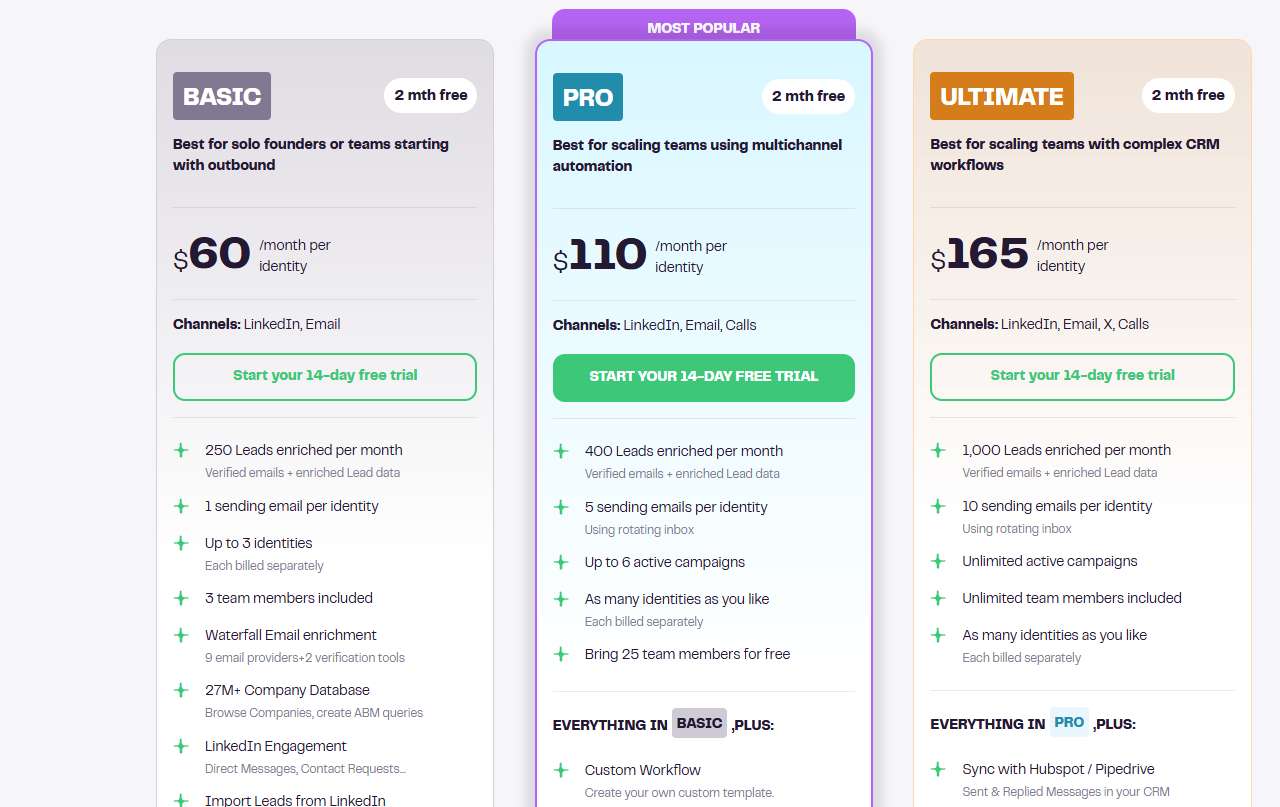
Pricing: Basic starts at $60/month per identity (LinkedIn and email). Pro is $110/month per identity (adds calls), and Ultimate is $165/month per identity (adds Twitter/X and CRM sync). Annual billing includes two months free.
Best if: You want LinkedIn + email + Twitter in one sequence and you prioritize account safety over rock-bottom price.
5. Expandi, Best for LinkedIn Outreach with Smart InMail Fallback

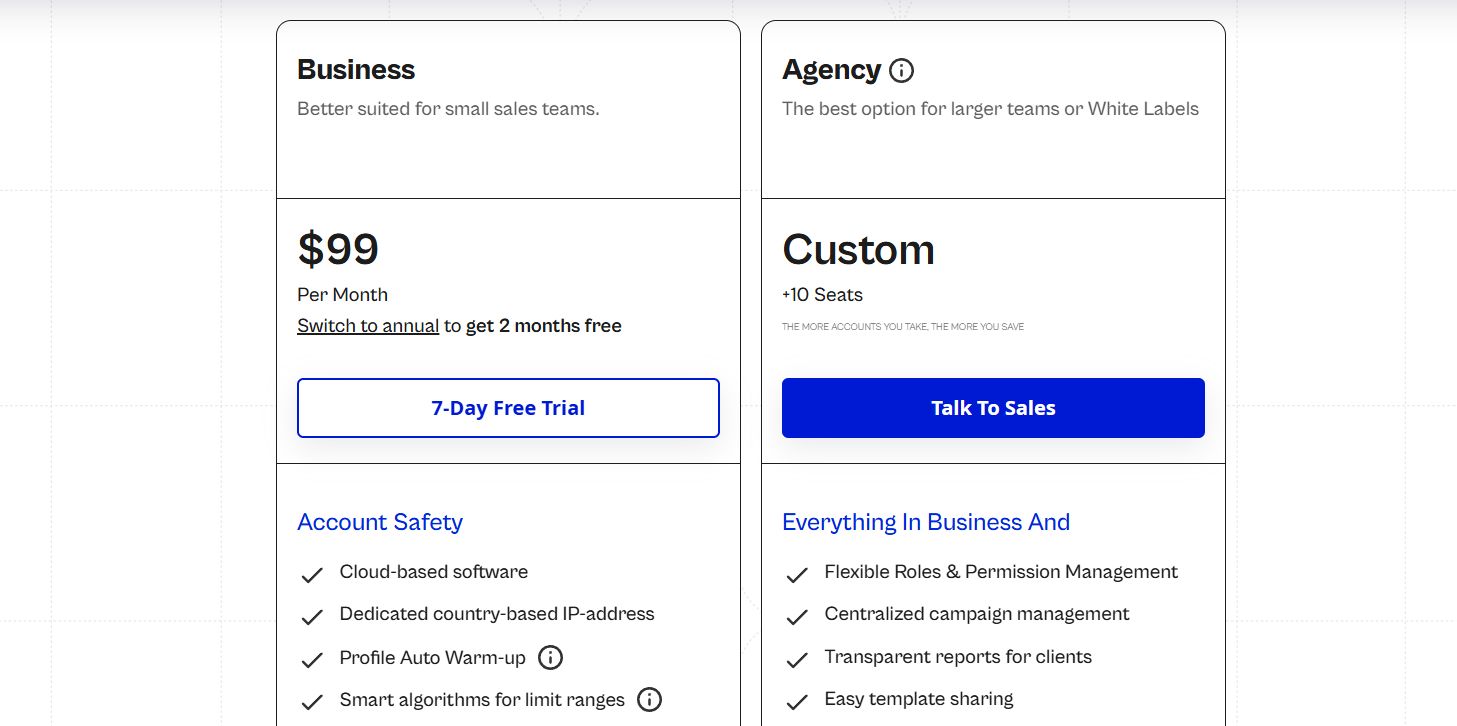
What it does: Expandi is cloud-based LinkedIn automation that automatically switches to InMail if a connection request gets ignored, turning a dead end into a second touch.
Stands out for: That InMail fallback logic, plus an established brand reputation and email pairing.
Worth noting: It starts at $99/month, and the InMail credits it uses still cost extra on LinkedIn's side, so the "free fallback" isn't entirely free.
Pricing: From $99/month.
Best if: You're a sales rep with Sales Navigator who wants InMail handled automatically as a fallback rather than as a manual step.
6. Lemlist, Best for Cold Email Teams Adding LinkedIn as a Second Channel

What it does: Lemlist is an email-first sequencing tool with LinkedIn touch steps layered in, plus image and video personalization.
Stands out for: The strongest email deliverability and personalization on this list. Image personalization at scale is genuinely good.
Worth noting: LinkedIn is complementary here, not a full native-send engine across every plan, and full multichannel costs $99/month. It's the inverse of SalesRobot's LinkedIn-first orientation.
Pricing:
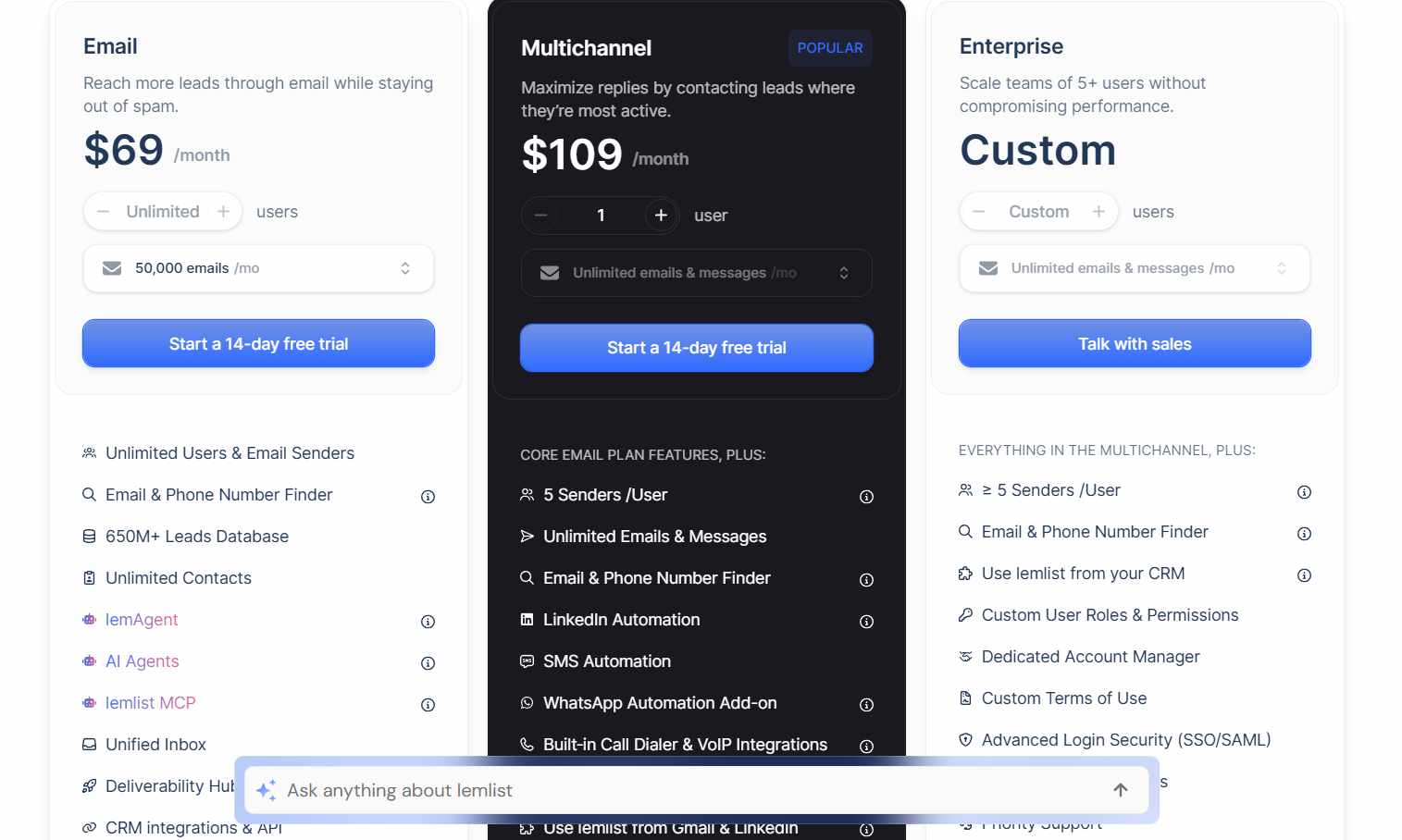
Email is $69/month for cold email only. Multichannel is $109/month per user and adds LinkedIn automation, calls, SMS, and a unified inbox. Annual billing saves around 20%.
Best if: Your core motion is cold email and you want to add LinkedIn touches without switching platforms.
7. Reply.io, Best for Teams Who Want an AI SDR Layer
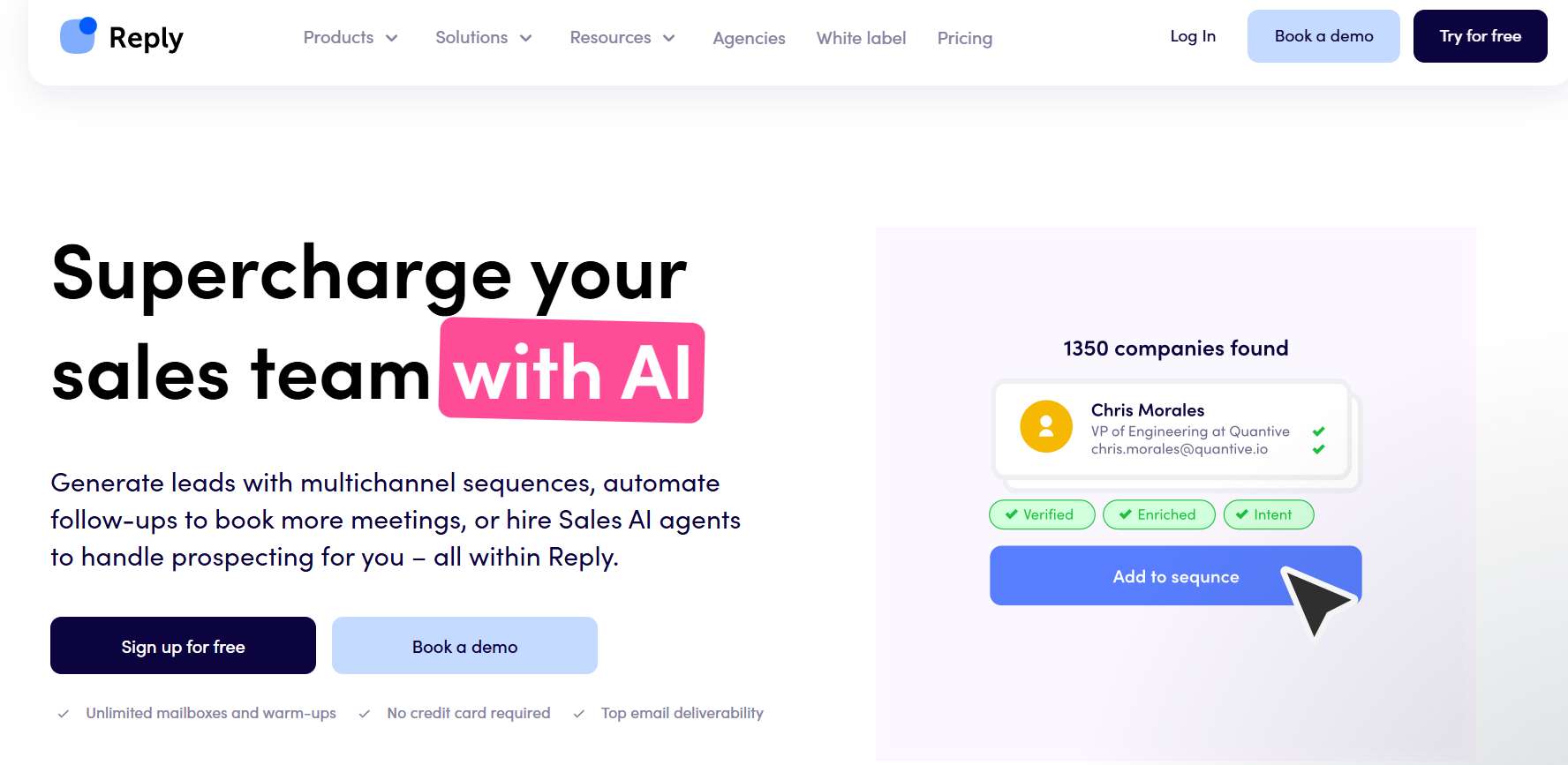
What it does: Reply.io runs multichannel sequences plus Jason AI, an AI SDR that can handle conversations and objections autonomously.
Stands out for: The most mature AI SDR feature set on this list. Handy if you want AI carrying conversations at volume.
Worth noting: Some users report unexpected price increases and slow support, and LinkedIn execution is task-based in the base plans rather than fully native. Check current pricing before committing, since it's per-seat.
Pricing:

The Multichannel plan starts at $89/month per user (billed annually) and bundles email, LinkedIn, SMS, and calls. The Email Volume plan starts at $159/month for the whole team, email only. Jason AI, the autonomous AI SDR, is a separate product starting at $500/month. Annual billing saves around 20%.
Best if: You want AI to manage conversations at scale, you can tolerate per-seat costs, and you're okay with LinkedIn as a semi-manual step.
8. Dux-Soup, Best Budget Pick for LinkedIn-Only Prospecting

What it does: Dux-Soup is a Chrome extension for LinkedIn automation. Profile visits, connection requests, and messages.
Stands out for: The lowest entry price here, with a cloud tier available at $99/month if you want to graduate off the extension.
Worth noting: The Pro and Turbo tiers are extension-based, which means LinkedIn has to stay open and detection risk runs higher than cloud tools. There are no native email sequences either.
Pricing:
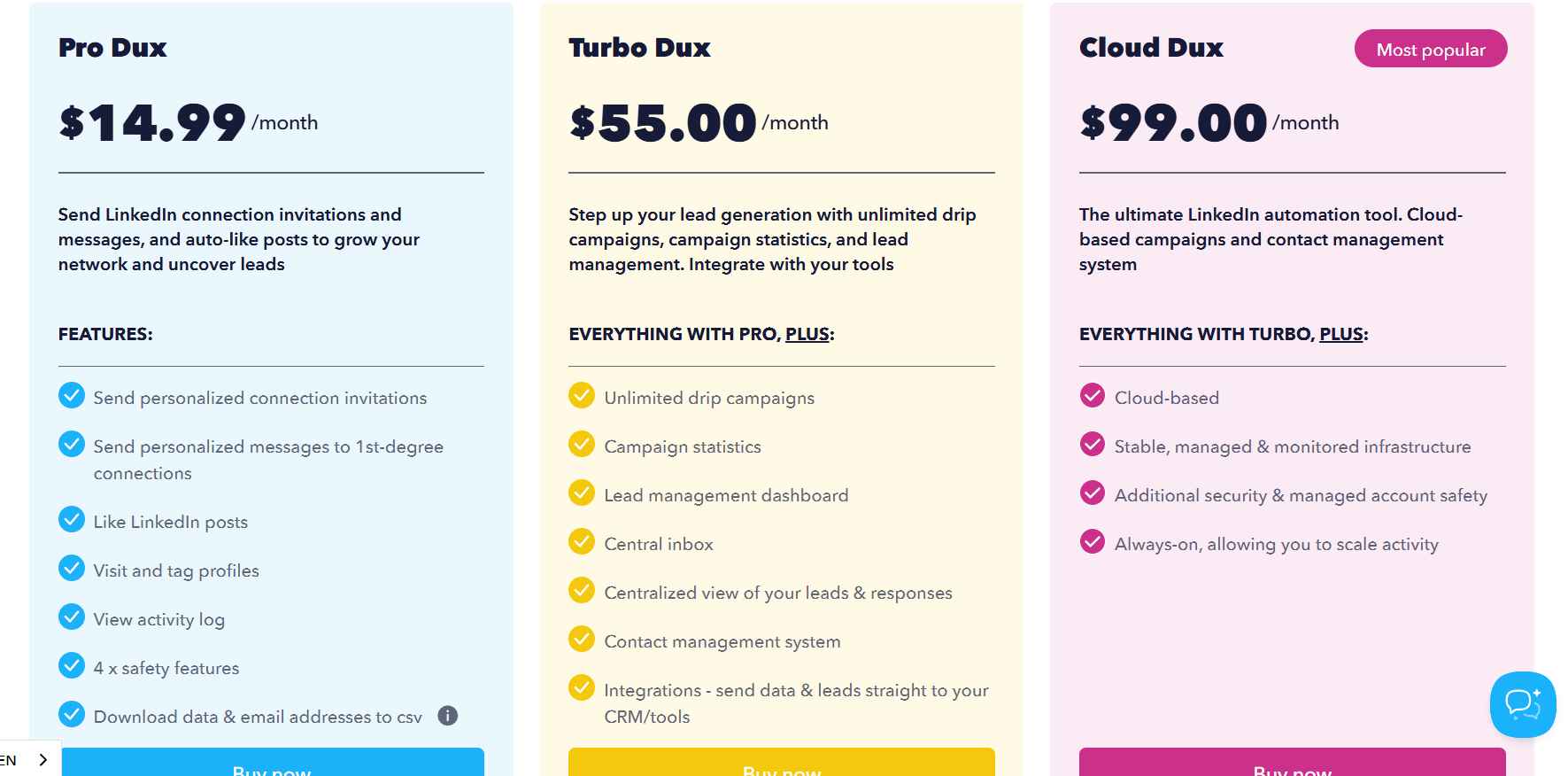
Pro $14.99/month, Turbo $55/month, Cloud $99/month.
Best if: You're a solo prospector or early-stage rep on a tight budget who only needs LinkedIn (no email) and you're comfortable with extension-based risk at the lower tiers.
9. Octopus CRM, Best for Absolute Beginners Testing LinkedIn Automation
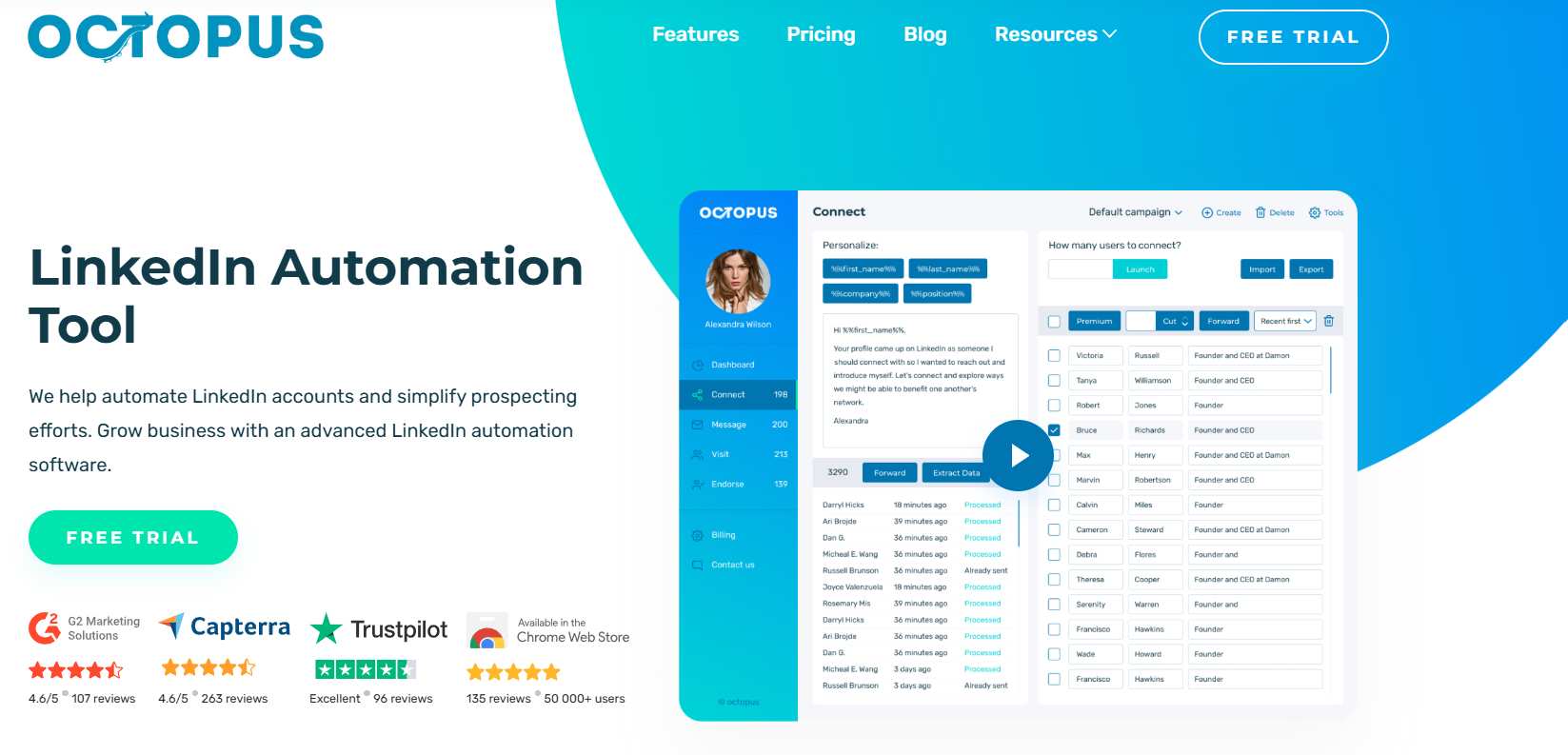
What it does: Octopus CRM handles the basics. Connection requests, messages, profile visits, and endorsements via a browser extension.
Stands out for: It's the cheapest tool on the list at $10/month with essentially zero learning curve. A clean way to test whether LinkedIn automation fits your motion at all.
Worth noting: There's no built-in AI, it relies on rigid text templates, there are no email sequences, and it scales poorly past solo use.
Pricing:
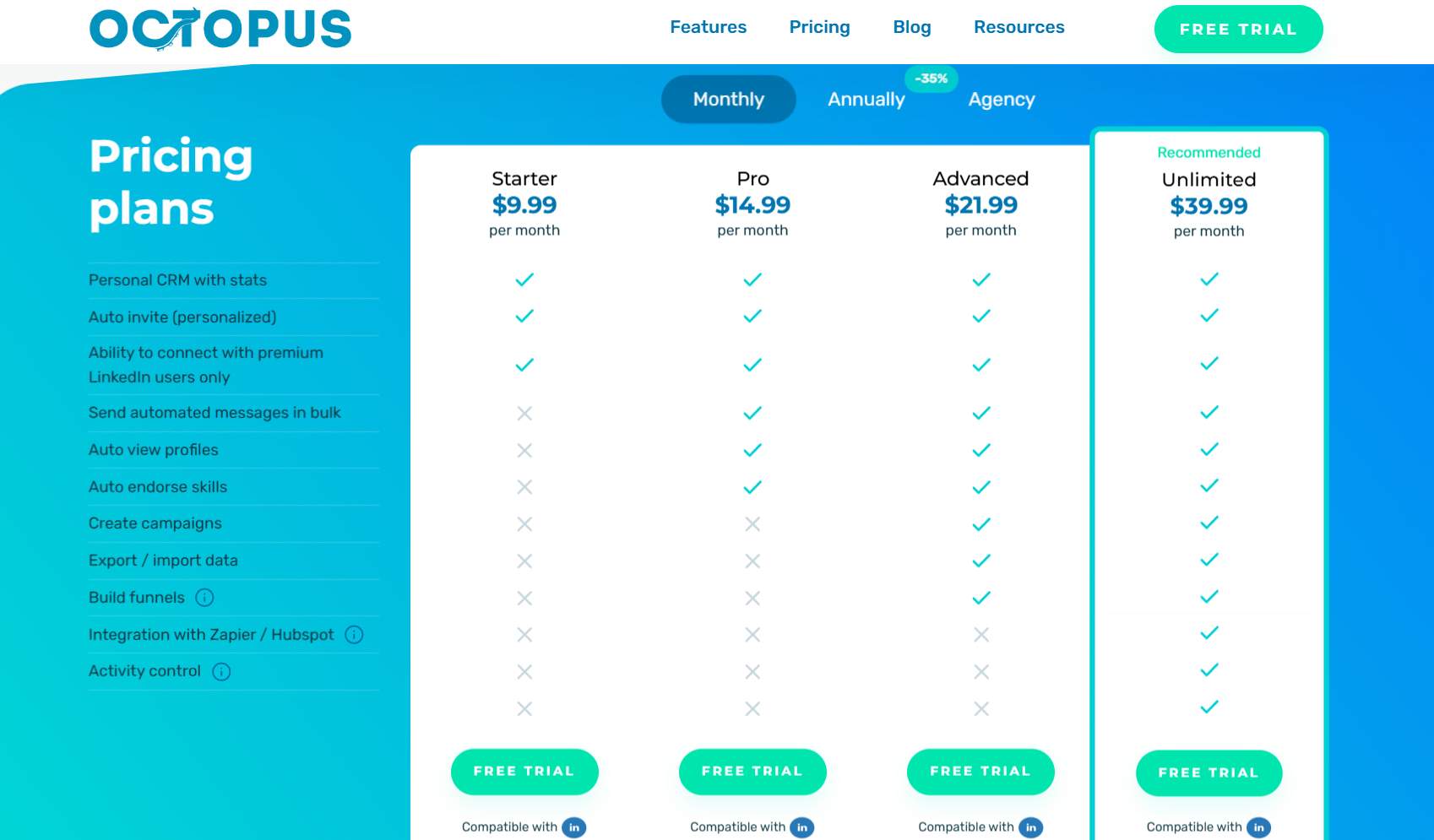
$9.99/month.
Best if: You're an individual rep or founder who's never tried LinkedIn automation and wants to test the concept before investing in a full platform.
Which Platform Should You Pick? A Decision Framework by Situation
No single tool wins for everyone. Match your situation to the pick:
- You want LinkedIn + email in one cloud platform at SMB price → SalesRobot
- You're an agency managing 10+ client accounts → HeyReach (or SalesRobot for whitelabel and 50-100+ accounts from one login)
- You need if/then conditional branching → Skylead
- Your core motion is cold email, LinkedIn is secondary → Lemlist
- You want AI to handle conversations autonomously → Reply.io
- You need LinkedIn + email + Twitter in one sequence → La Growth Machine
- You want InMail as an automatic fallback → Expandi
- You're on a tight budget, LinkedIn-only → Dux-Soup (Cloud tier)
- You've never automated LinkedIn before → Octopus CRM (then upgrade)
One thing to keep straight. None of these tools replace your CRM. They're the system of action that executes outreach. Your CRM stays the system of record. The good ones sync to it (more on that in the FAQ).
Frequently Asked Questions
What is the difference between a CRM and a sales engagement platform?
A CRM is your system of record. It stores customer data, deal stages, and history.
A sales engagement platform is your system of action. It automates the personalized outreach that creates pipeline.
Put simply: the CRM remembers, the SEP does. Most teams run both, with the SEP feeding activity back into the CRM.
Can a sales engagement platform replace a CRM?
No. They're complementary, not interchangeable.
A sales engagement platform executes outreach across LinkedIn and email, while a CRM stores the records and reporting. Strong SEPs sync to your CRM instead of replacing it.
SalesRobot, for example, integrates natively with HubSpot, Salesforce, and Pipedrive, so accepted connections and replies log automatically.
How many LinkedIn connection requests can you send per week in 2026?
LinkedIn caps invitations at 100 per week across all account tiers, including Premium and Sales Navigator. High-SSI accounts in good standing can push toward 200.
Watch your acceptance rate. If it drops below 30%, the algorithm assumes spam and tightens restrictions, so aim for a 40-60% acceptance rate.
Is cloud-based LinkedIn automation safer than browser extensions?
Yes. Cloud-based tools post under 0.1% LinkedIn ban rates, versus 3-5% for extension-based tools.
Extensions require your browser to stay open and behave more like a bot, while cloud platforms run on remote servers around the clock. SalesRobot uses mobile API technology with residential IP rotation and reports zero account bans on Safe Mode.
Why are enterprise teams shifting to AI-powered outreach platforms in 2026?
Because AI outreach simply performs better. Behavioral triggering converts about 40% better than time-based sequences, and coordinated LinkedIn + email sequences drive 3.5x higher response rates than email-only.
AI personalization scales that quality without adding headcount. Tools like SalesRobot's AI Variables and AI Appointment Setter let small teams run enterprise-grade volume.
The Bottom Line on Choosing a LinkedIn Sales Engagement Platform in 2026
The real divide in 2026 isn't price. It's whether your platform actually sends on LinkedIn from the cloud, or just hands you a task to do manually while risking your account on an extension.
Honest reality check. Every tool here works for someone. The cheap extensions are fine for testing, and the enterprise AI tools earn their keep at scale.
But for an early-stage SaaS team or agency that wants LinkedIn and email in one safe, native sequence, the middle is where the value lives. And that middle is exactly where most roundups leave you hanging.
That's the gap SalesRobot fills. Native cloud LinkedIn + email automation, AI Variables personalizing every message, an AI Appointment Setter booking meetings on Autopilot, and zero account bans on Safe Mode, all from $59/month. It's why 4,100+ B2B teams run it and see a 55% average reply rate.
👉 See it on your own pipeline. SalesRobot sends on LinkedIn and email natively, no browser babysitting required. Try free for 14 days, no credit card needed.

Wow your leads by cloning yourself and sending personalized videos and voice notes to each lead on LinkedIn.
If you don't reply to leads within 5 mins, your chances of converting them fall by 50%. Our AI replies on your behalf instantly! (and yes, you can train it)

Don't shoot in the dark. Get detailed analytics on what's working

SalesRobot allows you to invite other team members, so that they can add their LinkedIn Account, run outreach campaigns and get amazing results just like you.
.avif)


Trusted by 4100+ innovative B2B sales teams and lead gen agencies

.avif)

.avif)




.avif)


Heading 1
Heading 2
Heading 3
Heading 4
Heading 5
Heading 6
Lorem ipsum dolor sit amet, consectetur adipiscing elit, sed do eiusmod tempor incididunt ut labore et dolore magna aliqua. Ut enim ad minim veniam, quis nostrud exercitation ullamco laboris nisi ut aliquip ex ea commodo consequat. Duis aute irure dolor in reprehenderit in voluptate velit esse cillum dolore eu fugiat nulla pariatur.
Block quote
Ordered list
- Item 1
- Item 2
- Item 3
Unordered list
- Item A
- Item B
- Item C
Bold text
Emphasis

Superscript
Subscript