TL;DR
- AiSDR aims to take a lot of the repetitive work out of sales prospecting.
- Its AI agent, Ami, researches your business, finds potential customers, creates personalised outreach, runs LinkedIn and email sequences, handles replies, and helps book meetings.
- Instead of stitching together a lead database, an email sequencer, a LinkedIn automation tool, and several AI writing tools, you get much of that workflow in one place.
- AiSDR advertises a pay-as-you-go option at $1.50 per person contacted through its self-serve pricing information.
- It also has a discounted team plan for teams contacting 1,000+ people per month.
- Best for: B2B teams that want to automate much of their prospect research and outbound sales workflow.
- Think twice if: You want a simple, inexpensive email sequencer, prefer to approve every message manually, or don't need an AI agent to handle several parts of your sales process.
What Is AiSDR?
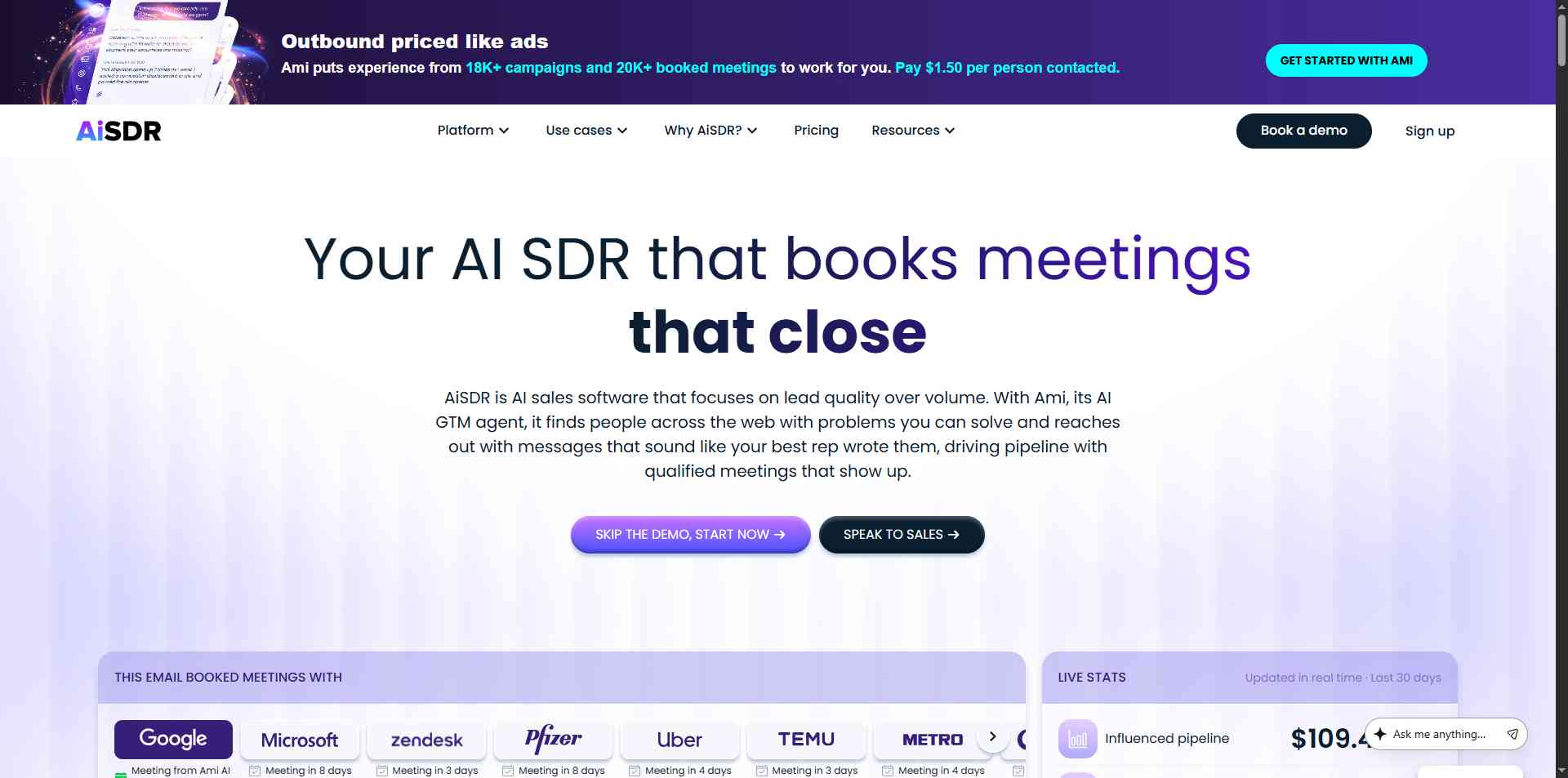
Let's start with the name.
SDR stands for sales development representative. It's the person who typically finds potential customers, reaches out to them, follows up, and tries to get qualified meetings onto the sales team's calendar.

AiSDR aims to automate much of that work using AI.
Its main AI agent, Ami, is designed to understand your business, identify the people most likely to be interested in what you sell, and run outreach campaigns across email and LinkedIn.
For example, imagine you're selling project management software to mid-sized companies. You don't just want a list of every company with 100 employees.
You want businesses that might actually need your product, the right people to contact, and a sensible reason to start a conversation.
AiSDR can research those companies, look for relevant signals, create personalised messages, and coordinate follow-ups. It can also use information from connected CRM systems to make its outreach more relevant.
The idea is to give sales teams more than another tool for writing emails. It's an attempt to automate a larger part of the prospecting process.
How Does AiSDR Work?

AiSDR's workflow starts with your business rather than a blank email template.
Here's the basic idea:
- Tell Ami about your business. You can provide your website so the AI can research your product and work out which customers might be a good fit.
- Define your target audience. Describe the companies and people you want to reach, including relevant qualifications and buying signals.
- Research prospects. AiSDR can use public information, company news, hiring activity, technology data, LinkedIn signals, and other available information to identify potential customers.
- Create personalised campaigns. The platform generates messages and multi-step sequences across email and LinkedIn.
- Launch and manage outreach. AiSDR handles scheduled messages and follow-ups, classifies replies, and can respond automatically or work in a copilot mode.
- Track the results. It monitors campaign performance and connects with supported CRMs to keep lead information and activity records updated.
The goal is to reduce the amount of manual work between deciding whom to target and starting a useful sales conversation.
It's an ambitious approach. But the quality of the audience, the messages, and the decisions the AI makes still matters enormously.
AiSDR Features: What Do You Actually Get?
1. Ami AI, Your GTM Agent
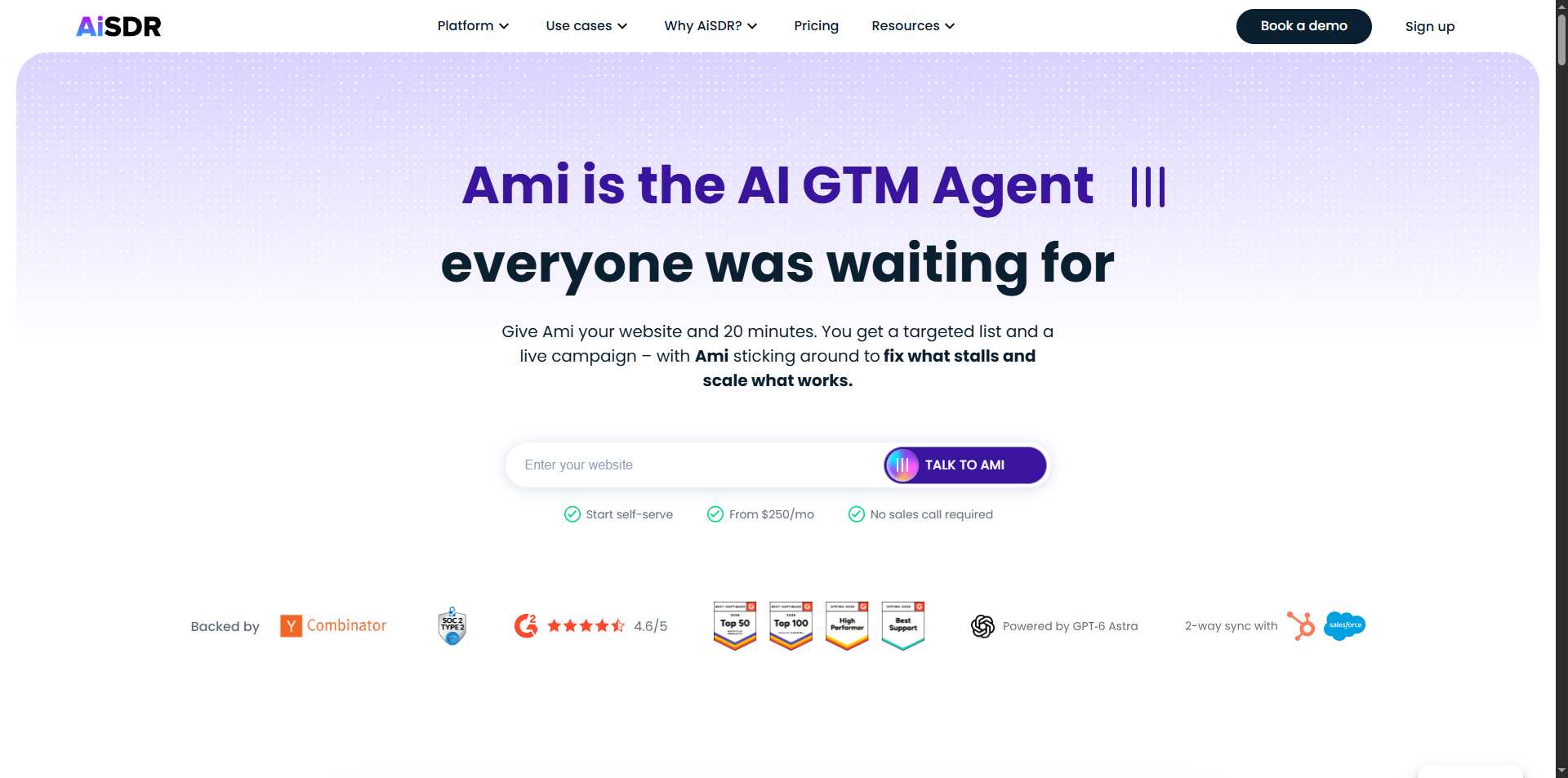
Ami is the central AI agent behind the platform. GTM means go-to-market, which broadly covers how a business finds customers and sells to them.
Rather than making you configure every campaign from scratch, Ami can research your business, suggest audiences, build outreach strategies, and help launch campaigns.
It can also analyse campaign performance and recommend changes when something isn't working.
For example, if a campaign isn't generating replies, Ami can help investigate whether the audience, messaging, or timing needs attention.
2. AI-Powered Prospect Research
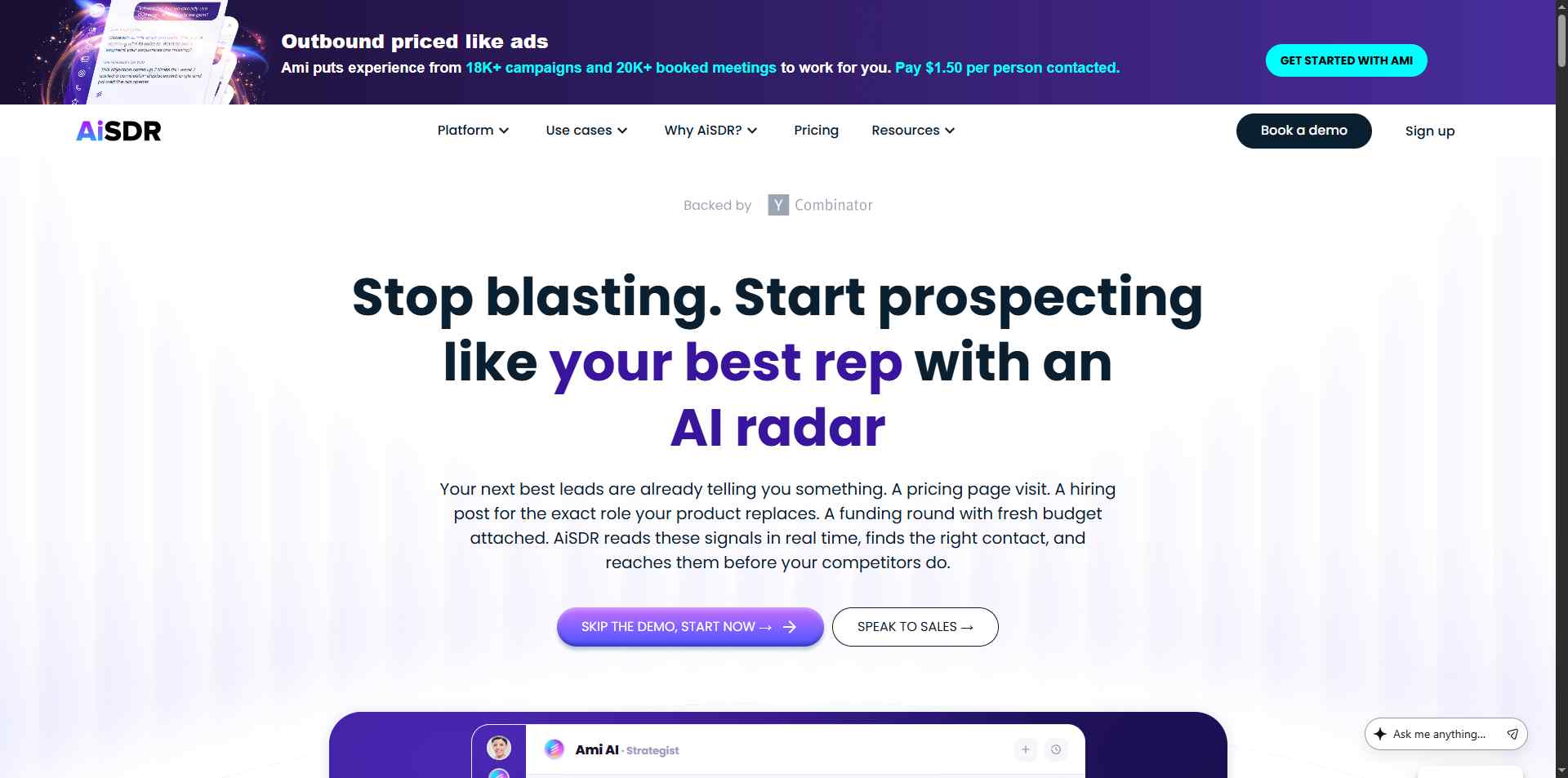
Finding a person's email address is one thing. Working out whether that person is worth contacting is another.
AiSDR goes beyond basic contact lists by researching prospects and looking for signals that might suggest a company is a good fit or has a reason to buy.
These can include company news, hiring activity, technology usage, LinkedIn engagement, job changes, and other public information.
3. Personalised LinkedIn and Email Outreach
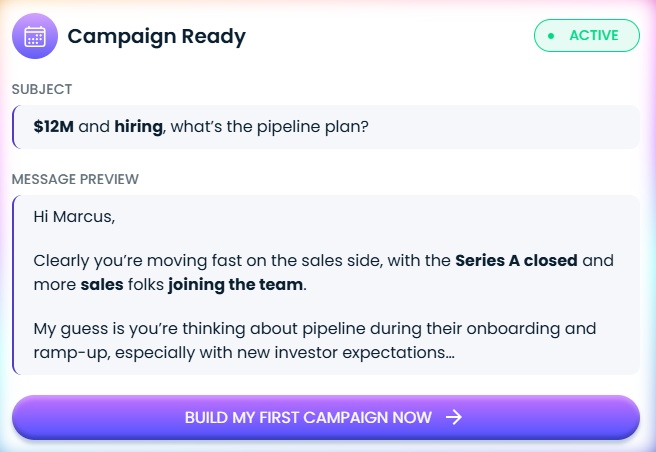
AiSDR creates and runs outreach sequences across LinkedIn and email.
You can configure multi-step campaigns with different touchpoints, follow-ups, and timing.
The platform can personalise messages using prospect research, company information, and CRM data.
This is more useful than generating a generic cold email and sending it to hundreds of people.
✅What stands out: The channels are coordinated within one workflow. You don't have to manage an email sequence in one tool and a separate LinkedIn campaign in another.
⚠️Worth noting: Personalisation is only as good as the information behind it. A message that mentions an irrelevant company announcement or makes an incorrect assumption can feel worse than a straightforward, honest introduction.
4. Automated Reply Handling
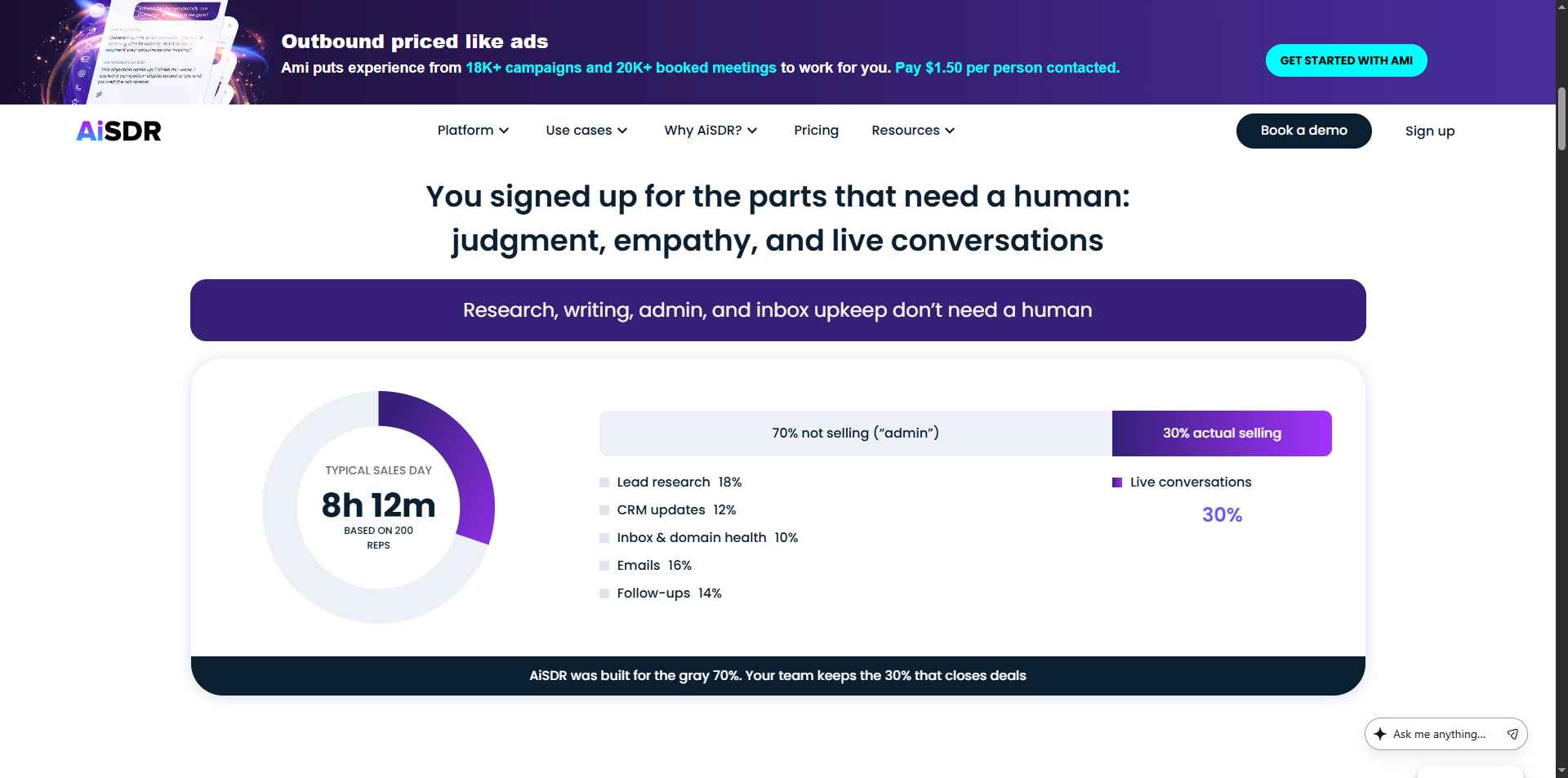
Getting a reply is great. Having to monitor several inboxes all day to respond at the right moment? Less great.
AiSDR includes a unified inbox for email and LinkedIn, with AI-assisted reply classification and response handling. The company says replies can be handled within five to ten minutes, or you can use a copilot mode if you'd rather maintain more control.
The AI can help respond to questions, handle objections, and keep conversations moving towards a meeting.
This is potentially one of the platform's most useful features. Outreach doesn't end when the first message goes out, and slow responses can mean losing interested prospects.
5. Email Setup and Deliverability
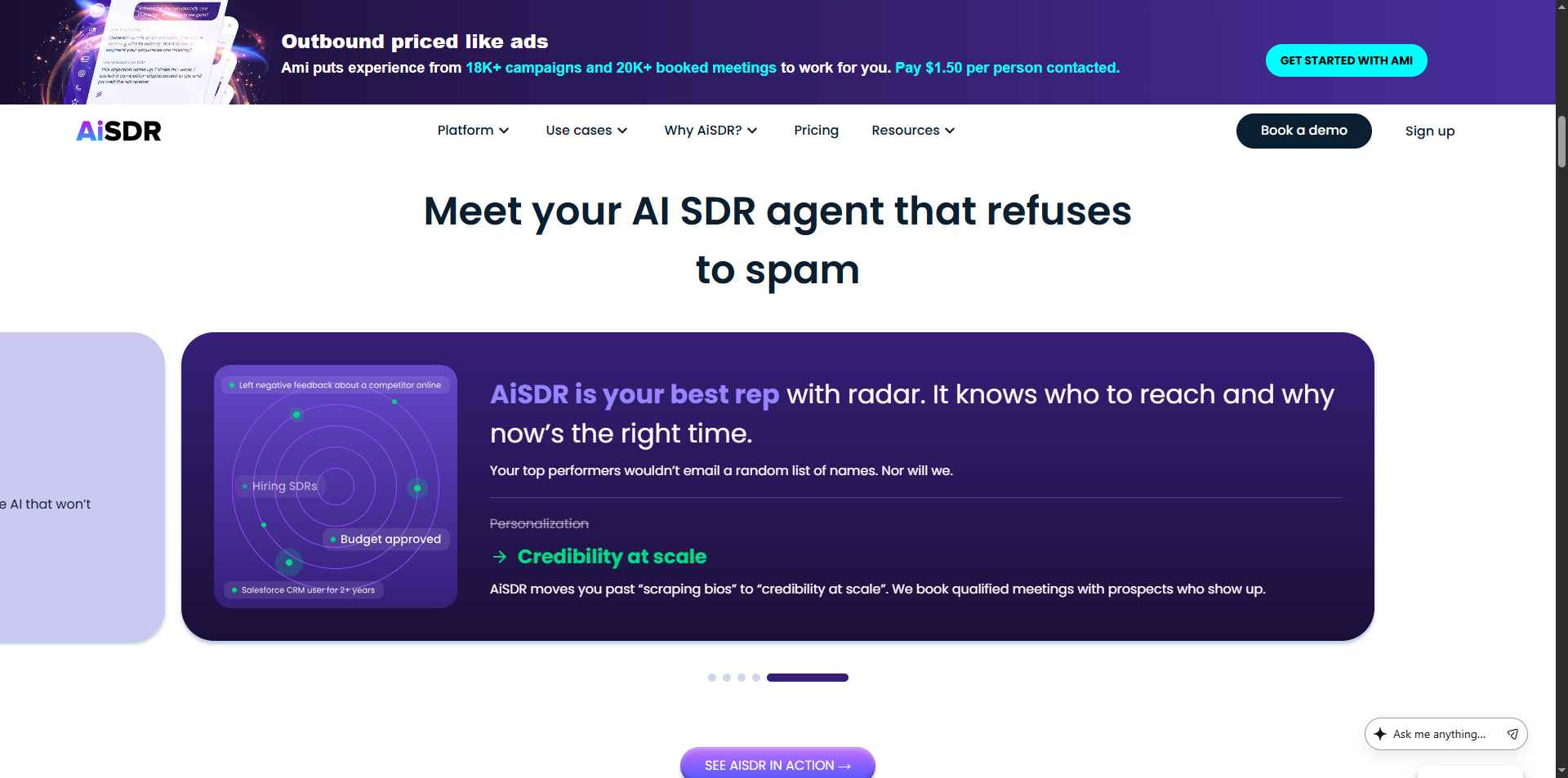
Even a brilliant email is useless if it never reaches the inbox.
AiSDR includes email infrastructure features such as mailbox setup, warm-up, email validation, bounce checks, domain health monitoring, and automated inbox rotation.
The point is to reduce the amount of technical work involved in getting an outbound campaign ready.
AiSDR also says it checks email addresses multiple times before sending and monitors domain health.
6. CRM Integration
AiSDR integrates with HubSpot and Salesforce, with the available integration features depending on the plan.
The platform can use CRM information to personalise outreach, sync lead details, log interactions, and help identify prospects who may be worth contacting again.
⚠️Worth noting: AiSDR isn't a replacement for your CRM. It works alongside it, while your CRM remains the main place to maintain customer and deal records.
AiSDR Pricing: How Much Does It Cost?
Pay-As-You-Go Pricing
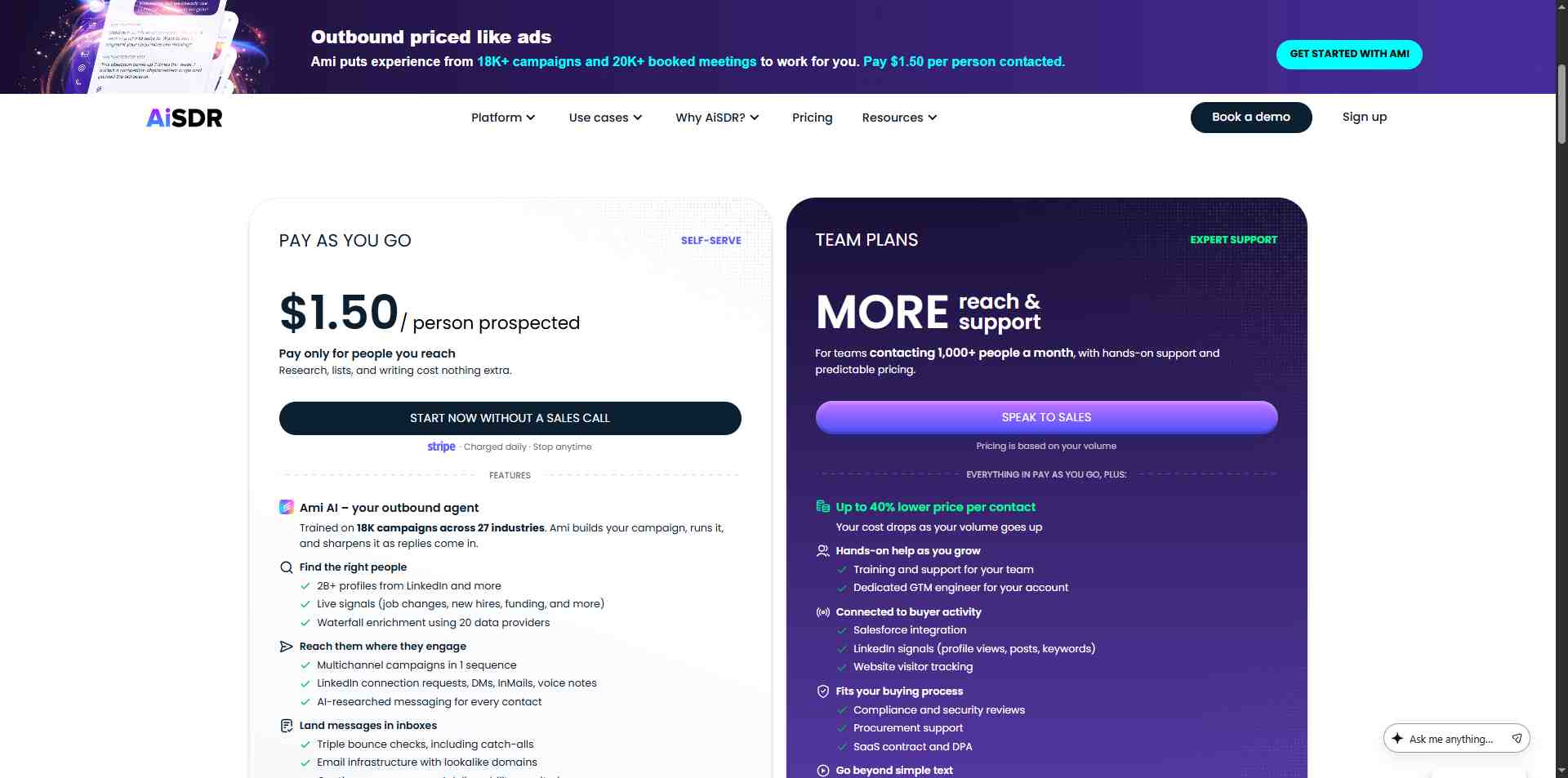
AiSDR advertises a self-serve pay-as-you-go option at $1.50 per person contacted.
This option lets you choose a daily outreach pace and pause or stop when you want, according to AiSDR's pricing information.
Are There Extra Costs?
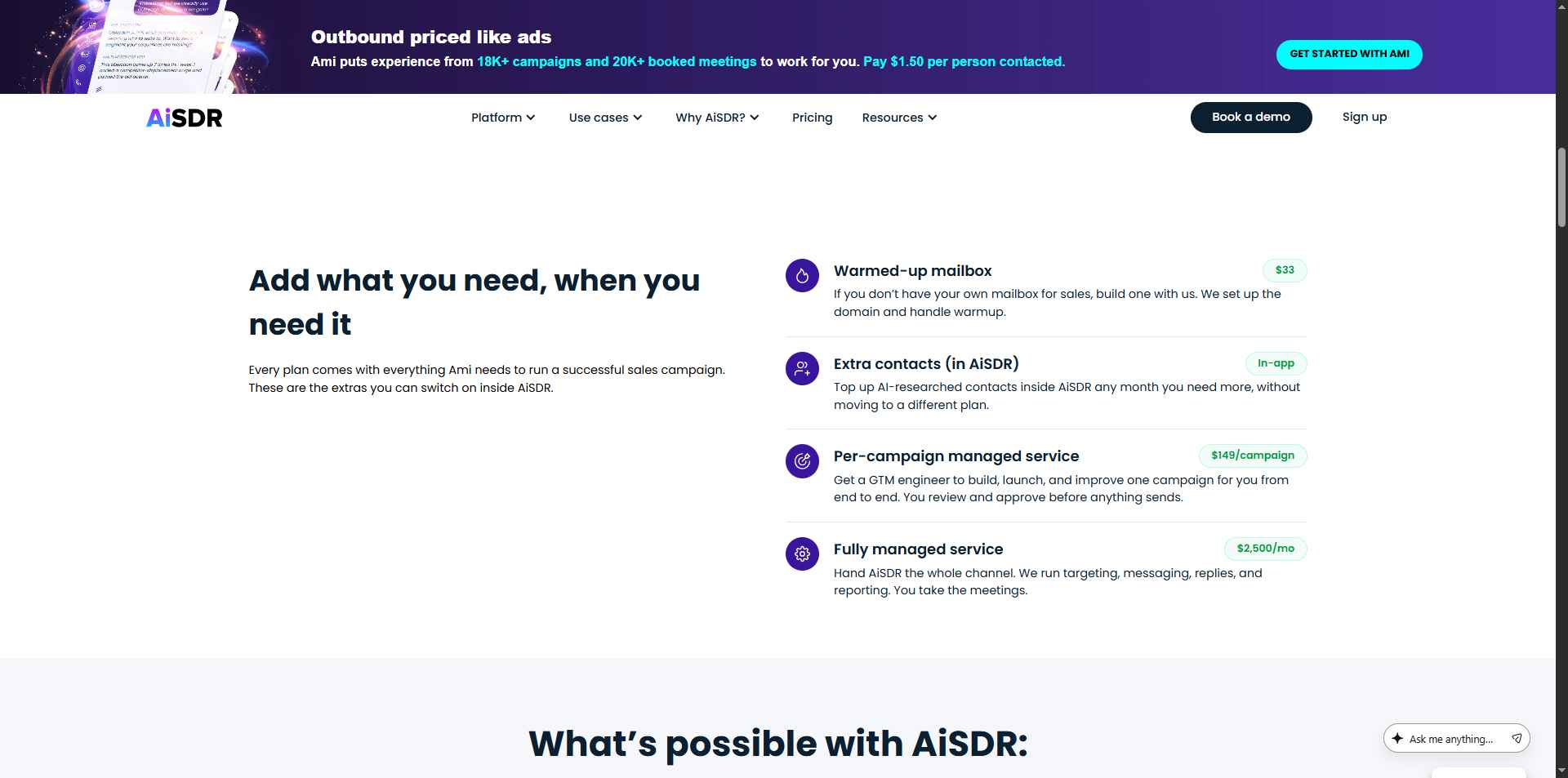
AiSDR lists several optional services and add-ons:
- Warmed-up mailbox setup: $33 per mailbox.
- Managed campaign service: $149 per campaign.
- Fully managed service: $2,500/month.
Additional contacts can also be purchased for subscription plans.
The company positions AiSDR as a way to consolidate several outbound tools into one platform.
That may save money if you currently pay for separate prospecting, sequencing, and personalisation products.
But don't assume you'll automatically save money. Compare the total cost with the tools you actually use, the contact allowance you'll need, and the amount of human oversight your team still requires.
What Do Users Think of AiSDR?
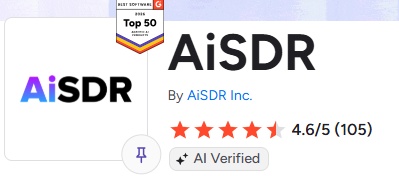
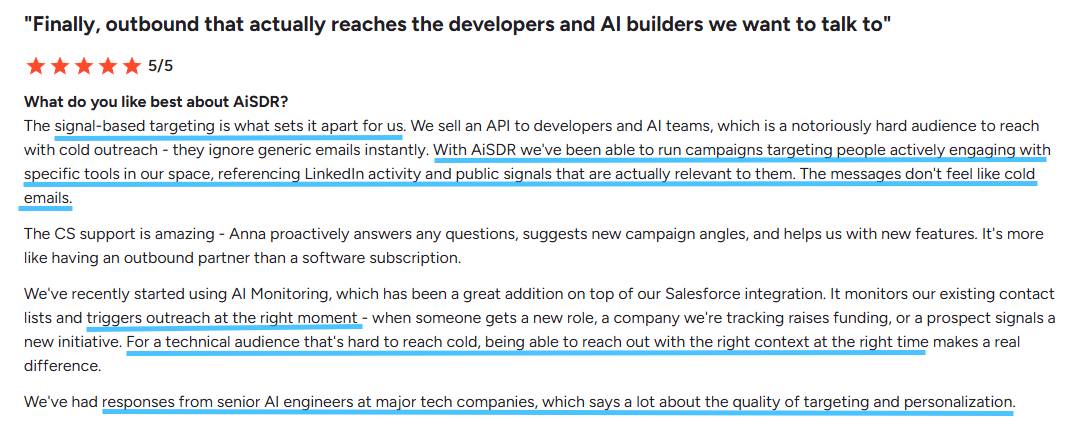
AiSDR has a 4.6 out of 5 rating from 105 reviews on G2.
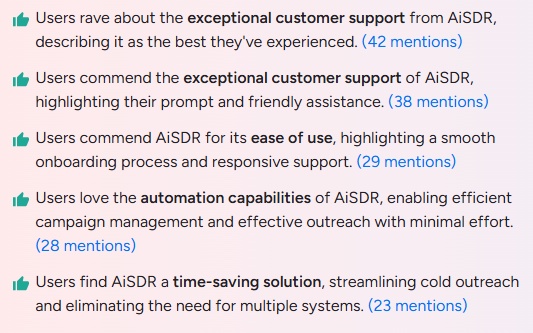
Positive feedback highlights ease of use, lead quality, and responsive customer support. Those are encouraging signs for a tool that takes on a substantial part of the prospecting workflow.
There are also some caveats.
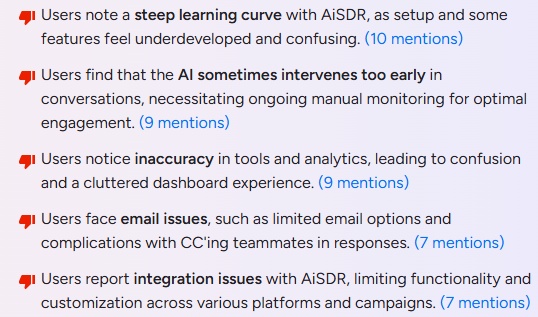
G2 identifies the amount of oversight needed, particularly during the early stages, and the time involved in setting up campaigns as areas where users have experienced difficulties.
That makes sense. An AI agent may automate the execution, but it still needs a clear target audience, useful messaging, and a sensible campaign strategy.
AiSDR Pros and Cons
✅Pros
- End-to-end outreach: Prospect research, messaging, sequences, and reply handling are available in one platform.
- LinkedIn and email together: You can coordinate both channels rather than manage separate workflows.
- AI-powered research: The platform looks for company and prospect signals to make outreach more relevant.
- Deliverability tools included: Mailbox setup, warm-up, validation, and monitoring reduce the amount of infrastructure you need to manage yourself.
- CRM integrations: HubSpot and Salesforce integrations help keep prospect and campaign information connected.
- Flexible purchasing options: Subscription plans and pay-as-you-go pricing give different types of buyers a way to get started.
❌Cons

- Subscription plans can be expensive: Explore and Scale require a substantial monthly investment.
- Contact allowances matter: You'll need to choose a plan based on how many people you want to contact.
- Campaign setup still needs attention: AI doesn't eliminate the need for a good strategy and ongoing review.
- Autonomous replies need supervision: You should check how the AI handles complex questions and sensitive conversations.
- Results aren't guaranteed: Better research and personalisation don't automatically translate into qualified meetings.
- Potentially more than you need: Teams that only want a simple email sequencer may find the broader platform unnecessary.
AiSDR vs SalesRobot: What's the Difference?
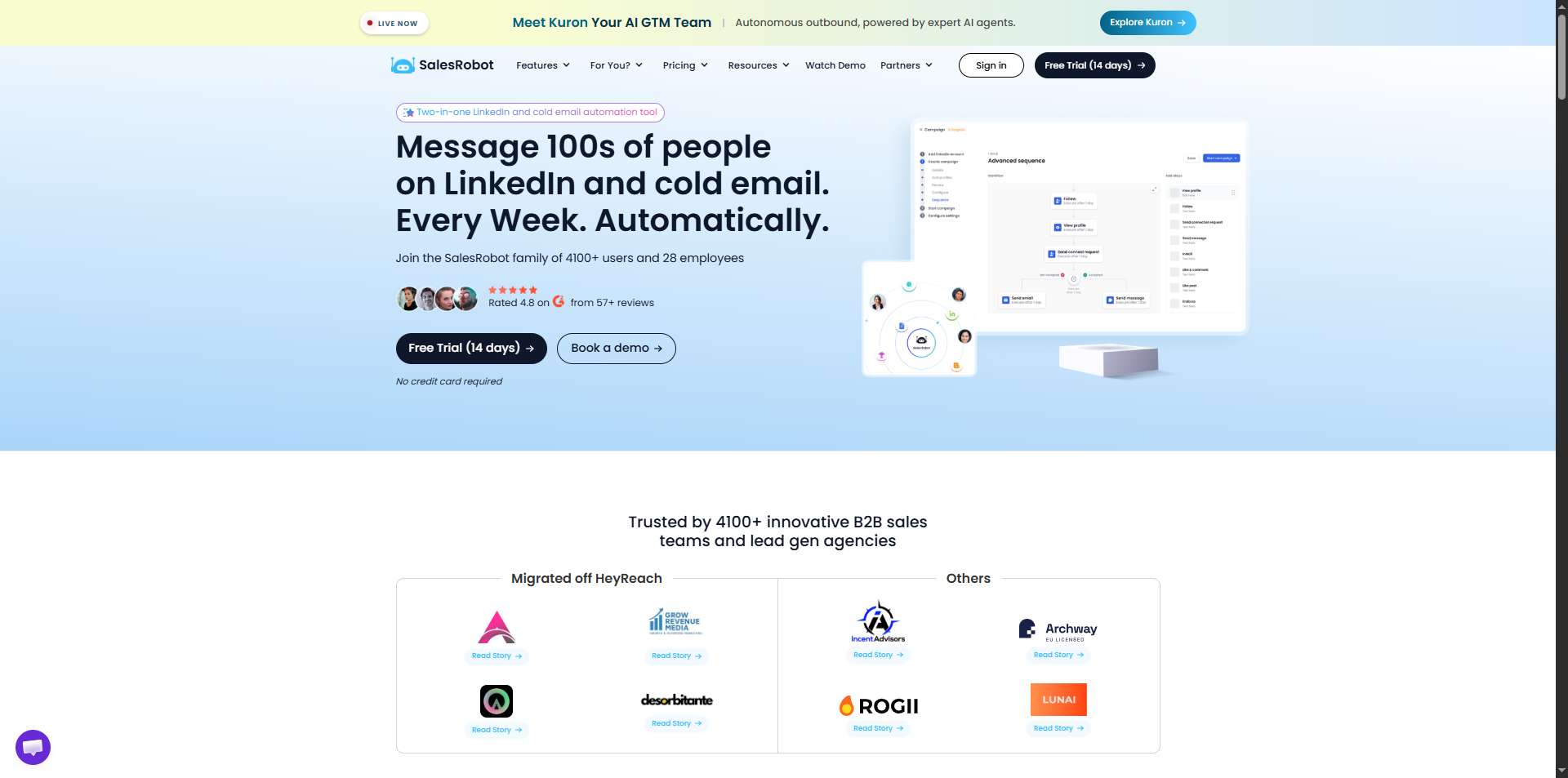
AiSDR and SalesRobot both help businesses automate outbound outreach through LinkedIn and email, but they approach the job differently.
AiSDR takes a broader AI-agent approach. Its Ami agent researches prospects, helps build a go-to-market strategy, creates campaigns, handles replies, and uses CRM and buying signals to guide outreach.
SalesRobot focuses on running and automating outreach campaigns. It helps teams create LinkedIn and email sequences, personalise messages, automate follow-ups, manage conversations, and use its AI Appointment Setter to help book meetings.
Here's the short version:
💡One thing worth noting is that SalesRobot also supports an MCP integration, which lets compatible AI assistants interact with the SalesRobot workspace through natural-language commands.
What SalesRobot Does

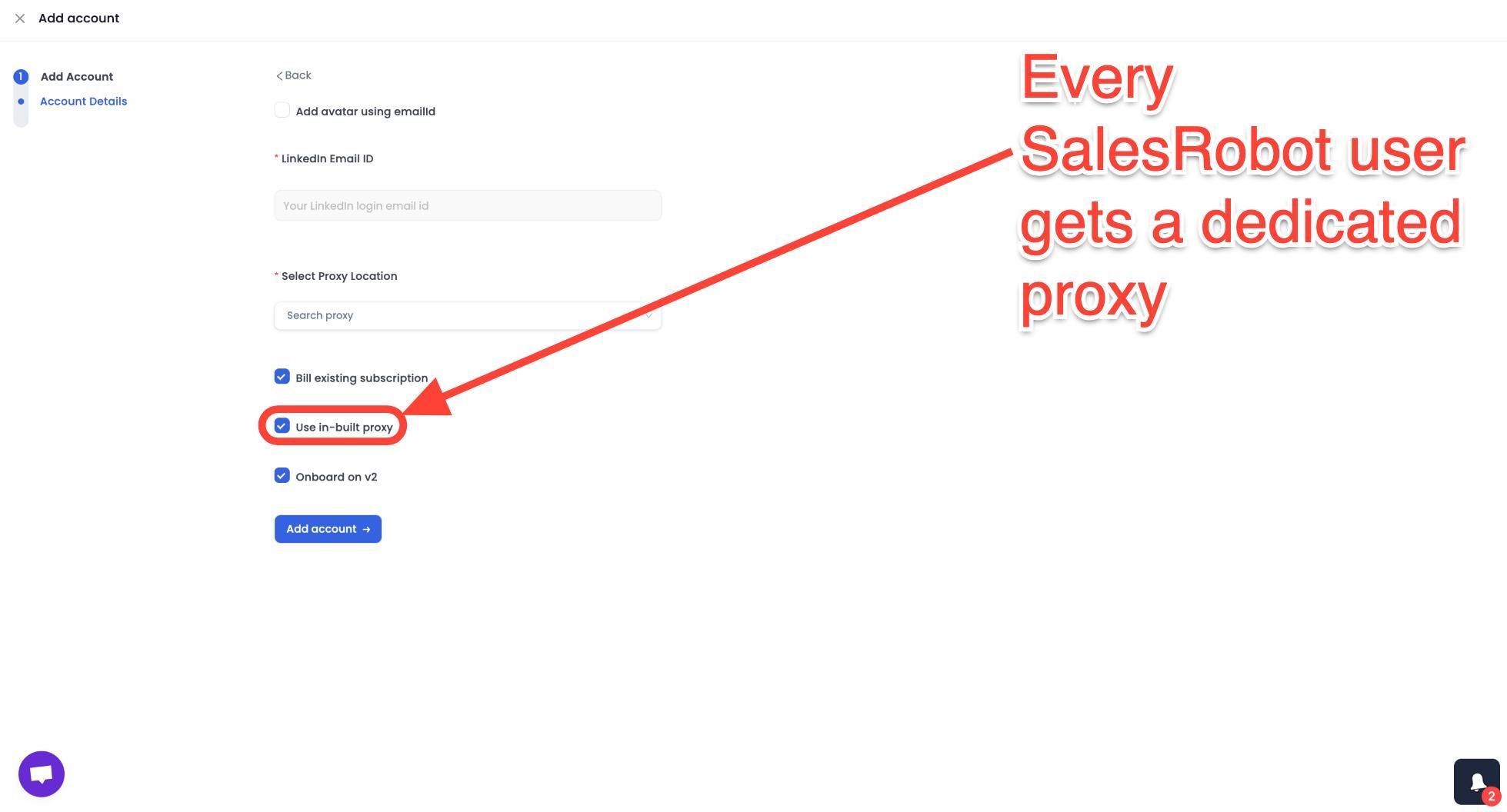
Mobile API Safety: SalesRobot connects through LinkedIn's mobile APIs, your outreach activity mimics natural human behavior.
Users consistently report running sustained, high-volume campaigns without account flags or restrictions, which is the single biggest operational concern with any LinkedIn automation tool.
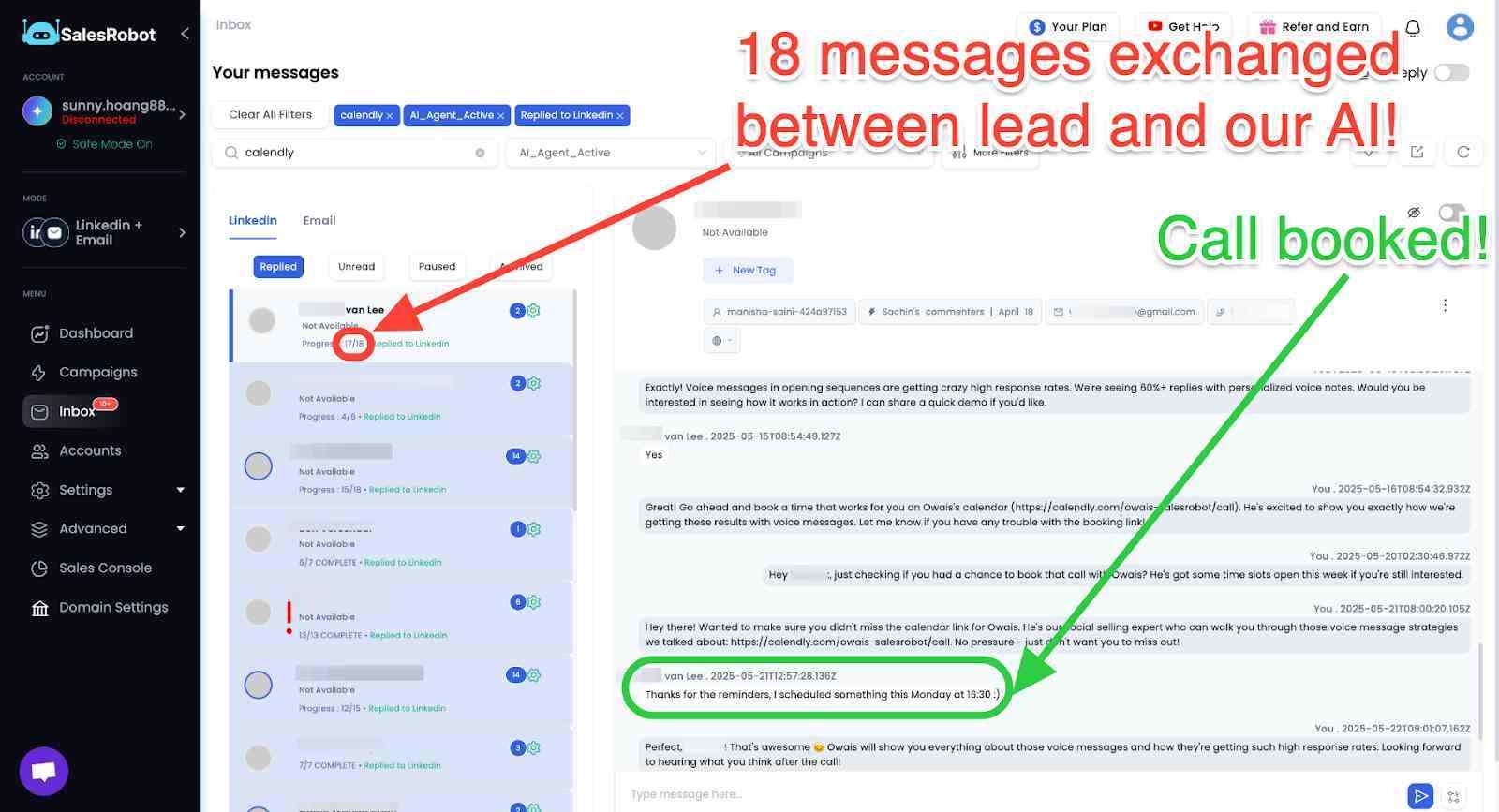
AI Appointment Setter: After a prospect replies, SalesRobot's AI takes over the conversation, handles qualification questions, and books meetings automatically.
You can train it on your specific criteria and ideal responses, which means the early-stage pipeline management largely runs without manual involvement. For smaller teams without a dedicated SDR, this is a meaningful capability.
AI Voice Clone and Video Messages: SalesRobot lets you send personalized voice notes and video messages through LinkedIn as part of automated sequences.
The AI Voice Clone feature lets you record a short voice sample once, then generates individualized voice notes for each prospect that sound like you, without recording each one manually.
In sectors where relationships and trust matter, this kind of personal touch at scale tends to drive significantly higher reply rates than text-only outreach.

AI Variables and Hyper-Personalization: SalesRobot pulls data directly from a prospect's LinkedIn profile to write personalized message sequences automatically. You are not working from a static template that gets blasted to everyone.
Each message is adapted to the individual, which matters when you are reaching decision makers who see generic outreach constantly.
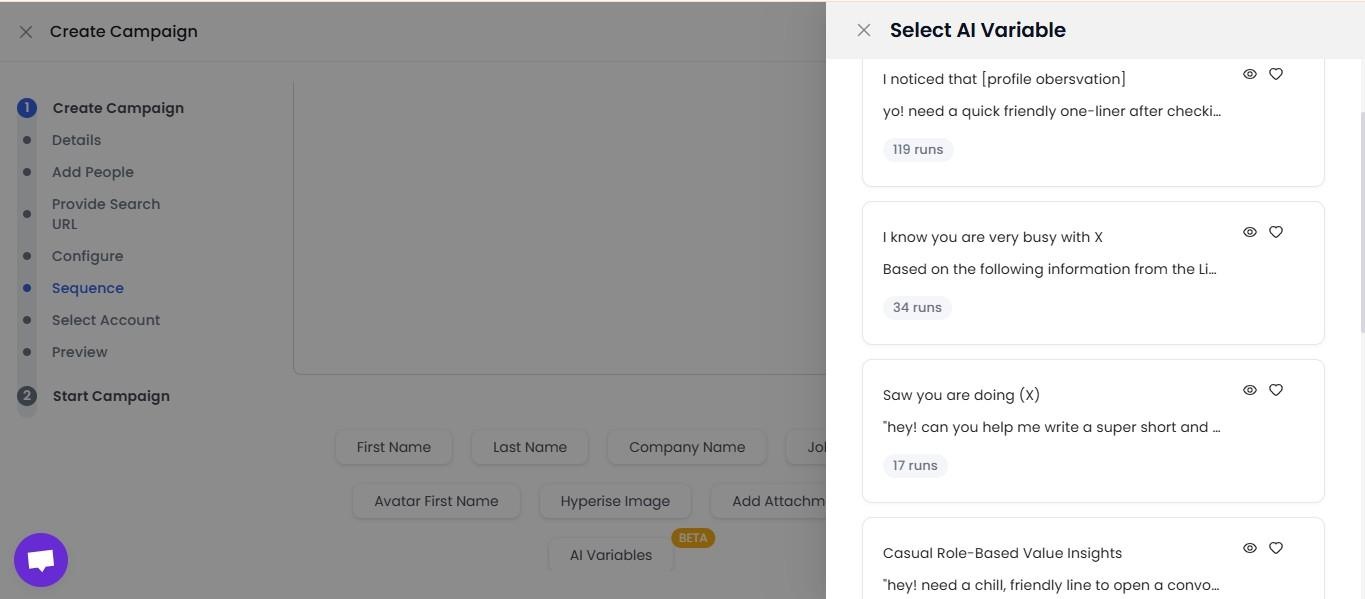
Multi-Step Sequences: You can build complex LinkedIn and email campaigns with smart delays and behavioral conditions. Leads can be imported from Sales Navigator, standard LinkedIn search, LinkedIn groups, event attendees, or CSV uploads, giving you flexibility in how you build and target your prospect lists.
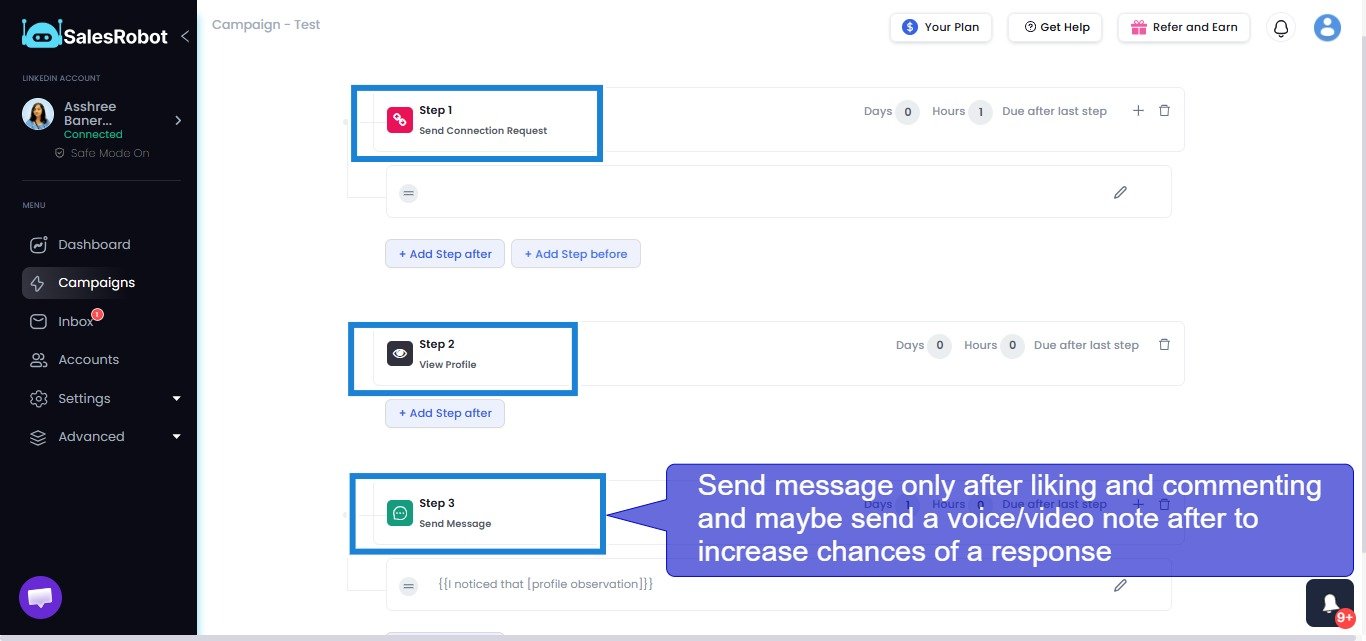
Unified Inbox and Mini CRM: All LinkedIn and email conversations consolidate in one place with automatic reply detection. SalesRobot stops messaging automatically when a prospect responds, preventing the over-automation feel that kills conversations.
You can tag leads, filter by interest level, and track where every prospect sits without switching between platforms.
MCP support: SalesRobot can also connect with AI assistants like ChatGPT and Claude through MCP, allowing you to manage campaigns, import prospects, check accounts, and work with LinkedIn conversations using natural-language commands instead of constantly switching between tools.
Team Management and Analytics: For agencies or sales teams managing multiple LinkedIn accounts, SalesRobot tracks performance across accounts, prevents duplicate outreach between team members, and surfaces detailed analytics on what sequences and approaches are actually working.
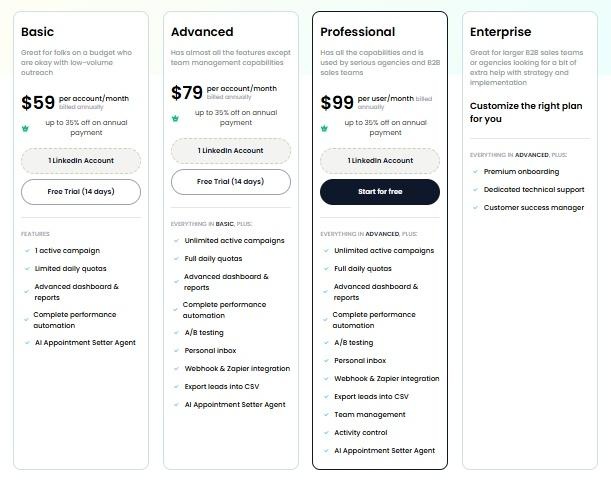
SalesRobot pricing (per LinkedIn account, 14-day free trial, no credit card required):
- Basic: $59/month ($39/month billed annually).
- Advanced: $79/month ($59/month billed annually).
- Professional: $99/month ($79/month billed annually).
- Enterprise: Custom.
It also has a 4.8 rating on G2, with 50+ independent user reviews.
Kuron:What Does It Do Differently?
And this is where things get even more interesting.

The idea is to move beyond simply giving sales teams another database or another outreach dashboard and have AI help with the broader go-to-market process.
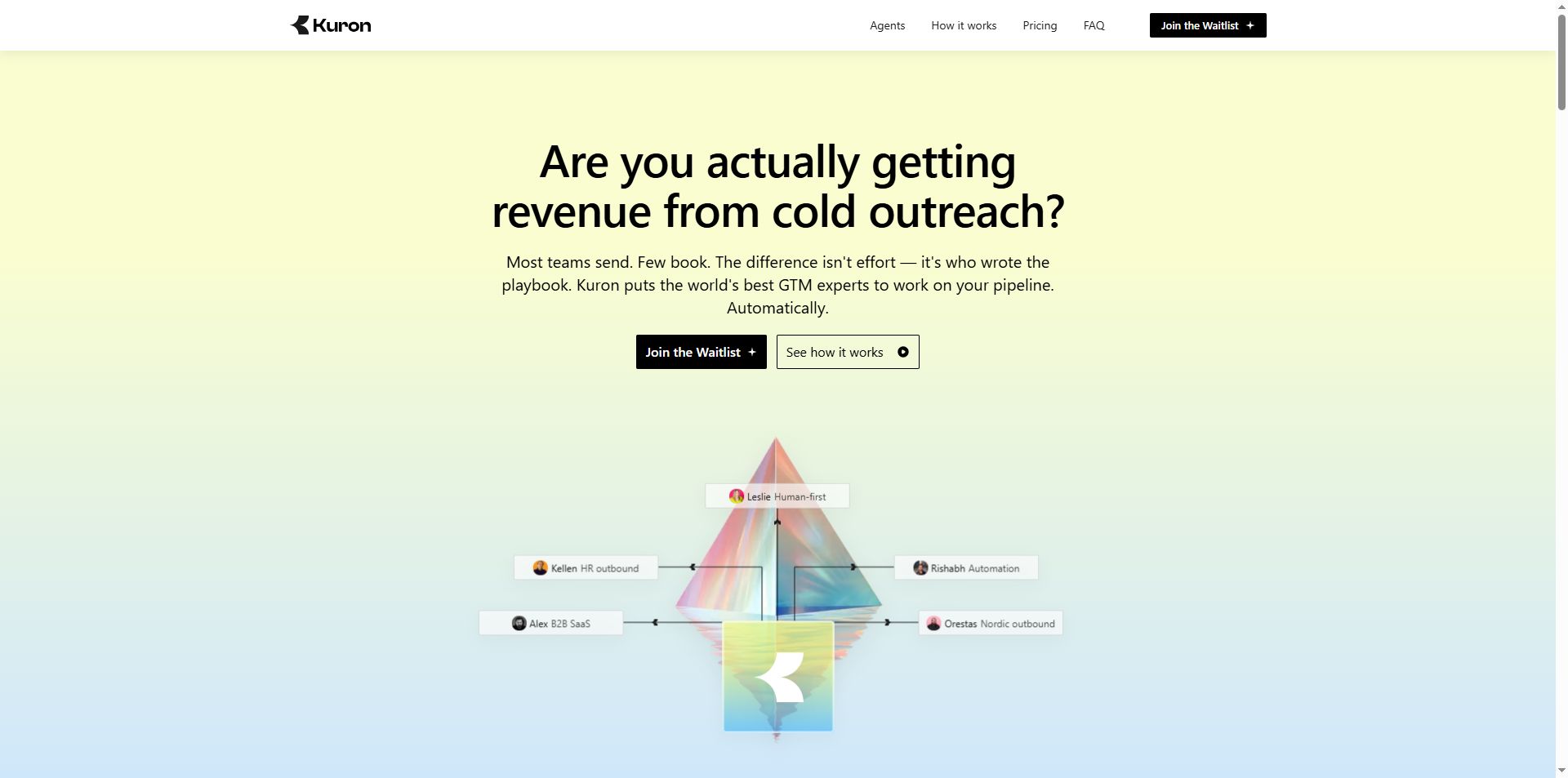
Kuron is an AI-powered GTM platform from the very team behind SalesRobot, built around a slightly different idea: instead of giving sales teams another tool to operate, why not have AI actually run the outbound process?
It’s actually a direct competitor in the AI SDR space, taking a slightly different approach to outbound sales.
While AiSDR focuses on using an AI agent to research prospects, personalise outreach and manage conversations across channels, Kuron positions itself as a broader go-to-market platform.
The idea came from the founders' experience running SalesRobot and working with outbound teams.
They found that the hard part wasn't simply sending more messages.
Good outbound depends on knowing who to target, which signals matter, how to approach different buyers, when to follow up, and when to leave someone alone.
Kuron is being built to capture that kind of decision-making.
It draws on strategies and playbooks from experienced GTM operators to help businesses identify their ideal customers, shape their outreach strategy and execute campaigns.
Both aim to make outbound more effective with AI, but AiSDR leans more towards an AI SDR that handles prospecting and outreach, while Kuron puts greater emphasis on the strategy behind the entire go-to-market process.
That includes identifying your best-fit customers, choosing the right segment, deciding on a strategy, and executing the outbound process.
Kuron has just launched, so try it out before I faint from FOMO on your behalf 😆
Conceptually, Kuron is chasing a much larger question:
What happens when AI stops being a tool inside your sales process and starts running more of the process itself?
Instead of: "Here's a database. Good luck."
The goal is increasingly: "Here's the outcome you want. Let the AI figure out more of the work in between."
The distinction is important.
SalesRobot is about turning prospects into conversations and meetings.
Kuron is trying to bring more of those pieces together into an AI-powered GTM workflow.
Who Should Use AiSDR?

AiSDR may be a good fit if you:
- Run a B2B sales team that needs a steady flow of new prospects.
- Want to automate research and outreach across LinkedIn and email.
- Have a clear ideal customer profile but need help finding and prioritising leads.
- Already use HubSpot or Salesforce and want outreach connected to your CRM.
- Want AI to handle more than writing messages, including campaign execution and reply handling.
- Can invest time in setup, monitoring, and improving your campaigns.
It may be less suitable if you're a solo seller on a tight budget, only need basic email sequencing, or prefer to review every message and response yourself.
It's also worth thinking about your actual bottleneck.
If you're struggling to identify the right prospects, AiSDR's research capabilities may be valuable.
If you already have a strong prospect list and simply need to automate follow-ups, a simpler platform may do the job.
Is AiSDR Worth It?
AiSDR is an ambitious sales platform.
Rather than offering just another email sequencer or AI copywriter, it aims to automate much of the work involved in prospecting, personalising outreach, following up, and booking meetings.
Its strongest selling points are the combination of prospect research, LinkedIn and email sequences, reply handling, and CRM integration.
For teams juggling several outbound tools, bringing more of that work into one system could be useful.
The trade-off is cost and complexity. The subscription plans are a serious investment, and AI-led outreach still requires a clear strategy, sensible supervision, and realistic expectations about results.
My verdict: AiSDR is worth considering if you want an AI agent to take on a substantial part of your outbound sales workflow. It's less compelling if you only need a simple tool for sending email sequences.
But if your goal is turning cold prospects into sales meetings through LinkedIn and email outreach, you'd probably be happier with a platform built specifically for outbound.
That's where SalesRobot is easier to understand.
It focuses on outreach, keeps more of the campaign strategy in your hands, and its MCP integration is starting to bring some of the same AI-driven automation into a much more focused platform.
👉 Why not check out the 14-day free trial here and decide for yourself? No worries, we don't ask for credit card details!

Wow your leads by cloning yourself and sending personalized videos and voice notes to each lead on LinkedIn.
If you don't reply to leads within 5 mins, your chances of converting them fall by 50%. Our AI replies on your behalf instantly! (and yes, you can train it)

Don't shoot in the dark. Get detailed analytics on what's working
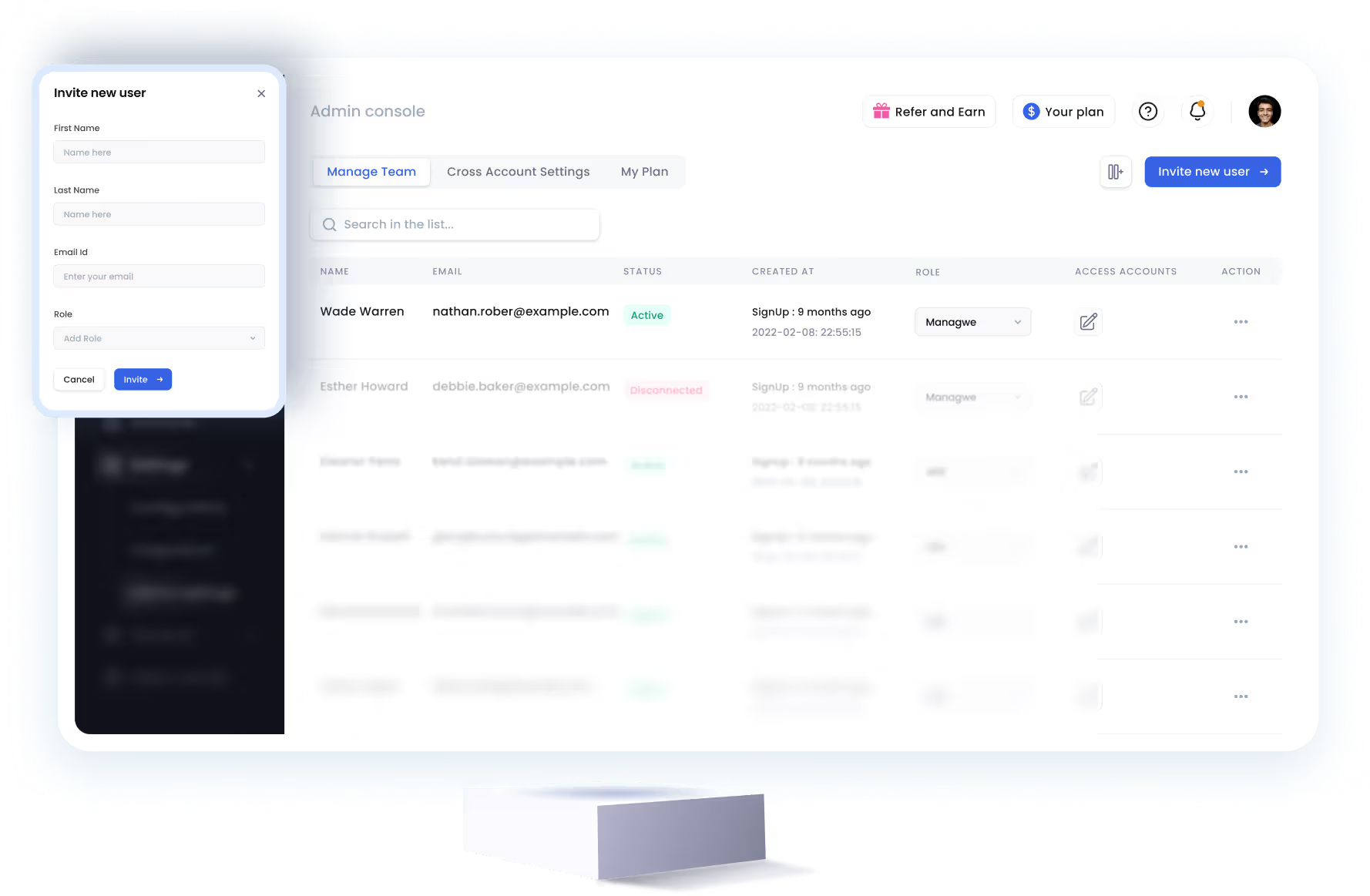
SalesRobot allows you to invite other team members, so that they can add their LinkedIn Account, run outreach campaigns and get amazing results just like you.


Trusted by 4100+ innovative B2B sales teams and lead gen agencies










Heading 1
Heading 2
Heading 3
Heading 4
Heading 5
Heading 6
Lorem ipsum dolor sit amet, consectetur adipiscing elit, sed do eiusmod tempor incididunt ut labore et dolore magna aliqua. Ut enim ad minim veniam, quis nostrud exercitation ullamco laboris nisi ut aliquip ex ea commodo consequat. Duis aute irure dolor in reprehenderit in voluptate velit esse cillum dolore eu fugiat nulla pariatur.
Block quote
Ordered list
- Item 1
- Item 2
- Item 3
Unordered list
- Item A
- Item B
- Item C
Bold text
Emphasis

Superscript
Subscript