.avif)
TL;DR
- SalesRobot is the best pick for agencies that need white-label, AI personalization, and multi-account control in one platform
- HeyReach is built specifically for running multiple LinkedIn accounts and wins on flat-rate agency pricing
- Expandi is the safest per-account option for agencies that need a dedicated IP per client LinkedIn account
- Skylead is the strongest pick if your agency wants LinkedIn and email outreach in one tool at a flat monthly price
- Salesflow is worth looking at if dedicated onboarding support matters more than raw features
- Meet Alfred is the right fit for agencies whose clients want LinkedIn, email, and Twitter/X in a single sequence
- Dripify is easy to get started with, but it breaks down fast when you have more than a handful of clients
Running outreach for one client is manageable.
Running it for 15 is a completely different problem, and most LinkedIn automation tools were never built to handle it.
When you are managing 20 client LinkedIn accounts, you need things that a solo SDR tool just does not offer.
A single dashboard where you can see all client campaigns. Strict data separation so Client A's prospect list never ends up in Client B's sequence. A white-label setup so your clients think they are using your platform, not a $79/month SaaS tool.
This blog covers the 7 best LinkedIn automation tools that actually work at agency scale in 2026.
What each one does well, where each one falls short, and how to pick the right one for your situation.
Quick Comparison: All 7 Tools at a Glance
What to Look for in a LinkedIn Automation Tool as an Agency
Before you spend money on any of these tools, here is what actually matters when you are running outreach for multiple clients.
Can you manage all client accounts from one place? Logging into 20 separate dashboards every morning is not a workflow. The right tool shows you everything in one view.
How does it keep client data separate? If Client A's prospect list can accidentally show up in Client B's campaign, that is a serious problem. Look for tools that have proper workspace isolation, not just folder labels.
Does it offer real white-label? Some tools let you slap your logo on a report. Others give you a full custom domain where clients never see the tool's name at all. Those are very different things.
Is it cloud-based with a dedicated IP per account? Chrome extension tools stop working when a laptop closes, and they share infrastructure with thousands of other users. If someone else on that shared IP gets flagged by LinkedIn, your client's account can get caught in it too.
How does it personalize messages? Swapping in a first name is not personalization. The tools that get real replies write something unique for each prospect based on their actual LinkedIn activity.
What does the pricing look like at scale? Per-seat tools charge the same rate whether you have 1 account or 50. That math gets ugly fast. Look for flat-rate agency plans or volume discounts that reward growth instead of punishing it.
The 7 Best LinkedIn Automation Tools for Agencies in 2026
These tools are not ranked from best to worst. Each one is better than the others in specific situations. The right pick depends on how many clients you manage, what channels they need, and what your budget looks like.
1. SalesRobot
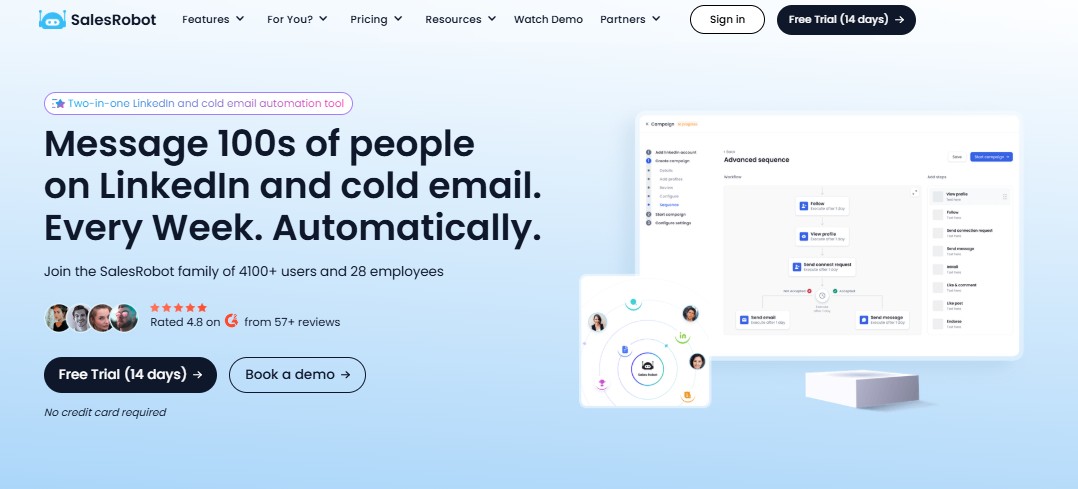
SalesRobot is a cloud-based LinkedIn outreach and AI appointment setting platform built for B2B sales teams, agencies, and founders who use LinkedIn as their main outreach channel.
What makes SalesRobot different from everything else on this list is that it was built with agencies in mind from the start, not as an afterthought.
Over 110 agencies currently white-label SalesRobot under their own brand, many earning $10k+/month.
The white-label option is real white-label. Clients log into what looks like the agency's own product on a custom domain. They never see the SalesRobot name anywhere.
SalesRobot's AI variables read each prospect's LinkedIn profile and recent posts, and write a unique first line for every single message. At agency scale, that difference shows up in your client's reply rates, which shows up in your retention.
It also supports AI voice notes and personalized video messages that consistently outperform plain-text DMs. No other tool on this list offers that.
For agencies that do not want to run campaigns in-platform themselves, there is a managed service option that covers strategy, copy, and list building starting at $397/month.
Key Features
- Cloud-based LinkedIn automation running 24/7 on a dedicated IP per account
- AI variables that write a unique first line per prospect based on their LinkedIn profile
- AI Appointment Setter that handles replies in autopilot or copilot mode

- Full white-label with custom domain, clients see your brand, not SalesRobot
- AI voice notes and personalized video messages for higher-response outreach
- Agency dashboard with role-based permissions and multi-account management
- Managed service for agencies that want it fully done for them
Pros
- The only tool on this list with true white-label at the product level, not just reports
- 0.004% ban rate across 4,000+ active users , the lowest published number in this category
- AI variables go well beyond merge fields , unique first lines per prospect
- Voice notes and video messages no other tool on this list offers
- Works for solo founders, small teams, and agencies managing 50+ accounts
Cons
- Email automation is available as an add-on but not as deep as dedicated cold email tools
- CRM sync with HubSpot can be unreliable for some users
- Daily LinkedIn connection request volume has been reported as inconsistent by some users
Pricing
- Self-service: Basic $59/month, Advanced $79/month, Professional $99/month
- Managed service: LinkedIn Lead Gen $397/month (billed quarterly), Cold Email $600/month (billed quarterly)
- White-label: Custom pricing for agencies
2. HeyReach
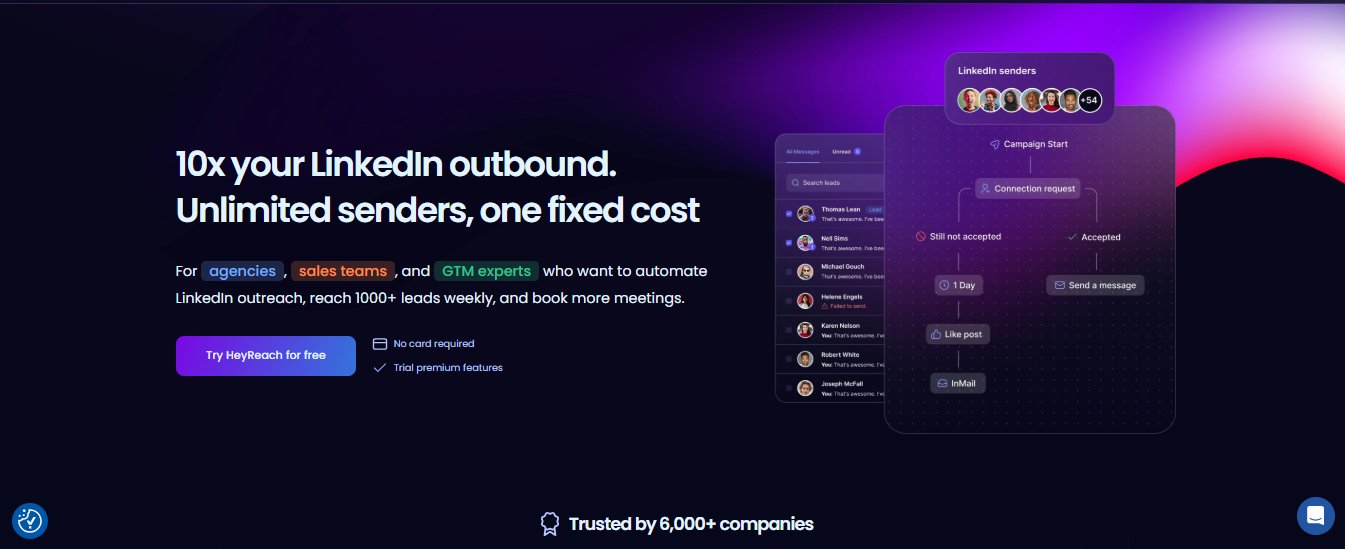
HeyReach is purpose-built for agencies running outreach across multiple LinkedIn accounts. The entire product is designed around one problem: managing many LinkedIn accounts from one place without everything turning into chaos.
The core feature is sender rotation. Instead of running campaigns from one LinkedIn account at a time, HeyReach rotates outreach across all your connected accounts simultaneously.
The unified inbox is where HeyReach really earns it. Every reply, from every client account, shows up in one place. Your team can manage conversations across 20 or 30 LinkedIn accounts without switching logins or tabs.
For anyone who has tried to manage this with per-seat tools, the difference is significant.
Pricing is where HeyReach has a real advantage over every per-seat tool on this list. The Agency plan at $999/month supports 25 LinkedIn sender accounts. An agency running 25 client accounts on HeyReach pays $999/month. That same agency on a $99/seat tool pays $2,475/month. The gap gets bigger as you add client
Key Features
- Sender rotation across unlimited LinkedIn accounts from one dashboard
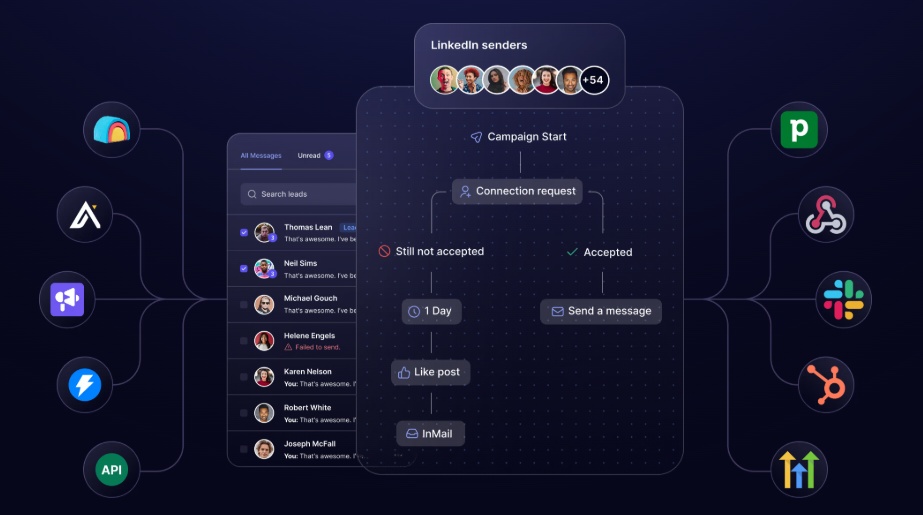
- Unified inbox pulling replies from all accounts into one place
- Strict workspace isolation with separate data per client
- Native Clay integration for agencies running data-heavy workflows
- A/B testing, conditional branching, and connection request automation
- White-label reporting on Agency tier

- Cloud-based with a strong account safety track record
Pros
- Built specifically for multi-account management , no other tool on this list does this more cleanly
- $999/month for 50 senders works out to $20/sender, making the unit economics work at scale
- Unified inbox eliminates the account-switching that kills agency team productivity
- Clay integration is a genuine advantage if your workflow is built on Clay
Cons
- No AI personalization, personalization is template and variable-based
- No built-in lead enrichment or data sourcing
Pricing
- Growth: $79/month (1 sender, unlimited campaigns, unified inbox, multichannel outreach, API and webhooks, workspaces and permissions)
- Agency: $999/month (50 senders, white-label included, done-for-you onboarding, dedicated Slack channel)
- Unlimited: $1,999/month (unlimited senders, multi-brand white-labels as add-on, done-for-you migration, priority support)
- Quarterly billing saves 15%, yearly saves 25%
3. Expandi
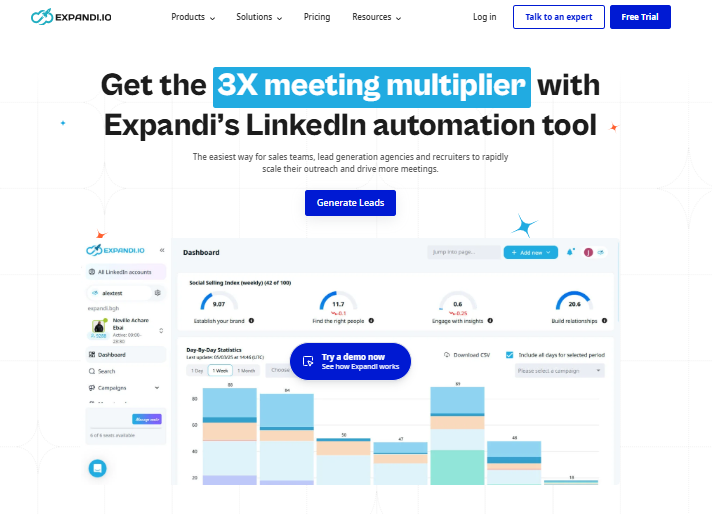
Expandi is a cloud-based LinkedIn and email outreach platform with a strong reputation in the agency space for two things: a dedicated IP per account and smart conditional sequences.
If another user on that shared IP gets flagged by LinkedIn and the IP gets blacklisted, your client's account can take collateral damage even if their behavior was completely fine. Expandi gives each LinkedIn account its own IP address.
The smart campaign builder supports conditional logic that most tools do not. If a prospect accepts a connection request, one path runs. If they do not respond within seven days, a different path kicks in.
For agencies, Expandi's Agency plan includes role-based permissions, centralized reporting across all accounts, white-label dashboards, and dedicated support.
The pricing model is where agencies feel the friction. Expandi charges $99/month per LinkedIn account.
An agency managing 20 accounts pays $1,980/month at the standard rate. The Agency plan with volume discounts helps, but it requires a sales conversation to get a number.
Key Features
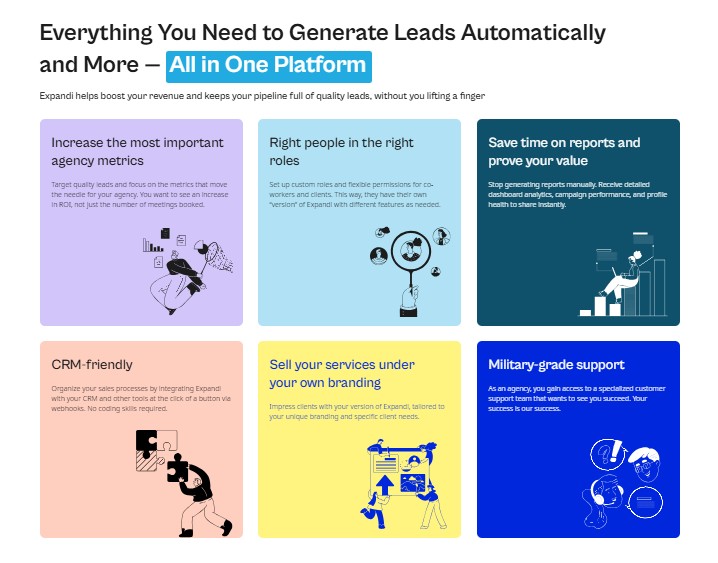
- Dedicated residential IP per LinkedIn account , not shared infrastructure
- Smart campaign builder with conditional if/else logic based on prospect behavior
- Multi-account management with workspace isolation and centralized reporting
- White-label dashboards and role-based permissions on Agency tier
- LinkedIn and email sequences from one platform
- A/B testing, warm-up mode, and blacklist management
Pros
- Dedicated IP per account is a real safety advantage no other same-price tool offers
- Conditional sequence logic is among the best on this list for complex campaigns
- Agency tier includes white-label, centralized billing, and dedicated support
- Strong customer support, consistently praised across G2 reviews
Cons
- Per-seat pricing at $99/month gets expensive fast , 10 accounts is $990/month before add-ons
- Image and GIF personalization are paid add-ons, not included in the base plan
- Agency plan pricing requires a sales call with no public rate card
- No AI-generated message personalization at the depth of SalesRobot
Pricing
- Business: $99/month per seat ($79/month billed annually)
- Agency/Enterprise: Custom pricing for 10+ accounts
- 7-day free trial, no credit card required
4. Skylead
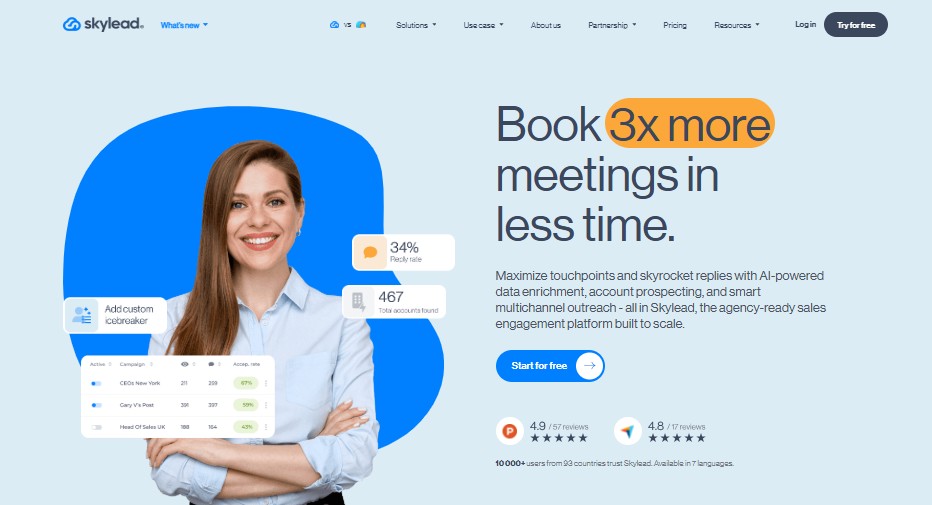
Skylead is a cloud-based LinkedIn and cold email platform that competes on what you get at a flat price.
At $100/month per seat, the plan includes LinkedIn automation, unlimited email sending, built-in email discovery and verification, image and GIF personalization, and smart sequences with if/else logic. Most tools charge separately for at least two of those things.
The Smart Sequences are Skylead's standout. Unlike linear campaigns where every prospect goes through the same steps in the same order, Smart Sequences branch based on what each prospect actually does.
For agencies, Skylead offers a white-label option that lets you rebrand the platform and resell it to clients under your own brand. At $100/month per seat with everything included, the margin on a white-labeled Skylead service is predictable.
Key Features
- LinkedIn automation and unlimited email outreach from one platform
- Built-in email finder and verifier included in base price
- Smart Sequences with if/else conditional logic that adapt to each prospect
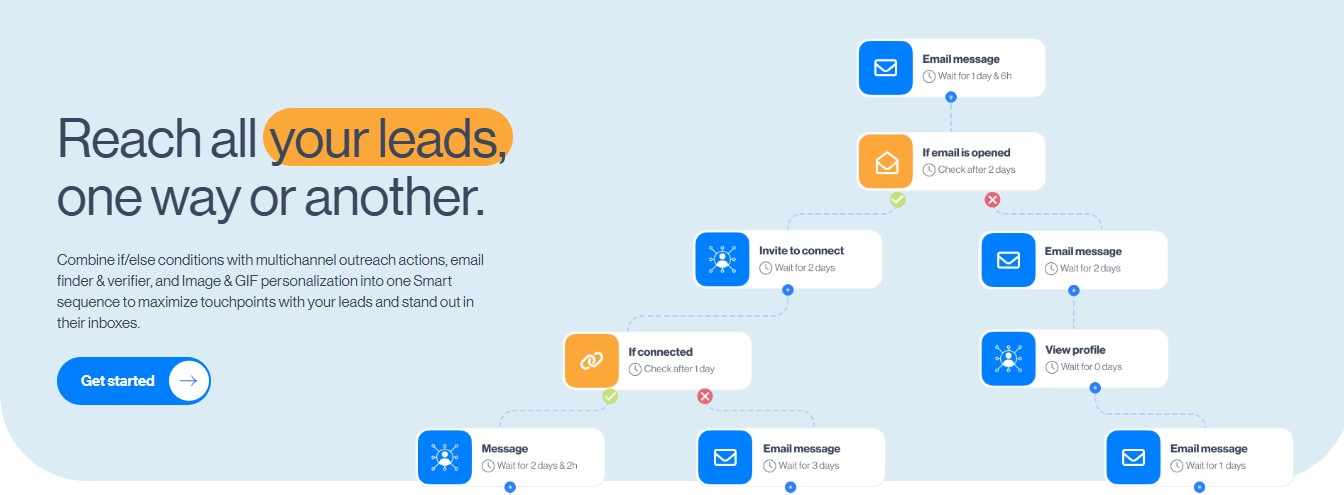
- Image and GIF personalization included , no extra add-ons needed
- Smart Inbox pulling all LinkedIn and email conversations into one place
- White-label option for agencies
Pros
- All features included at $100/month , no add-ons required for personalization or email
- Built-in email finder removes the need for a separate enrichment tool
- Smart Sequences conditional logic is among the best on this list
- White-label option available for agencies
- Good customer support and onboarding for the price point
Cons
- Per-seat pricing creates the same agency scaling challenge as Expandi
- Some users report occasional bugs and campaign instability
- Steeper learning curve than simpler tools like Dripify
- No sender rotation model like HeyReach for true multi-account management
Pricing
- All-in-one: $100/month, 1 seat, unlimited emails, email finder, smart sequences, image and GIF personalization, API integration
- White-label: Custom pricing, agency dashboard, dedicated success manager, client performance hub, dedicated Slack channel
- Annual: Custom pricing, everything in All-in-one plus 2 months free and white-label included
5. Salesflow
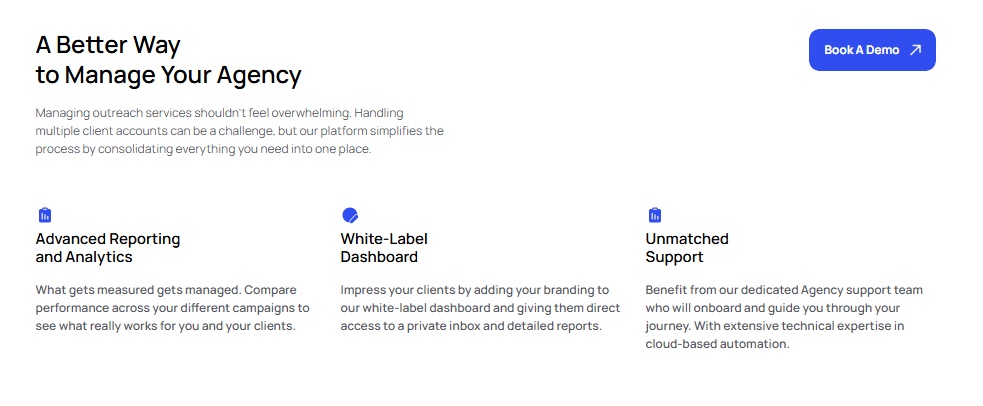
Salesflow is a cloud-based LinkedIn automation platform that has built its reputation around the agency use case. The thing that makes it stand out is not the deepest feature set on this list , it is dedicated onboarding and a white-label global dashboard built for agencies managing multiple client accounts.
Every Salesflow agency account gets a dedicated customer success manager for onboarding, campaign setup, and ongoing support.
The Agency plan's global activity dashboard lets you see all client campaigns from one place, manage team access, set dedicated IPs per client account, and present work under a white-label brand.
Where Salesflow falls short is personalization. Message personalization is template-based with variable fields , name, company, job title. You get standard merge field stuff, not AI-generated first lines.
Key Features
- Multi-client agency dashboard with global activity view across all accounts
- White-label branding on Agency plan with client-facing reporting
- Dedicated customer success manager on Teams and Agency plans
- LinkedIn and email sequences from one platform
- Conditional sequence branching based on connection status and engagement
- Native CRM integrations with HubSpot, Salesforce, and Pipedrive
Pros
- Dedicated CSM for onboarding and optimization , real support, not just docs
- White-label global dashboard built for managing multiple client accounts
- API access for custom integrations and branded reporting
- Done-for-you setup available as a one-time $199 add-on
Cons
- Message personalization is template-based only , no AI-generated messaging
- Agency and Teams plans require a sales call , no public pricing
- Basic plan at $99/seat costs more than Expandi's annual rate with fewer features
- White-label and agency dashboard only unlock at custom pricing tiers
Pricing
- Basic: $99/seat, 1+ users, free trial available
- Starter: from $70/seat, 5+ seats
- Pro: from $39.95/seat, 20+ seats
- Agency: from $29.98/seat, 50+ seats
- Enterprise: from $24.99/seat, 100+ seats
6. Meet Alfred
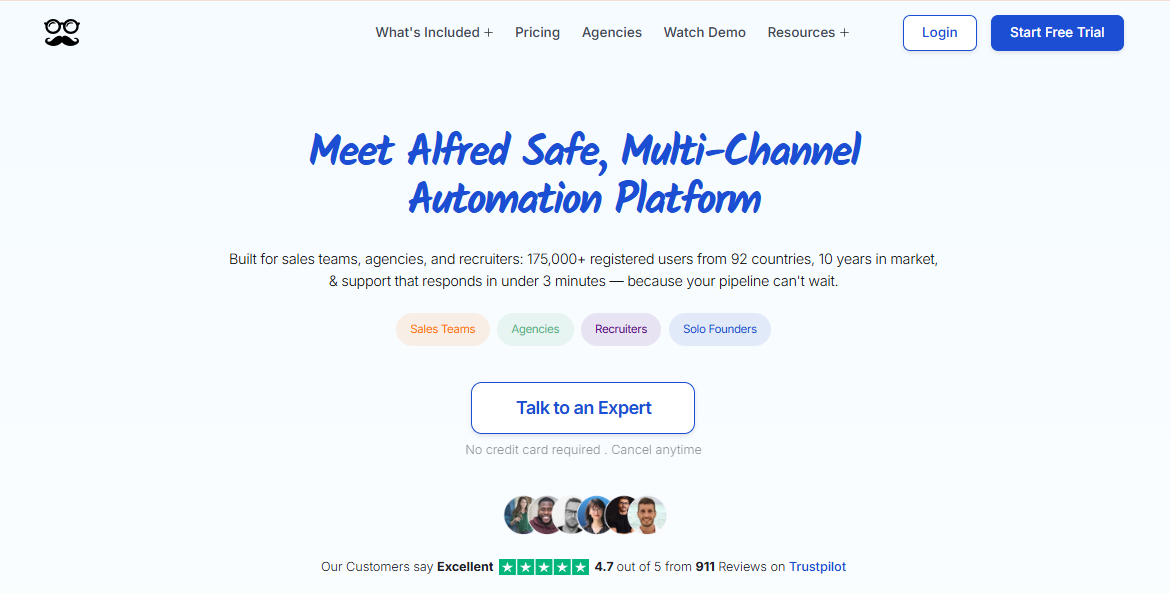
Meet Alfred is a cloud-based multichannel outreach platform that combines LinkedIn, email, and Twitter/X in a single sequence builder. It is the only tool on this list that treats all three channels as native outreach steps.
Meet Alfred also runs from the cloud, reducing detection risk compared to browser extensions. There is a built-in CRM, HubSpot, Salesforce, and Pipedrive integrations, and team management features with role assignments.
There is also a workflow gap worth noting: Meet Alfred does not let team members reply on behalf of other users in shared campaigns. At agency scale, that creates real friction.
Key Features
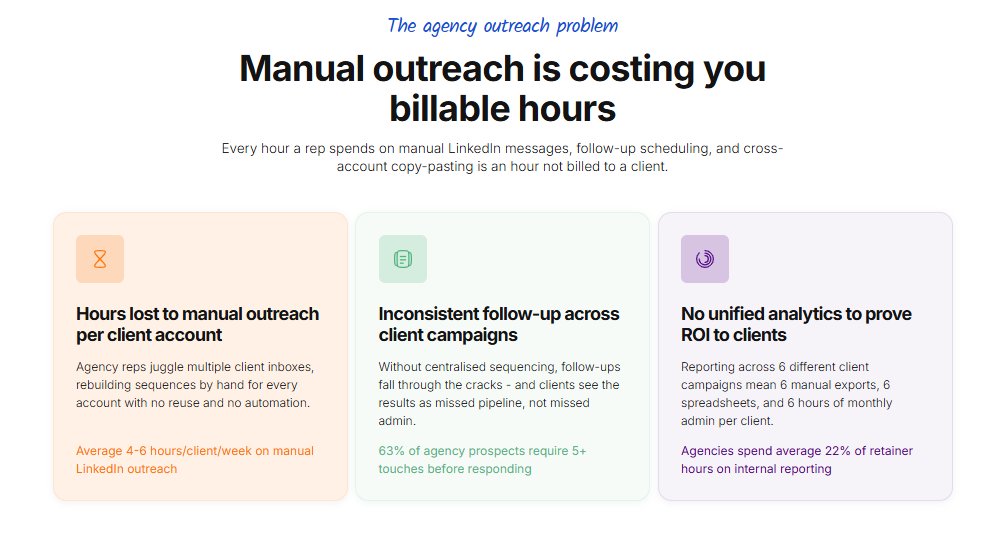
- LinkedIn, email, and Twitter/X automation in a single sequence , the only tool on this list doing all three
- Cloud-based with team management and role-based permissions
- Pre-connection warm-up actions including profile views, post likes, and endorsements
- Built-in CRM with lead tagging, filtering, and notes
- Native integrations with HubSpot, Salesforce, and Pipedrive
- Automated greetings for birthdays, work anniversaries, and job changes
- Agency plan with custom pricing and white-label options
Pros
- The only tool on this list with native LinkedIn plus email plus Twitter/X in one sequence
- Pre-connection engagement features are more sophisticated than raw connection request blasting
- Built-in CRM removes the need for a separate contact management layer
- Solid CRM integrations with major platforms
Cons
- Multiple user reports of LinkedIn account restrictions, particularly with aggressive campaign settings
- Cannot reply on behalf of other team members in shared campaigns
- Per-seat pricing: 10 accounts on Business plan is $990/month
- Interface can feel cluttered at the agency management level
Pricing
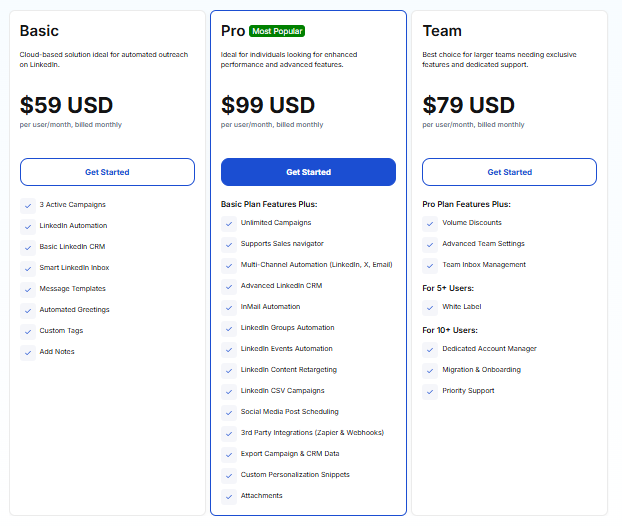
- Basic: $59/month, 3 active campaigns, LinkedIn automation, basic CRM, smart inbox, automated greetings
- Pro: $99/month, unlimited campaigns, Sales Navigator support, multichannel automation (LinkedIn, email, X), InMail automation, LinkedIn groups and events, content retargeting, CRM data export
- Team: $79/month, everything in Pro plus volume discounts, advanced team settings, team inbox management, white-label for 5+ users, dedicated account manager and priority support for 10+ users
7. Dripify
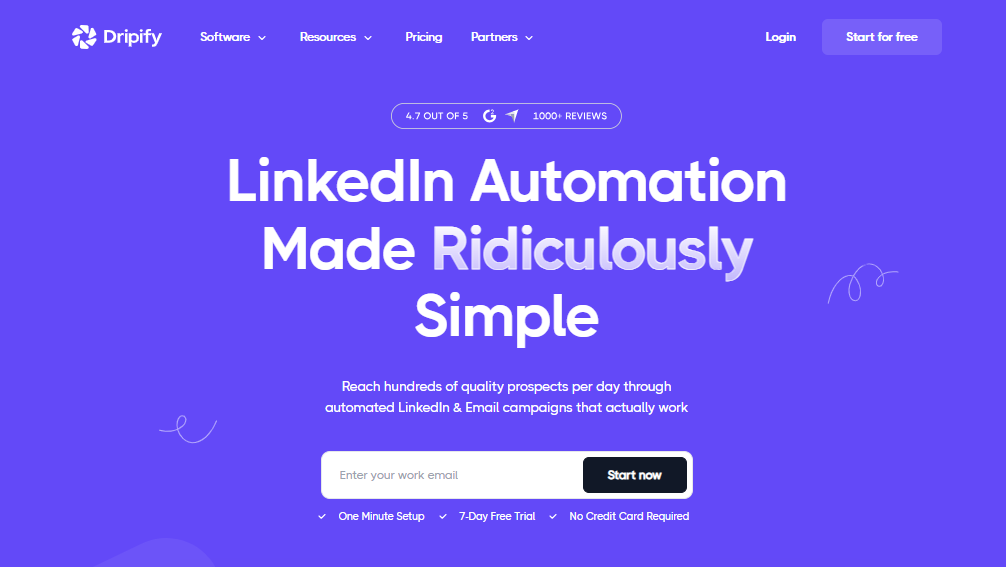
Dripify is the easiest LinkedIn automation tool on this list to get started with.
The cloud-based automation is reliable. Campaigns run 24/7 without a laptop staying on, the visual drip builder is intuitive, and the per-account analytics are clear.
For an agency just getting started with one or two clients, Dripify gets the job done without a learning curve.
The problem is scale. Dripify charges $$59–$99/month per LinkedIn account with no volume discounts for agencies. An agency running 10 client accounts on the Advanced plan pays $990/month and gets no agency dashboard, no unified inbox, no cross-account reporting, and no white-label.
There is no way to see all client campaigns from one place , managing 10 Dripify accounts means managing 10 completely separate dashboards.
Dripify is a realistic starting point for an agency just getting off the ground with one or two clients. It is the wrong tool for any agency past that stage.
Key Features
- Cloud-based automation running 24/7 without browser or laptop dependency
- Conditional branching and if/else logic in campaign sequences
- LinkedIn and basic email follow-up sequences from one platform
- Team management features with role-based permissions on Advanced plan
- Lead tagging, step analytics, and campaign performance dashboards
Pros
- Easiest onboarding on this list , new team members can get going fast
- Reliable cloud-based automation with a solid safety track record
- Good entry-level price for agencies just starting out ($59/month per account)
- Covers LinkedIn and basic email in one platform
Cons
- No unified agency dashboard , 10 clients means 10 separate logins
- No white-label , clients can see you are using Dripify
- Per-seat pricing scales linearly with no agency discounts: 10 accounts is $990/month on Advanced
- No AI personalization , the same message structure goes to every prospect
Pricing
- Basic: $59/month, 1 drip campaign, limited daily quotas, email finder, sequence templates, 24/7 live support
- Pro: $79/month, unlimited drip campaigns, full daily quotas, dedicated inbox, CSV export, webhook integration
- Advanced: $99/month, everything in Pro plus multi-team management, advanced LinkedIn protection, lead tagging, step analytics
- Enterprise: Custom pricing, premium onboarding, dedicated technical support, customer success manager
Which LinkedIn Automation Tool Is Right for Your Agency?
Picking the wrong tool is an expensive mistake, so here is a simple way to think about it.
If white-label and AI personalization are both must-haves, SalesRobot is the obvious choice.
If your agency manages 10+ accounts and cost per sender is the main constraint, HeyReach wins on unit economics. $999/month for 25 senders works out to $40/sender, compared to $99/month per seat on most tools.
If your clients' LinkedIn accounts cannot share infrastructure with other users, Expandi's dedicated IP per account is the safety architecture that matters.
If your agency wants LinkedIn and email in one tool at a flat monthly price, Skylead gives you the most complete feature set at $100/month all-in, including the email finder.
If you need hand-holding through setup and ongoing strategy support, Salesflow's dedicated CSM is worth the custom pricing conversation, especially if you are scaling a new team.
If your clients' outreach strategy genuinely needs LinkedIn, email, and Twitter/X, Meet Alfred is the only tool that handles all three natively.
If you are just starting out with your first one or two clients, Dripify works fine. Plan to migrate when you hit five or six active client accounts.
Frequently Asked Questions
Does my client need to know I am using an automation tool on their LinkedIn account?
Most tools on this list connect to a client's LinkedIn account once during setup and then run from their own cloud servers. The client does not need to log into the tool for campaigns to run. With a white-label tool like SalesRobot, the client only ever sees your branded platform and has no reason to know which underlying tool powers it..
What is the real difference between white-label reporting and a full white-label platform?
White-label reporting means you can put your logo on PDFs, campaign summaries, and client dashboards. The client may still see the underlying tool's name in the URL or product interface. A full white-label platform like SalesRobot's white-label option gives you a custom domain , clients log into what looks like your own product and never encounter the SalesRobot brand anywhere. That is the difference between looking like a freelancer with a nice report and looking like a technology company with a proprietary platform.
At what client count does per-seat pricing stop making sense for an agency?
The math breaks around 5 to 8 clients for most per-seat tools. Below five accounts, per-seat pricing is usually comparable to flat-rate alternatives. At ten accounts on Expandi's $99/month plan, you are paying $990/month. HeyReach's Agency plan at $999/month covers 25 senders at $40/sender, compared to $990/month just for 10 accounts on Expandi. By the time you are at 20 accounts, per-seat pricing is almost always the wrong structure unless the tool offers something genuinely unavailable elsewhere, like Expandi's dedicated IP per account.
Can an agency run LinkedIn outreach from a client's account without sharing login credentials?
Yes. Every cloud-based tool on this list connects to a client's LinkedIn account through an authorization flow, not through storing a username and password. The client authorizes the connection once, and the tool then operates from its own servers. You never need to hold or share the client's LinkedIn login credentials.

Wow your leads by cloning yourself and sending personalized videos and voice notes to each lead on LinkedIn.
If you don't reply to leads within 5 mins, your chances of converting them fall by 50%. Our AI replies on your behalf instantly! (and yes, you can train it)

Don't shoot in the dark. Get detailed analytics on what's working

SalesRobot allows you to invite other team members, so that they can add their LinkedIn Account, run outreach campaigns and get amazing results just like you.
.avif)


Trusted by 4100+ innovative B2B sales teams and lead gen agencies

.avif)

.avif)




.avif)


Heading 1
Heading 2
Heading 3
Heading 4
Heading 5
Heading 6
Lorem ipsum dolor sit amet, consectetur adipiscing elit, sed do eiusmod tempor incididunt ut labore et dolore magna aliqua. Ut enim ad minim veniam, quis nostrud exercitation ullamco laboris nisi ut aliquip ex ea commodo consequat. Duis aute irure dolor in reprehenderit in voluptate velit esse cillum dolore eu fugiat nulla pariatur.
Block quote
Ordered list
- Item 1
- Item 2
- Item 3
Unordered list
- Item A
- Item B
- Item C
Bold text
Emphasis

Superscript
Subscript