TL;DR
- GoAccounts helps businesses rent LinkedIn accounts for outreach, lead generation, recruiting, and other LinkedIn-heavy work.
- It bundles the accounts with dedicated static ISP proxies, GoLogin browser sessions, two-factor authentication access, and support.
- Unlike services with several fixed account tiers, GoAccounts' current pricing page uses a quantity-based pricing model starting at $143 per account per month.
- The price per account depends on how many you rent and how long you pay for upfront.
- The company advertises aged, warmed accounts with 500+ real connections, free profile customisation, daily Slack support, and compatibility with automation tools.
- It also estimates 600 connections and two to three booked calls per account per month, although those results should be treated as company claims rather than guaranteed outcomes.
- Best for: Agencies and outbound teams that need multiple LinkedIn accounts and already have an outreach tool.
- Think twice if: You only need one account, want an all-in-one prospecting platform, or aren't comfortable with the costs and platform risks associated with renting LinkedIn profiles.
What Is GoAccounts?
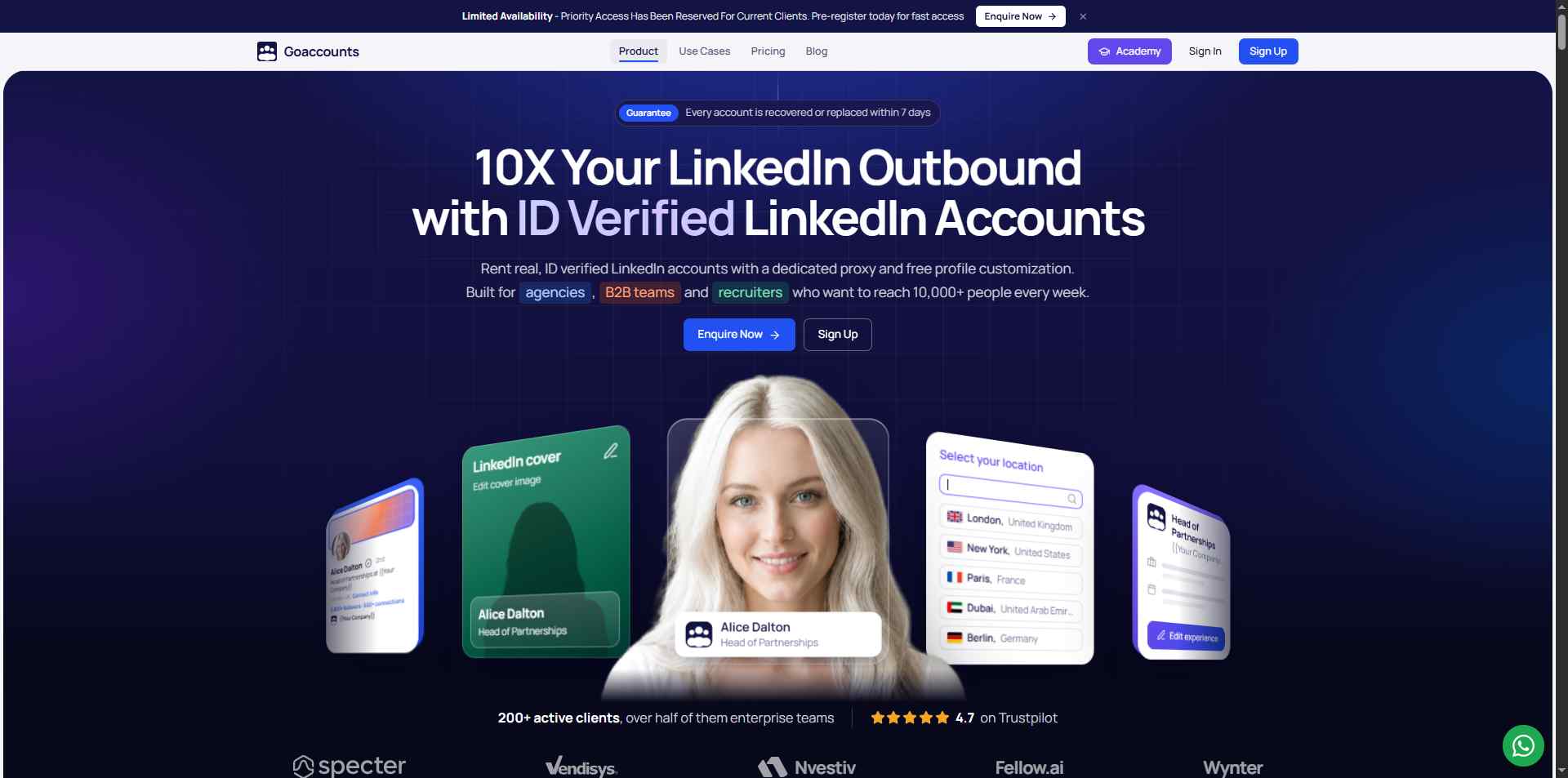
GoAccounts is a LinkedIn account rental service designed for businesses that need more profiles for their outbound activities.
Let's say you're running a lead-generation agency.
You want to reach more prospects, but managing multiple LinkedIn accounts, browser sessions, and network settings is becoming a job in itself.

GoAccounts aims to take that setup off your plate.
The service provides aged and warmed LinkedIn accounts, dedicated static ISP proxies, GoLogin sessions, and two-factor authentication access.
It also offers profile customisation and daily Slack support.
GoAccounts works with LinkedIn automation tools, so you can use the accounts alongside your existing outreach setup rather than replacing your entire workflow.
⚠️One important distinction: GoAccounts provides the accounts and supporting infrastructure, not the whole sales process. You'll still need a separate tool to find prospects, create campaigns, send messages, and manage replies.
GoAccounts works with LinkedIn outreach platforms such as SalesRobot, HeyReach, Expandi, and Dripify.
❗This is where it fits into a bigger outreach setup. GoAccounts provides the LinkedIn accounts, and you can onboard those accounts to SalesRobot to run LinkedIn outreach at scale.
In other words, GoAccounts helps you get the accounts you need, while SalesRobot helps you put them to work.
How Does GoAccounts Work?

The process is fairly straightforward.
- Choose how many accounts you need. GoAccounts' pricing calculator adjusts the monthly total based on your account quantity.
- Select your payment commitment. You can pay monthly or choose a longer upfront commitment for an additional discount.
- Enquire or sign up. The website offers both options, depending on how you want to get started.
- Receive your accounts. GoAccounts advertises delivery within three to seven days.
- Connect your outreach tool. Use a compatible platform to manage your LinkedIn campaigns.
The company says you can customise account details, including names, genders, and ethnicities, at no additional charge.
It also provides GoLogin sessions and 2FA access as part of the setup.
That bundled approach is the main attraction. You don't have to source the accounts, organise proxies, and manage separate browser environments independently.
Of course, getting everything set up is only the first step. You'll still need good targeting and messaging if you want those accounts to produce meaningful results.
GoAccounts Features: What Do You Actually Get?
1. Aged and Warmed LinkedIn Accounts
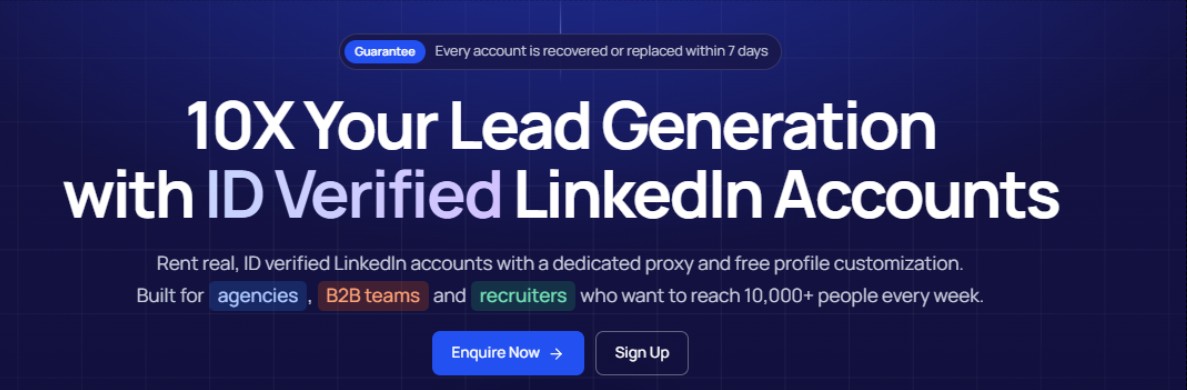
GoAccounts advertises aged, warmed accounts with 500+ real connections.
In simple terms, these are presented as established profiles rather than completely new accounts with no connections or activity history.
That can be appealing to businesses that want to start working with additional profiles without building everything from scratch..
2. Dedicated Static ISP Proxies
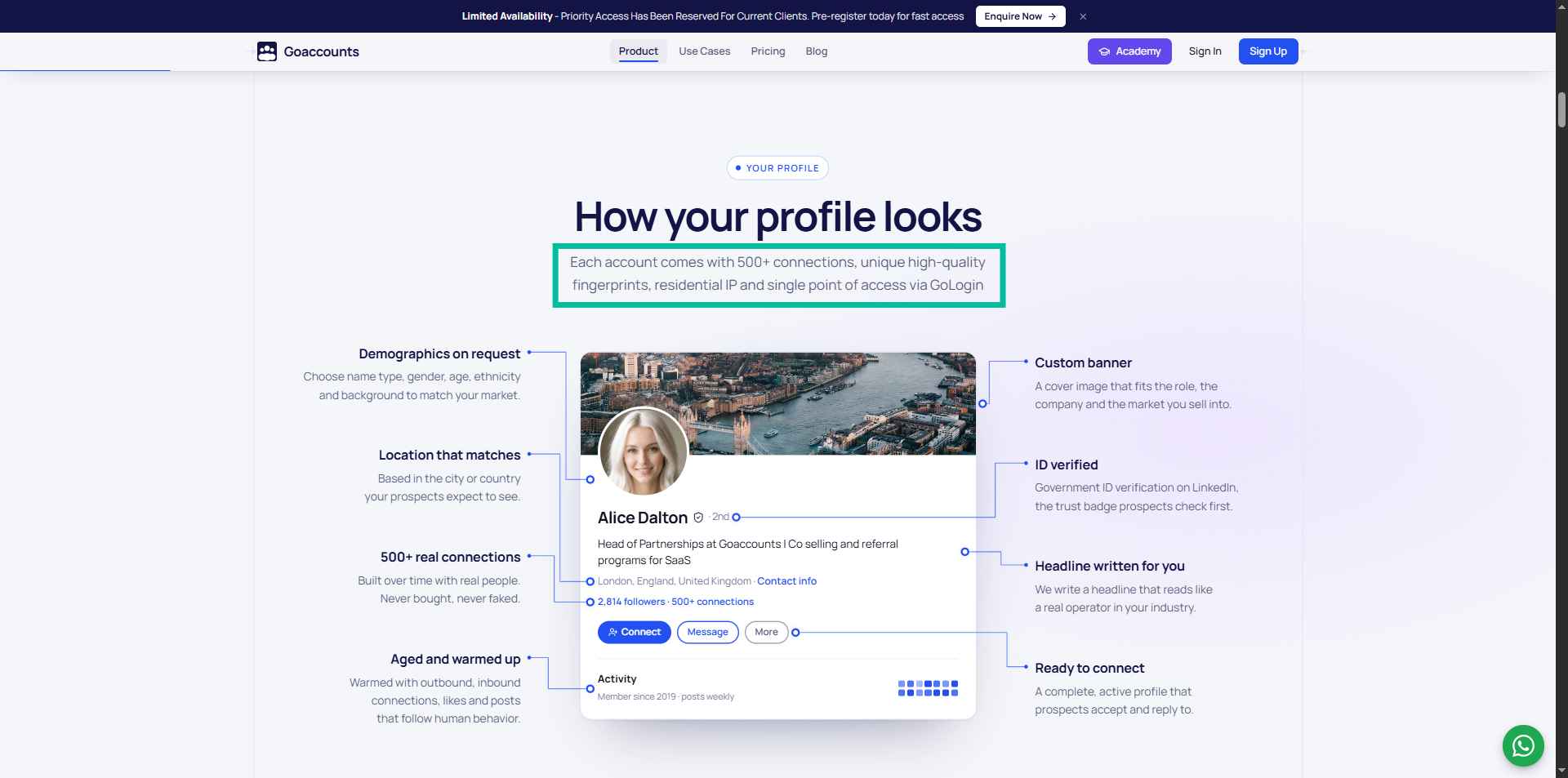
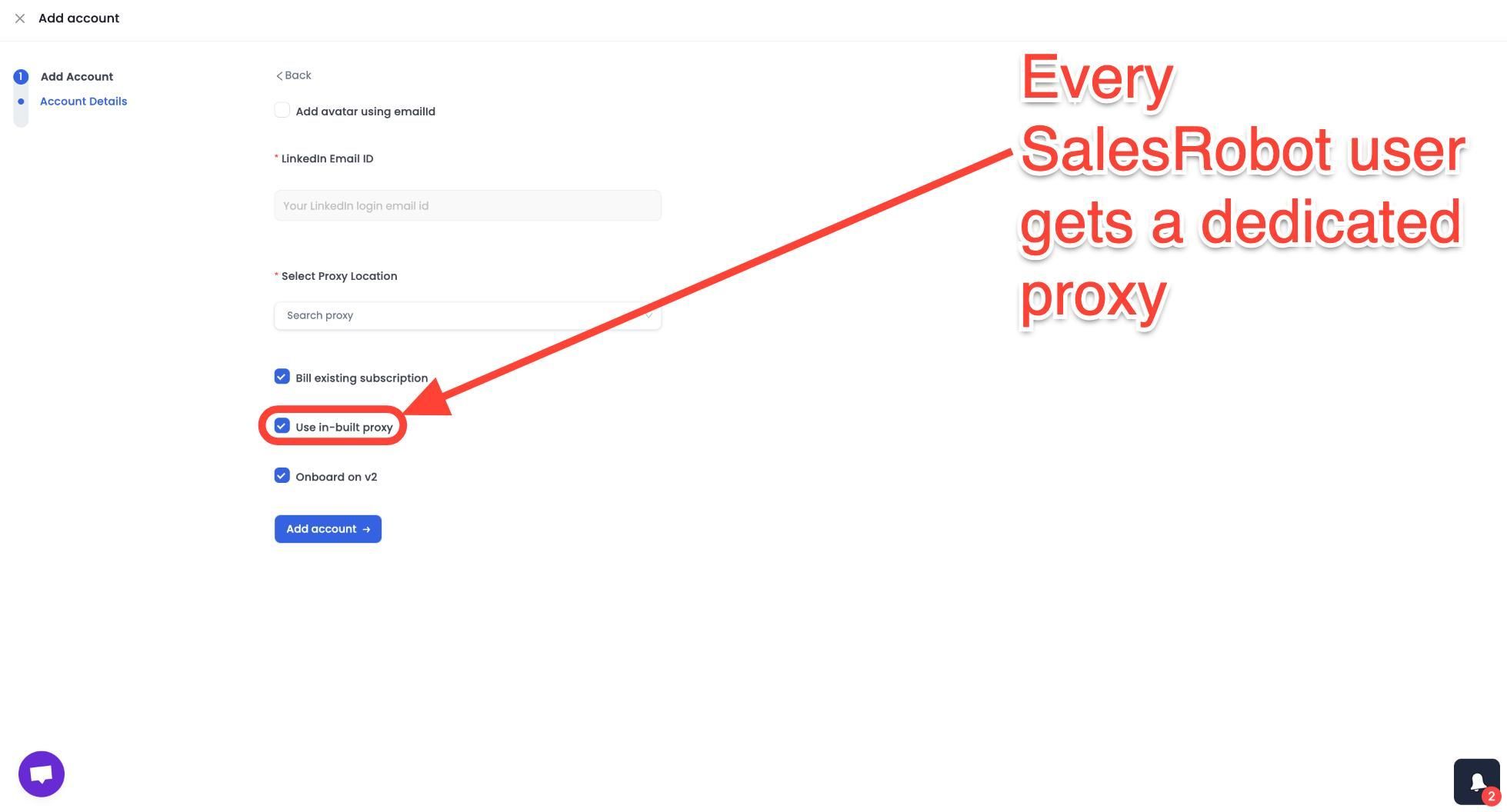
Every account includes a dedicated static ISP proxy, according to the pricing page.
A proxy routes a connection through another IP address. A static proxy uses a consistent IP rather than one that changes frequently.
Having a dedicated connection for each account can make account management more organised.
The convenience is that you don't need to find and configure proxies yourself.
That said, a dedicated proxy is not a guarantee against LinkedIn restrictions. Account activity, platform rules, security checks, and other factors can still affect whether a profile remains available.
3. GoLogin Sessions and 2FA Access
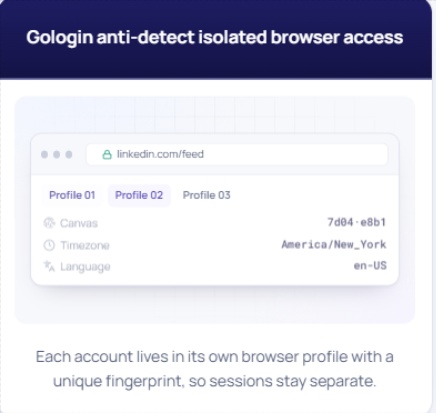
GoAccounts includes GoLogin sessions and two-factor authentication access.
✅GoLogin provides separate browser environments, which can help keep multiple accounts organised.
✅Two-factor authentication adds another layer to the account login process.
For agencies managing several profiles, having these elements bundled together can save time. You're not starting from scratch with every account.
4. Free Profile Customisation
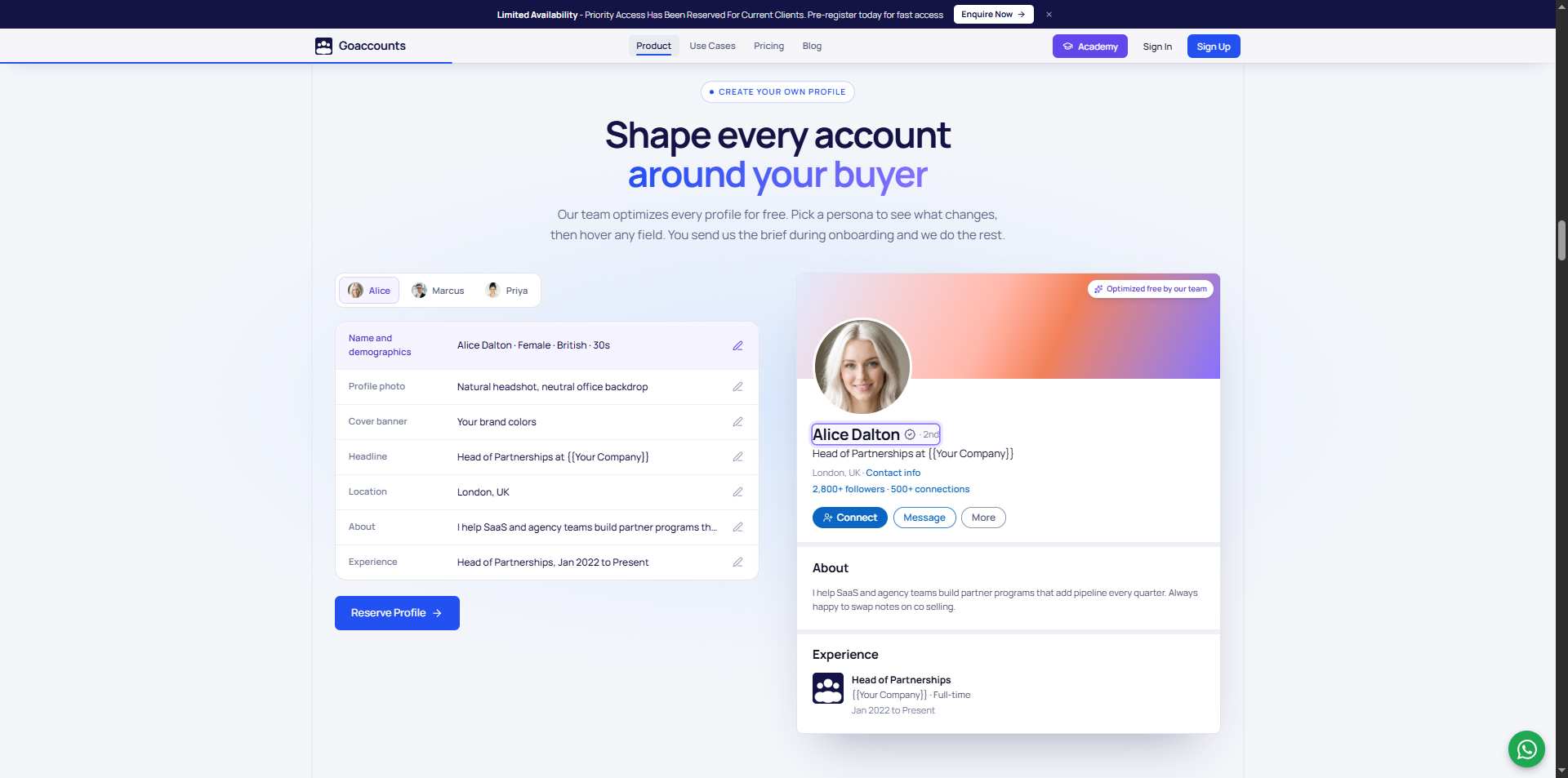
GoAccounts says account customisation is included at no additional cost. Its pricing page lists options for names, genders, and ethnicities, alongside broader profile customisation.
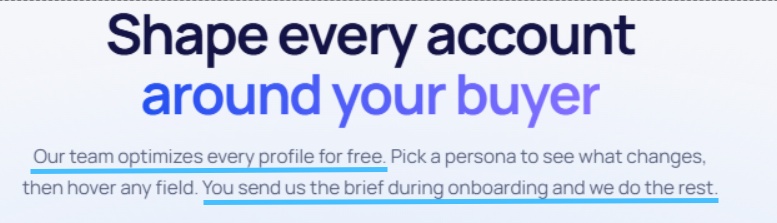
This may be useful for teams operating across different markets, but there is an important consideration: profile details should not mislead prospects about who they're communicating with.
5. Daily Slack Support
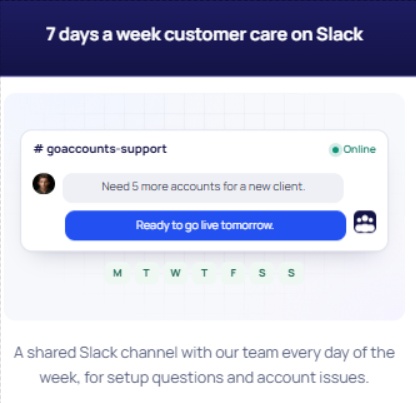
Every account includes daily Slack support, according to the pricing page.
This gives customers a channel to raise questions and deal with account-related issues without relying entirely on email.
6. Compatibility With Outreach Tools
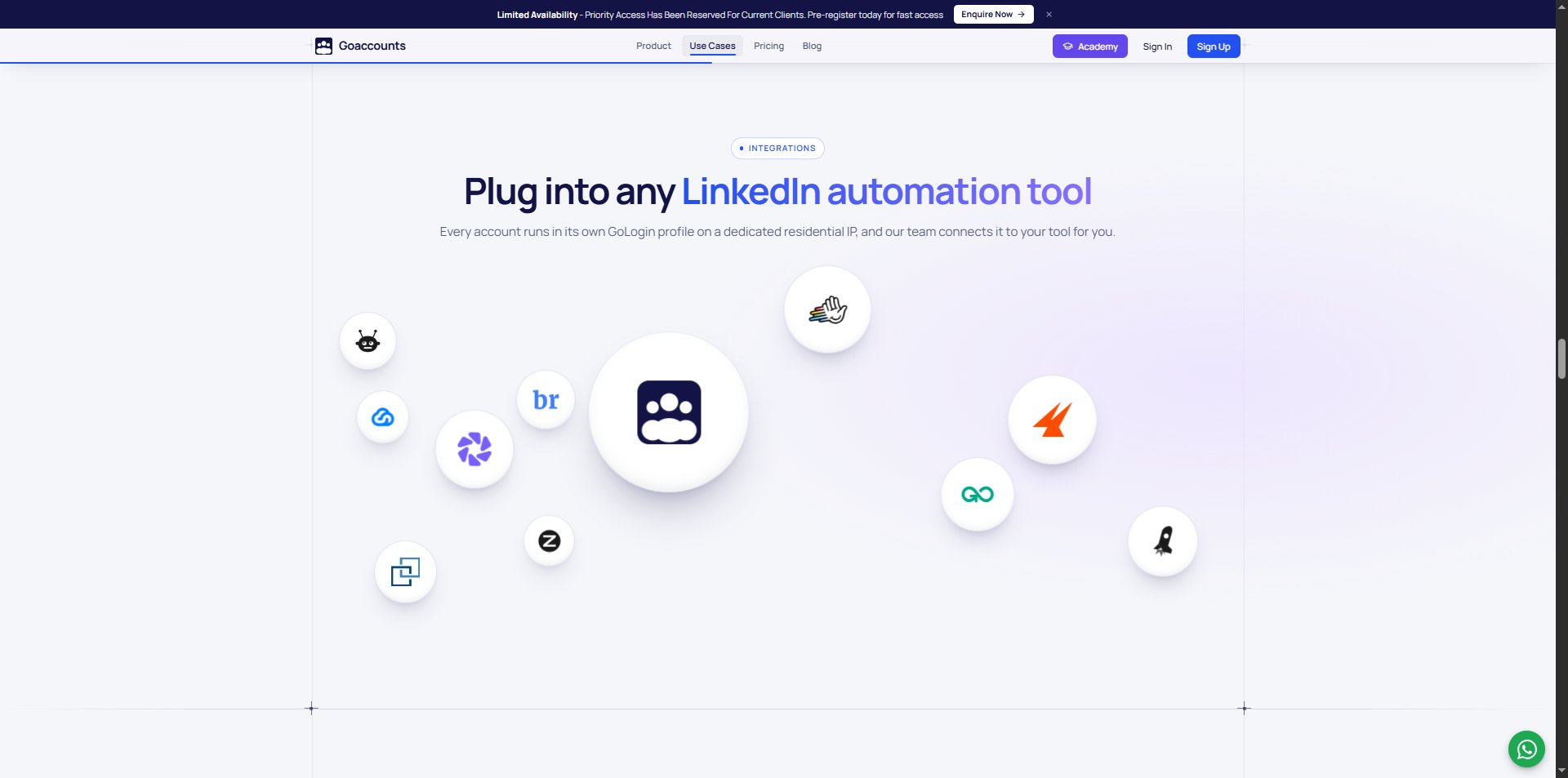
GoAccounts says it works with any automation tool.
This flexibility is useful if you already have an outreach platform or are building a larger outbound setup.
For example, GoAccounts and SalesRobot can work together as part of the same ecosystem: GoAccounts supplies the LinkedIn accounts, and SalesRobot lets you onboard those accounts and run campaigns, automate follow-ups, and manage prospect conversations.
The two serve different purposes, but together they cover two important parts of LinkedIn outreach: account access and campaign execution.
7. Sales Navigator Advanced and Recruiter Lite Add-Ons
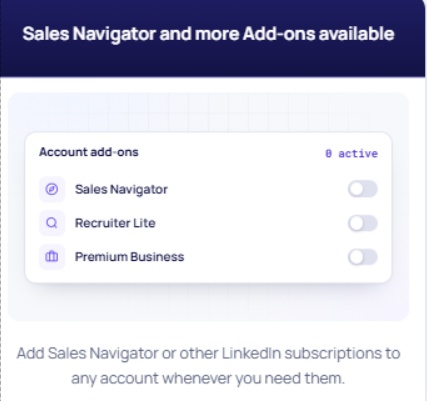
GoAccounts' page also displays add-ons for Sales Navigator Advanced and Recruiter Lite.
These may be useful if your work involves finding sales prospects or sourcing candidates.
Instead of treating account rental and these additional subscriptions as completely separate purchases, you can enquire about the available add-ons through GoAccounts.
GoAccounts Pricing: How Much Does It Cost?
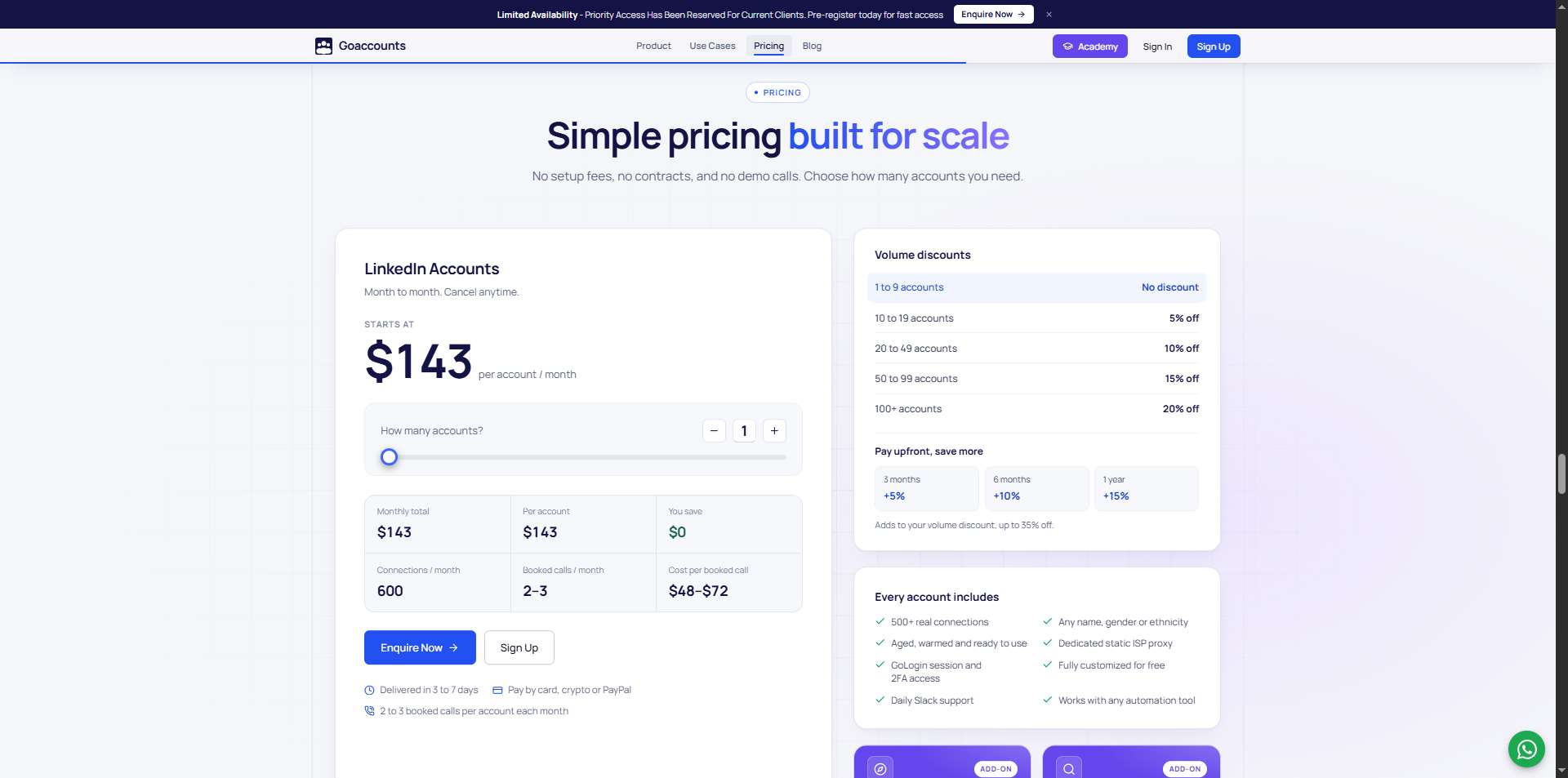
GoAccounts' current pricing page displays a starting price of $143 per account per month.
The actual per-account rate changes based on the number of accounts you rent and your payment commitment.
Volume Discounts
The current pricing page lists these volume discounts:
Number of accounts
The discount increases as you rent more accounts. For larger agencies, that could make a noticeable difference to the per-account cost.
Discounts for Paying Upfront
You can also receive an additional discount by paying for a longer period upfront.
GoAccounts says these discounts can be combined with volume discounts, for a maximum advertised saving of 35%.
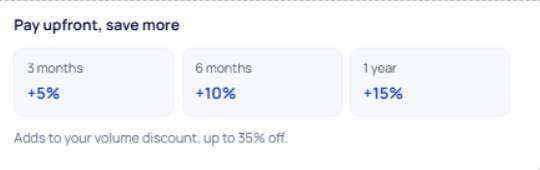
The exact amount you pay depends on the quantity and commitment selected. Use the live GoAccounts pricing calculator to check your total rather than relying on a fixed price from an older review.
What's Included in the Price?
According to the current pricing page, every account includes:
- 500+ real connections
- An aged, warmed account
- GoLogin session and 2FA access
- Dedicated static ISP proxy
- Profile customisation at no extra charge
- Daily Slack support
- Compatibility with automation tools
The website also advertises delivery within three to seven days and payment by card, cryptocurrency, or PayPal.
❗GoAccounts also guarantees account recovery or replacement if the account is restricted within seven days.

The Biggest Risk: LinkedIn's Rules

Renting LinkedIn accounts ALWAYS carries platform and account-access risks.
A dedicated proxy, separate browser session, or aged profile does not automatically make an activity compliant with LinkedIn's terms.
Restrictions can still happen, and any disruption can affect your campaigns.
Before purchasing, review LinkedIn's current rules and GoAccounts' terms. Make sure the intended use is appropriate for your business rather than assuming the technical setup removes the risks.
It's much better to understand those limitations before committing to a stack of accounts than to discover them halfway through a campaign.
What Do Users Say About GoAccounts?
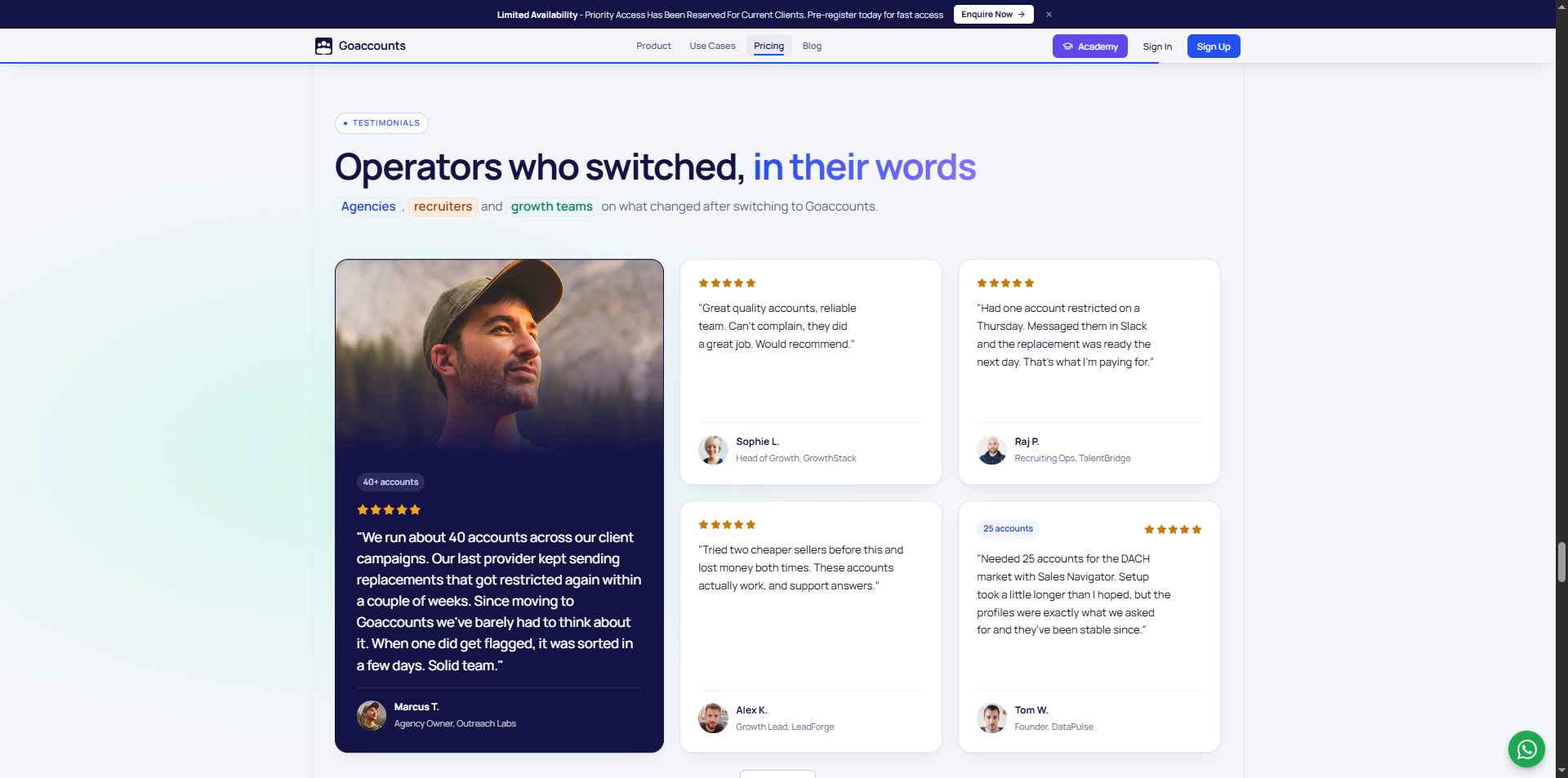
GoAccounts displays customer testimonials and a Trustpilot rating on its website.
But, fact remains, there are NO independent third party reviews of this product. So I;d advise you to tread with a bit of caution here.

GoAccounts Pros and Cons
✅Pros
- Simple pricing calculator: Your monthly total adjusts to the number of accounts you need.
- Volume discounts: Larger orders receive progressively higher discounts.
- Upfront payment discounts: Longer commitments can reduce the effective monthly price.
- Bundled infrastructure: Accounts, proxies, browser sessions, and 2FA access are included.
- Free customisation: The company advertises profile customisation at no additional charge.
- Daily Slack support: Customers have a dedicated channel for support.
- Tool compatibility: GoAccounts says it works with any automation tool.
- Optional add-ons: Sales Navigator Advanced and Recruiter Lite are available to enquire about.
❌Cons
- The costs add up: Multiple accounts and additional tools can create a substantial monthly bill.
- Restrictions remain possible: No proxy or browser setup guarantees uninterrupted account access.
- Performance figures aren't guarantees: The advertised meeting estimates need to be treated as company claims.
- Independent feedback is nonexistent: It's difficult to verify long-term reliability from outside sources.
- Not an all-in-one platform: You'll still need a separate tool to manage your outreach.
- Platform-rule concerns: Renting accounts can carry compliance and reputational risks.
GoAccounts And SalesRobot: How Do They Work Together?
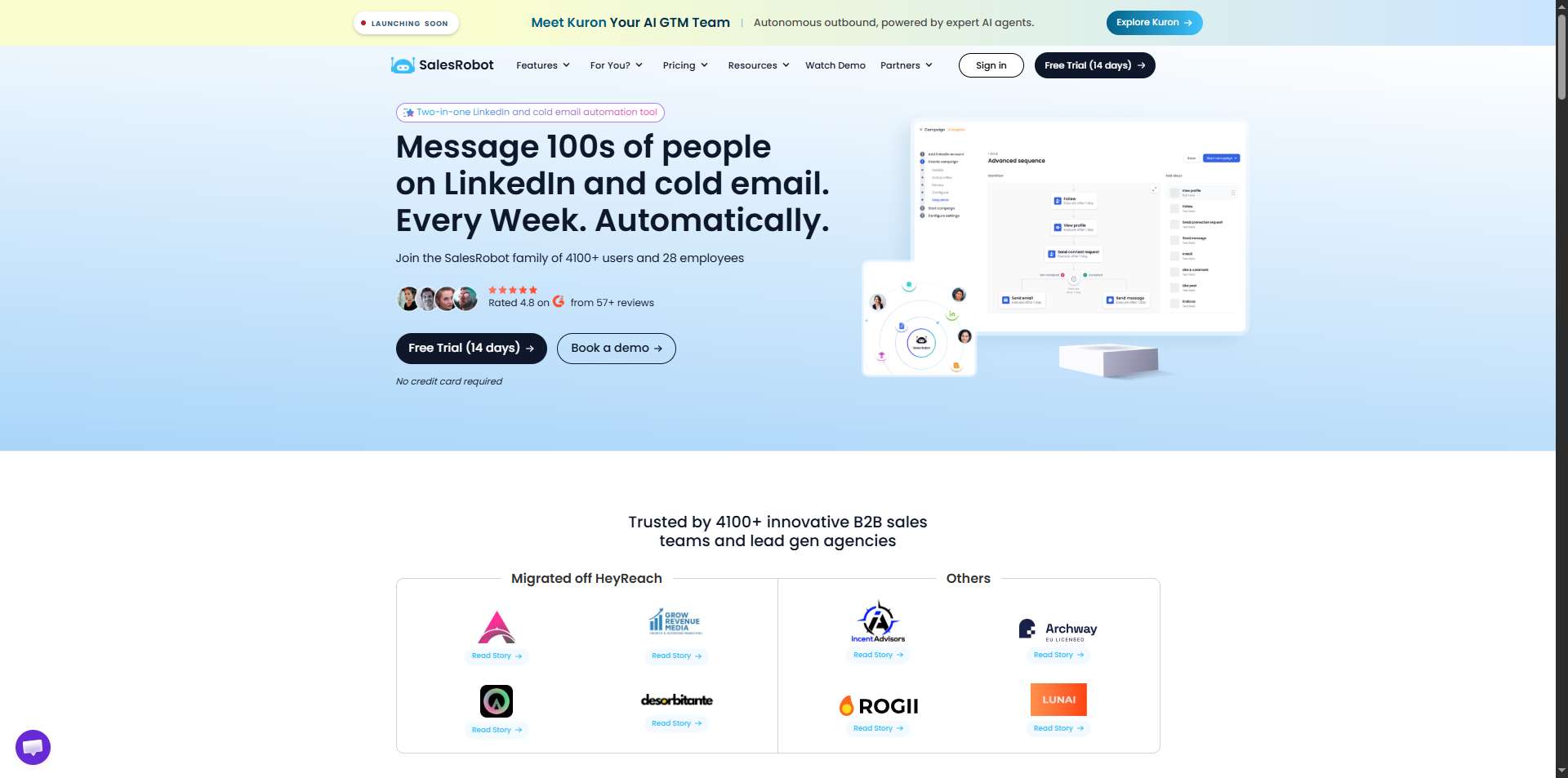
GoAccounts and SalesRobot aren't competing products. They handle different parts of the same outreach process.
GoAccounts provides the LinkedIn accounts. SalesRobot helps you use those accounts to run outreach at scale.
Once you've obtained your accounts through GoAccounts, you can onboard them to SalesRobot and manage your LinkedIn campaigns from there.
SalesRobot helps with campaign creation, AI-powered personalisation, follow-ups, and conversation management, so you're not handling every message manually.
Here's how the two fit together:
GoAccounts gives you the profiles. SalesRobot gives you the campaigns.
This is the most natural pairing if you are looking to run cold outreach at scale.
GoAccounts’ entire value proposition is providing verified, aged LinkedIn accounts that look natural to LinkedIn and to the prospects receiving outreach.
But a rented profile sitting in an anti-detect browser does nothing until a campaign runs from it.
That is exactly what SalesRobot is built for.
If you already have the accounts you need and want to spend less time manually running campaigns, an outreach platform such as SalesRobot may be the better place to start.
And if you consider combining them, you may find out that they make a great team.

What SalesRobot Does
SalesRobot is a cloud-based LinkedIn and email automation platform built specifically for B2B outreach.
Mobile API Safety: Because SalesRobot connects through LinkedIn's mobile APIs, your outreach activity mimics natural human behavior.
Users consistently report running sustained, high-volume campaigns without account flags or restrictions, which is the single biggest operational concern with any LinkedIn automation tool.
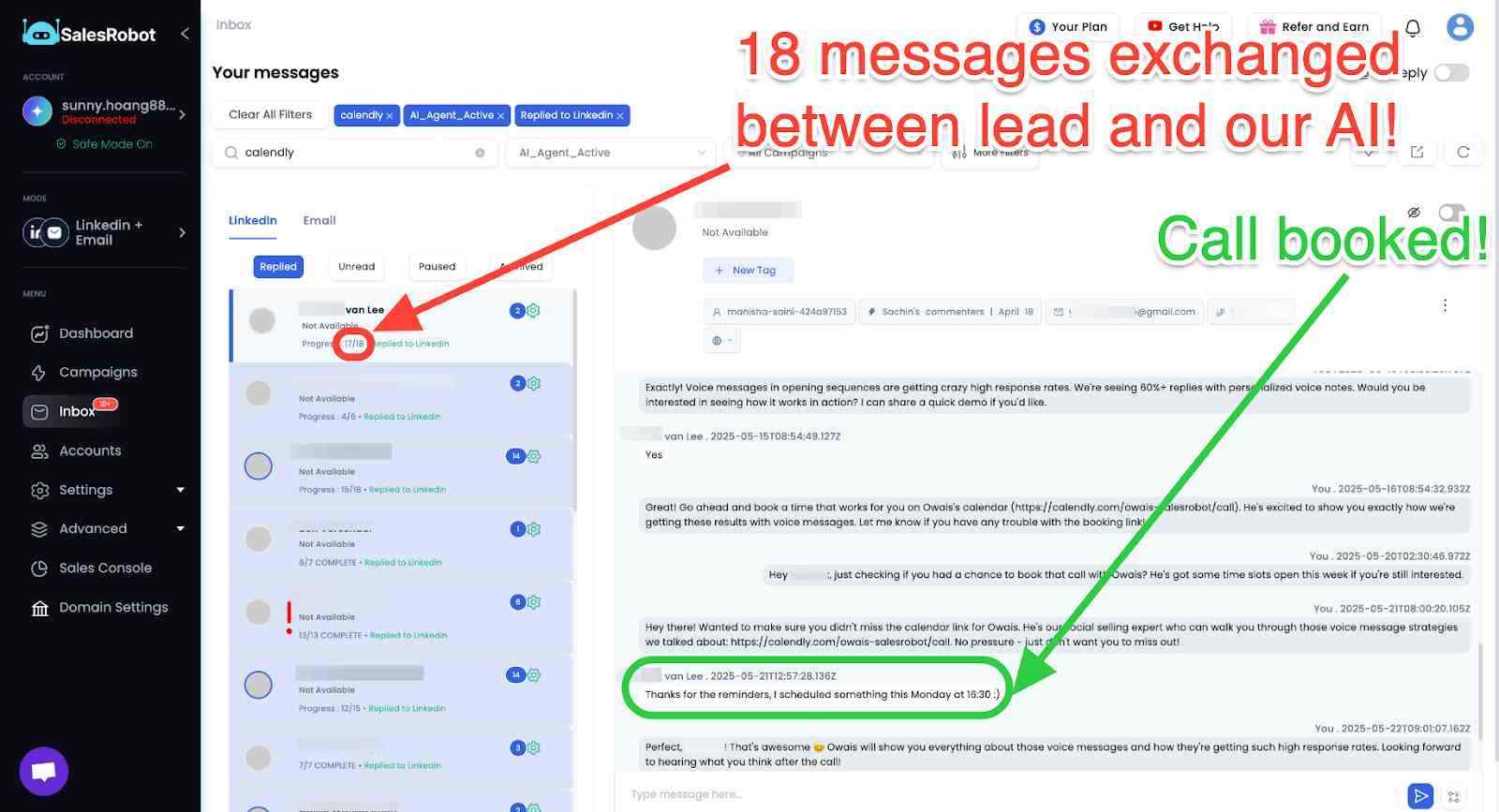
AI Appointment Setter: After a prospect replies, SalesRobot's AI takes over the conversation, handles qualification questions, and books meetings automatically.
You can train it on your specific criteria and ideal responses, which means the early-stage pipeline management largely runs without manual involvement. For smaller teams without a dedicated SDR, this is a meaningful capability.
AI Voice Clone and Video Messages: SalesRobot lets you send personalized voice notes and video messages through LinkedIn as part of automated sequences.
The AI Voice Clone feature lets you record a short voice sample once, then generates individualized voice notes for each prospect that sound like you, without recording each one manually.
In sectors where relationships and trust matter, this kind of personal touch at scale tends to drive significantly higher reply rates than text-only outreach.

AI Variables and Hyper-Personalization: SalesRobot pulls data directly from a prospect's LinkedIn profile to write personalized message sequences automatically. You are not working from a static template that gets blasted to everyone.
Each message is adapted to the individual, which matters when you are reaching decision makers who see generic outreach constantly.
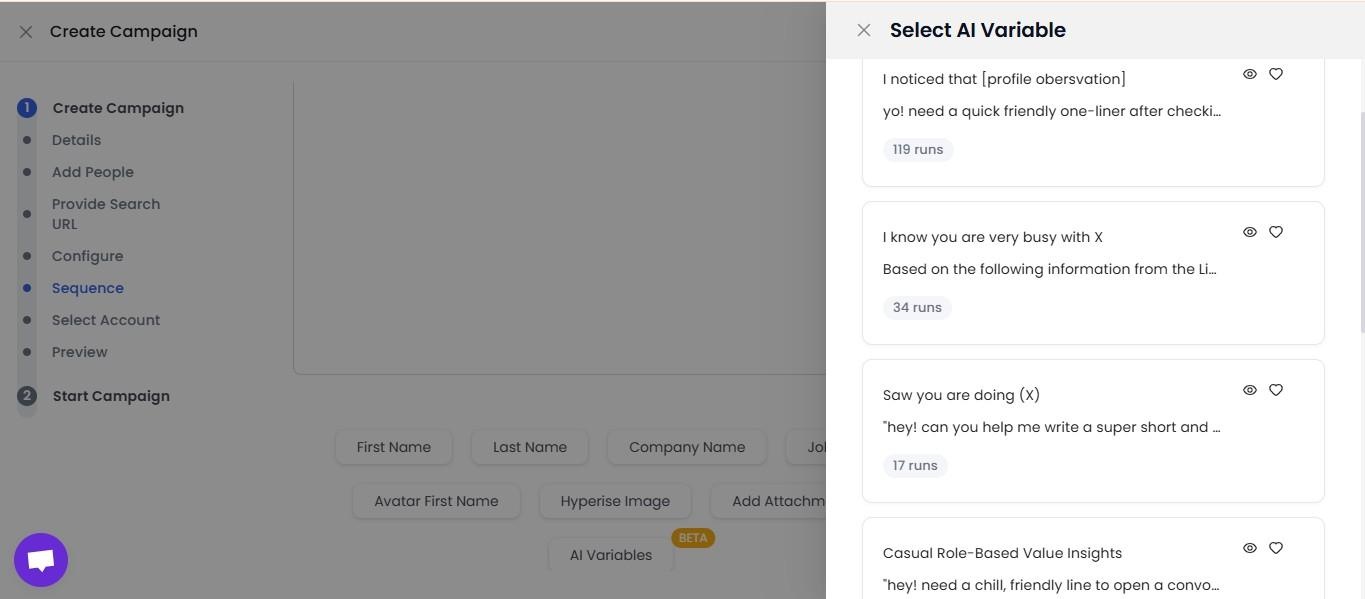
Multi-Step Sequences: You can build complex LinkedIn and email campaigns with smart delays and behavioral conditions. Leads can be imported from Sales Navigator, standard LinkedIn search, LinkedIn groups, event attendees, or CSV uploads, giving you flexibility in how you build and target your prospect lists.
Unified Inbox and Mini CRM: All LinkedIn and email conversations consolidate in one place with automatic reply detection. SalesRobot stops messaging automatically when a prospect responds, preventing the over-automation feel that kills conversations. You can tag leads, filter by interest level, and track where every prospect sits without switching between platforms.
Team Management and Analytics: For agencies or sales teams managing multiple LinkedIn accounts, SalesRobot tracks performance across accounts, prevents duplicate outreach between team members, and surfaces detailed analytics on what sequences and approaches are actually working.
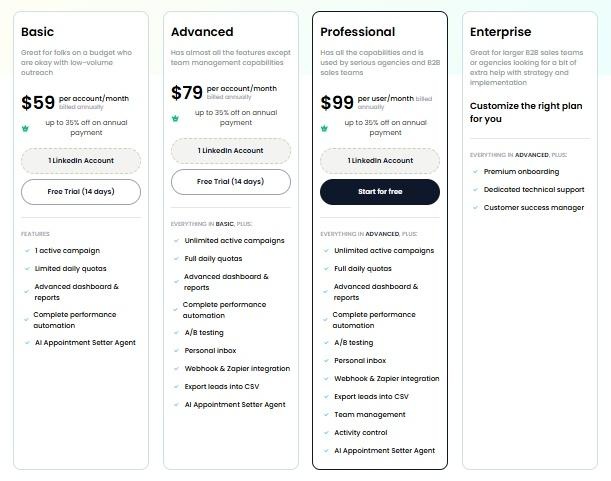
SalesRobot pricing (per LinkedIn account, 14-day free trial, no credit card required):
- Basic: $59/month ($39/month billed annually).
- Advanced: $79/month ($59/month billed annually).
- Professional: $99/month ($79/month billed annually).
- Enterprise: Custom.
It also has a 4.8 rating on G2, with 50+ independent user reviews.
What About Kuron?
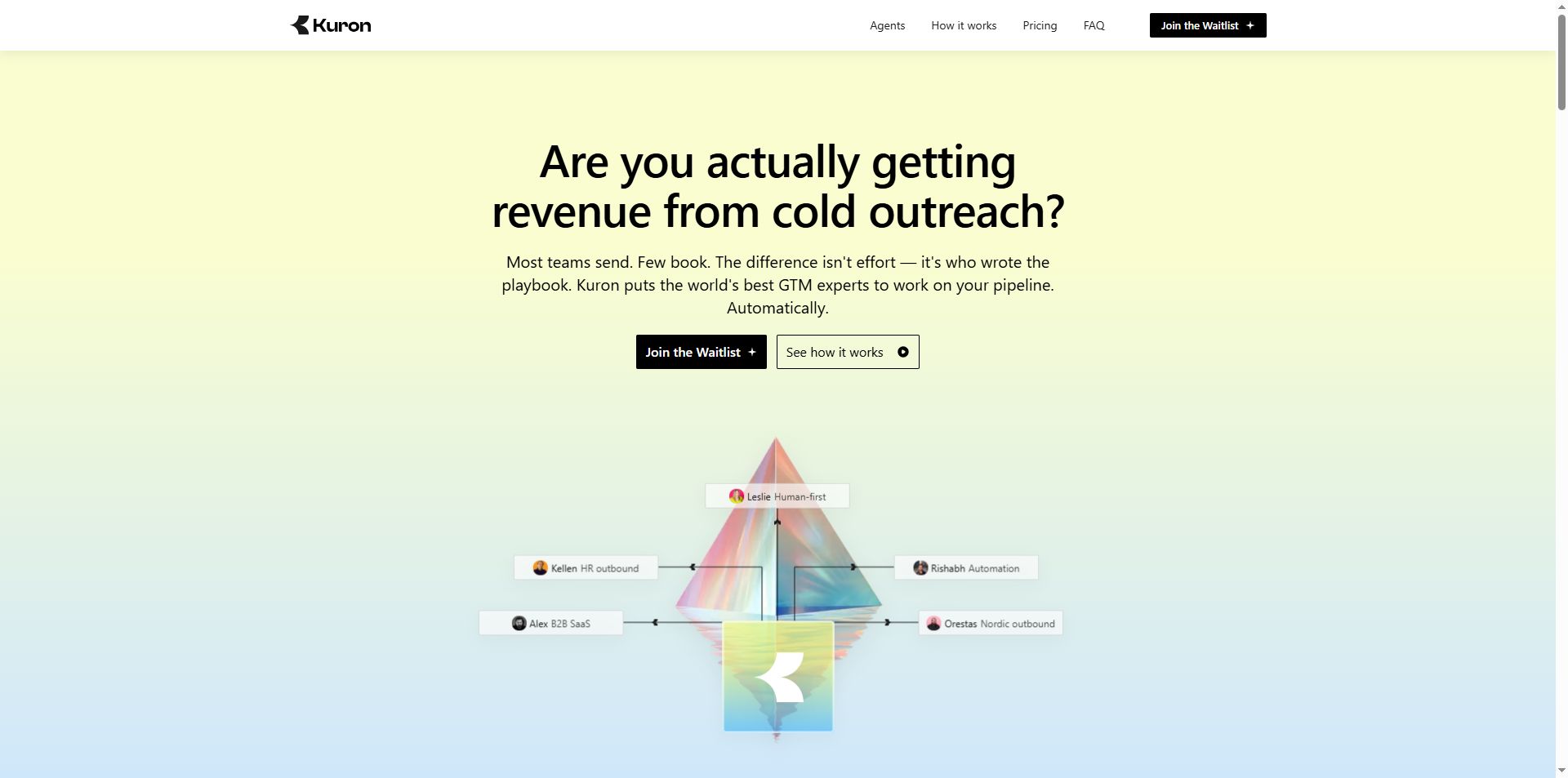
And this is where things get even cooler.

The idea is to move beyond simply giving sales teams another database or another outreach dashboard and have AI help with the broader go-to-market process.
Kuron is an AI-powered GTM platform from the very team behind SalesRobot, built around a slightly different idea: instead of giving sales teams another tool to operate, why not have AI actually run the outbound process?
The idea came from the founders' experience running SalesRobot and working with outbound teams.
They found that the hard part wasn't simply sending more messages.
Good outbound depends on knowing who to target, which signals matter, how to approach different buyers, when to follow up, and when to leave someone alone.
Kuron is being built to capture that kind of decision-making.
That includes identifying your best-fit customers, choosing the right segment, deciding on a strategy, and executing the outbound process.
Kuron is currently on a waitlist, so you might not be able to use it right now.
But conceptually, Kuron is chasing a much larger question:
What happens when AI stops being a tool inside your sales process and starts running more of the process itself?
Instead of: "Here's a database. Good luck."
The goal is increasingly: "Here's the outcome you want. Let the AI figure out more of the work in between."
Who Should Use GoAccounts?
GoAccounts may be worth considering if you:
- Run a lead-generation agency or outbound team that needs multiple LinkedIn profiles.
- Already have an outreach platform and want to keep your existing workflow.
- Want account access, proxies, and browser sessions bundled together.
- Need profile customisation and a dedicated support channel.
- Have calculated the cost of additional accounts and can justify it against your campaign goals.
It's less compelling if you're a solo operator who only needs one profile, are still figuring out your outreach strategy, or need strong independent evidence before trusting a provider.
And if your targeting or messaging isn't working, adding more accounts won't magically fix it. You'll simply have more accounts sending messages that aren't working. Which is a rather expensive way to discover a problem.
GoAccounts FAQs
1. How much does GoAccounts cost?
GoAccounts' current pricing page shows a starting price of $143 per account per month. The final rate depends on the number of accounts you rent and how long you pay for upfront. Volume discounts range from 5% to 20%, while longer commitments offer additional discounts.
2. Does GoAccounts have different account tiers?
The current pricing page shown here uses a quantity-based pricing calculator rather than separate Lite and Plus plans. It lists a starting price per account and adjusts the total based on quantity and payment commitment.
3. What discounts does GoAccounts offer?
The company advertises discounts of 5% for 10–19 accounts, 10% for 20–49, 15% for 50–99, and 20% for 100 or more. Paying upfront for three months, six months, or one year adds another 5%, 10%, or 15% respectively. The maximum advertised combined discount is 35%.
4. What is included with every GoAccounts account?
The pricing page lists 500+ real connections, an aged and warmed account, GoLogin session and 2FA access, a dedicated static ISP proxy, free profile customisation, daily Slack support, and compatibility with automation tools.
5. Does GoAccounts include LinkedIn automation?
No. GoAccounts primarily provides the accounts and supporting infrastructure. You'll need a separate outreach platform to manage campaigns, messaging, and follow-ups.
6. Does GoAccounts work with SalesRobot?
GoAccounts says it works with any automation tool. SalesRobot focuses on LinkedIn and email outreach, including campaign management, personalisation, and follow-ups. Confirm that your intended setup is supported and appropriate under the relevant platform rules before combining the services.
7. How many meetings can GoAccounts generate per account?
GoAccounts' pricing page estimates two to three booked calls per account per month. This is an advertised estimate, not a guarantee. Actual results will depend on targeting, messaging, campaign execution, and the audience you're contacting.
8. How long does GoAccounts take to deliver accounts?
The current pricing page advertises delivery within three to seven days. Confirm the expected delivery timeline with the company when ordering.
9. Does GoAccounts offer Sales Navigator?
The pricing page displays Sales Navigator Advanced as an add-on, along with Recruiter Lite. Check with GoAccounts for current add-on pricing and exactly what each option includes.
10. Is GoAccounts worth it for small businesses?
It depends on your needs. A small agency already running multiple campaigns may find the bundled infrastructure useful. A solo founder who only needs one LinkedIn profile may find the monthly cost difficult to justify.
11. Can GoAccounts accounts get restricted?
Yes. Renting an account and using a dedicated proxy do not guarantee uninterrupted access. Ask GoAccounts about its current recovery, replacement, and refund terms before purchasing, and review LinkedIn's current rules.
Is GoAccounts Worth It?

If you're looking to scale LinkedIn outreach, it's worth looking at the bigger picture rather than just the account rental itself.
GoAccounts provides the LinkedIn accounts, and SalesRobot lets you onboard those accounts and use them for outreach campaigns.
Together, they cover both sides of the setup: getting the accounts you need and managing the work that happens through them.
✅The bundled proxies, browser sessions, 2FA access, customisation, and support make the GoAccounts service convenient.
✅The quantity-based pricing also gives larger teams a way to reduce their per-account costs through volume and upfront-payment discounts.
⚠️The downsides are the recurring expense, very limited independent evidence about long-term reliability, and the possibility of account restrictions. Its advertised meeting figures are worth considering, but they shouldn't be treated as guaranteed results.
My verdict: GoAccounts could be useful for established teams that specifically need additional LinkedIn accounts. Before buying, confirm the terms, calculate the full cost, and assess whether renting accounts is appropriate for your business.
If your main problem is the time spent finding prospects, personalising messages, following up, and managing replies, start by looking at your outreach workflow. More accounts won't solve a problem that begins with the campaign itself.
If you want to automate that part of the process, take a look at SalesRobot.
Its LinkedIn and email campaigns, AI personalisation, follow-ups, and appointment-setting features are literally designed to help teams manage outreach without doing every repetitive task by hand.
Want to spend less time managing outreach manually? Try SalesRobot free for 14 days.

Wow your leads by cloning yourself and sending personalized videos and voice notes to each lead on LinkedIn.
If you don't reply to leads within 5 mins, your chances of converting them fall by 50%. Our AI replies on your behalf instantly! (and yes, you can train it)

Don't shoot in the dark. Get detailed analytics on what's working
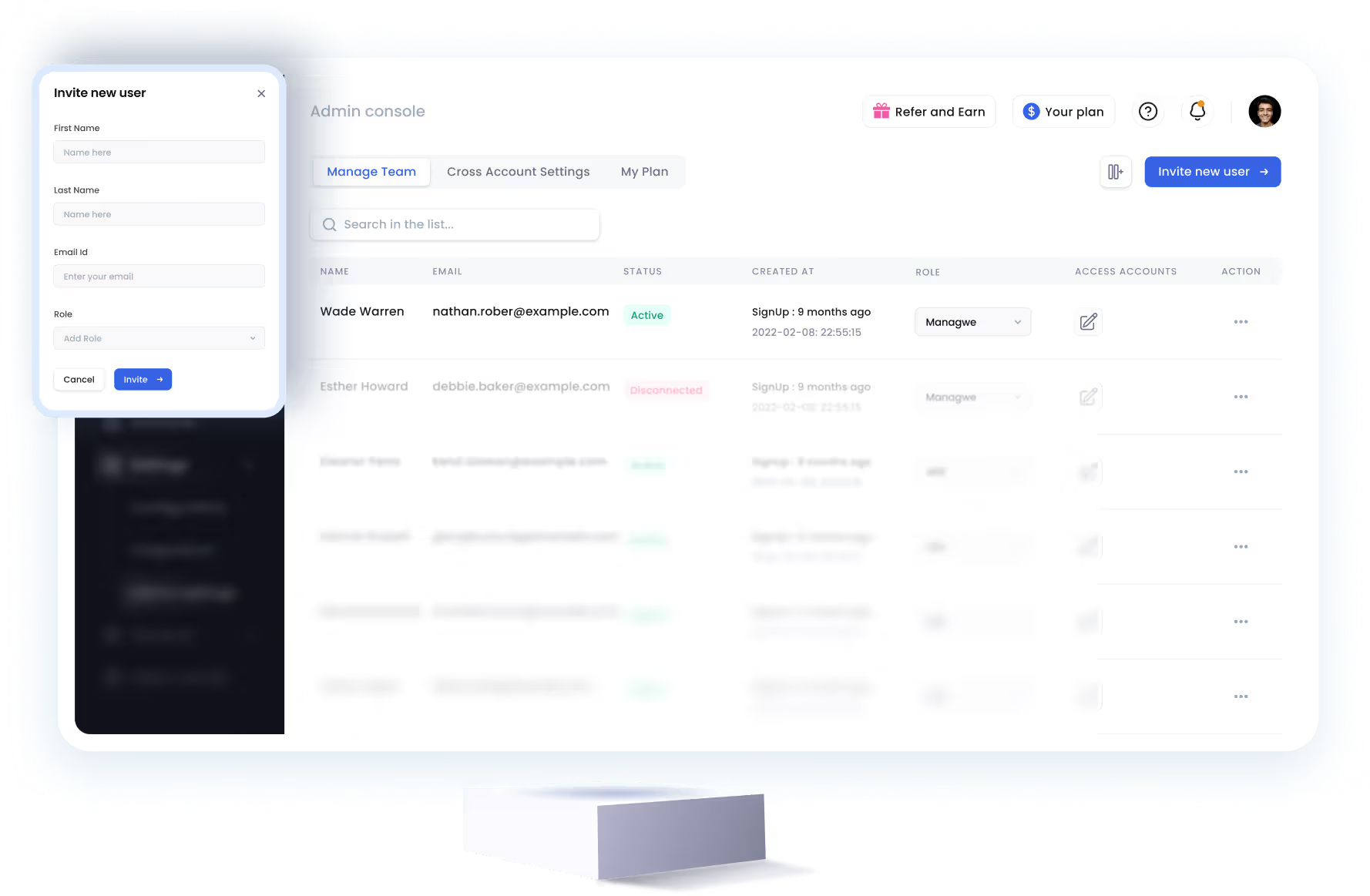
SalesRobot allows you to invite other team members, so that they can add their LinkedIn Account, run outreach campaigns and get amazing results just like you.


Trusted by 4100+ innovative B2B sales teams and lead gen agencies








Heading 1
Heading 2
Heading 3
Heading 4
Heading 5
Heading 6
Lorem ipsum dolor sit amet, consectetur adipiscing elit, sed do eiusmod tempor incididunt ut labore et dolore magna aliqua. Ut enim ad minim veniam, quis nostrud exercitation ullamco laboris nisi ut aliquip ex ea commodo consequat. Duis aute irure dolor in reprehenderit in voluptate velit esse cillum dolore eu fugiat nulla pariatur.
Block quote
Ordered list
- Item 1
- Item 2
- Item 3
Unordered list
- Item A
- Item B
- Item C
Bold text
Emphasis

Superscript
Subscript