.avif)
TL;DR
Cold email is one of the most competitive channels in B2B sales.

Inboxes are full, attention is limited, and the difference between a message that gets a reply and one that gets deleted is often a single sentence, a subject line word choice, or an opening that reads as generic rather than specific.
Most reps know their emails could be better.
They just do not have a coach sitting next to them telling them how.

Lavender AI is built to be that coach. It lives in your Gmail or Outlook, analyzes every email you write in real time, and gives you a score from 1 to 100, along with specific, actionable suggestions for what to change. For example,
Each piece of feedback comes with the reasoning behind it, drawn from data on what email patterns actually correlate with higher reply rates.
This review covers what Lavender actually delivers, what each plan costs, where it earns its place in a workflow, and where its limitations matter.
One important distinction upfront: Lavender is an email coaching and writing assistant. It helps you write better emails. It does not send those emails, run automated sequences, manage inbox replies, or touch LinkedIn at any stage of the process.
If LinkedIn outreach is part of your prospecting motion, SalesRobot covers that channel directly, and we address how the two tools relate toward the end.
Lavender AI: What You Need to Know
✅ Real-time email coaching: Lavender analyzes your emails as you write and scores them before you hit send. It flags tone issues, subject line weaknesses, and personalization gaps in real time - so you're catching problems before they cost you a reply.
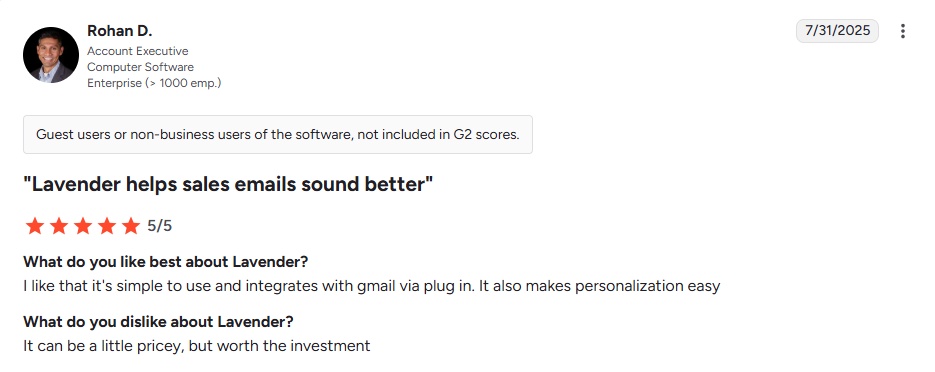
⚠️ It's a coaching layer, not a full sales platform: Lavender makes your emails better, but it doesn't prospect, sequence, or manage pipeline. You'll still need separate tools for lead sourcing and CRM management, which adds cost and workflow complexity.
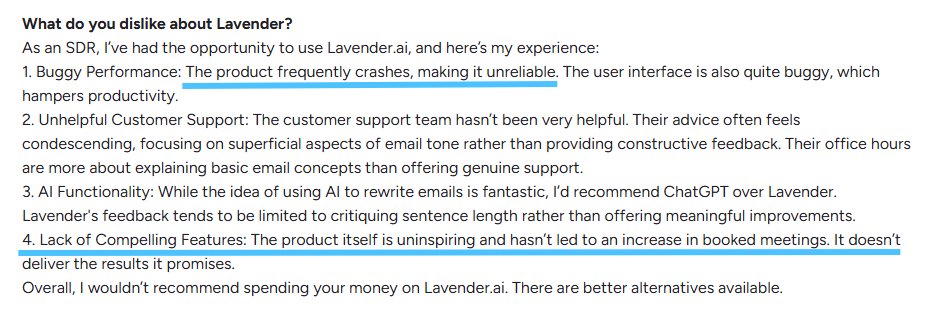
✅ Prospect research built in: Lavender pulls data from LinkedIn, company websites, and news sources automatically. Instead of manually researching every contact, you get relevant context surfaced directly inside your email composer.
⚠️ Works best for quality over quantity: Lavender's per-email coaching workflow suits reps who prioritize carefully crafted outreach. Teams running very high-volume campaigns may find it slows them down rather than speeds them up.
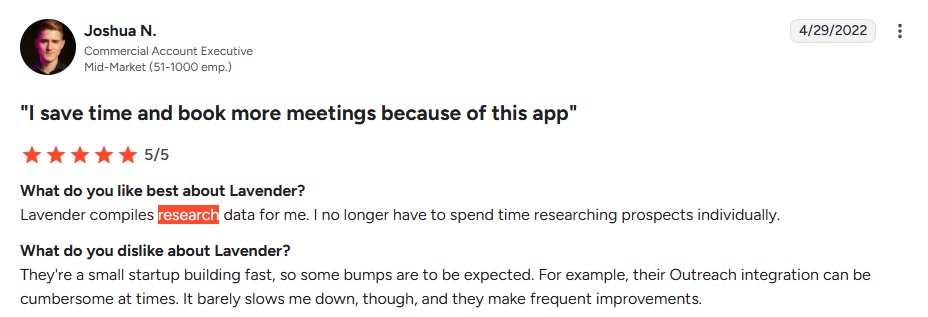
✅ Email performance analytics: The platform tracks open rates, reply rates, and engagement patterns across campaigns. Over time, this data helps you understand which subject lines, send times, and messaging approaches actually convert.
⚠️ Pricing is harder to justify for solo users: Lavender's value compounds at the team level where shared benchmarks and manager dashboards kick in. Individual reps or very small teams may struggle to justify the cost without those collaborative features.
✅ Sentiment analysis and tone coaching: Lavender reads the emotional register of your writing and flags if emails sound pushy, desperate, or overly formal, helping reps sound consistently confident before a prospect ever sees the message.
✅ Mobile optimization checks: Lavender previews how your email renders on mobile and warns about subject lines that get clipped or formatting that breaks on smaller screens — important given most decision-makers read email on their phones.
Lavender AI's Key Features, Broken Down
Real-Time Email Coaching
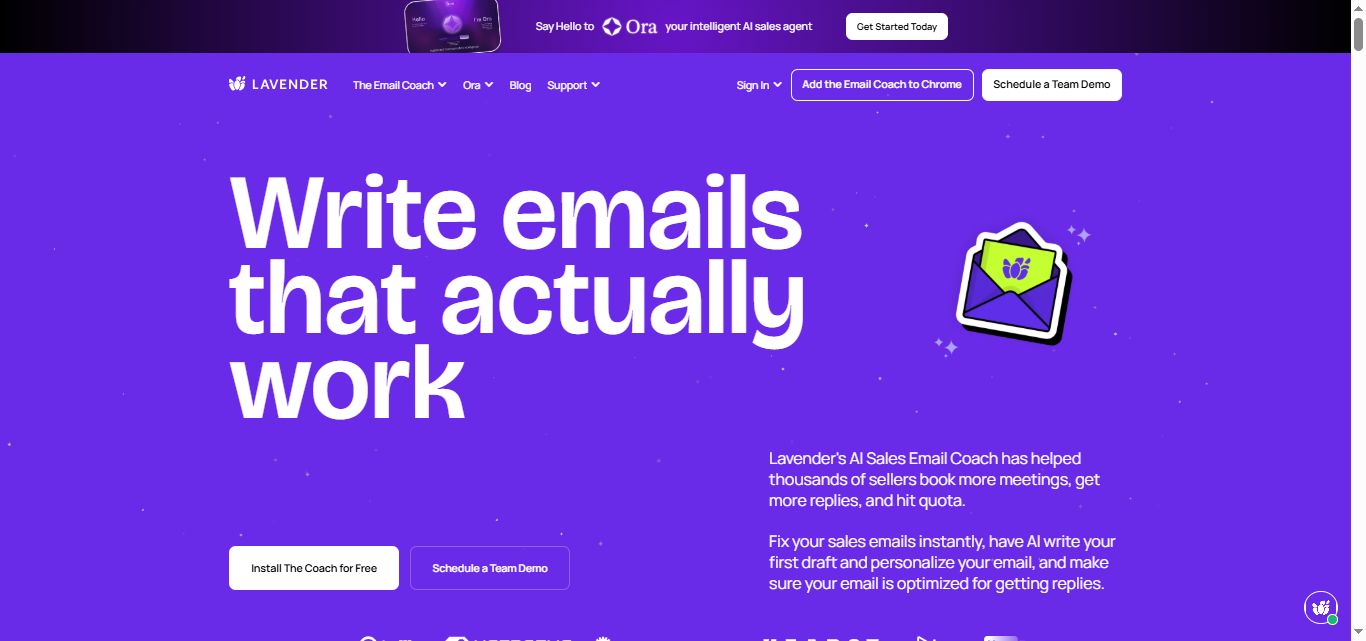
Lavender analyzes your emails as you write and provides instant feedback on tone, length, and personalization.
It catches issues before you hit send, like overly aggressive language, missing personal touches, and weak subject lines.
For example, if your cold email sounds too pushy, Lavender suggests softer language more likely to get a positive response.
Sales reps use this to turn generic templates into messages that actually get read.
Email Performance Analytics
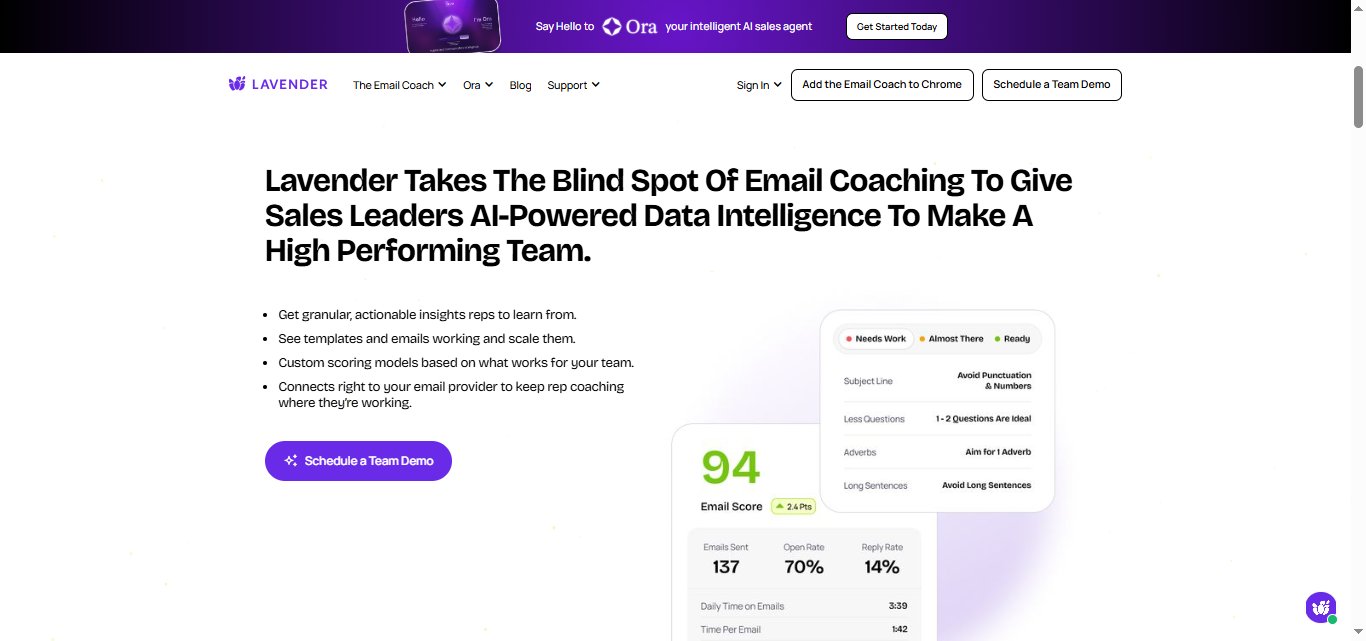
Detailed breakdowns of open rates, response rates, and engagement metrics across all your campaigns.
Lavender shows which subject lines perform best and which send times drive the most opens.
A sales manager can see that Tuesday morning emails get 40% higher response rates than Friday afternoons.
That data drives smarter decisions about timing and messaging without guesswork.
Personalization at Scale
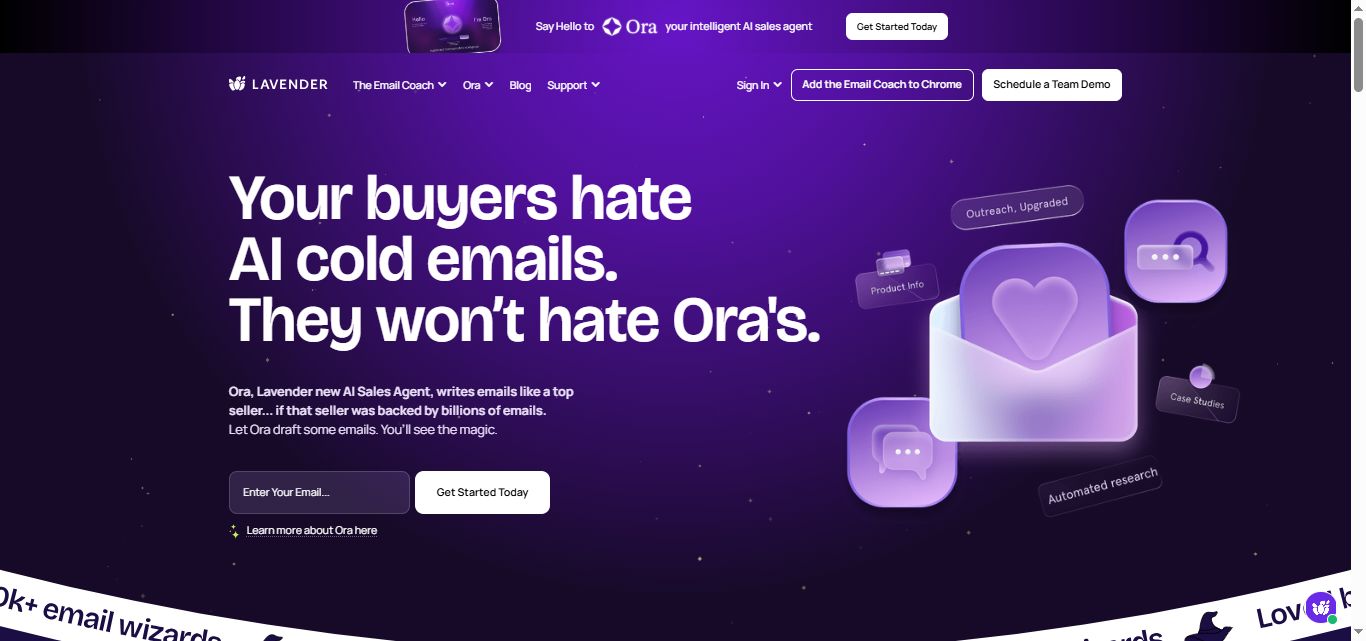
Lavender automatically researches prospects and surfaces relevant details, for example, recent promotions, funding rounds, and company news.
All directly inside your email composer. Instead of generic "Hi [Name]" emails, every message has a reason for existing.
Their AI Agent Ora is said to write hyper-personalized cold emails for every prospect you reach out to.
Sentiment Analysis
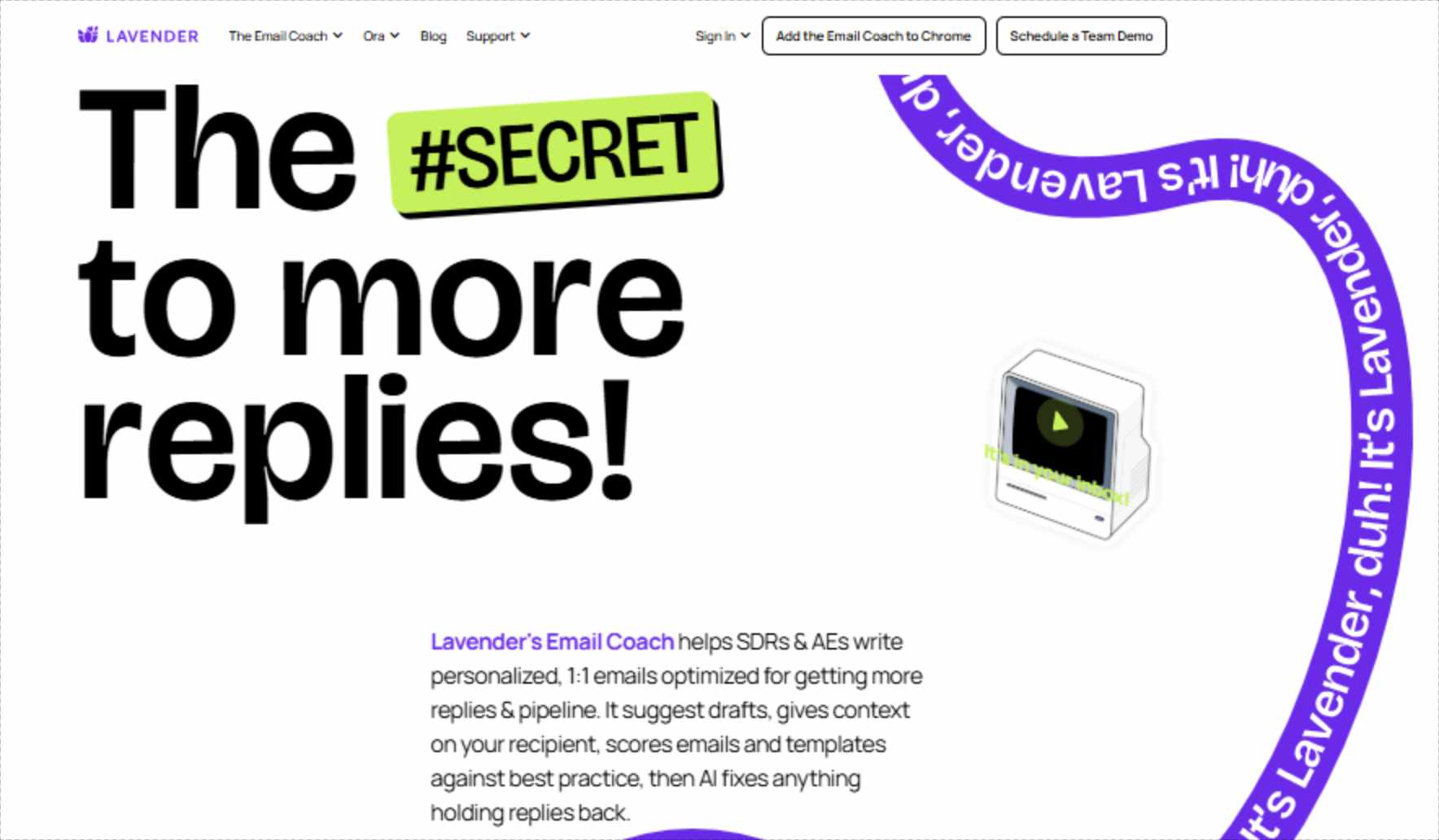
Lavender reads the emotional tone of your writing and suggests adjustments. If you write "I hope you don't mind me reaching out," it flags this as tentative and suggests more confident alternatives.
Small changes that make a consistent difference across hundreds of emails.
A/B Testing Tools
Test different subject lines, templates, and calls to action to see what resonates. Lavender tracks performance automatically and tells you which versions generate more replies, so you're building on real data rather than gut feelings.
Mobile Optimization Checker
Shows a mobile preview of your email and warns if subject lines get cut off, images break, or formatting falls apart on smaller screens. Prevents well-crafted messages from looking terrible on a prospect's phone.
Lavender AI Pricing
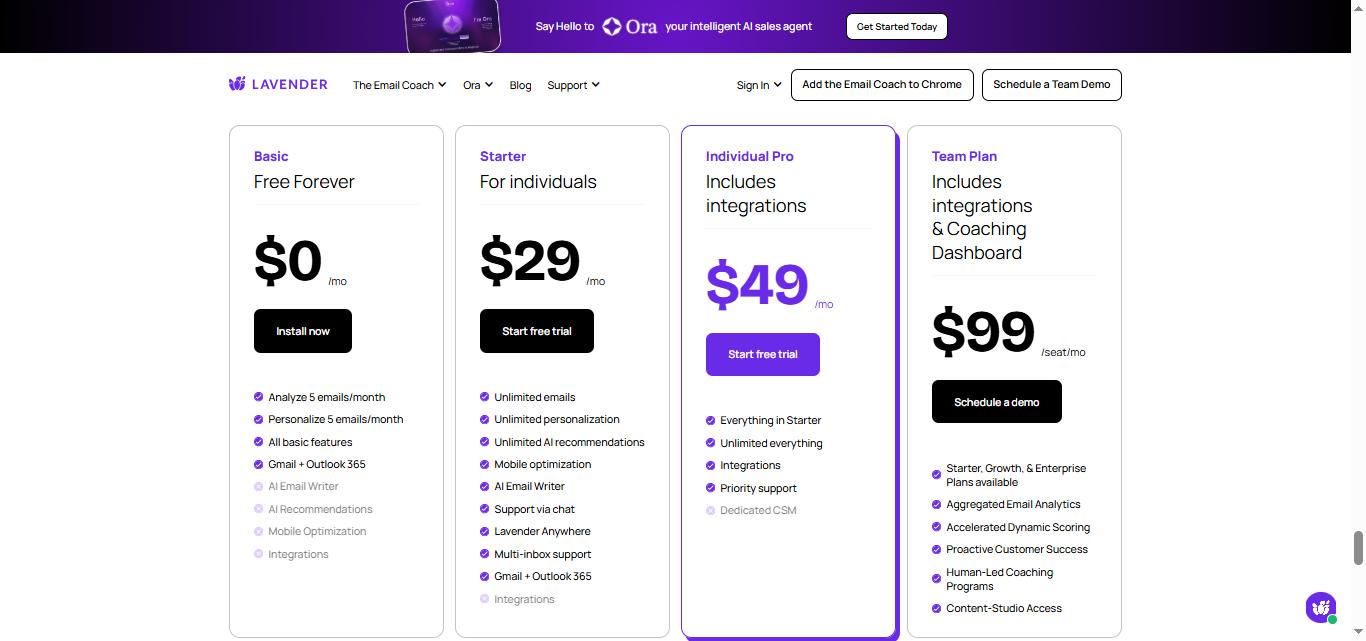
A 7-day free trial is available on all paid plans with no credit card required. Lavender is also free for students, job seekers, and bootstrapped entrepreneurs until they reach employment or steady revenue.
Free: $0/month
Starter: $29/month ($27/month billed annually)
Individual Pro: $49/month ($45/month billed annually)
Teams: $69/seat/month (billed annually)
What Works Well
✅The real-time scoring loop builds better writing habits over time.
The most consistent praise across independent reviews is that Lavender does not just fix individual emails. It teaches reps what good email structure looks like through repeated feedback, and users report that their baseline email quality improves even when they are writing outside the tool.
✅The personalization assistant removes the research bottleneck.
Surfacing LinkedIn activity, company news, and job history inline as you write, and suggesting opening lines from that data, compresses the per-email research time that makes personalized cold email unsustainable at volume. Reps report being able to write meaningfully personalized emails in a fraction of the time it previously took.
✅Integration with Outreach, Salesloft, and HubSpot keeps the tool in the workflow.
On the Individual Pro plan, Lavender's coaching panel appears inside the sequencing tools reps already use rather than requiring them to write in a separate interface. This reduces friction significantly and is the main reason teams on these platforms choose Pro over Starter.
✅The Teams coaching dashboard makes email quality visible to managers.
Aggregated analytics showing team-level email scores, rep-level performance trends, and which coaching interventions are working turns email quality from an anecdotal concern into something measurable and manageable. For sales managers who currently have no visibility into email quality before it affects reply rates, this is the most valuable feature in the platform.
✅The free tier for job seekers and students is a meaningful differentiator.
Very few B2B SaaS tools have a genuine mission-driven free access policy. The positive reputation this generates translates into stronger brand awareness among early-career SDRs who become paying customers when they reach their first sales role. If you are a job seeker or student, you can download the free plan and directly message their team.
Potential Drawbacks
⚠️Lavender coaches your email. You still have to send it.
This limitation needs to be stated plainly because it is the most common source of misaligned expectations. Lavender improves what you write. The sending, timing, follow-up sequencing, and inbox management all happen in your existing tools. For teams that want AI to handle more of the outreach process, Lavender is one piece of a larger stack rather than a complete solution.
⚠️AI suggestions feel surface-level for experienced writers.
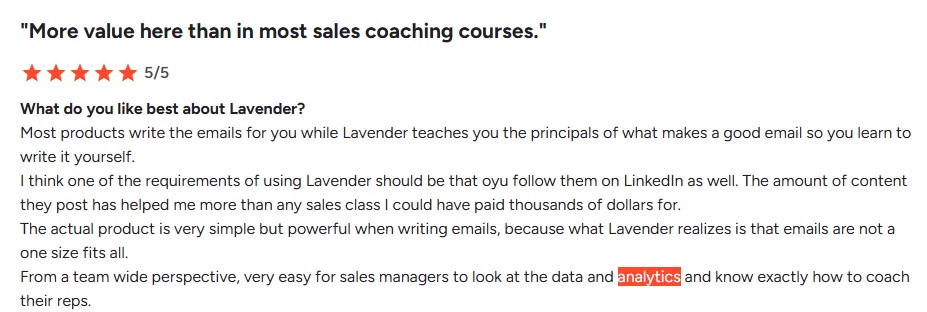
The coaching framework is built around statistically common patterns that improve average email performance. For reps who already write strong emails, the suggestions can feel prescriptive or generic rather than genuinely insightful. Several G2 reviewers with significant cold email experience describe getting comparable or better output from prompting a strong LLM directly.
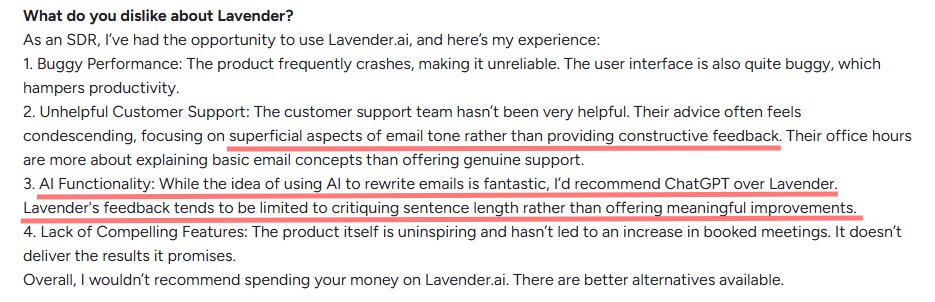
⚠️Extension reliability is an ongoing concern.
Glitches with the Chrome extension, including scoring not updating, icons disappearing, and the interface failing to load after browser updates, appear frequently enough in independent reviews to be a genuine operational consideration. For reps whose entire email workflow depends on real-time scoring being accurate, intermittent extension issues create friction at exactly the wrong moment.

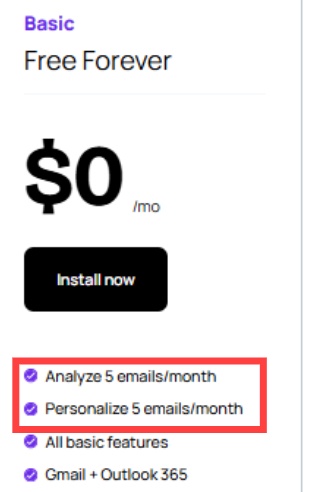
⚠️The free plan is effectively a demo.
Five email analyses and five personalizations per month is enough to evaluate the product but not enough to build a habit or see meaningful results. Any rep who wants to use Lavender as part of their daily workflow needs Starter at minimum.
⚠️LinkedIn outreach is entirely outside Lavender's scope.
Lavender is built around email. It has no features that touch LinkedIn outreach, connection requests, LinkedIn message sequences, or LinkedIn inbox management. For teams whose B2B prospecting motion includes LinkedIn alongside email, Lavender leaves that channel entirely unaddressed.

Who Should Use Lavender AI
Lavender AI is very well-suited for SDRs, BDRs, and account executives who send a significant volume of cold emails and want to improve reply rates systematically rather than through trial and error.
The Starter plan is the right entry point for individuals using Gmail or Outlook.
The Individual Pro plan makes sense for anyone already using Outreach, Salesloft, or HubSpot who wants Lavender's coaching integrated into their existing sequencing workflow.
The Teams plan is the right choice for sales managers and enablement leaders who want visibility into email quality across the team.
It is a harder sell for experienced email writers whose instincts already produce strong results, for teams whose primary prospecting channel is LinkedIn rather than email, or for organizations looking for a tool that automates outreach rather than assists with writing it.
Lavender AI vs SalesRobot: A Direct Comparison
SalesRobot: Worth Considering If LinkedIn Is Part of Your Outreach
[Image: SalesRobot website homepage, featuring "Message 100s of people on LinkedIn and cold email. Every Week. Automatically." — upload failed]
Lavender helps you write better emails. SalesRobot helps you reach prospects on the channel that Lavender does not cover at all.
For most B2B sales teams in 2026, email and LinkedIn are both part of the outreach motion.
Lavender addresses one of those channels exceptionally well. The other requires a separate tool entirely. SalesRobot fills that gap directly.
SalesRobot is a cloud-based LinkedIn and email automation platform built specifically for B2B outreach.
Mobile API Safety: Because SalesRobot connects through LinkedIn's mobile APIs, your outreach activity mimics natural human behavior.
Users consistently report running sustained, high-volume campaigns without account flags or restrictions, which is the single biggest operational concern with any LinkedIn automation tool.

AI Appointment Setter: After a prospect replies, SalesRobot's AI takes over the conversation, handles qualification questions, and books meetings automatically.
You can train it on your specific criteria and ideal responses, which means the early-stage pipeline management largely runs without manual involvement. For smaller teams without a dedicated SDR, this is a meaningful capability.

AI Voice Clone and Video Messages: SalesRobot lets you send personalized voice notes and video messages through LinkedIn as part of automated sequences.
The AI Voice Clone feature lets you record a short voice sample once, then generates individualized voice notes for each prospect that sound like you, without recording each one manually.
In sectors where relationships and trust matter, this kind of personal touch at scale tends to drive significantly higher reply rates than text-only outreach.

AI Variables and Hyper-Personalization: SalesRobot pulls data directly from a prospect's LinkedIn profile to write personalized message sequences automatically. You are not working from a static template that gets blasted to everyone.
Each message is adapted to the individual, which matters when you are reaching decision makers who see generic outreach constantly.

Multi-Step Sequences: You can build complex LinkedIn and email campaigns with smart delays and behavioral conditions. Leads can be imported from Sales Navigator, standard LinkedIn search, LinkedIn groups, event attendees, or CSV uploads, giving you flexibility in how you build and target your prospect lists.
Unified Inbox and Mini CRM: All LinkedIn and email conversations consolidate in one place with automatic reply detection. SalesRobot stops messaging automatically when a prospect responds, preventing the over-automation feel that kills conversations. You can tag leads, filter by interest level, and track where every prospect sits without switching between platforms.
Team Management and Analytics: For agencies or sales teams managing multiple LinkedIn accounts, SalesRobot tracks performance across accounts, prevents duplicate outreach between team members, and surfaces detailed analytics on what sequences and approaches are actually working.
SalesRobot pricing (per LinkedIn account, 14-day free trial, no credit card required):

- Basic Plan - $59/month (35% annual payment discount)
- Advanced Plan - $79/month (35% annual payment discount)
- Professional Plan - $99/month (35% annual payment discount)
It also has a 4.8 rating on G2, with 50+ independent user reviews.
The Bottom Line
Lavender AI does one thing better than most tools in its price range: it makes cold email coaching fast, specific, and data-backed in real time inside the inbox where reps already work.
The scoring system, personalization assistant, and team coaching dashboard are all genuinely useful, and the habit-forming feedback loop delivers lasting improvement in email quality rather than just fixing individual messages. For email-heavy sales teams, the ROI case is straightforward.
The limitations are worth taking seriously.
The AI suggestions plateau for experienced writers. The extension has documented reliability issues. And Lavender does not touch LinkedIn, which means a team relying on it for their full outreach motion is leaving one of B2B's most effective prospecting channels entirely unaddressed.
If LinkedIn outreach is part of how your team generates pipeline, SalesRobot handles that execution layer directly.
Both tools start at accessible price points, both offer free trials before any commitment, and the two cover complementary channels without competing for the same job.
Frequently Asked Questions
How much does Lavender AI cost in 2026?
Lavender has a free plan (5 analyses/month), Starter at $29/month, Individual Pro at $49/month, and Teams at $69/seat/month, with roughly 20% off annual billing. Its autonomous Ora AI agent is a separate product priced at $500/agent/month.
Does Lavender AI send emails or automate outreach?
No. Lavender is a coaching and writing-assistant layer that scores and improves emails before you send them inside Gmail or Outlook. It does not send emails, run sequences, or manage inboxes. Its separate Ora agent can send autonomously, but the core coaching tool relies on your existing sending stack.
Does Lavender AI work with both Gmail and Outlook?
Yes. Lavender integrates directly with both Gmail and Outlook via its Chrome extension, giving you real-time email scoring and coaching directly inside your inbox composer.
What is the main difference between Lavender AI and SalesRobot?
Lavender AI is an email writing coach designed to improve the quality, tone, and personalization of your cold emails before you send them. SalesRobot is an outreach automation platform that manages multi-channel sequences across LinkedIn and email, automating messages, follow-ups, and meeting scheduling.
Is there a free trial for Lavender AI?
Yes. Lavender offers a 7-day free trial on its paid plans with no credit card required. It also offers a free plan with 5 email analyses and 5 personalizations per month, as well as full free access for students, job seekers, and bootstrapped founders.
Does Lavender AI integrate with CRMs and sales engagement tools?
Yes, on the Individual Pro and Teams plans, Lavender integrates directly with tools like HubSpot, Outreach, Salesloft, Apollo, and Groove, allowing you to use its email scoring panel right inside your existing sales workflow.

Wow your leads by cloning yourself and sending personalized videos and voice notes to each lead on LinkedIn.
If you don't reply to leads within 5 mins, your chances of converting them fall by 50%. Our AI replies on your behalf instantly! (and yes, you can train it)

Don't shoot in the dark. Get detailed analytics on what's working

SalesRobot allows you to invite other team members, so that they can add their LinkedIn Account, run outreach campaigns and get amazing results just like you.
.avif)


Trusted by 4100+ innovative B2B sales teams and lead gen agencies

.avif)

.avif)




.avif)