.avif)
TL;DR
- LeadBring is a Chrome extension for LinkedIn automation priced at $10/month, with 25 free actions to test before paying anything.
- It handles profile visits, connection requests, and messaging through a simple dashboard. That's essentially the full feature set.
- There's almost no information on the site about safety measures, activity limits, or LinkedIn compliance. For a tool that runs on your account, that's a meaningful gap.
- Independent reviews and user feedback are nearly non-existent, making it hard to gauge real-world reliability.
- SalesRobot is a significantly more capable alternative with cloud-based safety, voice and video messaging, AI reply handling, and full outreach automation. Plans start at $39/month (annual).
LeadBring Review: LinkedIn Lead Generation
Ever spent an afternoon manually clicking through LinkedIn profiles, copy-pasting contact details into a spreadsheet, and rewriting the same connection request thirty times with slightly different names? 😮💨
Yeah. It's as tedious as it sounds. And if LinkedIn prospecting is a regular part of your workflow, that time adds up fast.
LeadBring is a Chrome extension that promises to handle the grunt work for you. Profile visits, connection requests, follow-up messages, lead tracking all from a simple dashboard, for $10 a month.
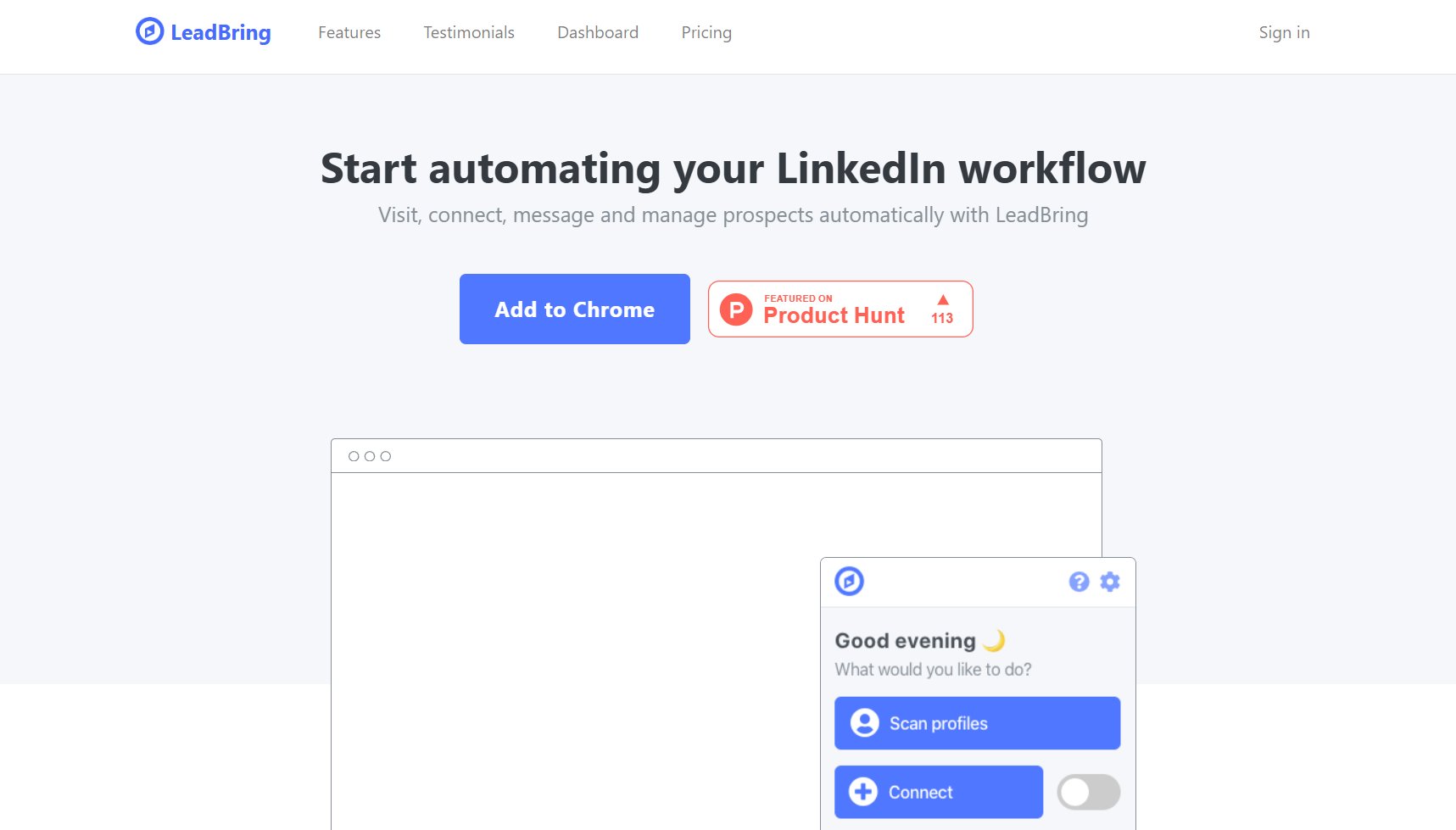
On paper, that sounds like a no-brainer. In practice, there are a few things worth knowing before you hand it the keys to your LinkedIn account.
LeadBring: What You Need to Know
✅ About as affordable as it gets. At $10/month, LeadBring sits at the very bottom of the LinkedIn automation pricing stack. You also get 25 free actions before paying anything, which is enough to run a basic test.
✅ Covers the core workflow. Profile visits, connection requests with custom variables, first-degree messaging, and a dashboard that tracks it all. For simple outreach, the basics are there.
✅ Built-in lead management. Scanned profiles land in your dashboard automatically with their information and conversation history. You can also import existing lists or export everything to CSV or TXT.
⚠️ Almost no transparency on safety. The website has no information about how the automation works under the hood, what daily limits are in place, or how it avoids triggering LinkedIn's detection systems. For a tool operating on your professional account, that's a real concern.
⚠️ Chrome extension dependency. The whole thing runs through a browser extension, which means your browser needs to be open and running for anything to happen. If the extension breaks, updates poorly, or gets flagged, your prospecting stops entirely.
⚠️ Virtually no independent reviews. There is one testimonial on the site from 2019. Finding any user feedback, case studies, or third-party coverage beyond basic aggregator listings is nearly impossible.
⚠️ No advanced targeting or sequencing. There are no multi-step campaign flows, no A/B testing, no reply detection, no Sales Navigator integration, and no team features. What you see on the homepage is what you get.
LeadBring's Key Features, Broken Down
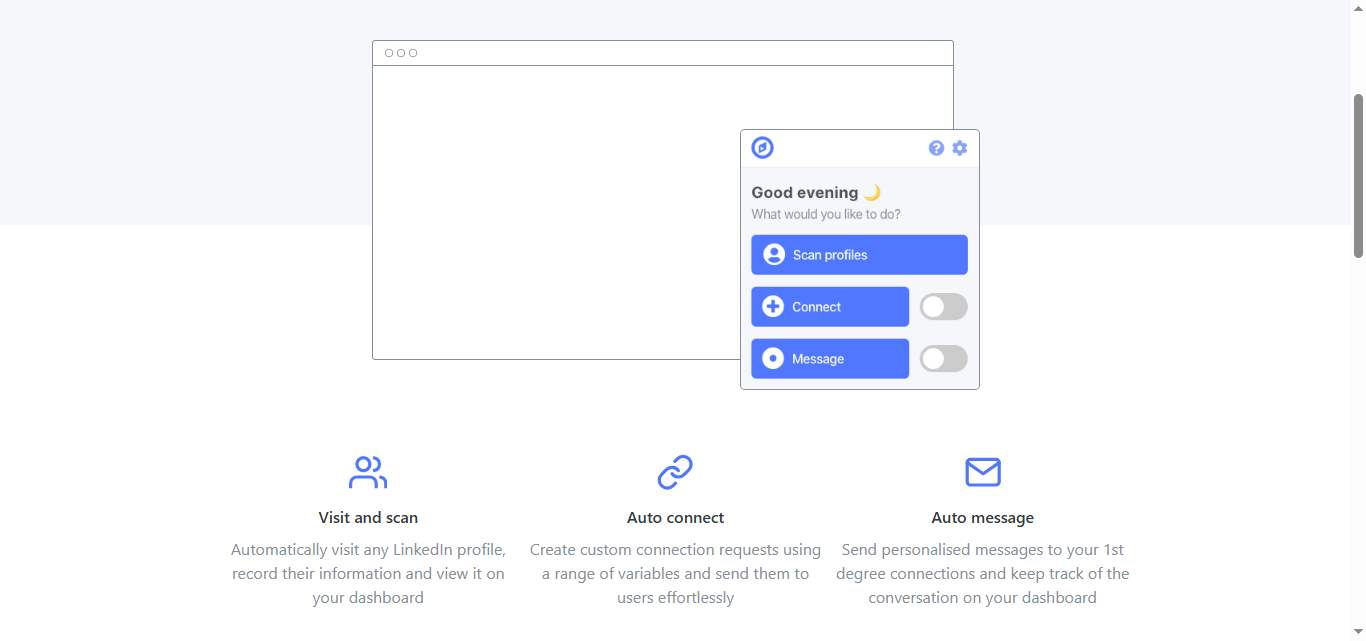
Visit and Scan
LeadBring automatically visits LinkedIn profiles and pulls their information into your dashboard. No manual copy-pasting, no screenshots, no spreadsheet juggling.
It's a useful time-saver for building prospect lists from search results or company pages, assuming you're comfortable with the extension doing this on your account without much visibility into how it behaves.
Auto Connect
You can write custom connection request templates using variables like name, company, or job title, and send them automatically.
This gets you past the generic "I'd like to add you to my network" opener that nobody reads.
The personalization options are basic but functional. Don't expect anything close to the profile-level AI personalization that more advanced tools offer.
Auto Message
Once someone accepts your request, LeadBring can send automated follow-up messages to your first-degree connections.
The dashboard keeps a record of each conversation so you can see where things stand.
There are no multi-step sequences here. It's a single message layer, not a drip campaign. If you need conditional logic or timed follow-ups across multiple touchpoints, this isn't the tool for that.
Live Dashboard
Every profile you visit, connect with, or message gets added to your dashboard automatically with their details and conversation history. It functions as a lightweight LinkedIn CRM.
It's clean enough for basic tracking. For anything more complex, like pipeline stages, team collaboration, or CRM sync, you'll need something else alongside it.
Import and Export
You can import existing prospect lists and export your data to CSV or TXT files. Straightforward and useful if you're feeding leads into another tool or sharing them with your team.
No native CRM integrations are mentioned on the site, so any syncing with HubSpot, Salesforce, or Pipedrive would need to happen manually through exported files.
LeadBring Pricing
LeadBring keeps it simple. There's one plan.
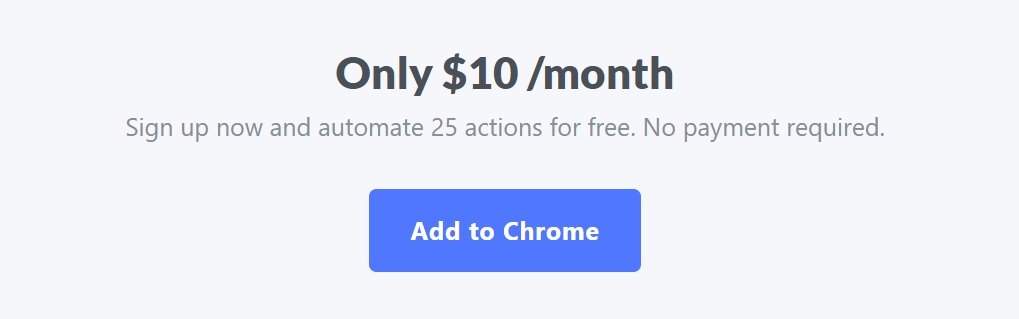
Free trial: 25 automated actions at no cost, no payment required. Enough to get a feel for the workflow before committing.
Standard plan: $10/month. Covers unlimited profile visits and scanning, auto connect with custom variables, auto messaging to first-degree connections, live dashboard with conversation tracking, and CSV/TXT import and export.
That's it. No tiers, no add-ons, no annual discount mentioned. $10/month is genuinely one of the lowest price points in the LinkedIn automation space, and it's a single flat rate regardless of how you use it.
The simplicity is appealing, but it also means there's no room to grow within the platform. You get what's listed and nothing more.
What Works Well
The price point is the obvious draw. ✅
If you're a solo operator who wants basic LinkedIn automation and has no interest in paying $50-100/month for a feature set you'll only use 20% of, LeadBring checks out on cost alone.
The dashboard is functional and easy to navigate. For someone doing small-scale outreach who just wants a central place to track conversations and prospect data, it does the job without getting in the way.
The free trial is also genuinely useful. 25 actions is enough to run the full workflow and see whether the tool fits before spending anything.
Where It Falls Short
The biggest issue isn't what LeadBring does, it's what it doesn't tell you. 🚩
There's no information anywhere on the site about how the extension behaves on LinkedIn, what safety limits are in place, or whether it mimics human activity patterns to reduce detection risk.
Chrome extensions are among the riskier automation methods because LinkedIn can detect them relatively easily.
Running one on your account without knowing how it handles that is a real gamble.
The feature ceiling is also low. There are no sequences, no A/B testing, no reply detection, no Sales Navigator support, no team workspace, and no integrations.
If your outreach needs grow at all, you'll outgrow LeadBring quickly and have to migrate everything to a new tool anyway.
The lack of any meaningful user base or review history is also hard to ignore. One five-year-old tweet is not a track record.
LeadBring vs SalesRobot: How Do They Compare?
SalesRobot: The LinkedIn-First Alternative
If you're considering LeadBring because it's cheap but are already wondering whether it'll be enough, SalesRobot is worth understanding.
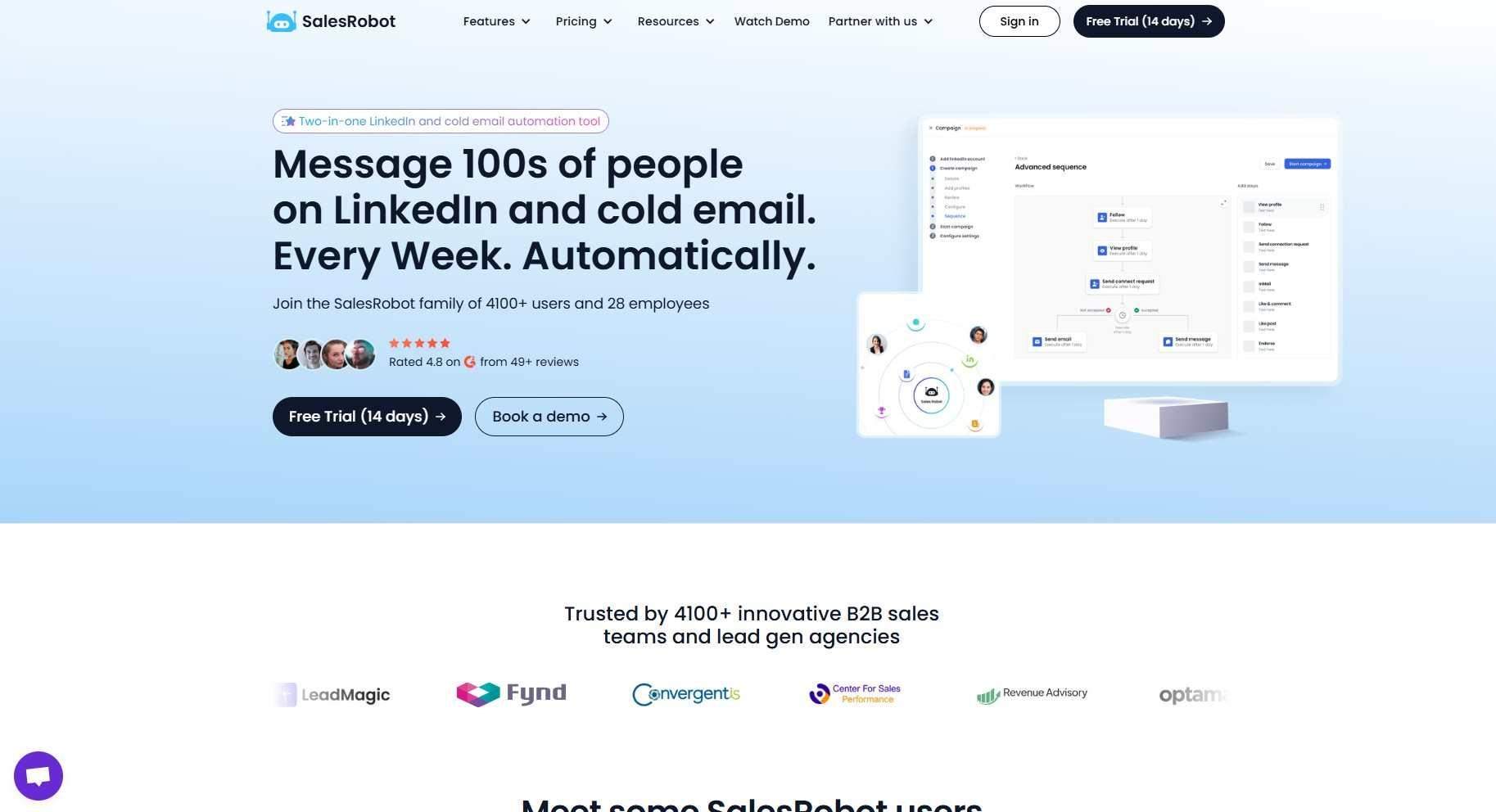
It's built for LinkedIn from the ground up and covers what LeadBring doesn't, starting with account safety. 🛡️
Multi-Step LinkedIn Sequences
SalesRobot lets you build automated connection and follow-up campaigns with multiple steps, smart time delays, and conditional logic based on whether a prospect responded or not. You set the rules and the platform handles the execution.
This is a fundamentally different level of automation compared to a single auto-message trigger.
AI Voice and Video Messages
SalesRobot can send personalized voice notes and video messages through LinkedIn at scale. Users consistently report 40%+ reply rates with voice note campaigns, meaningfully higher than text-only outreach.
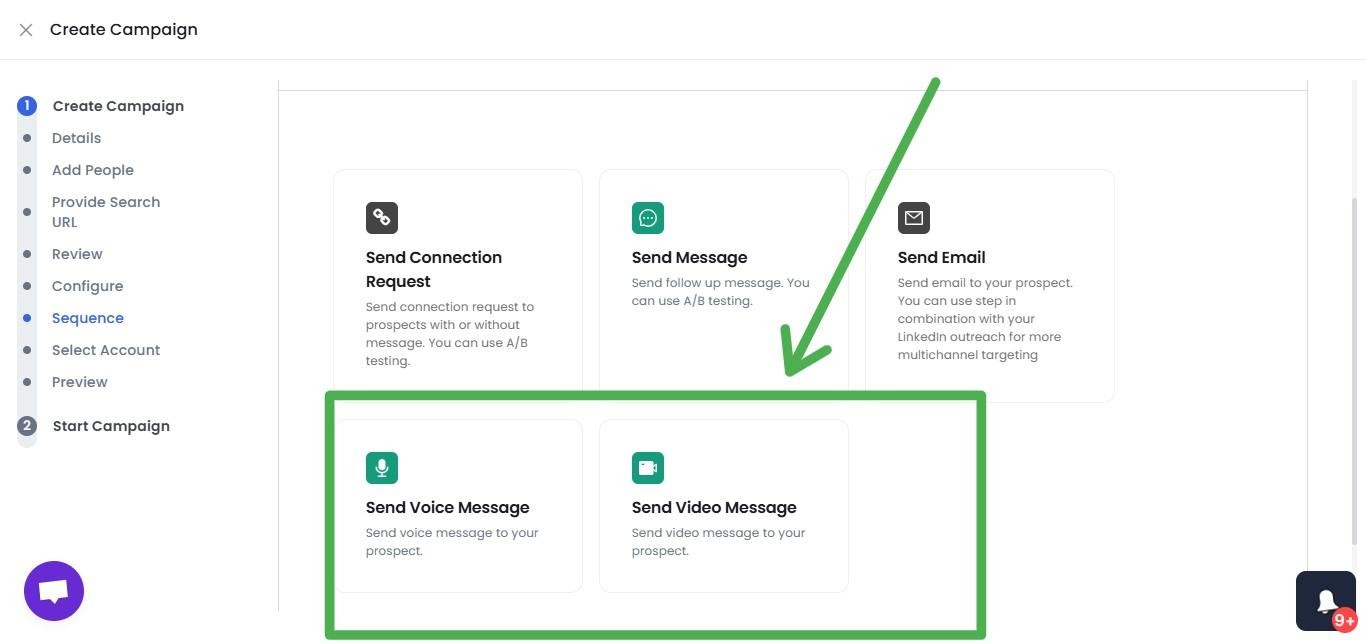
People still aren't used to receiving voice messages in their LinkedIn inbox, which means they tend to actually listen. 🎙️
Mobile API Safety
Rather than running through a browser extension, SalesRobot operates in the cloud using LinkedIn's mobile API behavior with dedicated IPs.
This makes the activity look far more natural to LinkedIn's detection systems and dramatically reduces the risk of account restrictions. It's a completely different risk profile compared to a Chrome extension.
Smart Reply Detection
When a prospect responds to any message in your sequence, SalesRobot automatically pauses the campaign for that contact. No follow-up messages landing after someone has already replied.
This sounds like a small thing until you're the one receiving an automated pitch after you've already said yes to a meeting.
Advanced Targeting
Prospects can be pulled from LinkedIn search, Sales Navigator, CSV uploads, LinkedIn group members, event attendees, or even people who commented on a specific post.
The targeting flexibility is substantially beyond what LeadBring offers.
AI Appointment Setter
The AI Appointment Setter automatically handles incoming replies, answers prospect questions, and schedules meetings directly onto your calendar 24/7 without requiring manual human effort.
Unified Inbox
LinkedIn and email conversations land in one dashboard with AI-suggested replies based on the context of each thread.
For anyone managing a high volume of active conversations, this reduces the mental load considerably.
SalesRobot Pricing
SalesRobot prices per LinkedIn account with up to 35% off on annual billing.
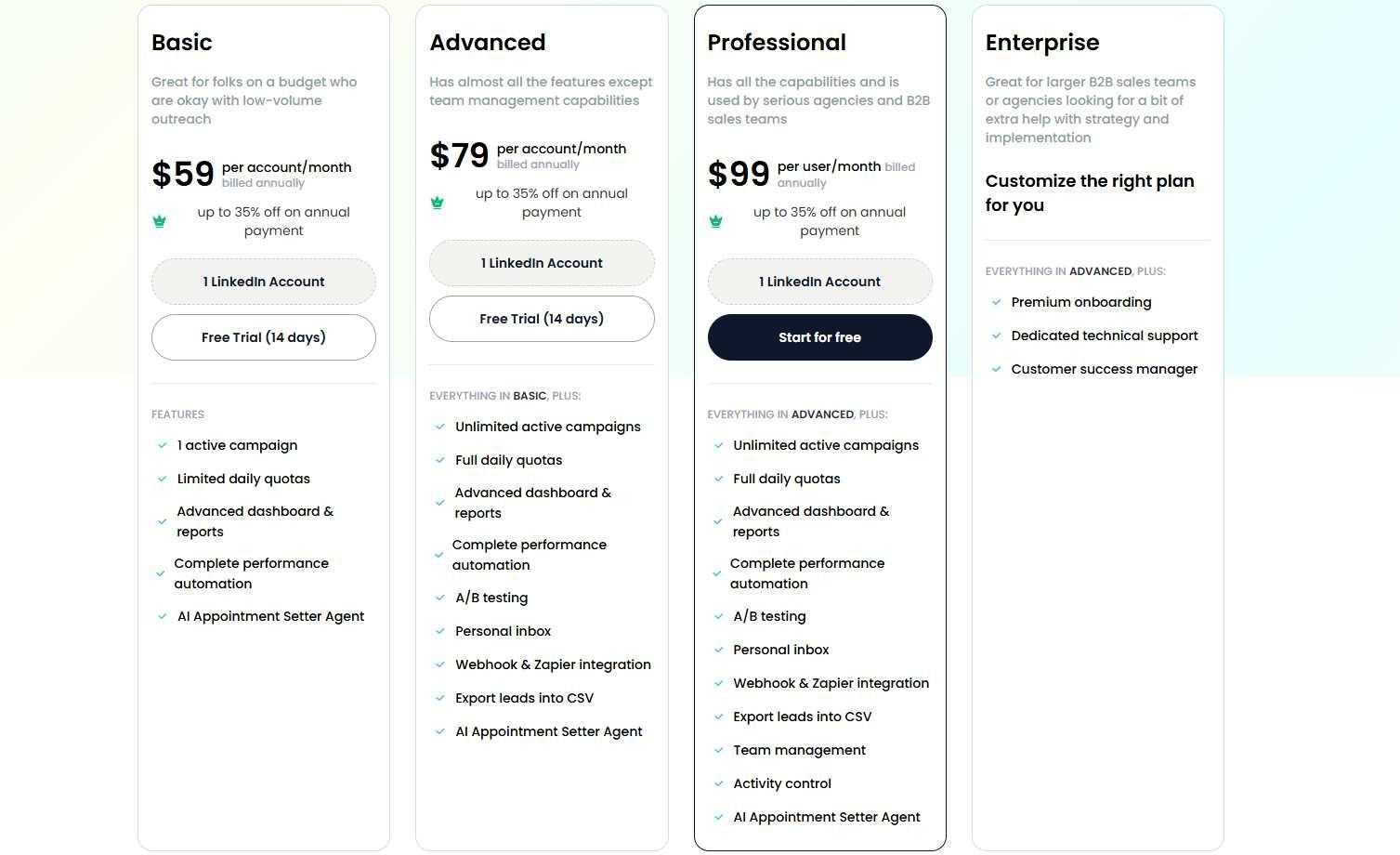
The Basic plan is $39/month (annual) or $59/month. One active campaign, limited daily quotas (20 connections/messages per day), core automation features, and the AI Appointment Setter. Good for testing the platform before scaling up.
The Advanced plan is $59/month (annual) or $79/month. Unlimited active campaigns, full daily quotas (75 connections/messages per day, plus up to 50 InMails/day), A/B testing, Zapier and webhook integration, personal inbox management, CRM lead transfer, and the AI Appointment Setter agent. This is the right tier for most solo sales reps.
The Professional plan is $79/month (annual) or $99/month. Everything in Advanced plus team management, activity controls, role assignments, duplicate outreach prevention, and team analytics. Built for agencies running multiple LinkedIn accounts.
Enterprise is custom pricing with premium onboarding, a dedicated customer success manager, and custom integrations.
All SalesRobot plans include the AI Appointment Setter, and there's a 14-day free trial with no credit card required.
The Verdict
LeadBring is a bare-bones tool and it knows it. At $10/month with a free trial to test the waters, the barrier to entry is as low as it gets in the LinkedIn automation space.
If you're a solo professional doing very light outreach and want something simple to visit profiles and send a few messages without thinking too hard about it, it gets the job done at a price that's hard to argue with.
But the lack of any safety transparency is a real problem. Running a Chrome extension on your LinkedIn account without knowing how it handles limits or detection is a risk worth taking seriously, especially if that account is central to your business development.
For anyone doing LinkedIn prospecting with any real volume or intent, SalesRobot is the more sensible choice. The price difference is real, but so is the gap in capability, safety, and reliability. 🎯
If you’re still confused, SalesRobot has a 14-day-free trial, no credit card required :)
Frequently Asked Questions
What's the difference between LeadBring and SalesRobot?
LeadBring is a $10/month Chrome extension for basic profile visits, connections, and single messages. SalesRobot is a cloud-based platform ($39/month annual) with multi-step sequences, AI voice/video messages, mobile-API safety, reply detection, and an AI Appointment Setter on all plans.
Does LeadBring have a free trial?
Yes. LeadBring offers 25 automated actions for free with no payment or credit card required, letting you run the full visit-connect-message workflow before subscribing to its single $10/month plan.
Is LeadBring safe to use on my LinkedIn account?
LeadBring gives no public detail on activity limits, human-behavior emulation, or detection avoidance. As a Chrome extension running directly on your account, it carries more risk than cloud-based tools that use LinkedIn's mobile API. Test cautiously with its 25 free actions before committing.

Wow your leads by cloning yourself and sending personalized videos and voice notes to each lead on LinkedIn.
If you don't reply to leads within 5 mins, your chances of converting them fall by 50%. Our AI replies on your behalf instantly! (and yes, you can train it)

Don't shoot in the dark. Get detailed analytics on what's working

SalesRobot allows you to invite other team members, so that they can add their LinkedIn Account, run outreach campaigns and get amazing results just like you.
.avif)


Trusted by 4100+ innovative B2B sales teams and lead gen agencies

.avif)

.avif)




.avif)


Heading 1
Heading 2
Heading 3
Heading 4
Heading 5
Heading 6
Lorem ipsum dolor sit amet, consectetur adipiscing elit, sed do eiusmod tempor incididunt ut labore et dolore magna aliqua. Ut enim ad minim veniam, quis nostrud exercitation ullamco laboris nisi ut aliquip ex ea commodo consequat. Duis aute irure dolor in reprehenderit in voluptate velit esse cillum dolore eu fugiat nulla pariatur.
Block quote
Ordered list
- Item 1
- Item 2
- Item 3
Unordered list
- Item A
- Item B
- Item C
Bold text
Emphasis

Superscript
Subscript