.avif)
TL;DR
- BombBomb is a video email platform used by 40,000+ users, rated 4.7/5 on G2 over 500+ reviews.
- Core pricing runs $36–$70/user/month depending on whether you choose the annual or monthly plan.
- BombBomb claims 81% higher open rates and 120% higher reply rates versus plain email, but it's email-only, so it never reaches prospects on LinkedIn.
- ⚠️ At ~$70/seat for Core+Copilot, a 10-person team runs over ~$7,000/year for video email alone before your CRM, sequencer, or data tool.
- Choose BombBomb for warm 1:1 video email in real estate and customer success; choose SalesRobot for multi-channel LinkedIn + email + video outreach at scale.
👉 Skip the single-channel ceiling: SalesRobot sends video, voice notes, and email across LinkedIn from one dashboard at a flat $59/month — try free for 14 days.
What if a 60-Second Video Could Replace 10 Cold Emails?
Picture this: it's 9 PM on a Friday, and you've sent 40 plain-text emails this week.
The reply count? Two. One was an out-of-office.

Text email is invisible now.
Everyone's inbox looks like a spam graveyard, and your carefully worded pitch dies before anyone even reads it.
BombBomb's whole premise is that a human face fixes this.
Record a short video, drop it inside an email with an animated preview, and suddenly you're a person instead of a paragraph.

It's not a new idea: BombBomb has been doing this since 2006, and it's the category creator with 40,000+ users behind it.
But "category creator" doesn't automatically mean "right for you."
This review covers
- Key features of BombBomb
- The real 2026 pricing,
- Who BombBomb is genuinely built for,
- And, the exact point where it stops working for your outbound motion.
BombBomb: What You Need to Know
Here's the honest picture: the good and the annoying, woven together.
- ✅ Animated GIF previews in Gmail and Outlook: Your recipient sees motion before they click, which BombBomb credits for 81% higher open rates.
- ✅ Real-time notifications: You know the second a prospect watches your video, so follow-up timing stops being a guess.
- ✅ Strong in relationship verticals: 43% of BombBomb users are real estate pros, and the tool plugs into the CRMs those teams already live in.
- ⚠️ Pricing pressure at scale: At $36–$70/user/month, a 10-person team lands near $7,000/year — for email alone.

- ✅ Screen and mobile recording: Lightweight capture, no studio setup, no production overhead.
- ⚠️ Email-only channel: No LinkedIn, no voice notes, no multi-channel sequences. If your buyer isn't in their inbox, you're invisible.

- ✅ 14-day free trial: No permanent free plan, but low risk to test-drive.
- ⚠️ Shallow integrations (~10 native connectors): Salesforce and Zendesk are covered, but the depth trails full outreach platforms.

- ⚠️ Deliverability concerns cited by users: Some users claim that their emails don’t deliver to the main inbox, but show up as promotions instead.

BombBomb's Key Features, Broken Down
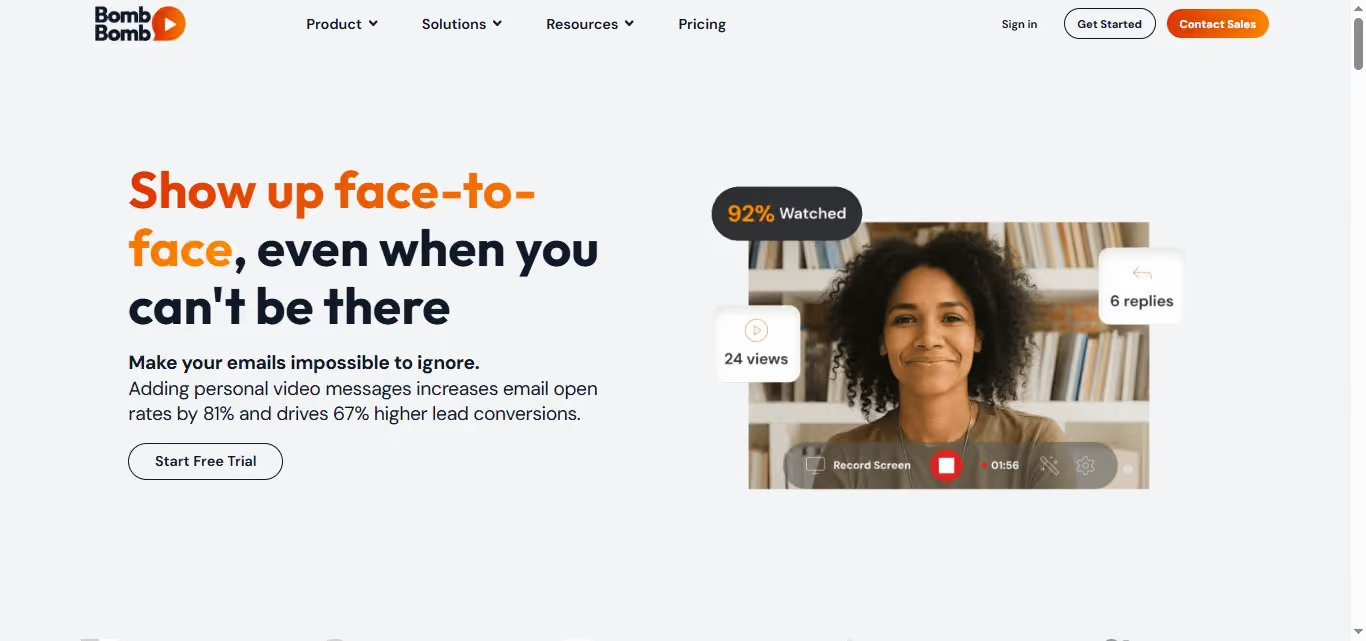
[Image: Homepage hero section with the headline "Show up face-to-face, even when you can't be there" and a video thumbnail. — upload failed]
Ratings tell you people like BombBomb. They don't tell you how it actually works. Here's the breakdown.
Video Recording and Sending
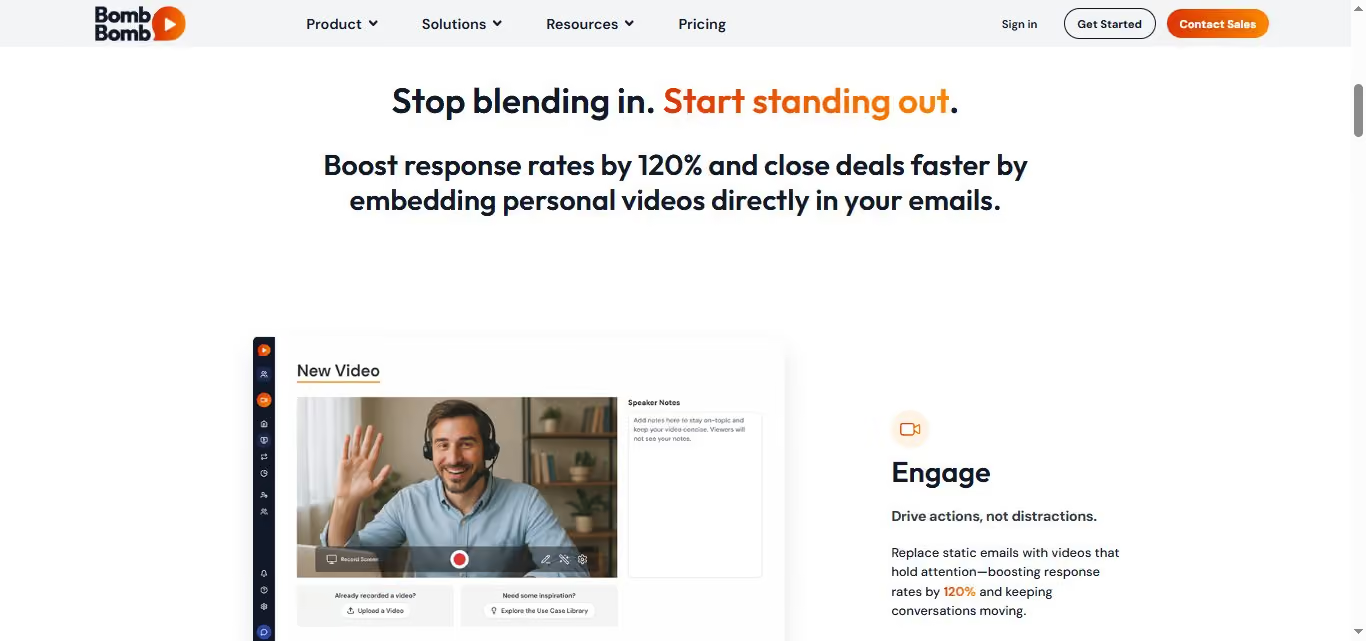
You record in-browser, on mobile, or on desktop, and BombBomb auto-generates an animated GIF for the email preview.
Think of it as a webcam that outputs a mini TV spot inside your recipient's inbox. No click required to see it move.
This is the engine behind BombBomb's claimed 81% higher open rates and 120% higher reply rates versus plain email.
Real-Time Video Analytics
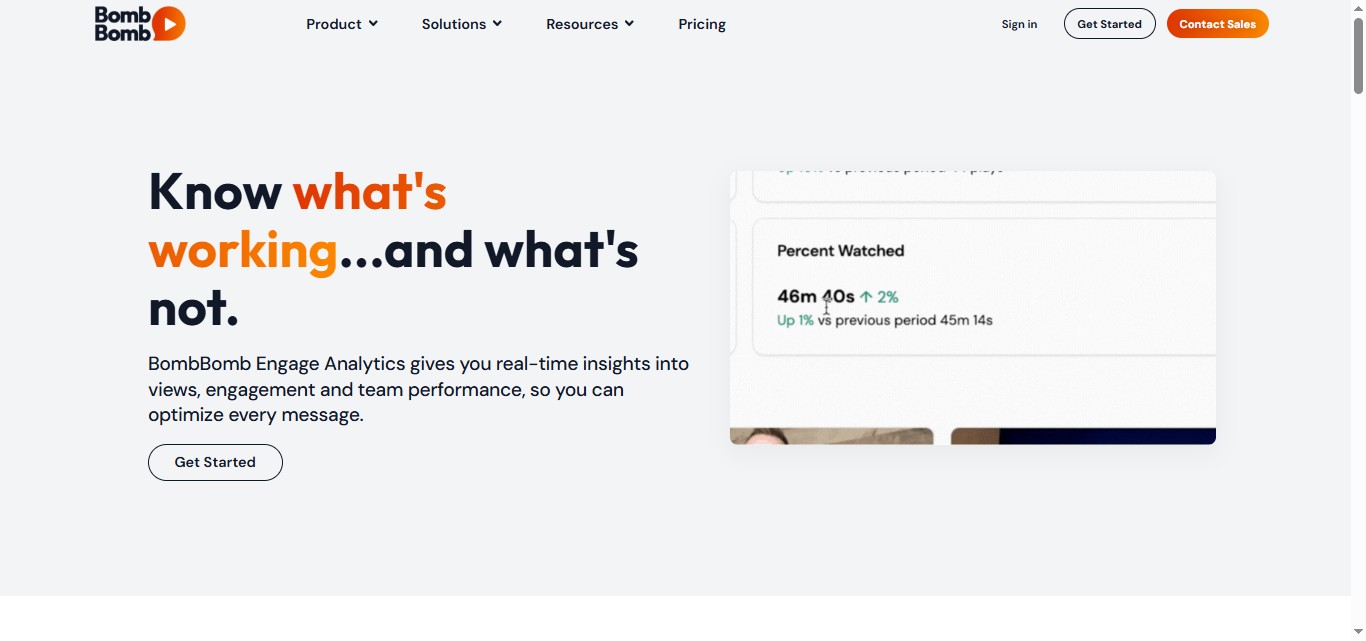
You see who watched, how long they stayed, and how many times they replayed it. That turns follow-up into intent-based timing instead of guesswork.
For example, you could set a task to call the moment a prospect re-watches the last 30 seconds of your pitch — the part where you named the price.
CRM and Email Integrations
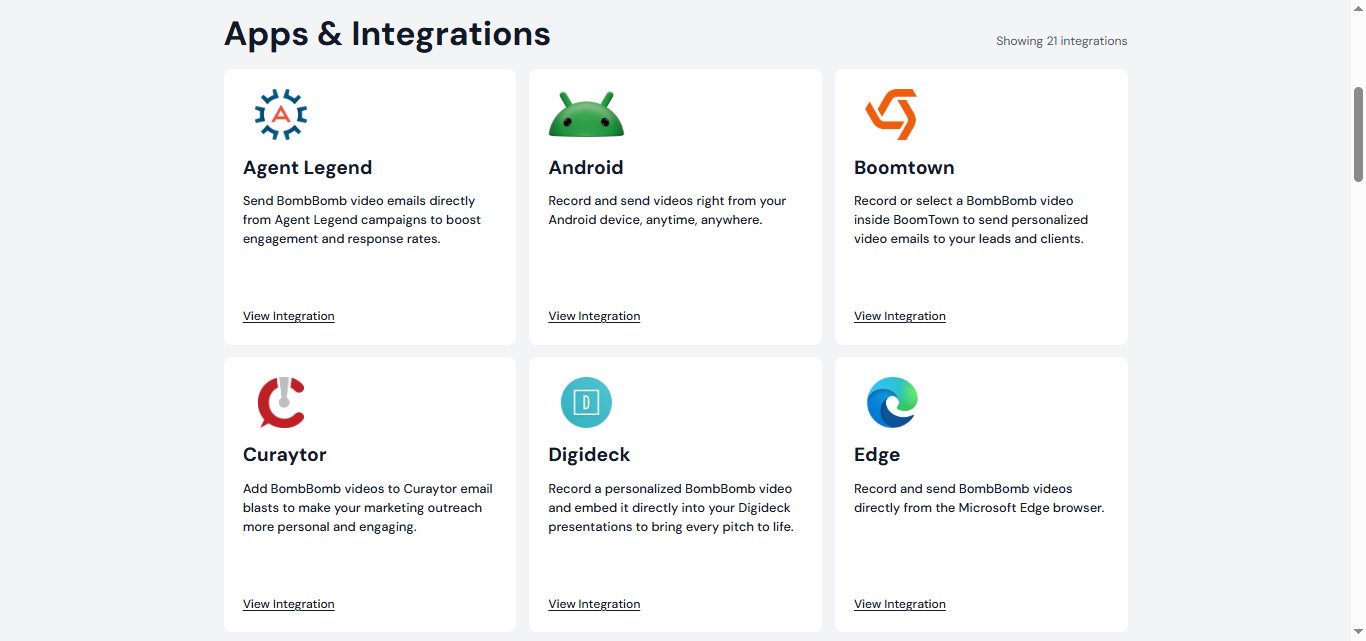
BombBomb connects to around 10 third-party platforms, including Salesforce Sales Cloud and Zendesk Suite, plus Gmail and Outlook plugins.
Useful, but shallow: there's no native LinkedIn integration and no deep event library for triggering multi-channel sequences. If your outreach lives in more than one place, you'll feel the ceiling.
AI Copilot (Core + Copilot Plan)
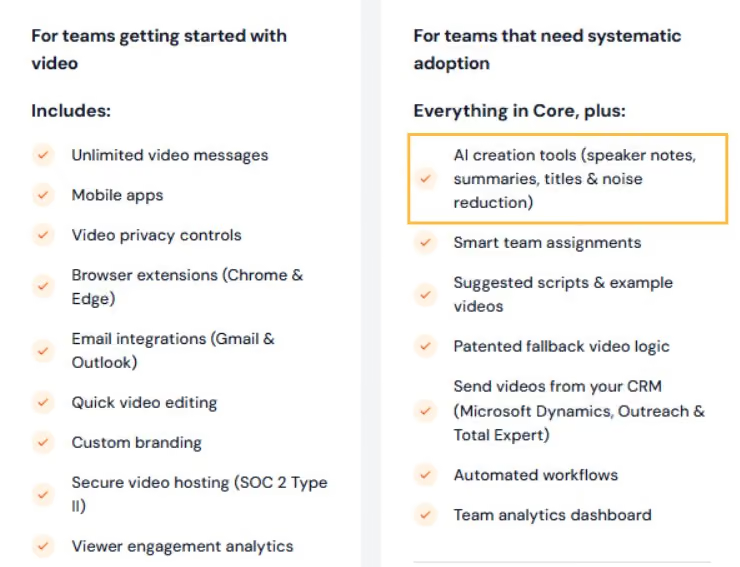
BombBomb's higher-tier layers in AI-assisted messaging to help draft and refine your outreach. It's gated to the Core + Copilot plan (roughly $56–$70/user/month), so the AI help isn't on the entry plan — worth knowing before you assume it's included.
Mobile App
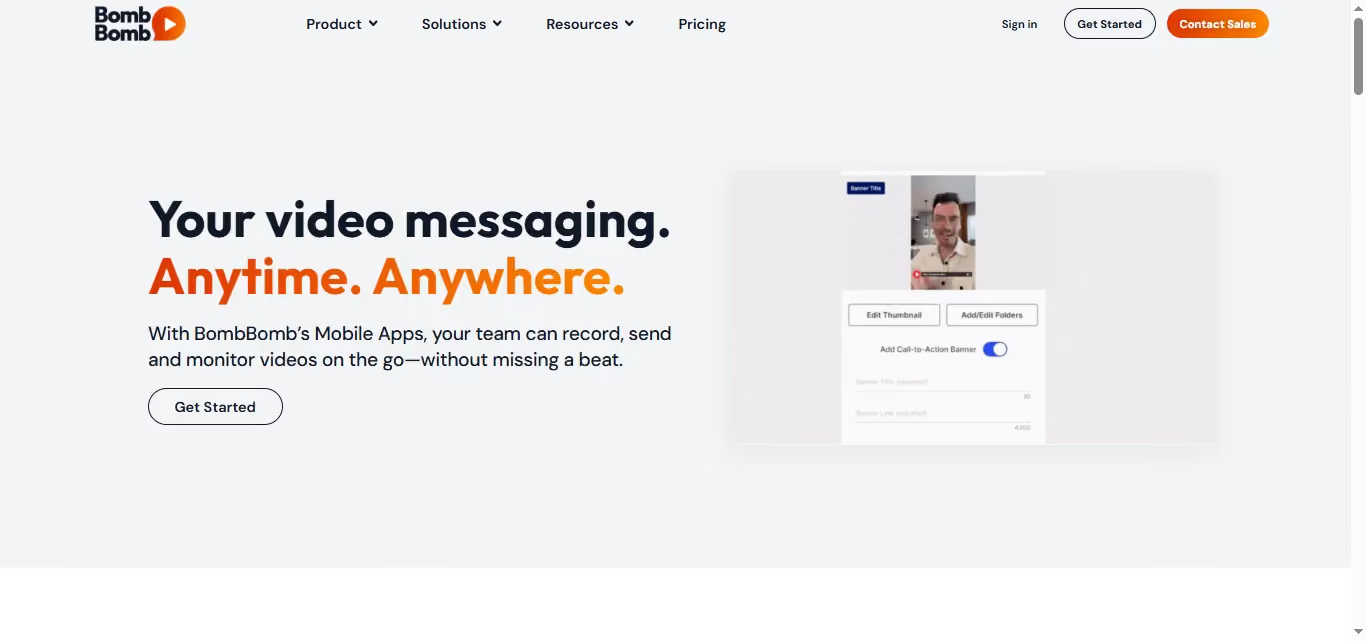
You can record and send straight from your phone, which matters for field sales and real estate walk-throughs.
For example, a realtor finishing a showing can record a 45-second recap and send it before leaving the parking lot, while the property is still fresh in the buyer's mind.
BombBomb Pricing: How Much Will It Cost?
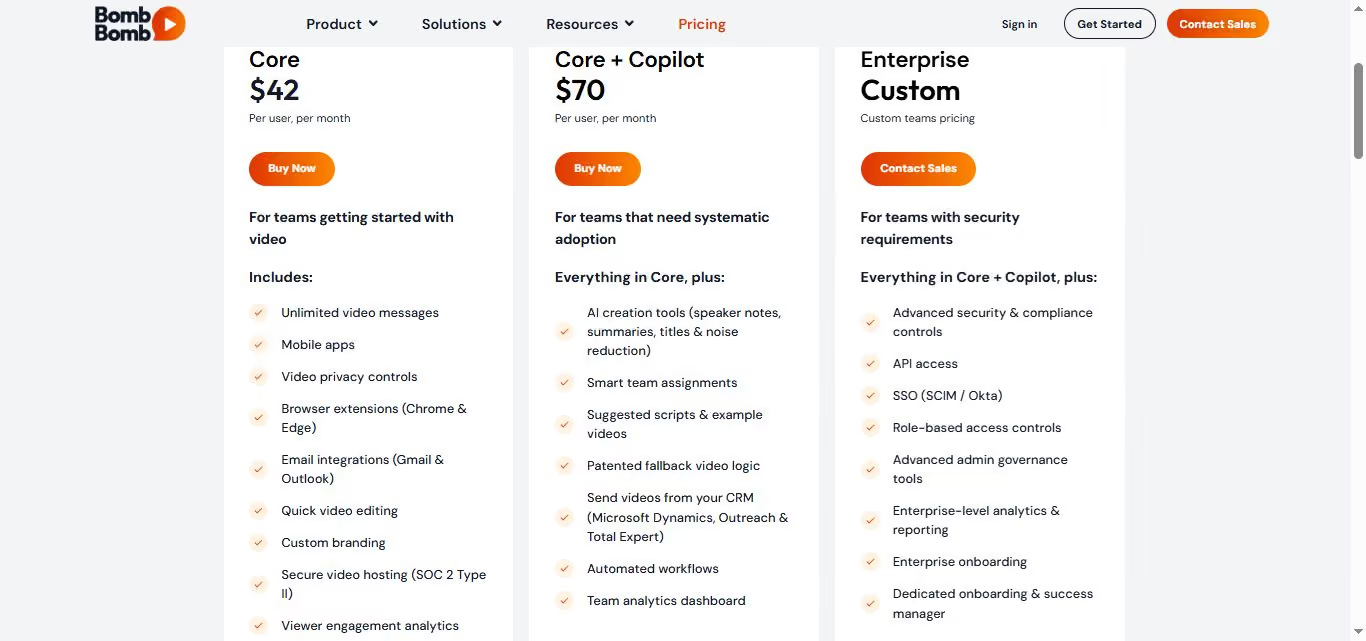
Based on BombBomb’s pricing page, BombBomb structures its offering into three primary tiers, with pricing that varies depending on whether you choose monthly or discounted annual billing.
BombBomb Pricing Breakdown
Plan Details
1. Core Plan
Price: ~$36/month (billed annually) or $42/month (billed monthly)
Overview: Designed for solopreneurs or small team members who want to send one-to-one video emails directly from their inbox or mobile device.
Key Features Included:
- Unlimited video recording and storage
- Chrome & Edge browser extensions
- Gmail & Outlook email integrations
- Custom branding & basic video editing
- Viewer engagement analytics & real-time tracking
- Secure SOC 2 Type II video hosting
2. Core + Copilot Plan
Price: ~$56/month (billed annually) or $70/month (billed monthly)
Overview: Built for growing sales and customer success teams that require automation and CRM-level coordination.
Key Features Included:
- Everything in Core
- Automated video workflows & team assignments
- Direct sending from CRMs such as Outreach and Total Expert
- Patented fallback video logic & admin approval flows
- Team analytics dashboard
- Premium onboarding & live-agent support
3. Enterprise Plan
Price: Custom pricing (contact sales)
Overview: Tailored for corporate teams with strict IT, security, and administrative requirements.
Key Features Included:
- Everything in Core + Copilot
- Single Sign-On (SSO / Okta) and SCIM provisioning
- Role-based access controls & governance tools
- Advanced enterprise reporting & analytics
- Dedicated Customer Success Manager & onboarding
Note: BombBomb offers a free trial for users to test the core video recording and tracking capabilities before committing to a paid tier.
Who Should (and Shouldn't) Use BombBomb?
BombBomb isn't good or bad in a vacuum: it's good for a specific job. Here's the honest fit test.
✅BombBomb is a strong fit if you:
- Work in real estate, mortgage, financial services, or customer success (the verticals it was built for — 43% of users are real estate pros).
- Already have a warm list and need a more human way to stay in touch.
- Send 1:1 or small-batch video messages, not mass sequences (73% of reviewers use it for email marketing, not cold prospecting).
- Have buyers who genuinely live in their email inbox.
❌BombBomb is probably not the right tool if you:
- Need to reach prospects on LinkedIn because BombBomb has no LinkedIn integration at all.
- Run cold outbound sequences across multiple channels.
- Manage a team of 5+ reps, where per-seat cost compounds fast.
- Need built-in prospecting as BombBomb doesn't find leads; it only emails the ones you already have.
That last point is the real ceiling. BombBomb is a delivery layer, not a pipeline. If you need the pipeline part too, keep reading.
What If You Need Video and LinkedIn and Email in One Place?
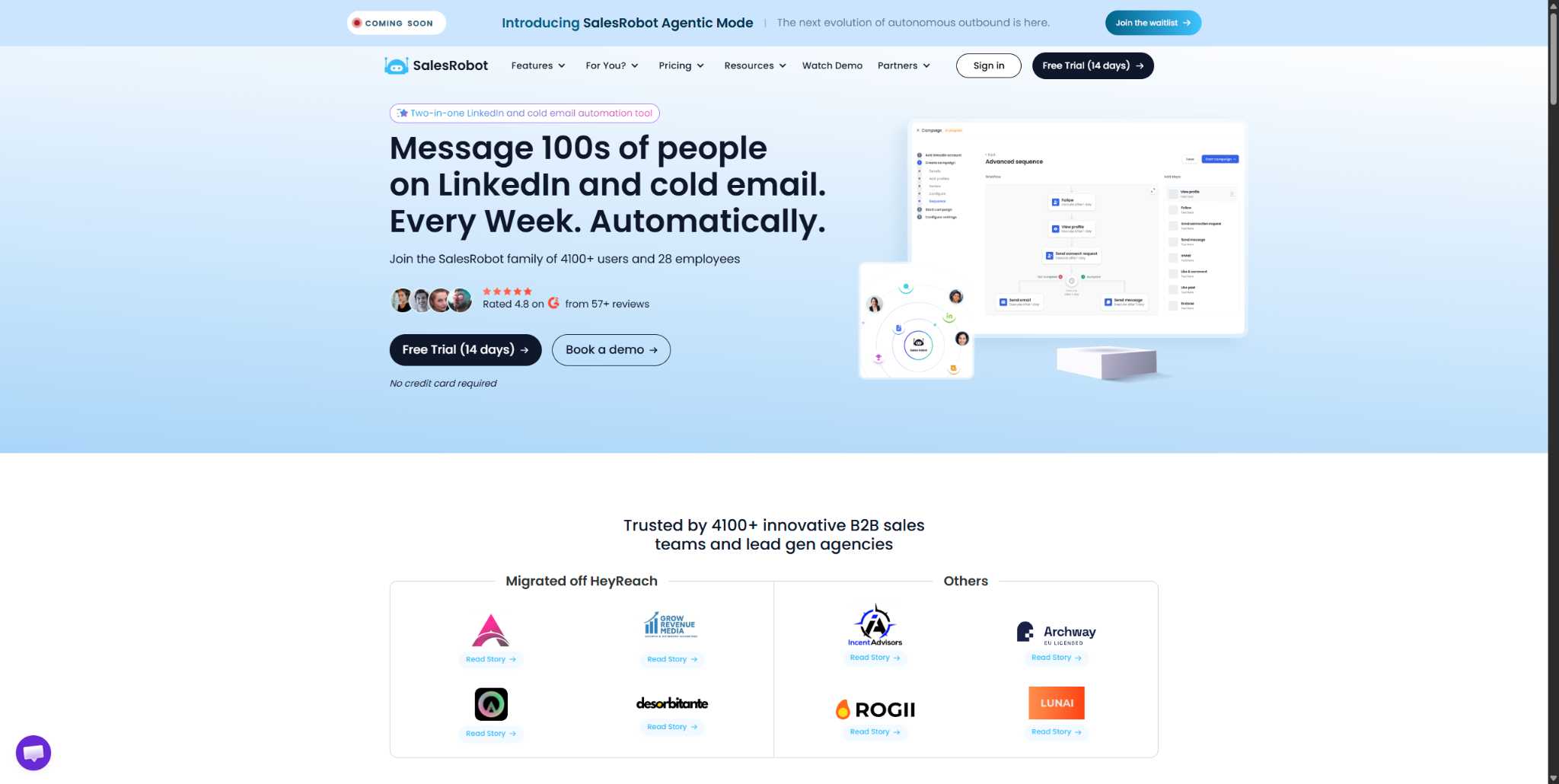
Outbound in 2026 isn't one channel. Your buyer ignores email on Tuesday, then accepts a LinkedIn request on Thursday. BombBomb only plays on one of those days.
This is a different job, so it needs a different tool. And SalesRobot fixes that exact gap.
You provide a quick voice/video recording, and SalesRobot produces a unique voice and video asset that clones your likeness for every lead.
It happens automatically inside your LinkedIn sequence, turning one-to-many outreach into a series of one-to-one impressions.
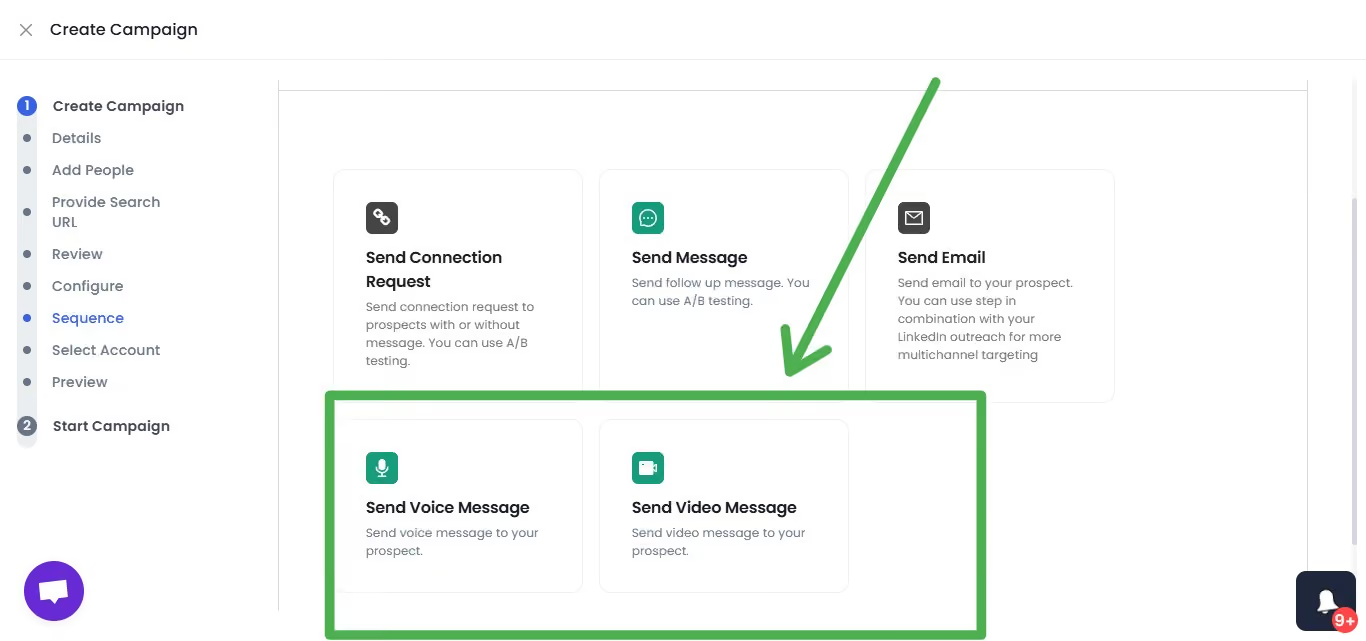
The platform delivers these voice notes via LinkedIn's native DM channel.
It’s baked directly into your automated campaign, running alongside connection requests and text follow-ups, so you scale your personality without the manual grind.
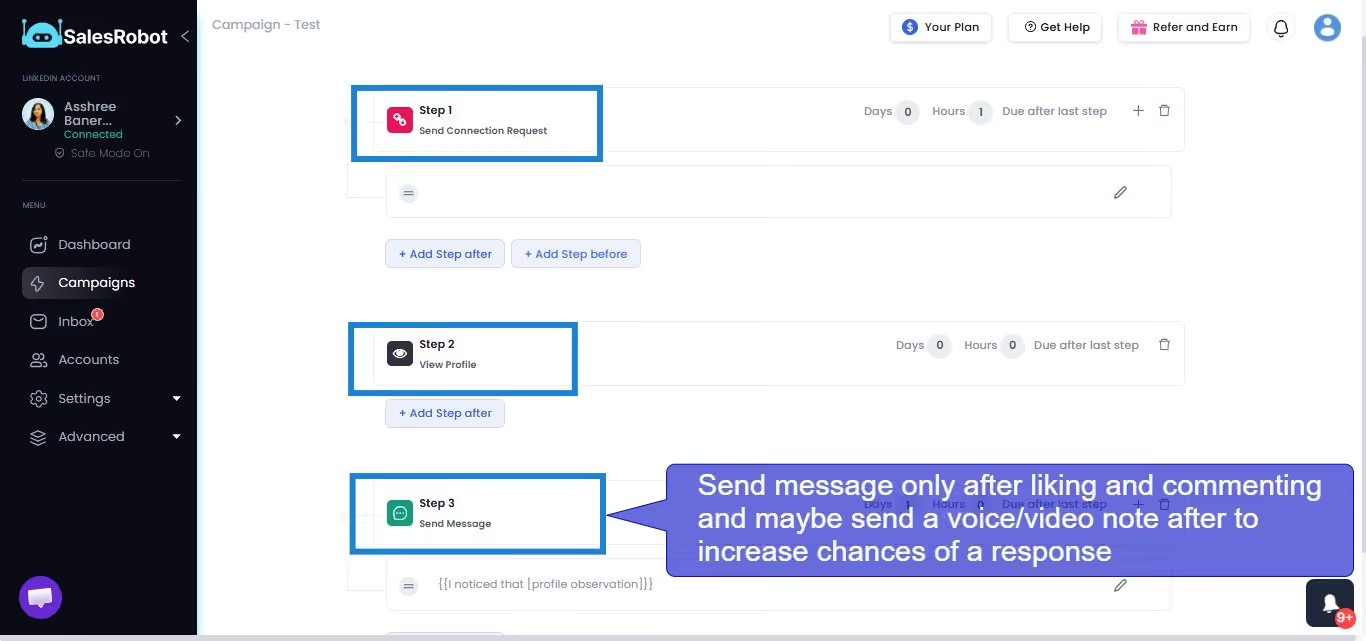
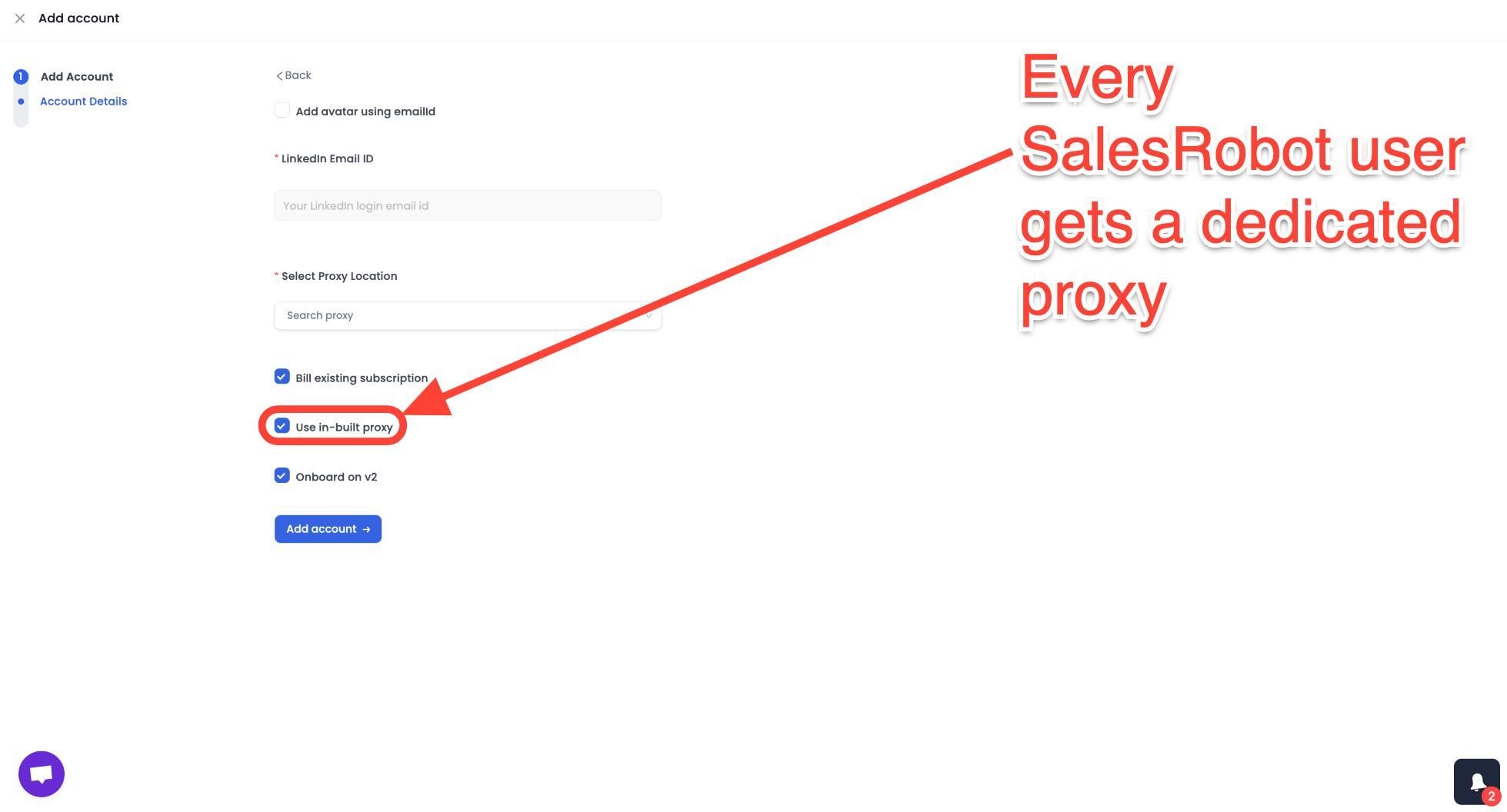
SalesRobot connects through LinkedIn's mobile app APIs rather than browser automation, keeping activity looking natural and making account restrictions far less likely. Connection requests, follow-up sequences, and appointment setting all run automatically.
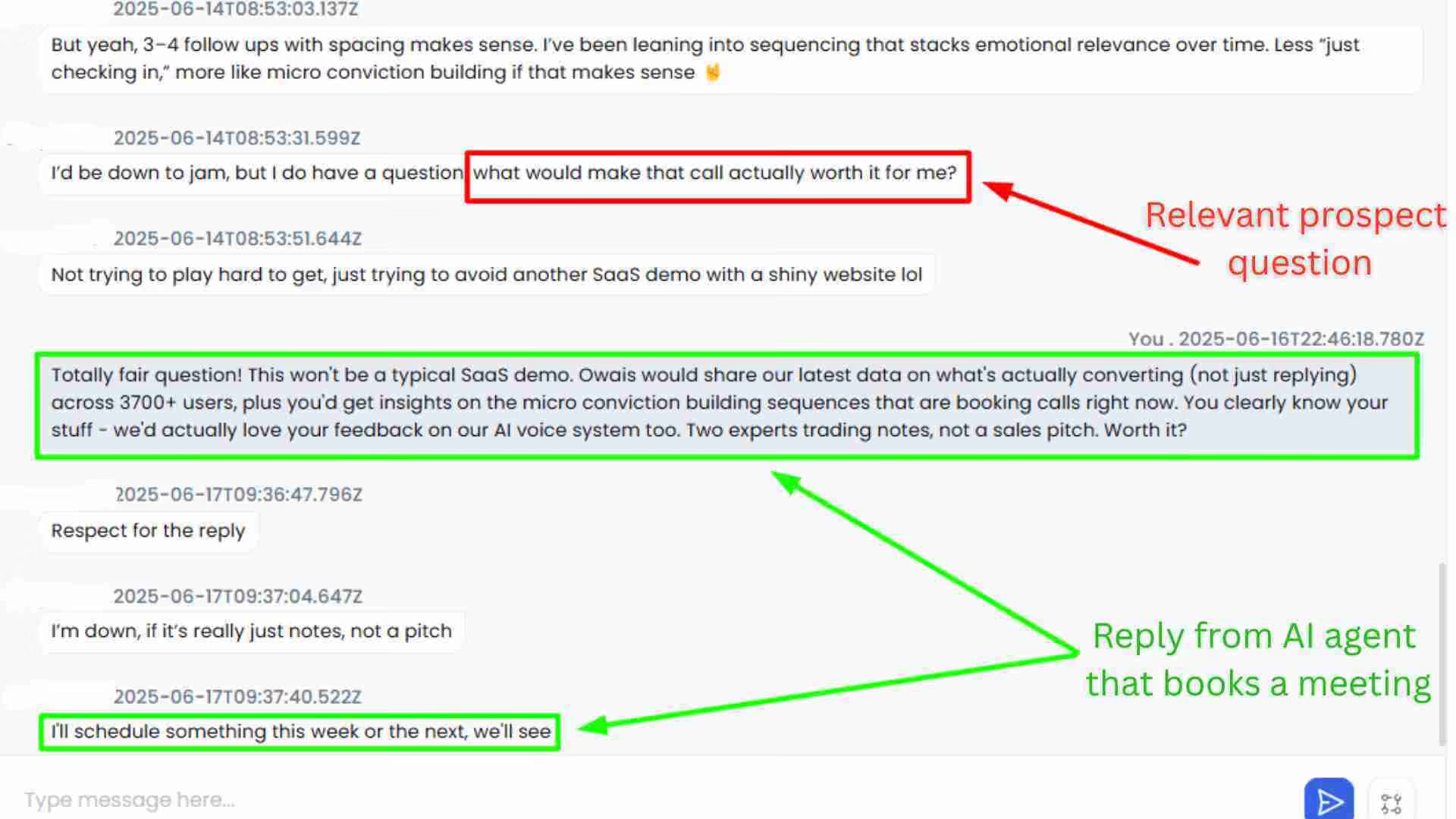
The AI Appointment Setter takes over after a prospect replies, handles qualification questions, and books meetings without manual involvement.
While SalesRobot is primarily a LinkedIn outreach tool, it also has dedicated email capabilities and is ideal for multichannel outreach.
SalesRobot pricing (per LinkedIn account, 14-day free trial, no credit card required):
- Basic: $59/month ($39/month billed annually)
- Advanced: $79/month ($59/month billed annually)
- Professional: $99/month ($79/month billed annually)
- Enterprise: Custom
- Email outreach add-on: $15/month per account

SalesRobot also holds a 4.8 rating on G2 across 50+ independent user reviews.
Frequently Asked Questions
Is BombBomb worth it?
For the right role, yes. BombBomb is worth it if you're in a 1:1, relationship-driven job — real estate, mortgage, or customer success, where a warm video keeps deals moving. It's not worth it for high-volume, multi-channel cold outbound, where its email-only scope and per-seat cost work against you.
How much does BombBomb cost per month?
BombBomb costs roughly $36–$70 per user per month depending on the plan and how you choose to pay. Core runs about $36–$42, and Core + Copilot (with AI) runs about $56–$70.
Does BombBomb work for cold outreach?
Only partially. BombBomb delivers video to email inboxes, but it has no LinkedIn reach and no built-in prospecting database, it emails contacts you already have. That makes it far better for warm follow-up than cold prospecting. Teams running true cold outbound usually need a multi-channel platform instead.
Does BombBomb have a free plan?
No, BombBomb does not offer a permanent free plan. Instead, it provides a 14-day free trial so you can test video recording, GIF previews, and analytics before committing. No purchase is required to start the trial, but you'll need a paid plan to keep using the platform afterward.
What are the best BombBomb alternatives for LinkedIn outreach?
It splits into two camps. Video-email alternatives like Loom, Vidyard, and Sendspark match BombBomb's core function. But for teams that need LinkedIn plus email plus video in one place, a multi-channel outreach platform like SalesRobot fits better — it adds LinkedIn automation and prospecting that pure video-email tools don't offer.
The Bottom Line: Great Tool, Narrow Lane
BombBomb earns its ratings in the lane it was built for: relationship verticals, warm lists, and human-touch follow-up.
If that's your world, it's a genuinely good tool.
Here's the reality check: it doesn't prospect, it doesn't reach LinkedIn, and it doesn't scale affordably past a small team. It's a delivery layer, not a pipeline.
If you're running cold outbound across LinkedIn and email, with video as part of the sequence instead of the whole thing: SalesRobot covers all three channels from one dashboard at a flat $59/month, versus BombBomb's per-seat pricing for email alone.
Customers average a 55% reply rate, and there are no account bans when you follow Safe Mode.
Test it against your own list before you decide — try SalesRobot free for 14 days, no credit card required.

Wow your leads by cloning yourself and sending personalized videos and voice notes to each lead on LinkedIn.
If you don't reply to leads within 5 mins, your chances of converting them fall by 50%. Our AI replies on your behalf instantly! (and yes, you can train it)

Don't shoot in the dark. Get detailed analytics on what's working

SalesRobot allows you to invite other team members, so that they can add their LinkedIn Account, run outreach campaigns and get amazing results just like you.
.avif)


Trusted by 4100+ innovative B2B sales teams and lead gen agencies

.avif)

.avif)




.avif)


Heading 1
Heading 2
Heading 3
Heading 4
Heading 5
Heading 6
Lorem ipsum dolor sit amet, consectetur adipiscing elit, sed do eiusmod tempor incididunt ut labore et dolore magna aliqua. Ut enim ad minim veniam, quis nostrud exercitation ullamco laboris nisi ut aliquip ex ea commodo consequat. Duis aute irure dolor in reprehenderit in voluptate velit esse cillum dolore eu fugiat nulla pariatur.
Block quote
Ordered list
- Item 1
- Item 2
- Item 3
Unordered list
- Item A
- Item B
- Item C
Bold text
Emphasis

Superscript
Subscript