.avif)
TL;DR:
LinkedIn cold messaging works best with personalized connection requests (9.36% reply rate vs 5.44% without).
Focus on genuine personalization, mention specific company details, and keep messages under 200-300 characters to maximize response rates and avoid LinkedIn's spam detection.
Let me guess: you'd rather clean your entire inbox manually than write a LinkedIn cold message. Because templates have failed you miserably.
You've followed every guide, and used every "surefire" template—and all you got was… nothing.
Or worse, a "F*** off!"

How do you break the ice?
How do you not sound needy?
And most importantly, how do you actually get them to respond?
Look, when a cold message is done right on LinkedIn, it can be a powerful way to get your foot in the door.
Because think about it.
LinkedIn is where most of your future clients hang. And getting their attention here is much easier than shooting them an email and risking spam.
I've spent years testing LinkedIn cold message templates. And I've put together everything I picked up along the way right here for you.
This blog unpacks
✅How to cold message on LinkedIn.
✅I'll show you LinkedIn cold message templates that actually work.
✅You'll learn the dos and don'ts to avoid rookie mistakes and how to
✅Bulk hyper-personalize and send cold messages on autopilot.
So stick around if you don't want to waste hours writing messages no one replies to.
Ready?
Let's begin with:
Does Cold Messaging on LinkedIn Work?
It sure does. And here's why.
First, it's personal and to the point. Unlike generic mass emails, a well-crafted cold message feels intentional.
Second, LinkedIn users are naturally open to new connections. That's the platform's whole vibe.
So, knowing how to write a cold message on LinkedIn is probably your best shot at being heard and standing out.
Recent data shows that a 6-7% reply rate is average for LinkedIn cold outreach, while 10% or higher is excellent. Even more encouraging, personalized connection requests with messages see reply rates around 9-10%, compared to just 5-6% without personalization.
Which brings us to
How to Cold Message on LinkedIn?

Cold messaging happens on LinkedIn's in-house messenger called - InMail.
Depending on your account type, you've got two options:
- Basic LinkedIn account:
With the free plan, you can only message your connections. And if you wish to reach someone new, you're going to have to send a connection request.
Interestingly, you can include a short message with your request. Free accounts are limited to 200 characters for connection notes, and LinkedIn has recently limited personalized connection requests to just five per month for free users.
So whether they accept your connection request or not, they'll see the message you sent anyway.
- LinkedIn Premium
A paid LinkedIn plan makes things a much easier.
With LinkedIn Premium, you can reach out to anyone, even if they're not a 1st-degree connection.
Premium Business costs $59.99/month or $575.88/year and offers 15 InMail credits monthly.
Premium and Sales Navigator accounts can send connection notes up to 300 characters. For serious prospecting, Sales Navigator Core at $119.99/month gives you 50 InMails and advanced filtering options.
This spells endless opportunities to connect with new people.
How to Cold Message on LinkedIn for Job Opportunities
Want to catch a recruiter's eye and get hired quickly?
Drop them a cold message that
- Mentions something specific from their profile or posts.
- Says why you're reaching out.
- Highlights your relevant skills.
- Closes with a clear ask - as in what would you like the recruiter to do next - call you back, mail you, visit your website?
Here's an example.
Edit and send or save it as a template for future communications.
Hey Mike,
I came across the Sales Leader role at XYZ Inc. that was posted last week on LinkedIn.
With 5 years of experience in sales, I'm really excited about the possibility of joining your team.
Could you let me know if the position is still available?
Thanks for your time,
Charles.
How to Cold Message a Hiring Manager on LinkedIn
Now messaging a hiring manager is a little different.
Since they're the ones who make the final call, it's important to highlight why you are worth their attention.
In order to be noticed by them, you'll need to
1. Do some research about the company and the position offered.
2. Show some genuine interest in their work.
3. Communicate openly and explain how you can step in to help.
4. Close with a clear call to action.
Example of a cold message to a hiring manager:
Hey Sam,
I admire the incredible work your team is doing in sustainability.
I've managed similar projects in the past, boosting efficiency by 40%.
Would love to hear more about your current challenges and share ideas.
Could we set up a quick virtual coffee?
Best,
Shawn.
How to Ask for a Referral Through a Cold Message
I know how hard it is to ask for a favor.
"What if they ignore me", "what if I am disturbing them?", "what if they flat out refuse"...
Our brains can come up with a million reasons not to do it.
But this is what I've learned over the years -
People are actually way kinder and more willing to help than we believe.
Then, of course, that doesn't mean we ask for the moon!
Here's how to ask for a referral through a cold LinkedIn message:
1. Identify a shared connection or mutual interest.
2. Clearly explain why you're reaching out to them specifically.
3. Simplify their effort by attaching your resume for easy forwarding.
4. Offer value or assistance in return.
5. Always express gratitude, regardless of their response.
Here's an example of a cold LinkedIn message asking for a referral:
Hey Dan,
I noticed we both have experience with commercial real estate.
I'm applying for a position at your company (resume attached) and would greatly value your perspective.
Would you be open to a quick chat about your experience there? Happy to return the favor whenever needed.
Thanks so much,
Lucy
How to Cold Message on LinkedIn for an Internship
Thinking about sending a cold message on LinkedIn to bag your internship?
Smart move.
A well-written cold message could land you an internship no one knew existed—or one that wasn't on the radar yet.
Here's how to make it count:
1. Mention something specific about the company or person. Skip the generic, boring lines.
2. Highlight relevant skills. Keep it on-topic—no need to share unrelated talents unless they fit the role.
3. Clearly explain why you're excited about this company or industry. No fluff, no jargon.
4. Be direct about what you're asking for. Ambiguity won't help.
5. Keep your message short and respectful.
6. End with a specific call to action that makes responding simple.
Here's an example to get you started:
Hey Alison,
I'm Dora Johnson, a Mechanical Engineering student at Stanford. I've been following your company's work in sustainable energy and am truly impressed by your innovative solutions in renewable power storage.
As someone passionate about renewable energy, I've gained experience in project management and prototyping through a student-led solar initiative. I'm curious if there are any internship opportunities at Green Solutions.
Would you be open to a 10-minute chat about your experience at GreenTech and any advice for breaking into this field?
Looking forward to hearing from you,
Dora
Now that we've cracked how to get the messages going, let's talk about the part you've been waiting for.
LinkedIn Message Templates for Job Seekers
Job seekers need specific templates that work in today's competitive market. Here are proven LinkedIn message templates that get responses:
Template 1: Following Up on Job Applications
Hi [Name], I recently applied for the [Position] role at [Company]. Your team's work in [specific area] really excites me. With my background in [relevant skill], I'd love to learn more about the role's challenges. Would you have 10 minutes for a quick call this week?
Template 2: Networking for Career Change
Hi [Name], I'm transitioning from [current field] to [target field] and noticed your impressive career path at [Company]. Your recent post about [specific topic] resonated with me. Could I ask you a few questions about making this career shift? Happy to buy you a virtual coffee!
LinkedIn Cold Message Dos and Donts
Alright look, before we get knee-deep into it, let me tell you a couple of things like
❌Don't be disrespectful, and
❌Don't say anything controversial
Are pretty obvious.
You don't need me to tell you all this right?
But if you have a hard time guessing if you're crossing a line while cold messaging someone, ask yourself this:
"Would I get into trouble with the HR for saying what I'm about to say?"
If the answer to the question is yes, then don't say it.
Simple.
Moving on:
Dos:
- Personalize it. Use their name. It's simple and obvious. But you'd be surprised by how many people skip this step.
- Acknowledge their recent activity. Did they share an article or comment on a post? Let them know you've paid attention.
- Find common ground. Maybe you went to the same school or support the same soccer team. Use it to start a conversation.
- Show genuine interest. Ask thoughtful questions about their work or company.
- Be clear about your goal. Whether it's a quick chat, advice, or a referral, be upfront and specific.
- Stay within LinkedIn's limits. Keep messages under 100-150 per week to avoid spam detection.
Don'ts:
- Don't be salesy. This is just a conversation starter. We're not closing deals right away.
- Don't be vague. Saying "I love your company" is too generic. (And not to mention cringy). Be specific about what you admire.
- Don't make it all about you. Highlight how you can help them, not just how they can help you.
- Don't write a novel. Keep your message concise and to the point.
- Don't be careless. Proofread your message to avoid typos and errors.
- Don't send the same message to everyone. Tweak it according to the person you're sending it to.
- Don't keep asking for things/favors. Don't push for calls, or introductions if the other person isn't interested. If they were ignoring you before, they'd block you now.
That being said
How Do You Send Hyper-personalized Cold LinkedIn Messages on Autopilot?
So, now you've got all the tools -
templates, strategies, and tips
To write LinkedIn messages that are read and responded to.
But do you have the bandwidth to sit and write hundreds of these, one by one?
Of course not.
And even if you somehow manage, LinkedIn's got strict limits on how many DMs you can send.
That's the reason why you need a LinkedIn + email automation tool like SalesRobot
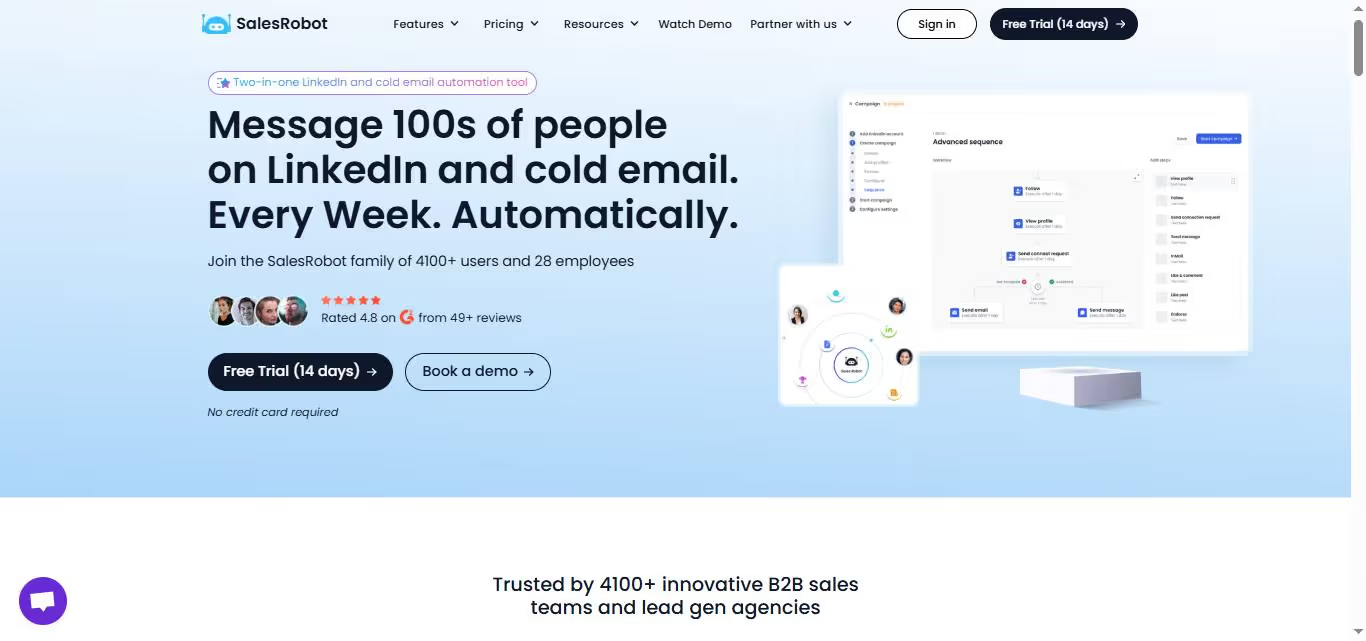
With SalesRobot, you can:
💥Focus on scaling your business
💥Reach your dream customers quicker
💥Track what's working and what's not in real-time
💥Hyper-personalize all your messages like this one 👇

And guess what?
Since you're not breaking any LinkedIn rules, your LinkedIn account stays completely safe.
With SalesRobot you get to:
💥Choose from a huge collection of proven old message templates or write one independently.
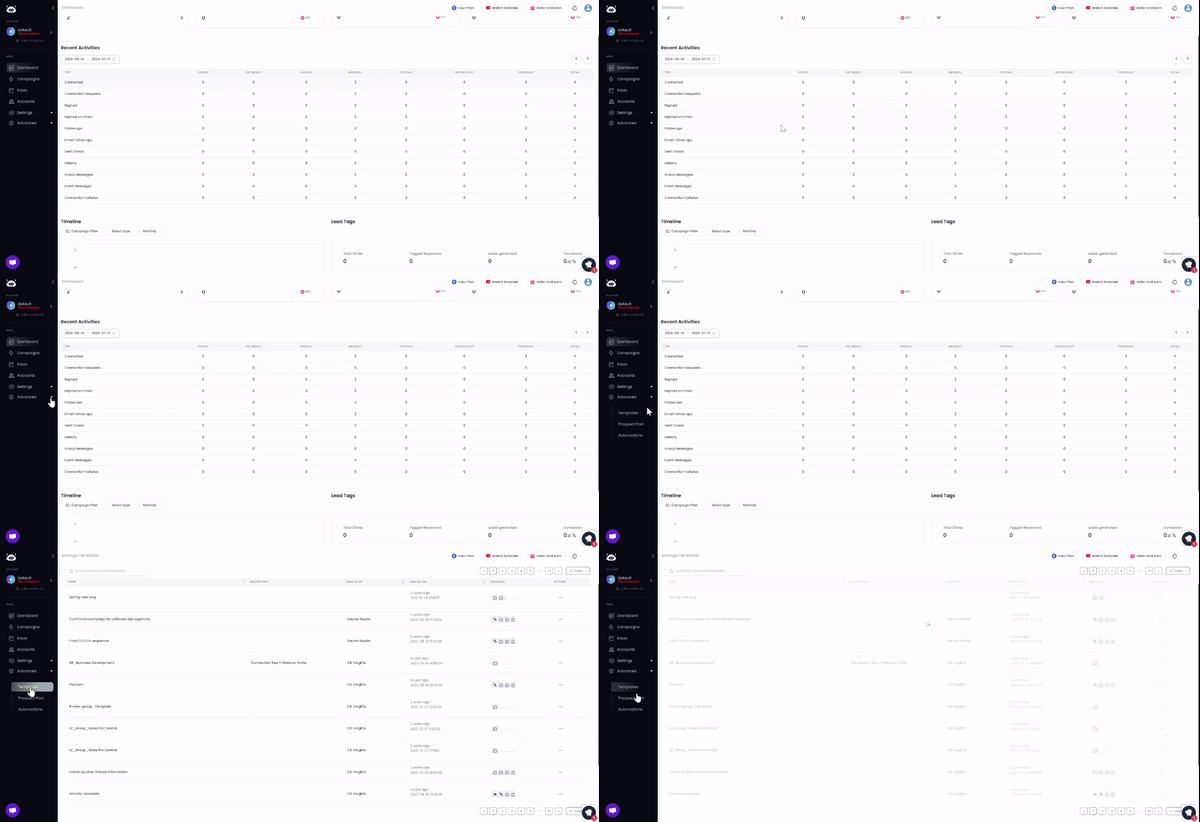
💥If you do write your message, SalesRobot can tell you how likely you are to get a response and even give you smart tips to improve your message for better results.

If running a campaign is new to you, just:
💥 Chat with our AI assistant: SalesGPT. Explain things like who your target audience is, and what would you like to achieve from the campaign, and it will create a personalized LinkedIn messaging sequence for you.

When SalesRobot takes over your campaign, you can expect to see your reply rates jump 14% and 62%.
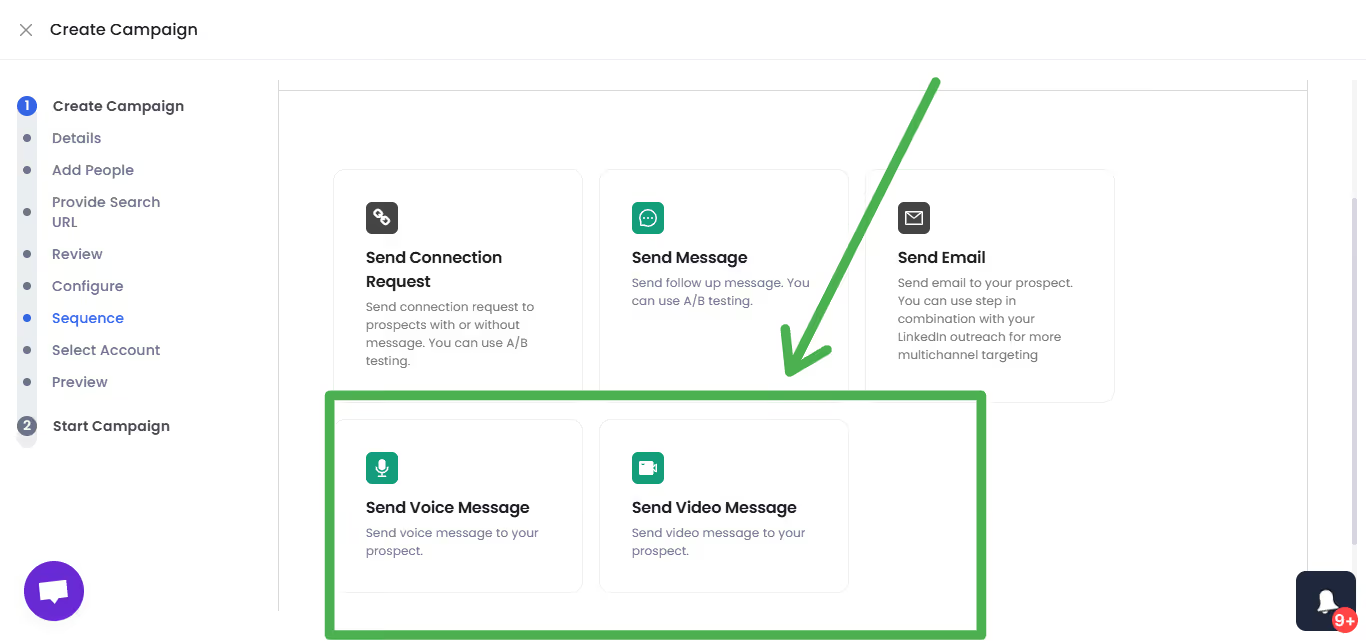
You can even send personalized voice and video notes.
Not to mention, we have an AI Appointment Setter that can automatically reply to prospects on your behalf!
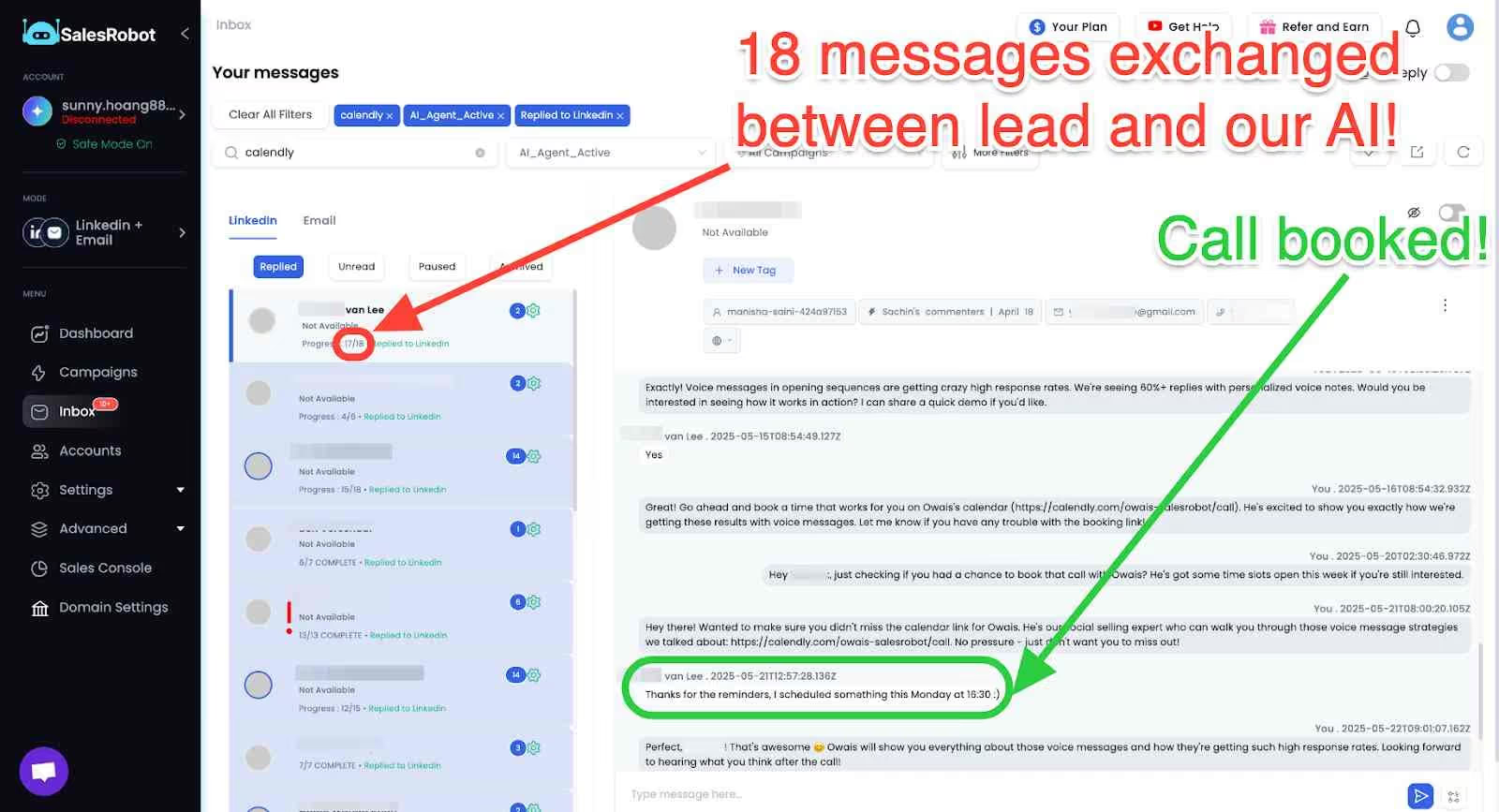
I know, numbers are just numbers until you see the difference for yourself.
That's why we're offering you a 14-day free trial 😇.
Go for it and see if it does what it claims.
LinkedIn Message Subject Lines That Get Opened
Your LinkedIn message subject line can make or break your cold outreach. Here are proven subject line formulas that increase open rates:
Question-Based Subject Lines:
- "Quick question about [Company's recent achievement]"
- "Thoughts on [industry trend]?"
- "5 minutes to discuss [specific challenge]?"
Value-Focused Subject Lines:
- "[Specific insight] for [Company Name]"
- "How [Similar Company] increased [metric] by X%"
- "Quick idea for your [department/project]"
Frequently Asked Questions
Is it unprofessional to message on LinkedIn at night?
Not necessarily. LinkedIn is a global platform, and professionals work across different time zones. However, consider your recipient's location and industry. B2B professionals often check LinkedIn outside traditional business hours, but avoid sending messages too late in their local time zone.
When you delete a message on LinkedIn does the other person know?
If you delete a LinkedIn message within 60 minutes of sending it, the recipient won't be able to see it. However, if they already received a notification or opened the message before you deleted it, they might have seen the content.
How to delete LinkedIn message after 60 minutes?
You cannot delete LinkedIn messages after 60 minutes have passed. LinkedIn only allows message deletion within the first hour after sending. After that window closes, the message remains permanent in the conversation.
What does the LinkedIn message read symbol mean?
LinkedIn shows different indicators for message status: a single checkmark means the message was sent, a double checkmark means it was delivered, and "Seen" with a timestamp indicates the recipient has read your message.
If you mark a message as unread on LinkedIn will they know?
No, when you mark a LinkedIn message as unread, the sender won't be notified. This feature is only for your own organization and doesn't affect what the other person sees on their end.

Wow your leads by cloning yourself and sending personalized videos and voice notes to each lead on LinkedIn.
If you don't reply to leads within 5 mins, your chances of converting them fall by 50%. Our AI replies on your behalf instantly! (and yes, you can train it)

Don't shoot in the dark. Get detailed analytics on what's working

SalesRobot allows you to invite other team members, so that they can add their LinkedIn Account, run outreach campaigns and get amazing results just like you.
.avif)


Trusted by 4100+ innovative B2B sales teams and lead gen agencies

.avif)

.avif)




.avif)