.avif)
TL;DR
SignalHire's real strength is the browser extension. One click on a LinkedIn, GitHub, or X profile pulls a verified email or phone number in seconds.
The database is large (850M+ profiles), and accuracy is strong for US and EU prospects but drops off in other regions.
Unlike most contact-data tools, SignalHire ships its own outreach feature. Email Sequences runs multi-step campaigns from your own mailbox.
There's no LinkedIn automation anywhere in the product.
We're including SalesRobot at the end for exactly that reason: it automates the LinkedIn side that SignalHire's own sequencing tool doesn't touch.
SignalHire: What You Need to Know
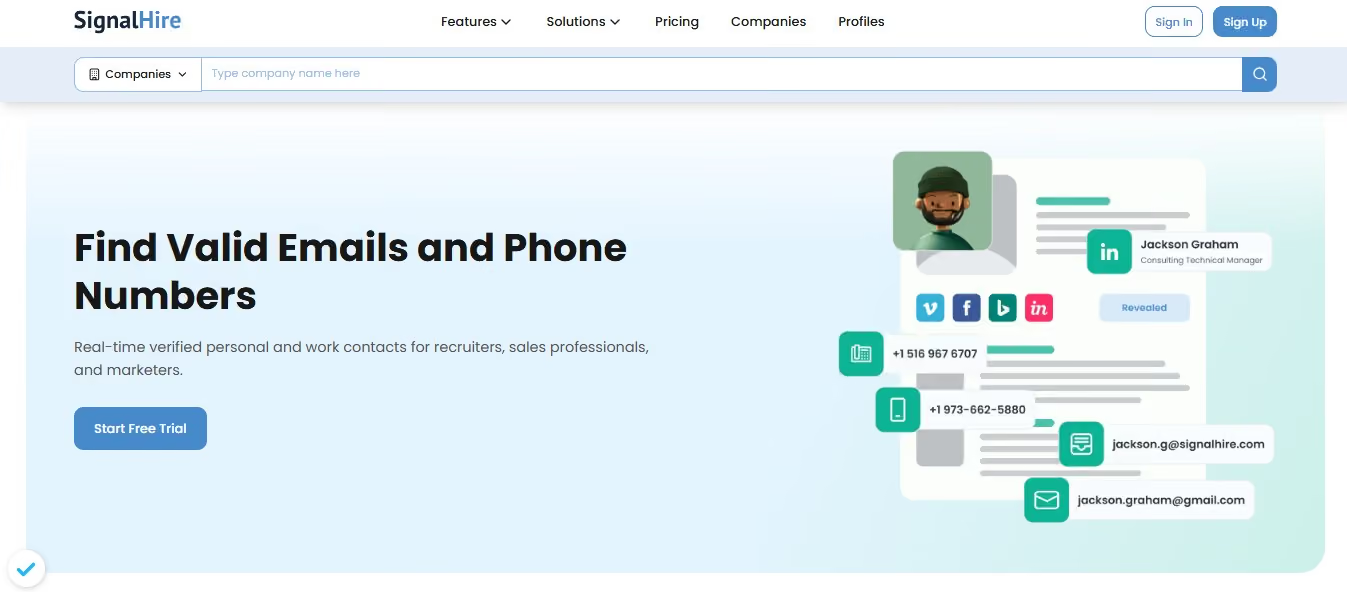
✅ The Chrome extension pulls verified contact details directly from LinkedIn, GitHub, and other profile pages in one click, and pushes them straight into CRMs like Zoho as new leads without a manual export step.
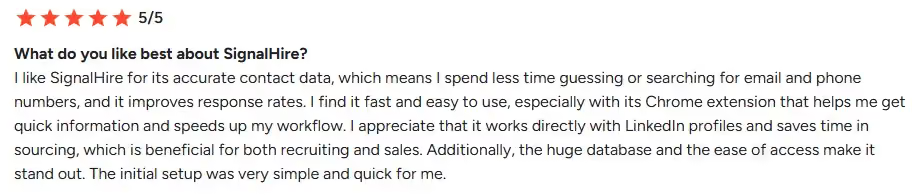
✅ Email accuracy runs in the 95 to 97% range, with mobile numbers available for roughly 70% of contacts. Manual research time drops by close to half once the extension replaces manual lookup.

✅ There's no per-seat pricing. Credits are shared across the whole team, so a 15-person team runs under one subscription without extra licensing cost per user.
✅ Setup takes minutes. Live chat support responds quickly when account or billing issues come up.
⚠️ Some profiles return multiple phone numbers for the same person, with no way to tell which one is active without spending a credit to test it.

⚠️ There's no bulk upload for a spreadsheet of company names or websites. Filters narrow results within the platform, but a list-based bulk lookup by designation isn't supported.

⚠️ The API has no preview endpoint. Enrichment requests return in 7 to 10 seconds through a webhook, with no way to check whether a contact's data is available before spending a credit on it.

⚠️ Locked LinkedIn profiles sometimes still return a business email instead of a personal one, which can burn a credit on contact info that isn't what was needed.
What SignalHire Actually Does
Database.
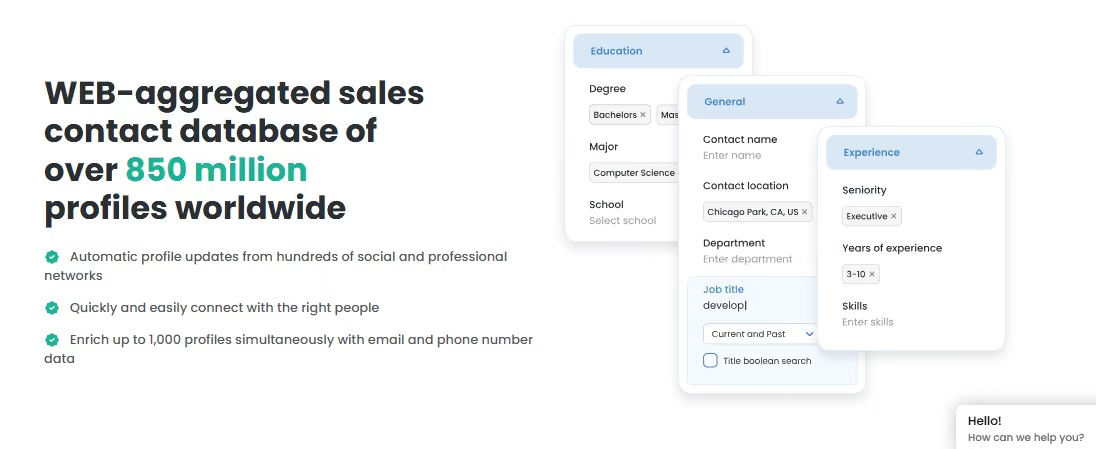
The core product: 850M+ profiles and 30M+ companies, refreshed every 7 to 10 days, searchable by name, title, or location. Bulk enrichment runs up to 1,000 records per batch.
Browser Extension.
Available on Chrome and Firefox, it reveals contacts directly on LinkedIn, Facebook, GitHub, X, Meetup, and most company "Team" pages. One credit returns both email and phone for a profile.
The free tier gives 5 credits a month, or 10 if the extension is installed.
Email Sequences.
This is the feature that sets SignalHire apart from a straight data vendor.
[Image: SignalHire's "Cold Email Tracking, Built In" feature, illustrating email tracking activity and a contact signature card. — upload failed]
It connects to Outlook or Microsoft 365, builds multi-step campaigns with delays and personalized fields, auto-pauses when someone replies, and tracks opens, clicks, and bounces.
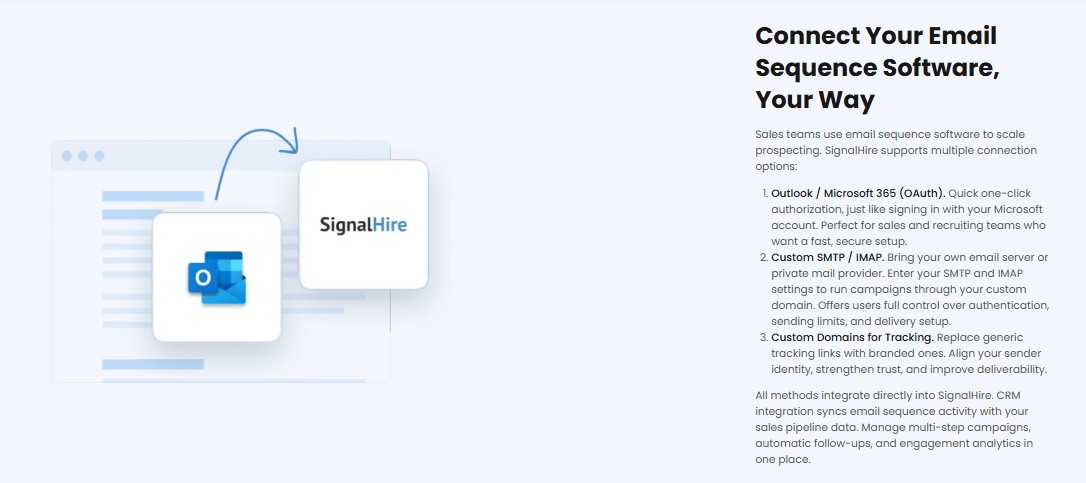
It covers email specifically. There's no LinkedIn or multichannel component.
API.
Two REST endpoints: a Person API for full contact detail on a specific individual, and a Search API for filtering the database by title, location, or industry without spending credits on contact reveals. Both are credit-metered and key-authenticated.
Recruiting Suite.
Beyond contact-finding, SignalHire runs a fuller ATS layer: job posting distribution, interview scheduling, candidate pipeline visualization, and shared candidate lists for team collaboration.
This is closer to a lightweight applicant tracking system than a pure data tool, which is part of why SignalHire markets itself to recruiters as much as sales teams.
Integrations.
Direct integrations to Salesforce, Zoho CRM and Zoho Recruit, Pipedrive, Bullhorn, Greenhouse, Lever, Jobvite, SmartRecruiters, JazzHR, and Reply, among others.
Where SignalHire Falls Short
No LinkedIn outreach of any kind. Email Sequences covers email. It does nothing on LinkedIn beyond what the extension does when someone is manually browsing a profile.
If a pipeline depends on LinkedIn connection requests and follow-up messages, that motion sits entirely outside the product.
Database size trails the category leaders. ZoomInfo and Apollo both index larger databases.
SignalHire competes on price and extension speed rather than raw coverage, which is a reasonable trade for smaller teams.
Phone credits cost more than double what email credits do per unit. The Phones plan runs the same monthly price as the Emails plan but returns under half the credits (435 versus 1,000), which makes phone-heavy prospecting notably more expensive per contact.
The "unlimited" plan has a fair-use ceiling. The combined Emails & Phones tier advertises unlimited credits, but a cap around 5,000 credits a month applies, disclosed in tooltip text on the pricing page rather than in the plan description itself.
Phone accuracy trails the marketed email figure. SignalHire's headline accuracy numbers are strongest for email, sitting in the 95 to 97% range. Phone number matches run lower, closer to 80% by independent estimates, which is worth factoring in for any workflow that leans on cold calling.
What Is SignalHire’s Pricing?
SignalHire runs a credit-based model with five tiers.
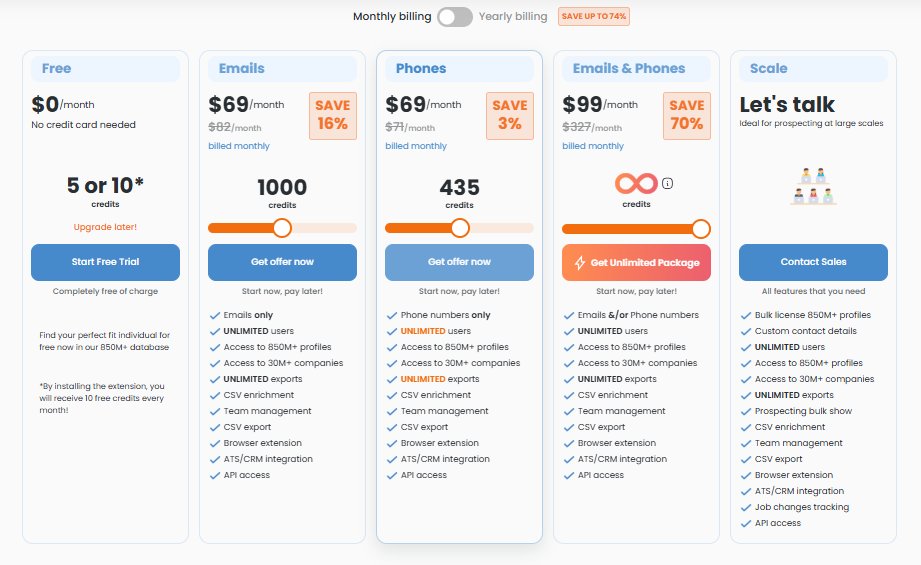
Annual billing drops the Emails plan to roughly $57/month and the Phones plan to roughly $39/month.
Why We're Talking About SalesRobot Here
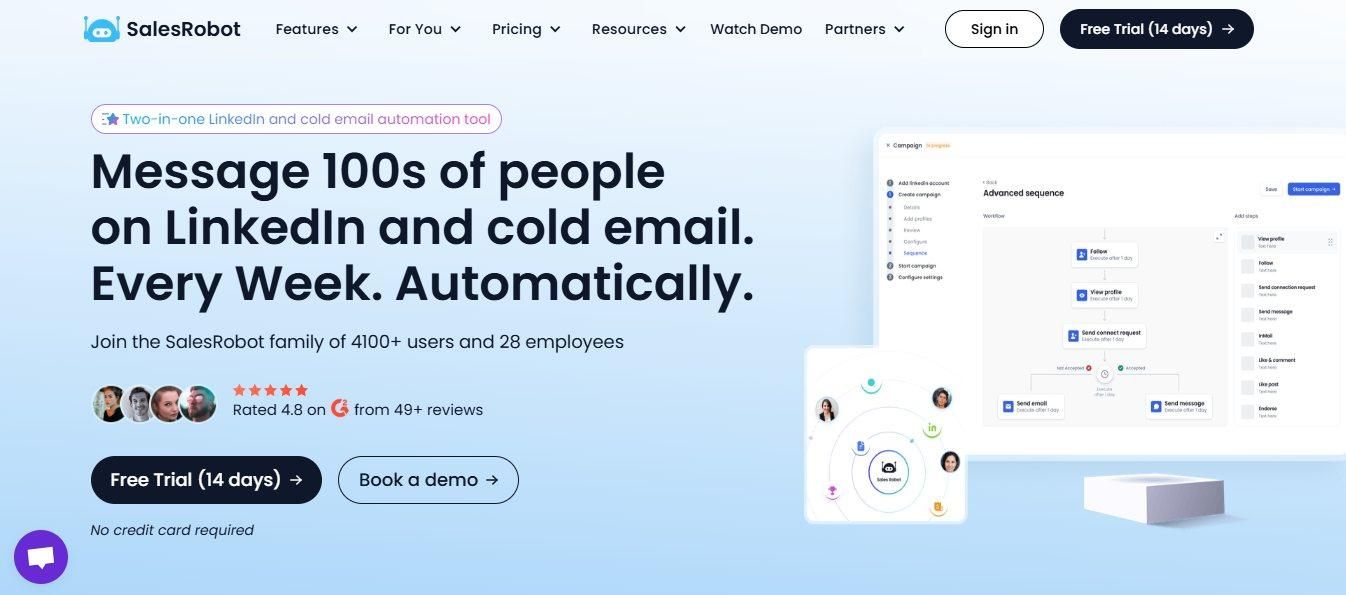
SignalHire and SalesRobot solve different problems, so this isn't an apples-to-apples comparison.
SignalHire finds and verifies who to contact, and it can email them once it does through Email Sequences.
SalesRobot automates the one channel SignalHire doesn't touch at all: LinkedIn.
For a recruiter or sales rep, the two often sit back to back in the same workflow.
SignalHire's extension pulls a contact off a LinkedIn profile. If the next step is a LinkedIn message rather than an email, SignalHire itself has no way to send it.
What SalesRobot Actually Does
Cloud-based LinkedIn automation. Campaigns run from the cloud rather than a browser tab, so nothing stops when a laptop closes. This also makes activity harder for LinkedIn to flag compared to Chrome-extension-based tools.
AI personalization per prospect. SalesRobot's AI variables read each prospect's LinkedIn profile and generate a unique opening line, instead of sending the same template with a first name swapped in.
AI Appointment Setter. Once a prospect replies, this AI agent handles the back-and-forth and books the meeting without manual input. It runs in Copilot mode, drafting replies for a rep to review and send, or Autopilot mode, handling the conversation on its own.
Dedicated cloud IP per account. Each account runs on its own IP rather than a shared pool. Across the platform, the reported ban rate is 0.004%.
Voice notes and video messages. You can send personalized voice notes and video messages directly through LinkedIn, helping you stand out in crowded inboxes with a 40%+ reply rate increase.
Where SalesRobot Falls Short
SalesRobot has no contact database, no phone-verified numbers, and no email-finding capability of its own.
It needs a LinkedIn profile or an existing list to work from.
Finding who to contact in the first place is SignalHire's job, not SalesRobot's.
SalesRobot Pricing
The Verdict: Is SignalHire Worth It in 2026?
SignalHire is worth it if you know exactly what you're buying: a fast, multi-platform contact-data engine with strong email accuracy, unlimited seats, and a low cost per contact.
For recruiters sourcing passive candidates and SDRs building lists, it earns its $69 a month.
The honest reality check: SignalHire finds people, it doesn't reach them.
Phone accuracy runs meaningfully below the email figure it markets, the "unlimited" plan hides a 5,000-credit cap, and there's no outreach layer beyond a single email channel.
Any pipeline that runs through LinkedIn needs a second tool.
That second tool is where SalesRobot fits. It picks up exactly where SignalHire stops: cloud-based LinkedIn automation with AI-personalized opening lines written per prospect, run on a dedicated IP per account with a platform-wide ban rate of 0.004%.
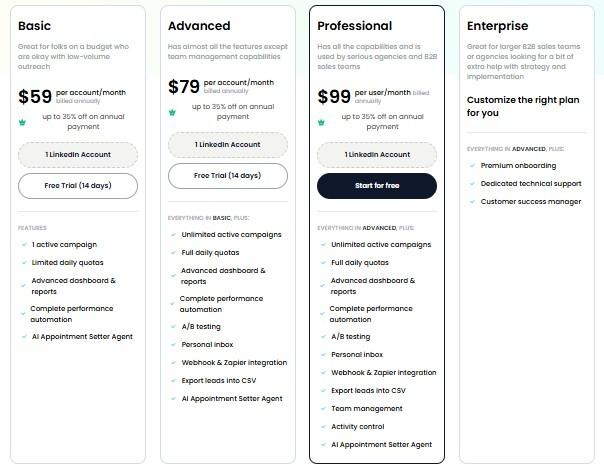
Basic plan starts at $59 a month, less than SignalHire charges for its Emails-only plan.
Build the list with SignalHire, then close the loop: try SalesRobot free for 14 days.
FAQs
Is SignalHire free to use?
Yes. The free plan includes 5 credits a month, or 10 if the browser extension is installed, with no card required.
How accurate is SignalHire's contact data?
Email accuracy runs 95 to 97% verified. Phone number matches run lower, closer to 80%. Accuracy for both is strongest in the US and EU and drops in less-covered regions.
Does the browser extension only work on LinkedIn?
No. It also pulls contacts from GitHub, Facebook, X, Meetup, and most company "Team" pages.
Can a whole team share one SignalHire subscription?
Yes. There's no per-seat fee. Credits are shared across unlimited invited users on any paid plan.
Does SignalHire include LinkedIn outreach automation?
No. Email Sequences covers multi-step campaigns through Outlook or Microsoft 365 only. There's no LinkedIn messaging or connection-request automation anywhere in the product.
Is the "unlimited" Emails & Phones plan actually unlimited?
Not entirely. A fair-use cap around 5,000 credits a month applies, listed in tooltip text on the pricing page rather than in the plan description.
Is SignalHire GDPR compliant?
Yes. SignalHire supports profile opt-out requests and the right to be forgotten under GDPR.
What happens to unused credits after canceling?
Remaining credits stay usable through the end of the current billing cycle. Canceling before renewal avoids being charged for the next one.

Wow your leads by cloning yourself and sending personalized videos and voice notes to each lead on LinkedIn.
If you don't reply to leads within 5 mins, your chances of converting them fall by 50%. Our AI replies on your behalf instantly! (and yes, you can train it)

Don't shoot in the dark. Get detailed analytics on what's working

SalesRobot allows you to invite other team members, so that they can add their LinkedIn Account, run outreach campaigns and get amazing results just like you.
.avif)


Trusted by 4100+ innovative B2B sales teams and lead gen agencies

.avif)

.avif)




.avif)


Heading 1
Heading 2
Heading 3
Heading 4
Heading 5
Heading 6
Lorem ipsum dolor sit amet, consectetur adipiscing elit, sed do eiusmod tempor incididunt ut labore et dolore magna aliqua. Ut enim ad minim veniam, quis nostrud exercitation ullamco laboris nisi ut aliquip ex ea commodo consequat. Duis aute irure dolor in reprehenderit in voluptate velit esse cillum dolore eu fugiat nulla pariatur.
Block quote
Ordered list
- Item 1
- Item 2
- Item 3
Unordered list
- Item A
- Item B
- Item C
Bold text
Emphasis

Superscript
Subscript