.avif)
TL;DR
- Mixmax has moved to a modular AI Copilot pricing model starting at $34/month, which gets expensive fast if you need the full suite at $89/month
- Yesware excels at Gmail/Outlook integration with simple email tracking and template features, starting at $19/month
- Mailshake focuses on cold email campaigns with LinkedIn integration, starting at $29/month, but has no free trial
- Reply.io offers multi-channel outreach automation for teams running complex sequences
- Salesloft provides enterprise-level sales engagement with custom pricing
- Outreach.io is a full enterprise sales execution platform with conversation intelligence, deal management, and forecasting, but requires annual contracts and custom pricing
- SalesRobot is a specialist LinkedIn automation tool worth considering if LinkedIn is already part of your outreach strategy
Is Your Sales Outreach Tool Actually Slowing You Down?
You know that sinking feeling when you realize you've been wrestling with your sales engagement platform longer than actually selling?
If you're using Mixmax and finding yourself constantly battling clunky workflows, confusing analytics, or features that promise the world but deliver frustration, you're definitely not alone.
The truth is, even popular tools like Mixmax can become productivity killers when they don't fit your actual workflow.
Maybe the interface feels overcomplicated for simple tasks, or perhaps you're paying for copilots and AI features when you just need reliable email tracking and templates.
The sales engagement space is packed with alternatives that might be a much better fit for how you actually work. Some focus on simplicity, others excel at automation, and a few nail the sweet spot between power and ease of use.
This post takes an honest look at Mixmax's strengths and pain points, then dives deep into five solid alternatives:
Yesware, Mailshake, Reply.io, Salesloft,and Outreach.io, plus a bonus pick for LinkedIn-heavy teams.
We'll cover what each tool does best and help you figure out which one deserves your attention (and budget).
Let's dive in.

Mixmax: What You Need to Know
- Gmail integration feels native: Mixmax works directly inside Gmail, so you don't need to learn a new interface or switch between apps.
It adds powerful features like email tracking, templates, and scheduling right where you already work every day.
- Pricing gets steep fast: The free plan is pretty limited, and once you need serious features like sequences or advanced tracking, you're looking at $65/month for the Engagement Copilot alone.
The full suite runs $89 per user per month. For small teams, that cost adds up quickly.
- Email sequences actually work well: You can set up automated follow-up sequences that feel personal, not robotic.
The system lets you customize timing and personalize each touchpoint based on recipient behavior.
- Real-time tracking is genuinely useful: You get instant notifications when someone opens your email or clicks a link.

This helps you know exactly when to follow up instead of guessing if your message landed.
- Learning curve for advanced features: While basic email tracking is simple, setting up complex workflows and sequences takes time to master.

The interface can feel overwhelming when you're trying to use everything it offers.
- Calendar scheduling removes back-and-forth: Recipients can book meetings directly from your email without the usual "what time works for you" dance. It syncs with Google Calendar and handles time zones automatically.
- Customer support can be slow: When you run into issues or have questions, getting help sometimes takes longer than you'd expect.
This is especially frustrating when you're trying to set up time-sensitive campaigns.
Mixmax's Key Features, Broken Down
Email Tracking and Real-Time Notifications
Get instant alerts when prospects open your emails, click links, or download attachments. This feature helps you time your follow-ups perfectly instead of guessing when to reach out next.

For example, when a potential client opens your proposal three times in one afternoon, you'll know they're seriously considering it and can call while you're top of mind.
Email Templates and Sequences
Create reusable email templates that maintain your personal touch while saving hours of writing time. You can build entire sequences that automatically send follow-up messages based on recipient behavior.
Say you're nurturing leads after a trade show. Set up a 5-email sequence that spaces out over two weeks, automatically stopping if someone replies or schedules a meeting.
Calendar Scheduling Integration
Let prospects book meetings directly from your emails without the back-and-forth scheduling dance.

Your calendar availability appears right in the email, and meetings get added automatically once booked.
Instead of sending "What works better for you, Tuesday or Wednesday?" emails, prospects can see your open slots and pick what works for them instantly.
CRM Integration and Activity Logging
All your email interactions automatically sync with your CRM system, eliminating manual data entry.
Every tracked email, meeting scheduled, and template used gets logged without you lifting a finger.
Your sales manager can see exactly what outreach you've done with each prospect, and you never have to worry about forgetting to update records after a busy day of emails.
Multi-Channel Campaign Management
Run coordinated outreach campaigns across email, phone, and social media from one platform. Track which combination of touchpoints works best for different types of prospects.
You might discover that following up a cold email with a LinkedIn connection request doubles your response rate, or that prospects in certain industries prefer phone calls after the second email.
Performance Analytics and Team Insights
See which email templates get the best response rates, what send times work best, and how your outreach compares to team benchmarks. These insights help you constantly improve your approach.

If your Tuesday morning emails consistently get 40% open rates while Friday afternoon emails get 15%, you can adjust your sending schedule and coach teammates to do the same.
Mixmax Pricing: How Much Will It Cost?
Mixmax has moved to a modular "Copilot" model. You can buy individual Copilots based on what you need, or bundle all three together. All prices below are monthly billing per user.
Free -- $0/month

- Basic email tracking (up to 20 tracked emails per month)
- Meeting scheduling
- Basic email sequences
- Email templates
A solid starting point if you want to test the platform or only need light outreach. After your 14-day free trial of the full suite ends, your account automatically rolls into this plan unless you choose a paid option. No credit card required to start.

Inbox Copilot -- $34/month per user
- Unlimited email and click tracking
- Inbox categorization and filtering
- Smart follow-up signals and reminders
- Meeting scheduling
Best for reps who primarily need to know when prospects are engaging with their emails and want inbox prioritization to stay on top of the right threads.
Meeting Copilot -- $34/month per user
- Pre-meeting account prep
- Automatic meeting notes and action item capture
- Draft follow-up emails post-meeting
- Meeting scheduling
Built for account executives and anyone who spends a lot of time in calls and needs to move from meeting to follow-up without losing momentum.
Engagement Copilot -- $65/month per user
- Email and multi-channel sequences
- AI sequence builder
- Sequence personalization
- Out-of-office and holiday detection
- LinkedIn extension
The right choice for SDRs and outbound reps running structured prospecting sequences. This is Mixmax's core outreach engine.
Mixmax Suite -- $89/month per user
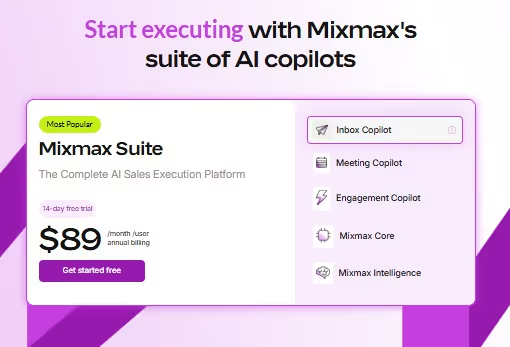
- All three Copilots: Inbox, Meeting, and Engagement
- Full access to Mixmax Intelligence
The complete package for reps who want the entire platform. Buying the suite is cheaper than purchasing all three Copilots individually.
Mixmax for Teams -- Custom pricing (teams of 5 or more)
- Everything in the Suite
- Unlimited sequences
- Dialer
- Custom branding and domains
- Salesforce Insights reporting
- Advanced workflow rules
- Dedicated customer success manager
Designed for larger sales teams with complex requirements and a need for enterprise-level controls.
Mixmax offers a 14-day free trial of the full suite, no credit card required.
The Engagement Copilot is the most relevant plan for most sales reps doing active outbound.
Teams that want AI-assisted support across inbox management, meetings, and sequences will get more value from the Suite, though the price reflects that.
5 Alternatives to Mixmax: Which One Actually Fits?
Now that you've seen what Mixmax brings to the table, let's look at five other options that might be a better match for your outreach style and budget.
Yesware
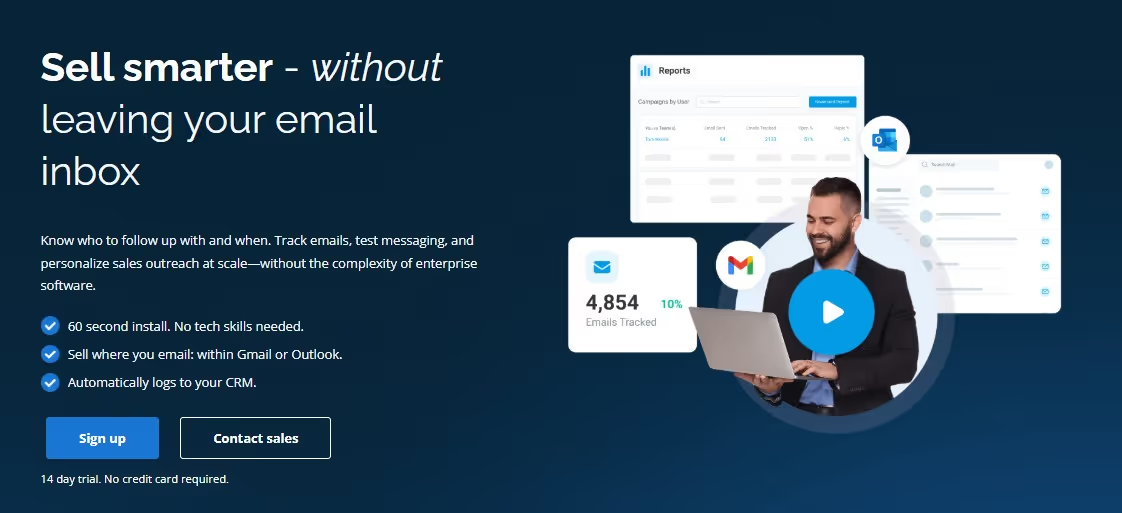
What it does: Yesware lives directly inside your Gmail or Outlook inbox and focuses on the essentials.
It's built for teams that want email tracking, templates, and basic automation without the complexity of enterprise platforms.
Stands out for:
- 60-second setup with no workflow disruption
- Works inside your existing Gmail or Outlook client
- Strong Salesforce integration on higher plans
Pricing:
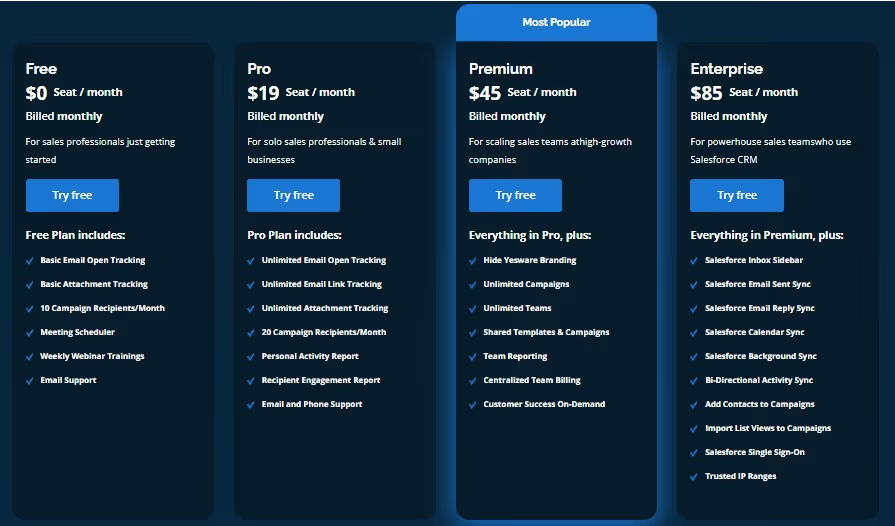
Free plan available with limited tracking. Pro at $19/month, Premium at $45/month, Enterprise at $85/month. Yesware offers a 14-day free trial.
Best if: You want something that works immediately without changing how your team already uses email.
Mailshake
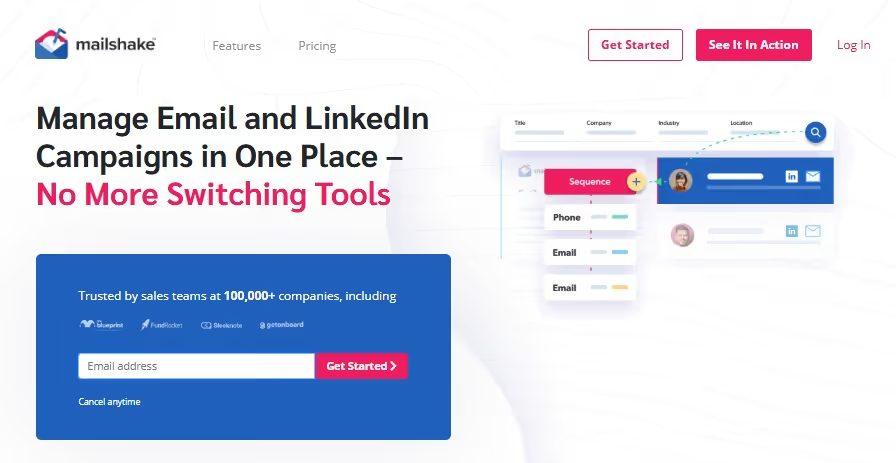
What it does: Mailshake combines cold email automation with LinkedIn outreach and built-in prospecting tools. It's designed for teams that want to scale personalized outreach across multiple channels without switching between platforms.
Stands out for:
- AI email writing with built-in copy generation
- LinkedIn automation on the Sales Engagement plan
- Built-in prospect finder (Data Finder add-on)
- Strong focus on email deliverability
Pricing:
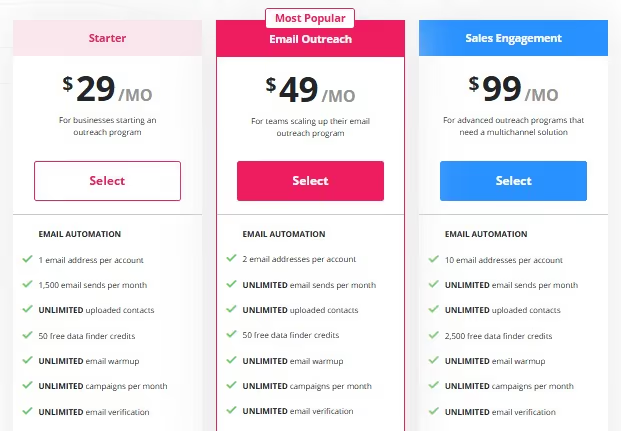
Starter at $29/month, Email Outreach at $49/month, Sales Engagement at $99/month.
Note: Mailshake does not offer a free trial. You pay upfront, though they provide concierge onboarding and deliverability training to help you get started.
Best if: You need both email and LinkedIn outreach in one tool with solid deliverability features and you're comfortable committing without a trial period.
Reply.io
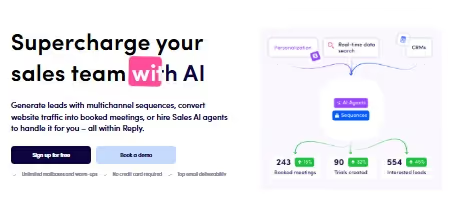
What it does: Reply.io positions itself as a complete sales engagement platform with multi-channel sequences, CRM integration, and team collaboration features.
It's built for sales teams that need sophisticated automation across email, phone, and social channels.
Stands out for:
- Multi-channel sequences across email, phone, and social
- Advanced automation and branching logic
- Team management and collaboration features
Pricing:
- Basic engagement features included
- Perfect for testing the platform before committing
- Limited functionality for small-scale outreach
Sales Outreach Plans
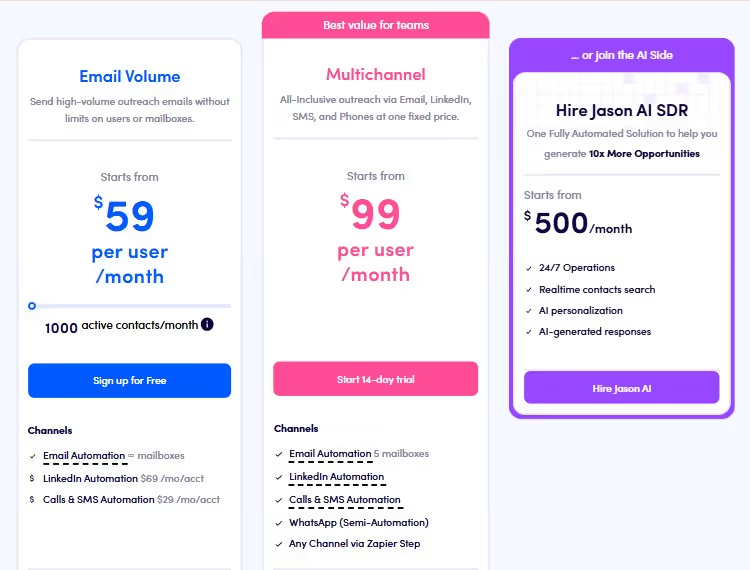
Email Volume from $59/user/month
- High-volume email outreach, no limits on users or mailboxes
- Email automation with unlimited mailbox connections
- LinkedIn automation (500/month)
- Calls & SMS automation (500/month)
- Unlimited email warm-up
- 1,000 active contacts/month
- Live data credits/month
- Anti-spam and deliverability suite
Multichannel from $99/user/month
- Everything in Email Volume, plus outreach across LinkedIn, SMS, and phone at one fixed price
- Email automation with up to 5 mailboxes
- LinkedIn automation (unlimited)
- Calls & SMS automation (unlimited)
- WhatsApp via semi-automation
- Any channel via Zapier
- Unlimited emails and contacts/month
- AI personalization
- Channel efficiency report
- Team performance stats
- Export CSV slots
Jason AI SDR from $500/month
- Fully automated AI SDR handling outreach end to end
- 24/7 operations
- Real-time contact search
- AI personalization
- AI-generated responses
Jason AI SDR Plans:
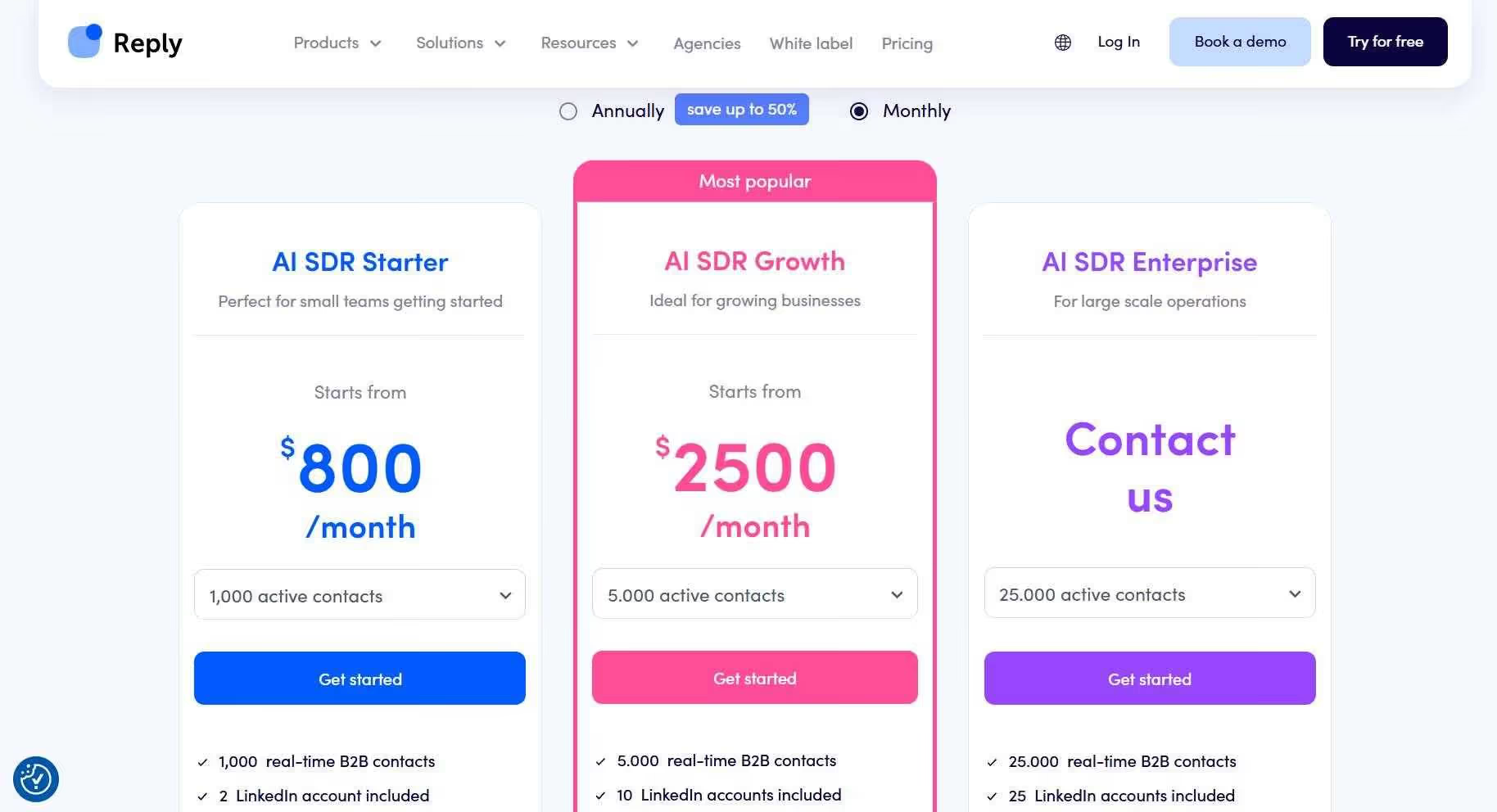
AI SDR Starter From $800/month (500 contacts)
- Fully automated outreach powered by AI technology
- Operates 24/7 with highly personalized messages using real-time data
- Unlimited users, automation, warm-ups, and AI personalization
- Multichannel sequences including email, LinkedIn, and calls
AI SDR Growth From $2,500/month (5,000 contacts)
- Designed for growing businesses with higher volume needs
- Everything in Starter plus white-glove onboarding and Slack support
- Custom playbooks and enhanced personalization features
AI SDR Enterprise Custom pricing (25,000+ contacts)
- For large-scale operations requiring enterprise features
- Advanced onboarding, CEO strategy calls, and prompt engineering support
- Tailored features and dedicated service levels
Agency Plans:

Agency core From $210/month
- Manage multiple client accounts under one umbrella
- Unlimited users, email warm-up, emails, and client workspaces
- Centralized inbox, deliverability tools, dashboard access, and support included
Agency AI SDR $500/month
- All features of Starter, plus discounted add-ons
- Jason AI SDR integration with hyper-personalized agentic outreach
- White-label option for agencies managing client campaigns
Best if: You're running complex, multi-touch sales sequences and need advanced workflow automation.
Salesloft
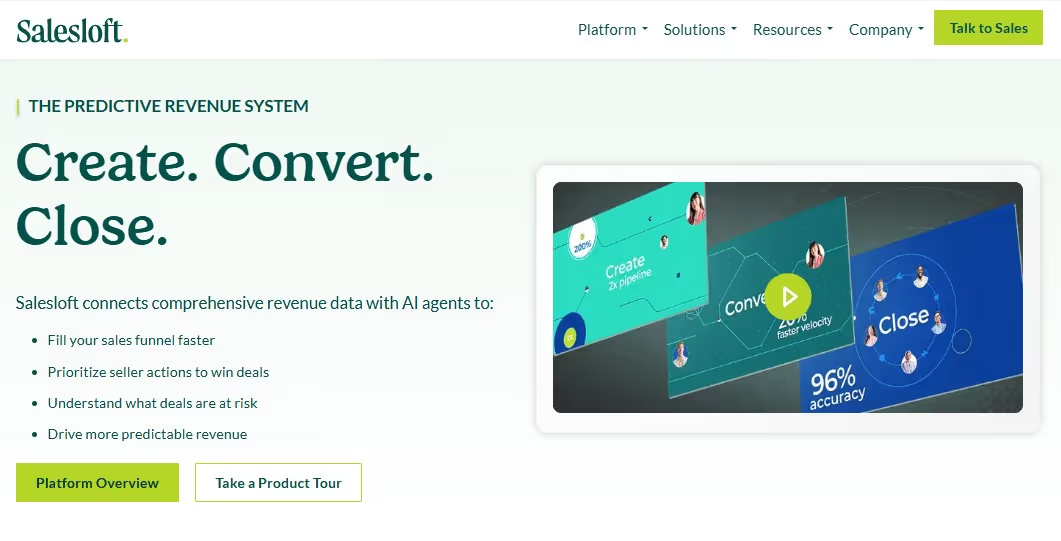
What it does: Salesloft is the enterprise-grade option in this group. It combines sales engagement with conversation intelligence, deal management, and forecasting in one comprehensive platform.
Stands out for:
- AI-powered deal and conversation intelligence
- Comprehensive CRM integration
- Enterprise-grade security and compliance
- Built-in forecasting and pipeline management
Pricing: Custom pricing only. Contact sales for quotes based on team size and feature requirements.
Best if: You're a larger team with complex sales processes and need enterprise-level features and support.
Outreach.io
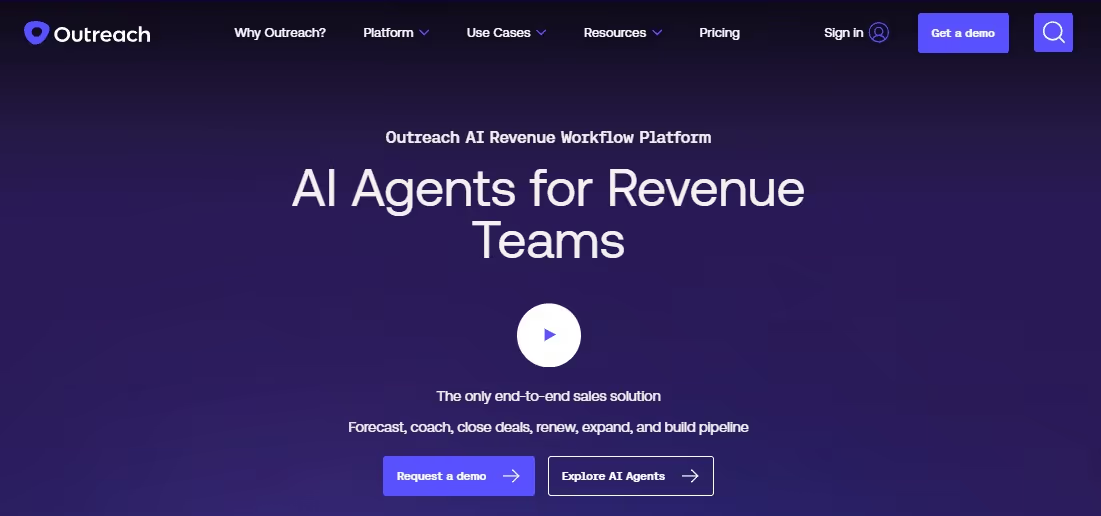
What it does: Outreach.io is a full enterprise sales execution platform built around sequences, conversation intelligence, deal management, and AI-powered forecasting.
It's designed for larger revenue teams that need a single platform covering the entire sales cycle, from first touch to close.
Stands out for:
- AI-powered conversation intelligence with real-time call coaching
- Built-in deal health scoring and pipeline visibility
- Advanced forecasting with scenario modeling
- AI agents for prospect enrichment and personalization at scale
Pricing: Custom pricing only, no monthly billing option.
Outreach requires annual contracts, and third-party data puts most teams in the $100 to $160 per user per month range depending on seat count and modules.
Implementation fees are an additional cost. Contact their sales team for a quote.
Best if: You're running a larger sales org that needs conversation intelligence, deal management, and forecasting under one roof and you have the budget and IT resources to support an enterprise-grade deployment.
Bonus Pick: SalesRobot (For LinkedIn-First Teams)

It's worth being upfront here: SalesRobot is not a direct Mixmax replacement.
Mixmax is an email-native tool; SalesRobot is built for LinkedIn+Email.
If you're leaving Mixmax purely to find better email tracking or sequence management, SalesRobot is not the answer.
But if LinkedIn plays a meaningful role in your B2B outreach and you want a specialist tool for it rather than a bolt-on feature inside an email-first platform, SalesRobot is worth understanding on its own terms.
What SalesRobot does: It automates LinkedIn connection requests, personalized follow-ups, and multi-step campaigns, while adding email outreach as a secondary channel.
Its main edge is making LinkedIn activity look natural through mobile API behavior, which keeps your account safer than browser-based alternatives.
You can send personalized voice notes and videos directly through LinkedIn, which tends to produce response rates most other tools can't match.
Stands out for:
- LinkedIn mobile API behavior for account safety
- AI-generated voice and video messages in sequences
- Unified inbox for LinkedIn and email conversations
- Smart reply detection that pauses sequences when prospects respond
- AI appointment setter that continues nurturing leads automatically
Pricing (monthly billing):
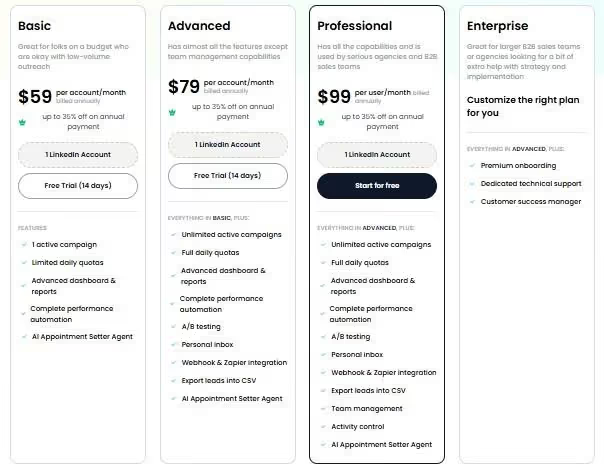
Basic at $59/month per LinkedIn account, Advanced at $79/month, Professional at $99/month.
Email automation is a separate paid add-on at $15/month per mailbox and is not included in any base plan.
A 14-day free trial is available with no credit card required.
Best if: Your prospects spend their time on LinkedIn and you want outreach that feels genuinely personal.
It works best alongside an email tool rather than as a standalone replacement for one.
The Verdict
There's no single "best" sales engagement tool because your needs depend entirely on your team size, budget, and how you actually sell.
If you're a Gmail-heavy team that loves keeping everything in one place, Mixmax still wins for pure convenience.
That said, its new Copilot pricing model means you'll want to think carefully about which modules you actually need rather than defaulting to the full suite.
If you're serious about scaling outbound sales, you need something built for that specific job.
The enterprise players like Salesloft and Outreach.io deliver incredible power, but they'll drain your budget and overwhelm smaller teams.
The middle-ground options each have their sweet spots, but none are perfect.
Bottom Line
- Choose Mixmax if you live in Gmail, want AI-assisted inbox and meeting management, and are comfortable with modular per-feature pricing
- Pick Yesware for basic tracking that won't confuse your team and sets up in under a minute
- Go with Mailshake if you're doing high-volume cold email and don't need a free trial to commit
- Choose Reply.io for multi-channel sequences that actually work
- Pick Salesloft if you're a growing sales org with budget for the premium experience
- Pick Outreach.io if you need the full enterprise package including call intelligence and forecasting and you're ready for a serious annual commitment
- Add SalesRobot if LinkedIn outreach is already part of your strategy and you want a dedicated tool for it rather than a bolt-on feature
That's all folks.


Wow your leads by cloning yourself and sending personalized videos and voice notes to each lead on LinkedIn.
If you don't reply to leads within 5 mins, your chances of converting them fall by 50%. Our AI replies on your behalf instantly! (and yes, you can train it)

Don't shoot in the dark. Get detailed analytics on what's working

SalesRobot allows you to invite other team members, so that they can add their LinkedIn Account, run outreach campaigns and get amazing results just like you.
.avif)


Trusted by 4100+ innovative B2B sales teams and lead gen agencies

.avif)

.avif)




.avif)


Heading 1
Heading 2
Heading 3
Heading 4
Heading 5
Heading 6
Lorem ipsum dolor sit amet, consectetur adipiscing elit, sed do eiusmod tempor incididunt ut labore et dolore magna aliqua. Ut enim ad minim veniam, quis nostrud exercitation ullamco laboris nisi ut aliquip ex ea commodo consequat. Duis aute irure dolor in reprehenderit in voluptate velit esse cillum dolore eu fugiat nulla pariatur.
Block quote
Ordered list
- Item 1
- Item 2
- Item 3
Unordered list
- Item A
- Item B
- Item C
Bold text
Emphasis

Superscript
Subscript