.avif)
TL;DR
- Salestools AI SDR offers solid automation for email and LinkedIn outreach with decent personalization capabilities.
- Best suited for mid-sized teams needing basic AI prospecting, but may underwhelm advanced users.
- Key Highlights:
- Features built-in Hallucination Safeguard Controls to validate AI claims against real-time data before messages are sent.
- Offers advanced Persona Relevance Intelligence to frame outreach based on specific buyer pain points rather than generic templates.
- Includes Mobile API Safety on the backend for account protection.
- The Catch: It requires a steep learning curve and a significant budget, with plans starting at $750/month (annual billing) or $900/month (monthly billing) on a real-time credit-usage model.
- SalesRobot provides a more cost-effective alternative with more affordable pricing and proven LinkedIn automation features.
Ever feel like your sales team is stuck in a hamster wheel of endless prospecting?

If your sales team spends more time researching prospects than actually talking to them, you already know the problem.
Cold outreach at scale is exhausting, repetitive work, and the numbers rarely justify the hours.
AI SDR platforms promise to change that equation by automating prospecting, personalization, and follow-up so your reps can focus on closing.
Salestools is one of the more talked-about platforms in this space, claiming 3x more meetings and 5x faster pipeline growth through autonomous AI agents.
Those are big numbers. This review breaks down what the platform actually does, what it costs, where it falls short, and whether it makes sense for your team.
If you are also exploring LinkedIn-first alternatives, SalesRobot comes up frequently as a practical option for teams that do most of their prospecting on LinkedIn, and we cover it toward the end.
What Is Salestools?
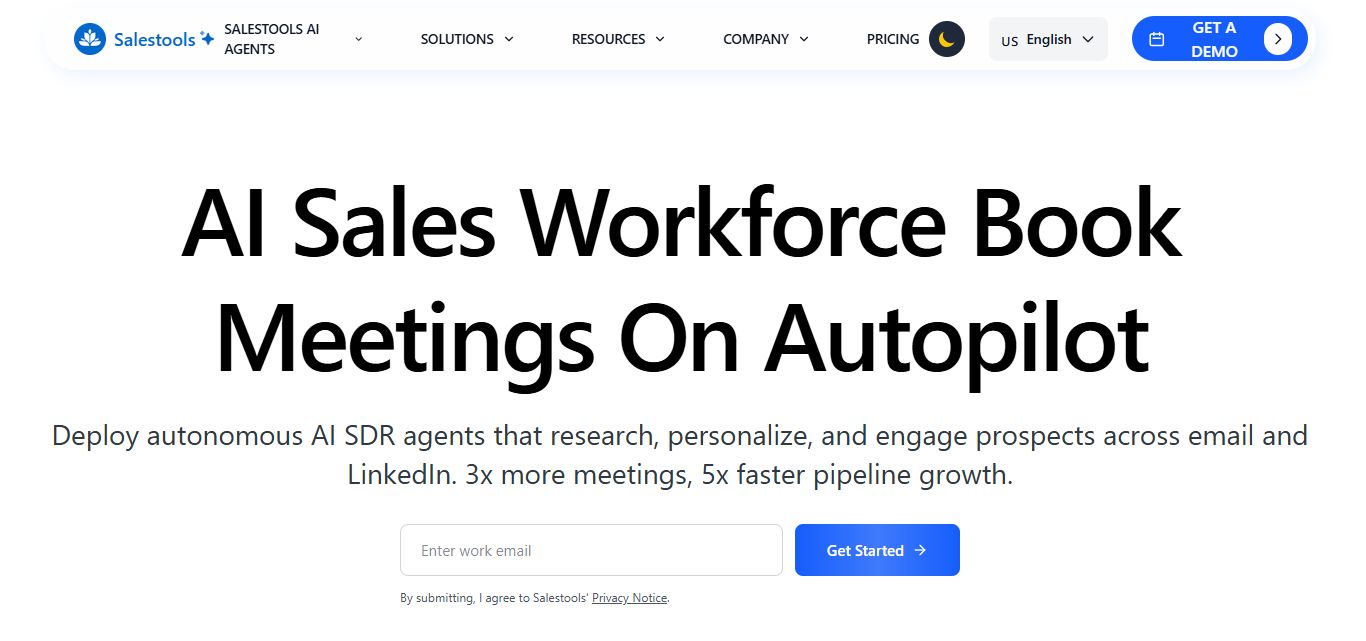
Salestools is an AI SDR platform built for B2B sales teams.
Rather than just automating message sequences, it deploys specialized AI agents that handle different parts of the sales process: outbound prospecting, inbound lead qualification, and deep enterprise research.
The platform supports both email and LinkedIn outreach, connects to your CRM, and monitors buying signals from a database of over 3 million companies.
The positioning is clear. This is not a lightweight tool for solopreneurs running 50 connection requests a day.
Salestools is built for teams that want to replace or heavily augment a traditional SDR function with AI.
Salestools: What You Need to Know
✅ Impressive performance metrics: The platform claims to deliver 18% response rates compared to industry averages of 5-7%, and they're claiming 48% more meetings booked. That's a significant jump that could seriously impact your pipeline numbers.

⚠️ Limited real-world feedback available: While the company shares impressive internal metrics, there's a lack of independent user reviews, and most reviews only talk about a buggy platform and unhelpful support.
✅ Advanced AI safeguards: The new Hallucination Safeguard Controls address a real concern with AI tools by monitoring responses in real-time. This prevents your AI agents from sending false or misleading information to prospects, which could damage your reputation.
✅ Deep research capabilities: The AI agents dig into funding rounds, leadership changes, tech stacks, and competitive positioning automatically. This level of research would normally take your SDRs hours to compile manually.
⚠️ Potentially steep learning curve: With multiple AI agents (Olivia, Mark, Joe) and advanced features like Persona Relevance, there's likely a significant onboarding process. Your team might need substantial training to maximize the platform's potential.
✅ Multi-channel automation: The platform handles both email and LinkedIn outreach seamlessly, with smart follow-ups and CRM integration. This eliminates the need to juggle multiple tools for your prospecting efforts.

⚠️ Over-reliance on automation: While 40 hours saved per week sounds great, there's a risk of losing the human touch that many prospects still value. Some deals require genuine human connection that AI can't replicate.
Salestools: Key Features
AI SDR Agents: Olivia, Mark, and Joe
The platform's most distinctive feature is its three-role agent structure. Olivia handles outbound prospecting and is the primary driver behind the 18% response rate figure Salestools promotes (versus a 5 to 7% industry average for cold outreach). Mark focuses on inbound lead qualification, handling the initial qualification conversation when prospects come to you. Joe is the research agent, built for deep enterprise accounts where you need comprehensive context before reaching out.
Having specialized agents rather than one general-purpose bot is a sensible design choice. Outbound prospecting and inbound qualification genuinely require different approaches, and keeping them separate means each agent can be optimized for its specific role.

Hallucination Safeguard Controls
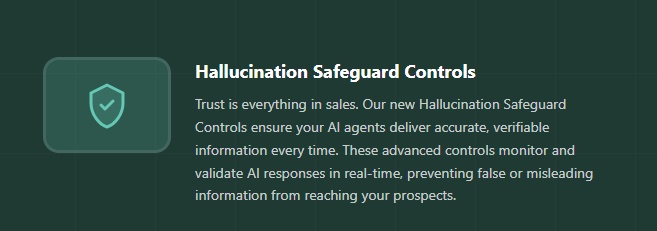
This is a feature worth paying attention to because hallucination is a real problem with AI outreach tools. If your AI agent claims a prospect's company just closed a Series B when they did not, that message does more harm than no message at all.
Salestools monitors and validates AI-generated responses in real time before they go out, checking claims against current data. It is not a perfect solution, but it addresses a legitimate risk that many competitors ignore entirely.
Persona Relevance Intelligence
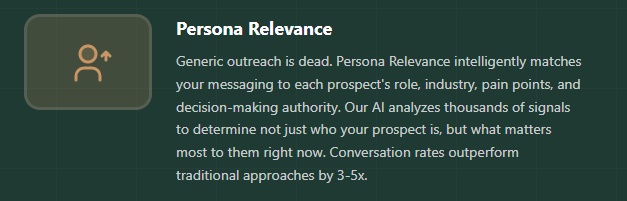
The platform analyzes role, industry, and current pain points to tailor messaging at a level beyond basic merge tags.
Instead of inserting a first name and company into a template, Persona Relevance attempts to match the framing of your message to what actually matters to a VP of Operations versus a Head of Legal versus a CFO. Salestools claims this drives 3 to 5x better conversion rates compared to generic outreach, though this figure comes from internal data.
Deep Research Capability
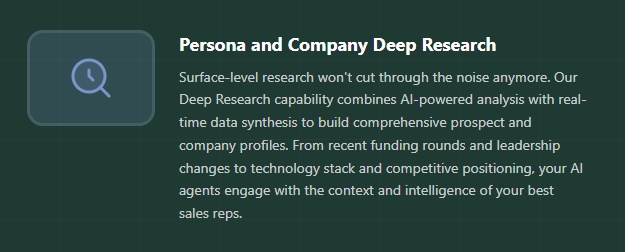
The Joe agent pulls together funding rounds, leadership changes, technology stack details, and competitive positioning into a prospect profile before outreach begins.
This is the kind of context a strong human SDR would gather before a strategic account call, done automatically and at scale. For enterprise-focused teams where personalization is the difference between a response and no response, this is one of the more genuinely useful capabilities in the platform.
Intent Data and Signal Monitoring
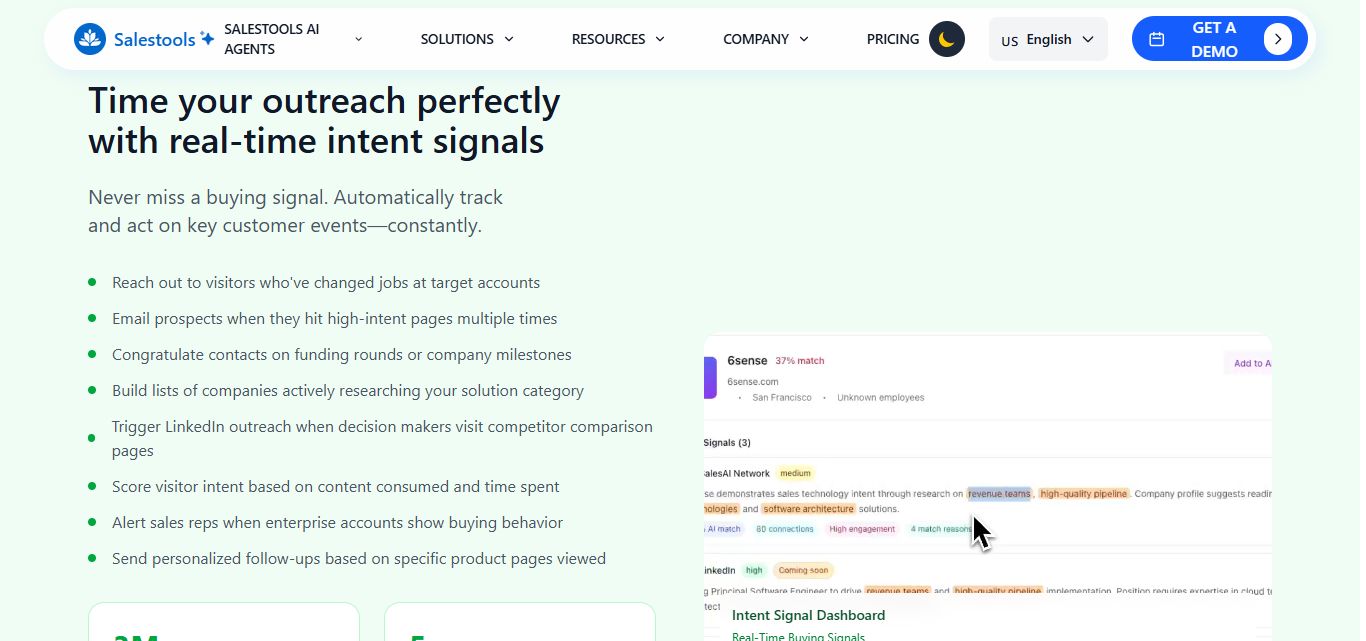
Salestools tracks buying signals across 3 million-plus companies and triggers outreach at moments when prospects are most likely to engage.
If a decision-maker visits your pricing page multiple times or a target account hits a funding milestone, the platform flags it and initiates a relevant follow-up sequence.
Timing your outreach around real behavioral signals is one of the most effective ways to improve response rates, and having this built into the platform removes a lot of manual monitoring work.
Multi-Channel Automation
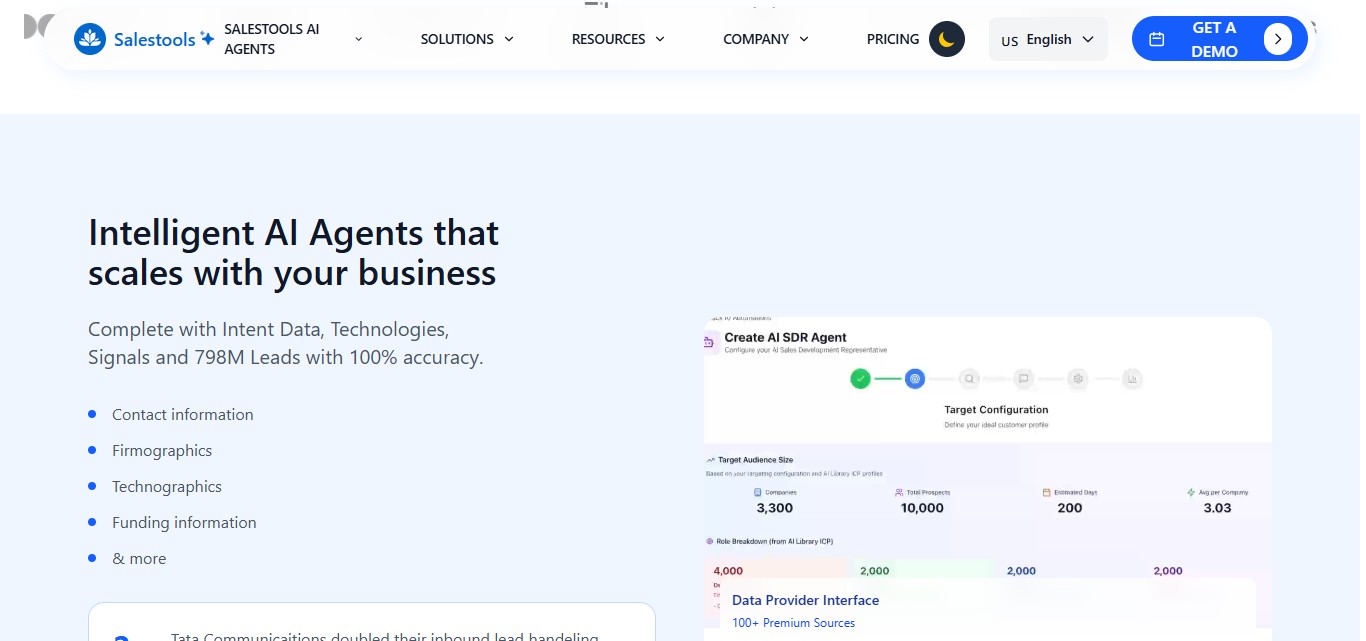
The platform manages outreach across email and LinkedIn simultaneously, handles CRM updates automatically, and supports up to 120 mailboxes across your team.
When a prospect does not respond through one channel, the AI shifts approach rather than just repeating the same message.
Everything syncs back to your CRM without manual data entry. Salestools estimates this saves teams 40 or more hours per week in administrative work, which is plausible given how much time SDRs typically spend on data hygiene alone.
Salestools Pricing
Salestools uses a credit-based pricing model where different actions consume different amounts of credits. Here is how the credit system works before you look at the tiers:
- Email send: 1 credit
- Lead enrichment: 2 credits
- AI message generation: 3 credits
- Deep research: 10 credits
You can monitor usage in real time from your dashboard, set alerts for low balances, and purchase additional credits as needed. On annual plans, credits roll over month to month.
AI SDR Plans
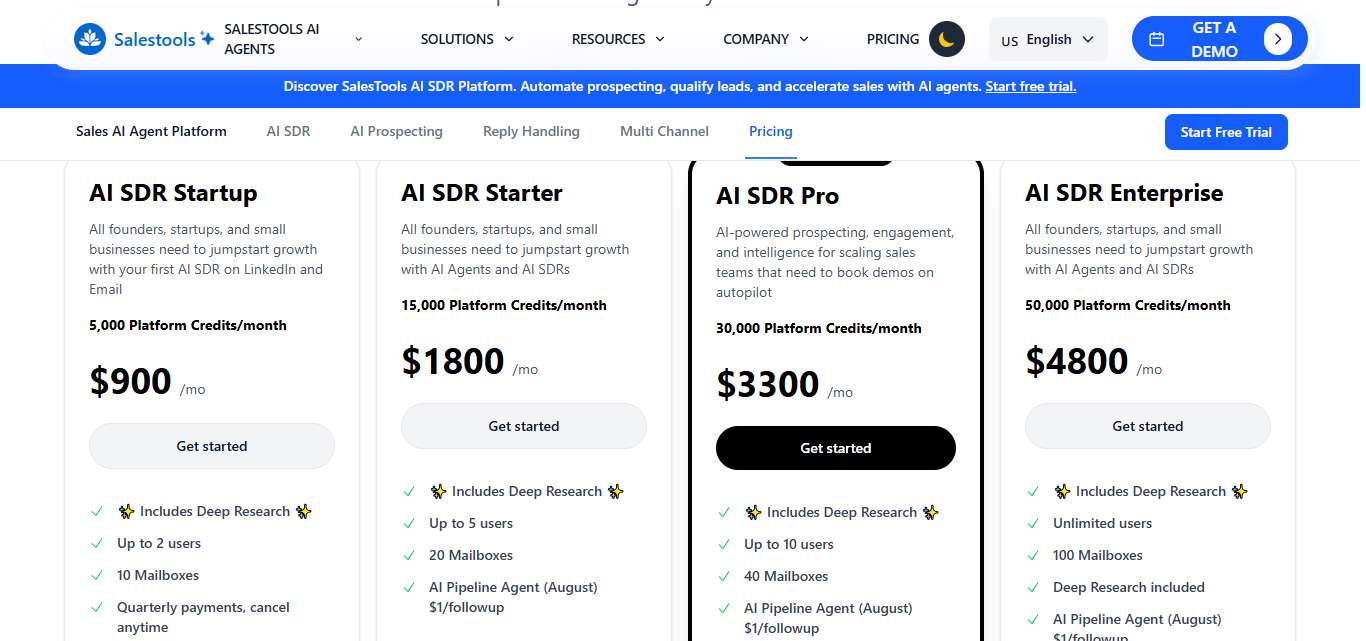
AI SDR Startup $750 per month on annual billing (or $900 per month billed monthly, cancel anytime) 5,000 platform credits per month Up to 2 users 10 mailboxes Deep Research included Best for founders and small teams just getting started with AI outreach on LinkedIn and email.
AI SDR Starter $1,800 per month 15,000 platform credits per month Up to 5 users 20 mailboxes Deep Research included AI Pipeline Agent available at $1 per follow-up Suited to growing startups and small businesses scaling their outreach volume.
AI SDR Pro (Most Popular) $3,300 per month 30,000 platform credits per month Up to 10 users 40 mailboxes Deep Research included AI Pipeline Agent available at $1 per follow-up The go-to tier for scaling sales teams that need demos booked on autopilot.
AI SDR Enterprise $4,800 per month 50,000 platform credits per month Unlimited users 100 mailboxes Deep Research included AI Pipeline Agent available at $1 per follow-up For larger organizations that need maximum volume and hands-on support.
Marketing Plans

If your primary need is website visitor identification, email automation, and pipeline tracking rather than full AI SDR agents, Salestools also offers standalone marketing tiers.
Marketing Free Free 1,000 platform credits per month Website visitor identification, basic email automation, CRM integrations, $100,000 pipeline tracked 1 user
Marketing Pro $119 per month 5,000 platform credits per month Advanced visitor identification, multi-channel campaigns, marketing attribution, $200,000 pipeline tracked Priority support, up to 5 users, custom integrations
Marketing Enterprise $599 per month 10,000 platform credits per month Enterprise visitor identification, advanced attribution modeling, custom workflows, $1,000,000 pipeline tracked Dedicated account manager, unlimited users, white-label options
Add-ons
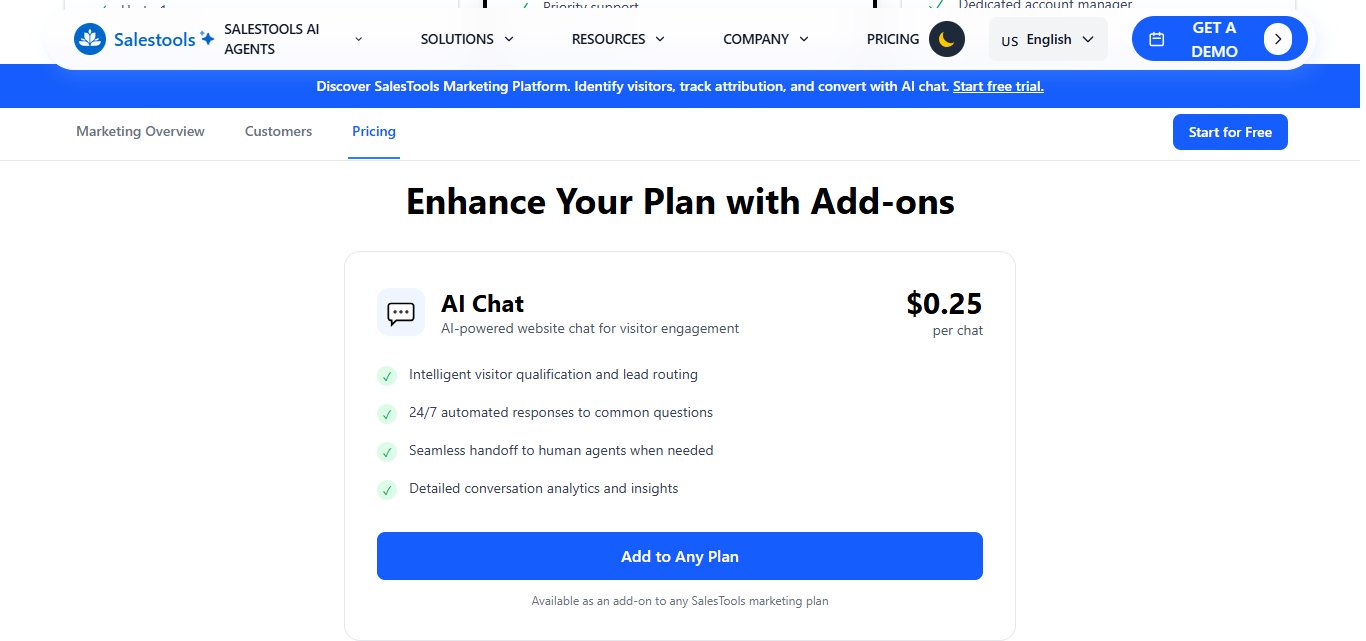
AI Chat (website visitor engagement) is available as an add-on to any marketing plan at $0.25 per chat. For teams that need more than 10,000 credits, custom enterprise pricing is available by contacting the sales team.
All prices exclude taxes, levies, and duties. Annual billing saves 20% across all plans.
What Works Well
The research depth is real. Most AI SDR tools personalize within a template. Salestools actually researches accounts before outreach, which makes a meaningful difference for enterprise prospecting where generic messages get ignored.
Multi-channel coordination is seamless. Email and LinkedIn outreach are synchronized rather than running in parallel silos. If you are managing both channels from separate tools today, consolidating them into one platform with unified reporting has obvious operational value.
The hallucination safeguard is a genuinely good idea. It will not catch everything, but having a validation layer before AI-generated messages go out is responsible product design and protects your sender reputation.
Transparent credit-based pricing. Unlike many AI SDR platforms that hide pricing behind sales calls, Salestools publishes its tiers openly. The credit system also means you pay for what you actually use rather than a flat seat fee that penalizes smaller usage.
Potential Drawbacks
The performance claims need context. Figures like 18% response rates and 48% more meetings booked come from Salestools' own marketing materials. Independent user reviews are limited, and third-party validation is sparse. These numbers may reflect ideal conditions or specific customer segments rather than typical results.
The cost is significant at every tier. At $900 per month at entry level, this is not a tool you adopt casually. Teams need to have a clear pipeline volume and outreach strategy in place to justify the investment.
Onboarding takes time. Three specialized AI agents, a credit system, Persona Relevance configuration, and multi-channel setup all add up to a real learning curve. Budget several weeks for proper implementation before expecting full performance.
AI cannot replace human judgment on strategic accounts. The platform is excellent for high-volume prospecting. For accounts where the deal size justifies a fully customized, human-led approach, AI-generated outreach may not be the right first touch.
Who Should Use Salestools
Salestools makes the most sense for large B2B sales teams running consistent outbound at volume, where the time savings from automating research and personalization translate directly to measurable pipeline improvement.
If you are running 200-plus outreach sequences per week across multiple channels and burning significant SDR hours on account research, the ROI case is straightforward.
It is less compelling for solopreneurs, very small teams, or teams that focus primarily on LinkedIn. At $900 per month for the entry tier, you need real outreach volume to make the math work.
Salestools vs SalesRobot: How Do They Compare?
Choose Salestools if you want comprehensive AI-powered sales automation across multiple channels with advanced personalization capabilities.
Pick SalesRobot if you're primarily focused on LinkedIn outreach and need a simpler, more affordable automation solution.
SalesRobot: The LinkedIn-First Alternative
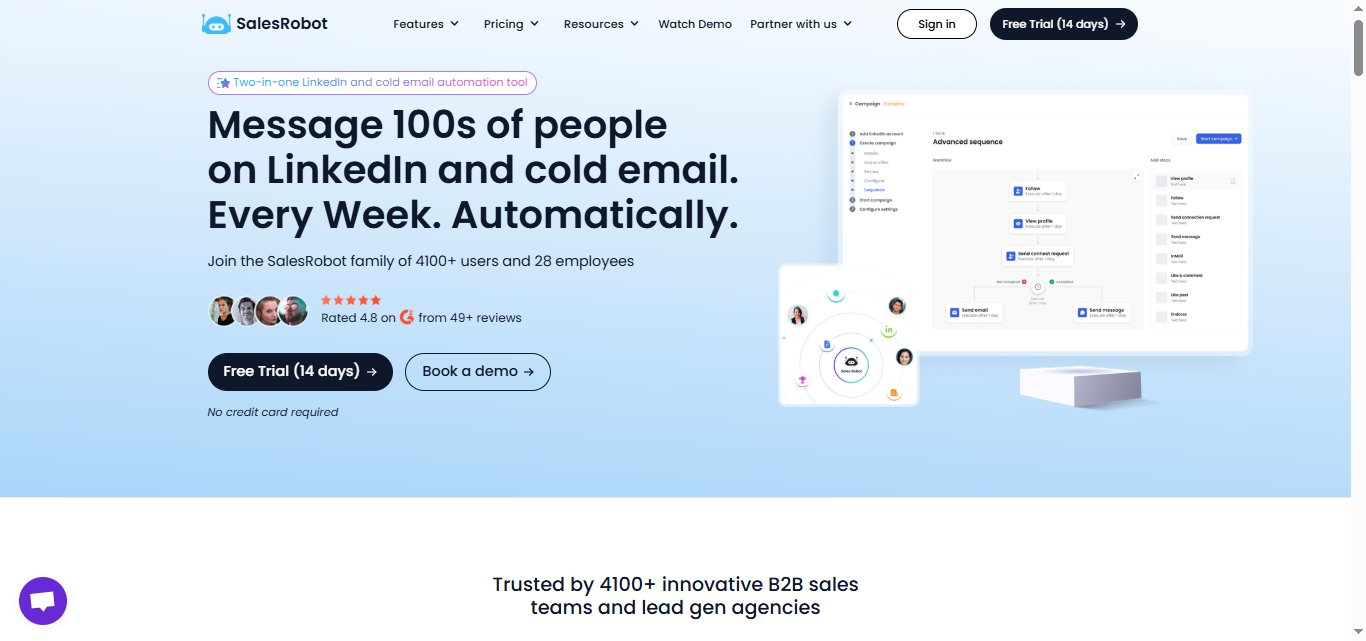
If you've been weighing Salestools for lead generation, here's another angle to consider: SalesRobot is built specifically for LinkedIn prospecting.
This is where your ideal prospects are already scrolling, engaging, and making business connections.
What SalesRobot Actually Does
SalesRobot is a LinkedIn automation platform that handles connection requests, follow-ups, and message sequences at scale.
It's designed for B2B sales teams and agencies who want to turn LinkedIn into a predictable lead generation machine.
Key Features
- Mobile API Safety: Uses LinkedIn's mobile app APIs on the backend instead of browser automation, reducing account ban risk to 0.00001%. It's fully cloud-based, so campaigns run 24/7 even with your laptop closed — no Chrome extension required — with dedicated residential IP rotation per account. Your outreach looks completely natural to LinkedIn's systems.

- AI Voice & Video Messages: Send personalized voice notes and video messages directly through LinkedIn at scale. Customers report 40%+ reply rates with this feature alone. [Image: SalesRobot "Create Campaign" interface showing "Send Voice Message" and "Send Video Message" options. — upload failed]
However you might want to include personalized voice or video messages as follow-ups, rather than starting a conversation with them.
Priyanshu (Dolta): His strategy involves recording his voice once so that the AI can send out individualized voice notes to prospects without him having to record each one manually
- Smart Reply Detection: Automatically stops messaging when prospects reply, preventing that awkward over-automation feel. Keeps your conversations human and responsive.
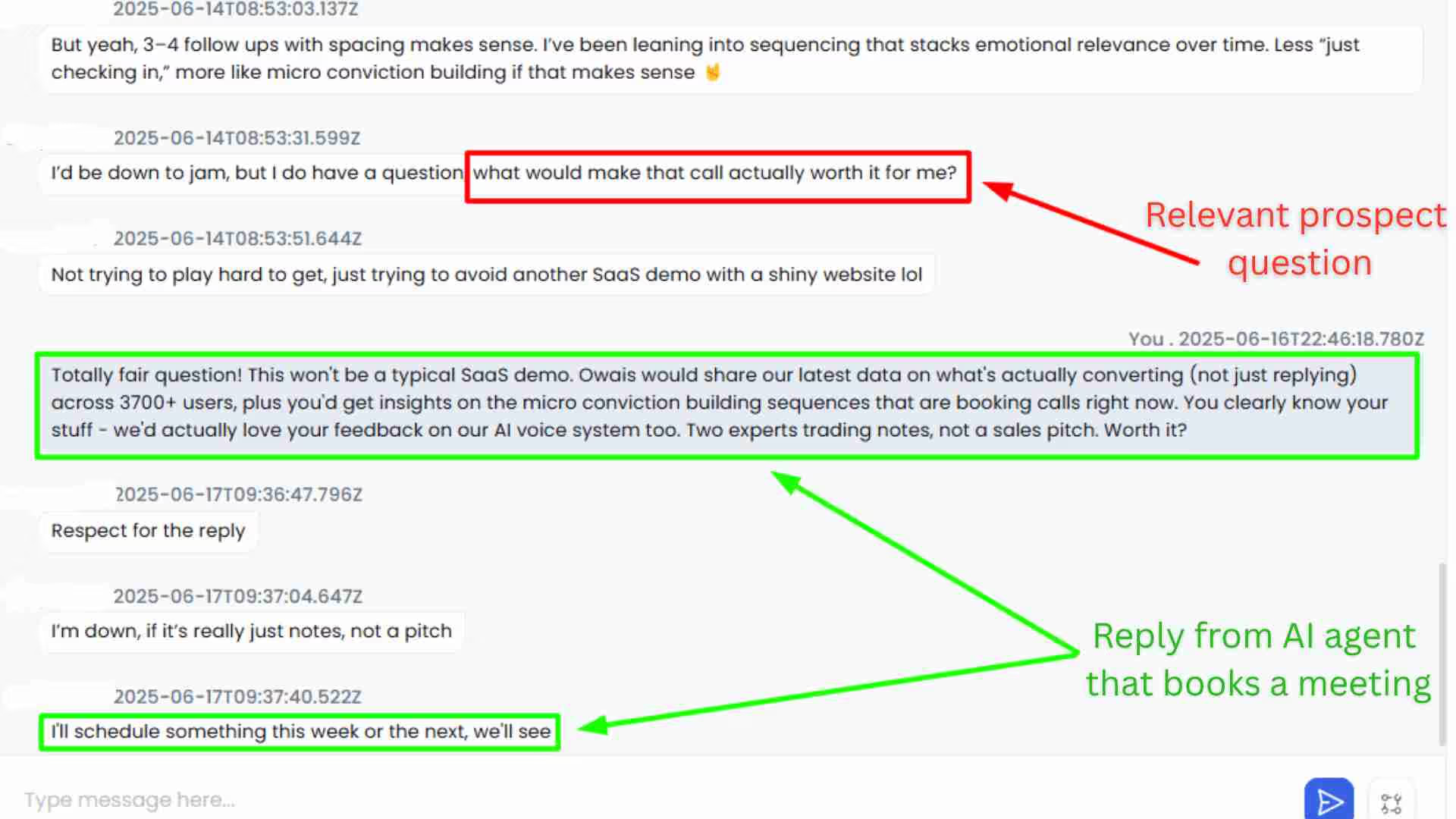
- AI Appointment Setter: AI manages your inbox and books meetings automatically, responding to leads within minutes. You can train it on your specific responses and booking criteria.
- Multi-Step Sequences: Create complex LinkedIn + email campaigns with smart delays and conditions, including unlimited cold email automation and email warmup (works with Gmail, Outlook, or custom SMTP). Import leads from Sales Navigator, regular LinkedIn search, CSV, LinkedIn groups, event attendees, or everyone who commented on a specific post.
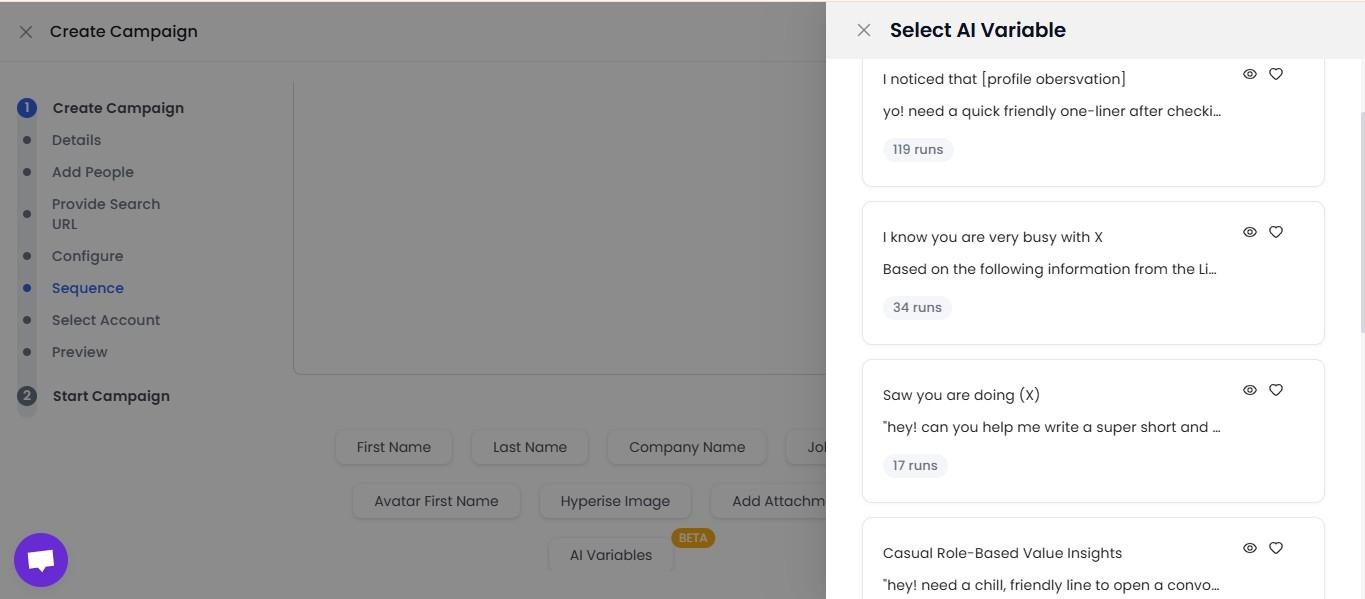
- AI Variables: Pull data from a prospect’s LinkedIn profile and write a hyper-personalized message sequence based on that.
- Team Management & Analytics: Track performance across multiple LinkedIn accounts, prevent duplicate outreach, and get detailed analytics on what's working.
SalesRobot Pricing
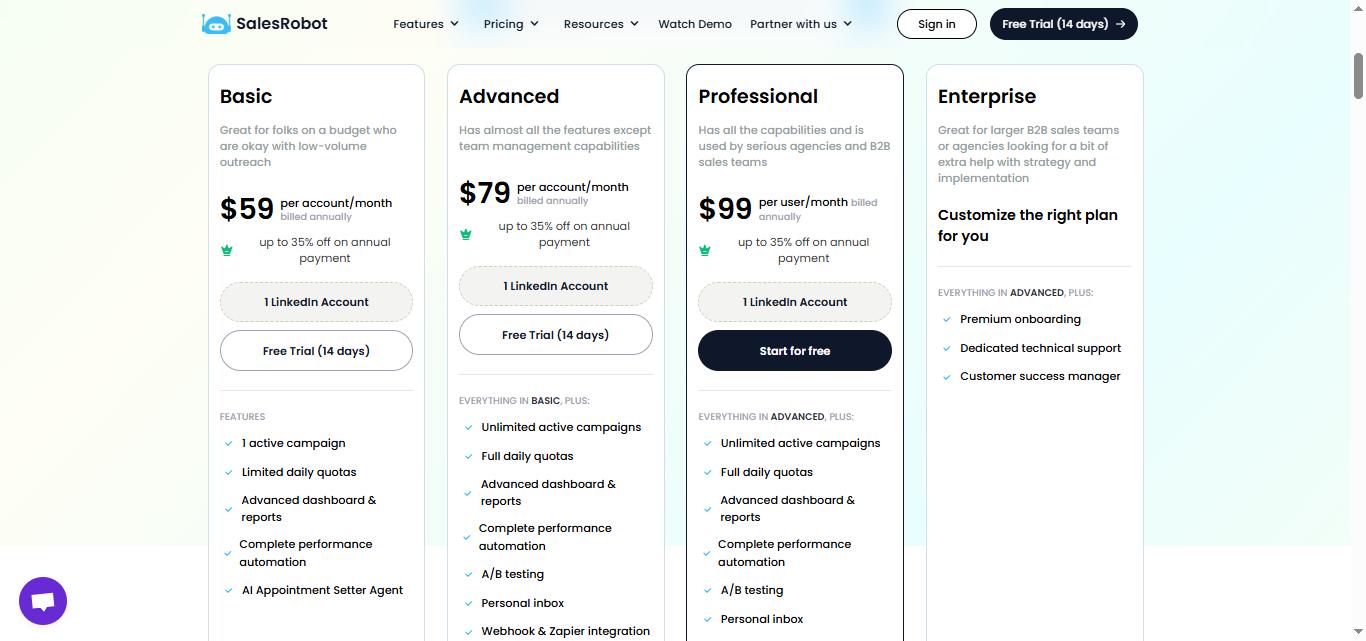
Pricing is per LinkedIn account, with annual billing offering up to 35% savings.
Basic: $39/month (annual) or $59/month
- 1 active campaign
- 20 connection requests per day
- Limited daily quotas
- AI Appointment Setter included
Good for solopreneurs testing LinkedIn automation on a budget.
Advanced: $59/month (annual) or $79/month
- Unlimited active campaigns
- 75 connection requests per day plus up to 50 InMails/day to open profiles (no InMail credits used)
- Full daily quotas
- A/B testing and webhooks
- Personal inbox management
Perfect for individual sales reps or small teams running multiple campaigns.
Professional: $79/month (annual) or $99/month
- Everything in Advanced
- Team management features
- Activity control across accounts
- Advanced analytics dashboard
Built for agencies and sales teams managing multiple LinkedIn accounts.
Enterprise: Custom Pricing
- Premium onboarding
- Dedicated technical support
- Customer success manager
For larger organizations needing hands-on implementation support.
SalesRobot offers a 14-day free trial with no credit card required, so you can test drive their LinkedIn automation before committing to a plan.
The Verdict
Salestools is a serious platform for teams that are serious about outbound.
✅The AI agent structure, deep research capability, and hallucination safeguards are genuinely well thought out, and the credit-based pricing is more transparent than most competitors in this space.
⚠️The trade-off is real cost and real complexity. This is not a tool you spin up in an afternoon and expect results from next week.
If your team is running high-volume multi-channel outreach and you have the budget and the onboarding bandwidth to do it properly, Salestools can deliver meaningful pipeline lift. If you are a smaller team or primarily prospecting on LinkedIn, the investment is harder to justify.
Match the tool to your actual situation.
Enterprise and mid-market teams with consistent outbound volume will find a lot to work with here.
Smaller teams and LinkedIn-focused sellers will get more value from a lighter, purpose-built tool like SalesRobot without overcommitting on cost or complexity. You can try out the features in a 14-day free trial, with no credit card required.

Wow your leads by cloning yourself and sending personalized videos and voice notes to each lead on LinkedIn.
If you don't reply to leads within 5 mins, your chances of converting them fall by 50%. Our AI replies on your behalf instantly! (and yes, you can train it)

Don't shoot in the dark. Get detailed analytics on what's working

SalesRobot allows you to invite other team members, so that they can add their LinkedIn Account, run outreach campaigns and get amazing results just like you.
.avif)


Trusted by 4100+ innovative B2B sales teams and lead gen agencies

.avif)

.avif)




.avif)


Heading 1
Heading 2
Heading 3
Heading 4
Heading 5
Heading 6
Lorem ipsum dolor sit amet, consectetur adipiscing elit, sed do eiusmod tempor incididunt ut labore et dolore magna aliqua. Ut enim ad minim veniam, quis nostrud exercitation ullamco laboris nisi ut aliquip ex ea commodo consequat. Duis aute irure dolor in reprehenderit in voluptate velit esse cillum dolore eu fugiat nulla pariatur.
Block quote
Ordered list
- Item 1
- Item 2
- Item 3
Unordered list
- Item A
- Item B
- Item C
Bold text
Emphasis

Superscript
Subscript