.avif)
TL;DR
- Free LinkedIn boxes you in three ways: roughly 300 profile searches a month (the commercial use limit), 1,000 results per individual search, and 500 profile views a day.
- There are five safe ways around it: splitting searches with advanced filters, a Google search trick, automation tools, LinkedIn Recruiter, or Sales Navigator at $119.99/month for a 2,500-result cap.
- Two free extras most people miss: target Open Profiles to send InMails without spending a connection request, or join LinkedIn Groups to message members without touching your connection cap.
- The catch nobody mentions: the wrong automation tool gets your account banned, not just throttled. Compliance is the whole game here.
- SalesRobot runs at $59/month ($39 billed annually) and clears the limits without the account risk, since it works off LinkedIn's mobile APIs in the cloud instead of a flagged browser extension. It also adds AI voice and video messages (users report 40%+ reply rates) and a 14-day free trial, no card needed.
- Bottom line: advanced filters cover you for free, and SalesRobot covers you when you need real prospecting volume without gambling your account.
It's 2026, and LinkedIn remains the top networking platform. No doubt.
However, LinkedIn introduces new restrictions every quarter.
One restriction most of you hate is...
1,000 contacts is a small number, especially for solopreneurs who need to reach so many people.
I get it. This restriction feels super frustrating.
But guess what?
I've got something that might just be the solution you're looking for, and it's somewhere in this blog.
If you don't check this out, here's what you'll miss:
🌟Why does the LinkedIn search limit exist?
🌟What does the LinkedIn commercial use limit mean?
🌟 5 easy steps to safely bypass LinkedIn search limits (Straightforward and super effective)
🌟And, if you're curious about automation tools, I'll show you how to use them to safely bypass LinkedIn search limits.
🌟And at the end, we'll also discuss whether you should even consider these tools or not.
So, don't settle for limited searches when you can break them safely.
Discover how to use LinkedIn like a pro.
This is more than just advice. It's your blueprint for success.

Why Is There A LinkedIn Search Limit?
As we all know, every working professional has an account on LinkedIn. I got myself one when I was in high school. 😬
Even Nvidia's CEO, Jensen Huang, has one account.
And to protect your personal information, LinkedIn has set search limits.
These limits are based on the number of searches made each month.
Exceeding this limit raises red flags for LinkedIn.
Once you hit the search limit, your only option is to buy a LinkedIn premium plan to increase your search limit.
This is frustrating and costly.
But what if I told you there's a way to search unlimited LinkedIn profiles without hitting any limits? You won't need expensive Premium plans, and you won't risk your account.
That's exactly what we'll cover in this guide. We'll include the tool that's helped thousands bypass these restrictions safely.
But before that, you should know more about search limits.
LinkedIn has 2 kinds of LinkedIn search limits:
1. LinkedIn profile search limit
First, let's talk about...
What is The LinkedIn Profile Search Limit?
LinkedIn profile search limit is the number of people you can search in a month.
This category is further divided into 2 parts:
[1] Free LinkedIn Account:
With a free LinkedIn account you can search up to 1000 profiles (i.e., 100 pages of 10 results each).

That's it.
No more results for you.
[2] LinkedIn Account + Sales Navigator:
With Sales Nav the limit is higher:
When you reach page 100 of a search, you can't click "Next" anymore.
If your search has more than 1000 results, you can't browse or extract all of them.
Now that you know how LinkedIn search limits work, let's talk about...
What is LinkedIn Commercial Use Limit?
With any free LinkedIn account, you get up to 300 monthly searches before hitting the commercial use limit.
This LinkedIn monthly search limit is one of the most restrictive aspects of the free platform.
Once you've hit the limit, LinkedIn no longer allows you to search.
If you do (which I know you will do), here's the popup message that will appear saying you've reached the commercial limit.

LinkedIn Search Limit Per Day: What You Need to Know
Apart from monthly limits, LinkedIn also has daily restrictions. Free users can view a maximum of 500 profiles per day, while those with Recruiter or Sales Navigator access can view up to 2,000 profiles daily. Your free monthly usage resets at midnight PST on the 1st of each calendar month.
What Happens When You Hit LinkedIn's Search Limit?
When LinkedIn decides you've been a little too enthusiastic with your searching, here's what goes down:
For Profile Search Limit:
- You'll see a "You've reached the end of search results" message
- No more browsing past page 100 of any search
- Your search basically hits a brick wall
For Commercial Use Limit:
Understanding these LinkedIn monthly limits for profile searches is crucial for anyone serious about LinkedIn prospecting and networking.
Don't worry you can easily bypass these limits.
Here's...
How to Bypass LinkedIn Search Limit? [5 Easy Steps]
Following are some of the best practices that can help bypass LinkedIn search limits safely:
[1] Use Advanced Search Filters
One way to bypass LinkedIn's search limit is to use LinkedIn's native advanced search filters.
Here's how to access it:
1. Search using a keyword, ex, "CEO"
2. To access the advanced search filters, simply click on "All filters" under the search bar on LinkedIn's home page.

3. Filter your results by location, industry, relationship, or any number of other criteria.

The key is splitting your searches:
Instead of searching for "Marketing Managers in USA" (which might return 50,000+ results), break it down:
- Marketing Managers in California + Tech Industry
- Marketing Managers in New York + Healthcare Industry
- Marketing Managers in Texas + Finance Industry
This can be a helpful way to narrow down your search results and find the specific person you're looking for.
Each individual search will stay within the 1,000 result limit for free accounts. You can work around the LinkedIn monthly search limit more effectively this way.
However, LinkedIn's advanced search filters can be a bit tricky to use. It's important to read the instructions carefully before you begin.
[2] Try Google Search
Another way to bypass LinkedIn's search limits is to use Google search instead.
Simply type "site:linkedin.com [person's name]" into Google's search bar and hit enter.

This will bring up all of the LinkedIn profiles that are associated with that person's name.
From there, you can click on the profile you're looking for and connect with them directly.
LinkedIn's search limits won't be able to stop you from finding the person you're looking for!
However, the problem is that LinkedIn isn't the only site that appears in Google's search results.
When using this method, it's essential to be as specific as possible when you're searching for someone on LinkedIn.
Otherwise, you'll just end up wasting your time.
[3] Third-Party Tools
If you're still struggling to find the person you're looking for, you can always try using a third-party tool like Linked Helper, Sales Navigator, or SalesRobot.
These tools help you bypass LinkedIn's search limits and access more detailed information about potential connections.
They also give you additional tools for connecting with people, such as the ability to send automated messages or request introductions from mutual connections.
Apart from being a great way to bypass LinkedIn's search limits, these extensions can also save you a lot of time and effort when connecting with potential leads.
Although using these extensions usually costs money, they can be well worth the investment if you're serious about growing your LinkedIn network.
One such LinkedIn search limit bypassing tool is SalesRobot.
It allows you to find 2nd and 3rd-degree connections, send automated messages, and request introductions from mutual LinkedIn connections.
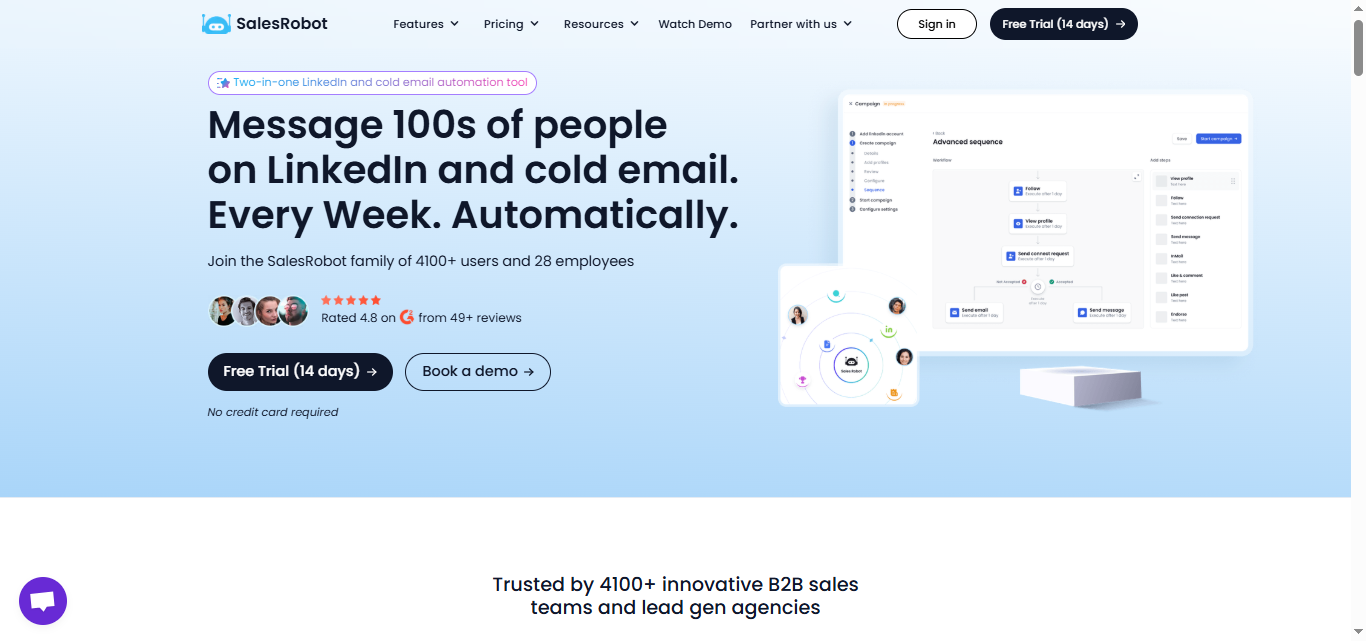
You can also use SalesRobot to create targeted lists of LinkedIn members based on specific criteria (location, job title, industry, etc.).
You can build a targeted list of potential leads and find their email addresses and phone numbers to contact them!
SalesRobot eliminates the need for multiple tools and combines LinkedIn automation with advanced AI features.
With SalesRobot, you can safely bypass LinkedIn's restrictions while maintaining account security, create fully automated campaigns that run 24/7, and automate your entire outreach process, all within a single platform.
Ready to try the automation tool? SalesRobot offers a free trial with onboarding support, so you can try it out and see if it's right for you.
{{mobile-cta}}
SalesRobot offers a free trial, so you can try it out and see if it's right for you.
{{mobile-cta}}
[4] Connect with LinkedIn Recruiters
LinkedIn Recruiters are a great way to bypass LinkedIn's search limits. LinkedIn Recruiters have access to LinkedIn's entire database of members, which can easily help you find the person you're looking for.

Of course, LinkedIn Recruiters aren't free. But they can be a great investment if you're serious about finding someone on LinkedIn.
LinkedIn Recruiters can help you connect with the person you're looking for, even if they're not actively job-seeking.
LinkedIn Recruiters can also help you connect with people who are hard to find using traditional methods.
LinkedIn also offers a service called Recruiter Lite, which gives you access to LinkedIn's database of members for a monthly fee.
[5] Using LinkedIn Sales Navigator
With a LinkedIn Sales Navigator account, you can search for people with higher limits and better filters.
The entry-level option, Sales Navigator Core, starts at $119.99/month (or about $89.99/month billed annually) and is a good option to start.
Sales Navigator accounts have a higher limit of 2,500 results per search compared to free accounts that only get 1,000 results. You can also send 150-200 connection requests per week instead of just 50-100 on free accounts.
Upgrading to a premium product can be a great choice if you're serious about leveraging LinkedIn's full potential.

You can also use Sales Navigator for LinkedIn Groups targeting:
- Join 5-10 relevant groups in your industry
- Go to LinkedIn Sales Navigator
- Add your usual filters (location, job title, industry, etc.)
- Filter by "Groups" (you can only see groups you're already a member of)
- Copy that Sales Navigator URL and use it for targeted outreach
This method gives you access to highly targeted prospects within your industry groups without using up your regular search limits.
Sending as InMail instead of a connection request is another workaround, if you have InMail credits available, this bypasses the weekly connection cap entirely and works on any LinkedIn member you have credits to reach.
How to Get Around LinkedIn Search Limit: Understanding Premium Options
With LinkedIn Premium, you'll receive unlimited browsing for profiles up to 3rd degree connections. Your limit resets at midnight PST the first of each calendar month, but upgrading to Premium eliminates most restrictions and helps you connect to the right people faster.
How Can We Use Automation Tools to Bypass LinkedIn Search Limit?
Many LinkedIn automation tools can help you bypass the LinkedIn search limit.
However, they are often unsafe and can lead to account blocks for not following LinkedIn's guidelines.
You need a tool that safely bypasses LinkedIn limits. SalesRobot runs on LinkedIn's mobile-app APIs in the cloud (no Chrome extension, works 24/7 even when your laptop is closed) with dedicated residential IP rotation and human-like behavior — cutting ban risk to about 0.00001%, making it safer than browser-extension tools like Expandi, Waalaxy, or Dux-Soup.
SalesRobot eliminates the need for multiple tools to streamline your outreach efforts.
It serves as a one-stop solution that combines LinkedIn and cold email automation with data enrichment functionalities.
With SalesRobot, you can bypass LinkedIn's search limits, identify and connect with specific individuals, and automate your outreach campaigns all within a single platform.
This integration not only saves you the hassle of managing multiple tools but also ensures seamless and efficient lead generation on LinkedIn.
It empowers users to achieve more with less effort, making it an invaluable asset for anyone serious about leveraging LinkedIn for business growth.
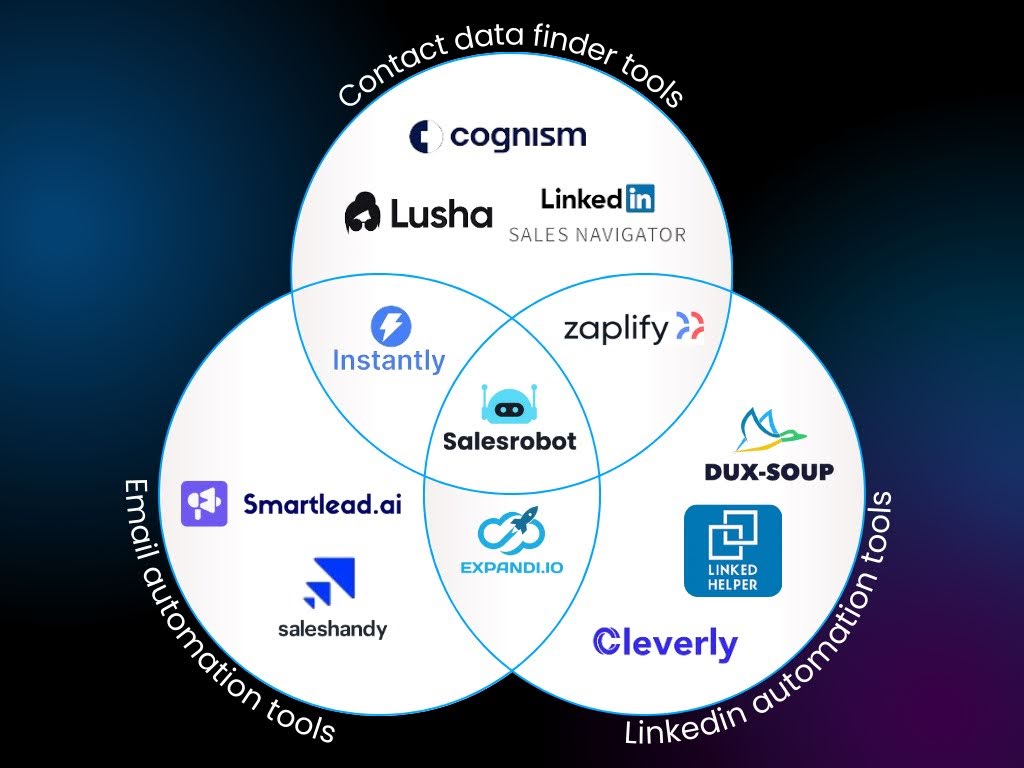
If you want to maximize your LinkedIn experience, SalesRobot is the perfect solution.
What Are The Features SalesRobot Offers?
Apart from helping you bypass LinkedIn search limit, SalesRobot offers advanced automation features like:
1. AI Appointment Setter:
When prospects reply, the AI Appointment Setter responds within minutes in your LinkedIn inbox, nurtures leads until they're ready to book, and is fully trainable on your company, product, and tone. Available as an add-on across all plans — no other LinkedIn automation tool offers this natively.

Choose CoPilot mode (generates replies for review) or Autopilot mode (sends automatically based on your goals).
2. Voice and Video Messages:
Send AI-personalized voice notes and video messages on LinkedIn at scale (up to 50/day) — users report 40%+ reply rates. You can even clone yourself so each lead gets a unique personalized video. It's a differentiator no other major tool (Expandi, Waalaxy, Dripify, HeyReach) offers natively.

3. AI Variables:
Advanced personalization beyond basic fields, with custom prompts for industry-specific messaging.

Key features:
👉 Audience segmentation and advanced targeting
👉 Personalized images and GIFs as icebreakers
👉 AI tagging system for conversation management
👉 Webhook & API integrations with CRM tools
👉 Multiple LinkedIn account management for teams
There's more, and if you want, we can get on a quick call.
Coffee is, of course, on me!
We also have a 14-day free trial, if you'd like to see what SalesRobot can do for your business before making a financial commitment.
Should You Consider Using Automation Tools to Bypass LinkedIn Search Limit?
Using an automation tool speeds up sending connection requests, but not all tools can reliably bypass LinkedIn's algorithms.
Choosing the wrong tool could lead to serious consequences like account suspension or bans, damaging your professional reputation and wasting time.
However, selecting the right tool, such as SalesRobot ensures compliance with LinkedIn's guidelines while maximizing efficiency.
SalesRobot not only bypasses search limits reliably but also allows precise targeting of your ideal audience.
This means you can connect with potential prospects without putting your account at risk.
To avoid these pitfalls and achieve a safe and effective LinkedIn outreach strategy, follow the best practices outlined in this article.
And that's a wrap.
Until next time!
Frequently Asked Questions
Can you bypass LinkedIn search limits safely?
Yes, you can bypass LinkedIn search limits safely using methods like advanced search filters, LinkedIn Premium, Sales Navigator, or compliant automation tools like SalesRobot. However, avoid tools that violate LinkedIn's terms of service as they can result in account suspension.
Does LinkedIn have unlimited people search?
LinkedIn doesn't offer truly unlimited people search on free accounts. Free users are limited to 1,000 profile searches per month and 500 profile views per day. Premium accounts provide unlimited browsing for profiles up to 3rd degree connections.
What happens when you reach LinkedIn's monthly search limit?
When you hit LinkedIn's search limit per month, you'll see messages like "You've reached the end of search results" and won't be able to browse past page 100 of any search. Your limits reset at midnight PST on the 1st of each calendar month.
Frequently Asked Questions
Is there a LinkedIn search exporter to save profiles past the limit?
Compliant automation tools like SalesRobot can import and export leads from a LinkedIn or Sales Navigator search, a LinkedIn group, an event, or post-commenters — capturing profile data in one session so you don't burn manual searches. Avoid aggressive scrapers, which risk account bans.
What does 'You've reached the monthly limit for profile searches' mean?
It's LinkedIn's commercial use limit — a monthly cap (roughly 300 searches) on free accounts. It blocks only search results, not your account; it's a paywall, not a penalty. It resets at midnight PST on the 1st of each month, and LinkedIn won't show your remaining count.
How much does SalesRobot cost in 2026?
SalesRobot's paid plans start at $59/month for Basic, $79/month for Advanced, and $99/month for Professional (per LinkedIn account, billed monthly). Annual billing drops these to $39, $59, and $79 respectively. Every plan includes a 14-day free trial with no credit card required.

Wow your leads by cloning yourself and sending personalized videos and voice notes to each lead on LinkedIn.
If you don't reply to leads within 5 mins, your chances of converting them fall by 50%. Our AI replies on your behalf instantly! (and yes, you can train it)

Don't shoot in the dark. Get detailed analytics on what's working

SalesRobot allows you to invite other team members, so that they can add their LinkedIn Account, run outreach campaigns and get amazing results just like you.
.avif)


Trusted by 4100+ innovative B2B sales teams and lead gen agencies

.avif)

.avif)




.avif)