.avif)
TL;DR
- 97% of recruiters already use LinkedIn to source candidates, but 70% of the workforce is passive talent that never sees a job post, so someone has to reach out first.
- Safe automation limits in 2026 sit around 20-40 connection requests a day and 100-200 a week, but the architecture of the tool (cloud with a dedicated IP versus a browser extension) now matters more than staying under any single number.
- The candidate sequence that actually works is four touches over 10-12 days: connection request, opener, follow-up, final note, then stop and revisit in 3-6 months.
- Non-responders on LinkedIn aren't dead leads. A campaign that automatically switches them to email catches hires a LinkedIn-only sequence would miss.
- LinkedIn Recruiter's InMail costs roughly $2-8 per bundled credit, and overage credits now run as high as $21 each after a late-2025 price hike, against SalesRobot's flat $59/month with no per-message fees.
- The account killers are predictable: cold-starting a fresh account at full volume, running a browser extension instead of a cloud tool, and letting acceptance rate slide below 30%.
- SalesRobot runs this whole system on mobile-API tech with human-like limits, imports candidates straight from Sales Navigator, Groups, and Events, and its AI Appointment Setter handles replies and books meetings. Customers average a 55% reply rate and 51% acceptance. 👉 Try free for 14 days.
You're Spending 30% of Your Week on Tasks a System Could Do for You
Recruiters spend an average of 30% of their time just sourcing on LinkedIn: searching, opening profiles, copying names, and typing "Hi [FirstName], I came across your profile" over and over.
That's not sourcing. That's data entry with a login streak.
And here's the part that stings: while you're on candidate #14, the perfect candidate for your role has already accepted someone else's offer. 70% of the global workforce is passive talent.
They're not applying, not browsing jobs, not answering job-board posts. You have to reach out first.
Old advice says "just send more InMails." But LinkedIn Recruiter caps you, InMail costs stack up, and blasting templates gets you ignored (or restricted).
The real answer is a system, one that finds candidates, personalizes at scale, follows up on a schedule, and surfaces replies without you babysitting five inboxes.
This guide walks you through that system in five steps, plus the 2026 safety rules that keep your account alive while you run it.
Time-to-fill already sits at 63.5 days (Employ, 2026), and cost-per-hire for non-executive roles averages roughly $4,700-$5,500 (SHRM, 2025). Every manual hour is real money.
Before You Automate Anything: The 2026 Safety Rules for Recruiter Accounts
Automation is safe when it mimics human behavior and runs on compliant infrastructure, not when it just stays under a magic number. That's the biggest shift in 2026.
Through early 2026, LinkedIn escalated enforcement targeting tool architecture, specifically cloud proxy sending and browser extensions, rather than individual user behavior. Translation: staying under your daily limit does not protect you if the tool underneath is non-compliant.
Volume still matters, though. Here are the safe thresholds for recruiter accounts as of 2026:
Recruiters get slightly more leeway. High-volume viewing and messaging is expected from your account type, so a daily safe limit of 30-50 highly personalized requests is workable.
But watch this: widely reported 2026 data puts the figure at 23% of users facing restrictions even within "official" limits, because their acceptance rate is too low. LinkedIn reads low acceptance as spam, regardless of volume.
And architecture is the quiet killer. Cloud tools with a dedicated IP are commonly cited as carrying roughly 60% lower restriction risk than browser extensions, according to several 2026 automation-safety writeups (the exact studies behind that number vary and aren't independently published by LinkedIn, but the direction is consistent across sources).
This is exactly where SalesRobot is built to keep you safe. It uses mobile API technology that mimics human behavior: randomized delays, human-like daily limits of up to 200 connection requests per week, and residential IP rotation.

Customers report zero account bans when following SalesRobot's Safe Mode guidelines, and because it's cloud-based, it runs 24/7 without you keeping a browser tab open.

Step 1: Build Your Candidate Pool (Without Downloading a Single CSV)
Start by feeding your system the right people before you write a single message. Garbage in, ghosted out.
The manual way: run a LinkedIn or Sales Navigator search, open each profile in a new tab, copy the name, paste it into a spreadsheet, repeat 300 times. It's soul-crushing and it doesn't scale.
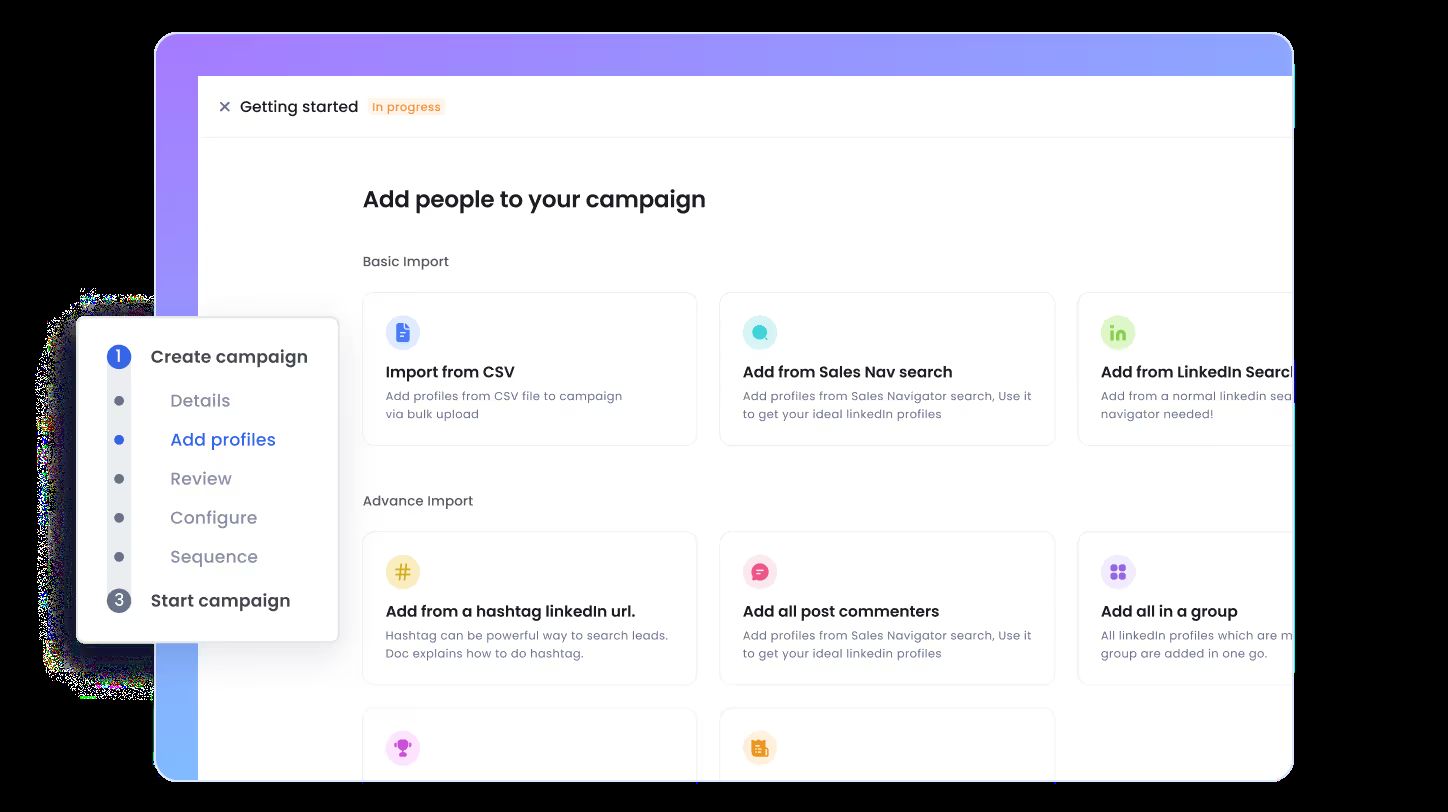
The better way is to import candidates directly from where they already live on LinkedIn:
- LinkedIn Search and Sales Navigator, your core Boolean and filter searches
- LinkedIn Groups, engineering communities, alumni networks, niche professional groups where passive talent gathers
- LinkedIn Events, attendees of a recent conference or webinar in your niche (warm, relevant, timely)
- CSV upload, for candidate lists you already exported from your ATS
For example, you could paste a Sales Navigator search URL for "Senior Backend Engineers in Berlin, 3+ years tenure" and pull the entire list automatically, no downloading, formatting, or re-uploading.
That's exactly how SalesRobot handles it. You paste your Sales Navigator search URL, SalesRobot imports the leads automatically, and its AI Variables feature enriches each candidate with data from their profile (recent job changes, company news, shared connections) with no separate prospecting database needed.

Step 2: Personalize at Scale Using Candidate Profile Data
A 500-candidate campaign should read like 500 individual messages, not one template with a name swapped in. Passive candidates spot a mail-merge instantly, and they ignore it just as fast.
Personalization isn't a nice-to-have in recruiting; it's the difference between a 10% and a 30%+ acceptance rate. And low acceptance, remember, is what gets accounts restricted.
The trick is to pull dynamic variables from each candidate's profile automatically instead of researching each one by hand:
- Current role and company
- A recent promotion or job change
- Tenure signals ("5 years at one company" is a different opener than "3 jobs in 2 years")
- Shared connections or a shared group
For example, you could auto-insert a candidate's recent promotion into your opener: "Congrats on the VP move at Acme, I'm running a search that might be your next chapter." That lands completely differently than "I came across your profile."
Keep it tight, too. Messages under 400 characters consistently outperform long walls of text.
SalesRobot's connection message library has real examples of this kind of opener, and its AI Variables feature does the pulling automatically at scale, so the personalization scales with your volume instead of capping it.
Step 3: Run the 4-Touch Candidate Sequence (and When to Stop)
Three to four touches over 10-12 days is the sweet spot for passive candidate outreach, then you stop. More than that reads as desperate and, worse, drags your acceptance and reply rates down.
Here's the sequence that works:
The rule for each follow-up: bring a new angle, not a nudge. "Just following up" is a wasted touch. Touch three might mention a specific project the role owns; touch four might simply say "totally understand if the timing's off, I'll leave the door open."

After the final note, stop. If the role is still open in 3-6 months, restart with a fresh angle. Constantly re-pinging silent candidates tanks your reply rate, and healthy reply rates are what keep LinkedIn happy.
SalesRobot runs this whole sequence for you with randomized, human-like delays, 24/7 in the cloud. You can even warm candidates up first: Smart Comments automatically leaves AI-generated comments on a prospect's LinkedIn posts before the connection request fires, so your name isn't a total stranger when the invite lands, which nudges acceptance rates up.
Step 4: Capture Non-Responders With Email (Before You Write Them Off)
Not every candidate lives on LinkedIn, so the ones who never accept or never reply aren't dead leads. They're email leads. Writing them off is leaving hires on the table.
Messages spread across email and LinkedIn outperform long single-channel sends. The mechanic is simple: if a candidate doesn't respond on LinkedIn after your sequence completes, the campaign automatically switches to email and picks up the conversation there.
Honest caveat: you need the email address to do this. You can get it from an email finder tool, a Sales Navigator lead, or a CSV export from your ATS. Build that into Step 1 when you can.
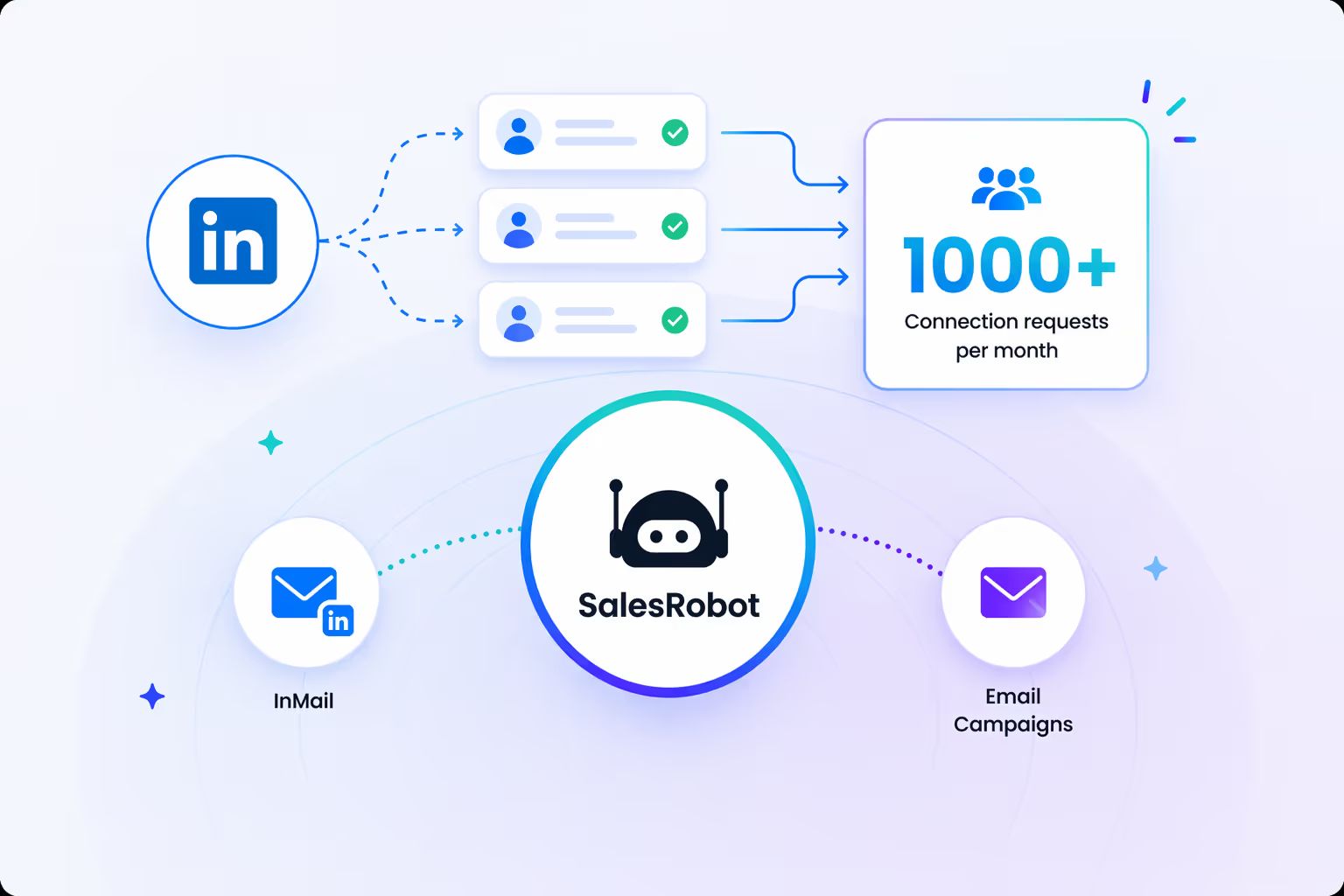
This is where SalesRobot combines both channels in one platform. You can create a drip campaign that starts on LinkedIn (connection request, message, follow-up) and then automatically switches to email if the candidate doesn't respond. Email warm-up and deliverability tools are included, so those follow-ups stay out of spam.
Step 5: Handle Replies Without Letting Conversations Fall Through the Cracks
Automation that generates replies you never see is worse than no automation at all. This is the step everyone skips, and it's where good candidates quietly vanish.
Picture it: your sequence sparks 40 replies across three LinkedIn inboxes and two email accounts. You catch maybe half. The rest go cold while you're heads-down on another req.

The fix is to centralize reply management so every conversation lands in one place, and to let AI triage the incoming volume:
- Copilot mode reviews each conversation and suggests a personalized reply you approve with one click.
- Autopilot mode runs fully hands-off. The AI manages entire conversations, handles objections, and books qualified meetings 24/7.
For example, the AI sees a candidate reply "I'm open, but I need to stay remote", and it flags that to your screen with a one-click response pre-drafted: "Remote's on the table, let me share a few details about the role."
If you're an agency running multiple recruiter accounts, the collision problem is real too: two recruiters messaging the same candidate looks amateur. SalesRobot's team dashboard runs campaigns across multiple LinkedIn accounts from one login, each with separate inboxes and sending limits, plus Copilot and Autopilot modes so replies never rot in an unwatched inbox.
How SalesRobot Makes Recruiter Sourcing at Scale Easier
Here's the honest framing: SalesRobot isn't your ATS and it isn't a candidate database. It's the outreach engine that powers all five steps above, safely, and without you living inside LinkedIn all day.
LinkedIn Recruiter, by contrast, gives you the database and InMail credits but no native sequencing: there's no built-in way to schedule a 4-touch cadence or auto-fall back to email when a candidate goes quiet. You'd be doing that part by hand.

Here's how each piece maps to the five steps above:
The cost math is stark. LinkedIn Recruiter InMail runs roughly $2-8 per bundled credit (more once you buy overage credits, which now run up to $21 each after LinkedIn's late-2025 price hike), with monthly caps either way. SalesRobot is $59/month flat with no per-message fees (Basic $59, Advanced $79, Professional $99; annual billing saves up to 35%).
The proof: 4,100+ B2B teams and lead gen agencies, a 4.8 rating on G2 from 57+ reviews, a 55% average reply rate, and 51% connection acceptance across customers. One Growth Agency customer hit a 66% reply rate using SalesRobot as their core outreach infrastructure.
Start with the 14-day free trial, no credit card required, and run your first candidate sequence this week.
4 Common Mistakes That Get Recruiter Accounts Restricted (and Kill Reply Rates)
Even a great system fails if you trip these wires:
- Sending too fast on a fresh account. Cold-starting at 40 requests/day instead of ramping from ~10/day triggers LinkedIn's anomaly detection. New accounts should warm up gradually before hitting the ceiling.
- Using a browser extension on your primary recruiting account. Extension-based tools are widely reported to carry meaningfully higher restriction risk than compliant cloud tools in 2026, because LinkedIn is now hunting architecture, not just behavior.
- Letting acceptance rate fall below 30%. Low acceptance flags you as spammy regardless of how "safe" your volume is. It's a big part of why so many users get restricted even inside official limits. Fix it with real personalization (Step 2), not more sends.
- Writing follow-ups that just say "just following up." Every touch needs a new angle or a fresh value statement. Nudge-only messages waste a touch and drag your reply rate down.
SalesRobot is built to dodge mistakes #1 and #2 for you: mobile-API architecture with randomized delays and gradual ramping keeps accounts safe from the restrictions that plague desktop-based tools.
Frequently Asked Questions
Is LinkedIn automation safe for recruiters?
Yes, when the tool uses compliant architecture and human-like limits. In 2026, LinkedIn targets tool infrastructure (cloud proxies and browser extensions) more than individual behavior. With a quality paid tool, restriction rates are commonly reported in the well-under-1% range, and paid accounts typically receive a warning first.
Cloud tools are widely reported to carry meaningfully lower restriction risk than extensions, though exact percentages vary by source.
How many LinkedIn connection requests can I send per day as a recruiter?
Most users can safely send 20-40 connection requests per day, with a weekly cap around 100-200. This isn't an officially published LinkedIn number, but it's consistently reported across automation tools and trackers.
Recruiter accounts get slightly more leeway, a daily safe limit of 30-50 highly personalized requests, because high-volume outreach is expected from that account type. Keep acceptance above 30% to avoid restrictions regardless of volume.
Does LinkedIn automation replace recruiters?
No. Automation handles repetitive top-of-funnel tasks: sourcing, personalized outreach, follow-ups, and reply triage, but it does not replace human judgment.
Screening, interviewing, compliance tracking, and relationship-building still require a recruiter. Think of automation as the outreach engine that frees up the 30% of your week currently lost to manual sourcing.
How many follow-ups should a candidate outreach sequence have?
Three to four touches over 10-12 days is enough for most passive outreach: a connection request, a first message, one follow-up, and a final short note. After that, stop, over-messaging hurts your reply rate and acceptance signals.
If the role is still open in 3-6 months, restart the sequence with a fresh angle.
What's the difference between LinkedIn Recruiter and a LinkedIn automation tool?
LinkedIn Recruiter is LinkedIn's native product: advanced search, InMail credits (roughly 100-150/month per seat on the full plan, 30/month on Recruiter Lite), and ATS integrations, priced per seat with per-message costs.
A LinkedIn automation tool is the outreach sequencing layer: it works on any LinkedIn account, sends personalized connection requests and follow-ups automatically, and eliminates per-message fees. Many recruiters use both.
Can I use SalesRobot alongside LinkedIn Recruiter?
Yes, and many recruiters do. LinkedIn Recruiter gives you the native candidate database, InMail credits, and ATS integrations. SalesRobot handles the outreach sequencing on top of that: personalized connection requests, scheduled follow-ups, and the automatic switch to email when a candidate doesn't respond on LinkedIn.
LinkedIn Recruiter doesn't sequence or automate follow-ups natively, so pairing the two closes that gap without paying per-InMail fees for the follow-up messages.
Conclusion: Build the System Once, Source Candidates Every Day
Sourcing at scale isn't a sprint of manual outreach. It's a system you build once and run daily. The five steps here are that system: build the pool, personalize at scale, run the 4-touch sequence, catch non-responders on email, and handle every reply.
Honest reality check: automation owns the outreach layer only. Screening, interviewing, and the human judgment that turns a reply into a hire are still yours, and always will be.
But the grunt work? Hand it off. SalesRobot runs safe mobile-API sequences with zero reported bans under Safe Mode, imports candidates straight from Sales Navigator, Groups, and Events, personalizes with AI Variables, and books qualified conversations with its AI Appointment Setter, all at $59/month, backed by a 55% average reply rate across 4,100+ teams.
Build your first sequence this week: try SalesRobot free for 14 days, no credit card required.

Wow your leads by cloning yourself and sending personalized videos and voice notes to each lead on LinkedIn.
If you don't reply to leads within 5 mins, your chances of converting them fall by 50%. Our AI replies on your behalf instantly! (and yes, you can train it)

Don't shoot in the dark. Get detailed analytics on what's working

SalesRobot allows you to invite other team members, so that they can add their LinkedIn Account, run outreach campaigns and get amazing results just like you.
.avif)


Trusted by 4100+ innovative B2B sales teams and lead gen agencies

.avif)

.avif)




.avif)


Heading 1
Heading 2
Heading 3
Heading 4
Heading 5
Heading 6
Lorem ipsum dolor sit amet, consectetur adipiscing elit, sed do eiusmod tempor incididunt ut labore et dolore magna aliqua. Ut enim ad minim veniam, quis nostrud exercitation ullamco laboris nisi ut aliquip ex ea commodo consequat. Duis aute irure dolor in reprehenderit in voluptate velit esse cillum dolore eu fugiat nulla pariatur.
Block quote
Ordered list
- Item 1
- Item 2
- Item 3
Unordered list
- Item A
- Item B
- Item C
Bold text
Emphasis

Superscript
Subscript