.avif)
TL;DR
- The whole thing runs as a five-step weekly loop: sharpen your profile, work warm leads before cold, personalize every request, follow up in sequence, then track and adjust.
- Warm leads convert at 40-45%, cold ones at just 3-8%, so mining your existing network first does 5-10x the work of blasting strangers.
- Personalization is the single biggest lever: a personalized note lifts post-acceptance reply rates from 5.44% to 9.36%, nearly double, off one specific reference.
- Most of your replies come from follow-ups, not first messages, and adding email as a fallback channel is what closes the gap.
- LinkedIn's 2026 connection cap is widely reported at around 100 requests a week (roughly 20-25/day before throttling), with high-SSI accounts able to push toward 200.
- The reason freelancers quit isn't that outreach fails. It's that personalizing 100 requests a week by hand is unsustainable, which is exactly the part a tool should take over.
- 👉 Skip the manual grind: SalesRobot runs your LinkedIn sequence, follow-ups, and email fallback on autopilot from $59/month. Try free for 14 days.
Your LinkedIn Pipeline Isn't Broken, Your Weekly System Is
Picture the classic freelancer move: a slow month hits, panic sets in, and you fire off 30 connection requests in one caffeinated afternoon.
Two people say "maybe." Nobody books. So you ghost LinkedIn for three weeks and go back to refreshing your empty inbox.
That's not a quality problem. It's a consistency problem.
Here's the annoying part about the usual advice.
"Just post content" is real, but it takes 2-4 months of posting twice a week before inbound gets steady.
And "just message more people" gets your account throttled the second you cross LinkedIn's limits.
Direct outreach, done right, can land a first client in about two weeks, but only if you run it as a repeatable weekly loop instead of a monthly panic attack.
This post gives you that loop. Five steps, the exact numbers behind each one, and the honest truth about where a tool takes over so you don't burn out by week three.
Step 1: Make Your Profile the First Yes (Before You Send a Single Message)
Every connection request sends the prospect straight to your profile, so your profile is the real first message. If it reads like a job-hunting resume instead of a service page, your acceptance rate tanks before the conversation starts.
This matters because acceptance rate is a signal LinkedIn watches closely.
Requests with a personalized note that references a specific signal or shared context earn a 30%+ acceptance rate, but only if the profile behind the note backs it up.
Fix three things:
- Headline, who you help and the outcome you deliver, not your job title. "I help SaaS founders turn blog traffic into demos" beats "Freelance Copywriter."
- Featured section, one case study, testimonial, or portfolio piece up top as instant proof.
- Activity feed, a few recent posts or comments so you look like a real human who shows up, not a dormant account.
For example, you could pin a one-line client result ("cut a client's CAC by 22% in 90 days") to your Featured section so anyone who accepts sees proof in the first three seconds.
One compounding trick: commenting thoughtfully on a prospect's posts before you connect warms them up.
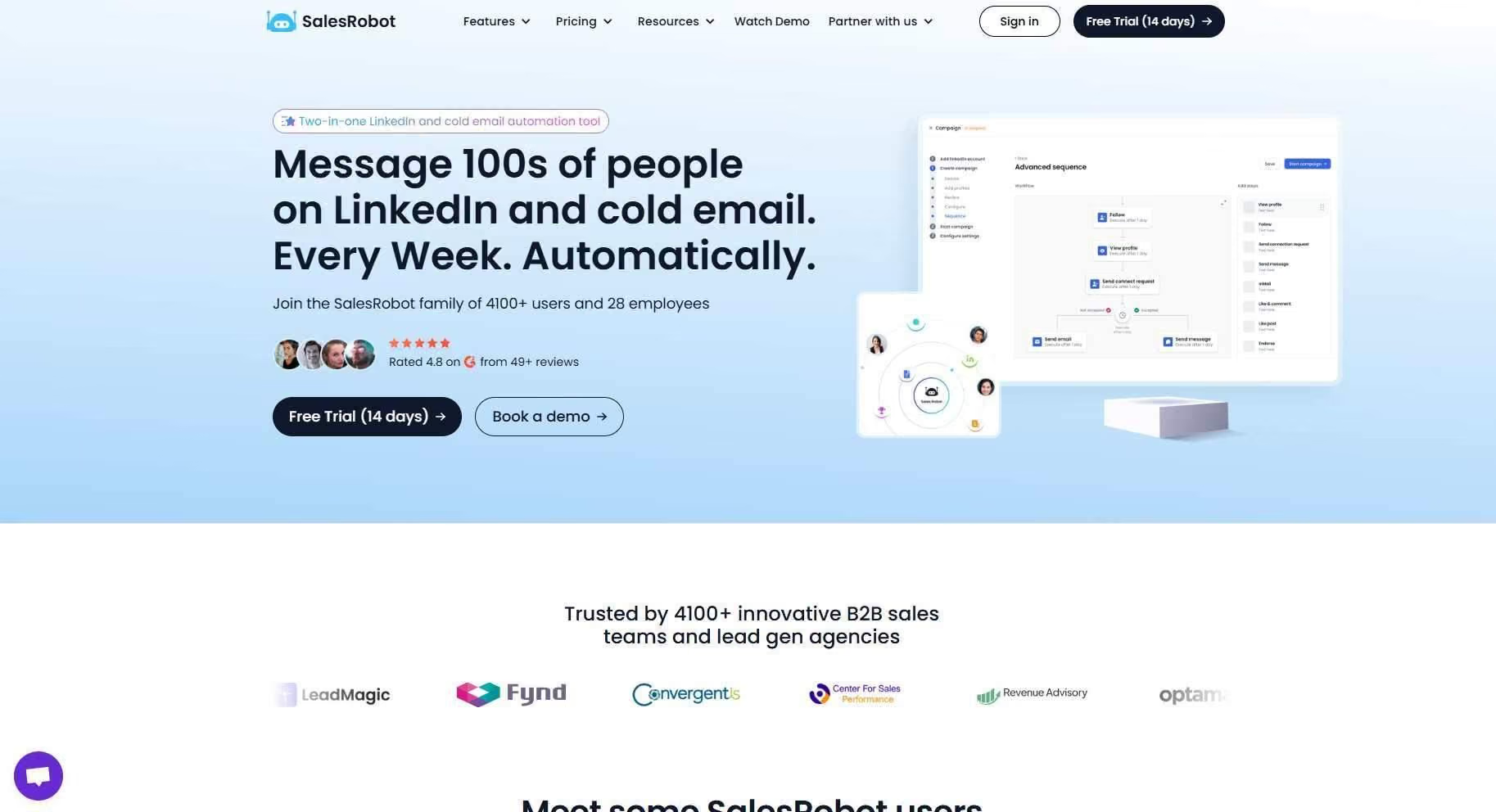
SalesRobot's Smart Comments automates that AI-generated warm-up at scale, but even doing it manually from a polished profile lifts acceptance.
Step 2: Find the Right Prospects (Warm Before Cold)
Sequence beats volume. Work your warm leads first, they convert at 40-45% versus just 3-8% for cold. Skipping straight to cold strangers is the single most common way freelancers waste their weekly send limit.
Your warm tier: past clients, existing connections, people who've commented on your posts, and mutual connections. These already know you (or almost do), so a message here does 5-10x the work of a cold one.
Then move to targeted cold. Use LinkedIn Search filtered by job title, company size, and industry. Mine relevant LinkedIn Groups and LinkedIn Events where your ideal clients already gather.
Don't build a random list of 500 names. Build a weekly batch of 100 prospects, sorted by warmth, because 100 is your ceiling anyway (more on that below).
The manual way: two-plus hours of copy-pasting names into a spreadsheet every week.
The SalesRobot way: it imports leads directly from LinkedIn Search, Sales Navigator searches, LinkedIn Groups, LinkedIn Events, and CSV uploads, no exporting, formatting, or re-uploading.
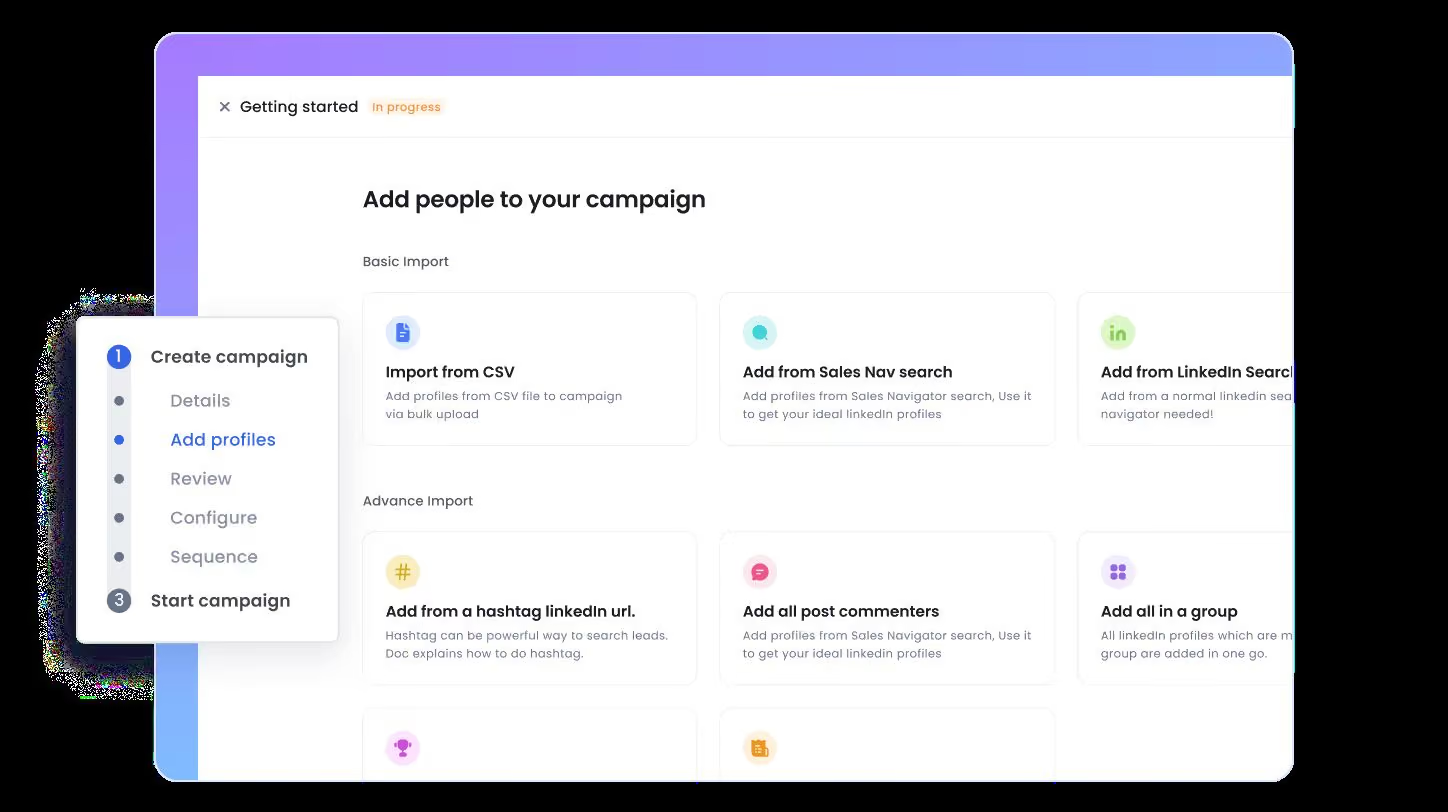
You paste a search, it pulls the batch, and outreach starts. That's the difference between running this system and dreading it.
And personalization pays off measurably: across large 2026 benchmark datasets, personalized requests land in the 40-60% acceptance range against roughly 15% for templated ones. That's a 3x gap or better.
Step 3: Write Outreach Messages That Feel Human (With the Exact Numbers)
Personalization is the biggest single lever in your entire pipeline: a personalized note lifts post-acceptance reply rates from 5.44% to 9.36%. That's nearly double, from one specific reference (per Cleverly's 2026 LinkedIn benchmarks).
The formula is simple and pitch-free:
- One specific reference, their recent post, a job change, a shared group, a mutual connection.
- One sentence on why you're connecting.
- No pitch. The first message earns the second message, nothing more.
Mind the constraints. Your connection note maxes out at 300 characters, so every word counts.
And if you're on a free account, you get roughly 5-10 personalized notes per month before LinkedIn forces you into blank requests only.
Here's the weekly math so you know what "consistent" actually produces:
- 100 requests sent, about 30 accepts (at a 30% acceptance rate)
- ~30 accepts, 5-9 replies (at ~20% of accepts responding)
- 5-9 replies, 1-3 real conversations per week
Timing helps too: Tuesday and Wednesday mornings consistently show the strongest reply rates, roughly double a Friday afternoon.
The catch? Personalizing 100 requests by hand, every week, is where freelancers quietly give up.
SalesRobot's AI Variables solves that by automatically pulling relevant details from each prospect's LinkedIn profile: recent job changes, company news, shared connections, even volunteer work.
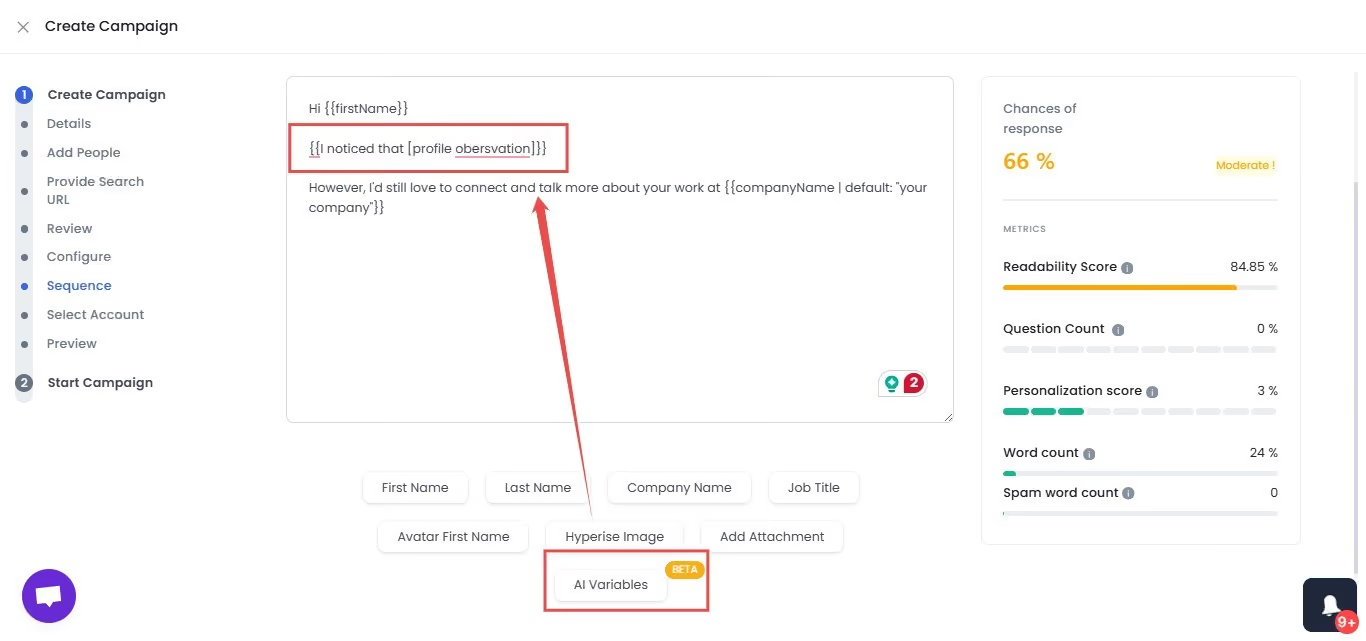
So 100 messages read like 100 individual notes instead of one template on repeat.
Step 4: Run a Follow-Up Sequence That Doesn't Feel Like Nagging
Most of your replies come from follow-ups, not first messages. Adding follow-ups routinely lifts reply rates by half or more. The freelancers who "tried LinkedIn and it didn't work" almost always sent one message and quit.
Here's a three-touch sequence that respects people:
- Connection accepted, thank-you message with a small value hook, within 24 hours.
- Day 5, a short curiosity message or a genuinely relevant resource.
- Day 10, switch to email if there's still no reply.
That last move matters. Multi-channel sequences that combine LinkedIn with email consistently outperform single-channel outreach, because you're meeting people where they actually respond.
Callbox and other 2026 analyses put the lift around 40% on response rates. A proven cadence looks like: day 1 email, day 3 LinkedIn connection, day 7 follow-up email.
The rule for every follow-up: add something. A resource, a thought, a specific question. Never just "bumping this up."
And if someone accepts but never replies after your sequence? Send one graceful exit line, then archive. Don't take it personally, take it off your list.
Manually, this means living inside LinkedIn and your inbox, tracking who's at which touch.
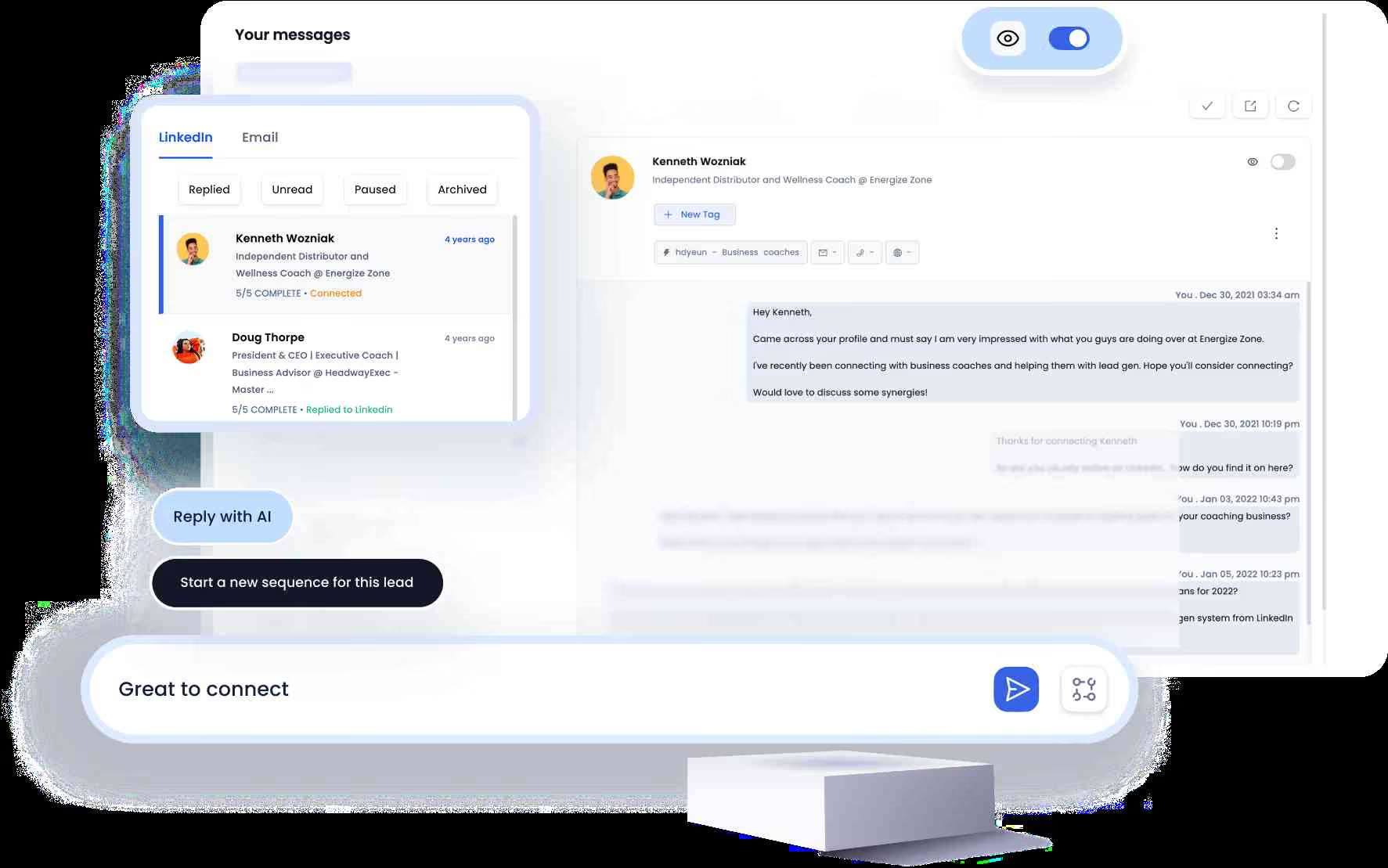
SalesRobot builds these drip campaigns to start on LinkedIn (connection, message, follow-up) and automatically switch to email if the prospect goes quiet, with email warm-up and deliverability included to stay out of spam.
It's cloud-based, so it runs 24/7 without your browser open.
Step 5: Track Your Pipeline So It Never Goes Cold Again
A "consistent" pipeline is really a set of consistent metrics. If you're not watching four numbers weekly, you're flying blind, and blind pipelines go cold between projects.
Track these every week:
- Requests sent (are you hitting your batch?)
- Acceptance rate (profile + targeting health)
- Reply rate (message quality)
- Conversations opened (the number that actually pays you)
The number to guard obsessively is your acceptance rate. If it drops below 30%, LinkedIn's algorithm assumes you're spamming and starts tightening your limits. Keep it healthy and your ceiling stays high.
Build a 30-minute Sunday ritual: review the four numbers, refill next week's prospect batch, archive dead threads. That's it.
For example, if your reply rate falls below 8%, your message needs work. If your acceptance rate slips under 25%, your profile or targeting is off.
The numbers tell you exactly what to fix.
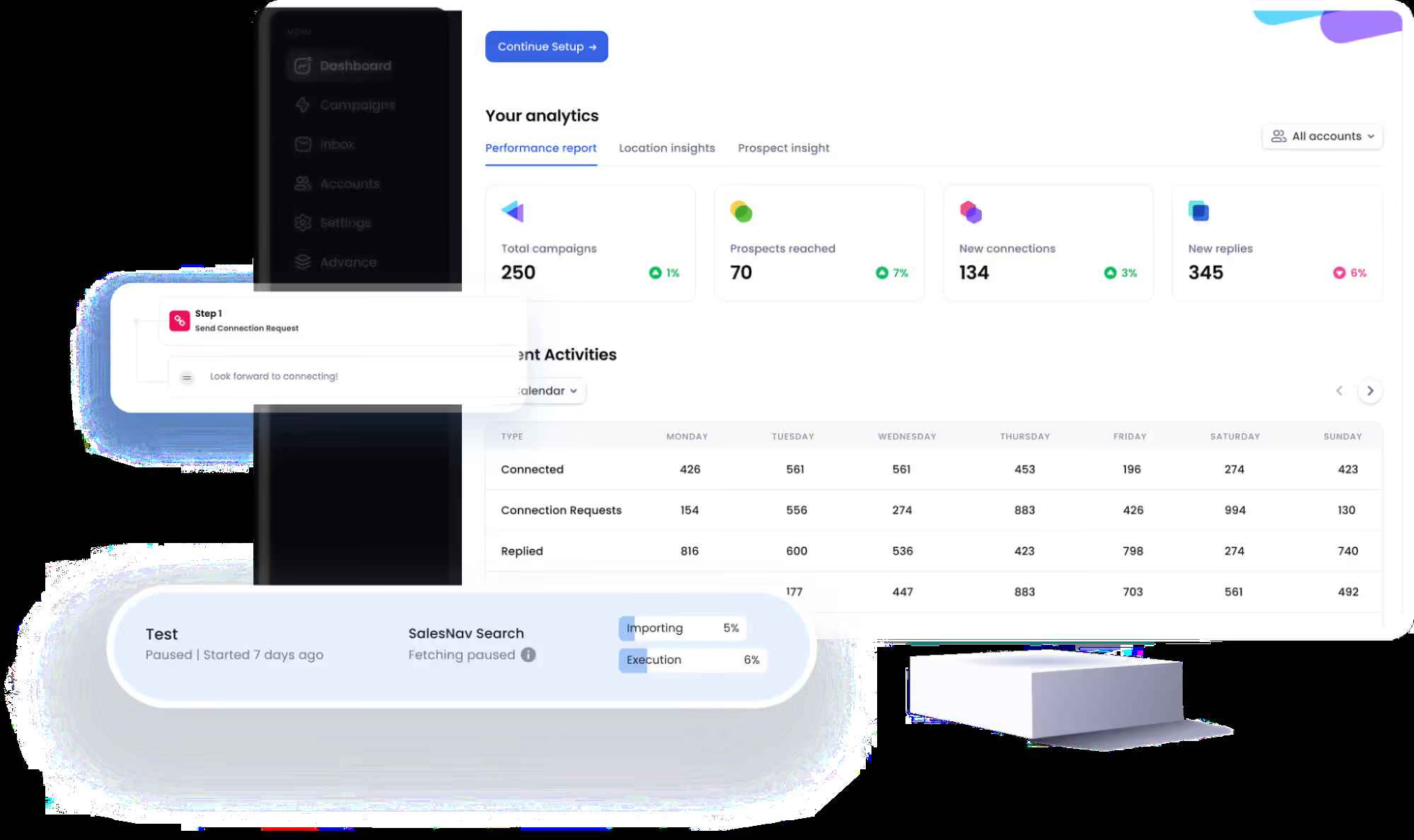
Running this in a spreadsheet works fine at low volume. Running automated campaigns surfaces these numbers on a dashboard automatically, which is the whole point of not having to think about it.
How Many LinkedIn Messages Can Freelancers Actually Send Per Week? (2026 Limits)
As of 2026, LinkedIn's connection request limit is widely reported at around 100 invitations per week, with a daily soft cap of roughly 20-25 before the algorithm starts throttling you. This is the most misunderstood constraint in freelance outreach, and the one that quietly kills accounts.
LinkedIn doesn't publish this number officially, but it's been consistent across automation tools and trackers since the company first clamped down on connection volume back in 2021.
It's reputation-based, not subscription-based: accounts with an SSI (Social Selling Index) of 70+ can push toward 200/week, while accounts under 50 often get capped at 80 or fewer.
Free accounts also hit a note limit, roughly 5-10 personalized connection notes per month, then blank requests only.
LinkedIn Premium unlocks unlimited notes plus 50-150 InMail credits/month to message non-connections.
Here's the full picture:
The honest takeaway: 100/week is plenty for a consistent freelance pipeline. The mistake isn't the ceiling, it's blowing your limit on untargeted cold blasts that crater your acceptance rate.
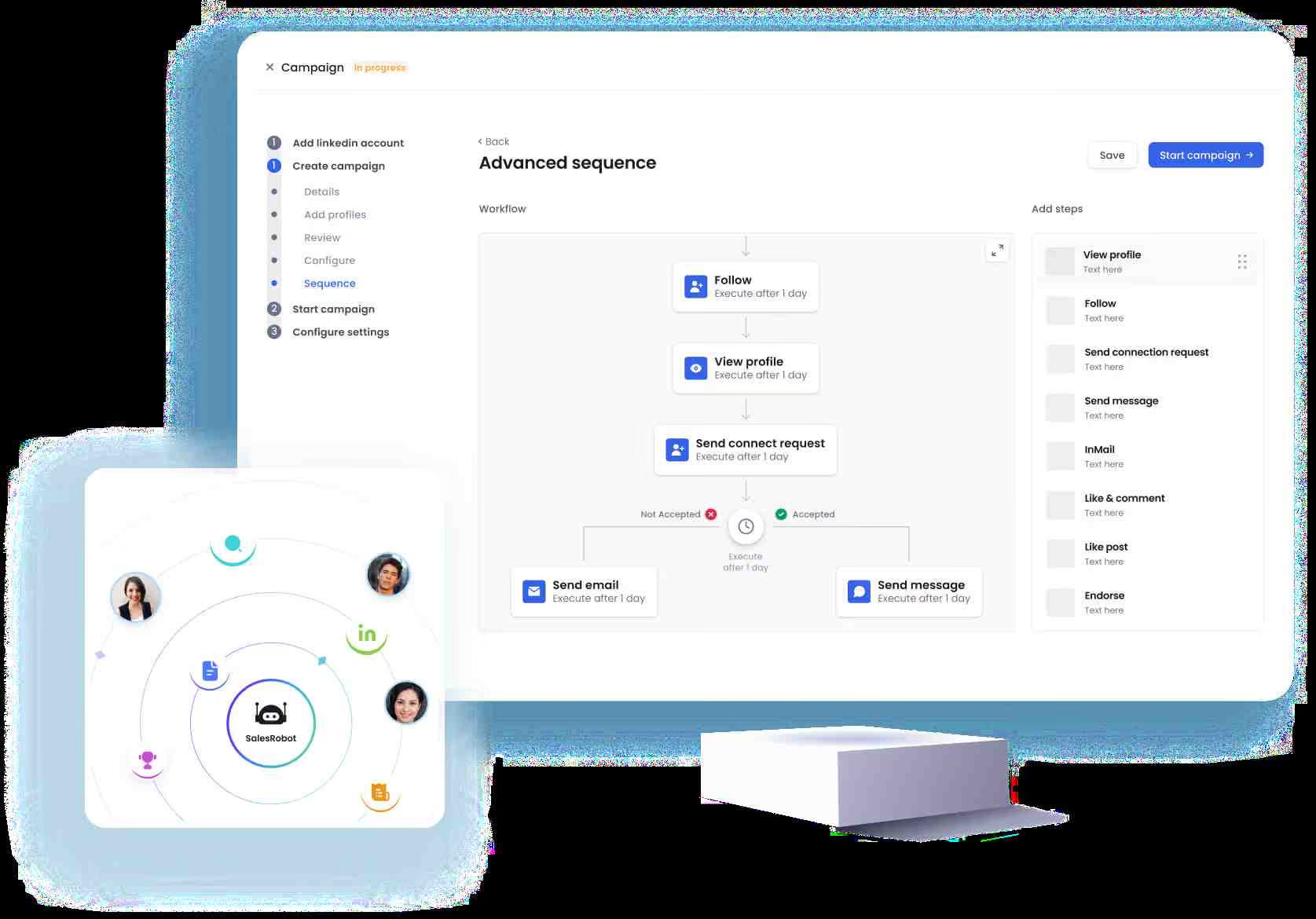
SalesRobot spaces requests to human-like daily limits (scaling toward ~200/week for high-SSI accounts) with randomized delays and residential IP rotation.
Its Safe Mode keeps sends inside your account's ceiling automatically. You don't have to count.
How SalesRobot Turns This 5-Step System Into a Weekly 30-Minute Task
The system above works.
The reason freelancers abandon it around week three isn't strategy; it's the daily grind of personalizing 20 requests, checking replies, sending follow-ups, switching to email, and tracking numbers.
Most tools freelancers reach for first are browser extensions or desktop apps like Dux-Soup or Waalaxy.
They run through your own browser session on a fixed IP, which is exactly the fingerprint LinkedIn's detection systems are built to catch, and they stop the moment your laptop closes.
SalesRobot automates the mechanical layer while keeping the human parts human, and does it on architecture built for safety rather than convenience.
Here's how each piece maps to the five steps above:
Pricing starts at $59/month (Basic), with Advanced at $79 and Professional at $99. Annual billing saves up to 35%, and there's a 14-day free trial, no credit card required.
Across 4,100+ B2B teams, SalesRobot users average a 55% reply rate and 51% connection acceptance rate, and it holds a 4.8 on G2 from 57+ reviews.
Honest caveat: SalesRobot is built for serious B2B outreach. If you're sending 20 requests a week and enjoy the manual rhythm, the system above is genuinely enough.
This is for the freelancer who wants to run at full capacity every single week without it eating their Sundays.
Common Mistakes That Kill Freelance LinkedIn Pipelines
Five failure modes that quietly drain freelance pipelines, and the one-line fix for each:
- Pitching in the connection request. It kills your acceptance rate. Reference something specific first; pitch only after they reply.
- Sending 100 cold requests in one day. That triggers throttling. Stay at 20-25/day, SalesRobot's Safe Mode spaces this for you automatically.
- No follow-up sequence. First messages reply under 10%; follow-ups add half again or more. One message and done is the number-one reason "LinkedIn didn't work."
- Ignoring warm leads for cold lists. Warm converts at 40-45% vs. cold's 3-8%. Reverse the order, mine your network first.
- Letting the pipeline go dormant between projects. This is the root of feast-or-famine. A 30-minute Sunday refill prevents the three-week silence entirely.
Frequently Asked Questions
How do freelancers use LinkedIn to find clients?
Start with your warm network, past clients, existing connections, and people who comment on your posts, since they convert at 40-45%.
Then run targeted cold outreach through LinkedIn Search, Groups, and Events, filtered by role and company size.
Send one personalized connection request, follow up with value, and fall back to email if there's no reply.
How long does it take to get freelance clients on LinkedIn?
Direct outreach can land a first client within about two weeks if you send personalized requests and follow up consistently.
Building steady inbound from content takes longer, roughly 2-4 months of posting twice weekly plus daily engagement.
The fastest path combines both: warm outreach this week, systematic cold outreach next week, content compounding in the background.
How many connection requests can I send per week on LinkedIn in 2026?
The widely reported figure is around 100 connection requests per week, with a daily soft cap of roughly 20-25 before throttling. LinkedIn doesn't publish this number officially, but it's consistent across automation tools and trackers.
High-SSI accounts (70+) can reach toward 200 per week, while accounts under SSI 50 are often capped at 80 or fewer. Keep acceptance above 30% or limits tighten further.
Is cold outreach effective for freelancers on LinkedIn?
Yes, but it converts at only 3-8% compared to warm outreach's 40-45%.
The math still works at scale: 100 targeted cold requests produce around 30 accepts, 5-9 replies, and 1-3 real conversations weekly.
Personalization lifts response from 5.44% to 9.36%, and follow-ups add another half again or more, so cold works when it's targeted and sequenced.
What should I say in a LinkedIn outreach message to a potential client?
Lead with one specific reference, their recent post, a job change, or a shared group, then one short sentence on why you're connecting, and no pitch. Keep it under 300 characters (the connection note limit).
For example: "Saw your post on scaling paid ads, really sharp. I help SaaS teams with landing page copy. Happy to connect."
Do I need LinkedIn Premium to get freelance clients?
No. A free account can send around 100 connection requests per week, the same rough cap as paid tiers, though free accounts get only about 5-10 personalized notes per month before blank-only requests.
Premium adds unlimited notes and 50-150 InMail credits monthly, which helps at higher volume, but it's optional for a consistent freelance pipeline.
Is a LinkedIn automation tool safe for a solo freelancer's account?
It depends entirely on the tool's architecture, and this matters more for freelancers than anyone, since you have one account and can't afford to lose it.
Browser extensions and desktop apps run through your own session on a fixed IP, the easiest pattern for LinkedIn to detect, and they're behind most of the ban stories you'll read.
Cloud tools that use mobile-API access, randomized delays, and residential IP rotation, like SalesRobot, are built specifically to avoid those signatures.
No tool can promise zero risk, since LinkedIn's terms technically prohibit third-party automation, but SalesRobot reports a ban rate under 0.001% across its 4,100+ users when customers follow its Safe Mode guidelines.
Putting It Together
Building a consistent client pipeline on LinkedIn isn't about a magic message or posting more. It's about running the same five-step loop every week: sharp profile, warm leads first, personalized requests, a real follow-up sequence, and tracked numbers.
The honest reality check: this works, but the weekly grind of 100 personalized requests and daily follow-ups is exactly where most freelancers quit. Strategy is rarely the problem, sustaining it is.
That's the gap SalesRobot fills. It runs your LinkedIn-to-email sequences 24/7 with AI-personalized messaging, keeps sends safely inside your account's limits, and books meetings while you do actual client work.
All for $59/month, less than an hour of most freelancers' billable rate.
Try it free for 14 days, no credit card required, and turn feast-or-famine into a pipeline that refills itself.

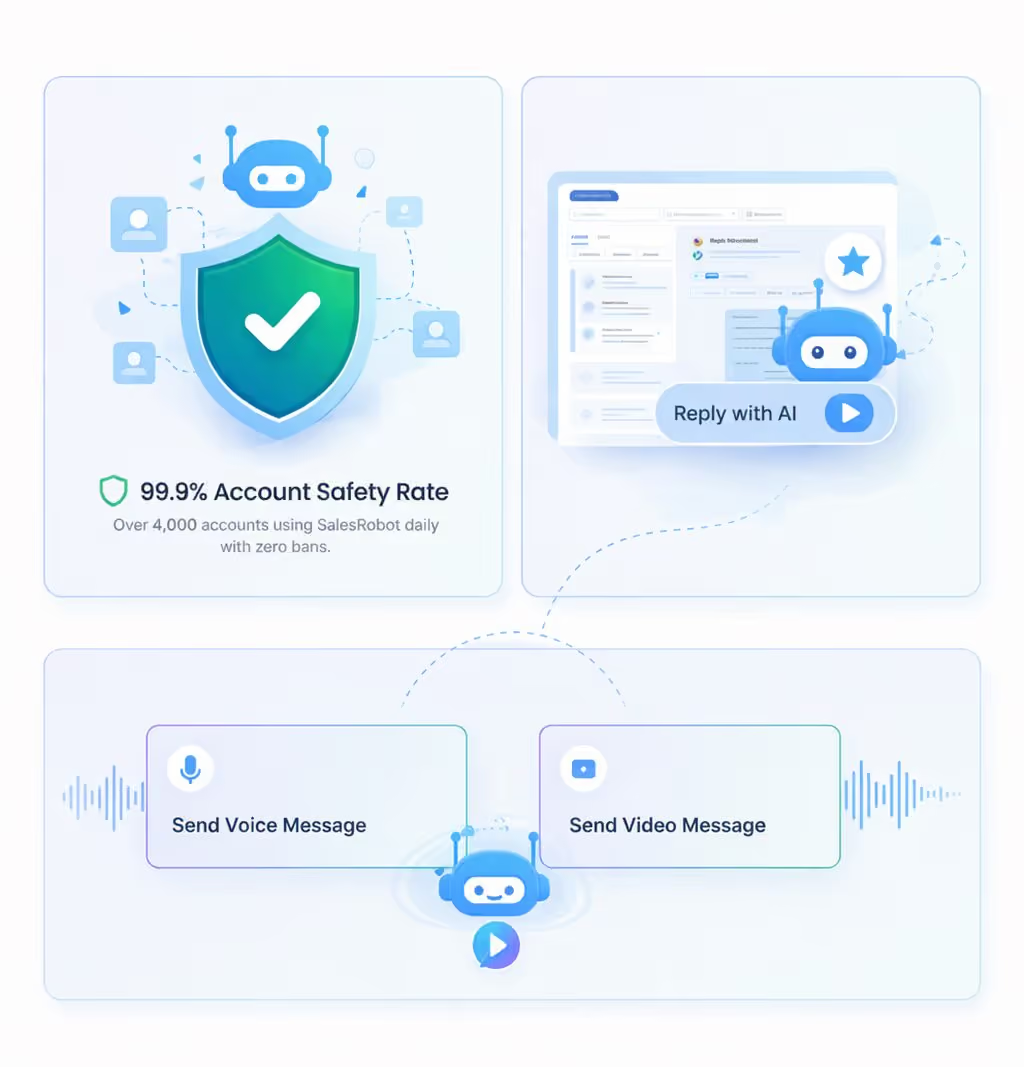
Wow your leads by cloning yourself and sending personalized videos and voice notes to each lead on LinkedIn.
If you don't reply to leads within 5 mins, your chances of converting them fall by 50%. Our AI replies on your behalf instantly! (and yes, you can train it)

Don't shoot in the dark. Get detailed analytics on what's working

SalesRobot allows you to invite other team members, so that they can add their LinkedIn Account, run outreach campaigns and get amazing results just like you.
.avif)


Trusted by 4100+ innovative B2B sales teams and lead gen agencies

.avif)

.avif)




.avif)


Heading 1
Heading 2
Heading 3
Heading 4
Heading 5
Heading 6
Lorem ipsum dolor sit amet, consectetur adipiscing elit, sed do eiusmod tempor incididunt ut labore et dolore magna aliqua. Ut enim ad minim veniam, quis nostrud exercitation ullamco laboris nisi ut aliquip ex ea commodo consequat. Duis aute irure dolor in reprehenderit in voluptate velit esse cillum dolore eu fugiat nulla pariatur.
Block quote
Ordered list
- Item 1
- Item 2
- Item 3
Unordered list
- Item A
- Item B
- Item C
Bold text
Emphasis

Superscript
Subscript