.avif)
The success of your business relies on having consistent clients, leads and reaching out to the right people.
That's what prospecting is all about.
And where better to do it than the biggest professional platform on the internet, LinkedIn.
LinkedIn Prospecting is the first step to any type of cold outreach, and if you're a sales leader or even a CEO, you already know this.
But not everyone knows the ins and outs, so this blog's here to help you with some of the key things we've learned in the sales industry.

Namely, you can expect
- How to use LinkedIn for prospecting?
- Is LinkedIn Sales Navigator good for prospecting?
- What are some other great LinkedIn prospecting tools?
- Effective LinkedIn prospecting messages and templates
- Best way to boost your LinkedIn prospecting strategy
If you're sticking to just plain old LinkedIn outreach, we'll give you tons of advice to boost your results.
And to go even beyond, there are fantastic tools on the market that can really 3x your numbers overnight.
So stick to the end and you'll be a prospecting genius in no time.
Let's roll.
What is LinkedIn Prospecting?
LinkedIn has over 1.2 billion members as of October 2026, and 40% of B2B marketers report it as the most effective platform for lead gen.
In the end, it's up to you to find the right people to connect and conduct your business with.
That's LinkedIn prospecting.
Sending out invites to every name that pops up is just going to get you no results and likely a connection limit warning.
But if you prospect the right way, you'll see clients and leads show up like your distant relatives when you win a lottery.

The ultimate goal of LinkedIn prospecting is to find the ideal client for your business and that varies from company to company.
That's why there's B2B tools like SalesRobot that does the hard work for you, so you can focus on improving your product or service.
How to use LinkedIn for prospecting?
LinkedIn's database is absolutely huge! But there are still ways to find your diamonds in the rough.
I'll break down some of the key points for you,
1. Know how to use LinkedIn Search
Even the basic LinkedIn search is extremely powerful if you know the extent of its powers.
For example, if you click on the People button and then "All filters", you can see a variety of advanced filters.

These include connection types, details of their network, their locations, industry, current company, keywords and so much more.
You can also search for people by job role, company etc. by just entering it in the search bar.
BUT, the truth is that over 31% of the results are actually irrelevant.

Which is why, what you really need is Boolean search!
You can basically create a combination of search keywords using AND, OR and NOT for an extra customized results page.
- "Marketing Manager" AND "Amazon" returns only marketing managers with a history at Amazon.
- "Graphic Designer" OR "UI Designer" returns graphic designers, UI designers, or both.
- "Amazon Manager" NOT "Sales" returns all the managerial positions at Amazon, except for sales.
2. Optimize your LinkedIn Profile
Just finding the right client isn't the end of it, they've got to accept or respond to an invite.
This lies in both your message and your LinkedIn profile.
It effectively acts as your first impression to any prospect, client or a recruiter.
All in all, you should make sure that your profile clears this checklist:
- Do you have a LinkedIn profile picture and banner?
- How good is your LinkedIn profile headline?
.avif)
- Do you have a brief but engaging profile summary?
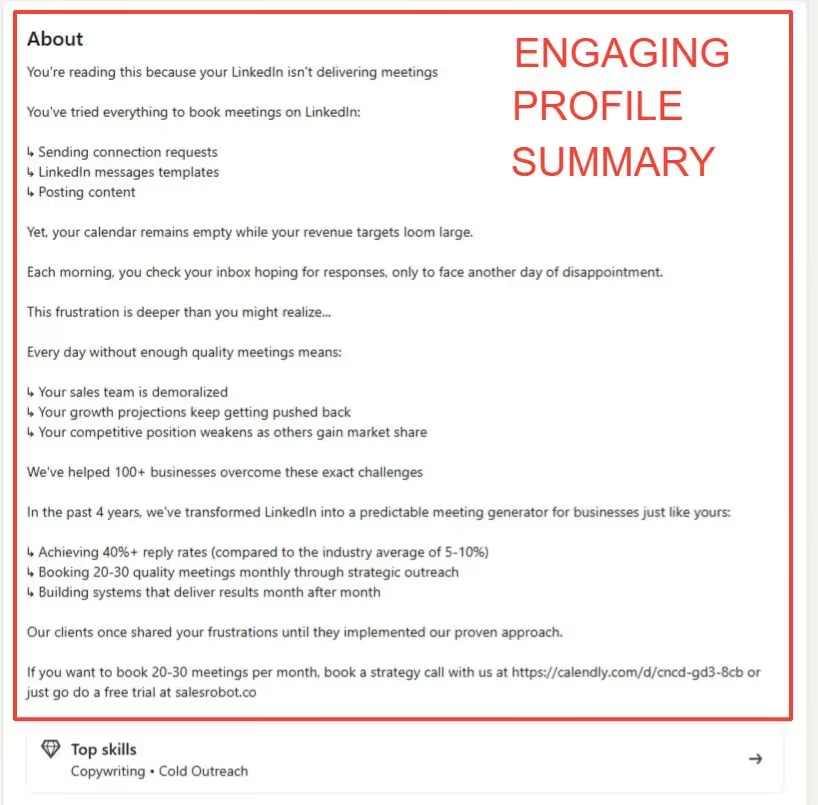
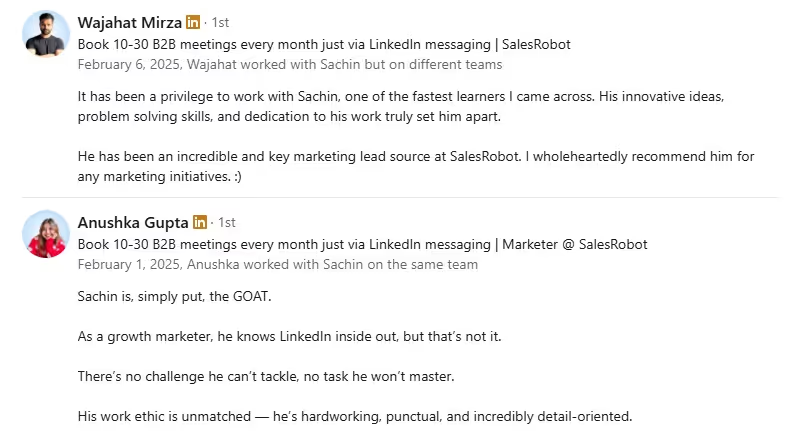
- Are you showing off any endorsements and recommendations?
I'll also let you in on a secret little tip.
SalesRobot provides a free LinkedIn headline generator and a personalized profile summary generator.
3. Personalize your outreach messages
Let's be honest, how many of your messages look like a door-to-door salesman's scripted pitch?
No one wants to respond to generic, repetitive, and robotic sounding salesy messages.
You have to personalize every single message according to the recipient.
What does this mean exactly?
- You could refer to them directly by name in the message
- Mention their recent activity or experience in your pitch
- Explain why your business suits them individually
You're probably thinking, "This dumb article expects me to individually tailor messages for the hundreds of people I message a week"
It's inhuman, I know.
That's why SalesRobot takes that burden off your arms with highly personalized messages for each and every prospect.
Your outreach can look a little like this,

Pretty cool, eh? We even provide a 14-day free trial with no credit card info needed.
4. Don't forget about cold email outreach alongside LinkedIn prospecting
Just because LinkedIn is the best, doesn't mean you can't combine some results from email as well.
Don't restrict yourself to just LinkedIn campaigns, send some messages through emails too.
Email outreach is not as dead as you might think. In fact, Jeremy Dixon from Elevate Clients stated that his company sends approximately 30,000 cold emails a day.
He emphasised the importance of volume in cold outreach, echoing a sentiment that one should "10x the volume that you're currently doing before you say it's not working".
But I know, if mass-messaging on a single channel is overwhelming enough, multi-channel outreach might sound crazy.
That's just for people who haven't discovered SalesRobot, though, since LinkedIn + Email automation is a core feature.

Doesn't stop there, it also provides email enrichment features so you can find prospects up to date email even if it's not on their LinkedIn.
5. Psst.. Are you using LinkedIn's free InMails?
If your current outreach method is on LinkedIn, you've definitely run into some of the pesky limits.
One cool strategy to get past this is by using LinkedIn InMails.
These are generally limited by the number of InMail credits and also require LinkedIn premium.
However, all of this goes out the window if you see a golden badge.
A golden badge on a LinkedIn profile means they have an Open Profile, which allows free InMails.
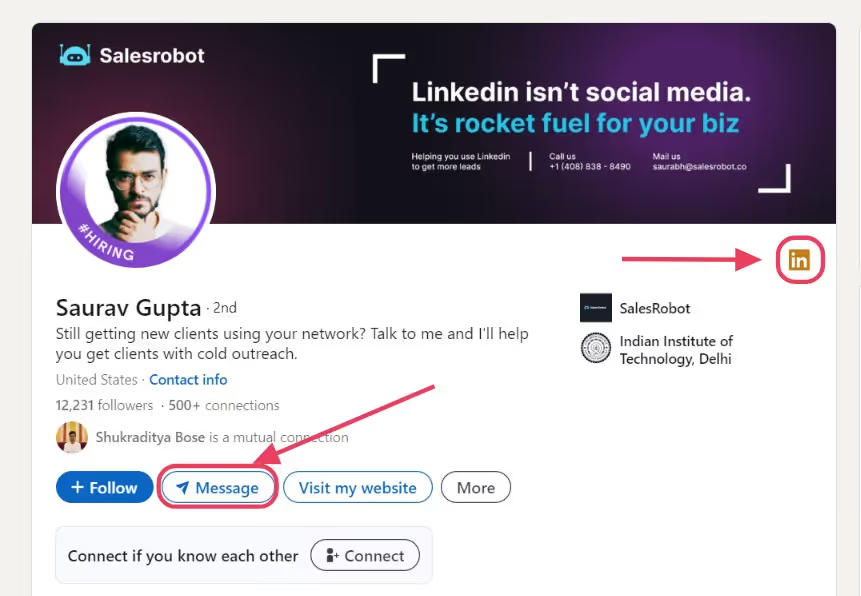
So never miss out on sending them a quick message.
And if you can't be opening each profile in a list of thousands just to see if it's an Open Profile..
You already know, it's SalesRobot who can do it with a flip of a switch.

6. Have you considered LinkedIn Sales Navigator?
If you're really serious about LinkedIn outreach, I would always recommend an upgrade to Sales Navigator.
One of the key features about Sales Nav is the advanced search with 30+ filters.
These include company details, roles, buyer intent, recent updates and even Spotlight filters.
This type of filter allows us to pinpoint prospects who are way more likely to respond positively.
You can also curate your searches to find your ideal target audience on LinkedIn.
How do you use LinkedIn Sales Navigator for Prospecting?
The main hook of Sales Navigator is the advanced search with 30+ filters.
It might look overwhelming, but it's actually pretty straight forward.

There's categories based on company, role, buyer intents, updates and network relations.
Don't miss out on the Spotlight filters either, letting you know when a client is in between jobs or active on LinkedIn.
This marks the best time to send over a friendly invite.
This type of approach will noticeably increase your response and conversion rates.
Let's see a quick example, just go into Sales Navigator and select some relevant filters.

After you've got your ideal search, you can export them into a list.
- Just select your leads or select all if you're confident with your search.
- Click on "Save to list."

- Click on "+ Create new list."

- Name your list and add a description.

You have a curated list of prospects now. All you have to do is export it and start your campaigns.
Oops. Sales Navigator DOES not let you export leads into a CSV.
Hit a wall? Nah. SalesRobot drills through this problem in under 2 minutes.
You can export all your leads straight into SalesRobot's prospect pool with just the Sales Nav URL.
- Just copy this URL

- You can add from Sales Nav Search in SalesRobot's Prospect Pool.

- Just import!

And boom! You've got a list full of strangers waiting to be clients.
LinkedIn prospecting is clearly much easier with helpful tools like this, let's take a look at some of the best.
But which ones?
3 Best LinkedIn Prospecting Tools
Choosing a tool for doing your outreach should have the same level of scrutiny as hiring a sales lead.
This tool will basically decide the number of leads you'll get, consistency of growth and quality of outreach.
And we'll start with one that never disappoints,
1. SalesRobot
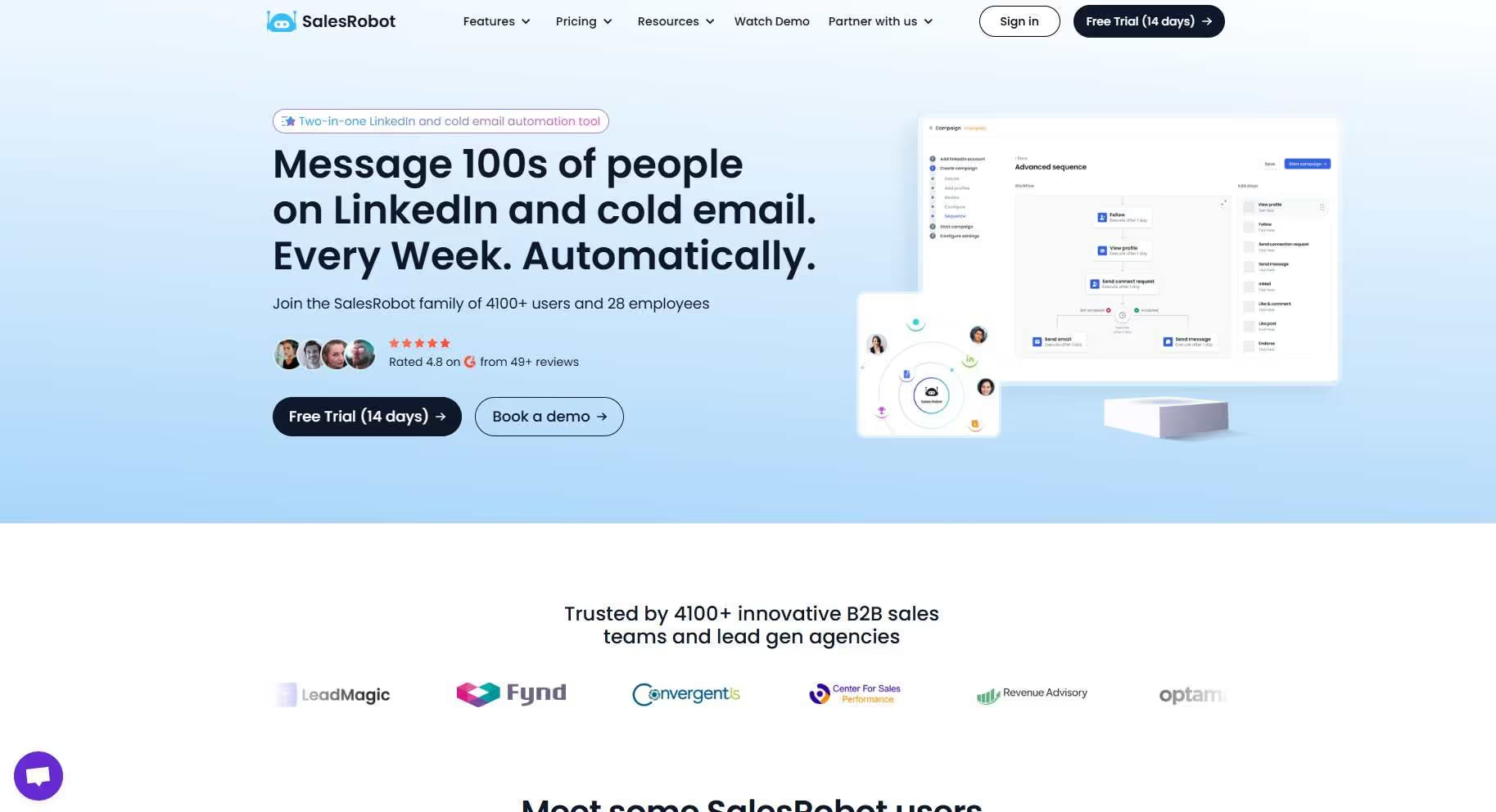
SalesRobot does all the work from prospecting to outreach automatically.
You can extract over 2500 leads directly from Sales Nav and run a message campaign on them.
This includes follow-ups, replies, and personalized images.
And also voice notes and video messages if text is too mainstream (which it is)

Did I mention you can also get their emails using our inbuilt email enrichment features, allowing multi-channel outreach.
If you already have Sales Navigator, you know it's going to get expensive if you have a lot of users on your team.

SalesRobot saves you a ton of money there by collecting all your prospects in one inbuilt list, with ONE Sales Nav subscription.
"Oh, but I don't have the time to configure all those message campaigns."
SalesRobot can do it in 2 minutes.
- Click on Create Campaign

- Use our SalesGPT AI to help guide you through the process.

- Create your ideal customer persona by giving some info to SalesGPT

- Draft your ideal message sequence.

- Add your search URL from Sales Nav or LinkedIn Search

What next? Nothing! Your messages will automatically be sent even if your laptop is out.
You can take a nap while SalesRobot converts prospects to clients.

And you don't even have to set an alarm because our new AI SDR can respond to messages and book meetings on your behalf!
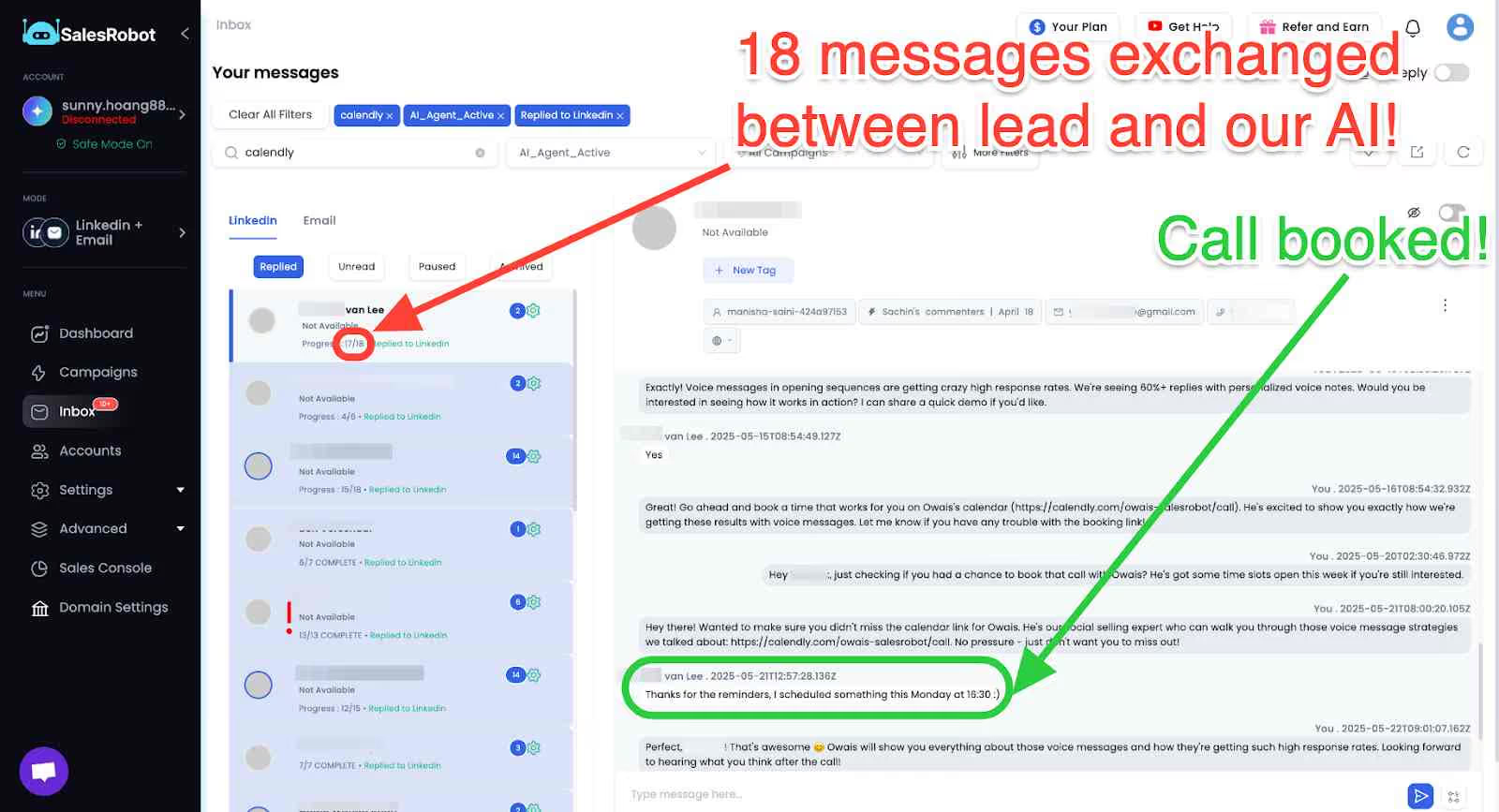
In fact, we even have a new AI Variable feature that looks at the content in your prospect's profile (so you don't have to) and writes a completely personalized message.

For example, the prompt "I noticed that {{profile observation}}" will take notice of something that stands out in your prospect's profile and write a few lines based entirely on that.
And the prompt is super detailed, so you need not worry about sounding generic.

You can choose from dozens of AI variables, or even create your own. Seriously, just go ahead and try it once. You won't regret it!
But if you are still not sure if it's right for your business?
Just give our 14-day free trial a look, we don't ask for credit card or phone numbers.
SalesRobot offers three pricing plans,
- The 'Basic' plan at $59/month
- The 'Advanced' plan at $79/month
- The 'Professional' plan at $99/month
2. Octopus CRM

Octopus CRM is another great tool for LinkedIn prospecting. It offers a lot of additional nifty features.
These include,
- Send connection requests to your 2nd and 3rd-level contacts.
- Mass message hundreds of LinkedIn contacts
- Auto endorse skills of your connections on LinkedIn.
- Auto-view profiles to get viewed by others and increase engagement.
They offer four different pricing plans,
- Starter at $9.99/month
- Pro at $14.99/month
- Advanced at $21.99/month
- Unlimited at $39.99/month
3. Dripify
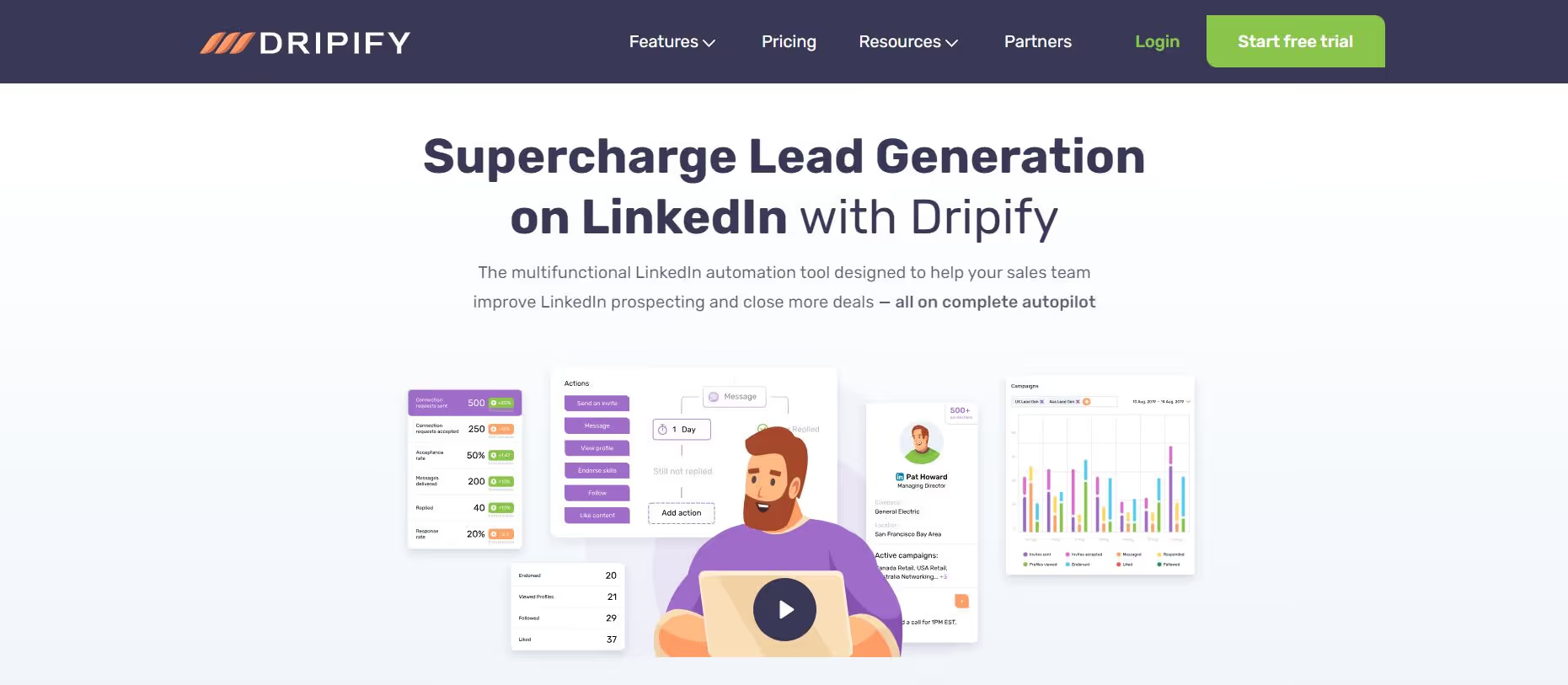
Dripify is a tool for business owners, sales teams, marketing agencies and recruiters.
It provides a bunch of great features for prospecting and automation, including,
- Personalized Messaging
- Automate messaging, endorsements, profile visits etc.
- Drip Campaigns
- Analytics Dashboard
- Integration with CRM Systems
- Export Data
Dripify offers three major pricing plans,
- Basic: $59/user/month
- Pro: $79/user/month
- Advanced: $9/user/month
3 Most Effective LinkedIn Prospecting Messages + Templates
Writing the best LinkedIn prospecting messages can be a challenge.
But if you do it right, you'll see a 10x boost to your response rates
Here's a couple good ones that we've seen results with, and what they all had in common was that they were simple, non-pushy message sequences.
- Non-salesy conversation starter
Beth,
I see that we're both part of the Hotel Technologies LinkedIn Group.
I'm impressed by individuals like you who passionately drive brand growth. With a decade of experience, I've aided folks in tech advancement and problem solving through intelligent data utilization. Our funded initiative seeks fresh challenges.
Can we connect?
- Subject Line: Introducing {Product/Service}
For example, Reynir from P.O.Y uses this template to introduce his services.
Hi {{firstName}},
We're looking to implement our appointment setting system for smart grid companies in the UAE.
We want to test it out on a pay-per-result basis for a select few companies.
Would a short call be a waste of time?
Cheers [name]
- Subject Line: {Product/Service} for {Industry}
For example, Chad uses this template to introduce his services in order to solve a prospect's problem.
Hi {{firstName}}, Thanks for connecting with me.
I noticed that managing marketing campaigns and personalizing customer communications can be real pain in our industry. Our platform has helped businesses like yours increase their marketing ROI by 30% and improve customer engagement by 25%. Do you have any time this Friday for a quick chat?
Cheers,
{{FirstName}}
You can also use SalesRobot's readability AI feature to predict your response rate.

This makes it so much easier to draft your own personal message, and fine-tune it to guarantee a response.
Pros and Cons of LinkedIn Sales Navigator for Prospecting
When considering LinkedIn Sales Navigator for your prospecting efforts, it's important to weigh the benefits against the drawbacks. Sales Navigator provides advanced search capabilities with over 30 filters that aren't available in basic LinkedIn.
Pros of LinkedIn Sales Navigator:
- Advanced filtering options for precise targeting
- InMail credits to contact prospects outside your network
- Lead recommendations based on your saved searches
- Real-time insights about prospects and companies
- Ability to save and organize prospects into lists
Cons of LinkedIn Sales Navigator:
- Higher cost compared to basic LinkedIn
- Limited export functionality
- Learning curve for new users
- Still subject to LinkedIn's connection limits
- Requires ongoing subscription for access to saved data
How do you boost your LinkedIn prospecting strategy?
LinkedIn prospecting and your approach to it will decide the results of our outreach.
This means choosing the right people to message, sending out good prospecting messages and also applying good outreach strategies will go a long way.
Some of the most effective tips include,
- Optimizing your LinkedIn Profile
- Use LinkedIn Boolean search
- Personalize your messages
- Use email alongside LinkedIn for outreach
And most importantly if you really want to level up your outreach, automation is the way to go.
No SDR will be able to match the speed and scale at which a cloud-based tool like SalesRobot can prospect, pitch and convert.
The tool also handles LinkedIn actions, follow-ups, personalization and multi-channel campaigns.
I can go on for ages about it's features, but the important part is that it works.
You don't even have to take my word for it.

In the end, it's up to you to choose what works for your business.
But we've got an extensive 14-day free trial for you to check out (we don't ask for credit card or phone number)
Happy hunting!

Wow your leads by cloning yourself and sending personalized videos and voice notes to each lead on LinkedIn.
If you don't reply to leads within 5 mins, your chances of converting them fall by 50%. Our AI replies on your behalf instantly! (and yes, you can train it)

Don't shoot in the dark. Get detailed analytics on what's working

SalesRobot allows you to invite other team members, so that they can add their LinkedIn Account, run outreach campaigns and get amazing results just like you.
.avif)


Trusted by 4100+ innovative B2B sales teams and lead gen agencies

.avif)

.avif)




.avif)