.avif)
Why choose SalesRobot over
SmartReach?
We tried SmartReach and SalesRobot across LinkedIn/email outreach. Compare features, reliability & pricing to find the best tool for your sales team.
SalesRobot vs SmartReach
.avif)




Now You Know Why SalesRobot Is the Smarter Choice

SalesRobot's Edge: TRUE LinkedIn Automation for 55-86% Less
Why it matters
Bottom line
Still in doubt? SalesRobot is more
AI Appointment Setter
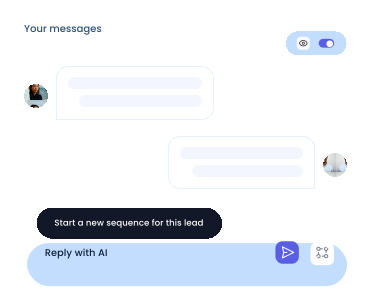
If you don't reply to leads within 5 mins, your chances of converting them fall by 50%. Our AI replies on your behalf instantly!
Videos and Voice Notes

Wow your leads by cloning yourself and sending personalized videos and voice notes to each lead on LinkedIn.
Team management
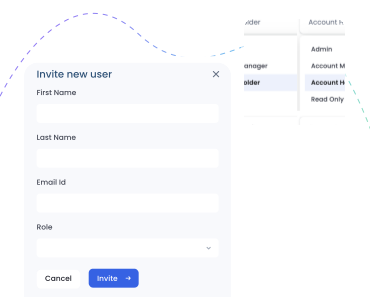
SalesRobot allows you to invite other team members, so that they can add their LinkedIn Account, run outreach campaigns.
Analytics
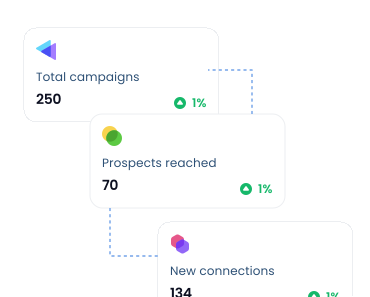
Don't shoot in the dark. Get detailed analytics on what's working
Don't just take our word for it





Highest Rated Across G2, AppSumo, and Capterra by Real Customers
"Intuitive UI and Time-Saving Automation"
SalesRobot’s intuitive UI makes launching campaigns effortless, while its smart automation and AI reply management save hours of manual work.

.svg)
"Innovative Features and Responsive Team"
I really like SalesRobot’s responsive demo team and AI features. It delivers great value, handles most workloads, and helped us gain 95 customers in three months.

"V2 is an absolute game-changer (Totally worth the upgrade!)"
SalesRobot is one of my best investments, with V2 features like voice notes, video, and an AI appointment setter that takes over conversations and books meetings on autopilot.


"Revolutionized Our LinkedIn Outreach"
SalesRobot handles LinkedIn outreach effortlessly with AI follow-ups and easy setup. It keeps conversations on track, and Saurav with his team provide quick, reliable support.
"SalesRobot is great"
SalesRobot is great, with unique features its competitors don’t offer. After 6–12 months of use, it stands out as a reliable and effective outreach tool.

"Lifesaving outbound campaign!"
SalesRobot has been a lifesaver for our outbound, automating LinkedIn and email outreach while we focus on building. It works like a full-time SDR and keeps leads coming in.

"The Ultimate AI Messaging Tool for Job Seekers"
This is the most useful AI messaging tool I’ve found for job searching, packed with a wide range of features that make outreach easier and more effective.

"Useful LinkedIn Automation"
SalesRobot helped us extend our reach with automated LinkedIn campaigns. I love generating lists via Sales Navigator and importing them without needing an ongoing subscription.

Frequently asked questions

Just add your LinkedIn account to SalesRobot!
You'll be up and running in 2 mins.
Yes. SalesRobot uses residential IPs and mobile APIs, so your actions look completely natural. This makes it safer than tools like Expandi or Waalaxy, and our users have reported zero bans for months.
No. SalesRobot works smoothly with a free LinkedIn account. Premium can give extra limits, but it is not required.
SalesRobot is safer, has stronger AI, and supports more channels. You get LinkedIn, email, voice notes, and a unified inbox, all in one place.
Very unlikely. SalesRobot uses mobile API behavior and real-time throttling to keep your activity natural and within safe limits.
Trials are meant to see the proof of functionality, which in our case means running a campaign. To get the best results, we recommend you spend 5 minutes to set up a campaign after you sign up. You'd be surprised how many people don't do this.
You can like their most recent post, comment on it automatically, follow them, send them a connection request, automatically follow up with them and yeah, endorse their skills!
You can import people from LinkedIn Sales Nav search, a normal LinkedIn Search, or upload with a CSV, or you can DM LinkedIn group members or event attendees if you want!
Did I mention that you can fetch all the people who commented on a particular LinkedIn post and request to connect with them?
We fully comply with LinkedIn limits and you can send up to 75 connection requests a day. Additionally you can send up to 40 InMails a day to open profiles without using any InMail credits.
If you've got multiple LinkedIn accounts you want to manage (client accounts for example), you can do that by just adding them like you added the first one.
Yes! SalesRobot will populate your CRM automatically with leads interested in buying, directly from LinkedIn!
Yes, of course.
Yes, you can send any type of attachment like PDFs etc.
Explore More Comparisons
.png)