.avif)
TL;DR
- Event attendees are the warmest cold list you'll find on LinkedIn, because clicking "Attend" on a topic you sell into is a buying signal your regular ICP list never gives you. Personalized connection requests land around 45% acceptance versus roughly 15% for generic ones.
- Three limits govern every event play: the widely reported ~100 connection invites per week (no paid tier raises it), roughly 10 event message requests per week, and no bulk private message to multiple attendees at once.
- The workflow is six steps: pick the event for ICP fit, build your list, sort attendees into three lanes, write copy that references the event, sequence it across pre/during/post, then answer replies fast.
- Speed is the multiplier: Botdog's analysis of 16,492 requests found 63% of acceptances happen within 24 hours, so a lead you contact the day of the event beats one you reach a week later.
- You don't need Premium for any of this. A free account can message existing connections, Open Profiles, group members, and event attendees via message request.
- SalesRobot imports attendees straight from LinkedIn Events, writes the event-specific line with AI Variables, and books meetings with its AI Appointment Setter, starting at $59/month with a 55% average reply rate across 4,100+ teams. 👉 Try free for 14 days.
Still Copy-Pasting Names Into LinkedIn DMs One by One?
You found the perfect event. Two hundred attendees, every one of them your exact ICP, all gathered around a topic you happen to sell into.
Then reality hits.
LinkedIn caps you at around 100 connection requests a week. Message requests land in an "Other" folder that nobody checks. And after 12 hand-typed DMs, your wrist and your motivation both give out.
Most SDRs give up right there and go back to their cold list. The one that never warms up.
This guide fixes that. You'll get the exact mechanics for finding and messaging event attendees in 2026, the limits you have to respect, and a safe workflow to run it at scale without torching your account.
Why LinkedIn Event Attendees Are Your Warmest Cold Outreach List
Event attendees raised their hand. They clicked "Attend" on a topic that intersects with what you sell, and that's a buying signal your cold ICP list will never give you.
That intent shows up in the numbers. Across multiple 2026 benchmark datasets, personalized connection requests land in the 40-60% acceptance range (roughly 45% is the common figure), against about 15% for generic, templated ones. That's a 3x gap or better.
The event is the reason personalization works here. You're not guessing at a shared interest. You know it, because you were both in the same room.
Think of it as a pre-qualified list with a built-in icebreaker. Your job is just to not waste it. If you want a head start on the copy, SalesRobot's connection message library has 25 openers you can adapt.
The 2026 LinkedIn Event Outreach Limits You Need to Know First
Before you send a single message, learn the three lanes, because each one has a different ceiling, and hitting the wrong ceiling gets your account throttled.
The Three Lanes of LinkedIn Event Messaging (2026):
Three facts that trip people up in 2026:
- The ~100 invites per week cap is widely reported to apply across every paid tier, and LinkedIn doesn't publish an official override for it. The daily soft cap sits around 20-25 invitations before LinkedIn starts throttling. (Worth knowing: LinkedIn doesn't publish this number officially, but it's consistent across automation tools and third-party trackers.)
- Event message requests land in a separate "Other" inbox folder that most people rarely open, so don't treat Lane 3 as a volume play.
- You cannot send one private message to a group of two or more attendees. To reach everyone at once, your only native option is commenting on the organizer's event post.
One more gotcha: if you see "Follow" next to an attendee's name instead of "Connect," you can't send them a message request through the event. This breakdown of LinkedIn's limits covers how the weekly ceiling actually moves.
Step 1 - Find and Access the Right LinkedIn Event
Pick the event first, and pick it for ICP fit, not size. A 60-person "RevOps Summit 2026" beats a 5,000-person generic "sales" webinar because every attendee is closer to your buyer.

Here's why this step matters: you must click "Attend" before you can see the full attendee list. If you haven't confirmed attendance, LinkedIn only shows you the 1st-degree connections who confirmed, a fraction of the room.
For example, you could search LinkedIn Events, filter by topic and date, and shortlist online events happening in the next two weeks that name the exact problem your product solves.
Then RSVP. That single click unlocks the list you actually came for.
Step 2 - Build Your Attendee List (Manual vs. Automated)
Now pull the names. There are two ways, and the right one depends on how many attendees you're targeting.
Manual method: Open the attendee list, scroll, and note the people whose job title and company match your ICP into a spreadsheet. As you go, check whether each shows "Connect" or "Follow", that tells you which lane they fall into. This works fine up to a few dozen prospects. Past that, it's soul-crushing.
Automated method: Paste the event URL into a tool that imports attendees directly. No scraping tab, no CSV formatting, no re-uploading. For example, SalesRobot pulls prospects straight from LinkedIn Events, so the list-building step disappears entirely.

The reason most teams graduate to method two is the ~100-invite weekly cap. Once your list runs into the hundreds, you need software to pace sends across weeks without you babysitting it.
Step 3 - Segment Attendees Into Three Outreach Lanes
Take the list from Step 2 and sort it into the three lanes. Each lane gets a different method, a different template, and a different ceiling.
Remember: LinkedIn only lets you message up to 3rd-degree connections, so anyone further out isn't reachable through these lanes at all.
Segmenting first stops you from wasting your scarce Lane 3 message requests on people you could've simply connected with. Safe mobile-API pacing, the kind SalesRobot uses with randomized delays and residential IP rotation, then works all three lanes without tripping LinkedIn's spam detection.
Step 4 - Write Event-Specific Messages That Actually Get Replies
The event is your opener. Lead with it, not a generic "I see you're in sales."
Surface-level variables like name and company aren't real personalization. What lifts acceptance is referencing something specific: the session they attended, a talk they gave, or how the event's theme maps to their role. That specificity is what separates the ~45% acceptance tier from the ~15% generic floor.
Here's a structure that works across all three lanes (keep connection notes under the real 300-character limit):
"I saw you attended [Event], your work on [topic from their profile] is exactly what the [session name] panel was wrestling with. Quick question about how your team's handling [problem]?"
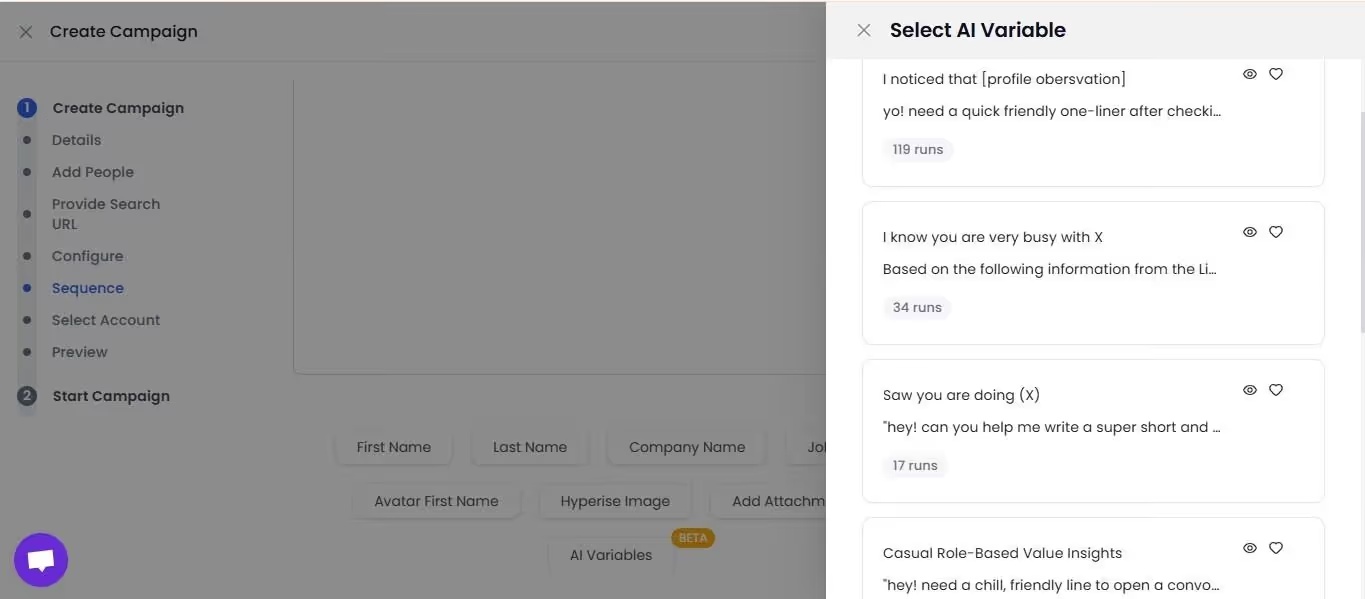
For example, you could pull the attendee's recent job change or a company milestone and weave it into the second line. SalesRobot's AI Variables does this automatically, reading each prospect's LinkedIn profile and building the personalized line for you.
Want to stand out even more? Record one voice or video note referencing the event and send it to your Lane 1 connections.

SalesRobot reports customers seeing roughly 3x higher response rates on video and voice messages versus standard text.
Step 5 - Launch Your Outreach Sequence With Safe Timing
Timing is the multiplier. Because 63% of acceptances land within 24 hours (per Botdog's analysis of 16,492 requests), the day-of window is where your outreach actually converts, so the sequence you build matters as much as the copy.
Most teams only automate one phase. Run all three.
The Three-Phase Event Outreach Timeline:
Pace your sends. Manually, that means staying under 20-25 connection requests a day before LinkedIn throttles you. With automation, the pacing is handled by the tool.
For example, SalesRobot's Smart Comments can automatically leave AI-generated comments on attendees' posts during the pre-event phase, warming them up so your connection request lands with a familiar name attached, which lifts acceptance.
Step 6 - Handle Replies and Book Meetings Without Dropping Leads
Most guides stop at "send the message." That's where deals actually leak.
When someone replies, route them fast: positive reply, book the call; question, answer and nurture; objection, branch into a follow-up. The 24-hour speed rule applies to your response time too. A lead left for two days cools off.
Manual version: a shared inbox, a Calendly link, and a self-imposed 2-hour reply SLA.
Automated version: SalesRobot's AI Appointment Setter runs in two modes. Copilot reviews the conversation and suggests a personalized reply you approve with one click.
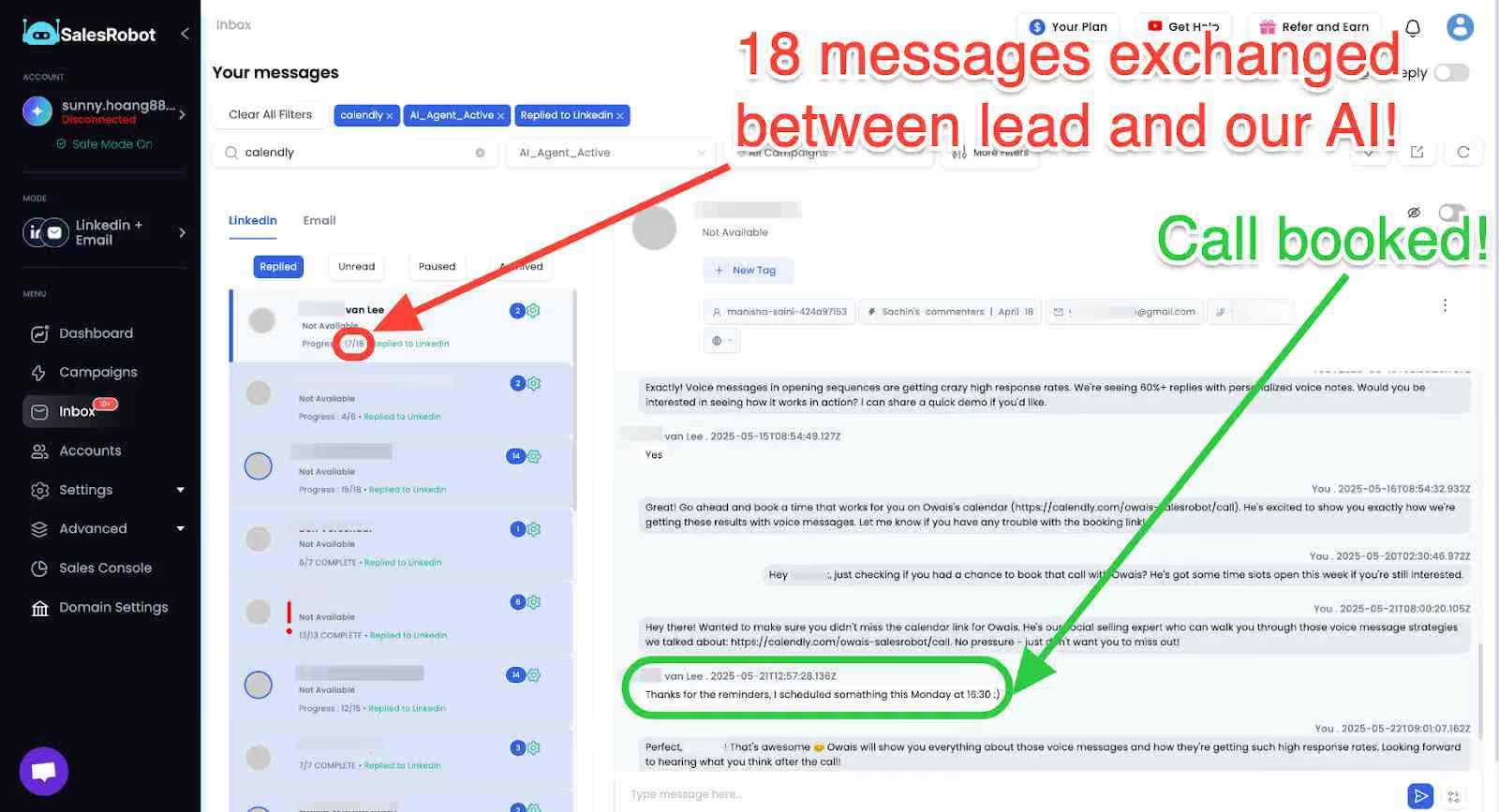
Autopilot goes fully hands-off, the AI manages the whole conversation, handles objections, and books qualified meetings into your calendar 24/7.
And for the attendees who never reply on LinkedIn? SalesRobot can auto-switch the sequence to email, so a silent LinkedIn thread doesn't mean a dead lead.
How SalesRobot Makes LinkedIn Event Outreach Scalable
Everything in Steps 1 through 6 collapses into one workflow. Here's what SalesRobot actually does for event outreach, mapped to the steps above:
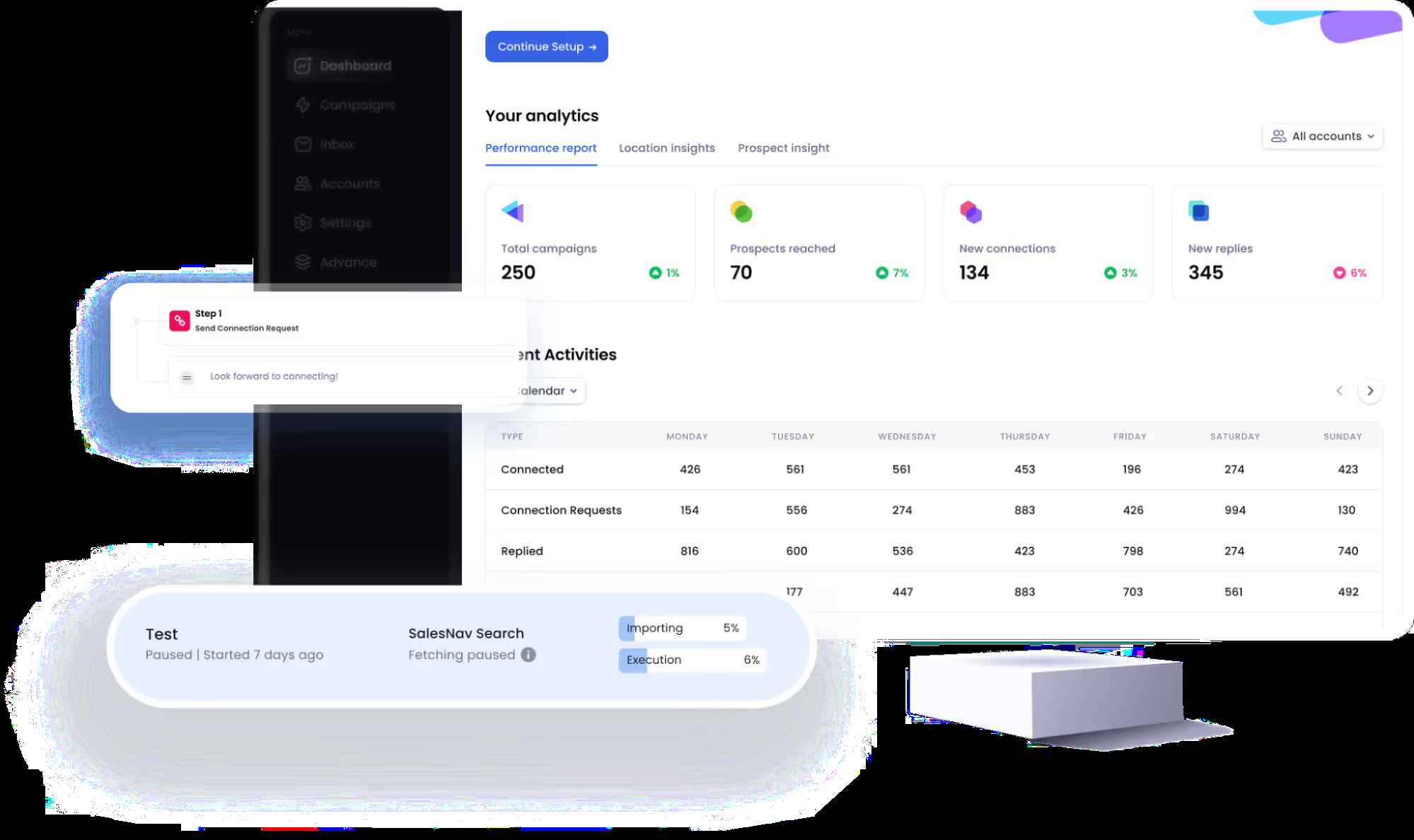
Here's where SalesRobot pulls ahead of the browser-based crowd. Linked Helper and Expandi can run event sequences too, but both run through your browser session on a fixed IP, which is exactly the fingerprint LinkedIn's detection systems are built to catch.
And neither collapses import, personalize, send, and book into a single platform the way SalesRobot does, you'd be stitching a scraper, a personalization tool, and a scheduler together yourself.

Pricing starts at $59/month (Basic), with Advanced at $79 and Professional at $99. Annual billing saves up to 35%.
It's trusted by 4,100+ B2B teams, rated 4.8 on G2 from 57+ reviews, and drives a 55% average reply rate (66% for one agency, The Growth Agency). The trial is 14 days, no credit card required.
Common Mistakes That Get LinkedIn Accounts Restricted (or Ignored)
- Blasting 50+ connection requests on day one. LinkedIn throttles or restricts accounts that spike. Stay under 20-25/day and let the ~100/week cap set your ceiling.
- Using the generic "I'd like to add you to my network" note. That's the path to the ~15% acceptance floor. Event-specific personalization gets you to the ~45% tier.
- Following up more than 72 hours after the event. The warm window closes fast; the 24-hour conversion advantage is gone by then.
- Not RSVPing before building your list. Skip "Attend" and you only see 1st-degree connections, missing most of the room.
- Treating Lane 3 as a volume channel. Event message requests cap at roughly 10/week and land in a folder nobody checks. Use them surgically, not in bulk.
Frequently Asked Questions
Can you message LinkedIn event attendees without connecting first?
Yes. If you're attending a LinkedIn event, you can send a message request to other attendees you're not connected to. They get a notification to accept or privately decline. The catch: these requests land in a separate "Other" inbox folder, and you're limited to roughly 10 per week, so use them selectively.
How do I see who is attending a LinkedIn event?
Click "Attend" on the event first. Once you've confirmed attendance, LinkedIn shows you the full attendee list. If you haven't RSVPed, you'll only see the 1st-degree connections who confirmed, a small slice of the total. Event organizers get a fuller view of who registered and attended.
What is the weekly limit for LinkedIn connection requests in 2026?
The widely reported figure is around 100 invitations per rolling 7-day window, and it's reported to apply across every paid tier. LinkedIn doesn't publish this number officially, but it's consistent across automation tools and third-party trackers. The daily soft cap sits around 20-25 invitations before LinkedIn starts throttling, so pace your sends across the week.
Do I need LinkedIn Premium to message event attendees?
No. A free LinkedIn account can message 1st-degree connections, Open Profiles, group members, and event attendees you're not connected to via message requests. The only thing Premium unlocks is InMail, the ability to message people outside those categories. For event outreach specifically, a free account covers the core lanes.
How do I follow up with LinkedIn event attendees effectively?
Follow up within 24 hours while intent is high, and lead with the event itself, reference a session they attended or a talk they gave.
Specificity is what separates the ~45% acceptance tier from the ~15% generic floor. If they don't reply on LinkedIn, switch the follow-up to email so the lead doesn't go cold.
How can I message a large number of event attendees without getting restricted?
Segment attendees into three lanes, then pace each within its limit: around 100 connection requests a week, about 10 event message requests, and direct messages to existing connections.
Safe automation with randomized delays and residential IP rotation, like SalesRobot's mobile-API approach, lets you scale to hundreds without triggering LinkedIn restrictions.
Is it against LinkedIn's rules to automate event outreach?
LinkedIn's User Agreement technically prohibits third-party automation, so no tool can promise zero risk, and that's worth being honest about. What separates the safer tools from the risky ones is architecture.
Browser extensions that run through your session on a fixed IP are the easiest for LinkedIn to fingerprint, and they're behind most of the restriction stories you'll read online.
Cloud-based tools that use mobile-API access, randomized delays, and residential IP rotation (SalesRobot's approach) are built specifically to avoid those signatures.
SalesRobot puts its own ban rate under 0.001% across 4,100+ users, but you're still using any automation tool at your own discretion.
Now You Have the Playbook, Here's How to Run It Without Burning Your Account
The six-step arc is simple: pick the right event, build and segment your list into three lanes, write copy that references the event, sequence it across the pre/during/post phases, and answer replies fast.
Here's the honest reality check: the manual play works fine for a single event with 20-30 target attendees. Beyond that, the ~100-invite weekly cap and the ~10 message requests ceiling turn outreach into a math problem, not a copywriting one, and that's where software earns its keep.
SalesRobot solves the math. It imports attendees straight from LinkedIn Events, personalizes each message with AI Variables, paces sends safely on its mobile API, and books meetings with the AI Appointment Setter, all for $59/month across 4,100+ teams running a 55% average reply rate.
Turn your next event list into booked calls: try SalesRobot free for 14 days, no credit card required.

Wow your leads by cloning yourself and sending personalized videos and voice notes to each lead on LinkedIn.
If you don't reply to leads within 5 mins, your chances of converting them fall by 50%. Our AI replies on your behalf instantly! (and yes, you can train it)

Don't shoot in the dark. Get detailed analytics on what's working

SalesRobot allows you to invite other team members, so that they can add their LinkedIn Account, run outreach campaigns and get amazing results just like you.
.avif)


Trusted by 4100+ innovative B2B sales teams and lead gen agencies

.avif)

.avif)




.avif)


Heading 1
Heading 2
Heading 3
Heading 4
Heading 5
Heading 6
Lorem ipsum dolor sit amet, consectetur adipiscing elit, sed do eiusmod tempor incididunt ut labore et dolore magna aliqua. Ut enim ad minim veniam, quis nostrud exercitation ullamco laboris nisi ut aliquip ex ea commodo consequat. Duis aute irure dolor in reprehenderit in voluptate velit esse cillum dolore eu fugiat nulla pariatur.
Block quote
Ordered list
- Item 1
- Item 2
- Item 3
Unordered list
- Item A
- Item B
- Item C
Bold text
Emphasis

Superscript
Subscript