.avif)
TL;DR
- Nutshell is a solid SMB CRM with built-in email marketing and AI features, starting at $13/user/month (annual), but add-ons pile up fast as you scale
- Pipedrive is a visual pipeline CRM built for sales-first teams, starting at $14/user/month (annual)
- HubSpot Sales Hub combines CRM with marketing automation and a generous free tier, free plan available / paid from ~$15/user/month
- Freshsales is an all-in-one CRM with built-in telephony and AI, free plan available / paid from $9/user/month (annual)
- Copper CRM lives inside Google Workspace and is built for Google-native teams, starting at $29/user/month
- Zoho CRM is the most affordable full-featured CRM on this list, starting at $14/user/month (annual)
- SalesRobot automates LinkedIn + email outreach to fill the pipeline your CRM manages, starting at $39/month (annual)
Is Your CRM Growing With You, or Quietly Holding You Back?
You signed up for Nutshell because it was simple. No bloated feature set, no six-month implementation timeline, no consultants charging by the hour.
And it worked. For a while.
Then you needed a second pipeline. That's Pro. Then you needed sales automation. Also Pro. Then your team wanted AI lead recaps and audit logs. That's Business.
Then someone asked about custom SQL access. Enterprise.
What started as an affordable, no-fuss CRM starts feeling like a subscription that grows faster than your revenue.
Maybe that's not your situation.
Maybe Nutshell is running fine but you're hitting the ceiling on customization.
Maybe your team is Google Workspace-native and wants a CRM that doesn't feel like a separate app.
Maybe you just want email and LinkedIn outreach managed from one place instead of three.
Whatever the reason, this blog takes an honest look at what Nutshell actually delivers in 2026, then digs into five alternatives plus one bonus pick that tackles the part most CRMs ignore entirely.

Nutshell: What You Need to Know
✅ Sales teams actually adopt it without being pushed.

The interface is clean and the pipeline board is intuitive enough that reps use it consistently from day one. For small teams where CRM adoption is the real problem, this matters more than feature depth.
✅ Pipeline visibility is genuinely good.

Four views (list, map, chart, and board) give reps flexibility in how they manage deals without any configuration overhead. The drag-and-drop board is fast, and deals are easy to move and update on the go.
✅ Live human support comes with every plan.
Free live support and free data migration are included at every tier, including the free trial. At Nutshell's price point, most competitors route you to a help center article or an AI chatbot.
⚠️ Reporting and automation hit a ceiling faster than expected.

Teams with more than basic workflow needs will run into limitations. The automation builder handles straightforward triggers well, but anything involving conditional branching or multi-step logic starts to feel constrained compared to more robust CRMs.
⚠️ The per-seat model punishes mixed teams.
You cannot upgrade individual users to higher tiers. Everyone on the account moves up together, which means part-time contributors, seasonal reps, and occasional users all pay the same rate as your full-time salespeople.
⚠️ The integration ecosystem is narrower than alternatives.

Nutshell connects natively to Google Workspace, Outlook, QuickBooks, Slack, and Zapier. Outside that core set, you are often relying on Zapier to bridge the gap rather than a direct native integration.
⚠️ Key features are locked behind Pro and above.
Sales automation, advanced reporting, and the meeting scheduler only unlock at $42/user/month (annual). Teams on Foundation or Growth are running a largely manual sales process, which creates pressure to upgrade before the team is ready to justify the cost.
Nutshell's Key Features, Broken Down
Pipeline Management

Nutshell's pipelines use a drag-and-drop board interface so reps can move deals between stages without leaving the screen. Four views are available: list, map, chart, and board. Multiple pipelines unlock from Pro upward, useful for teams selling different products or running separate sales motions simultaneously.
Example: A SaaS company selling both SMB and enterprise deals can run two separate pipelines with different stages, automations, and quota targets, without mixing the two in a single board view.
Sales Automation
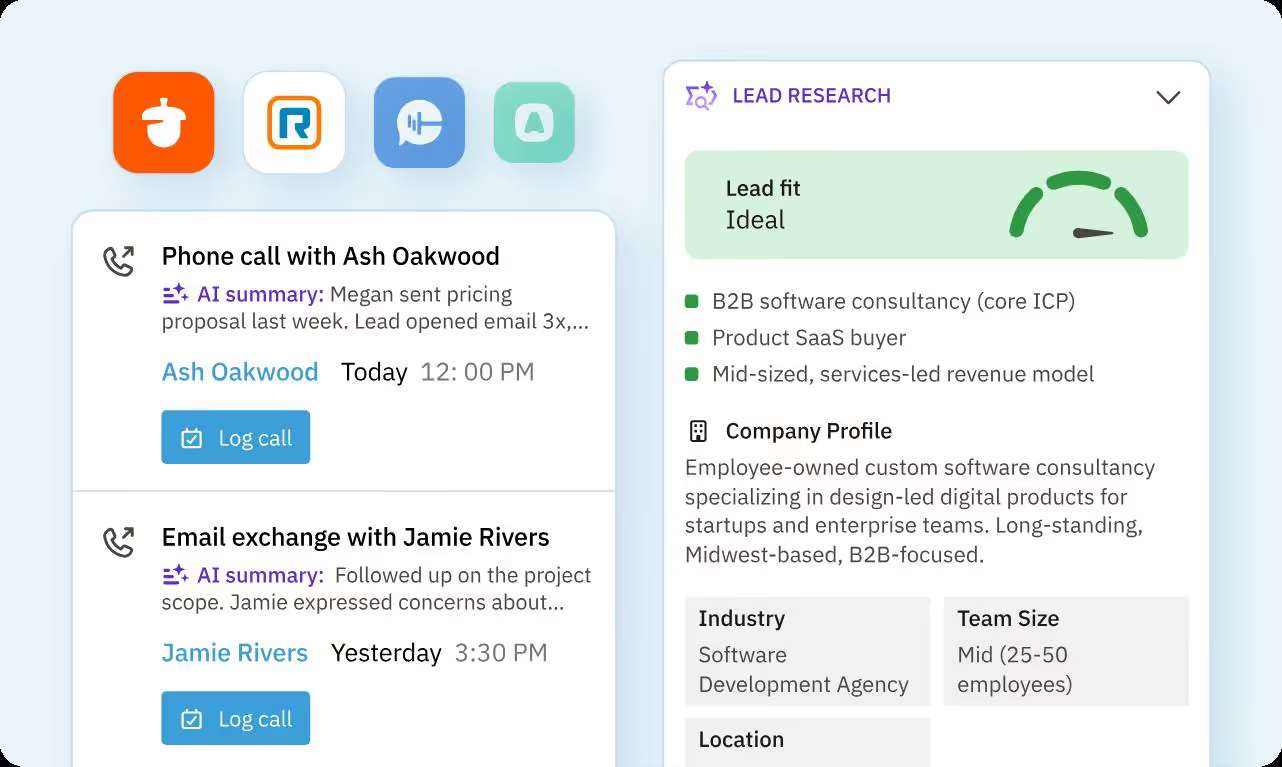
Available on Pro and above, sales automation lets teams build workflows that trigger follow-up tasks, send emails, update lead stages, or assign contacts based on defined conditions. This removes the manual handoff between deal movement and the next rep action.
AI Outcomes
Nutshell's AI features run on a monthly credit system tied to your plan tier. Credits cover call and meeting summarization via the Notetaker feature, lead research and scoring, and AI-generated email campaigns. Higher tiers get more credits per month, ranging from 10 on Foundation to 150 on Enterprise.
Example: After a Zoom call, Nutshell's AI Notetaker transcribes the recording, summarizes the key points, and suggests next steps directly on the lead record, so your rep leaves the call with an updated CRM entry without typing a word.
Reporting and Dashboards
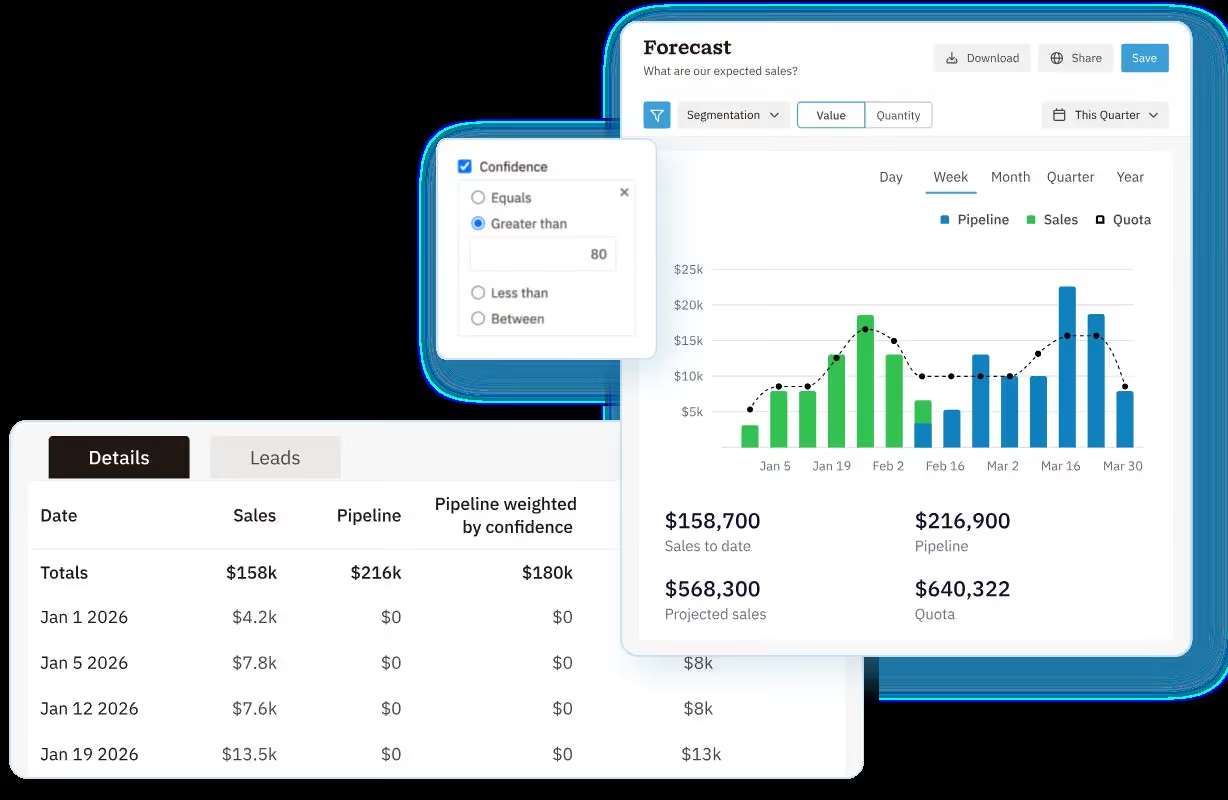
Visual dashboards display pipeline health, team activity, and deal forecasts in real time. Pro adds advanced reporting including funnel, forecast, and loss reports. Enterprise adds custom SQL data access for teams that want to query their CRM data directly.
Example: A sales manager can build a weekly dashboard showing close rate by rep, average deal size by pipeline stage, and leads won vs. lost by source, then schedule it to email the team every Monday morning.
Nutshell IQ (Prospecting Add-on)
Nutshell IQ is a separate add-on starting at $37/month that lets you search for new leads and their contact details directly inside the CRM. Built for teams that want to find new prospects without switching to a separate data tool.
Example: A rep searching for VP-level contacts at manufacturing companies in Texas can pull a list with verified contact information directly inside Nutshell, then push them into a pipeline without exporting anything.
Email Marketing (Add-on)

The base email marketing feature (150 sends/month free) is included with every plan. Paid email marketing tiers start at $5/month based on contact volume. The advanced Marketing add-on at $49/month unlocks A/B testing, an AI campaign builder, and detailed attribution reporting.
Example: A team with a 2,000-contact list can send campaigns, track opens and clicks, and attribute revenue to specific email sends, all from inside the CRM without a separate Mailchimp account.
Nutshell Pricing: How Much Will It Cost?
Nutshell offers 5 pricing tiers:

Foundation: $19/user/month (monthly)
Unlimited contacts and storage, email and calendar sync, webchat, AI chatbot, form builder, landing pages, and 10 AI outcomes per month. The 100 open lead limit applies on this tier. 14-day free trial, no credit card required.
Growth: $32/user/month (monthly)
Everything in Foundation, plus activity reports, sales quotas, lead assignment rules, custom stage goals, hot leads tracking, and 20 AI outcomes per month. The open lead limit is removed.
Pro: $49/user/month (monthly)
Everything in Growth, plus 5 custom pipelines, advanced reporting, sales automation, AI lead recaps and next steps, meeting scheduler, and 40 AI outcomes per month. The most popular tier.
Business: $67/user/month (monthly)
Everything in Pro, plus 10 custom pipelines, advanced meeting scheduler, audit log and changelog, email templates sent from Gmail and Outlook, additional teams and territories, and 100 AI outcomes per month.
Enterprise: $79/user/month (annual) or $89/user/month (monthly)
Everything in Business, plus unlimited pipelines, unlimited custom fields, enterprise SSO, custom SQL data access, phone support, and 150 AI outcomes per month.
Key add-ons: Marketing suite ($49/month), Engagement/unified inbox ($16/user/month), Nutshell IQ prospecting ($37/month), Quotes and Invoices ($67/month), SMS messaging ($15/month).
5 Alternatives to Nutshell: Which One Actually Fits?
Now that you've seen what Nutshell brings to the table (and what it'll cost you 💰), here are five alternatives that might be a better match depending on what's actually frustrating you about your current setup.
Pipedrive

What it does: Pipedrive is a sales-first CRM built around visual pipeline management. Every plan includes AI-powered sales assistance, and the tool is deliberately focused ; it does not try to be a marketing platform.
G2 reviewers rate Pipedrive the top Nutshell alternative, noting it is more usable, easier to set up, and better at meeting requirements.
Key features:
- Visual drag-and-drop pipeline with customizable stages and deal rotting alerts
- AI Sales Assistant on every plan, providing personalized tips based on deal activity
- Two-way Gmail and Outlook integration with email open and click tracking
- Workflow automation to trigger follow-ups, stage changes, and task creation
- Lead management with a dedicated leads inbox separate from the active pipeline
- Revenue forecasting and custom activity reports
- 500+ integrations including Slack, Zoom, QuickBooks, and HubSpot
Pricing: Annual billing starts at $14/user/month (Essential), $34/user/month (Advanced), $49/user/month (Professional), $64/user/month (Power), $99/user/month (Enterprise). 14-day free trial. No free plan.
Best if: You want a clean, sales-focused CRM where pipeline visibility is the priority and you do not need marketing automation built in.
HubSpot Sales Hub
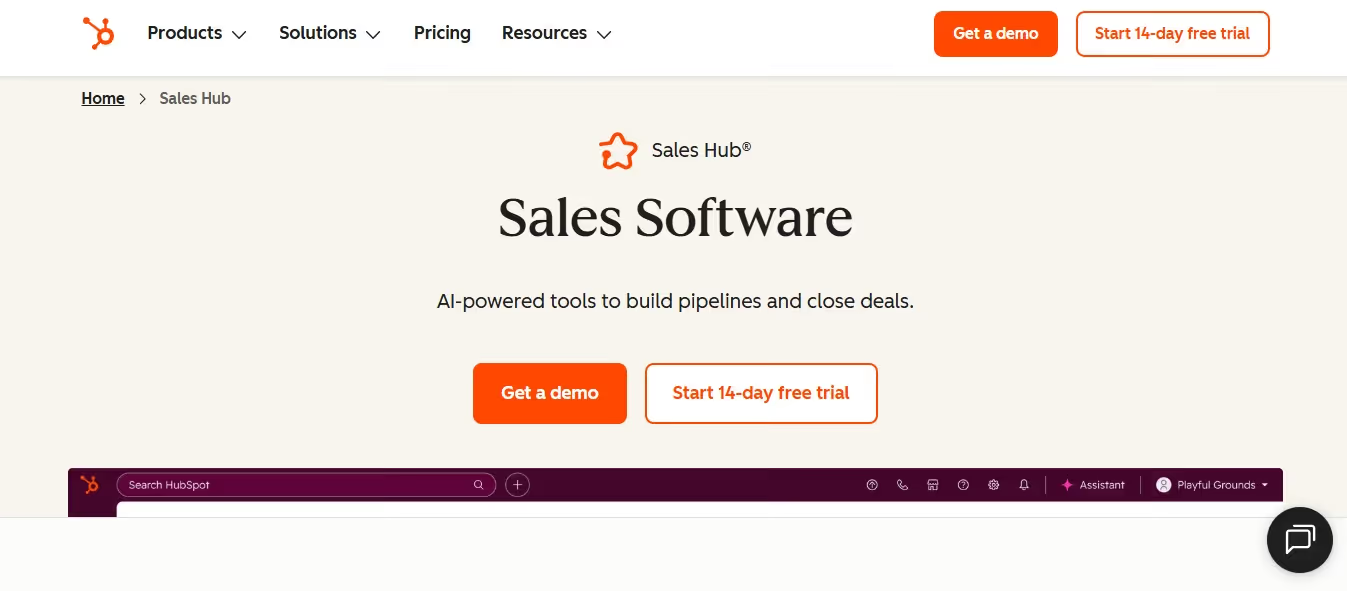
What it does: HubSpot Sales Hub is the sales layer of HubSpot's broader platform. It combines deal tracking, email sequences, meeting scheduling, and AI-powered sales tools in one place, and connects directly with HubSpot's marketing and service tools if you ever need them.
The free CRM tier is genuinely useful, not just a contact form.
Key features:
- Free CRM with unlimited users, contact management, deal tracking, and pipeline views
- Email sequences, templates, and open/click tracking from the Sales Hub
- Meeting scheduler with calendar sync for prospects to book time directly
- AI-powered tools including call summaries, deal insights, and email drafting suggestions
- Native integration with HubSpot Marketing Hub for lead-to-deal attribution
- 1,700+ integrations in HubSpot's App Marketplace
- 4.4/5 on G2 from over 13,600 reviews
Pricing: Free plan available with core CRM features. Paid plans start at ~$15/user/month (Starter). Professional tier unlocks advanced automation and scales significantly higher. 14-day free trial on paid plans.
Best if: You're already planning to use HubSpot for marketing and want CRM and campaigns on a single platform, or you need a capable free CRM to start with.
Freshsales
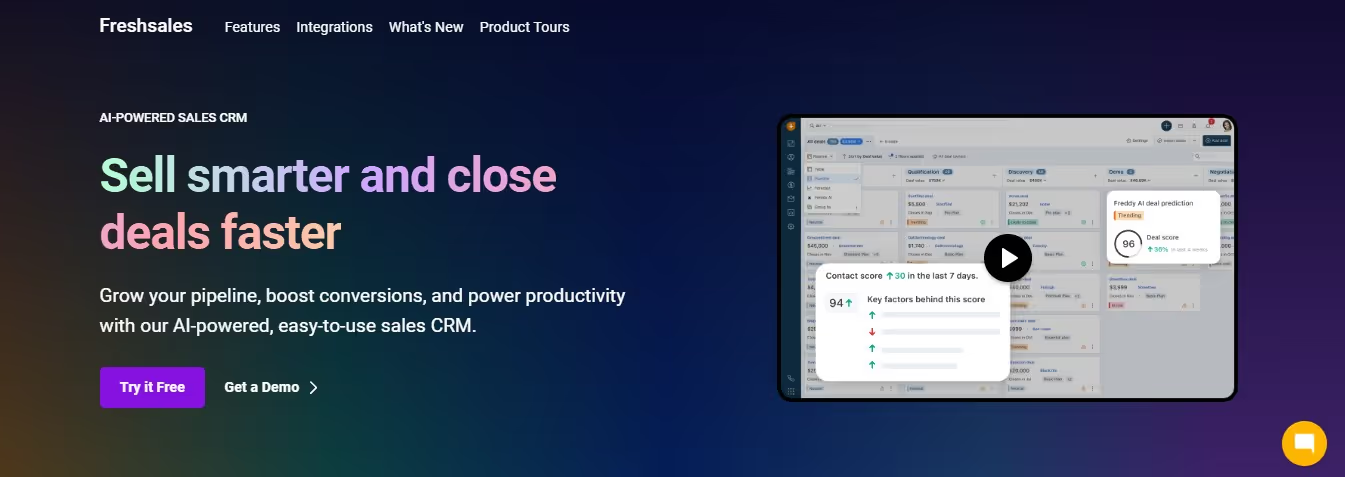
What it does: Freshsales is a CRM built for teams that want sales, built-in calling, and AI in one place without switching tabs. It covers contact management, pipeline tracking, email sequences, and phone calls from inside the same interface. The free plan is one of the more capable free CRMs available.
Key features:
- Built-in telephony: make and receive calls directly inside the CRM with auto-logging
- Freddy AI for lead scoring, deal insights, and next-best-action recommendations
- Two-way Gmail and Outlook sync with email and activity tracking
- Sales sequences for automating multi-step follow-up across email and phone
- Contact lifecycle stages and custom pipeline views for different sales motions
- Visual sales reports with revenue analytics and activity dashboards
- Native integration with the broader Freshworks suite (Freshdesk, Freshmarketer)
- 4.5/5 on G2 from over 1,200 reviews
Pricing: Free plan available for unlimited users with basic CRM features. Paid plans start at $9/user/month (Growth, annual), $39/user/month (Pro, annual), $59/user/month (Enterprise, annual).
Best if: You want phone calls and CRM in one tool without paying for a separate calling solution, and you want a capable free tier to evaluate before committing.
Copper CRM
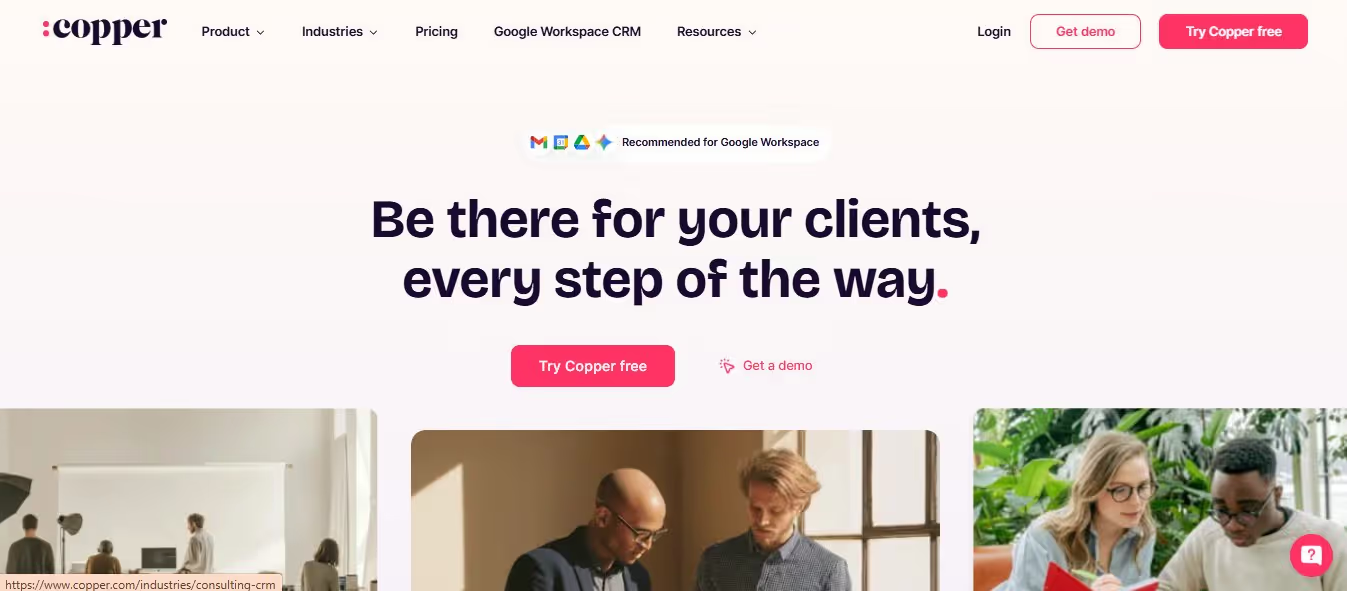
What it does: Copper is a CRM built specifically for Google Workspace users. It lives inside Gmail and Google Calendar, logging emails, scheduling follow-ups, and updating contact records without leaving your inbox. If your team's daily workflow is built around Google apps, Copper removes the friction of maintaining a separate CRM tab entirely.
Key features:
- Native Gmail integration: contacts, deals, and activity log directly inside the inbox sidebar
- Auto-populates contact records from email signatures and Google contacts
- Google Calendar sync for activity tracking and meeting logging
- Kanban-style pipeline with drag-and-drop deal management
- Workflow automation for follow-up reminders, stage changes, and task assignments
- Built-in email templates and open tracking
- Integrations with Slack, Mailchimp, Zapier, and Looker Studio for reporting
- 4.5/5 on G2 from over 1,150 reviews
Pricing: Starter at $12/user/month,Basic at $29/user/month, Professional at $69/user/month, Business at $134/user/month. No free plan, 14-day free trial available.
Best if: Your team runs entirely on Google Workspace and you want CRM activity logged without ever leaving Gmail.
Zoho CRM

What it does: Zoho CRM is one of the broadest CRMs at its price point. It covers sales pipeline management, workflow automation, AI-powered lead scoring, and a built-in marketing layer, all without the enterprise pricing of HubSpot or Salesforce. The free tier supports up to 3 users, and paid plans stay affordable as teams grow.
Key features:
- Zia AI for predictive lead scoring, anomaly detection, and voice-command queries (Enterprise and above)
- Blueprint process management for enforcing structured sales workflows
- Multi-channel communication: email, phone, live chat, and social media from one interface
- Advanced segmentation and mass email capabilities built into the CRM
- Webhooks, custom modules, and REST API from Professional tier upward
- Free plan for up to 3 users with core CRM features
- 4.1/5 on G2 from over 2,900 reviews
Pricing: Free plan for up to 3 users. Paid plans: Standard $20/user/month, Professional $35/user/month, Enterprise $50/user/month, Ultimate $65/user/month. No setup fees. 30-day free trial.
Best if: Budget is a real constraint and you need a full-featured CRM that scales, or you're already using other Zoho products and want everything connected natively.
Bonus Pick: SalesRobot
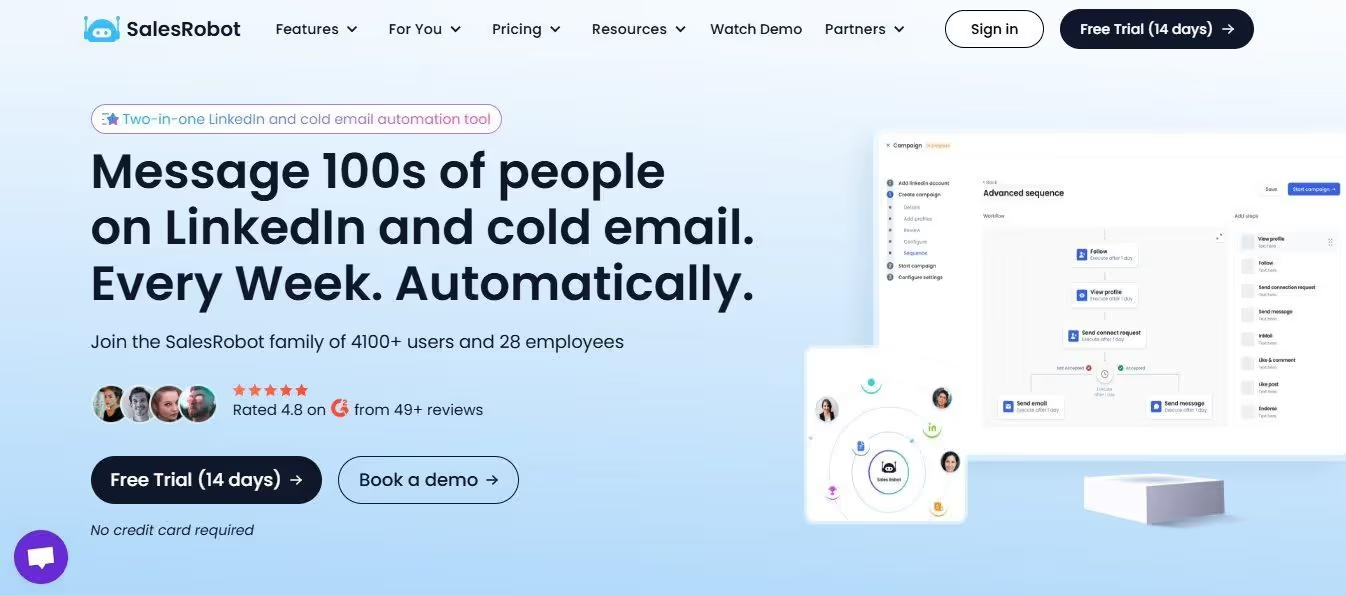
Worth being upfront here: SalesRobot is not a Nutshell replacement. Every tool above manages your pipeline: contacts, deals, stages, follow-ups.
SalesRobot does something different. It fills that pipeline in the first place.
Every CRM on this list assumes you have leads to manage. SalesRobot is how you get them.
What SalesRobot does: It automates LinkedIn connection requests, personalized follow-up sequences, and cold email outreach using LinkedIn's mobile APIs combined with dedicated residential IPs ; the same technical approach LinkedIn's own phone app uses.
This is why its verified ban rate across 4,100+ active accounts is effectively zero.
The AI Appointment Setter handles replies automatically: qualifying prospects, handling objections, asking discovery questions, and booking meetings on your calendar without you managing every conversation manually.
When it hits something outside its scope, it flags "Human Intervention Required" instead of sending the wrong reply.
Voice and video message cloning let you upload a 30-second sample and send personalized voice notes or video messages at scale, which consistently outperforms text-only outreach on reply rates.
Key features:
- Runs on LinkedIn's mobile APIs with dedicated residential IPs, giving it a near-zero account ban rate across 4,100+ active accounts
- AI Appointment Setter handles replies, manages objections, asks discovery questions, and books meetings automatically
- Voice and video message cloning for personalized audio and video outreach at scale
- AI Variables pull in prospect-specific context like recent company news, mutual connections, and recent posts
- Unified inbox for LinkedIn and email conversations across all connected accounts
- Email automation available as an add-on at $15/month per email account
- 4.8/5 on G2 from 49+ verified reviews
Pricing: Annual billing starts at $39/month (Basic), $59/month (Advanced), $79/month (Professional). Monthly billing runs $59/$79/$99 respectively. 14-day free trial, no credit card or phone number required.
Best if: LinkedIn is your primary outbound channel and you want outreach that runs safely, handles replies on its own, and fills your CRM pipeline automatically rather than one that just organizes what's already there.
The Verdict
There is no single best Nutshell alternative. The right call depends on what specifically is not working for you right now.
If Nutshell's add-on pricing is the issue and you need more for less, Zoho CRM covers more ground at a lower total cost, especially if you already use other Zoho products.
If your team lives in Gmail and wants CRM without a context switch, Copper is the obvious choice. Nothing on this list integrates with Google Workspace as cleanly.
If you want the simplest upgrade with a similar philosophy to Nutshell, pipeline-first, easy setup, no bloat, Pipedrive is the closest match and the tool G2 reviewers most commonly switch to.
If budget is not the issue but you want one platform covering CRM, marketing, and sales in a single login, HubSpot Sales Hub is worth the premium, particularly if you will actually use the marketing tools alongside it.
If you want built-in calling and a solid free tier while you evaluate, Freshsales gives you more for free than almost anything else on this list.
And if the underlying problem is that your pipeline is thin regardless of which CRM you use, no amount of pipeline management software fixes that. That is where SalesRobot comes in.
Bottom Line
- Pick Pipedrive if you want a clean visual pipeline and an easy upgrade from Nutshell without changing how your team sells
- Pick HubSpot Sales Hub if you want CRM and marketing under one roof and you're willing to pay for it as you scale
- Pick Freshsales if you need built-in phone calling alongside CRM and want a capable free plan to start on
- Pick Copper CRM if your team runs on Google Workspace and wants CRM that works inside Gmail
- Pick Zoho CRM if budget is the deciding factor and you need full CRM depth without the enterprise price tag
- Add SalesRobot if your CRM is organized but your pipeline is thin, and you want LinkedIn + email outreach running automatically to fix that
That's all folks.

Wow your leads by cloning yourself and sending personalized videos and voice notes to each lead on LinkedIn.
If you don't reply to leads within 5 mins, your chances of converting them fall by 50%. Our AI replies on your behalf instantly! (and yes, you can train it)

Don't shoot in the dark. Get detailed analytics on what's working

SalesRobot allows you to invite other team members, so that they can add their LinkedIn Account, run outreach campaigns and get amazing results just like you.
.avif)


Trusted by 4100+ innovative B2B sales teams and lead gen agencies

.avif)

.avif)




.avif)