.avif)
TL;DR: Quick Tool Comparison
You should read this blog…
If you're trying to find the best LinkedIn auto connect tool but don't even know where to start.
I've been there.
After spending 5 years testing, tweaking, and even building my own LinkedIn auto connect tool, I've finally rounded up 9 tools that actually work.
If you skip this blog, you might end up with a tool that's overpriced, unsafe, or flat-out ineffective.
And I know money matters, too.
That's why I've included tools for every budget, so you can find the perfect fit without breaking the bank.
In this blog, I'll also answer the big questions:
Plus, I'll dive deep into the types of LinkedIn auto connect tools, how they work, and the top benefits.
With that being said, let's quickly go through the tools that we will cover:
1. SalesRobot
2. Salesforge
3. MeetAlfred
4. HeyReach
5. Expandi
7. Skylead
8. Dripify
9. Evaboot
What Are LinkedIn Auto Connect Tools?
LinkedIn auto connect tools help you send connection requests on LinkedIn without lifting a finger.
Remember when you had to spend hours clicking "connect" over and over?
Not anymore! These tools handle it for you.
They make reaching out to new people fast, easy, and way less boring.
It's like having your own little helper who knows exactly who you want to connect with and takes care of it while you focus on more important things.
Is LinkedIn automation legal?
Here's the truth: LinkedIn doesn't permit any third-party software that automates activity on its platform.
However, these tools aren't illegal to use. They just go against LinkedIn's terms of service.
Just make sure you're using them the right way, and you'll be good to go!
Look, if you're sending hundreds of connection requests from one account, yeah, you're gonna be banned 🙄
Because that's the kind of behavior that makes it look like your profile is being run by a bot.
But if you make sure to:
- Stay between 15-20 connections per day
- Use cloud-based tools as they're safer than Chrome extensions
- Use tools with randomized delays, warm-up logic, and daily caps
- Use older LinkedIn accounts (6+ months)
Then yes, LinkedIn auto connect automation won't get your account banned!
Is LinkedIn automation safe?
Well… Yes, and no.
The key is to use them wisely.
LinkedIn has tightened its rules for automation in 2026. The platform's detection algorithms are more sophisticated than ever, making it crucial to choose tools that prioritize account safety. Stick to the recommended limits, use cloud-based systems, and your account will stay completely safe.
But go overboard, and you'll face a restricted account.
Safety also depends on the type of tool you're using, and that's exactly what we'll talk about next.
3 Types of LinkedIn Auto Connect Tools
There are three types of LinkedIn auto connect tools available in the market, and each one works differently.
Let me quickly break them down for you!
1. Chrome Based (LinkedIn Auto Connect Chrome Extension)
These tools sit on top of your browser and automate everything with one click. These are Chrome extensions you can download from the Chrome Store and work as a LinkedIn auto connect extension.
Here's what's good about them:
- Cheap and affordable
- Super easy to set up
Here's what's NOT good about them:
- You have to keep your browser open for it to work
- Your LinkedIn account can get banned
Since LinkedIn has tightened its rules, Browser-based tools are more likely to get you banned because they lack proper safety features. Most LinkedIn auto connect chrome extension tools don't have the advanced safety measures needed to avoid detection.
2. Cloud Based
These tools run on dedicated servers and don't need anything installed on your browser or computer.
Here's what's good about them:
- Works even when your computer is off
- Handles multiple accounts easily
- More secure with proxies and VPNs
- Keeps your LinkedIn account safe
- Includes randomized delays, warm-up logic, and daily caps
Here's what's NOT good about them:
- Higher cost than browser extensions
3. Desktop Based
These tools run directly from your computer with an app you install.
Here's what's good about them:
- Uses your personal IP address
- Can handle multiple LinkedIn accounts
- Often cheaper than cloud-based options
Here's what's NOT good about them:
- Uses your personal IP address
- Won't work if your computer is turned off
- No remote access
While you weigh the pros and cons of each type, let's talk about…
4 Benefits of LinkedIn Auto Connect Tools
1. LinkedIn Connect Automation
Generating leads via outbound is common, but people do it manually.
With LinkedIn auto connect tools, you can automate your LinkedIn connect and messaging process.
You can automate steps like:
- Viewing profiles
- Sending connection requests
- Sending LinkedIn messages and InMails
- Scheduling and sending follow-ups
And it gets even better with advanced features like:
- Send a follow-up after a certain action
.avif)
- Personalize your messages with variables
.avif)
2. LinkedIn Scraping
Data is everything, and without it, doing business is nearly impossible.
LinkedIn auto connect tools make extracting valuable data from LinkedIn or Sales Navigator searches easier.
They help you find necessary details like:
- Emails
- Full names
- Company names
- LinkedIn profile URLs and more
Since LinkedIn doesn't allow you to export leads directly, you'll need a third-party tool to grab this data.
Always choose a tool that lets you scrape LinkedIn Sales Navigator directly and manage your outreach in the same place.

That way, you'll keep everything streamlined and secure.
3. Multichannel outreach
If your prospect doesn't respond to you on LinkedIn, you can always follow up on email. How?
With Auto Connect tools, you can combine LinkedIn messages and cold emails.
They're complex but super powerful.
.avif)
With a multichannel tool, you can automate almost every step of your sales process.
4. LinkedIn Marketing Automation
If you're into creating LinkedIn content, these tools are for you.
They help you automate tasks to help with social selling on LinkedIn.
- Publish LinkedIn posts
- Gather likes and comments for your posts
And now, it's time to find out which tool falls into which category.
9 LinkedIn Auto-Connect Tools To Try in 2026
1. SalesRobot

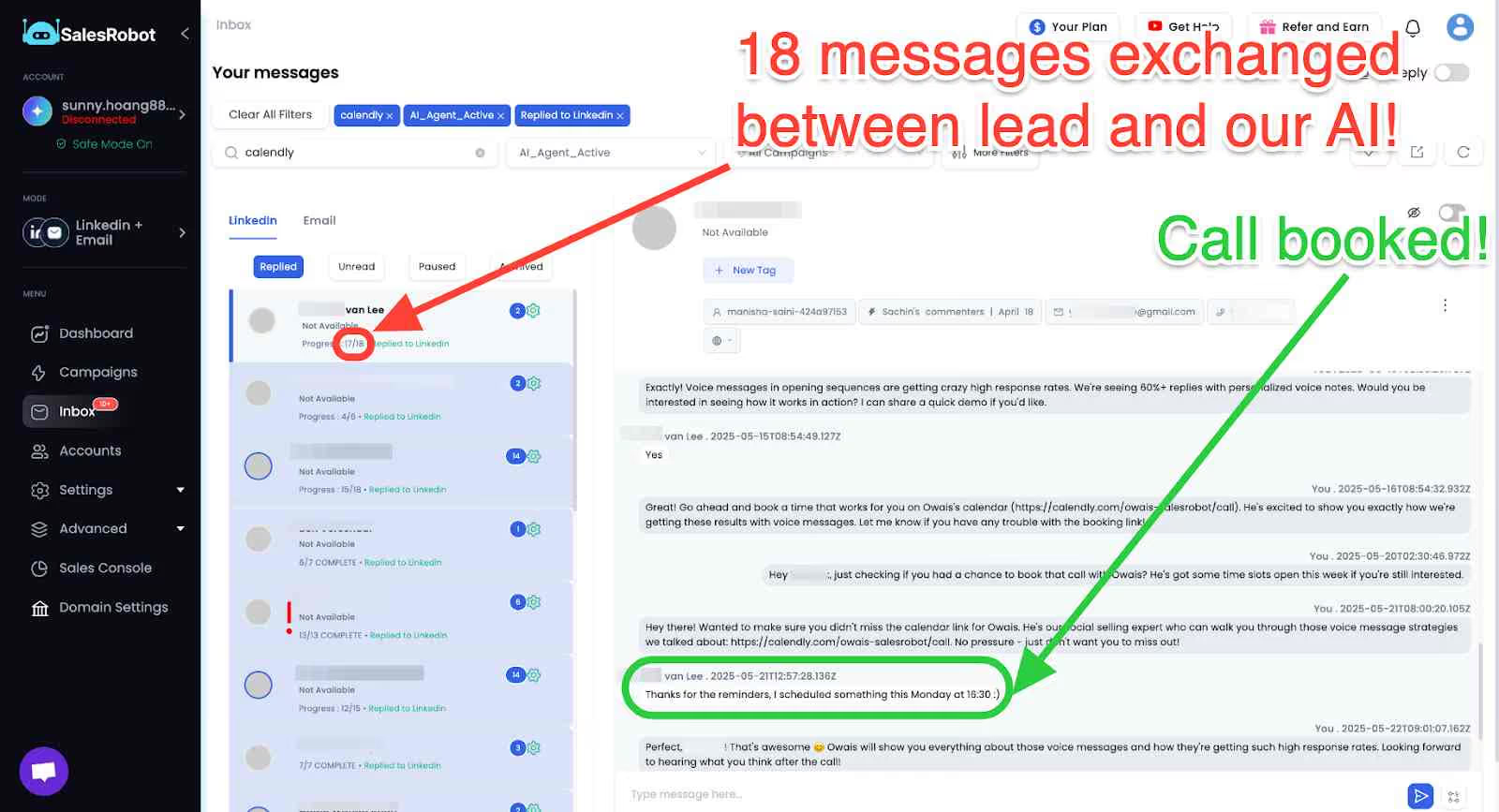
SalesRobot is a cloud-based tool that helps you automate your LinkedIn and email outreach. It's an all-in-one LinkedIn auto connect tool that runs 24/7 without your computer being on.
Top Features
✅ Personalized Voice and Video messages

✅ AI Variables for dynamic and profile based personalization

✅ Send up to 150+ connection requests every week on LinkedIn
✅ Find and enrich verified work email addresses
✅ Send cold emails within the same sequence
✅ Safe mode with randomized delays and daily caps to protect your account

✅ Around-the-clock customer support (even on weekends)
✅ Manage your LinkedIn and email inbox from one place
✅ Work email enrichment and verifier

✅ Easy integration to popular tools such as Zapier, HubSpot, Salesforce, and Hyperise
.avif)
Ideal Customer Solopreneurs, freelancers, startup sales professionals, small businesses, and marketing agencies
Pricing - Basic is $59/month (1 campaign, limited daily quotas, AI Appointment Setter). Advanced is $79/month (unlimited campaigns, full quotas, A/B testing, AI Variables). Professional is $99/month (adds team management). Enterprise is custom. Email outreach is a $15/month add-on per account on any plan.
.avif)
2. Salesforge
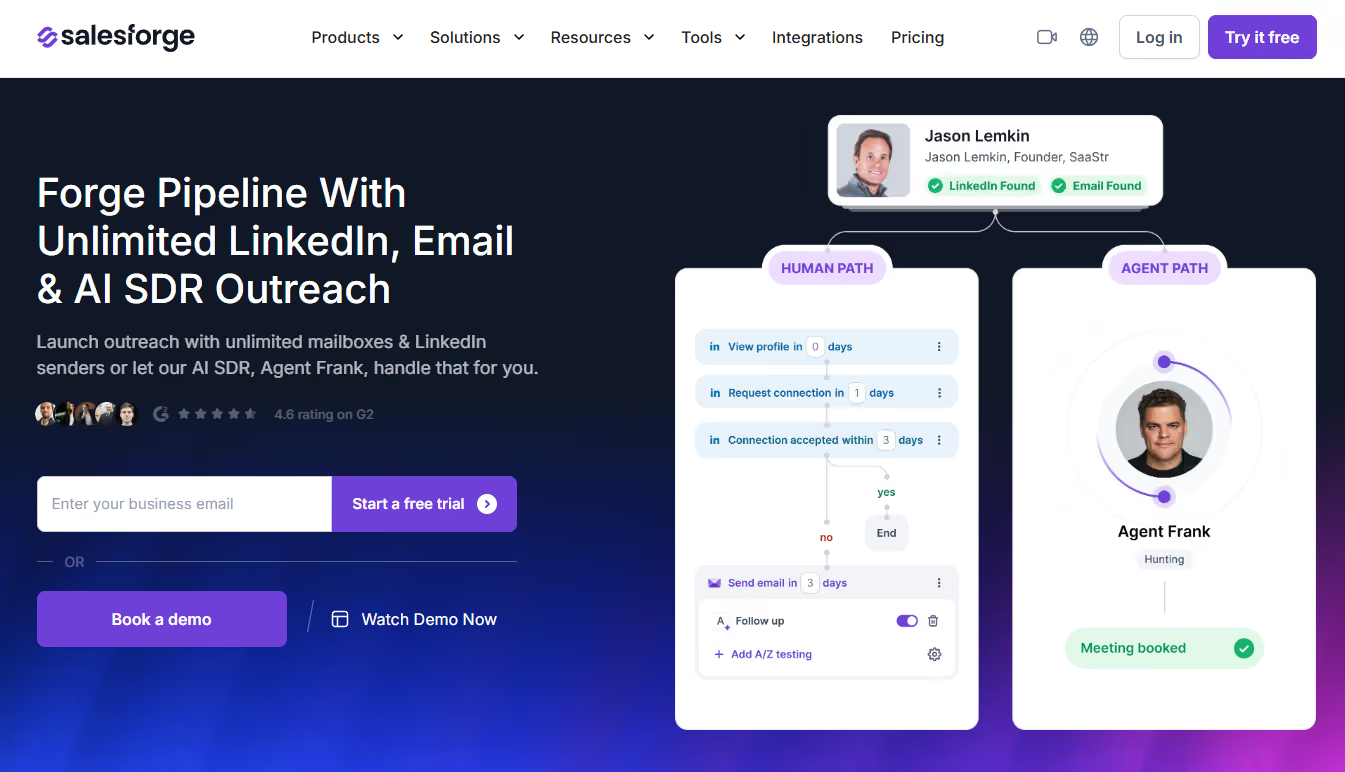
Salesforge is a multichannel outreach platform that runs cold email and LinkedIn as coordinated channels inside one sequence. This makes it a strong option for teams who want conditional logic between channels instead of a linear "email then LinkedIn" chain.
Note:
It's a cloud-based tool.
Top Features -
✅ Unlimited senders and mailboxes, plus unlimited LinkedIn accounts on the Growth plan.
✅ Conditional sequences that branch based on prospect behavior, like triggering a LinkedIn message only if a connection request is accepted.
✅ Six native LinkedIn actions (connection requests, messages, InMails, likes, follows, withdrawals), capped daily to stay within safe limits.
✅ Account safety by default — shared proxies, session-token-only authentication, no Chrome extension injection.
✅ Primebox™ unifies LinkedIn and email replies in one inbox, with AI Autopilot or Co-pilot modes.
Ideal Customer - Sales teams and agencies running combined email + LinkedIn outreach who want unlimited senders without per-seat pricing
Pricing - Pro Plan: $40/month. Growth Plan: $80/month (adds unlimited LinkedIn accounts, A/B testing, and API access)
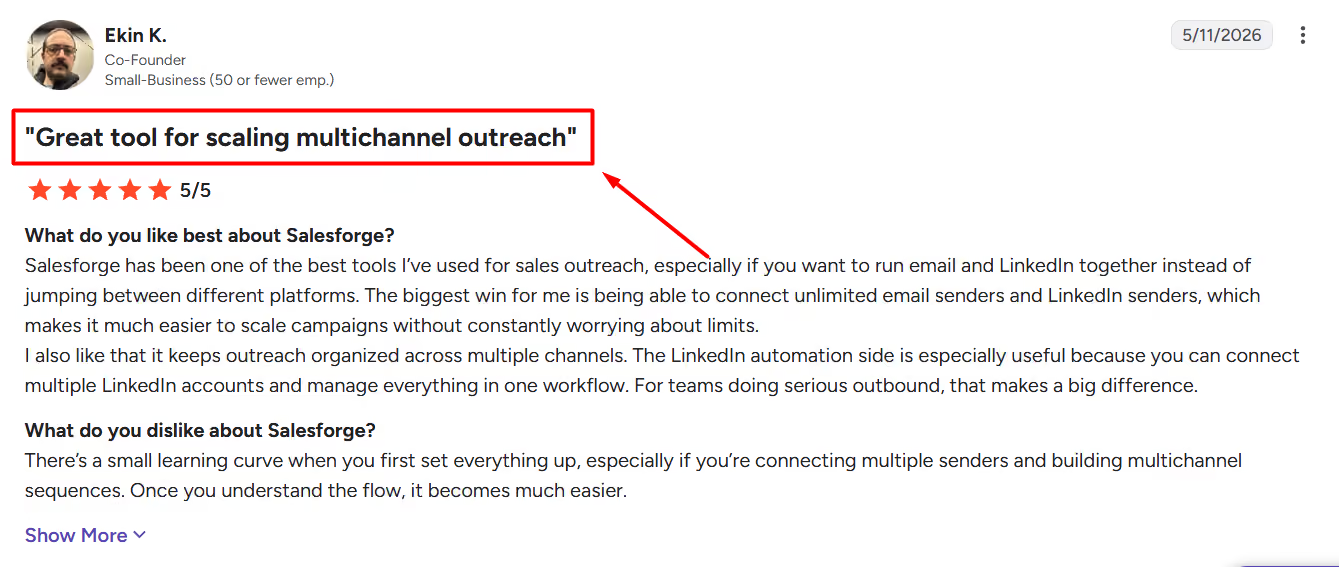
3. MeetAlfred

Meet Alfred is a lead generation tool that works across multiple social media platforms at the same time. This makes it perfect for running campaigns on different channels.
Top Features
✅ Generate leads via multiple platforms, for example: LinkedIn, Facebook, and X.
✅ Schedule and preview posts
✅ Warm up LinkedIn and email accounts
✅ Account remains safe since it mimics human activity
Ideal Customer Marketers and teams managing multichannel outreach
Pricing Business Plan: $59/month for unlimited campaigns, advanced CRM features.
.avif)
4. HeyReach
.avif)
HeyReach is a LinkedIn automation tool that helps you save time. It's a very competitive option if you want to manage multiple LinkedIn accounts. This makes it popular with LinkedIn agencies running large-scale campaigns.
Top Features -
✅ Connect multiple accounts to scale your outreach.
✅ Create complex outreach sequences.
✅ Integrate your favorite CRM.
Ideal Customer - LinkedIn agencies managing 40+ accounts
Pricing - starts at $79/mo
.avif)
5. Expandi

Expandi is a secure cloud-based tool perfect for handling LinkedIn outreach safely, even when managing multiple accounts. However, recent user feedback suggests the platform has experienced stability issues and a steeper learning curve compared to alternatives.
Yes, it has email automation capabilities, too.
Top Features -
✅ Automates LinkedIn messaging and connection requests.
✅ Uses dedicated IPs to protect accounts.
✅ Manage multiple accounts.
✅ Advanced personalization and white-label capabilities.
Ideal Customer - Agencies and consultants managing multiple accounts
Pricing - Starts at $99/sender/month
.avif)
6. LaGrowthMachine
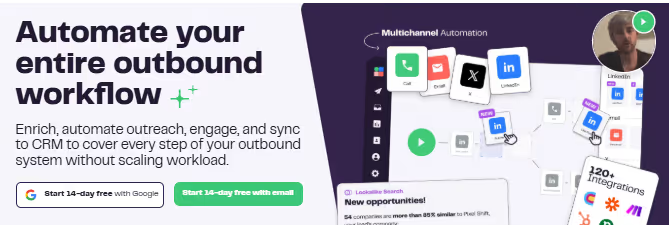
LaGrowthMachine is a multichannel automation tool that combines LinkedIn outreach with email campaigns, making it ideal for sales teams.
Top Features -
✅ Combines LinkedIn and email outreach in one platform.
✅ Pre-built templates for quick setup.
✅ AI voice notes for LinkedIn
Ideal Customer - Sales teams looking for a multichannel tool
Pricing - Starts at $70/month

7. Skylead

Skylead is a LinkedIn and email automation tool designed for users who want powerful workflows and detailed reporting.
Top Features -
✅ Smart customized outreach sequences.
✅ Ready to use tested outreach templates.
✅ Email discovery and verifier.
✅ Image personalization.
Ideal Customer - Businesses and solopreneurs
Pricing - Starts at $100/sender/month

8. Dripify

Dripify is a LinkedIn automation tool that helps you manage drip campaigns while integrating seamlessly with CRMs.
Dripify supports Email automation through mailbox integration.
Top Features -
✅ LinkedIn campaign creation via CSV, LinkedIn search, and profile URL
✅ Manage and check sales team performance from one place
✅ Keeps accounts safe by respecting LinkedIn limits.
✅ Provides analytics for campaign performance.
Ideal Customer - Sales professionals and marketers who want an affordable tool.
Pricing - Starts at $59/sender/month

9. Evaboot

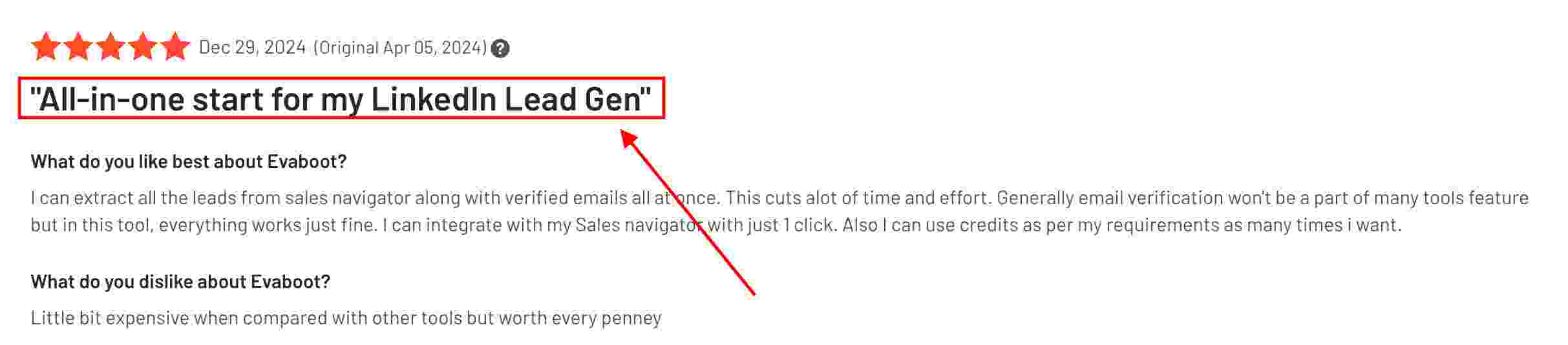
Evaboot specializes in extracting clean data from LinkedIn Sales Navigator, making it perfect for building accurate lead lists.
No LinkedIn or email automation.
Top Features
✅ Scrapes data from LinkedIn Sales Navigator searches.
✅ Cleans and organizes data.
✅ Export leads to CSV.
✅ Find and verify emails with built-in enrichment.
Ideal Customer - Data-focused teams and marketers requiring clean, exportable LinkedIn leads.
Pricing - Starts at $39/month with credit-based plans
Free LinkedIn Connection Automation Tool Options
While most robust LinkedIn auto connect tools require a subscription, there are some free LinkedIn connection automation tool options available.
However, these typically come with significant limitations like daily connection limits, basic features only, or trial periods.
For businesses serious about LinkedIn outreach, investing in a paid tool with proper safety features and support is usually the better choice.
Best LinkedIn Tool Selection Guide
When choosing the best LinkedIn tool for your needs, consider these key factors:
- Your budget and team size
- Whether you need email automation alongside LinkedIn
- The level of safety features required
- Integration needs with your existing CRM
- Customer support requirements
A quick note on pricing pages: the advertised number is rarely the full cost. Expandi's image/GIF personalization needs a separate Hyperise subscription (+$69/month).
Conclusion
Let's quickly wrap up this blog.
Picking the right LinkedIn auto connect tool comes down to what you need and your budget.
If you want something that works even when your computer is off?
↪ Go for Dripify. It's budget-friendly and super handy.
If you need to do outreach on LinkedIn and other platforms?
↪ Meet Alfred or LaGrowthMachine are great choices.
But if you want a tool that's all that plus budget-friendly, extremely safe, and offers excellent client support with powerful features, SalesRobot is the way to go.
SalesRobot offers a 14-day free trial for all plans with up to 35% discounts for annual payments. You don't even need a credit card or phone number!
What are you waiting for? Go ahead and try it out!
Frequently Asked Questions
Can you automate LinkedIn engagement without getting banned?
Yes, you can safely automate LinkedIn engagement by following best practices: stick to 15-20 connections per day, use cloud-based tools with randomized delays and warm-up logic, and choose tools that mimic human behavior. The key is moderation and using tools with proper safety features.
What happens if LinkedIn detects automation?
If LinkedIn detects automation, you may face account restrictions ranging from temporary limitations on sending connection requests to permanent account suspension. That's why choosing tools with advanced safety features and following daily limits is crucial.
How do I choose between a LinkedIn auto connect extension vs cloud-based tool?
Cloud-based tools are generally safer and more reliable than browser extensions. While extensions are cheaper, they require your browser to stay open and have higher ban risks. Cloud-based tools run 24/7, offer better safety features, and are less likely to be detected by LinkedIn.
Why can't I connect to someone on LinkedIn?
If you're unable to connect on LinkedIn, it could be due to several reasons: you've reached your weekly connection limit (around 100-200 per week), the recipient has restricted who can send them invitations, or your account has been temporarily restricted for excessive connection requests.

Wow your leads by cloning yourself and sending personalized videos and voice notes to each lead on LinkedIn.
If you don't reply to leads within 5 mins, your chances of converting them fall by 50%. Our AI replies on your behalf instantly! (and yes, you can train it)

Don't shoot in the dark. Get detailed analytics on what's working

SalesRobot allows you to invite other team members, so that they can add their LinkedIn Account, run outreach campaigns and get amazing results just like you.
.avif)


Trusted by 4100+ innovative B2B sales teams and lead gen agencies

.avif)

.avif)




.avif)


Heading 1
Heading 2
Heading 3
Heading 4
Heading 5
Heading 6
Lorem ipsum dolor sit amet, consectetur adipiscing elit, sed do eiusmod tempor incididunt ut labore et dolore magna aliqua. Ut enim ad minim veniam, quis nostrud exercitation ullamco laboris nisi ut aliquip ex ea commodo consequat. Duis aute irure dolor in reprehenderit in voluptate velit esse cillum dolore eu fugiat nulla pariatur.
Block quote
Ordered list
- Item 1
- Item 2
- Item 3
Unordered list
- Item A
- Item B
- Item C
Bold text
Emphasis

Superscript
Subscript