.avif)
TL;DR
- LinkedIn automation throttling is silent suppression of your delivered volume. LinkedIn quietly slows your sends before it ever shows a warning banner or bans you.
- The 2026 numbers: around 100 connection requests per week (the same ceiling for Free, Premium, and Sales Navigator), with a 20-25/day soft cap before throttling kicks in on a rolling 7-day window.
- Acceptance rate is the number-one trigger. Sustained drops below 25-30% cause automatic throttling, which is why 23% of users get restricted even inside the "official" limits.
- Throttling, restriction, and ban are three different things: throttling is silent and reversible; a ban is permanent. Don't confuse them.
- If you're throttled, stop all automated activity immediately. Continuing while suppressed makes it worse. Recovery takes 7-14 days of clean, human-paced behavior.
- Choose manual outreach if you're sending under 25 requests a week; choose safe automation like SalesRobot if you need consistent volume without tripping the throttle.
- 👉 Skip the guesswork: SalesRobot uses mobile-API pacing and Safe Mode to keep accounts throttle-free. Try free for 14 days.
Your Outreach Numbers Are Dropping and LinkedIn Isn't Saying a Word
Your pending requests are piling up. Acceptance rates that used to sit comfortably are suddenly in the gutter.
And here's the maddening part: LinkedIn hasn't sent you a single warning. No banner, no email, no "you've been restricted" popup.
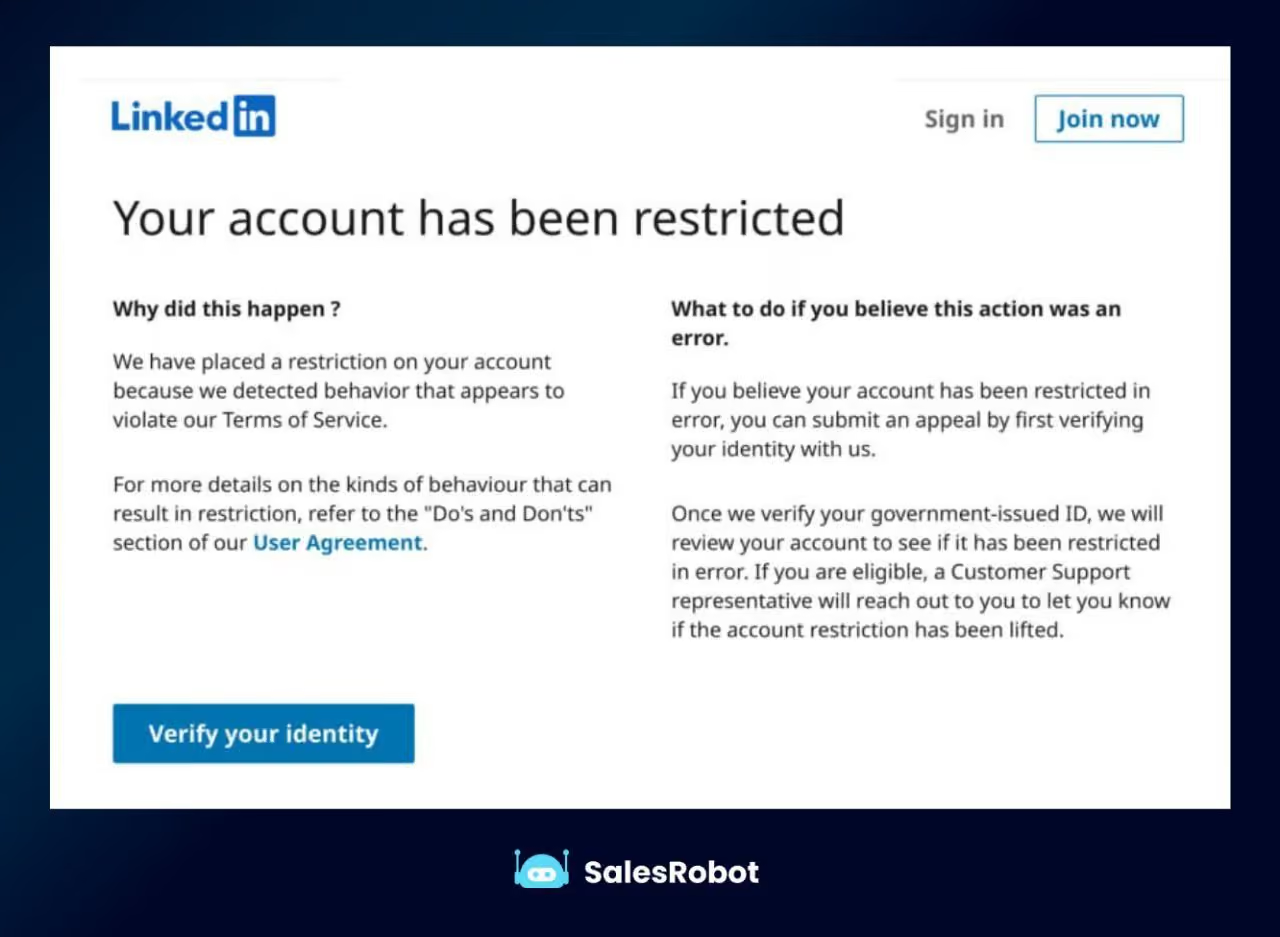
That's throttling. It's the quietest way LinkedIn kills your outreach, and most people don't even know it's happening until their pipeline's looking thinner than a startup's break room coffee.
The problem is that half the advice online treats throttling like a ban. It isn't.
It's a completely separate, invisible state that punishes your send limits long before any account restriction shows up.
This guide fixes that. We'll define exactly what throttling is, lay out the real 2026 send limits, show you what actually triggers the algorithm, how to spot throttling in progress, and how to recover and prevent it.
What Is LinkedIn Automation Throttling, Exactly?
LinkedIn automation throttling is an adaptive suppression system that silently reduces the volume of connection requests, messages, and profile views LinkedIn actually delivers on your behalf, without notifying you.
It kicks in when your behavior looks automated or low-trust, quietly shrinking your effective daily send limits well before any visible restriction or ban.
In plain terms: you think you're sending 25 requests a day, but LinkedIn is only surfacing a fraction of them to recipients. Fewer notifications go out. Your profile stops appearing in search. Requests sit "pending" forever.
Nothing on your screen tells you this is happening. That's what makes throttling so dangerous, you keep sending into a wall you can't see.
Throttling vs. Restriction vs. Ban: They Are Not the Same Thing
This is the distinction most articles get wrong, so let's nail it down. These are three separate tiers on a consequence ladder, and they behave completely differently.
Throttling is silent. No banner, no email, LinkedIn just quietly reduces your delivered volume. It's fully reversible once you clean up your behavior.
Restriction is visible. You get a warning banner ("You've reached the weekly invitation limit") or a temporary hold. It's a temporary cap, not a penalty, and it resets on its own.
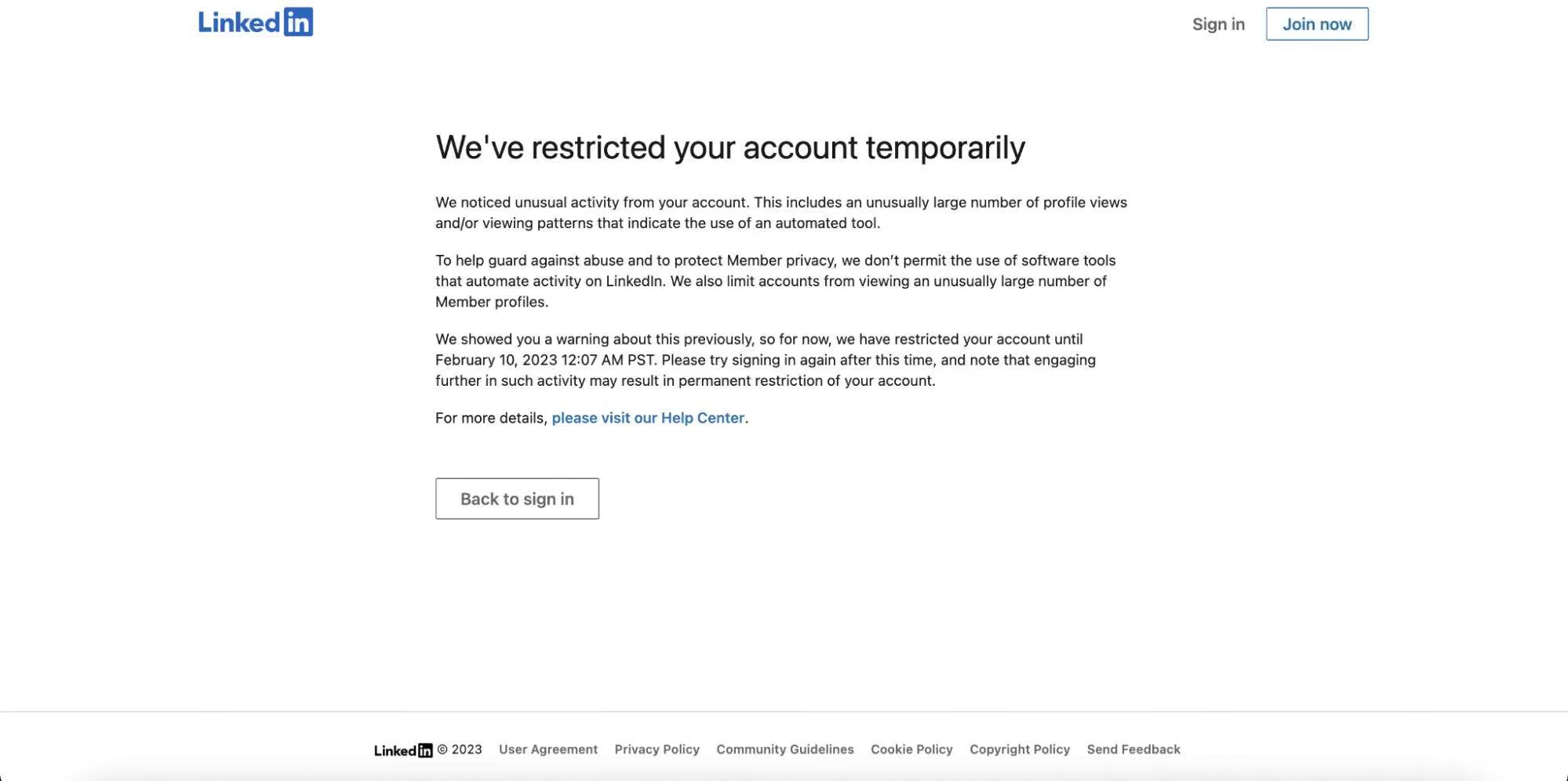
A ban is the nuclear option. Your account is terminated, usually after severe or repeated violations. This one is often permanent.
Here's the ladder in one table:
The key takeaway: throttling comes first. It's the early-warning stage that most people never notice.
That's exactly why 23% of users report getting restricted even while staying inside the official limits. They were being throttled the whole time and didn't adjust.
LinkedIn's 2026 Send Limits: The Actual Numbers
Here are the numbers that actually matter as of 2026. Memorize these, they're the difference between steady outreach and a silently strangled account.
Connection requests are widely reported at around 100 per week across every account tier. Free, Premium, and Sales Navigator all share the same 100-invite ceiling, and it resets on a rolling 7-day window, not a fixed weekday.
Worth flagging: LinkedIn doesn't publish this number officially, but it's consistent across every major automation tool and tracker.
The daily soft cap is roughly 20-25 invitations before LinkedIn's algorithm starts throttling. Push past that and pending requests linger longer, fewer notifications reach recipients, and search-based discovery of your profile drops.
Speed of throttling depends on account type. Free accounts sending 30+ in a day tend to see throttling within about 48 hours; Sales Navigator accounts at the same volume tend to throttle within 3-5 days.
And no, Sales Navigator does not give you more invites. It gives you more search headroom, but the 100/week invite cap is identical.
Here's the full 2026 picture:
Two of those are worth calling out.
Direct messages to 1st connections sit safely at 50-75 per day. Go above 100 and you're playing with fire.
And profile views run 80-100 per day before LinkedIn starts throttling your visibility.
How LinkedIn Actually Decides to Throttle You
Volume isn't the whole story. Two levers matter more than your raw daily totals.
Lever one is velocity. LinkedIn tracks the timing of your actions, not just the count.
Sending 50 messages in 10 minutes looks nothing like sending 50 messages across 8 hours. Mechanical, evenly-spaced bursts scream "bot," and get throttled fast.
Lever two is acceptance rate, and this is the big one. Acceptance rate is the single most important LinkedIn outreach metric, because LinkedIn's adaptive restriction algorithm watches it directly.
Sustained drops below 25-30% trigger automatic throttling. Fall consistently below roughly 20%, and LinkedIn interprets it as spamming behavior and throttles you even faster.
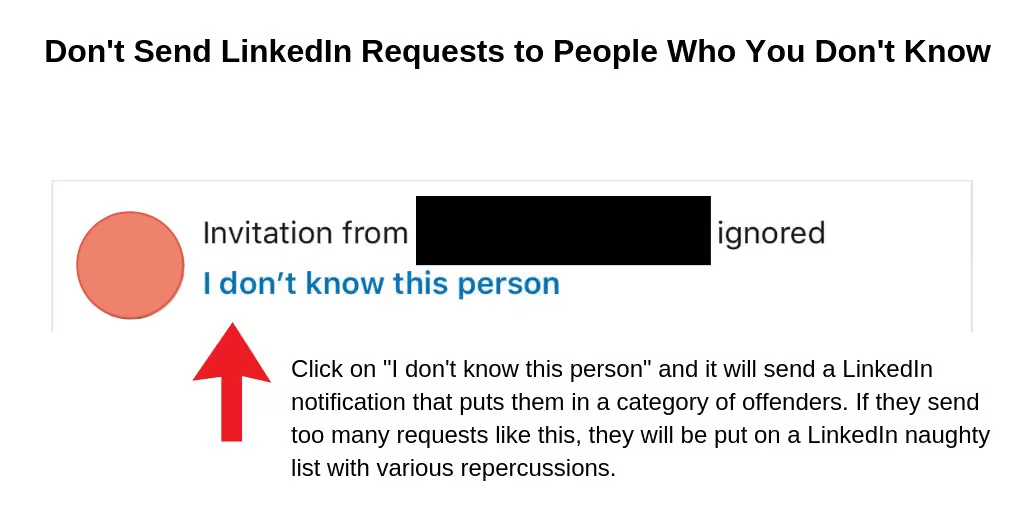
This is why the "just send more" strategy backfires. Blasting generic requests tanks your acceptance rate, which tells LinkedIn you're a spammer, which throttles your delivered volume. A doom loop.
The fix is personalization that actually lifts acceptance. Tools like SalesRobot use AI Variables to pull details from each prospect's LinkedIn profile and tailor every request.
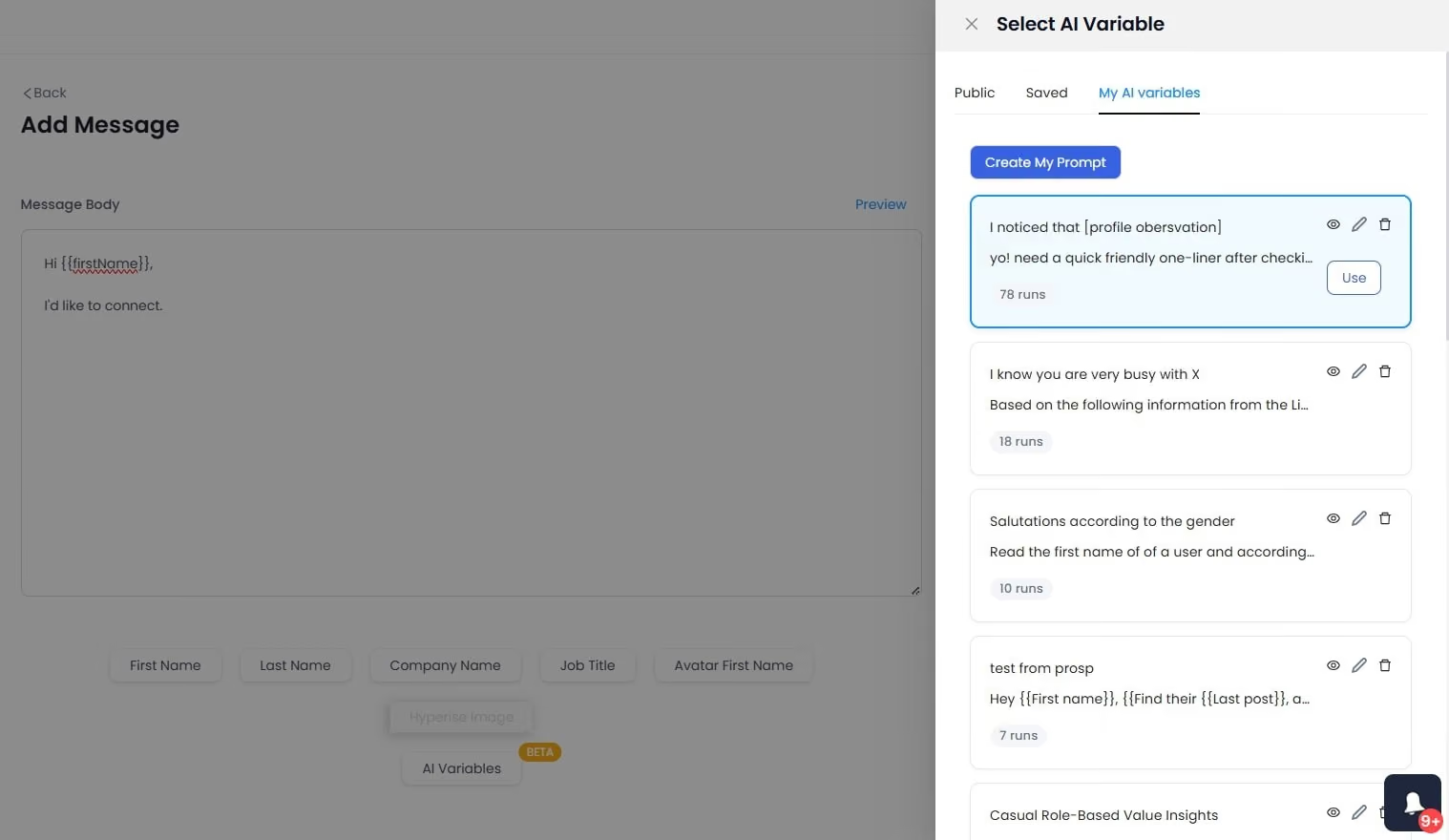
That's one of the most direct ways to keep acceptance rates above the throttle threshold. SalesRobot users average a 51% connection acceptance rate, comfortably clear of the danger zone.
Warning Signs Your Account Is Being Throttled Right Now
Since LinkedIn won't tell you, you have to read the symptoms. Here's how to spot throttling in progress:
- Pending requests linger far longer than usual. Invites that used to get accepted in a day now sit untouched for weeks.
- Sudden drops in connection acceptance or reply rates with no change in your messaging.
- Captchas and "unusual activity" prompts appearing when you log in or take actions.
- You can't send connection invites even though you haven't hit your normal daily limit.
- Your profile stops showing up in search-based discovery. Fewer people find you organically.
If you're seeing two or more of these together, you're almost certainly throttled, not banned, not restricted. Which means it's fixable.
How to Recover a Throttled LinkedIn Account
Recovery is straightforward, but it demands discipline. Here's the protocol:
- Stop all automated activity immediately. Pause every scheduled tool, disconnect browser extensions, and sign out of active automation sessions. Continuing any automation while throttled makes the situation worse.
- Go fully manual for 7-14 days. Log in like a normal human. Browse, engage, respond to messages, but keep sends minimal. Let the algorithm re-learn that you're a real person.
- Withdraw old pending requests. A pile of dead, unaccepted invites signals low-quality outreach. Clearing them helps reset your trust score.
- If you hit a restriction banner, just wait it out. "You've reached the weekly invitation limit" is a temporary cap, not a penalty. Stop sending invites and it resets on its own.
The mistake to avoid: firing your automation back up at full volume the moment things look better. Ramp back slowly, or you'll re-trigger throttling within days.
How to Avoid LinkedIn Throttling Going Forward
Prevention beats recovery every time. Here's the playbook that keeps your send limits intact.
Warm up new or dormant accounts. Don't jump straight to 25 invites a day. Ramp gradually over roughly 30 days so LinkedIn sees a natural growth curve, not a spike.
Randomize your timing. Randomized delays of roughly 30-120 seconds between actions reduce the mechanical patterns associated with bots. Even spacing is a dead giveaway.
Keep your pending invites under control. Most practitioners recommend staying below roughly 500-700 pending invitations and regularly withdrawing older requests. This breakdown of LinkedIn's limits covers how the ceiling actually moves.
Protect your acceptance rate above all. Personalize your requests so more people accept. This is the single biggest lever against throttling. Generic blasts are what get you throttled in the first place.
If manual pacing sounds exhausting, this is exactly where safe automation earns its keep. SalesRobot builds human-like randomized delays and daily limits directly into every campaign, so you're not manually watching the clock between sends.
How SalesRobot Keeps Your LinkedIn Sends Safe From Throttling
Most automation tools get people throttled because they behave mechanically. SalesRobot was built to do the opposite: respect LinkedIn's limits intelligently instead of trying to outrun them.
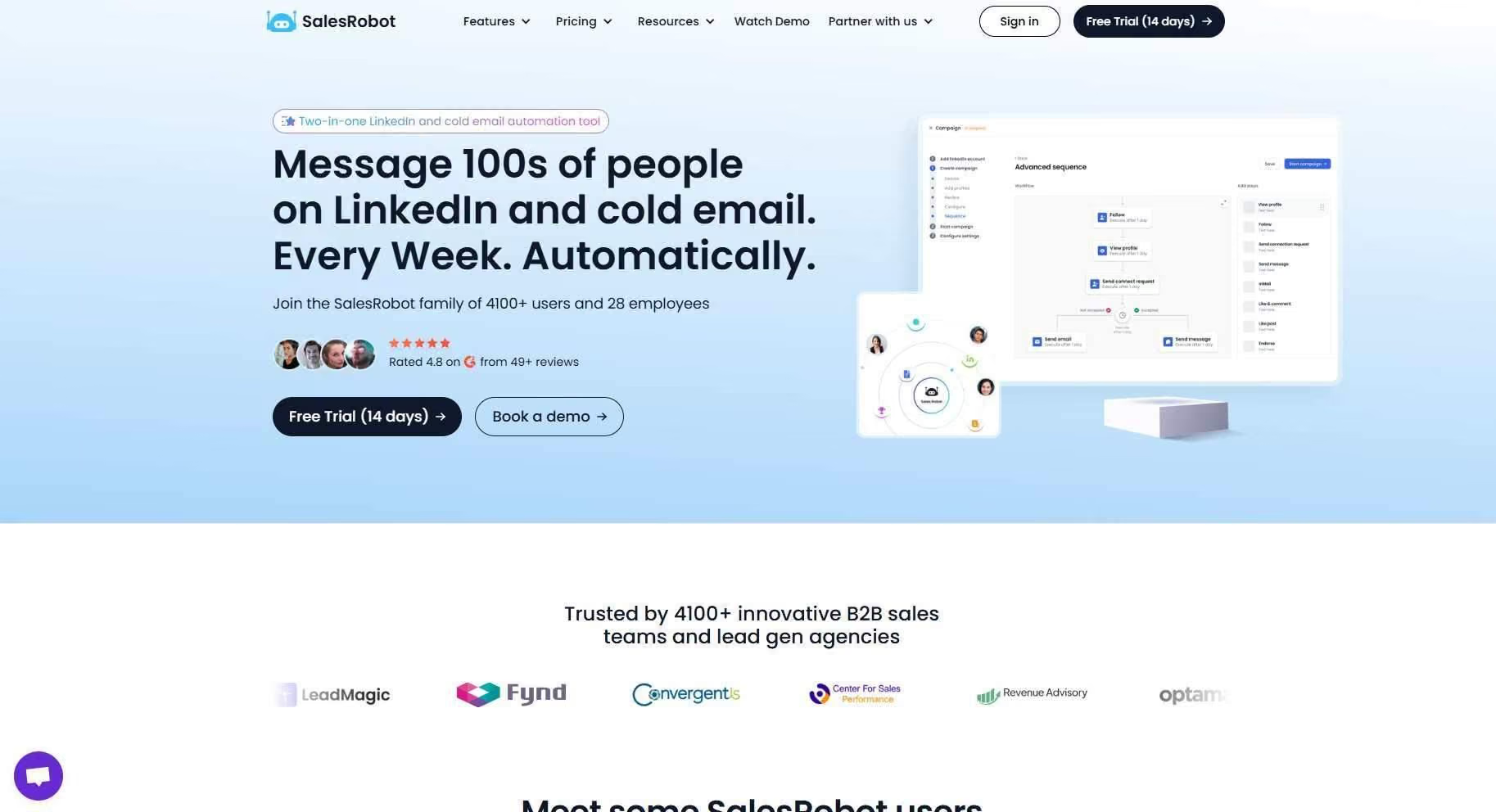
SalesRobot is a cloud-based LinkedIn and email outreach tool that runs your connection requests, follow-ups, and replies. It was built to stay inside LinkedIn's limits rather than push against them, which is exactly what keeps accounts off the throttle.
Browser extensions and desktop apps like Dux-Soup or Waalaxy run through your own session on a fixed IP, the exact fingerprint LinkedIn's detection classifier reads, and they inject scripts LinkedIn can literally see.
SalesRobot doesn't touch your browser at all. Here's how each piece maps to what triggers throttling:
The results follow from the architecture: a 51% average connection acceptance rate and 55% average reply rate across customers, well above the throttle threshold.
One customer, The Growth Agency, hit a 66% reply rate. And customers report zero account bans when following SalesRobot's Safe Mode guidelines.
Plans start at $59/month (annual billing saves up to 35%), with a 14-day free trial and no credit card required. It's trusted by 4,100+ B2B sales teams and rated 4.8 on G2 from 57+ reviews.
Frequently Asked Questions
What is LinkedIn automation throttling?
LinkedIn automation throttling is when LinkedIn silently reduces the volume of connection requests, messages, and profile views it actually delivers on your behalf.
It happens before any warning banner or ban, triggered by low acceptance rates or bot-like timing. It's reversible once you return to human-paced, high-quality behavior.
Does Sales Navigator give you more connection requests per week?
No. As of 2026, the roughly 100-connection-requests-per-week cap is the same across Free, Premium, and Sales Navigator accounts.
Sales Navigator gives you more advanced search filters and lead-management headroom, but it does not raise your weekly invite limit. Anyone claiming otherwise is out of date.
What are the signs my LinkedIn account is being throttled?
Watch for pending requests lingering far longer than usual, sudden drops in acceptance or reply rates, captchas or "unusual activity" prompts at login, an inability to send invites despite being under your daily limit, and your profile disappearing from search.
Two or more together usually confirm throttling.
Why is my account restricted even though I stayed within the limits?
Because staying under 100 invites a week isn't enough. LinkedIn also watches your acceptance rate, and sustained drops below 25-30% trigger automatic throttling and restrictions.
Roughly 23% of users get restricted inside the official limits because their acceptance rate was too low, signaling spam-like behavior to the algorithm.
How long does LinkedIn throttling last?
Throttling typically eases within 7 to 14 days of clean, human-paced activity. Stop all automation immediately, withdraw old pending requests, and engage manually so the algorithm re-learns you're a real person.
If you re-trigger throttling by ramping back too fast, the clock effectively resets.
Does LinkedIn automation always lead to a ban?
No. Bans happen from severe or repeated violations, not from automation itself. The real risk from careless automation is throttling and temporary restrictions.
Safe tools like SalesRobot use mobile-API pacing and Safe Mode guidelines, and customers report zero account bans when following them. The behavior matters more than the fact you're automating.
Can throttling turn into a permanent ban if I ignore it?
Not directly, but ignoring it is how the escalation starts. Throttling is the silent first stage; if you keep pushing volume while suppressed, you slide into visible restrictions, and repeated restrictions are what eventually lead to bans.
The fix is to treat throttling as the early warning it is: stop, go manual, let your acceptance rate recover, then ramp back slowly. Caught early, throttling never becomes a ban.
Putting It Together: What to Do Right Now
Throttling isn't a ban. It's the silent, acceptance-rate-driven suppression of your send limits that happens long before LinkedIn ever warns you.
Get that distinction right and you're already ahead of most people running outbound.
The honest reality check: you can't outrun the roughly-100-requests-per-week cap. Nobody can.
But you can stay comfortably inside it, keep your acceptance rate above 30%, and space your sends like a human. That's what keeps your delivered volume stable.
If you're sending under 25 requests a week, manual outreach works fine.
If you need consistent volume without babysitting the clock, that's where SalesRobot fits: mobile-API pacing, Safe Mode with zero reported bans, and AI Variables that push acceptance to a 51% average, all from $59/month.
👉 Stop guessing whether you're about to get throttled. Try SalesRobot free for 14 days, no credit card required.

Wow your leads by cloning yourself and sending personalized videos and voice notes to each lead on LinkedIn.
If you don't reply to leads within 5 mins, your chances of converting them fall by 50%. Our AI replies on your behalf instantly! (and yes, you can train it)

Don't shoot in the dark. Get detailed analytics on what's working

SalesRobot allows you to invite other team members, so that they can add their LinkedIn Account, run outreach campaigns and get amazing results just like you.
.avif)


Trusted by 4100+ innovative B2B sales teams and lead gen agencies

.avif)

.avif)




.avif)


Heading 1
Heading 2
Heading 3
Heading 4
Heading 5
Heading 6
Lorem ipsum dolor sit amet, consectetur adipiscing elit, sed do eiusmod tempor incididunt ut labore et dolore magna aliqua. Ut enim ad minim veniam, quis nostrud exercitation ullamco laboris nisi ut aliquip ex ea commodo consequat. Duis aute irure dolor in reprehenderit in voluptate velit esse cillum dolore eu fugiat nulla pariatur.
Block quote
Ordered list
- Item 1
- Item 2
- Item 3
Unordered list
- Item A
- Item B
- Item C
Bold text
Emphasis

Superscript
Subscript